What are they?

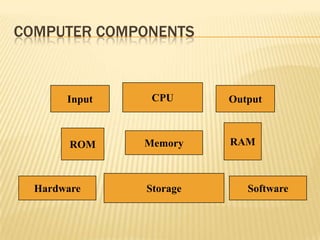
COMPUTER COMPONENTS
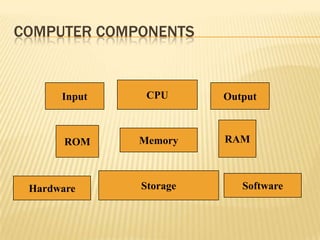
COMPUTER COMPONENTS


       Input    CPU      Output


        ROM    Memory    RAM


  Hardware     Storage      Software
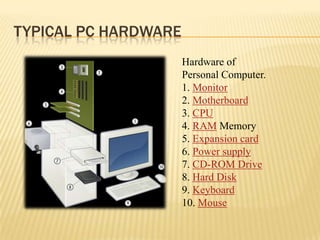
TYPICAL PC HARDWARE
                      Hardware of
                      Personal Computer.
                      1. Monitor
                      2. Motherboard
                      3. CPU
                      4. RAM Memory
                      5. Expansion card
                      6. Power supply
                      7. CD-ROM Drive
                      8. Hard Disk
                      9. Keyboard
                      10. Mouse
SOFTWARE


 Operating
  Systems: MS
  Windows, Apple OS X
 Applications: MS
  Office, Final Cut Pro,
  Adobe CS6
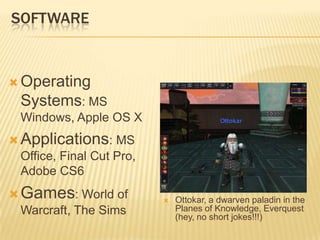
 Games: World of             Ottokar, a dwarven paladin in the
  Warcraft, The Sims           Planes of Knowledge, Everquest
                               (hey, no short jokes!!!)
HARDWARE

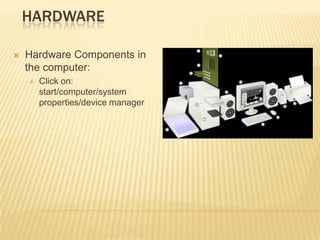
   Hardware Components in
    the computer:
       Click on:
        start/computer/system
        properties/device manager
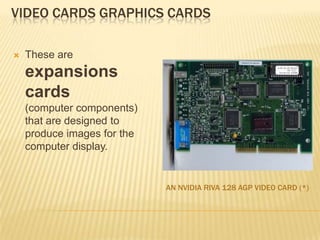
VIDEO CARDS GRAPHICS CARDS

   These are
    expansions
    cards
    (computer components)
    that are designed to
    produce images for the
    computer display.


                             AN NVIDIA RIVA 128 AGP VIDEO CARD (*)
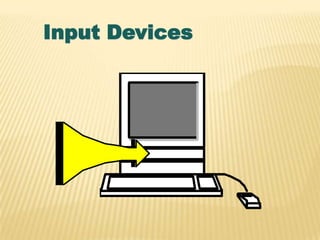
Input Devices
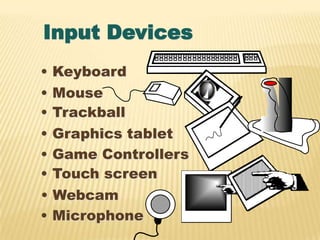
Input Devices
•   Keyboard
•   Mouse
•   Trackball
•   Graphics tablet
•   Game Controllers
•   Touch screen
• Webcam
• Microphone
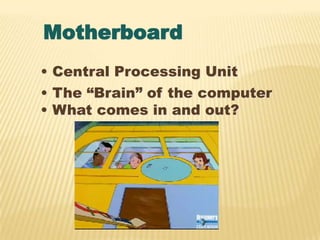
Motherboard
• Central Processing Unit
• The “Brain” of the computer
• What comes in and out?
CPU
• Central Processing unit
• The “Brain” of the computer
• Measured in MHz (Megahertz)
and GHz (Gigahertz)

 Hertz = Cycles Per Second   Makes me dizzy
 Mega = 1,000,000            thinking about it!
 Giga = 1,000,000,000
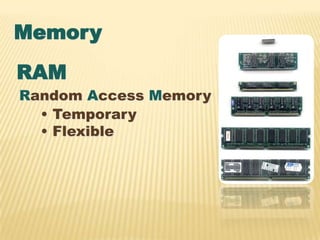
Memory
RAM
Random Access Memory
  • Temporary
  • Flexible
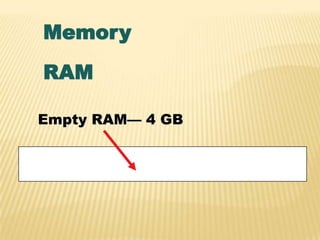
Memory
RAM

Empty RAM— 4 GB
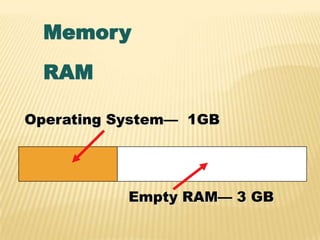
Memory
  RAM

Operating System— 1GB


           Empty RAM— 3 GB
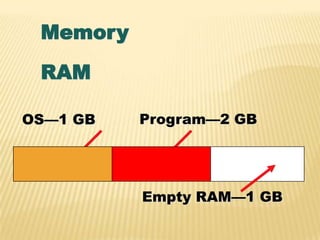
Memory
 RAM

OS—1 GB   Program—2 GB


          Empty RAM—1 GB
MEMORY

   In the previous example, 1GB was still
    available out of 3 GB total, after the
    Operating System and a program loaded into
    the system memory. When a system runs
    low on available memory, the computer will
    run more slowly.
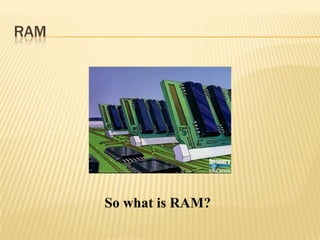
RAM


      So what is RAM?
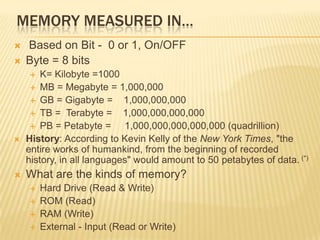
MEMORY MEASURED IN…
   Based on Bit - 0 or 1, On/OFF
   Byte = 8 bits
       K= Kilobyte =1000
      MB = Megabyte = 1,000,000
      GB = Gigabyte =      1,000,000,000
      TB = Terabyte =      1,000,000,000,000
      PB = Petabyte =      1,000,000,000,000,000 (quadrillion)
   History: According to Kevin Kelly of the New York Times, "the
    entire works of humankind, from the beginning of recorded
    history, in all languages" would amount to 50 petabytes of data. (*)
   What are the kinds of memory?
       Hard Drive (Read & Write)
       ROM (Read)
       RAM (Write)
       External - Input (Read or Write)
Memory
ROM
Read Only Memory
  Contains things
  that the
  computer
  needs to
  operate
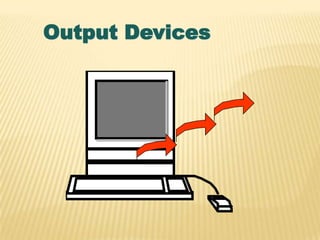
Output Devices
Output Devices
• Monitor
• Printer
• Sound
MONITORS
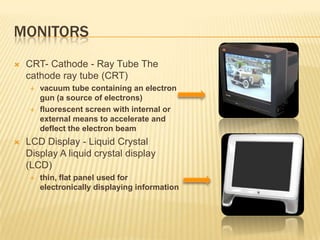
   CRT- Cathode - Ray Tube The
    cathode ray tube (CRT)
       vacuum tube containing an electron
        gun (a source of electrons)
       fluorescent screen with internal or
        external means to accelerate and
        deflect the electron beam
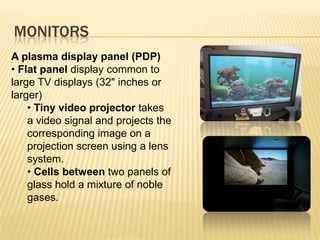
   LCD Display - Liquid Crystal
    Display A liquid crystal display
    (LCD)
       thin, flat panel used for
        electronically displaying information
MONITORS
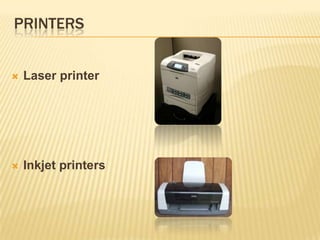
A plasma display panel (PDP)
• Flat panel display common to
large TV displays (32" inches or
larger)
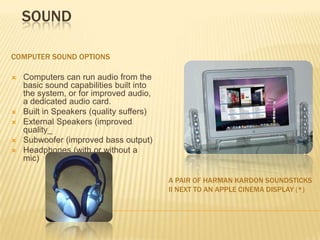
    • Tiny video projector takes
    a video signal and projects the
    corresponding image on a
    projection screen using a lens
    system.
    • Cells between two panels of
    glass hold a mixture of noble
    gases.
PRINTERS


   Laser printer


   Inkjet printers
SOUND

COMPUTER SOUND OPTIONS

   Computers can run audio from the
    basic sound capabilities built into
    the system, or for improved audio,
    a dedicated audio card.
   Built in Speakers (quality suffers)
   External Speakers (improved
    quality_
   Subwoofer (improved bass output)
   Headphones (with or without a
    mic)

                                          A PAIR OF HARMAN KARDON SOUNDSTICKS
                                          II NEXT TO AN APPLE CINEMA DISPLAY (*)
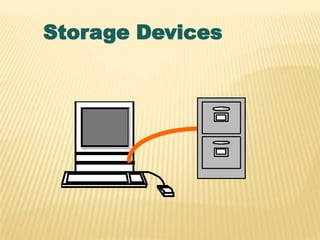
Storage Devices
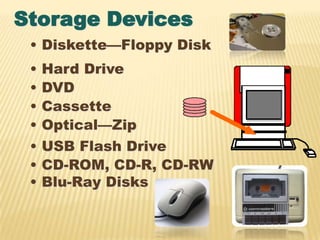
Storage Devices
 • Diskette—Floppy Disk
 •   Hard Drive
 •   DVD
 •   Cassette
 •   Optical—Zip
 •   USB Flash Drive
 •   CD-ROM, CD-R, CD-RW
 •   Blu-Ray Disks
OTHER TERMS
     Operating Systems
       Mac  - OS
       PC - DOS (basis) Windows
       Linux (used in computer servers, and
        open source-free to all, application)
     Memory - Write/Read
       What is Writable?     RAM
       What is Readable only?  ROM
       What is Read and Write? Hard drive
NETWORKING – CONNECTING COMPUTER

   Network Card
        Allows access to
         computer networks
        LANS - Local area
         networks - etc.
        WANS – Wide area
         Network

   Modem (Dial-up)
   Cable Modem
   DSL (Digital Subscriber
    lines-data transfer over
    copper cable)
   Wireless (Wi-Fi)
   Satellite


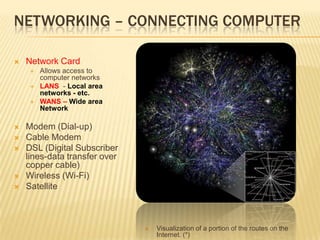
                                  Visualization of a portion of the routes on the
                                   Internet. (*)
COMPUTER COMPONENTS


      Input    CPU      Output


       ROM    Memory    RAM


 Hardware     Storage      Software
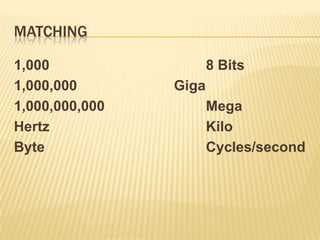
MATCHING

1,000                  8 Bits
1,000,000       Giga
1,000,000,000          Mega
Hertz                  Kilo
Byte                   Cycles/second
REFERENCES
 Original PPT by Dr. Giffel&Professor Braman
 Magic School Bus Gets Programmed, The.
  Scholastic (1997). Retrieved August
  27, 2006, from unitedstreaming:
  http://www.unitedstreaming.com/
 (*) Denotes Material Acquired from
  Wikipedia (all pictures from Wikipedia
  commons)

Computer Components

  • 1.
  • 2.
    COMPUTER COMPONENTS Input CPU Output ROM Memory RAM Hardware Storage Software
  • 3.
    TYPICAL PC HARDWARE Hardware of Personal Computer. 1. Monitor 2. Motherboard 3. CPU 4. RAM Memory 5. Expansion card 6. Power supply 7. CD-ROM Drive 8. Hard Disk 9. Keyboard 10. Mouse
  • 4.
    SOFTWARE  Operating Systems: MS Windows, Apple OS X  Applications: MS Office, Final Cut Pro, Adobe CS6  Games: World of  Ottokar, a dwarven paladin in the Warcraft, The Sims Planes of Knowledge, Everquest (hey, no short jokes!!!)
  • 5.
    HARDWARE  Hardware Components in the computer:  Click on: start/computer/system properties/device manager
  • 6.
    VIDEO CARDS GRAPHICSCARDS  These are expansions cards (computer components) that are designed to produce images for the computer display. AN NVIDIA RIVA 128 AGP VIDEO CARD (*)
  • 7.
  • 8.
    Input Devices • Keyboard • Mouse • Trackball • Graphics tablet • Game Controllers • Touch screen • Webcam • Microphone
  • 9.
    Motherboard • Central ProcessingUnit • The “Brain” of the computer • What comes in and out?
  • 10.
    CPU • Central Processingunit • The “Brain” of the computer • Measured in MHz (Megahertz) and GHz (Gigahertz) Hertz = Cycles Per Second Makes me dizzy Mega = 1,000,000 thinking about it! Giga = 1,000,000,000
  • 11.
    Memory RAM Random Access Memory • Temporary • Flexible
  • 12.
  • 13.
    Memory RAM OperatingSystem— 1GB Empty RAM— 3 GB
  • 14.
    Memory RAM OS—1 GB Program—2 GB Empty RAM—1 GB
  • 15.
    MEMORY  In the previous example, 1GB was still available out of 3 GB total, after the Operating System and a program loaded into the system memory. When a system runs low on available memory, the computer will run more slowly.
  • 16.
    RAM So what is RAM?
  • 17.
    MEMORY MEASURED IN…  Based on Bit - 0 or 1, On/OFF  Byte = 8 bits  K= Kilobyte =1000  MB = Megabyte = 1,000,000  GB = Gigabyte = 1,000,000,000  TB = Terabyte = 1,000,000,000,000  PB = Petabyte = 1,000,000,000,000,000 (quadrillion)  History: According to Kevin Kelly of the New York Times, "the entire works of humankind, from the beginning of recorded history, in all languages" would amount to 50 petabytes of data. (*)  What are the kinds of memory?  Hard Drive (Read & Write)  ROM (Read)  RAM (Write)  External - Input (Read or Write)
  • 18.
    Memory ROM Read Only Memory Contains things that the computer needs to operate
  • 19.
  • 20.
  • 21.
    MONITORS  CRT- Cathode - Ray Tube The cathode ray tube (CRT)  vacuum tube containing an electron gun (a source of electrons)  fluorescent screen with internal or external means to accelerate and deflect the electron beam  LCD Display - Liquid Crystal Display A liquid crystal display (LCD)  thin, flat panel used for electronically displaying information
  • 22.
    MONITORS A plasma displaypanel (PDP) • Flat panel display common to large TV displays (32" inches or larger) • Tiny video projector takes a video signal and projects the corresponding image on a projection screen using a lens system. • Cells between two panels of glass hold a mixture of noble gases.
  • 23.
    PRINTERS  Laser printer  Inkjet printers
  • 24.
    SOUND COMPUTER SOUND OPTIONS  Computers can run audio from the basic sound capabilities built into the system, or for improved audio, a dedicated audio card.  Built in Speakers (quality suffers)  External Speakers (improved quality_  Subwoofer (improved bass output)  Headphones (with or without a mic) A PAIR OF HARMAN KARDON SOUNDSTICKS II NEXT TO AN APPLE CINEMA DISPLAY (*)
  • 25.
  • 26.
    Storage Devices •Diskette—Floppy Disk • Hard Drive • DVD • Cassette • Optical—Zip • USB Flash Drive • CD-ROM, CD-R, CD-RW • Blu-Ray Disks
  • 27.
    OTHER TERMS  Operating Systems  Mac - OS  PC - DOS (basis) Windows  Linux (used in computer servers, and open source-free to all, application)  Memory - Write/Read  What is Writable? RAM  What is Readable only? ROM  What is Read and Write? Hard drive
  • 28.
    NETWORKING – CONNECTINGCOMPUTER  Network Card  Allows access to computer networks  LANS - Local area networks - etc.  WANS – Wide area Network  Modem (Dial-up)  Cable Modem  DSL (Digital Subscriber lines-data transfer over copper cable)  Wireless (Wi-Fi)  Satellite  Visualization of a portion of the routes on the Internet. (*)
  • 29.
    COMPUTER COMPONENTS Input CPU Output ROM Memory RAM Hardware Storage Software
  • 30.
    MATCHING 1,000 8 Bits 1,000,000 Giga 1,000,000,000 Mega Hertz Kilo Byte Cycles/second
  • 31.
    REFERENCES  Original PPTby Dr. Giffel&Professor Braman  Magic School Bus Gets Programmed, The. Scholastic (1997). Retrieved August 27, 2006, from unitedstreaming: http://www.unitedstreaming.com/  (*) Denotes Material Acquired from Wikipedia (all pictures from Wikipedia commons)