WELCOME
Team Name:
Simple Thinkers
Md. MobarakHosen C-6
Shahid Sabir B-6
Md. Imdadul Haque A-6
Romana Afroz C-5
BARD AQUIANTANCE
The academy was established in 1959 to train government officials and
representatives of the local government and village organizations on various
subjects relating to rural development. The founding chief executive of BARD was
Dr. Akhter Hameed Khan-an internationally renowned social scientist. It is an
autonomous institution governed by a board of governors of which the Minister for
Local Government, Rural Development, Cooperatives is the Chairperson.
Administratively, it is attached to the ministry of Minister for Local Government,
Rural Development, Cooperatives. The Director General acts as the Chief
Executive of the academy and he is assisted by the Additional Director General
and nine Directors. The activities of the Academy are carried out by its faculty
working in 9 Divisions each of which is headed by a Director. The Academy is
famous for its evolved model "Comilla Approach to rural Development" which is
well-known at home and abroad, BARD received national Award in 1986 for its
remarkable contribution to rural development.
What is the Purpose of
BARD Application?
In the manual system, it is difficult to know all
about BARD from outside the BARD. So if we
can develop an application that will have all
information about BARD then any one can
access it and know about BARD outside from
BARD and from anywhere in the world. As a
result we want to develop BARD application
which will provide all these information
Application
Acquaintance
OCreated for operate on android
platform
OWill run on any android device
OApplication size 10.2 MB
Features
OContains detail information
about BARD
OGives direction through google
map
OPhoto Gallery
Screenshot of
Application
Welcome screen
Home screen
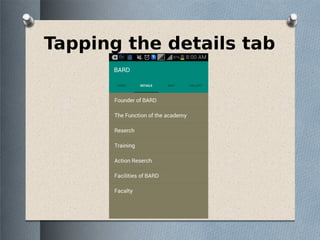
Tapping the details tab
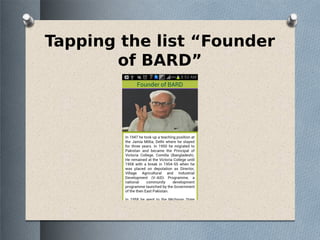
Tapping the list “Founder
of BARD”
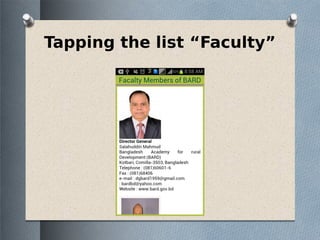
Tapping the list “Faculty”
Tapping the MAP
tab
Shows map after tapping
“View on Map” button
Tapping “BARD Map”
button
Tapping “My Location”
button
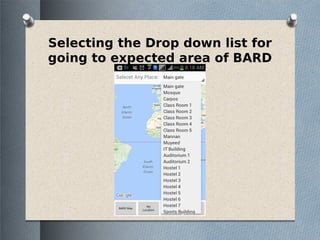
Selecting the Drop down list for
going to expected area of BARD
Showing the direction to
destination
Tapping “Navigation button”
will show the direction to
BARD from Anywhere outside
the BARD
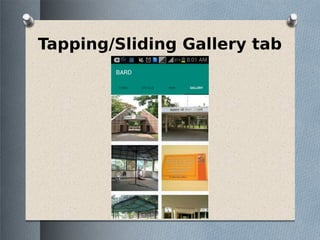
Tapping/Sliding Gallery tab
Shows the image from the
Gallery
Thank you

BARD application