twitter: @MithunShanbhag
blog: mithunshanbhag.github.io
twitter: @MithunShanbhagblog: mithunshanbhag.github.io
Execution Hierarchy
1. Execution hierarchy in a YAML pipeline:
• YAML Pipeline
• Stages: [stage1, stage2,… stagen]
• Jobs:[job1, job2,… jobn]
• Steps: [task1, task2,… taskn]
2. Every pipeline has at least one stage & one job even if you don’t explicitly define them.
3. By default, everything executes sequentially*, in the orderdefined.
4. Conditional execution is possible.
5. Dependencies can be explicitly specified.
1. Parallelization, fan-in, fan-out scenarios possible.
twitter: @MithunShanbhagblog: mithunshanbhag.github.io
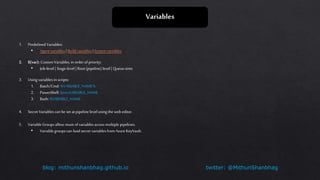
Variables
1. Predefined Variables:
• Agent variables | Build variables |System variables
2. $(var): CustomVariables, in orderof priority:
• Job-level | Stage-level |Root (pipeline) level | Queue-time
3. Using variables in scripts:
1. Batch/Cmd: %VARIABLE_NAME%
2. PowerShell: $env:VARIABLE_NAME
3. Bash: $VARIABLE_NAME
4. Secret Variables can be set at pipeline level using the web editor.
5. Variable Groups allow reuse ofvariablesacross multiple pipelines.
• Variable groupscan loadsecret variablesfrom AzureKeyVault.
twitter: @MithunShanbhagblog: mithunshanbhag.github.io
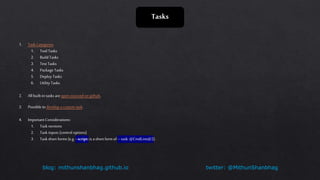
Tasks
1. Task Categories
1. Tool Tasks
2. Build Tasks
3. Test Tasks
4. Package Tasks
5. Deploy Tasks
6. Utility Tasks
2. All built-in tasks areopen-sourced on github.
3. Possible to develop a custom task.
4. Important Considerations:
1. Task versions
2. Task inputs (control options)
3. Task short forms(e.g. - script: is ashort formof –task: @CmdLine@2).
twitter: @MithunShanbhagblog: mithunshanbhag.github.io
DEMO
twitter: @MithunShanbhagblog: mithunshanbhag.github.io
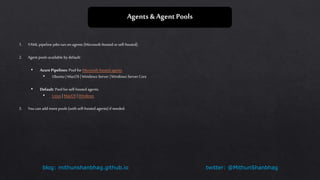
Agents & Agent Pools
1. YAML pipeline jobsrun on agents (Microsoft-hosted orself-hosted).
2. Agent pools available bydefault:
• Azure Pipelines: Pool forMicrosoft-hosted agents
• Ubuntu | MacOS | Windows Server |Windows Server Core
• Default: Pool for self-hosted agents.
• Linux | MacOS |Windows
3. You can add more pools (with self-hosted agents) if needed.
twitter: @MithunShanbhagblog: mithunshanbhag.github.io
Trigger Types
1. CITriggers
• Triggerwhenever a push is made tospecific branches or aspecific tag is pushed.
• Possible tobatch CIbuilds.
• Use [skip ci]in commit message toskip triggering.
• Specific file paths can be included orexcluded (wildcards aresupported).
2. PRTriggers
• Only supported for GitHub andBitbucket Cloud
• Use branch policies with build validation for AzureRepos (git).
3. Scheduled Triggers
• CRON Expression based triggers for periodic builds/deployments
4. Build Completion Triggers
• Not yet supported in YAML pipelines.
• Once YAMLpipeline created, use classic editor tospecify build completion trigger.
5. NOTE: Can’t use variables in triggers (variables areevaluated only after triggerfires).
twitter: @MithunShanbhagblog: mithunshanbhag.github.io
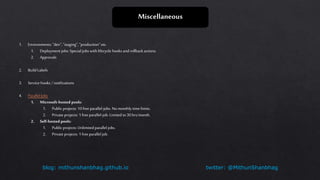
Miscellaneous
1. Environments: “dev”,“staging”,“production” etc.
1. Deployment jobs: Special jobs with lifecycle hooks androllback actions.
2. Approvals
2. Build Labels
3. Service hooks / notifications
4. Parallel Jobs
1. Microsoft-hosted pools:
1. Public projects: 10 free parallel-jobs. No monthly time limits.
2. Private projects: 1 free parallel-job. Limited to30 hrs/month.
2. Self-hosted pools:
1. Public projects: Unlimited parallel jobs.
2. Private projects: 1 free parallel job.
twitter: @MithunShanbhagblog: mithunshanbhag.github.io
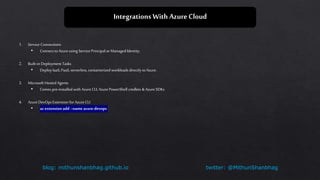
Integrations With AzureCloud
1. Service Connections
• Connect to Azureusing Service Principal or ManagedIdentity.
2. Built-in Deployment Tasks
• Deploy IaaS,PaaS, serverless, containerized workloads directly toAzure.
3. Microsoft Hosted Agents
• Comes pre-installed with AzureCLI,AzurePowerShell cmdlets &Azure SDKs
4. AzureDevOps Extension for AzureCLI
• az extension add--name azure-devops
twitter: @MithunShanbhagblog: mithunshanbhag.github.io
Extensions and Marketplace
1. Extensions for AzureDevOps
1. CodeSearch
2. AWS Tools
2. Extensions for Visual Studio Code
1. AzureTools (pack ofextensions)
2. AzureRepos
3. Extensions for Visual Studio
twitter: @MithunShanbhagblog: mithunshanbhag.github.io
FurtherReading
1. AzurePipelines Documentation:
• Expressions
• Hosted Agents
• Predefined Variables
• Service Connections
• Tasks (github)
• Tasks (reference)
• YAMLSchema
• Awesome AzureDevOps Resources

Azure Pipelines

  • 1.
  • 2.
    twitter: @MithunShanbhagblog: mithunshanbhag.github.io ExecutionHierarchy 1. Execution hierarchy in a YAML pipeline: • YAML Pipeline • Stages: [stage1, stage2,… stagen] • Jobs:[job1, job2,… jobn] • Steps: [task1, task2,… taskn] 2. Every pipeline has at least one stage & one job even if you don’t explicitly define them. 3. By default, everything executes sequentially*, in the orderdefined. 4. Conditional execution is possible. 5. Dependencies can be explicitly specified. 1. Parallelization, fan-in, fan-out scenarios possible.
  • 3.
    twitter: @MithunShanbhagblog: mithunshanbhag.github.io Variables 1.Predefined Variables: • Agent variables | Build variables |System variables 2. $(var): CustomVariables, in orderof priority: • Job-level | Stage-level |Root (pipeline) level | Queue-time 3. Using variables in scripts: 1. Batch/Cmd: %VARIABLE_NAME% 2. PowerShell: $env:VARIABLE_NAME 3. Bash: $VARIABLE_NAME 4. Secret Variables can be set at pipeline level using the web editor. 5. Variable Groups allow reuse ofvariablesacross multiple pipelines. • Variable groupscan loadsecret variablesfrom AzureKeyVault.
  • 4.
    twitter: @MithunShanbhagblog: mithunshanbhag.github.io Tasks 1.Task Categories 1. Tool Tasks 2. Build Tasks 3. Test Tasks 4. Package Tasks 5. Deploy Tasks 6. Utility Tasks 2. All built-in tasks areopen-sourced on github. 3. Possible to develop a custom task. 4. Important Considerations: 1. Task versions 2. Task inputs (control options) 3. Task short forms(e.g. - script: is ashort formof –task: @CmdLine@2).
  • 5.
  • 6.
    twitter: @MithunShanbhagblog: mithunshanbhag.github.io Agents& Agent Pools 1. YAML pipeline jobsrun on agents (Microsoft-hosted orself-hosted). 2. Agent pools available bydefault: • Azure Pipelines: Pool forMicrosoft-hosted agents • Ubuntu | MacOS | Windows Server |Windows Server Core • Default: Pool for self-hosted agents. • Linux | MacOS |Windows 3. You can add more pools (with self-hosted agents) if needed.
  • 7.
    twitter: @MithunShanbhagblog: mithunshanbhag.github.io TriggerTypes 1. CITriggers • Triggerwhenever a push is made tospecific branches or aspecific tag is pushed. • Possible tobatch CIbuilds. • Use [skip ci]in commit message toskip triggering. • Specific file paths can be included orexcluded (wildcards aresupported). 2. PRTriggers • Only supported for GitHub andBitbucket Cloud • Use branch policies with build validation for AzureRepos (git). 3. Scheduled Triggers • CRON Expression based triggers for periodic builds/deployments 4. Build Completion Triggers • Not yet supported in YAML pipelines. • Once YAMLpipeline created, use classic editor tospecify build completion trigger. 5. NOTE: Can’t use variables in triggers (variables areevaluated only after triggerfires).
  • 8.
    twitter: @MithunShanbhagblog: mithunshanbhag.github.io Miscellaneous 1.Environments: “dev”,“staging”,“production” etc. 1. Deployment jobs: Special jobs with lifecycle hooks androllback actions. 2. Approvals 2. Build Labels 3. Service hooks / notifications 4. Parallel Jobs 1. Microsoft-hosted pools: 1. Public projects: 10 free parallel-jobs. No monthly time limits. 2. Private projects: 1 free parallel-job. Limited to30 hrs/month. 2. Self-hosted pools: 1. Public projects: Unlimited parallel jobs. 2. Private projects: 1 free parallel job.
  • 9.
    twitter: @MithunShanbhagblog: mithunshanbhag.github.io IntegrationsWith AzureCloud 1. Service Connections • Connect to Azureusing Service Principal or ManagedIdentity. 2. Built-in Deployment Tasks • Deploy IaaS,PaaS, serverless, containerized workloads directly toAzure. 3. Microsoft Hosted Agents • Comes pre-installed with AzureCLI,AzurePowerShell cmdlets &Azure SDKs 4. AzureDevOps Extension for AzureCLI • az extension add--name azure-devops
  • 10.
    twitter: @MithunShanbhagblog: mithunshanbhag.github.io Extensionsand Marketplace 1. Extensions for AzureDevOps 1. CodeSearch 2. AWS Tools 2. Extensions for Visual Studio Code 1. AzureTools (pack ofextensions) 2. AzureRepos 3. Extensions for Visual Studio
  • 11.
    twitter: @MithunShanbhagblog: mithunshanbhag.github.io FurtherReading 1.AzurePipelines Documentation: • Expressions • Hosted Agents • Predefined Variables • Service Connections • Tasks (github) • Tasks (reference) • YAMLSchema • Awesome AzureDevOps Resources

Editor's Notes

  • #3 3. Jobs in a stage can execute in parallel (as long as you buy extra parallel-jobs/lanes) 4. Out of scope for today’s workshop 5. Out of scope for today’s workshop
  • #5 1.1. Install platform prerequisites like NodeJS, GoLang, Python, .Net Core etc. Often not needed if using Microsoft-hosted agent. 1.3. For running Selenium. Appium, Chutzpah, xUnit, nUnit etc tests. 1.4. Publish to package registries like NPM, Nuget etc. 1.6. Misc tasks to execute commands & scripts (bash, powershell etc).
  • #9 4.1.2. Additional parallel-jobs can be purchased.