Automating Your World with
Python Scripts
Transform repetitive tasks into efficient solutions with the power of
Python.
Boost your productivity through smart programming and unlock new
possibilities in automation.
by Ozías Rondón
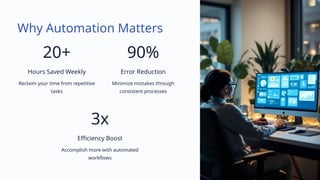
Why Automation Matters
20+
Hours Saved Weekly
Reclaim your time from repetitive
tasks
90%
Error Reduction
Minimize mistakes through
consistent processes
3x
Efficiency Boost
Accomplish more with automated
workflows
Understanding Task Automation
What Is Automation?
The process of making tasks run
without manual intervention.
It transforms repetitive work into
consistent, reliable processes.
Where It Adds Value
• Data processing tasks
• Reporting workflows
• System monitoring
• Content management
Why Python?
Python combines simplicity with
power, making it ideal for beginners
and experts alike.
Its flexibility works across personal
and professional domains.
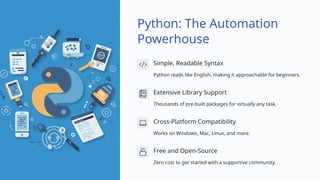
Python: The Automation
Powerhouse
Simple, Readable Syntax
Python reads like English, making it approachable for beginners.
Extensive Library Support
Thousands of pre-built packages for virtually any task.
Cross-Platform Compatibility
Works on Windows, Mac, Linux, and more.
Free and Open-Source
Zero cost to get started with a supportive community.
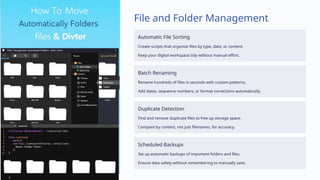
File and Folder Management
Automatic File Sorting
Create scripts that organize files by type, date, or content.
Keep your digital workspace tidy without manual effort.
Batch Renaming
Rename hundreds of files in seconds with custom patterns.
Add dates, sequence numbers, or format corrections automatically.
Duplicate Detection
Find and remove duplicate files to free up storage space.
Compare by content, not just filenames, for accuracy.
Scheduled Backups
Set up automatic backups of important folders and files.
Ensure data safety without remembering to manually save.
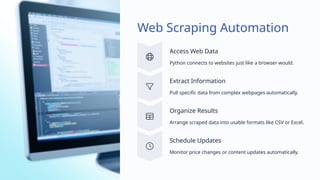
Web Scraping Automation
Access Web Data
Python connects to websites just like a browser would.
Extract Information
Pull specific data from complex webpages automatically.
Organize Results
Arrange scraped data into usable formats like CSV or Excel.
Schedule Updates
Monitor price changes or content updates automatically.
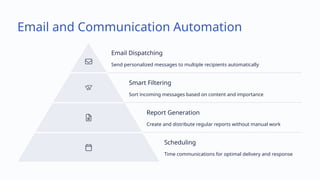
Email and Communication Automation
Email Dispatching
Send personalized messages to multiple recipients automatically
Smart Filtering
Sort incoming messages based on content and importance
Report Generation
Create and distribute regular reports without manual work
Scheduling
Time communications for optimal delivery and response
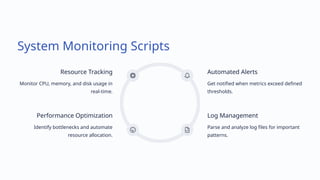
System Monitoring Scripts
Resource Tracking
Monitor CPU, memory, and disk usage in
real-time.
Automated Alerts
Get notified when metrics exceed defined
thresholds.
Log Management
Parse and analyze log files for important
patterns.
Performance Optimization
Identify bottlenecks and automate
resource allocation.
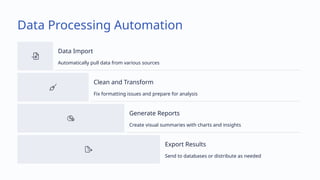
Data Processing Automation
Data Import
Automatically pull data from various sources
Clean and Transform
Fix formatting issues and prepare for analysis
Generate Reports
Create visual summaries with charts and insights
Export Results
Send to databases or distribute as needed
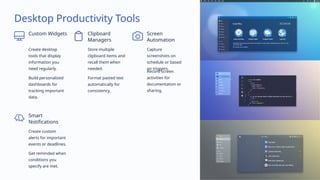
Desktop Productivity Tools
Custom Widgets
Create desktop
tools that display
information you
need regularly.
Build personalized
dashboards for
tracking important
data.
Clipboard
Managers
Store multiple
clipboard items and
recall them when
needed.
Format pasted text
automatically for
consistency.
Screen
Automation
Capture
screenshots on
schedule or based
on triggers.
Record screen
activities for
documentation or
sharing.
Smart
Notifications
Create custom
alerts for important
events or deadlines.
Get reminded when
conditions you
specify are met.
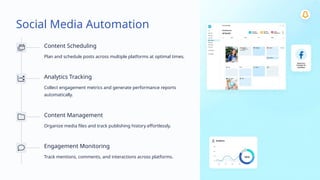
Social Media Automation
Content Scheduling
Plan and schedule posts across multiple platforms at optimal times.
Analytics Tracking
Collect engagement metrics and generate performance reports
automatically.
Content Management
Organize media files and track publishing history effortlessly.
Engagement Monitoring
Track mentions, comments, and interactions across platforms.
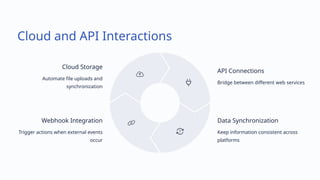
Cloud and API Interactions
Cloud Storage
Automate file uploads and
synchronization
API Connections
Bridge between different web services
Data Synchronization
Keep information consistent across
platforms
Webhook Integration
Trigger actions when external events
occur
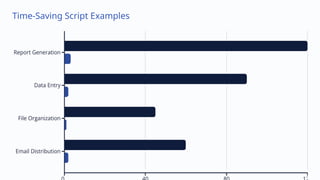
Time-Saving Script Examples
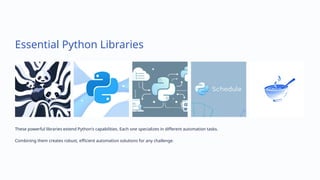
Essential Python Libraries
These powerful libraries extend Python's capabilities. Each one specializes in different automation tasks.
Combining them creates robust, efficient automation solutions for any challenge.
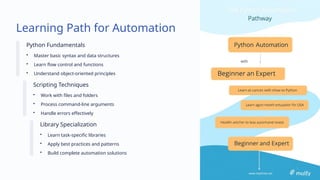
Learning Path for Automation
Python Fundamentals
• Master basic syntax and data structures
• Learn flow control and functions
• Understand object-oriented principles
Scripting Techniques
• Work with files and folders
• Process command-line arguments
• Handle errors effectively
Library Specialization
• Learn task-specific libraries
• Apply best practices and patterns
• Build complete automation solutions
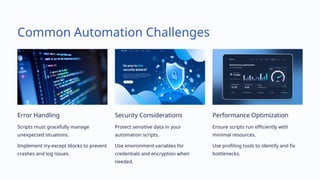
Common Automation Challenges
Error Handling
Scripts must gracefully manage
unexpected situations.
Implement try-except blocks to prevent
crashes and log issues.
Security Considerations
Protect sensitive data in your
automation scripts.
Use environment variables for
credentials and encryption when
needed.
Performance Optimization
Ensure scripts run efficiently with
minimal resources.
Use profiling tools to identify and fix
bottlenecks.
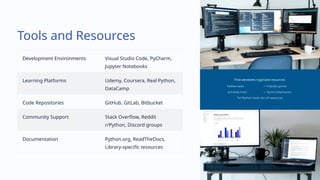
Tools and Resources
Development Environments Visual Studio Code, PyCharm,
Jupyter Notebooks
Learning Platforms Udemy, Coursera, Real Python,
DataCamp
Code Repositories GitHub, GitLab, Bitbucket
Community Support Stack Overflow, Reddit
r/Python, Discord groups
Documentation Python.org, ReadTheDocs,
Library-specific resources
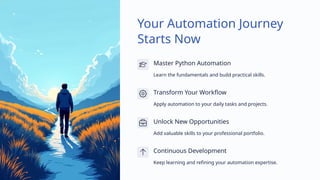
Your Automation Journey
Starts Now
Master Python Automation
Learn the fundamentals and build practical skills.
Transform Your Workflow
Apply automation to your daily tasks and projects.
Unlock New Opportunities
Add valuable skills to your professional portfolio.
Continuous Development
Keep learning and refining your automation expertise.
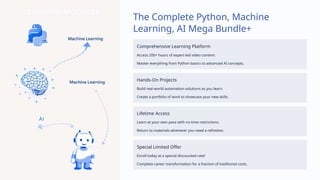
The Complete Python, Machine
Learning, AI Mega Bundle+
Comprehensive Learning Platform
Access 200+ hours of expert-led video content.
Master everything from Python basics to advanced AI concepts.
Hands-On Projects
Build real-world automation solutions as you learn.
Create a portfolio of work to showcase your new skills.
Lifetime Access
Learn at your own pace with no time restrictions.
Return to materials whenever you need a refresher.
Special Limited Offer
Enroll today at a special discounted rate!
Complete career transformation for a fraction of traditional costs.
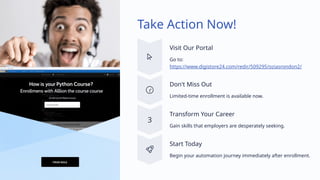
Take Action Now!
Visit Our Portal
Go to:
https://www.digistore24.com/redir/509295/oziasrondon2/
Don't Miss Out
Limited-time enrollment is available now.
Transform Your Career
Gain skills that employers are desperately seeking.
Start Today
Begin your automation journey immediately after enrollment.

Automating-Your-World-with-Python-Scripts

  • 1.
    Automating Your Worldwith Python Scripts Transform repetitive tasks into efficient solutions with the power of Python. Boost your productivity through smart programming and unlock new possibilities in automation. by Ozías Rondón
  • 2.
    Why Automation Matters 20+ HoursSaved Weekly Reclaim your time from repetitive tasks 90% Error Reduction Minimize mistakes through consistent processes 3x Efficiency Boost Accomplish more with automated workflows
  • 3.
    Understanding Task Automation WhatIs Automation? The process of making tasks run without manual intervention. It transforms repetitive work into consistent, reliable processes. Where It Adds Value • Data processing tasks • Reporting workflows • System monitoring • Content management Why Python? Python combines simplicity with power, making it ideal for beginners and experts alike. Its flexibility works across personal and professional domains.
  • 4.
    Python: The Automation Powerhouse Simple,Readable Syntax Python reads like English, making it approachable for beginners. Extensive Library Support Thousands of pre-built packages for virtually any task. Cross-Platform Compatibility Works on Windows, Mac, Linux, and more. Free and Open-Source Zero cost to get started with a supportive community.
  • 5.
    File and FolderManagement Automatic File Sorting Create scripts that organize files by type, date, or content. Keep your digital workspace tidy without manual effort. Batch Renaming Rename hundreds of files in seconds with custom patterns. Add dates, sequence numbers, or format corrections automatically. Duplicate Detection Find and remove duplicate files to free up storage space. Compare by content, not just filenames, for accuracy. Scheduled Backups Set up automatic backups of important folders and files. Ensure data safety without remembering to manually save.
  • 6.
    Web Scraping Automation AccessWeb Data Python connects to websites just like a browser would. Extract Information Pull specific data from complex webpages automatically. Organize Results Arrange scraped data into usable formats like CSV or Excel. Schedule Updates Monitor price changes or content updates automatically.
  • 7.
    Email and CommunicationAutomation Email Dispatching Send personalized messages to multiple recipients automatically Smart Filtering Sort incoming messages based on content and importance Report Generation Create and distribute regular reports without manual work Scheduling Time communications for optimal delivery and response
  • 8.
    System Monitoring Scripts ResourceTracking Monitor CPU, memory, and disk usage in real-time. Automated Alerts Get notified when metrics exceed defined thresholds. Log Management Parse and analyze log files for important patterns. Performance Optimization Identify bottlenecks and automate resource allocation.
  • 9.
    Data Processing Automation DataImport Automatically pull data from various sources Clean and Transform Fix formatting issues and prepare for analysis Generate Reports Create visual summaries with charts and insights Export Results Send to databases or distribute as needed
  • 10.
    Desktop Productivity Tools CustomWidgets Create desktop tools that display information you need regularly. Build personalized dashboards for tracking important data. Clipboard Managers Store multiple clipboard items and recall them when needed. Format pasted text automatically for consistency. Screen Automation Capture screenshots on schedule or based on triggers. Record screen activities for documentation or sharing. Smart Notifications Create custom alerts for important events or deadlines. Get reminded when conditions you specify are met.
  • 11.
    Social Media Automation ContentScheduling Plan and schedule posts across multiple platforms at optimal times. Analytics Tracking Collect engagement metrics and generate performance reports automatically. Content Management Organize media files and track publishing history effortlessly. Engagement Monitoring Track mentions, comments, and interactions across platforms.
  • 12.
    Cloud and APIInteractions Cloud Storage Automate file uploads and synchronization API Connections Bridge between different web services Data Synchronization Keep information consistent across platforms Webhook Integration Trigger actions when external events occur
  • 13.
  • 14.
    Essential Python Libraries Thesepowerful libraries extend Python's capabilities. Each one specializes in different automation tasks. Combining them creates robust, efficient automation solutions for any challenge.
  • 15.
    Learning Path forAutomation Python Fundamentals • Master basic syntax and data structures • Learn flow control and functions • Understand object-oriented principles Scripting Techniques • Work with files and folders • Process command-line arguments • Handle errors effectively Library Specialization • Learn task-specific libraries • Apply best practices and patterns • Build complete automation solutions
  • 16.
    Common Automation Challenges ErrorHandling Scripts must gracefully manage unexpected situations. Implement try-except blocks to prevent crashes and log issues. Security Considerations Protect sensitive data in your automation scripts. Use environment variables for credentials and encryption when needed. Performance Optimization Ensure scripts run efficiently with minimal resources. Use profiling tools to identify and fix bottlenecks.
  • 17.
    Tools and Resources DevelopmentEnvironments Visual Studio Code, PyCharm, Jupyter Notebooks Learning Platforms Udemy, Coursera, Real Python, DataCamp Code Repositories GitHub, GitLab, Bitbucket Community Support Stack Overflow, Reddit r/Python, Discord groups Documentation Python.org, ReadTheDocs, Library-specific resources
  • 18.
    Your Automation Journey StartsNow Master Python Automation Learn the fundamentals and build practical skills. Transform Your Workflow Apply automation to your daily tasks and projects. Unlock New Opportunities Add valuable skills to your professional portfolio. Continuous Development Keep learning and refining your automation expertise.
  • 19.
    The Complete Python,Machine Learning, AI Mega Bundle+ Comprehensive Learning Platform Access 200+ hours of expert-led video content. Master everything from Python basics to advanced AI concepts. Hands-On Projects Build real-world automation solutions as you learn. Create a portfolio of work to showcase your new skills. Lifetime Access Learn at your own pace with no time restrictions. Return to materials whenever you need a refresher. Special Limited Offer Enroll today at a special discounted rate! Complete career transformation for a fraction of traditional costs.
  • 20.
    Take Action Now! VisitOur Portal Go to: https://www.digistore24.com/redir/509295/oziasrondon2/ Don't Miss Out Limited-time enrollment is available now. Transform Your Career Gain skills that employers are desperately seeking. Start Today Begin your automation journey immediately after enrollment.