
The .NET Framework provides a common platform and language runtime for multiple programming languages. It includes the Common Language Specification (CLS), which defines interoperability standards, and the Common Language Runtime (CLR), which handles memory management, security, and code execution. The .NET Framework also includes a large class library called the Framework Class Library (FCL) that contains types and methods for building applications. Developers can use Visual Studio to create .NET applications using languages like C# and VB.NET, which compile to Microsoft Intermediate Language (MSIL) code that is executed within the CLR.
2
Microsoft.NET is aFramework
– Microsoft .NET is a Framework which provides a common
platform to Execute or, Run the applications developed in
various programming languages.
– Microsoft announced the .NET initiative in July 2000.
– The main intention was to bridge the gap in
interoperability between services of various
programming languages.
3.
• The .NETFramework is designed to fulfill the following
objectives:
– Provide object-oriented programming environment
– Provide environment for developing various types of
applications, such as Windows-based applications and Web-
based applications
– To ensure that code based on the .NET Framework can
integrate with any other code
3
4.
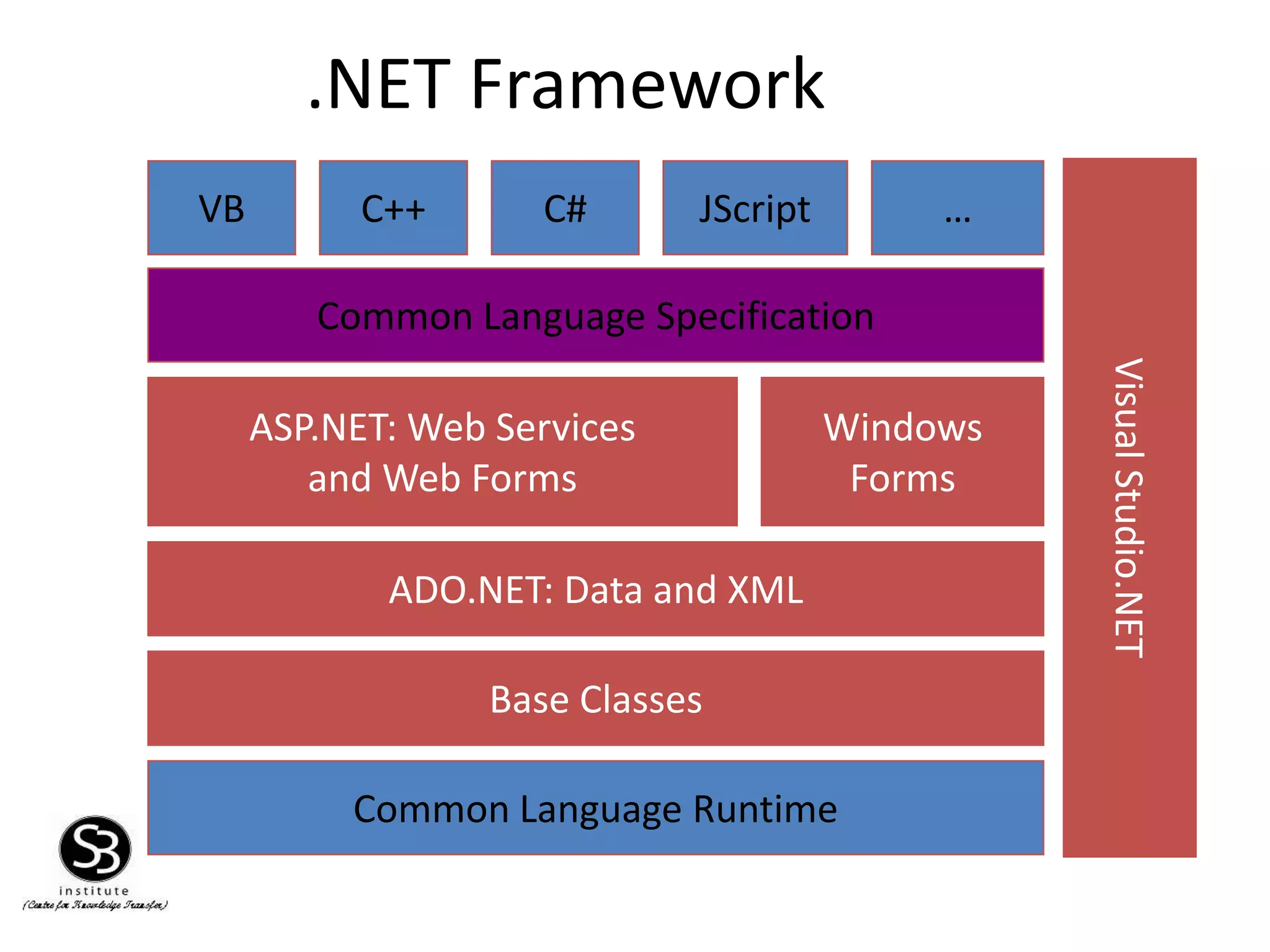
.NET Framework
Common LanguageSpecification
Common Language Runtime
VB C++ C#
ASP.NET: Web Services
and Web Forms
JScript …
Windows
Forms
Base Classes
ADO.NET: Data and XML
VisualStudio.NET
5.
• The .NETFramework consists of:
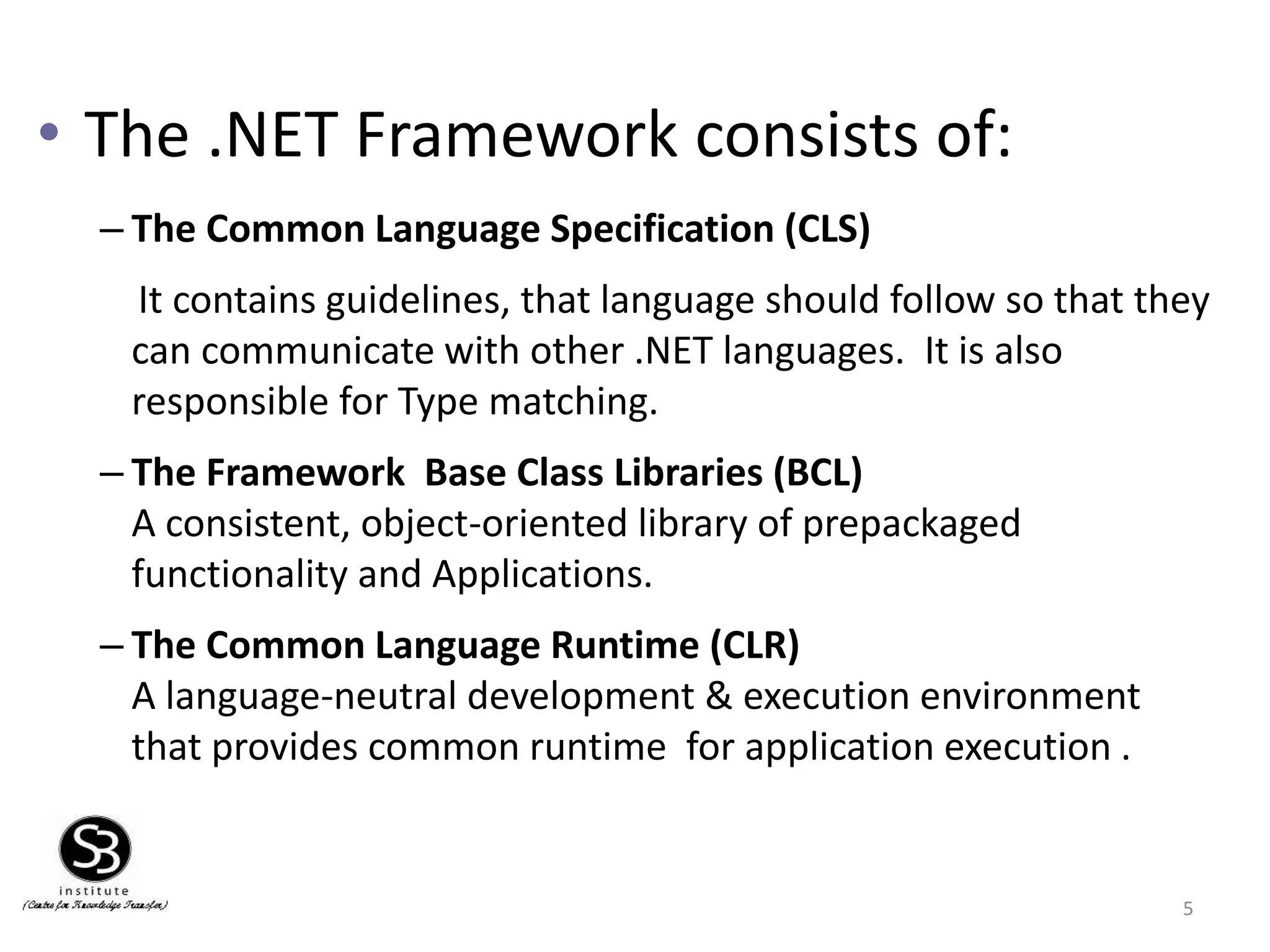
– The Common Language Specification (CLS)
It contains guidelines, that language should follow so that they
can communicate with other .NET languages. It is also
responsible for Type matching.
– The Framework Base Class Libraries (BCL)
A consistent, object-oriented library of prepackaged
functionality and Applications.
– The Common Language Runtime (CLR)
A language-neutral development & execution environment
that provides common runtime for application execution .
5
6.
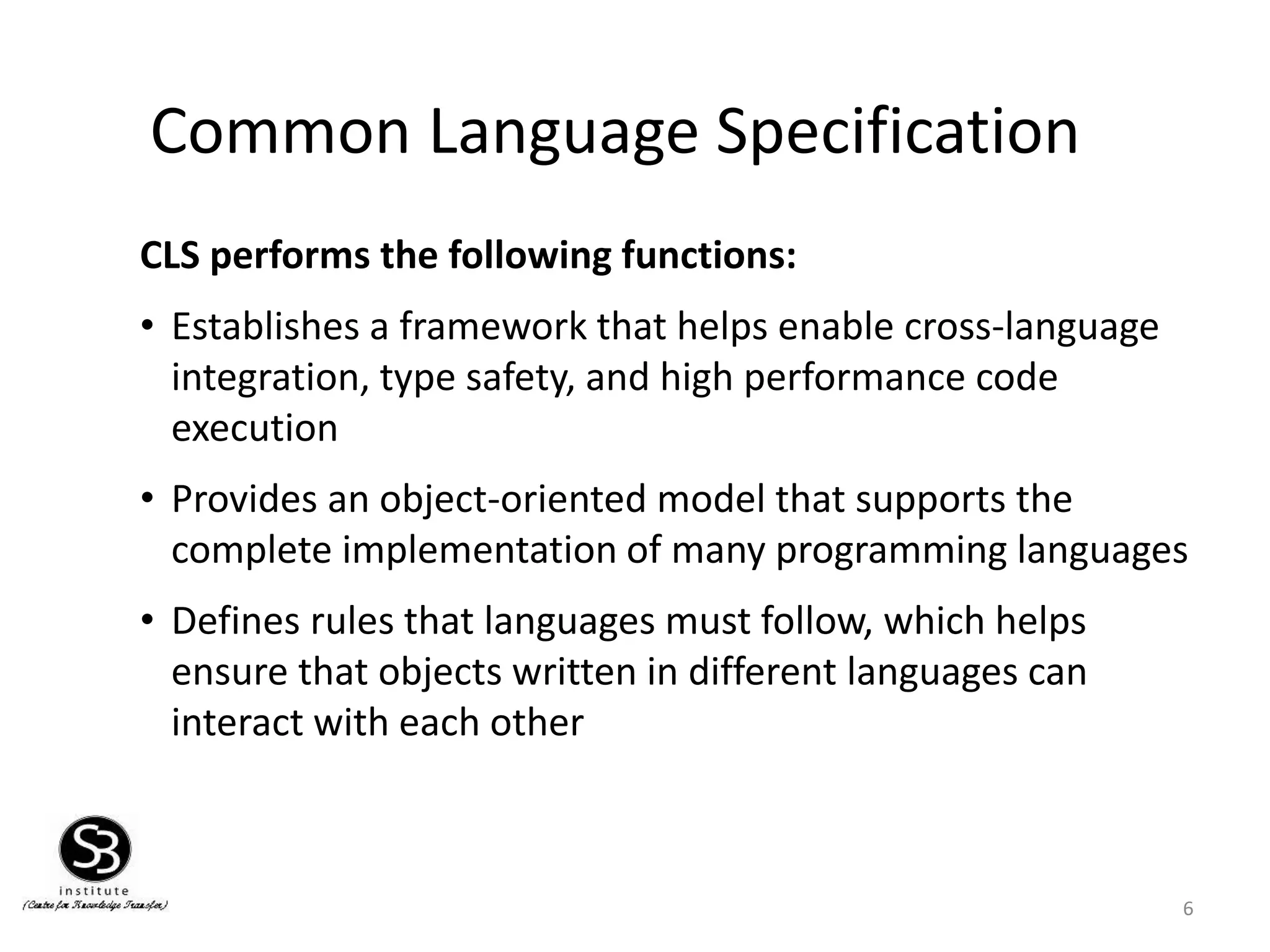
Common Language Specification
CLSperforms the following functions:
• Establishes a framework that helps enable cross-language
integration, type safety, and high performance code
execution
• Provides an object-oriented model that supports the
complete implementation of many programming languages
• Defines rules that languages must follow, which helps
ensure that objects written in different languages can
interact with each other
6
7.
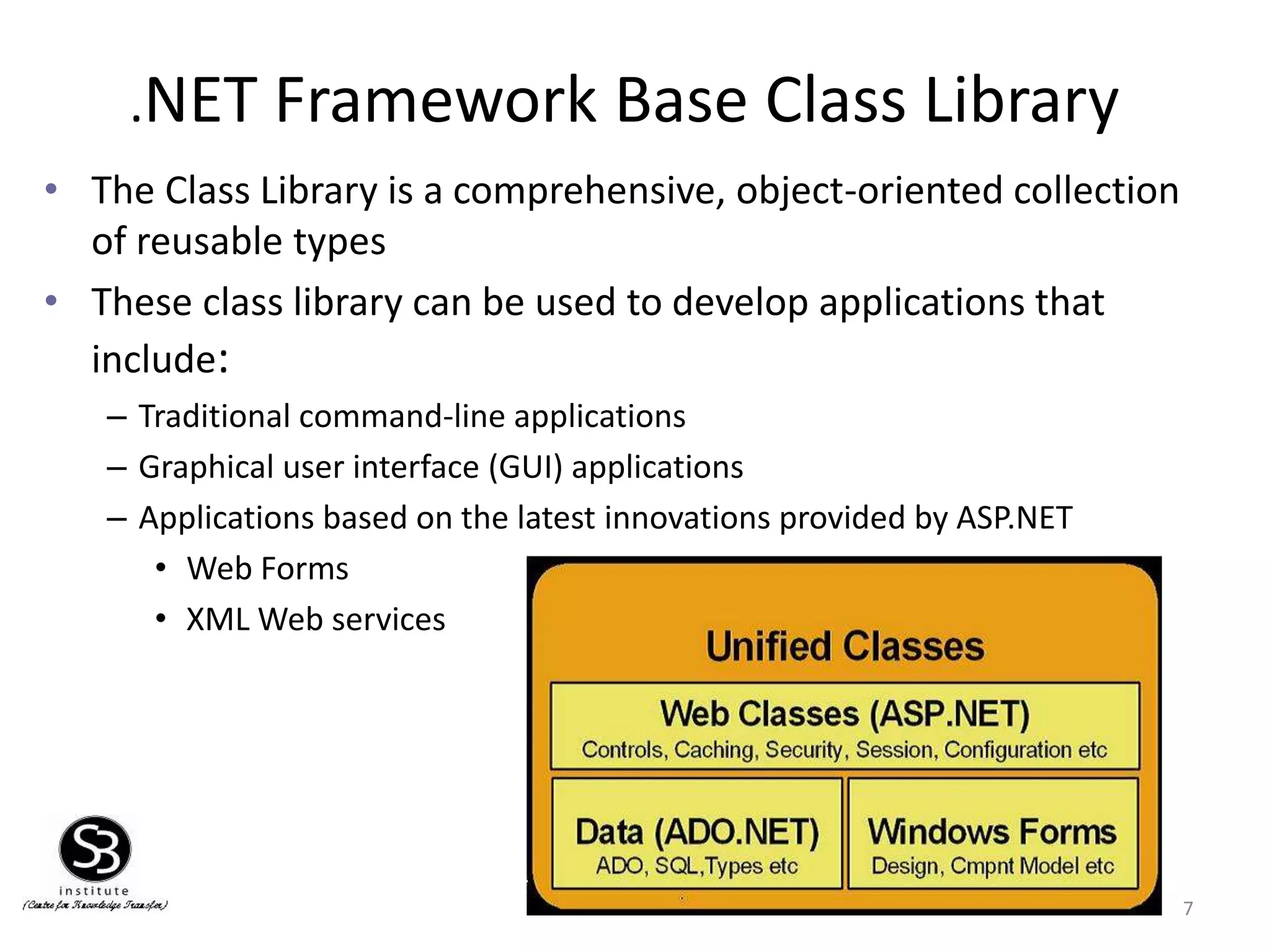
.NET Framework BaseClass Library
• The Class Library is a comprehensive, object-oriented collection
of reusable types
• These class library can be used to develop applications that
include:
– Traditional command-line applications
– Graphical user interface (GUI) applications
– Applications based on the latest innovations provided by ASP.NET
• Web Forms
• XML Web services
7
8.
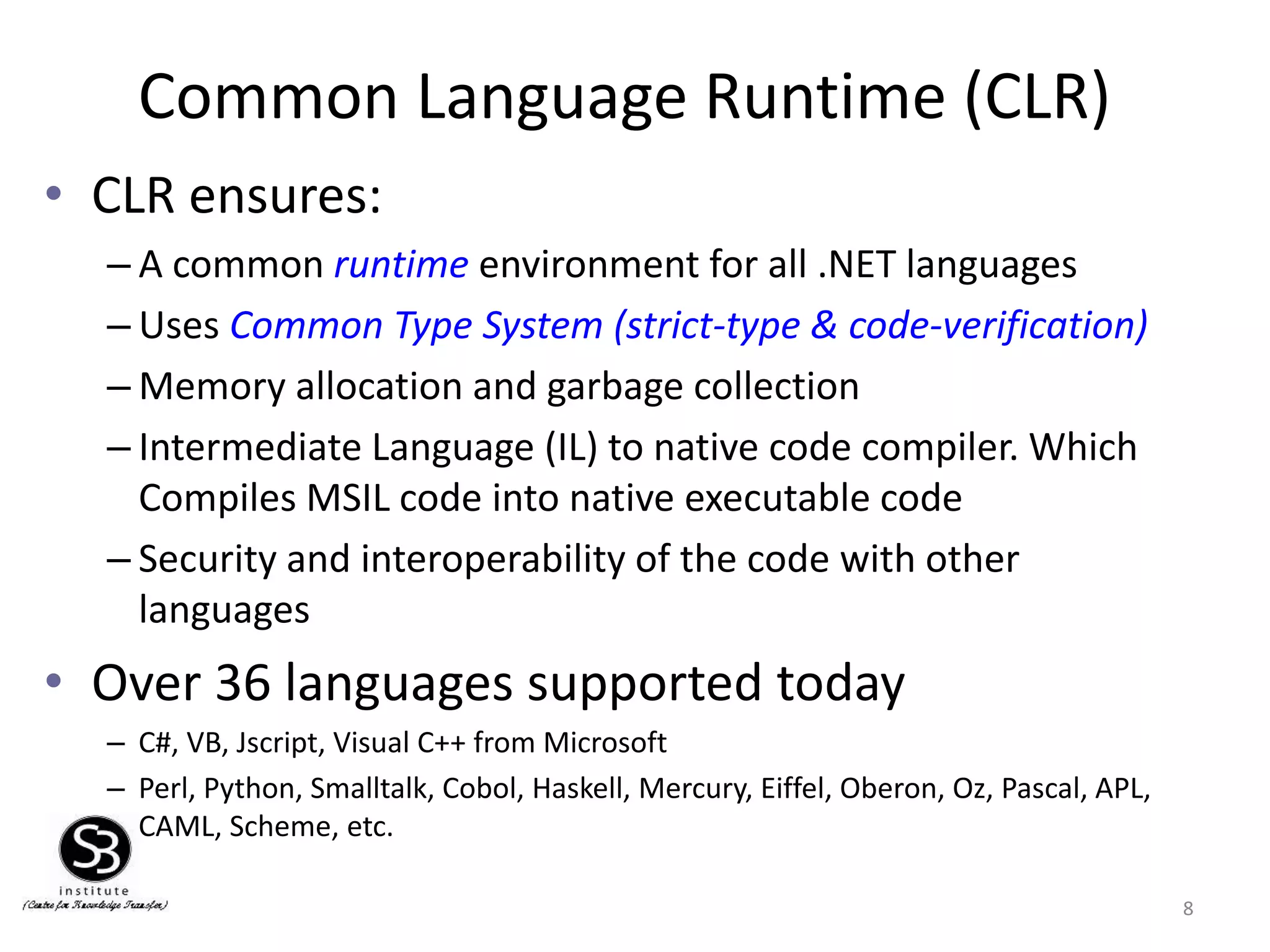
Common Language Runtime(CLR)
• CLR ensures:
– A common runtime environment for all .NET languages
– Uses Common Type System (strict-type & code-verification)
– Memory allocation and garbage collection
– Intermediate Language (IL) to native code compiler. Which
Compiles MSIL code into native executable code
– Security and interoperability of the code with other
languages
• Over 36 languages supported today
– C#, VB, Jscript, Visual C++ from Microsoft
– Perl, Python, Smalltalk, Cobol, Haskell, Mercury, Eiffel, Oberon, Oz, Pascal, APL,
CAML, Scheme, etc.
8
9.
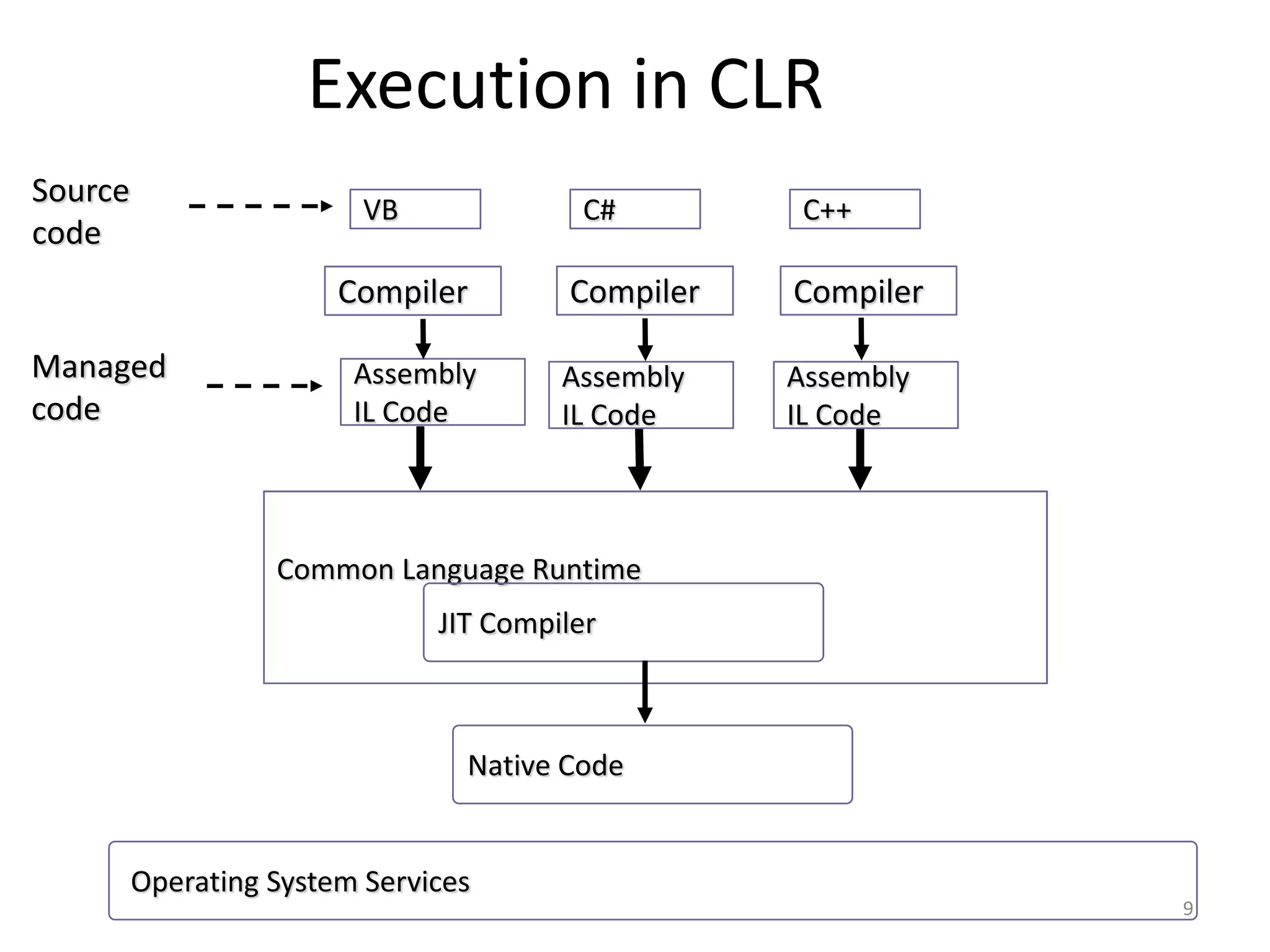
Execution in CLR
9
CommonLanguage Runtime
VB
Source
code
Compiler
C++C#
Assembly
IL Code
JIT Compiler
Managed
code
Native Code
Compiler Compiler
Assembly
IL Code
Assembly
IL Code
Operating System Services
10.
Visual Studio 2008IDE
Microsoft has introduced Visual Studio.NET,
which is a tool (also called Integrated Development
Environment) for developing .NET applications by
using programming languages such as VB, C#,
VC++ and VJ#. etc.
10
11.
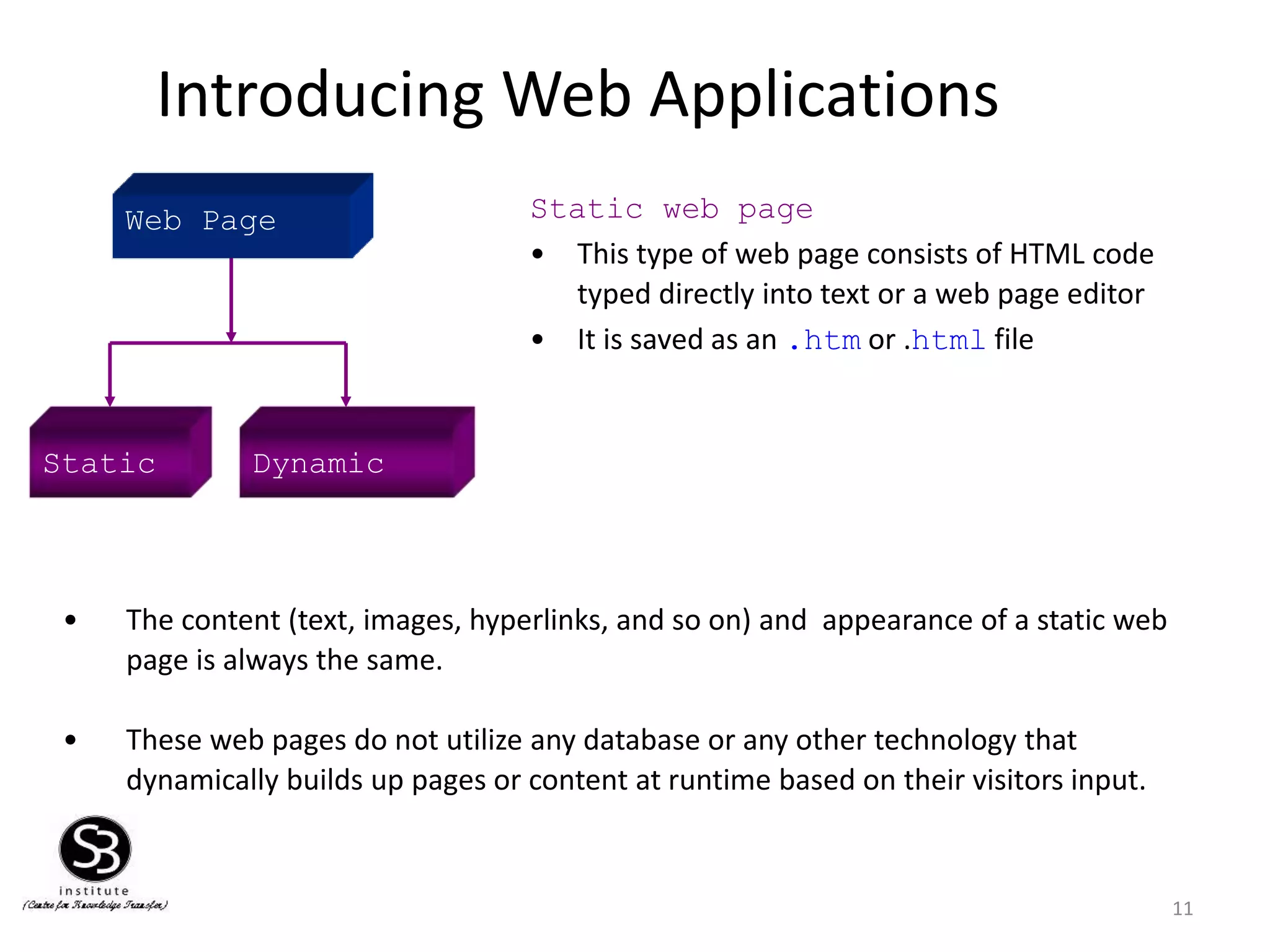
Introducing Web Applications
11
StaticDynamic
Static web page
• This type of web page consists of HTML code
typed directly into text or a web page editor
• It is saved as an .htm or .html file
• The content (text, images, hyperlinks, and so on) and appearance of a static web
page is always the same.
• These web pages do not utilize any database or any other technology that
dynamically builds up pages or content at runtime based on their visitors input.
Web Page
12.
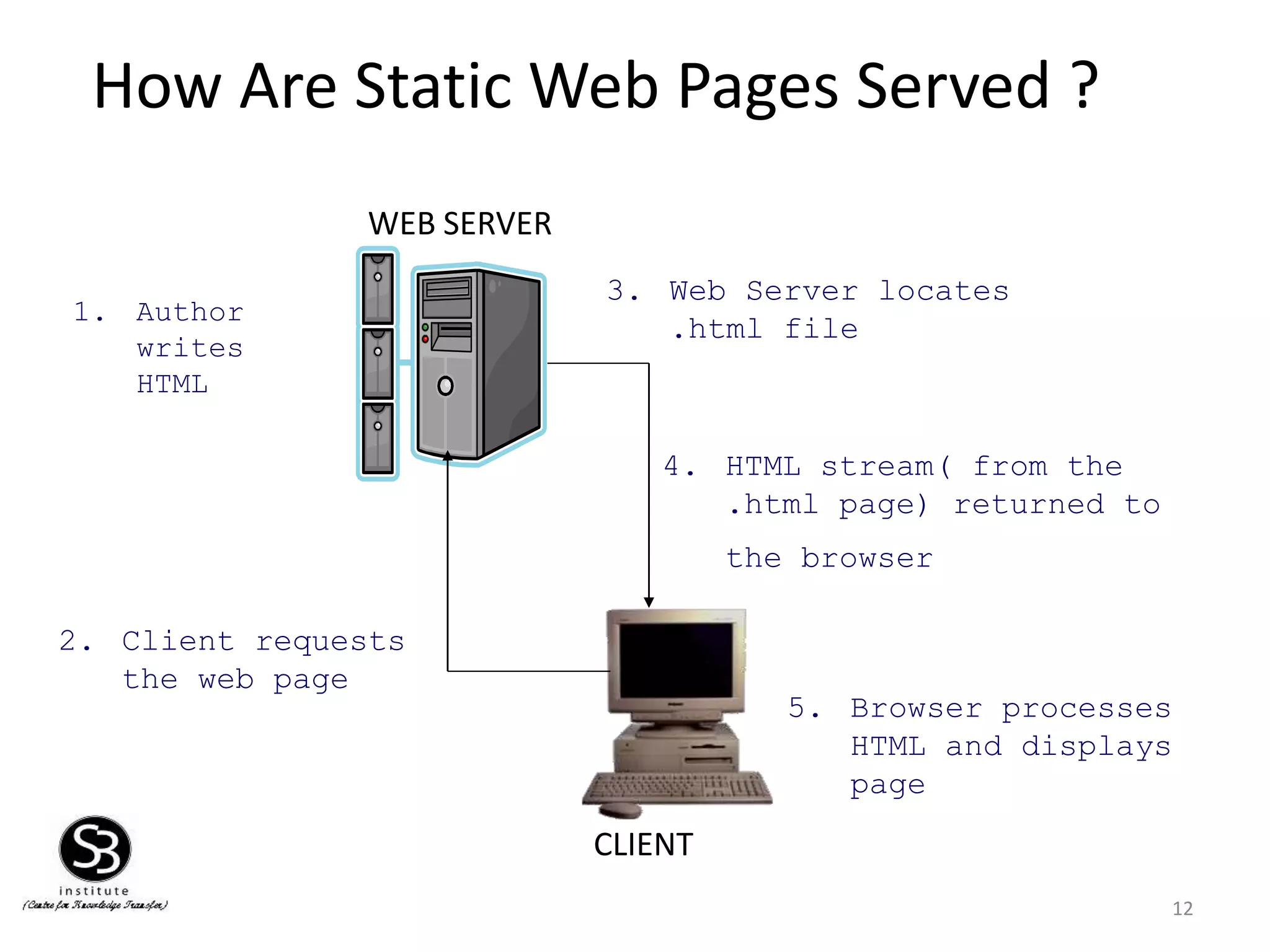
How Are StaticWeb Pages Served ?
12
CLIENT
WEB SERVER
1. Author
writes
HTML
2. Client requests
the web page
3. Web Server locates
.html file
4. HTML stream( from the
.html page) returned to
the browser
5. Browser processes
HTML and displays
page
13.
Dynamic web page
13
•Dynamic Web sites provide its visitors to modify the content of
the web page based on their input.
• They utilize databases and other mechanisms that enable to
– identify their visitors
– present them with customized greeting messages
– restructure the content according to user input etc..
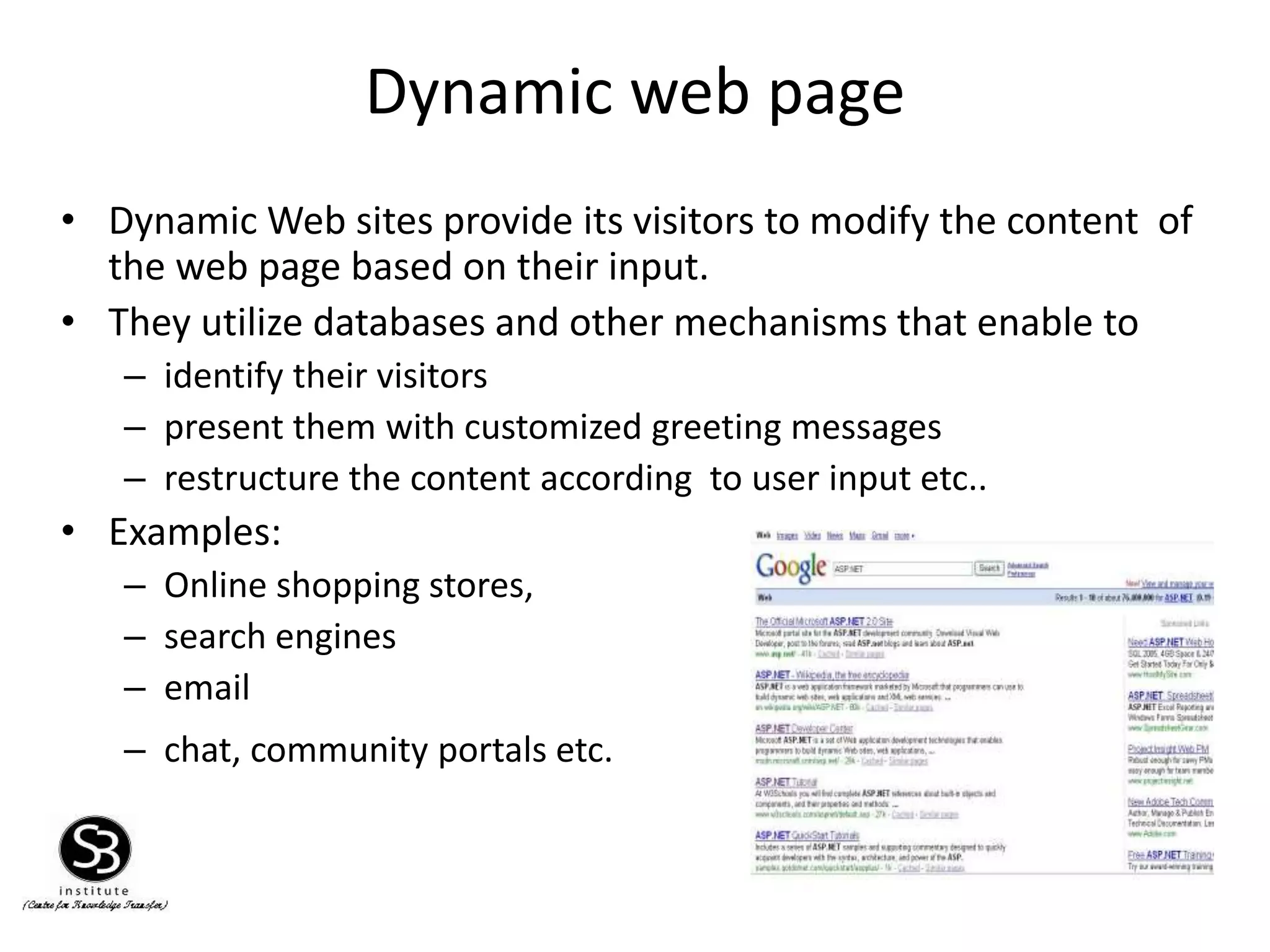
• Examples:
– Online shopping stores,
– search engines
– email
– chat, community portals etc.
14.
Dynamic web page
14
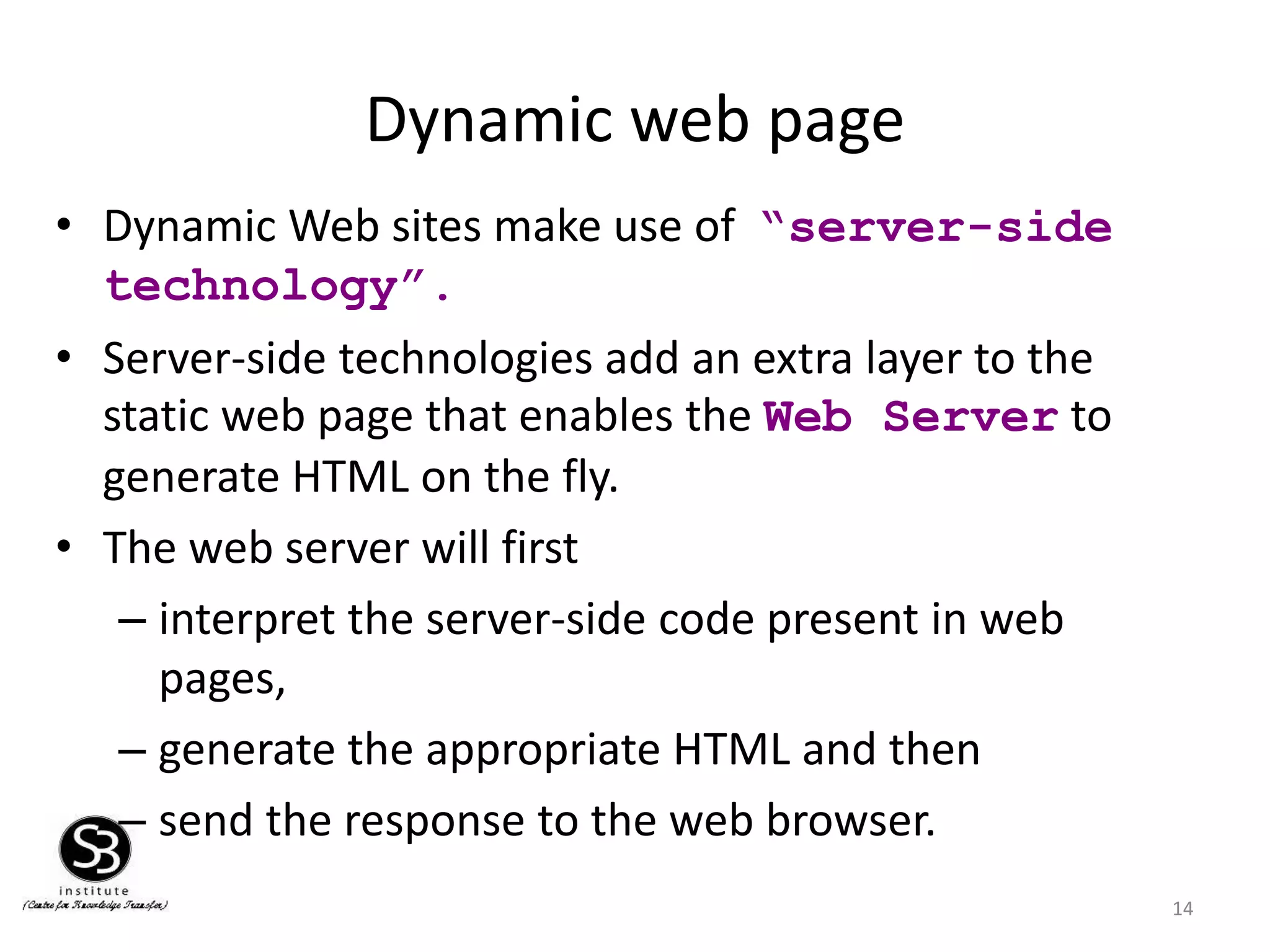
•Dynamic Web sites make use of “server-side
technology”.
• Server-side technologies add an extra layer to the
static web page that enables the Web Server to
generate HTML on the fly.
• The web server will first
– interpret the server-side code present in web
pages,
– generate the appropriate HTML and then
– send the response to the web browser.
15.
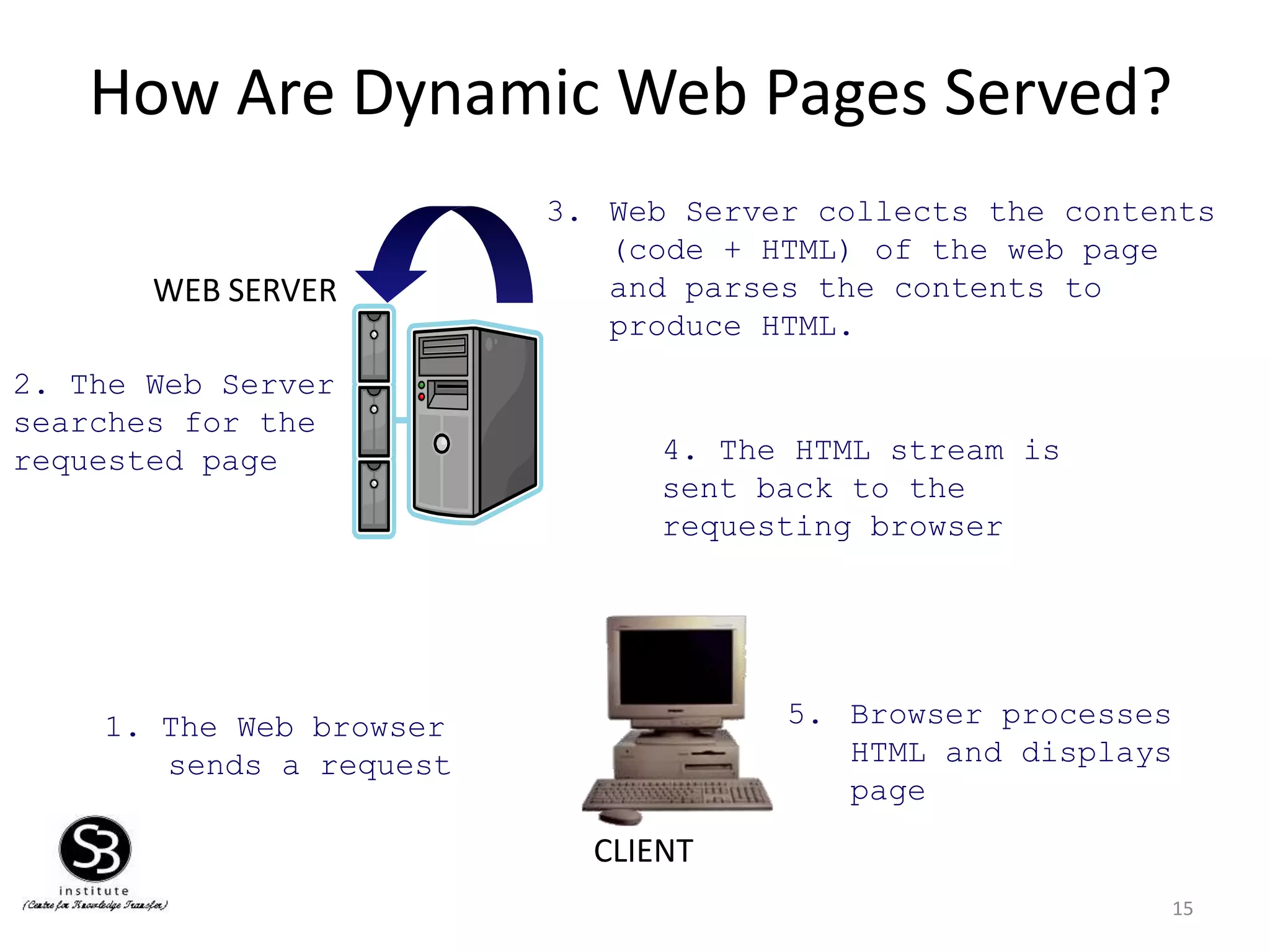
How Are DynamicWeb Pages Served?
15
CLIENT
WEB SERVER
1. The Web browser
sends a request
3. Web Server collects the contents
(code + HTML) of the web page
and parses the contents to
produce HTML.
5. Browser processes
HTML and displays
page
2. The Web Server
searches for the
requested page 4. The HTML stream is
sent back to the
requesting browser
16.
Introduction to ASP.NET
16
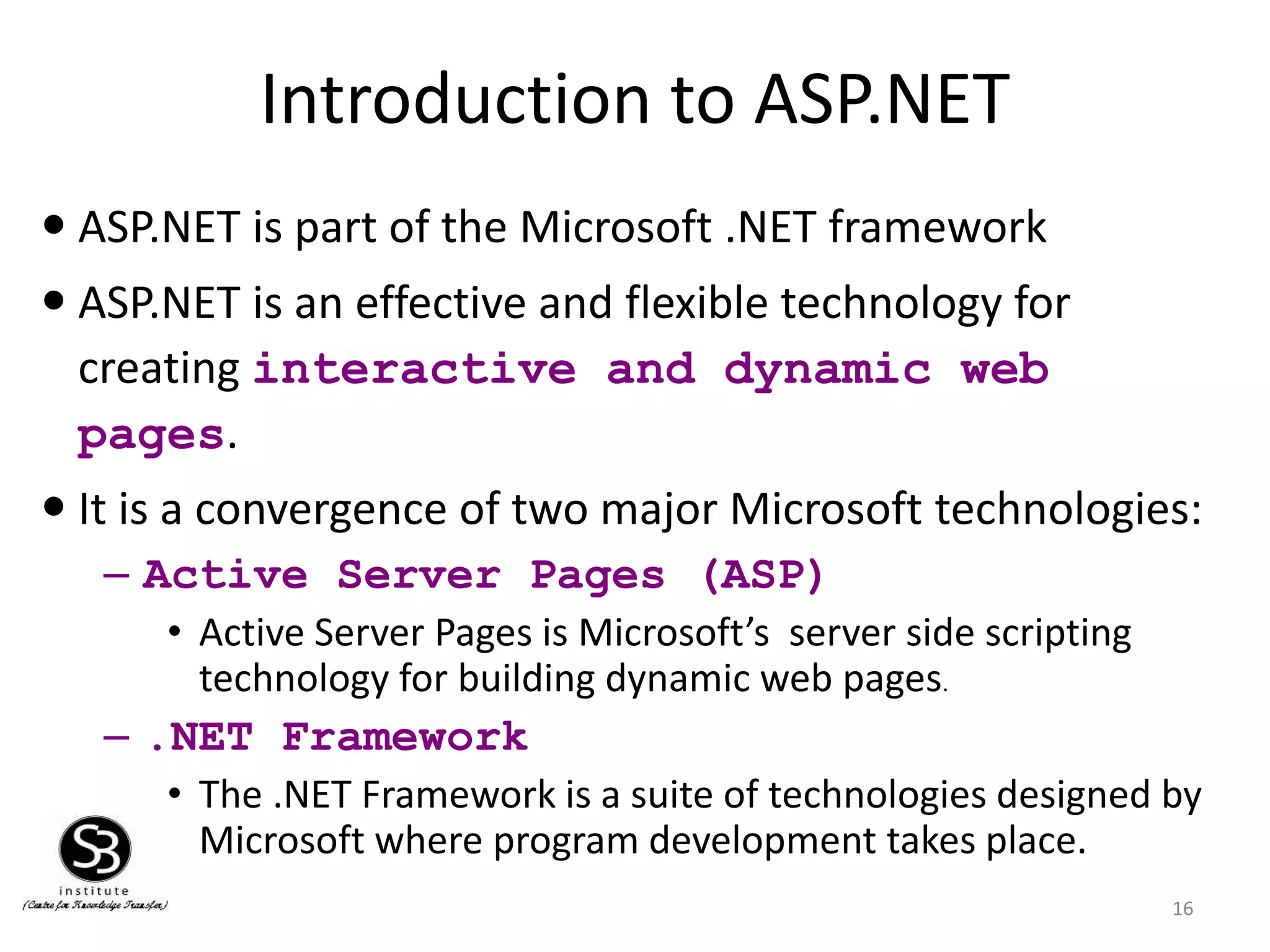
ASP.NET is part of the Microsoft .NET framework
ASP.NET is an effective and flexible technology for
creating interactive and dynamic web
pages.
It is a convergence of two major Microsoft technologies:
– Active Server Pages (ASP)
• Active Server Pages is Microsoft’s server side scripting
technology for building dynamic web pages.
– .NET Framework
• The .NET Framework is a suite of technologies designed by
Microsoft where program development takes place.
17.
Introduction to ASP.NET
17
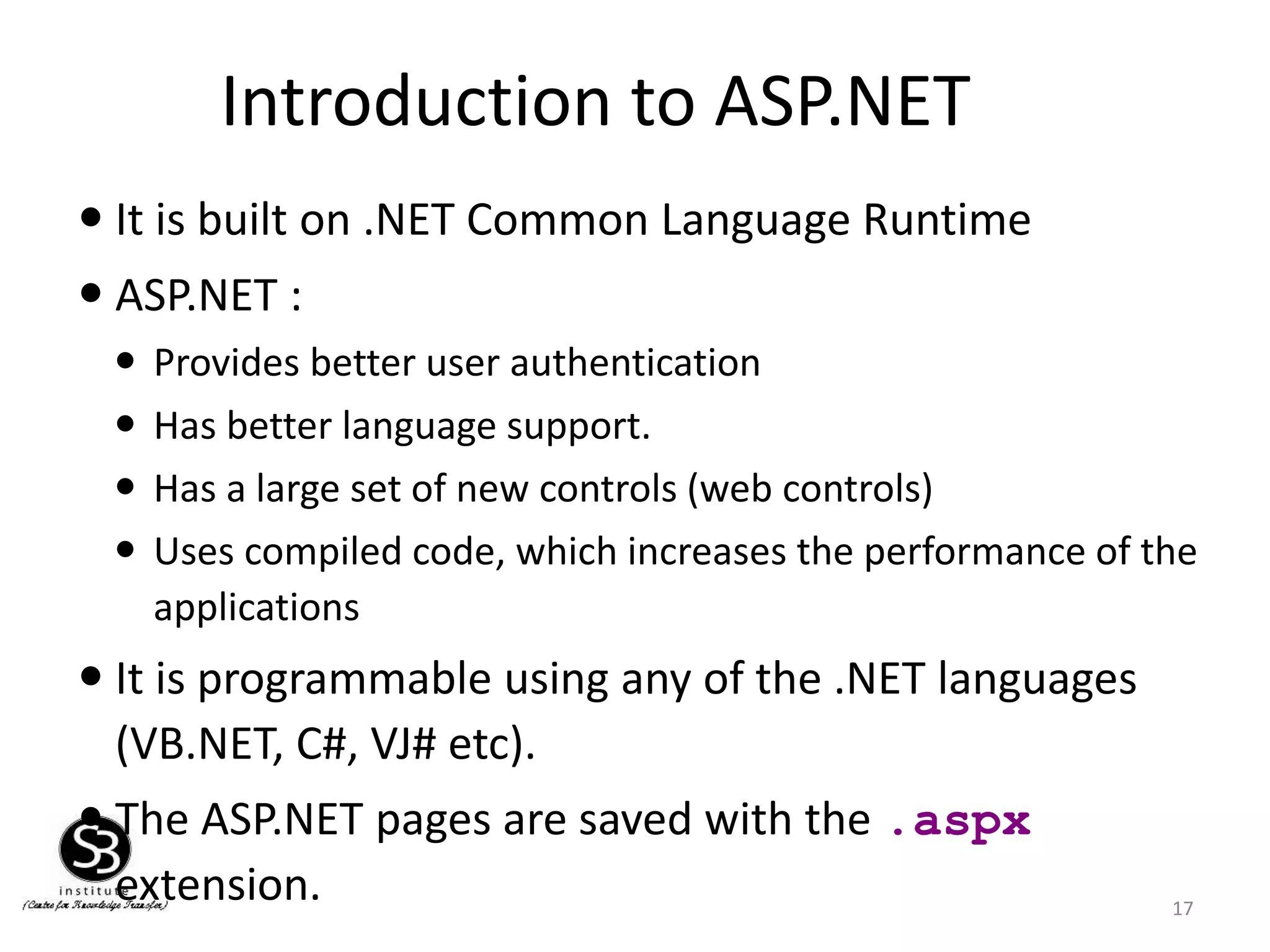
It is built on .NET Common Language Runtime
ASP.NET :
Provides better user authentication
Has better language support.
Has a large set of new controls (web controls)
Uses compiled code, which increases the performance of the
applications
It is programmable using any of the .NET languages
(VB.NET, C#, VJ# etc).
The ASP.NET pages are saved with the .aspx
extension.
18.
Working of anASP.NET Application
18
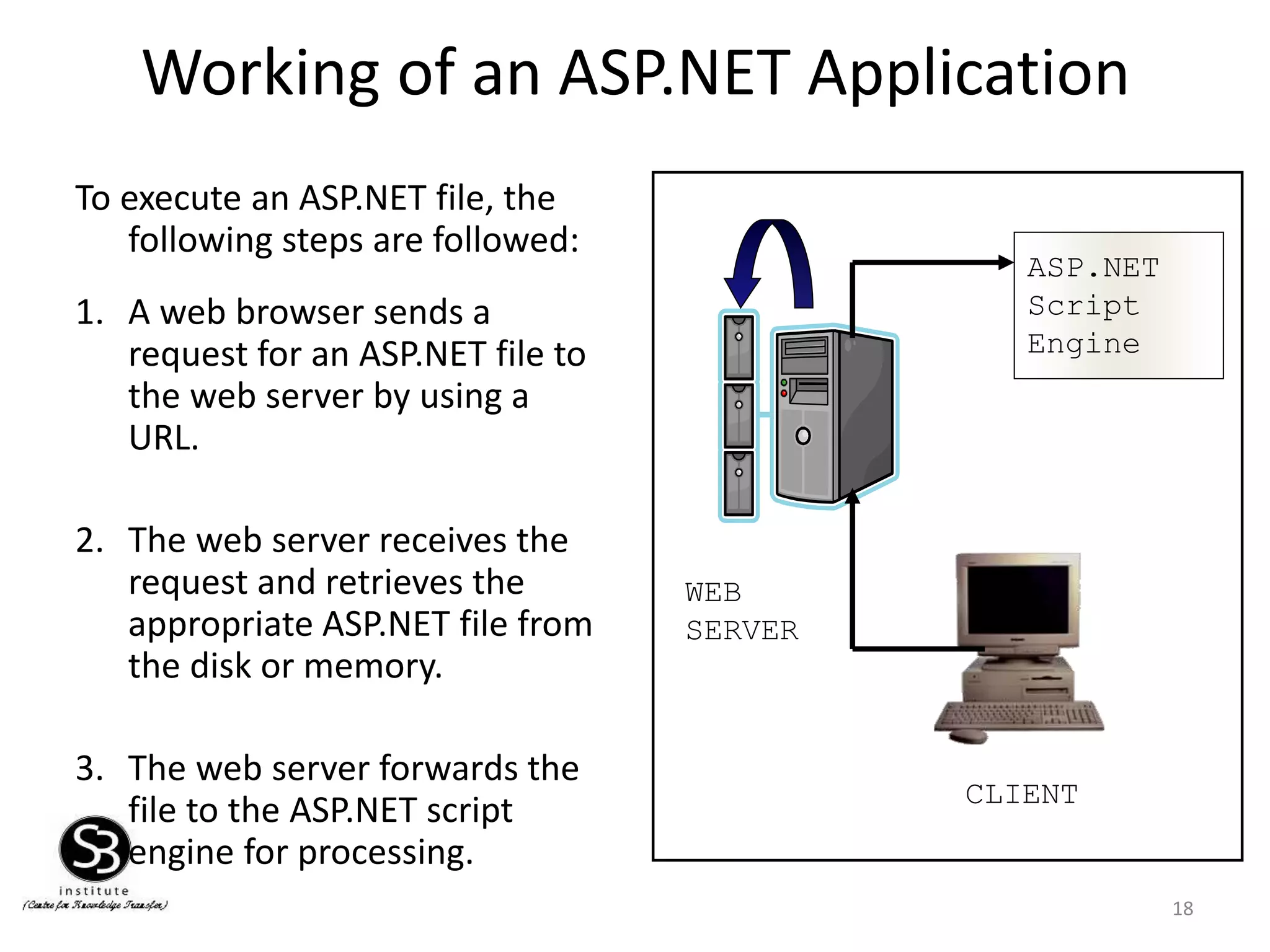
To execute an ASP.NET file, the
following steps are followed:
1. A web browser sends a
request for an ASP.NET file to
the web server by using a
URL.
2. The web server receives the
request and retrieves the
appropriate ASP.NET file from
the disk or memory.
3. The web server forwards the
file to the ASP.NET script
engine for processing.
CLIENT
WEB
SERVER
ASP.NET
Script
Engine
19.
Working of anASP.NET Application
19
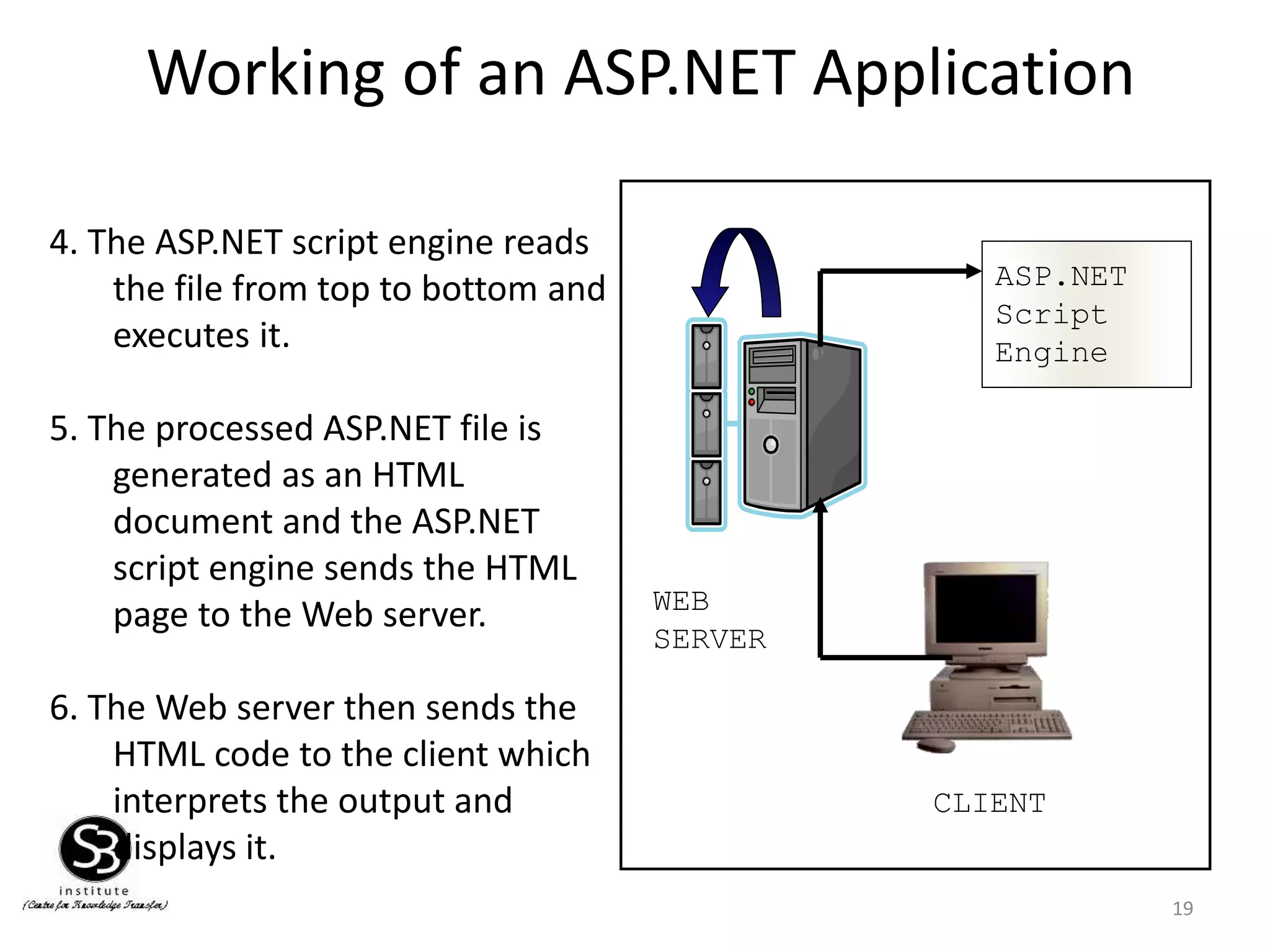
4. The ASP.NET script engine reads
the file from top to bottom and
executes it.
5. The processed ASP.NET file is
generated as an HTML
document and the ASP.NET
script engine sends the HTML
page to the Web server.
6. The Web server then sends the
HTML code to the client which
interprets the output and
displays it.
CLIENT
WEB
SERVER
ASP.NET
Script
Engine
20.
Advantages of ASP.NET
20
•Easy Programming Model
• Flexible Language Options
• Compiled Execution
• Rich Output Caching
• Web-Farm Session State
• Enhanced Reliability
• Master Pages
• Themes
• Improved Security
• Web Services
• Improved Performance and Scalability
21.
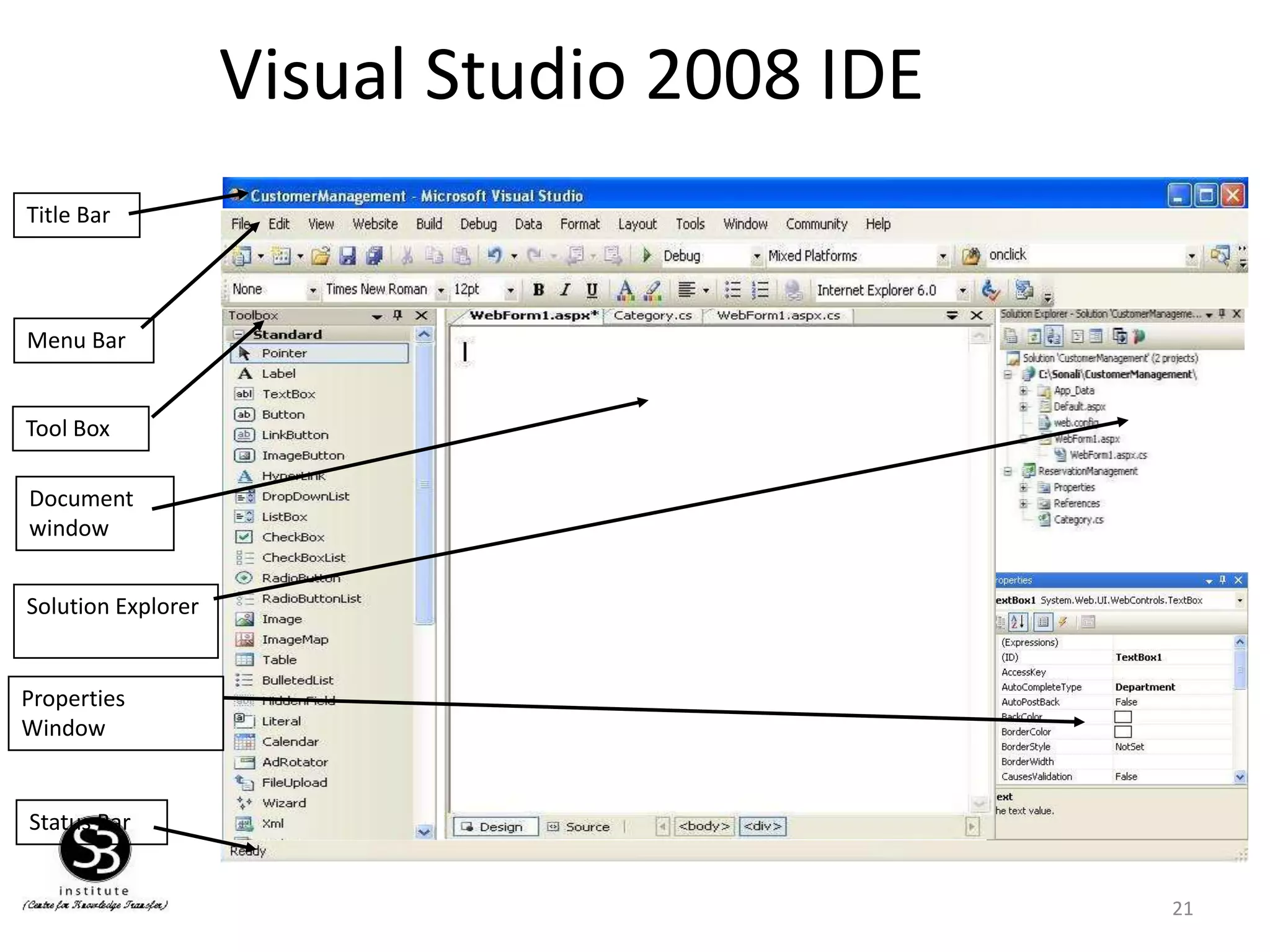
Visual Studio 2008IDE
21
Status Bar
Tool Box
Menu Bar
Solution Explorer
Properties
Window
Document
window
Title Bar
22.
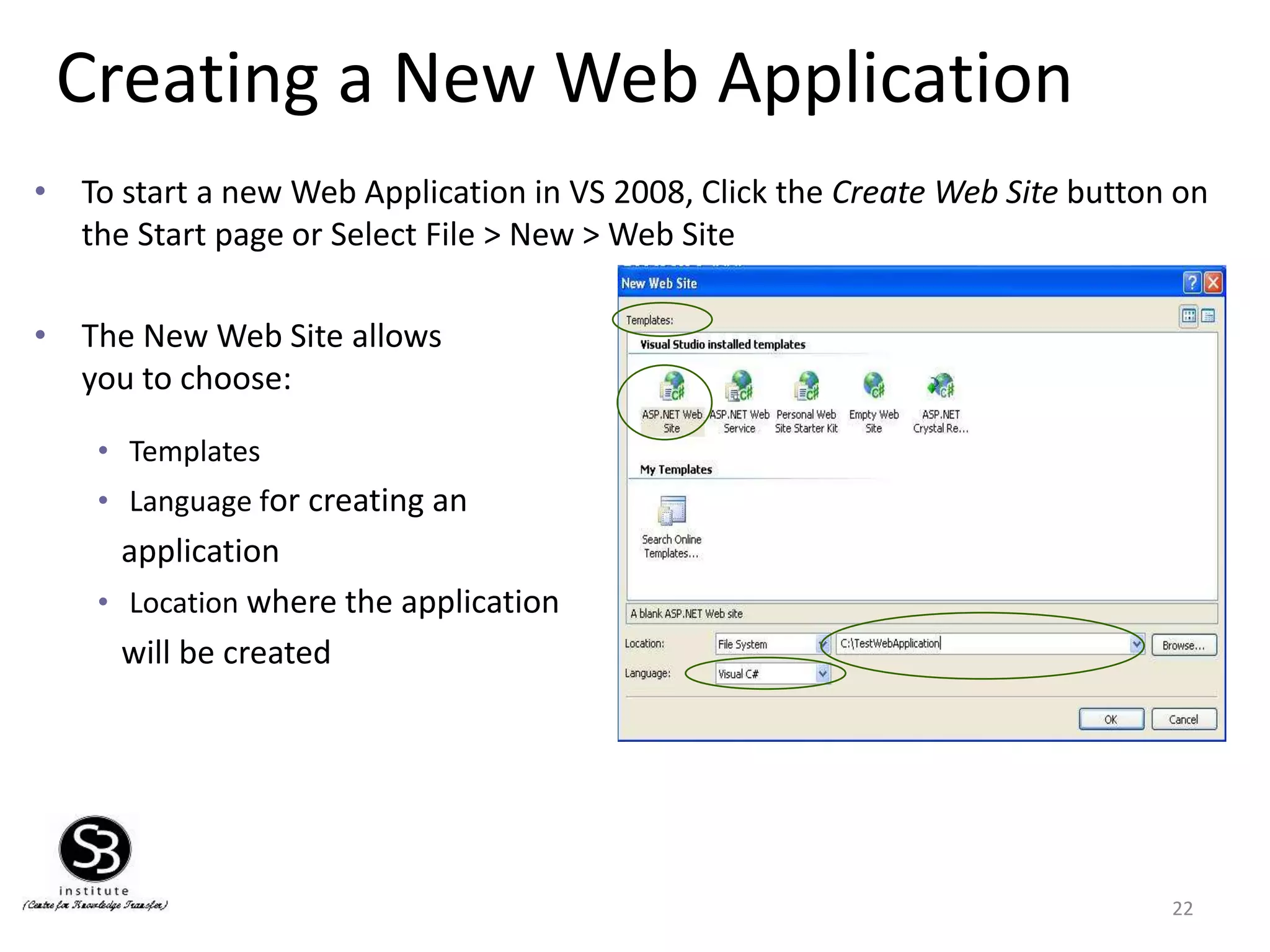
Creating a NewWeb Application
22
• To start a new Web Application in VS 2008, Click the Create Web Site button on
the Start page or Select File > New > Web Site
• The New Web Site allows
you to choose:
• Templates
• Language for creating an
application
• Location where the application
will be created
23.
Creating a NewApplication
(Continued)
23
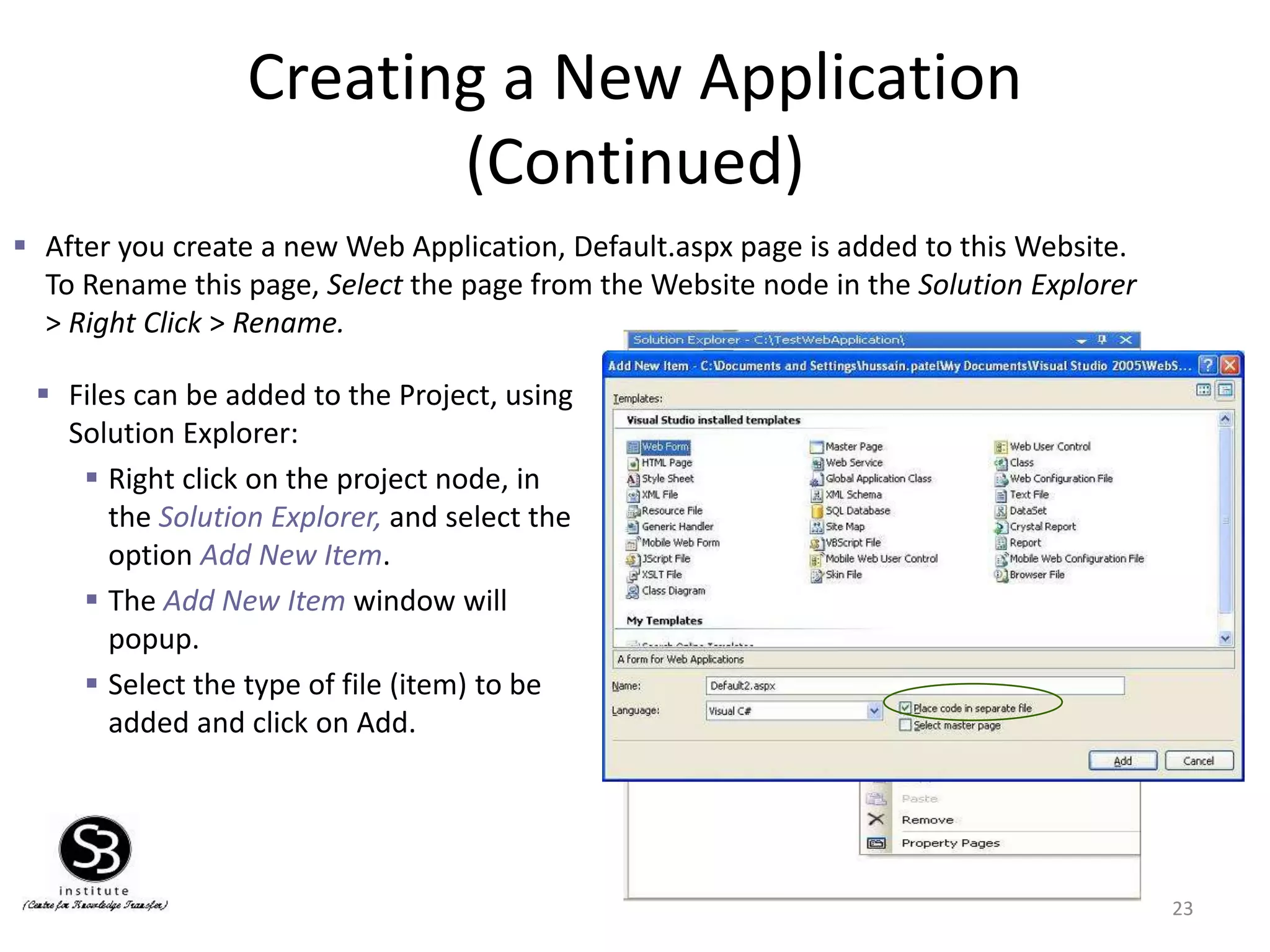
After you create a new Web Application, Default.aspx page is added to this Website.
To Rename this page, Select the page from the Website node in the Solution Explorer
> Right Click > Rename.
Files can be added to the Project, using
Solution Explorer:
Right click on the project node, in
the Solution Explorer, and select the
option Add New Item.
The Add New Item window will
popup.
Select the type of file (item) to be
added and click on Add.
24.
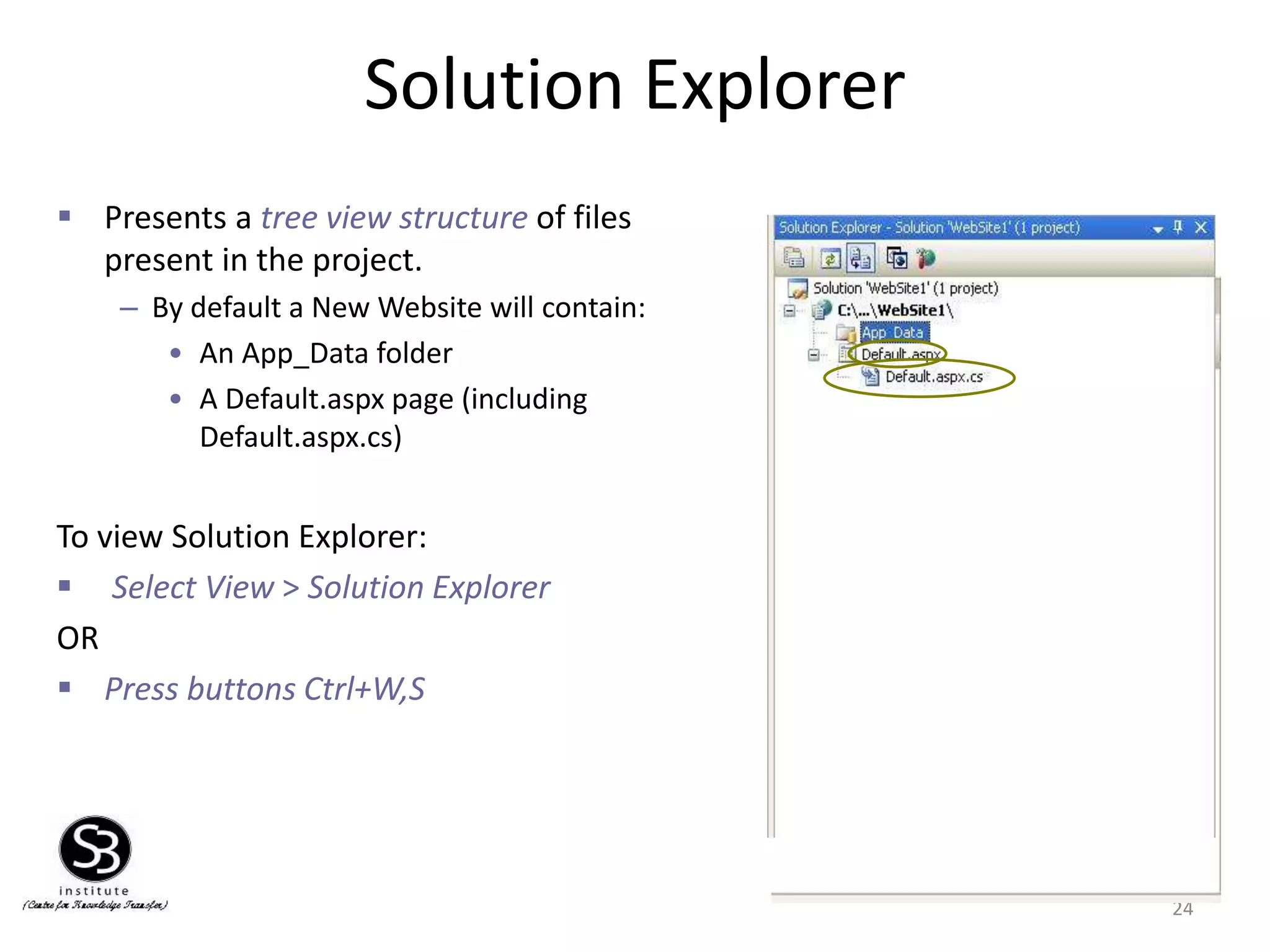
Solution Explorer
24
Presentsa tree view structure of files
present in the project.
– By default a New Website will contain:
• An App_Data folder
• A Default.aspx page (including
Default.aspx.cs)
To view Solution Explorer:
Select View > Solution Explorer
OR
Press buttons Ctrl+W,S
25.
Solution Explorer (Continued)
25
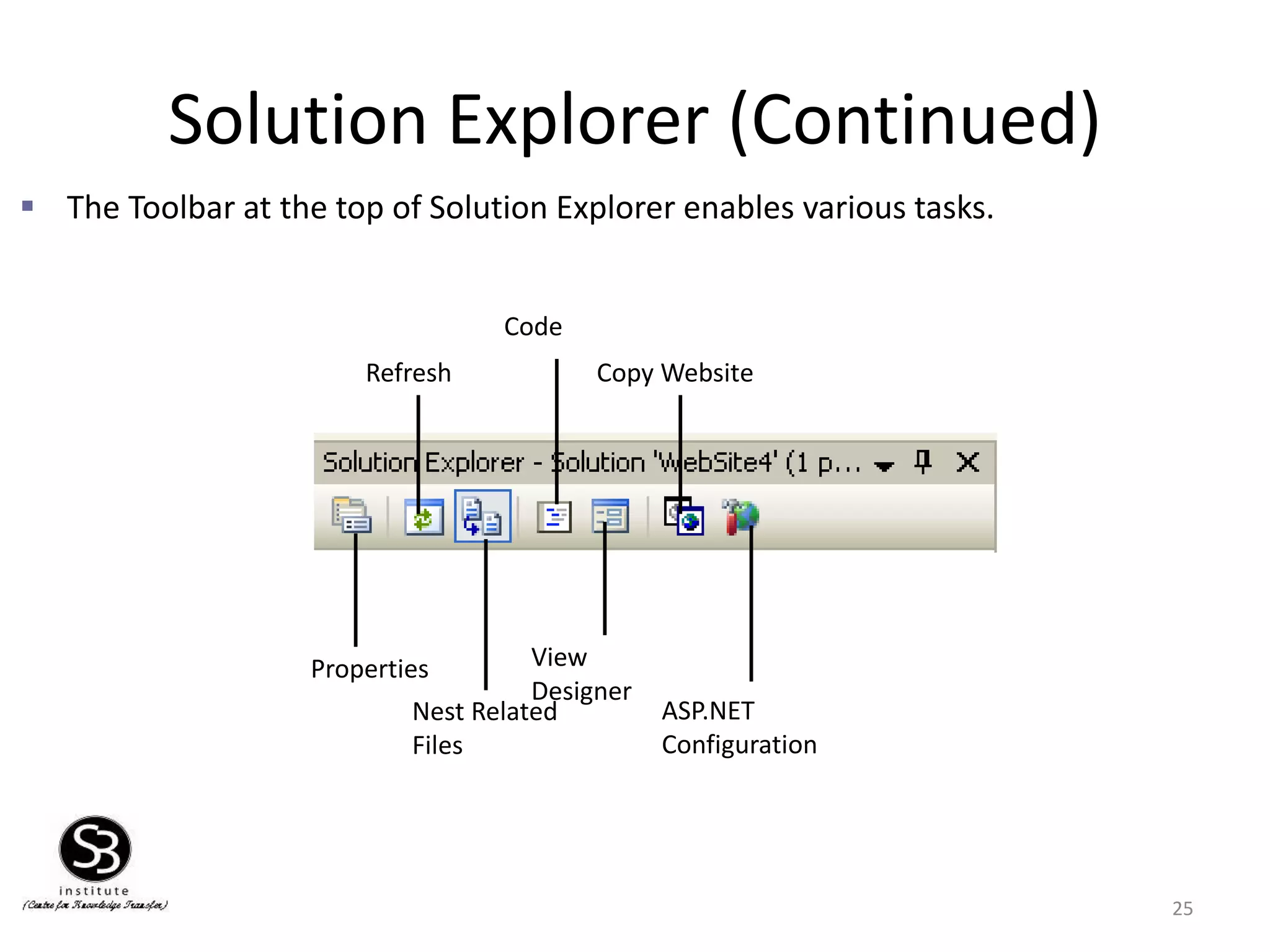
The Toolbar at the top of Solution Explorer enables various tasks.
Properties
Nest Related
Files
View
Designer
ASP.NET
Configuration
Refresh
Code
Copy Website
26.
Toolbox
26
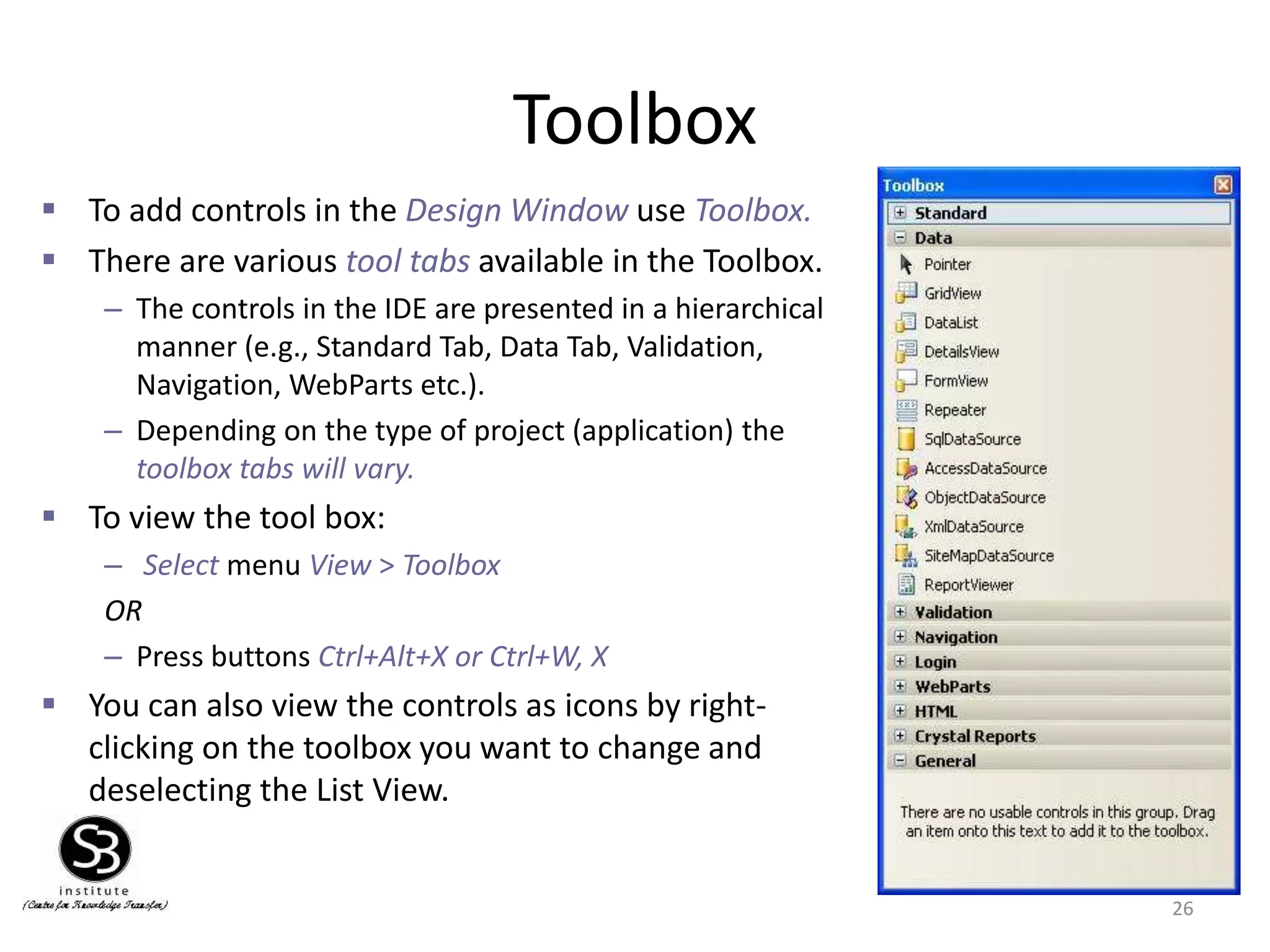
To addcontrols in the Design Window use Toolbox.
There are various tool tabs available in the Toolbox.
– The controls in the IDE are presented in a hierarchical
manner (e.g., Standard Tab, Data Tab, Validation,
Navigation, WebParts etc.).
– Depending on the type of project (application) the
toolbox tabs will vary.
To view the tool box:
– Select menu View > Toolbox
OR
– Press buttons Ctrl+Alt+X or Ctrl+W, X
You can also view the controls as icons by right-
clicking on the toolbox you want to change and
deselecting the List View.
27.
Properties Window
27
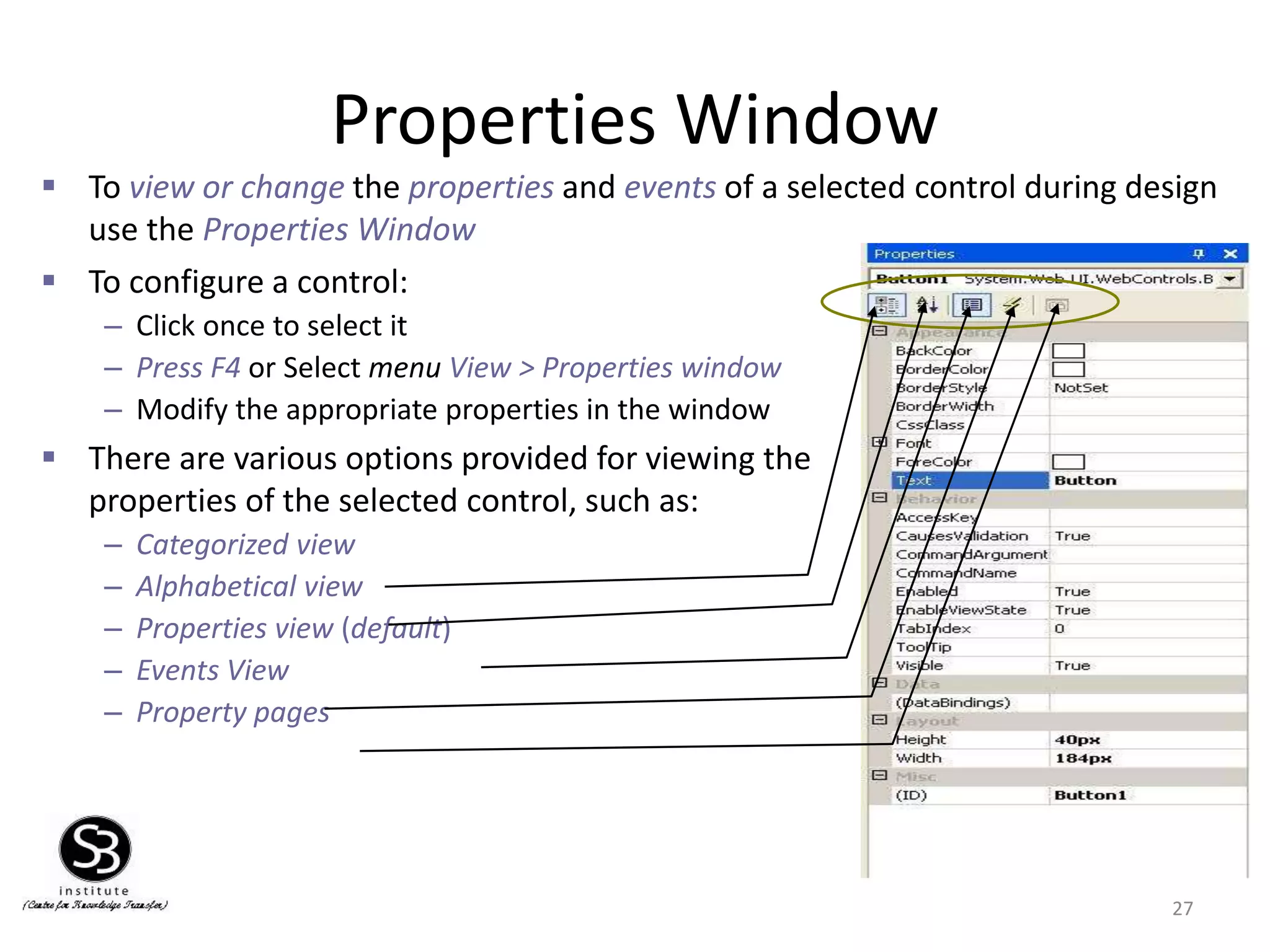
Toconfigure a control:
– Click once to select it
– Press F4 or Select menu View > Properties window
– Modify the appropriate properties in the window
There are various options provided for viewing the
properties of the selected control, such as:
– Categorized view
– Alphabetical view
– Properties view (default)
– Events View
– Property pages
To view or change the properties and events of a selected control during design
use the Properties Window
28.
Adding an Event
28
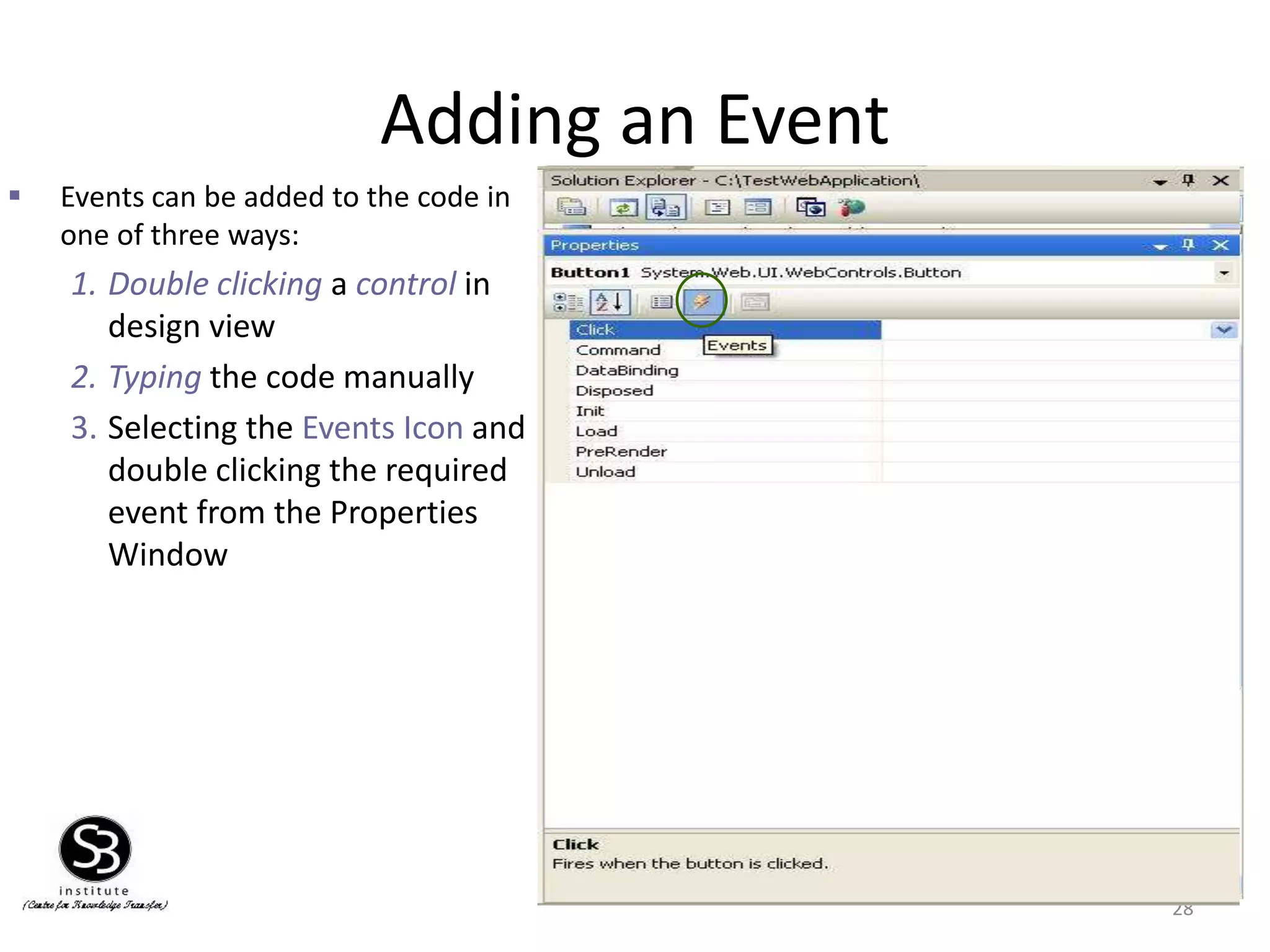
Events can be added to the code in
one of three ways:
1. Double clicking a control in
design view
2. Typing the code manually
3. Selecting the Events Icon and
double clicking the required
event from the Properties
Window
Event Handler For
Button
29.
Project Settings
29
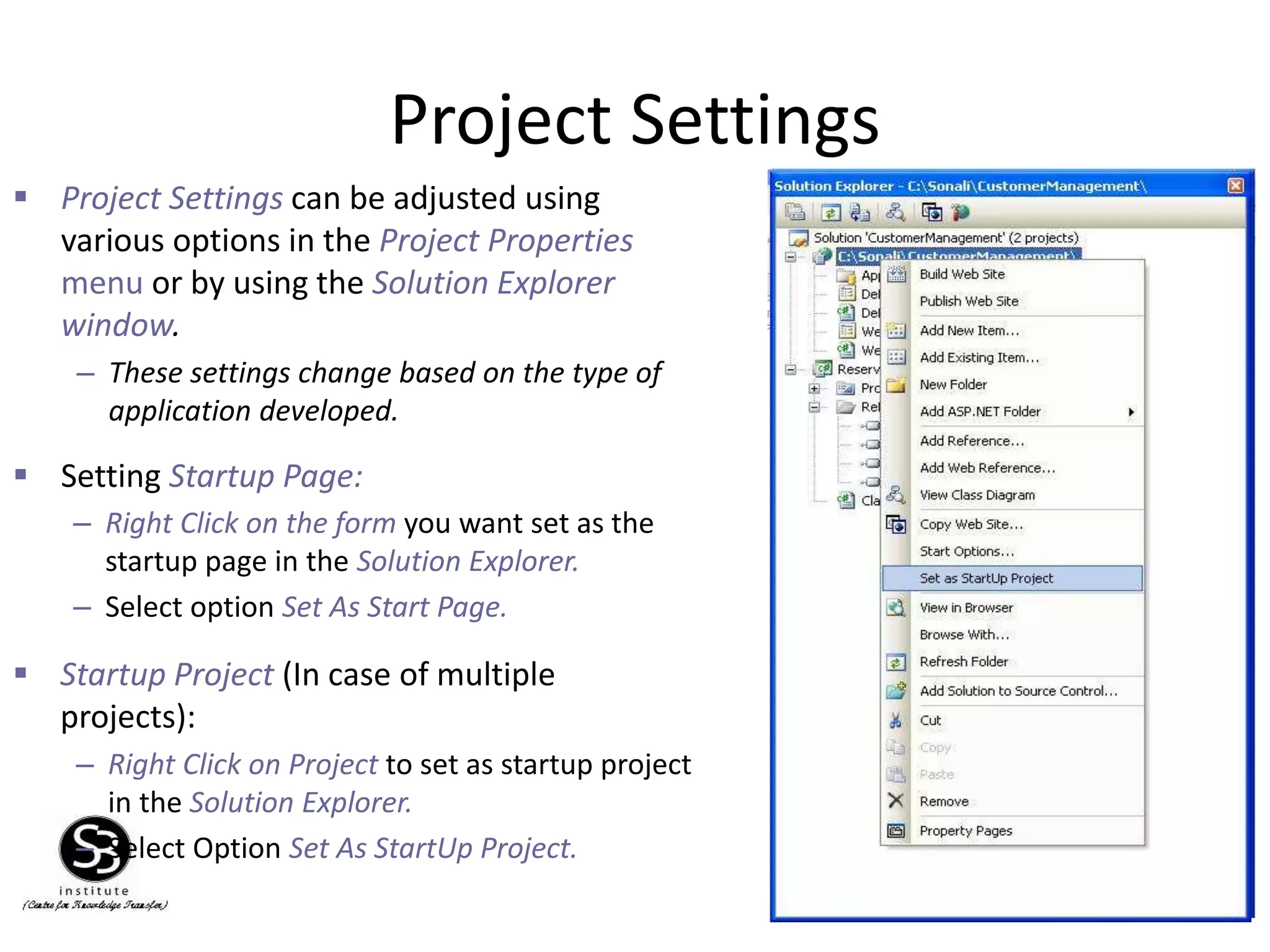
– RightClick on the form you want set as the
startup page in the Solution Explorer.
– Select option Set As Start Page.
Setting Startup Page:
Startup Project (In case of multiple
projects):
– Right Click on Project to set as startup project
in the Solution Explorer.
– Select Option Set As StartUp Project.
Project Settings can be adjusted using
various options in the Project Properties
menu or by using the Solution Explorer
window.
– These settings change based on the type of
application developed.
30.
30
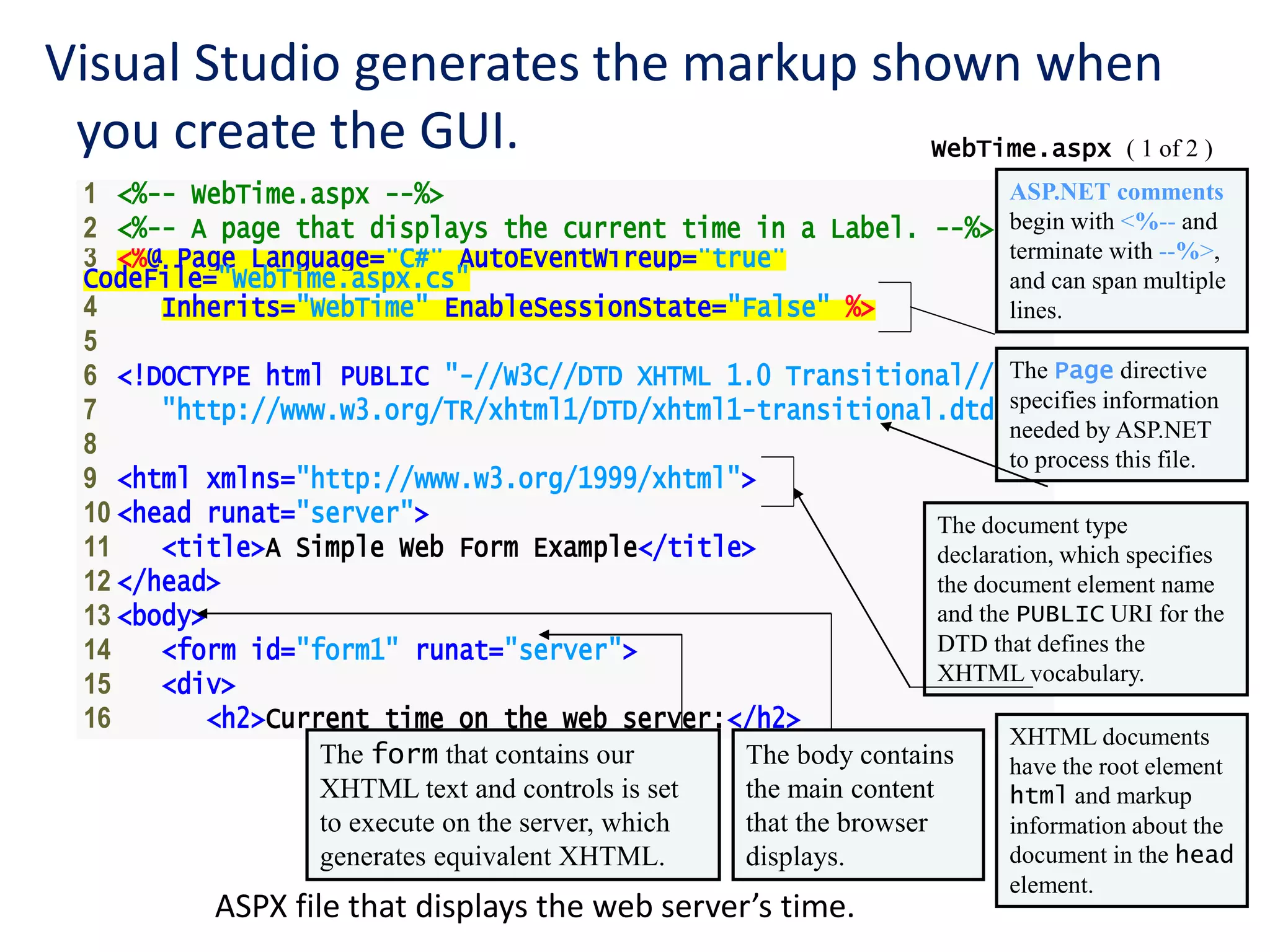
1 <%-- WebTime.aspx--%>
2 <%-- A page that displays the current time in a Label. --%>
3 <%@ Page Language="C#" AutoEventWireup="true"
CodeFile="WebTime.aspx.cs"
4 Inherits="WebTime" EnableSessionState="False" %>
5
6 <!DOCTYPE html PUBLIC "-//W3C//DTD XHTML 1.0 Transitional//EN"
7 "http://www.w3.org/TR/xhtml1/DTD/xhtml1-transitional.dtd">
8
9 <html xmlns="http://www.w3.org/1999/xhtml">
10 <head runat="server">
11 <title>A Simple Web Form Example</title>
12 </head>
13 <body>
14 <form id="form1" runat="server">
15 <div>
16 <h2>Current time on the web server:</h2>
WebTime.aspx ( 1 of 2 )
Visual Studio generates the markup shown when
you create the GUI.
ASP.NET comments
begin with <%-- and
terminate with --%>,
and can span multiple
lines.
The Page directive
specifies information
needed by ASP.NET
to process this file.
ASPX file that displays the web server’s time.
The document type
declaration, which specifies
the document element name
and the PUBLIC URI for the
DTD that defines the
XHTML vocabulary.
XHTML documents
have the root element
html and markup
information about the
document in the head
element.
The body contains
the main content
that the browser
displays.
The form that contains our
XHTML text and controls is set
to execute on the server, which
generates equivalent XHTML.
31.
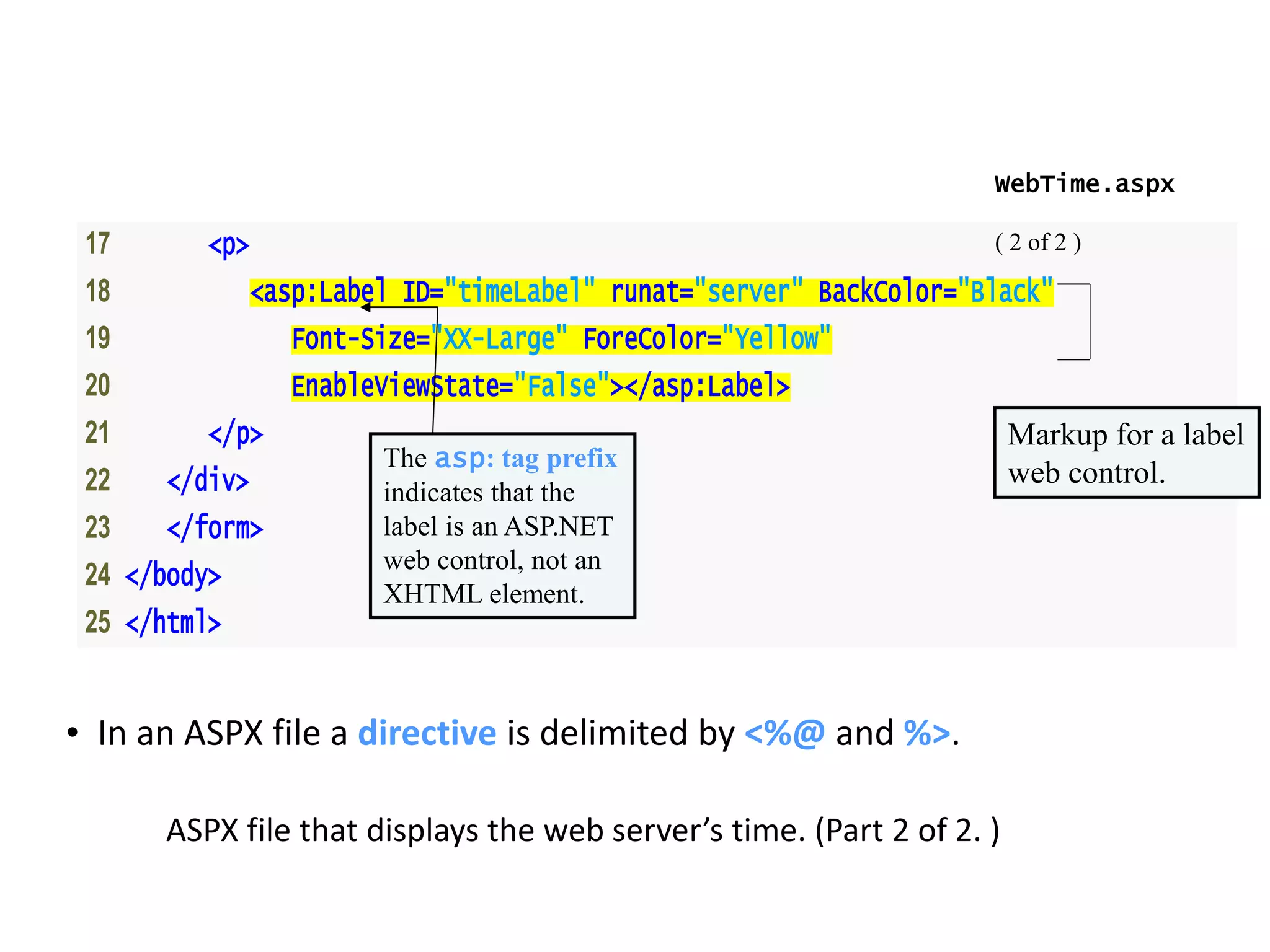
17 <p>
18 <asp:LabelID="timeLabel" runat="server" BackColor="Black"
19 Font-Size="XX-Large" ForeColor="Yellow"
20 EnableViewState="False"></asp:Label>
21 </p>
22 </div>
23 </form>
24 </body>
25 </html>
WebTime.aspx
( 2 of 2 )
ASPX file that displays the web server’s time. (Part 2 of 2. )
Markup for a label
web control.The asp: tag prefix
indicates that the
label is an ASP.NET
web control, not an
XHTML element.
• In an ASPX file a directive is delimited by <%@ and %>.