Artificial Intelligence
Artificial
Intelligence
Artificial Intelligence
Definition Of
Artificial Intelligence
Artificial Intelligence (AI) refers to the ability of
machines or computer programs to perform
tasks that would normally require human
intelligence, such as recognizing speech, making
decisions, and learning from experience.
Artificial Intelligence
Types Of Artificial
Intelligence
AI has its roots in computer science and
mathematics but also draws from philosophy,
psychology, and neuroscience. The field has been
evolving since the 1950s and has experienced many
ups and downs, with periods of intense research
followed by periods of reduced interest.
Artificial Intelligence
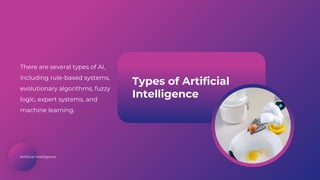
Types of Artificial
Intelligence
There are several types of AI,
including rule-based systems,
evolutionary algorithms, fuzzy
logic, expert systems, and
machine learning.
Artificial Intelligence
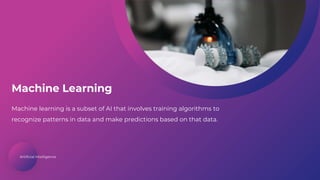
Machine Learning
Machine learning is a subset of AI that involves training algorithms to
recognize patterns in data and make predictions based on that data.
Artificial Intelligence
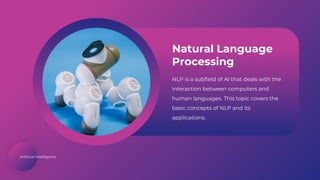
Natural Language
Processing
NLP is a subfield of AI that deals with the
interaction between computers and
human languages. This topic covers the
basic concepts of NLP and its
applications.
Artificial Intelligence
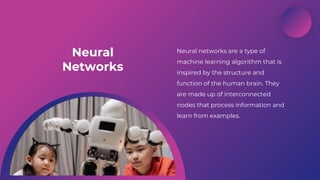
Neural
Networks
Neural networks are a type of
machine learning algorithm that is
inspired by the structure and
function of the human brain. They
are made up of interconnected
nodes that process information and
learn from examples.
Artificial Intelligence
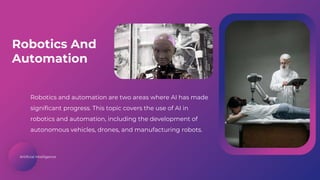
Robotics and automation are two areas where AI has made
significant progress. This topic covers the use of AI in
robotics and automation, including the development of
autonomous vehicles, drones, and manufacturing robots.
Robotics And
Automation
Artificial Intelligence
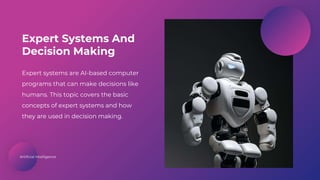
Expert systems are AI-based computer
programs that can make decisions like
humans. This topic covers the basic
concepts of expert systems and how
they are used in decision making.
Expert Systems And
Decision Making
Artificial Intelligence
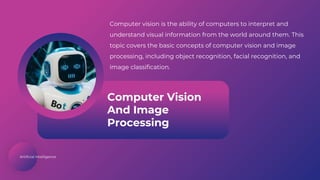
Computer Vision
And Image
Processing
Computer vision is the ability of computers to interpret and
understand visual information from the world around them. This
topic covers the basic concepts of computer vision and image
processing, including object recognition, facial recognition, and
image classification.
Artificial Intelligence
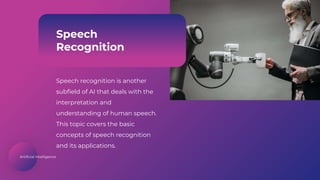
Speech
Recognition
Speech recognition is another
subfield of AI that deals with the
interpretation and
understanding of human speech.
This topic covers the basic
concepts of speech recognition
and its applications.
Artificial Intelligence
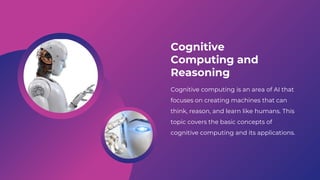
Cognitive
Computing and
Reasoning
Cognitive computing is an area of AI that
focuses on creating machines that can
think, reason, and learn like humans. This
topic covers the basic concepts of
cognitive computing and its applications.
Artificial Intelligence
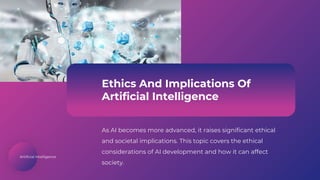
Ethics And Implications Of
Artificial Intelligence
As AI becomes more advanced, it raises significant ethical
and societal implications. This topic covers the ethical
considerations of AI development and how it can affect
society.
Artificial Intelligence
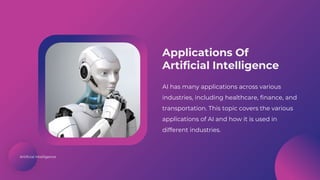
Applications Of
Artificial Intelligence
AI has many applications across various
industries, including healthcare, finance, and
transportation. This topic covers the various
applications of AI and how it is used in
different industries.
Artificial Intelligence
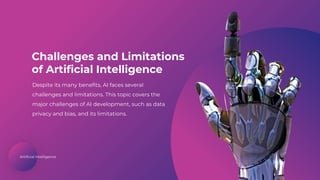
Challenges and Limitations
of Artificial Intelligence
Despite its many benefits, AI faces several
challenges and limitations. This topic covers the
major challenges of AI development, such as data
privacy and bias, and its limitations.
Icons
Icons
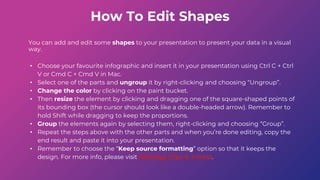
How To Edit Shapes
You can add and edit some shapes to your presentation to present your data in a visual
way.
• Choose your favourite infographic and insert it in your presentation using Ctrl C + Ctrl
V or Cmd C + Cmd V in Mac.
• Select one of the parts and ungroup it by right-clicking and choosing “Ungroup”.
• Change the color by clicking on the paint bucket.
• Then resize the element by clicking and dragging one of the square-shaped points of
its bounding box (the cursor should look like a double-headed arrow). Remember to
hold Shift while dragging to keep the proportions.
• Group the elements again by selecting them, right-clicking and choosing “Group”.
• Repeat the steps above with the other parts and when you’re done editing, copy the
end result and paste it into your presentation.
• Remember to choose the “Keep source formatting” option so that it keeps the
design. For more info, please visit Slideegg (Tips & Tricks).
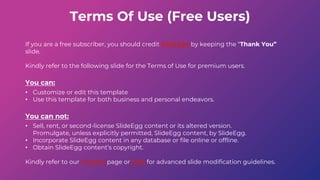
Terms Of Use (Free Users)
If you are a free subscriber, you should credit SlideEgg by keeping the “Thank You”
slide.
Kindly refer to the following slide for the Terms of Use for premium users.
You can:
• Customize or edit this template
• Use this template for both business and personal endeavors.
You can not:
• Sell, rent, or second-license SlideEgg content or its altered version.
Promulgate, unless explicitly permitted, SlideEgg content, by SlideEgg.
• Incorporate SlideEgg content in any database or file online or offline.
• Obtain SlideEgg content’s copyright.
Kindly refer to our Tutorial page or FAQ for advanced slide modification guidelines.
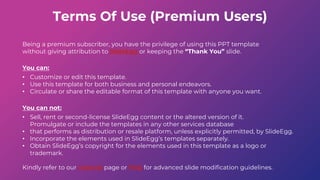
Terms Of Use (Premium Users)
Being a premium subscriber, you have the privilege of using this PPT template
without giving attribution to SlideEgg or keeping the “Thank You” slide.
You can:
• Customize or edit this template.
• Use this template for both business and personal endeavors.
• Circulate or share the editable format of this template with anyone you want.
You can not:
• Sell, rent or second-license SlideEgg content or the altered version of it.
Promulgate or include the templates in any other services database
• that performs as distribution or resale platform, unless explicitly permitted, by SlideEgg.
• Incorporate the elements used in SlideEgg’s templates separately.
• Obtain SlideEgg’s copyright for the elements used in this template as a logo or
trademark.
Kindly refer to our Tutorial page or FAQ for advanced slide modification guidelines.
www.slideegg.com
Thank You!
We respect your valuable time with SlideEgg!
If you have any questions, please reach us
CREDIT: SlideEgg created this PowerPoint template.
Let this slide be kept for attribution.
Do you have a design request, please visit our redesign
page.

Artificial Intelligence and Machine learning basics.pptx

  • 1.
  • 2.
    Artificial Intelligence Definition Of ArtificialIntelligence Artificial Intelligence (AI) refers to the ability of machines or computer programs to perform tasks that would normally require human intelligence, such as recognizing speech, making decisions, and learning from experience.
  • 3.
    Artificial Intelligence Types OfArtificial Intelligence AI has its roots in computer science and mathematics but also draws from philosophy, psychology, and neuroscience. The field has been evolving since the 1950s and has experienced many ups and downs, with periods of intense research followed by periods of reduced interest.
  • 4.
    Artificial Intelligence Types ofArtificial Intelligence There are several types of AI, including rule-based systems, evolutionary algorithms, fuzzy logic, expert systems, and machine learning.
  • 5.
    Artificial Intelligence Machine Learning Machinelearning is a subset of AI that involves training algorithms to recognize patterns in data and make predictions based on that data.
  • 6.
    Artificial Intelligence Natural Language Processing NLPis a subfield of AI that deals with the interaction between computers and human languages. This topic covers the basic concepts of NLP and its applications.
  • 7.
    Artificial Intelligence Neural Networks Neural networksare a type of machine learning algorithm that is inspired by the structure and function of the human brain. They are made up of interconnected nodes that process information and learn from examples.
  • 8.
    Artificial Intelligence Robotics andautomation are two areas where AI has made significant progress. This topic covers the use of AI in robotics and automation, including the development of autonomous vehicles, drones, and manufacturing robots. Robotics And Automation
  • 9.
    Artificial Intelligence Expert systemsare AI-based computer programs that can make decisions like humans. This topic covers the basic concepts of expert systems and how they are used in decision making. Expert Systems And Decision Making
  • 10.
    Artificial Intelligence Computer Vision AndImage Processing Computer vision is the ability of computers to interpret and understand visual information from the world around them. This topic covers the basic concepts of computer vision and image processing, including object recognition, facial recognition, and image classification.
  • 11.
    Artificial Intelligence Speech Recognition Speech recognitionis another subfield of AI that deals with the interpretation and understanding of human speech. This topic covers the basic concepts of speech recognition and its applications.
  • 12.
    Artificial Intelligence Cognitive Computing and Reasoning Cognitivecomputing is an area of AI that focuses on creating machines that can think, reason, and learn like humans. This topic covers the basic concepts of cognitive computing and its applications.
  • 13.
    Artificial Intelligence Ethics AndImplications Of Artificial Intelligence As AI becomes more advanced, it raises significant ethical and societal implications. This topic covers the ethical considerations of AI development and how it can affect society.
  • 14.
    Artificial Intelligence Applications Of ArtificialIntelligence AI has many applications across various industries, including healthcare, finance, and transportation. This topic covers the various applications of AI and how it is used in different industries.
  • 15.
    Artificial Intelligence Challenges andLimitations of Artificial Intelligence Despite its many benefits, AI faces several challenges and limitations. This topic covers the major challenges of AI development, such as data privacy and bias, and its limitations.
  • 16.
  • 17.
  • 18.
    How To EditShapes You can add and edit some shapes to your presentation to present your data in a visual way. • Choose your favourite infographic and insert it in your presentation using Ctrl C + Ctrl V or Cmd C + Cmd V in Mac. • Select one of the parts and ungroup it by right-clicking and choosing “Ungroup”. • Change the color by clicking on the paint bucket. • Then resize the element by clicking and dragging one of the square-shaped points of its bounding box (the cursor should look like a double-headed arrow). Remember to hold Shift while dragging to keep the proportions. • Group the elements again by selecting them, right-clicking and choosing “Group”. • Repeat the steps above with the other parts and when you’re done editing, copy the end result and paste it into your presentation. • Remember to choose the “Keep source formatting” option so that it keeps the design. For more info, please visit Slideegg (Tips & Tricks).
  • 19.
    Terms Of Use(Free Users) If you are a free subscriber, you should credit SlideEgg by keeping the “Thank You” slide. Kindly refer to the following slide for the Terms of Use for premium users. You can: • Customize or edit this template • Use this template for both business and personal endeavors. You can not: • Sell, rent, or second-license SlideEgg content or its altered version. Promulgate, unless explicitly permitted, SlideEgg content, by SlideEgg. • Incorporate SlideEgg content in any database or file online or offline. • Obtain SlideEgg content’s copyright. Kindly refer to our Tutorial page or FAQ for advanced slide modification guidelines.
  • 20.
    Terms Of Use(Premium Users) Being a premium subscriber, you have the privilege of using this PPT template without giving attribution to SlideEgg or keeping the “Thank You” slide. You can: • Customize or edit this template. • Use this template for both business and personal endeavors. • Circulate or share the editable format of this template with anyone you want. You can not: • Sell, rent or second-license SlideEgg content or the altered version of it. Promulgate or include the templates in any other services database • that performs as distribution or resale platform, unless explicitly permitted, by SlideEgg. • Incorporate the elements used in SlideEgg’s templates separately. • Obtain SlideEgg’s copyright for the elements used in this template as a logo or trademark. Kindly refer to our Tutorial page or FAQ for advanced slide modification guidelines.
  • 21.
    www.slideegg.com Thank You! We respectyour valuable time with SlideEgg! If you have any questions, please reach us CREDIT: SlideEgg created this PowerPoint template. Let this slide be kept for attribution. Do you have a design request, please visit our redesign page.