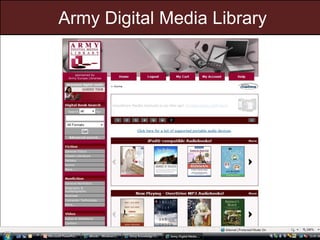
Army Digital Media Library
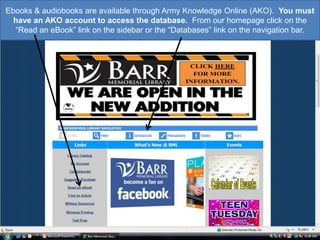
Ebooks & audiobooks are available through Army Knowledge Online (AKO).  You must have an AKO account to access the database.  From our homepage click on the “Read an eBook” link on the sidebar or the “Databases” link on the navigation bar.
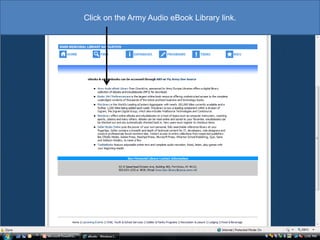
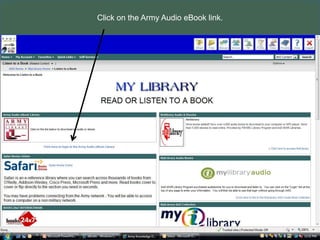
Click on the Army Audio eBook Library link.
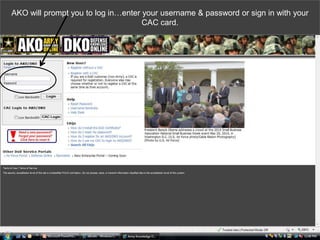
AKO will prompt you to log in…enter your username & password or sign in with your CAC card.
Click on the Army Audio eBook link.
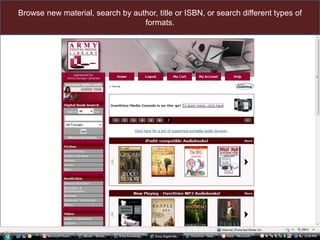
Browse new material, search by author, title or ISBN, or search different types of formats.
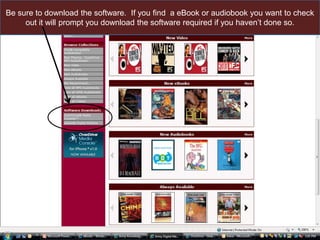
Be sure to download the software.  If you find an eBook or audiobook you want to check out, it will prompt you to download the software required if you haven’t done so.
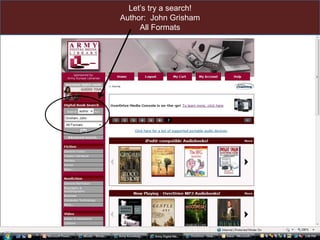
Let’s try a search!  Author:  John GrishamAll Formats
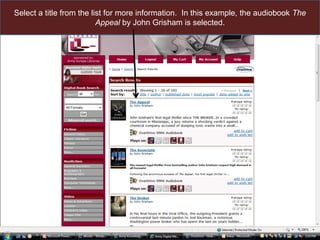
Select a title from the list for more information.  In this example, the audiobook The Appeal by John Grisham is selected.
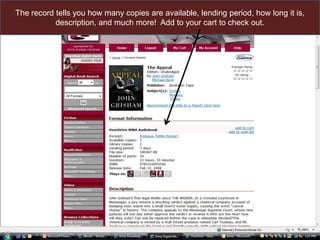
The record tells you how many copies are available, lending period, how long it is, description, and much more!  Add to your cart to check out.
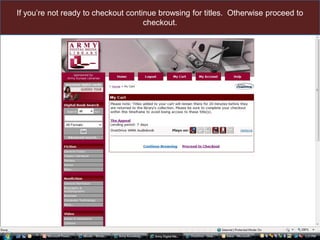
If you’re not ready to checkout, continue browsing for titles.  Otherwise proceed to checkout.
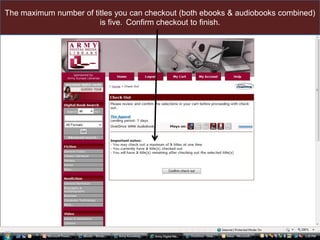
The maximum number of titles you can checkout (both ebooks & audiobooks combined) is five.  Confirm checkout to finish.
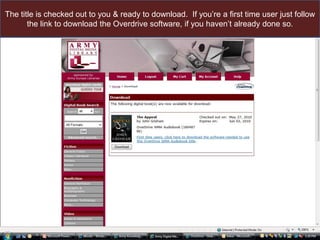
The title is checked out to you & ready to download.  If you’re a first time user just follow the link to download the Overdrive software, if you haven’t already done so.
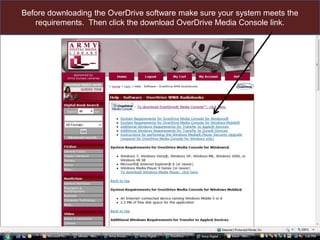
Before downloading the OverDrive software make sure your system meets the requirements.  Then click the download OverDrive Media Console link.
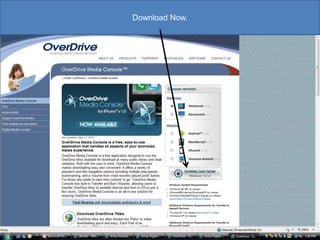
Download Now.
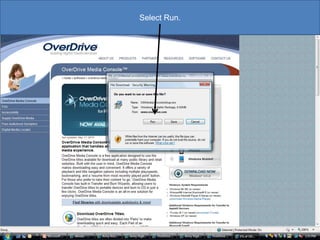
Select Run.
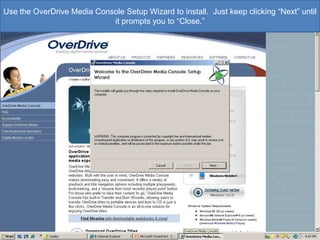
Use the OverDrive Media Console Setup Wizard to install.  Just keep clicking “Next” until it prompts you to “Close.”
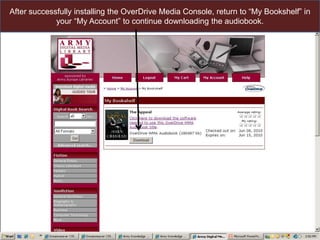
After successfully installing the OverDrive Media Console, return to “My Bookshelf” in your “My Account” to continue downloading the audiobook.
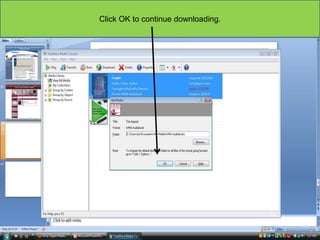
Click OK to continue downloading.
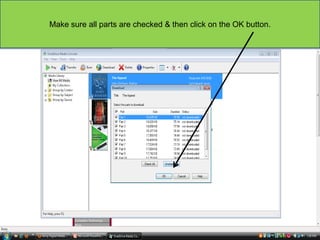
Make sure all parts are checked & then click on the OK button.
Once it’s finished downloading all parts you can Play the audiobook on your computer, Transfer it to a portable device like an MP3 player, iPod, or Zune, or Burn a copy to a CD - all from the user friendly OverDrive console.
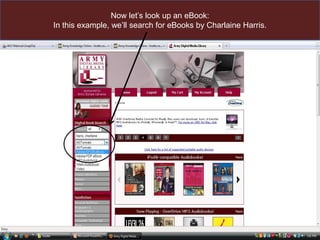
Now let’s look up an eBook:In this example, we’ll search for eBooks by Charlaine Harris.
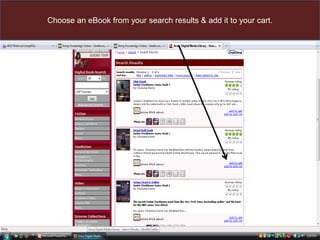
Choose an eBook from your search results & add it to your cart.
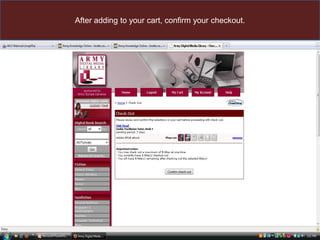
After adding to your cart, confirm your checkout.
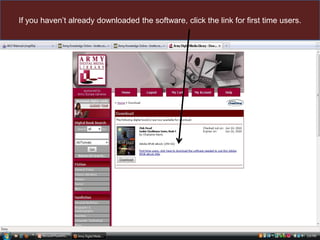
If you haven’t already downloaded the software, click the link for first time users.
Download Adobe Digital Editions to your computer.
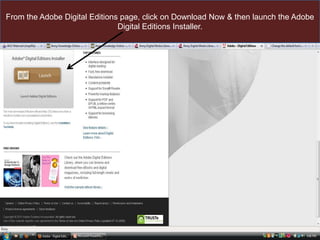
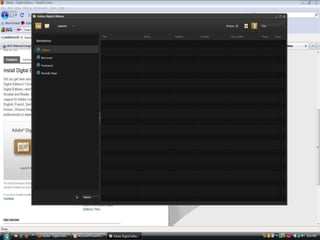
From the Adobe Digital Editions page, click on Download Now & then launch the Adobe Digital Editions Installer.
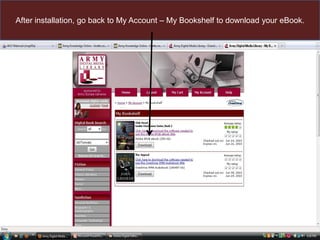
After installation, go back to My Account – My Bookshelf to download your eBook.
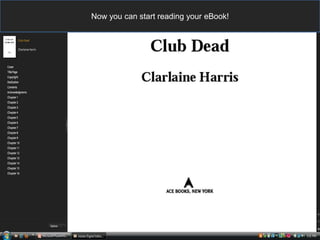
Now you can start reading your eBook!
Questions or comments?  Please call the Library @ 502-624-1232

Army digital media_library

  • 1.
  • 2.
    Ebooks & audiobooksare available through Army Knowledge Online (AKO). You must have an AKO account to access the database. From our homepage click on the “Read an eBook” link on the sidebar or the “Databases” link on the navigation bar.
  • 3.
    Click on theArmy Audio eBook Library link.
  • 4.
    AKO will promptyou to log in…enter your username & password or sign in with your CAC card.
  • 5.
    Click on theArmy Audio eBook link.
  • 6.
    Browse new material,search by author, title or ISBN, or search different types of formats.
  • 7.
    Be sure todownload the software. If you find an eBook or audiobook you want to check out, it will prompt you to download the software required if you haven’t done so.
  • 8.
    Let’s try asearch! Author: John GrishamAll Formats
  • 9.
    Select a titlefrom the list for more information. In this example, the audiobook The Appeal by John Grisham is selected.
  • 10.
    The record tellsyou how many copies are available, lending period, how long it is, description, and much more! Add to your cart to check out.
  • 11.
    If you’re notready to checkout, continue browsing for titles. Otherwise proceed to checkout.
  • 12.
    The maximum numberof titles you can checkout (both ebooks & audiobooks combined) is five. Confirm checkout to finish.
  • 13.
    The title ischecked out to you & ready to download. If you’re a first time user just follow the link to download the Overdrive software, if you haven’t already done so.
  • 14.
    Before downloading theOverDrive software make sure your system meets the requirements. Then click the download OverDrive Media Console link.
  • 15.
  • 16.
  • 17.
    Use the OverDriveMedia Console Setup Wizard to install. Just keep clicking “Next” until it prompts you to “Close.”
  • 18.
    After successfully installingthe OverDrive Media Console, return to “My Bookshelf” in your “My Account” to continue downloading the audiobook.
  • 19.
    Click OK tocontinue downloading.
  • 20.
    Make sure allparts are checked & then click on the OK button.
  • 21.
    Once it’s finisheddownloading all parts you can Play the audiobook on your computer, Transfer it to a portable device like an MP3 player, iPod, or Zune, or Burn a copy to a CD - all from the user friendly OverDrive console.
  • 22.
    Now let’s lookup an eBook:In this example, we’ll search for eBooks by Charlaine Harris.
  • 23.
    Choose an eBookfrom your search results & add it to your cart.
  • 24.
    After adding toyour cart, confirm your checkout.
  • 25.
    If you haven’talready downloaded the software, click the link for first time users.
  • 26.
    Download Adobe DigitalEditions to your computer.
  • 27.
    From the AdobeDigital Editions page, click on Download Now & then launch the Adobe Digital Editions Installer.
  • 29.
    After installation, goback to My Account – My Bookshelf to download your eBook.
  • 30.
    Now you canstart reading your eBook!
  • 31.
    Questions or comments? Please call the Library @ 502-624-1232