





ARCH LINUX
MEMBBERS:
CASTRO, PATRICK PAUL
DE GUZMAN, REAN PAOLO
LAPORGA, MARTIN PAOLO
SORIANO, ZANDO
PRE-INSTALLATION REQUIREMENTS
• Partition disks
• Format the partitions
• Mount the partitions
• Connect to the Internet
PARTITIONING THE DISK
• Download and burn any partitioning tool on a CD.
• Insert the CD into your Optical drive and boot from the CD.
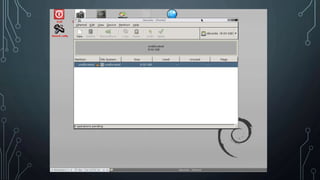
PARTITIONING THE DISK
• Download and burn any partitioning tool on a CD.
• Insert the CD into your Optical drive and boot from the CD.
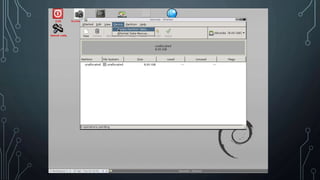
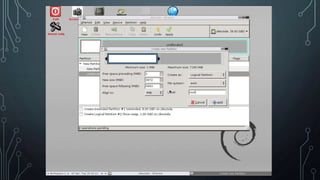
• Create a partition table.
PARTITIONING THE DISK
• Download and burn any partitioning tool on a CD.
• Insert the CD into your Optical drive and boot from the CD.
• Create a partition table.
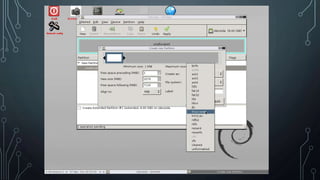
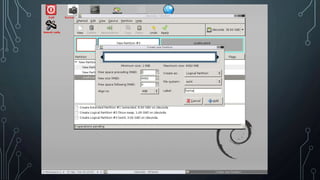
• Create a extended partition.
PARTITIONING THE DISK
• Download and burn any partitioning tool on a CD.
• Insert the CD into your Optical drive and boot from the CD.
• Create a partition table.
• Create a extended partition.
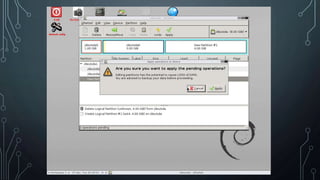
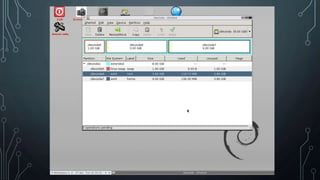
• On the extended partition create swap, root, and home
partitions.
INSTALLING ARCH LINUX
• Download Arch Linux .iso file and burn it on a CD or USB drive.
• Insert your Arch Linux CD or USB into your Optical Drive.
INSTALLING ARCH LINUX
• Download Arch Linux .iso file and burn it on a CD or USB drive.
• Insert your Arch Linux CD or USB into your Optical Drive.
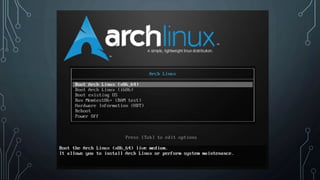
• Choose the appropriate option for your system, if your running
32-bit choose x86, if your running 64-bit choose x64.
INSTALLING ARCH LINUX
• Download Arch Linux .iso file and burn it on a CD or USB drive.
• Insert your Arch Linux CD or USB drive.
• Choose the appropriate option for your system, if your running
32-bit choose x86, if your running 64-bit choose x64.
INSTALLING ARCH LINUX
• Download Arch Linux .iso file and burn it on a CD or USB drive.
• Insert your Arch Linux CD or USB drive.
• Choose the appropriate option for your system, if your running
32-bit choose x86, if your running 64-bit choose x64.
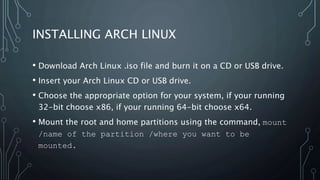
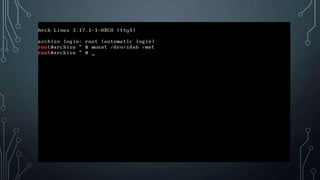
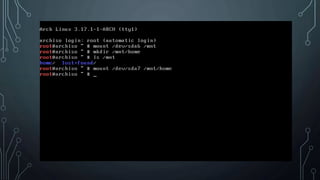
• Mount the root and home partitions using the command, mount
/name of the partition /where you want to be
mounted.
INSTALLING ARCH LINUX
• Download Arch Linux .iso file and burn it on a CD or USB drive.
• Insert your Arch Linux CD or USB drive.
• Choose the appropriate option for your system, if your running
32-bit choose x86, if your running 64-bit choose x64.
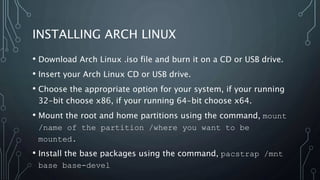
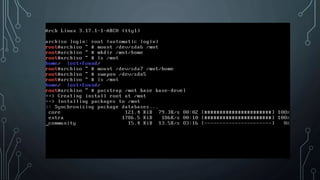
• Mount the root and home partitions using the command, mount
/name of the partition /where you want to be
mounted.
• Install the base packages using the command, pacstrap /mnt
base base-devel
INSTALLING ARCH LINUX
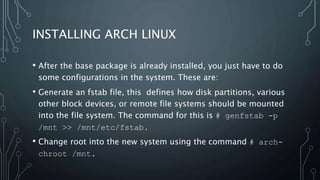
• After the base package is already installed, you just have to do
some configurations in the system. These are:
• Generate an fstab file, this defines how disk partitions, various
other block devices, or remote file systems should be mounted
into the file system. The command for this is # genfstab -p
/mnt >> /mnt/etc/fstab.
• Change root into the new system using the command # arch-
chroot /mnt.
INSTALLING ARCH LINUX
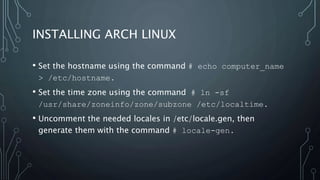
• Set the hostname using the command # echo computer_name
> /etc/hostname.
• Set the time zone using the command # ln -sf
/usr/share/zoneinfo/zone/subzone /etc/localtime.
• Uncomment the needed locales in /etc/locale.gen, then
generate them with the command # locale-gen.
INSTALLING ARCH LINUX
• Set locale preferences in /etc/locale.conf and possibly
$HOME/.config/locale.conf using the command # echo
LANG=your_locale > /etc/locale.conf.
• Configure /etc/mkinitcpio.conf if additional features are
needed using the command # mkinitcpio -p linux.
• And lastly you can set the root password using the command #
passwd.

Arch linux

  • 1.
    ARCH LINUX MEMBBERS: CASTRO, PATRICKPAUL DE GUZMAN, REAN PAOLO LAPORGA, MARTIN PAOLO SORIANO, ZANDO
  • 6.
    PRE-INSTALLATION REQUIREMENTS • Partitiondisks • Format the partitions • Mount the partitions • Connect to the Internet
  • 7.
    PARTITIONING THE DISK •Download and burn any partitioning tool on a CD. • Insert the CD into your Optical drive and boot from the CD.
  • 9.
    PARTITIONING THE DISK •Download and burn any partitioning tool on a CD. • Insert the CD into your Optical drive and boot from the CD. • Create a partition table.
  • 11.
    PARTITIONING THE DISK •Download and burn any partitioning tool on a CD. • Insert the CD into your Optical drive and boot from the CD. • Create a partition table. • Create a extended partition.
  • 12.
    PARTITIONING THE DISK •Download and burn any partitioning tool on a CD. • Insert the CD into your Optical drive and boot from the CD. • Create a partition table. • Create a extended partition. • On the extended partition create swap, root, and home partitions.
  • 18.
    INSTALLING ARCH LINUX •Download Arch Linux .iso file and burn it on a CD or USB drive. • Insert your Arch Linux CD or USB into your Optical Drive.
  • 20.
    INSTALLING ARCH LINUX •Download Arch Linux .iso file and burn it on a CD or USB drive. • Insert your Arch Linux CD or USB into your Optical Drive. • Choose the appropriate option for your system, if your running 32-bit choose x86, if your running 64-bit choose x64.
  • 21.
    INSTALLING ARCH LINUX •Download Arch Linux .iso file and burn it on a CD or USB drive. • Insert your Arch Linux CD or USB drive. • Choose the appropriate option for your system, if your running 32-bit choose x86, if your running 64-bit choose x64.
  • 23.
    INSTALLING ARCH LINUX •Download Arch Linux .iso file and burn it on a CD or USB drive. • Insert your Arch Linux CD or USB drive. • Choose the appropriate option for your system, if your running 32-bit choose x86, if your running 64-bit choose x64. • Mount the root and home partitions using the command, mount /name of the partition /where you want to be mounted.
  • 26.
    INSTALLING ARCH LINUX •Download Arch Linux .iso file and burn it on a CD or USB drive. • Insert your Arch Linux CD or USB drive. • Choose the appropriate option for your system, if your running 32-bit choose x86, if your running 64-bit choose x64. • Mount the root and home partitions using the command, mount /name of the partition /where you want to be mounted. • Install the base packages using the command, pacstrap /mnt base base-devel
  • 28.
    INSTALLING ARCH LINUX •After the base package is already installed, you just have to do some configurations in the system. These are: • Generate an fstab file, this defines how disk partitions, various other block devices, or remote file systems should be mounted into the file system. The command for this is # genfstab -p /mnt >> /mnt/etc/fstab. • Change root into the new system using the command # arch- chroot /mnt.
  • 29.
    INSTALLING ARCH LINUX •Set the hostname using the command # echo computer_name > /etc/hostname. • Set the time zone using the command # ln -sf /usr/share/zoneinfo/zone/subzone /etc/localtime. • Uncomment the needed locales in /etc/locale.gen, then generate them with the command # locale-gen.
  • 30.
    INSTALLING ARCH LINUX •Set locale preferences in /etc/locale.conf and possibly $HOME/.config/locale.conf using the command # echo LANG=your_locale > /etc/locale.conf. • Configure /etc/mkinitcpio.conf if additional features are needed using the command # mkinitcpio -p linux. • And lastly you can set the root password using the command # passwd.