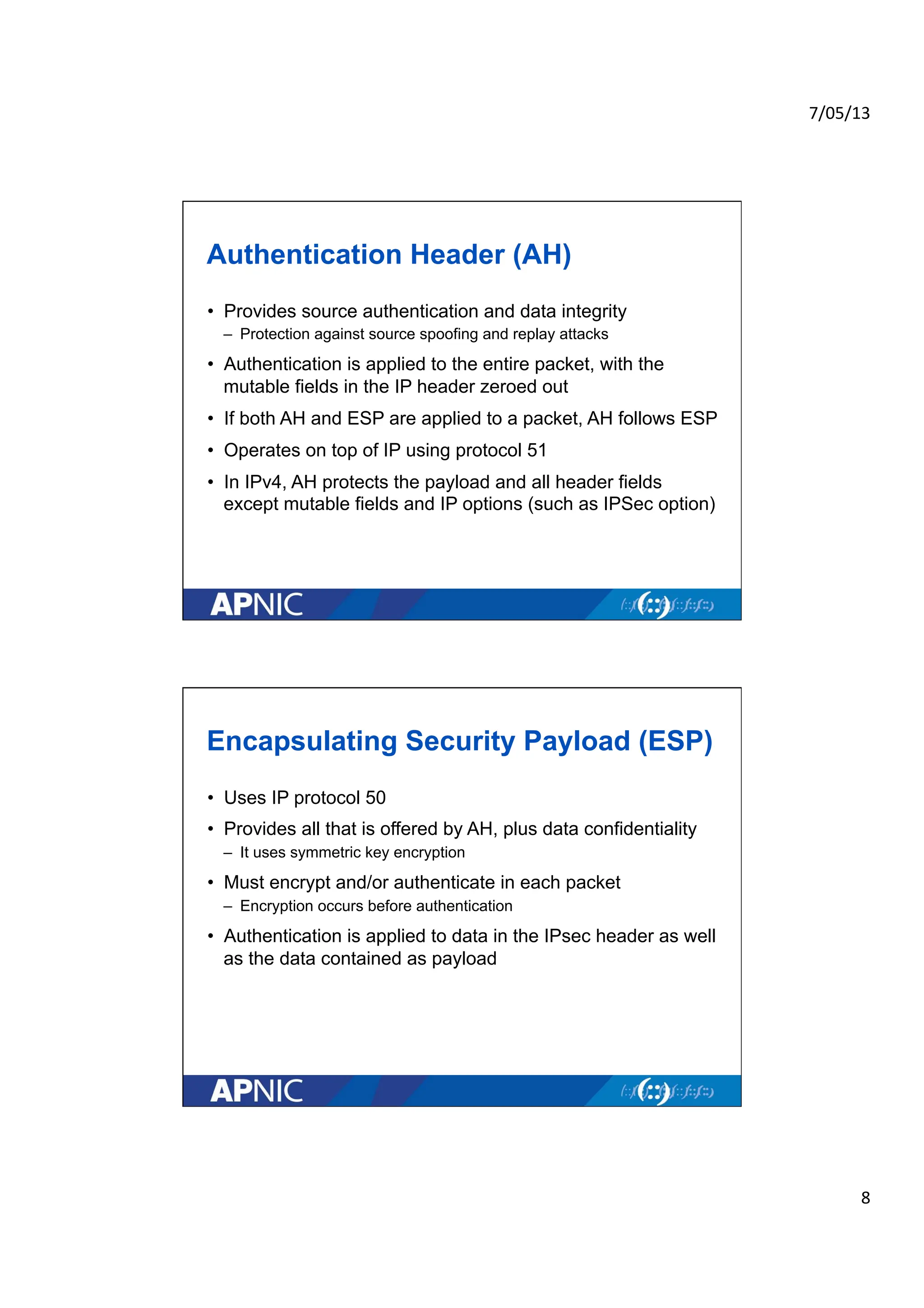
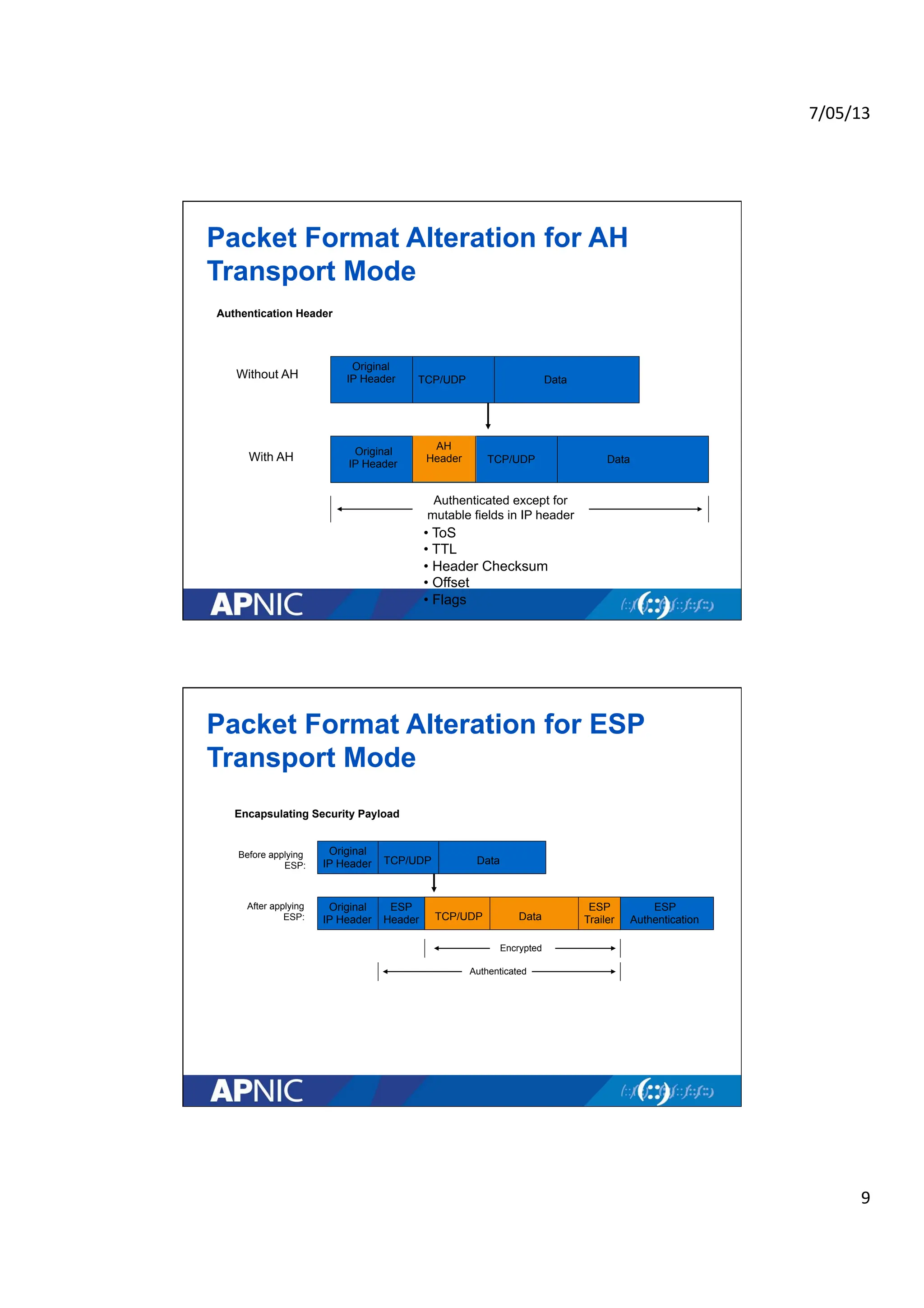
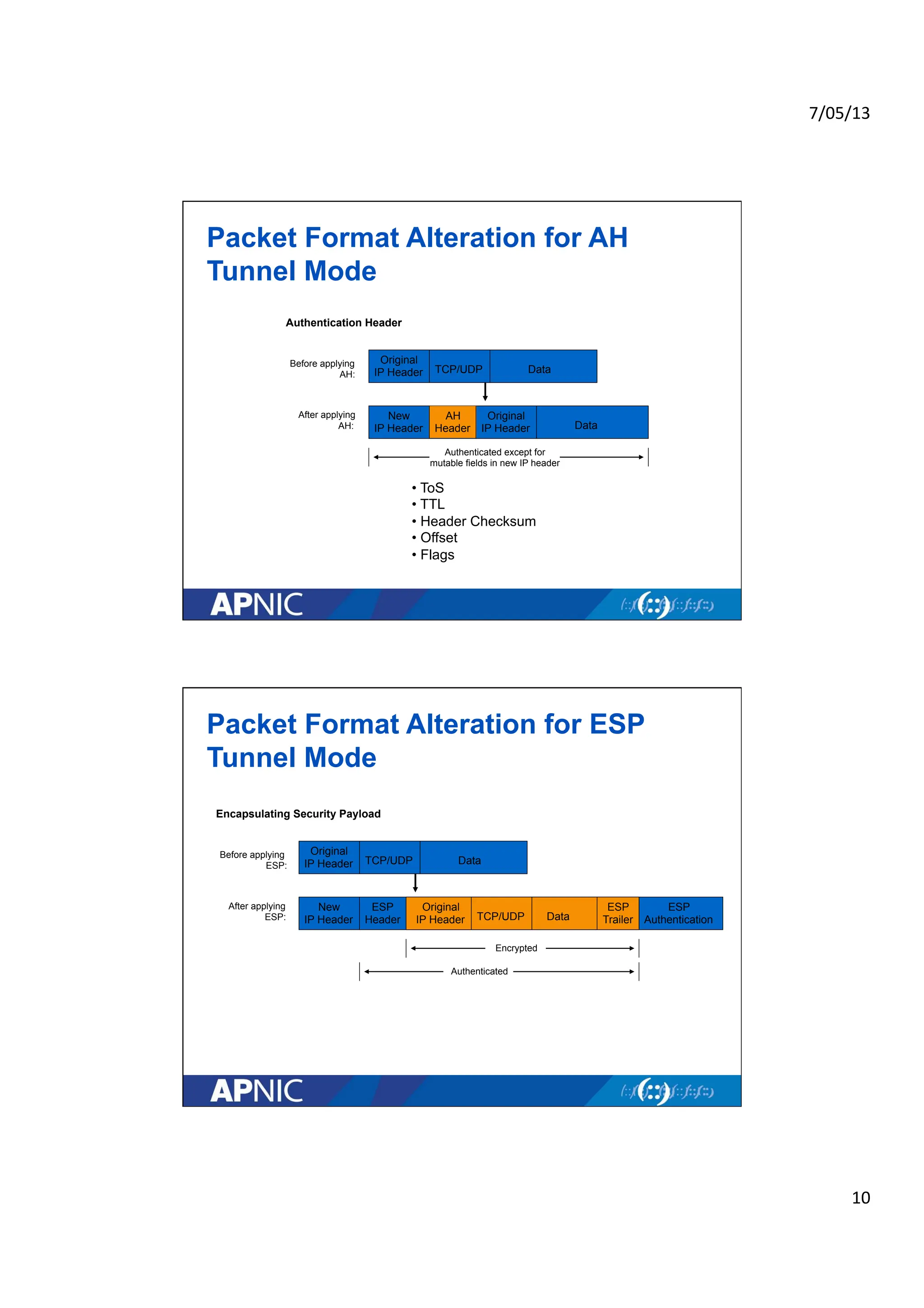
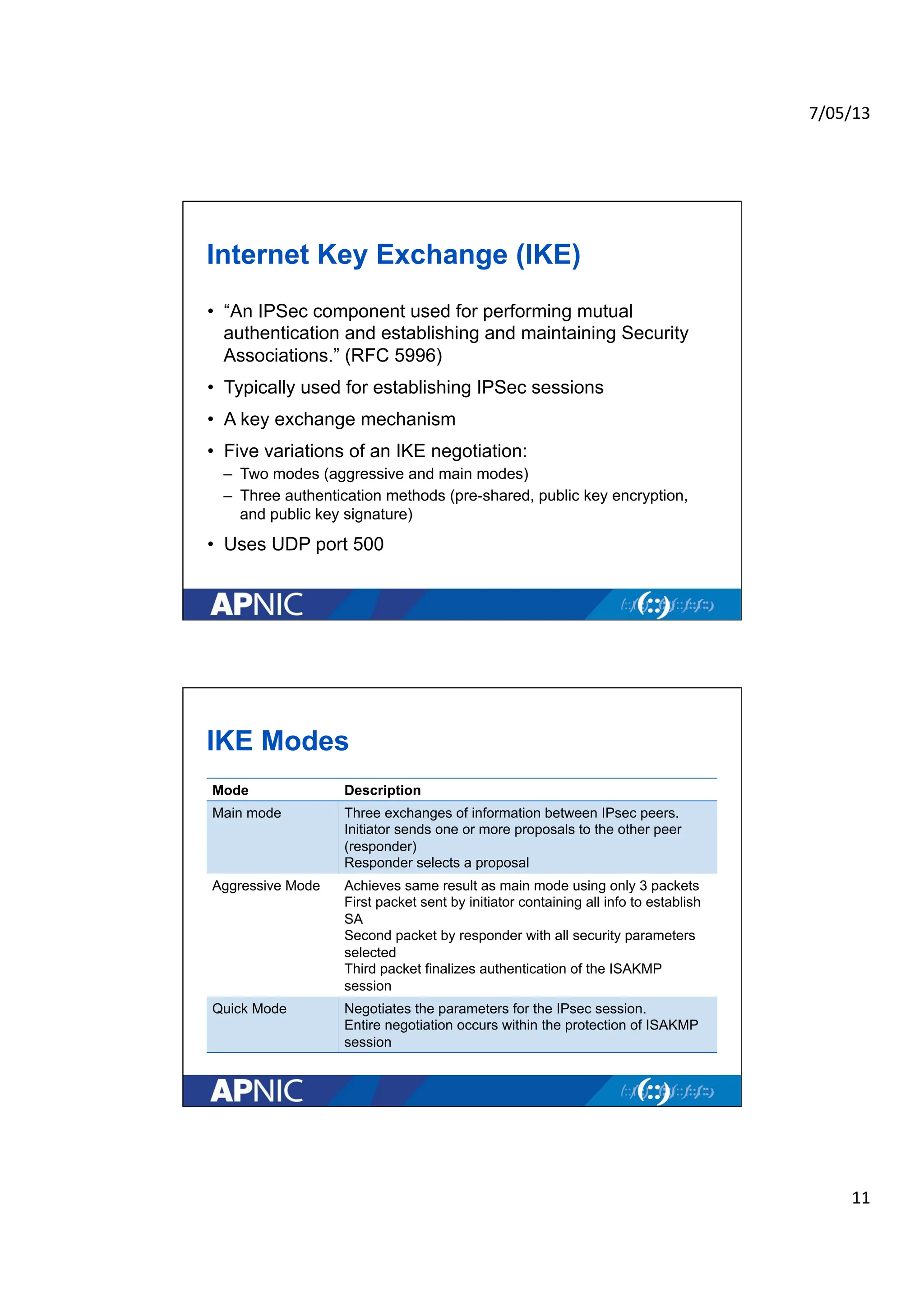
7/05/13
1
APNICeLearning:
IPSec Basics
08 May 2013
02:30 pm Brisbane Time (GMT+10)
Introduction
• Presenter
• For technical assistance refer to:
– http://www.apnic.net/elearningsupport
• Reminder: please take time to fill-up the survey
Sheryl Hermoso
Training Officer
sheryl@apnic.net
Specialties:
Network Security
IPv6
DNS/DNSSEC
Internet Resource Mgmt
2.
7/05/13
2
VirtualPrivate Network
• Creates a secure tunnel over a public network
– Client to firewall
– Router to router
– Firewall to firewall
• Uses the Internet as the public backbone to access a
secure private network
– Remote employees can access their office network
• VPN Protocols
– PPTP (Point-to-Point tunneling Protocol)
– L2F (Layer 2 Forwarding Protocol)
– L2TP (Layer 2 Tunneling Protocol)
– IPSec (Internet Protocol Security)
IPSec
• Provides Layer 3 security (RFC 2401)
– Transparent to applications (no need for integrated IPSec support)
• A set of protocols and algorithms used to secure IP data at
the network layer
• Combines different components:
– Security associations (SA)
– Authentication headers (AH)
– Encapsulating security payload (ESP)
– Internet Key Exchange (IKE)
• A security context for the VPN tunnel is established via the
ISAKMP
3.
7/05/13
3
WhyIPSec?
• Internet Protocol (IP) is not secure
– IP protocol was designed in the early stages of the Internet where
there security is not an issue
– All hosts in the network are known
• “IPsec is designed to provide interoperable, high quality,
cryptographically-based security for IPv4 and IPv6” - (RFC
2401)
• Possible security issues
– Source spoofing
– Replay packets
– No data integrity or confidentiality
IPSec Standards
• RFC 2401 “The IP Security Architecture”
– Defines the original IPsec architecture and elements common to both AH and
ESP
• RFC 2402
– Defines authentication headers (AH)
• RFC 2406
– Defines the Encapsulating Security Payload (ESP)
• RFC 2409
– IKE v1 – ISAKMP
• RFC 5996
– IKE v2 (Sept 2010)
• Updated documents [in RFC editor queue]
– Draft-ietf-ipsec-rfc2401bis-06 (architecture)
– Draft-ietf-ipsec-rfc2402bis-10 (AH)
– Draft-ietf-ipsec-esp-v3-10 (ESP)
– Draft-ietf-ipsec-ikev2-17 (IKEv2)
4.
7/05/13
4
Benefitsof IPSec
• Offers Confidentiality (encrypting data), Integrity , and
Authentication
• Data integrity and source authentication
– Data “signed” by sender and “signature” is verified by the recipient
– Modification of data can be detected by signature “verification”
– Because “signature” is based on a shared secret, it gives source
authentication
• Anti-replay protection
– Optional; the sender must provide it but the recipient may ignore
• Key management
– IKE – session negotiation and establishment
– Sessions are rekeyed or deleted automatically
– Secret keys are securely established and authenticated
– Remote peer is authenticated through varying options
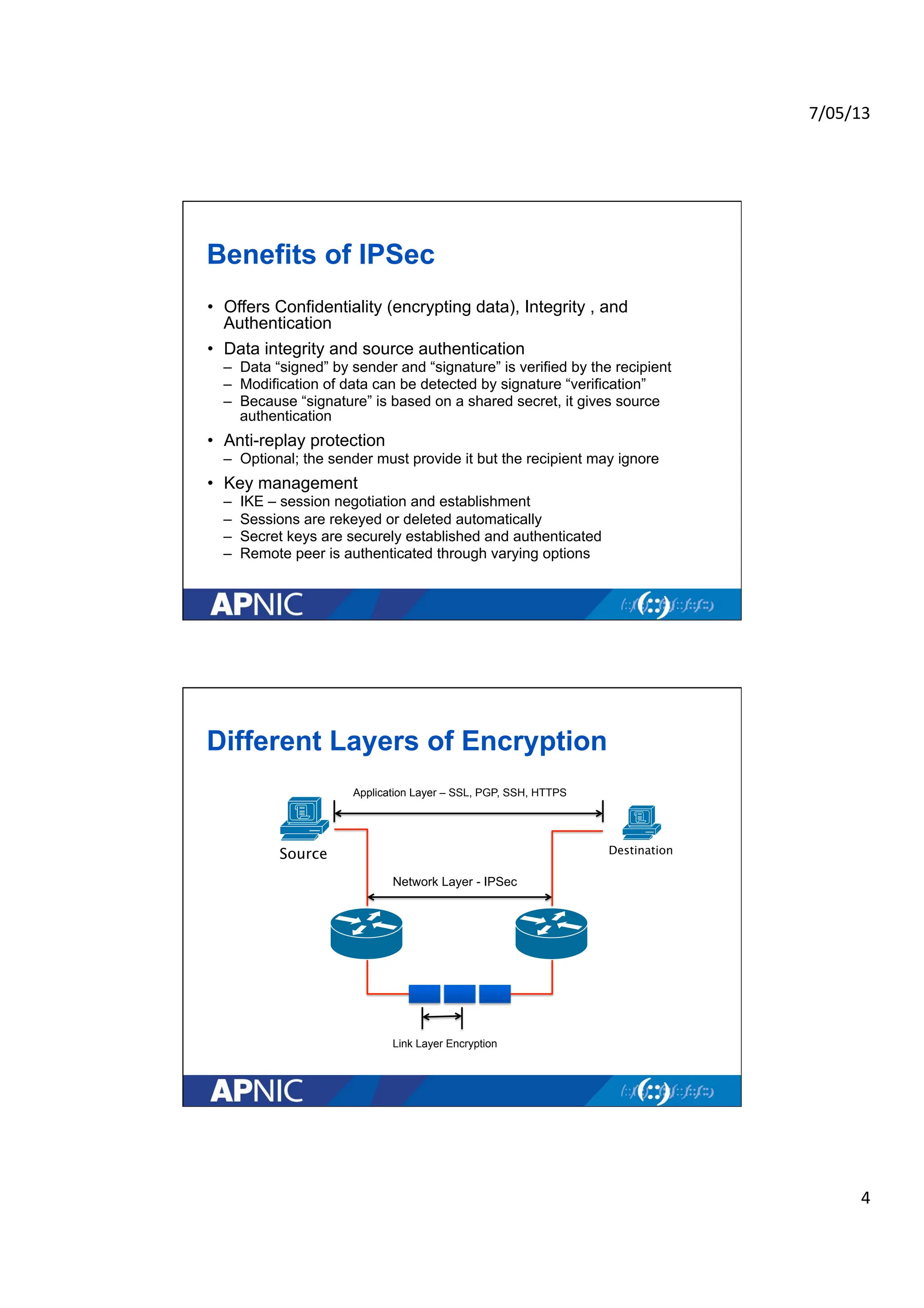
Different Layers of Encryption
Network Layer - IPSec
Link Layer Encryption
Source Destination
Application Layer – SSL, PGP, SSH, HTTPS
5.
7/05/13
5
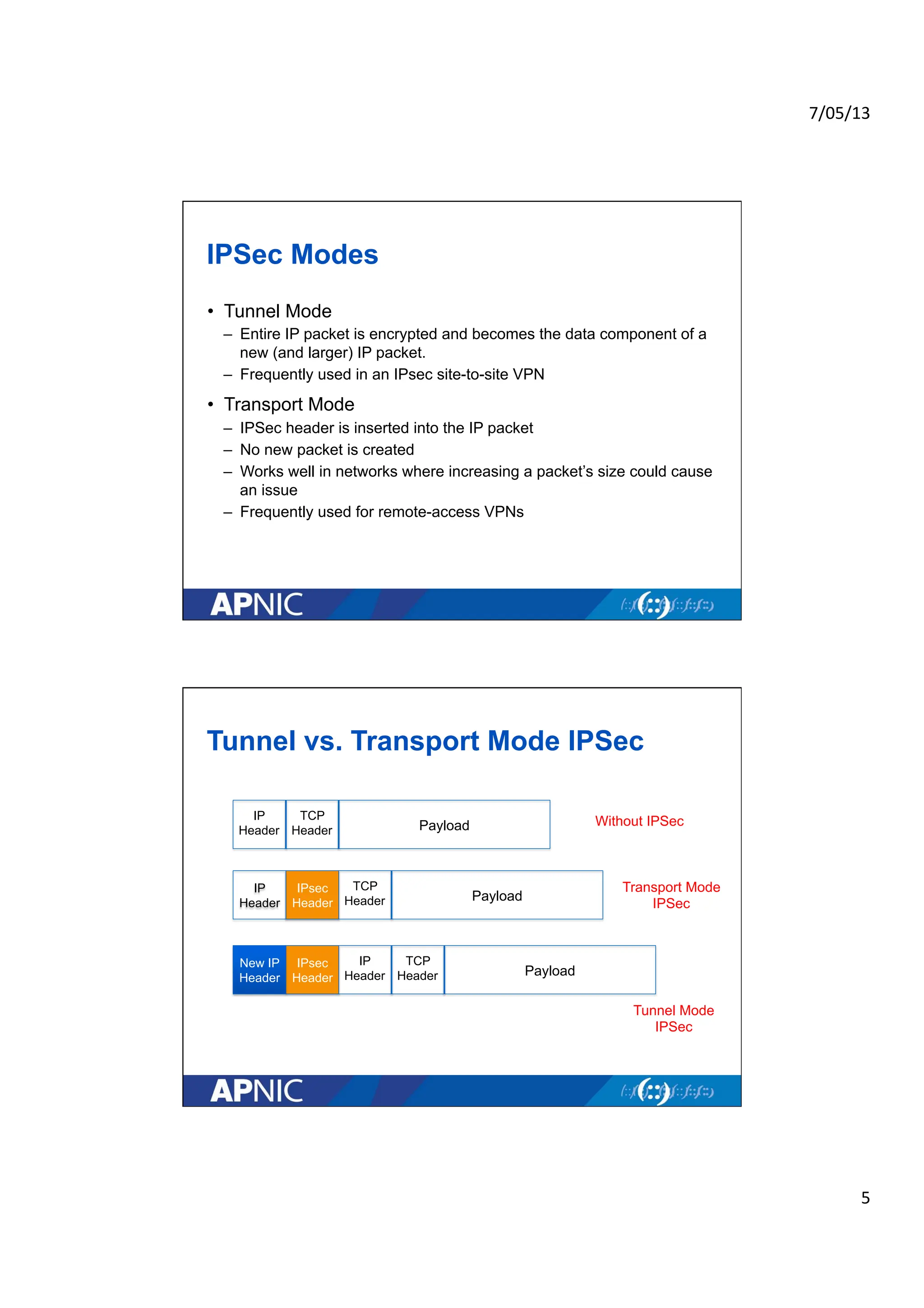
IPSecModes
• Tunnel Mode
– Entire IP packet is encrypted and becomes the data component of a
new (and larger) IP packet.
– Frequently used in an IPsec site-to-site VPN
• Transport Mode
– IPSec header is inserted into the IP packet
– No new packet is created
– Works well in networks where increasing a packet’s size could cause
an issue
– Frequently used for remote-access VPNs
Tunnel vs. Transport Mode IPSec
Payload
TCP
Header
IP
Header
Without IPSec
Transport Mode
IPSec
Tunnel Mode
IPSec
Payload
TCP
Header
IP
Header
IPsec
Header
IP
Header
Payload
TCP
Header
IP
Header
IPsec
Header
New IP
Header
6.
7/05/13
6
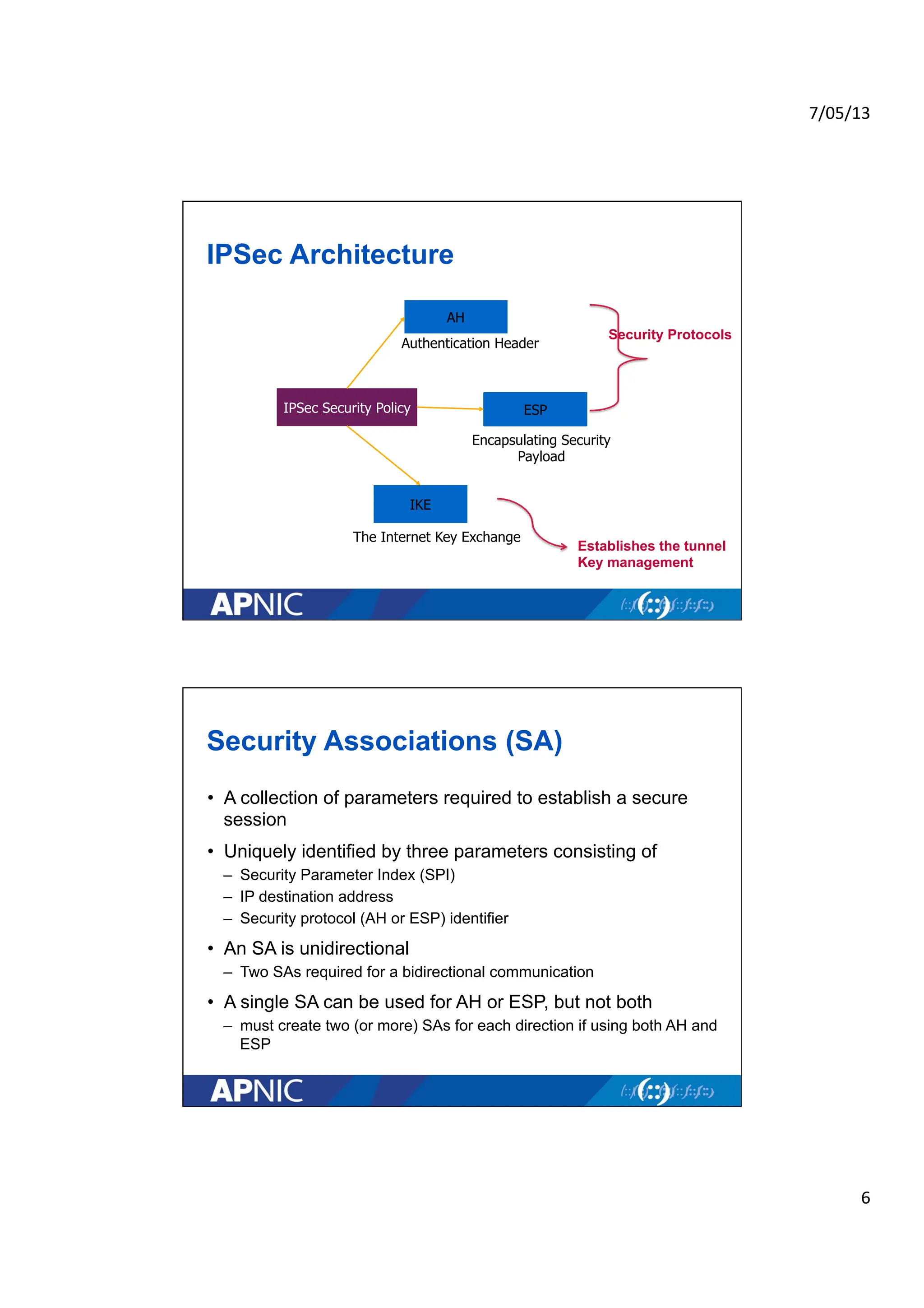
IPSecArchitecture
ESP
AH
IKE
IPSec Security Policy
Encapsulating Security
Payload
Authentication Header
The Internet Key Exchange
Security Protocols
Establishes the tunnel
Key management
Security Associations (SA)
• A collection of parameters required to establish a secure
session
• Uniquely identified by three parameters consisting of
– Security Parameter Index (SPI)
– IP destination address
– Security protocol (AH or ESP) identifier
• An SA is unidirectional
– Two SAs required for a bidirectional communication
• A single SA can be used for AH or ESP, but not both
– must create two (or more) SAs for each direction if using both AH and
ESP
7.
7/05/13
7
Howto Set Up an SA
• Manually
– Sometimes referred to as “manual keying”
– You configure on each node:
• Participating nodes (I.e. traffic selectors)
• AH and/or ESP [tunnel or transport]
• Cryptographic algorithm and key
• Automatically
– Using IKE (Internet Key Exchange)
13
ISAKMP
• Internet Security Association and Key Management
Protocol
• Defined by RFC 2408
• Used for establishing Security Associations (SA) and
cryptographic keys
• Only provides the framework for authentication and key
exchange, but key exchange independent
• Key exchange protocols
– Internet Key Exchange (IKE) and Kerberized Internet Negotiation of
Keys (KINK)
8.
7/05/13
8
AuthenticationHeader (AH)
• Provides source authentication and data integrity
– Protection against source spoofing and replay attacks
• Authentication is applied to the entire packet, with the
mutable fields in the IP header zeroed out
• If both AH and ESP are applied to a packet, AH follows ESP
• Operates on top of IP using protocol 51
• In IPv4, AH protects the payload and all header fields
except mutable fields and IP options (such as IPSec option)
Encapsulating Security Payload (ESP)
• Uses IP protocol 50
• Provides all that is offered by AH, plus data confidentiality
– It uses symmetric key encryption
• Must encrypt and/or authenticate in each packet
– Encryption occurs before authentication
• Authentication is applied to data in the IPsec header as well
as the data contained as payload
9.
7/05/13
9
PacketFormat Alteration for AH
Transport Mode
Original
IP Header TCP/UDP Data
Original
IP Header
AH
Header TCP/UDP Data
Authentication Header
Without AH
With AH
Authenticated except for
mutable fields in IP header
• ToS
• TTL
• Header Checksum
• Offset
• Flags
Packet Format Alteration for ESP
Transport Mode
Original
IP Header TCP/UDP Data
Original
IP Header
ESP
Header
Encapsulating Security Payload
Before applying
ESP:
After applying
ESP:
Encrypted
ESP
Authentication
Authenticated
TCP/UDP Data
ESP
Trailer
10.
7/05/13
10
PacketFormat Alteration for AH
Tunnel Mode
Original
IP Header TCP/UDP Data
New
IP Header
AH
Header Data
Authentication Header
Before applying
AH:
After applying
AH:
Authenticated except for
mutable fields in new IP header
Original
IP Header
• ToS
• TTL
• Header Checksum
• Offset
• Flags
Packet Format Alteration for ESP
Tunnel Mode
Original
IP Header TCP/UDP Data
New
IP Header
ESP
Header
Encapsulating Security Payload
Before applying
ESP:
After applying
ESP:
Encrypted
ESP
Authentication
Authenticated
Original
IP Header TCP/UDP Data
ESP
Trailer
11.
7/05/13
11
InternetKey Exchange (IKE)
• “An IPSec component used for performing mutual
authentication and establishing and maintaining Security
Associations.” (RFC 5996)
• Typically used for establishing IPSec sessions
• A key exchange mechanism
• Five variations of an IKE negotiation:
– Two modes (aggressive and main modes)
– Three authentication methods (pre-shared, public key encryption,
and public key signature)
• Uses UDP port 500
IKE Modes
Mode Description
Main mode Three exchanges of information between IPsec peers.
Initiator sends one or more proposals to the other peer
(responder)
Responder selects a proposal
Aggressive Mode Achieves same result as main mode using only 3 packets
First packet sent by initiator containing all info to establish
SA
Second packet by responder with all security parameters
selected
Third packet finalizes authentication of the ISAKMP
session
Quick Mode Negotiates the parameters for the IPsec session.
Entire negotiation occurs within the protection of ISAKMP
session
12.
7/05/13
12
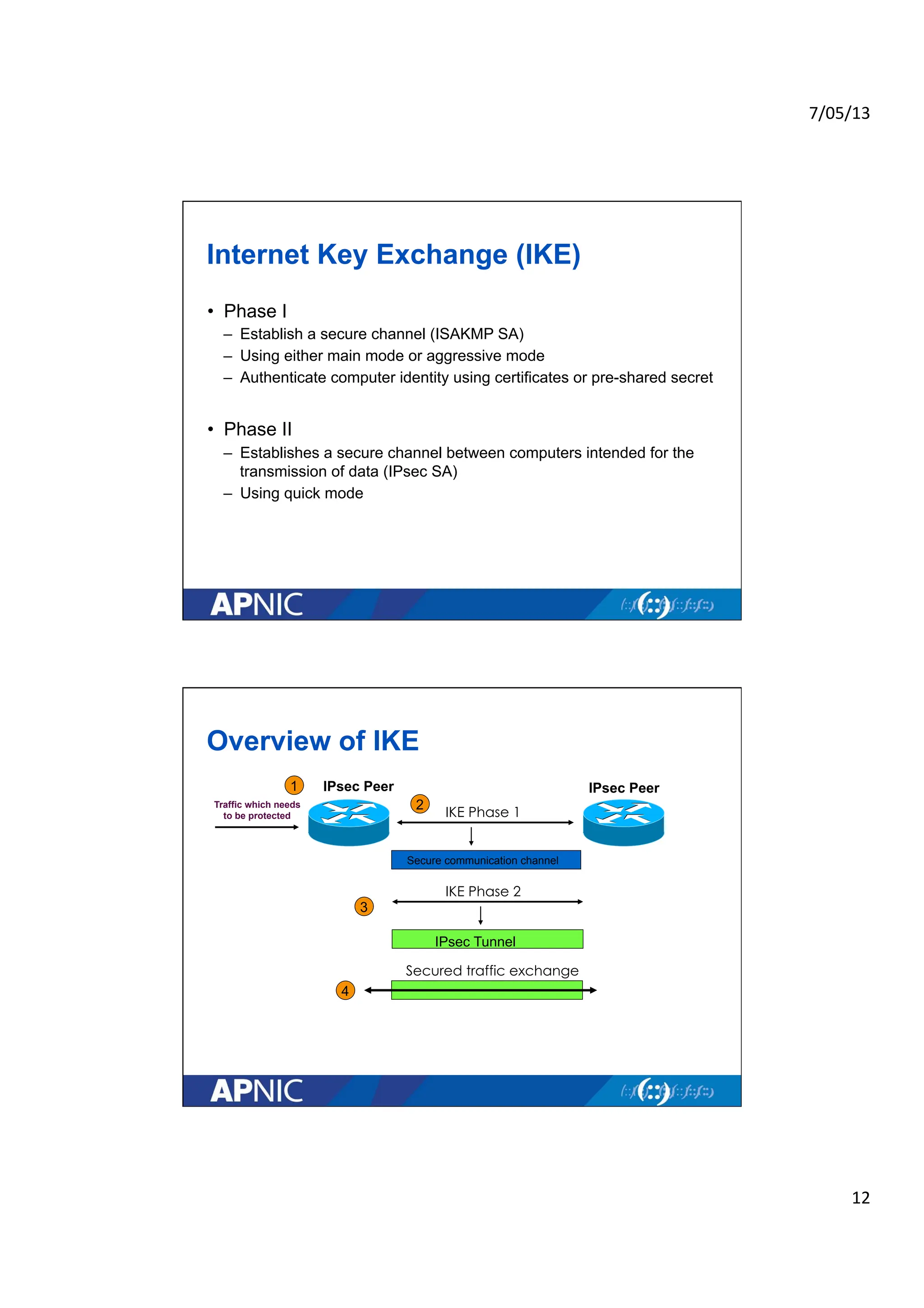
InternetKey Exchange (IKE)
• Phase I
– Establish a secure channel (ISAKMP SA)
– Using either main mode or aggressive mode
– Authenticate computer identity using certificates or pre-shared secret
• Phase II
– Establishes a secure channel between computers intended for the
transmission of data (IPsec SA)
– Using quick mode
Overview of IKE
Traffic which needs
to be protected
IPsec Peer
IPsec Peer
IKE Phase 1
Secure communication channel
IKE Phase 2
IPsec Tunnel
Secured traffic exchange
1
2
3
4
13.
7/05/13
13
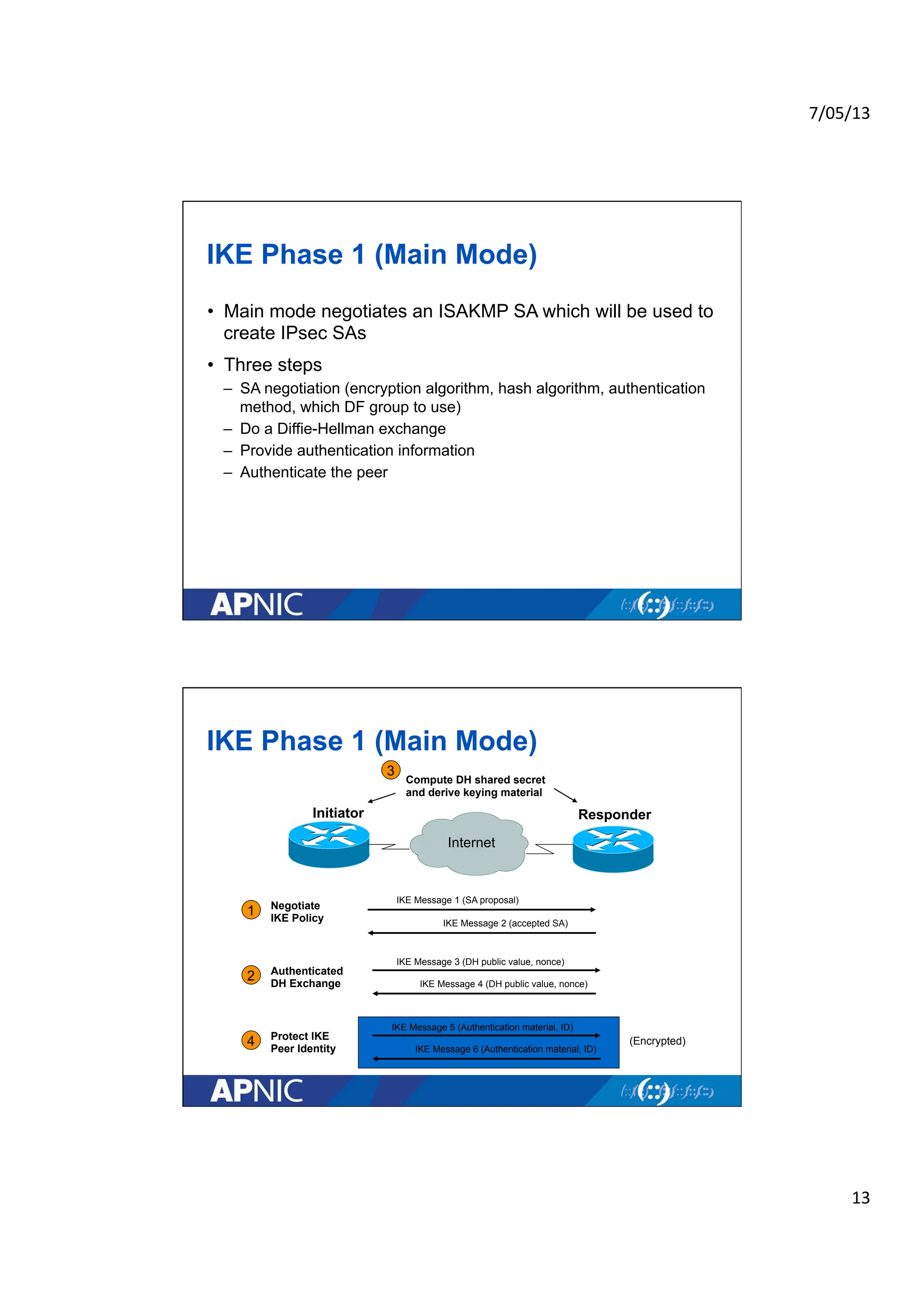
IKEPhase 1 (Main Mode)
• Main mode negotiates an ISAKMP SA which will be used to
create IPsec SAs
• Three steps
– SA negotiation (encryption algorithm, hash algorithm, authentication
method, which DF group to use)
– Do a Diffie-Hellman exchange
– Provide authentication information
– Authenticate the peer
IKE Phase 1 (Main Mode)
Responder
Initiator
1
2
IKE Message 1 (SA proposal)
IKE Message 2 (accepted SA)
IKE Message 3 (DH public value, nonce)
IKE Message 4 (DH public value, nonce)
IKE Message 5 (Authentication material, ID)
IKE Message 6 (Authentication material, ID)
4
3
Negotiate
IKE Policy
Authenticated
DH Exchange
Compute DH shared secret
and derive keying material
Protect IKE
Peer Identity
Internet
(Encrypted)
14.
7/05/13
14
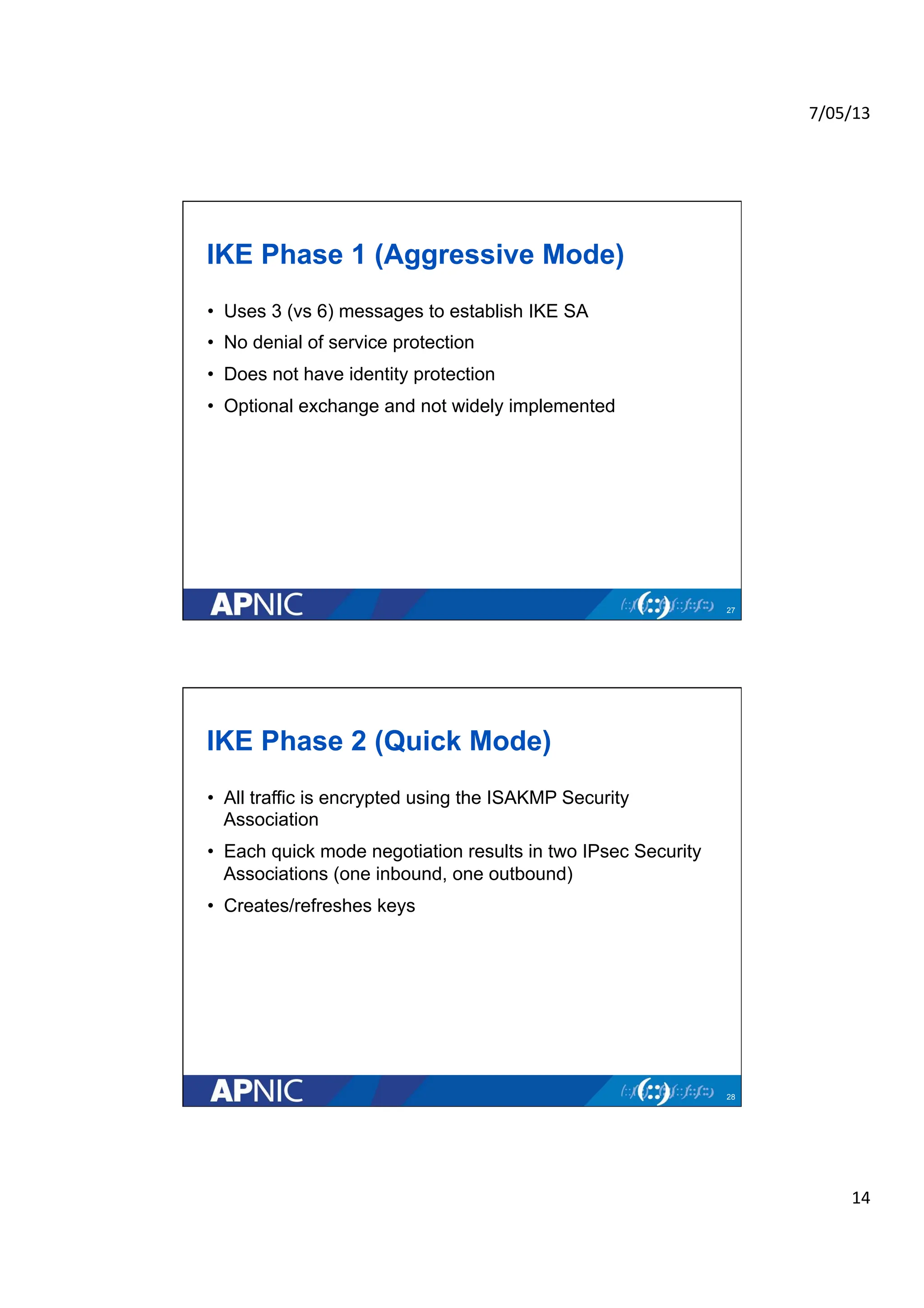
IKEPhase 1 (Aggressive Mode)
• Uses 3 (vs 6) messages to establish IKE SA
• No denial of service protection
• Does not have identity protection
• Optional exchange and not widely implemented
27
IKE Phase 2 (Quick Mode)
• All traffic is encrypted using the ISAKMP Security
Association
• Each quick mode negotiation results in two IPsec Security
Associations (one inbound, one outbound)
• Creates/refreshes keys
28
15.
7/05/13
15
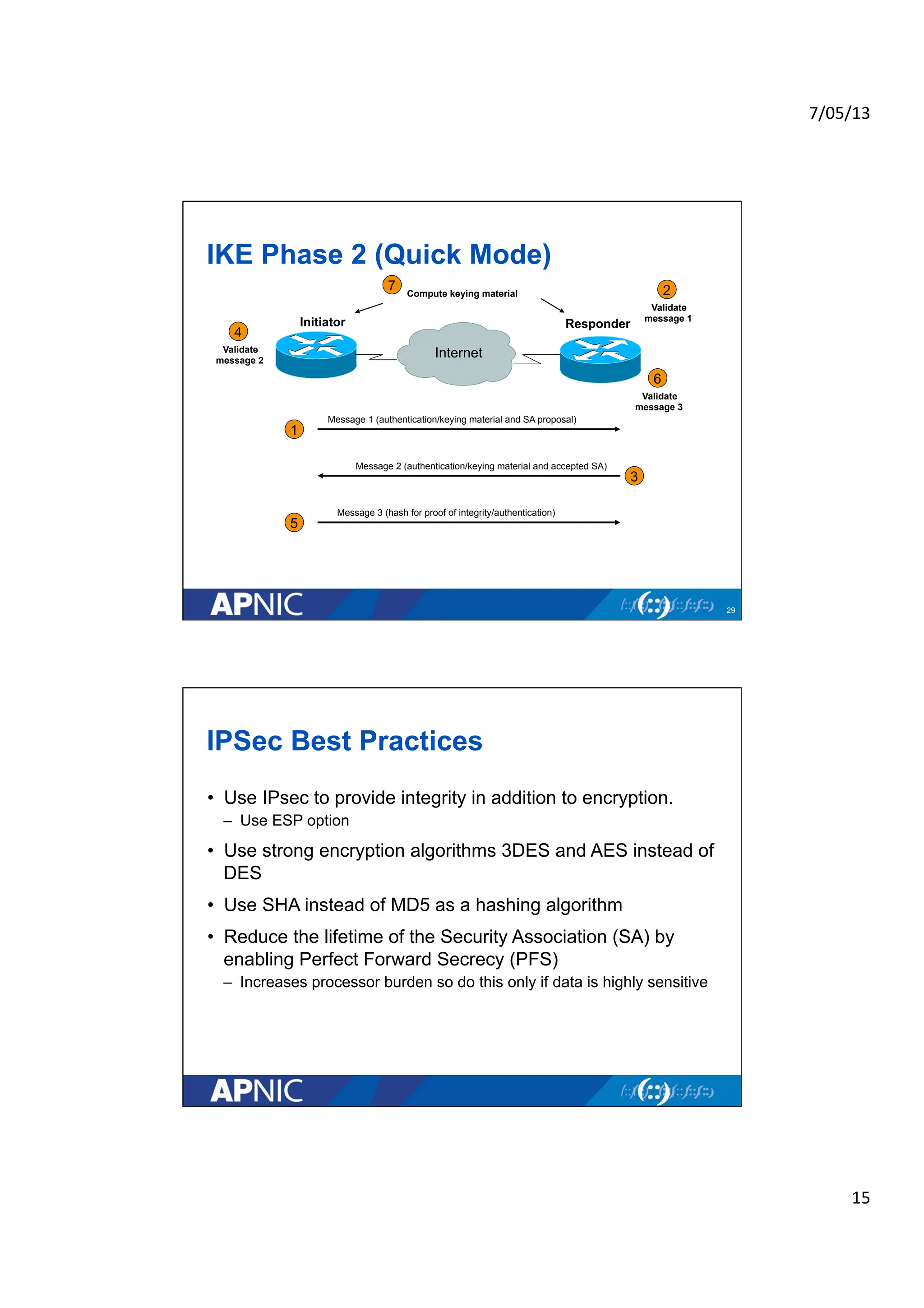
IKEPhase 2 (Quick Mode)
29
Responder
Initiator
3
Compute keying material
Internet
Message 1 (authentication/keying material and SA proposal)
Message 2 (authentication/keying material and accepted SA)
Message 3 (hash for proof of integrity/authentication)
1
2
5
Validate
message 1
7
4
6
Validate
message 3
Validate
message 2
IPSec Best Practices
• Use IPsec to provide integrity in addition to encryption.
– Use ESP option
• Use strong encryption algorithms 3DES and AES instead of
DES
• Use SHA instead of MD5 as a hashing algorithm
• Reduce the lifetime of the Security Association (SA) by
enabling Perfect Forward Secrecy (PFS)
– Increases processor burden so do this only if data is highly sensitive
16.
7/05/13
16
Questions
•Please remember to fill out the
survey
– http://surveymonkey.com/s/
apnic-20130508-eL3
• Slide handouts will be available
after completing the survey
APNIC Helpdesk Chat
![7/05/13
3
Why IPSec?
• Internet Protocol (IP) is not secure
– IP protocol was designed in the early stages of the Internet where
there security is not an issue
– All hosts in the network are known
• “IPsec is designed to provide interoperable, high quality,
cryptographically-based security for IPv4 and IPv6” - (RFC
2401)
• Possible security issues
– Source spoofing
– Replay packets
– No data integrity or confidentiality
IPSec Standards
• RFC 2401 “The IP Security Architecture”
– Defines the original IPsec architecture and elements common to both AH and
ESP
• RFC 2402
– Defines authentication headers (AH)
• RFC 2406
– Defines the Encapsulating Security Payload (ESP)
• RFC 2409
– IKE v1 – ISAKMP
• RFC 5996
– IKE v2 (Sept 2010)
• Updated documents [in RFC editor queue]
– Draft-ietf-ipsec-rfc2401bis-06 (architecture)
– Draft-ietf-ipsec-rfc2402bis-10 (AH)
– Draft-ietf-ipsec-esp-v3-10 (ESP)
– Draft-ietf-ipsec-ikev2-17 (IKEv2)](https://image.slidesharecdn.com/20130508-ipsecbasics-handouts-250821032930-18530375/75/APNIC_TRAINING_20130508IPSec_Basics-Handouts-pdf-3-2048.jpg)
![7/05/13
7
How to Set Up an SA
• Manually
– Sometimes referred to as “manual keying”
– You configure on each node:
• Participating nodes (I.e. traffic selectors)
• AH and/or ESP [tunnel or transport]
• Cryptographic algorithm and key
• Automatically
– Using IKE (Internet Key Exchange)
13
ISAKMP
• Internet Security Association and Key Management
Protocol
• Defined by RFC 2408
• Used for establishing Security Associations (SA) and
cryptographic keys
• Only provides the framework for authentication and key
exchange, but key exchange independent
• Key exchange protocols
– Internet Key Exchange (IKE) and Kerberized Internet Negotiation of
Keys (KINK)](https://image.slidesharecdn.com/20130508-ipsecbasics-handouts-250821032930-18530375/75/APNIC_TRAINING_20130508IPSec_Basics-Handouts-pdf-7-2048.jpg)