


Angular 2
Loiane Groner
github.com/loiane
loiane.com
loiane.training
@loiane
overview
in 60 minutes
• 10+ XP IT
• Java, JavaScript, Sencha, Angular
Phonegap/Ionic
• Blog: http://loiane.com
• Courses (pt-br): http://loiane.training
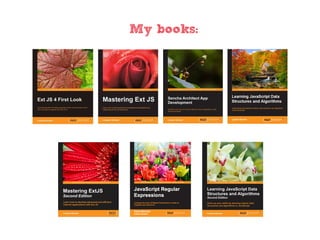
• My books:
!==
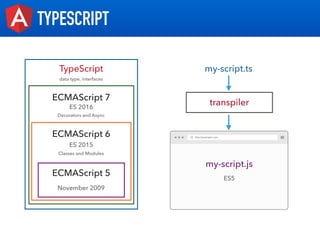
TYPESCRIPT
TypeScript
ECMAScript 6
ECMAScript 5
ES 2015
November 2009
my-script.ts
transpiler
my-script.js
ES5
Classes and Modules
ECMAScript 7
ES 2016
Decorators and Async
data type, interfaces
WHAT WE NEED TO INSTALL
https://nodejs.org
TYPESCRIPT
https://www.typescriptlang.org/
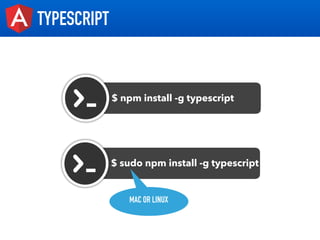
TYPESCRIPT
$ npm install -g typescript
$ sudo npm install -g typescript
MAC OR LINUX
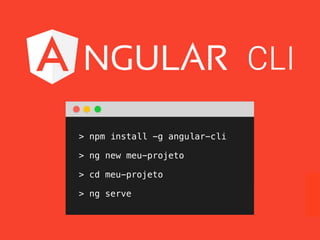
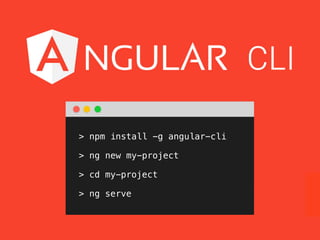
> npm install -g angular-cli
> ng new my-project
> cd my-project
> ng serve
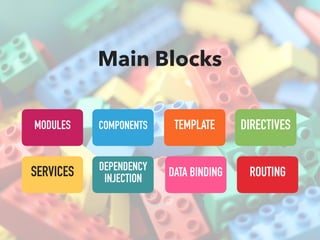
COMPONENTS DIRECTIVES
ROUTINGSERVICES
TEMPLATE
DATA BINDINGDEPENDENCY
INJECTION
MODULES
Main Blocks
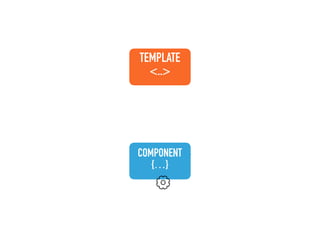
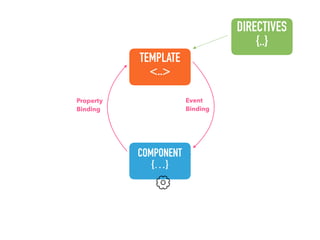
COMPONENT
{…}
TEMPLATE
<..>
COMPONENT
{…}
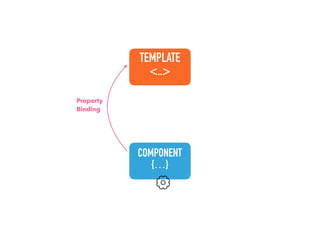
TEMPLATE
<..>
Property
Binding
COMPONENT
{…}
TEMPLATE
<..>
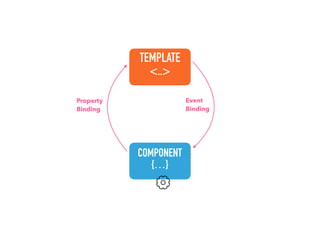
Property
Binding
Event
Binding
COMPONENT
{…}
TEMPLATE
<..>
DIRECTIVES
{..}
Property
Binding
Event
Binding
COMPONENT
{…}
TEMPLATE
<..>
DIRECTIVES
{..}
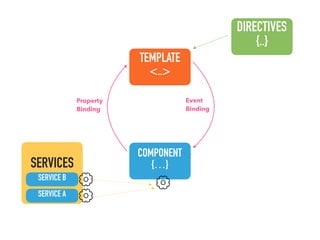
SERVICES
SERVICE A
SERVICE B
Property
Binding
Event
Binding
COMPONENT
{…}
TEMPLATE
<..>
DIRECTIVES
{..}
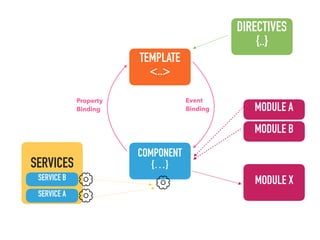
SERVICES
SERVICE A
SERVICE B MODULE X
MODULE A
MODULE B
Property
Binding
Event
Binding
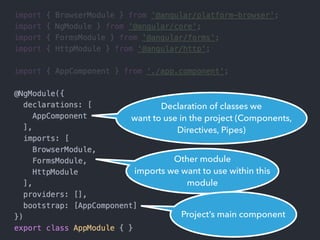
Modules
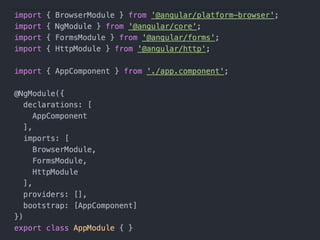
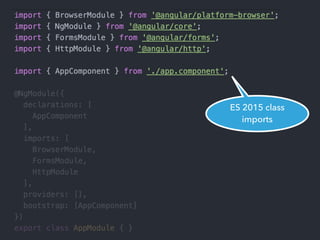
ES 2015 class
imports
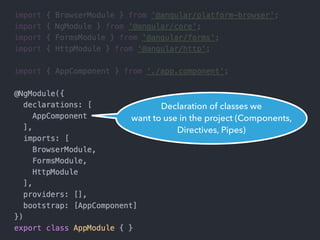
Declaration of classes we
want to use in the project (Components,
Directives, Pipes)
Declaration of classes we
want to use in the project (Components,
Directives, Pipes)
Other module
imports we want to use within this
module
Declaration of classes we
want to use in the project (Components,
Directives, Pipes)
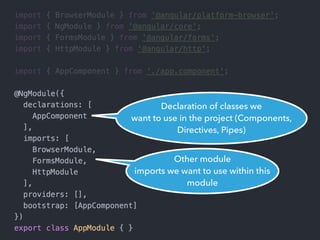
Other module
imports we want to use within this
module
Project’s main component
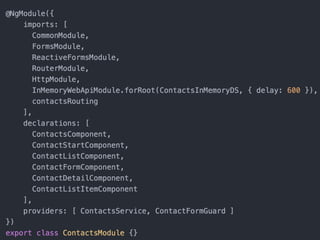
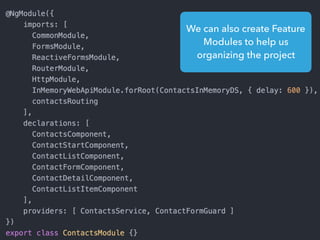
We can also create Feature
Modules to help us
organizing the project
We can also create Feature
Modules to help us
organizing the project
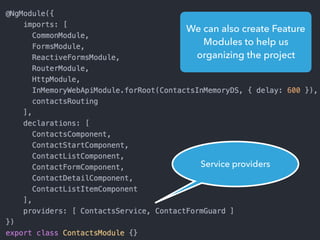
Service providers
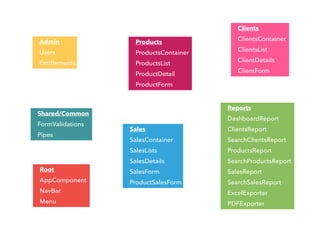
Admin
Users
Entitlements
Shared/Common
FormValidations
Pipes
Products
ProductsContainer
ProductsList
ProductDetail
ProductForm
Clients
ClientsContainer
ClientsList
ClientDetails
ClientForm
Sales
SalesContainer
SalesLists
SalesDetails
SalesForm
ProductSalesForm
Reports
DashboardReport
ClientsReport
SearchClientsReport
ProductsReport
SearchProductsReport
SalesReport
SearchSalesReport
ExcelExporter
PDFExporter
Root
AppComponent
NavBar
Menu
Components
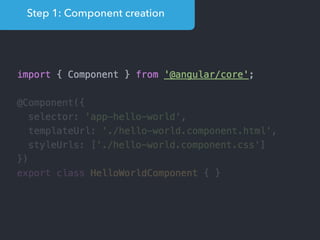
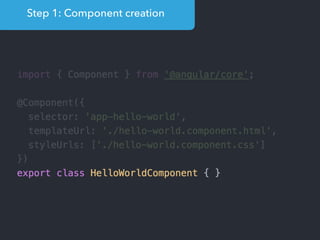
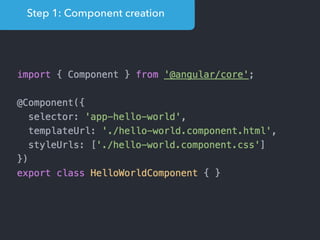
Step 1: Component creation
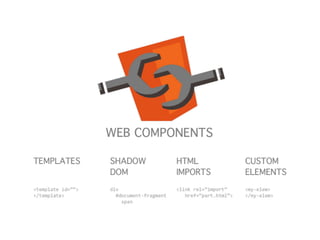
[Web Components]
Name of the HTML tag for
this Component
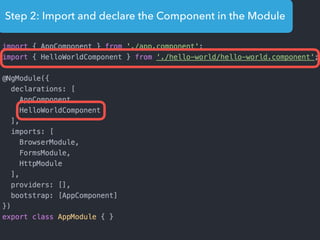
Step 2: Import and declare the Component in the Module
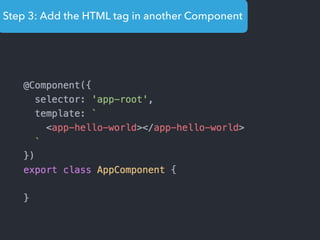
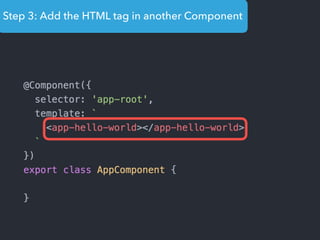
Step 3: Add the HTML tag in another Component
Templates
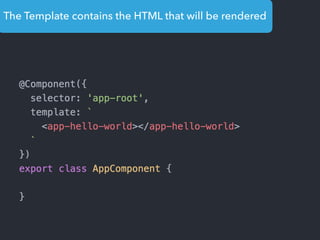
The Template contains the HTML that will be rendered
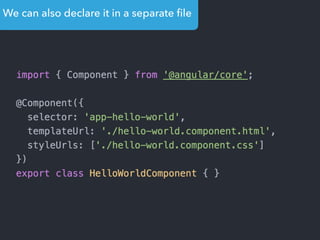
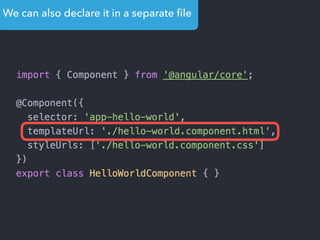
We can also declare it in a separate file
Data
Binding
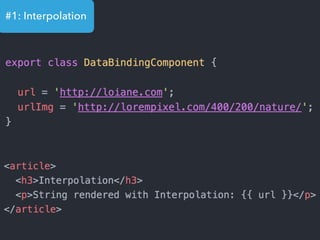
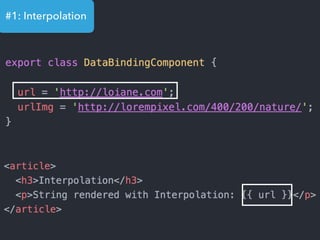
#1: Interpolation
#1: Interpolation
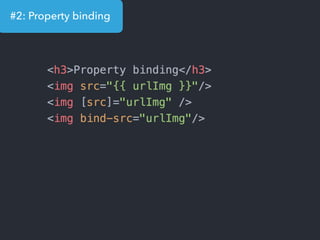
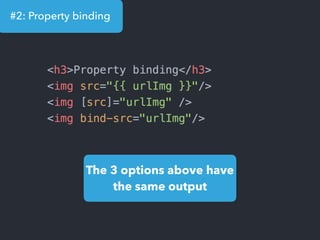
#2: Property binding
The 3 options above have
the same output
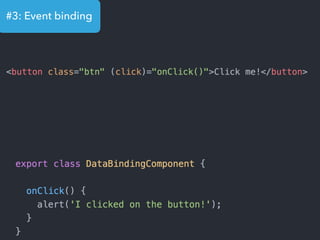
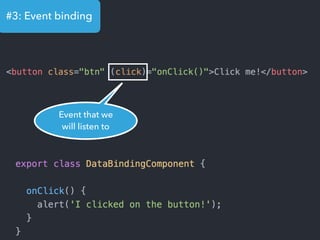
#3: Event binding
#3: Event binding
Event that we
will listen to
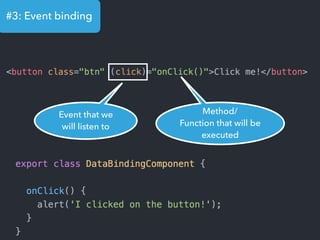
#3: Event binding
Event that we
will listen to
Method/
Function that will be
executed
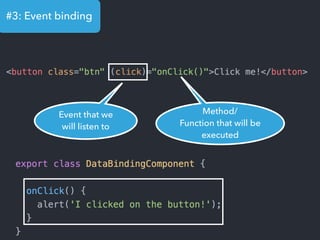
#3: Event binding
Event that we
will listen to
Method/
Function that will be
executed
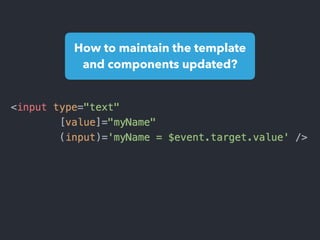
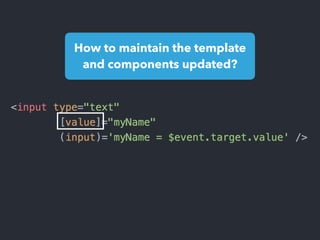
How to maintain the template
and components updated?
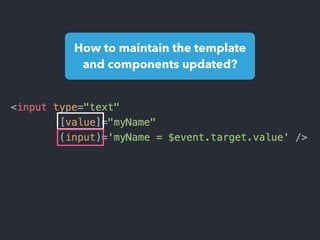
How to maintain the template
and components updated?
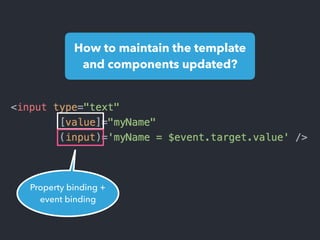
How to maintain the template
and components updated?
Property binding +
event binding
How to maintain the template
and components updated?
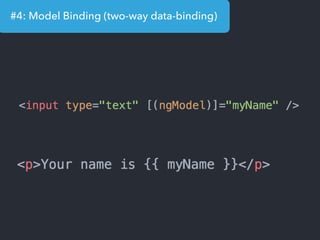
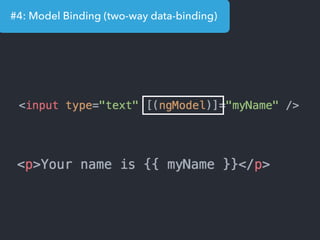
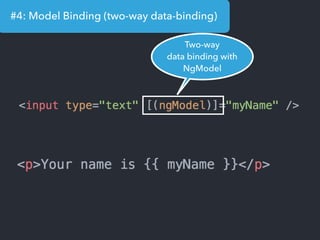
#4: Model Binding (two-way data-binding)
Two-way
data binding with
NgModel
Directives
TEXT
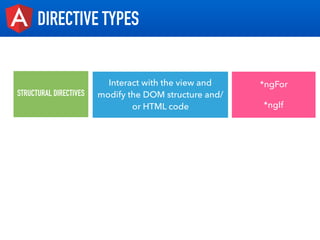
DIRECTIVE TYPES
STRUCTURAL DIRECTIVES
Interact with the view and
modify the DOM structure and/
or HTML code
*ngFor
*ngIf
TEXT
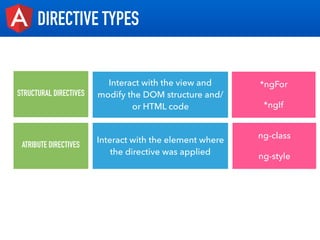
DIRECTIVE TYPES
STRUCTURAL DIRECTIVES
Interact with the view and
modify the DOM structure and/
or HTML code
*ngFor
*ngIf
ATRIBUTE DIRECTIVES
Interact with the element where
the directive was applied
ng-class
ng-style
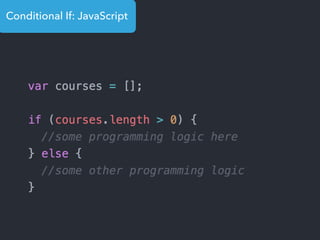
Conditional If: JavaScript
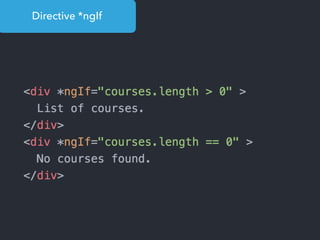
Directive *ngIf
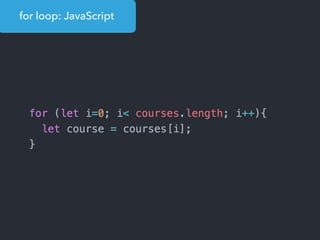
for loop: JavaScript
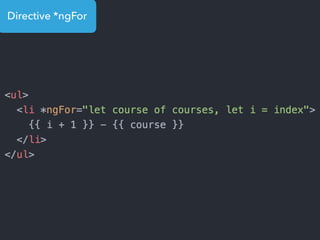
Directive *ngFor
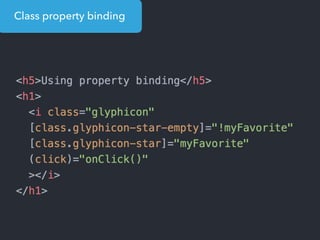
Class property binding
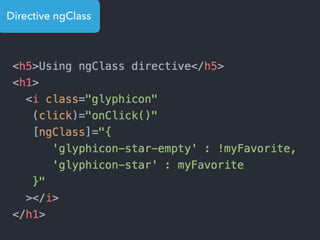
Directive ngClass
And how components can communicate
between themselves?
Parent component <-> child component?
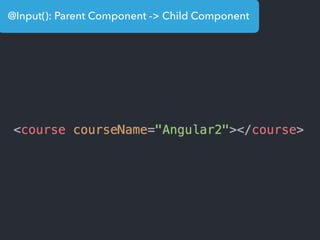
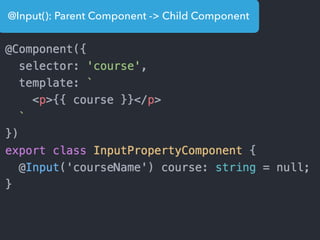
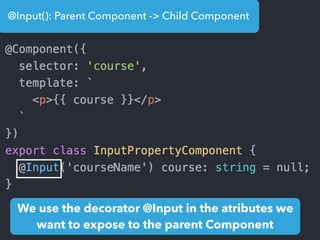
@Input(): Parent Component -> Child Component
We use the decorator @Input in the atributes we
want to expose to the parent Component
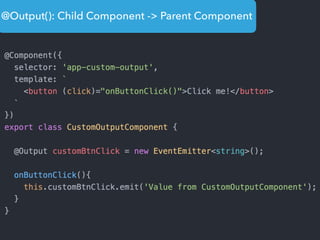
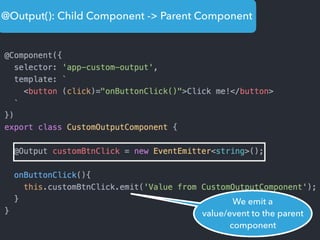
@Output(): Child Component -> Parent Component
We emit a
value/event to the parent
component
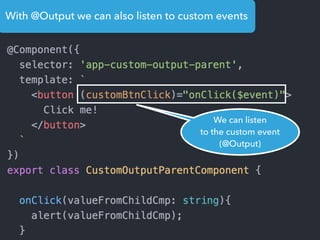
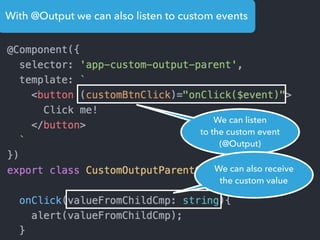
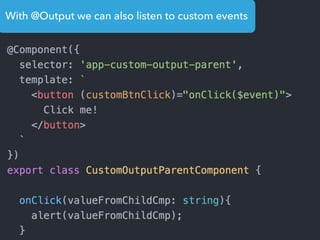
With @Output we can also listen to custom events
We can listen
to the custom event
(@Output)
With @Output we can also listen to custom events
We can listen
to the custom event
(@Output)
We can also receive
the custom value
Services
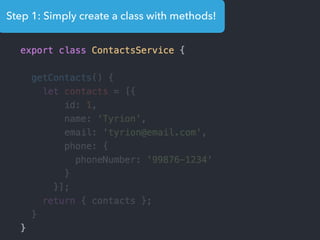
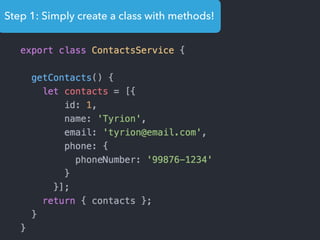
Step 1: Simply create a class with methods!
Dependency
Injection
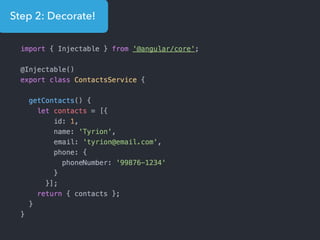
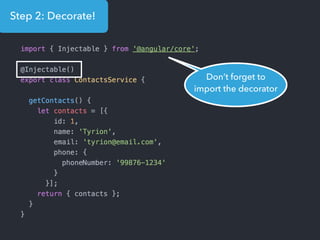
Step 2: Decorate!
Step 2: Decorate!
Don’t forget to
import the decorator
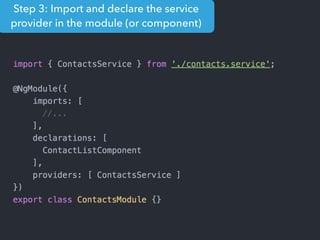
Step 3: Import and declare the service
provider in the module (or component)
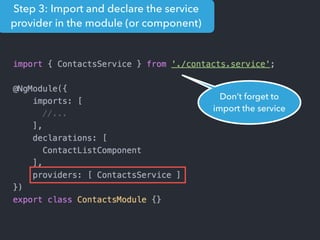
Step 3: Import and declare the service
provider in the module (or component)
Don’t forget to
import the service
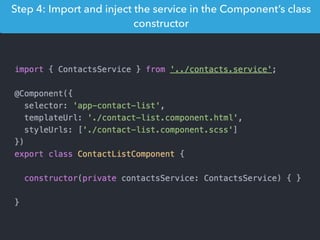
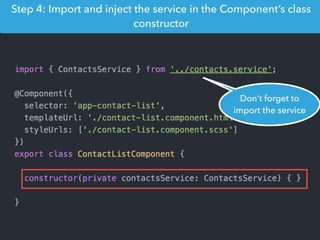
Step 4: Import and inject the service in the Component’s class
constructor
Step 4: Import and inject the service in the Component’s class
constructor
Don’t forget to
import the service
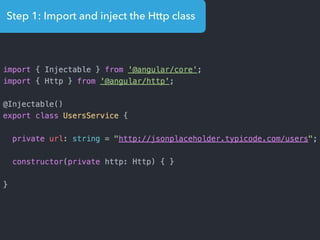
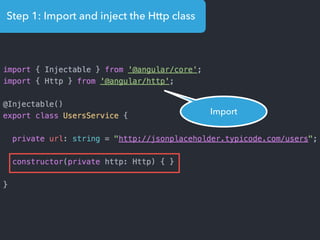
Step 1: Import and inject the Http class
Import
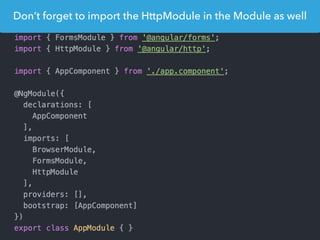
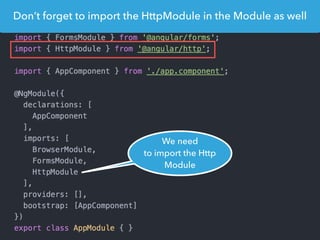
Don’t forget to import the HttpModule in the Module as well
We need
to import the Http
Module
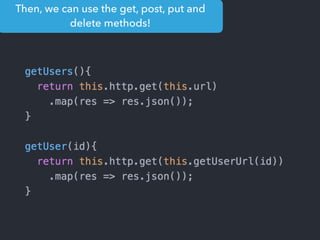
Then, we can use the get, post, put and
delete methods!
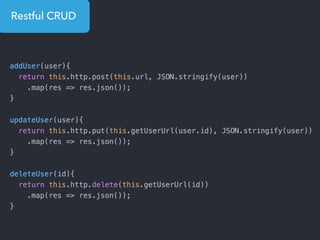
Restful CRUD
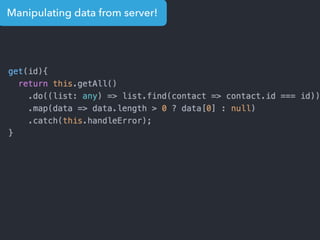
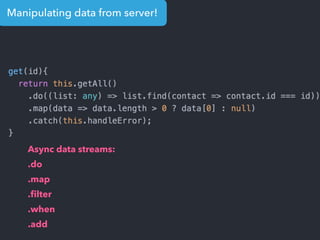
Manipulating data from server!
Async data streams:
.do
.map
.filter
.when
.add
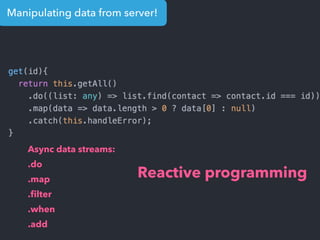
Manipulating data from server!
Async data streams:
.do
.map
.filter
.when
.add
Reactive programming
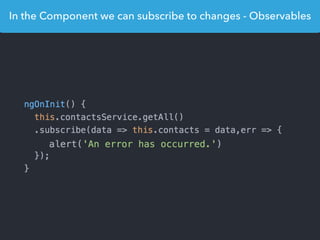
In the Component we can subscribe to changes - Observables
Routing
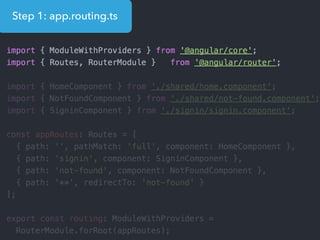
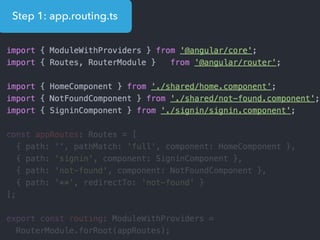
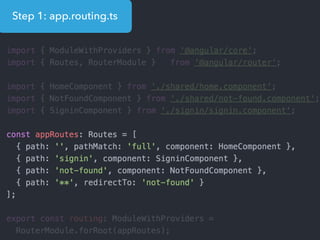
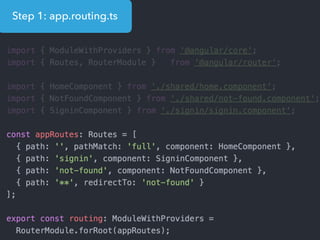
Step 1: app.routing.ts
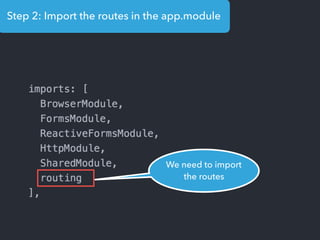
Step 2: Import the routes in the app.module
We need to import
the routes
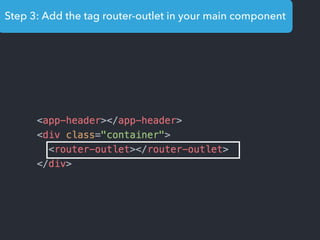
Step 3: Add the tag router-outlet in your main component
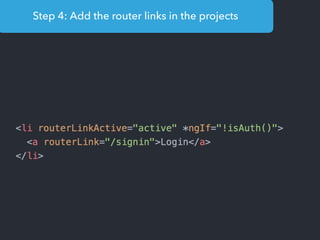
Step 4: Add the router links in the projects
Organizing the
routes
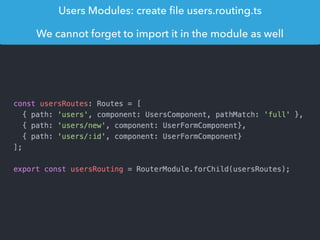
Users Modules: create file users.routing.ts
We cannot forget to import it in the module as well
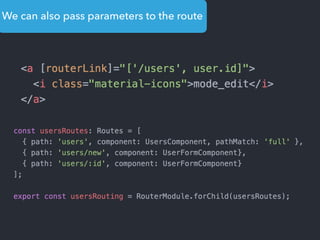
We can also pass parameters to the route
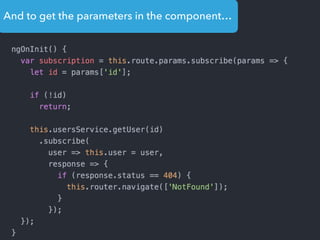
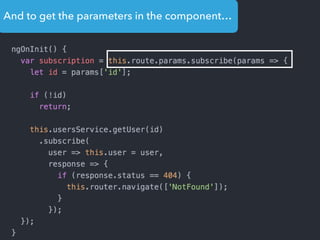
And to get the parameters in the component…
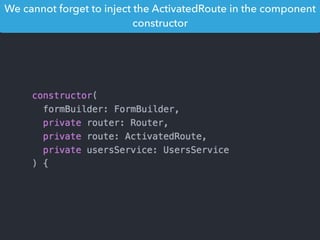
We cannot forget to inject the ActivatedRoute in the component
constructor
Child Routes
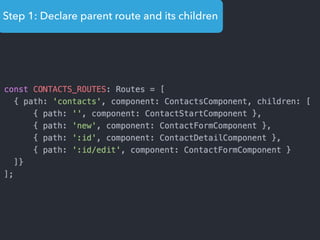
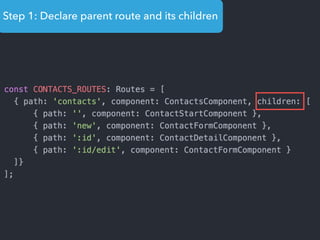
Step 1: Declare parent route and its children
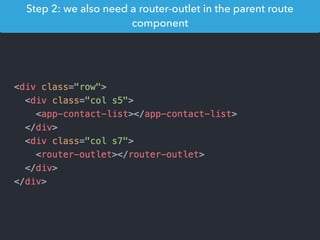
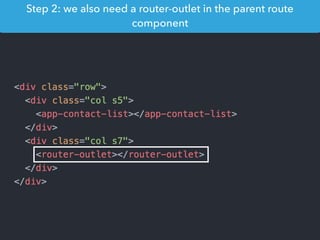
Step 2: we also need a router-outlet in the parent route
component
Step 2: we also need a router-outlet in the parent route
component
Guards:
canActivate
canDeactivate
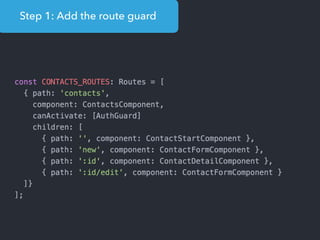
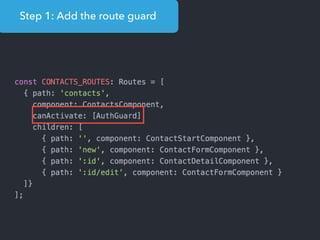
Step 1: Add the route guard
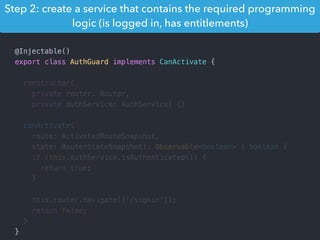
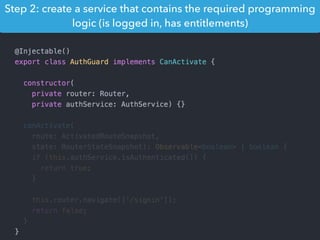
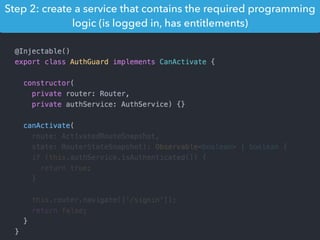
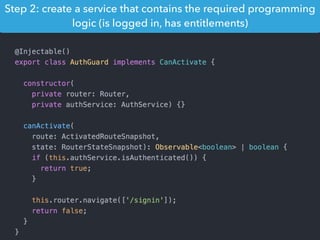
Step 2: create a service that contains the required programming
logic (is logged in, has entitlements)
Step 2: create a service that contains the required programming
logic (is logged in, has entitlements)
Step 2: create a service that contains the required programming
logic (is logged in, has entitlements)
Step 2: create a service that contains the required programming
logic (is logged in, has entitlements)
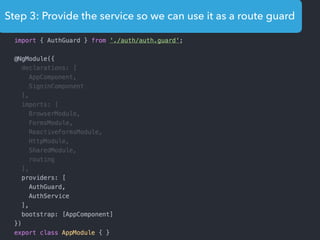
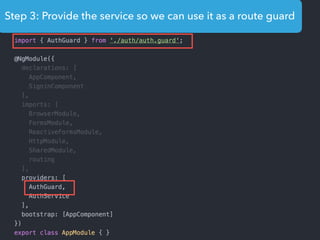
Step 3: Provide the service so we can use it as a route guard
and there is more!
Pipes
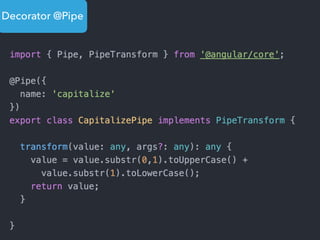
Decorator @Pipe
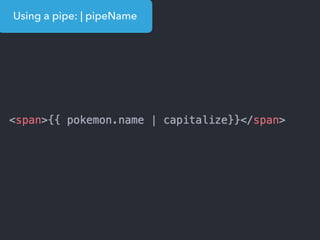
Using a pipe: | pipeName
Forms
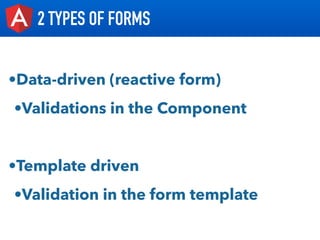
2 TYPES OF FORMS
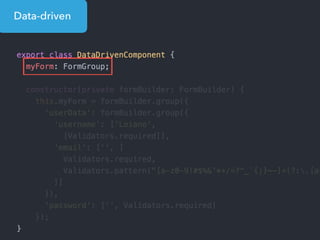
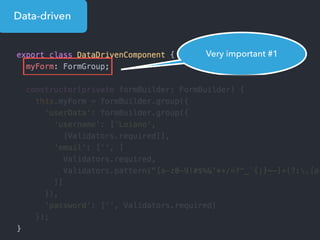
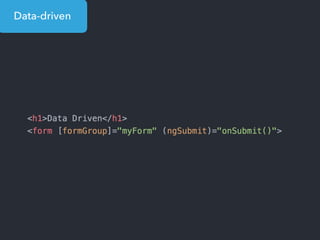
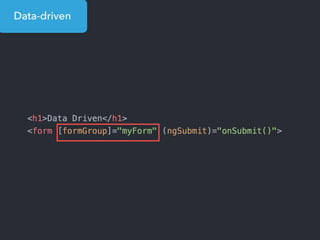
•Data-driven (reactive form)
•Validations in the Component
•Template driven
•Validation in the form template
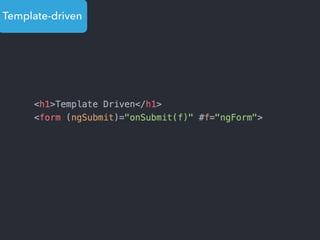
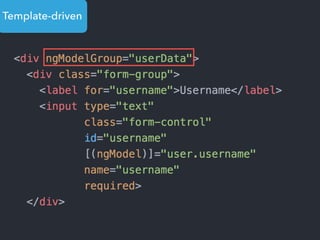
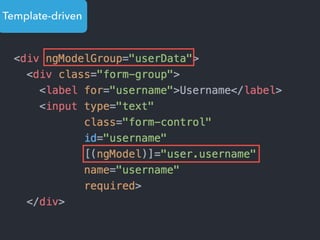
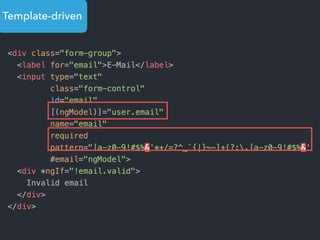
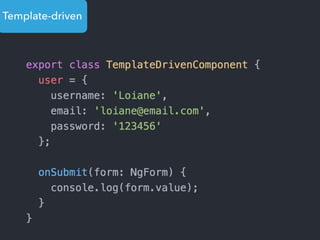
Template-driven
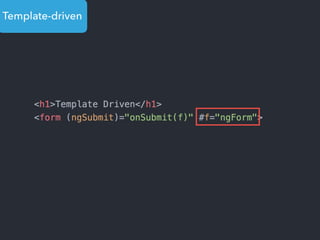
Template-driven
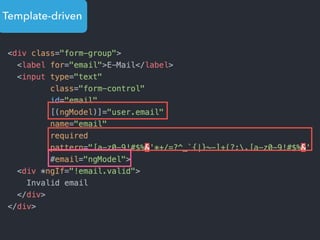
Template-driven
Template-driven
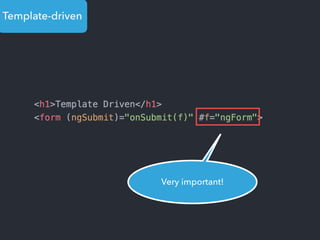
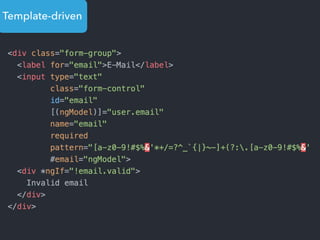
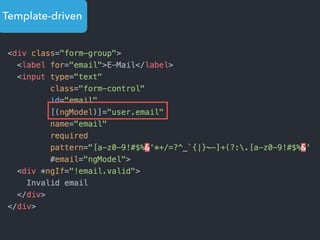
Very important!
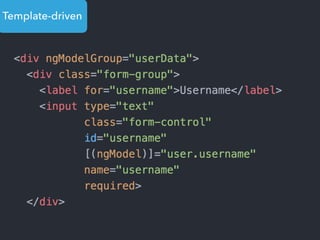
Template-driven
Template-driven
Template-driven
Template-driven
Template-driven
Template-driven
Template-driven
Template-driven
Super hiper mega
importante!
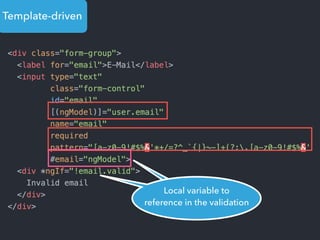
Local variable to
reference in the validation
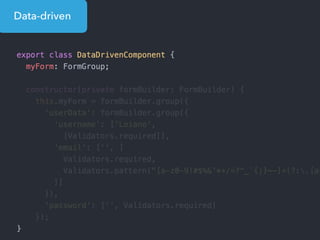
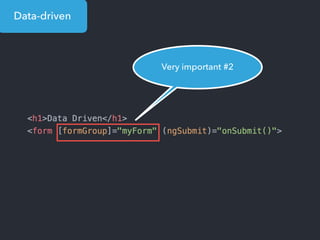
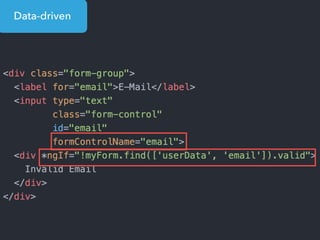
Data-driven
Data-driven
Data-driven
Very important #1
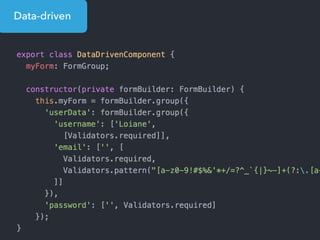
Data-driven
Data-driven
Data-driven
Very important #2
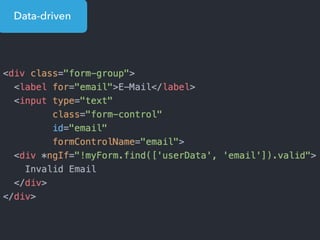
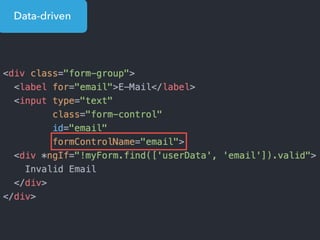
Data-driven
Data-driven
Data-driven
Data-driven
> npm install -g angular-cli
> ng new meu-projeto
> cd meu-projeto
> ng serve
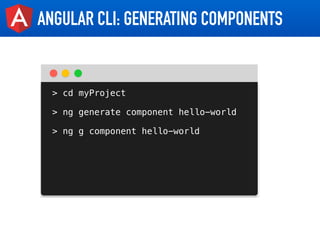
ANGULAR CLI: GENERATING COMPONENTS
> cd myProject
> ng generate component hello-world
> ng g component hello-world
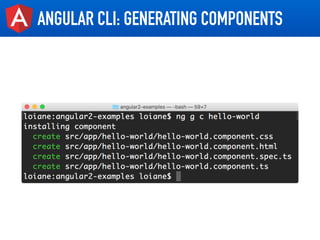
ANGULAR CLI: GENERATING COMPONENTS
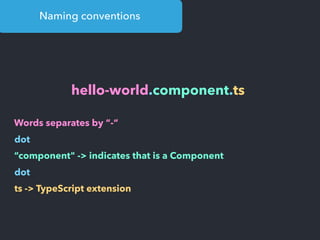
Naming conventions
hello-world.component.ts
Words separates by “-“
dot
“component" -> indicates that is a Component
dot
ts -> TypeScript extension
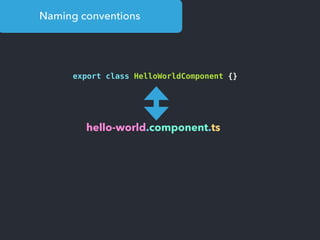
Naming conventions
export class HelloWorldComponent {}
hello-world.component.ts
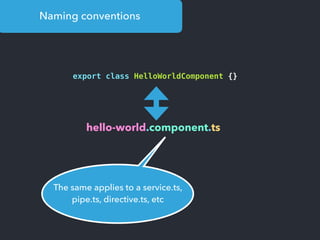
Naming conventions
export class HelloWorldComponent {}
hello-world.component.ts
The same applies to a service.ts,
pipe.ts, directive.ts, etc
Tips for
bug
projects
Lazy loading +
modules
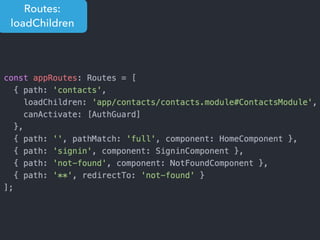
Routes:
loadChildren
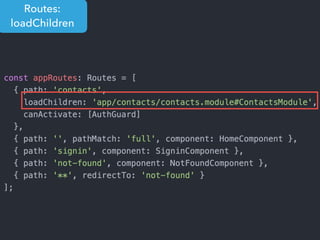
Routes:
loadChildren
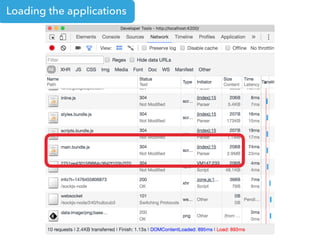
Loading the applications
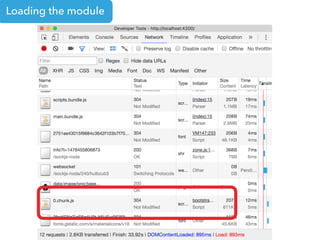
Loading the module
Ahead of Time
Compilation
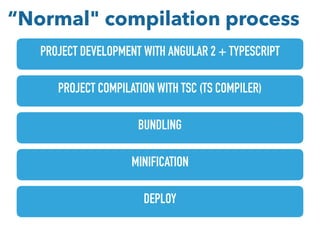
PROJECT DEVELOPMENT WITH ANGULAR 2 + TYPESCRIPT
PROJECT COMPILATION WITH TSC (TS COMPILER)
BUNDLING
MINIFICATION
DEPLOY
“Normal" compilation process
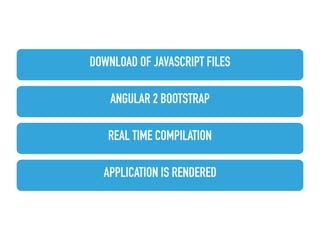
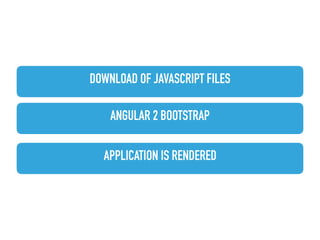
DOWNLOAD OF JAVASCRIPT FILES
ANGULAR 2 BOOTSTRAP
REAL TIME COMPILATION
APPLICATION IS RENDERED
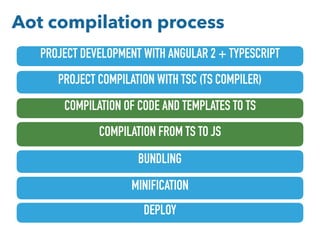
PROJECT DEVELOPMENT WITH ANGULAR 2 + TYPESCRIPT
PROJECT COMPILATION WITH TSC (TS COMPILER)
BUNDLING
MINIFICATION
DEPLOY
COMPILATION OF CODE AND TEMPLATES TO TS
COMPILATION FROM TS TO JS
Aot compilation process
DOWNLOAD OF JAVASCRIPT FILES
ANGULAR 2 BOOTSTRAP
APPLICATION IS RENDERED
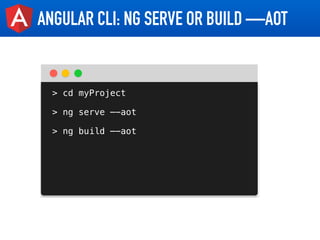
ANGULAR CLI: NG SERVE OR BUILD —AOT
> cd myProject
> ng serve —-aot
> ng build —-aot
•https://github.com/loiane/angular2-pokedex
•https://github.com/loiane/angular2-crud-rest
•https://github.com/loiane/angular2-crud-auth-routing
http://loiane.com
twitter.com/loiane
https://github.com/loiane
youtube.com/loianegroner
http://loiane.training

Angular 2 overview in 60 minutes