*
Android Bitmap 优化
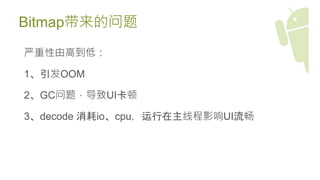
Bitmap带来的问题
严重性由高到低:
1、引发OOM
2、GC问题,导致UI卡顿
3、decode 消耗io、cpu,运行在主线程影响UI流畅
Bitmap存放位置
<=Android 2.3.3 : native memory(需要手工recycle),但同样
计入Dalvik heap中。
缺点:1、需要手工recycle内存,容易导致内存泄漏等问题。
2、ddms等工具不计算这部分内存,增加调试难度。
>= Android 3.0: Dalvik heap(GC回收)。
Bitmap decode优化
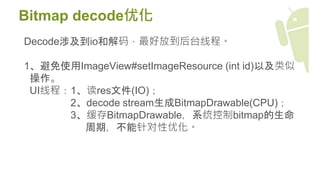
Decode涉及到io和解码,最好放到后台线程。
1、避免使用ImageView#setImageResource (int id)以及类似
操作。
UI线程:1、读res文件(IO);
2、decode stream生成BitmapDrawable(CPU);
3、缓存BitmapDrawable,系统控制bitmap的生命
周期,不能针对性优化。
Bitmap decode优化
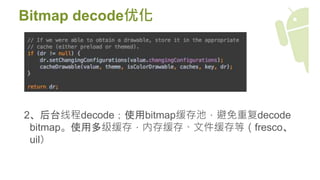
2、后台线程decode;使用bitmap缓存池,避免重复decode
bitmap。使用多级缓存,内存缓存、文件缓存等(fresco、
uil)
Bitmap decode优化
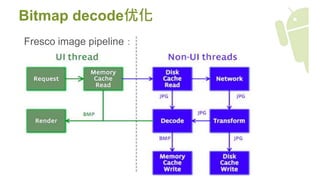
Fresco image pipeline:
res下的图片按照分辨率分
bitmapfactory decode bitmap处理分辨率,两种方式:
1、老api:先decode一张oldBitmap,如果oldBitmap密度与屏
幕密度不一致:newBitmap=oldBitmap.createScaledBitmap。
会导致内存峰值>=2倍oldBitmap。
2、新api:bitmap渲染到屏幕上时缩放bitmap,增加计算量。
具体查看BitmapFactory.java#decodeStream不同版本实现方
式。
inBitmap优化
使用场景:
inBitmap优化
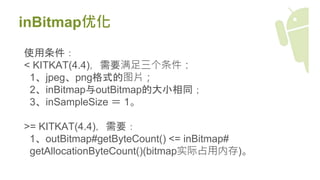
使用条件:
< KITKAT(4.4),需要满足三个条件:
1、jpeg、png格式的图片;
2、inBitmap与outBitmap的大小相同;
3、inSampleSize = 1。
>= KITKAT(4.4),需要:
1、outBitmap#getByteCount() <= inBitmap#
getAllocationByteCount()(bitmap实际占用内存)。
inPurgeable“非正常”优化(fresco)
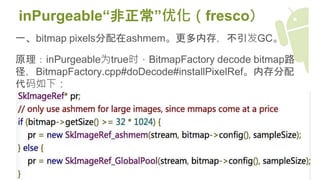
一、bitmap pixels分配在ashmem。更多内存,不引发GC。
原理:inPurgeable为true时,BitmapFactory decode bitmap路
径,BitmapFactory.cpp#doDecode#installPixelRef。内存分配
代码如下:
inPurgeable“非正常”优化
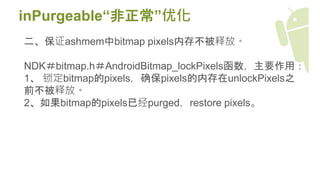
二、保证ashmem中bitmap pixels内存不被释放。
NDK#bitmap.h#AndroidBitmap_lockPixels函数,主要作用:
1、 锁定bitmap的pixels,确保pixels的内存在unlockPixels之
前不被释放。
2、如果bitmap的pixels已经purged,restore pixels。
其他
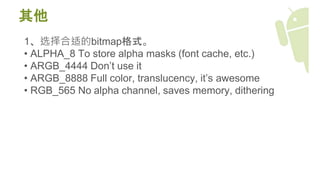
1、选择合适的bitmap格式。
• ALPHA_8 To store alpha masks (font cache, etc.)
• ARGB_4444 Don’t use it
• ARGB_8888 Full color, translucency, it’s awesome
• RGB_565 No alpha channel, saves memory, dithering
其他
2、从信息角度看渲染:
Drawable=data+draw。优化=减少Data || 减少draw计算量。
.9图片、sharpdrawable、colordrawable、BitmapShader、
Gradient、
BitmapDrawable。
理想效果:最少数据+最快操作 -> 最终图像

Android+bitmap优化