Sten Govaerts
  KU Leuven
what the hell...
• distributed version control
what the hell...
• distributed version control
• originally designed and developed by Linus
  Thorvalds.
what the hell...
• distributed version control
• originally designed and developed by Linus
   Thorvalds.
• git (plural gits) (noun)
  •   (UK, slang, pejorative) A contemptible person.
  •   (UK, slang, pejorative) A silly, incompetent,
      stupid, annoying or childish person.
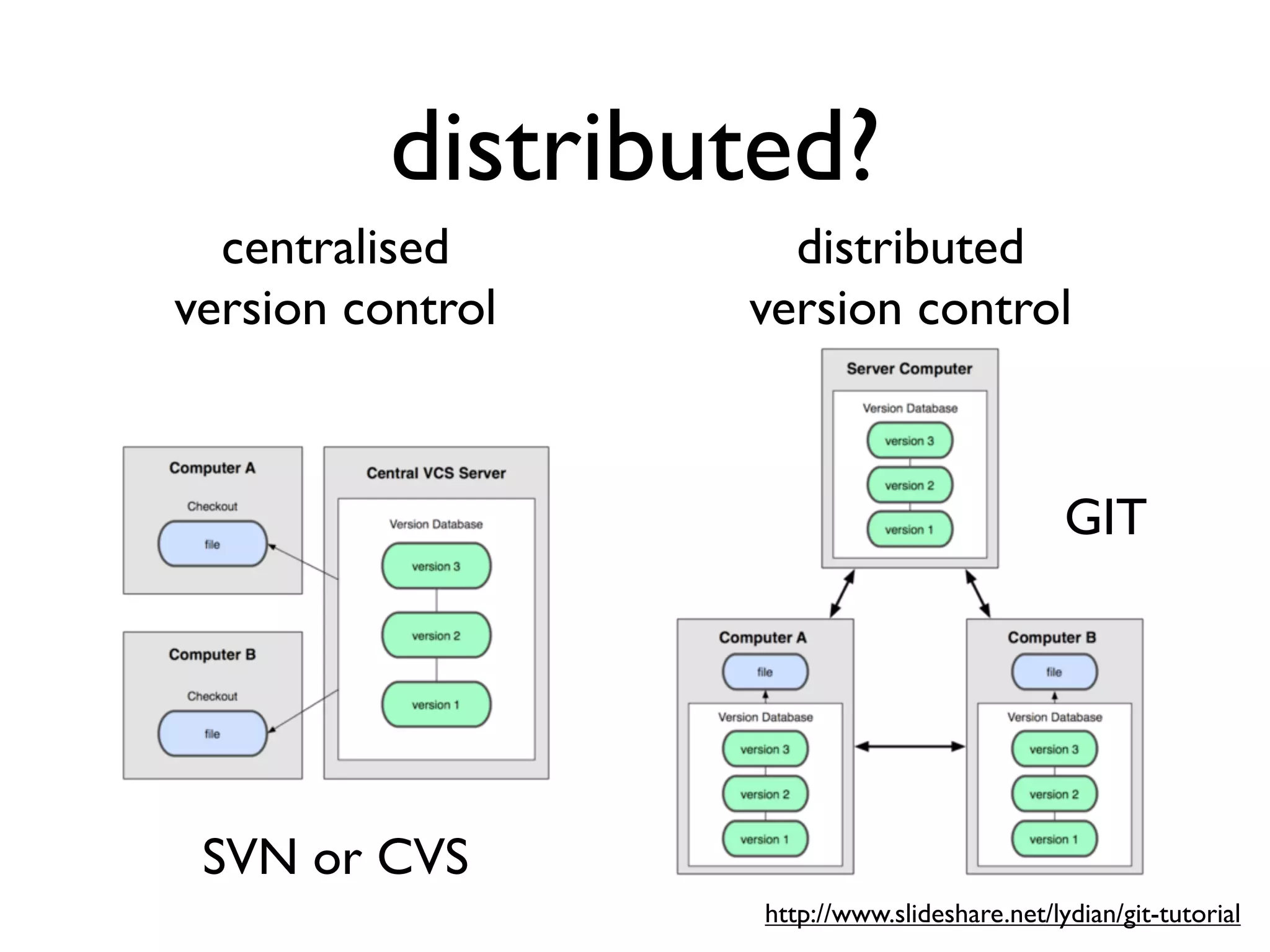
distributed?
  centralised       distributed
version control   version control


                                              GIT


 SVN or CVS
                  http://www.slideshare.net/lydian/git-tutorial
but why?...

• easier offline usage
but why?...

• easier offline usage
• easier to branch projects
but why?...

• easier offline usage
• easier to branch projects
• git is good at merging files and re-joining
  branches
git philosophy

• Commit early, commit often!
• 1 commit = 1 idea or change
 • easy to read patches by team members
 • easy to revert changes later
• local repo is your working directory
why do we need this?

• group work
 • help each other
• work on multiple locations
• common back-end development?
• learning analytics
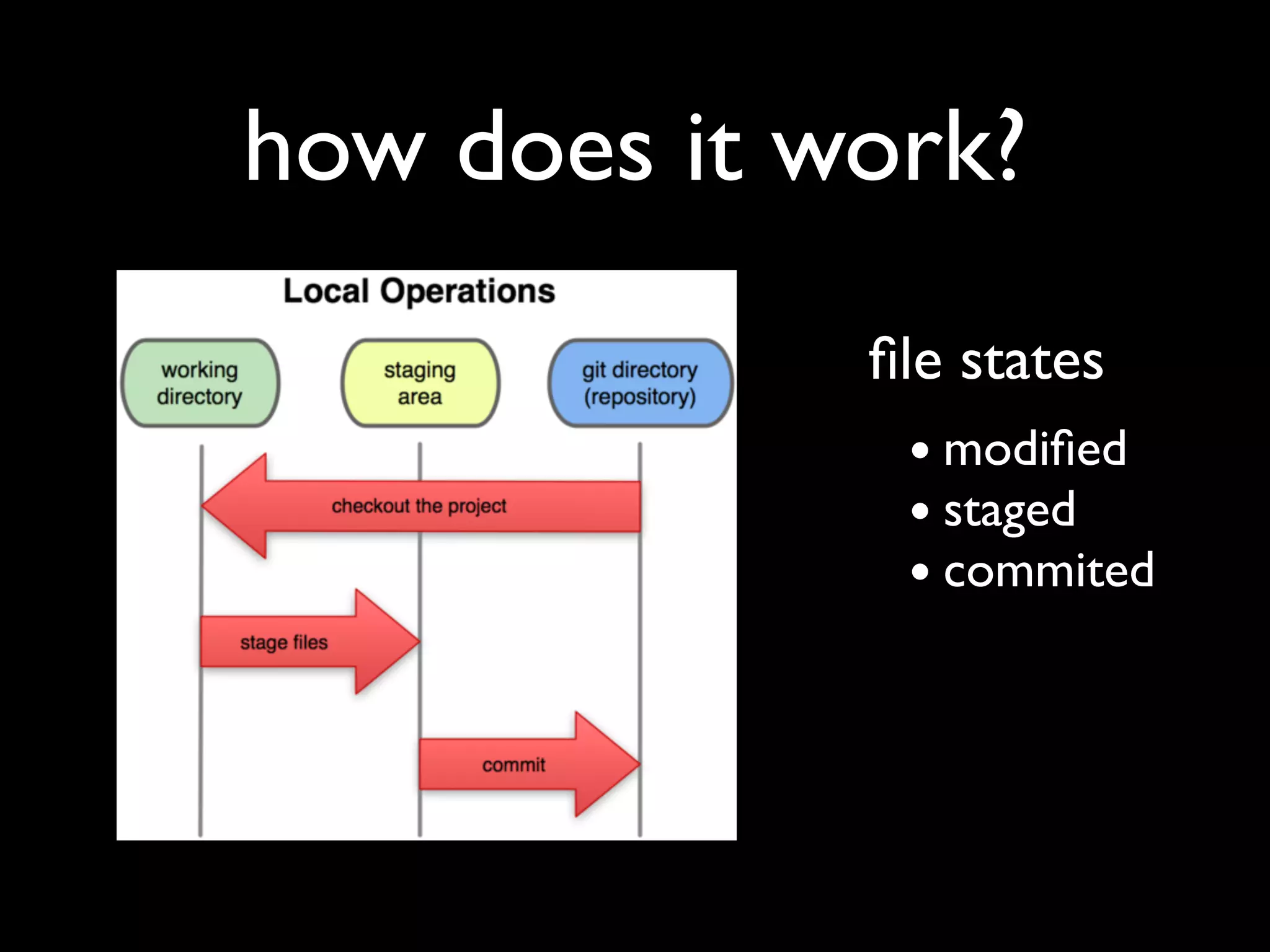
how does it work?
             file states
              • modified
              • staged
              • commited
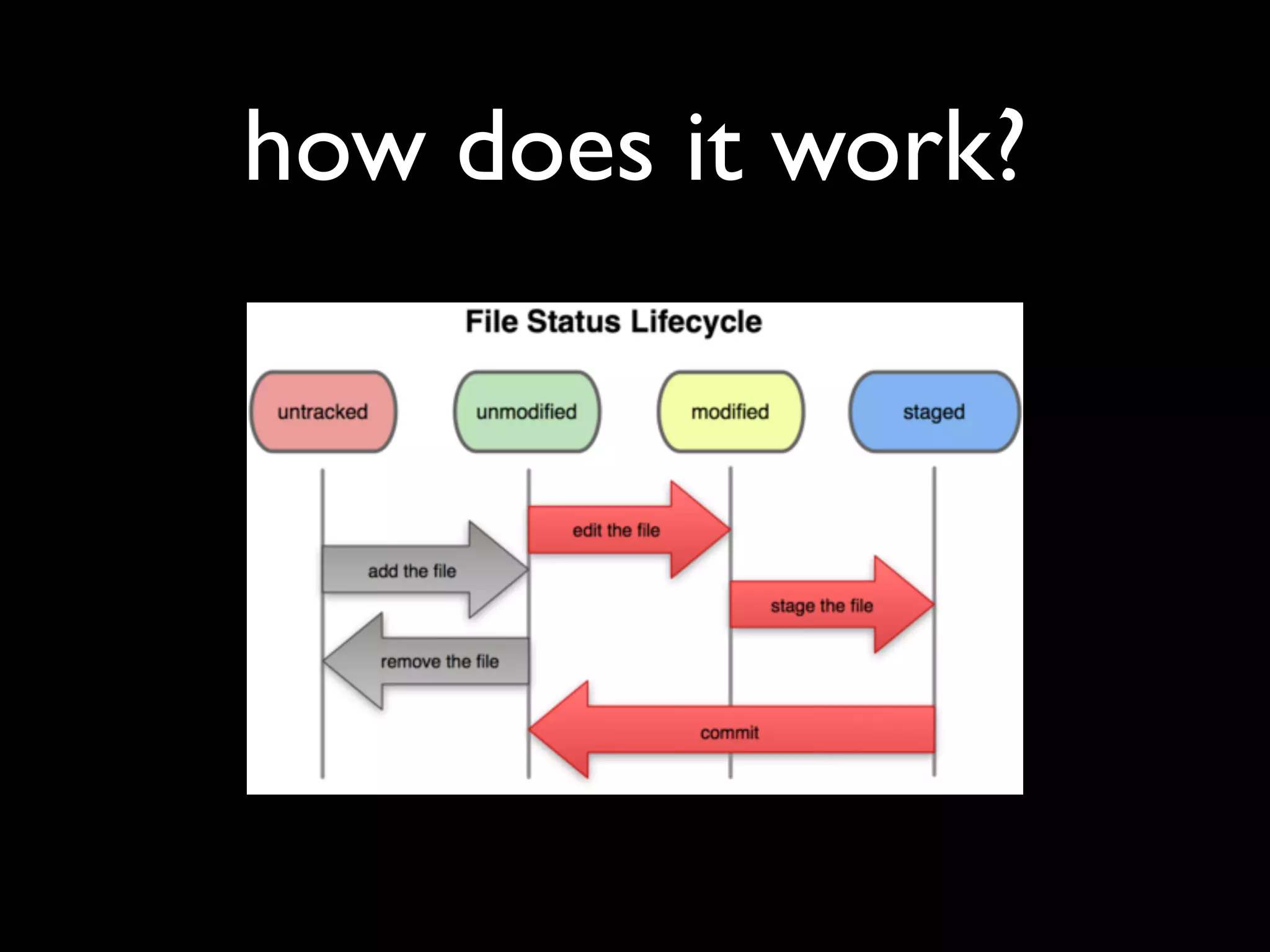
how does it work?
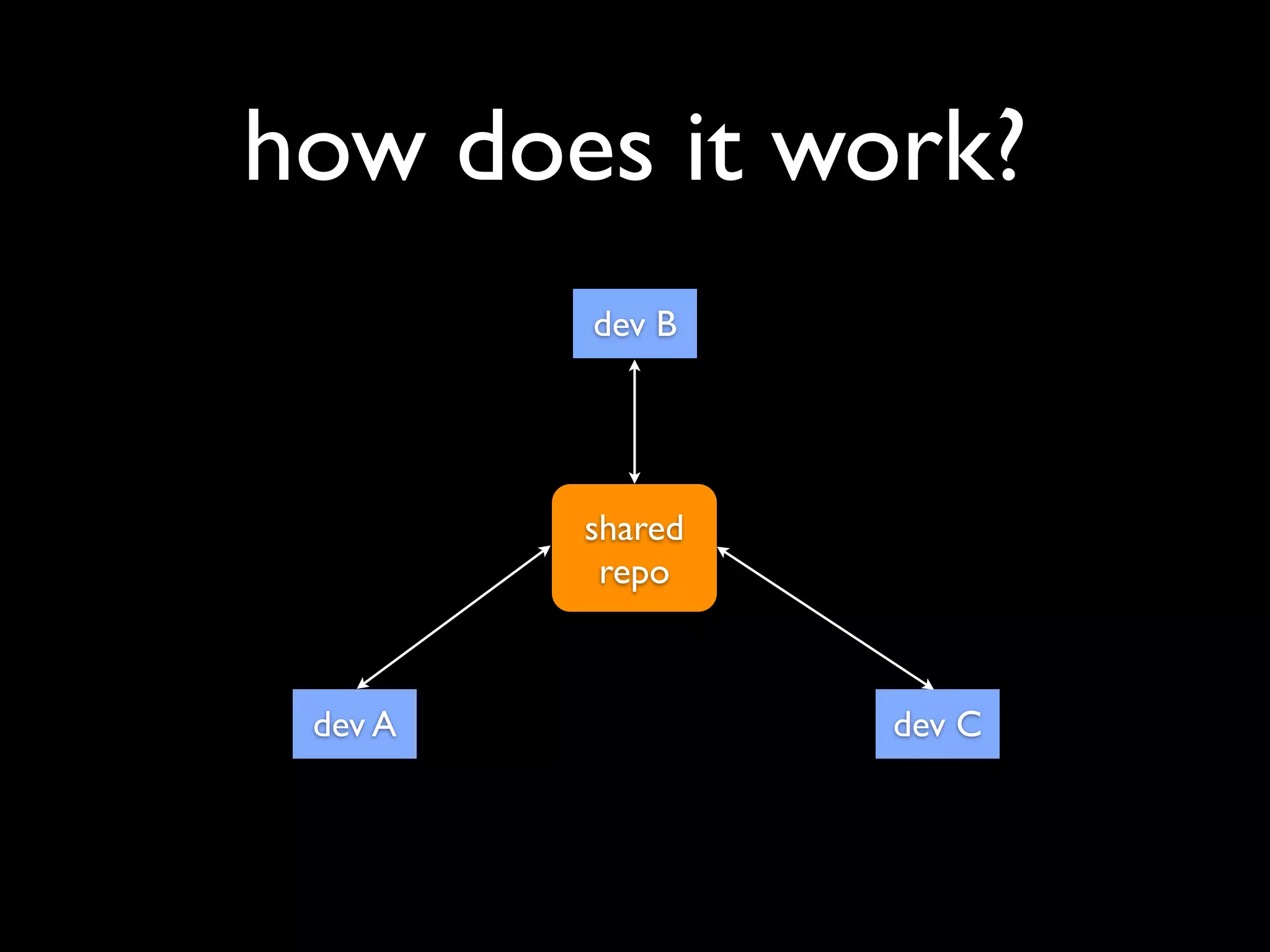
how does it work?
         dev B


         shared
          repo


 dev A            dev C
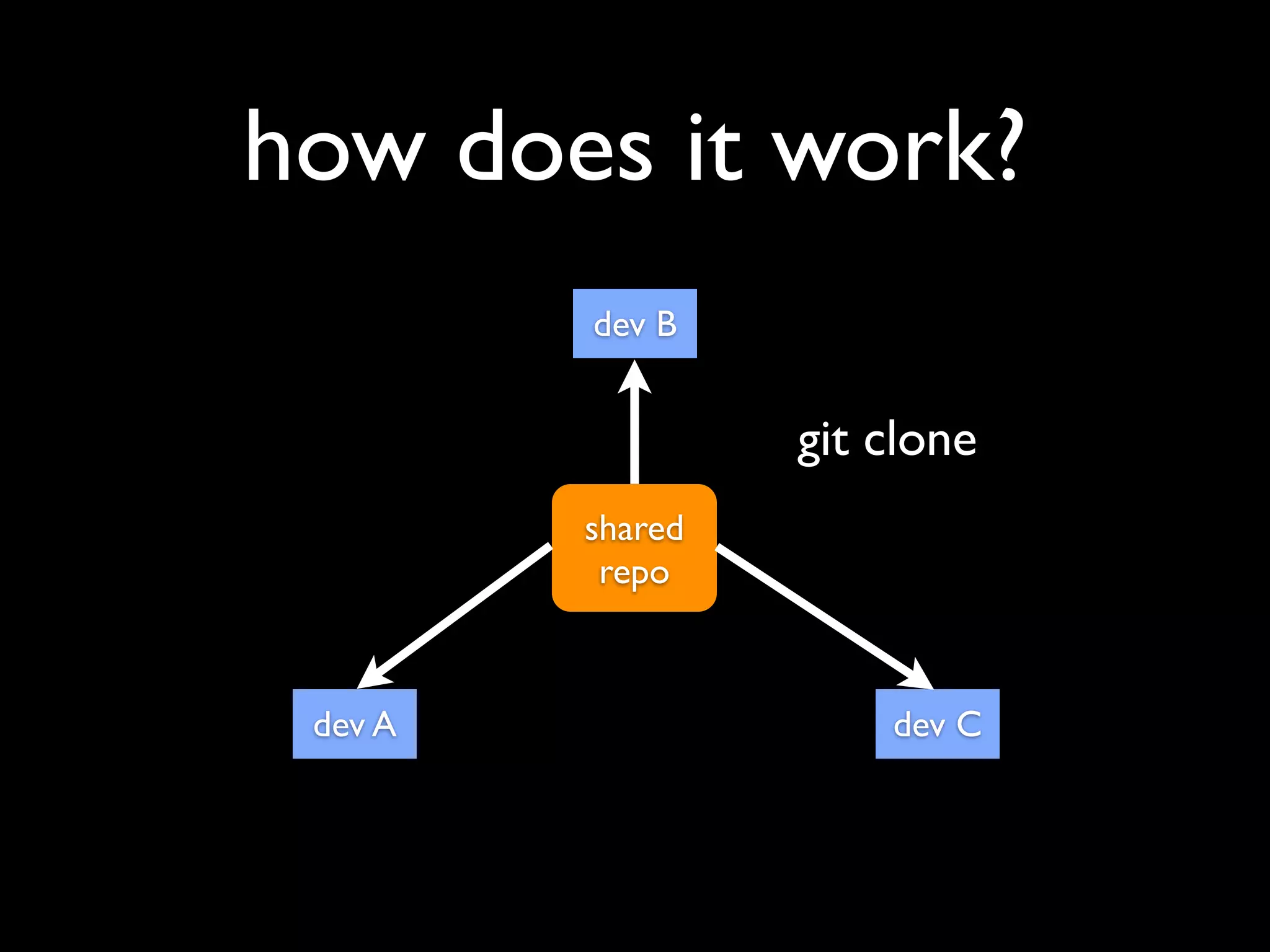
how does it work?
         dev B


                  git clone
         shared
          repo


 dev A                dev C
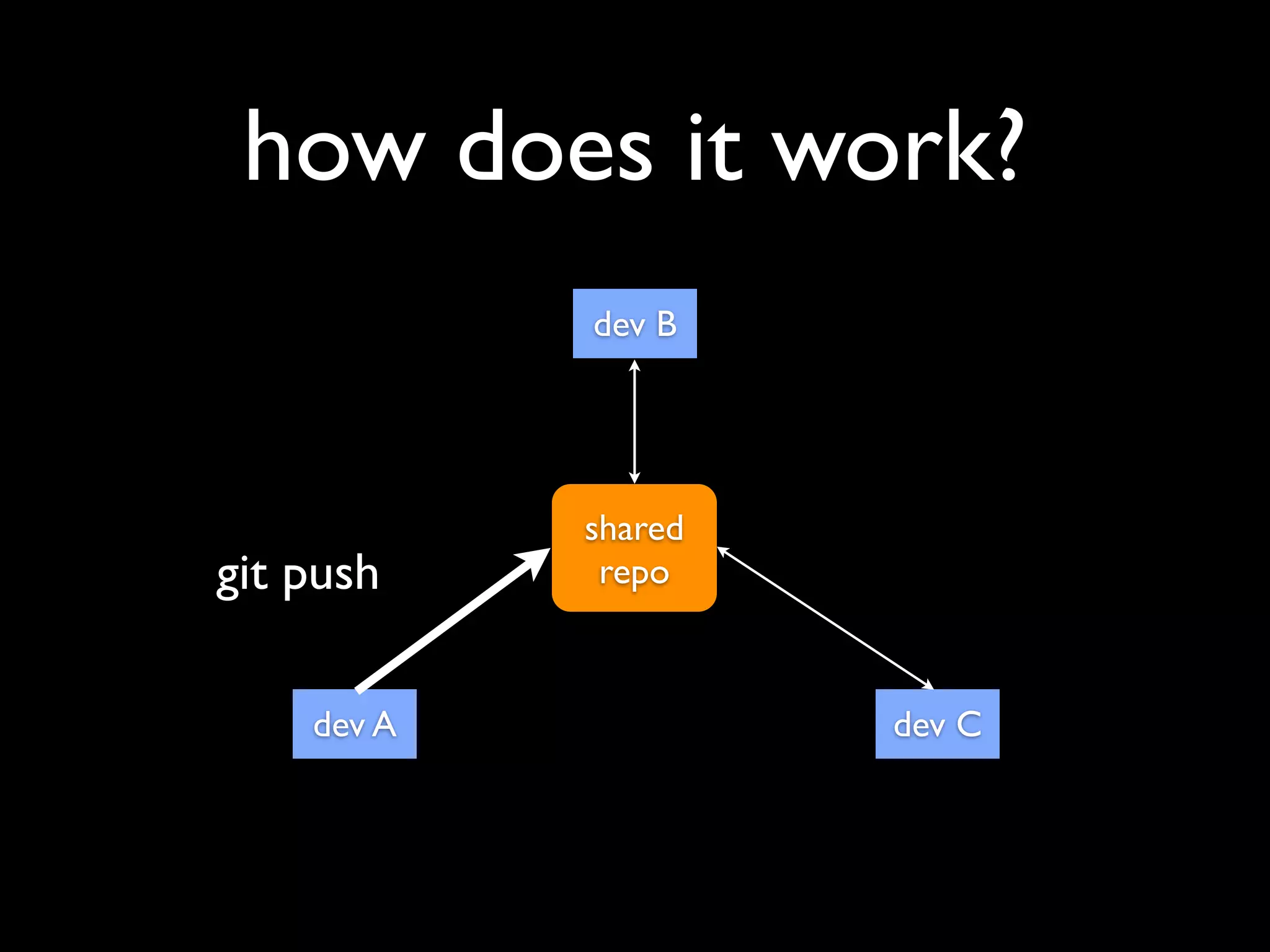
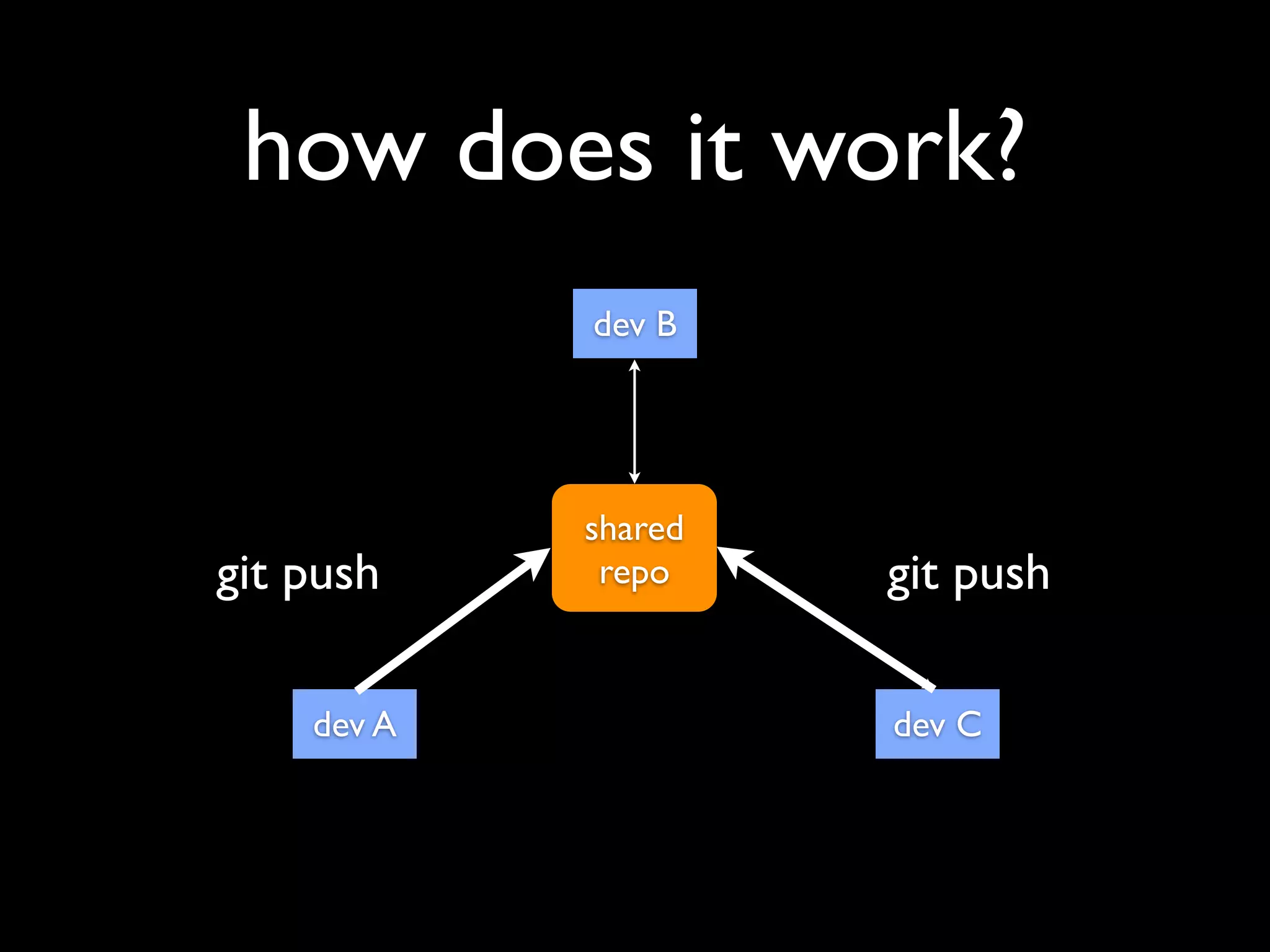
how does it work?
            dev B


            shared
git push     repo


    dev A            dev C
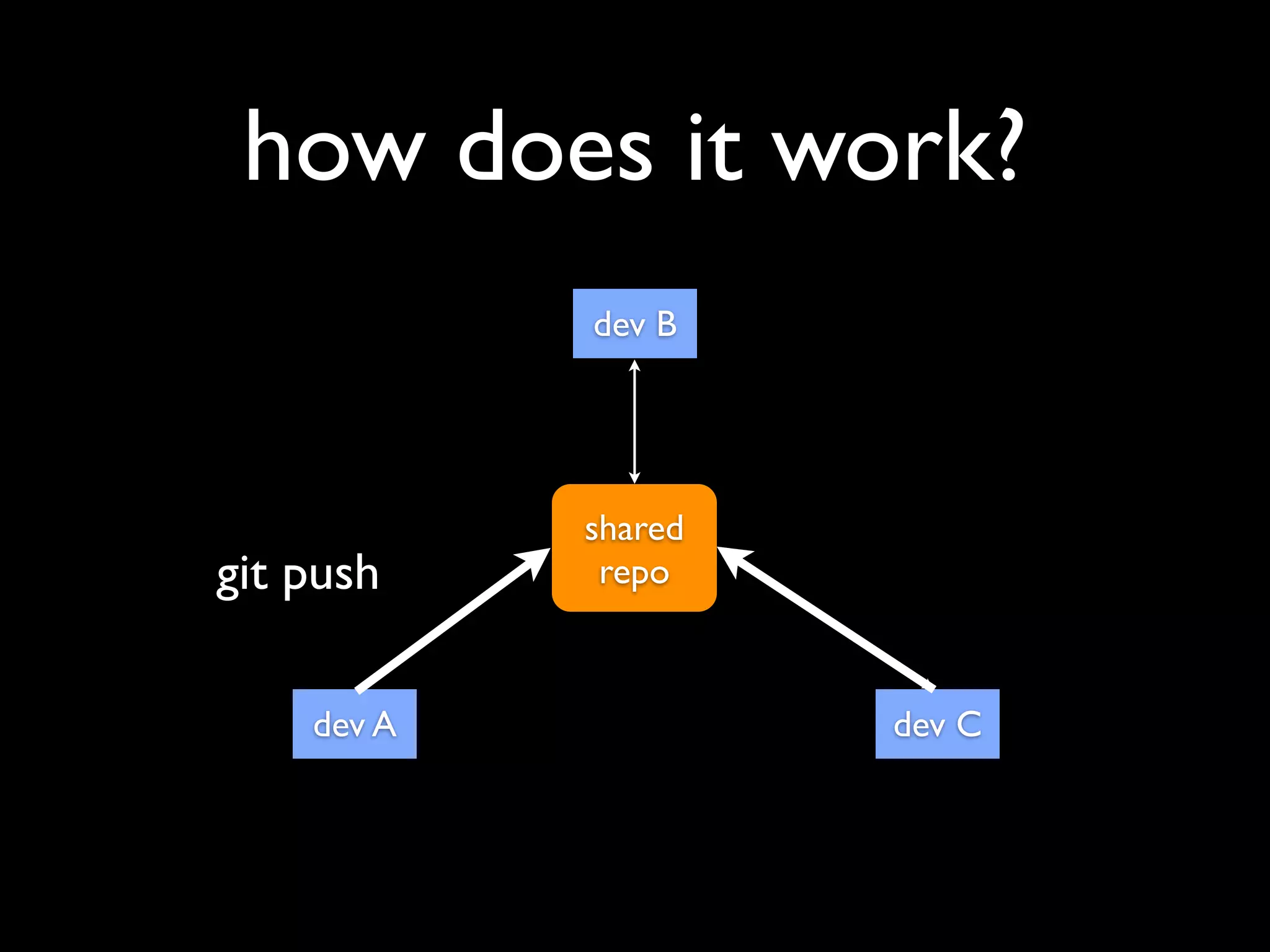
how does it work?
            dev B


            shared
git push     repo


    dev A            dev C
how does it work?
            dev B


            shared
git push     repo    git push

    dev A            dev C
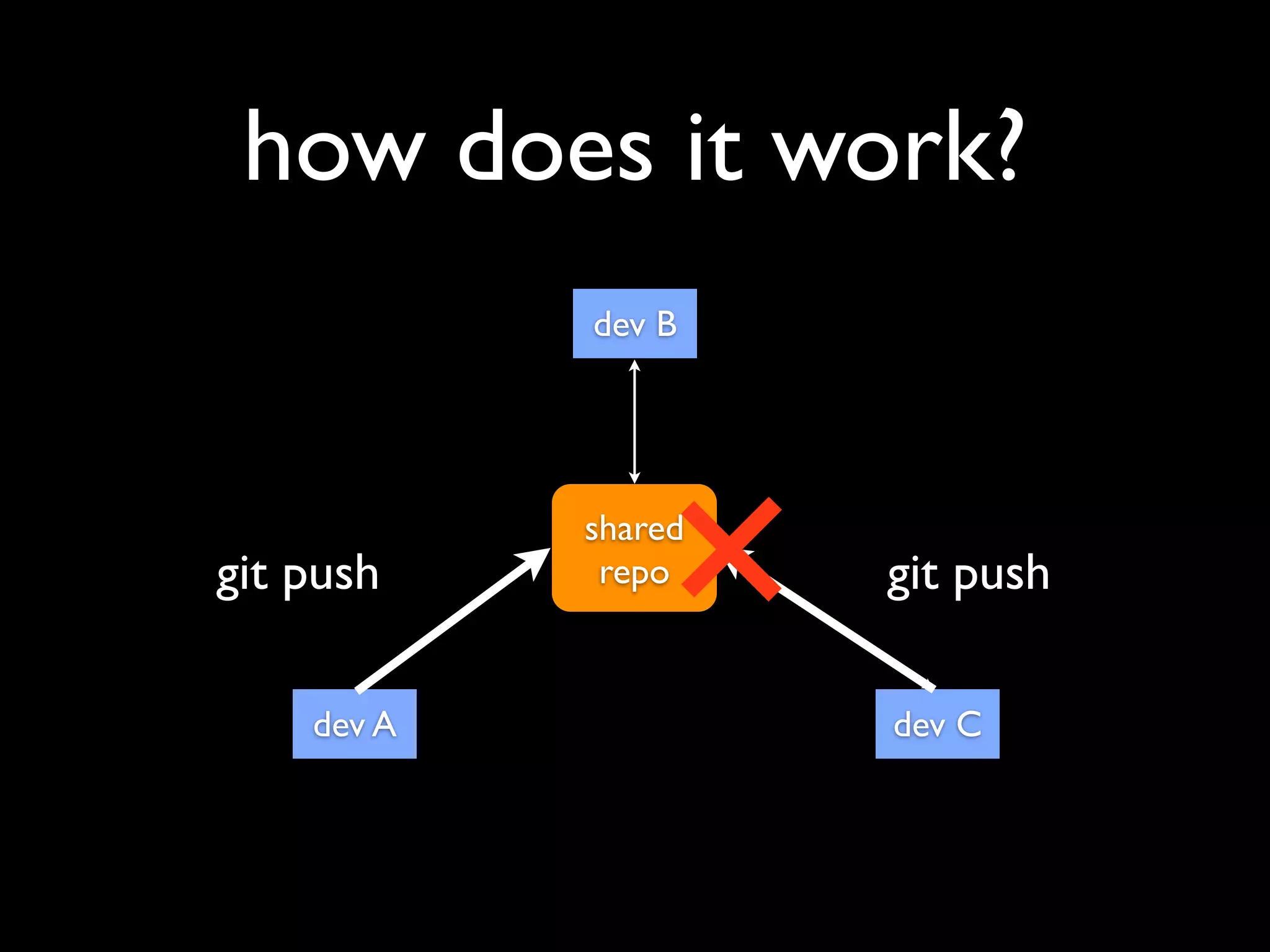
how does it work?
            dev B


            shared
git push     repo    git push

    dev A            dev C
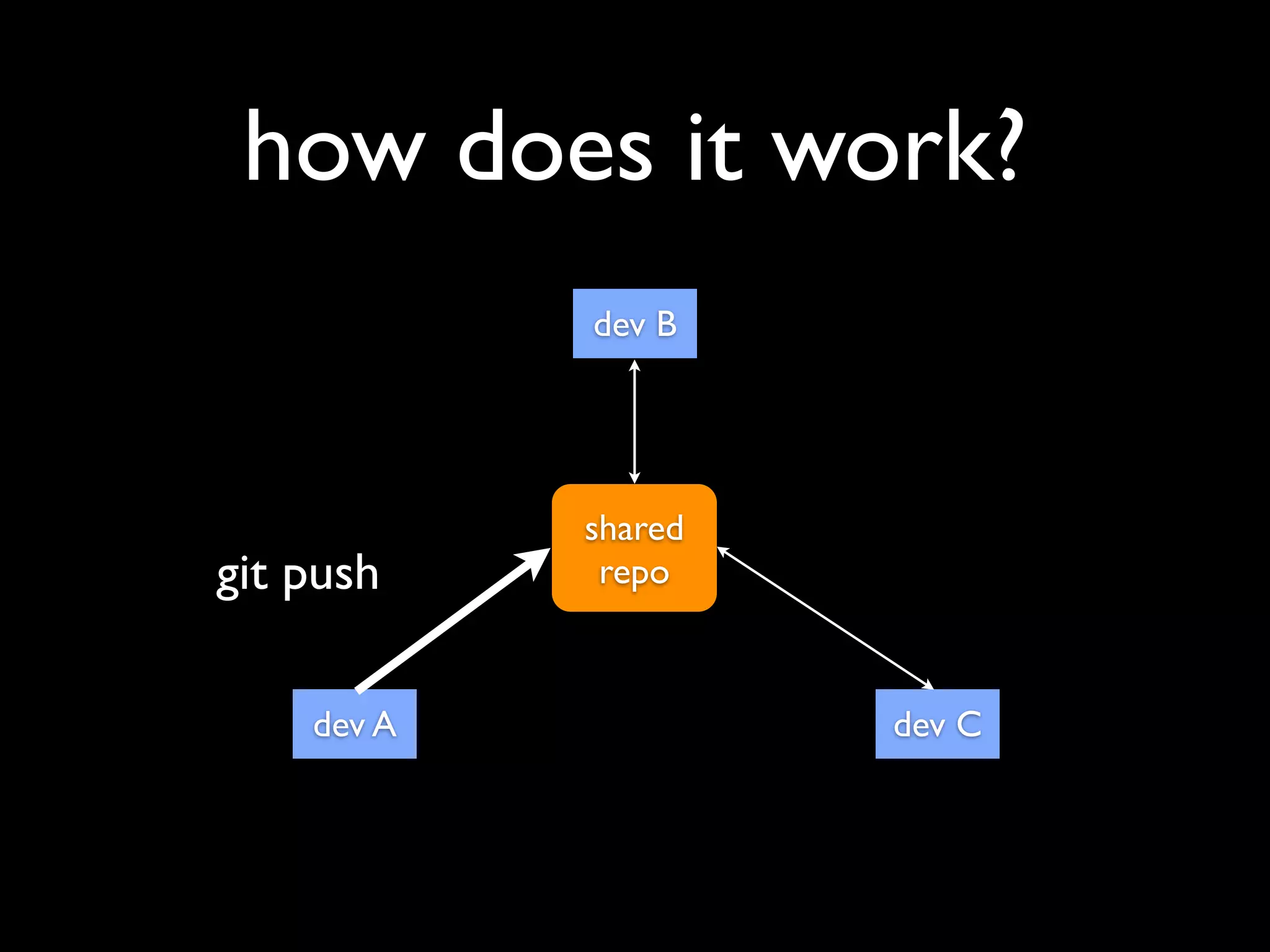
how does it work?
            dev B


            shared
git push     repo


    dev A            dev C
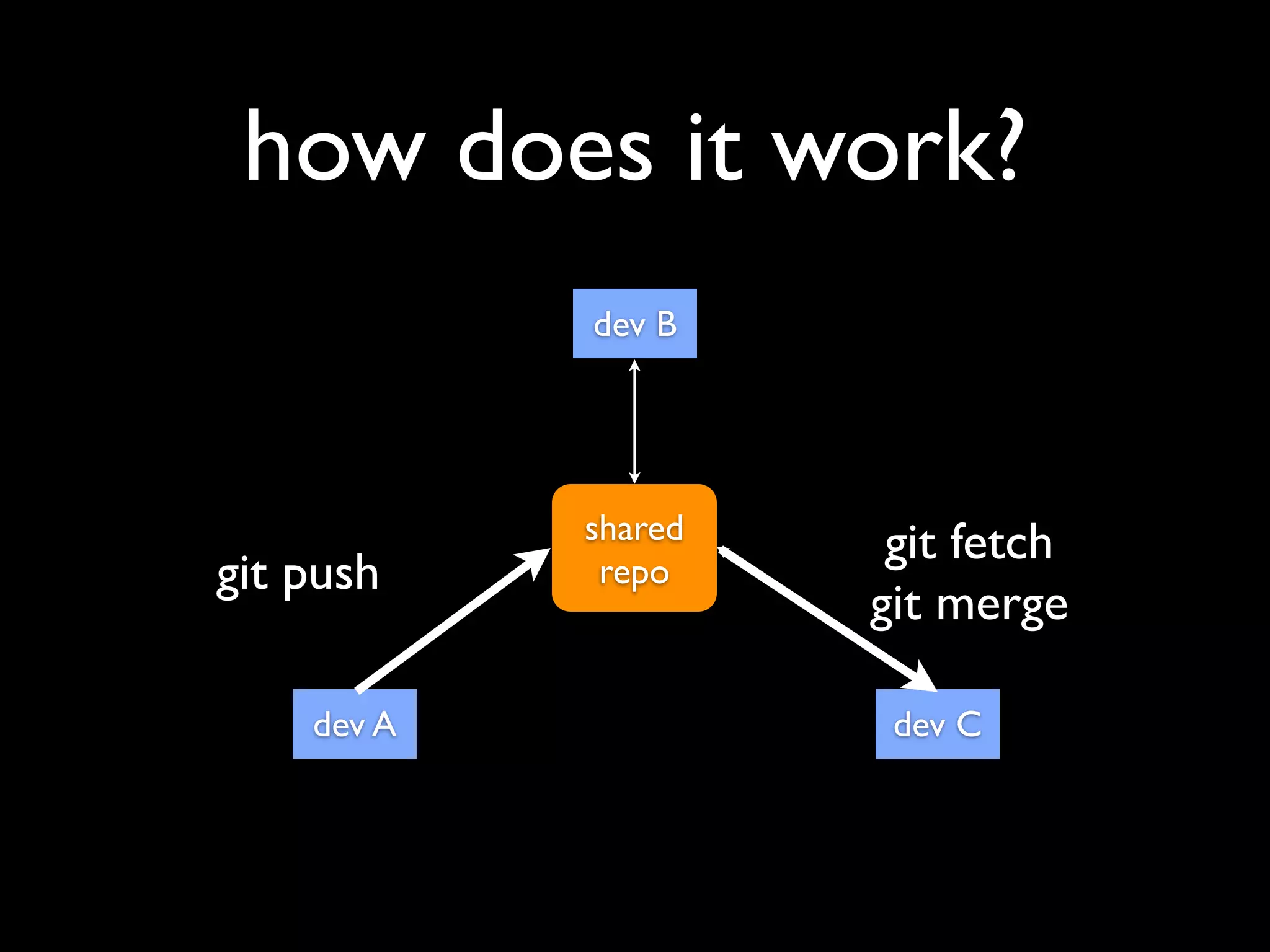
how does it work?
            dev B


            shared    git fetch
git push     repo
                     git merge

    dev A             dev C
• http://www.github.com
• make an account (use twitter name) and
  one repository per group
• put repository link on wiki
 • http://ariadne.cs.kuleuven.be/wiki
what do you do next?
• student A makes the github repository
what do you do next?
• student A makes the github repository
• student A commits his work to his local
  repository and pushes to github
what do you do next?
• student A makes the github repository
• student A commits his work to his local
  repository and pushes to github
• student B fetches the repository, commits
  his work locally and pushes to github
what do you do next?
• student A makes the github repository
• student A commits his work to his local
  repository and pushes to github
• student B fetches the repository, commits
  his work locally and pushes to github
• student C fetches the repository, commits
  his work locally and pushes to github
how to do this?
• command line (4 1337 h4x0rz)
• IDE tools
 •   eclipse (http://www.vogella.com/articles/EGit/article.html)
 •   xcode (http://support.beanstalkapp.com/customer/portal/
     articles/95580-setting-up-git-with-xcode-4 & http://
     developer.apple.com/library/mac/#recipes/xcode_help-
     repositories_organizer/articles/
     CommittingFilestoaRepository.html#//apple_ref/doc/uid/
     TP40010350-CH8-SW1)
tools

• http://eclipse.github.com/
• http://windows.github.com/
• http://mac.github.com/
git commands cheat
         sheet

• http://www.git-tower.com/files/cheatsheet/
  Git_Cheat_Sheet_grey.pdf
further reading...
•   Setup github

•   Create a repo on github

•   Fork a repo

•   Everyday GIT with 20 commands or so

•   Advanced GIT tutorial

•   GITcasts

•   Git docs

An introduction to Git.

  • 1.
    Sten Govaerts KU Leuven
  • 2.
    what the hell... •distributed version control
  • 3.
    what the hell... •distributed version control • originally designed and developed by Linus Thorvalds.
  • 4.
    what the hell... •distributed version control • originally designed and developed by Linus Thorvalds. • git (plural gits) (noun) • (UK, slang, pejorative) A contemptible person. • (UK, slang, pejorative) A silly, incompetent, stupid, annoying or childish person.
  • 5.
    distributed? centralised distributed version control version control GIT SVN or CVS http://www.slideshare.net/lydian/git-tutorial
  • 6.
    but why?... • easieroffline usage
  • 7.
    but why?... • easieroffline usage • easier to branch projects
  • 8.
    but why?... • easieroffline usage • easier to branch projects • git is good at merging files and re-joining branches
  • 9.
    git philosophy • Commitearly, commit often! • 1 commit = 1 idea or change • easy to read patches by team members • easy to revert changes later • local repo is your working directory
  • 10.
    why do weneed this? • group work • help each other • work on multiple locations • common back-end development? • learning analytics
  • 11.
    how does itwork? file states • modified • staged • commited
  • 12.
  • 13.
    how does itwork? dev B shared repo dev A dev C
  • 14.
    how does itwork? dev B git clone shared repo dev A dev C
  • 15.
    how does itwork? dev B shared git push repo dev A dev C
  • 16.
    how does itwork? dev B shared git push repo dev A dev C
  • 17.
    how does itwork? dev B shared git push repo git push dev A dev C
  • 18.
    how does itwork? dev B shared git push repo git push dev A dev C
  • 19.
    how does itwork? dev B shared git push repo dev A dev C
  • 20.
    how does itwork? dev B shared git fetch git push repo git merge dev A dev C
  • 21.
    • http://www.github.com • makean account (use twitter name) and one repository per group • put repository link on wiki • http://ariadne.cs.kuleuven.be/wiki
  • 22.
    what do youdo next? • student A makes the github repository
  • 23.
    what do youdo next? • student A makes the github repository • student A commits his work to his local repository and pushes to github
  • 24.
    what do youdo next? • student A makes the github repository • student A commits his work to his local repository and pushes to github • student B fetches the repository, commits his work locally and pushes to github
  • 25.
    what do youdo next? • student A makes the github repository • student A commits his work to his local repository and pushes to github • student B fetches the repository, commits his work locally and pushes to github • student C fetches the repository, commits his work locally and pushes to github
  • 26.
    how to dothis? • command line (4 1337 h4x0rz) • IDE tools • eclipse (http://www.vogella.com/articles/EGit/article.html) • xcode (http://support.beanstalkapp.com/customer/portal/ articles/95580-setting-up-git-with-xcode-4 & http:// developer.apple.com/library/mac/#recipes/xcode_help- repositories_organizer/articles/ CommittingFilestoaRepository.html#//apple_ref/doc/uid/ TP40010350-CH8-SW1)
  • 27.
  • 28.
    git commands cheat sheet • http://www.git-tower.com/files/cheatsheet/ Git_Cheat_Sheet_grey.pdf
  • 29.
    further reading... • Setup github • Create a repo on github • Fork a repo • Everyday GIT with 20 commands or so • Advanced GIT tutorial • GITcasts • Git docs