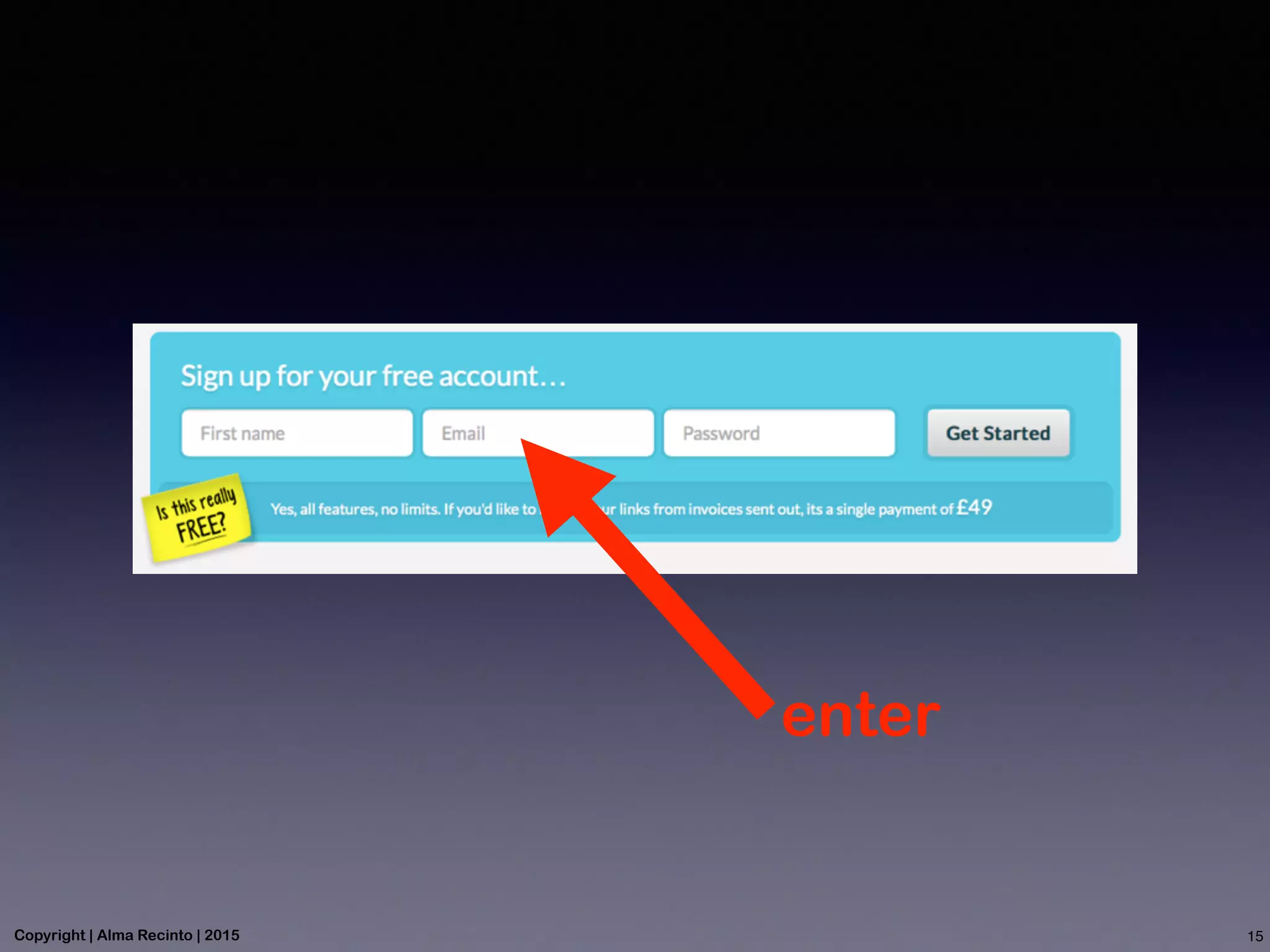
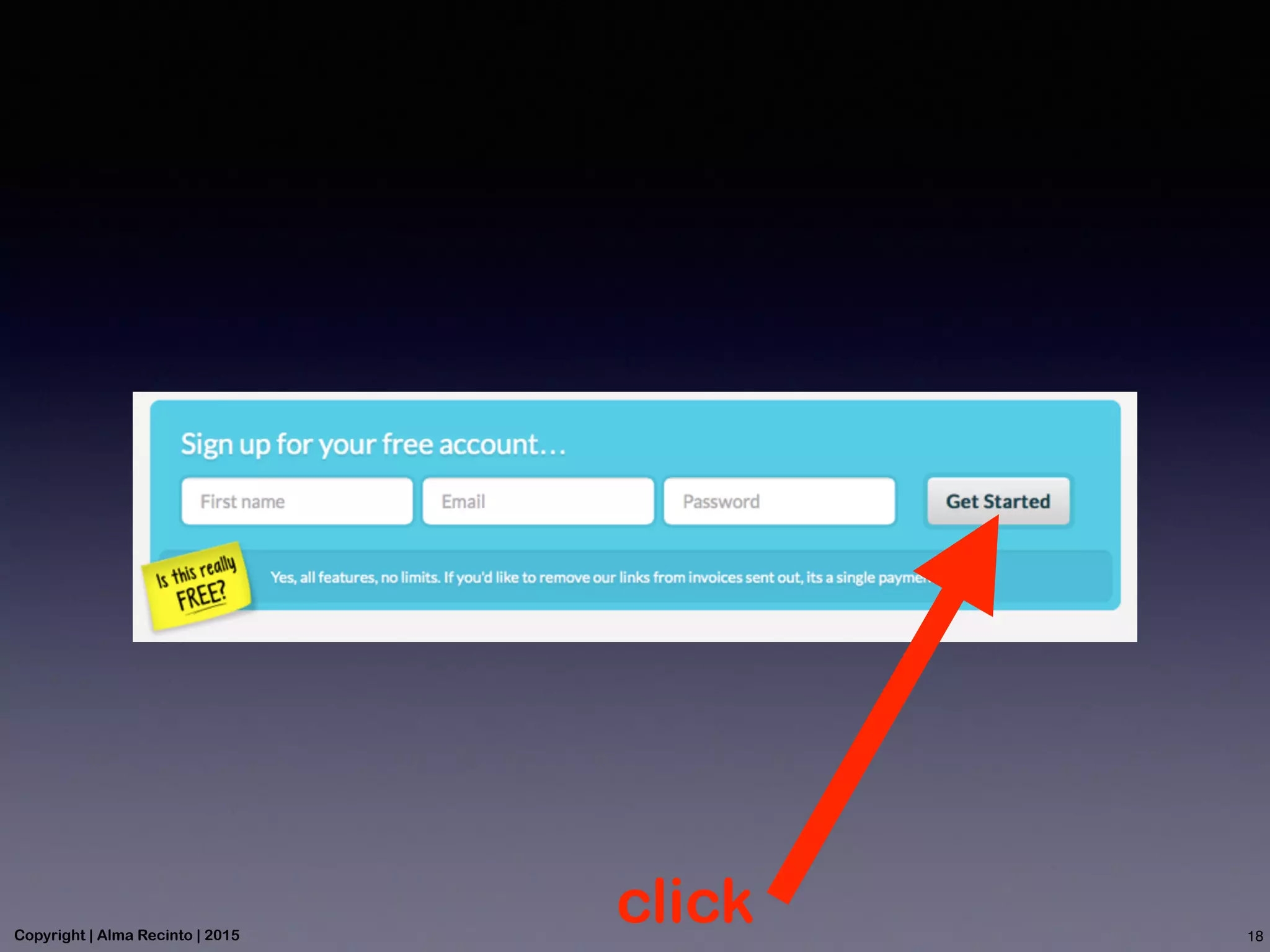
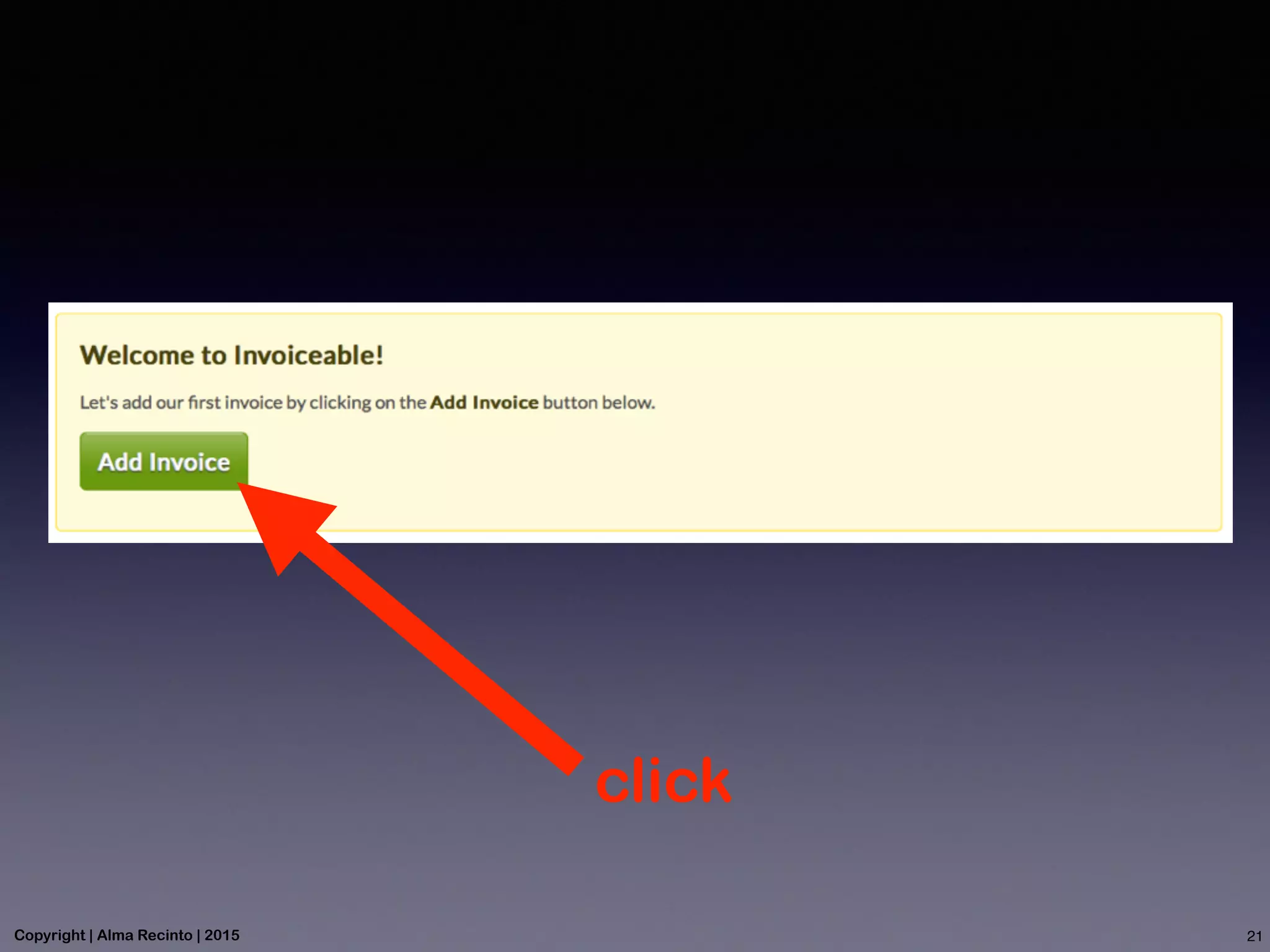
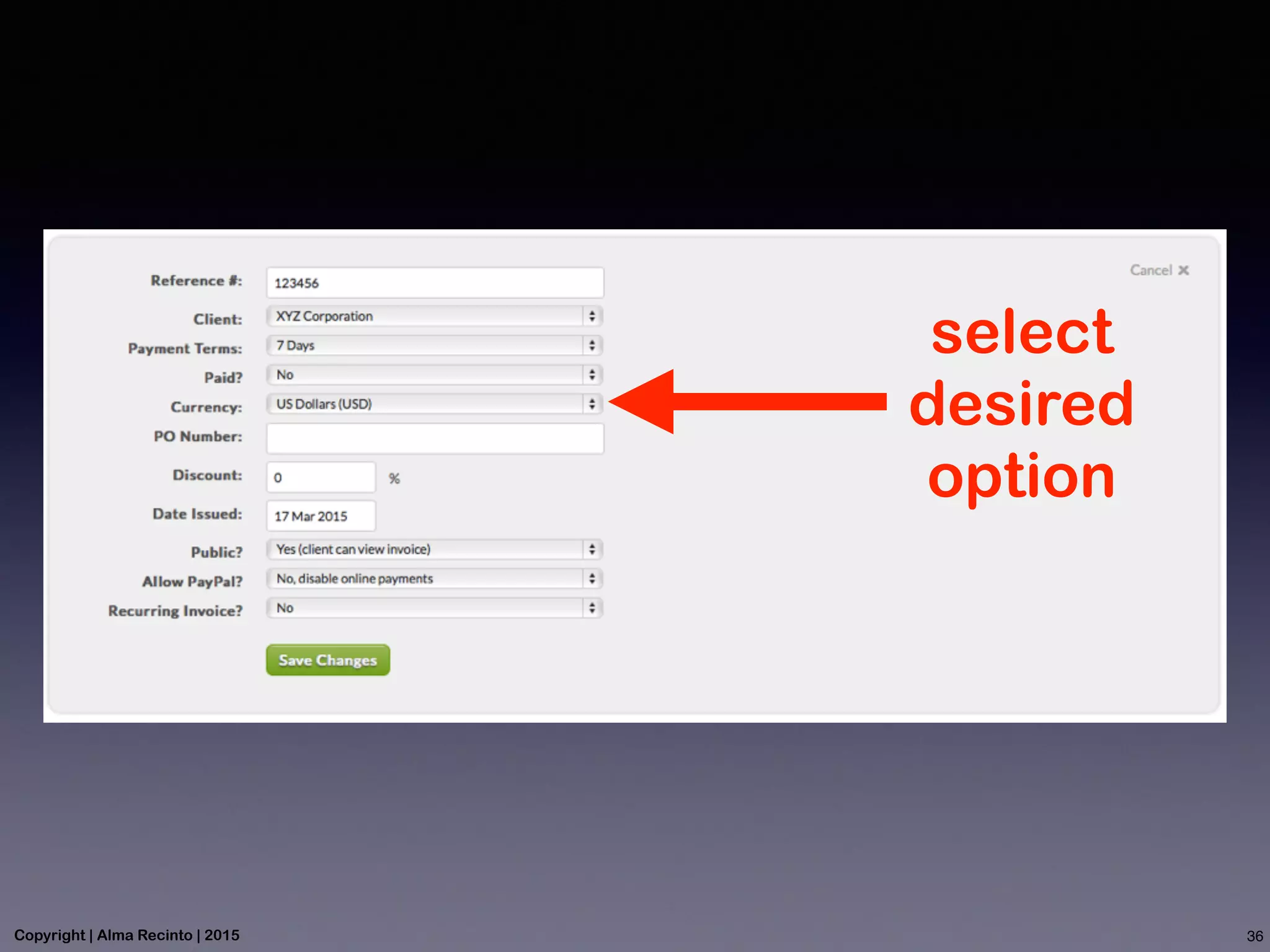
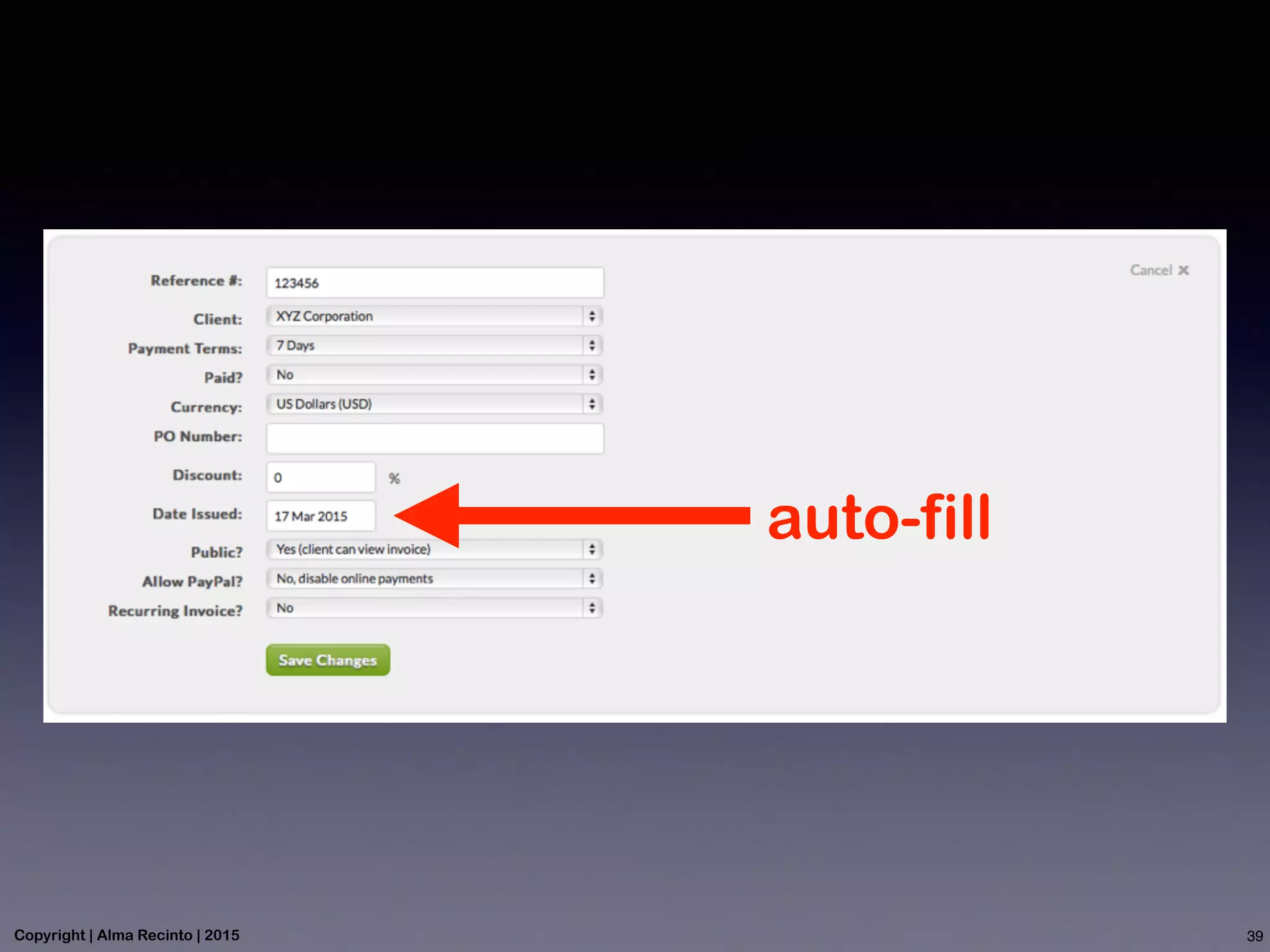
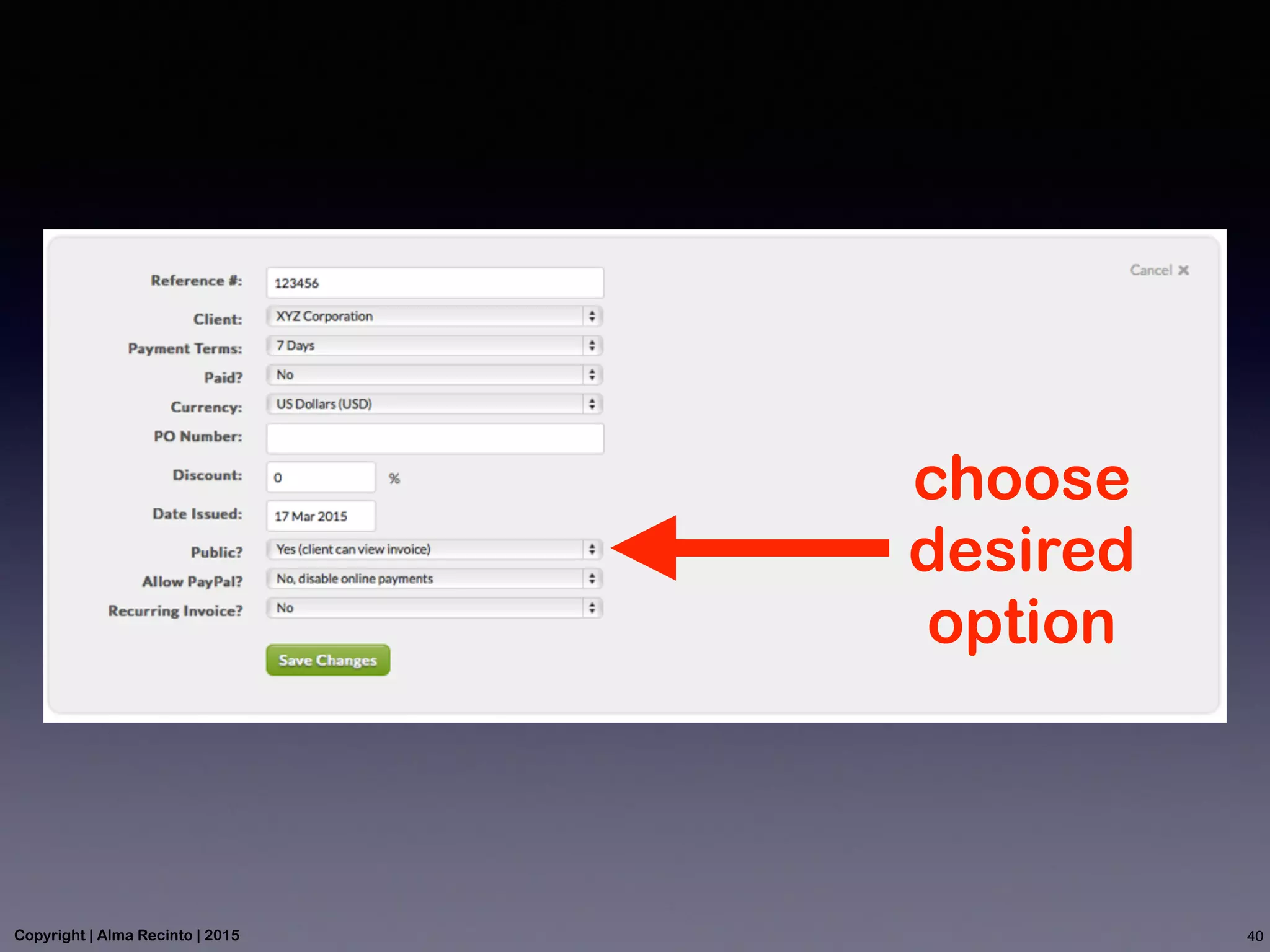
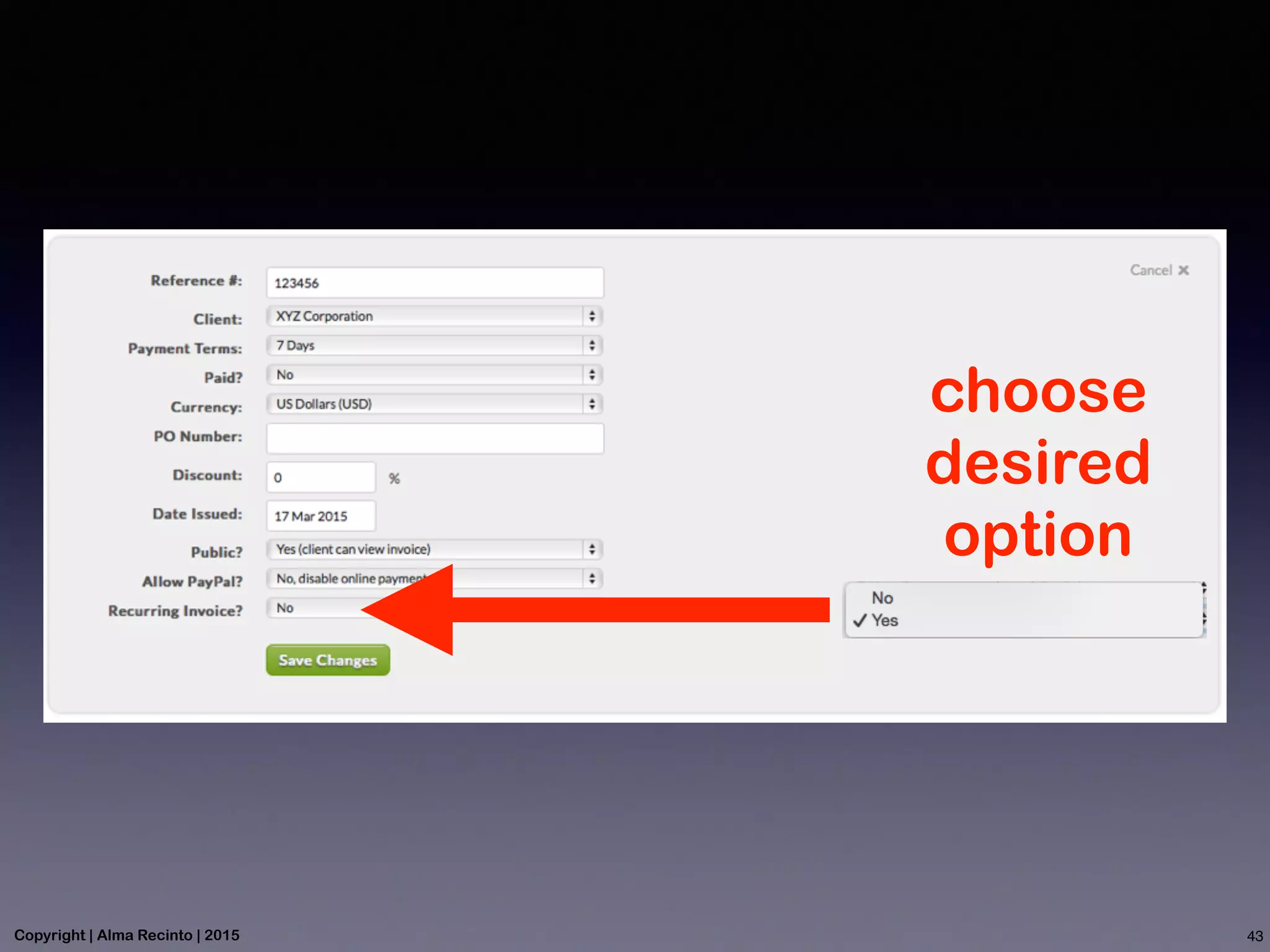
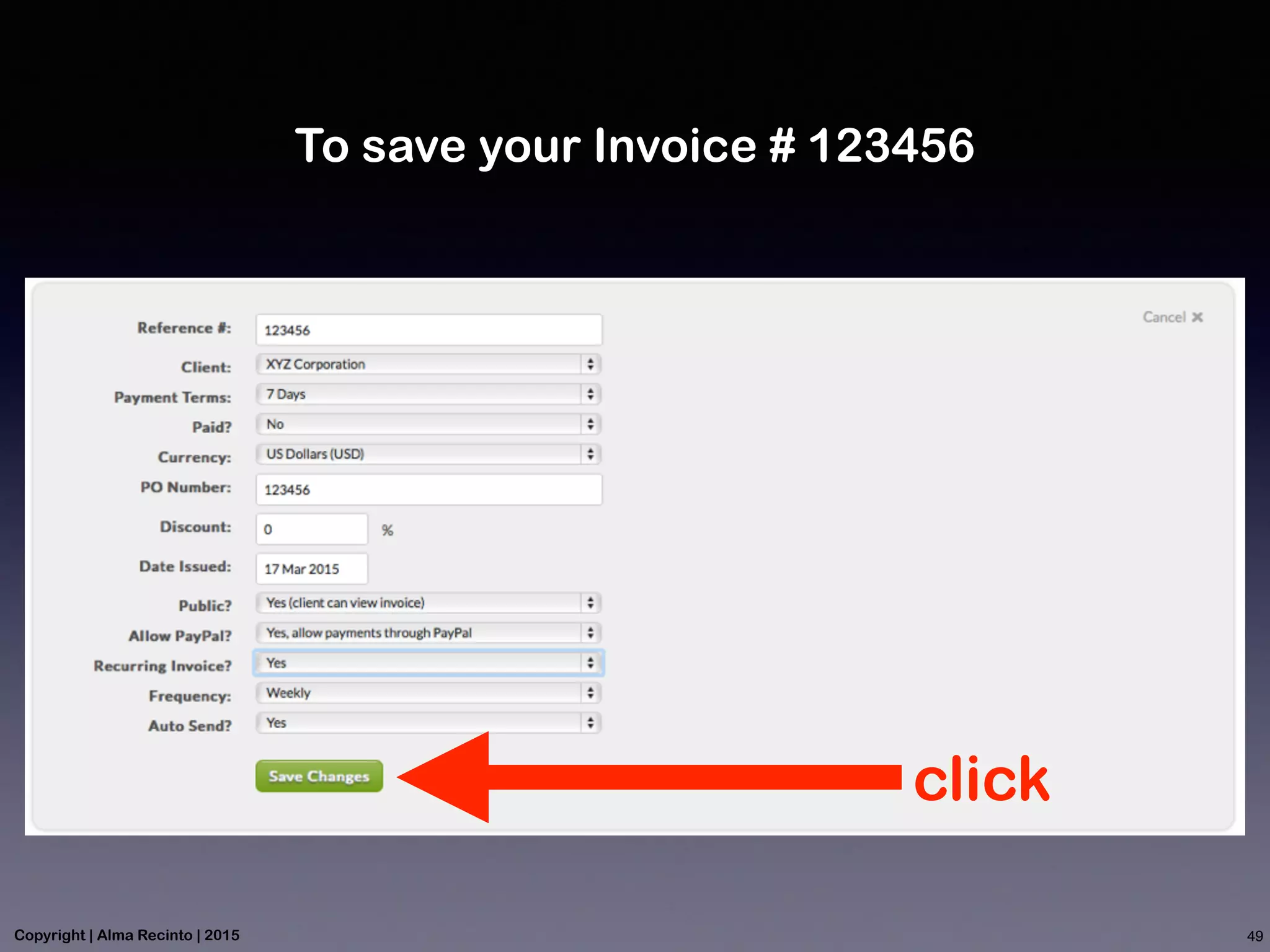
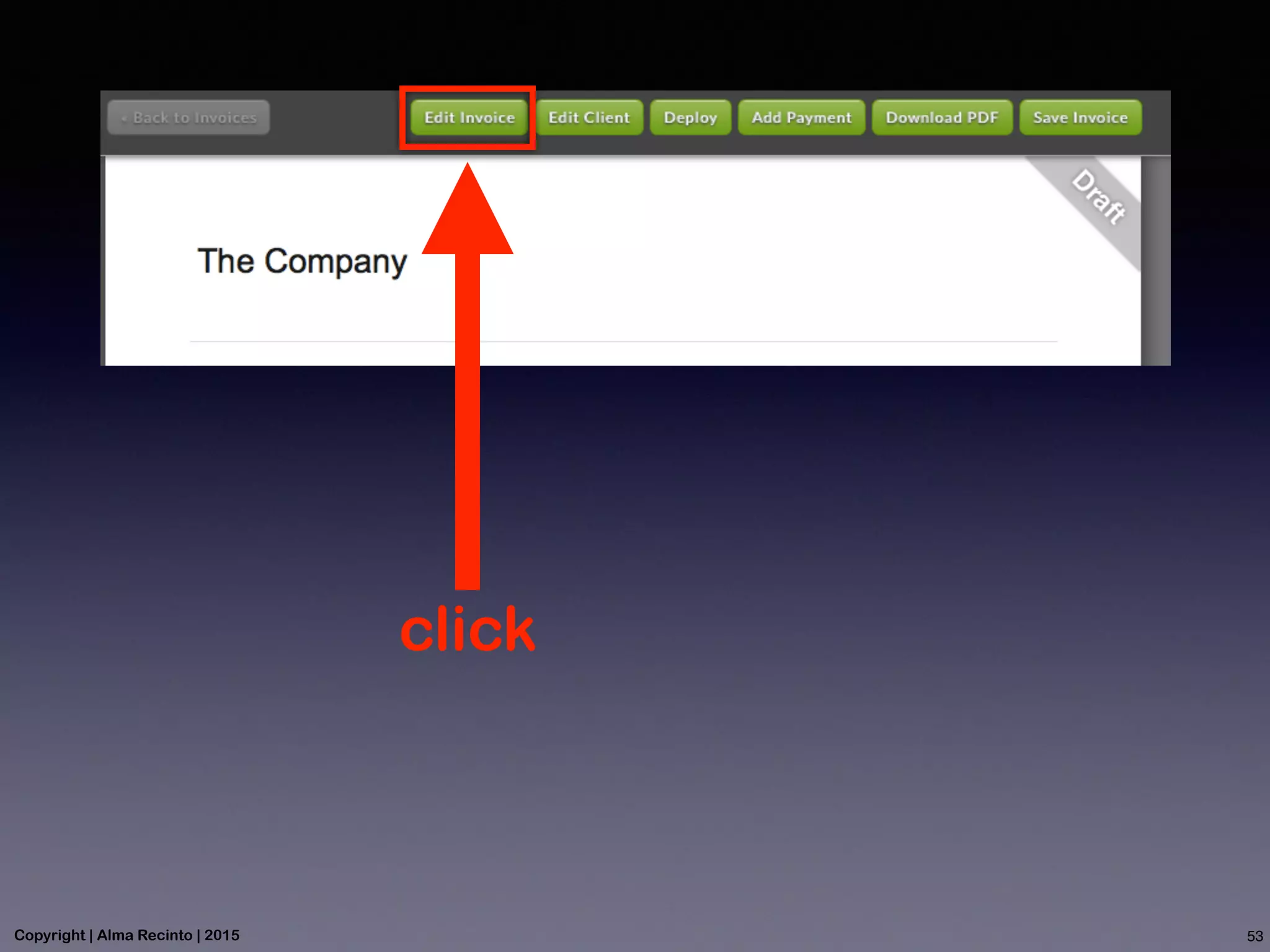
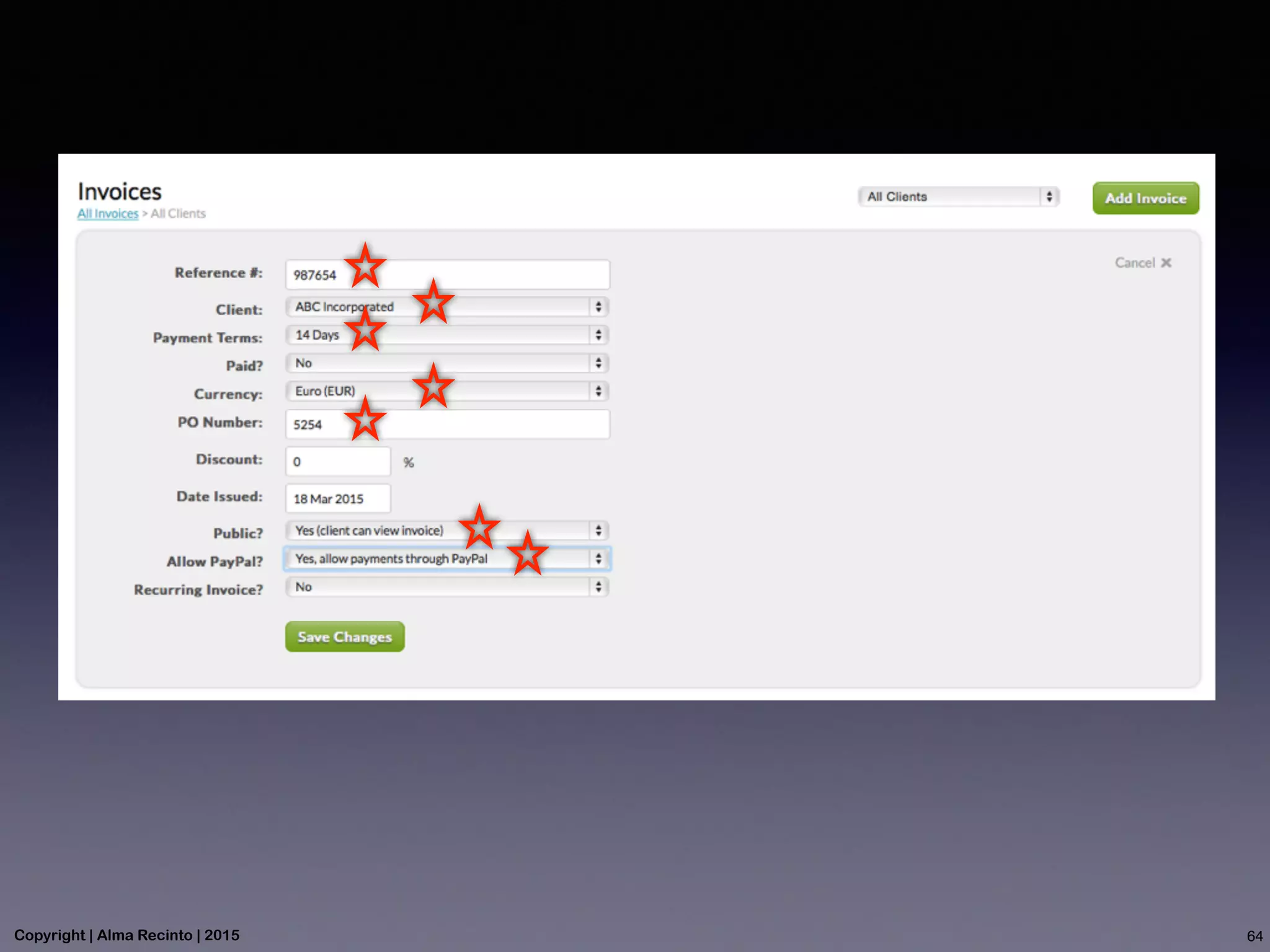
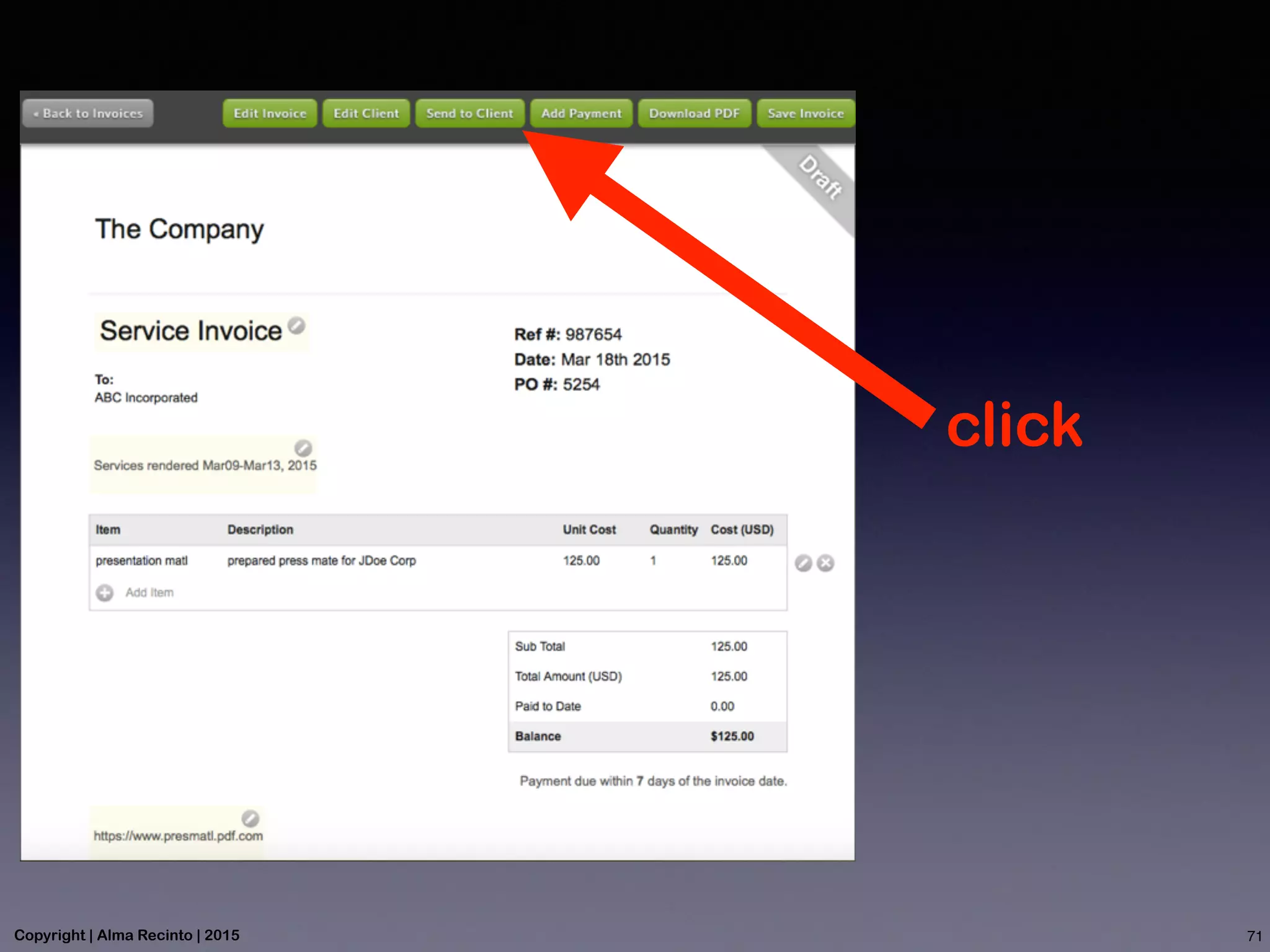
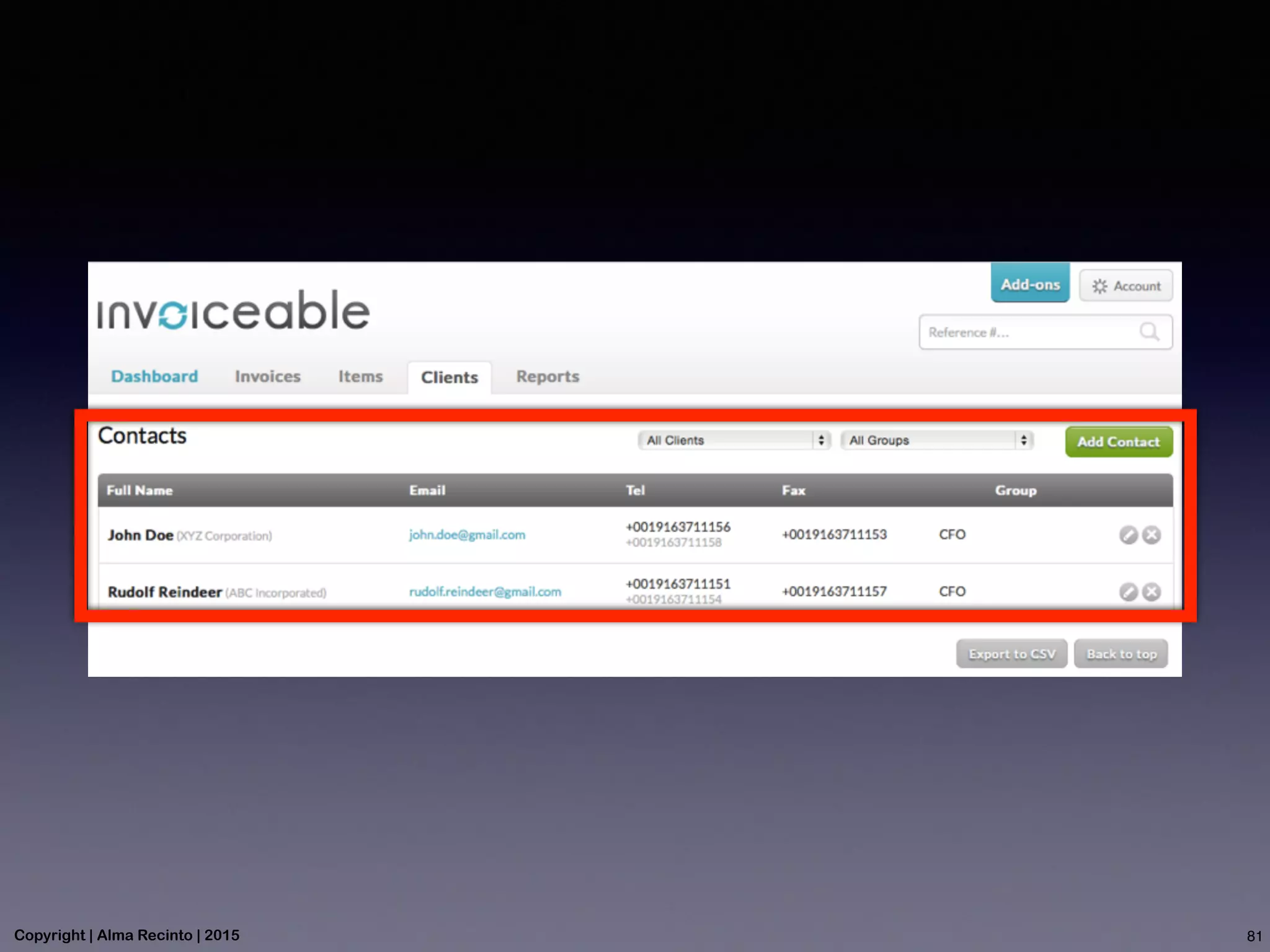
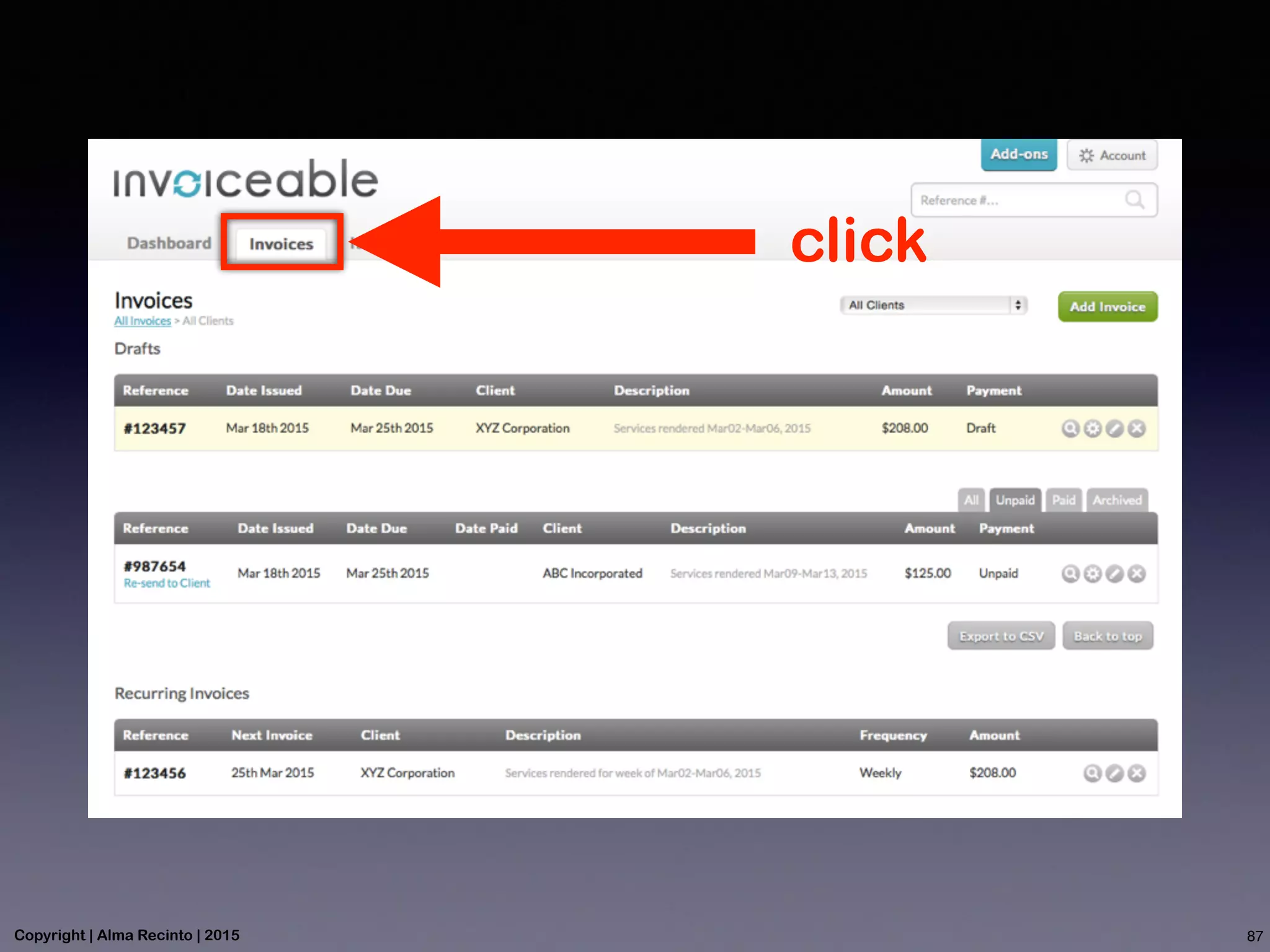
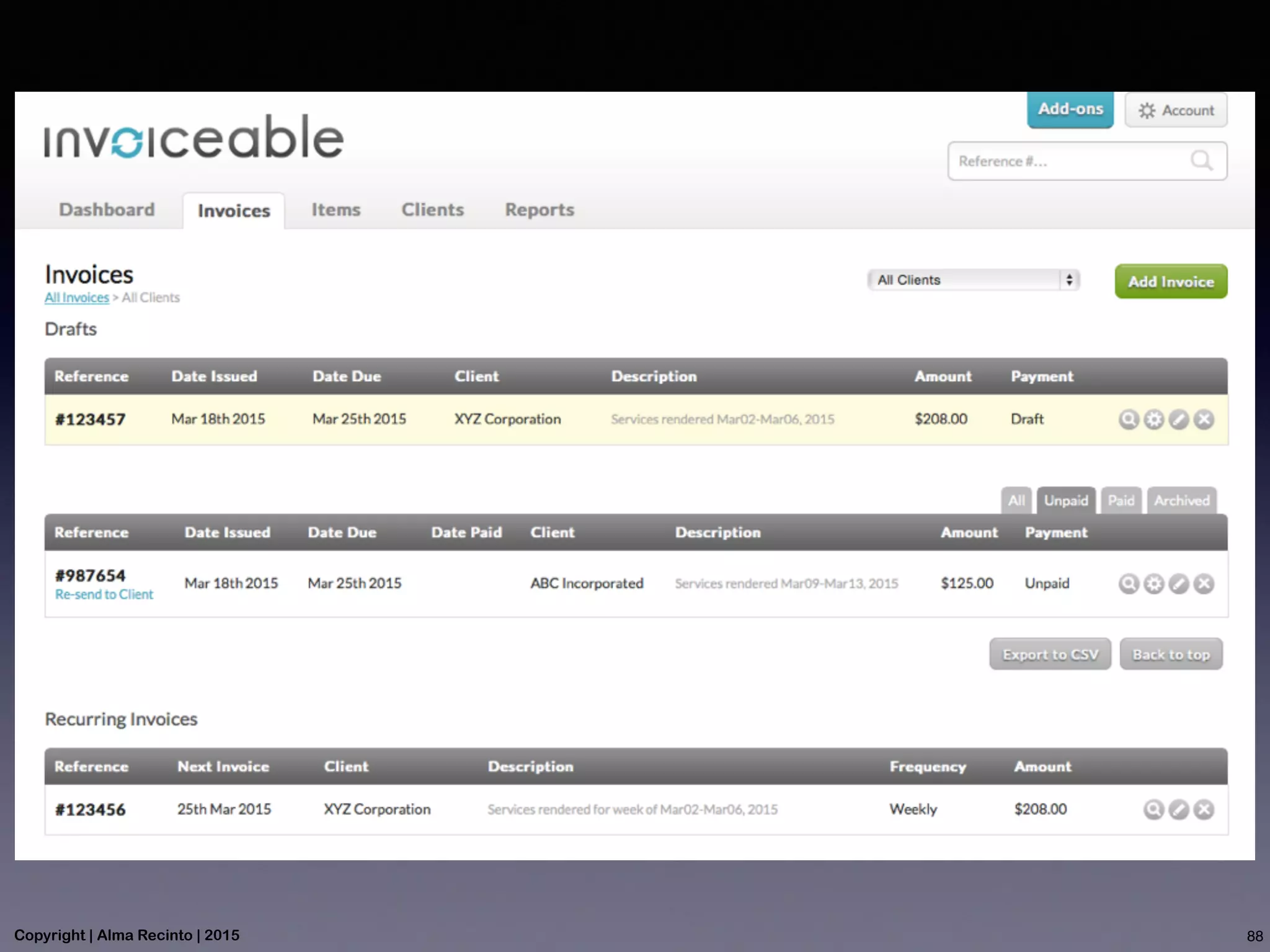
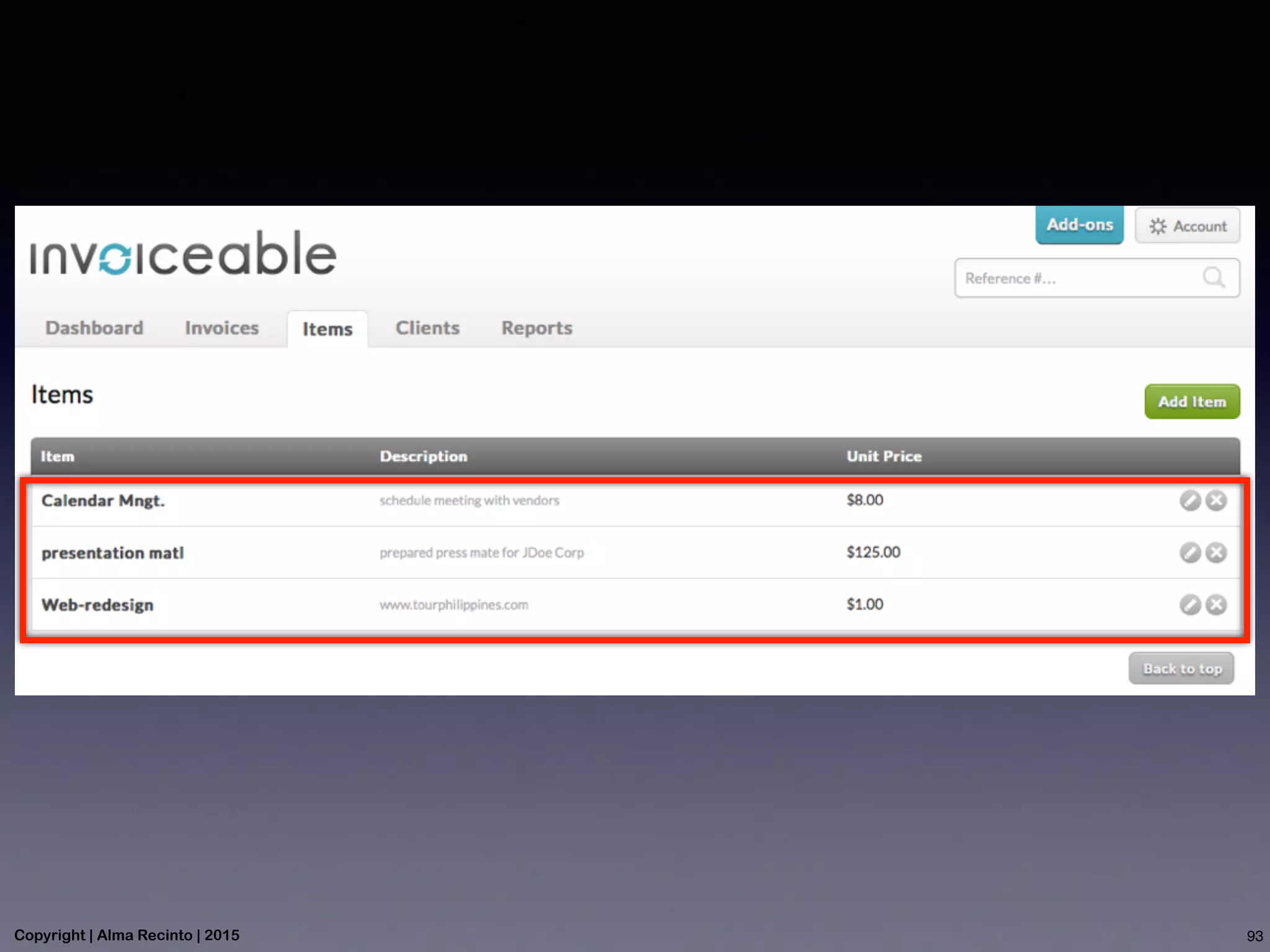
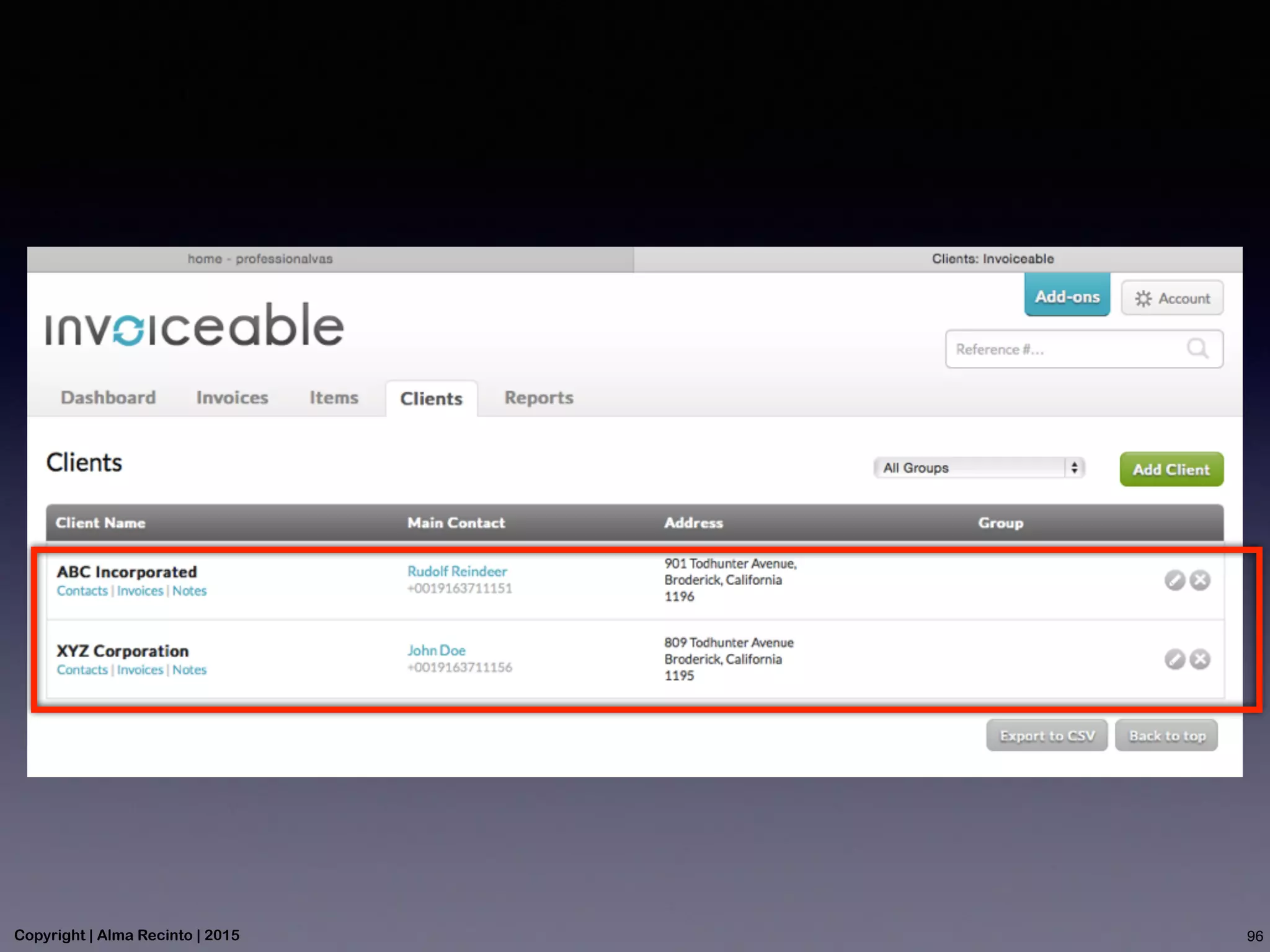
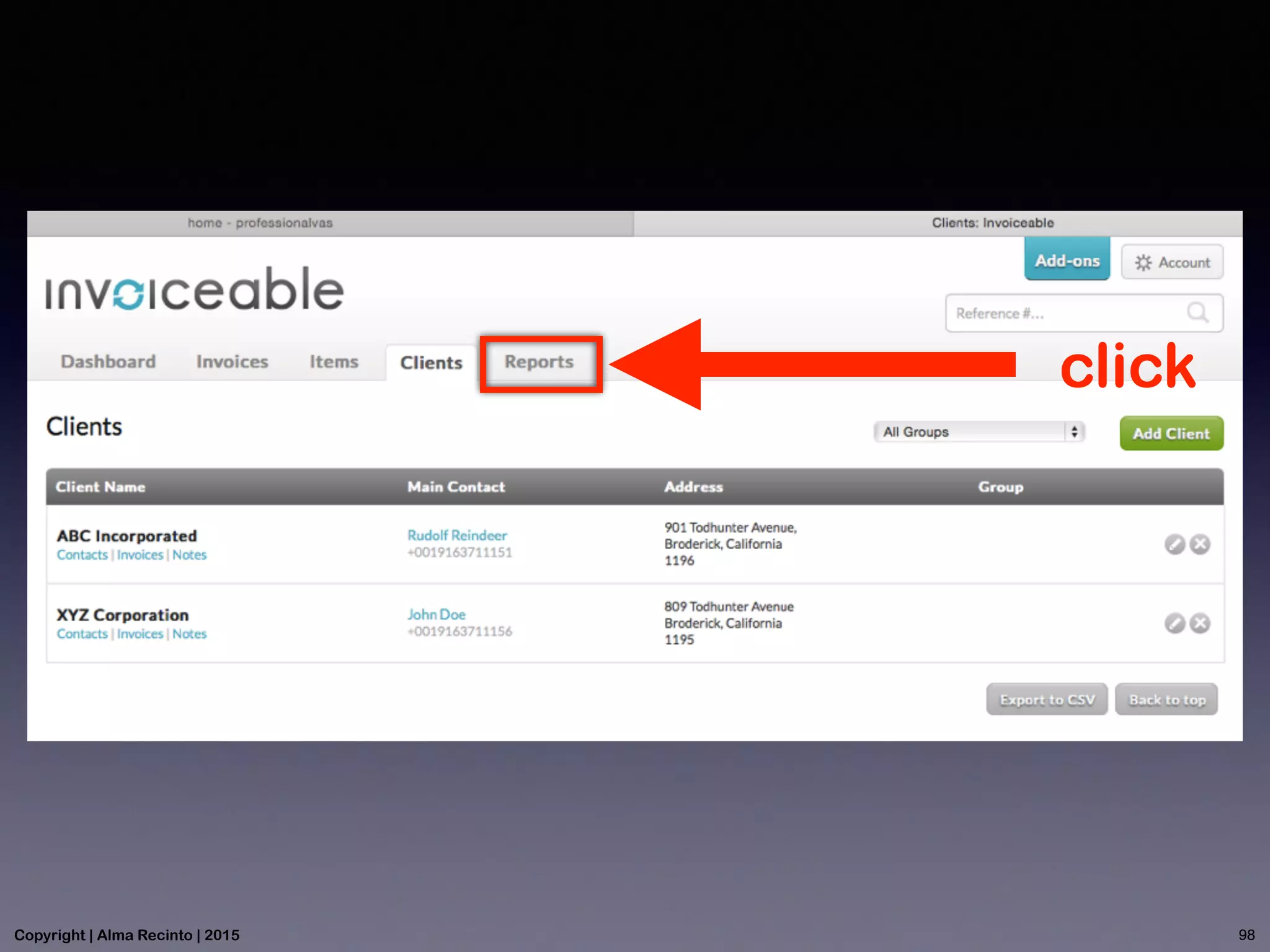
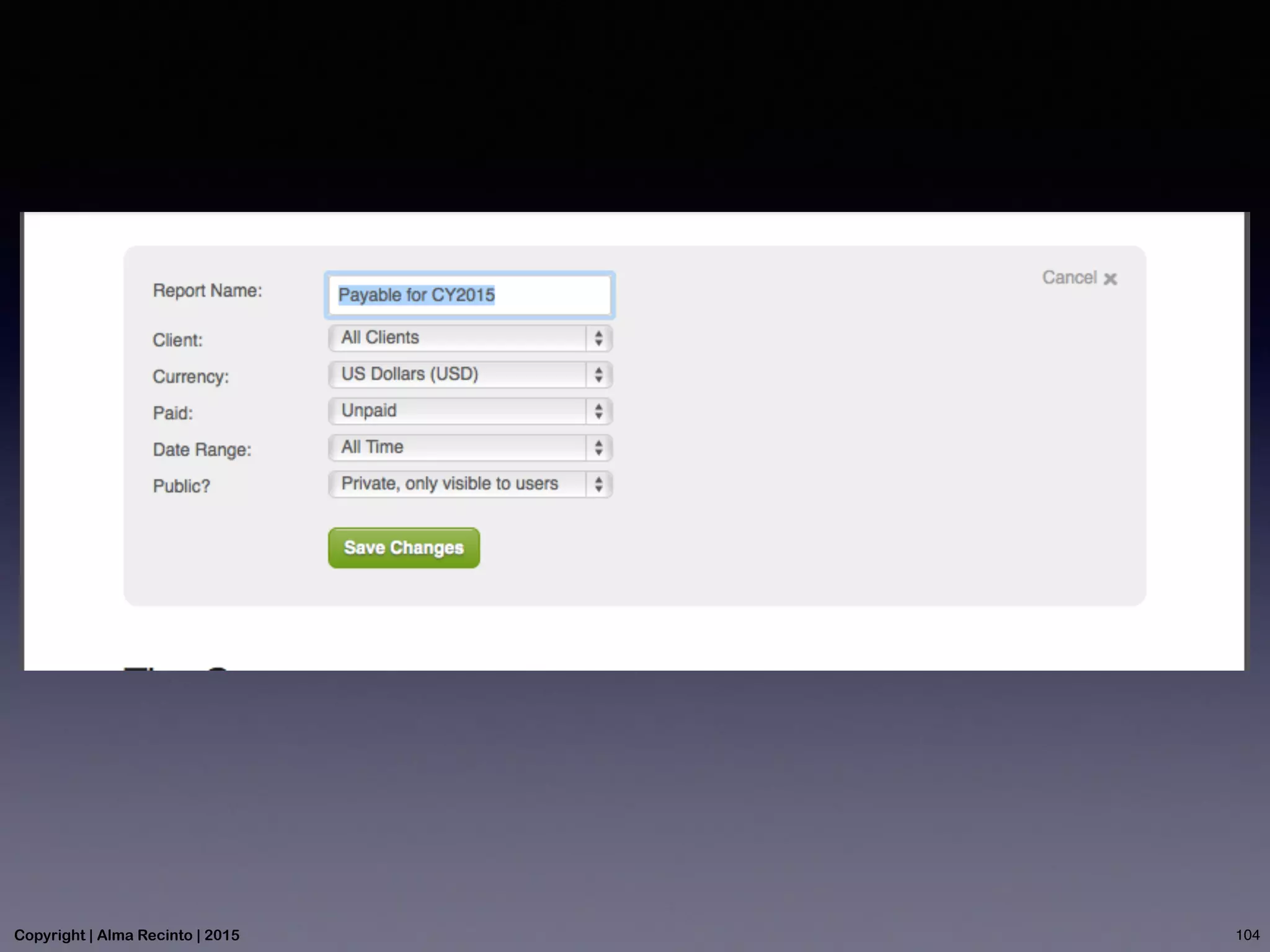
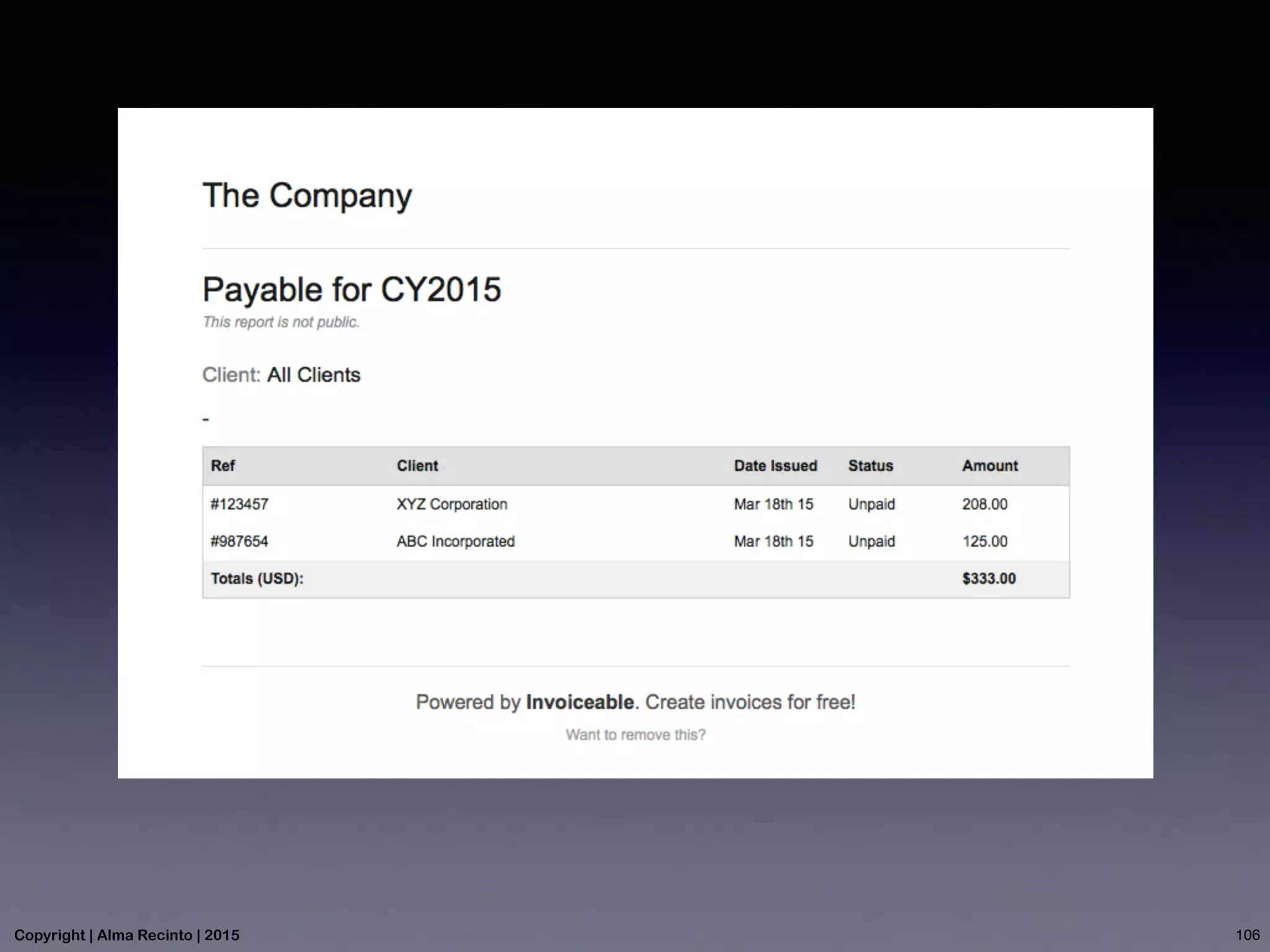
This document provides step-by-step instructions for using Invoiceable, an online invoicing tool. It describes how to sign up for an account, create and edit invoices, add client information, generate reports, and export invoices to CSV or Excel. Key steps include filling in required fields for invoices, choosing options for recurring or non-recurring invoices, and selecting fields to include in reports. The goal is to guide users through the full process of invoicing clients using Invoiceable's online features.