









- 10 Tips -
 To make your site lightning-fast!


http://gdig.de/smxspeed
                                          Stockholm, October 2012


   Bastian Grimm, Managing Partner - Grimm Digital - @basgr
About me
 Background: PHP & Java
  – Dev. CMS, shops & forums
  – Wazap! Game Search Engine
 Online Marketing since 2004
  – SEO strategy consulting, in-house
    trainings & workshops, WordPress
                                        @basgr
    SEO, bla bla…
 Links, Links, Links…need some?
 Stuff to play with…
Get the Slide-Deck


             http://gdig.de/smxspeed
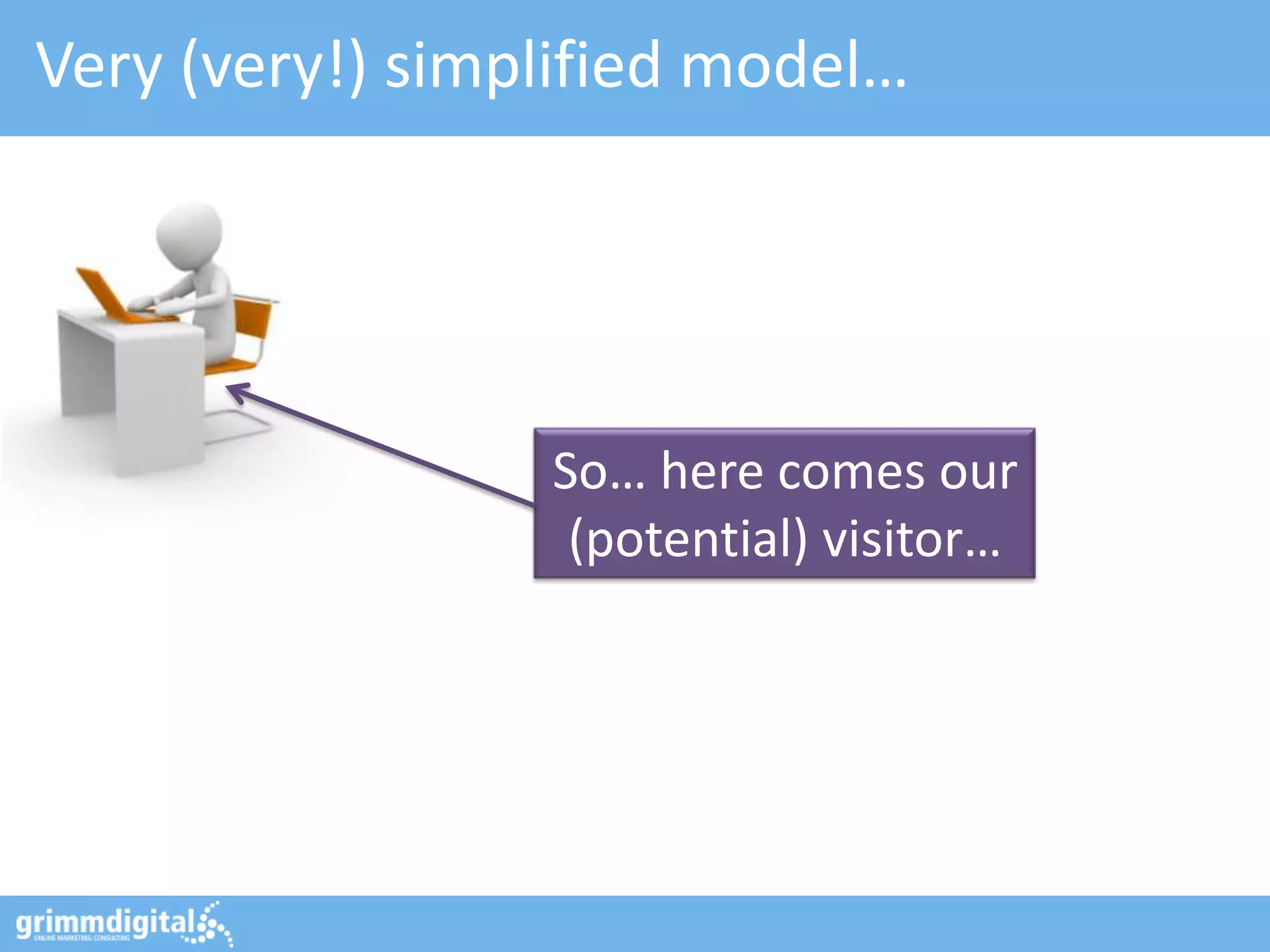
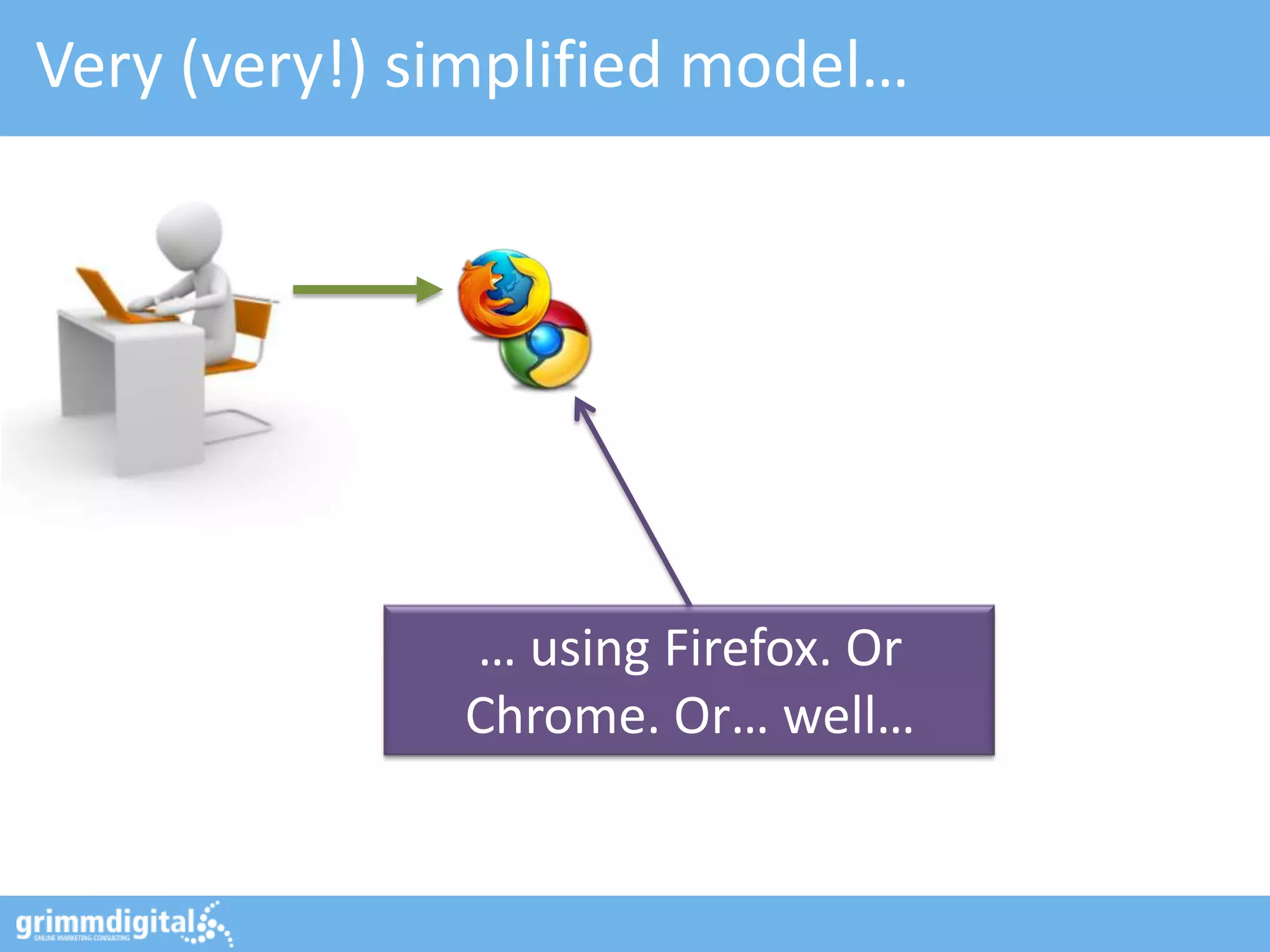
Very (very!) simplified model…


                 So… here comes our
                  (potential) visitor…
Very (very!) simplified model…


              … using Firefox. Or
              Chrome. Or… well…
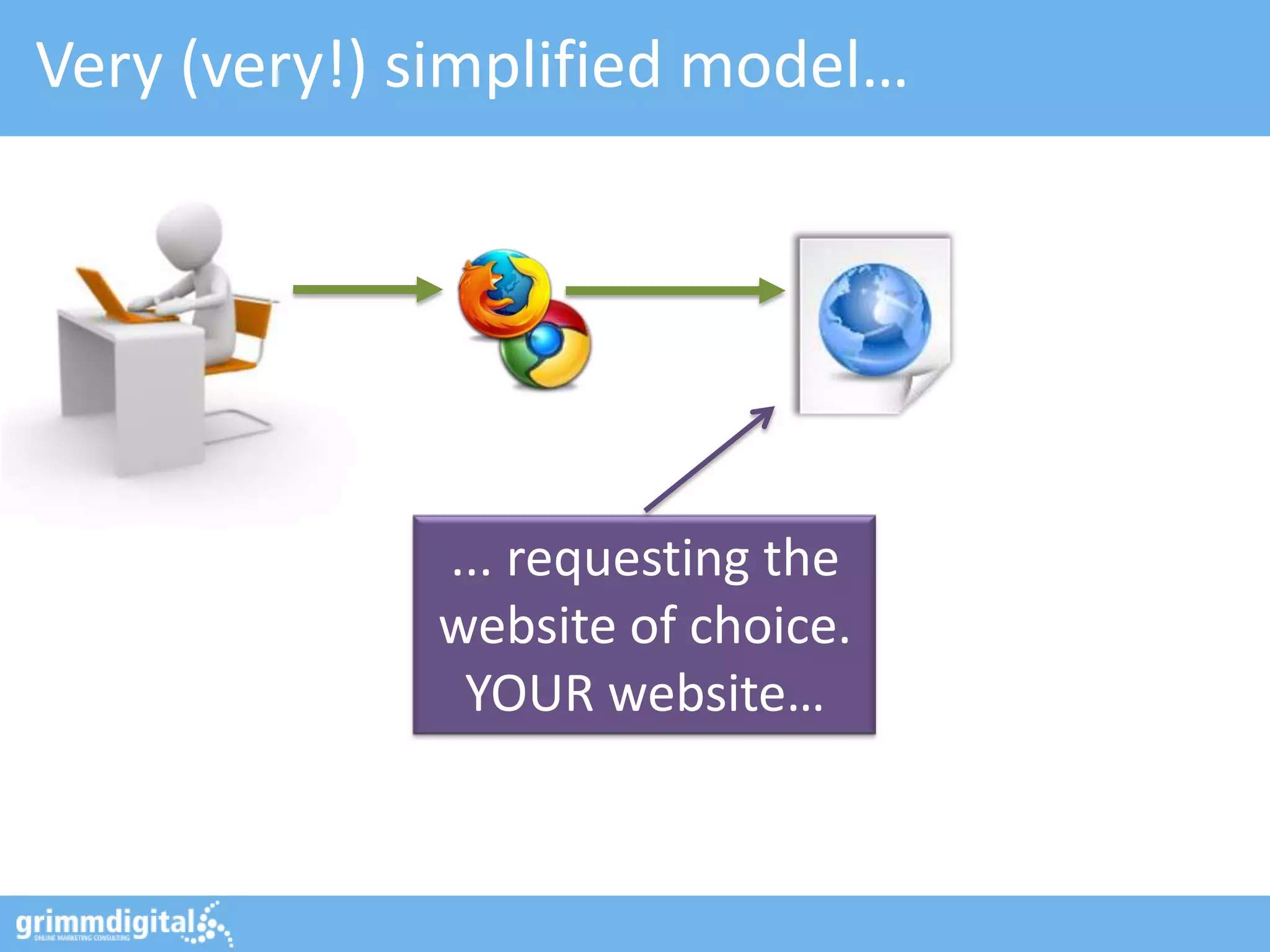
Very (very!) simplified model…


             ... requesting the
             website of choice.
              YOUR website…
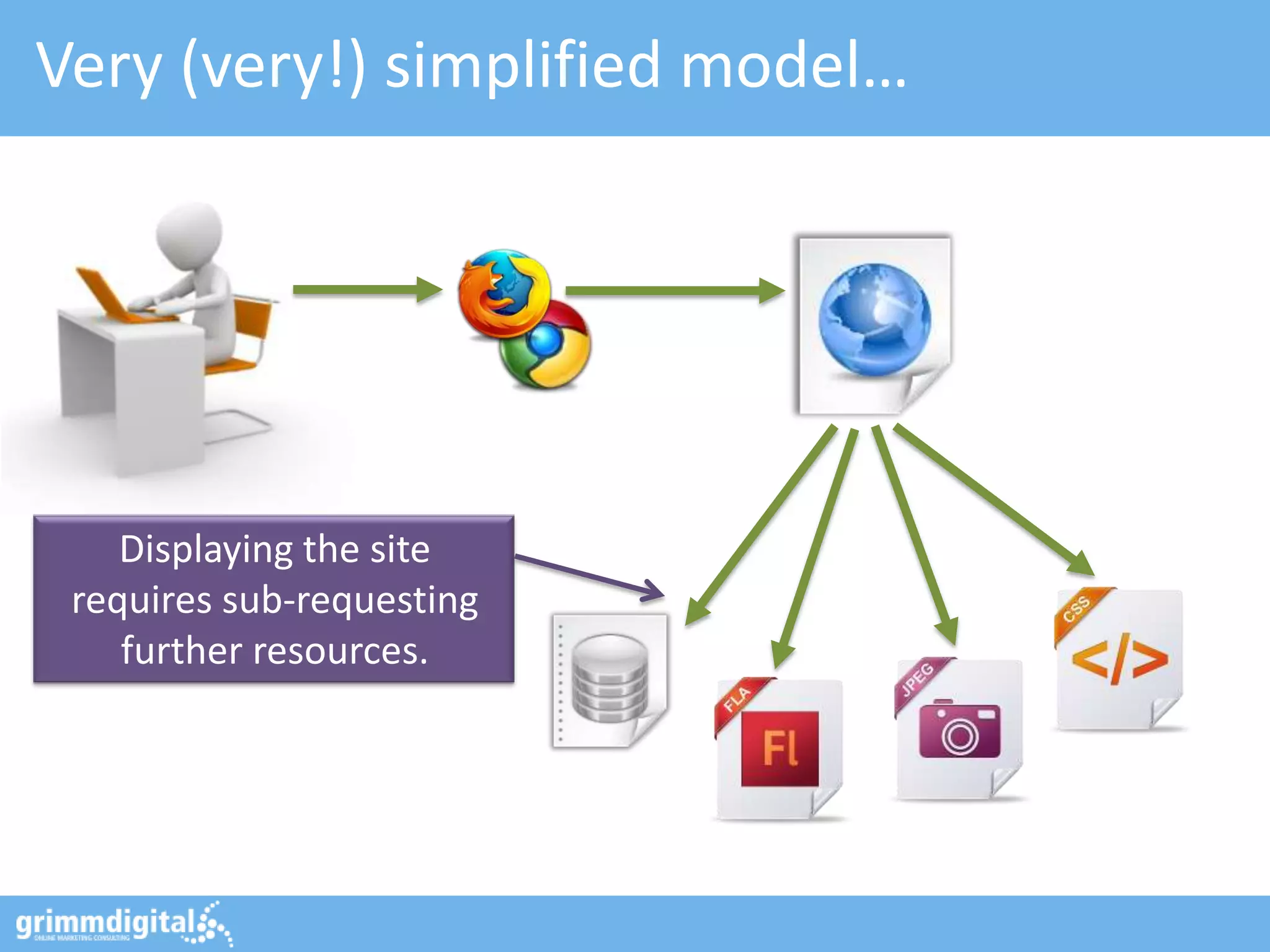
Very (very!) simplified model…


    Displaying the site
 requires sub-requesting
    further resources.
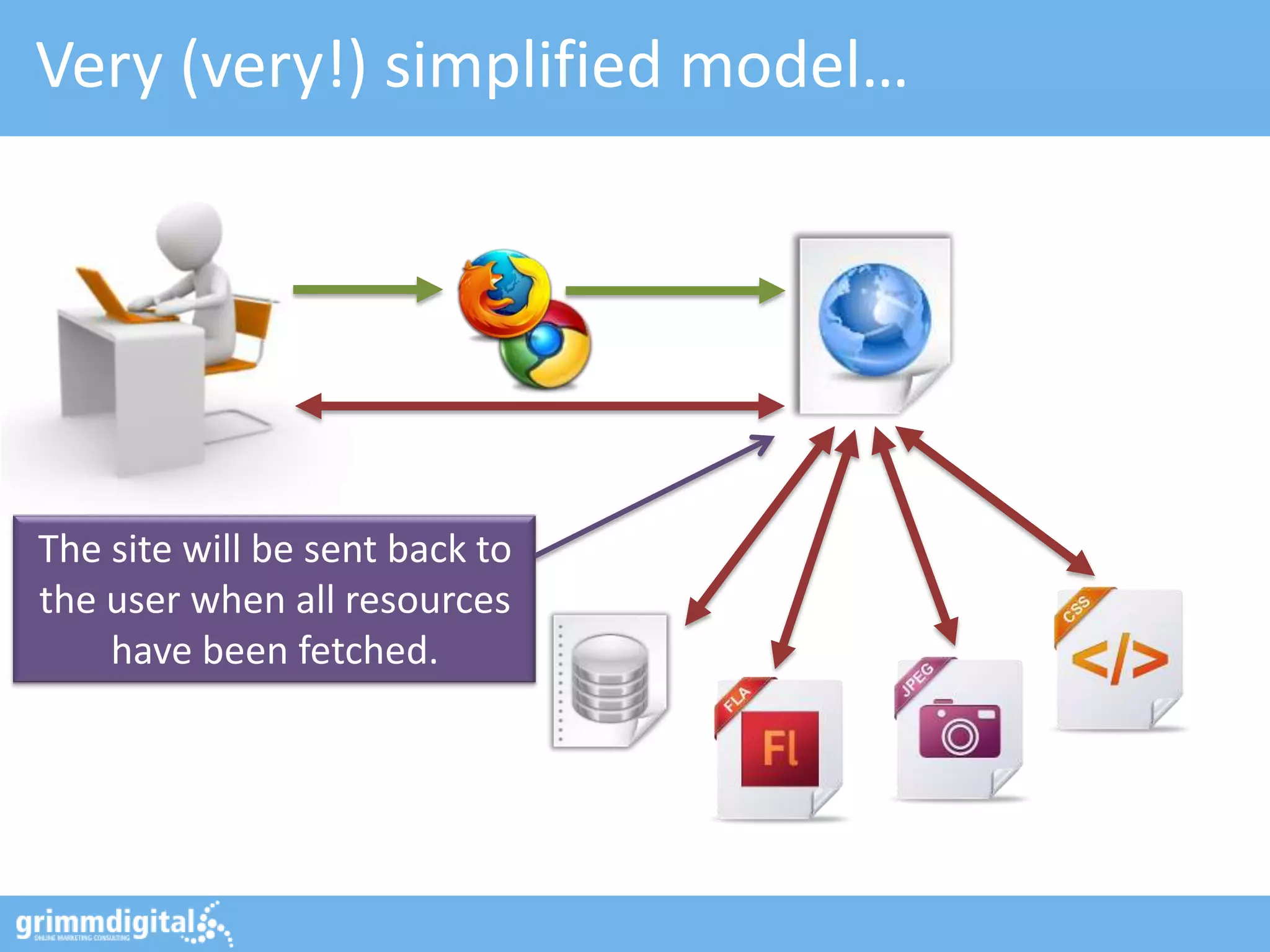
Very (very!) simplified model…


The site will be sent back to
the user when all resources
    have been fetched.
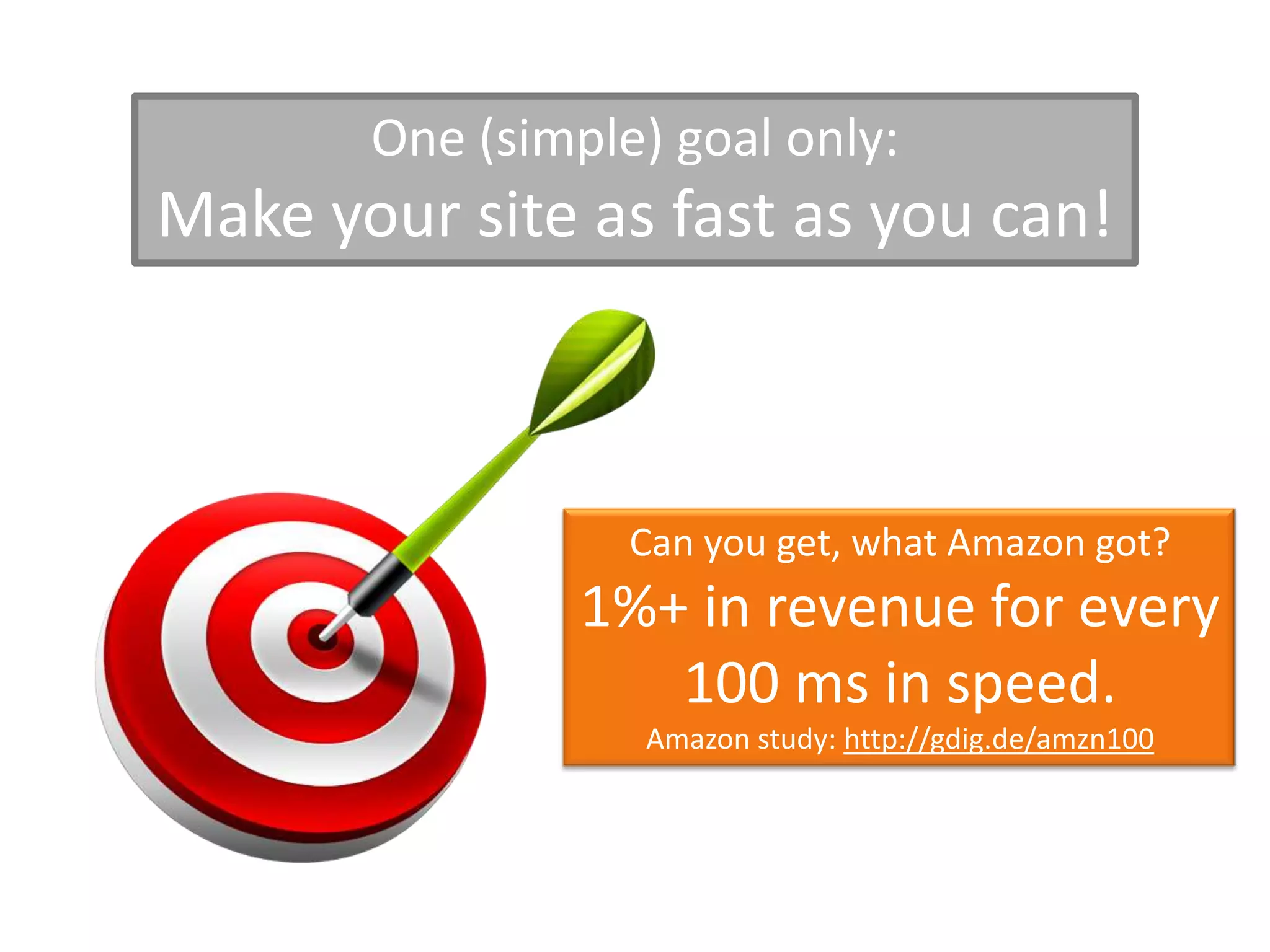
One (simple) goal only:
Make your site as fast as you can!


                  Can you get, what Amazon got?
                1%+ in revenue for every
                   100 ms in speed.
                  Amazon study: http://gdig.de/amzn100
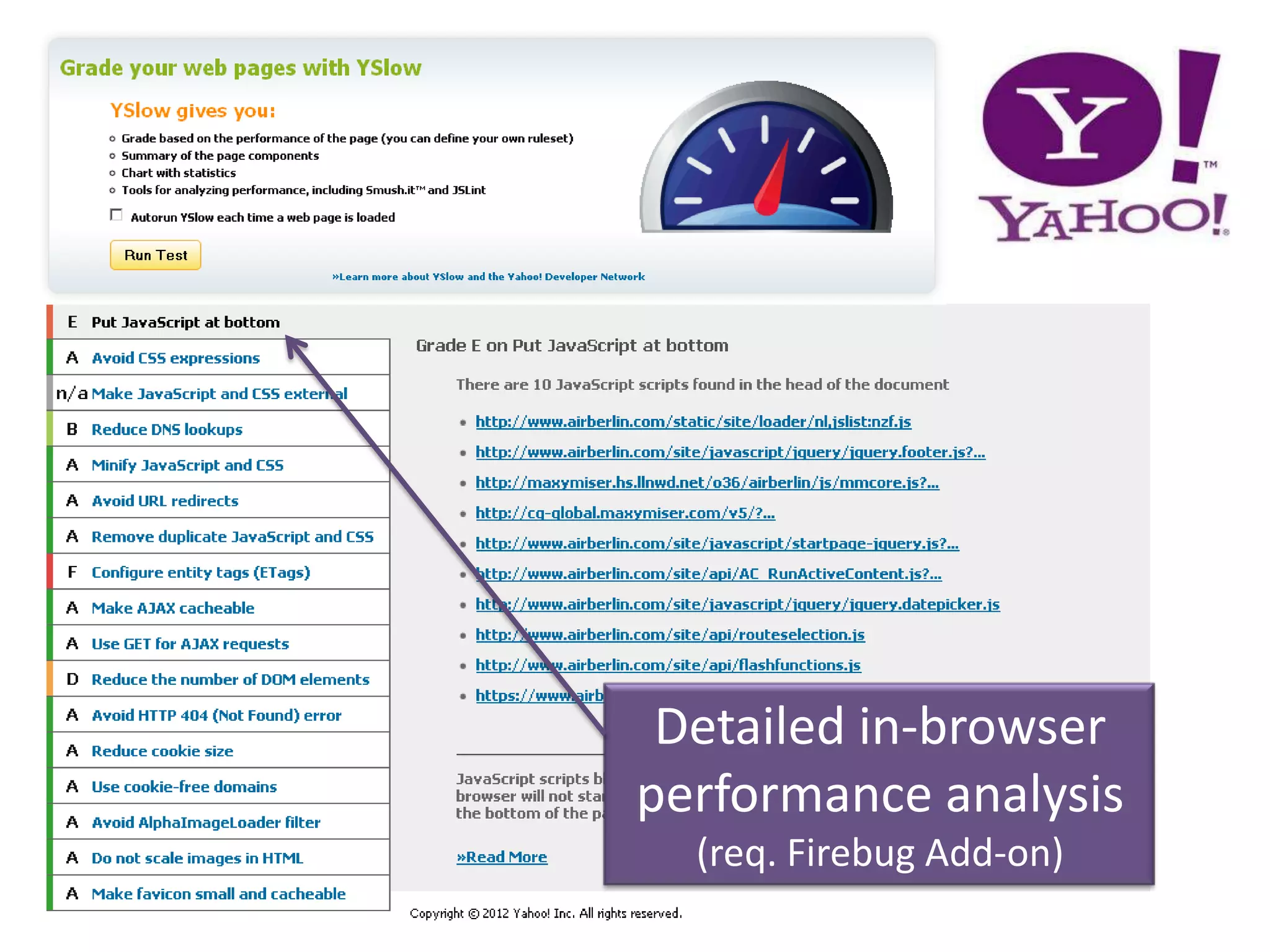
Detailed in-browser
performance analysis
  (req. Firebug Add-on)
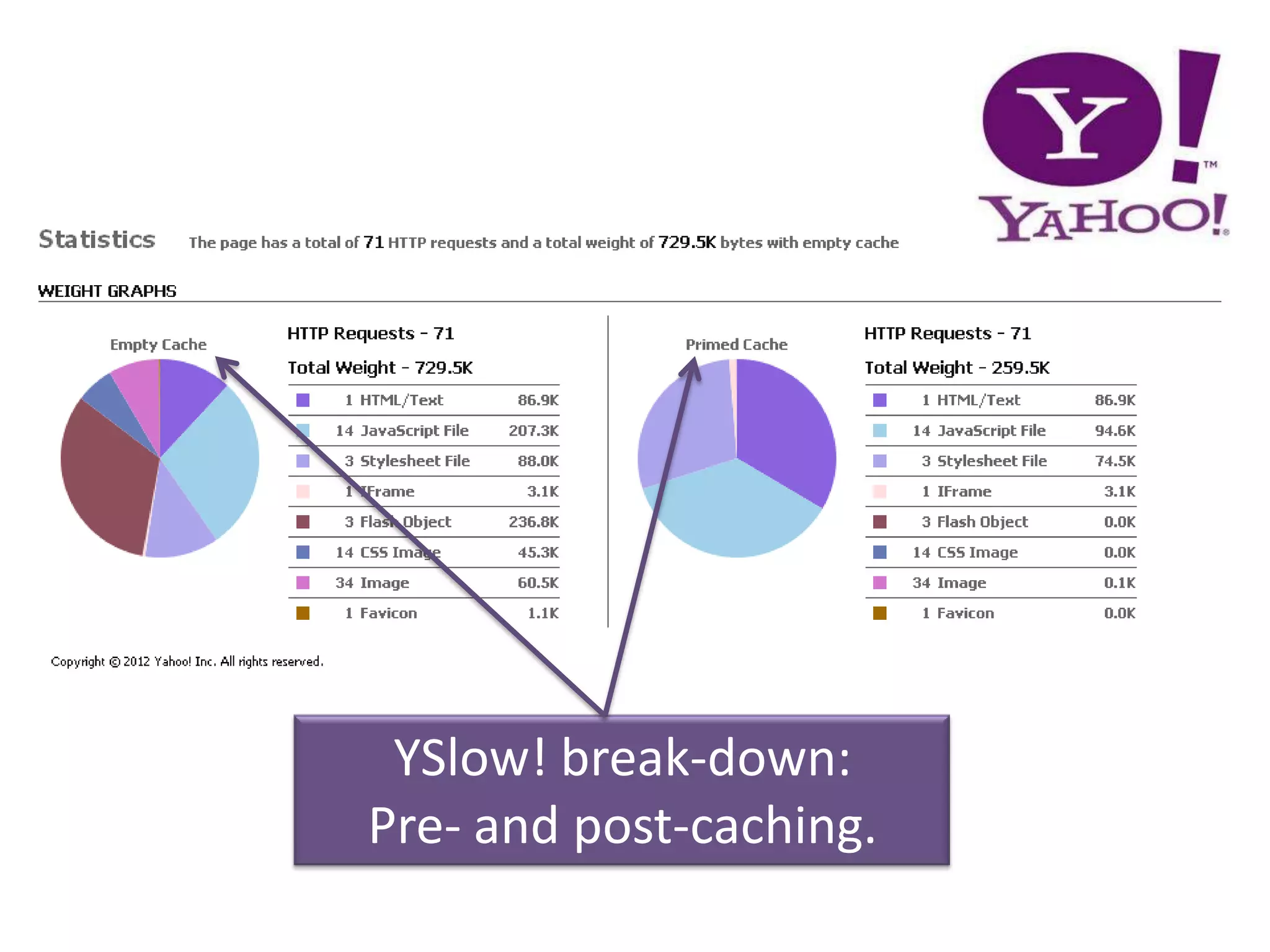
YSlow! break-down:
Pre- and post-caching.
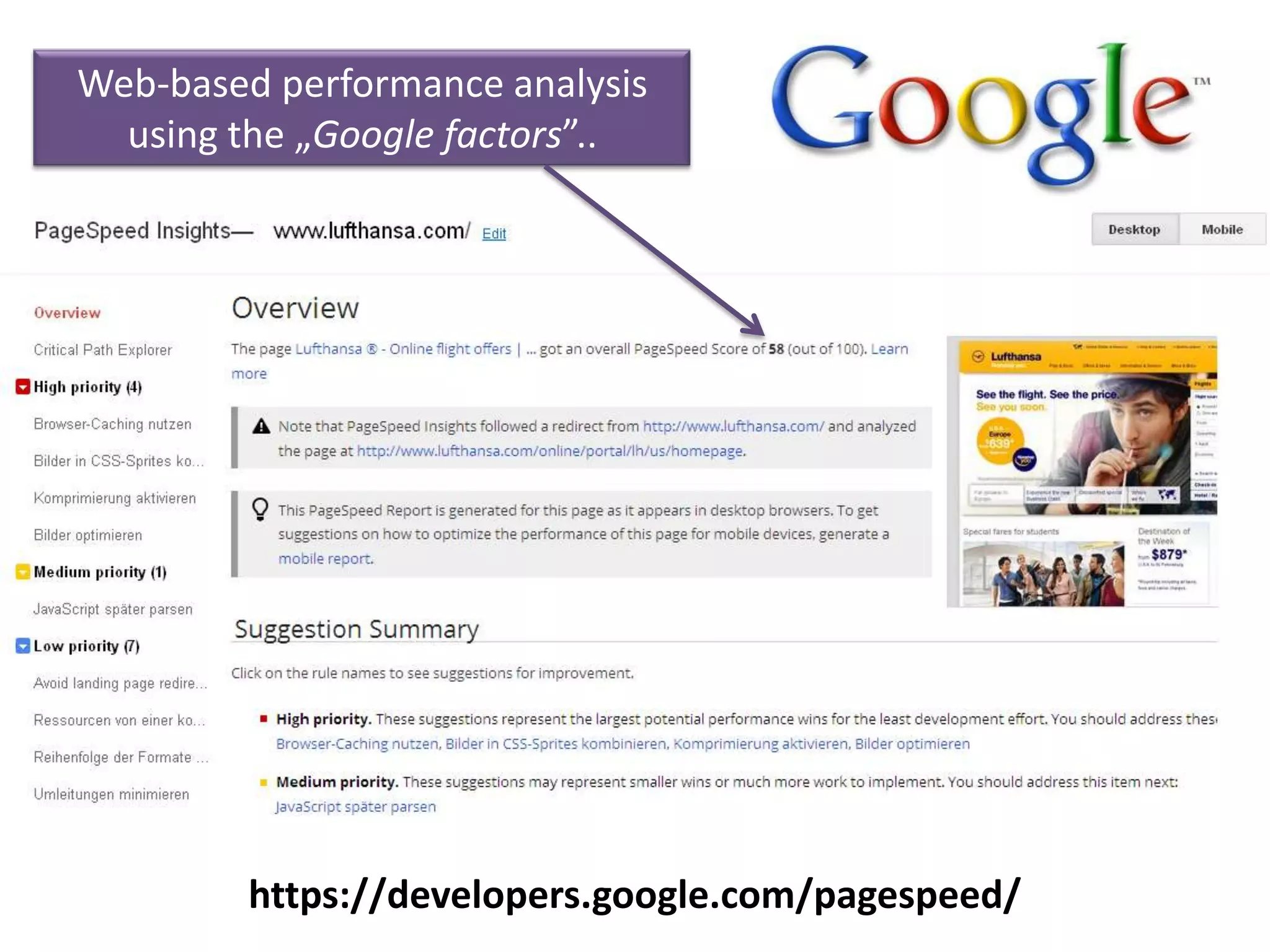
Web-based performance analysis
  using the „Google factors”..


         https://developers.google.com/pagespeed/
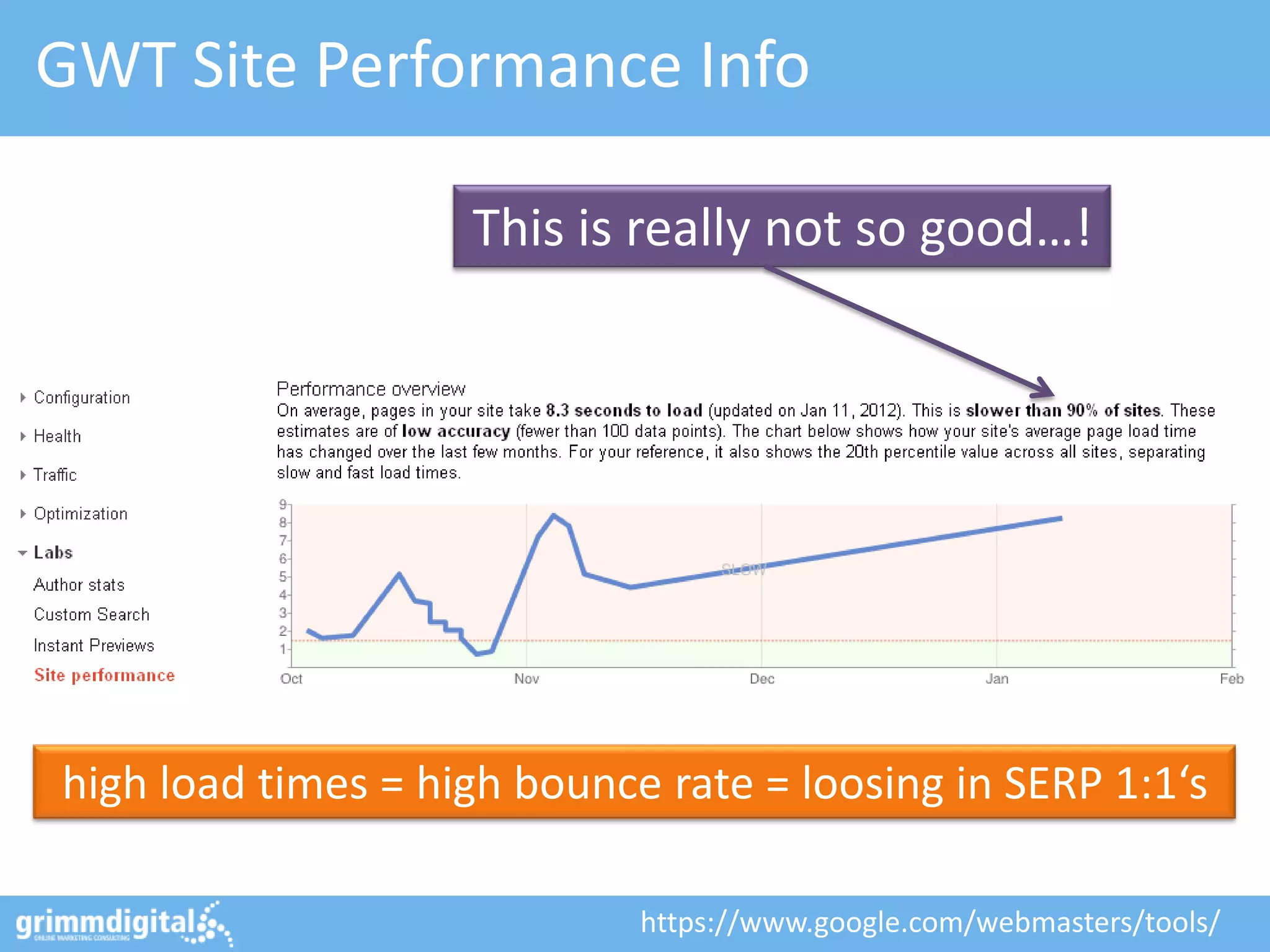
GWT Site Performance Info

                    This is really not so good…!


high load times = high bounce rate = loosing in SERP 1:1‘s

                             https://www.google.com/webmasters/tools/
#1: Reduce amount of requests
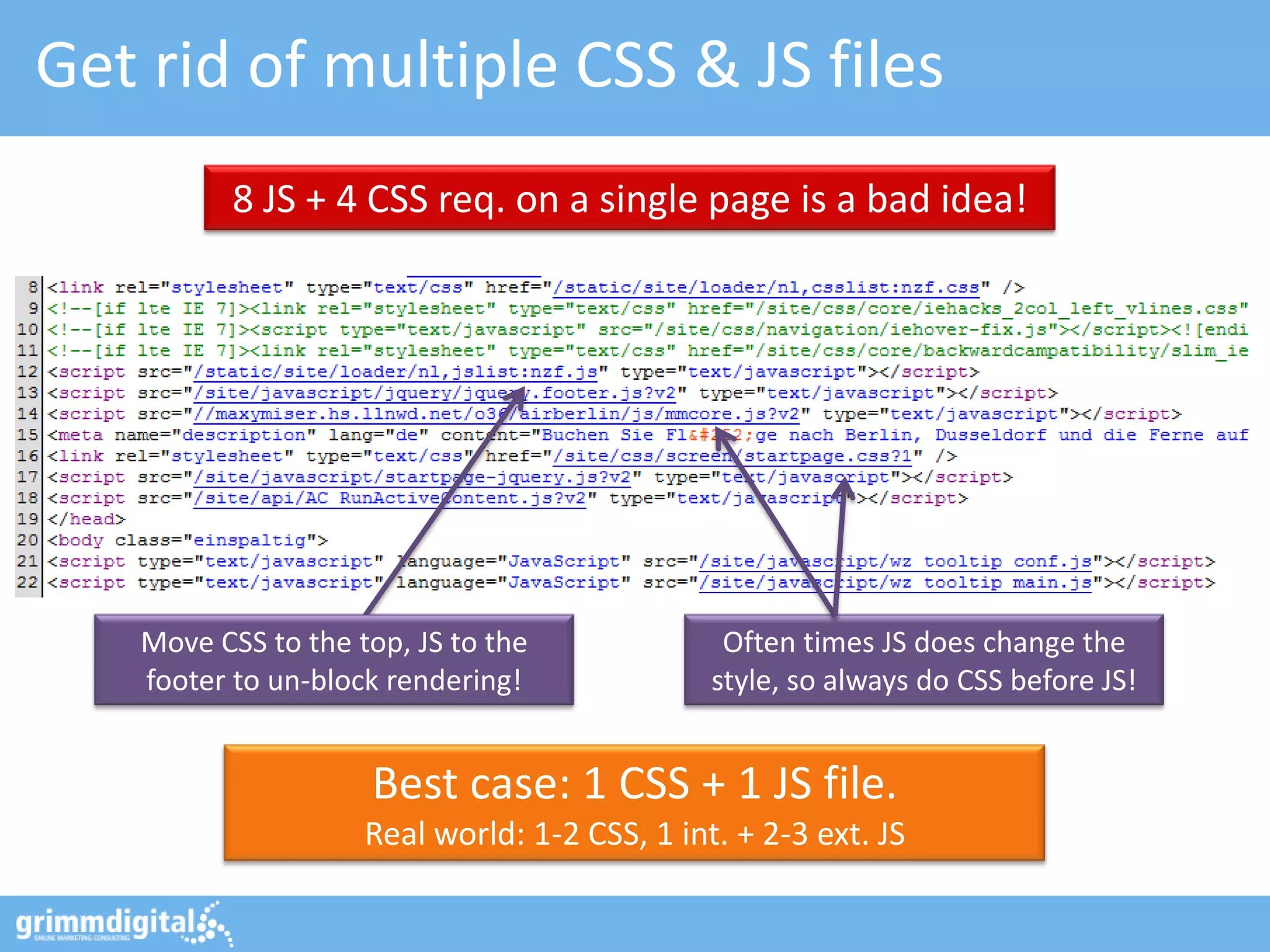
Get rid of multiple CSS & JS files
          8 JS + 4 CSS req. on a single page is a bad idea!


   Move CSS to the top, JS to the              Often times JS does change the
   footer to un-block rendering!              style, so always do CSS before JS!


                    Best case: 1 CSS + 1 JS file.
                    Real world: 1-2 CSS, 1 int. + 2-3 ext. JS
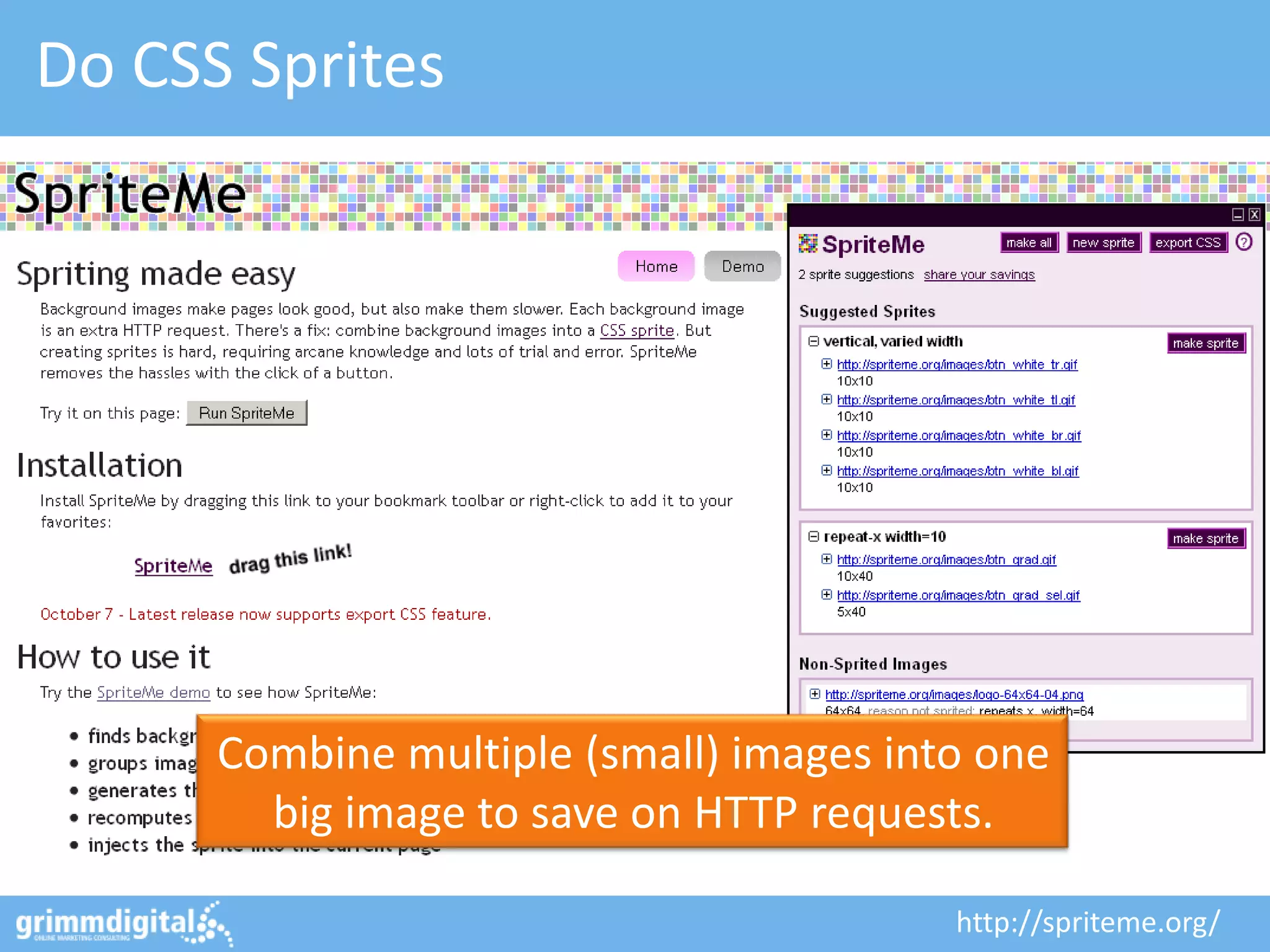
Do CSS Sprites


      Combine multiple (small) images into one
        big image to save on HTTP requests.

                                         http://spriteme.org/
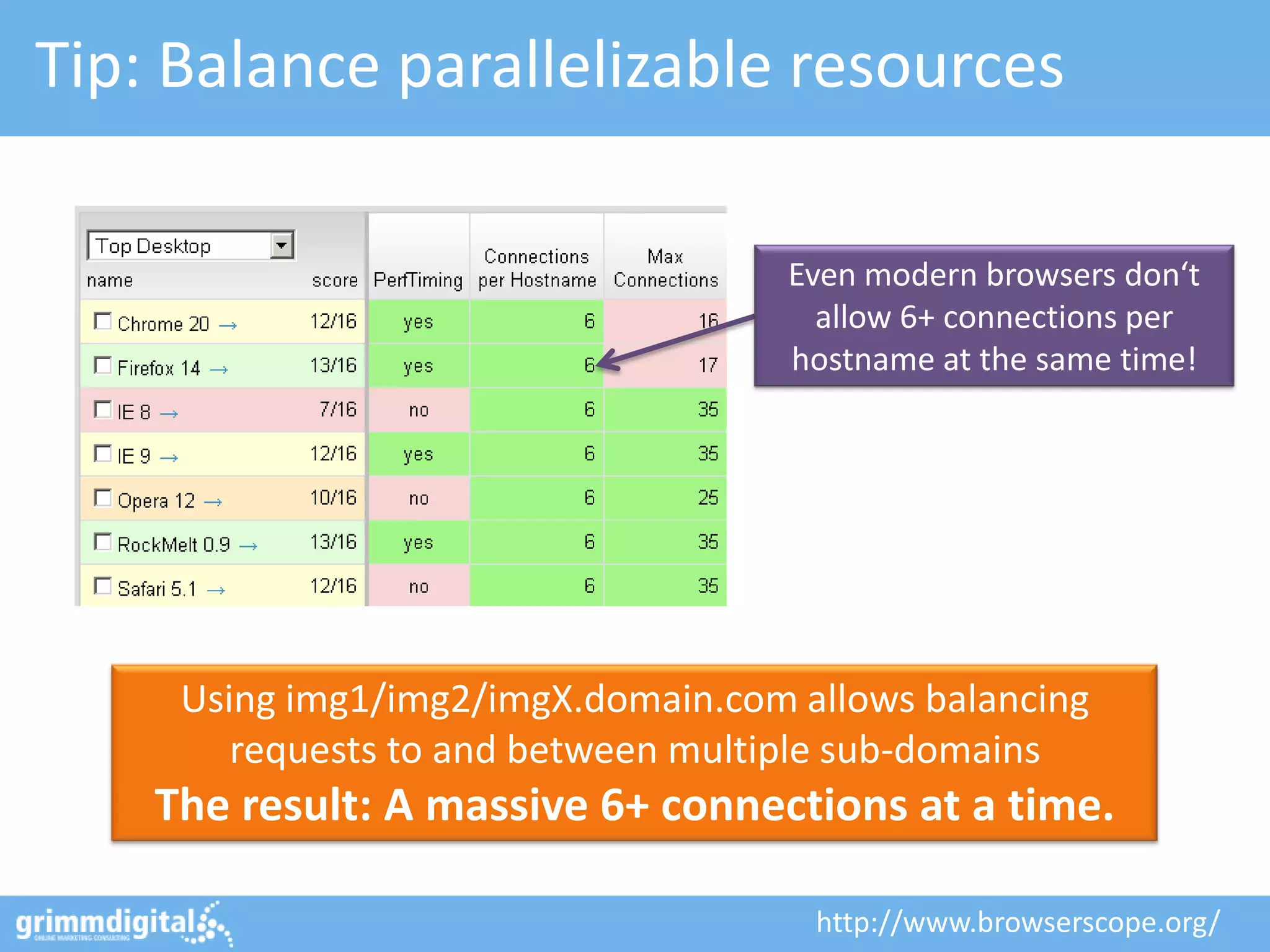
Tip: Balance parallelizable resources

                                     Even modern browsers don‘t
                                       allow 6+ connections per
                                     hostname at the same time!


     Using img1/img2/imgX.domain.com allows balancing
        requests to and between multiple sub-domains
    The result: A massive 6+ connections at a time.

                                      http://www.browserscope.org/
#2: Decrease size of request(s)
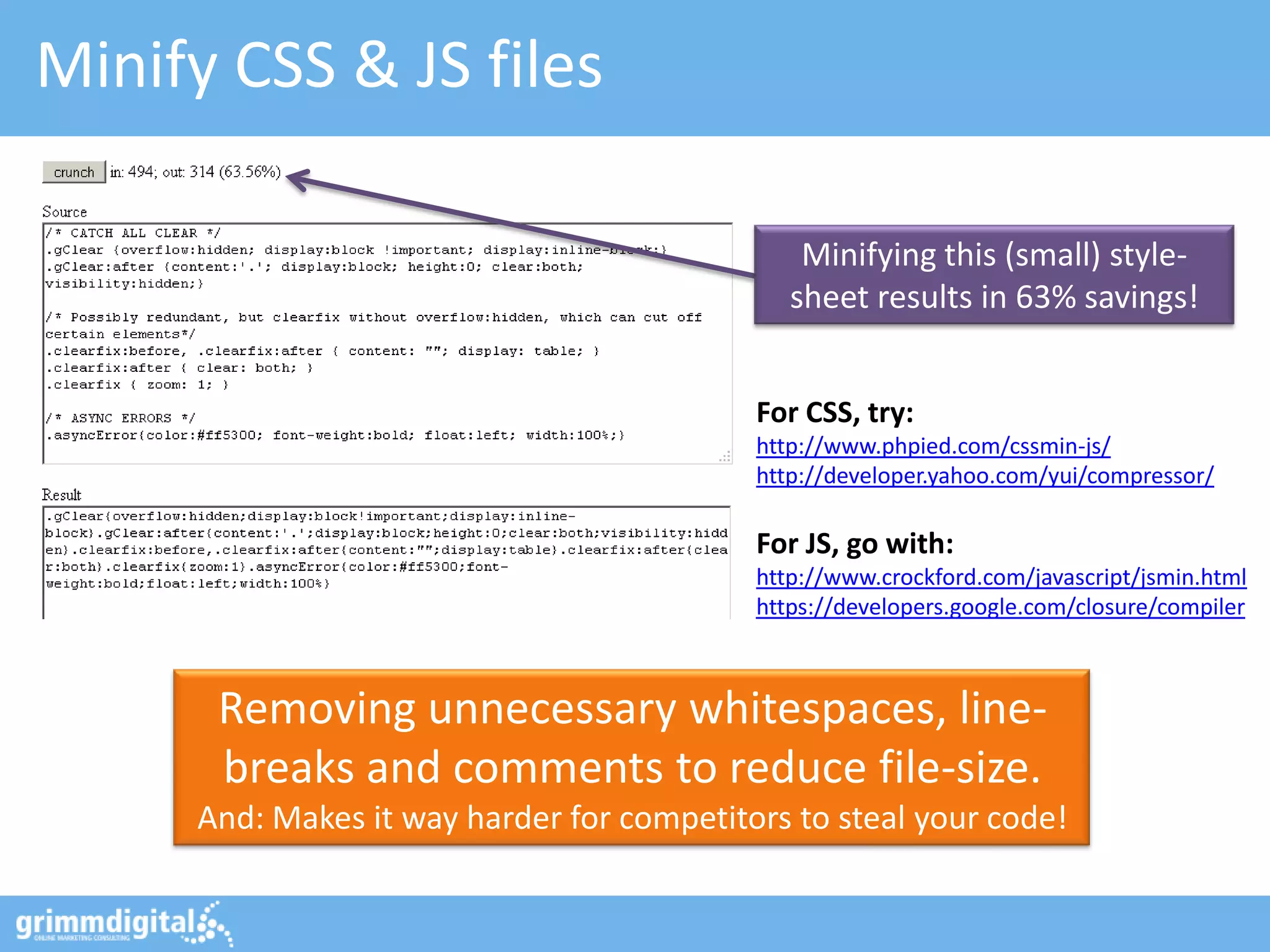
Minify CSS & JS files

                                               Minifying this (small) style-
                                              sheet results in 63% savings!


                                           For CSS, try:
                                           http://www.phpied.com/cssmin-js/
                                           http://developer.yahoo.com/yui/compressor/

                                           For JS, go with:
                                           http://www.crockford.com/javascript/jsmin.html
                                           https://developers.google.com/closure/compiler


      Removing unnecessary whitespaces, line-
      breaks and comments to reduce file-size.
     And: Makes it way harder for competitors to steal your code!
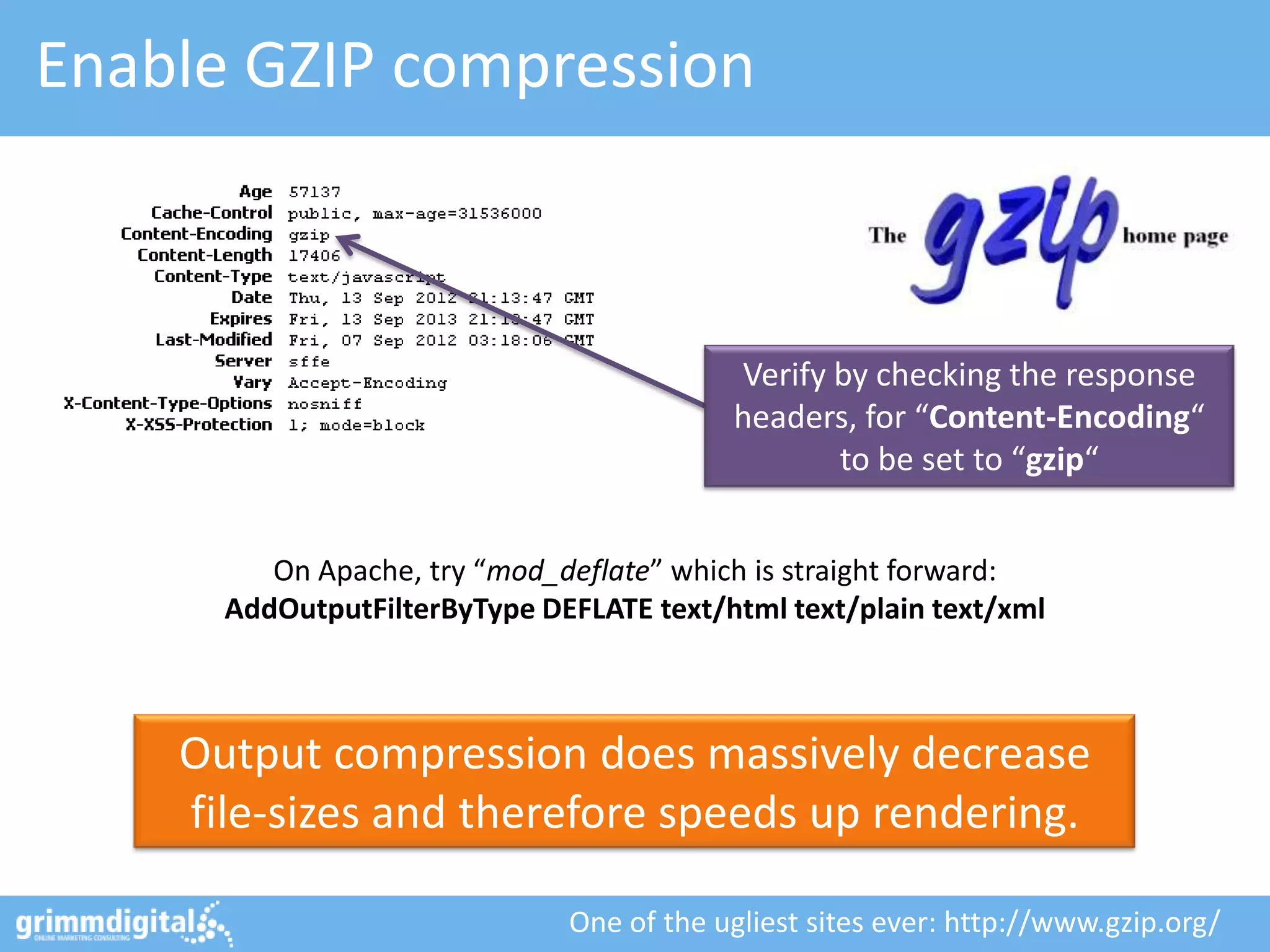
Enable GZIP compression


                                          Verify by checking the response
                                          headers, for “Content-Encoding“
                                                 to be set to “gzip“


         On Apache, try “mod_deflate” which is straight forward:
      AddOutputFilterByType DEFLATE text/html text/plain text/xml


    Output compression does massively decrease
    file-sizes and therefore speeds up rendering.

                              One of the ugliest sites ever: http://www.gzip.org/
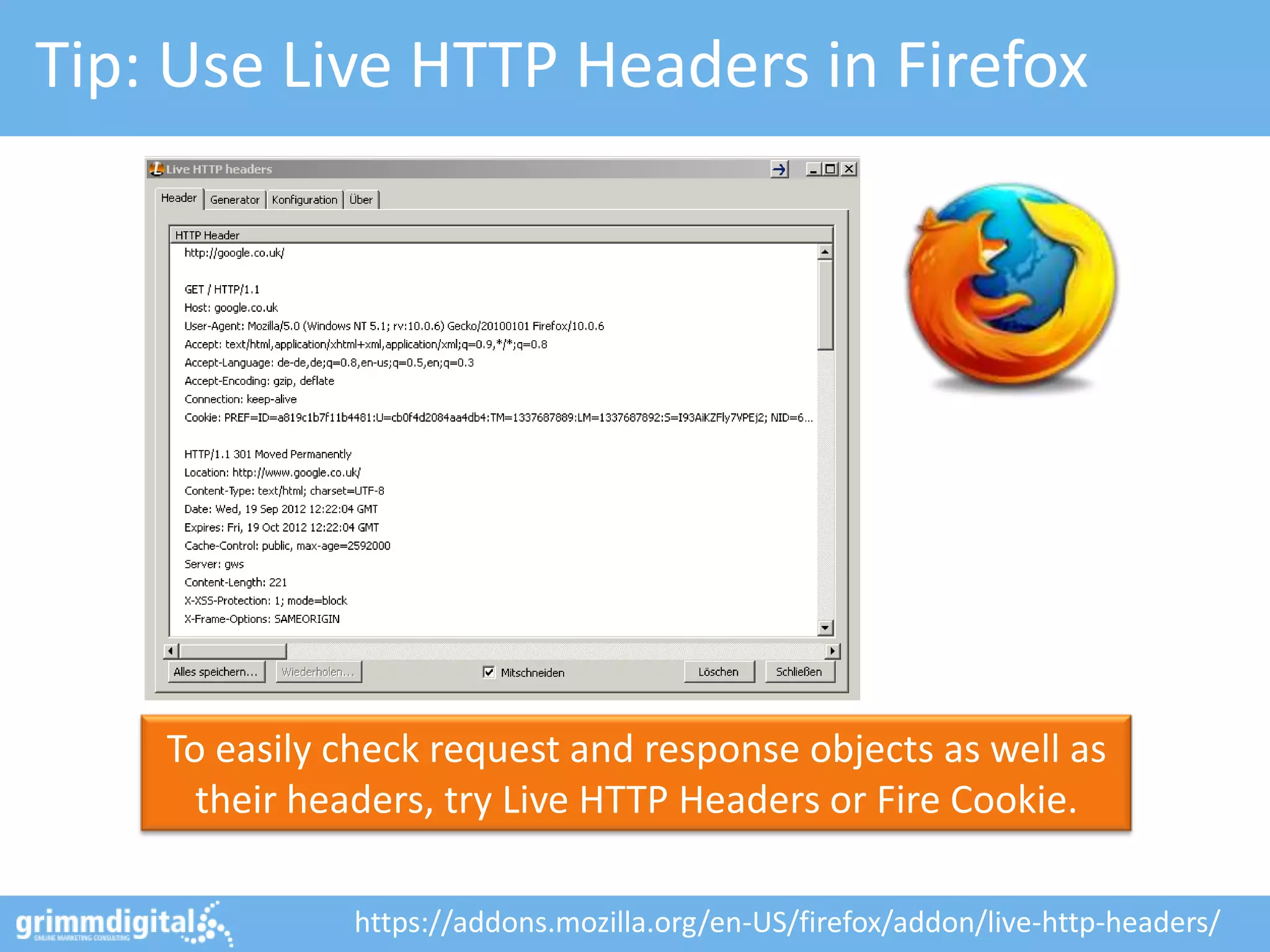
Tip: Use Live HTTP Headers in Firefox


    To easily check request and response objects as well as
      their headers, try Live HTTP Headers or Fire Cookie.

              https://addons.mozilla.org/en-US/firefox/addon/live-http-headers/
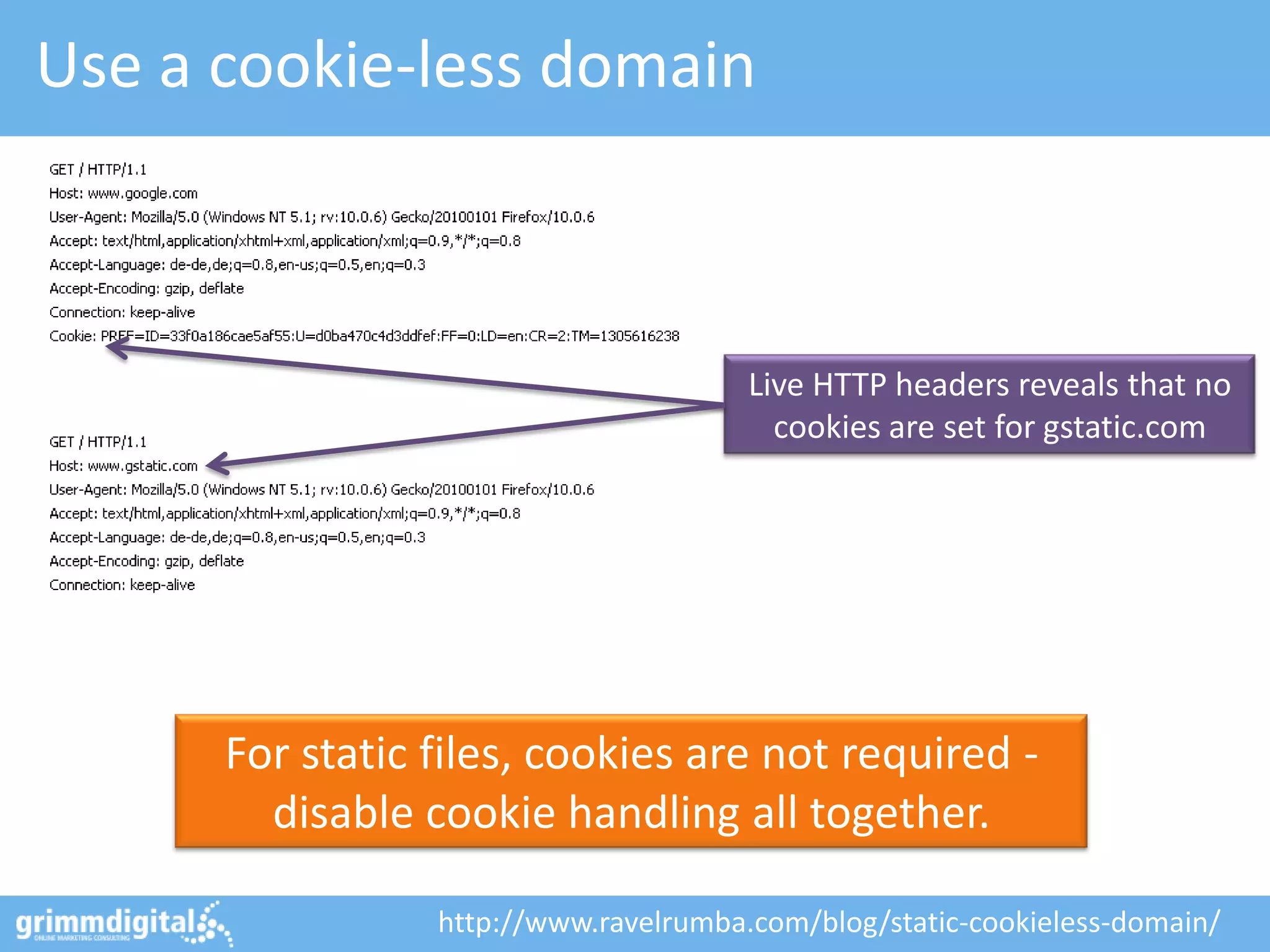
Use a cookie-less domain


                                       Live HTTP headers reveals that no
                                         cookies are set for gstatic.com


      For static files, cookies are not required -
        disable cookie handling all together.

                 http://www.ravelrumba.com/blog/static-cookieless-domain/
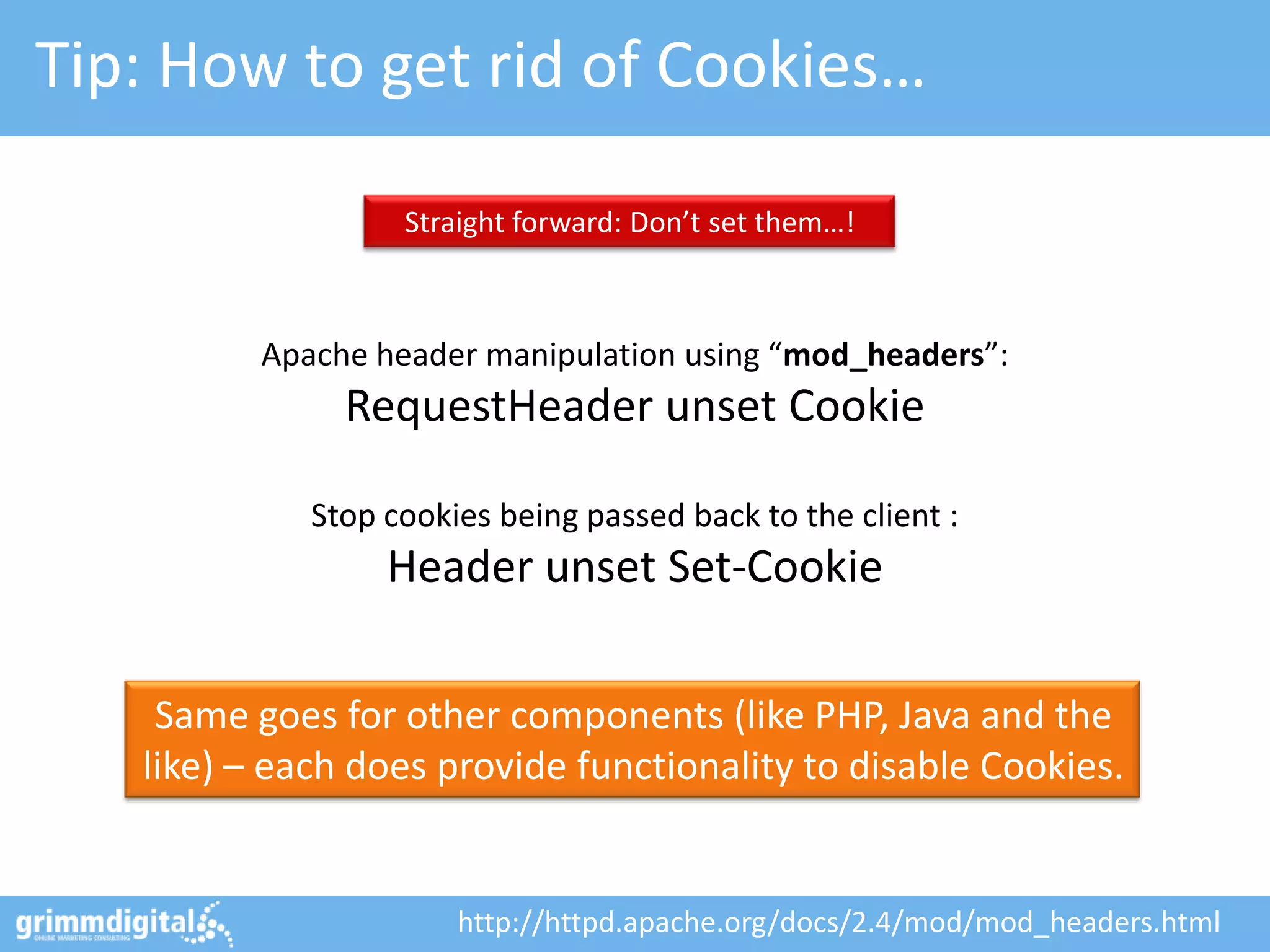
Tip: How to get rid of Cookies…

                   Straight forward: Don’t set them…!


          Apache header manipulation using “mod_headers”:
               RequestHeader unset Cookie

             Stop cookies being passed back to the client :
                  Header unset Set-Cookie

    Same goes for other components (like PHP, Java and the
   like) – each does provide functionality to disable Cookies.


                       http://httpd.apache.org/docs/2.4/mod/mod_headers.html
#3: Implement proper caching
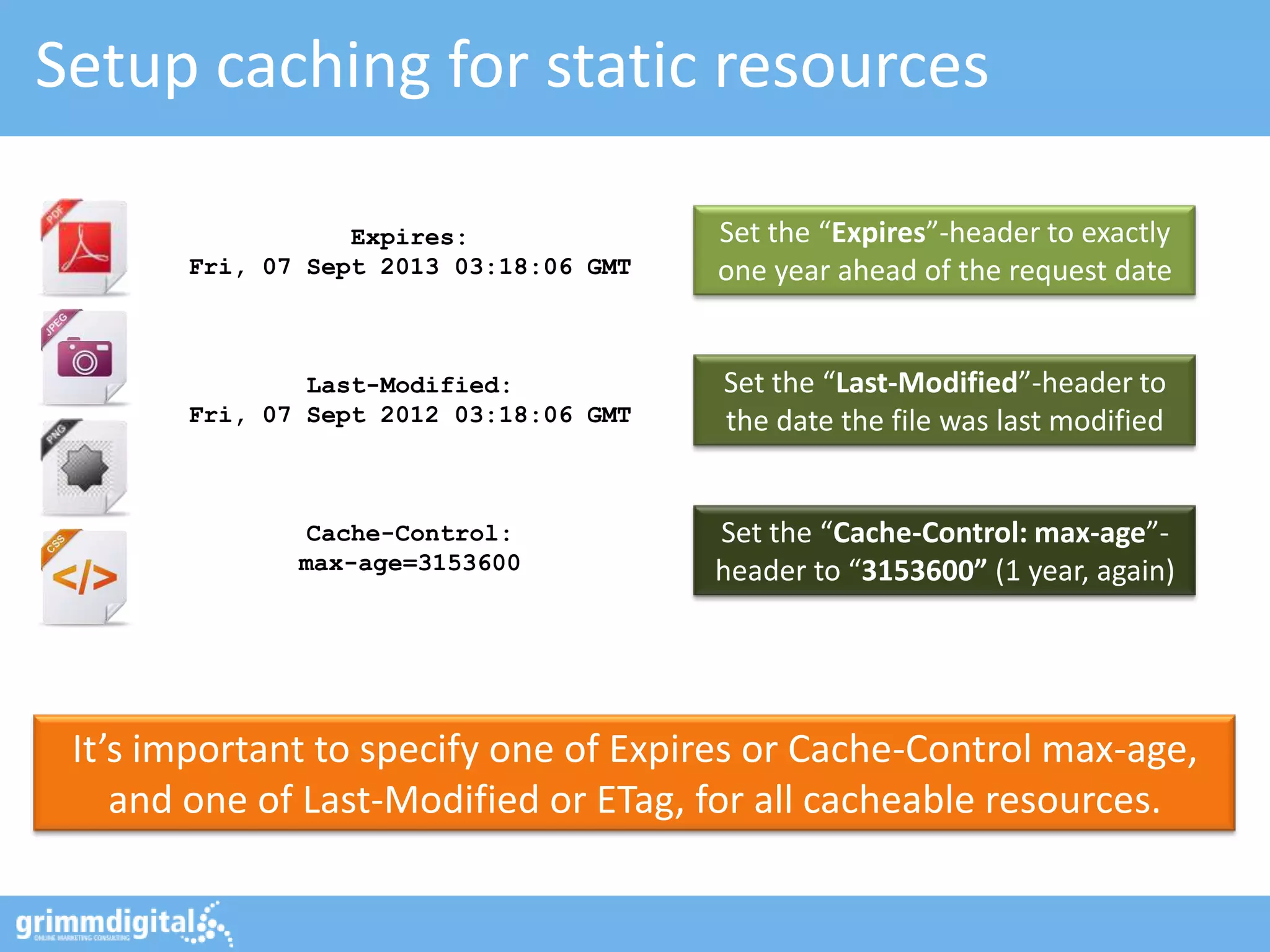
Setup caching for static resources

                  Expires:              Set the “Expires”-header to exactly
       Fri, 07 Sept 2013 03:18:06 GMT   one year ahead of the request date


               Last-Modified:           Set the “Last-Modified”-header to
       Fri, 07 Sept 2012 03:18:06 GMT   the date the file was last modified


              Cache-Control:            Set the “Cache-Control: max-age”-
              max-age=3153600           header to “3153600” (1 year, again)


 It’s important to specify one of Expires or Cache-Control max-age,
    and one of Last-Modified or ETag, for all cacheable resources.
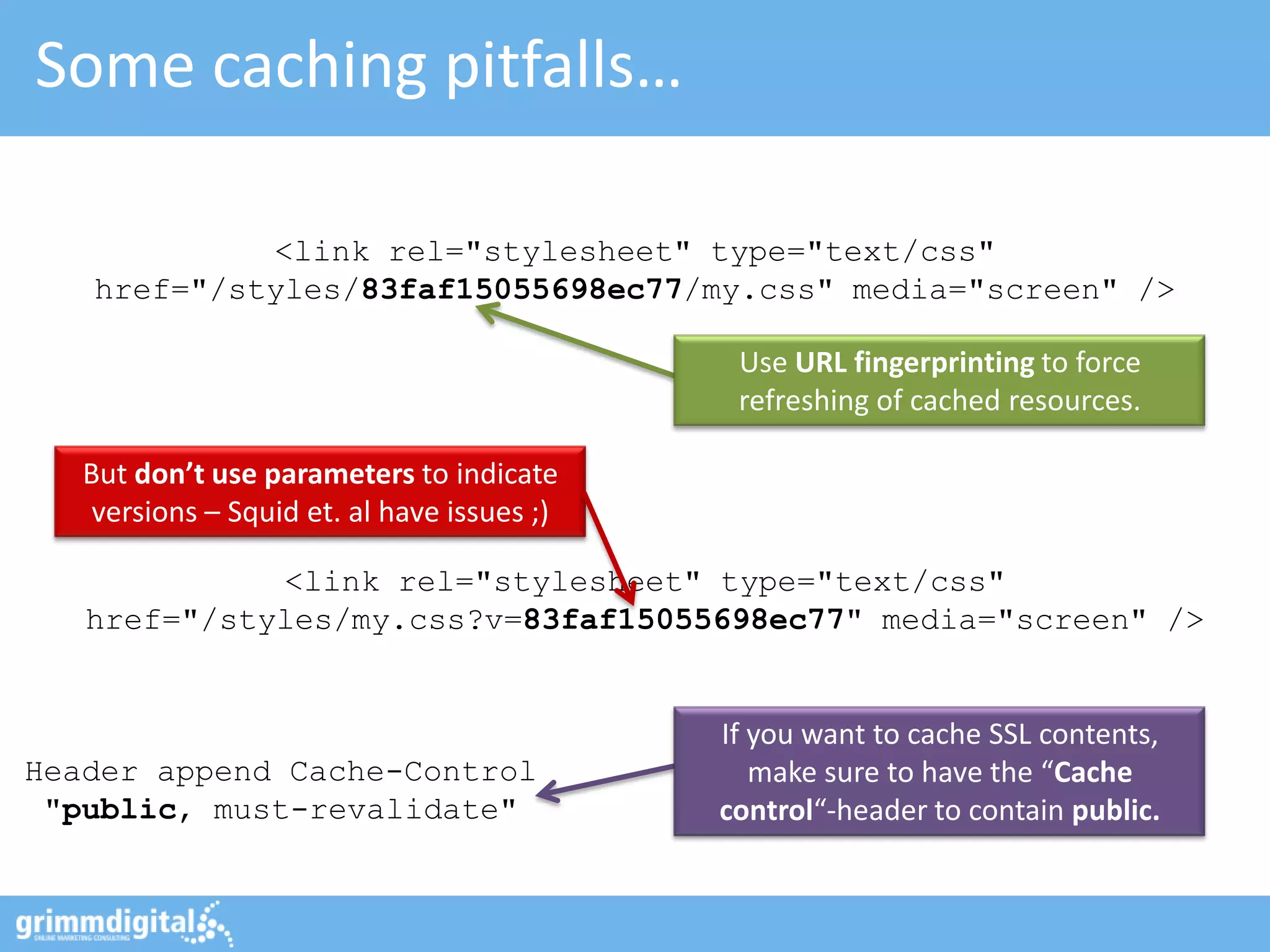
Some caching pitfalls…

            <link rel="stylesheet" type="text/css"
   href="/styles/83faf15055698ec77/my.css" media="screen" />

                                              Use URL fingerprinting to force
                                              refreshing of cached resources.

   But don’t use parameters to indicate
    versions – Squid et. al have issues ;)

             <link rel="stylesheet" type="text/css"
   href="/styles/my.css?v=83faf15055698ec77" media="screen" />


                                             If you want to cache SSL contents,
Header append Cache-Control                     make sure to have the “Cache
 "public, must-revalidate"                   control“-header to contain public.
#4: Clean-up that source-code
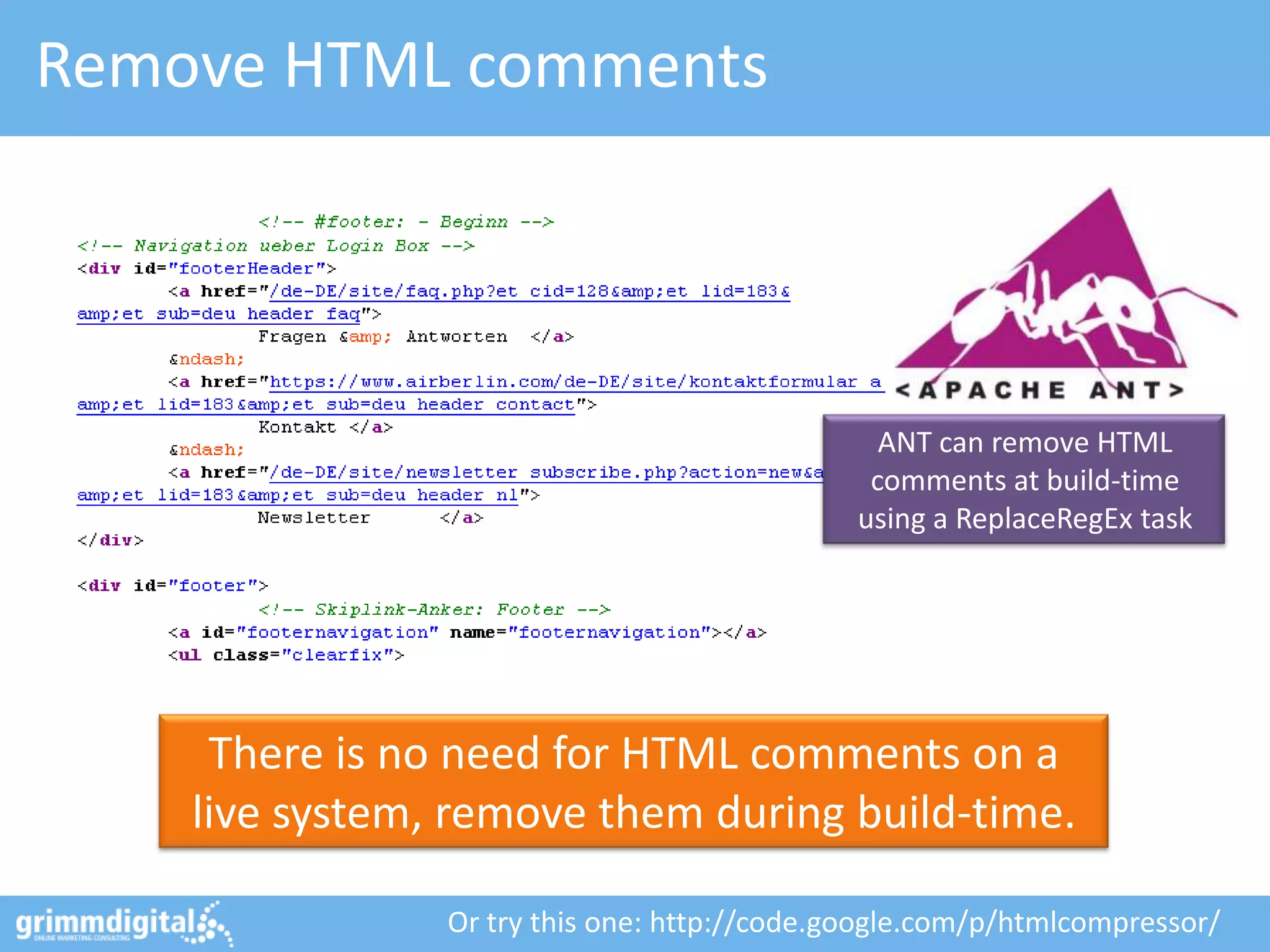
Remove HTML comments


                                                ANT can remove HTML
                                               comments at build-time
                                              using a ReplaceRegEx task


     There is no need for HTML comments on a
    live system, remove them during build-time.

                Or try this one: http://code.google.com/p/htmlcompressor/
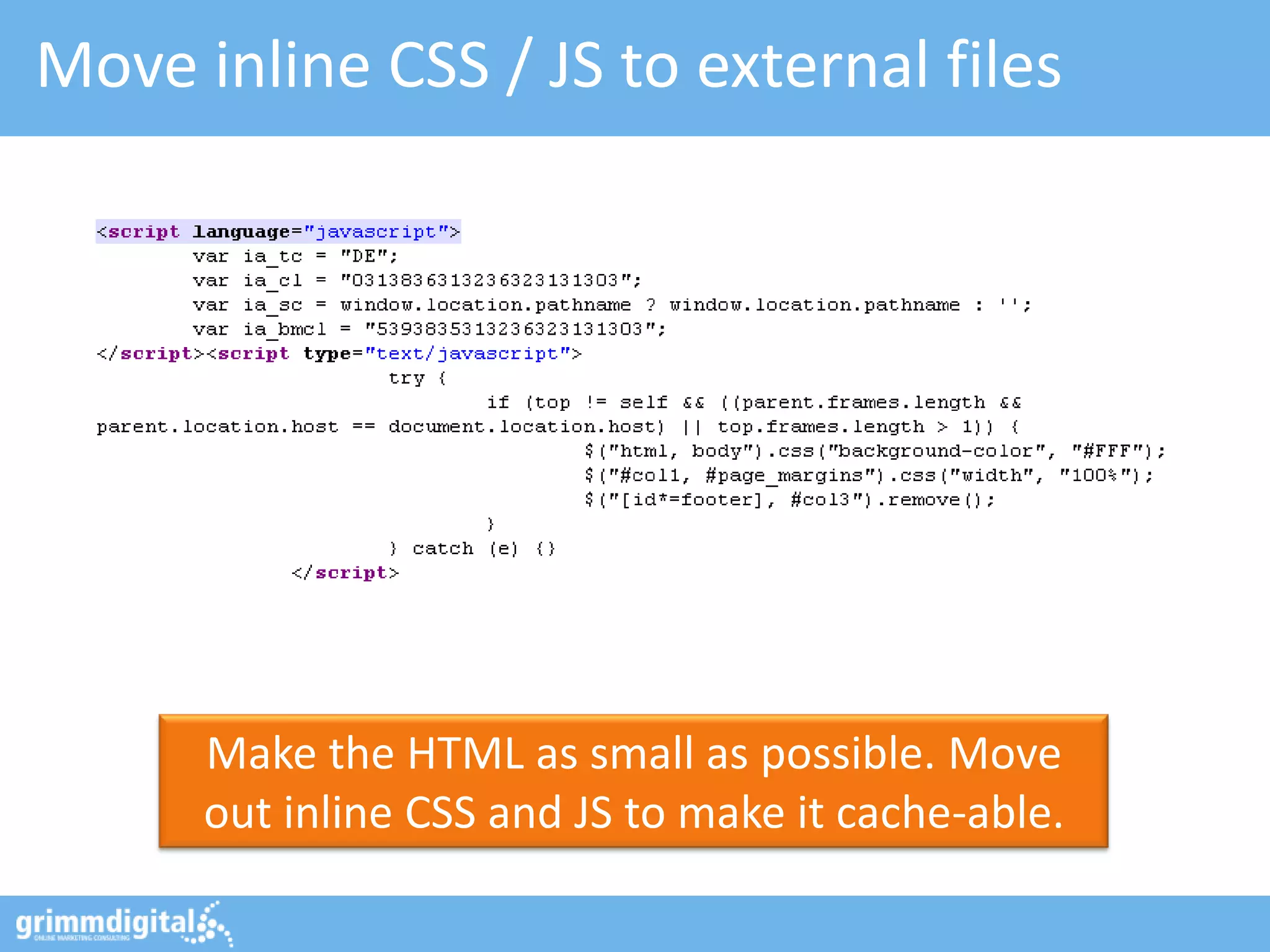
Move inline CSS / JS to external files


      Make the HTML as small as possible. Move
      out inline CSS and JS to make it cache-able.
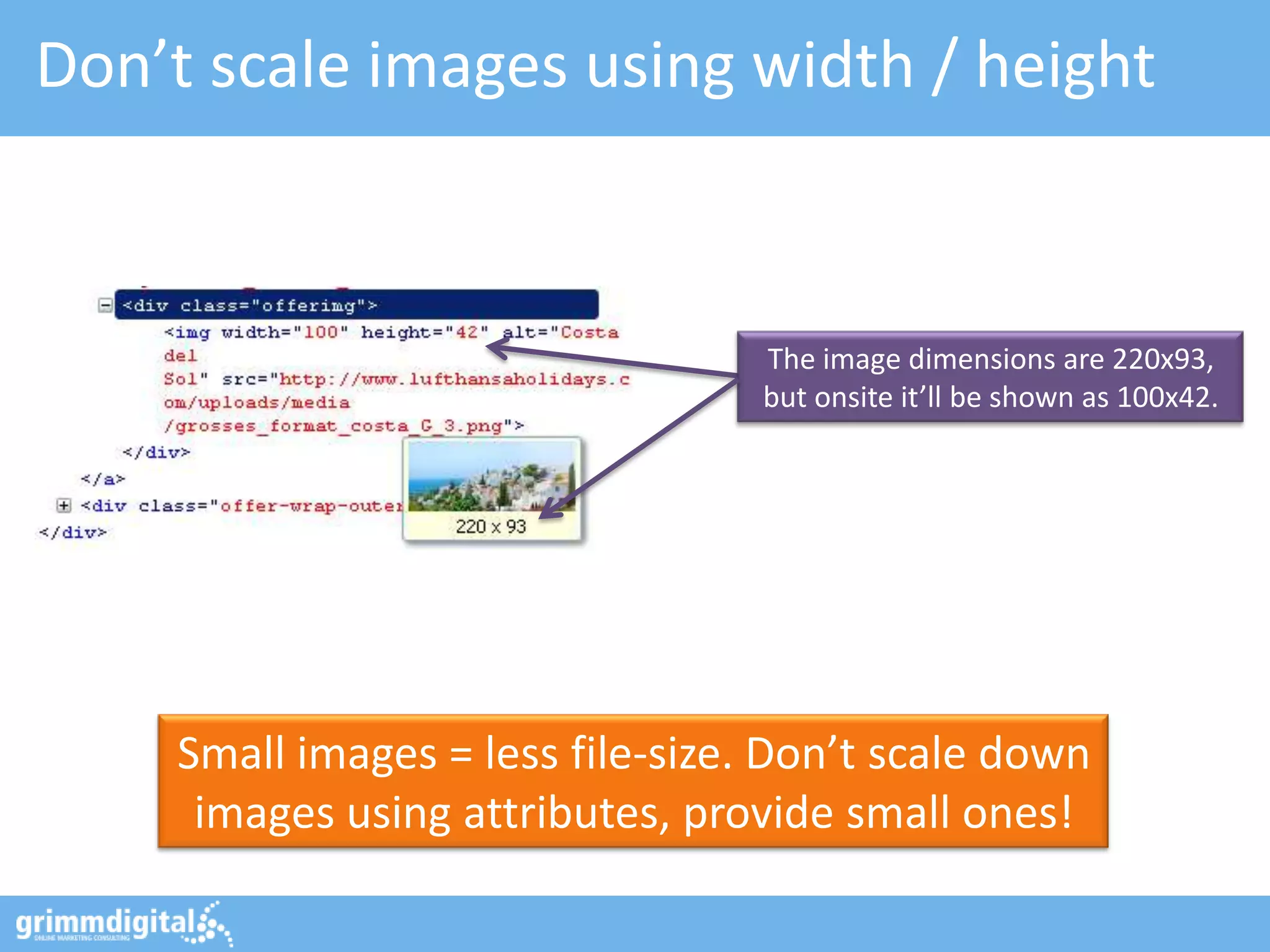
Don’t scale images using width / height


                                  The image dimensions are 220x93,
                                  but onsite it’ll be shown as 100x42.


    Small images = less file-size. Don’t scale down
     images using attributes, provide small ones!
Tip: Make images even smaller!


                                                     Use tinyPNG to optimize
                                                    PNG files without loosing in
                                                    quality (up to 70% savings)
JPEGmini does the same for JPEG
files and will reduce your images
  massively (up to 80% smaller)!


                                    http://tinypng.org/ & http://www.jpegmini.com/
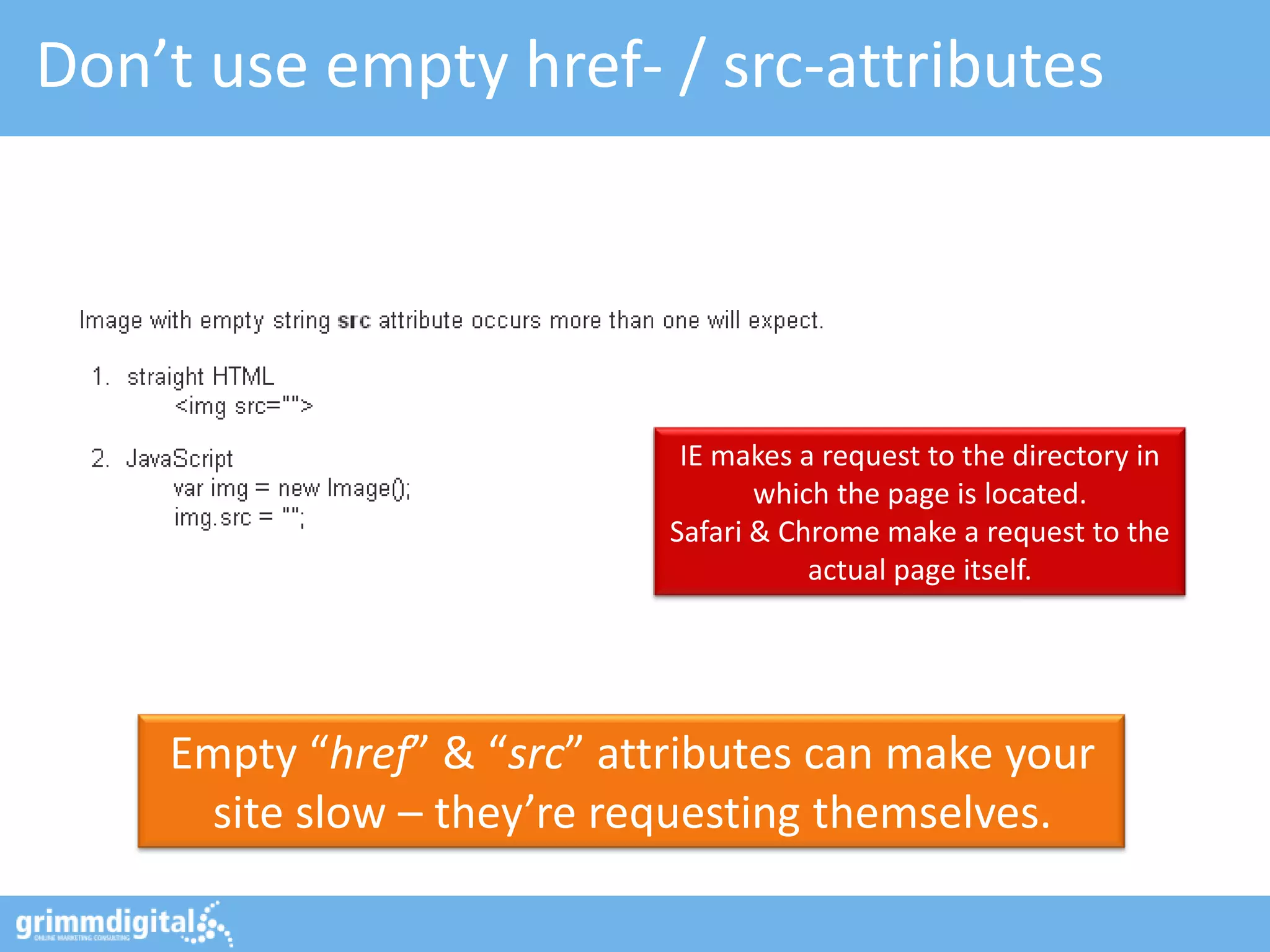
Don’t use empty href- / src-attributes


                             IE makes a request to the directory in
                                   which the page is located.
                            Safari & Chrome make a request to the
                                       actual page itself.


    Empty “href” & “src” attributes can make your
     site slow – they’re requesting themselves.
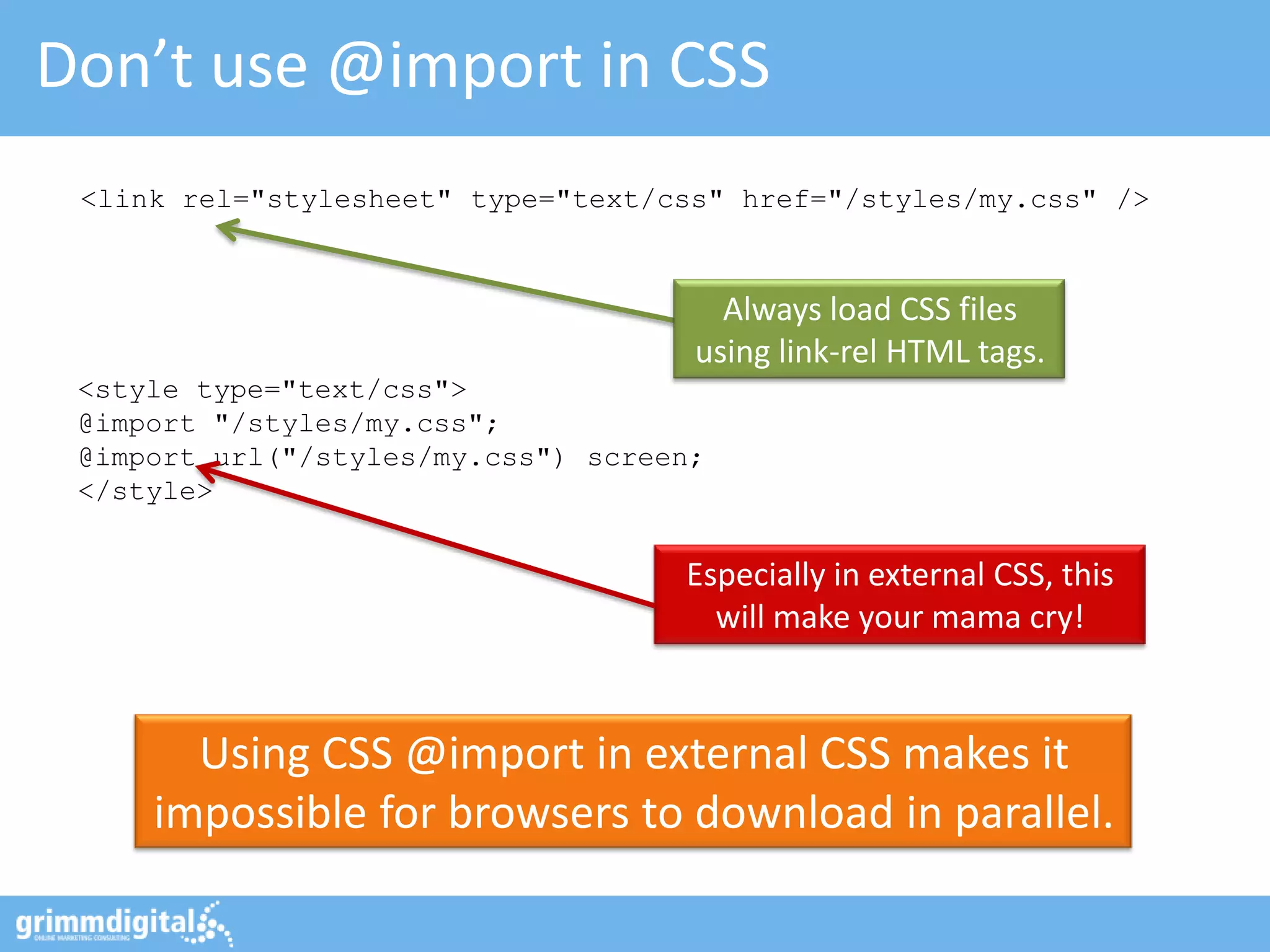
Don’t use @import in CSS
 <link rel="stylesheet" type="text/css" href="/styles/my.css" />


                                       Always load CSS files
                                     using link-rel HTML tags.
 <style type="text/css">
 @import "/styles/my.css";
 @import url("/styles/my.css") screen;
 </style>


                                    Especially in external CSS, this
                                      will make your mama cry!


       Using CSS @import in external CSS makes it
     impossible for browsers to download in parallel.
#5: Consider asynchronous requests
Off-load components into AJAX fragments

                                            NO! Not this one…!


                                   I know: You guys are SEOs… you want
                                       ALL contents being crawl-able.
                                   So, use with care… like for filters, etc.


      AJAX = Asynchronous JavaScript And XML
  Using AJAX fragments does not block page loading!

            Credits: http://flic.kr/p/RGtz - AJAX Crawling: http://gdig.de/ajxcrwl
How about HeadJS?


                        The beauty: Only a single JS
                       needs to be loaded in <head>!


      HeadJS does enable parallelizing JS file
        downloads. Freaking awesome!

                                            http://headjs.com/
#6: Optimize your MySQL setup
Use the Slow Query Log

[mysqld]                                   Pro tip: Make sure to use “log-
log-slow-queries = my-slow.log          queries-not-using-indexes” option to
long_query_time = 5                     find SELECTs without proper indices!
log-queries-not-using-indexes


# Run the Perl script:               Get slow log parser to know how many
sudo ./mysql_slow_log_parser.pl      times queries appear, they take to exec.
/var/log/my-slow.log > slow.out          and which are the worst ones!


        MySQL seems to be slow - but no idea why?
           Enable “log-slow-queries” in my.cnf

                                  Log parser download: http://gdig.de/slgparse
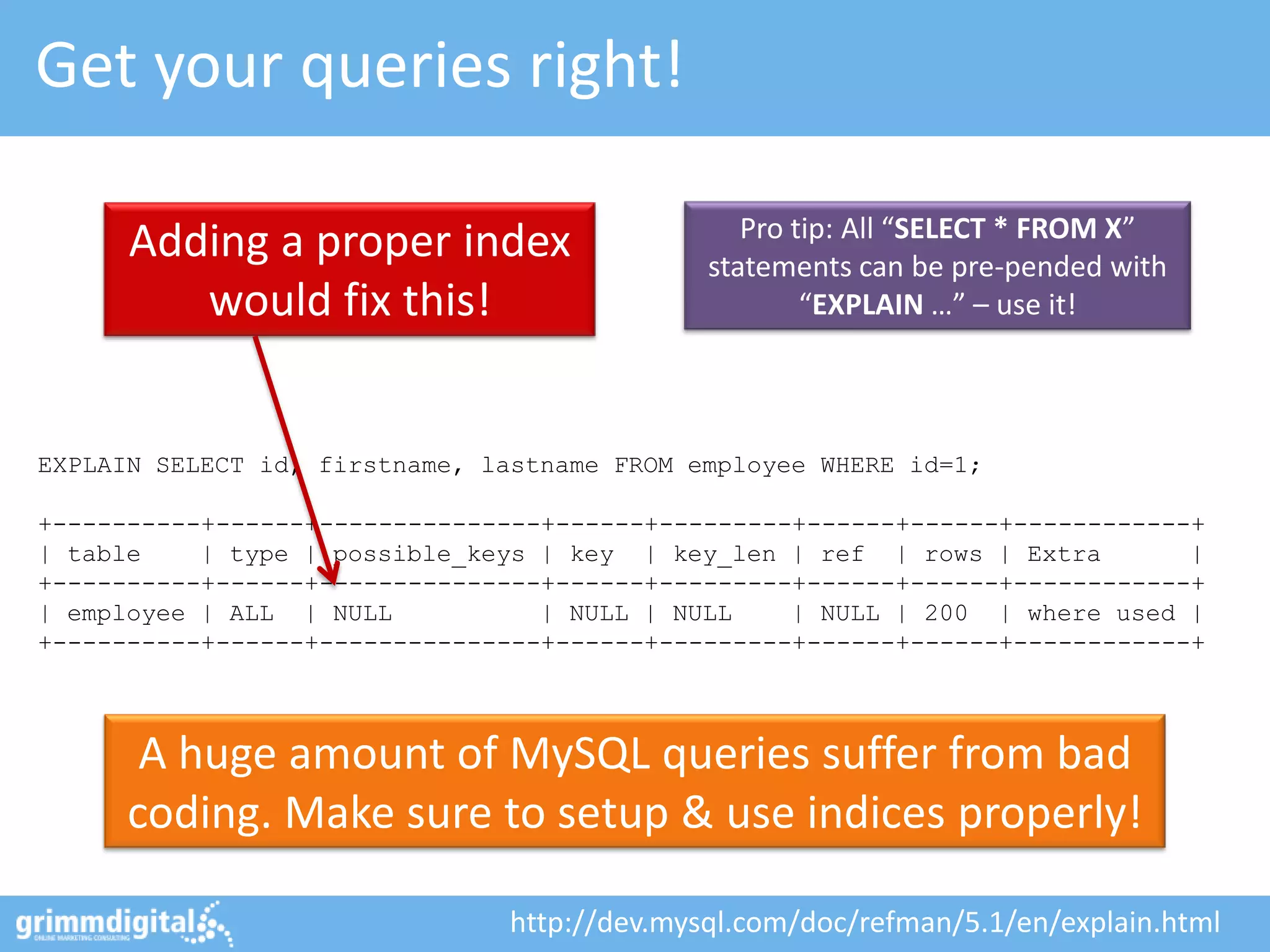
Get your queries right!

                                                Pro tip: All “SELECT * FROM X”
      Adding a proper index                  statements can be pre-pended with
         would fix this!                             “EXPLAIN …” – use it!


EXPLAIN SELECT id, firstname, lastname FROM employee WHERE id=1;

+----------+------+---------------+------+---------+------+------+------------+
| table    | type | possible_keys | key | key_len | ref | rows | Extra        |
+----------+------+---------------+------+---------+------+------+------------+
| employee | ALL | NULL           | NULL | NULL    | NULL | 200 | where used |
+----------+------+---------------+------+---------+------+------+------------+


       A huge amount of MySQL queries suffer from bad
      coding. Make sure to setup & use indices properly!

                               http://dev.mysql.com/doc/refman/5.1/en/explain.html
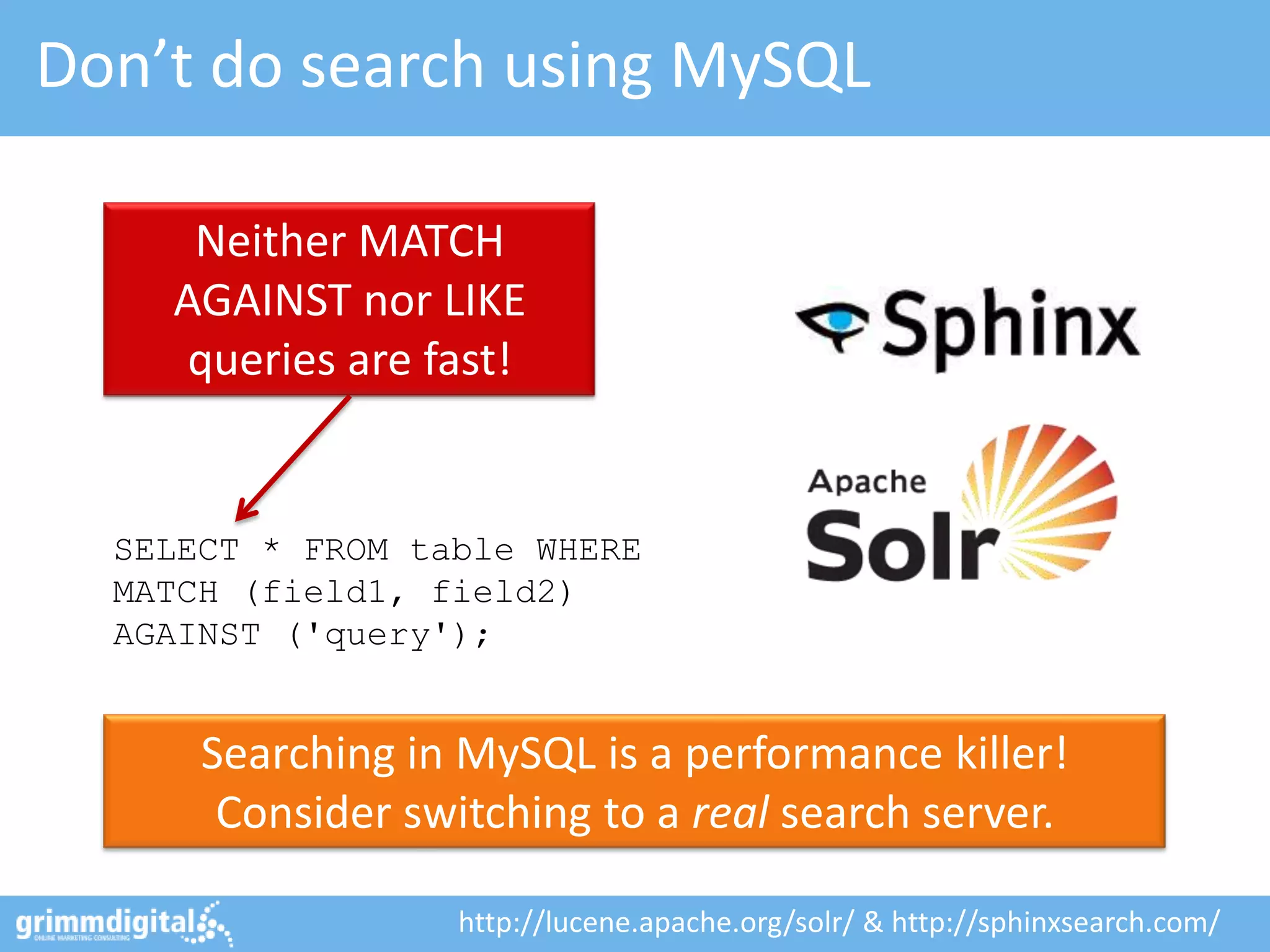
Don’t do search using MySQL

     Neither MATCH
    AGAINST nor LIKE
     queries are fast!


  SELECT * FROM table WHERE
  MATCH (field1, field2)
  AGAINST ('query');


      Searching in MySQL is a performance killer!
       Consider switching to a real search server.

                   http://lucene.apache.org/solr/ & http://sphinxsearch.com/
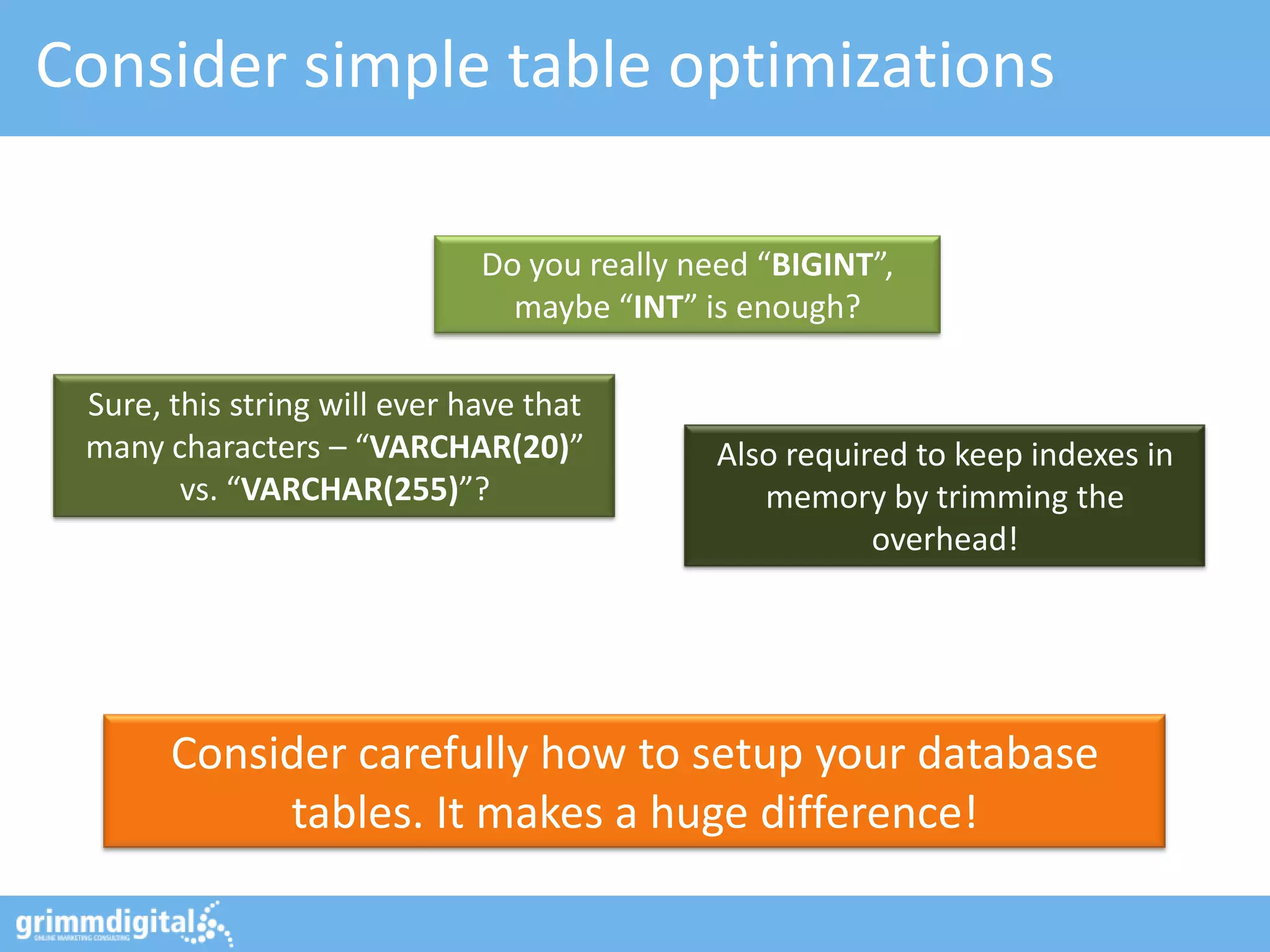
Consider simple table optimizations

                              Do you really need “BIGINT”,
                                maybe “INT” is enough?

 Sure, this string will ever have that
 many characters – “VARCHAR(20)”             Also required to keep indexes in
        vs. “VARCHAR(255)”?                     memory by trimming the
                                                        overhead!


       Consider carefully how to setup your database
            tables. It makes a huge difference!
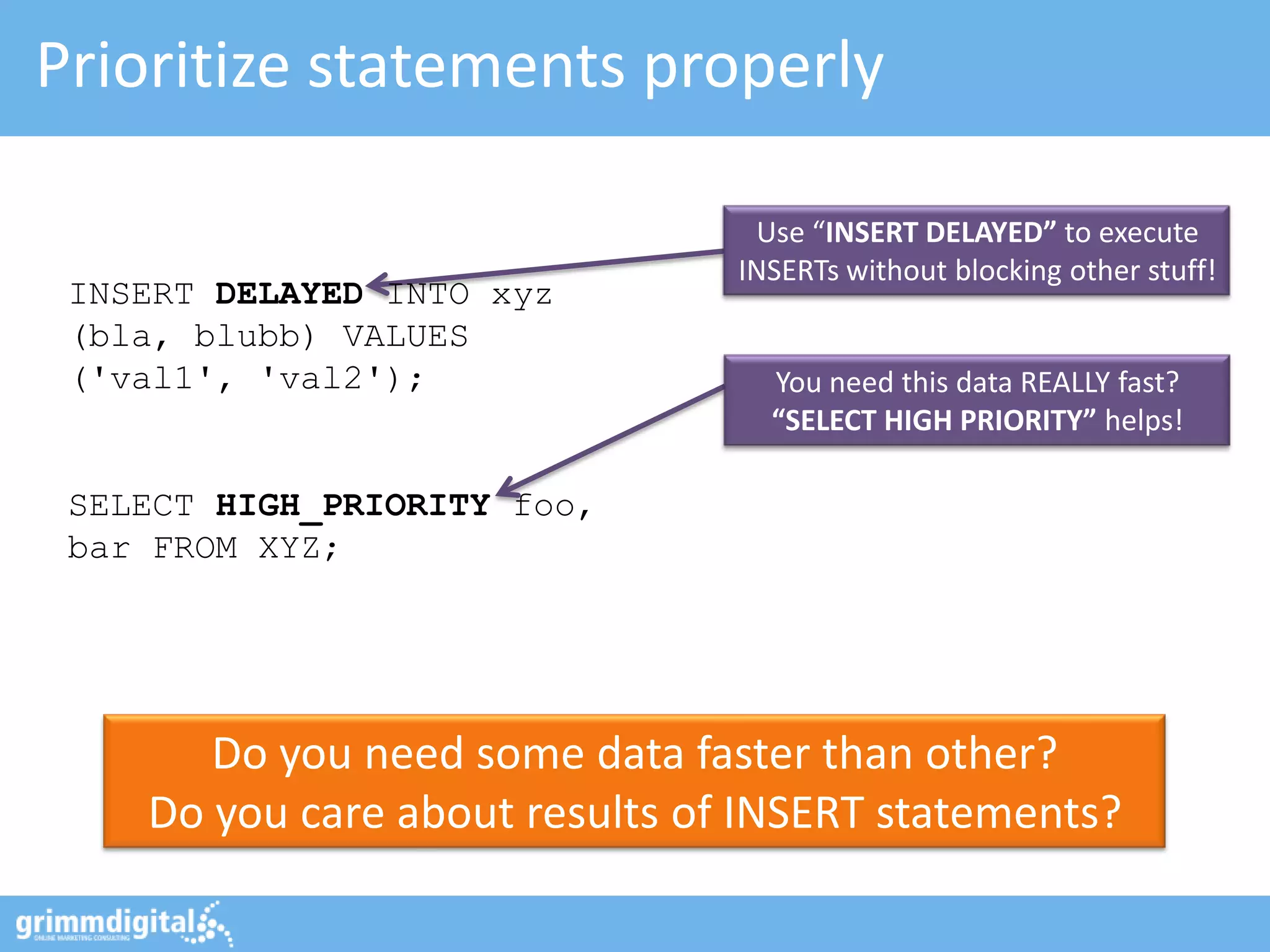
Prioritize statements properly

                                 Use “INSERT DELAYED” to execute
                                INSERTs without blocking other stuff!
 INSERT DELAYED INTO xyz
 (bla, blubb) VALUES
 ('val1', 'val2');                You need this data REALLY fast?
                                  “SELECT HIGH PRIORITY” helps!

 SELECT HIGH_PRIORITY foo,
 bar FROM XYZ;


       Do you need some data faster than other?
    Do you care about results of INSERT statements?
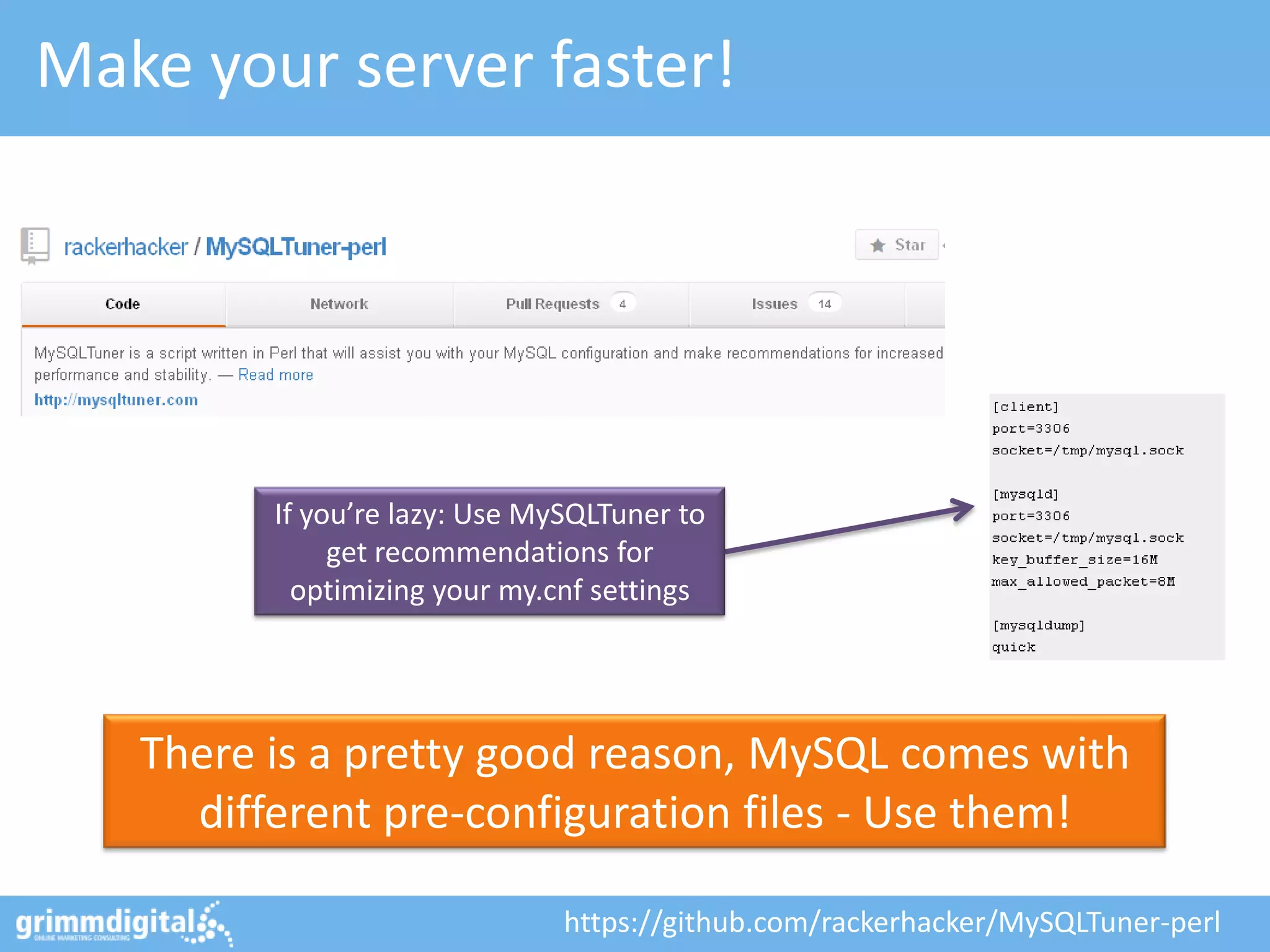
Make your server faster!


         If you’re lazy: Use MySQLTuner to
              get recommendations for
           optimizing your my.cnf settings


   There is a pretty good reason, MySQL comes with
     different pre-configuration files - Use them!

                               https://github.com/rackerhacker/MySQLTuner-perl
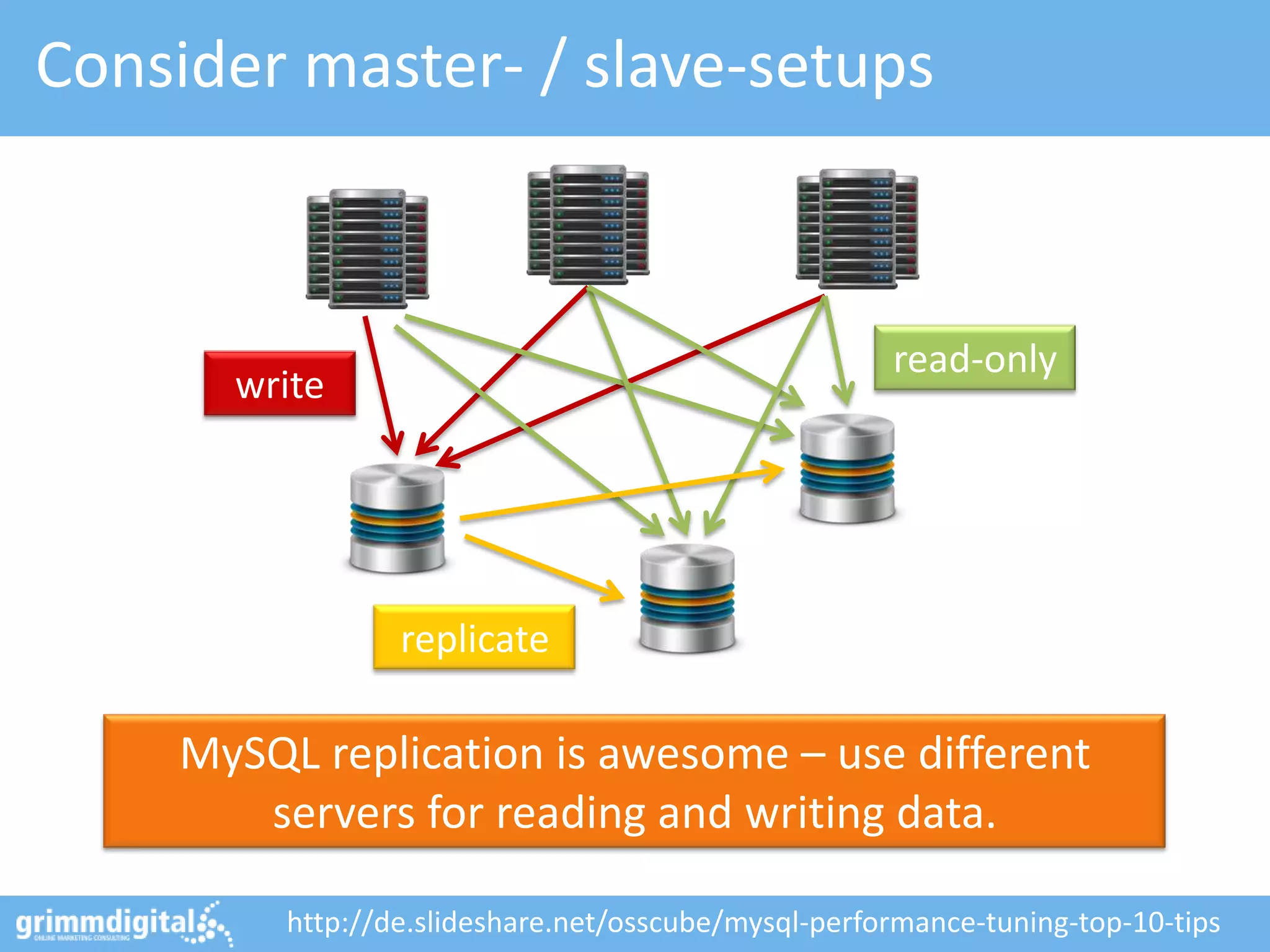
Consider master- / slave-setups


                                                     read-only
      write


                 replicate

    MySQL replication is awesome – use different
       servers for reading and writing data.

         http://de.slideshare.net/osscube/mysql-performance-tuning-top-10-tips
#7: Optimize hosting & web-servers
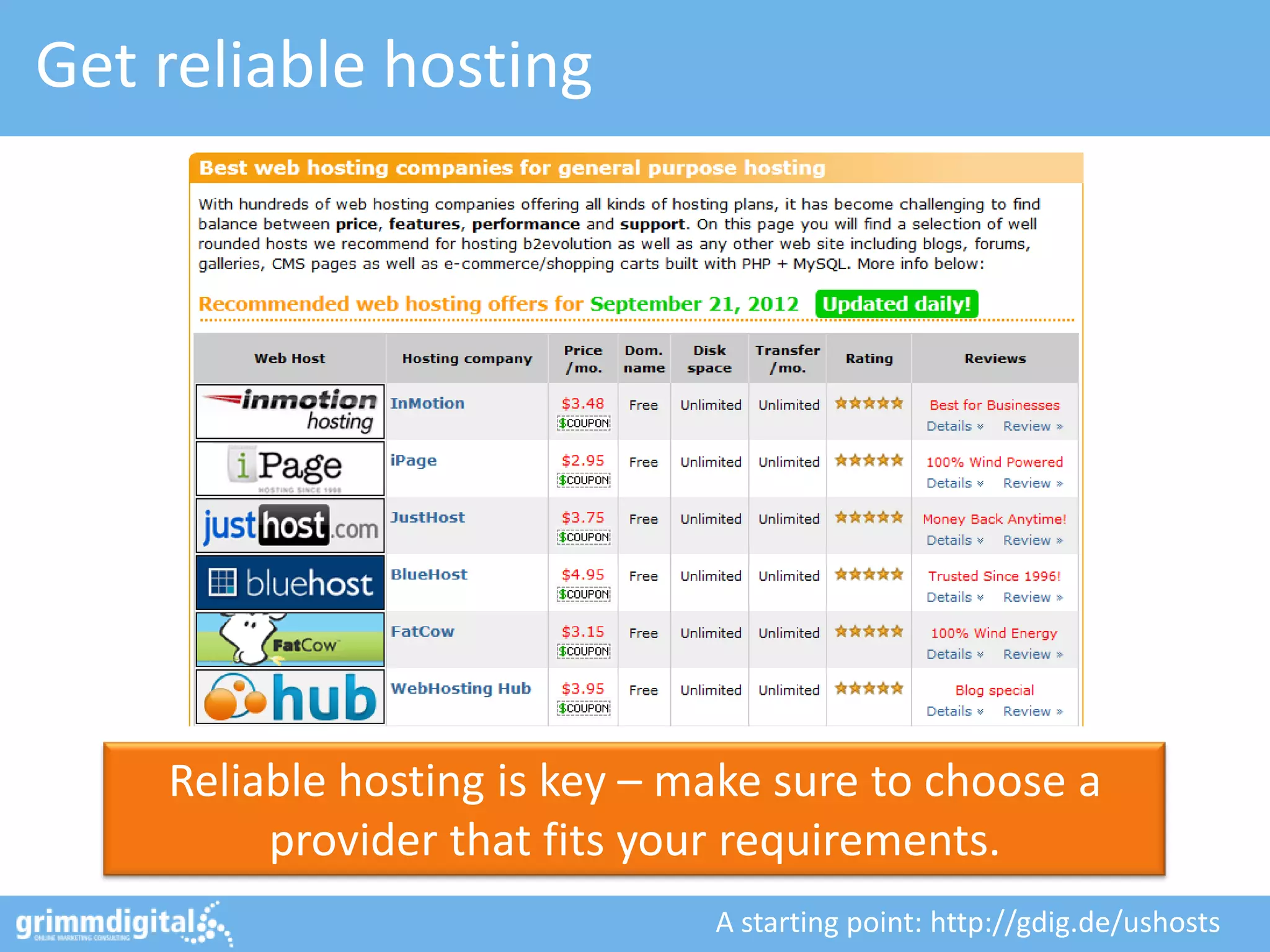
Get reliable hosting


    Reliable hosting is key – make sure to choose a
         provider that fits your requirements.
                               A starting point: http://gdig.de/ushosts
If you’re on Apache…

                                            Pro tip: “Small” stuff like
                                          disabling .htaccess can really
                                             improve performance!


      Google does provide “mod_pagespeed” to
     implement their best practices – give it a try!

                     https://developers.google.com/speed/pagespeed/mod
Or maybe: Consider replacing Apache…


  “nginx” is ridiculously fast – especially when serving
     static assets it’s probably the best you’ll find!

                                           http://www.nginx.com/
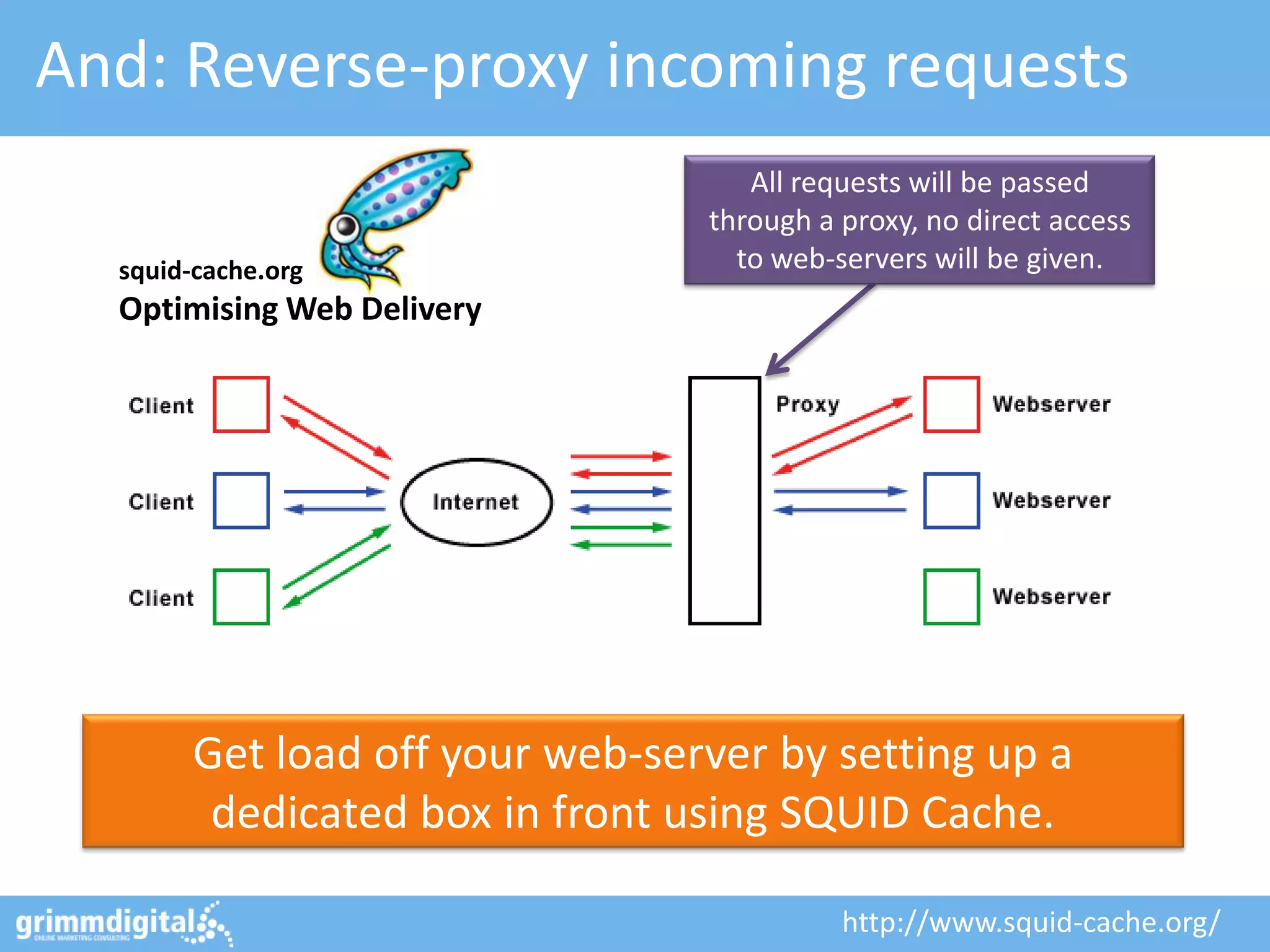
And: Reverse-proxy incoming requests
                                    All requests will be passed
                                 through a proxy, no direct access
  squid-cache.org                  to web-servers will be given.
  Optimising Web Delivery


        Get load off your web-server by setting up a
         dedicated box in front using SQUID Cache.

                                           http://www.squid-cache.org/
#8: Optimize your PHP setup
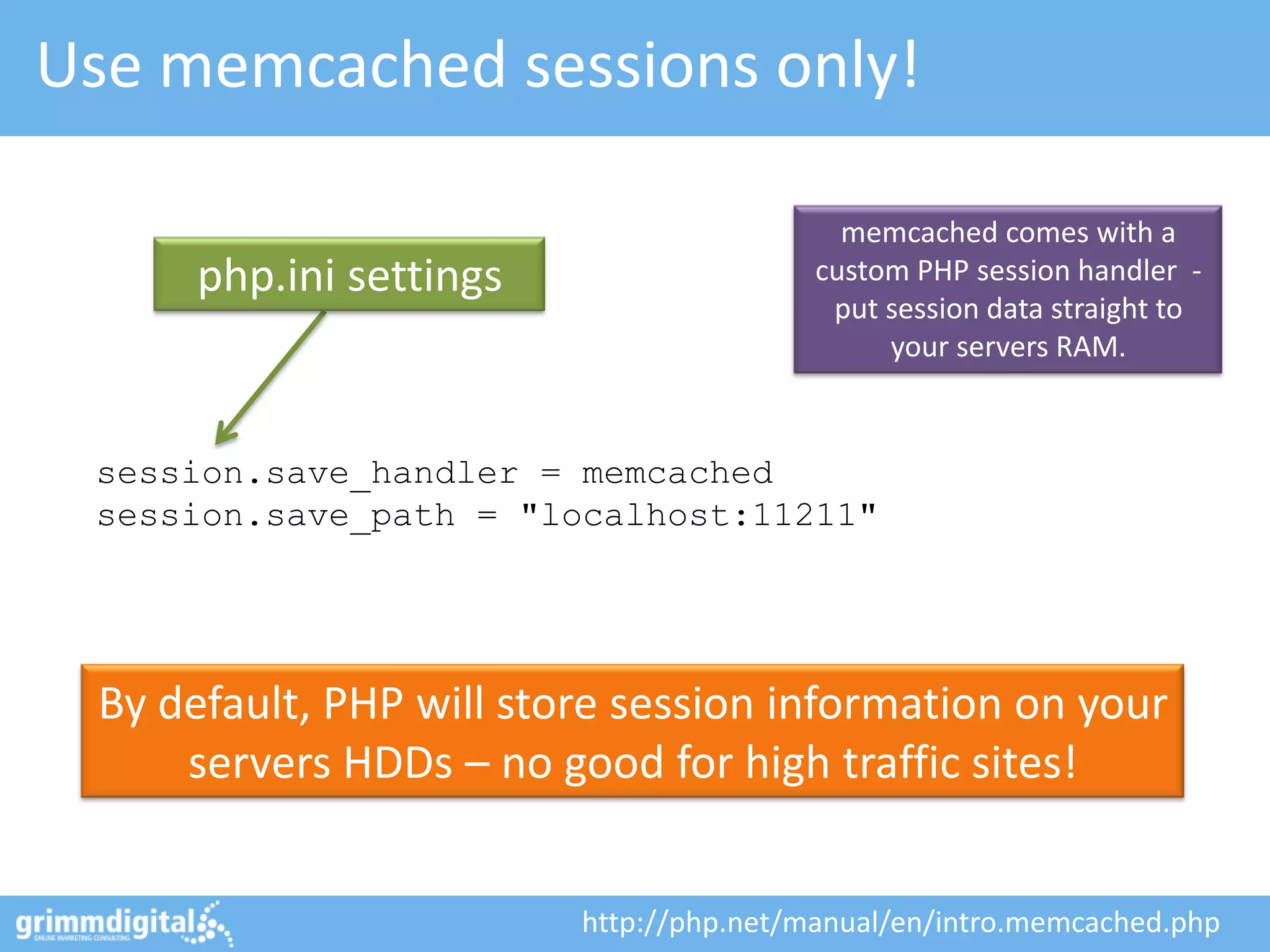
Use memcached sessions only!

                                           memcached comes with a
      php.ini settings                   custom PHP session handler -
                                          put session data straight to
                                              your servers RAM.


 session.save_handler = memcached
 session.save_path = "localhost:11211"


 By default, PHP will store session information on your
     servers HDDs – no good for high traffic sites!


                         http://php.net/manual/en/intro.memcached.php
Get a PHP accelerator

                                           What you need to know:
                                         PHP code will be complied for
                                         each request during runtime.


    By using an accelerator like APC you can cache
    functions, objects and much more in memory.
    Better: It does also cache compiled byte-code!
                      http://devzone.zend.com/1812/using-apc-with-php/
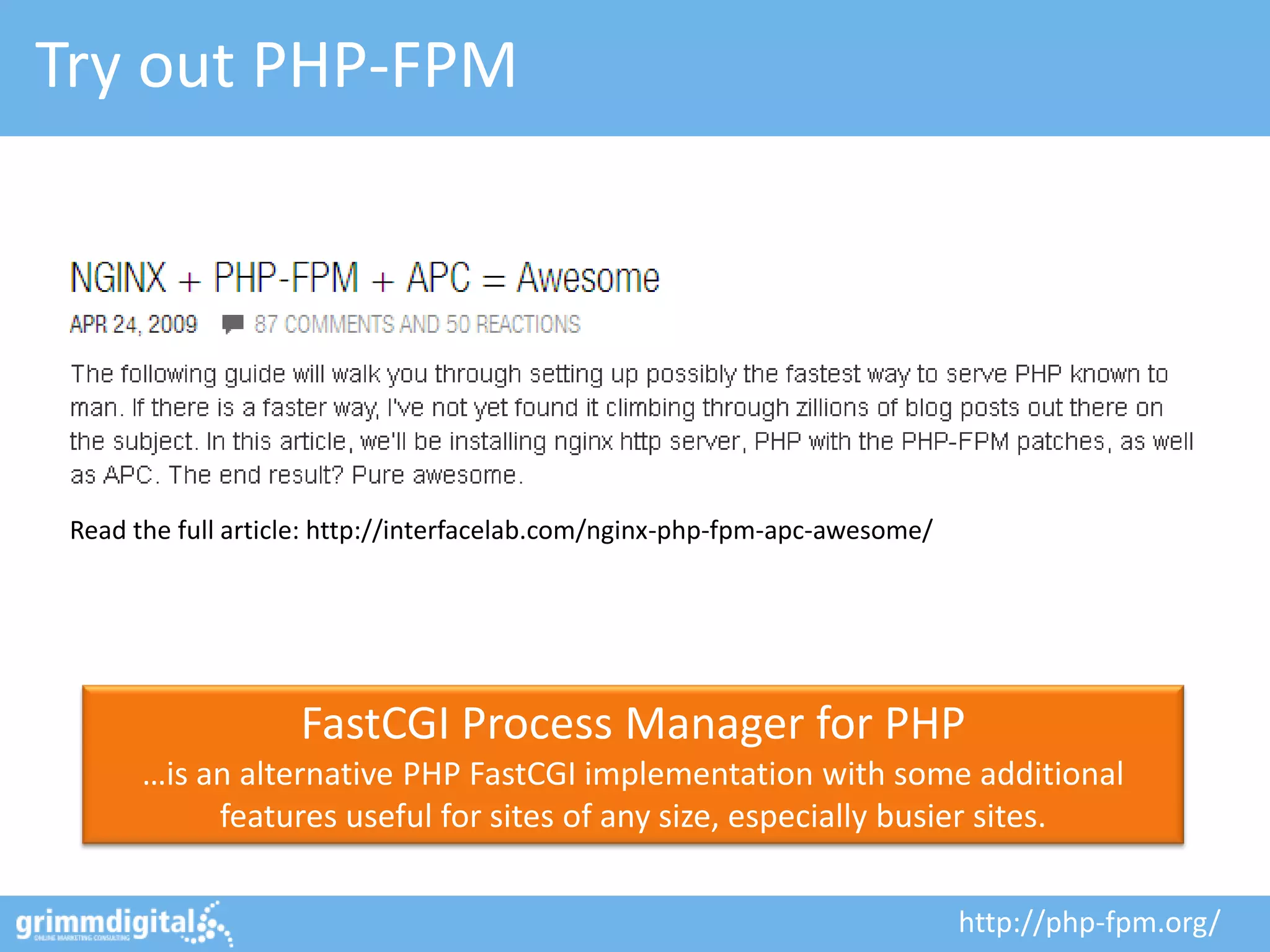
Try out PHP-FPM


 Read the full article: http://interfacelab.com/nginx-php-fpm-apc-awesome/


                    FastCGI Process Manager for PHP
       …is an alternative PHP FastCGI implementation with some additional
            features useful for sites of any size, especially busier sites.

                                                                             http://php-fpm.org/
#9: Always be the first one to know!
Heavy load testing: blitz.io


                               http://blitz.io/
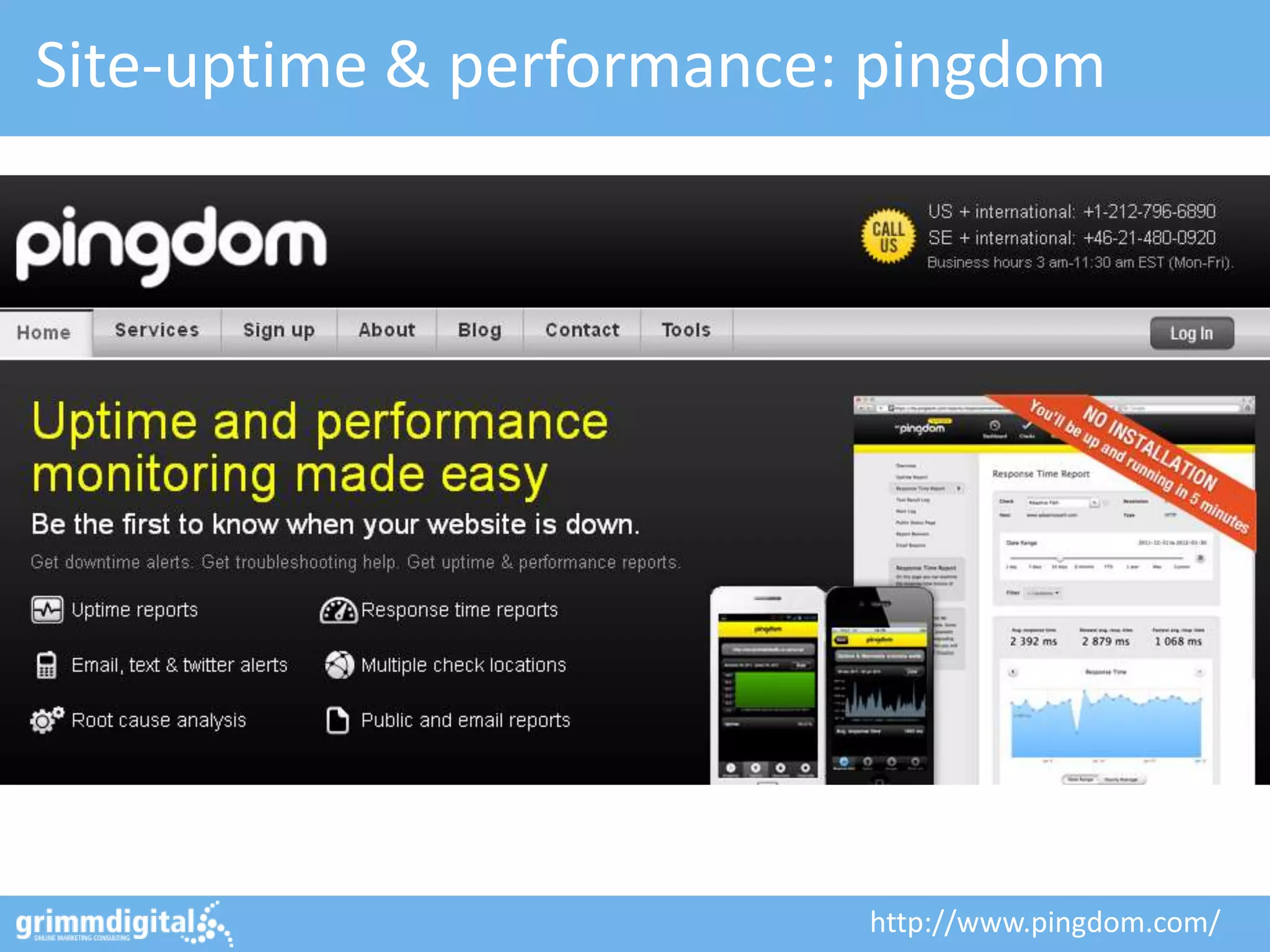
Site-uptime & performance: pingdom


                          http://www.pingdom.com/
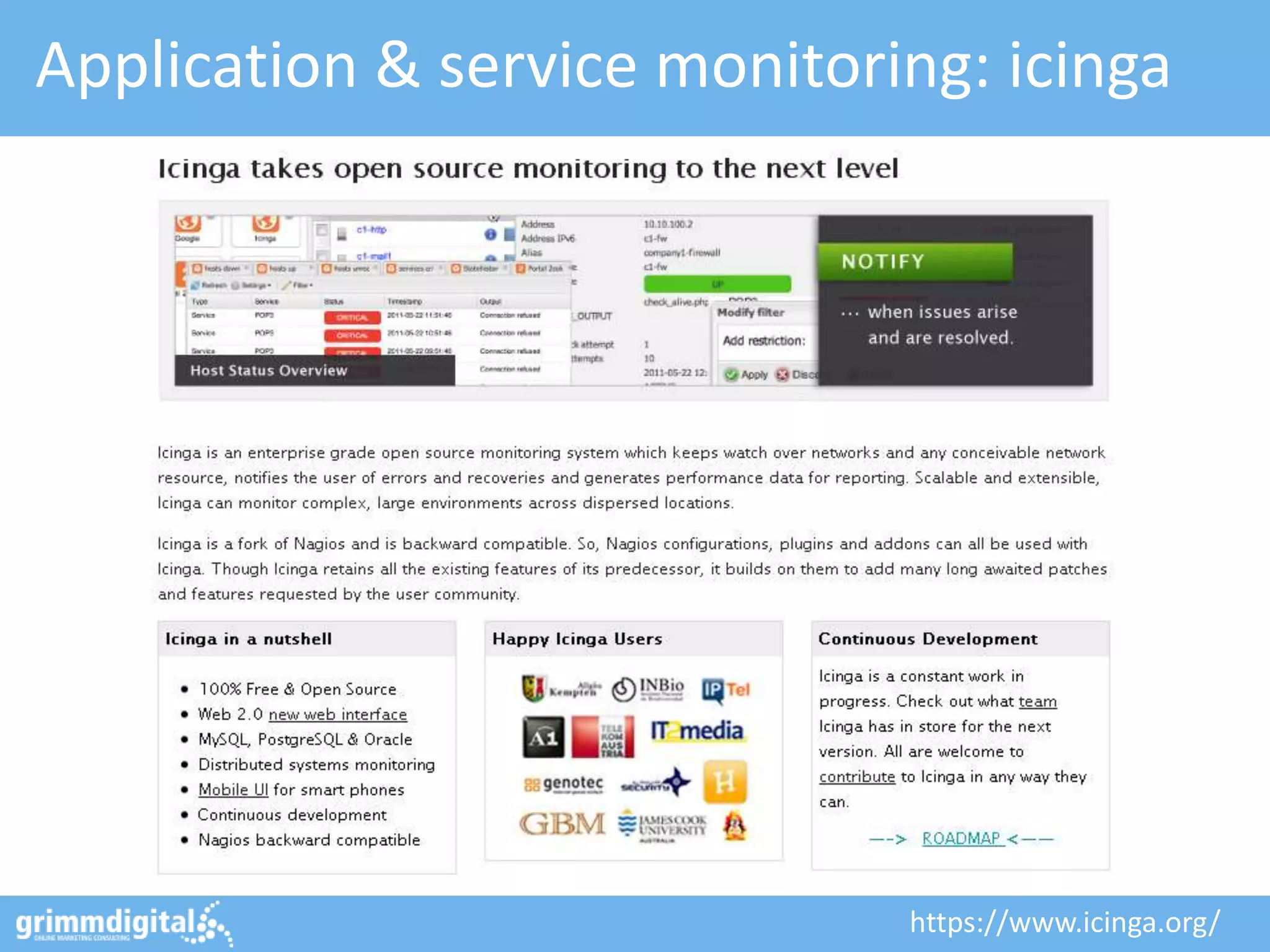
Application & service monitoring: icinga


                              https://www.icinga.org/
#10: Bit of a Cheat…
You could just buy me a beer!
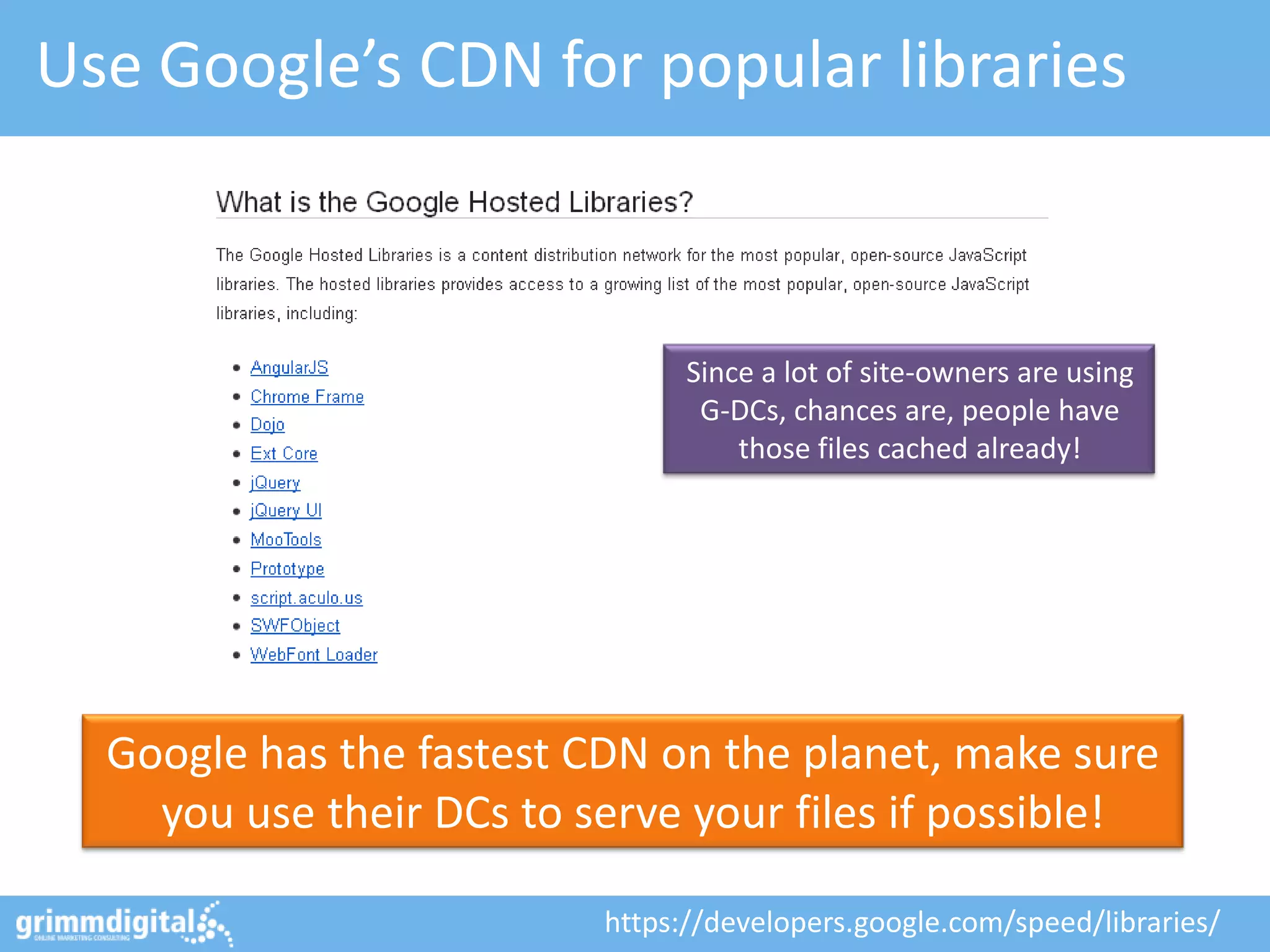
Use Google’s CDN for popular libraries


                                Since a lot of site-owners are using
                                 G-DCs, chances are, people have
                                    those files cached already!


  Google has the fastest CDN on the planet, make sure
    you use their DCs to serve your files if possible!

                          https://developers.google.com/speed/libraries/
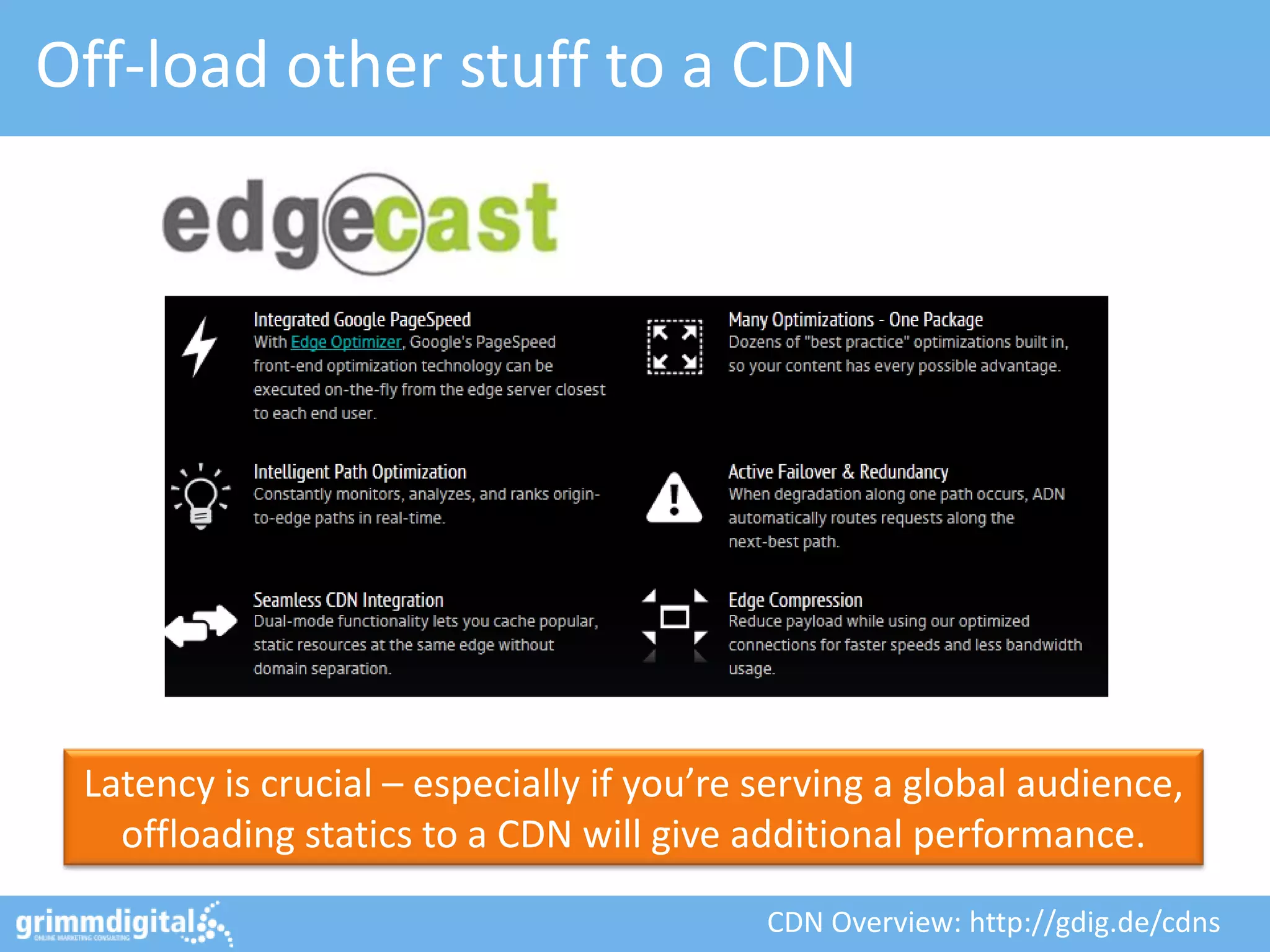
Off-load other stuff to a CDN


 Latency is crucial – especially if you’re serving a global audience,
   offloading statics to a CDN will give additional performance.

                                           CDN Overview: http://gdig.de/cdns
OMCap 2011 - Online Marketing Konferenz Berlin


                      And that’s it! …
13.10.2011
                  Wait, still not enough?                     62
Geek-stuff: JsExe - JavaScript compressor


- Takes the original JavaScript file as the input
- If it helps, the JS file is optimized using an improved version of Google Closure Compiler
- File byte order is reversed or not (depending on whether it improves final compression)
- It embeds the resulting file in a PNG image, choosing the best PNG format (RGB or gray).
- Then it uses the most efficient PNG optimizer tool (PNGOUT or another one).
- The output PNG is stripped of CRC and IEND block.
- Finally a loader is appended to the output file.0


      Have you ever considered serving JavaScript files as
                highly compressed PNG files?!

                                               Credits to: http://gdig.de/y | http://gdig.de/z
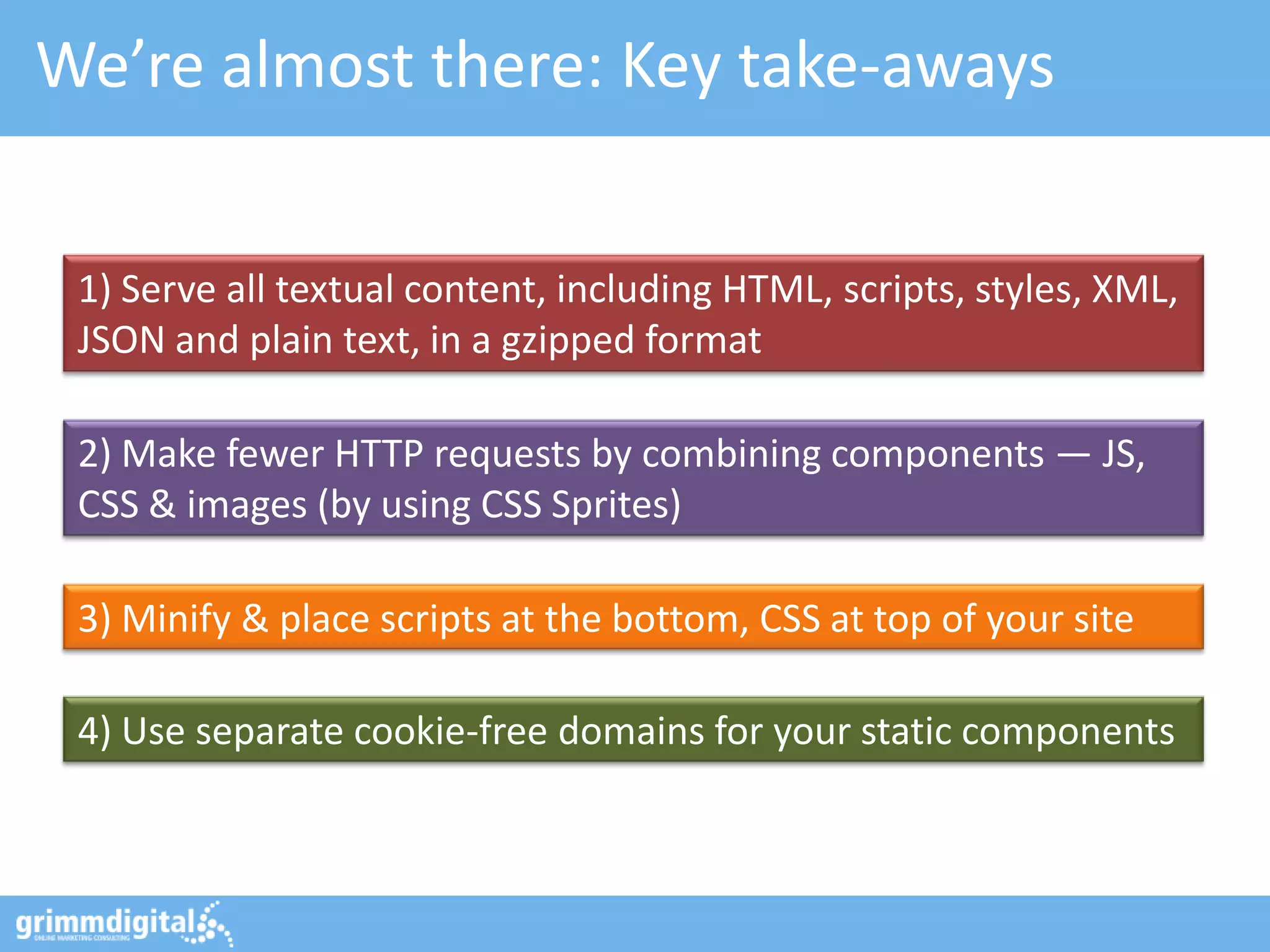
We’re almost there: Key take-aways


 1) Serve all textual content, including HTML, scripts, styles, XML,
 JSON and plain text, in a gzipped format

 2) Make fewer HTTP requests by combining components — JS,
 CSS & images (by using CSS Sprites)

 3) Minify & place scripts at the bottom, CSS at top of your site

 4) Use separate cookie-free domains for your static components
Thanks! Questions?
     mail@grimm-digital.com
     twitter.com/basgr
     linkedin.com/in/bastiangrimm
     facebook.com/grimm.digital

      http://gdig.de/smxspeed

Bastian Grimm, Managing Partner - Grimm Digital - @basgr

10 Tips to make your Website lightning-fast - SMX Stockholm 2012

  • 1.
    - 10 Tips- To make your site lightning-fast! http://gdig.de/smxspeed Stockholm, October 2012 Bastian Grimm, Managing Partner - Grimm Digital - @basgr
  • 2.
    About me  Background:PHP & Java – Dev. CMS, shops & forums – Wazap! Game Search Engine  Online Marketing since 2004 – SEO strategy consulting, in-house trainings & workshops, WordPress @basgr SEO, bla bla…  Links, Links, Links…need some?  Stuff to play with…
  • 3.
    Get the Slide-Deck http://gdig.de/smxspeed
  • 4.
    Very (very!) simplifiedmodel… So… here comes our (potential) visitor…
  • 5.
    Very (very!) simplifiedmodel… … using Firefox. Or Chrome. Or… well…
  • 6.
    Very (very!) simplifiedmodel… ... requesting the website of choice. YOUR website…
  • 7.
    Very (very!) simplifiedmodel… Displaying the site requires sub-requesting further resources.
  • 8.
    Very (very!) simplifiedmodel… The site will be sent back to the user when all resources have been fetched.
  • 9.
    One (simple) goalonly: Make your site as fast as you can! Can you get, what Amazon got? 1%+ in revenue for every 100 ms in speed. Amazon study: http://gdig.de/amzn100
  • 10.
  • 11.
  • 12.
    Web-based performance analysis using the „Google factors”.. https://developers.google.com/pagespeed/
  • 13.
    GWT Site PerformanceInfo This is really not so good…! high load times = high bounce rate = loosing in SERP 1:1‘s https://www.google.com/webmasters/tools/
  • 14.
    #1: Reduce amountof requests
  • 15.
    Get rid ofmultiple CSS & JS files 8 JS + 4 CSS req. on a single page is a bad idea! Move CSS to the top, JS to the Often times JS does change the footer to un-block rendering! style, so always do CSS before JS! Best case: 1 CSS + 1 JS file. Real world: 1-2 CSS, 1 int. + 2-3 ext. JS
  • 16.
    Do CSS Sprites Combine multiple (small) images into one big image to save on HTTP requests. http://spriteme.org/
  • 17.
    Tip: Balance parallelizableresources Even modern browsers don‘t allow 6+ connections per hostname at the same time! Using img1/img2/imgX.domain.com allows balancing requests to and between multiple sub-domains The result: A massive 6+ connections at a time. http://www.browserscope.org/
  • 18.
    #2: Decrease sizeof request(s)
  • 19.
    Minify CSS &JS files Minifying this (small) style- sheet results in 63% savings! For CSS, try: http://www.phpied.com/cssmin-js/ http://developer.yahoo.com/yui/compressor/ For JS, go with: http://www.crockford.com/javascript/jsmin.html https://developers.google.com/closure/compiler Removing unnecessary whitespaces, line- breaks and comments to reduce file-size. And: Makes it way harder for competitors to steal your code!
  • 20.
    Enable GZIP compression Verify by checking the response headers, for “Content-Encoding“ to be set to “gzip“ On Apache, try “mod_deflate” which is straight forward: AddOutputFilterByType DEFLATE text/html text/plain text/xml Output compression does massively decrease file-sizes and therefore speeds up rendering. One of the ugliest sites ever: http://www.gzip.org/
  • 21.
    Tip: Use LiveHTTP Headers in Firefox To easily check request and response objects as well as their headers, try Live HTTP Headers or Fire Cookie. https://addons.mozilla.org/en-US/firefox/addon/live-http-headers/
  • 22.
    Use a cookie-lessdomain Live HTTP headers reveals that no cookies are set for gstatic.com For static files, cookies are not required - disable cookie handling all together. http://www.ravelrumba.com/blog/static-cookieless-domain/
  • 23.
    Tip: How toget rid of Cookies… Straight forward: Don’t set them…! Apache header manipulation using “mod_headers”: RequestHeader unset Cookie Stop cookies being passed back to the client : Header unset Set-Cookie Same goes for other components (like PHP, Java and the like) – each does provide functionality to disable Cookies. http://httpd.apache.org/docs/2.4/mod/mod_headers.html
  • 24.
  • 25.
    Setup caching forstatic resources Expires: Set the “Expires”-header to exactly Fri, 07 Sept 2013 03:18:06 GMT one year ahead of the request date Last-Modified: Set the “Last-Modified”-header to Fri, 07 Sept 2012 03:18:06 GMT the date the file was last modified Cache-Control: Set the “Cache-Control: max-age”- max-age=3153600 header to “3153600” (1 year, again) It’s important to specify one of Expires or Cache-Control max-age, and one of Last-Modified or ETag, for all cacheable resources.
  • 26.
    Some caching pitfalls… <link rel="stylesheet" type="text/css" href="/styles/83faf15055698ec77/my.css" media="screen" /> Use URL fingerprinting to force refreshing of cached resources. But don’t use parameters to indicate versions – Squid et. al have issues ;) <link rel="stylesheet" type="text/css" href="/styles/my.css?v=83faf15055698ec77" media="screen" /> If you want to cache SSL contents, Header append Cache-Control make sure to have the “Cache "public, must-revalidate" control“-header to contain public.
  • 27.
    #4: Clean-up thatsource-code
  • 28.
    Remove HTML comments ANT can remove HTML comments at build-time using a ReplaceRegEx task There is no need for HTML comments on a live system, remove them during build-time. Or try this one: http://code.google.com/p/htmlcompressor/
  • 29.
    Move inline CSS/ JS to external files Make the HTML as small as possible. Move out inline CSS and JS to make it cache-able.
  • 30.
    Don’t scale imagesusing width / height The image dimensions are 220x93, but onsite it’ll be shown as 100x42. Small images = less file-size. Don’t scale down images using attributes, provide small ones!
  • 31.
    Tip: Make imageseven smaller! Use tinyPNG to optimize PNG files without loosing in quality (up to 70% savings) JPEGmini does the same for JPEG files and will reduce your images massively (up to 80% smaller)! http://tinypng.org/ & http://www.jpegmini.com/
  • 32.
    Don’t use emptyhref- / src-attributes IE makes a request to the directory in which the page is located. Safari & Chrome make a request to the actual page itself. Empty “href” & “src” attributes can make your site slow – they’re requesting themselves.
  • 33.
    Don’t use @importin CSS <link rel="stylesheet" type="text/css" href="/styles/my.css" /> Always load CSS files using link-rel HTML tags. <style type="text/css"> @import "/styles/my.css"; @import url("/styles/my.css") screen; </style> Especially in external CSS, this will make your mama cry! Using CSS @import in external CSS makes it impossible for browsers to download in parallel.
  • 34.
  • 35.
    Off-load components intoAJAX fragments NO! Not this one…! I know: You guys are SEOs… you want ALL contents being crawl-able. So, use with care… like for filters, etc. AJAX = Asynchronous JavaScript And XML Using AJAX fragments does not block page loading! Credits: http://flic.kr/p/RGtz - AJAX Crawling: http://gdig.de/ajxcrwl
  • 36.
    How about HeadJS? The beauty: Only a single JS needs to be loaded in <head>! HeadJS does enable parallelizing JS file downloads. Freaking awesome! http://headjs.com/
  • 37.
    #6: Optimize yourMySQL setup
  • 38.
    Use the SlowQuery Log [mysqld] Pro tip: Make sure to use “log- log-slow-queries = my-slow.log queries-not-using-indexes” option to long_query_time = 5 find SELECTs without proper indices! log-queries-not-using-indexes # Run the Perl script: Get slow log parser to know how many sudo ./mysql_slow_log_parser.pl times queries appear, they take to exec. /var/log/my-slow.log > slow.out and which are the worst ones! MySQL seems to be slow - but no idea why? Enable “log-slow-queries” in my.cnf Log parser download: http://gdig.de/slgparse
  • 39.
    Get your queriesright! Pro tip: All “SELECT * FROM X” Adding a proper index statements can be pre-pended with would fix this! “EXPLAIN …” – use it! EXPLAIN SELECT id, firstname, lastname FROM employee WHERE id=1; +----------+------+---------------+------+---------+------+------+------------+ | table | type | possible_keys | key | key_len | ref | rows | Extra | +----------+------+---------------+------+---------+------+------+------------+ | employee | ALL | NULL | NULL | NULL | NULL | 200 | where used | +----------+------+---------------+------+---------+------+------+------------+ A huge amount of MySQL queries suffer from bad coding. Make sure to setup & use indices properly! http://dev.mysql.com/doc/refman/5.1/en/explain.html
  • 40.
    Don’t do searchusing MySQL Neither MATCH AGAINST nor LIKE queries are fast! SELECT * FROM table WHERE MATCH (field1, field2) AGAINST ('query'); Searching in MySQL is a performance killer! Consider switching to a real search server. http://lucene.apache.org/solr/ & http://sphinxsearch.com/
  • 41.
    Consider simple tableoptimizations Do you really need “BIGINT”, maybe “INT” is enough? Sure, this string will ever have that many characters – “VARCHAR(20)” Also required to keep indexes in vs. “VARCHAR(255)”? memory by trimming the overhead! Consider carefully how to setup your database tables. It makes a huge difference!
  • 42.
    Prioritize statements properly Use “INSERT DELAYED” to execute INSERTs without blocking other stuff! INSERT DELAYED INTO xyz (bla, blubb) VALUES ('val1', 'val2'); You need this data REALLY fast? “SELECT HIGH PRIORITY” helps! SELECT HIGH_PRIORITY foo, bar FROM XYZ; Do you need some data faster than other? Do you care about results of INSERT statements?
  • 43.
    Make your serverfaster! If you’re lazy: Use MySQLTuner to get recommendations for optimizing your my.cnf settings There is a pretty good reason, MySQL comes with different pre-configuration files - Use them! https://github.com/rackerhacker/MySQLTuner-perl
  • 44.
    Consider master- /slave-setups read-only write replicate MySQL replication is awesome – use different servers for reading and writing data. http://de.slideshare.net/osscube/mysql-performance-tuning-top-10-tips
  • 45.
    #7: Optimize hosting& web-servers
  • 46.
    Get reliable hosting Reliable hosting is key – make sure to choose a provider that fits your requirements. A starting point: http://gdig.de/ushosts
  • 47.
    If you’re onApache… Pro tip: “Small” stuff like disabling .htaccess can really improve performance! Google does provide “mod_pagespeed” to implement their best practices – give it a try! https://developers.google.com/speed/pagespeed/mod
  • 48.
    Or maybe: Considerreplacing Apache… “nginx” is ridiculously fast – especially when serving static assets it’s probably the best you’ll find! http://www.nginx.com/
  • 49.
    And: Reverse-proxy incomingrequests All requests will be passed through a proxy, no direct access squid-cache.org to web-servers will be given. Optimising Web Delivery Get load off your web-server by setting up a dedicated box in front using SQUID Cache. http://www.squid-cache.org/
  • 50.
  • 51.
    Use memcached sessionsonly! memcached comes with a php.ini settings custom PHP session handler - put session data straight to your servers RAM. session.save_handler = memcached session.save_path = "localhost:11211" By default, PHP will store session information on your servers HDDs – no good for high traffic sites! http://php.net/manual/en/intro.memcached.php
  • 52.
    Get a PHPaccelerator What you need to know: PHP code will be complied for each request during runtime. By using an accelerator like APC you can cache functions, objects and much more in memory. Better: It does also cache compiled byte-code! http://devzone.zend.com/1812/using-apc-with-php/
  • 53.
    Try out PHP-FPM Read the full article: http://interfacelab.com/nginx-php-fpm-apc-awesome/ FastCGI Process Manager for PHP …is an alternative PHP FastCGI implementation with some additional features useful for sites of any size, especially busier sites. http://php-fpm.org/
  • 54.
    #9: Always bethe first one to know!
  • 55.
    Heavy load testing:blitz.io http://blitz.io/
  • 56.
    Site-uptime & performance:pingdom http://www.pingdom.com/
  • 57.
    Application & servicemonitoring: icinga https://www.icinga.org/
  • 58.
    #10: Bit ofa Cheat…
  • 59.
    You could justbuy me a beer!
  • 60.
    Use Google’s CDNfor popular libraries Since a lot of site-owners are using G-DCs, chances are, people have those files cached already! Google has the fastest CDN on the planet, make sure you use their DCs to serve your files if possible! https://developers.google.com/speed/libraries/
  • 61.
    Off-load other stuffto a CDN Latency is crucial – especially if you’re serving a global audience, offloading statics to a CDN will give additional performance. CDN Overview: http://gdig.de/cdns
  • 62.
    OMCap 2011 -Online Marketing Konferenz Berlin And that’s it! … 13.10.2011 Wait, still not enough? 62
  • 63.
    Geek-stuff: JsExe -JavaScript compressor - Takes the original JavaScript file as the input - If it helps, the JS file is optimized using an improved version of Google Closure Compiler - File byte order is reversed or not (depending on whether it improves final compression) - It embeds the resulting file in a PNG image, choosing the best PNG format (RGB or gray). - Then it uses the most efficient PNG optimizer tool (PNGOUT or another one). - The output PNG is stripped of CRC and IEND block. - Finally a loader is appended to the output file.0 Have you ever considered serving JavaScript files as highly compressed PNG files?! Credits to: http://gdig.de/y | http://gdig.de/z
  • 64.
    We’re almost there:Key take-aways 1) Serve all textual content, including HTML, scripts, styles, XML, JSON and plain text, in a gzipped format 2) Make fewer HTTP requests by combining components — JS, CSS & images (by using CSS Sprites) 3) Minify & place scripts at the bottom, CSS at top of your site 4) Use separate cookie-free domains for your static components
  • 65.
    Thanks! Questions? mail@grimm-digital.com twitter.com/basgr linkedin.com/in/bastiangrimm facebook.com/grimm.digital http://gdig.de/smxspeed Bastian Grimm, Managing Partner - Grimm Digital - @basgr