Accessing Datastream off
campus
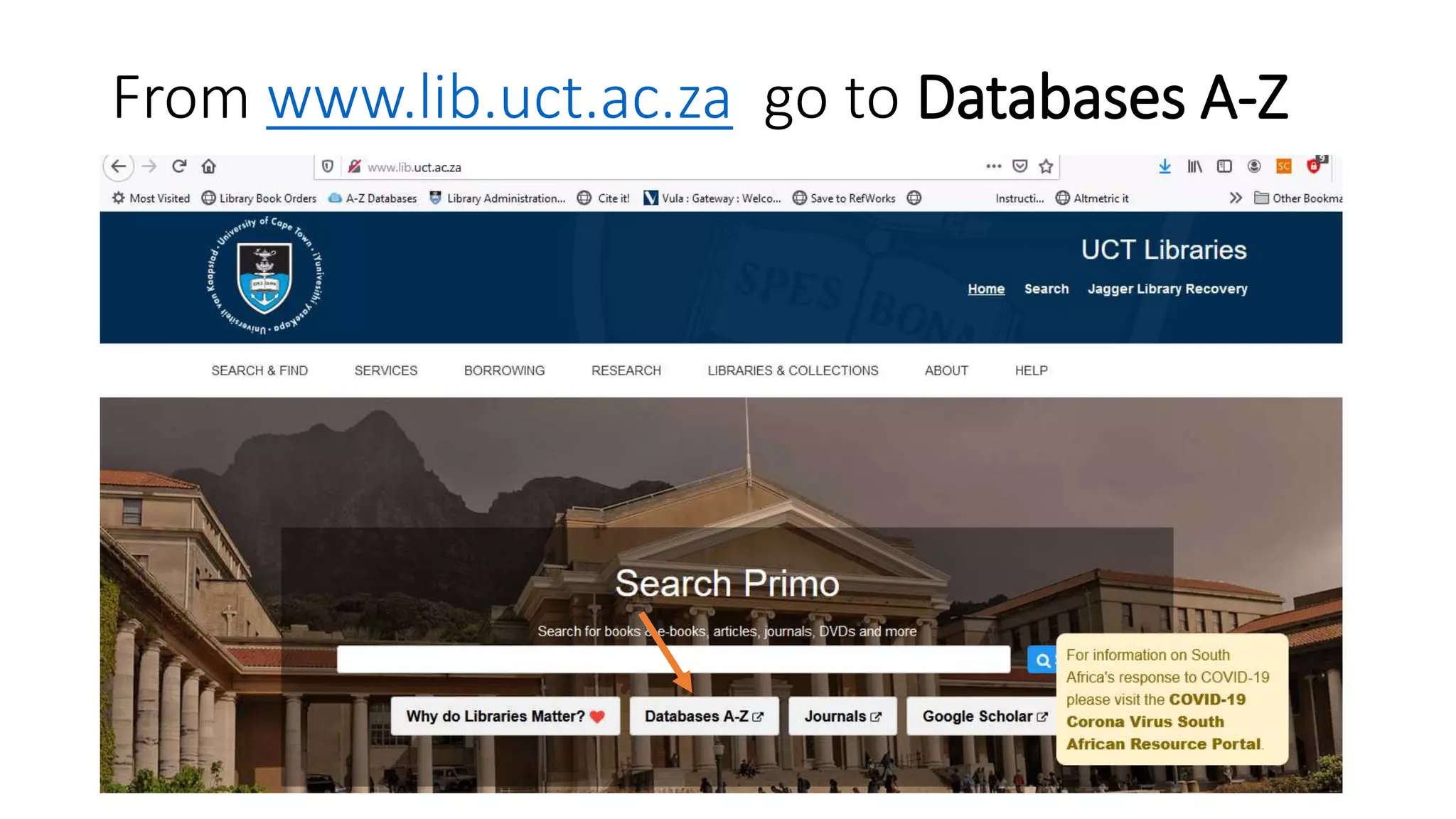
From www.lib.uct.ac.za go to Databases A-Z
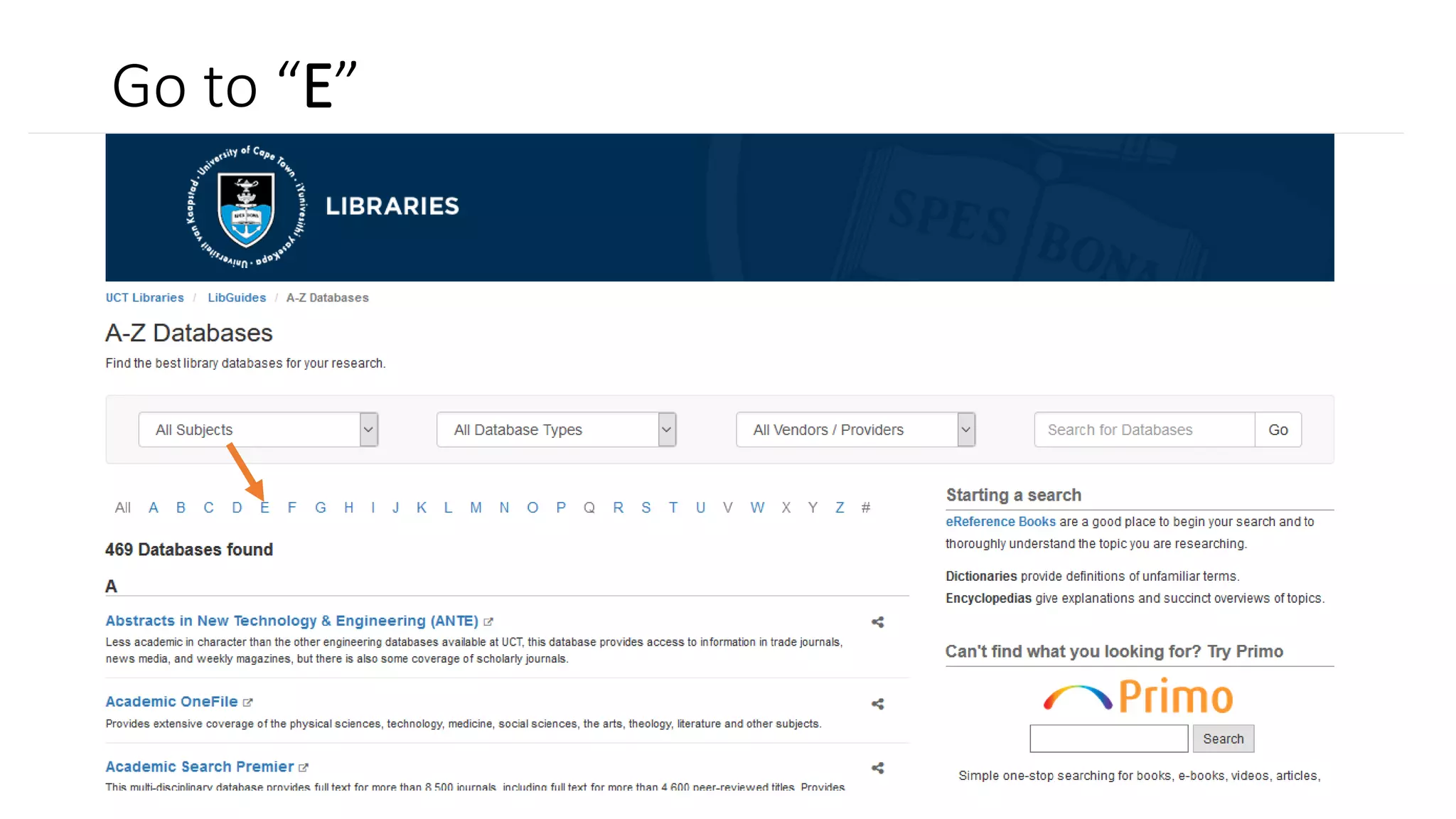
Go to “E”
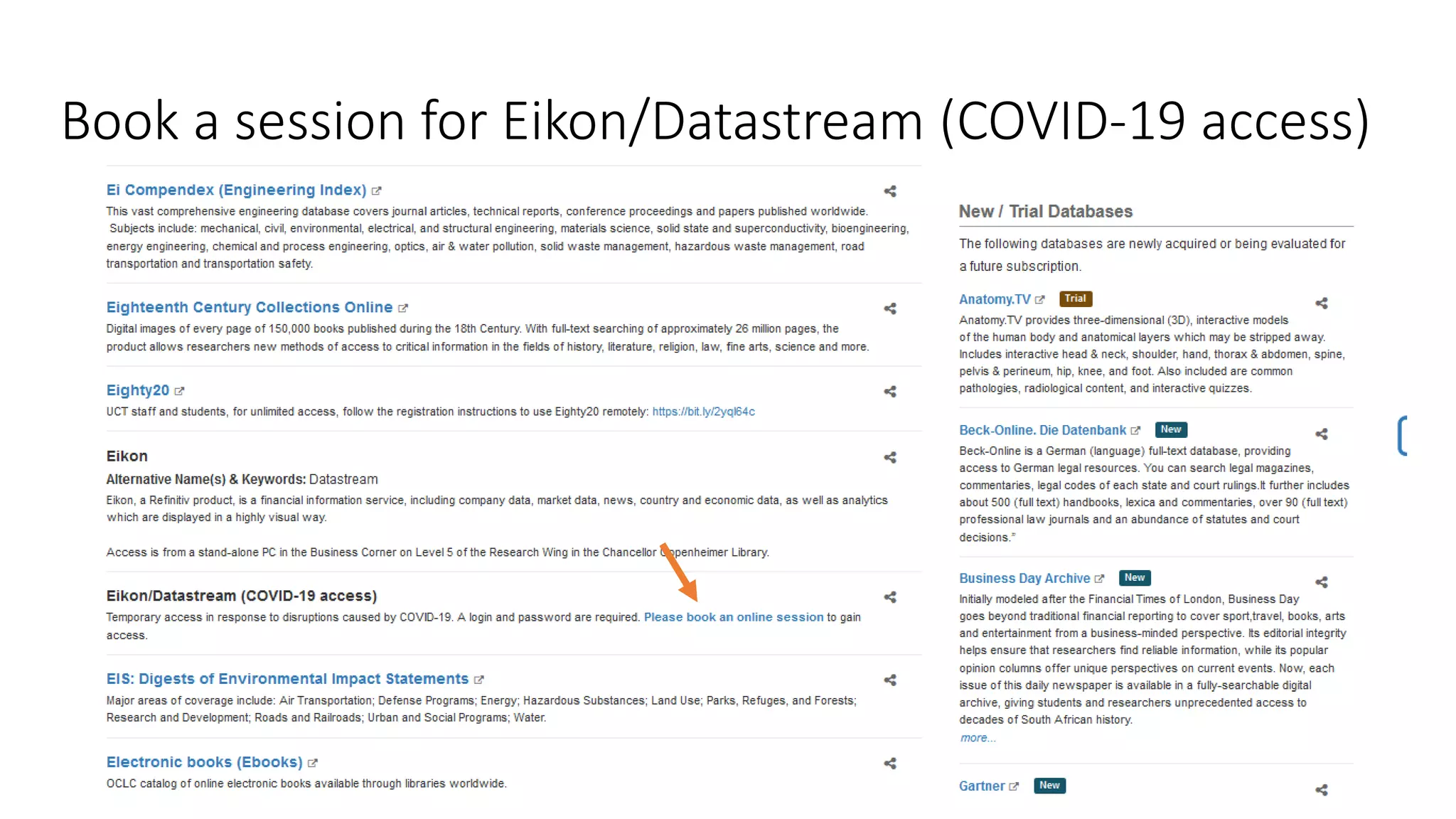
Book a session for Eikon/Datastream (COVID-19 access)
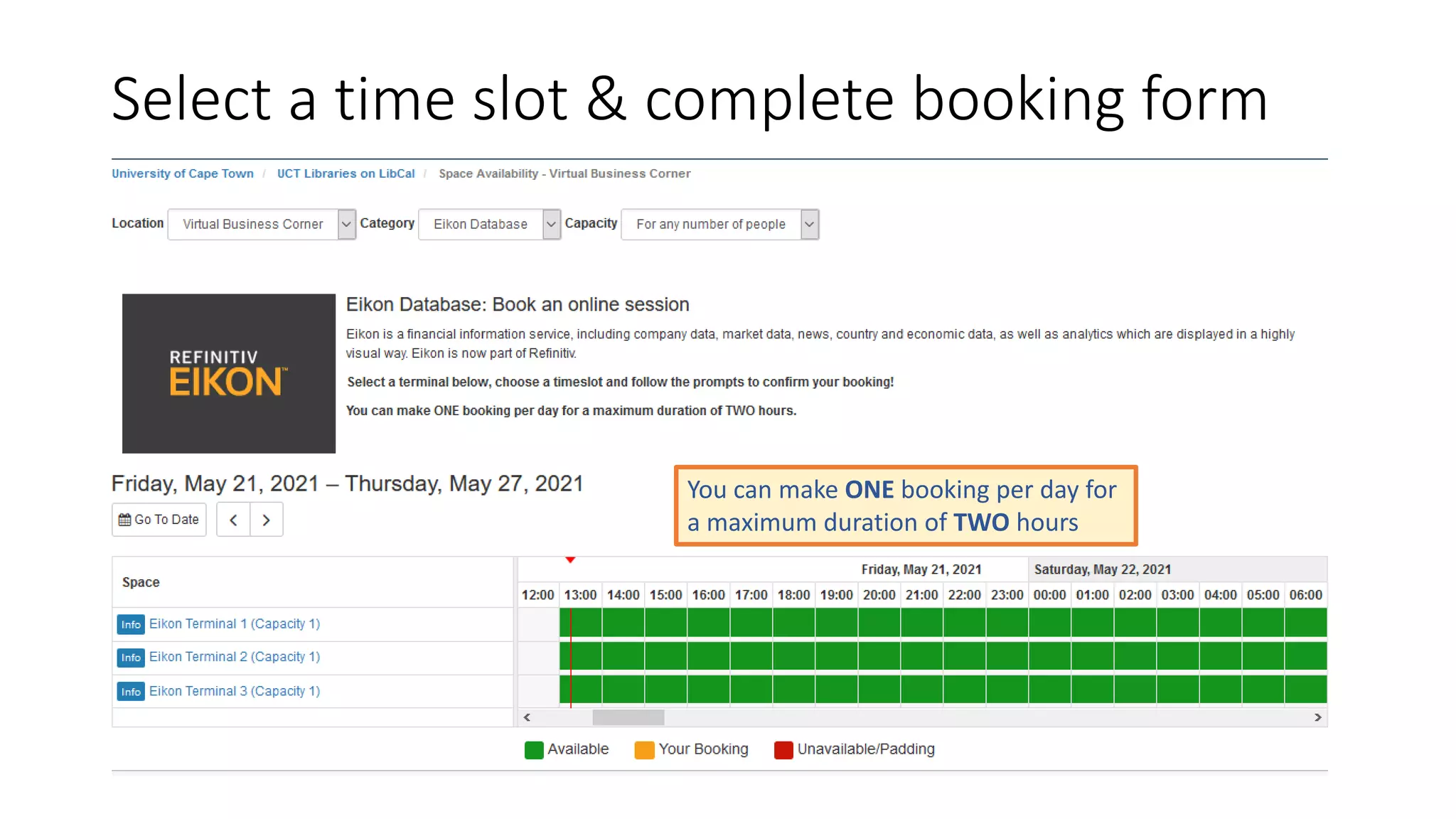
Select a time slot & complete booking form
You can make ONE booking per day for
a maximum duration of TWO hours
You will receive a booking confirmation email with a User ID and
password
Install the Refinitiv Eikon desktop application
Your machine needs to have the Refinitiv Eikon desktop application as
Datastream is available as part of that application
NB: Installation is done only once
Installation instructions
• Close down any Office applications, like Word, Excel, PowerPoint, etc.
• Go to http://eikon.thomsonreuters.com and click on “Sign In & Download”
• Follow the prompts to download the installer
• After installer is downloaded, run it and let it finish the installation
Please note: This will only work on a Windows machine
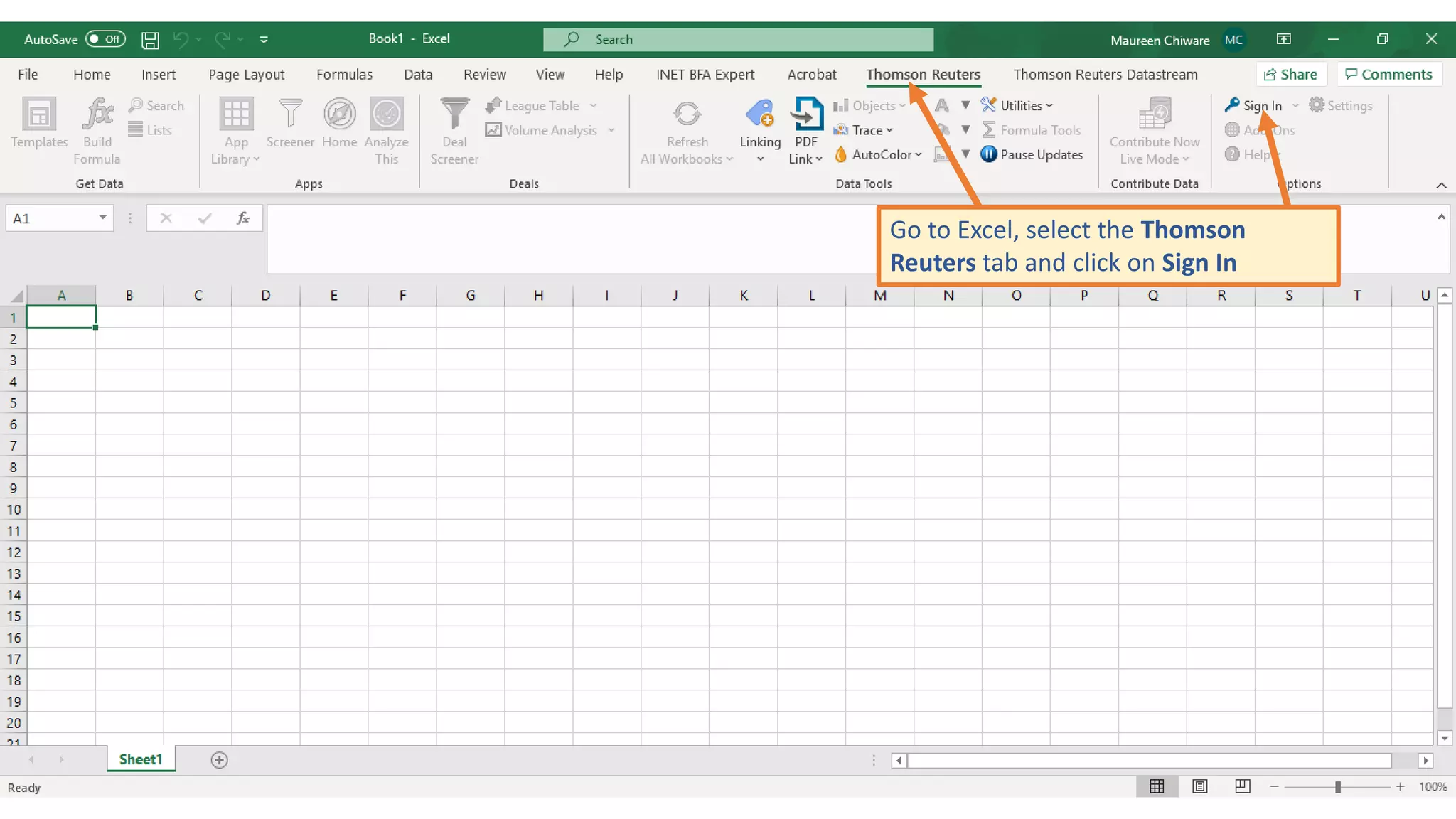
Go to Excel, select the Thomson
Reuters tab and click on Sign In
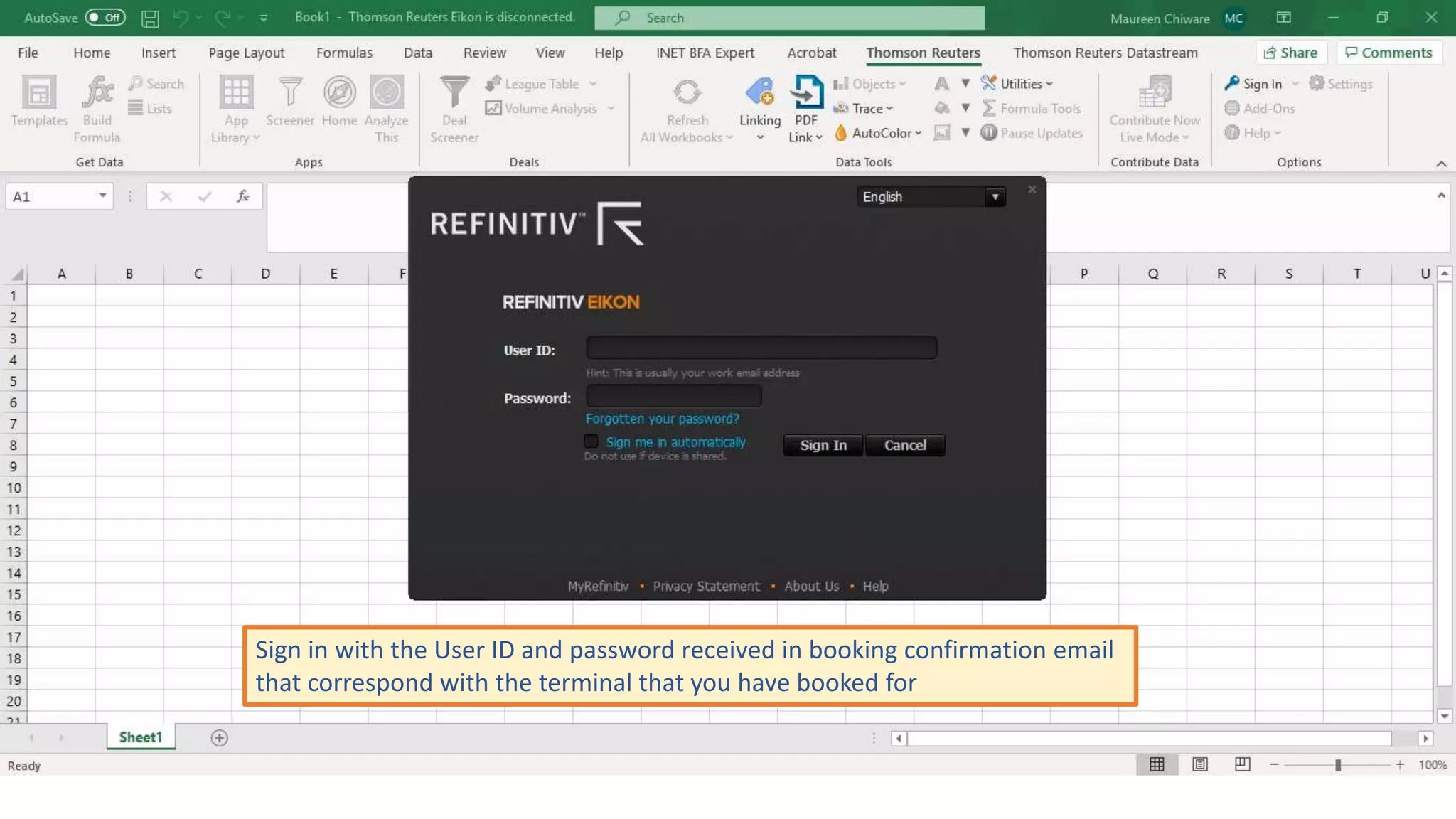
Sign in with the User ID and password received in booking confirmation email
that correspond with the terminal that you have booked for
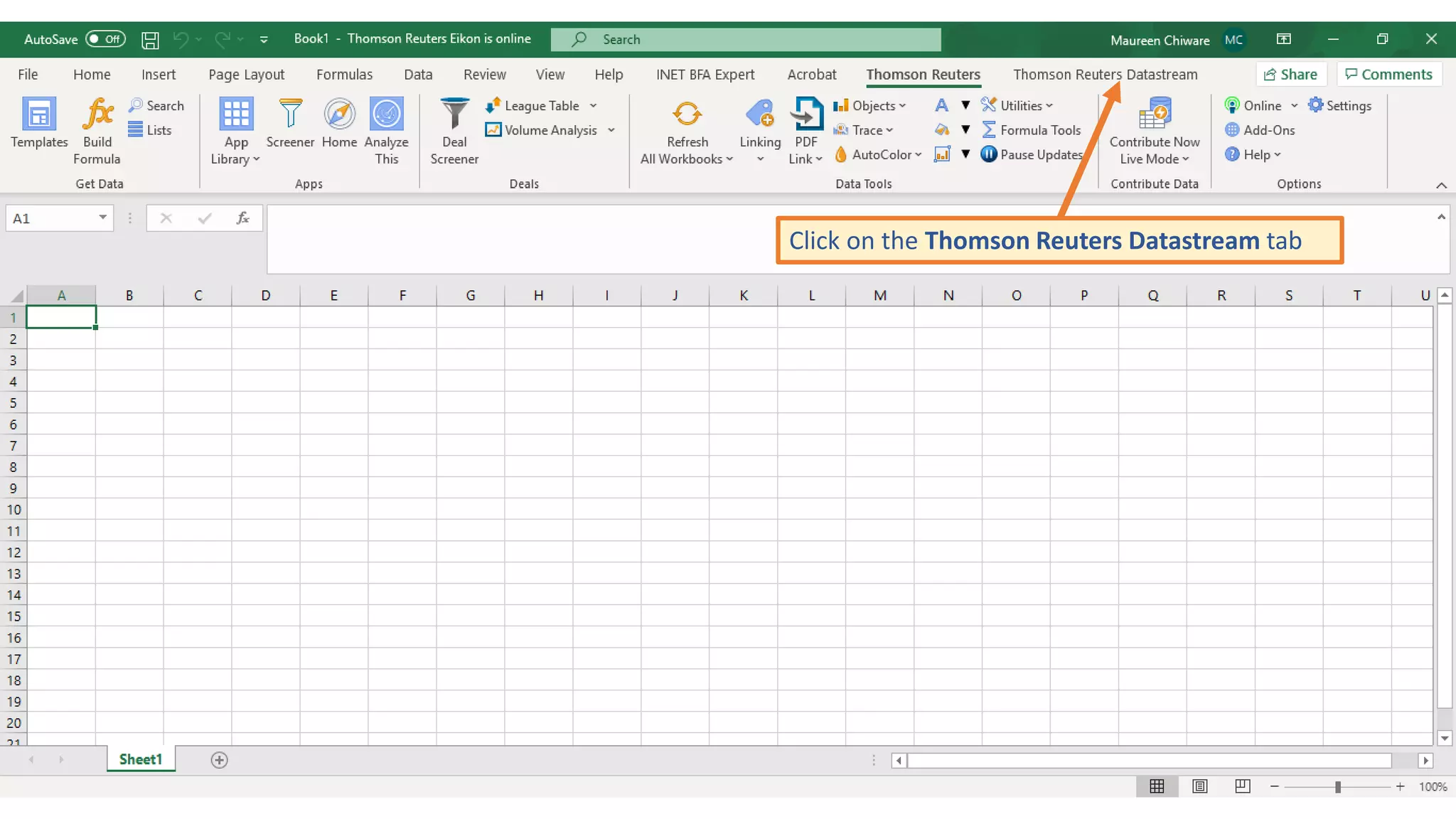
Click on the Thomson Reuters Datastream tab
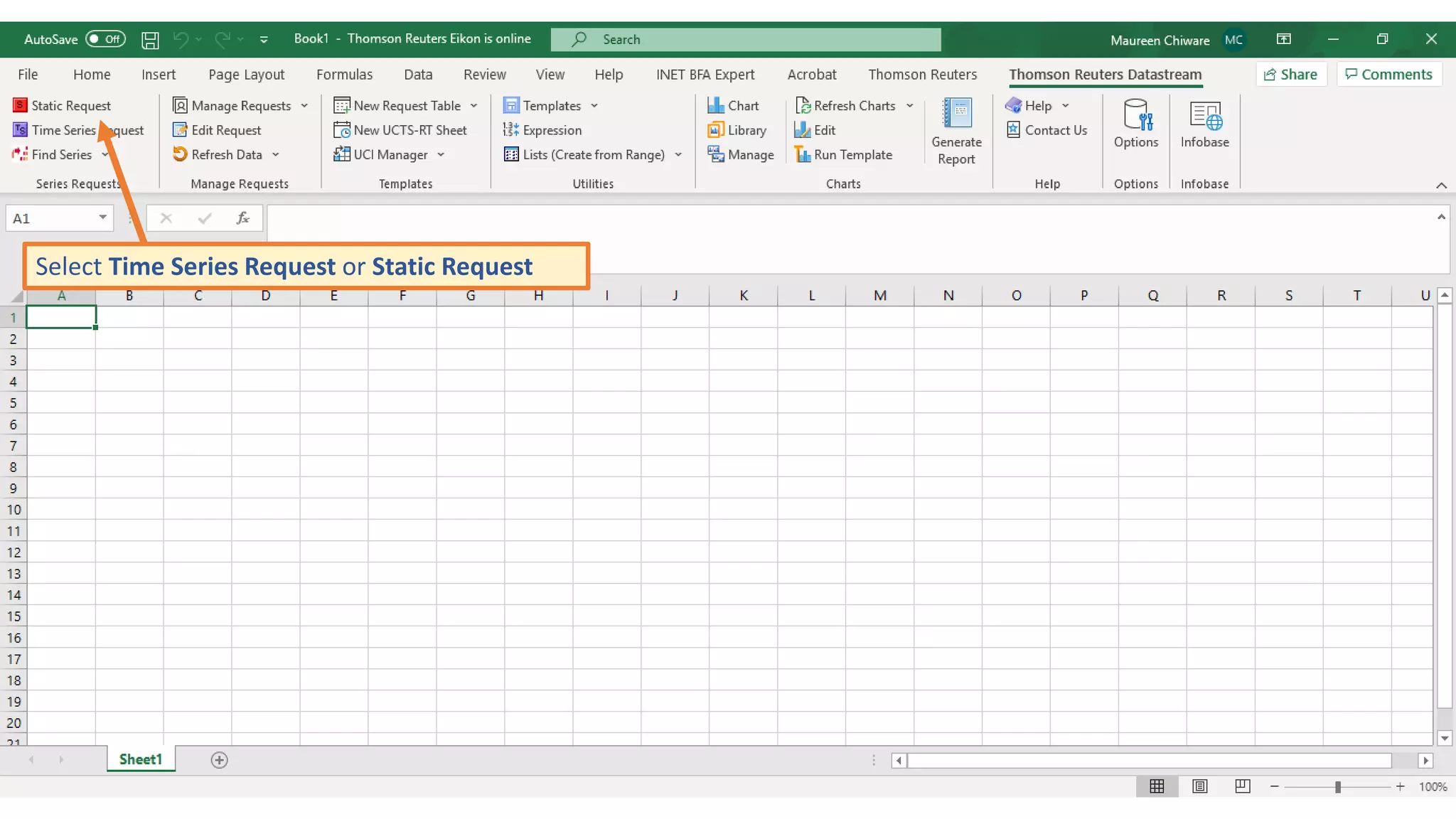
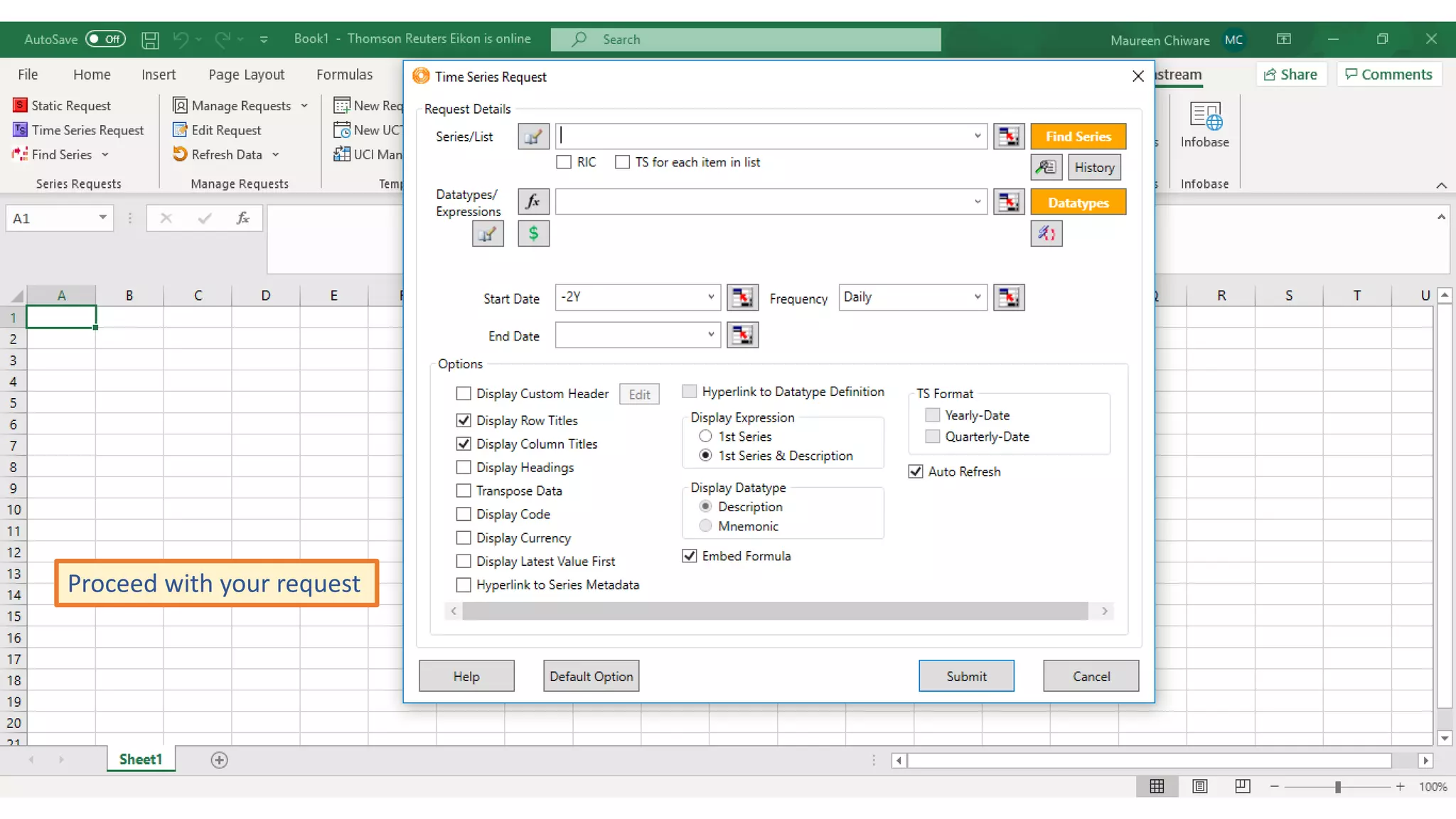
Select Time Series Request or Static Request
Proceed with your request
If you are not familiar with searching on Datastream, please use
instructions on the following video
https://www.youtube.com/watch?v=Iap-swQBitw
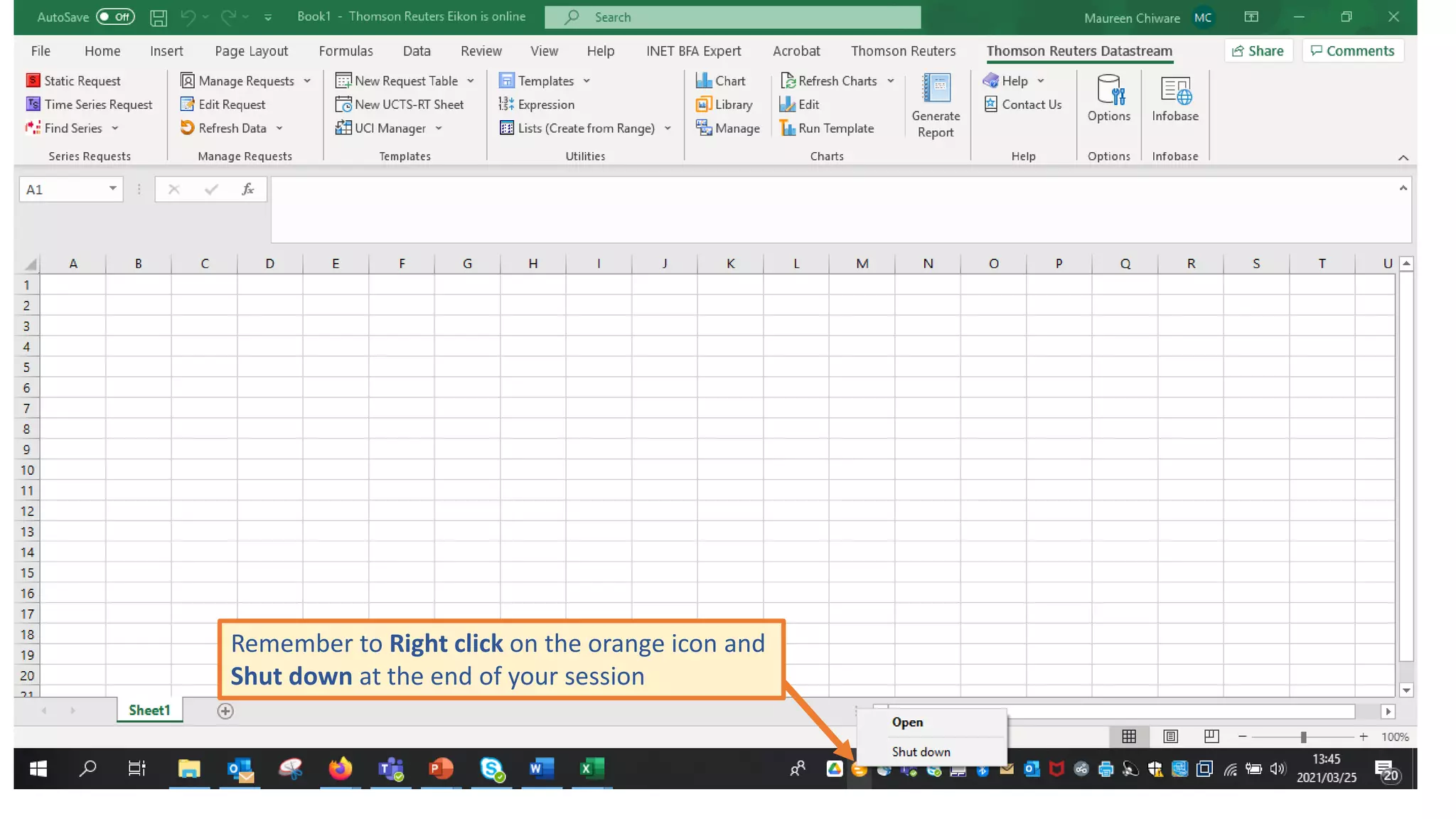
Remember to Right click on the orange icon and
Shut down at the end of your session
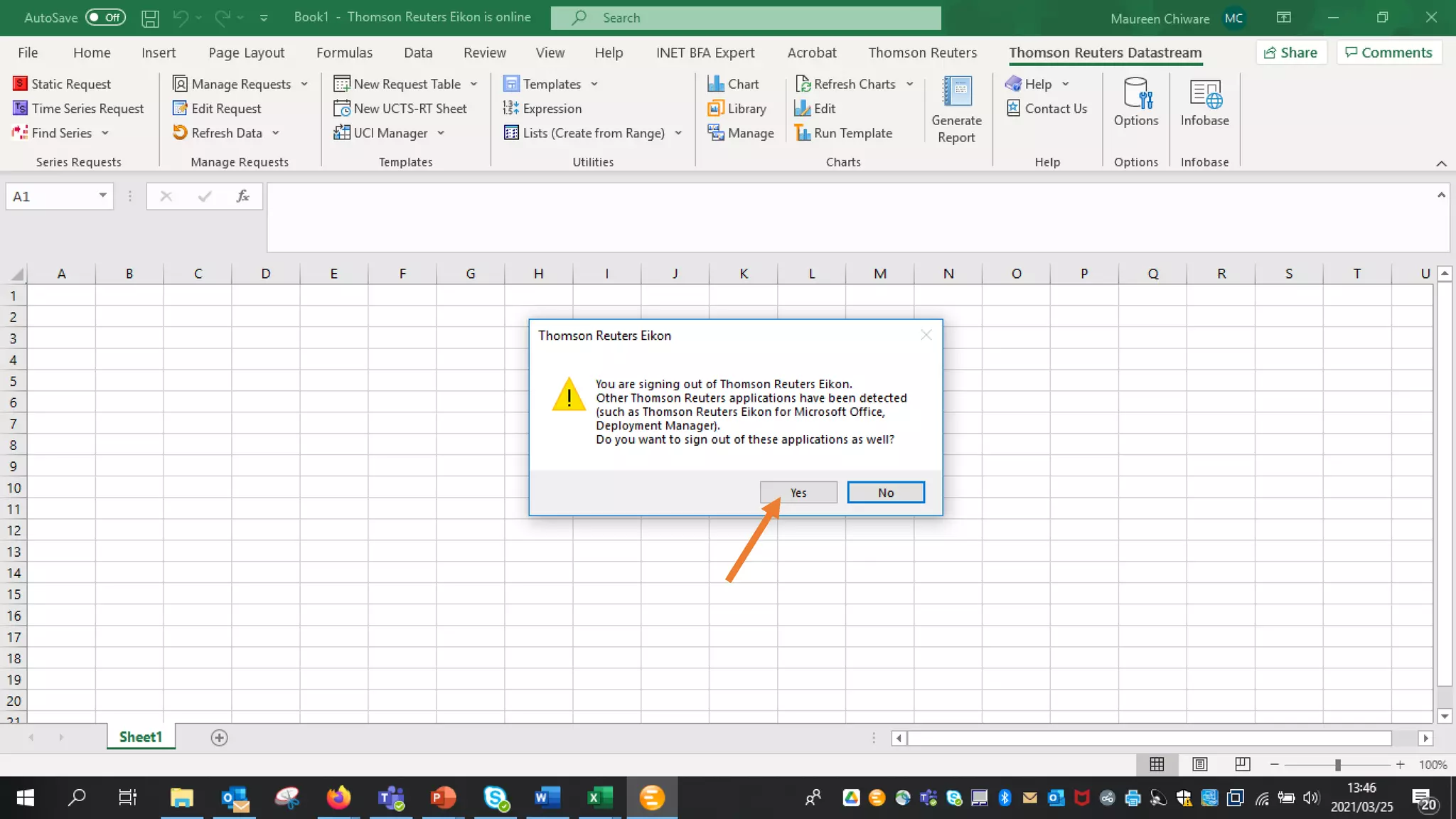
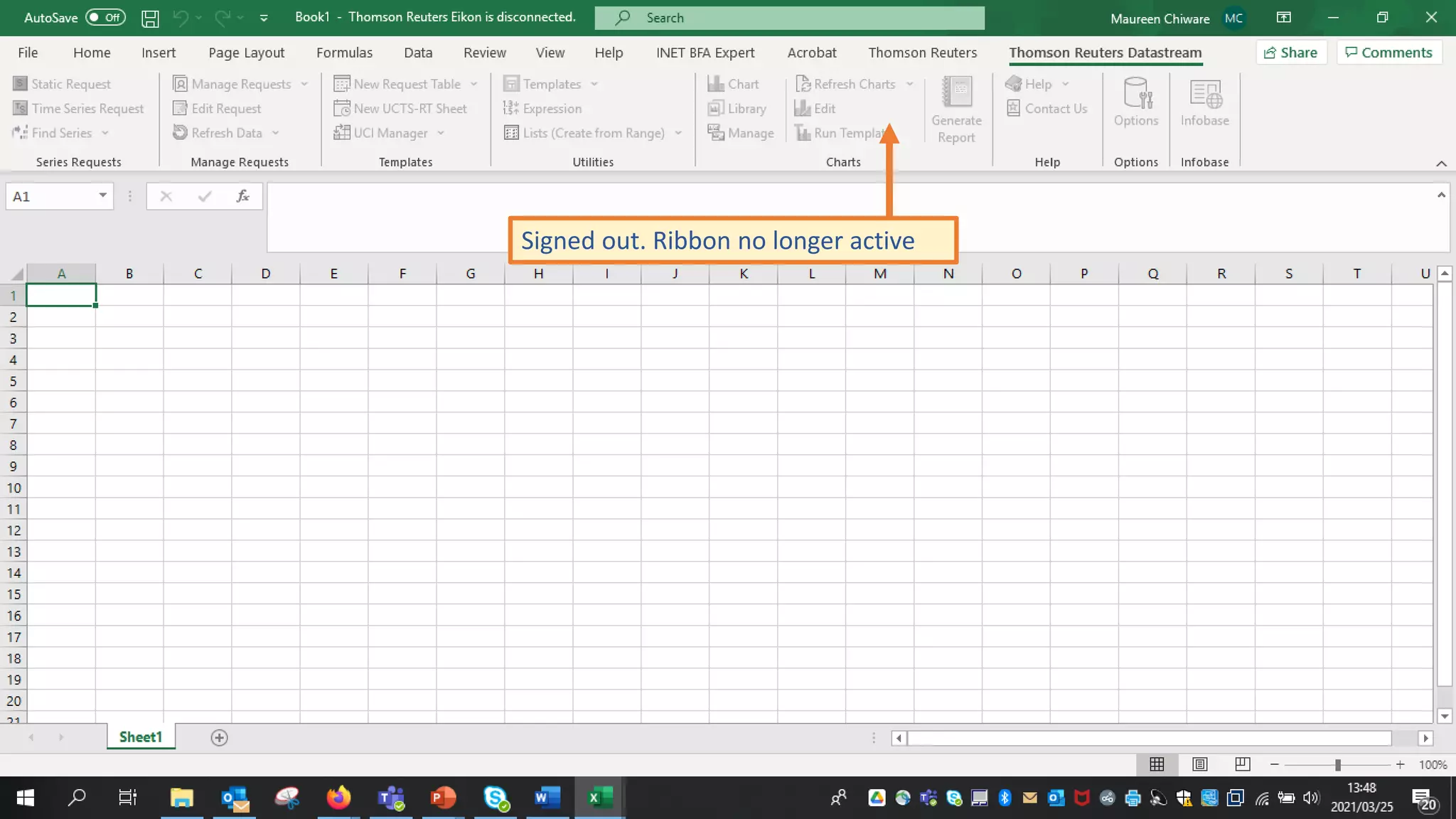
Signed out. Ribbon no longer active
• Remember to book a session each time you want to access
Datastream
• Log in with the User ID and Password for the booked terminal in the
booking confirmation email
maureen.chiware@uct.ac.za

Accessing Datastream off campus

  • 1.
  • 2.
    From www.lib.uct.ac.za goto Databases A-Z
  • 3.
  • 4.
    Book a sessionfor Eikon/Datastream (COVID-19 access)
  • 5.
    Select a timeslot & complete booking form You can make ONE booking per day for a maximum duration of TWO hours
  • 6.
    You will receivea booking confirmation email with a User ID and password
  • 7.
    Install the RefinitivEikon desktop application Your machine needs to have the Refinitiv Eikon desktop application as Datastream is available as part of that application NB: Installation is done only once
  • 8.
    Installation instructions • Closedown any Office applications, like Word, Excel, PowerPoint, etc. • Go to http://eikon.thomsonreuters.com and click on “Sign In & Download” • Follow the prompts to download the installer • After installer is downloaded, run it and let it finish the installation Please note: This will only work on a Windows machine
  • 9.
    Go to Excel,select the Thomson Reuters tab and click on Sign In
  • 10.
    Sign in withthe User ID and password received in booking confirmation email that correspond with the terminal that you have booked for
  • 11.
    Click on theThomson Reuters Datastream tab
  • 12.
    Select Time SeriesRequest or Static Request
  • 13.
  • 14.
    If you arenot familiar with searching on Datastream, please use instructions on the following video https://www.youtube.com/watch?v=Iap-swQBitw
  • 15.
    Remember to Rightclick on the orange icon and Shut down at the end of your session
  • 17.
    Signed out. Ribbonno longer active
  • 18.
    • Remember tobook a session each time you want to access Datastream • Log in with the User ID and Password for the booked terminal in the booking confirmation email
  • 19.

Editor's Notes

  • #10 Sign in
  • #11 Details in booking confirmation email
  • #12 Go to Thomson Reuters Datastream tab
  • #13 Select Time Series or Static request
  • #14 Click on Find Series
  • #16 Remember to Right click and Shut down
  • #18 Thomson Reuters Eikon is disconnected