Justin Mclean
www.classsoftware.com
A Practical Guide to
Connecting Hardware to
the Web
• Director of Class Software for 15 years
• Developing and creating web applications for
15 years
• Programming for 25 years
• Adobe solution partner
• Adobe certified developer and trainer in Flex
and ColdFusion
• Based in Sydney Australia
Who am I?
• Low cost
• Small components
• Complex components with simple interfaces
Electronics Trends
• Easier to program
• Use of high level languages
• Software tools
• Open source
Computing Trends
• Low cost fast devices
• It’s easy to communicate between devices and
computers
• Can build complex systems from off the shelf
components
Are We There Yet?
Overview of the Arduino Platform
Arduino
Arduino Platform
• Open source hardware and software platform
• Easy to program
• Hardware is flexible, fast, low power and low
cost
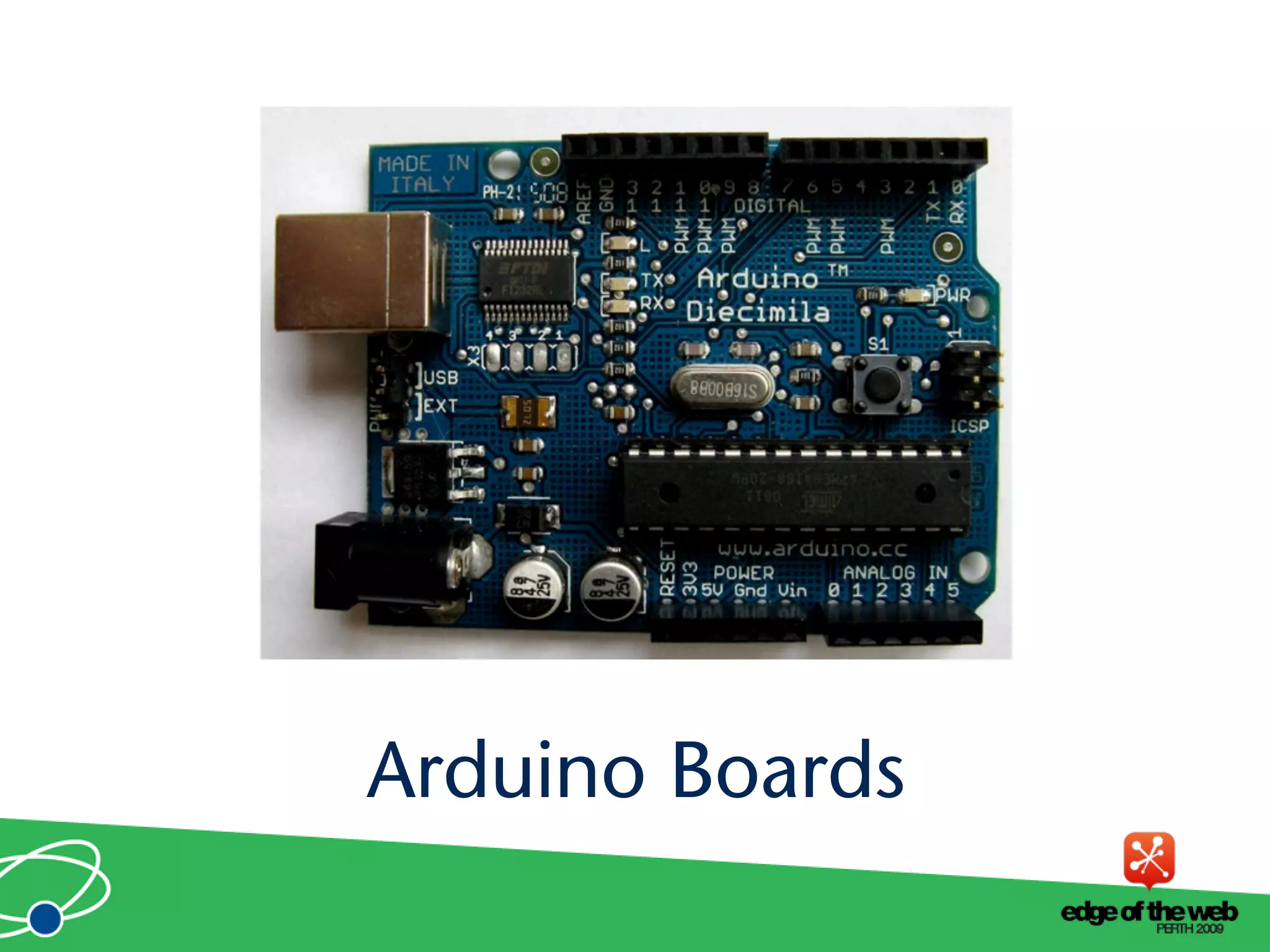
• Comes in a number of shapes sizes
• Low cost
• Easy to extend
Arduino Hardware
Arduino Boards
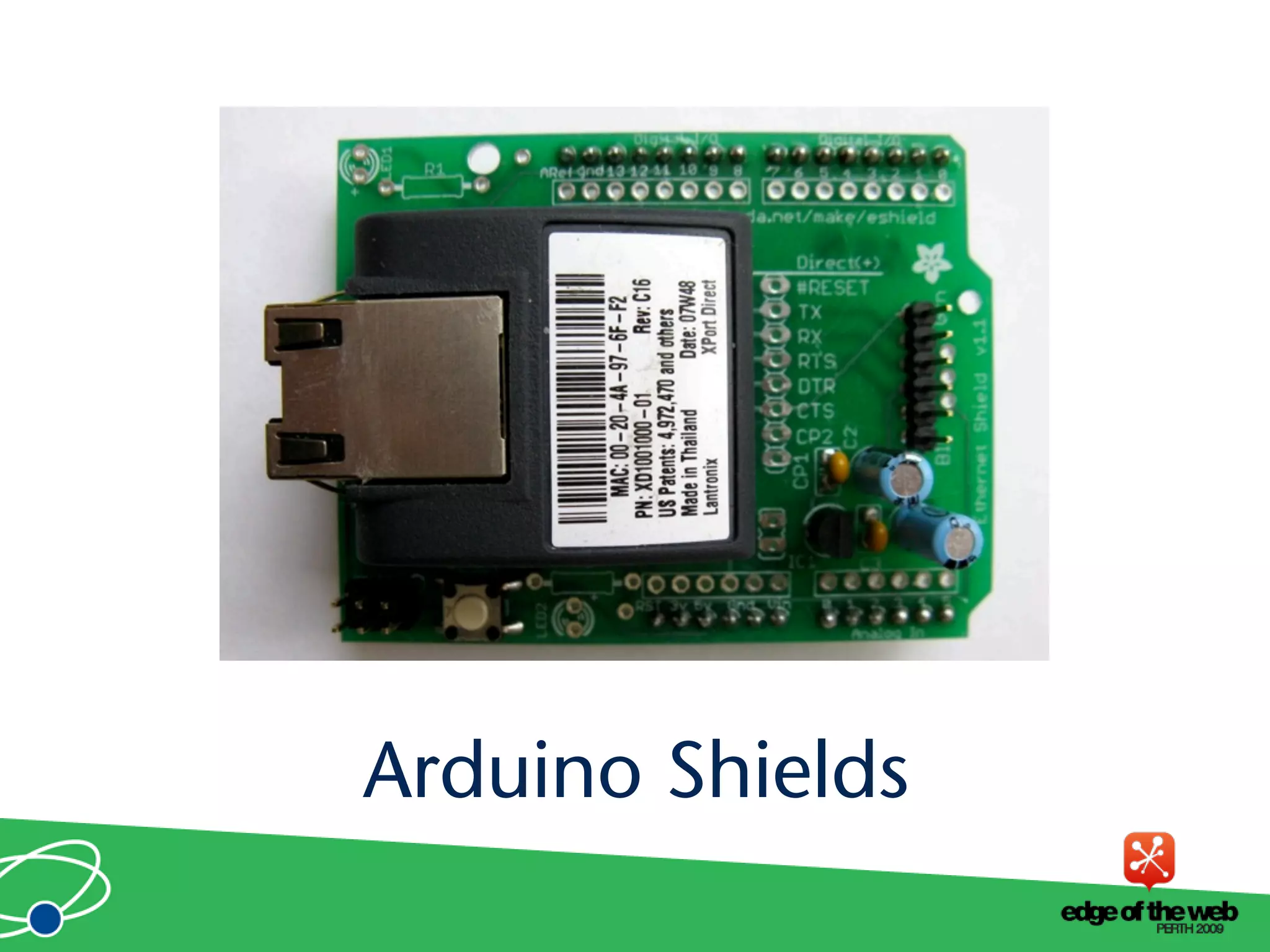
Arduino Shields
• Open source cross platform IDE
• Alpha but very stable
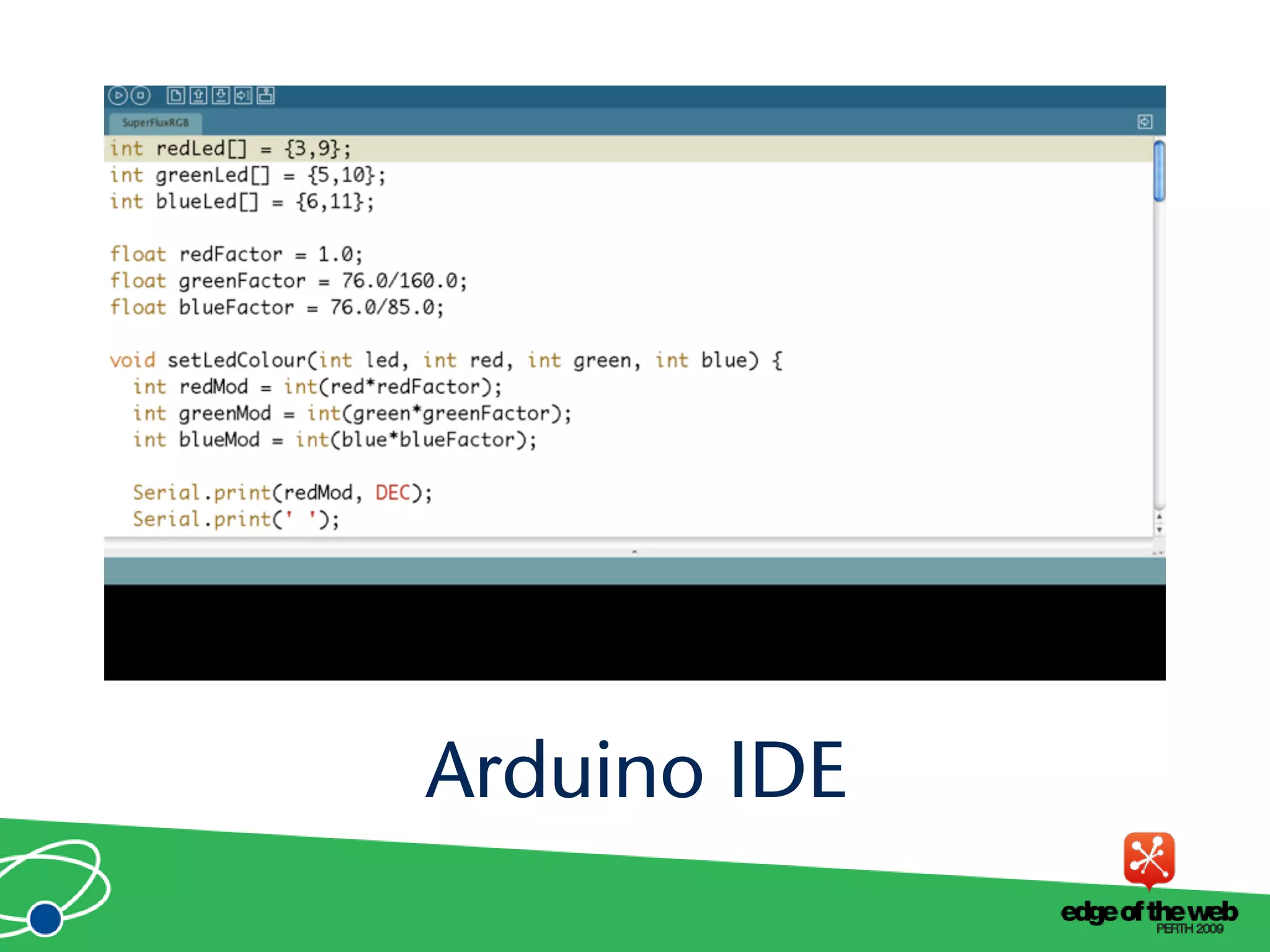
• Code in high level C like language
• Updated frequently
• Growing and active community
Arduino Software Platform
• C like high level language
• Inbuilt functions to read and set digital and
analog inputs and outputs
• Includes libraries to perform common
hardware or software tasks
Arduino Code
Arduino IDE
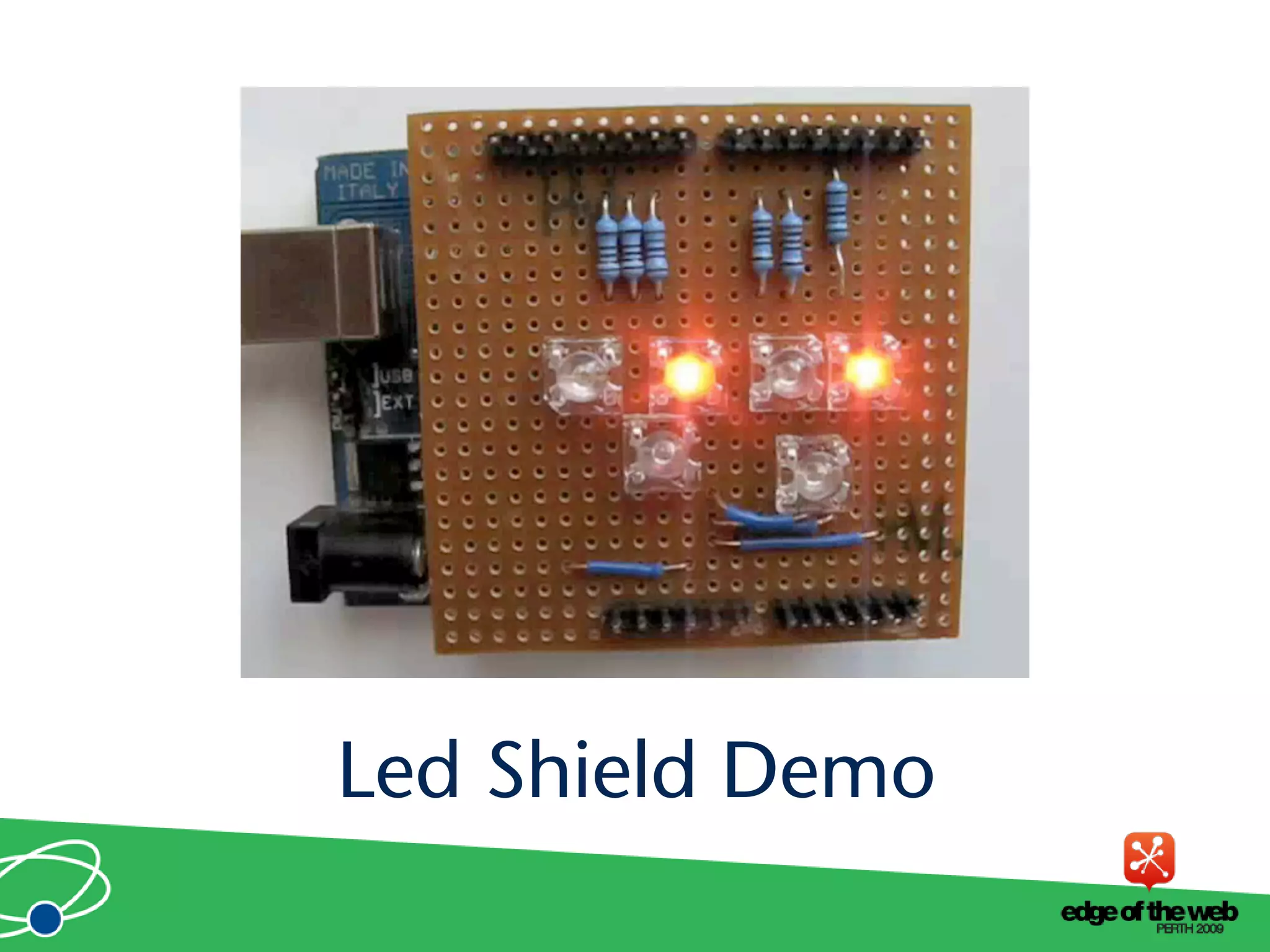
Led Shield Demo
• Debugging can be hard
• No simulator
• Memory, power and speed limits
• Helps to have a little electronic knowledge
Issues
How Arduinos communicate with the
outside world
Connecting
Arduinos
Connection Methods
• Direct to computer
• Wireless (XBee modems)
• Ethernet or WiFi
• The Cloud
Supported Languages
• Flex and Flash
• Processing
• Python
• Ruby
• Java
• C, C++, C# and Objective C
• .NET
How to communicate with Arduinos
and via PCs
Direct Connection
• Most languages can’t talk USB
• Solution: Socket to USB proxy
Direct Communication
• Library to communicate with proxy
• Proxy to USB communication
• USB to arduino
Layers of Communication
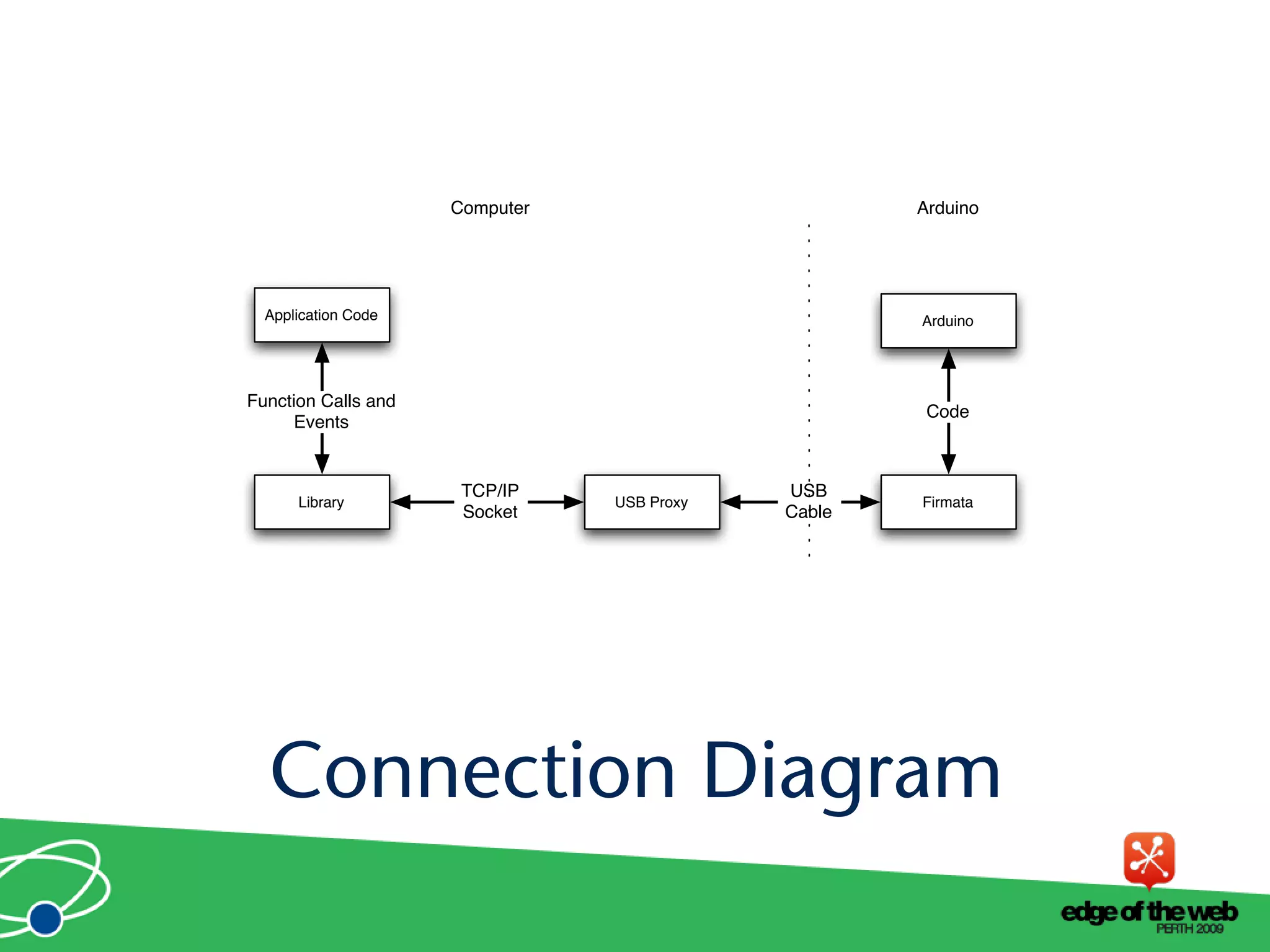
USB Proxy FirmataLibrary
Application Code Arduino
USB
Cable
TCP/IP
Socket
Computer Arduino
Function Calls and
Events
Code
Connection Diagram
• Simple binary protocol
• Based on MIDI
• Easy to extend
• Standard Arduino software library
Firmata Protocal
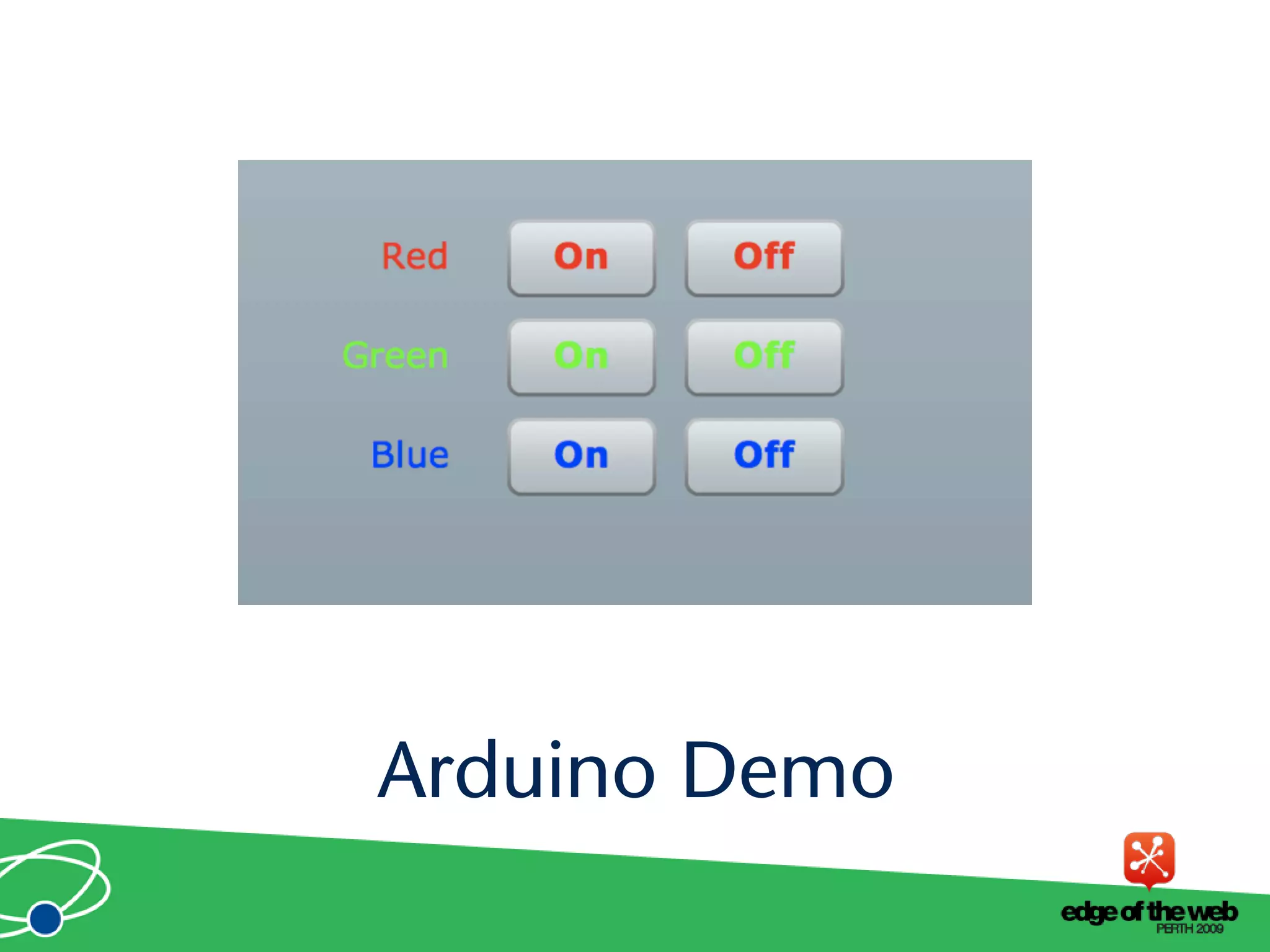
Arduino Demo
• Works best with a persistent connection
• If not persistent startup time and auto reset
issues
• Solution: custom bootloader
• Needs a computer
• Proxy must be running on machine Arduino is
connected to
Issues
Using Arduinos with XBee modems
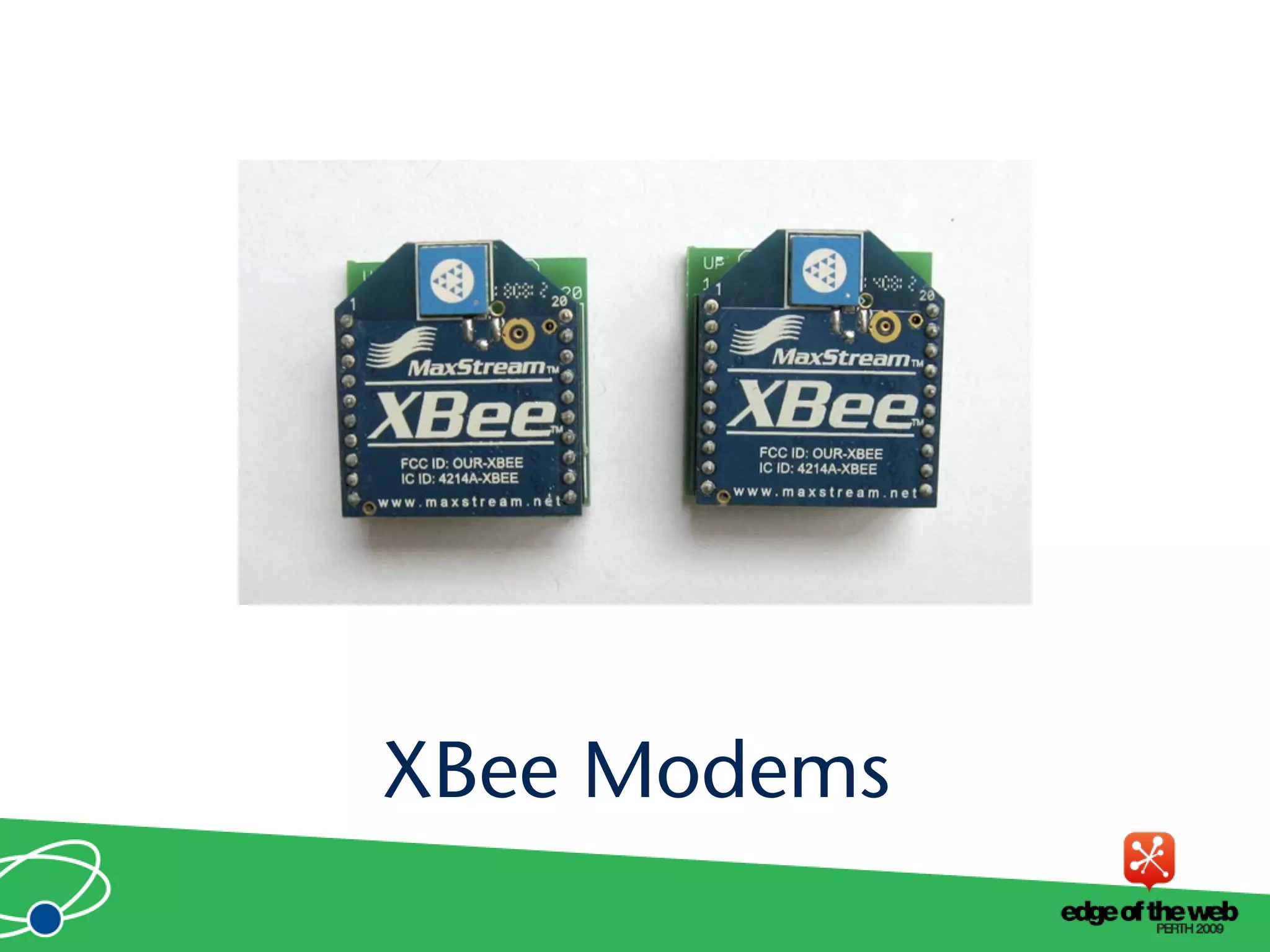
Xbee Modems
XBee Modems
• Hardware wireless modem
• Low cost
• Consume very little power
• Good range
• Easy to configure
XBee Modems
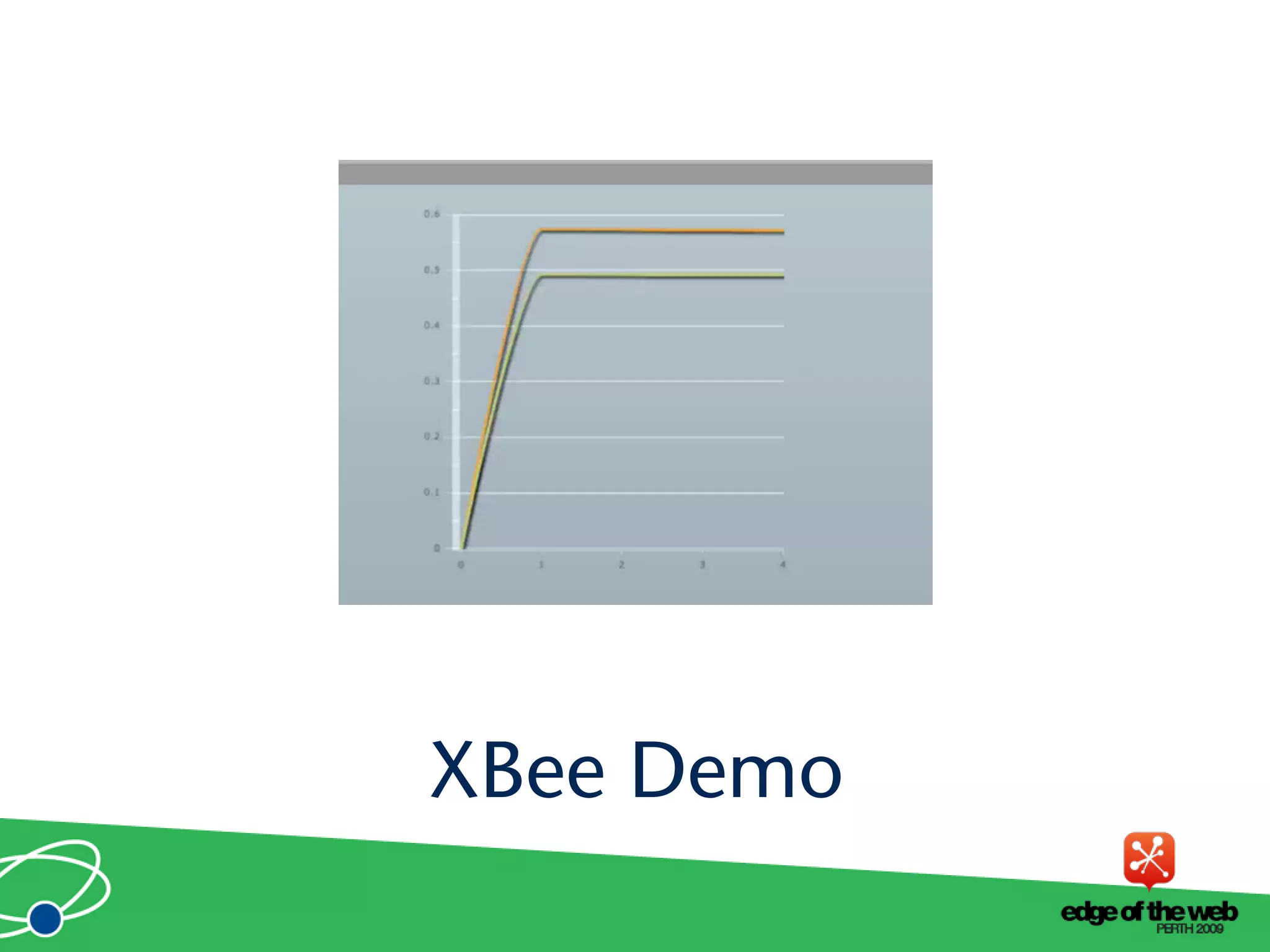
XBee Demo
Using Arduino Ethernet Shields
Ethernet
• Allow direct internet connection
• No dedicated computer needed
• Shields need a little config
• Can act as web server or client
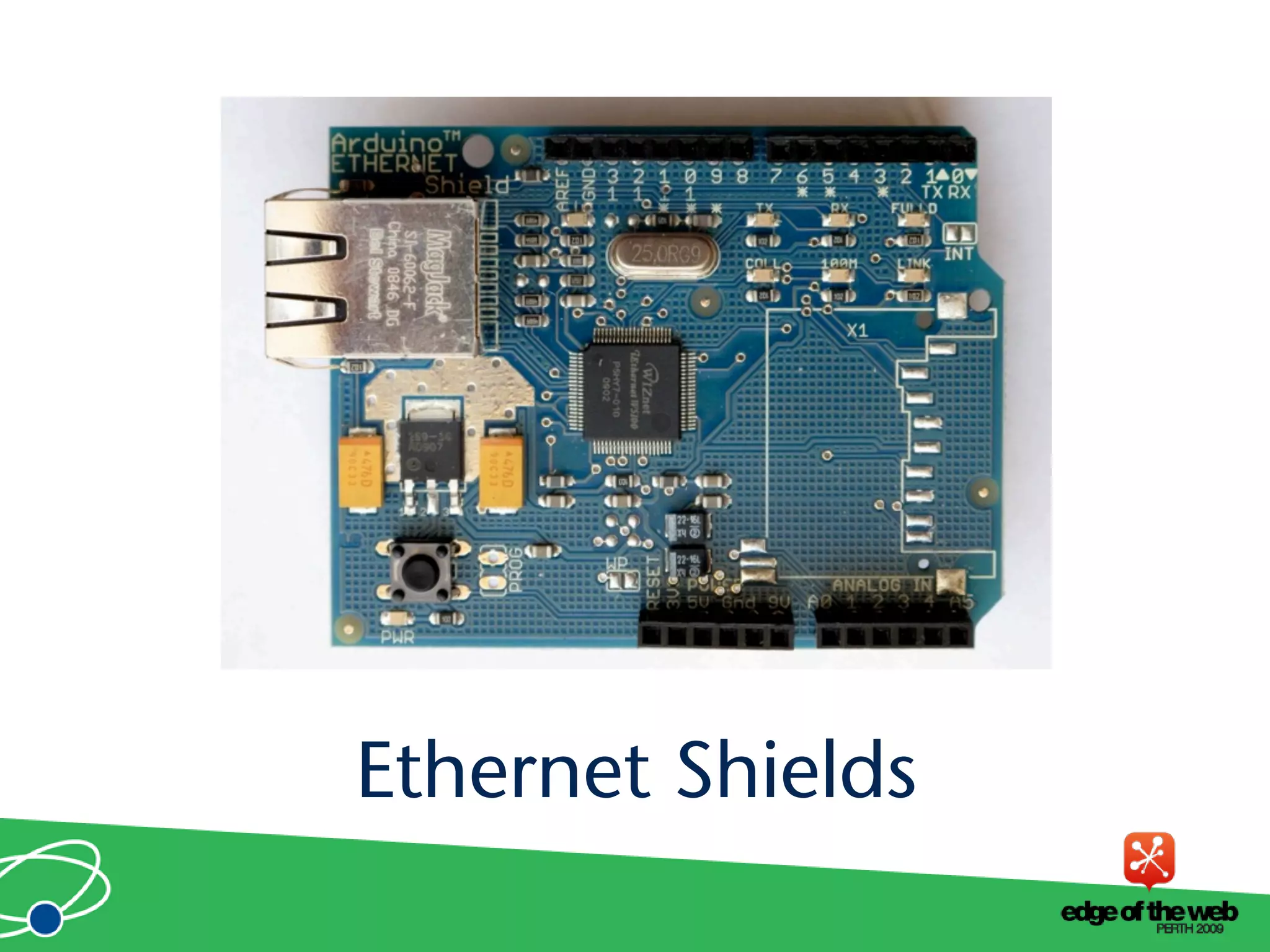
Ethernet Shields
Ethernet Shields
• Web server code
• Easy to modify
Ethernet Arduino Code
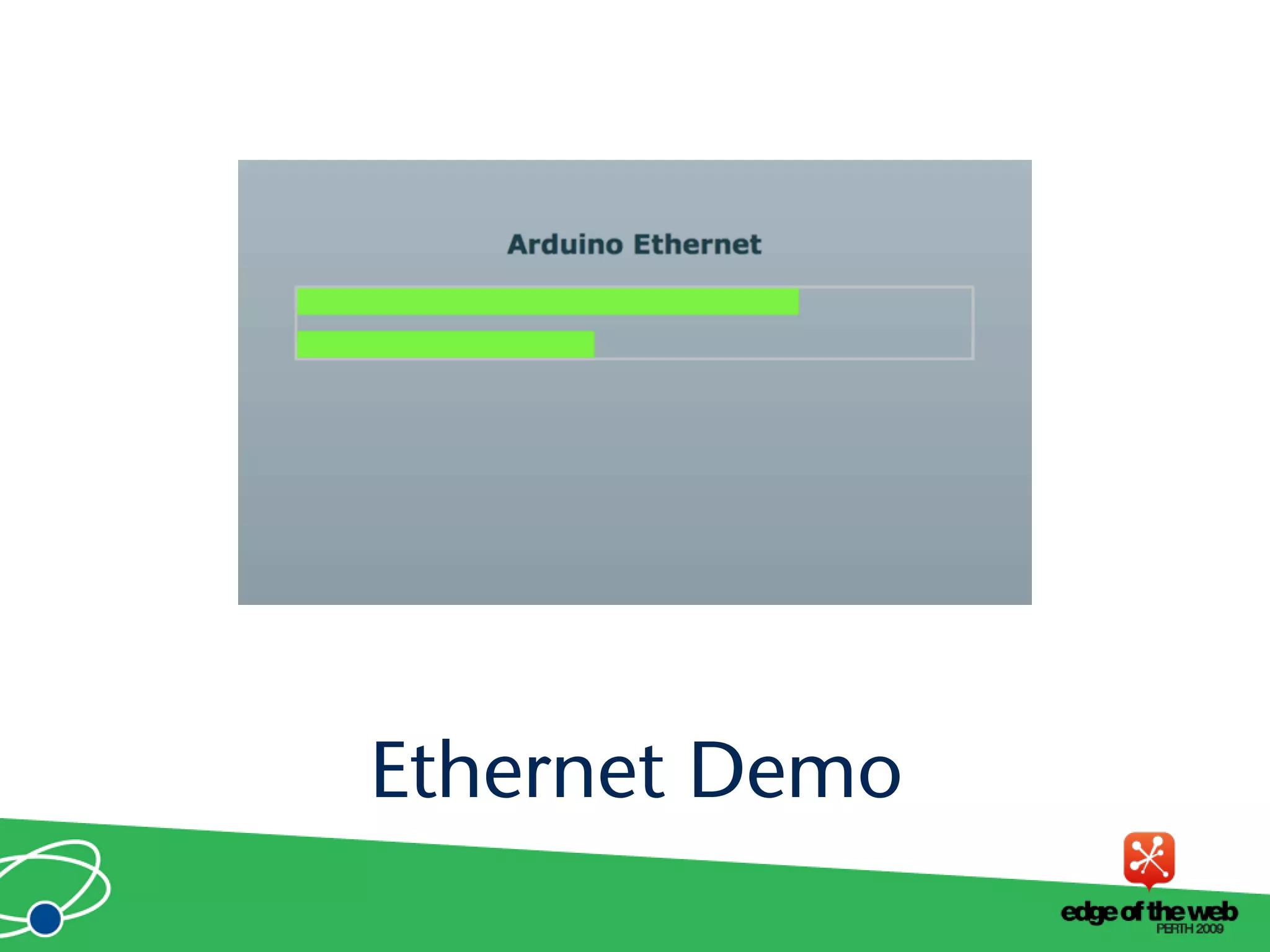
Ethernet Demo
An easier way to connect Arduinos
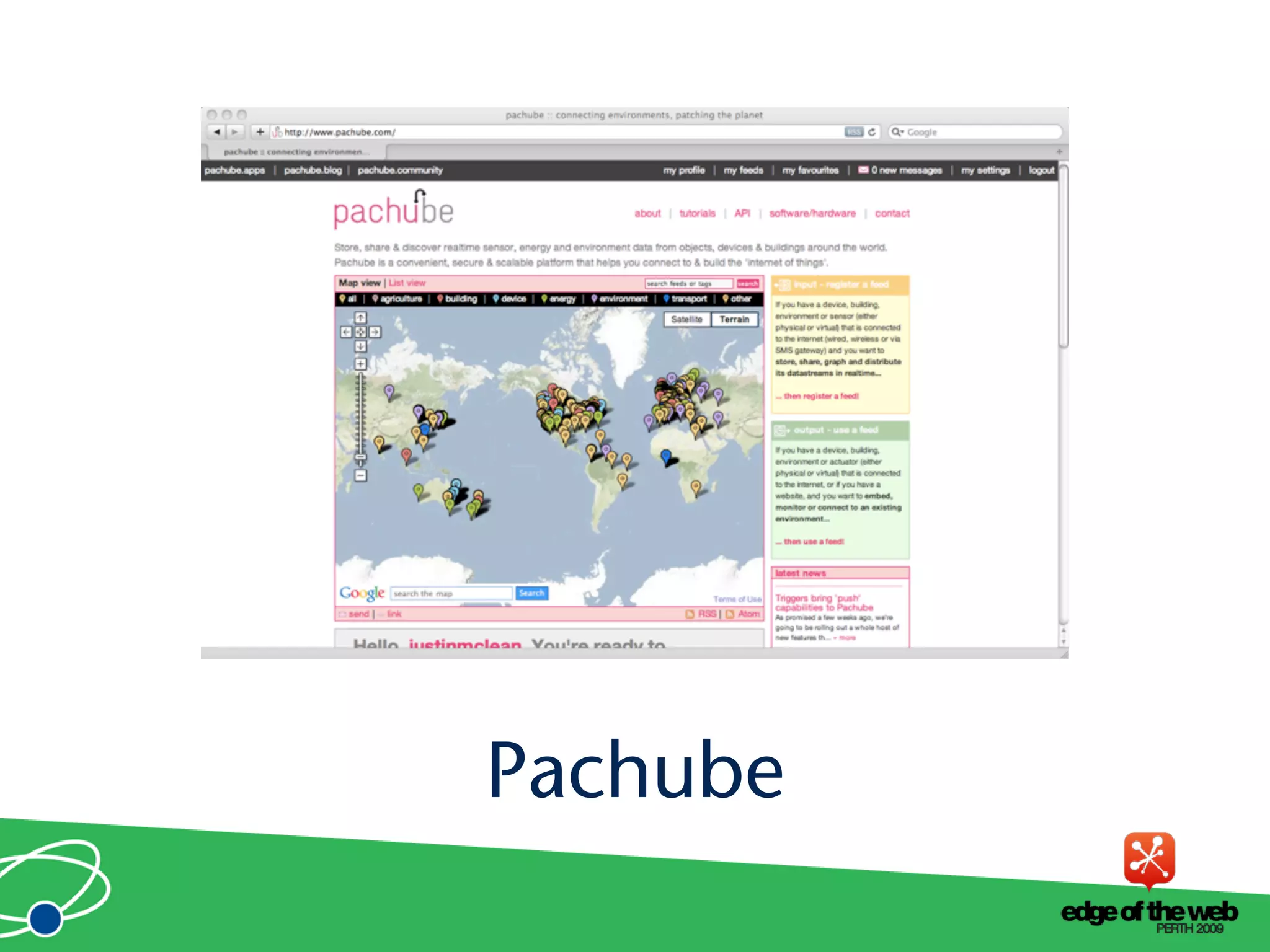
Pachube
• Store and share and acess realtime sensor data
• Simple and secure
• API to interact with all data and services
• Graphs and maps
Pachube
Pachube
• Communicates HTTP
• Plain text (csv), XML or Jason
• REST based
• Large base of supported languages
Pachube API
• Runs on Arduino with ethernet shield
• Sends values to Pachube
• Request values via Pachube
Pachube Arduino Code
• Call Pachube API using HTTP call
• Parse XML
• XML is in EEML format
• Display or act on values
Pachube Interaction
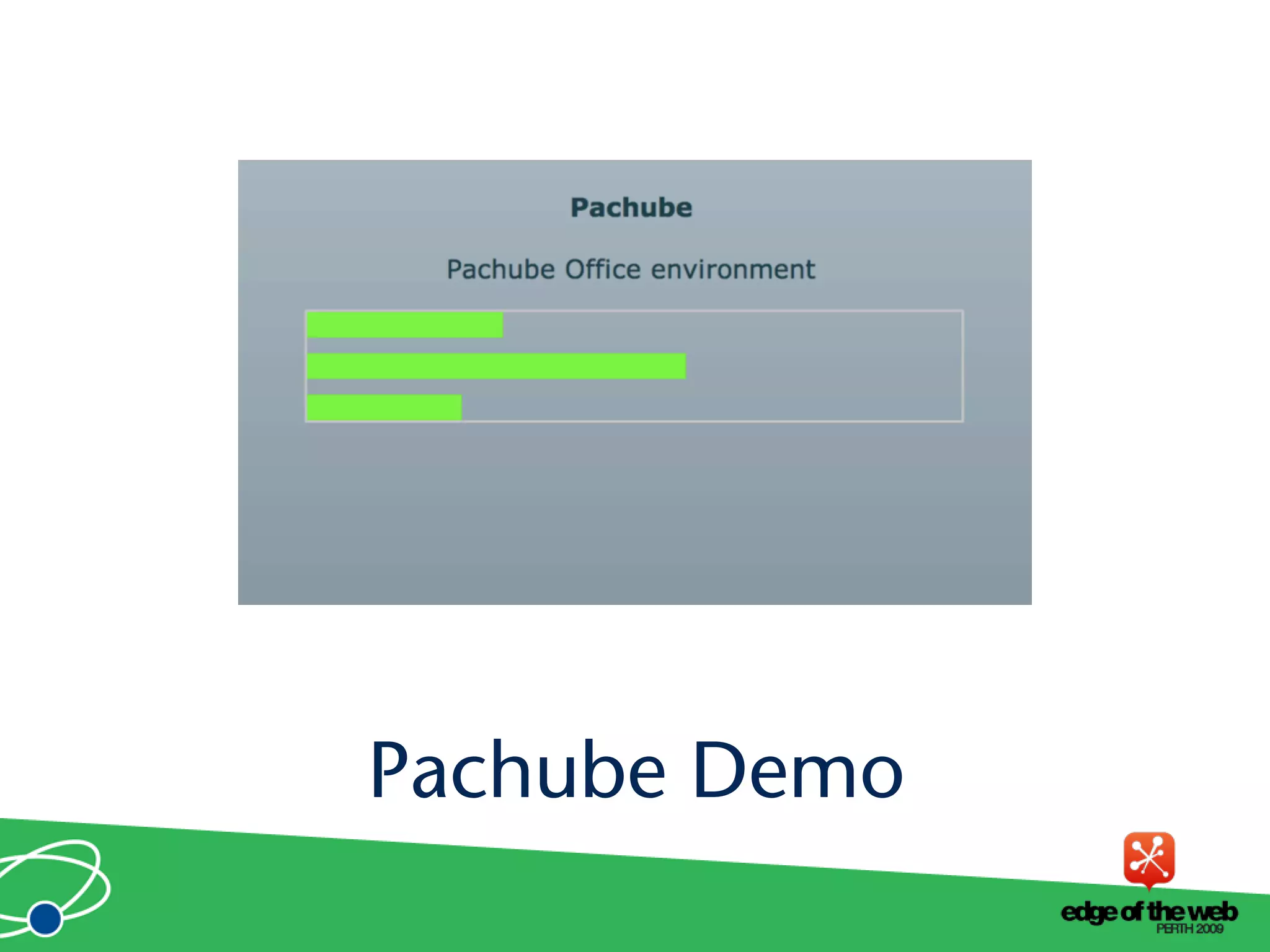
Pachube Demo
• Pachube can call an URL on value change
• The URL can be a dynamic
Pachube Triggers
• Expose yourself to new ideas and new ways of
solving problems
• Involves interaction with the real world
• Encourages creativity
• Makes you a better programmer
Why do this?
It’s Fun!
• Ask now, see me after session or email
justin@classsoftware.com
Questions?
List of useful hardware and software
sites
Useful Sites
• Arduino http://www.arduino.cc for software,
user forum and playground
• Ethernet Shields http://arduino.cc/en/
Reference/Ethernet
• Pachhub http://www.pachube.com/
Software Sites
• Spark Fun (US) http://www.sparkfun.com/
• Adafruit Industries (US) http://
www.adafruit.com/
• Electronic Goldmine (US) http://
www.goldmine-elec.com/
Hardware Sites
• Lady Ada http://www.ladyada.net/
• Evil Mad Scientist http://
www.evilmadscientist.com/
• NY Resistor http://www.nycresistor.com/
• Make Zine http://makezine.com/
Other Sites

A Practical Guide to Connecting Hardware to the Web

  • 1.
    Justin Mclean www.classsoftware.com A PracticalGuide to Connecting Hardware to the Web
  • 2.
    • Director ofClass Software for 15 years • Developing and creating web applications for 15 years • Programming for 25 years • Adobe solution partner • Adobe certified developer and trainer in Flex and ColdFusion • Based in Sydney Australia Who am I?
  • 3.
    • Low cost •Small components • Complex components with simple interfaces Electronics Trends
  • 4.
    • Easier toprogram • Use of high level languages • Software tools • Open source Computing Trends
  • 5.
    • Low costfast devices • It’s easy to communicate between devices and computers • Can build complex systems from off the shelf components Are We There Yet?
  • 6.
    Overview of theArduino Platform Arduino
  • 7.
    Arduino Platform • Opensource hardware and software platform • Easy to program • Hardware is flexible, fast, low power and low cost
  • 8.
    • Comes ina number of shapes sizes • Low cost • Easy to extend Arduino Hardware
  • 9.
  • 10.
  • 11.
    • Open sourcecross platform IDE • Alpha but very stable • Code in high level C like language • Updated frequently • Growing and active community Arduino Software Platform
  • 12.
    • C likehigh level language • Inbuilt functions to read and set digital and analog inputs and outputs • Includes libraries to perform common hardware or software tasks Arduino Code
  • 13.
  • 14.
  • 15.
    • Debugging canbe hard • No simulator • Memory, power and speed limits • Helps to have a little electronic knowledge Issues
  • 16.
    How Arduinos communicatewith the outside world Connecting Arduinos
  • 17.
    Connection Methods • Directto computer • Wireless (XBee modems) • Ethernet or WiFi • The Cloud
  • 18.
    Supported Languages • Flexand Flash • Processing • Python • Ruby • Java • C, C++, C# and Objective C • .NET
  • 19.
    How to communicatewith Arduinos and via PCs Direct Connection
  • 20.
    • Most languagescan’t talk USB • Solution: Socket to USB proxy Direct Communication
  • 21.
    • Library tocommunicate with proxy • Proxy to USB communication • USB to arduino Layers of Communication
  • 22.
    USB Proxy FirmataLibrary ApplicationCode Arduino USB Cable TCP/IP Socket Computer Arduino Function Calls and Events Code Connection Diagram
  • 23.
    • Simple binaryprotocol • Based on MIDI • Easy to extend • Standard Arduino software library Firmata Protocal
  • 24.
  • 25.
    • Works bestwith a persistent connection • If not persistent startup time and auto reset issues • Solution: custom bootloader • Needs a computer • Proxy must be running on machine Arduino is connected to Issues
  • 26.
    Using Arduinos withXBee modems Xbee Modems
  • 27.
    XBee Modems • Hardwarewireless modem • Low cost • Consume very little power • Good range • Easy to configure
  • 28.
  • 29.
  • 30.
    Using Arduino EthernetShields Ethernet
  • 31.
    • Allow directinternet connection • No dedicated computer needed • Shields need a little config • Can act as web server or client Ethernet Shields
  • 32.
  • 33.
    • Web servercode • Easy to modify Ethernet Arduino Code
  • 34.
  • 35.
    An easier wayto connect Arduinos Pachube
  • 36.
    • Store andshare and acess realtime sensor data • Simple and secure • API to interact with all data and services • Graphs and maps Pachube
  • 37.
  • 38.
    • Communicates HTTP •Plain text (csv), XML or Jason • REST based • Large base of supported languages Pachube API
  • 39.
    • Runs onArduino with ethernet shield • Sends values to Pachube • Request values via Pachube Pachube Arduino Code
  • 40.
    • Call PachubeAPI using HTTP call • Parse XML • XML is in EEML format • Display or act on values Pachube Interaction
  • 41.
  • 42.
    • Pachube cancall an URL on value change • The URL can be a dynamic Pachube Triggers
  • 43.
    • Expose yourselfto new ideas and new ways of solving problems • Involves interaction with the real world • Encourages creativity • Makes you a better programmer Why do this?
  • 44.
  • 45.
    • Ask now,see me after session or email justin@classsoftware.com Questions?
  • 46.
    List of usefulhardware and software sites Useful Sites
  • 47.
    • Arduino http://www.arduino.ccfor software, user forum and playground • Ethernet Shields http://arduino.cc/en/ Reference/Ethernet • Pachhub http://www.pachube.com/ Software Sites
  • 48.
    • Spark Fun(US) http://www.sparkfun.com/ • Adafruit Industries (US) http:// www.adafruit.com/ • Electronic Goldmine (US) http:// www.goldmine-elec.com/ Hardware Sites
  • 49.
    • Lady Adahttp://www.ladyada.net/ • Evil Mad Scientist http:// www.evilmadscientist.com/ • NY Resistor http://www.nycresistor.com/ • Make Zine http://makezine.com/ Other Sites