© 2012 ERP Corp. All rights reserved.
A Guide to Functional
Areas and Cost-of-Sales
P&L Reporting in the SAP
General Ledger
Paul Ovigele
Ovigele Consulting
Introduction
3
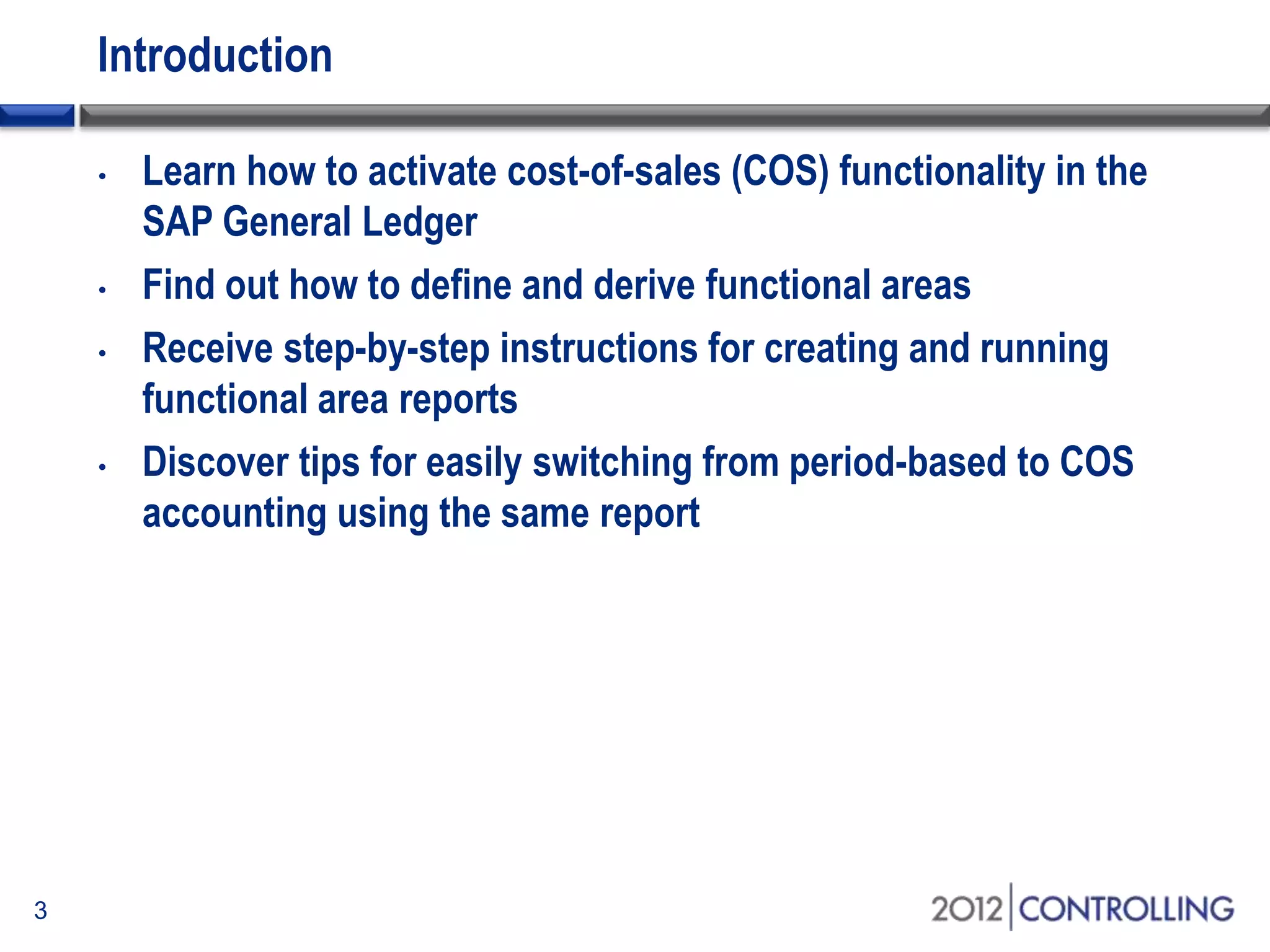
• Learn how to activate cost-of-sales (COS) functionality in the
SAP General Ledger
• Find out how to define and derive functional areas
• Receive step-by-step instructions for creating and running
functional area reports
• Discover tips for easily switching from period-based to COS
accounting using the same report
Topics
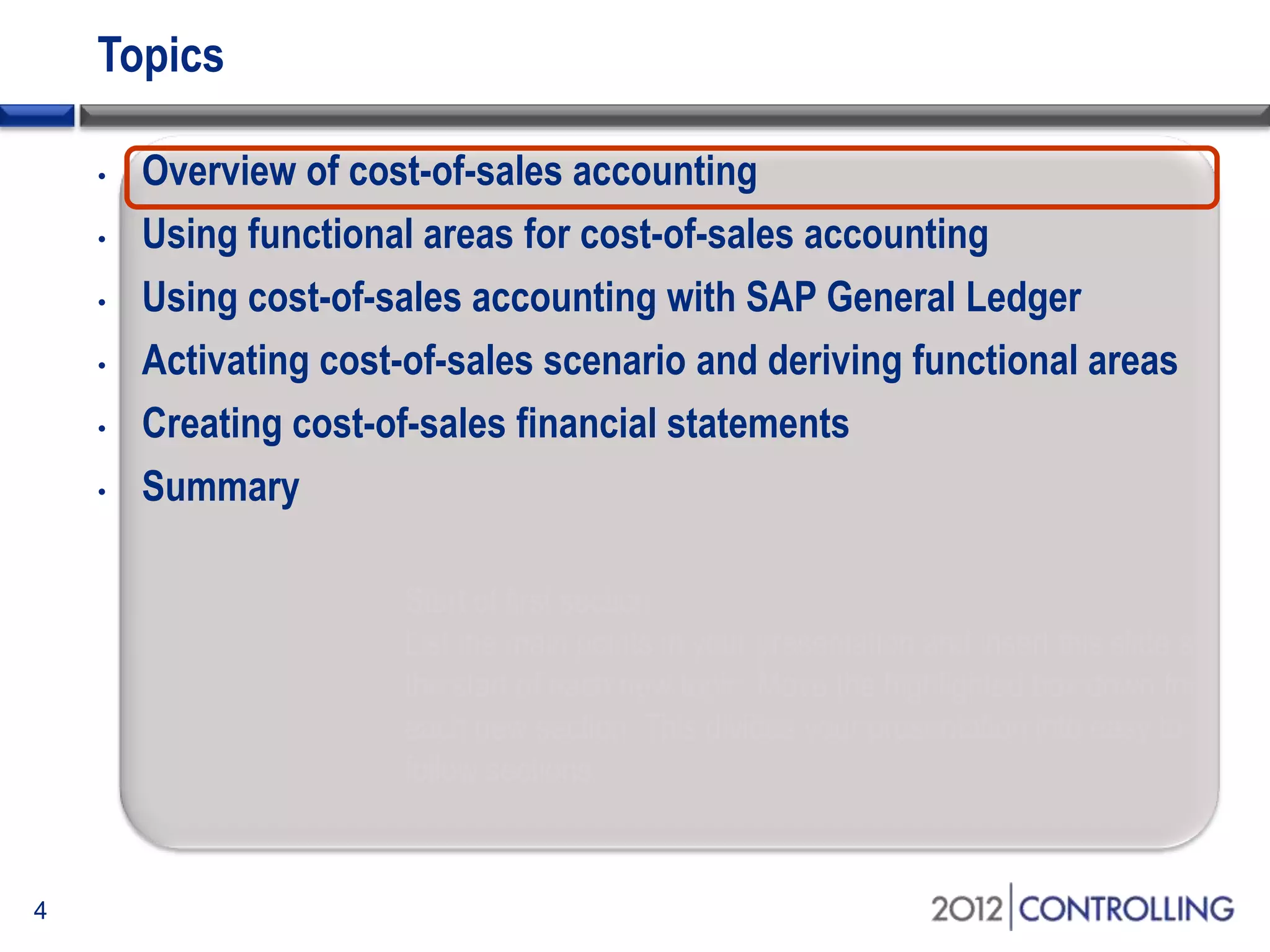
• Overview of cost-of-sales accounting
• Using functional areas for cost-of-sales accounting
• Using cost-of-sales accounting with SAP General Ledger
• Activating cost-of-sales scenario and deriving functional areas
• Creating cost-of-sales financial statements
• Summary
4
Start of first section:
List the main points in your presentation and insert this slide at
the start of each new topic. Move the highlighted box down for
each new section. This divides your presentation into easy to
follow sections.
Approaches to Profit and Loss Accounting
• Period-Based Accounting
• Sales are matched with cost-of-sales for
the period
• Cost-of-Sales Accounting
• Sales are matched with cost of goods
sold regardless of when produced
5
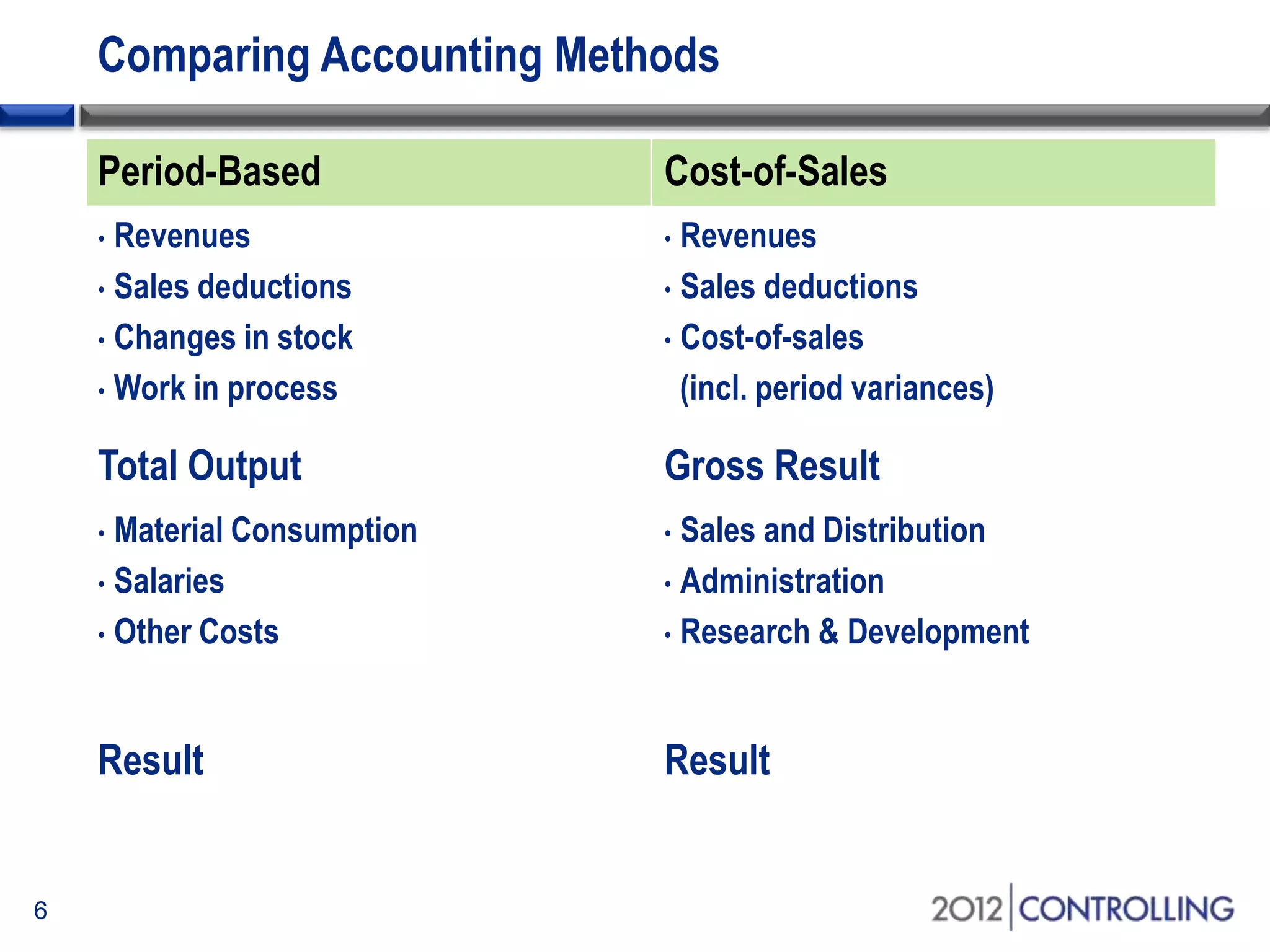
Comparing Accounting Methods
Period-Based Cost-of-Sales
• Revenues
• Sales deductions
• Changes in stock
• Work in process
• Revenues
• Sales deductions
• Cost-of-sales
(incl. period variances)
Total Output Gross Result
• Material Consumption
• Salaries
• Other Costs
• Sales and Distribution
• Administration
• Research & Development
Result Result
6
Extra G/L Accounts Approach
• A simpler approach to implement, as every classification is
dealt with using general ledger accounts
• Could lead to a significantly larger and unmanageable chart of
accounts
• Could make configuration of account assignments more
complicated
• e.g., which depreciation expense account category will you
assign to the asset class?
7
Costing-Based CO-PA Approach
• Value fields are mapped to sales conditions, G/L accounts, and
variance categories to reflect the source of the activities
• Characteristics help determine what dimensions to report on;
e.g., product line, customer, region, etc.
• Reconciliation with FI is sometimes difficult because value
fields are not always updated at the same time as general
ledger accounts
8
Functional Area Approach
• Allows you to classify your expense accounts into the different
functional areas in which they occurred
• e.g., you can identify whether a payroll expense is
production or marketing related
• With SAP General Ledger you can pull extra characteristics into
the FAGLFLEXT table and hence facilitate evaluations by
product, customer, country, etc., just as in CO-PA
• CO-PA is still more suitable for contribution margin reporting
and analyzing fixed vs. variable costs
9
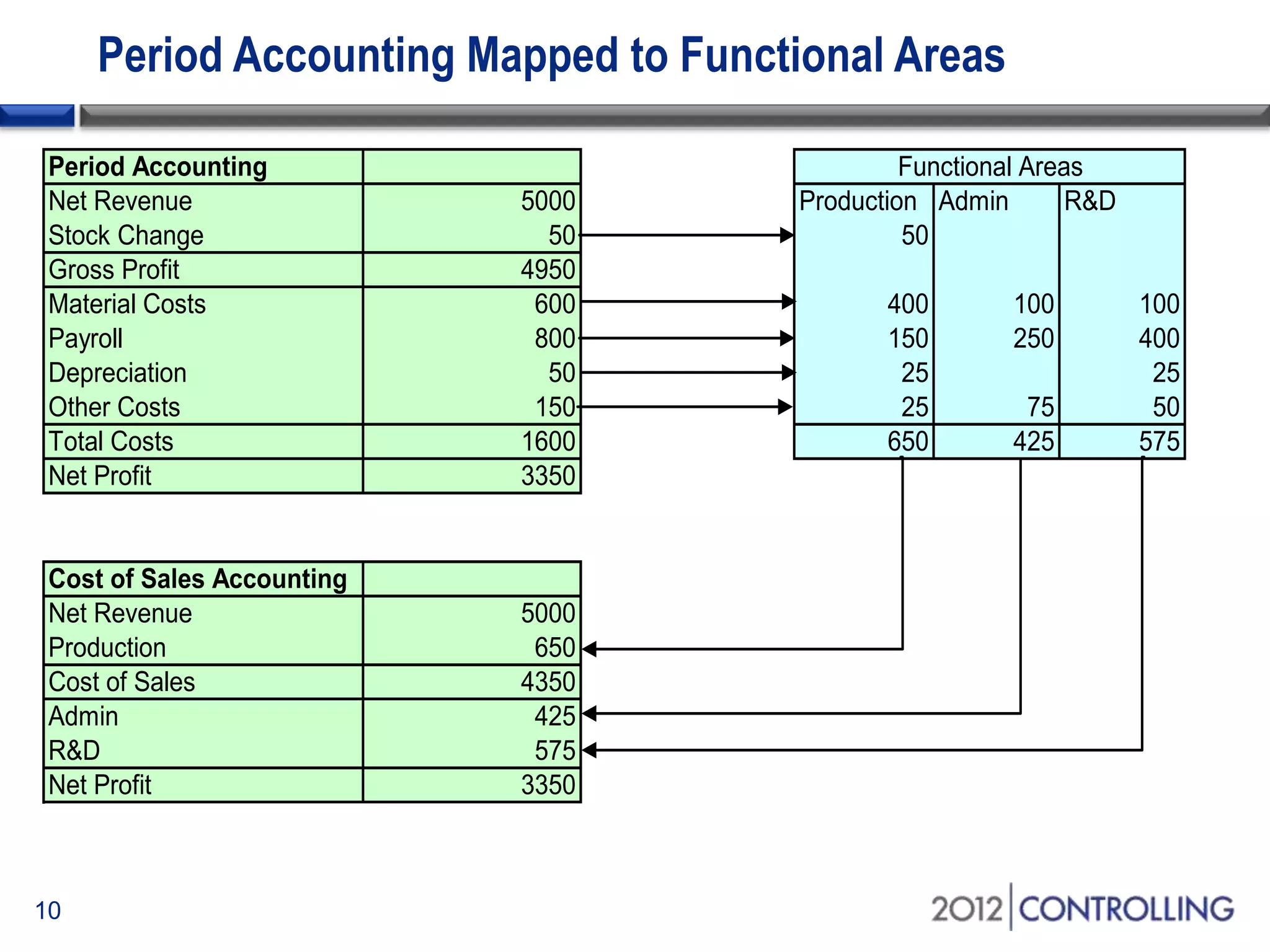
Period Accounting Mapped to Functional Areas
Period Accounting
Net Revenue 5000 Production Admin R&D
Stock Change 50 50
Gross Profit 4950
Material Costs 600 400 100 100
Payroll 800 150 250 400
Depreciation 50 25 25
Other Costs 150 25 75 50
Total Costs 1600 650 425 575
Net Profit 3350
Cost of Sales Accounting
Net Revenue 5000
Production 650
Cost of Sales 4350
Admin 425
R&D 575
Net Profit 3350
Functional Areas
10
Topics
• Overview of cost-of-sales accounting
• Using functional areas for cost-of-sales accounting
• Using cost-of-sales accounting with SAP General Ledger
• Activating cost-of-sales scenario and deriving functional areas
• Creating cost-of-sales financial statements
• Summary
11
Start of first section:
List the main points in your presentation and insert this slide at
the start of each new topic. Move the highlighted box down for
each new section. This divides your presentation into easy to
follow sections.
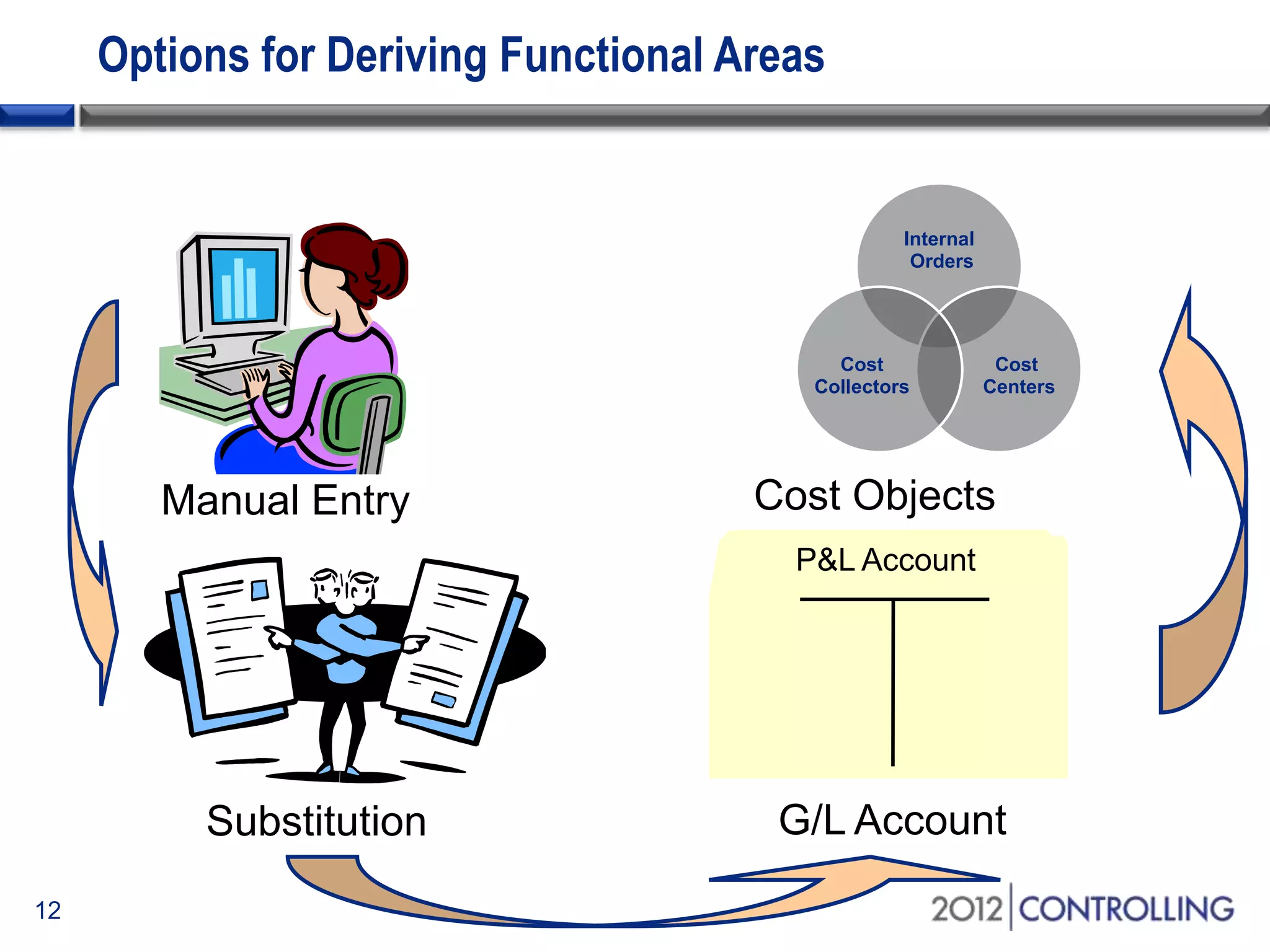
Options for Deriving Functional Areas
12
Manual Entry
Internal
Orders
Cost
Centers
Cost
Collectors
Cost Objects
G/L AccountSubstitution
P&L Account
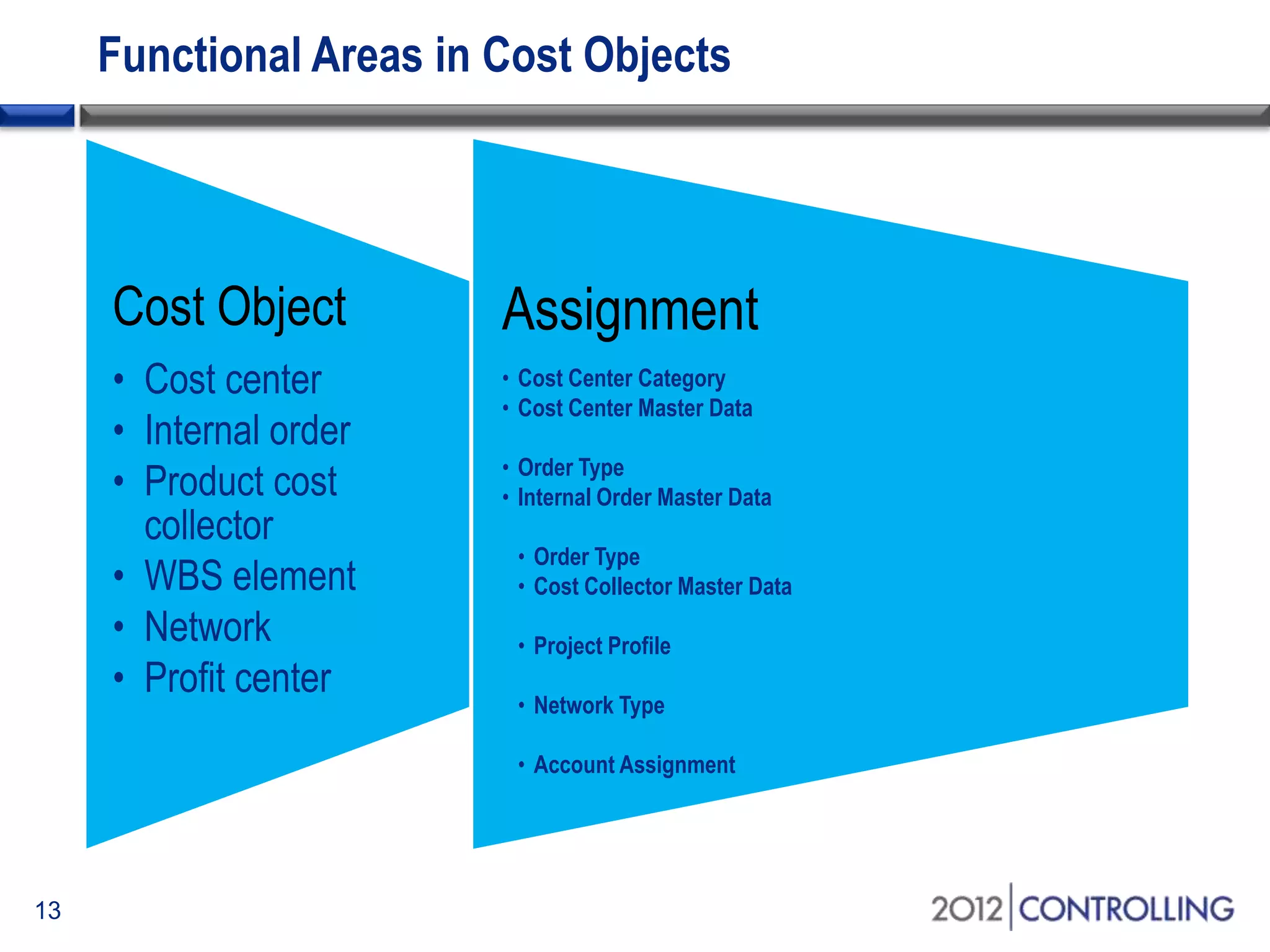
Functional Areas in Cost Objects
Cost Object
• Cost center
• Internal order
• Product cost
collector
• WBS element
• Network
• Profit center
Assignment
• Cost Center Category
• Cost Center Master Data
• Order Type
• Internal Order Master Data
• Order Type
• Cost Collector Master Data
• Project Profile
• Network Type
• Account Assignment
13
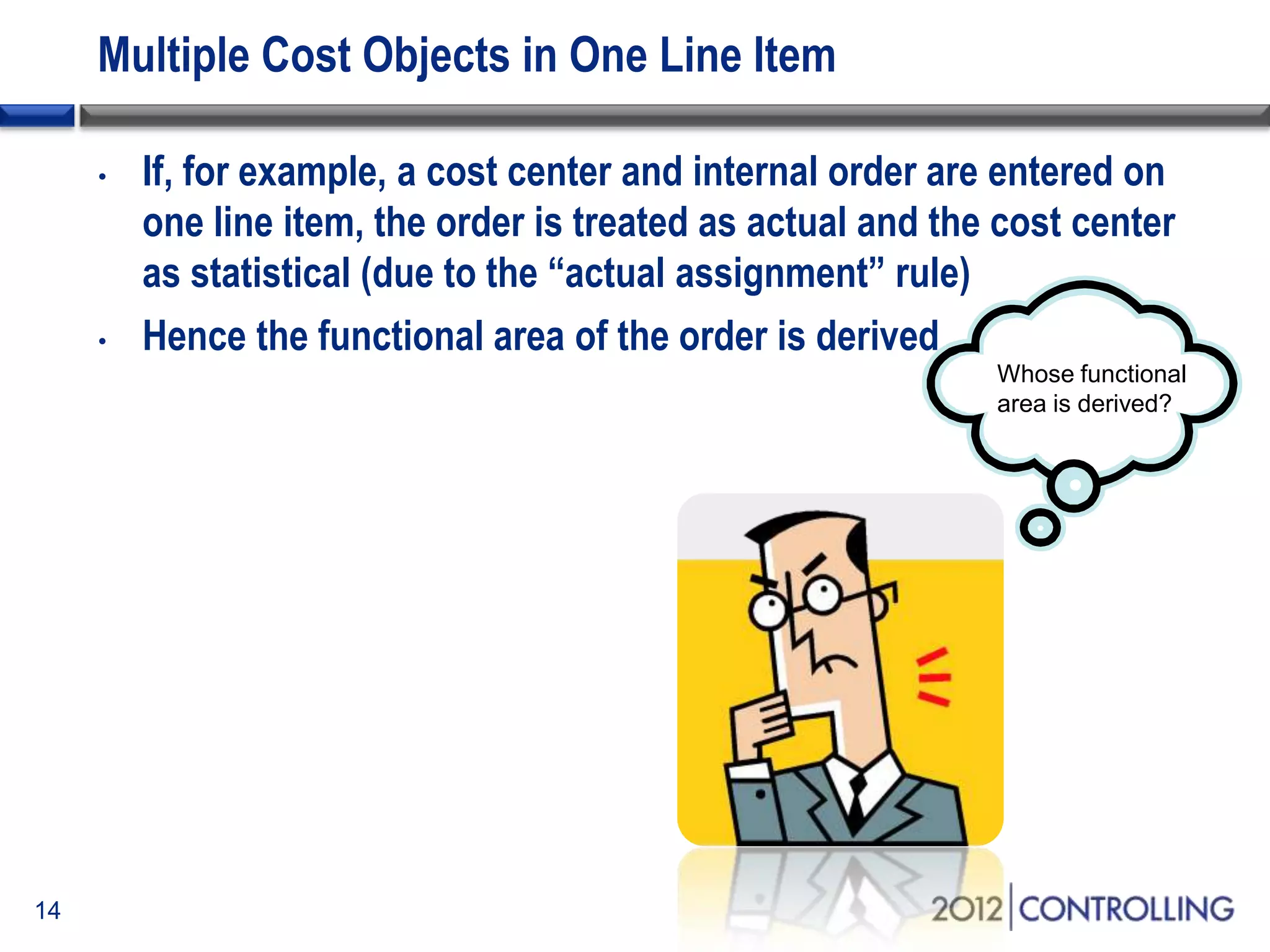
Multiple Cost Objects in One Line Item
• If, for example, a cost center and internal order are entered on
one line item, the order is treated as actual and the cost center
as statistical (due to the “actual assignment” rule)
• Hence the functional area of the order is derived
14
Whose functional
area is derived?
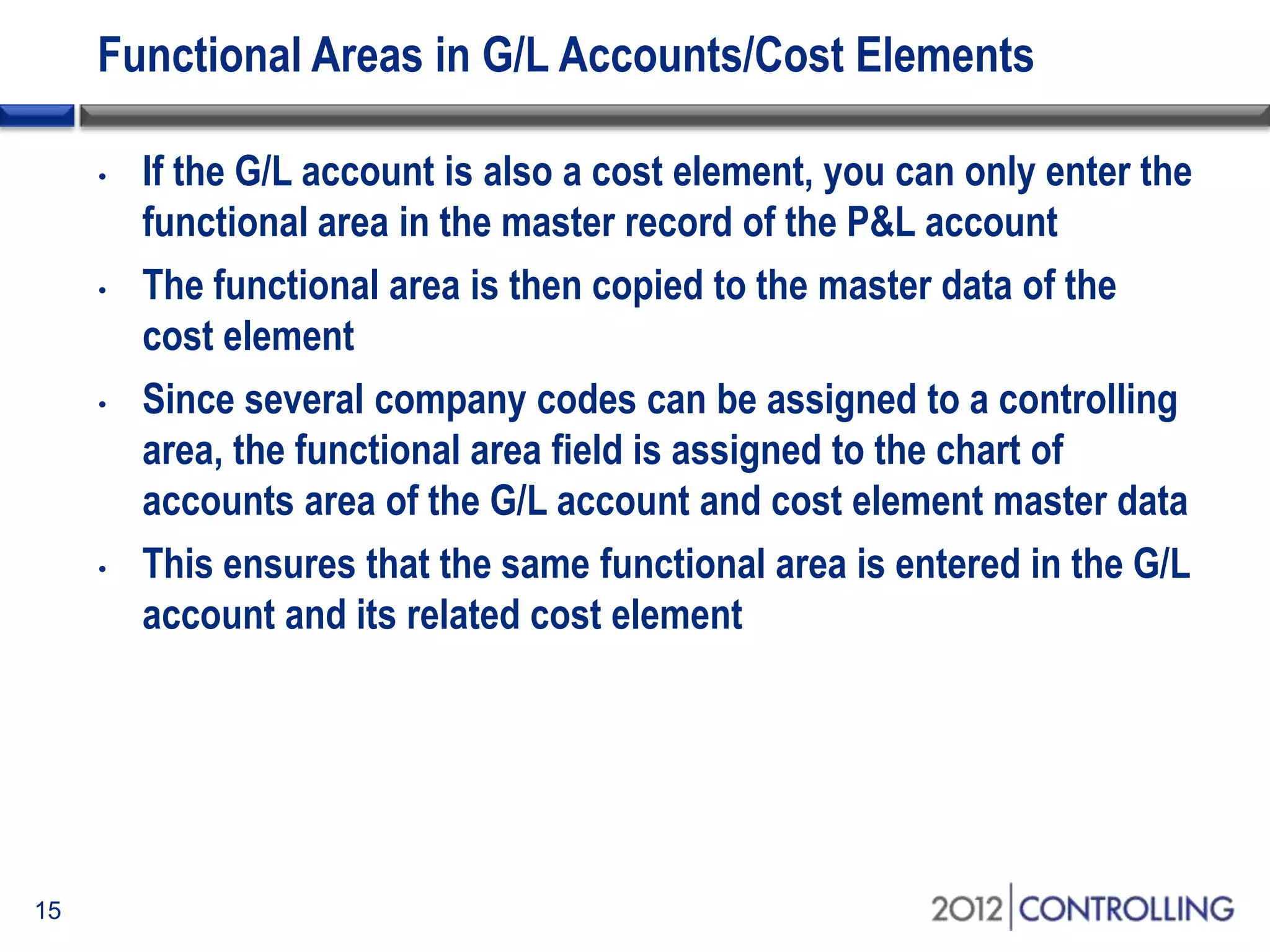
Functional Areas in G/L Accounts/Cost Elements
• If the G/L account is also a cost element, you can only enter the
functional area in the master record of the P&L account
• The functional area is then copied to the master data of the
cost element
• Since several company codes can be assigned to a controlling
area, the functional area field is assigned to the chart of
accounts area of the G/L account and cost element master data
• This ensures that the same functional area is entered in the G/L
account and its related cost element
15
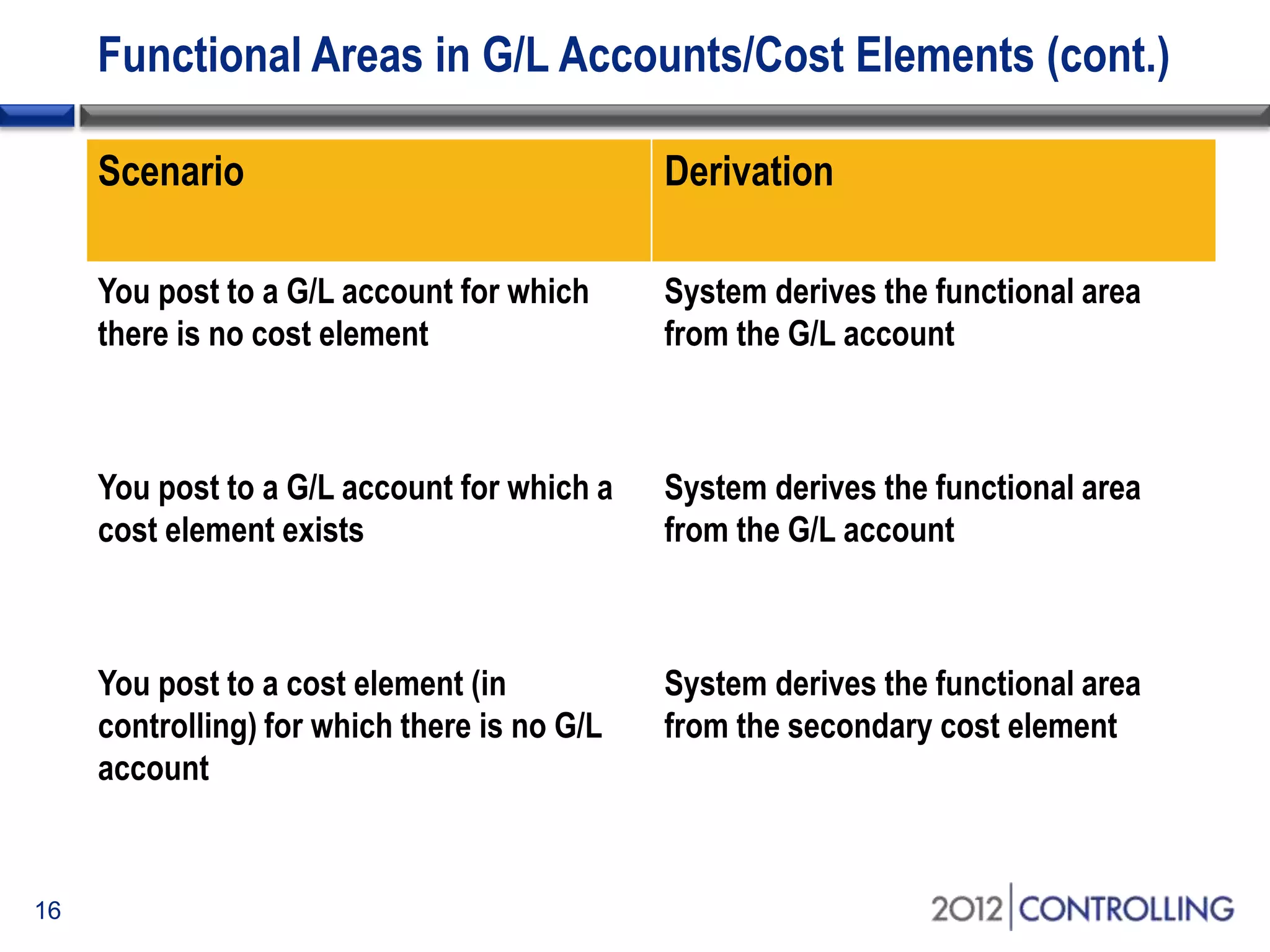
Functional Areas in G/L Accounts/Cost Elements (cont.)
Scenario Derivation
You post to a G/L account for which
there is no cost element
System derives the functional area
from the G/L account
You post to a G/L account for which a
cost element exists
System derives the functional area
from the G/L account
You post to a cost element (in
controlling) for which there is no G/L
account
System derives the functional area
from the secondary cost element
16
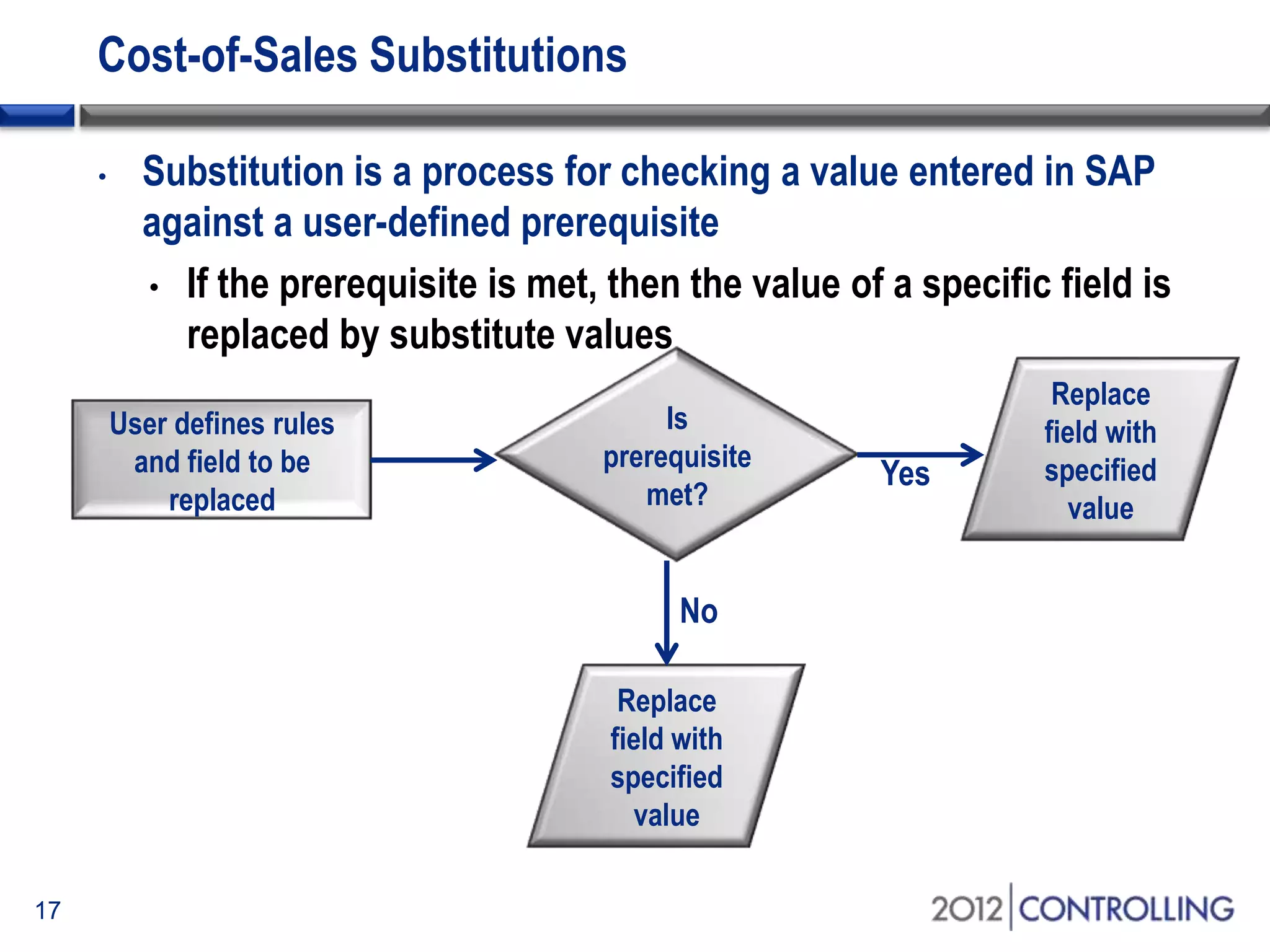
Cost-of-Sales Substitutions
• Substitution is a process for checking a value entered in SAP
against a user-defined prerequisite
• If the prerequisite is met, then the value of a specific field is
replaced by substitute values
17
User defines rules
and field to be
replaced
Is
prerequisite
met?
Replace
field with
specified
value
Replace
field with
specified
value
No
Yes
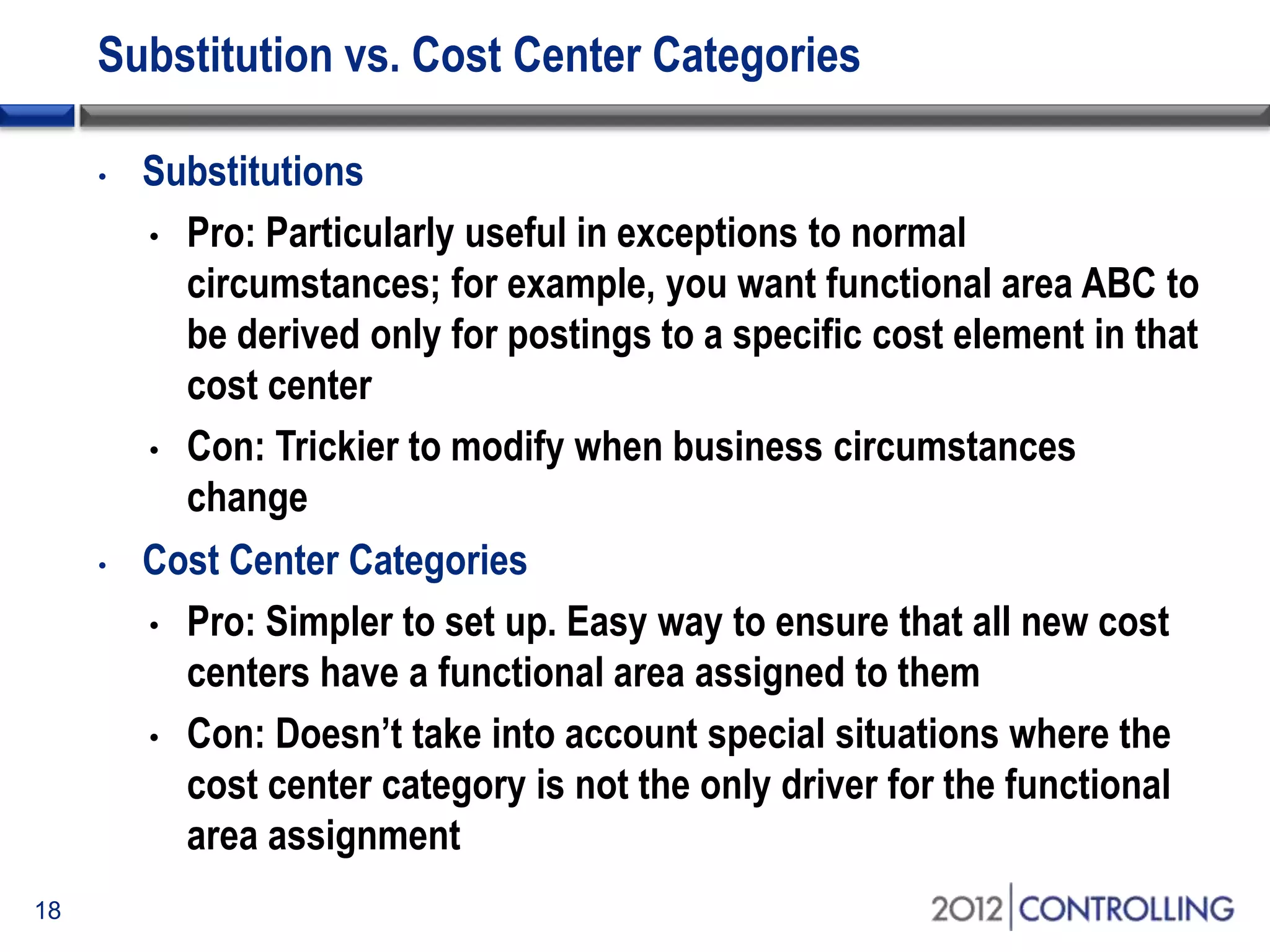
Substitution vs. Cost Center Categories
• Substitutions
• Pro: Particularly useful in exceptions to normal
circumstances; for example, you want functional area ABC to
be derived only for postings to a specific cost element in that
cost center
• Con: Trickier to modify when business circumstances
change
• Cost Center Categories
• Pro: Simpler to set up. Easy way to ensure that all new cost
centers have a functional area assigned to them
• Con: Doesn’t take into account special situations where the
cost center category is not the only driver for the functional
area assignment
18
Manual Entry of Functional Areas
• Could be used in very unique circumstances where the
functional area will not be known until the time of posting
• Field status group for posting keys and chart of accounts
should be set to “optional” for functional areas
19
• This overrides all other methods of deriving
functional areas, so should be used only where
automatic derivation does not apply
Topics
• Overview of cost-of-sales accounting
• Using functional areas for cost-of-sales accounting
• Using cost-of-sales accounting with SAP General Ledger
• Activating cost-of-sales scenario and deriving functional areas
• Creating cost-of-sales financial statements
• Summary
20
Start of first section:
List the main points in your presentation and insert this slide at
the start of each new topic. Move the highlighted box down for
each new section. This divides your presentation into easy to
follow sections.
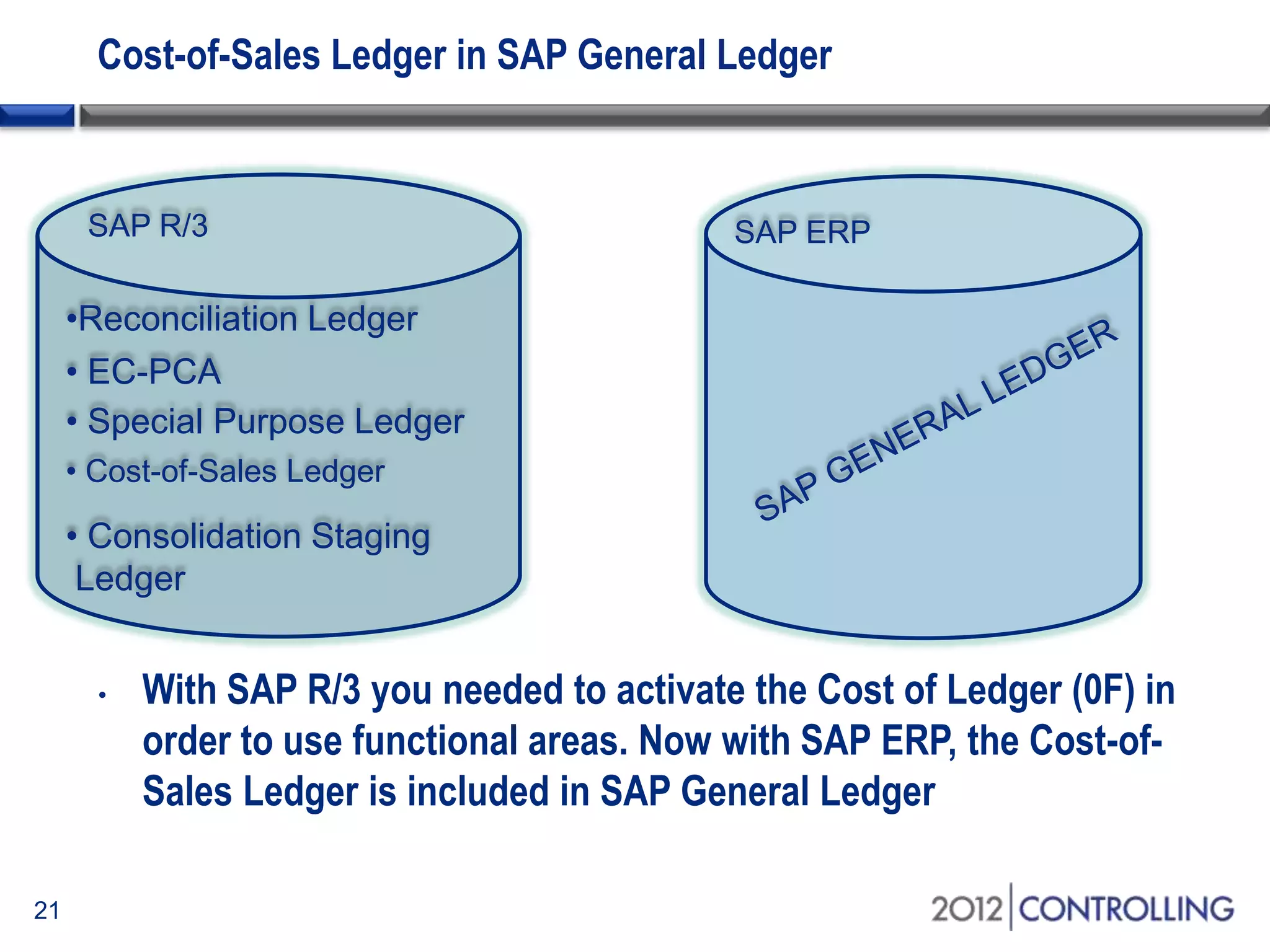
Cost-of-Sales Ledger in SAP General Ledger
• With SAP R/3 you needed to activate the Cost of Ledger (0F) in
order to use functional areas. Now with SAP ERP, the Cost-of-
Sales Ledger is included in SAP General Ledger
SAP ERPSAP R/3
•Reconciliation Ledger
• EC-PCA
• Special Purpose Ledger
• Cost-of-Sales Ledger
• Consolidation Staging
Ledger
21
Scenarios in SAP General Ledger
• A scenario determines what fields in a ledger are updated when
it receives posting from other application components
• If you want to update the functional area field in the SAP G/L
view of an accounting document, you need to assign the Cost-
of-Sales scenario (FIN_UKV) to the relevant ledger
• This updates the sender and receiver functional area fields
• Go to IMG path: Financial Accounting (NEW) Financial
Accounting basic settings (NEW) Ledgers Fields Display
Scenarios for General Ledger Accounting
22
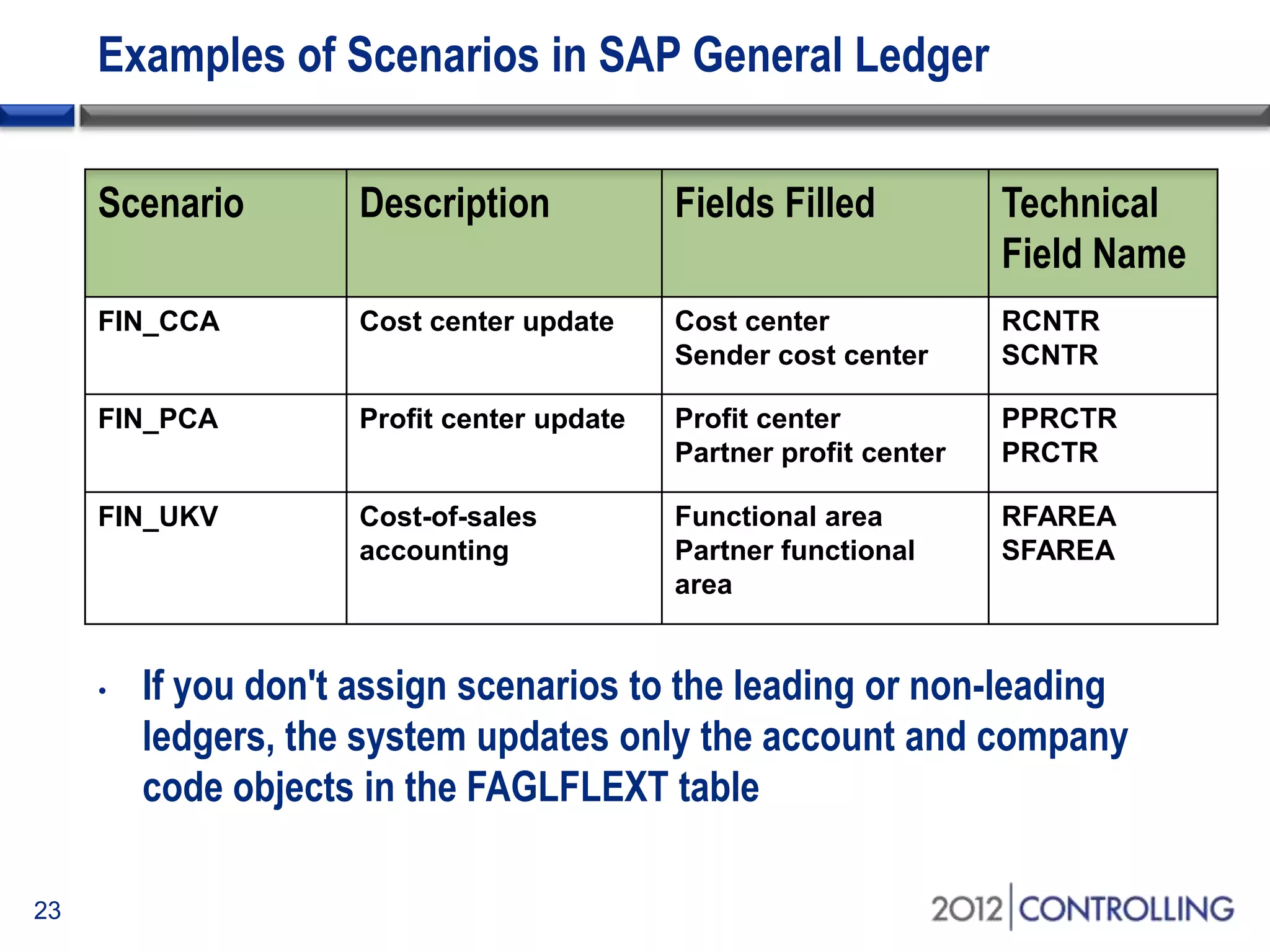
Examples of Scenarios in SAP General Ledger
Scenario Description Fields Filled Technical
Field Name
FIN_CCA Cost center update Cost center
Sender cost center
RCNTR
SCNTR
FIN_PCA Profit center update Profit center
Partner profit center
PPRCTR
PRCTR
FIN_UKV Cost-of-sales
accounting
Functional area
Partner functional
area
RFAREA
SFAREA
• If you don't assign scenarios to the leading or non-leading
ledgers, the system updates only the account and company
code objects in the FAGLFLEXT table
23
Substitutions in SAP General Ledger
• When SAP G/L is active, you can activate functional area
derivation on the entry screen
• This means that the functional area is derived before you save
the document anytime you hit the “Enter” button
• This makes substitution call-up point “6” relevant for activation
(with classic G/L call-up point “5” is relevant)
• Financial Accounting (New) Financial Accounting Global
Settings (New) Tools Customer Enhancements Enhance
Functional Area Determination
24
Substitutions in SAP General Ledger (cont.)
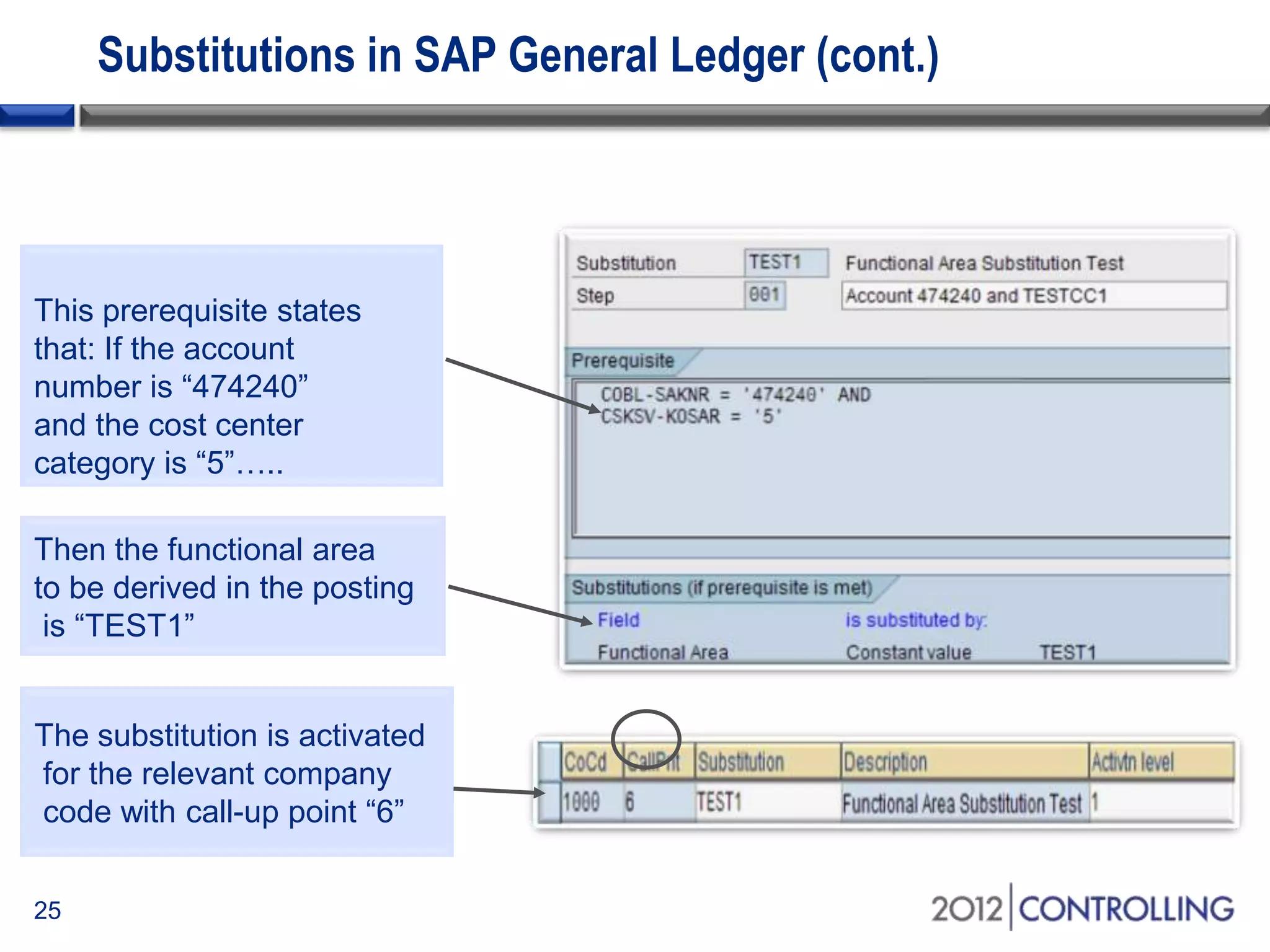
25
This prerequisite states
that: If the account
number is “474240”
and the cost center
category is “5”…..
Then the functional area
to be derived in the posting
is “TEST1”
The substitution is activated
for the relevant company
code with call-up point “6”
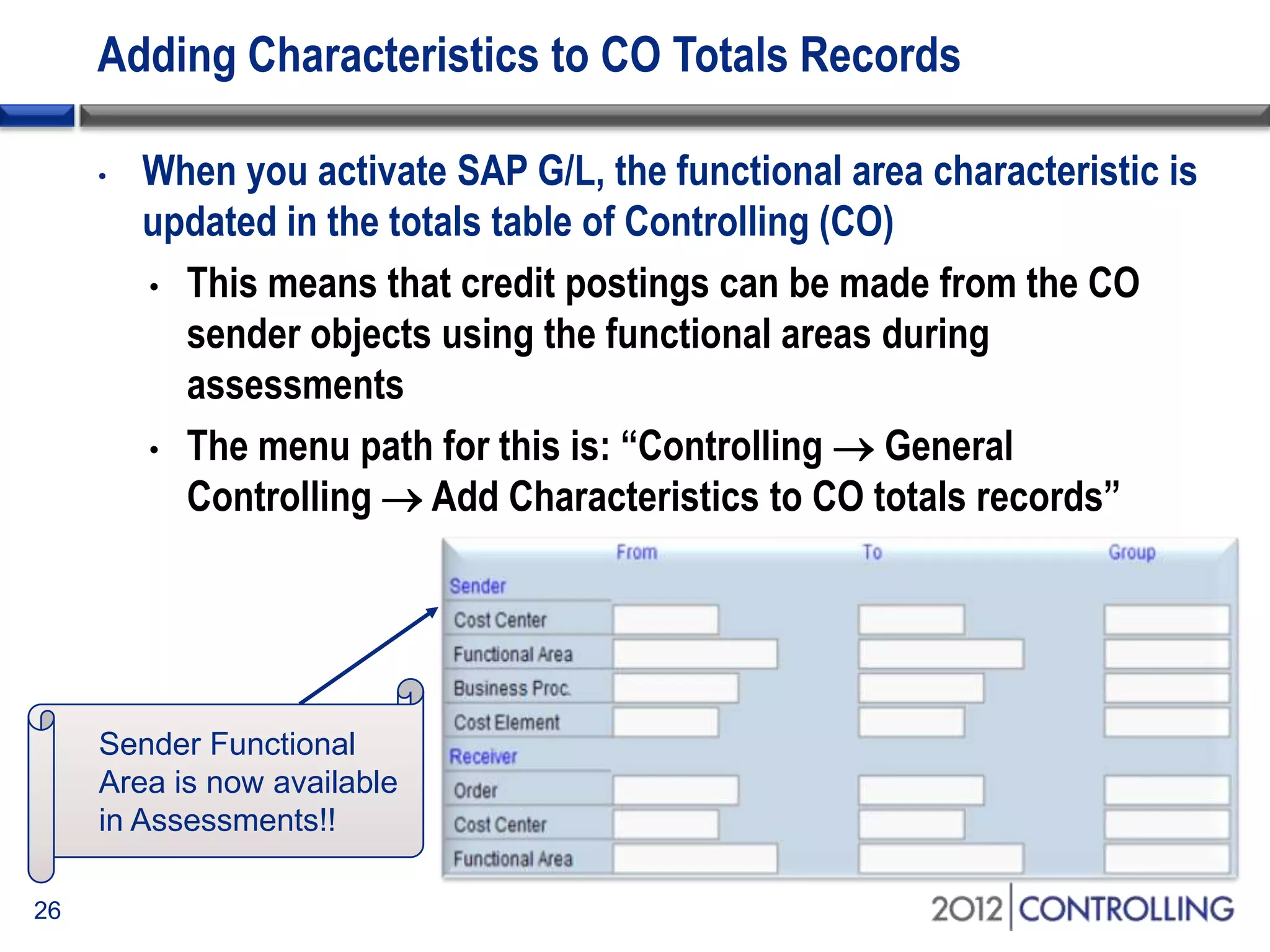
Adding Characteristics to CO Totals Records
• When you activate SAP G/L, the functional area characteristic is
updated in the totals table of Controlling (CO)
• This means that credit postings can be made from the CO
sender objects using the functional areas during
assessments
• The menu path for this is: “Controlling  General
Controlling  Add Characteristics to CO totals records”
26
Sender Functional
Area is now available
in Assessments!!
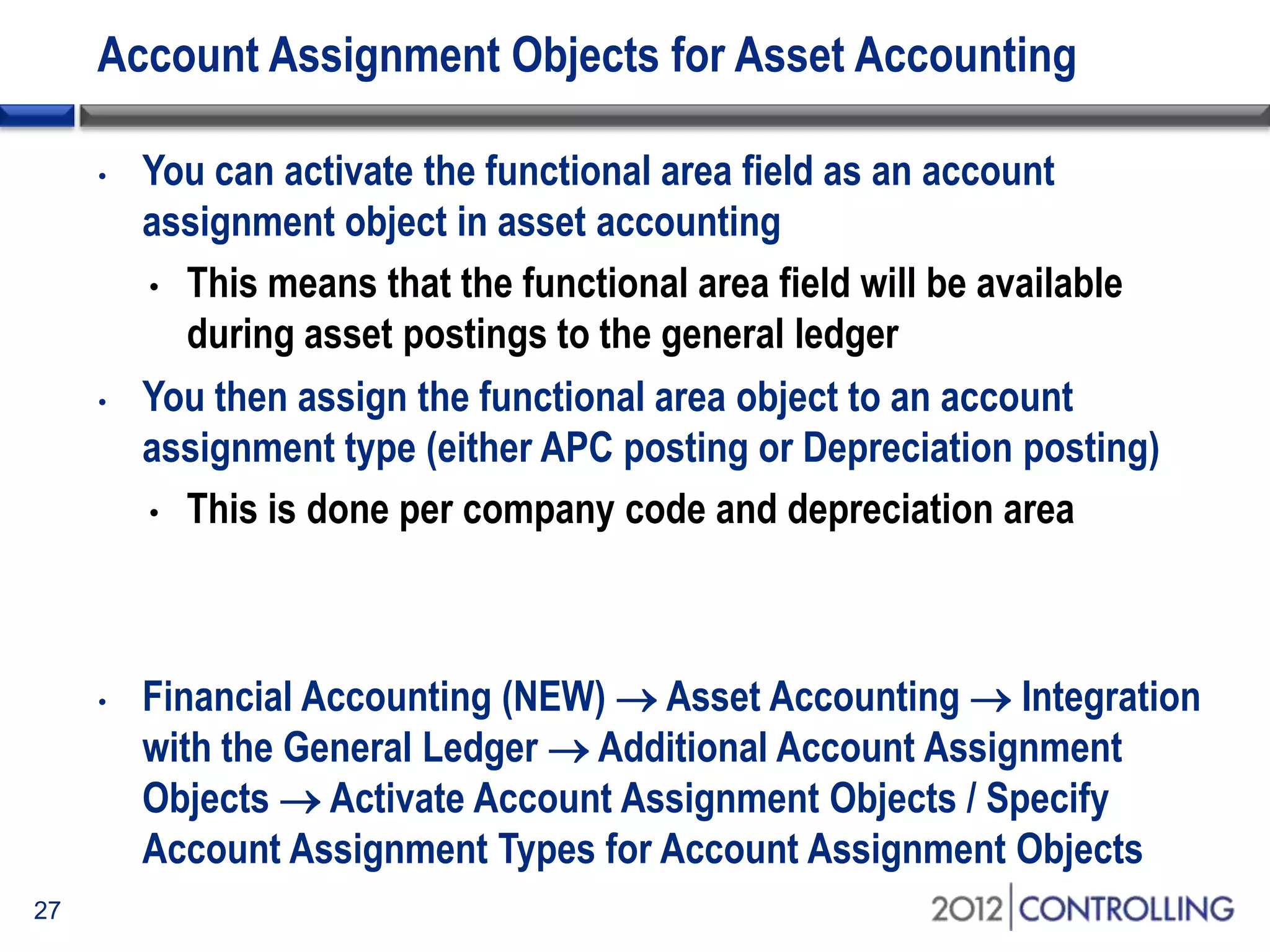
Account Assignment Objects for Asset Accounting
• You can activate the functional area field as an account
assignment object in asset accounting
• This means that the functional area field will be available
during asset postings to the general ledger
• You then assign the functional area object to an account
assignment type (either APC posting or Depreciation posting)
• This is done per company code and depreciation area
• Financial Accounting (NEW)  Asset Accounting  Integration
with the General Ledger  Additional Account Assignment
Objects  Activate Account Assignment Objects / Specify
Account Assignment Types for Account Assignment Objects
27
Topics
• Overview of cost-of-sales accounting
• Using functional areas for cost-of-sales accounting
• Using cost-of-sales accounting with SAP General Ledger
• Activating cost-of-sales scenario and deriving functional areas
• Creating cost-of-sales financial statements
• Summary
28
Start of first section:
List the main points in your presentation and insert this slide at
the start of each new topic. Move the highlighted box down for
each new section. This divides your presentation into easy to
follow sections.
Creating and Deriving Functional Areas
29
Activating Cost-of-Sales Accounting
30
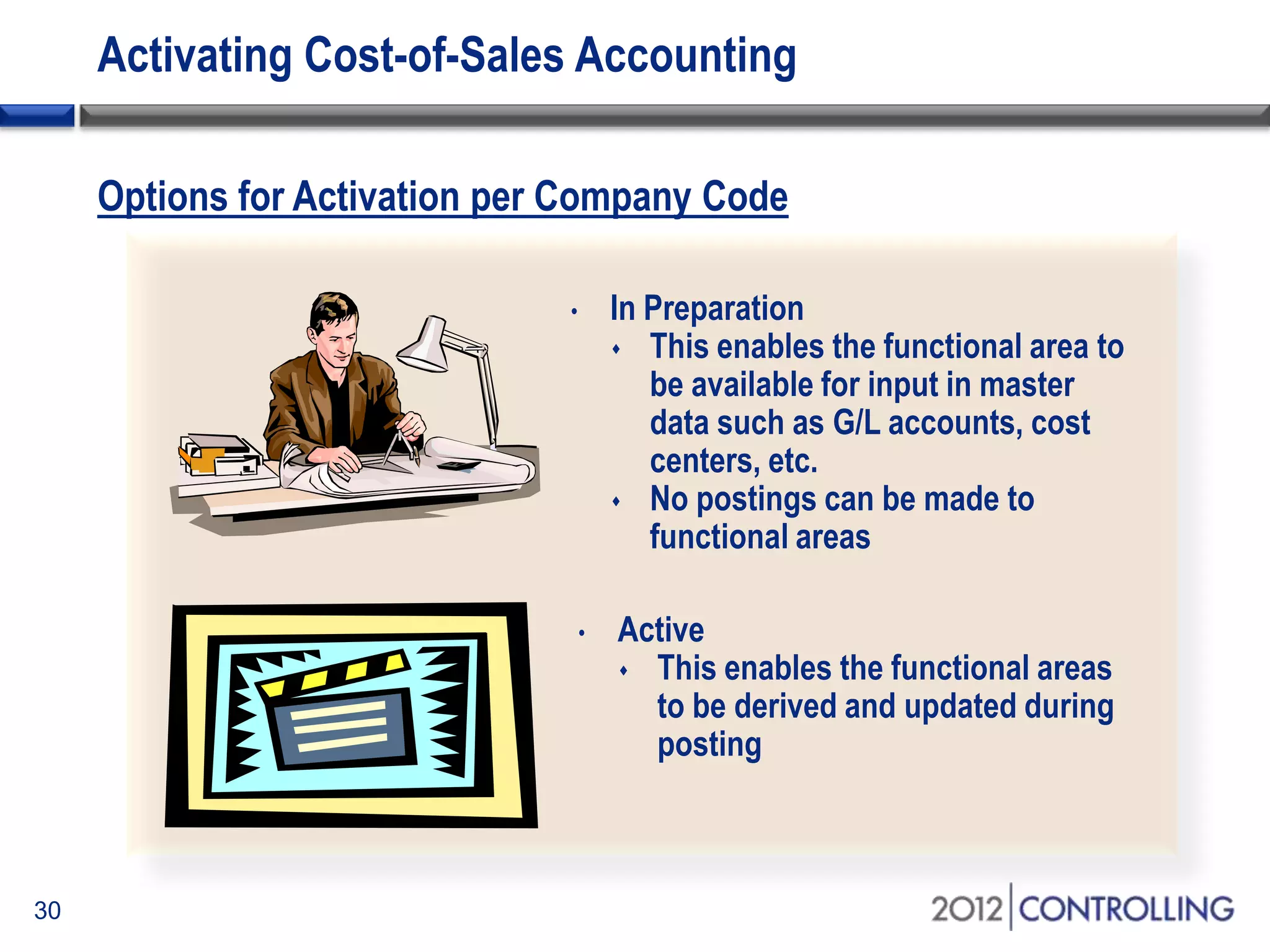
• In Preparation
 This enables the functional area to
be available for input in master
data such as G/L accounts, cost
centers, etc.
 No postings can be made to
functional areas
• Active
 This enables the functional areas
to be derived and updated during
posting
Options for Activation per Company Code
Activating Cost-of-Sales Accounting (cont.)
31
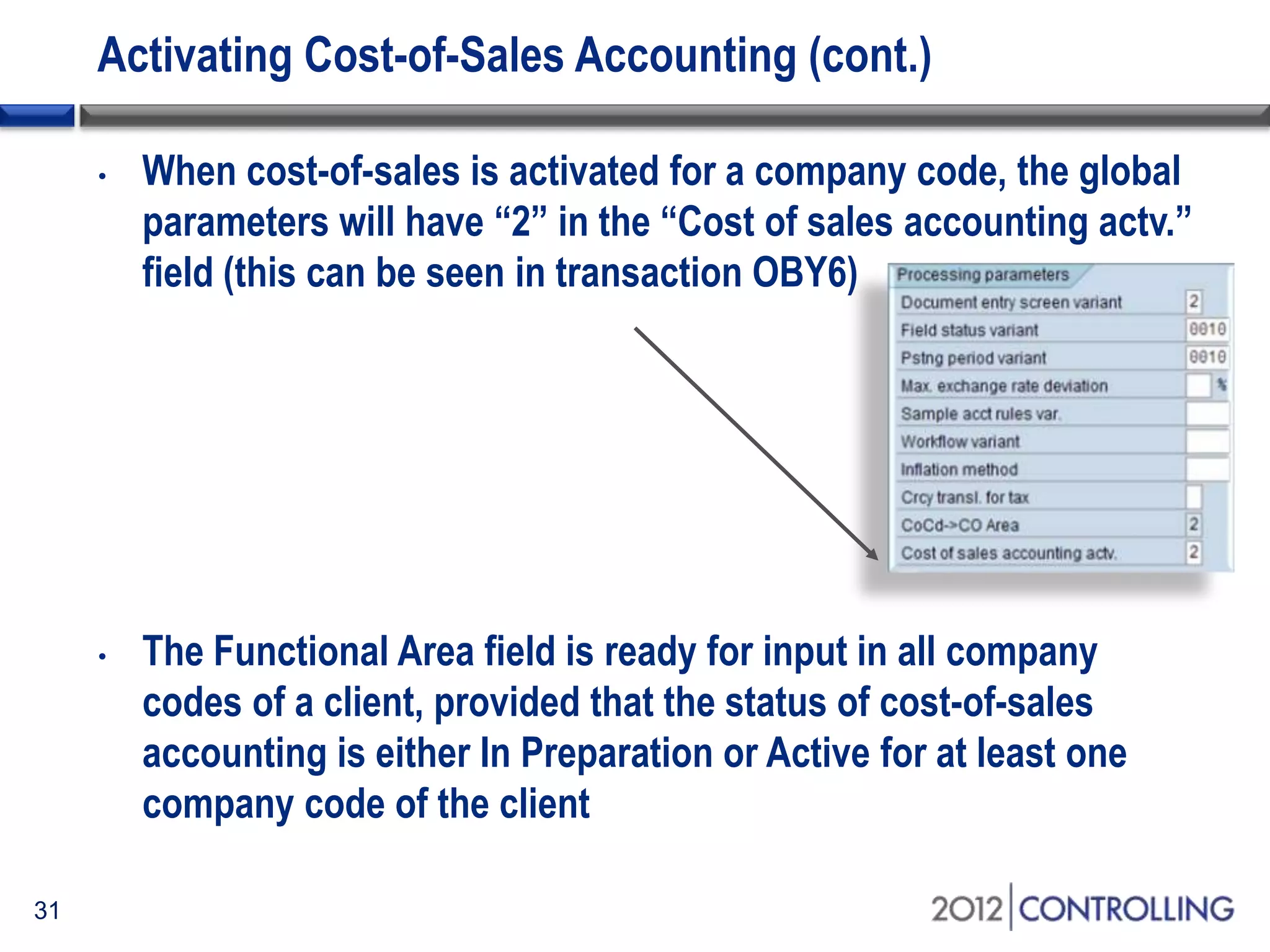
• When cost-of-sales is activated for a company code, the global
parameters will have “2” in the “Cost of sales accounting actv.”
field (this can be seen in transaction OBY6)
• The Functional Area field is ready for input in all company
codes of a client, provided that the status of cost-of-sales
accounting is either In Preparation or Active for at least one
company code of the client
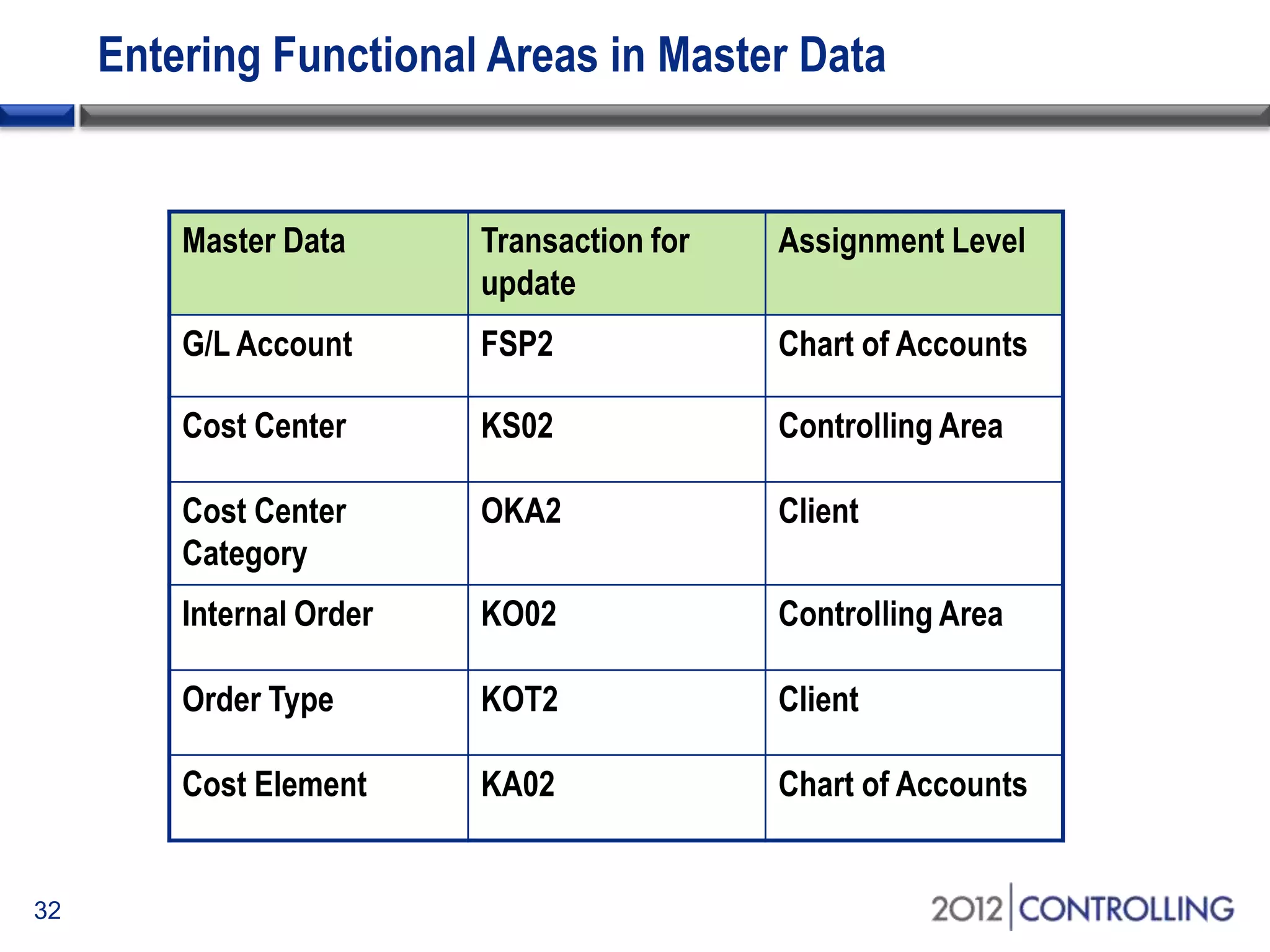
Entering Functional Areas in Master Data
32
Master Data Transaction for
update
Assignment Level
G/L Account FSP2 Chart of Accounts
Cost Center KS02 Controlling Area
Cost Center
Category
OKA2 Client
Internal Order KO02 Controlling Area
Order Type KOT2 Client
Cost Element KA02 Chart of Accounts
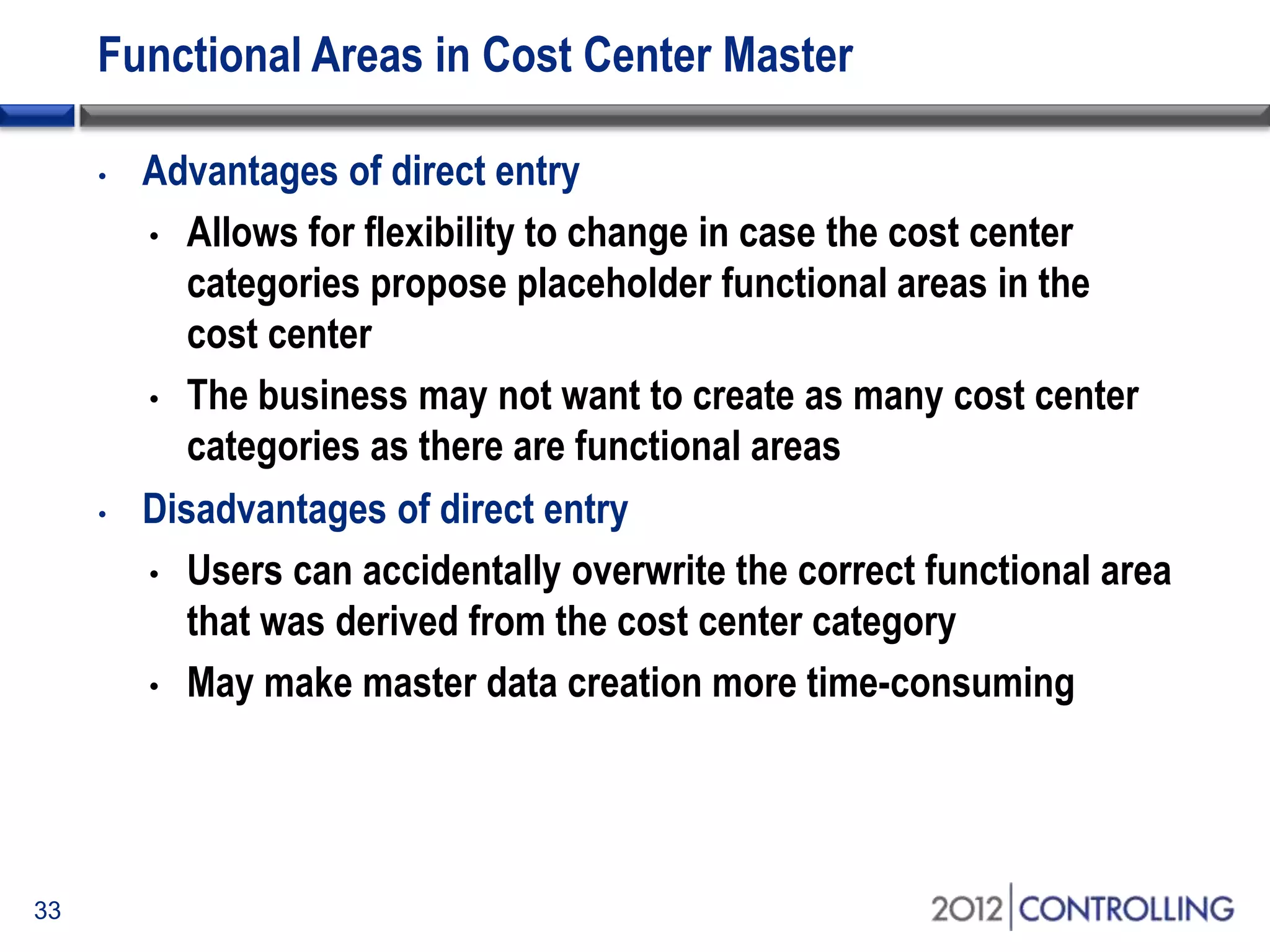
Functional Areas in Cost Center Master
33
• Advantages of direct entry
• Allows for flexibility to change in case the cost center
categories propose placeholder functional areas in the
cost center
• The business may not want to create as many cost center
categories as there are functional areas
• Disadvantages of direct entry
• Users can accidentally overwrite the correct functional area
that was derived from the cost center category
• May make master data creation more time-consuming
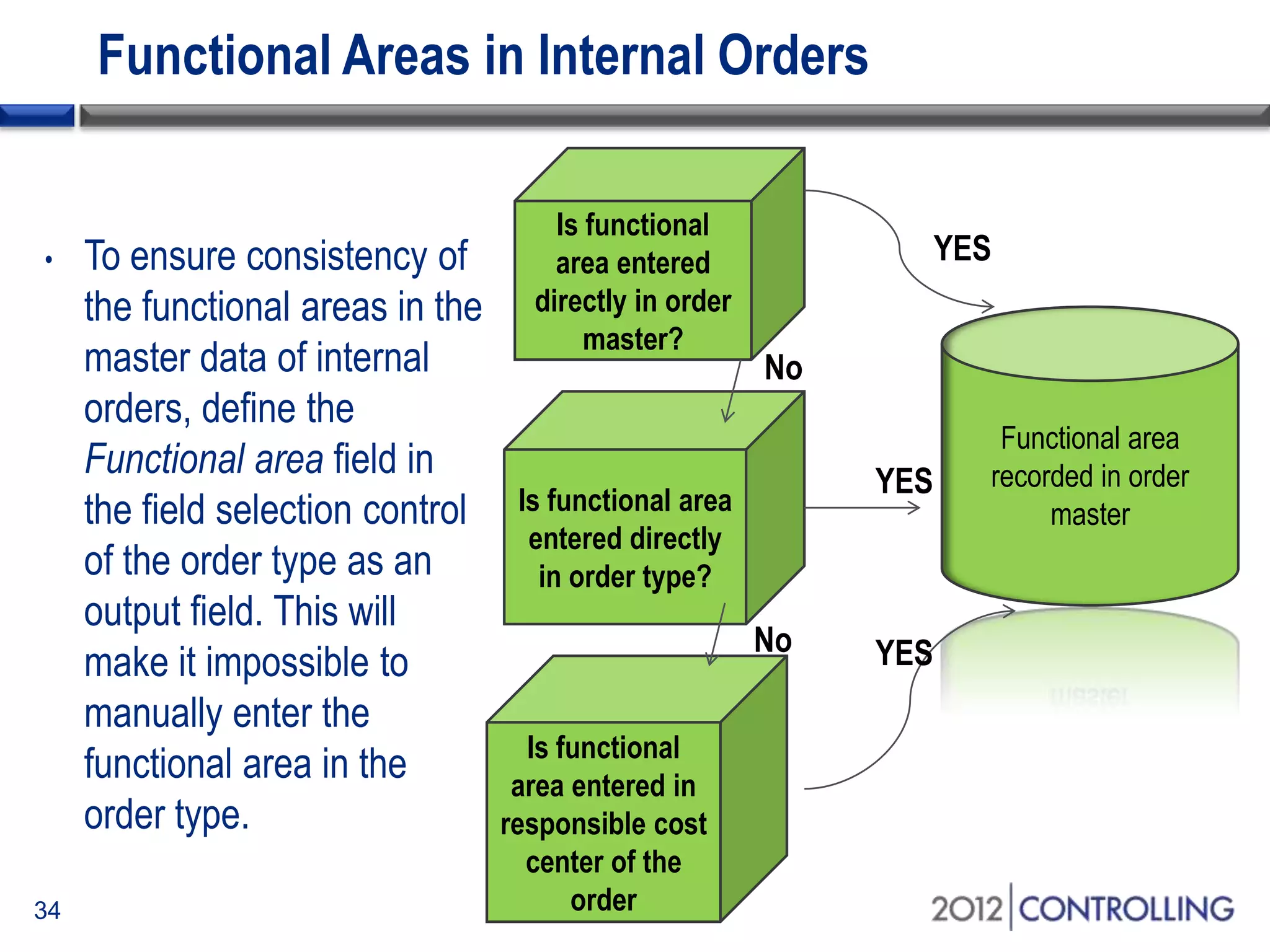
Functional Areas in Internal Orders
34
• To ensure consistency of
the functional areas in the
master data of internal
orders, define the
Functional area field in
the field selection control
of the order type as an
output field. This will
make it impossible to
manually enter the
functional area in the
order type.
Is functional
area entered
directly in order
master?
Is functional area
entered directly
in order type?
Is functional
area entered in
responsible cost
center of the
order
Functional area
recorded in order
master
No
No
YES
YES
YES
Functional Areas in Secondary Cost Elements
35
• Be careful when trying to enter functional areas in secondary
cost elements
• Entering a functional area in a secondary cost element only
makes sense if, before the assessment, the CO object to be
credited was only debited under the functional area that is
also entered in the secondary allocation cost element
• Otherwise this could cause reconciliation issues if the
sender cost center has been debited with other functional
areas, in which case the functional area balance for this cost
center will not be zero
• For assessments or other allocations, it is advisable to derive
the functional area from the cost center or substitution rule
Changes to Functional Areas
36
• If you want to change the functional area in the master data
where postings with this functional area have been made, you
get the following error:
• “Transaction Data already exists”
• You can change this setting by either making the Error Message
(FH 600) a Warning Message or deactivating the message totally
• Go to Menu path : Financial Accounting (New)  Financial
Accounting General Settings (New)  Document  Default
Values  Change message Control for Document
Processing
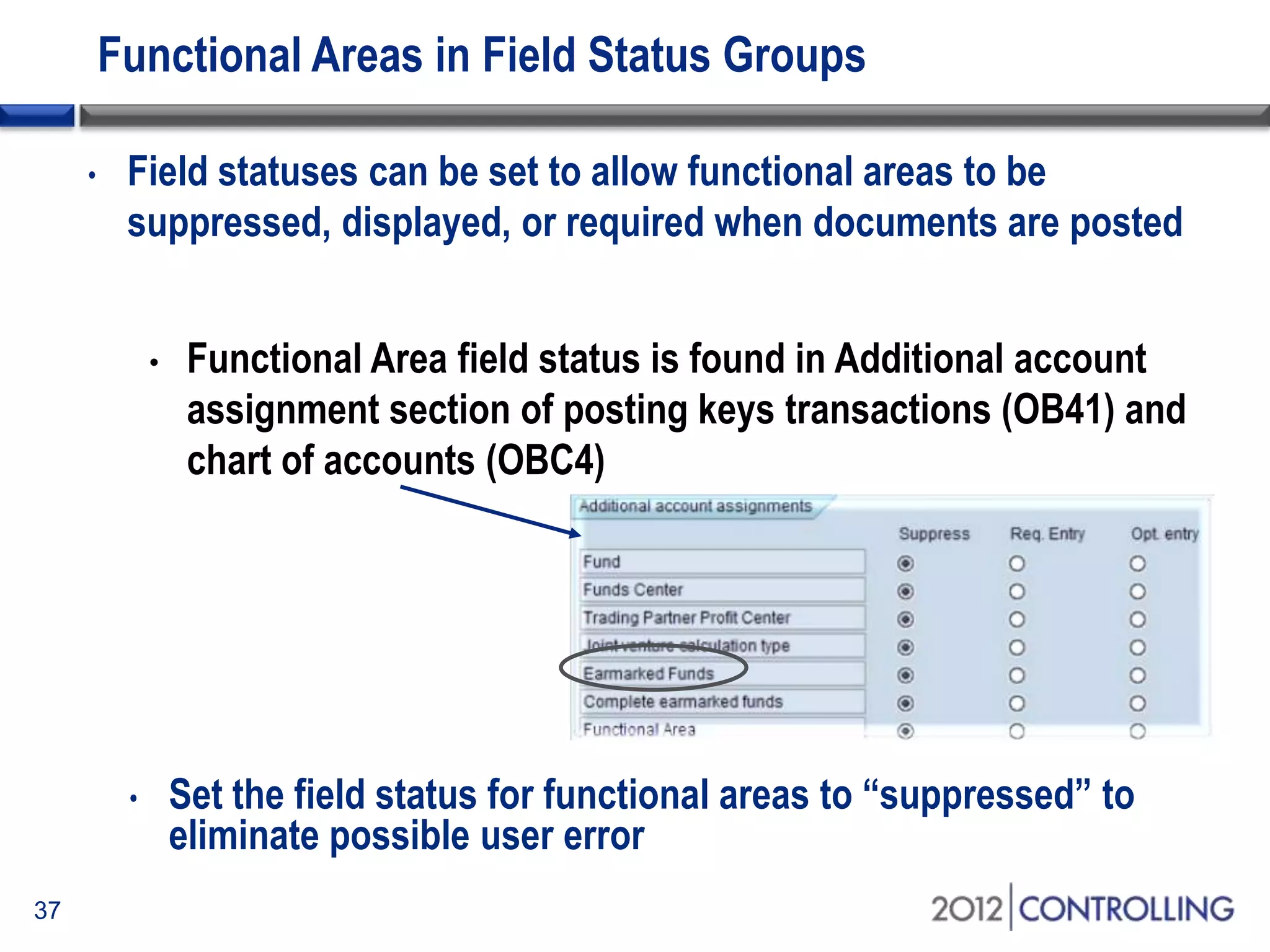
Functional Areas in Field Status Groups
37
• Functional Area field status is found in Additional account
assignment section of posting keys transactions (OB41) and
chart of accounts (OBC4)
• Field statuses can be set to allow functional areas to be
suppressed, displayed, or required when documents are posted
• Set the field status for functional areas to “suppressed” to
eliminate possible user error
Topics
• Overview of cost-of-sales accounting
• Using functional areas for cost-of-sales accounting
• Using cost-of-sales accounting with SAP General Ledger
• Activating cost-of-sales scenario and deriving functional areas
• Creating cost-of-sales financial statements
• Summary
38
Start of first section:
List the main points in your presentation and insert this slide at
the start of each new topic. Move the highlighted box down for
each new section. This divides your presentation into easy to
follow sections.
39
Reporting by Functional Area
40
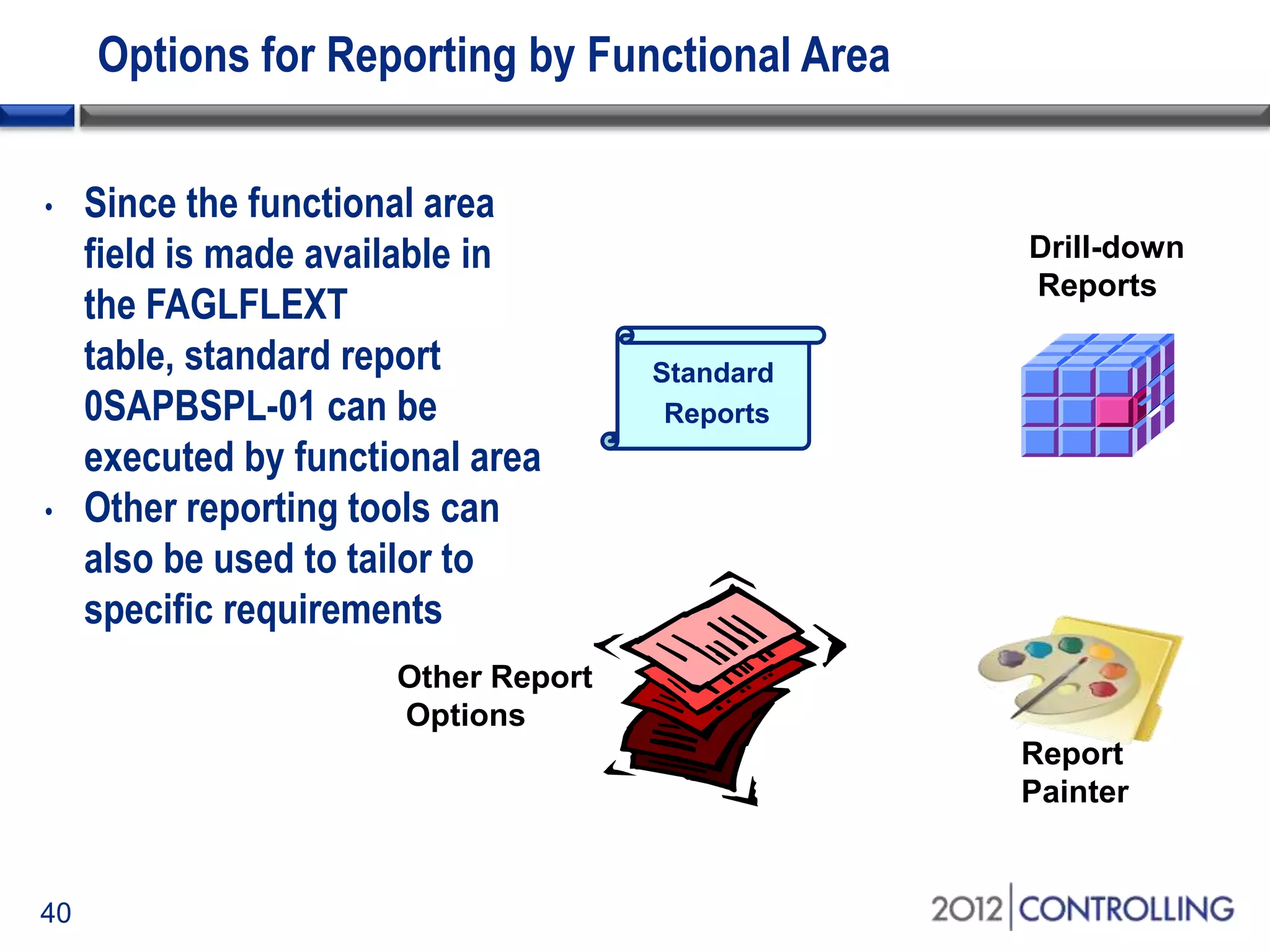
Options for Reporting by Functional Area
Other Report
Options
Drill-down
Reports
Report
Painter
• Since the functional area
field is made available in
the FAGLFLEXT
table, standard report
0SAPBSPL-01 can be
executed by functional area
• Other reporting tools can
also be used to tailor to
specific requirements
Standard
Reports
41
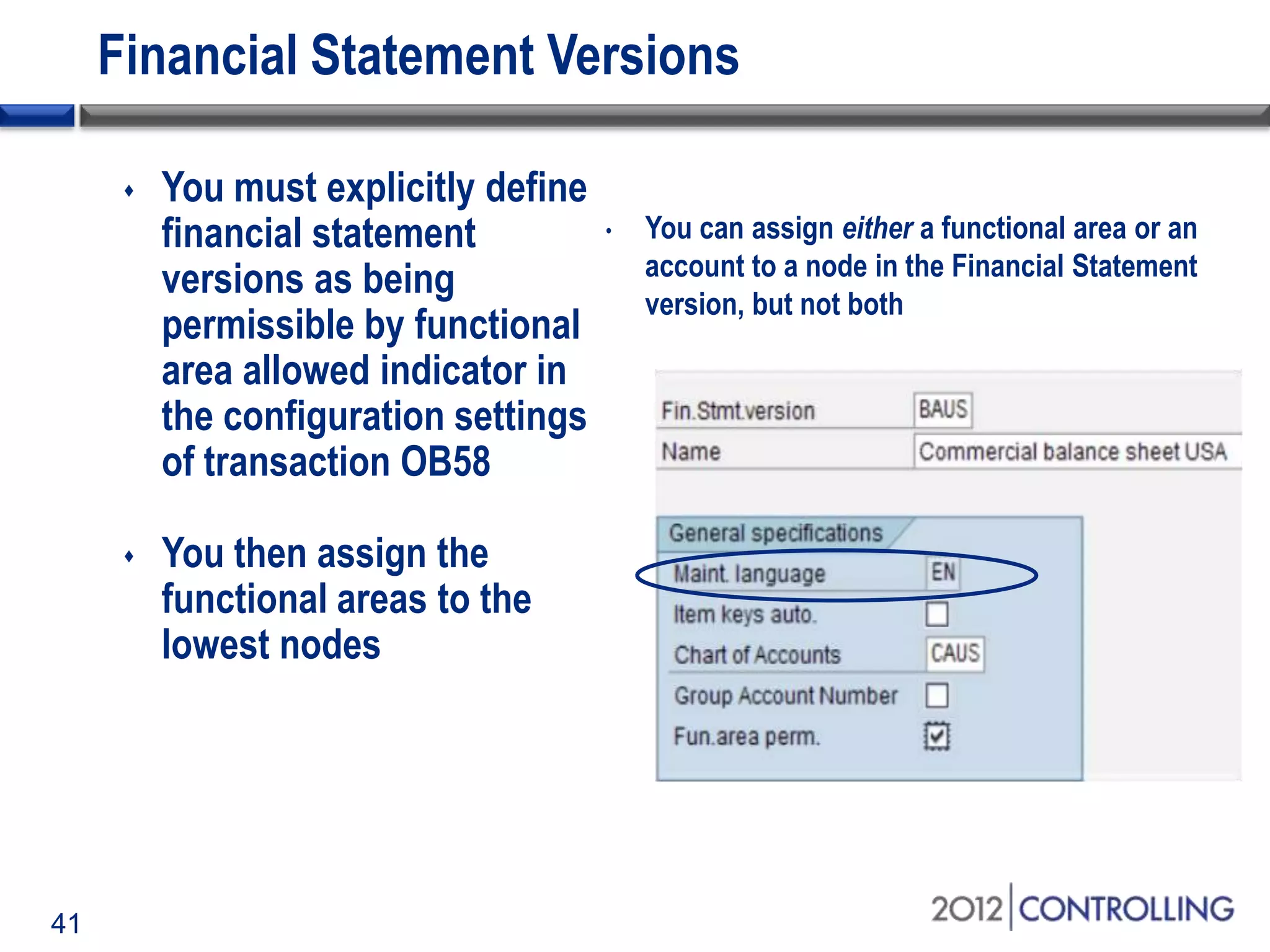
Financial Statement Versions
 You must explicitly define
financial statement
versions as being
permissible by functional
area allowed indicator in
the configuration settings
of transaction OB58
 You then assign the
functional areas to the
lowest nodes
• You can assign either a functional area or an
account to a node in the Financial Statement
version, but not both
42
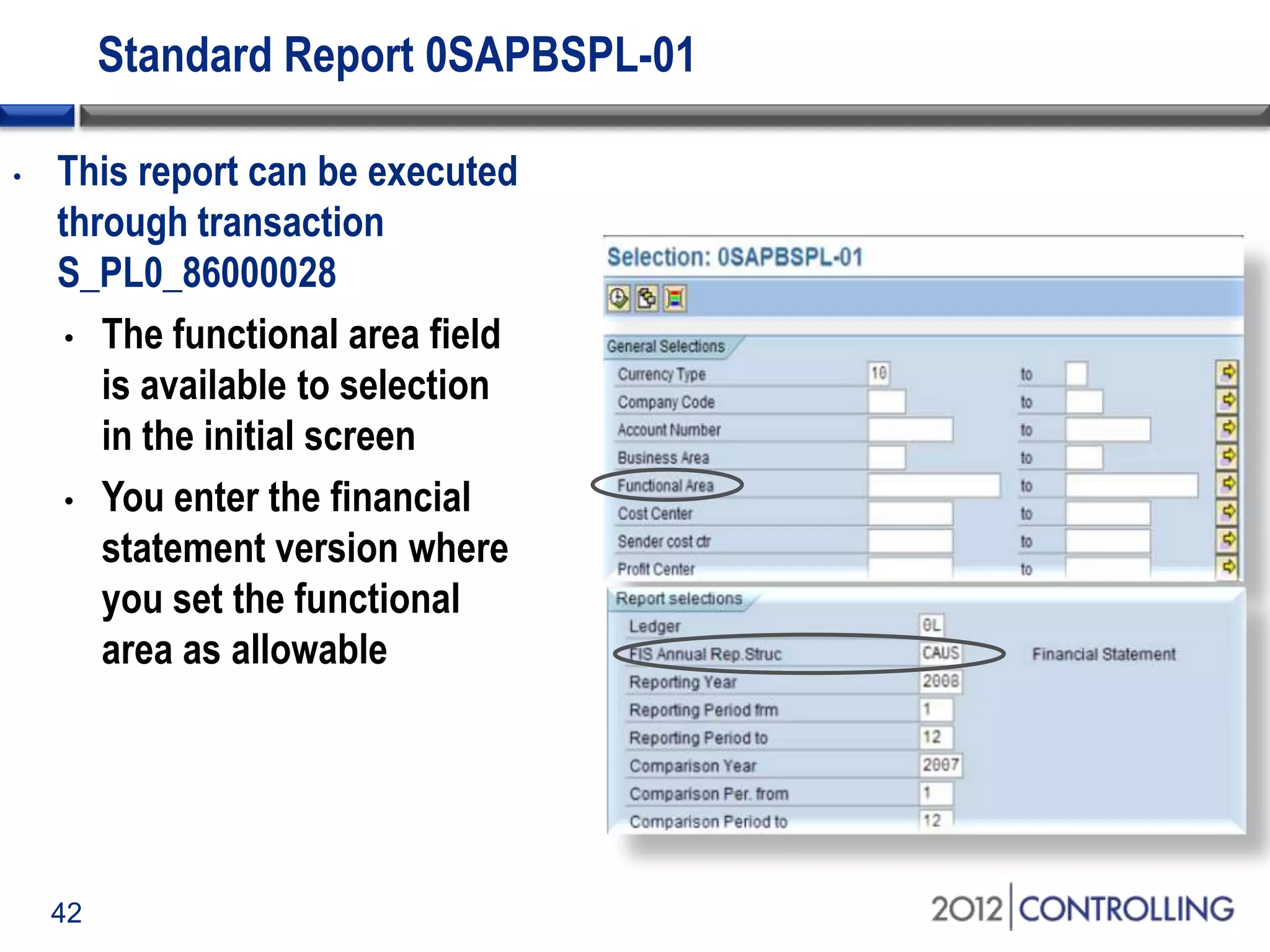
Standard Report 0SAPBSPL-01
• This report can be executed
through transaction
S_PL0_86000028
• The functional area field
is available to selection
in the initial screen
• You enter the financial
statement version where
you set the functional
area as allowable
43
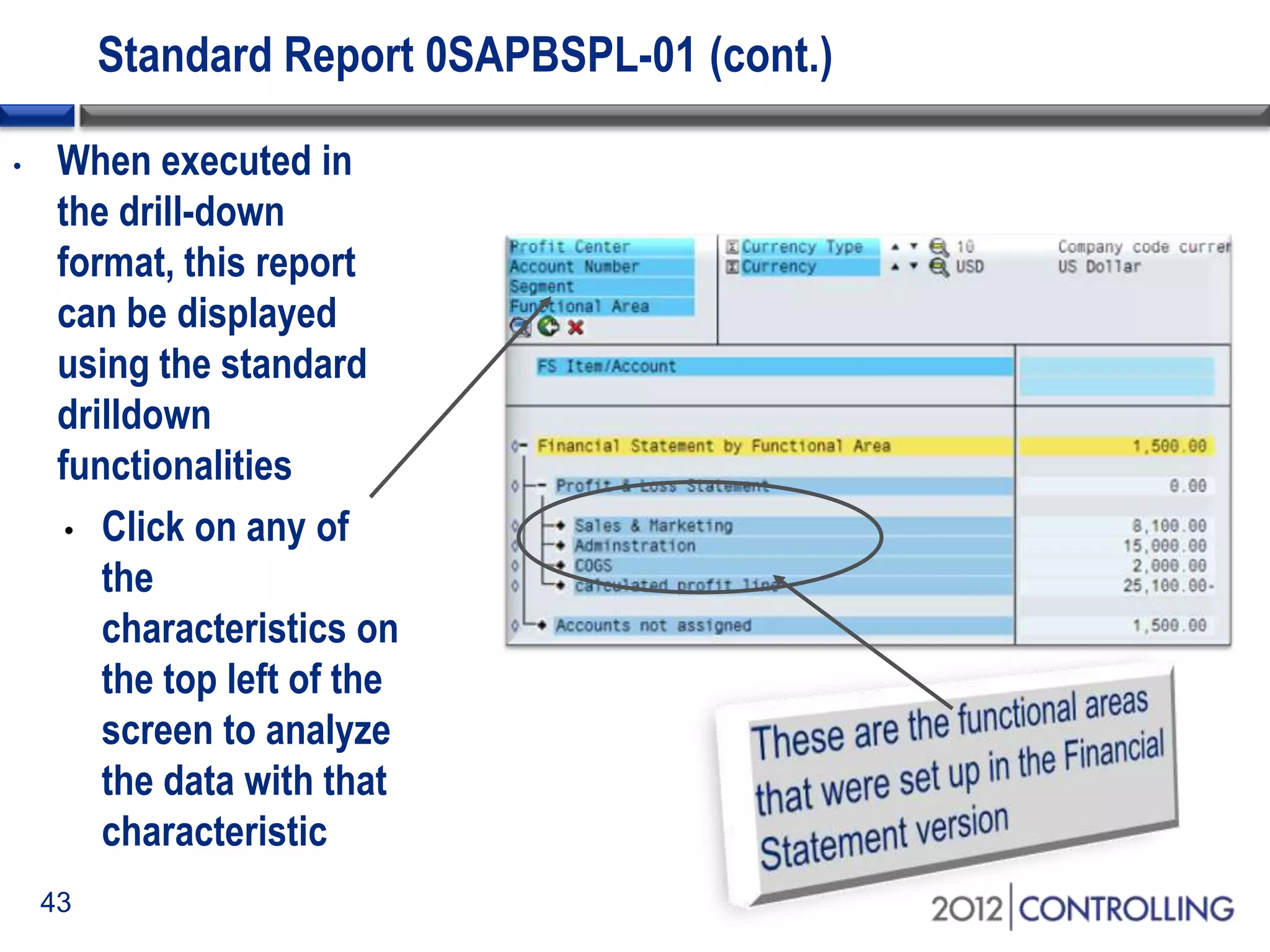
Standard Report 0SAPBSPL-01 (cont.)
• When executed in
the drill-down
format, this report
can be displayed
using the standard
drilldown
functionalities
• Click on any of
the
characteristics on
the top left of the
screen to analyze
the data with that
characteristic
44
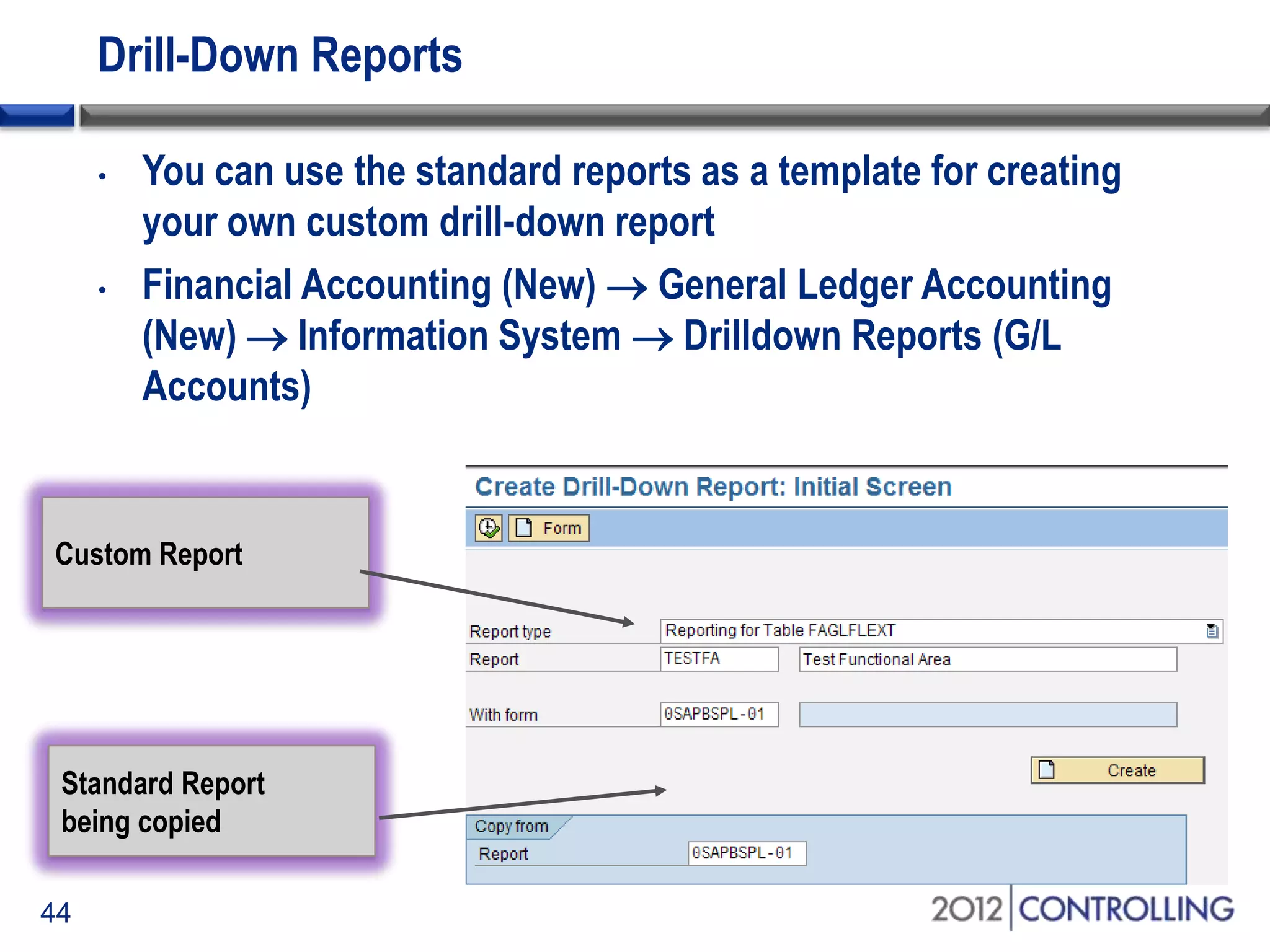
Drill-Down Reports
• You can use the standard reports as a template for creating
your own custom drill-down report
• Financial Accounting (New)  General Ledger Accounting
(New)  Information System  Drilldown Reports (G/L
Accounts)
Standard Report
being copied
Custom Report
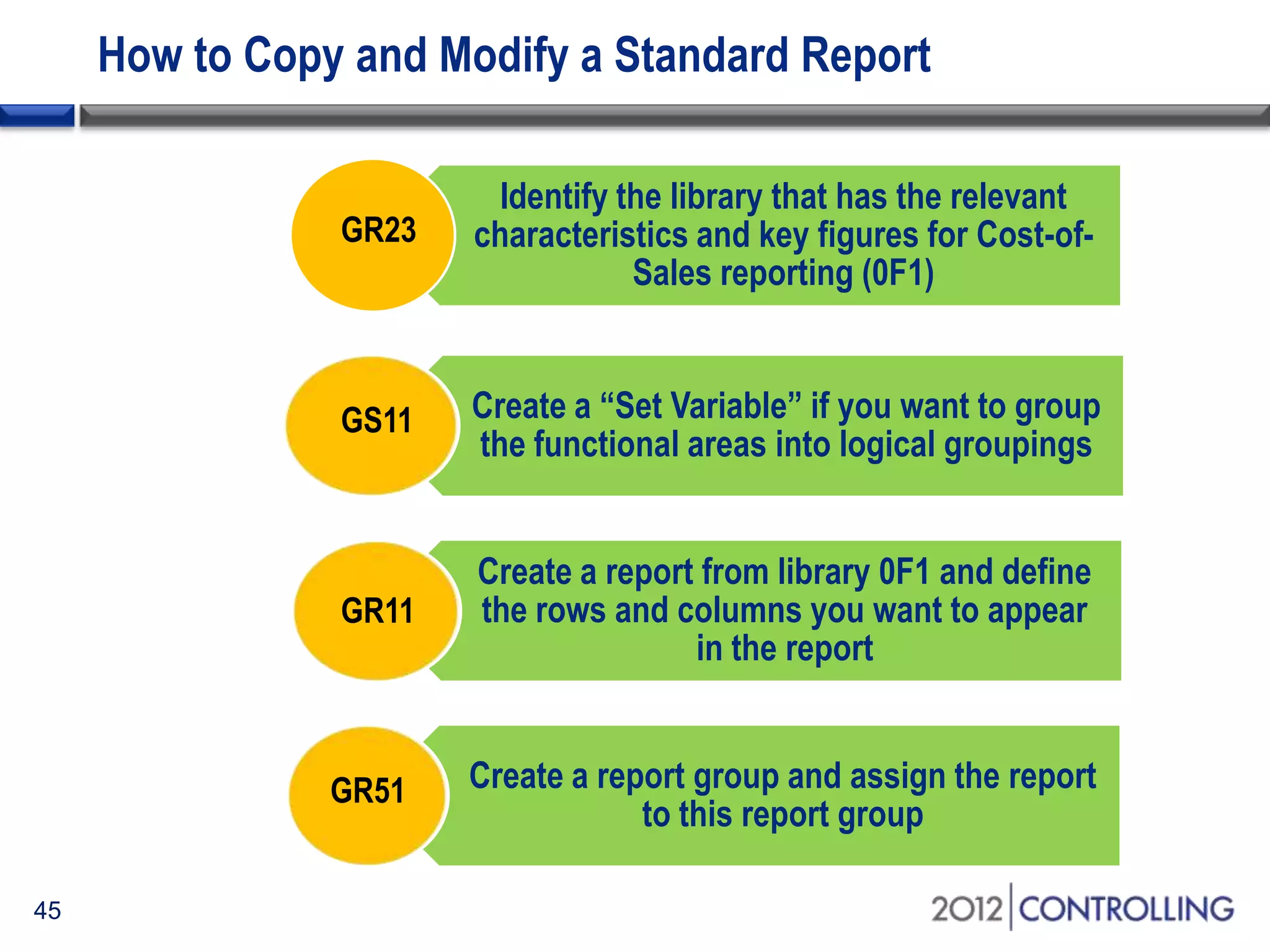
How to Copy and Modify a Standard Report
45
Identify the library that has the relevant
characteristics and key figures for Cost-of-
Sales reporting (0F1)
Create a “Set Variable” if you want to group
the functional areas into logical groupings
Create a report from library 0F1 and define
the rows and columns you want to appear
in the report
Create a report group and assign the report
to this report group
GR23
GS11
GR11
GR51
46
Problem with Report Painter Reports
• Report Painter reports do not support a financial statement
version with functional areas
• This means that in order to group functional areas into
reporting nodes, you need to create sets and replicate the
functional area financial statement version
• This makes the reports more time-consuming to create
• It also means that you need to update two structures when business
circumstances change – the Financial Statement version and the Set
that was created
47
Other Reporting Options
• ABAP Reports
• Custom reports can be created from tables GLFUNCT and
GLFUNCA in classical G/L and FAGLFLEXT & FAGLFLEXA in
SAP G/L
• BI Reports
• Activation of InfoCubes 0FIGL_C02 (Cost of Sales Ledger:
Transaction Figures) and 0FIGL_VC2 (Cost of Sales Ledger:
Financial Statements)
• Query 0FIGL_V10_Q0001 (Financial Statements (New):
Actual/Actual Comparison ) is a New G/L financial statement
report which can be viewed by functional areas
Topics
48
• Overview of cost-of-sales accounting
• Using functional areas for cost-of-sales accounting
• Using cost-of-sales accounting with SAP General Ledger
• Activating cost-of-sales scenario and deriving functional areas
• Creating cost-of-sales financial statements
• Summary
Start of first section:
List the main points in your presentation and insert this slide at
the start of each new topic. Move the highlighted box down for
each new section. This divides your presentation into easy to
follow sections.
Resources
• Paul Ovigele, 100 Things You Should Know About Financial
Accounting with SAP (July 2011)
• Provides little-known tips to optimize the Financial
Accounting module, including with cost-of-sales accounting
• http://help.sap.com/saphelp_erp60_sp/helpdata/en/e1/8e51341a
06084de10000009b38f83b/frameset.htm
• Go to: ERP Central Component  Financials  Financial
Accounting  General Ledger Accounting  General
Ledger Accounting  Cost of Sales Accounting
• SAP Note 677630 – Correcting functional areas in FI documents
• This note can also be used to re-derive the functional areas
of accounting documents already posted
49
Five Key Ideas
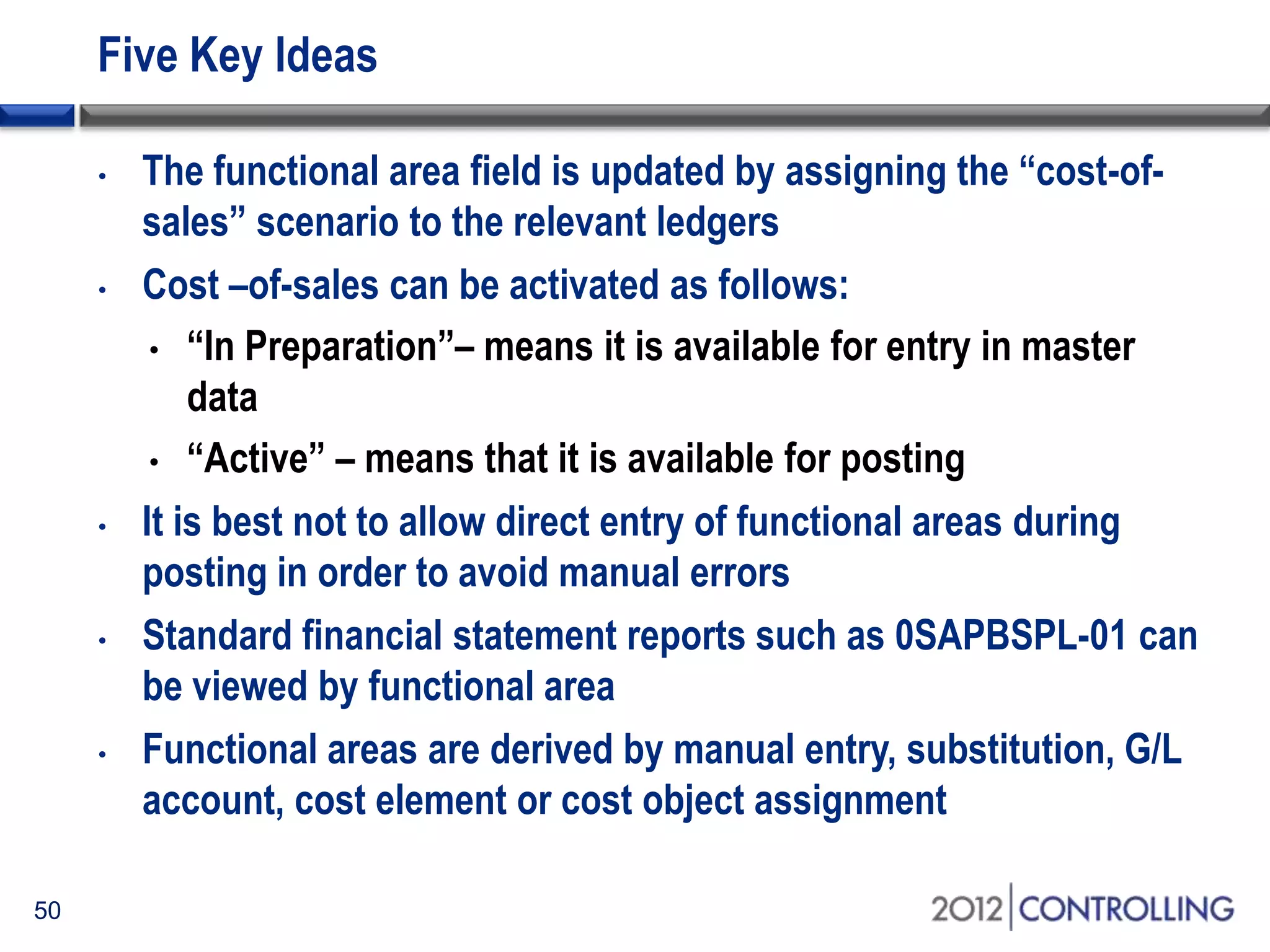
• The functional area field is updated by assigning the “cost-of-
sales” scenario to the relevant ledgers
• Cost –of-sales can be activated as follows:
• “In Preparation”– means it is available for entry in master
data
• “Active” – means that it is available for posting
• It is best not to allow direct entry of functional areas during
posting in order to avoid manual errors
• Standard financial statement reports such as 0SAPBSPL-01 can
be viewed by functional area
• Functional areas are derived by manual entry, substitution, G/L
account, cost element or cost object assignment
50
Questions
• Now:
• Ask questions now for immediate answers
• Later:
• Contact me at paul@ovigele.com
51
Q&A
Disclaimer
SAP®, R/3, mySAP, mySAP.com, xApps, xApp, SAP NetWeaver®, Duet®, PartnerEdge, and other SAP® products and
services mentioned herein as well as their respective logos are trademarks or registered trademarks of SAP AG in
Germany and in several other countries all over the world. All other product and service names mentioned are the
trademarks of their respective companies. ERP Corp is neither owned nor controlled by SAP.

A guide to functional areas and cost of sales P&L reporting in the SAP® General Ledger

  • 2.
    © 2012 ERPCorp. All rights reserved. A Guide to Functional Areas and Cost-of-Sales P&L Reporting in the SAP General Ledger Paul Ovigele Ovigele Consulting
  • 3.
    Introduction 3 • Learn howto activate cost-of-sales (COS) functionality in the SAP General Ledger • Find out how to define and derive functional areas • Receive step-by-step instructions for creating and running functional area reports • Discover tips for easily switching from period-based to COS accounting using the same report
  • 4.
    Topics • Overview ofcost-of-sales accounting • Using functional areas for cost-of-sales accounting • Using cost-of-sales accounting with SAP General Ledger • Activating cost-of-sales scenario and deriving functional areas • Creating cost-of-sales financial statements • Summary 4 Start of first section: List the main points in your presentation and insert this slide at the start of each new topic. Move the highlighted box down for each new section. This divides your presentation into easy to follow sections.
  • 5.
    Approaches to Profitand Loss Accounting • Period-Based Accounting • Sales are matched with cost-of-sales for the period • Cost-of-Sales Accounting • Sales are matched with cost of goods sold regardless of when produced 5
  • 6.
    Comparing Accounting Methods Period-BasedCost-of-Sales • Revenues • Sales deductions • Changes in stock • Work in process • Revenues • Sales deductions • Cost-of-sales (incl. period variances) Total Output Gross Result • Material Consumption • Salaries • Other Costs • Sales and Distribution • Administration • Research & Development Result Result 6
  • 7.
    Extra G/L AccountsApproach • A simpler approach to implement, as every classification is dealt with using general ledger accounts • Could lead to a significantly larger and unmanageable chart of accounts • Could make configuration of account assignments more complicated • e.g., which depreciation expense account category will you assign to the asset class? 7
  • 8.
    Costing-Based CO-PA Approach •Value fields are mapped to sales conditions, G/L accounts, and variance categories to reflect the source of the activities • Characteristics help determine what dimensions to report on; e.g., product line, customer, region, etc. • Reconciliation with FI is sometimes difficult because value fields are not always updated at the same time as general ledger accounts 8
  • 9.
    Functional Area Approach •Allows you to classify your expense accounts into the different functional areas in which they occurred • e.g., you can identify whether a payroll expense is production or marketing related • With SAP General Ledger you can pull extra characteristics into the FAGLFLEXT table and hence facilitate evaluations by product, customer, country, etc., just as in CO-PA • CO-PA is still more suitable for contribution margin reporting and analyzing fixed vs. variable costs 9
  • 10.
    Period Accounting Mappedto Functional Areas Period Accounting Net Revenue 5000 Production Admin R&D Stock Change 50 50 Gross Profit 4950 Material Costs 600 400 100 100 Payroll 800 150 250 400 Depreciation 50 25 25 Other Costs 150 25 75 50 Total Costs 1600 650 425 575 Net Profit 3350 Cost of Sales Accounting Net Revenue 5000 Production 650 Cost of Sales 4350 Admin 425 R&D 575 Net Profit 3350 Functional Areas 10
  • 11.
    Topics • Overview ofcost-of-sales accounting • Using functional areas for cost-of-sales accounting • Using cost-of-sales accounting with SAP General Ledger • Activating cost-of-sales scenario and deriving functional areas • Creating cost-of-sales financial statements • Summary 11 Start of first section: List the main points in your presentation and insert this slide at the start of each new topic. Move the highlighted box down for each new section. This divides your presentation into easy to follow sections.
  • 12.
    Options for DerivingFunctional Areas 12 Manual Entry Internal Orders Cost Centers Cost Collectors Cost Objects G/L AccountSubstitution P&L Account
  • 13.
    Functional Areas inCost Objects Cost Object • Cost center • Internal order • Product cost collector • WBS element • Network • Profit center Assignment • Cost Center Category • Cost Center Master Data • Order Type • Internal Order Master Data • Order Type • Cost Collector Master Data • Project Profile • Network Type • Account Assignment 13
  • 14.
    Multiple Cost Objectsin One Line Item • If, for example, a cost center and internal order are entered on one line item, the order is treated as actual and the cost center as statistical (due to the “actual assignment” rule) • Hence the functional area of the order is derived 14 Whose functional area is derived?
  • 15.
    Functional Areas inG/L Accounts/Cost Elements • If the G/L account is also a cost element, you can only enter the functional area in the master record of the P&L account • The functional area is then copied to the master data of the cost element • Since several company codes can be assigned to a controlling area, the functional area field is assigned to the chart of accounts area of the G/L account and cost element master data • This ensures that the same functional area is entered in the G/L account and its related cost element 15
  • 16.
    Functional Areas inG/L Accounts/Cost Elements (cont.) Scenario Derivation You post to a G/L account for which there is no cost element System derives the functional area from the G/L account You post to a G/L account for which a cost element exists System derives the functional area from the G/L account You post to a cost element (in controlling) for which there is no G/L account System derives the functional area from the secondary cost element 16
  • 17.
    Cost-of-Sales Substitutions • Substitutionis a process for checking a value entered in SAP against a user-defined prerequisite • If the prerequisite is met, then the value of a specific field is replaced by substitute values 17 User defines rules and field to be replaced Is prerequisite met? Replace field with specified value Replace field with specified value No Yes
  • 18.
    Substitution vs. CostCenter Categories • Substitutions • Pro: Particularly useful in exceptions to normal circumstances; for example, you want functional area ABC to be derived only for postings to a specific cost element in that cost center • Con: Trickier to modify when business circumstances change • Cost Center Categories • Pro: Simpler to set up. Easy way to ensure that all new cost centers have a functional area assigned to them • Con: Doesn’t take into account special situations where the cost center category is not the only driver for the functional area assignment 18
  • 19.
    Manual Entry ofFunctional Areas • Could be used in very unique circumstances where the functional area will not be known until the time of posting • Field status group for posting keys and chart of accounts should be set to “optional” for functional areas 19 • This overrides all other methods of deriving functional areas, so should be used only where automatic derivation does not apply
  • 20.
    Topics • Overview ofcost-of-sales accounting • Using functional areas for cost-of-sales accounting • Using cost-of-sales accounting with SAP General Ledger • Activating cost-of-sales scenario and deriving functional areas • Creating cost-of-sales financial statements • Summary 20 Start of first section: List the main points in your presentation and insert this slide at the start of each new topic. Move the highlighted box down for each new section. This divides your presentation into easy to follow sections.
  • 21.
    Cost-of-Sales Ledger inSAP General Ledger • With SAP R/3 you needed to activate the Cost of Ledger (0F) in order to use functional areas. Now with SAP ERP, the Cost-of- Sales Ledger is included in SAP General Ledger SAP ERPSAP R/3 •Reconciliation Ledger • EC-PCA • Special Purpose Ledger • Cost-of-Sales Ledger • Consolidation Staging Ledger 21
  • 22.
    Scenarios in SAPGeneral Ledger • A scenario determines what fields in a ledger are updated when it receives posting from other application components • If you want to update the functional area field in the SAP G/L view of an accounting document, you need to assign the Cost- of-Sales scenario (FIN_UKV) to the relevant ledger • This updates the sender and receiver functional area fields • Go to IMG path: Financial Accounting (NEW) Financial Accounting basic settings (NEW) Ledgers Fields Display Scenarios for General Ledger Accounting 22
  • 23.
    Examples of Scenariosin SAP General Ledger Scenario Description Fields Filled Technical Field Name FIN_CCA Cost center update Cost center Sender cost center RCNTR SCNTR FIN_PCA Profit center update Profit center Partner profit center PPRCTR PRCTR FIN_UKV Cost-of-sales accounting Functional area Partner functional area RFAREA SFAREA • If you don't assign scenarios to the leading or non-leading ledgers, the system updates only the account and company code objects in the FAGLFLEXT table 23
  • 24.
    Substitutions in SAPGeneral Ledger • When SAP G/L is active, you can activate functional area derivation on the entry screen • This means that the functional area is derived before you save the document anytime you hit the “Enter” button • This makes substitution call-up point “6” relevant for activation (with classic G/L call-up point “5” is relevant) • Financial Accounting (New) Financial Accounting Global Settings (New) Tools Customer Enhancements Enhance Functional Area Determination 24
  • 25.
    Substitutions in SAPGeneral Ledger (cont.) 25 This prerequisite states that: If the account number is “474240” and the cost center category is “5”….. Then the functional area to be derived in the posting is “TEST1” The substitution is activated for the relevant company code with call-up point “6”
  • 26.
    Adding Characteristics toCO Totals Records • When you activate SAP G/L, the functional area characteristic is updated in the totals table of Controlling (CO) • This means that credit postings can be made from the CO sender objects using the functional areas during assessments • The menu path for this is: “Controlling  General Controlling  Add Characteristics to CO totals records” 26 Sender Functional Area is now available in Assessments!!
  • 27.
    Account Assignment Objectsfor Asset Accounting • You can activate the functional area field as an account assignment object in asset accounting • This means that the functional area field will be available during asset postings to the general ledger • You then assign the functional area object to an account assignment type (either APC posting or Depreciation posting) • This is done per company code and depreciation area • Financial Accounting (NEW)  Asset Accounting  Integration with the General Ledger  Additional Account Assignment Objects  Activate Account Assignment Objects / Specify Account Assignment Types for Account Assignment Objects 27
  • 28.
    Topics • Overview ofcost-of-sales accounting • Using functional areas for cost-of-sales accounting • Using cost-of-sales accounting with SAP General Ledger • Activating cost-of-sales scenario and deriving functional areas • Creating cost-of-sales financial statements • Summary 28 Start of first section: List the main points in your presentation and insert this slide at the start of each new topic. Move the highlighted box down for each new section. This divides your presentation into easy to follow sections.
  • 29.
    Creating and DerivingFunctional Areas 29
  • 30.
    Activating Cost-of-Sales Accounting 30 •In Preparation  This enables the functional area to be available for input in master data such as G/L accounts, cost centers, etc.  No postings can be made to functional areas • Active  This enables the functional areas to be derived and updated during posting Options for Activation per Company Code
  • 31.
    Activating Cost-of-Sales Accounting(cont.) 31 • When cost-of-sales is activated for a company code, the global parameters will have “2” in the “Cost of sales accounting actv.” field (this can be seen in transaction OBY6) • The Functional Area field is ready for input in all company codes of a client, provided that the status of cost-of-sales accounting is either In Preparation or Active for at least one company code of the client
  • 32.
    Entering Functional Areasin Master Data 32 Master Data Transaction for update Assignment Level G/L Account FSP2 Chart of Accounts Cost Center KS02 Controlling Area Cost Center Category OKA2 Client Internal Order KO02 Controlling Area Order Type KOT2 Client Cost Element KA02 Chart of Accounts
  • 33.
    Functional Areas inCost Center Master 33 • Advantages of direct entry • Allows for flexibility to change in case the cost center categories propose placeholder functional areas in the cost center • The business may not want to create as many cost center categories as there are functional areas • Disadvantages of direct entry • Users can accidentally overwrite the correct functional area that was derived from the cost center category • May make master data creation more time-consuming
  • 34.
    Functional Areas inInternal Orders 34 • To ensure consistency of the functional areas in the master data of internal orders, define the Functional area field in the field selection control of the order type as an output field. This will make it impossible to manually enter the functional area in the order type. Is functional area entered directly in order master? Is functional area entered directly in order type? Is functional area entered in responsible cost center of the order Functional area recorded in order master No No YES YES YES
  • 35.
    Functional Areas inSecondary Cost Elements 35 • Be careful when trying to enter functional areas in secondary cost elements • Entering a functional area in a secondary cost element only makes sense if, before the assessment, the CO object to be credited was only debited under the functional area that is also entered in the secondary allocation cost element • Otherwise this could cause reconciliation issues if the sender cost center has been debited with other functional areas, in which case the functional area balance for this cost center will not be zero • For assessments or other allocations, it is advisable to derive the functional area from the cost center or substitution rule
  • 36.
    Changes to FunctionalAreas 36 • If you want to change the functional area in the master data where postings with this functional area have been made, you get the following error: • “Transaction Data already exists” • You can change this setting by either making the Error Message (FH 600) a Warning Message or deactivating the message totally • Go to Menu path : Financial Accounting (New)  Financial Accounting General Settings (New)  Document  Default Values  Change message Control for Document Processing
  • 37.
    Functional Areas inField Status Groups 37 • Functional Area field status is found in Additional account assignment section of posting keys transactions (OB41) and chart of accounts (OBC4) • Field statuses can be set to allow functional areas to be suppressed, displayed, or required when documents are posted • Set the field status for functional areas to “suppressed” to eliminate possible user error
  • 38.
    Topics • Overview ofcost-of-sales accounting • Using functional areas for cost-of-sales accounting • Using cost-of-sales accounting with SAP General Ledger • Activating cost-of-sales scenario and deriving functional areas • Creating cost-of-sales financial statements • Summary 38 Start of first section: List the main points in your presentation and insert this slide at the start of each new topic. Move the highlighted box down for each new section. This divides your presentation into easy to follow sections.
  • 39.
  • 40.
    40 Options for Reportingby Functional Area Other Report Options Drill-down Reports Report Painter • Since the functional area field is made available in the FAGLFLEXT table, standard report 0SAPBSPL-01 can be executed by functional area • Other reporting tools can also be used to tailor to specific requirements Standard Reports
  • 41.
    41 Financial Statement Versions You must explicitly define financial statement versions as being permissible by functional area allowed indicator in the configuration settings of transaction OB58  You then assign the functional areas to the lowest nodes • You can assign either a functional area or an account to a node in the Financial Statement version, but not both
  • 42.
    42 Standard Report 0SAPBSPL-01 •This report can be executed through transaction S_PL0_86000028 • The functional area field is available to selection in the initial screen • You enter the financial statement version where you set the functional area as allowable
  • 43.
    43 Standard Report 0SAPBSPL-01(cont.) • When executed in the drill-down format, this report can be displayed using the standard drilldown functionalities • Click on any of the characteristics on the top left of the screen to analyze the data with that characteristic
  • 44.
    44 Drill-Down Reports • Youcan use the standard reports as a template for creating your own custom drill-down report • Financial Accounting (New)  General Ledger Accounting (New)  Information System  Drilldown Reports (G/L Accounts) Standard Report being copied Custom Report
  • 45.
    How to Copyand Modify a Standard Report 45 Identify the library that has the relevant characteristics and key figures for Cost-of- Sales reporting (0F1) Create a “Set Variable” if you want to group the functional areas into logical groupings Create a report from library 0F1 and define the rows and columns you want to appear in the report Create a report group and assign the report to this report group GR23 GS11 GR11 GR51
  • 46.
    46 Problem with ReportPainter Reports • Report Painter reports do not support a financial statement version with functional areas • This means that in order to group functional areas into reporting nodes, you need to create sets and replicate the functional area financial statement version • This makes the reports more time-consuming to create • It also means that you need to update two structures when business circumstances change – the Financial Statement version and the Set that was created
  • 47.
    47 Other Reporting Options •ABAP Reports • Custom reports can be created from tables GLFUNCT and GLFUNCA in classical G/L and FAGLFLEXT & FAGLFLEXA in SAP G/L • BI Reports • Activation of InfoCubes 0FIGL_C02 (Cost of Sales Ledger: Transaction Figures) and 0FIGL_VC2 (Cost of Sales Ledger: Financial Statements) • Query 0FIGL_V10_Q0001 (Financial Statements (New): Actual/Actual Comparison ) is a New G/L financial statement report which can be viewed by functional areas
  • 48.
    Topics 48 • Overview ofcost-of-sales accounting • Using functional areas for cost-of-sales accounting • Using cost-of-sales accounting with SAP General Ledger • Activating cost-of-sales scenario and deriving functional areas • Creating cost-of-sales financial statements • Summary Start of first section: List the main points in your presentation and insert this slide at the start of each new topic. Move the highlighted box down for each new section. This divides your presentation into easy to follow sections.
  • 49.
    Resources • Paul Ovigele,100 Things You Should Know About Financial Accounting with SAP (July 2011) • Provides little-known tips to optimize the Financial Accounting module, including with cost-of-sales accounting • http://help.sap.com/saphelp_erp60_sp/helpdata/en/e1/8e51341a 06084de10000009b38f83b/frameset.htm • Go to: ERP Central Component  Financials  Financial Accounting  General Ledger Accounting  General Ledger Accounting  Cost of Sales Accounting • SAP Note 677630 – Correcting functional areas in FI documents • This note can also be used to re-derive the functional areas of accounting documents already posted 49
  • 50.
    Five Key Ideas •The functional area field is updated by assigning the “cost-of- sales” scenario to the relevant ledgers • Cost –of-sales can be activated as follows: • “In Preparation”– means it is available for entry in master data • “Active” – means that it is available for posting • It is best not to allow direct entry of functional areas during posting in order to avoid manual errors • Standard financial statement reports such as 0SAPBSPL-01 can be viewed by functional area • Functional areas are derived by manual entry, substitution, G/L account, cost element or cost object assignment 50
  • 51.
    Questions • Now: • Askquestions now for immediate answers • Later: • Contact me at paul@ovigele.com 51 Q&A
  • 52.
    Disclaimer SAP®, R/3, mySAP,mySAP.com, xApps, xApp, SAP NetWeaver®, Duet®, PartnerEdge, and other SAP® products and services mentioned herein as well as their respective logos are trademarks or registered trademarks of SAP AG in Germany and in several other countries all over the world. All other product and service names mentioned are the trademarks of their respective companies. ERP Corp is neither owned nor controlled by SAP.