A Complete Web
Development Guide
For Non-Technical Startup Founder
2021
1
Table of Contents
Introduction 3
The Basics of Web Development 4
What is HTML? 5
What is CSS? 6
What is JavaScript? 7
The Technology Stack 8
What are Frameworks? 9
Front End Frameworks 10
Back End Skills 11
Data and Database 12
Server and Deployment Skills 13
Web Browsers 14
Content Management System (CMS) 15
How to start the web development process?
Web development agency hiring.
16
Scoping the Project 17
Inhouse team vs Outsourcing 19
How to choose the best web development agency 21
Questions To Ask For Qualification 22
How Much Does It Cost To Build A Web Application? 23
Selecting The Right Technology Stack 24
Factors to consider while choosing the tech stack 27
Once you started: Communication 29
Customer feedback 30
Asking the right questions 31
Role of the project manager 32
Start small 33
Contracts 34
How To Test A Website 35
Step-by-step website hosting instructions 42
Website Post-Launch Checklist 44
Conclusion 49
Our society is becoming more and more computerized.
There are around 3.58 billion internet users on the planet. This implies that
over half of the world's 7.6 billion people have access to the internet, which
they use for everything from entertainment to education, communication to
commerce, keeping up with current events, and keeping up with business
experts. Indeed, for many of us, the internet is the first (and often only) channel
through which we communicate with the world in all of its complexities.
Because there are so many resources available, determining the best
approach to learn coding may be difficult. But for now, all you need is a basic
understanding of web development and some guidance on where to go next.
Based on extensive expertise, the Northell team has prepared a detailed web
development guide to help you master the basic knowledge of web
development and understand its main aspects.
Introduction
4
The Basics of Web Development
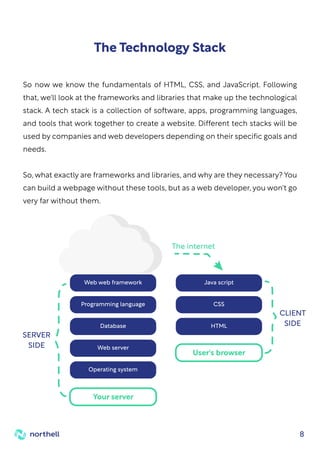
The frontend (client side) and the backend (server side) are two parts of any
website. The frontend comprises everything the user sees and experiences
instantly while visiting a website. The backend is behind the scenes that store,
send and receive information.
HTML, CSS, and Javascript files make up everything you see on a website. As a
web developer, these are the most basic tools you'll need. They are the
languages that you need to build your websites.
So, let's have a look at what they do!
There are three interactive elements on the Internet:
Websites: a collection of information and files that we access via a
computer and a server.
Servers: computers which store all website data in an extensive network.
Browsers: software that loads and displays information on your computer.
5
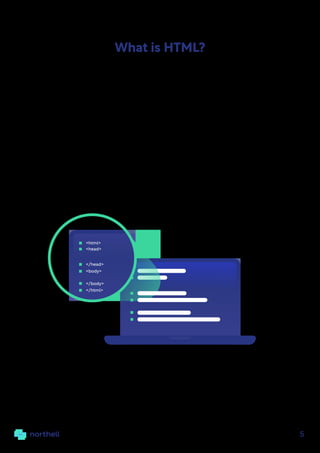
The basic programming language for web creation is HTML (HyperText Markup
Language). It contains the essential elements of a website, such as words, titles,
and paragraphs.
HTML is made up of a set of pre-defined tags that represent various functions
and subsequently "translate" into understandable information on the screen.
These tags are always written between angle brackets.
What is HTML?
<html>
</html>
<head>
</head>
<body>
</body>
6
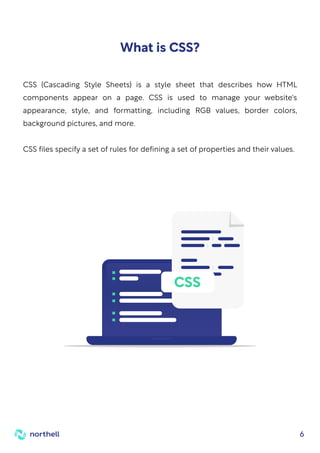
CSS (Cascading Style Sheets) is a style sheet that describes how HTML
components appear on a page. CSS is used to manage your website's
appearance, style, and formatting, including RGB values, border colors,
background pictures, and more.
CSS files specify a set of rules for defining a set of properties and their values.
What is CSS?
CSS
7
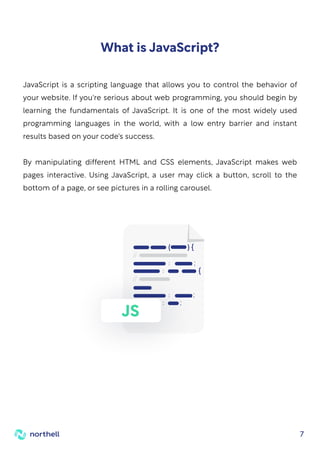
JavaScript is a scripting language that allows you to control the behavior of
your website. If you're serious about web programming, you should begin by
learning the fundamentals of JavaScript. It is one of the most widely used
programming languages in the world, with a low entry barrier and instant
results based on your code's success.
By manipulating different HTML and CSS elements, JavaScript makes web
pages interactive. Using JavaScript, a user may click a button, scroll to the
bottom of a page, or see pictures in a rolling carousel.
What is JavaScript?
JS
8
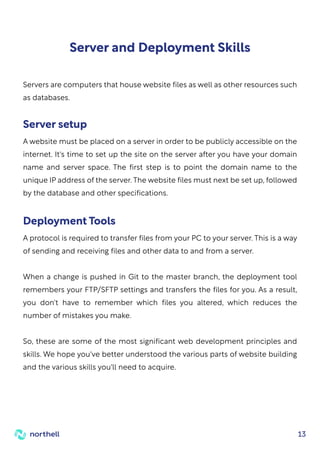
So now we know the fundamentals of HTML, CSS, and JavaScript. Following
that, we'll look at the frameworks and libraries that make up the technological
stack. A tech stack is a collection of software, apps, programming languages,
and tools that work together to create a website. Different tech stacks will be
used by companies and web developers depending on their specific goals and
needs.
So, what exactly are frameworks and libraries, and why are they necessary? You
can build a webpage without these tools, but as a web developer, you won't go
very far without them.
The Technology Stack
Web web framework
Programming language
Database
Web server
Operating system
Your server
Java script
CSS
HTML
User's browser
SERVER
SIDE
CLIENT
SIDE
The internet
9
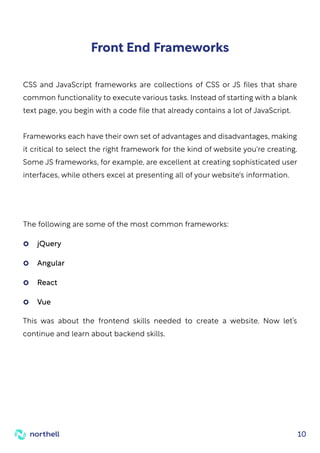
You could create a web page from the ground up, but it would take a long time,
especially if you wanted to add additional complexity. JavaScript frameworks
can be helpful in this situation. A framework for your website is similar to a
pre-packaged structure of pre-written code that defines how programs
should interact.
Let's say you wanted to make a vehicle. Instead of beginning from scratch, you
may purchase a car frame to save time and ensure that you create something
that works. In web development, a framework is comparable. It comes with
pre-installed apps, plug-ins, and tools that you may add to your website files.
Frameworks help you develop faster, plus they're written by other developers,
so you know the code has been well tested.
Different programming languages are used by backend and frontend
frameworks. To get you started, let's take a look at a few prominent ones
What are Frameworks?
10
Front End Frameworks
CSS and JavaScript frameworks are collections of CSS or JS files that share
common functionality to execute various tasks. Instead of starting with a blank
text page, you begin with a code file that already contains a lot of JavaScript.
Frameworks each have their own set of advantages and disadvantages, making
it critical to select the right framework for the kind of website you're creating.
Some JS frameworks, for example, are excellent at creating sophisticated user
interfaces, while others excel at presenting all of your website's information.
The following are some of the most common frameworks:
This was about the frontend skills needed to create a website. Now let’s
continue and learn about backend skills.
jQuery
Angular
React
Vue
11
Back End Skills
The back-end layer establishes a dynamic link between the front-end and the
database. To get this layer to operate, you must be familiar with at least one
programming language, such as Python, Java, PHP, Ruby, and others, as well as
server-side frameworks such as NodeJS.
Python is an object-oriented programming language that was launched
in 1991 and has since become one of the most popular languages among
software and web professionals.
Sun Microsystems launched Java, an open-source, high-level
programming language, in 1996. It adheres to the Write Once, Run
Anywhere (WORA) philosophy, which allows it to run on any platform.
PHP is a server-side scripting language that is used to create an
application's back-end logic. It's a fantastic tool for creating dynamic,
interactive web pages.
NodeJS is an open-source JavaScript framework designed primarily for
building an application's back end or server-side. JavaScript may now
execute on the server-side of the web, thanks to NodeJS.
12
Data and Database
The data layer is a large information warehouse. It includes a database
repository that collects and saves data from the front end to the back end.
Knowledge of how data is saved, changed, retrieved, and so on is required.
Working knowledge of databases such as MySQL and MongoDB is also needed.
MySQL is a free, open-source Relational Database Management System
that supports multiple storage engines and multi-user access.
MongoDB is well-known for its user-friendliness and speed when dealing
with vast amounts of data. It's an open-source, object-oriented, NoSQL
database that's extremely scalable and adept at dealing with
unstructured data.
13
Server and Deployment Skills
Servers are computers that house website files as well as other resources such
as databases.
A website must be placed on a server in order to be publicly accessible on the
internet. It's time to set up the site on the server after you have your domain
name and server space. The first step is to point the domain name to the
unique IP address of the server. The website files must next be set up, followed
by the database and other specifications.
Server setup
A protocol is required to transfer files from your PC to your server. This is a way
of sending and receiving files and other data to and from a server.
When a change is pushed in Git to the master branch, the deployment tool
remembers your FTP/SFTP settings and transfers the files for you. As a result,
you don't have to remember which files you altered, which reduces the
number of mistakes you make.
So, these are some of the most significant web development principles and
skills. We hope you've better understood the various parts of website building
and the various skills you'll need to acquire.
Deployment Tools
14
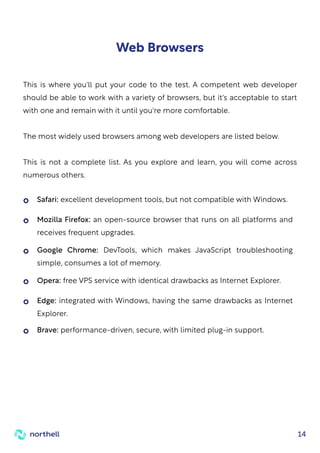
Web Browsers
This is where you'll put your code to the test. A competent web developer
should be able to work with a variety of browsers, but it's acceptable to start
with one and remain with it until you're more comfortable.
The most widely used browsers among web developers are listed below.
This is not a complete list. As you explore and learn, you will come across
numerous others.
Safari: excellent development tools, but not compatible with Windows.
Opera: free VPS service with identical drawbacks as Internet Explorer.
Brave: performance-driven, secure, with limited plug-in support.
Mozilla Firefox: an open-source browser that runs on all platforms and
receives frequent upgrades.
Edge: integrated with Windows, having the same drawbacks as Internet
Explorer.
Google Chrome: DevTools, which makes JavaScript troubleshooting
simple, consumes a lot of memory.
15
A Content Management System (CMS) is software that makes it easier to edit,
create, and publish your work.
A content management system (CMS) provides you complete control over
your content by combining all of your site's functions into one easy-to-use
platform. Many of these applications assist with content management,
marketing, and distribution.
A CMS usually makes use of a database (such as MySQL or MariaDB) to hold a
collection of applications and tools written in a certain programming language.
You may then update and maintain your website without having to return to
the code's finer points.
The number of users, the size of your staff, and the simplicity of the interface
all play a role in selecting a CMS. WordPress is a fantastic CMS for beginners.
It's a free, open-source website-building and-publishing tool. It's a popular
blogging platform with a low entrance hurdle for newcomers. With such a large
network of support, you'll almost certainly be able to discover solutions to your
issues as they arise.
Drupal, Typo3, and Joomla! are some more famous CMS software.
Content Management System (CMS)
16
How to start the web development process?
Web development agency hiring.
The process of hiring a web development agency is not rocket science. Finding
one that is a perfect fit for you, capable of understanding and achieving your
objectives, is the difficult part. If you know what to look for and what actions to
take, the work at hand may be a snap, and you don't have to search any farther!
Northell team has prepared this comprehensive step-by-step guide to hire
the best web development company for your project.
Let's start!
17
Scoping the Project
The first and most important step in getting started with website creation is to
understand your own needs. Communication with the possible web
development companies you're trying to employ depends on having a
well-thought-out strategy and outlining the framework you desire.
Web development is a broad term that refers to a variety of activities. What
services are you looking for from a web development agency?
Is it just focused on website development, or do you also require a web
application? Are you seeking a way to connect numerous apps over the
internet using web services?
Having well-defined product requirements not only helps you understand
what you're looking for but also helps you limit down your options among
potential web development agencies.
For example, if you want a web app to be built in addition to the website,
companies that just provide website development in their portfolio will be
instantly eliminated since they do not satisfy your criteria.
While you're at it, figure out your company's objectives and how the website
will assist you in achieving them. "What is the final aim for getting into website
development?" you might wonder.
Identifying Developmental Needs
18
For the developers to build a roadmap, they'll need a creative brief and project
requirement papers. The website prototype phase is the project's cornerstone
and, perhaps, the most crucial step. So, what does this involve exactly?
The project requirement documents serve as the foundation for our work. It
comprises the project plan, project goals, product requirements, features, and
technical specifics that you want the web development agency to incorporate
into the final product provided.
The brief lays out all of the rules that the company will need to follow before
beginning your project, and it's all written down.
This roadmap not only assists the website development team in better
understanding your needs but also assists them in providing you with a more
accurate estimate of the time and resources required to finish the project.
The answers may vary, ranging from brand recognition and product
information to lead generation, sales, and eCommerce, but getting this part
right at the start will help you measure the success you accomplish later on.
Creating a roadmap for developers
Nobody knows your website's requirements and intended vision better than
you, so sketching down a basic vision for the design you have in mind is great
practice. Make a list of the features you want your web development agency to
include in your project.
The fundamental requirements do not have to be very complex or difficult. A
simple diagram of the design on paper would suffice.
Present an overall vision
19
Inhouse team vs Outsourcing
After completing your fundamental research, you may start looking for a
company that matches your needs. There are literally tens of thousands of
possibilities.
A basic Google search for "web development company" yields 3,240,000,000
results in less than a second! So, what's the best way to narrow down your
search? Simply follow the steps below.
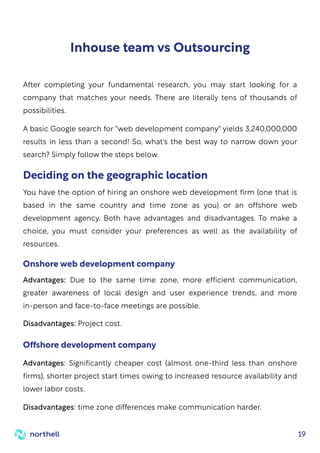
You have the option of hiring an onshore web development firm (one that is
based in the same country and time zone as you) or an offshore web
development agency. Both have advantages and disadvantages. To make a
choice, you must consider your preferences as well as the availability of
resources.
Advantages: Due to the same time zone, more efficient communication,
greater awareness of local design and user experience trends, and more
in-person and face-to-face meetings are possible.
Disadvantages: Project cost.
Deciding on the geographic location
Onshore web development company
Advantages: Significantly cheaper cost (almost one-third less than onshore
firms), shorter project start times owing to increased resource availability and
lower labor costs.
Disadvantages: time zone differences make communication harder.
Offshore development company
20
There are very professional developers around; whether or not you hire one is
a matter of personal taste. If you have a large budget to begin with, an onshore
company is the best option, but if you are short on resources, offshore
development teams are what you need.
Finding relevant companies that are relevant to
your requirements
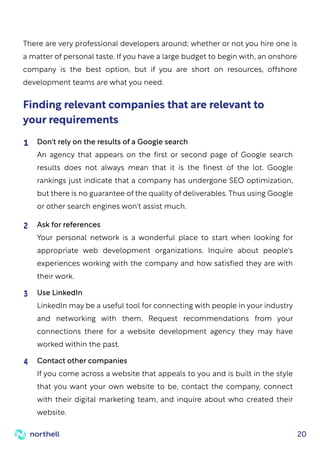
Don't rely on the results of a Google search
An agency that appears on the first or second page of Google search
results does not always mean that it is the finest of the lot. Google
rankings just indicate that a company has undergone SEO optimization,
but there is no guarantee of the quality of deliverables. Thus using Google
or other search engines won't assist much.
1
Ask for references
Your personal network is a wonderful place to start when looking for
appropriate web development organizations. Inquire about people's
experiences working with the company and how satisfied they are with
their work.
2
Use LinkedIn
LinkedIn may be a useful tool for connecting with people in your industry
and networking with them. Request recommendations from your
connections there for a website development agency they may have
worked within the past.
3
Contact other companies
If you come across a website that appeals to you and is built in the style
that you want your own website to be, contact the company, connect
with their digital marketing team, and inquire about who created their
website.
4
21
How to choose the best
web development agency
If you don't have a fundamental understanding of what you're attempting to
do, outsourcing to web development agencies or freelancers can be a major
hassle. Web development has many shapes, and you must approach each one
differently. Some businesses specialize in mobile development, while others
excel at Content Management Systems (CMS) such as WordPress, Magento, or
Joomla. Some specialize only in back-end development, while others
concentrate on front-end development.
Their area of expertise might be anything, but you need to be sure that they are
meeting your expectations. Examining their testimonies and projects is an
excellent way to determine whether or not they are legitimate. You may also
look at various internet forums where people discuss their service.
Once you've established that the businesses you've chosen are legitimate, all
you have to do now is contact them to discover more about their services. You
will then be able to choose which firm is the greatest fit for you.
the best web development agency| Search
22
Questions To Ask For Qualification
With the key areas in mind, how can you assess whether companies are in line
with your criteria? A range of key questions you may ask is the best approach
to test and pick the agencies that best match your objectives.
What are your ranges of services?
If you were to choose one of your favorite projects from your portfolio,
which one would it be and why?
How does your design approach affect user experience and what is your
strategic approach to ensuring a responsive design?
Do you have a plan to create content and how can you optimize
it with SEO?
What are the success measurement metrics and which analytics
do you use?
What are your procedure and the timeframe for the completion of the
project?
Will I be able to meet the team who would work on my project?
How can you update after the completion of the project?
Pricing strategy, what does the quotation contain, and how do I charge for
non-offered services?
23
How Much Does It Cost
To Build A Web Application?
Websites are extremely customizable products, and the variety of prices
reflects this. Prices might range from a few hundred dollars to tens of
thousands of dollars, depending on the features you want on your website.
Begin by looking up 'software agencies near me' on the internet.
How much will hiring the best web development company set you back?
Because there are so many factors, there isn't an instant answer to this
question. Compared to employing freelance web developers, hiring a web
development company is more expensive.
Several professionals are handling various areas of the development process,
which raises the associated costs. However, it also has an undeniable
advantage. The higher the price, as with practically everything else in life, the
higher the quality.
When deciding on a budget for web development, keep in mind that there are
numerous cost levels to consider:
Costs of initial design and development
Costs related to website hosting
Costs of maintenance and support
Costs of Marketing and SEO
24
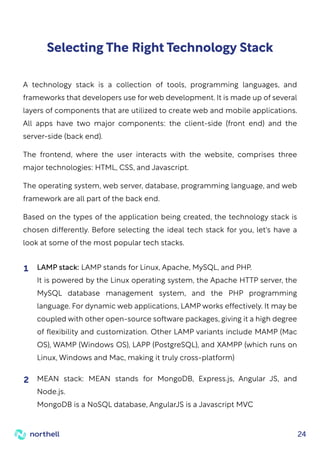
Selecting The Right Technology Stack
A technology stack is a collection of tools, programming languages, and
frameworks that developers use for web development. It is made up of several
layers of components that are utilized to create web and mobile applications.
All apps have two major components: the client-side (front end) and the
server-side (back end).
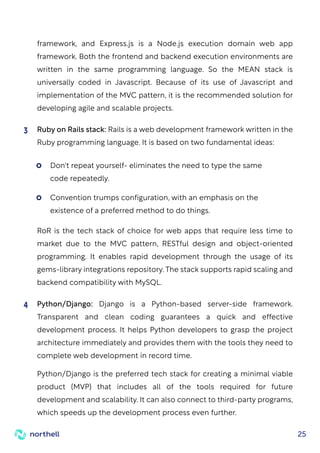
The frontend, where the user interacts with the website, comprises three
major technologies: HTML, CSS, and Javascript.
The operating system, web server, database, programming language, and web
framework are all part of the back end.
Based on the types of the application being created, the technology stack is
chosen differently. Before selecting the ideal tech stack for you, let's have a
look at some of the most popular tech stacks.
LAMP stack: LAMP stands for Linux, Apache, MySQL, and PHP.
It is powered by the Linux operating system, the Apache HTTP server, the
MySQL database management system, and the PHP programming
language. For dynamic web applications, LAMP works effectively. It may be
coupled with other open-source software packages, giving it a high degree
of flexibility and customization. Other LAMP variants include MAMP (Mac
OS), WAMP (Windows OS), LAPP (PostgreSQL), and XAMPP (which runs on
Linux, Windows and Mac, making it truly cross-platform)
1
MEAN stack: MEAN stands for MongoDB, Express.js, Angular JS, and
Node.js.
MongoDB is a NoSQL database, AngularJS is a Javascript MVC
2
25
framework, and Express.js is a Node.js execution domain web app
framework. Both the frontend and backend execution environments are
written in the same programming language. So the MEAN stack is
universally coded in Javascript. Because of its use of Javascript and
implementation of the MVC pattern, it is the recommended solution for
developing agile and scalable projects.
Ruby on Rails stack: Rails is a web development framework written in the
Ruby programming language. It is based on two fundamental ideas:
RoR is the tech stack of choice for web apps that require less time to
market due to the MVC pattern, RESTful design and object-oriented
programming. It enables rapid development through the usage of its
gems-library integrations repository. The stack supports rapid scaling and
backend compatibility with MySQL.
3
Python/Django: Django is a Python-based server-side framework.
Transparent and clean coding guarantees a quick and effective
development process. It helps Python developers to grasp the project
architecture immediately and provides them with the tools they need to
complete web development in record time.
Python/Django is the preferred tech stack for creating a minimal viable
product (MVP) that includes all of the tools required for future
development and scalability. It can also connect to third-party programs,
which speeds up the development process even further.
4
Don't repeat yourself- eliminates the need to type the same
code repeatedly.
Convention trumps configuration, with an emphasis on the
existence of a preferred method to do things.
26
Many custom software development companies choose it as the tech
stack of choice for applications that require severe load processing.
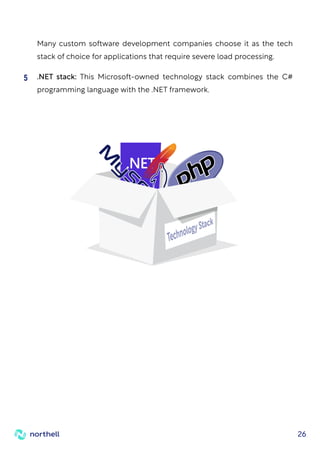
.NET stack: This Microsoft-owned technology stack combines the C#
programming language with the .NET framework.
5
27
Factors to consider while
choosing the tech stack
The predicted timeframe for project development and the projected launch
date are crucial considerations when selecting a tech stack. A number of factors,
such as third-party application integration and developer expertise, influence
the TTM of a web application. The time to market is greatly decreased if the web
development agency you are considering employing has a team of experienced
developers that are experts in the tech stack you choose.
Small projects: These are typically modest in complexity and demand rapid
delivery. In such cases, simple technology such as CMS can be used. Content
management systems such as WordPress, Drupal, and Joomla are reasonably
inexpensive.
Medium projects: These projects typically necessitate several functionality
and platform integrations. Finance-related websites, organizational websites,
and small eCommerce websites are examples of them. In this situation, the
tech stack of choice would be MEAN stack.
Big projects: These often necessitate the usage of various web technologies
and programming languages in order to process large loads and make the
design more responsive.
Examples include social media sites and major e-commerce platforms, where
scalability and quick modification are required. PHP, Python/Django, RoR are
the recommended tech stacks.
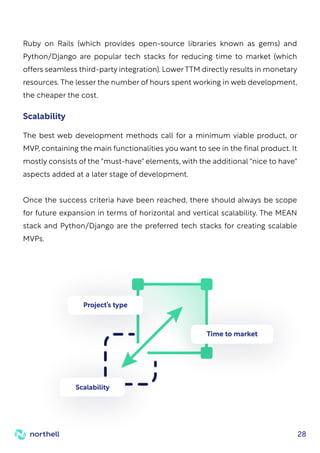
Project’s type
Time to market
28
Ruby on Rails (which provides open-source libraries known as gems) and
Python/Django are popular tech stacks for reducing time to market (which
offers seamless third-party integration). Lower TTM directly results in monetary
resources. The lesser the number of hours spent working in web development,
the cheaper the cost.
The best web development methods call for a minimum viable product, or
MVP, containing the main functionalities you want to see in the final product. It
mostly consists of the "must-have" elements, with the additional "nice to have"
aspects added at a later stage of development.
Once the success criteria have been reached, there should always be scope
for future expansion in terms of horizontal and vertical scalability. The MEAN
stack and Python/Django are the preferred tech stacks for creating scalable
MVPs.
Scalability
Scalability
Project’s type
Time to market
29
Communication is one of the most challenging aspects of outsourcing. You are
in separate time zones, have different work schedules, and are not always
available. When outsourcing web development projects, all of these aspects
must be fine-tuned. In the majority of cases, they are not. But here's the good
news: with a little work and the correct tools, you can significantly enhance, if
not perfect, your communication with your staff.
There are a few tools that we have tried and highly recommend that you do as
well. Solutions such as GitHub, Moqups, InVision, Figma, Jira, ClickUp, Slack,
Teamweek, and, of course, Asana are diverse tools that can help you
communicate better with your outsourced staff.
You and your outsourced web development team must be on the same page
if you want to take your business to the next level. The key to this is
communication.
Once you started: Communication
30
If you are outsourcing to a web development agency or a freelancer, customer
feedback is essential. Is the client happy? Was his most recent buy
unsatisfactory? How many complaints have we received? All of these
questions are easily answered if you actively seek client feedback.
The feedback informs you of the shortcomings and, more importantly, what
you should do to correct those flaws. The same feedback can serve as an early
warning sign that your clients are dissatisfied if it is not too late.
Companies who receive negative feedback on their website or independent
forums are just not worth your time or money.
Customer feedback
31
If you're paying good money, you'd think you'd get a response to your
questions, right? Of course, saying it is easier than doing it. Sit down and
consider all of the potential issues that may arise when you outsource the
assignment to a company or a freelancer. Make a list of all potential issues and
be prepared to ask the freelancer or agency these concerns.
This helps in the development of trust and in determining the level of
knowledge of the other side.
Simply posting a proposal might assist, but we do not suggest it. It will be much
easier if you have a list of questions prepared. Learn about the company and its
value proposition. It is far preferable to prepare some hard questions for the
opposing side so that you do not wind up with hollow promises.
Asking the right questions
question
question
question
32
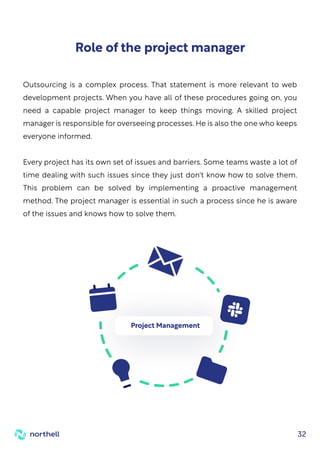
Outsourcing is a complex process. That statement is more relevant to web
development projects. When you have all of these procedures going on, you
need a capable project manager to keep things moving. A skilled project
manager is responsible for overseeing processes. He is also the one who keeps
everyone informed.
Every project has its own set of issues and barriers. Some teams waste a lot of
time dealing with such issues since they just don't know how to solve them.
This problem can be solved by implementing a proactive management
method. The project manager is essential in such a process since he is aware
of the issues and knows how to solve them.
Role of the project manager
Project Management
33
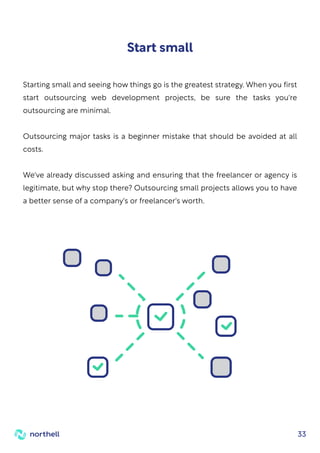
Starting small and seeing how things go is the greatest strategy. When you first
start outsourcing web development projects, be sure the tasks you're
outsourcing are minimal.
Outsourcing major tasks is a beginner mistake that should be avoided at all
costs.
We've already discussed asking and ensuring that the freelancer or agency is
legitimate, but why stop there? Outsourcing small projects allows you to have
a better sense of a company's or freelancer's worth.
Start small
34
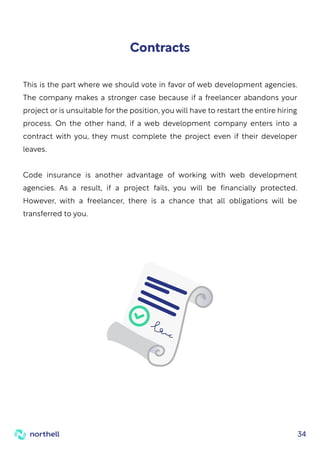
This is the part where we should vote in favor of web development agencies.
The company makes a stronger case because if a freelancer abandons your
project or is unsuitable for the position, you will have to restart the entire hiring
process. On the other hand, if a web development company enters into a
contract with you, they must complete the project even if their developer
leaves.
Code insurance is another advantage of working with web development
agencies. As a result, if a project fails, you will be financially protected.
However, with a freelancer, there is a chance that all obligations will be
transferred to you.
Contracts
35
How To Test A Website
It is not enough to simply have a website. A company is required to create an
informative, accessible, and user-friendly website. To keep all of these traits,
the website should be thoroughly evaluated; this process of checking a
website is referred to as web testing.
Web testing is a type of software testing that is used to check for potential
bugs on websites or web apps. It is the comprehensive testing of web-based
apps before they are made live. Before a web-based system is made available
to end-users, it must be thoroughly tested from beginning to end.
An organization can ensure that the web-based system is running effectively
and can be approved by real-time users by undertaking website testing.
The captains of website testing are the UI design and functionality.
Here, you may put your website's features to the test. It is easier to test them if
you have a mind map outlining how your site should function and look. Even if
you don't have a mental map, here are some things to keep an eye out for:
Dropdowns, buttons, checkboxes, input fields, and forms are all
examples of user interface elements.
Functionality Testing
Web Testing Checklists
36
Mandatory fields should not be left blank.
That they are no longer active after the specified 'expiry' term.
Placeholder text to help users picture the type of content you want them
to fill out, as well as explicit instructions on the type of input you
anticipate from them, such as passwords with at least 8 characters,
including digits, capital letters, and special characters.
That the information gathered is securely kept (passwords are encrypted,
for example, before being stored in the database).
Your site's process flow
Links
What is the user's path across your website? Do you have a preferred route for
them to take? The homepage is the starting point for the majority of user
journeys.
Check that all links are active and leading to the correct sites. A broken link
checker tool will come in handy here. Check for dead-end sites (pages with no
calls to action or connections to other pages – they don't advise visitors what
to do next) and that email links deliver emails to the correct recipients.
Cookies
When you visit a website, your browser creates cookies. They carry information
such as the user's preferences and login status. When it comes to cookies, your
QA should look for the following:
Check that they work as they should. That they actually collect the right kind of
information and submit it (for forms) or route them in the right direction. Your
form validation should have the following elements:
37
Usability testing
Usability testing, often known as User Experience (UX) testing, determines how
user-friendly and straightforward a web product is. A small group of intended
end-users uses software to expose usability flaws. Usability testing primarily
focuses on the user's ease of use of the application, the application's flexibility
in handling controls, and the application's ability to accomplish its objectives.
This user experience testing checklist provides a quick overview of the
processes you must take while planning and conducting usability testing
sessions. We've simplified the process into eight simple stages. It's just
something to have with you and mark off as you go, ultimately assisting you in
preparing, carrying out, and even analyzing your user testing.
Set Goals
1
Choose your Method
2
Recruit
3
Create Scenarios
4
Rehearse
5
Record
6
Analyse
7
They are encrypted before being stored on a user's device.
That they work properly – to accomplish this, compare when cookies are
enabled with when they are disabled.
Their impact on the security of your site - eliminate them and see how
this impacts the security of your site.
37
When we validate the application's dependencies with other apps, interface
testing becomes even more crucial.
The following are a few steps that will assure the success of interface testing:
Specify your requirements:
It is critical to understand the product before implementing the interface
tests. As a result, try to find answers to questions such as "what is the goal
of the interface?" What are the interface's functions and features? What is
the system or application's workflow?
Defining all of these answers will assist you in understanding the need,
identifying challenging places in the application, and then creating test
cases accordingly. QAs frequently overlook this, which leads to
uncertainty about the need or inaccurate testing later on.
1
Expected Output:
Now that we have a solid grasp of the requirements, it is time to
determine the output we will expect from the tests. It does not have to
be a simple pass or fail; it could be some data, a call to another API, or
anything else. Measuring the outcome of the desired result might be not
only difficult but also dangerous. As a result, try to find out what the
conclusion could be by speaking with the developers.
2
Interface testing
Like any other type of testing, Interface testing is critical since it assures the
smooth operation, performance, and so on of various data-driven applications
and systems by confirming connectivity between the database, networks, and
systems.
39
Define the Start and Stop points:
Before beginning the execution of a test, we always decide the test's start
(entry) and stop (exit) points, as well as how the complete testing process
will begin and end. Similarly, we must assess the performance level of the
interface testing.
To accomplish so, we must first answer the following two questions:
5
What is the expected time for an interface test to be completed?
How long does an interface test take to complete?
Start Small:
While we can't immediately develop large test cases with interface
testing, generating small test cases or calls is pretty simple. At the very
least, in minor functions, write some test code to see if the result is as
intended.
3
Try using automation:
Writing code to test an interface can be tedious.
You will not only have to spend time writing the code, but you will also
have to spend time understanding the format, style, and coding language
used for development, and as icing on the cake, you will have to ensure
that your code does not cause an issue with the app or system code.
As a result, it is preferable to conduct a study and identify certain
automation programs that will save your day. It will be a much simpler
and time-saving process.
4
40
How do the images appear?
Increases in traffic (stress testing).
Workload expansion (load testing).
Performance testing
Here, you determine whether your site can withstand high traffic spikes while
still performing as planned. Here are some things to keep an eye out for:
The site's performance during:
Is it simple to find your NAP (site or business name, address, and phone
number)?
Responsiveness (does it look well on mobile as opposed to desktop/pc?
On various screen sizes? Is there enough space for the user to click on the
links and buttons? Keep in mind that the user will 'click' a button on a
smaller screen by touching it. Are your site's elements appropriately
spaced on smaller screens?
Is your website visually appealing and performs as expected across a
variety of browsers and screen resolutions?
Compatibility testing
Your site will be accessed by users using a variety of devices and platforms -
browsers and operating systems. You may test how your site looks and works
across various devices and platforms here. You should double-check:
This stage, which involves the entry and exit points of an interface test, will
assist you in determining the performance level of the tests. This will also help
you in deciding on the intended test schedule.
41
Passwords, can they be 'cracked'?
Are users led to SSL-encrypted pages?
Do you use captchas on your forms? Are they functioning as expected?
Is it possible for a user to log in without a password or with an incorrect
password?
Authorization - Only authorized users have access to certain areas of the
website.
Are restricted files only accessible to authorized and logged-in users?
Authentication - Only a verified user can log in and access particular parts
or functionalities of your website (here is a difference between
authentication and authorization).
Is a user session terminated if it takes a certain amount of time, such as a
payment that takes more than 10 minutes?
You may also specify the appearance of a security breach and replicate it
to evaluate how your site would manage it (penetration testing).
The workload is typical (stability testing).
Multiple user logins are possible (concurrency testing).
A rise in the volume of database data (volume testing).
The workload is always increasing (endurance testing).
Security testing
Here are some security precautions to take:
42
Step-by-step website
hosting instructions
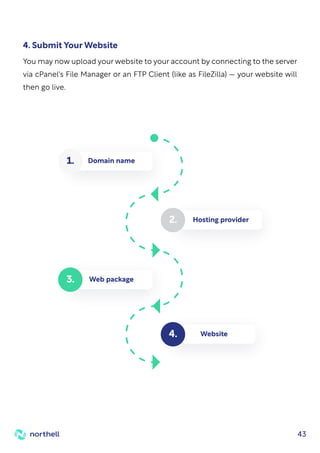
To get your hosting service up and running, you must first register a domain
name. The great majority of hosting companies will assist you in obtaining a
domain name. When you buy a domain name and a hosting package together,
you frequently get a better deal than if you bought them individually.
Other hosting businesses do not provide domain name registration. In this
instance, you must buy the domain name from a different registrar.
It's important to remember that a shared purchase makes additional
customization much easier. For beginners, this option should be considered to
prevent the need for extra settings.
1. Purchase a domain name
The following step is to select a web hosting business. This is a vital step since
you will need a place to host your website in order for it to be available on the
Internet. Although you can self-host (as we'll see later), a web hosting/web host
service typically offers this space. There are a few crucial factors to consider
when selecting the best hosting service for your website, which we'll go over
next.
2. Select a site hosting provider
Now that you're familiar with some of the services available from web
providers, it's time to select a hosting package to get your website online.
When you look through the offerings of various web hosts, you'll see five
primary options on offer: Shared, Reseller, Dedicated Server, VPS, and
Managed WordPress. Let's go over each of these hosting types in more detail.
3. Select a hosting web package
43
You may now upload your website to your account by connecting to the server
via cPanel's File Manager or an FTP Client (like as FileZilla) — your website will
then go live.
4. Submit Your Website
Web package
3.
Hosting provider
2.
Domain name
1.
Website
4.
44
Website Post-Launch Checklist
Assume you've completed the task. The button has been pressed, the domain
is now pointing to the new site, and you're almost ready to
notify the rest of the world.
But wait for a second since you still have items to check now that
your site is up.
In case there was a problem with the implementation, you'll want to make sure
the experience matches what you evaluated before it went live.
Re-test the webpage for user experience
Check that your design is rendering correctly across browsers.
Check that your design is rendering correctly across all devices.
Ascertain that CSS/HTML is appropriately verified.
CSS styling is being rendered correctly.
The favicon is in place and rendering correctly.
Internal linkages between web pages are functional.
External links on web pages function properly and open in a new tab.
The social media share buttons are operational.
The feeds are operational (RSS, news, social media).
The homepage is tied to the company's logo.
There are 404 Redirect pages in place (page-not-found.aspx).
45
Take the time to test and confirm all of your website's functionalities. Lead
generation forms, CRM connections, and any other technologies on your
website should work seamlessly.
The functioning of your conversion path should be tested
Now that everything is in place and finalized, you'll want a clean copy in case of
data corruption or loss.
Create a backup copy of the completed website
Now is the moment to double-check the execution of your backup strategy.
Check to see if continuous copies of the website are being produced and
saved on a regular basis.
Ensure that backups are correctly running
Integrations such as your CRM, e-commerce software, and/or marketing
platform connect to your website and assist you in running your business. If
there is a potential problem that could result in data loss, you don't want to
find out too late.
Verify that integrations with third-party technologies are
working properly
Forms are correctly submitting data.
After submitting the form, a thank you message or page appears.
Form data is emailed to the recipient and/or saved in a company
database.
Auto-responders are operational (if applicable).
46
Ensure that your website is safe
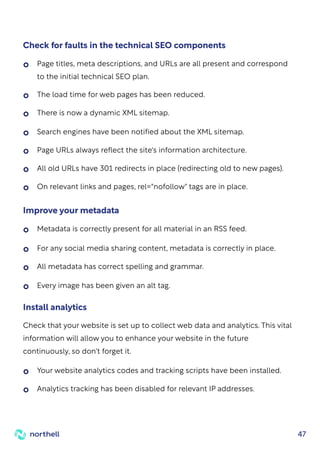
Monitoring scripts are in place 24 hours a day, seven days a week.
A strategy for updating plugins is in place (if applicable).
Web pages are accessible to people with disabilities (WAI-ARIA).
Visitors to the website can see the terms and privacy policies.
If you store and handle credit cards on your website, it is PCI compliant.
If a website uses cookies, it will be stated on the web page (required in
some countries).
The website complies with usage rights for code, pictures, and fonts that
were purchased or borrowed.
Make sure that all relevant parties are aware of your company's
password etiquette regulations.
Make certain that your website complies with all applicable rules and
regulations. The law of the internet can be complicated, and each industry has
its own set of standards to obey. As a result, it's advisable to contact your legal
counsel to ensure you're not overlooking anything - this piece is not legal
advice. Here are a few you should be aware of:
Adhere to all applicable legislation
Compare this crawl to the last crawl to discover if any inconsistencies were not
intended. You'll also want to make sure that all pages are properly set up for
search engine indexing.
Crawl the site to confirm that no issues occurred
during the launch
47
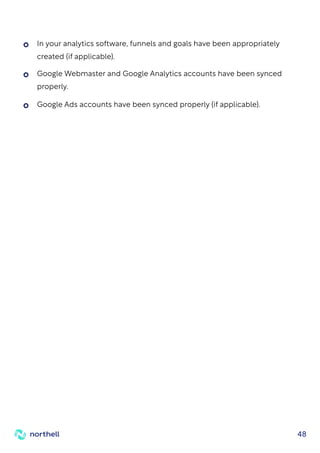
Check for faults in the technical SEO components
Page titles, meta descriptions, and URLs are all present and correspond
to the initial technical SEO plan.
The load time for web pages has been reduced.
Search engines have been notified about the XML sitemap.
Page URLs always reflect the site's information architecture.
All old URLs have 301 redirects in place (redirecting old to new pages).
On relevant links and pages, rel="nofollow" tags are in place.
There is now a dynamic XML sitemap.
Improve your metadata
Metadata is correctly present for all material in an RSS feed.
For any social media sharing content, metadata is correctly in place.
Every image has been given an alt tag.
All metadata has correct spelling and grammar.
Your website analytics codes and tracking scripts have been installed.
Analytics tracking has been disabled for relevant IP addresses.
Check that your website is set up to collect web data and analytics. This vital
information will allow you to enhance your website in the future
continuously, so don't forget it.
Install analytics
48
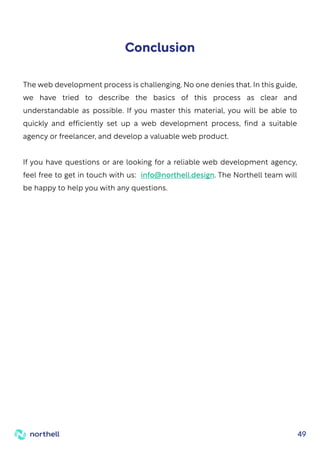
Google Webmaster and Google Analytics accounts have been synced
properly.
Google Ads accounts have been synced properly (if applicable).
In your analytics software, funnels and goals have been appropriately
created (if applicable).
49
The web development process is challenging. No one denies that. In this guide,
we have tried to describe the basics of this process as clear and
understandable as possible. If you master this material, you will be able to
quickly and efficiently set up a web development process, find a suitable
agency or freelancer, and develop a valuable web product.
If you have questions or are looking for a reliable web development agency,
feel free to get in touch with us: info@northell.design. The Northell team will
be happy to help you with any questions.
Conclusion
Thank You!
Let’s collaborate!
50
northell.design
info@northell.design
Folow us on socials

A Complete Web Development Guide For Non-Technical Startup Founder

  • 1.
    A Complete Web DevelopmentGuide For Non-Technical Startup Founder 2021
  • 2.
    1 Table of Contents Introduction3 The Basics of Web Development 4 What is HTML? 5 What is CSS? 6 What is JavaScript? 7 The Technology Stack 8 What are Frameworks? 9 Front End Frameworks 10 Back End Skills 11 Data and Database 12 Server and Deployment Skills 13 Web Browsers 14 Content Management System (CMS) 15 How to start the web development process? Web development agency hiring. 16 Scoping the Project 17 Inhouse team vs Outsourcing 19 How to choose the best web development agency 21 Questions To Ask For Qualification 22
  • 3.
    How Much DoesIt Cost To Build A Web Application? 23 Selecting The Right Technology Stack 24 Factors to consider while choosing the tech stack 27 Once you started: Communication 29 Customer feedback 30 Asking the right questions 31 Role of the project manager 32 Start small 33 Contracts 34 How To Test A Website 35 Step-by-step website hosting instructions 42 Website Post-Launch Checklist 44 Conclusion 49
  • 4.
    Our society isbecoming more and more computerized. There are around 3.58 billion internet users on the planet. This implies that over half of the world's 7.6 billion people have access to the internet, which they use for everything from entertainment to education, communication to commerce, keeping up with current events, and keeping up with business experts. Indeed, for many of us, the internet is the first (and often only) channel through which we communicate with the world in all of its complexities. Because there are so many resources available, determining the best approach to learn coding may be difficult. But for now, all you need is a basic understanding of web development and some guidance on where to go next. Based on extensive expertise, the Northell team has prepared a detailed web development guide to help you master the basic knowledge of web development and understand its main aspects. Introduction
  • 5.
    4 The Basics ofWeb Development The frontend (client side) and the backend (server side) are two parts of any website. The frontend comprises everything the user sees and experiences instantly while visiting a website. The backend is behind the scenes that store, send and receive information. HTML, CSS, and Javascript files make up everything you see on a website. As a web developer, these are the most basic tools you'll need. They are the languages that you need to build your websites. So, let's have a look at what they do! There are three interactive elements on the Internet: Websites: a collection of information and files that we access via a computer and a server. Servers: computers which store all website data in an extensive network. Browsers: software that loads and displays information on your computer.
  • 6.
    5 The basic programminglanguage for web creation is HTML (HyperText Markup Language). It contains the essential elements of a website, such as words, titles, and paragraphs. HTML is made up of a set of pre-defined tags that represent various functions and subsequently "translate" into understandable information on the screen. These tags are always written between angle brackets. What is HTML? <html> </html> <head> </head> <body> </body>
  • 7.
    6 CSS (Cascading StyleSheets) is a style sheet that describes how HTML components appear on a page. CSS is used to manage your website's appearance, style, and formatting, including RGB values, border colors, background pictures, and more. CSS files specify a set of rules for defining a set of properties and their values. What is CSS? CSS
  • 8.
    7 JavaScript is ascripting language that allows you to control the behavior of your website. If you're serious about web programming, you should begin by learning the fundamentals of JavaScript. It is one of the most widely used programming languages in the world, with a low entry barrier and instant results based on your code's success. By manipulating different HTML and CSS elements, JavaScript makes web pages interactive. Using JavaScript, a user may click a button, scroll to the bottom of a page, or see pictures in a rolling carousel. What is JavaScript? JS
  • 9.
    8 So now weknow the fundamentals of HTML, CSS, and JavaScript. Following that, we'll look at the frameworks and libraries that make up the technological stack. A tech stack is a collection of software, apps, programming languages, and tools that work together to create a website. Different tech stacks will be used by companies and web developers depending on their specific goals and needs. So, what exactly are frameworks and libraries, and why are they necessary? You can build a webpage without these tools, but as a web developer, you won't go very far without them. The Technology Stack Web web framework Programming language Database Web server Operating system Your server Java script CSS HTML User's browser SERVER SIDE CLIENT SIDE The internet
  • 10.
    9 You could createa web page from the ground up, but it would take a long time, especially if you wanted to add additional complexity. JavaScript frameworks can be helpful in this situation. A framework for your website is similar to a pre-packaged structure of pre-written code that defines how programs should interact. Let's say you wanted to make a vehicle. Instead of beginning from scratch, you may purchase a car frame to save time and ensure that you create something that works. In web development, a framework is comparable. It comes with pre-installed apps, plug-ins, and tools that you may add to your website files. Frameworks help you develop faster, plus they're written by other developers, so you know the code has been well tested. Different programming languages are used by backend and frontend frameworks. To get you started, let's take a look at a few prominent ones What are Frameworks?
  • 11.
    10 Front End Frameworks CSSand JavaScript frameworks are collections of CSS or JS files that share common functionality to execute various tasks. Instead of starting with a blank text page, you begin with a code file that already contains a lot of JavaScript. Frameworks each have their own set of advantages and disadvantages, making it critical to select the right framework for the kind of website you're creating. Some JS frameworks, for example, are excellent at creating sophisticated user interfaces, while others excel at presenting all of your website's information. The following are some of the most common frameworks: This was about the frontend skills needed to create a website. Now let’s continue and learn about backend skills. jQuery Angular React Vue
  • 12.
    11 Back End Skills Theback-end layer establishes a dynamic link between the front-end and the database. To get this layer to operate, you must be familiar with at least one programming language, such as Python, Java, PHP, Ruby, and others, as well as server-side frameworks such as NodeJS. Python is an object-oriented programming language that was launched in 1991 and has since become one of the most popular languages among software and web professionals. Sun Microsystems launched Java, an open-source, high-level programming language, in 1996. It adheres to the Write Once, Run Anywhere (WORA) philosophy, which allows it to run on any platform. PHP is a server-side scripting language that is used to create an application's back-end logic. It's a fantastic tool for creating dynamic, interactive web pages. NodeJS is an open-source JavaScript framework designed primarily for building an application's back end or server-side. JavaScript may now execute on the server-side of the web, thanks to NodeJS.
  • 13.
    12 Data and Database Thedata layer is a large information warehouse. It includes a database repository that collects and saves data from the front end to the back end. Knowledge of how data is saved, changed, retrieved, and so on is required. Working knowledge of databases such as MySQL and MongoDB is also needed. MySQL is a free, open-source Relational Database Management System that supports multiple storage engines and multi-user access. MongoDB is well-known for its user-friendliness and speed when dealing with vast amounts of data. It's an open-source, object-oriented, NoSQL database that's extremely scalable and adept at dealing with unstructured data.
  • 14.
    13 Server and DeploymentSkills Servers are computers that house website files as well as other resources such as databases. A website must be placed on a server in order to be publicly accessible on the internet. It's time to set up the site on the server after you have your domain name and server space. The first step is to point the domain name to the unique IP address of the server. The website files must next be set up, followed by the database and other specifications. Server setup A protocol is required to transfer files from your PC to your server. This is a way of sending and receiving files and other data to and from a server. When a change is pushed in Git to the master branch, the deployment tool remembers your FTP/SFTP settings and transfers the files for you. As a result, you don't have to remember which files you altered, which reduces the number of mistakes you make. So, these are some of the most significant web development principles and skills. We hope you've better understood the various parts of website building and the various skills you'll need to acquire. Deployment Tools
  • 15.
    14 Web Browsers This iswhere you'll put your code to the test. A competent web developer should be able to work with a variety of browsers, but it's acceptable to start with one and remain with it until you're more comfortable. The most widely used browsers among web developers are listed below. This is not a complete list. As you explore and learn, you will come across numerous others. Safari: excellent development tools, but not compatible with Windows. Opera: free VPS service with identical drawbacks as Internet Explorer. Brave: performance-driven, secure, with limited plug-in support. Mozilla Firefox: an open-source browser that runs on all platforms and receives frequent upgrades. Edge: integrated with Windows, having the same drawbacks as Internet Explorer. Google Chrome: DevTools, which makes JavaScript troubleshooting simple, consumes a lot of memory.
  • 16.
    15 A Content ManagementSystem (CMS) is software that makes it easier to edit, create, and publish your work. A content management system (CMS) provides you complete control over your content by combining all of your site's functions into one easy-to-use platform. Many of these applications assist with content management, marketing, and distribution. A CMS usually makes use of a database (such as MySQL or MariaDB) to hold a collection of applications and tools written in a certain programming language. You may then update and maintain your website without having to return to the code's finer points. The number of users, the size of your staff, and the simplicity of the interface all play a role in selecting a CMS. WordPress is a fantastic CMS for beginners. It's a free, open-source website-building and-publishing tool. It's a popular blogging platform with a low entrance hurdle for newcomers. With such a large network of support, you'll almost certainly be able to discover solutions to your issues as they arise. Drupal, Typo3, and Joomla! are some more famous CMS software. Content Management System (CMS)
  • 17.
    16 How to startthe web development process? Web development agency hiring. The process of hiring a web development agency is not rocket science. Finding one that is a perfect fit for you, capable of understanding and achieving your objectives, is the difficult part. If you know what to look for and what actions to take, the work at hand may be a snap, and you don't have to search any farther! Northell team has prepared this comprehensive step-by-step guide to hire the best web development company for your project. Let's start!
  • 18.
    17 Scoping the Project Thefirst and most important step in getting started with website creation is to understand your own needs. Communication with the possible web development companies you're trying to employ depends on having a well-thought-out strategy and outlining the framework you desire. Web development is a broad term that refers to a variety of activities. What services are you looking for from a web development agency? Is it just focused on website development, or do you also require a web application? Are you seeking a way to connect numerous apps over the internet using web services? Having well-defined product requirements not only helps you understand what you're looking for but also helps you limit down your options among potential web development agencies. For example, if you want a web app to be built in addition to the website, companies that just provide website development in their portfolio will be instantly eliminated since they do not satisfy your criteria. While you're at it, figure out your company's objectives and how the website will assist you in achieving them. "What is the final aim for getting into website development?" you might wonder. Identifying Developmental Needs
  • 19.
    18 For the developersto build a roadmap, they'll need a creative brief and project requirement papers. The website prototype phase is the project's cornerstone and, perhaps, the most crucial step. So, what does this involve exactly? The project requirement documents serve as the foundation for our work. It comprises the project plan, project goals, product requirements, features, and technical specifics that you want the web development agency to incorporate into the final product provided. The brief lays out all of the rules that the company will need to follow before beginning your project, and it's all written down. This roadmap not only assists the website development team in better understanding your needs but also assists them in providing you with a more accurate estimate of the time and resources required to finish the project. The answers may vary, ranging from brand recognition and product information to lead generation, sales, and eCommerce, but getting this part right at the start will help you measure the success you accomplish later on. Creating a roadmap for developers Nobody knows your website's requirements and intended vision better than you, so sketching down a basic vision for the design you have in mind is great practice. Make a list of the features you want your web development agency to include in your project. The fundamental requirements do not have to be very complex or difficult. A simple diagram of the design on paper would suffice. Present an overall vision
  • 20.
    19 Inhouse team vsOutsourcing After completing your fundamental research, you may start looking for a company that matches your needs. There are literally tens of thousands of possibilities. A basic Google search for "web development company" yields 3,240,000,000 results in less than a second! So, what's the best way to narrow down your search? Simply follow the steps below. You have the option of hiring an onshore web development firm (one that is based in the same country and time zone as you) or an offshore web development agency. Both have advantages and disadvantages. To make a choice, you must consider your preferences as well as the availability of resources. Advantages: Due to the same time zone, more efficient communication, greater awareness of local design and user experience trends, and more in-person and face-to-face meetings are possible. Disadvantages: Project cost. Deciding on the geographic location Onshore web development company Advantages: Significantly cheaper cost (almost one-third less than onshore firms), shorter project start times owing to increased resource availability and lower labor costs. Disadvantages: time zone differences make communication harder. Offshore development company
  • 21.
    20 There are veryprofessional developers around; whether or not you hire one is a matter of personal taste. If you have a large budget to begin with, an onshore company is the best option, but if you are short on resources, offshore development teams are what you need. Finding relevant companies that are relevant to your requirements Don't rely on the results of a Google search An agency that appears on the first or second page of Google search results does not always mean that it is the finest of the lot. Google rankings just indicate that a company has undergone SEO optimization, but there is no guarantee of the quality of deliverables. Thus using Google or other search engines won't assist much. 1 Ask for references Your personal network is a wonderful place to start when looking for appropriate web development organizations. Inquire about people's experiences working with the company and how satisfied they are with their work. 2 Use LinkedIn LinkedIn may be a useful tool for connecting with people in your industry and networking with them. Request recommendations from your connections there for a website development agency they may have worked within the past. 3 Contact other companies If you come across a website that appeals to you and is built in the style that you want your own website to be, contact the company, connect with their digital marketing team, and inquire about who created their website. 4
  • 22.
    21 How to choosethe best web development agency If you don't have a fundamental understanding of what you're attempting to do, outsourcing to web development agencies or freelancers can be a major hassle. Web development has many shapes, and you must approach each one differently. Some businesses specialize in mobile development, while others excel at Content Management Systems (CMS) such as WordPress, Magento, or Joomla. Some specialize only in back-end development, while others concentrate on front-end development. Their area of expertise might be anything, but you need to be sure that they are meeting your expectations. Examining their testimonies and projects is an excellent way to determine whether or not they are legitimate. You may also look at various internet forums where people discuss their service. Once you've established that the businesses you've chosen are legitimate, all you have to do now is contact them to discover more about their services. You will then be able to choose which firm is the greatest fit for you. the best web development agency| Search
  • 23.
    22 Questions To AskFor Qualification With the key areas in mind, how can you assess whether companies are in line with your criteria? A range of key questions you may ask is the best approach to test and pick the agencies that best match your objectives. What are your ranges of services? If you were to choose one of your favorite projects from your portfolio, which one would it be and why? How does your design approach affect user experience and what is your strategic approach to ensuring a responsive design? Do you have a plan to create content and how can you optimize it with SEO? What are the success measurement metrics and which analytics do you use? What are your procedure and the timeframe for the completion of the project? Will I be able to meet the team who would work on my project? How can you update after the completion of the project? Pricing strategy, what does the quotation contain, and how do I charge for non-offered services?
  • 24.
    23 How Much DoesIt Cost To Build A Web Application? Websites are extremely customizable products, and the variety of prices reflects this. Prices might range from a few hundred dollars to tens of thousands of dollars, depending on the features you want on your website. Begin by looking up 'software agencies near me' on the internet. How much will hiring the best web development company set you back? Because there are so many factors, there isn't an instant answer to this question. Compared to employing freelance web developers, hiring a web development company is more expensive. Several professionals are handling various areas of the development process, which raises the associated costs. However, it also has an undeniable advantage. The higher the price, as with practically everything else in life, the higher the quality. When deciding on a budget for web development, keep in mind that there are numerous cost levels to consider: Costs of initial design and development Costs related to website hosting Costs of maintenance and support Costs of Marketing and SEO
  • 25.
    24 Selecting The RightTechnology Stack A technology stack is a collection of tools, programming languages, and frameworks that developers use for web development. It is made up of several layers of components that are utilized to create web and mobile applications. All apps have two major components: the client-side (front end) and the server-side (back end). The frontend, where the user interacts with the website, comprises three major technologies: HTML, CSS, and Javascript. The operating system, web server, database, programming language, and web framework are all part of the back end. Based on the types of the application being created, the technology stack is chosen differently. Before selecting the ideal tech stack for you, let's have a look at some of the most popular tech stacks. LAMP stack: LAMP stands for Linux, Apache, MySQL, and PHP. It is powered by the Linux operating system, the Apache HTTP server, the MySQL database management system, and the PHP programming language. For dynamic web applications, LAMP works effectively. It may be coupled with other open-source software packages, giving it a high degree of flexibility and customization. Other LAMP variants include MAMP (Mac OS), WAMP (Windows OS), LAPP (PostgreSQL), and XAMPP (which runs on Linux, Windows and Mac, making it truly cross-platform) 1 MEAN stack: MEAN stands for MongoDB, Express.js, Angular JS, and Node.js. MongoDB is a NoSQL database, AngularJS is a Javascript MVC 2
  • 26.
    25 framework, and Express.jsis a Node.js execution domain web app framework. Both the frontend and backend execution environments are written in the same programming language. So the MEAN stack is universally coded in Javascript. Because of its use of Javascript and implementation of the MVC pattern, it is the recommended solution for developing agile and scalable projects. Ruby on Rails stack: Rails is a web development framework written in the Ruby programming language. It is based on two fundamental ideas: RoR is the tech stack of choice for web apps that require less time to market due to the MVC pattern, RESTful design and object-oriented programming. It enables rapid development through the usage of its gems-library integrations repository. The stack supports rapid scaling and backend compatibility with MySQL. 3 Python/Django: Django is a Python-based server-side framework. Transparent and clean coding guarantees a quick and effective development process. It helps Python developers to grasp the project architecture immediately and provides them with the tools they need to complete web development in record time. Python/Django is the preferred tech stack for creating a minimal viable product (MVP) that includes all of the tools required for future development and scalability. It can also connect to third-party programs, which speeds up the development process even further. 4 Don't repeat yourself- eliminates the need to type the same code repeatedly. Convention trumps configuration, with an emphasis on the existence of a preferred method to do things.
  • 27.
    26 Many custom softwaredevelopment companies choose it as the tech stack of choice for applications that require severe load processing. .NET stack: This Microsoft-owned technology stack combines the C# programming language with the .NET framework. 5
  • 28.
    27 Factors to considerwhile choosing the tech stack The predicted timeframe for project development and the projected launch date are crucial considerations when selecting a tech stack. A number of factors, such as third-party application integration and developer expertise, influence the TTM of a web application. The time to market is greatly decreased if the web development agency you are considering employing has a team of experienced developers that are experts in the tech stack you choose. Small projects: These are typically modest in complexity and demand rapid delivery. In such cases, simple technology such as CMS can be used. Content management systems such as WordPress, Drupal, and Joomla are reasonably inexpensive. Medium projects: These projects typically necessitate several functionality and platform integrations. Finance-related websites, organizational websites, and small eCommerce websites are examples of them. In this situation, the tech stack of choice would be MEAN stack. Big projects: These often necessitate the usage of various web technologies and programming languages in order to process large loads and make the design more responsive. Examples include social media sites and major e-commerce platforms, where scalability and quick modification are required. PHP, Python/Django, RoR are the recommended tech stacks. Project’s type Time to market
  • 29.
    28 Ruby on Rails(which provides open-source libraries known as gems) and Python/Django are popular tech stacks for reducing time to market (which offers seamless third-party integration). Lower TTM directly results in monetary resources. The lesser the number of hours spent working in web development, the cheaper the cost. The best web development methods call for a minimum viable product, or MVP, containing the main functionalities you want to see in the final product. It mostly consists of the "must-have" elements, with the additional "nice to have" aspects added at a later stage of development. Once the success criteria have been reached, there should always be scope for future expansion in terms of horizontal and vertical scalability. The MEAN stack and Python/Django are the preferred tech stacks for creating scalable MVPs. Scalability Scalability Project’s type Time to market
  • 30.
    29 Communication is oneof the most challenging aspects of outsourcing. You are in separate time zones, have different work schedules, and are not always available. When outsourcing web development projects, all of these aspects must be fine-tuned. In the majority of cases, they are not. But here's the good news: with a little work and the correct tools, you can significantly enhance, if not perfect, your communication with your staff. There are a few tools that we have tried and highly recommend that you do as well. Solutions such as GitHub, Moqups, InVision, Figma, Jira, ClickUp, Slack, Teamweek, and, of course, Asana are diverse tools that can help you communicate better with your outsourced staff. You and your outsourced web development team must be on the same page if you want to take your business to the next level. The key to this is communication. Once you started: Communication
  • 31.
    30 If you areoutsourcing to a web development agency or a freelancer, customer feedback is essential. Is the client happy? Was his most recent buy unsatisfactory? How many complaints have we received? All of these questions are easily answered if you actively seek client feedback. The feedback informs you of the shortcomings and, more importantly, what you should do to correct those flaws. The same feedback can serve as an early warning sign that your clients are dissatisfied if it is not too late. Companies who receive negative feedback on their website or independent forums are just not worth your time or money. Customer feedback
  • 32.
    31 If you're payinggood money, you'd think you'd get a response to your questions, right? Of course, saying it is easier than doing it. Sit down and consider all of the potential issues that may arise when you outsource the assignment to a company or a freelancer. Make a list of all potential issues and be prepared to ask the freelancer or agency these concerns. This helps in the development of trust and in determining the level of knowledge of the other side. Simply posting a proposal might assist, but we do not suggest it. It will be much easier if you have a list of questions prepared. Learn about the company and its value proposition. It is far preferable to prepare some hard questions for the opposing side so that you do not wind up with hollow promises. Asking the right questions question question question
  • 33.
    32 Outsourcing is acomplex process. That statement is more relevant to web development projects. When you have all of these procedures going on, you need a capable project manager to keep things moving. A skilled project manager is responsible for overseeing processes. He is also the one who keeps everyone informed. Every project has its own set of issues and barriers. Some teams waste a lot of time dealing with such issues since they just don't know how to solve them. This problem can be solved by implementing a proactive management method. The project manager is essential in such a process since he is aware of the issues and knows how to solve them. Role of the project manager Project Management
  • 34.
    33 Starting small andseeing how things go is the greatest strategy. When you first start outsourcing web development projects, be sure the tasks you're outsourcing are minimal. Outsourcing major tasks is a beginner mistake that should be avoided at all costs. We've already discussed asking and ensuring that the freelancer or agency is legitimate, but why stop there? Outsourcing small projects allows you to have a better sense of a company's or freelancer's worth. Start small
  • 35.
    34 This is thepart where we should vote in favor of web development agencies. The company makes a stronger case because if a freelancer abandons your project or is unsuitable for the position, you will have to restart the entire hiring process. On the other hand, if a web development company enters into a contract with you, they must complete the project even if their developer leaves. Code insurance is another advantage of working with web development agencies. As a result, if a project fails, you will be financially protected. However, with a freelancer, there is a chance that all obligations will be transferred to you. Contracts
  • 36.
    35 How To TestA Website It is not enough to simply have a website. A company is required to create an informative, accessible, and user-friendly website. To keep all of these traits, the website should be thoroughly evaluated; this process of checking a website is referred to as web testing. Web testing is a type of software testing that is used to check for potential bugs on websites or web apps. It is the comprehensive testing of web-based apps before they are made live. Before a web-based system is made available to end-users, it must be thoroughly tested from beginning to end. An organization can ensure that the web-based system is running effectively and can be approved by real-time users by undertaking website testing. The captains of website testing are the UI design and functionality. Here, you may put your website's features to the test. It is easier to test them if you have a mind map outlining how your site should function and look. Even if you don't have a mental map, here are some things to keep an eye out for: Dropdowns, buttons, checkboxes, input fields, and forms are all examples of user interface elements. Functionality Testing Web Testing Checklists
  • 37.
    36 Mandatory fields shouldnot be left blank. That they are no longer active after the specified 'expiry' term. Placeholder text to help users picture the type of content you want them to fill out, as well as explicit instructions on the type of input you anticipate from them, such as passwords with at least 8 characters, including digits, capital letters, and special characters. That the information gathered is securely kept (passwords are encrypted, for example, before being stored in the database). Your site's process flow Links What is the user's path across your website? Do you have a preferred route for them to take? The homepage is the starting point for the majority of user journeys. Check that all links are active and leading to the correct sites. A broken link checker tool will come in handy here. Check for dead-end sites (pages with no calls to action or connections to other pages – they don't advise visitors what to do next) and that email links deliver emails to the correct recipients. Cookies When you visit a website, your browser creates cookies. They carry information such as the user's preferences and login status. When it comes to cookies, your QA should look for the following: Check that they work as they should. That they actually collect the right kind of information and submit it (for forms) or route them in the right direction. Your form validation should have the following elements:
  • 38.
    37 Usability testing Usability testing,often known as User Experience (UX) testing, determines how user-friendly and straightforward a web product is. A small group of intended end-users uses software to expose usability flaws. Usability testing primarily focuses on the user's ease of use of the application, the application's flexibility in handling controls, and the application's ability to accomplish its objectives. This user experience testing checklist provides a quick overview of the processes you must take while planning and conducting usability testing sessions. We've simplified the process into eight simple stages. It's just something to have with you and mark off as you go, ultimately assisting you in preparing, carrying out, and even analyzing your user testing. Set Goals 1 Choose your Method 2 Recruit 3 Create Scenarios 4 Rehearse 5 Record 6 Analyse 7 They are encrypted before being stored on a user's device. That they work properly – to accomplish this, compare when cookies are enabled with when they are disabled. Their impact on the security of your site - eliminate them and see how this impacts the security of your site.
  • 39.
    37 When we validatethe application's dependencies with other apps, interface testing becomes even more crucial. The following are a few steps that will assure the success of interface testing: Specify your requirements: It is critical to understand the product before implementing the interface tests. As a result, try to find answers to questions such as "what is the goal of the interface?" What are the interface's functions and features? What is the system or application's workflow? Defining all of these answers will assist you in understanding the need, identifying challenging places in the application, and then creating test cases accordingly. QAs frequently overlook this, which leads to uncertainty about the need or inaccurate testing later on. 1 Expected Output: Now that we have a solid grasp of the requirements, it is time to determine the output we will expect from the tests. It does not have to be a simple pass or fail; it could be some data, a call to another API, or anything else. Measuring the outcome of the desired result might be not only difficult but also dangerous. As a result, try to find out what the conclusion could be by speaking with the developers. 2 Interface testing Like any other type of testing, Interface testing is critical since it assures the smooth operation, performance, and so on of various data-driven applications and systems by confirming connectivity between the database, networks, and systems.
  • 40.
    39 Define the Startand Stop points: Before beginning the execution of a test, we always decide the test's start (entry) and stop (exit) points, as well as how the complete testing process will begin and end. Similarly, we must assess the performance level of the interface testing. To accomplish so, we must first answer the following two questions: 5 What is the expected time for an interface test to be completed? How long does an interface test take to complete? Start Small: While we can't immediately develop large test cases with interface testing, generating small test cases or calls is pretty simple. At the very least, in minor functions, write some test code to see if the result is as intended. 3 Try using automation: Writing code to test an interface can be tedious. You will not only have to spend time writing the code, but you will also have to spend time understanding the format, style, and coding language used for development, and as icing on the cake, you will have to ensure that your code does not cause an issue with the app or system code. As a result, it is preferable to conduct a study and identify certain automation programs that will save your day. It will be a much simpler and time-saving process. 4
  • 41.
    40 How do theimages appear? Increases in traffic (stress testing). Workload expansion (load testing). Performance testing Here, you determine whether your site can withstand high traffic spikes while still performing as planned. Here are some things to keep an eye out for: The site's performance during: Is it simple to find your NAP (site or business name, address, and phone number)? Responsiveness (does it look well on mobile as opposed to desktop/pc? On various screen sizes? Is there enough space for the user to click on the links and buttons? Keep in mind that the user will 'click' a button on a smaller screen by touching it. Are your site's elements appropriately spaced on smaller screens? Is your website visually appealing and performs as expected across a variety of browsers and screen resolutions? Compatibility testing Your site will be accessed by users using a variety of devices and platforms - browsers and operating systems. You may test how your site looks and works across various devices and platforms here. You should double-check: This stage, which involves the entry and exit points of an interface test, will assist you in determining the performance level of the tests. This will also help you in deciding on the intended test schedule.
  • 42.
    41 Passwords, can theybe 'cracked'? Are users led to SSL-encrypted pages? Do you use captchas on your forms? Are they functioning as expected? Is it possible for a user to log in without a password or with an incorrect password? Authorization - Only authorized users have access to certain areas of the website. Are restricted files only accessible to authorized and logged-in users? Authentication - Only a verified user can log in and access particular parts or functionalities of your website (here is a difference between authentication and authorization). Is a user session terminated if it takes a certain amount of time, such as a payment that takes more than 10 minutes? You may also specify the appearance of a security breach and replicate it to evaluate how your site would manage it (penetration testing). The workload is typical (stability testing). Multiple user logins are possible (concurrency testing). A rise in the volume of database data (volume testing). The workload is always increasing (endurance testing). Security testing Here are some security precautions to take:
  • 43.
    42 Step-by-step website hosting instructions Toget your hosting service up and running, you must first register a domain name. The great majority of hosting companies will assist you in obtaining a domain name. When you buy a domain name and a hosting package together, you frequently get a better deal than if you bought them individually. Other hosting businesses do not provide domain name registration. In this instance, you must buy the domain name from a different registrar. It's important to remember that a shared purchase makes additional customization much easier. For beginners, this option should be considered to prevent the need for extra settings. 1. Purchase a domain name The following step is to select a web hosting business. This is a vital step since you will need a place to host your website in order for it to be available on the Internet. Although you can self-host (as we'll see later), a web hosting/web host service typically offers this space. There are a few crucial factors to consider when selecting the best hosting service for your website, which we'll go over next. 2. Select a site hosting provider Now that you're familiar with some of the services available from web providers, it's time to select a hosting package to get your website online. When you look through the offerings of various web hosts, you'll see five primary options on offer: Shared, Reseller, Dedicated Server, VPS, and Managed WordPress. Let's go over each of these hosting types in more detail. 3. Select a hosting web package
  • 44.
    43 You may nowupload your website to your account by connecting to the server via cPanel's File Manager or an FTP Client (like as FileZilla) — your website will then go live. 4. Submit Your Website Web package 3. Hosting provider 2. Domain name 1. Website 4.
  • 45.
    44 Website Post-Launch Checklist Assumeyou've completed the task. The button has been pressed, the domain is now pointing to the new site, and you're almost ready to notify the rest of the world. But wait for a second since you still have items to check now that your site is up. In case there was a problem with the implementation, you'll want to make sure the experience matches what you evaluated before it went live. Re-test the webpage for user experience Check that your design is rendering correctly across browsers. Check that your design is rendering correctly across all devices. Ascertain that CSS/HTML is appropriately verified. CSS styling is being rendered correctly. The favicon is in place and rendering correctly. Internal linkages between web pages are functional. External links on web pages function properly and open in a new tab. The social media share buttons are operational. The feeds are operational (RSS, news, social media). The homepage is tied to the company's logo. There are 404 Redirect pages in place (page-not-found.aspx).
  • 46.
    45 Take the timeto test and confirm all of your website's functionalities. Lead generation forms, CRM connections, and any other technologies on your website should work seamlessly. The functioning of your conversion path should be tested Now that everything is in place and finalized, you'll want a clean copy in case of data corruption or loss. Create a backup copy of the completed website Now is the moment to double-check the execution of your backup strategy. Check to see if continuous copies of the website are being produced and saved on a regular basis. Ensure that backups are correctly running Integrations such as your CRM, e-commerce software, and/or marketing platform connect to your website and assist you in running your business. If there is a potential problem that could result in data loss, you don't want to find out too late. Verify that integrations with third-party technologies are working properly Forms are correctly submitting data. After submitting the form, a thank you message or page appears. Form data is emailed to the recipient and/or saved in a company database. Auto-responders are operational (if applicable).
  • 47.
    46 Ensure that yourwebsite is safe Monitoring scripts are in place 24 hours a day, seven days a week. A strategy for updating plugins is in place (if applicable). Web pages are accessible to people with disabilities (WAI-ARIA). Visitors to the website can see the terms and privacy policies. If you store and handle credit cards on your website, it is PCI compliant. If a website uses cookies, it will be stated on the web page (required in some countries). The website complies with usage rights for code, pictures, and fonts that were purchased or borrowed. Make sure that all relevant parties are aware of your company's password etiquette regulations. Make certain that your website complies with all applicable rules and regulations. The law of the internet can be complicated, and each industry has its own set of standards to obey. As a result, it's advisable to contact your legal counsel to ensure you're not overlooking anything - this piece is not legal advice. Here are a few you should be aware of: Adhere to all applicable legislation Compare this crawl to the last crawl to discover if any inconsistencies were not intended. You'll also want to make sure that all pages are properly set up for search engine indexing. Crawl the site to confirm that no issues occurred during the launch
  • 48.
    47 Check for faultsin the technical SEO components Page titles, meta descriptions, and URLs are all present and correspond to the initial technical SEO plan. The load time for web pages has been reduced. Search engines have been notified about the XML sitemap. Page URLs always reflect the site's information architecture. All old URLs have 301 redirects in place (redirecting old to new pages). On relevant links and pages, rel="nofollow" tags are in place. There is now a dynamic XML sitemap. Improve your metadata Metadata is correctly present for all material in an RSS feed. For any social media sharing content, metadata is correctly in place. Every image has been given an alt tag. All metadata has correct spelling and grammar. Your website analytics codes and tracking scripts have been installed. Analytics tracking has been disabled for relevant IP addresses. Check that your website is set up to collect web data and analytics. This vital information will allow you to enhance your website in the future continuously, so don't forget it. Install analytics
  • 49.
    48 Google Webmaster andGoogle Analytics accounts have been synced properly. Google Ads accounts have been synced properly (if applicable). In your analytics software, funnels and goals have been appropriately created (if applicable).
  • 50.
    49 The web developmentprocess is challenging. No one denies that. In this guide, we have tried to describe the basics of this process as clear and understandable as possible. If you master this material, you will be able to quickly and efficiently set up a web development process, find a suitable agency or freelancer, and develop a valuable web product. If you have questions or are looking for a reliable web development agency, feel free to get in touch with us: info@northell.design. The Northell team will be happy to help you with any questions. Conclusion
  • 51.