Introduction
• User interface(UI) and data visualization are both important for
presenting data in a way that is meaningful and engaging to users:
• Data visualization
• The process of representing data in a visually appealing and
understandable way. Data visualization is important for helping users
understand complex information, make informed decisions, and
identify patterns.
• User interface
• The design of a product's interface, which can include mobile apps,
websites, and home appliances. UI design principles, such as
navigation, interaction, and context, can be applied to data
visualizations to improve the user experience.
3.
How people search
•Search tasks range from the relatively simple (e.g., looking up
disputed facts or finding weather information) to the rich and
complex (e.g., job seeking and planning vacations). Search
interfaces should support a range of tasks, while taking into
account how people think about searching for information.
• User interaction with search interfaces differs depending on the
type of task, the amount of time and effort available to invest in
the process, and the domain expertise of the information seeker.
The simple interaction dialogue used in Web search engines is
most appropriate for finding answers to questions or to finding
Web sites or other resources that act as search starting points.
4.
Information Lookup versusExploratory Search :
Marchionini makes a distinction between information lookup and
exploratory search. Lookup tasks are akin to fact retrieval or
question answering, and are satisfied by short, discrete pieces
of information: numbers, dates, names, or names of files or
Web sites. Standard Web search interactions (as well as
standard database management system queries) can work well
for these.
5.
Information Lookup versusExploratory Search
• Marchionini divides the exploratory search class of information seeking
tasks into learning and investigating tasks. Learning searches require
more than single query-response pairs, and involve the searcher spending
time scanning and reading multiple information items, and synthesizing
content to form new understanding. Investigating refers to a longer-term
process that involves “multiple iterations that take place over perhaps very
long periods of time and may return results that are critically assessed
before being integrated into personal and professional knowledge bases.”
• Investigative search may be done to support planning, discover gaps in
knowledge, and to monitor an on-going topic. Some kinds of investigative
search are concerned with finding all or a large proportion of the relevant
information available (high recall), such as for litigation research or
academic research
6.
The Classic versusthe Dynamic Model of Information
Seeking
• The classic notion of the information seeking process model as
described by Sutcliffe & Ennis is formulated as a cycle
consisting of four main activities:
• problem identification,
• articulation of information need(s),
• query formulation, and
• results evaluation.
7.
The Classic versusthe Dynamic Model of Information
Seeking
• The standard model of the information seeking process
contains an underlying assumption that the user’s information
need is static and the information seeking process is one of
successively refining a query until all and only those documents
relevant to the original information need have been retrieved.
More recent models emphasize the dynamic nature of the
search process, noting that users learn as they search, and
their information needs adjust as they see retrieval results and
other document surrogates. This dynamic process is sometimes
referred to as the berry picking model of search
8.
The Classic versusthe Dynamic Model of Information
Seeking
• The rapid response times of today’s Web search engines allow
searchers to adopt a strategy of issuing a somewhat general query to
“test the waters,” looking at the results that come back, and based on
the words shown, reformulating their query in some way, to try to get
“closer” to the desired target . For example, rather than specifying a
complex query such as connectors for a 1/2 inch gas grill hose to a 3/8
inch home outlet with flare, which is likely to fail, a typical searcher will
opt instead to query on a more general term such as gas grill hose
connectors or even gas hoses, see what the search engine returns, and
then either reformulate the query or visit appropriate Web sites and
browse to find the desired product.
9.
Navigation Versus Search
•Not all searches start with typing a keyword query in a search box.
Many Web sites and some search engines allow users to peruse an
information structure of some kind to select a starting point for search.
• The terms navigation and browsing are used somewhat
interchangeably to refer to a strategy in which the searcher looks at an
information structure, and moving among views of the available
information, in a sequence of scan and select operations. Searchers
often prefer browsing over keyword searching when the information
structure (such as hyperlinks on a Web site) are well-matched to their
information needs,
• A study by Hearst et al. [53] found that self-described searchers
converted to browsers after a few iterations of using a well-designed
faceted category system.
10.
Navigation Versus Search
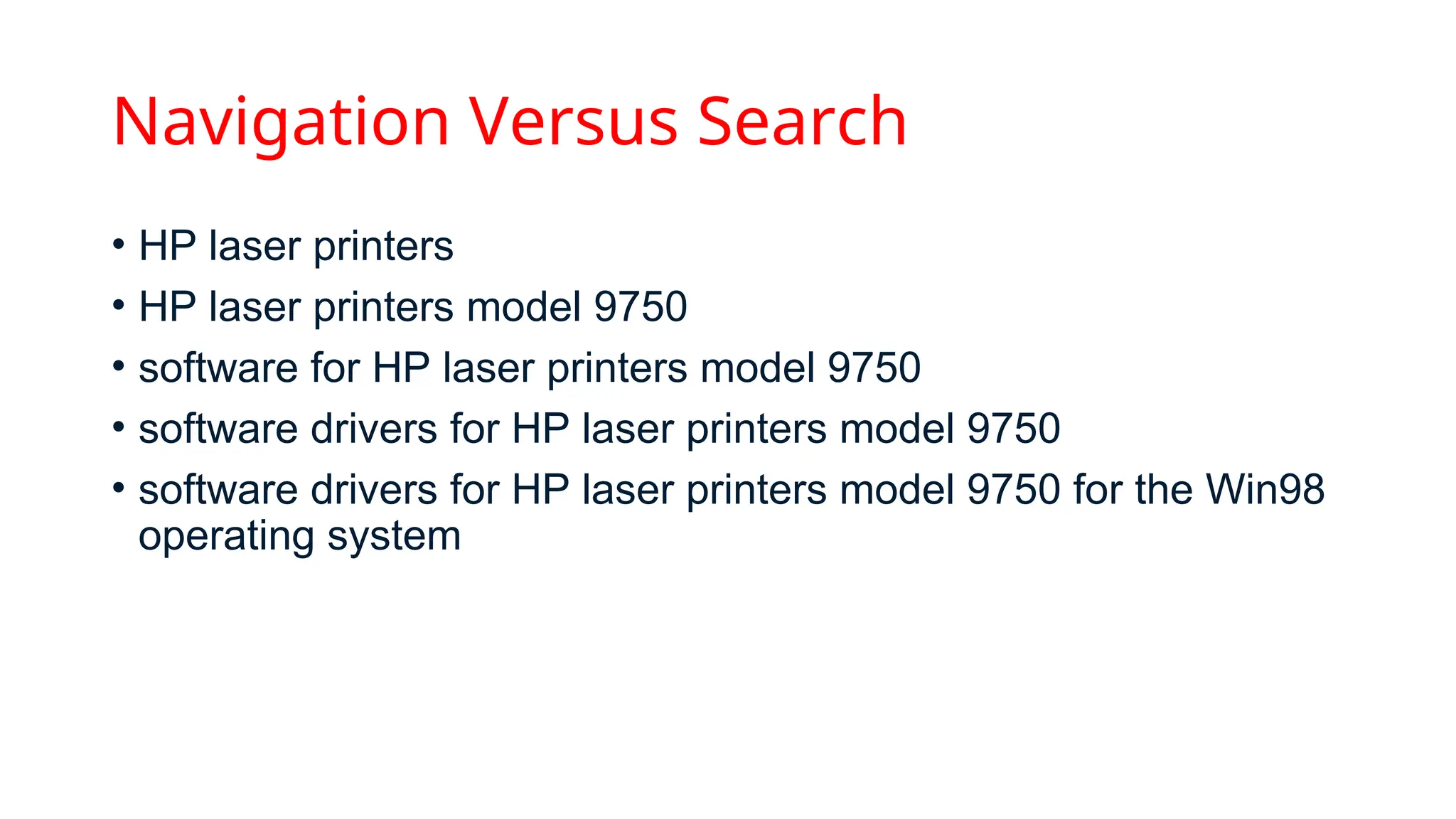
•HP laser printers
• HP laser printers model 9750
• software for HP laser printers model 9750
• software drivers for HP laser printers model 9750
• software drivers for HP laser printers model 9750 for the Win98
operating system
11.
Observations of theSearch Process
• One common observation, mentioned above, is that users often
reformulate their queries with slight modifications, since this can be
easier than trying to specify the query precisely in the first attempt.
• Studies have shown that it is difficult for people to determine whether
or not a document is relevant to a topic, and the less someone
knows about a topic, the poorer judge they are about if a search
result is relevant to that topic .
• Studies also show that people are poor at estimating how much of
the relevant material in a collection they have found, and the less
expert they are about a topic, the more likely they are to feel
confident that all of the relevant information has been accessed.
Query Specification interface
•The standard interface for a textual query is a search box entry
form, in which the user types a query, activated by hitting the
return key on the keyboard or selecting a button associated with
the form.
• Studies suggest a relationship between query length and the
width of the entry form; results find that either small forms
discourage long queries or wide forms encourage longer
queries.
15.
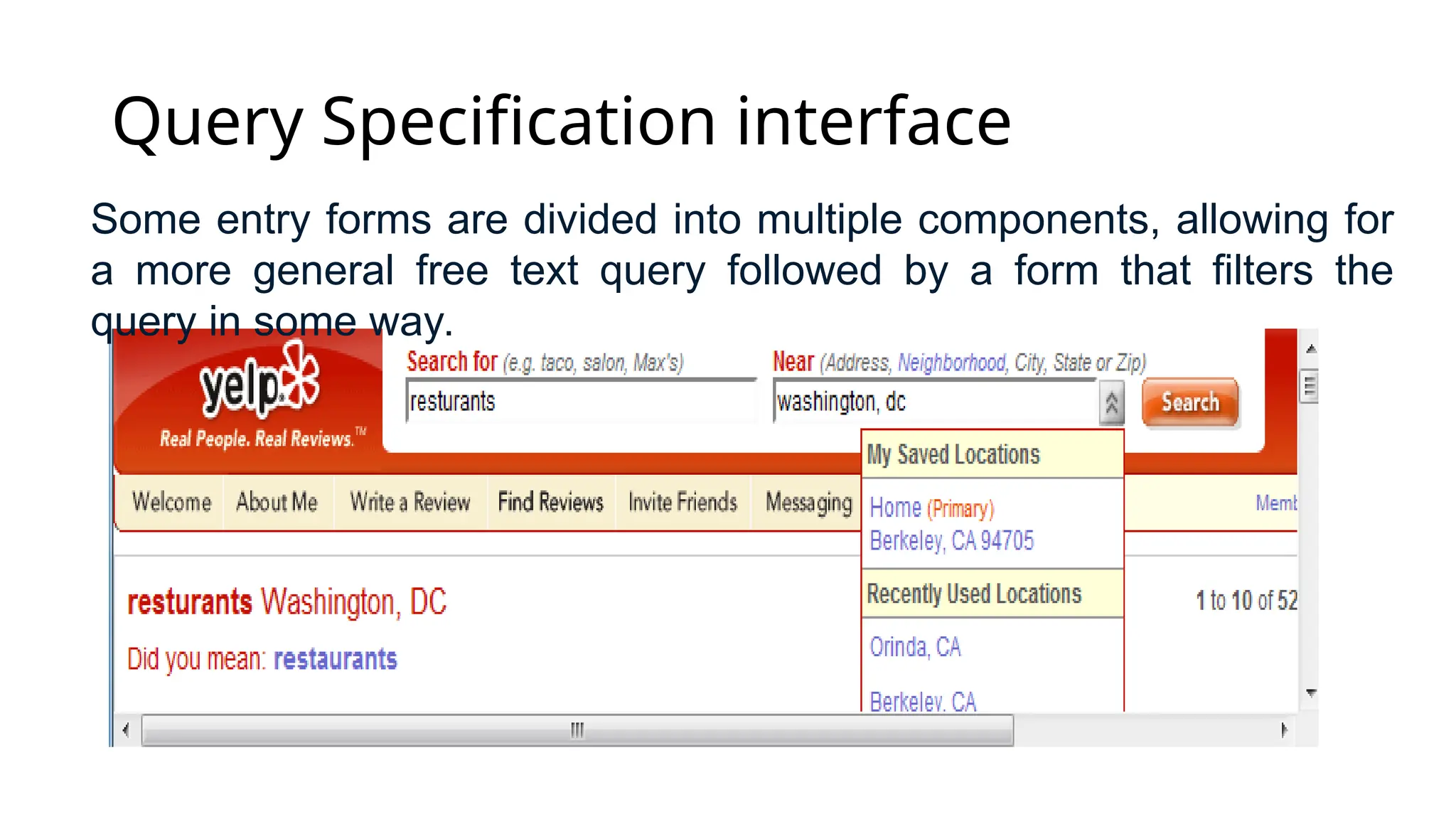
Query Specification interface
Someentry forms are divided into multiple components, allowing for
a more general free text query followed by a form that filters the
query in some way.
16.
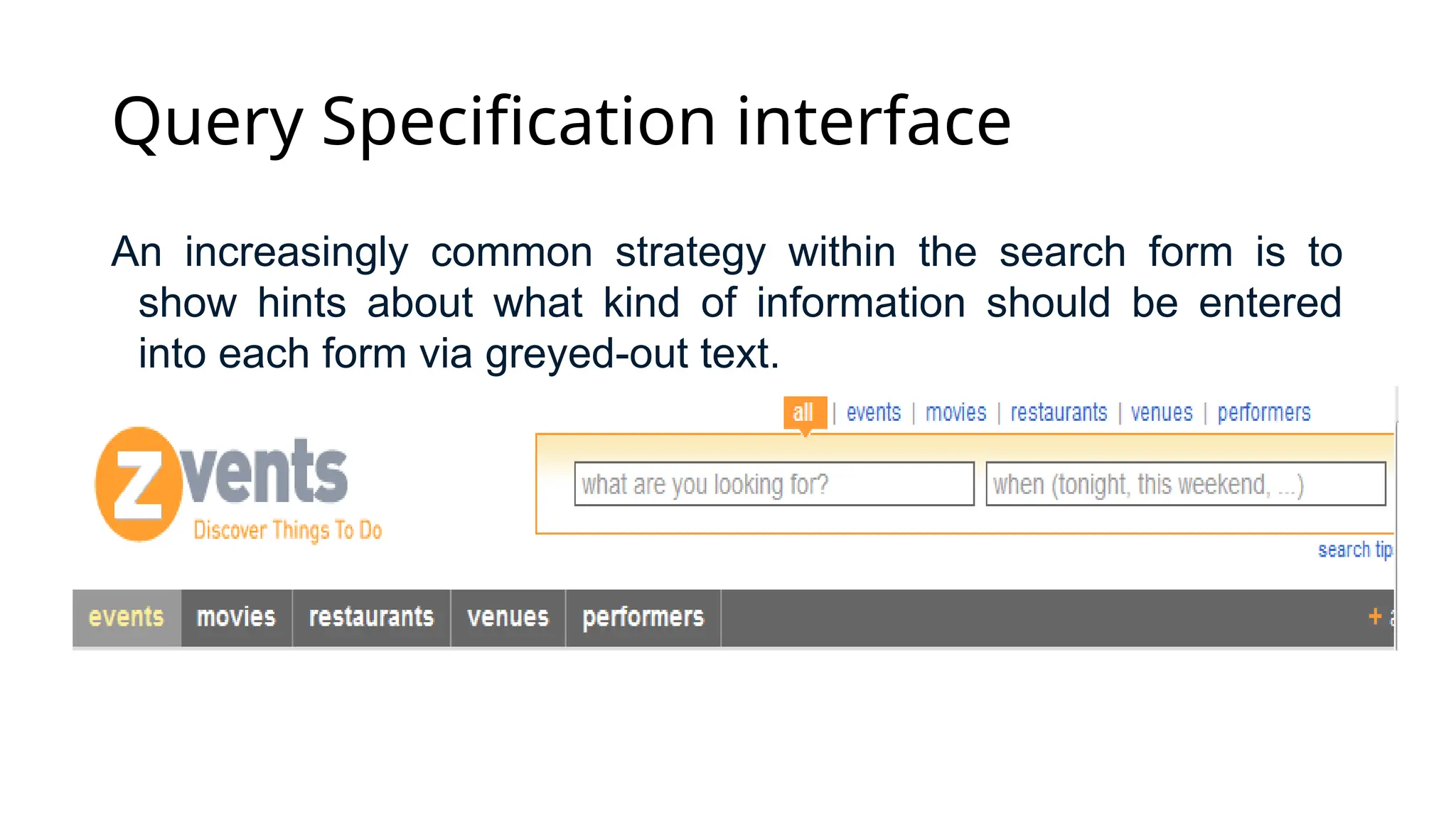
Query Specification interface
Anincreasingly common strategy within the search form is to
show hints about what kind of information should be entered
into each form via greyed-out text.
17.
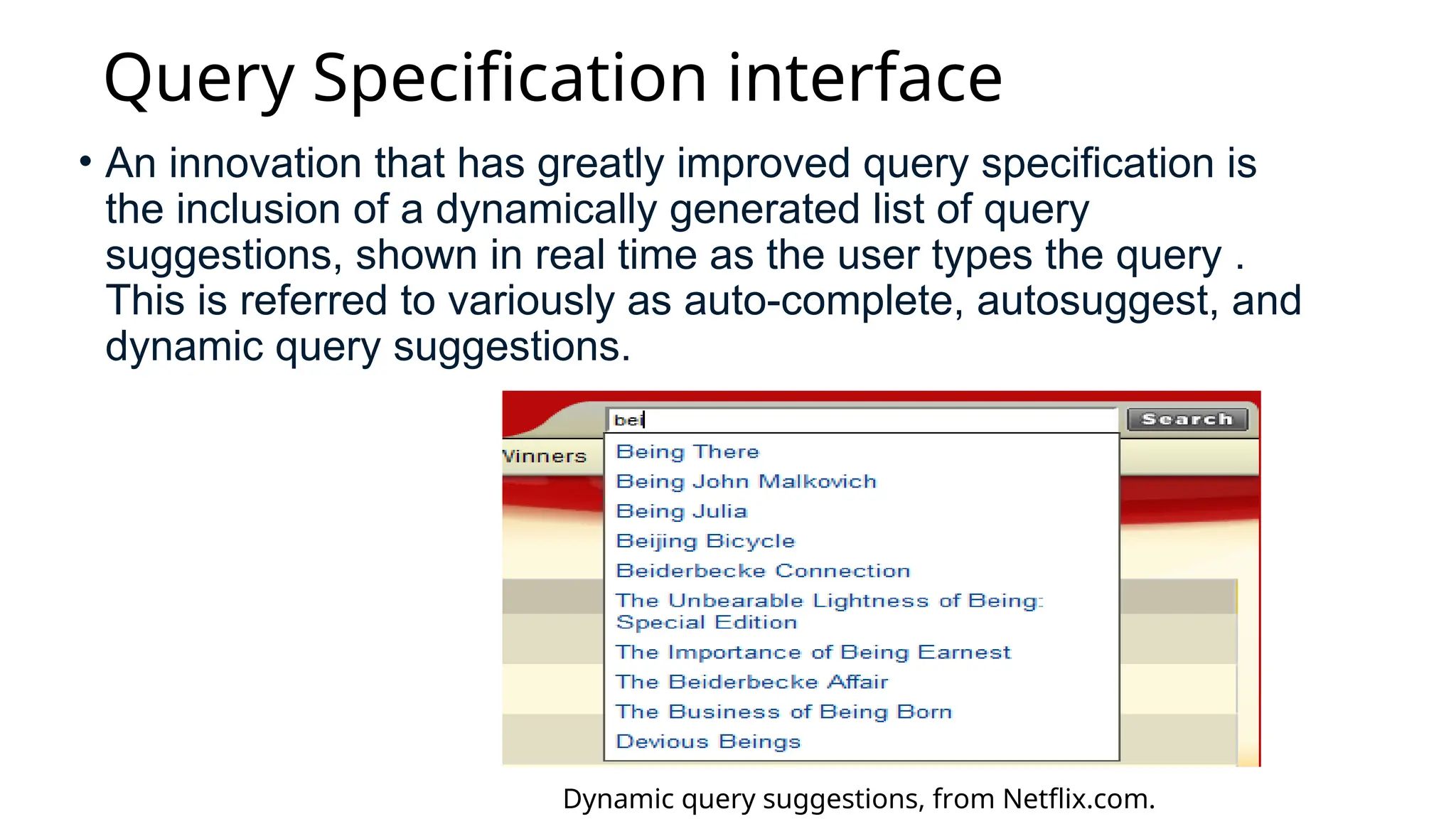
Query Specification interface
•An innovation that has greatly improved query specification is
the inclusion of a dynamically generated list of query
suggestions, shown in real time as the user types the query .
This is referred to variously as auto-complete, autosuggest, and
dynamic query suggestions.
Dynamic query suggestions, from Netflix.com.
Visualization in searchinterface
• Text as a representation is highly effective for conveying abstract
information, but reading and even scanning text is a cognitively taxing
activity, and must be done in a linear fashion.
• By contrast, images can be scanned quickly and the visual system
perceives information in parallel. People are highly attuned to images
and visual information, and pictures and graphics can be captivating
and appealing. A visual representation can communicate some kinds of
information much more rapidly and effectively than any other method.
Consider the difference between a written description of a person’s face
and a photograph of it, or the difference between a table of numbers
containing a correlation and a scatter plot showing the same
information.
21.
• Experimentation withvisualization for search has been primarily
applied in the following ways:
• Visualizing Boolean Syntax,
• Visualizing Query Terms within Retrieval Results,
• Visualizing Relationships among Words and Documents,
• Visualization for Text Mining.
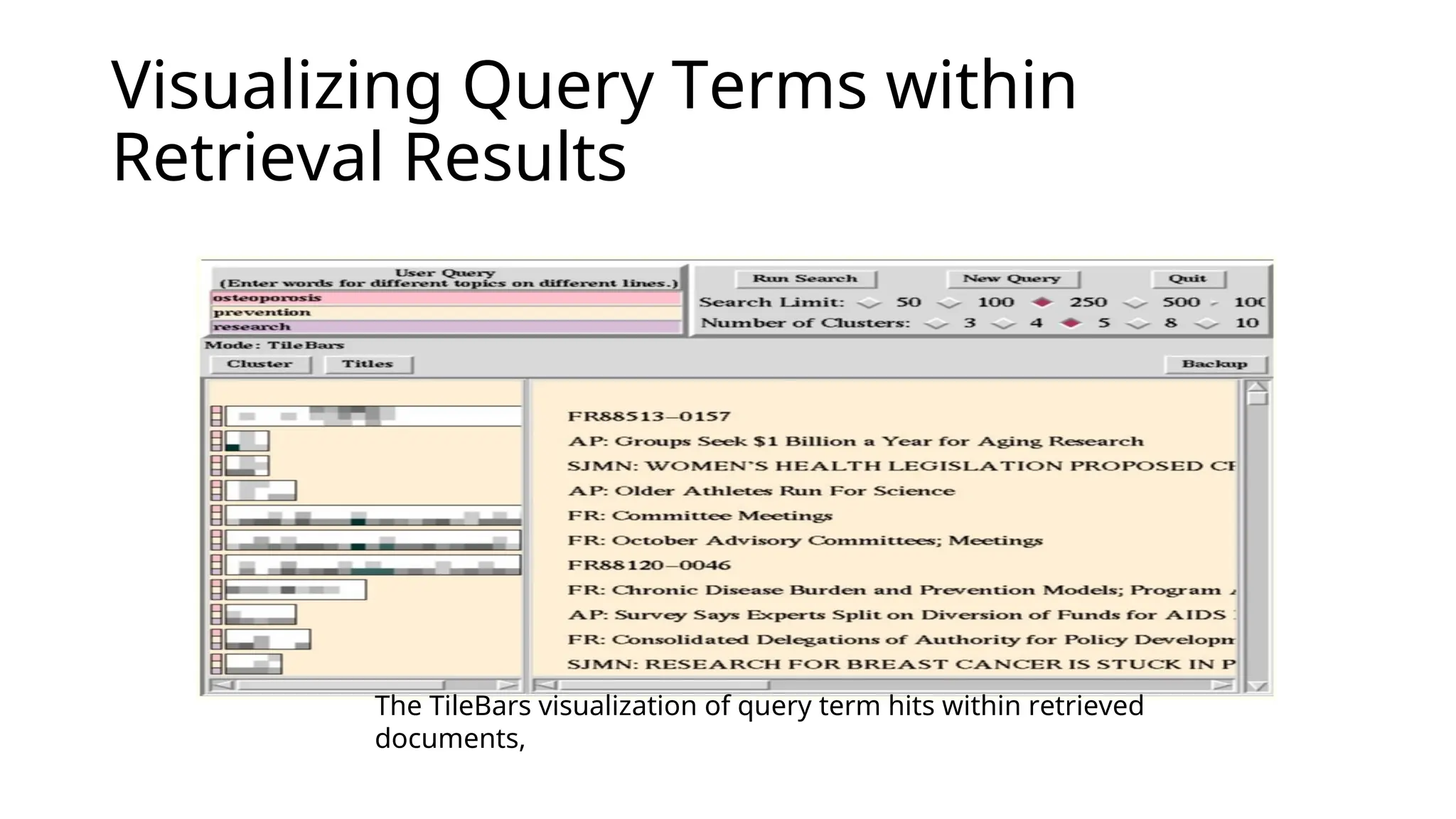
Visualizing Query Termswithin
Retrieval Results
The TileBars visualization of query term hits within retrieved
documents,
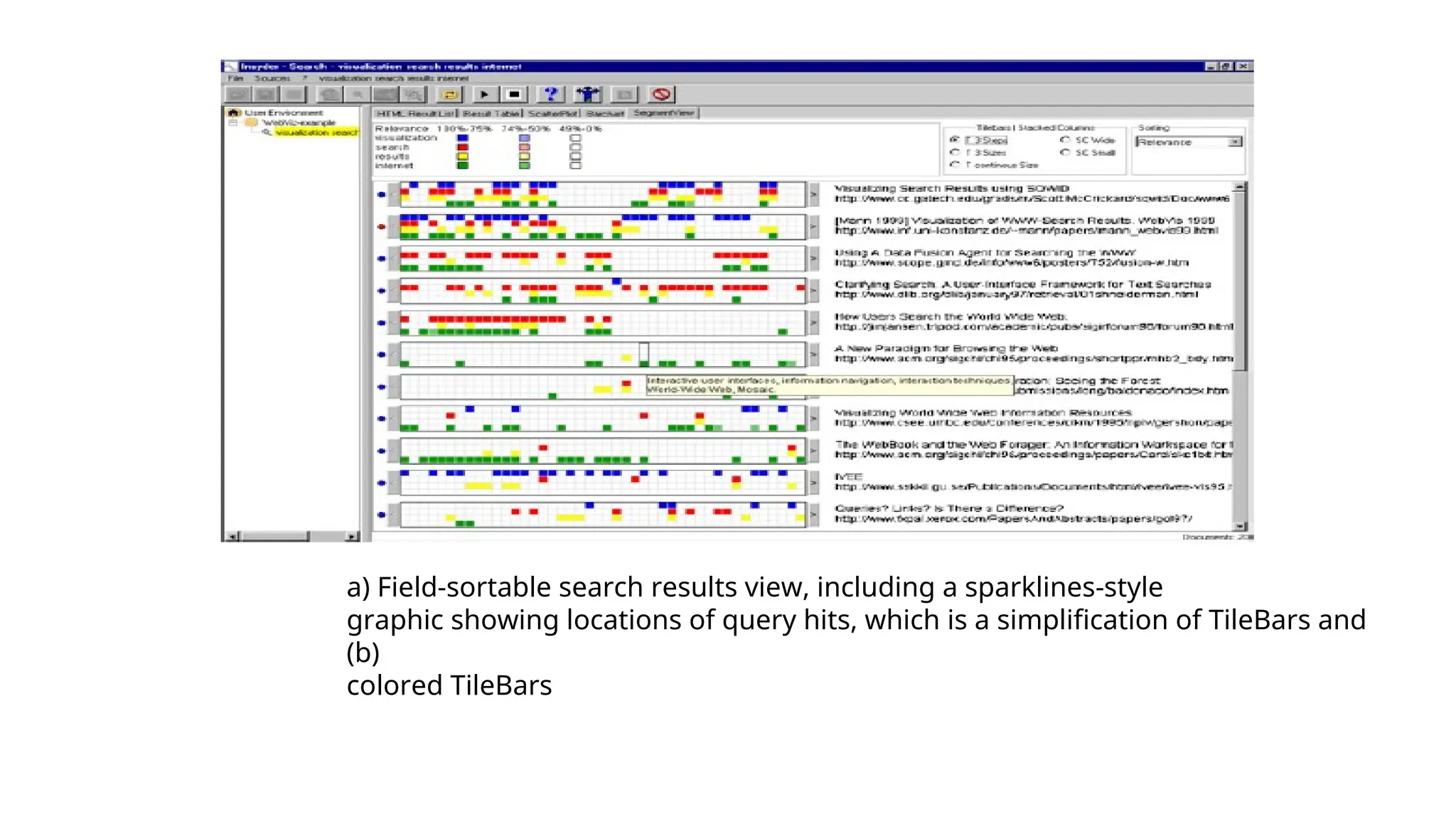
24.
a) Field-sortable searchresults view, including a sparklines-style
graphic showing locations of query hits, which is a simplification of TileBars and
(b)
colored TileBars
25.
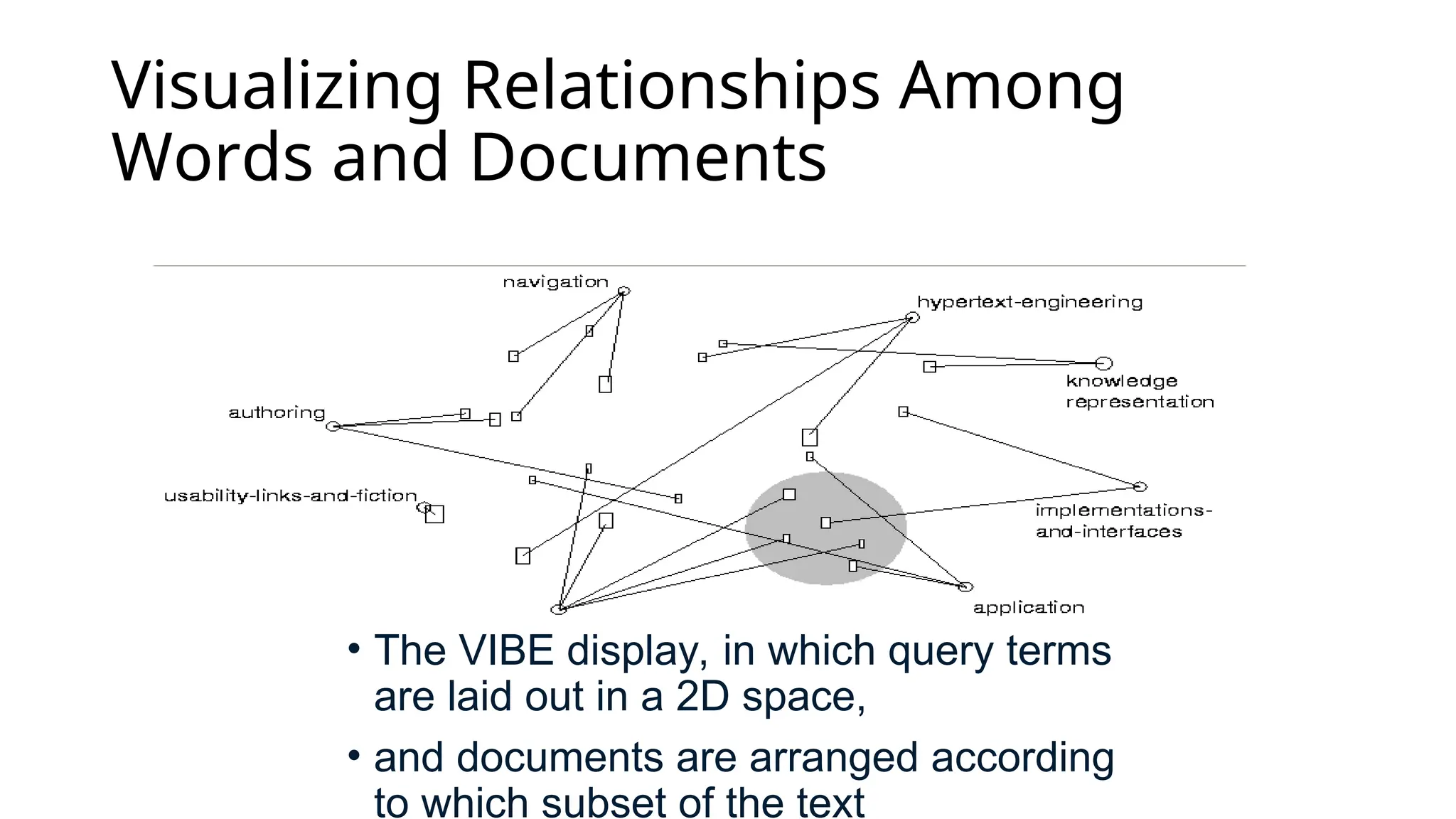
Visualizing Relationships Among
Wordsand Documents
• The VIBE display, in which query terms
are laid out in a 2D space,
• and documents are arranged according
to which subset of the text
26.
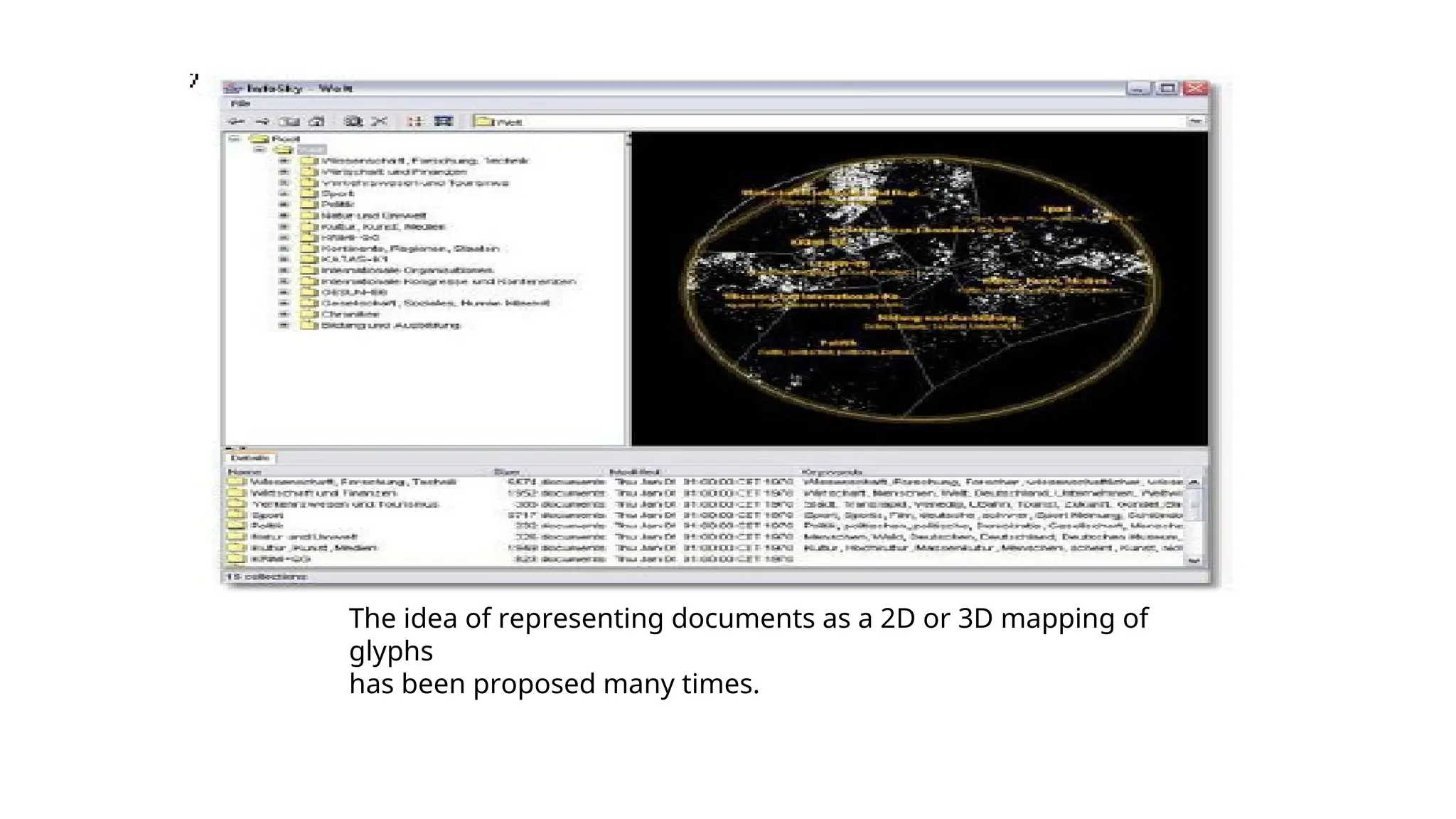
The idea ofrepresenting documents as a 2D or 3D mapping of
glyphs
has been proposed many times.
27.
Visualization in TextMining
• The subsections above show that usability results for visualization in
search are not particularly strong. It seems in fact that visualization is
better used for purposes of analysis and exploration of textual data.
Most users of search systems are not interested in seeing how words
are distributed across documents, or in viewing the most common
words within a collection, but these are interesting activities for
computational linguists, analysts, and curious word enthusiasts.
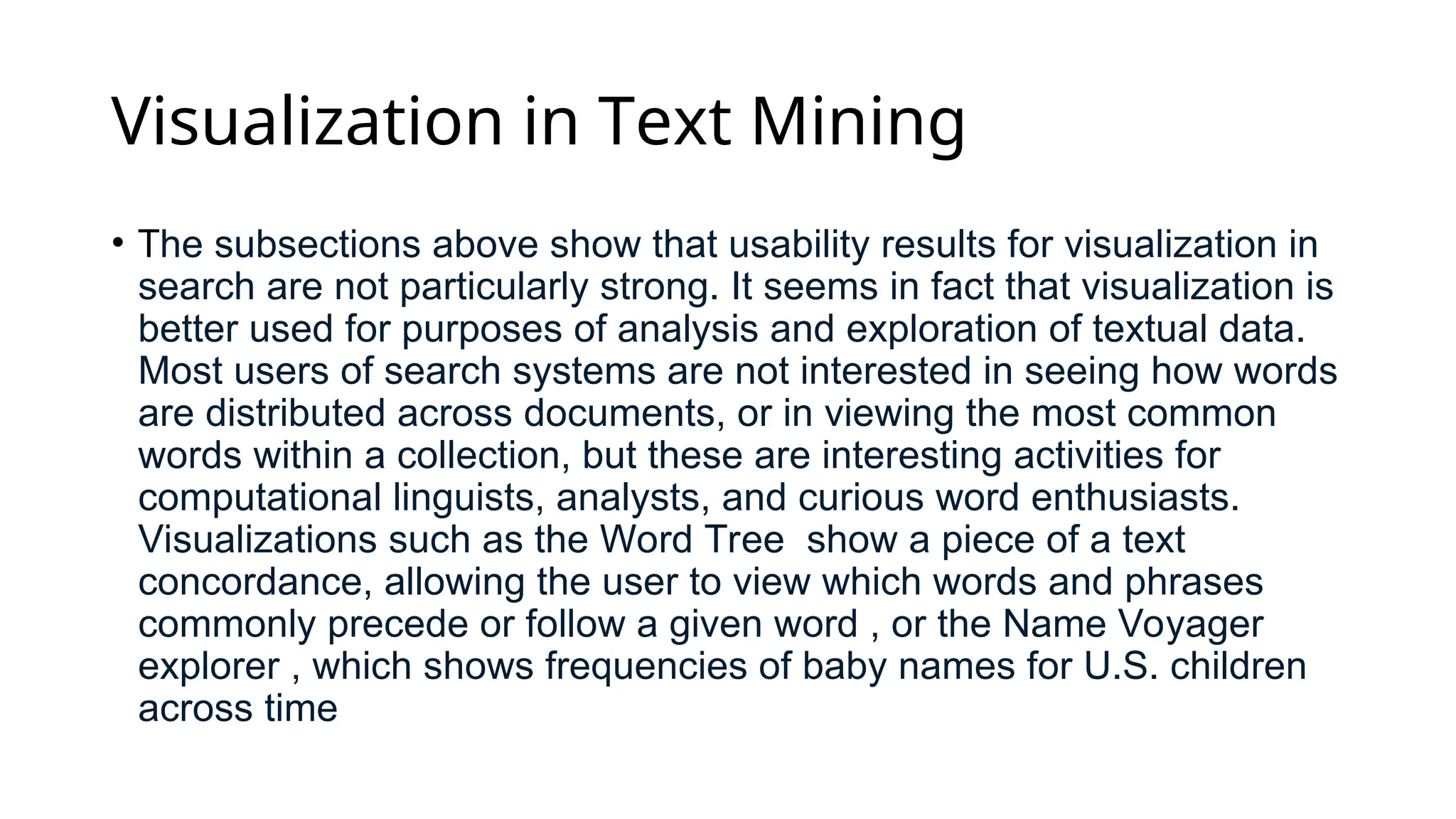
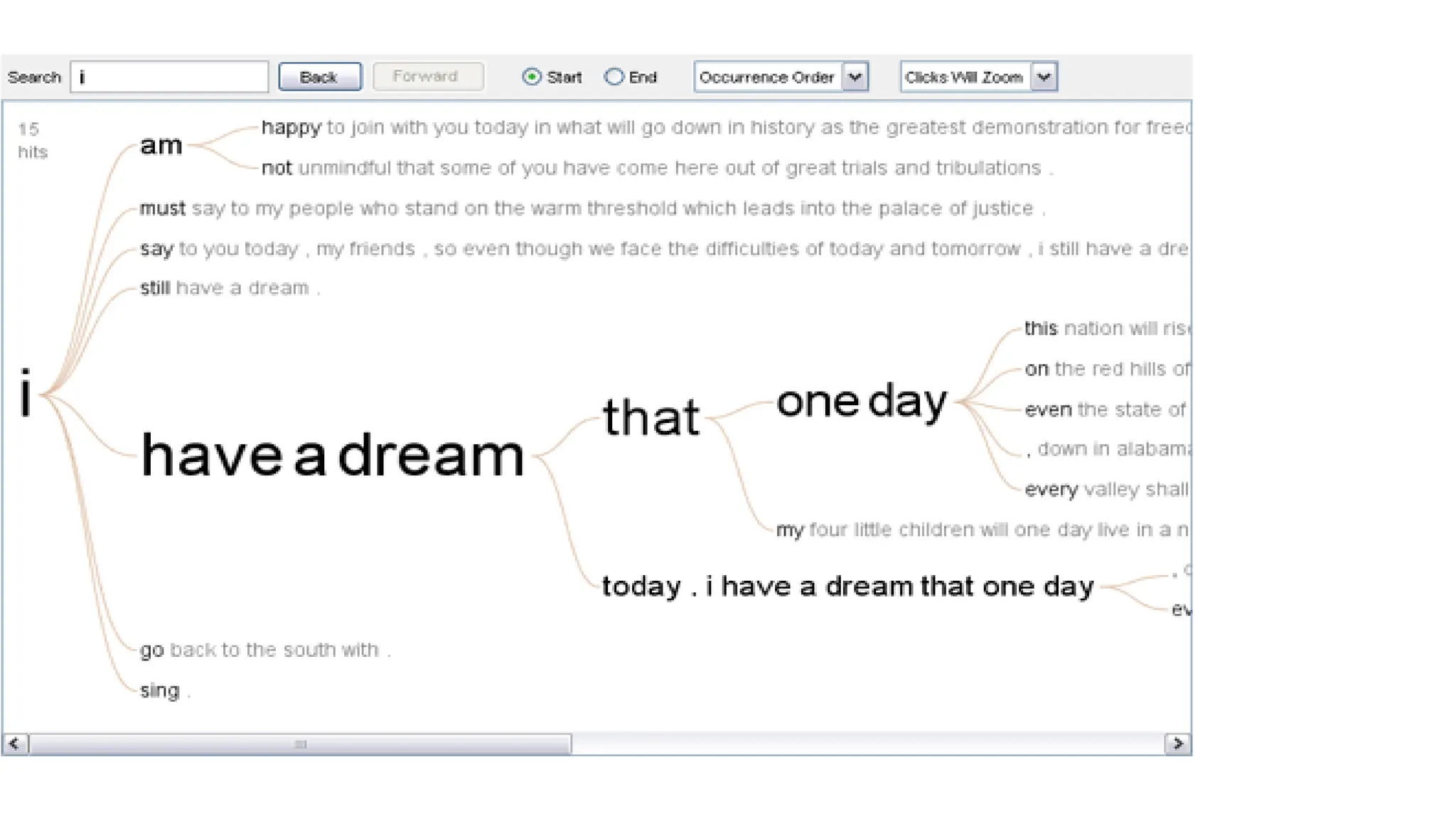
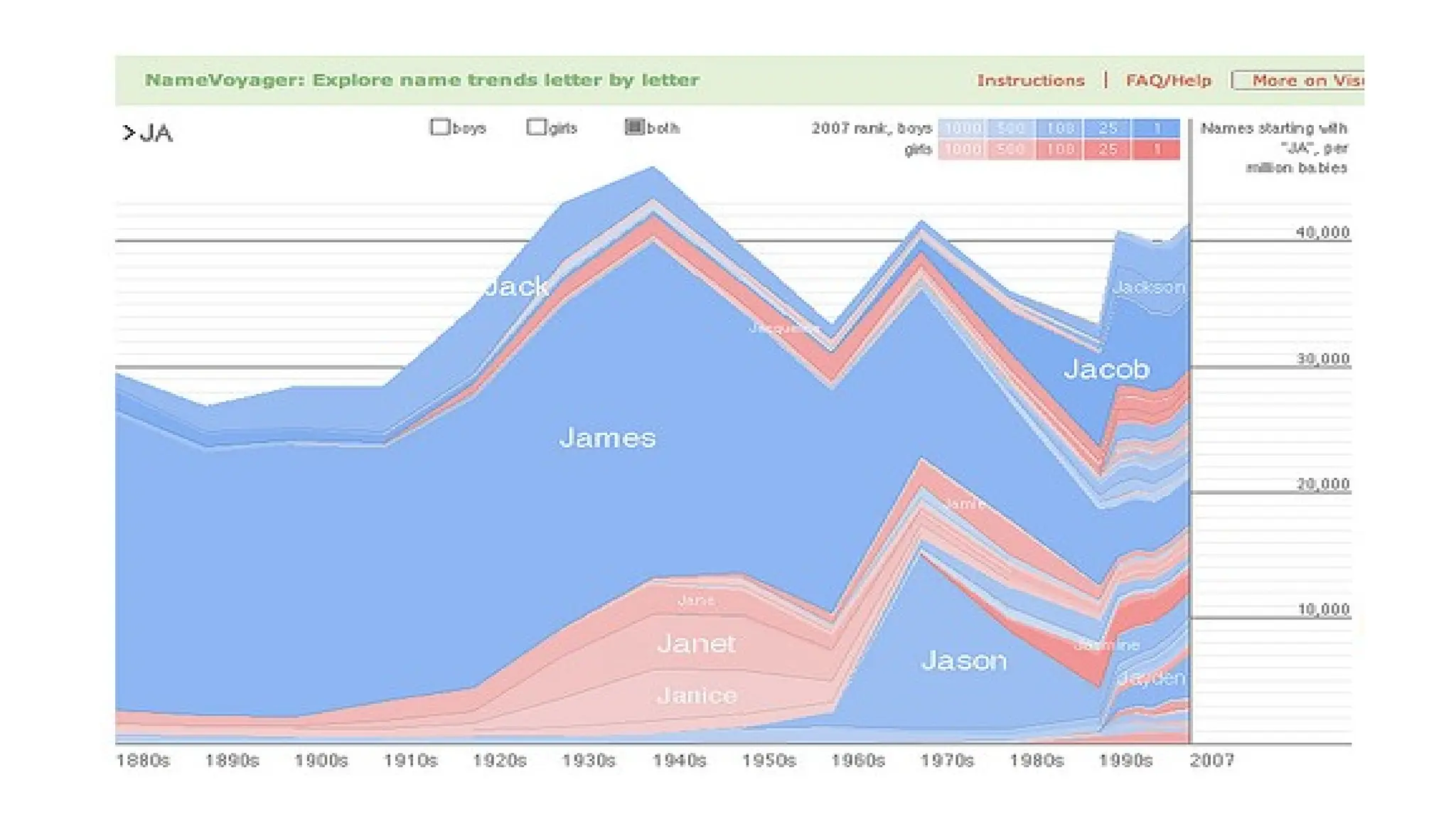
Visualizations such as the Word Tree show a piece of a text
concordance, allowing the user to view which words and phrases
commonly precede or follow a given word , or the Name Voyager
explorer , which shows frequencies of baby names for U.S. children
across time
30.
Design and Evaluationof Search
Interfaces
• Goal and series of task
• Iterative process
![Navigation Versus Search
• Not all searches start with typing a keyword query in a search box.
Many Web sites and some search engines allow users to peruse an
information structure of some kind to select a starting point for search.
• The terms navigation and browsing are used somewhat
interchangeably to refer to a strategy in which the searcher looks at an
information structure, and moving among views of the available
information, in a sequence of scan and select operations. Searchers
often prefer browsing over keyword searching when the information
structure (such as hyperlinks on a Web site) are well-matched to their
information needs,
• A study by Hearst et al. [53] found that self-described searchers
converted to browsers after a few iterations of using a well-designed
faceted category system.](https://image.slidesharecdn.com/675d614e68cce5-250731063507-b0b617fe/75/675d614e68cce-5-ppt-image-retrival-for-UI-9-2048.jpg)
![Visualizing Boolean Syntax
The VQuery [67] Venn Diagram interface for Boolean query
specificationVisualizing](https://image.slidesharecdn.com/675d614e68cce5-250731063507-b0b617fe/75/675d614e68cce-5-ppt-image-retrival-for-UI-22-2048.jpg)