Table of Contents
• Slide 2: The Hipster
• Slide 8: The Photo Album
• Slide 15: The Data Geek
• Slide 22: The Clean Machine
• Slide 28: Dark Slide of the Moon
The Hipster
A Totally Hip Template
(Note: You can replace the background photo with a
photo of your own.)
Introduce a New
Section Here
What’s this section about?
1
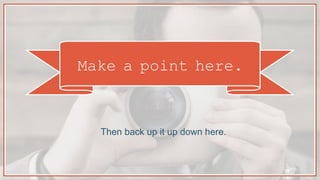
Make a point here.
Then back up it up down here.
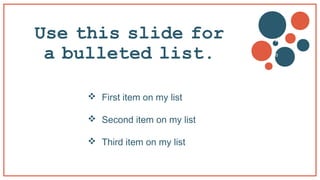
Use this slide for
a bulleted list.
 First item on my list
 Second item on my list
 Third item on my list
v
b
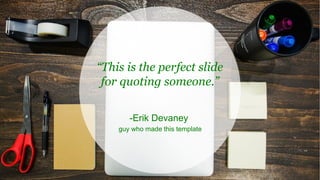
-Erik Devaney
guy who made this template
This is the perfect slide
for quoting someone.“
Now what do I do?
Use this slide to provide a compelling call-to-
action (CTA).
v
b
Click here to learn more!
The Photo Album
Let Your Images
Do the Talking
(Note: You can replace the
background photos with photos of
your own.)
Section 1
Introduce a new section
here.
Make a point here.
Back it up
down here.
Use this slide for a bulleted list.
• First item on my list
• Second item on my list
• Third item on my list
“This is the perfect slide
for quoting someone.”
-Erik Devaney
guy who made this template
Use this slide to provide a
compelling call-to-action (CTA)
Now what do I do?
Click here!
Looking for some
free stock photos?
We have 550+ royalty-free stock
photos that you can download for free.
Just right click here, select “Hyperlink,”
then “Open Hyperlink”
THE DATA GEEK
The Perfect Template for Displaying Data
(Note: You can replace the background photo with a
photo of your own.)
SECTION 1
Introduce a new section here.
What’s this section about?
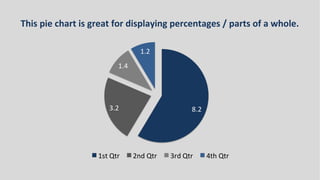
This pie chart is great for displaying percentages / parts of a whole.
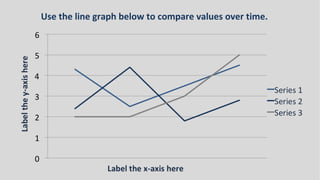
Use the line graph below to compare values over time.
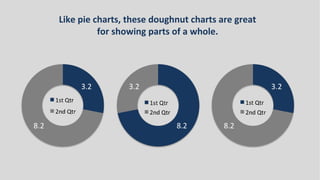
Like pie charts, these doughnut charts are great
for showing parts of a whole.
NOW WHAT?
Use this slide to provide a compelling
call-to-action (CTA).
Click here to learn more!
The Clean
Machine
Love whitespace? This is the
template for you.
Introduce a new section here.
What’s this section about?
1
Make a point over
here.
Then back it up
over here.
Use this slide for a bulleted list.
 First item on my list
 Second item on my list
 Third item on my list
This is the perfect slide
for quoting someone.
“
-Erik Devaney
guy who made this template
Now what do I do?
Use this slide to provide a
compelling call-to-action (CTA).
Click here to learn more!
DARK SLIDE
OF
THE MOON
A Fun, Shape-
Filled Template
With Dark
Backgrounds
What’s this section about?
INTRODUCE A NEW
SECTION HERE.1
Make a point
over here.
Then back it up
over here.
Use this slide for
a bulleted list.
First item on my list
Second item on my list
Third item on my list
-Erik Devaney
guy who made this template
“This is the perfect slide for
quoting someone.”
Now what do I do?
Use this slide to provide a
compelling call-to-action (CTA).
Click here
to learn
more!
Thanks for
downloading our
templates!
Rate this content and help us improve!
Just right click here, select “Hyperlink,”
then “Open Hyperlink”

5 power point-templates-for-slideshare

  • 1.
    Table of Contents •Slide 2: The Hipster • Slide 8: The Photo Album • Slide 15: The Data Geek • Slide 22: The Clean Machine • Slide 28: Dark Slide of the Moon
  • 2.
    The Hipster A TotallyHip Template (Note: You can replace the background photo with a photo of your own.)
  • 3.
    Introduce a New SectionHere What’s this section about? 1
  • 4.
    Make a pointhere. Then back up it up down here.
  • 5.
    Use this slidefor a bulleted list.  First item on my list  Second item on my list  Third item on my list v b
  • 6.
    -Erik Devaney guy whomade this template This is the perfect slide for quoting someone.“
  • 7.
    Now what doI do? Use this slide to provide a compelling call-to- action (CTA). v b Click here to learn more!
  • 8.
    The Photo Album LetYour Images Do the Talking (Note: You can replace the background photos with photos of your own.)
  • 9.
    Section 1 Introduce anew section here.
  • 10.
    Make a pointhere. Back it up down here.
  • 11.
    Use this slidefor a bulleted list. • First item on my list • Second item on my list • Third item on my list
  • 12.
    “This is theperfect slide for quoting someone.” -Erik Devaney guy who made this template
  • 13.
    Use this slideto provide a compelling call-to-action (CTA) Now what do I do? Click here!
  • 14.
    Looking for some freestock photos? We have 550+ royalty-free stock photos that you can download for free. Just right click here, select “Hyperlink,” then “Open Hyperlink”
  • 15.
    THE DATA GEEK ThePerfect Template for Displaying Data (Note: You can replace the background photo with a photo of your own.)
  • 16.
    SECTION 1 Introduce anew section here. What’s this section about?
  • 18.
    This pie chartis great for displaying percentages / parts of a whole.
  • 19.
    Use the linegraph below to compare values over time.
  • 20.
    Like pie charts,these doughnut charts are great for showing parts of a whole.
  • 21.
    NOW WHAT? Use thisslide to provide a compelling call-to-action (CTA). Click here to learn more!
  • 22.
    The Clean Machine Love whitespace?This is the template for you.
  • 23.
    Introduce a newsection here. What’s this section about? 1
  • 24.
    Make a pointover here. Then back it up over here.
  • 25.
    Use this slidefor a bulleted list.  First item on my list  Second item on my list  Third item on my list
  • 26.
    This is theperfect slide for quoting someone. “ -Erik Devaney guy who made this template
  • 27.
    Now what doI do? Use this slide to provide a compelling call-to-action (CTA). Click here to learn more!
  • 28.
    DARK SLIDE OF THE MOON AFun, Shape- Filled Template With Dark Backgrounds
  • 29.
    What’s this sectionabout? INTRODUCE A NEW SECTION HERE.1
  • 30.
    Make a point overhere. Then back it up over here.
  • 31.
    Use this slidefor a bulleted list. First item on my list Second item on my list Third item on my list
  • 32.
    -Erik Devaney guy whomade this template “This is the perfect slide for quoting someone.”
  • 33.
    Now what doI do? Use this slide to provide a compelling call-to-action (CTA). Click here to learn more!
  • 34.
    Thanks for downloading our templates! Ratethis content and help us improve! Just right click here, select “Hyperlink,” then “Open Hyperlink”