5 Essential Disaster Recovery (DR) Patterns for Cloud Applications
Discover the top 5 Disaster Recovery (DR) patterns and learn how to minimize downtime and data loss with the right DR strategy for your cloud-based business.
5 Essential Disaster Recovery (DR) Patterns for Cloud Applications
1.
5 Essential DisasterRecovery (DR) Patterns for Cloud Applications
If you have ever worked in a software-based company (whether it is a service or product-based
company), sometimes things might break down. For example, a server might crash or a particular
region of a cloud provider (Like Amazon, Google, Microsoft Azure) can go down or a particular
network might get failed. At the time of designing the DR pattern, most of the people look Disaster
Recovery (DR) as a complex puzzle.
In this article we will understand four Important points as mentioned below:
a) Simple definition of Disaster recovery (DR)
b) Key Terms RTO and RPO
c) Five important DR patterns.
d) Disaster Recovery (DR) Patterns selection table
What is Disaster Recovery (DR)?
It is a planned step by step process to quickly re-store your application and data, if anything goes
wrong. For example, your application might go down due to a server crash.
In DR, the main purpose is to bring back your application with correct data online as soon as
possible so that business should not get impacted.
Example – Let’s try to understand it with the help of an e-commerce industry example. Suppose e-
commerce app goes down due to an unexpected server issue and millions of users get impacted.
With the proper DR strategy or plan in cloud, application is brought up (with accurate data in few
minutes) and after that, all the users can start shopping in a normal way.
2.
Key Terms RTOand RPO in cloud:
Firstly, let us try to understand these two important terms:
a) RTO (Recovery Time Objective):
How fast your application needs to recover when something wrong happens (example server
crash, natural disaster etc.)?
Example: If your RTO is 1 hour, then your application should come back online in an hour.
b) RPO (Recovery Point Objective):
How much data your business can afford to lose?
Example: If your RPO is 10 minutes, then one must restore data no older than 10 minutes.
If you have a critical application, then your RPO can be zero which requires continuous replication.
On the other side, if you are collecting log or analytics data. Then a long RPO might be fine.
In this section we are going to explain each DR pattern in a simple way:
- Backup and restore
This is the simplest and low cost (economical) DR option. In this approach, we take continuous
backup of the data (sometimes application configuration files) and we store them in a safe,
different location or in a different cloud region. If there is a disaster (due to any reason), we
restore complete system from the backup files and within a few hours, full system or application is
brought online. In this DR pattern, recovery can take few hours and you can lose few hours data.
Example - Suppose there is an online retail store with small website and it is hosted on a cloud
server in a New York region. We schedule daily backup of complete website database or files in
AWS S3 in a different region called Texas.
One day New York server goes down due to application server crash. Since you have already taken
backup and application can be stored safely by launching a new server in a Texas region (with the
help backup files) and within few hours’ website would be restored.
Advantages:
a) This is a low-cost option.
b) It is suitable for small / medium size business.
c) It is very simple to setup.
3.
Disadvantages:
a) It isslow and recovery process can take hours.
b) As backup is not real time, some data can be lost.
- Pilot Light
In this pattern, we keep critical components of an applications (like database) running in another
cloud region or with different cloud provider (Azure or Google), but other application components
(like front end servers and API services) are kept off.
If a disaster occurs, then we bring online or ignite the other components of application by
launching servers in another region. In this DR pattern, recovery time is fast and normally an
application comes online in an hour. Also, your data loss is limited (of few minutes).
Advantage:
a) It is faster as compared to Backup and Restore.
b) For automation, you can use Infrastructure as a Code (IaC).
4.
Disadvantage:
a) Technical skillsare required for automation.
b) This is not an Instant recovery method. It takes time (within an hour) to bring back application
online.
- Warm Standby
In this pattern, we run a smaller version of production environment in a different cloud region.
This smaller version is always kept on but does not handle 100% traffic rather it handles short
amount of incoming traffic.
If a disaster occurs (due to a server crash), we scale it up so that entire traffic is served from
second cloud region and your application comes online in 15-30 minutes.
Example: Suppose a retail company runs its main application in AWS Mumbai region and also
maintains a Warm standby in another region AWS Hyderabad. Please note that AWS Mumbai
region is currently handling major chunk of total incoming traffic (90% say). If Mumbai region goes
down (due to an earthquake), then cloud team will increase total number of servers (by auto
scaling) in Hyderabad region and will also update Route 53 DNS fail over configuration and now, all
traffic would be diverted to Hyderabad region and served from here.
Please remember that this DR pattern is mostly used if your Recovery Time Objective (RTO) in
cloud is less than an hour.
5.
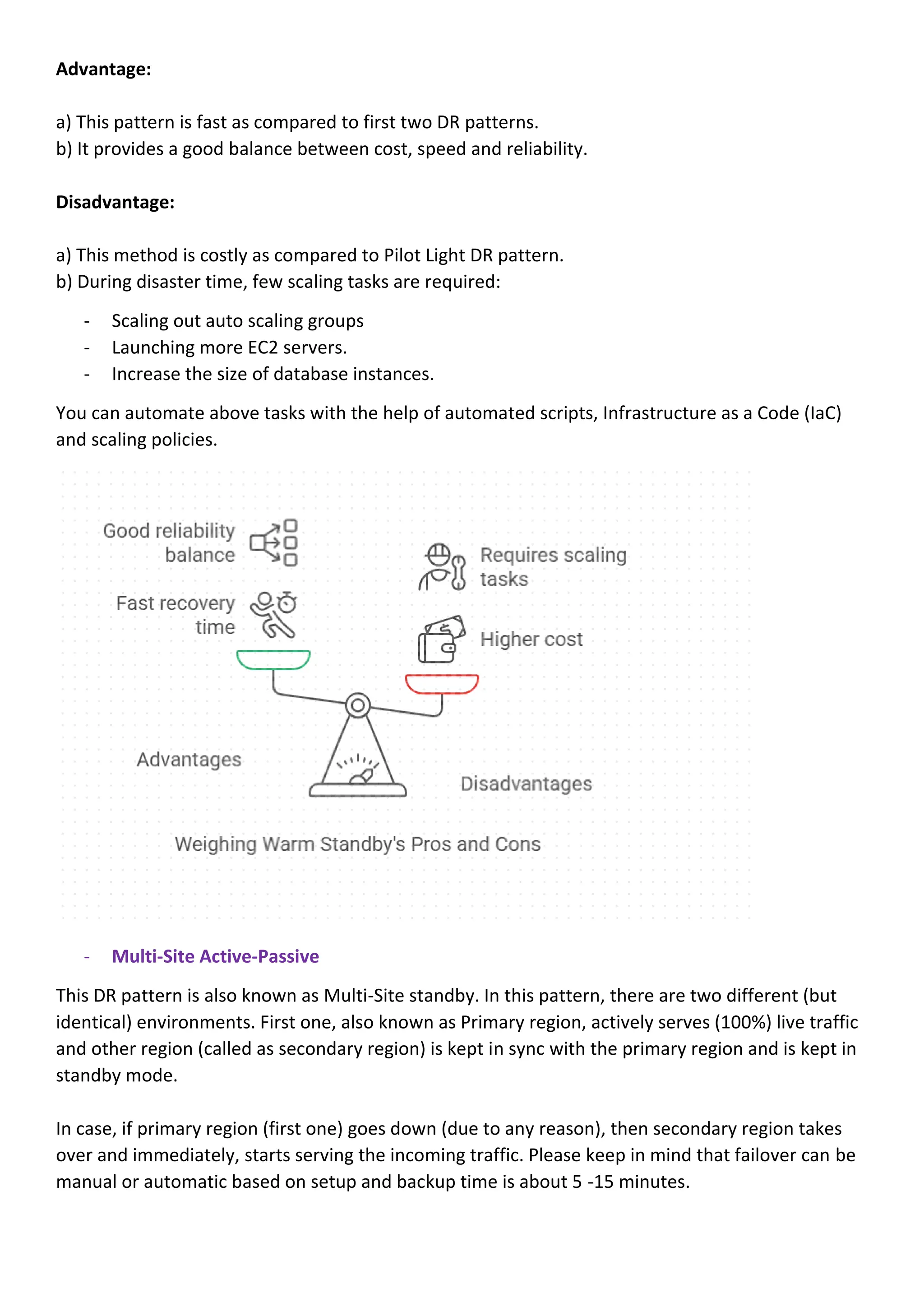
Advantage:
a) This patternis fast as compared to first two DR patterns.
b) It provides a good balance between cost, speed and reliability.
Disadvantage:
a) This method is costly as compared to Pilot Light DR pattern.
b) During disaster time, few scaling tasks are required:
- Scaling out auto scaling groups
- Launching more EC2 servers.
- Increase the size of database instances.
You can automate above tasks with the help of automated scripts, Infrastructure as a Code (IaC)
and scaling policies.
- Multi-Site Active-Passive
This DR pattern is also known as Multi-Site standby. In this pattern, there are two different (but
identical) environments. First one, also known as Primary region, actively serves (100%) live traffic
and other region (called as secondary region) is kept in sync with the primary region and is kept in
standby mode.
In case, if primary region (first one) goes down (due to any reason), then secondary region takes
over and immediately, starts serving the incoming traffic. Please keep in mind that failover can be
manual or automatic based on setup and backup time is about 5 -15 minutes.
6.
This DR patternis used when you need low Recovery time Objective (RTO) in cloud for few
minutes and it is also best fit for scenario where business have high availability needs.
Advantage:
a) This offers high availability
b) Recovery time is also short
Disadvantage:
a) Cost is high as business also needs to pay for idle infrastructure.
b) Continuous monitoring is required.
c) Regular fail over testing is done.
- Multi-Site Active-Active
This is the most advanced disaster recovery pattern and is also a gold standard of DR.
In this, an application is run in two or more cloud regions at the same time. If one of the regions
goes down, then 100% traffic is redirected to second region with zero downtime. In this DR
pattern, there is no data loss. This DR strategy is suitable for mission critical applications. Also, this
DR strategy in cloud is useful if you have mission critical application and users want to access it
globally 24/7.
7.
Example: Suppose thereis a global e-commerce platform which runs its services into different
cloud regions say AWS Tokyo and AWS Singapore. Both cloud regions are active and handle real-
time traffic at same time.
If all of a sudden, one of the regions (Tokyo) goes down, then complete incoming traffic is diverted
to other region (Singapore) and within seconds, Singapore region starts serving incoming requests
completely with smooth experience and zero error.
In this DR pattern, complete data is synchronized in real-time to avoid any data loss. In AWS cloud,
one can leverage multiple tools like Amazon Aurora Global Database or DynamoDB.
Advantage:
a) It offers high availability.
b) There is no need to recover the application, as system is run 24/7.
Disadvantage:
a) It is most expensive to maintain.
b) Complexity is also very high because business needs robust monitoring and data sync strategies.
8.
Disaster Recovery (DR)Patterns selection table:
We can compare these five DR patterns based on following given three factors (like RTO, RPO and
Cost):
Conclusion:
Overall Disaster Recovery (DR) patterns help your business stay online, if something unexpected
happens. In my opinion, right DR strategy is chosen based on three factors – budget, priorities and
risk tolerance. Many cloud platforms (like Azure / AWS / Google) provide you all the possible
options, but one needs to select it based on business needs. Start thinking from today what would
happen to my business if it goes down? If your answer is negative, then it is the right time to start
thinking about DR plan.
9.
In simple words,a DR pattern is selected based on how much downtime and loss of data, a
business can tolerate.
Always start small - test it often and - grow your DR strategy, as your online business keeps
growing.
Always keep in mind, DR is not only a technology – It is all about running your business smoothly
when something wrong happens.
If you need help in designing the DR strategy for your business, then please feel free to contact us
for consultation.