Extensible Stylesheet Language (XSL) Atul Kahate [email_address]
Introduction to XSLT Concepts
XSL (XML Stylesheet Language) Two parts XSLT (XSL Transformation) XSL-FO (XSL Formatting Objects) XSLFO is similar to CSS, quite complex We will discuss XSLT in detail, XSL-FO in brief
XPath Allows searching and navigation of XML documents Can specify which parts of an XML document we want to transform Used heavily in XSLT for searching of information
XSLT Usage Styling Add elements specific to viewing (e.g. logo) Create new content from existing one (e.g. TOC) Present information with the right level of details (e.g. overview for managers, details for staff) Transform XML documents into HTML
XSLT Stylesheets An XSLT  stylesheet  consists of a series of  templates , together with instructions based on XPath Tell an XSLT processor how to match the template against the nodes in an XML  input document For each template, the processor reads the input document for all matching patterns and produces an  output document See next slide
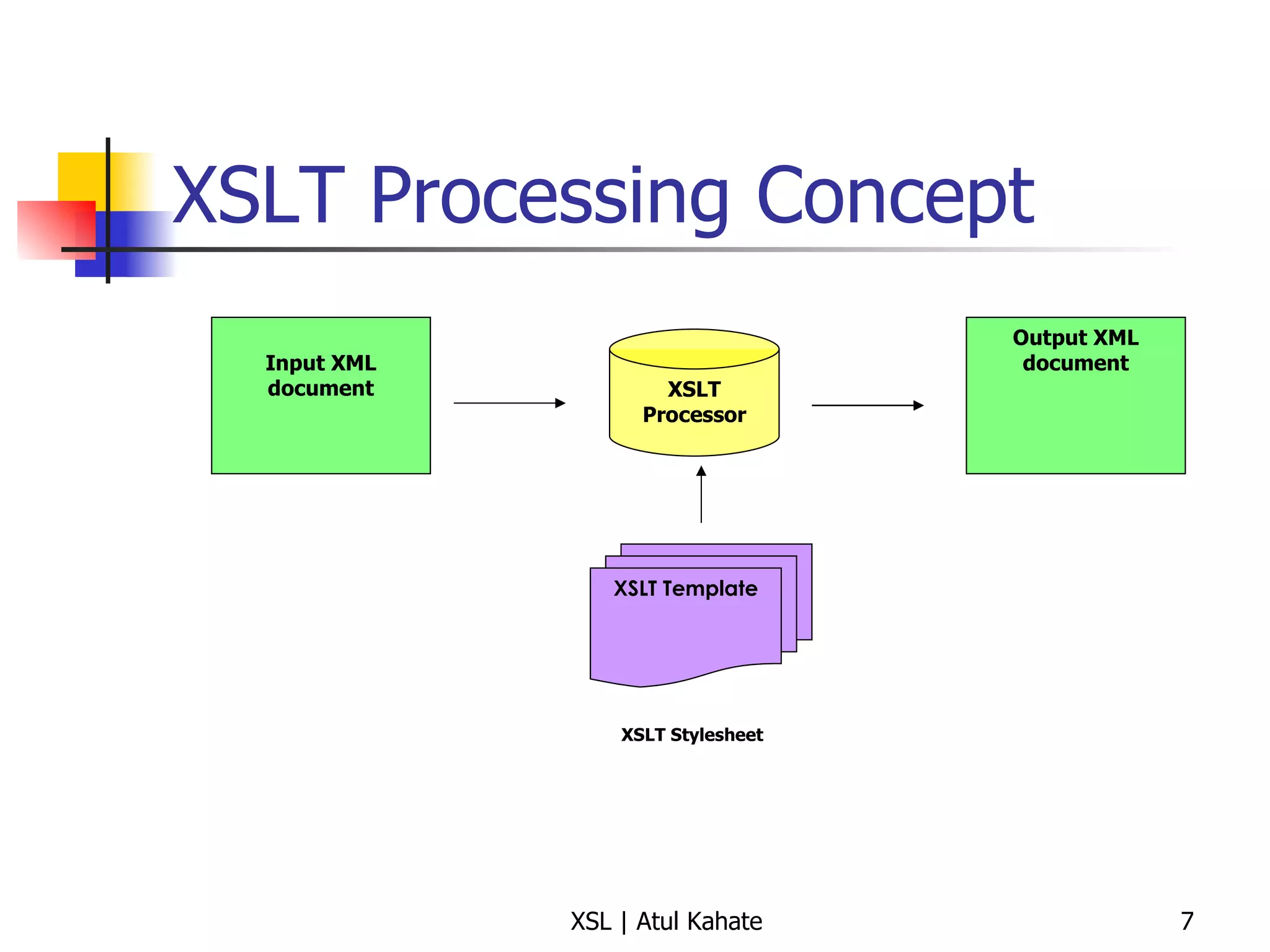
XSLT Processing Concept Input XML document XSLT Processor Output XML document XSLT Template XSLT Stylesheet
XSLT Basics
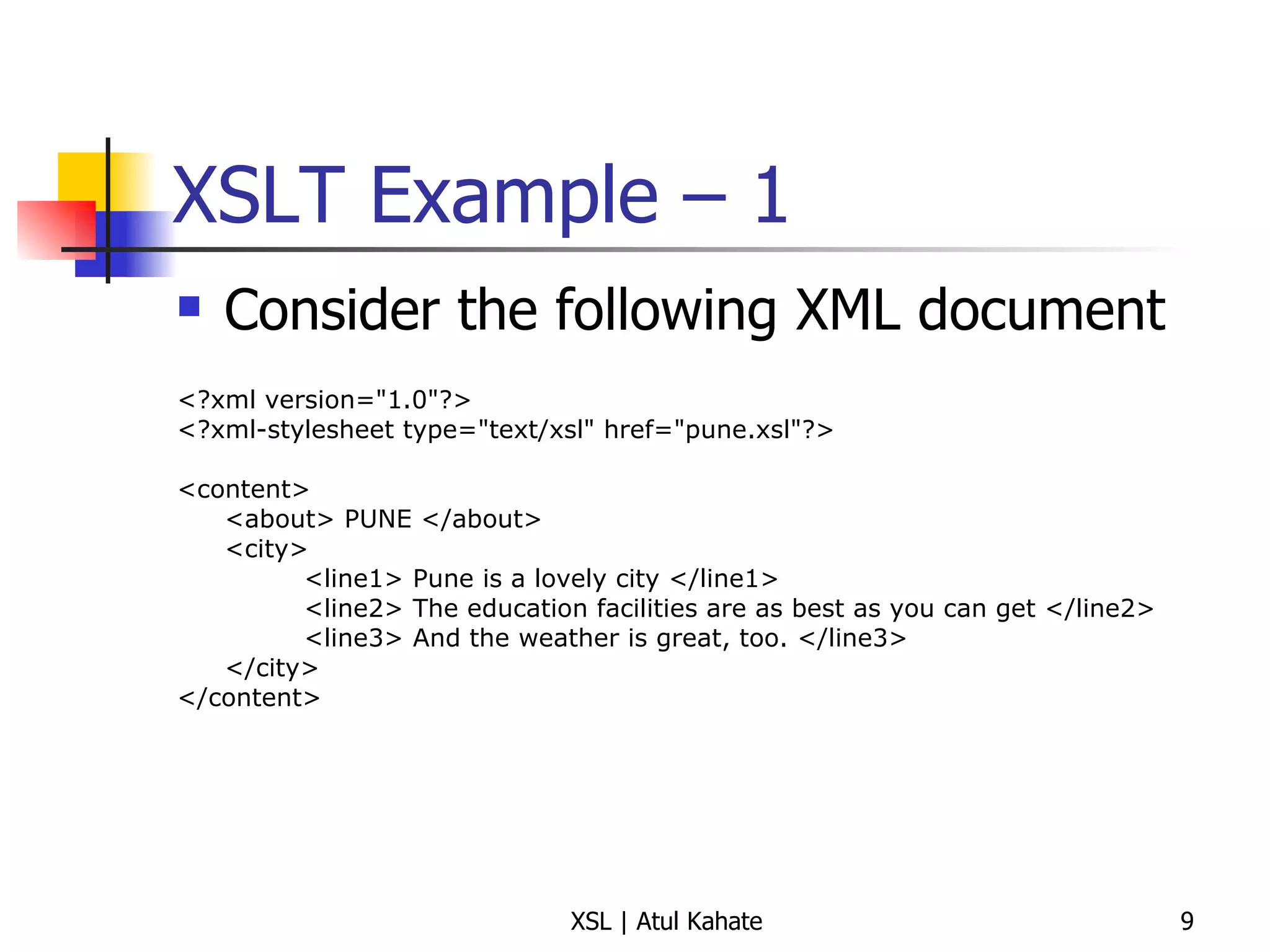
XSLT Example – 1  Consider the following XML document <?xml version=&quot;1.0&quot;?> <?xml-stylesheet type=&quot;text/xsl&quot; href=&quot;pune.xsl&quot;?> <content> <about> PUNE </about> <city> <line1> Pune is a lovely city </line1> <line2> The education facilities are as best as you can get </line2> <line3> And the weather is great, too. </line3> </city> </content>
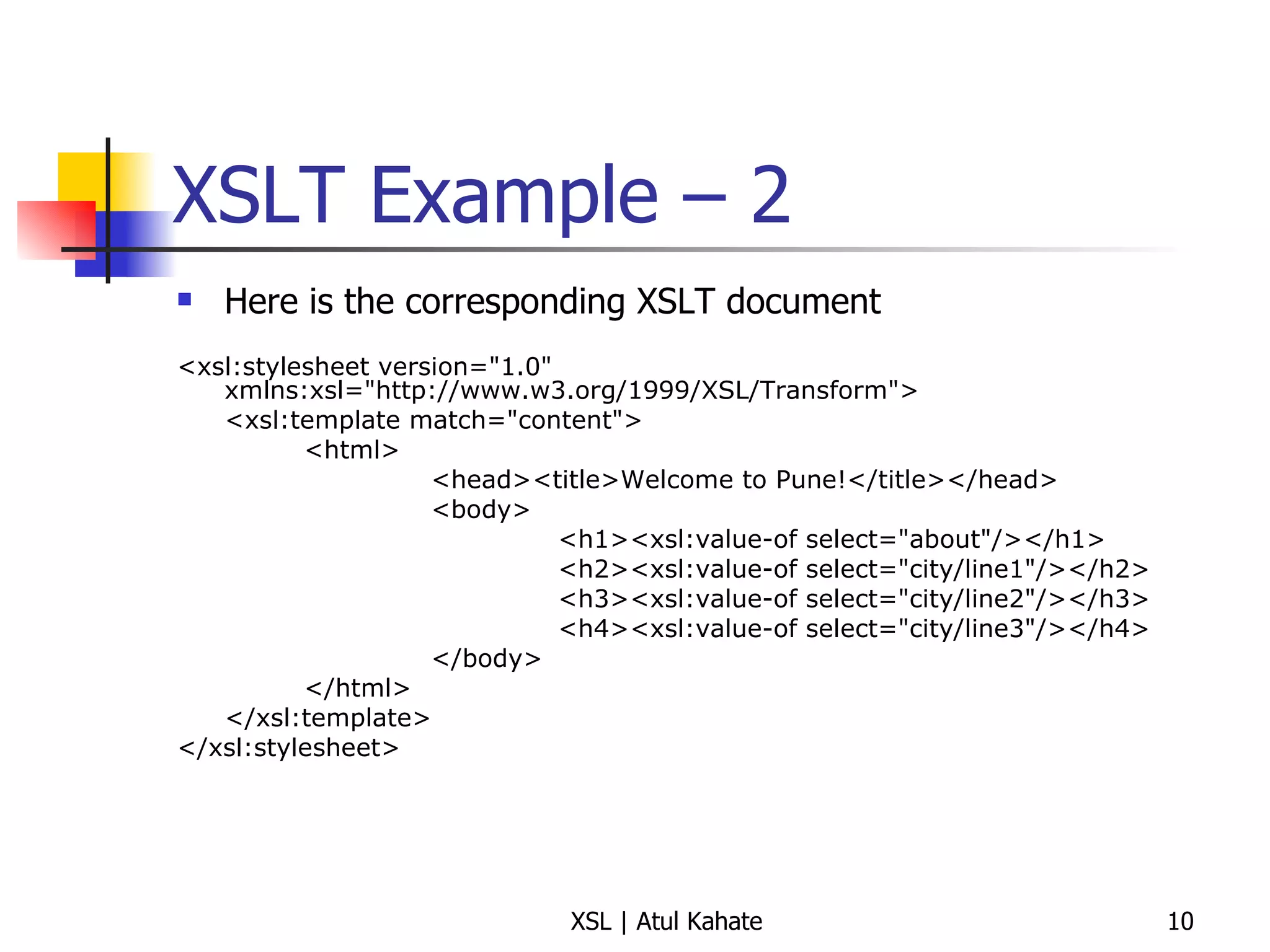
XSLT Example – 2  Here is the corresponding XSLT document <xsl:stylesheet version=&quot;1.0&quot; xmlns:xsl=&quot;http://www.w3.org/1999/XSL/Transform&quot;> <xsl:template match=&quot;content&quot;> <html> <head><title>Welcome to Pune!</title></head> <body> <h1><xsl:value-of select=&quot;about&quot;/></h1> <h2><xsl:value-of select=&quot;city/line1&quot;/></h2> <h3><xsl:value-of select=&quot;city/line2&quot;/></h3> <h4><xsl:value-of select=&quot;city/line3&quot;/></h4> </body> </html> </xsl:template> </xsl:stylesheet>
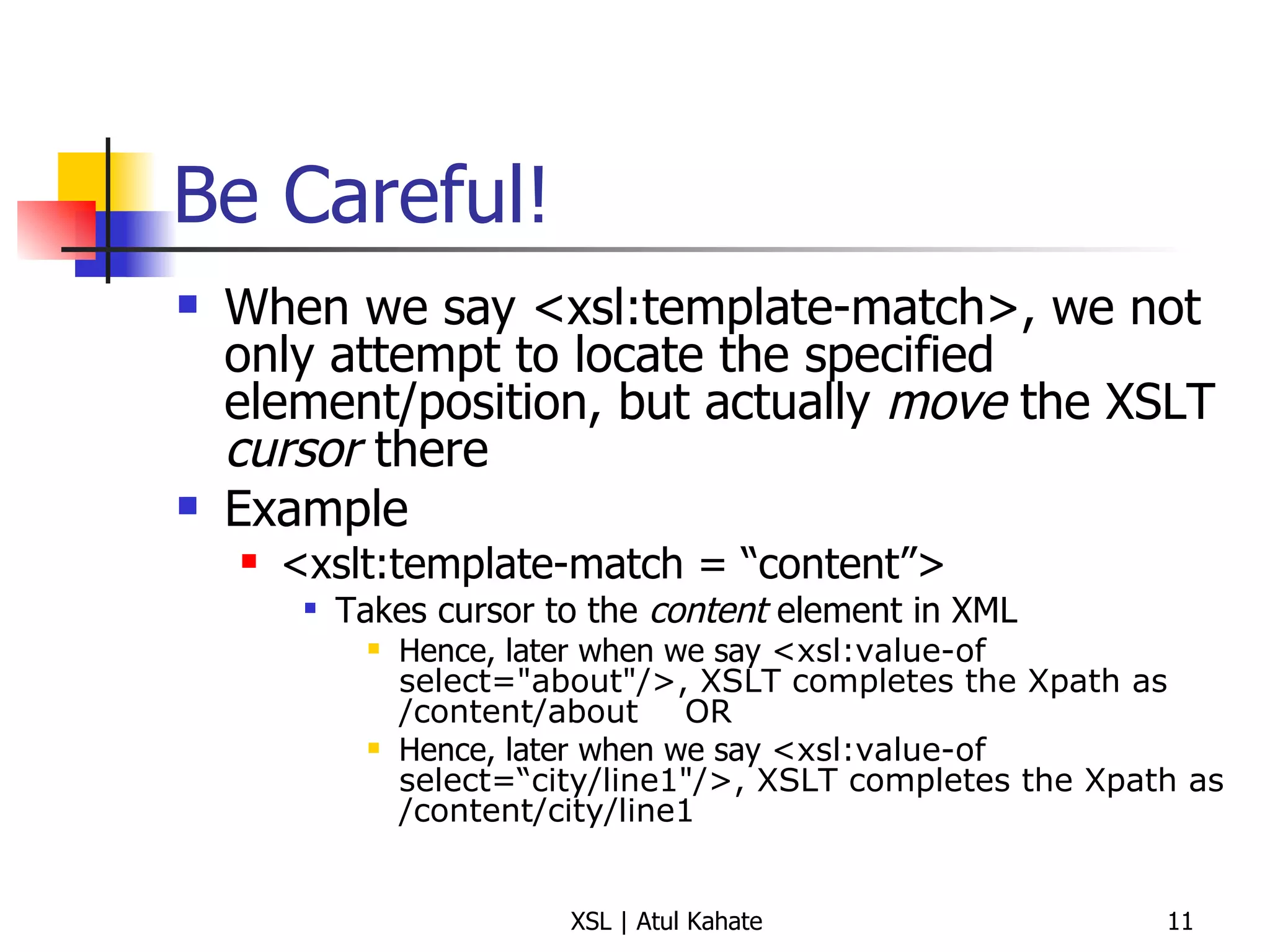
Be Careful! When we say <xsl:template-match>, we not only attempt to locate the specified element/position, but actually  move  the XSLT  cursor  there Example <xslt:template-match = “content”> Takes cursor to the  content  element in XML Hence, later when we say  <xsl:value-of select=&quot;about&quot;/>, XSLT completes the Xpath as /content/about OR Hence, later when we say  <xsl:value-of select=“city/line1&quot;/>, XSLT completes the Xpath as /content/city/line1
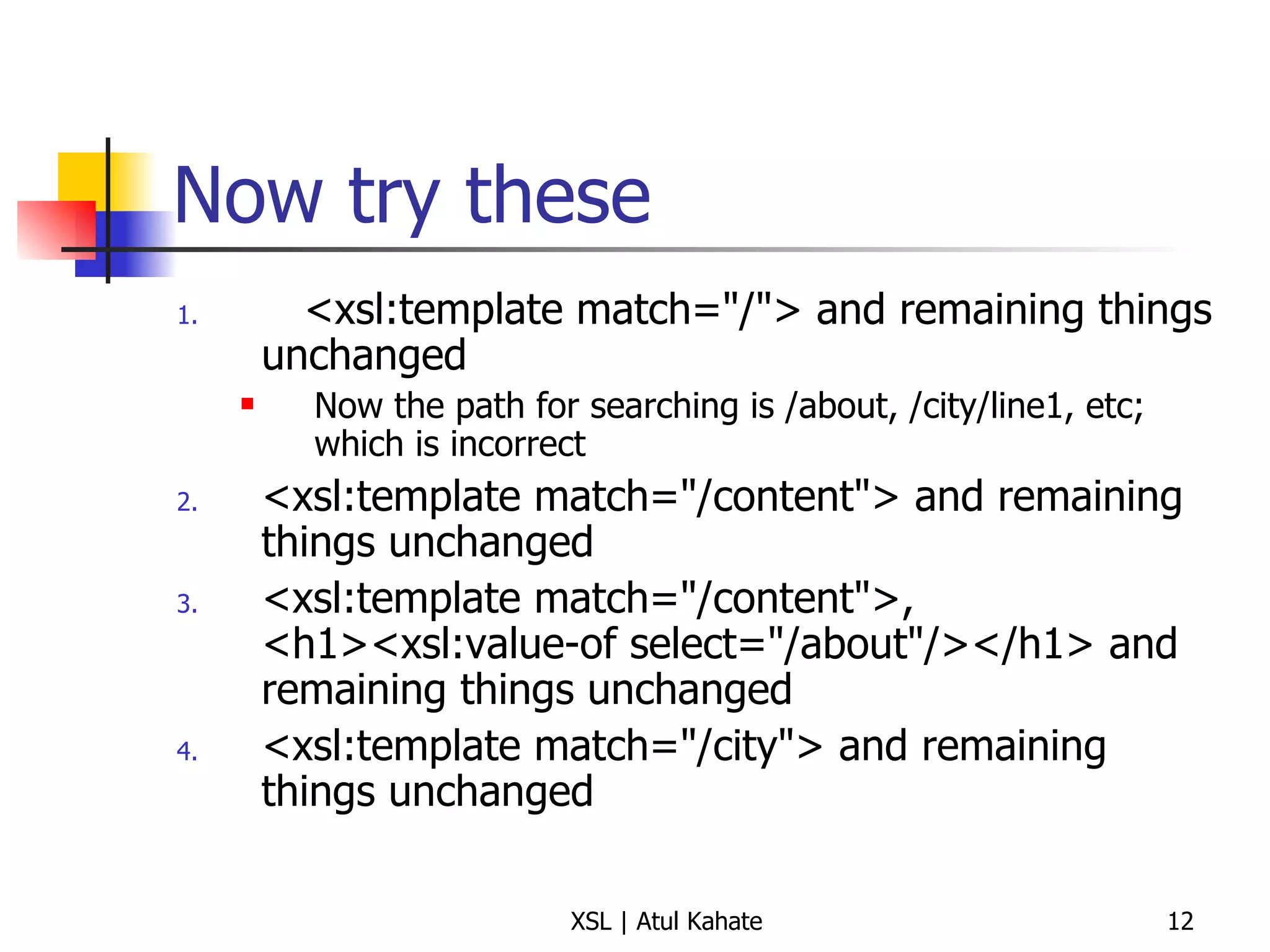
Now try these <xsl:template match=&quot;/&quot;> and remaining things unchanged Now the path for searching is /about, /city/line1, etc; which is incorrect <xsl:template match=&quot;/content&quot;> and remaining things unchanged <xsl:template match=&quot;/content&quot;>, <h1><xsl:value-of select=&quot;/about&quot;/></h1> and remaining things unchanged <xsl:template match=&quot;/city&quot;> and remaining things unchanged
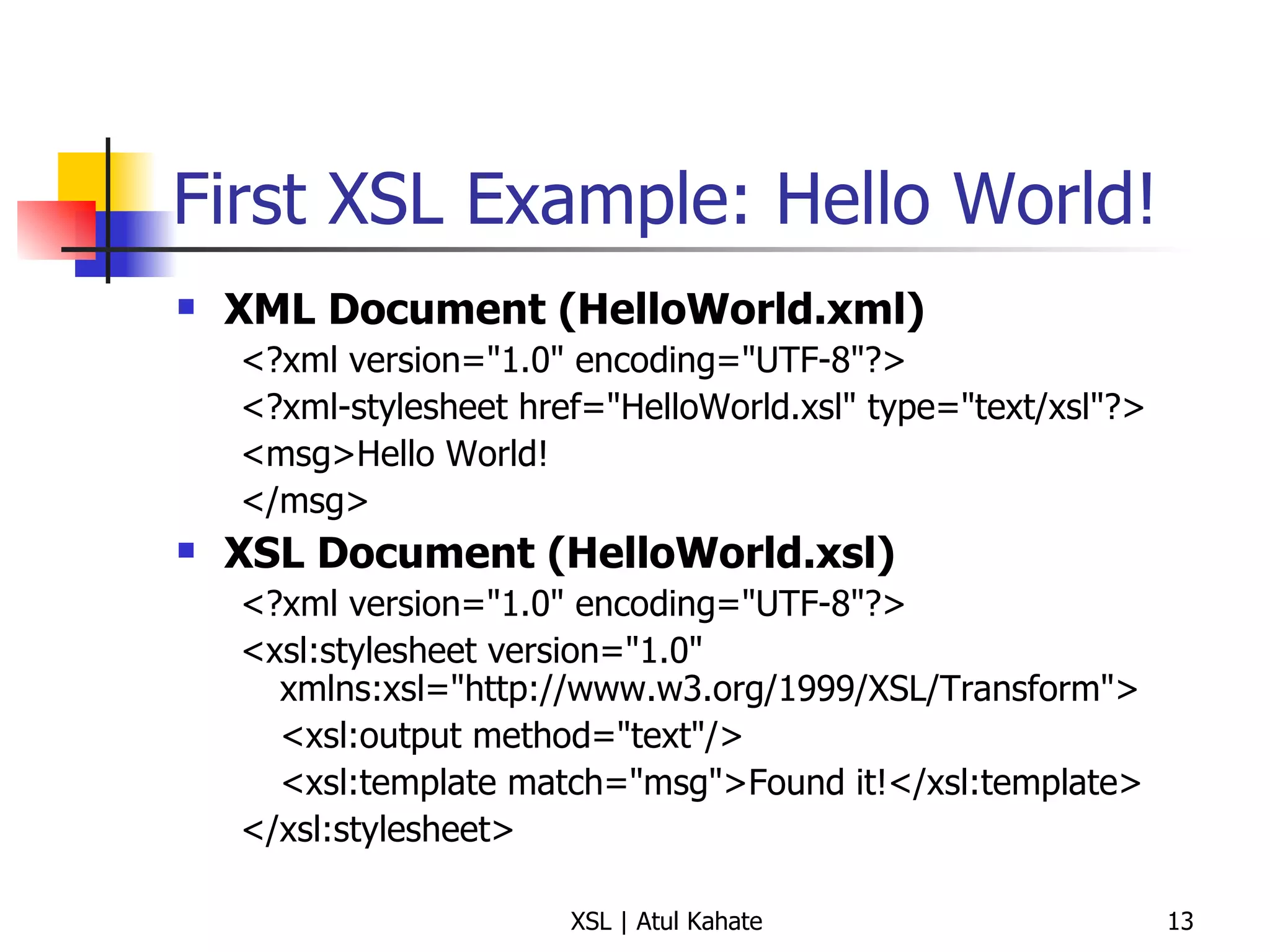
First XSL Example: Hello World! XML Document (HelloWorld.xml) <?xml version=&quot;1.0&quot; encoding=&quot;UTF-8&quot;?> <?xml-stylesheet href=&quot;HelloWorld.xsl&quot; type=&quot;text/xsl&quot;?> <msg>Hello World! </msg> XSL Document (HelloWorld.xsl) <?xml version=&quot;1.0&quot; encoding=&quot;UTF-8&quot;?> <xsl:stylesheet version=&quot;1.0&quot; xmlns:xsl=&quot;http://www.w3.org/1999/XSL/Transform&quot;> <xsl:output method=&quot;text&quot;/> <xsl:template match=&quot;msg&quot;>Found it!</xsl:template> </xsl:stylesheet>
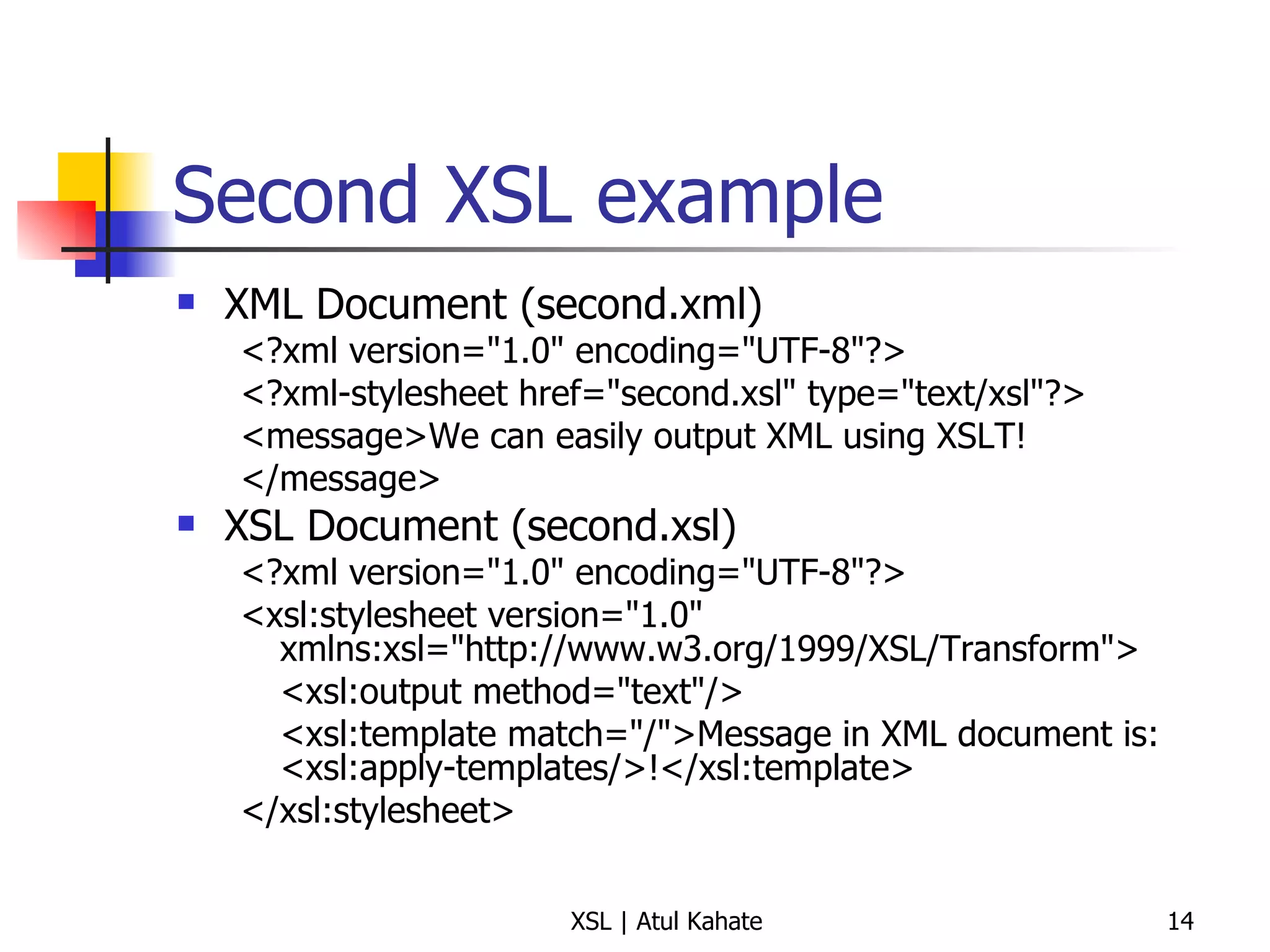
Second XSL example XML Document (second.xml) <?xml version=&quot;1.0&quot; encoding=&quot;UTF-8&quot;?> <?xml-stylesheet href=&quot;second.xsl&quot; type=&quot;text/xsl&quot;?> <message>We can easily output XML using XSLT! </message> XSL Document (second.xsl) <?xml version=&quot;1.0&quot; encoding=&quot;UTF-8&quot;?> <xsl:stylesheet version=&quot;1.0&quot; xmlns:xsl=&quot;http://www.w3.org/1999/XSL/Transform&quot;> <xsl:output method=&quot;text&quot;/> <xsl:template match=&quot;/&quot;>Message in XML document is: <xsl:apply-templates/>!</xsl:template> </xsl:stylesheet>
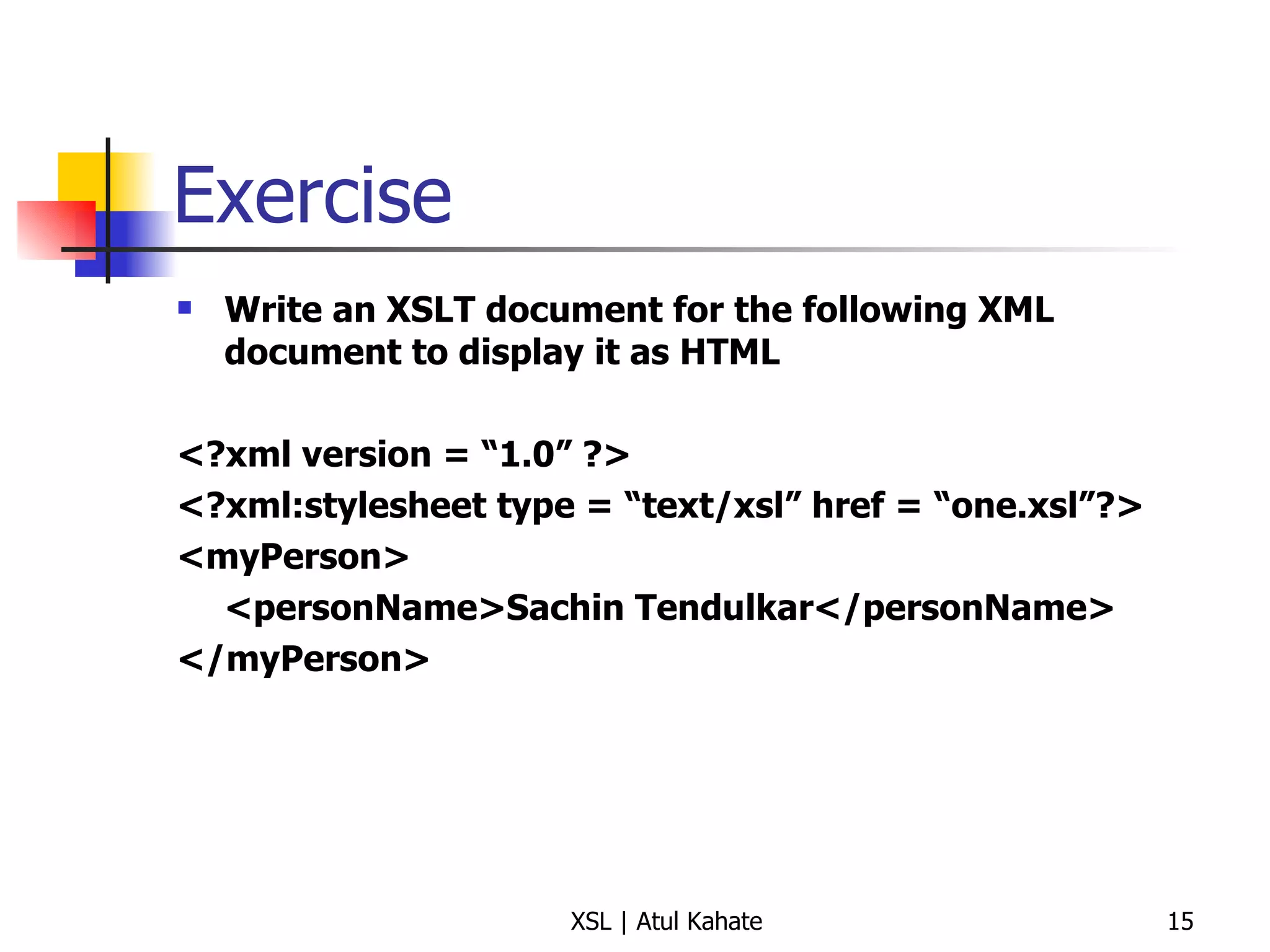
Exercise Write an XSLT document for the following XML document to display it as HTML <?xml version = “1.0” ?> <?xml:stylesheet type = “text/xsl” href = “one.xsl”?> <myPerson> <personName>Sachin Tendulkar</personName> </myPerson>
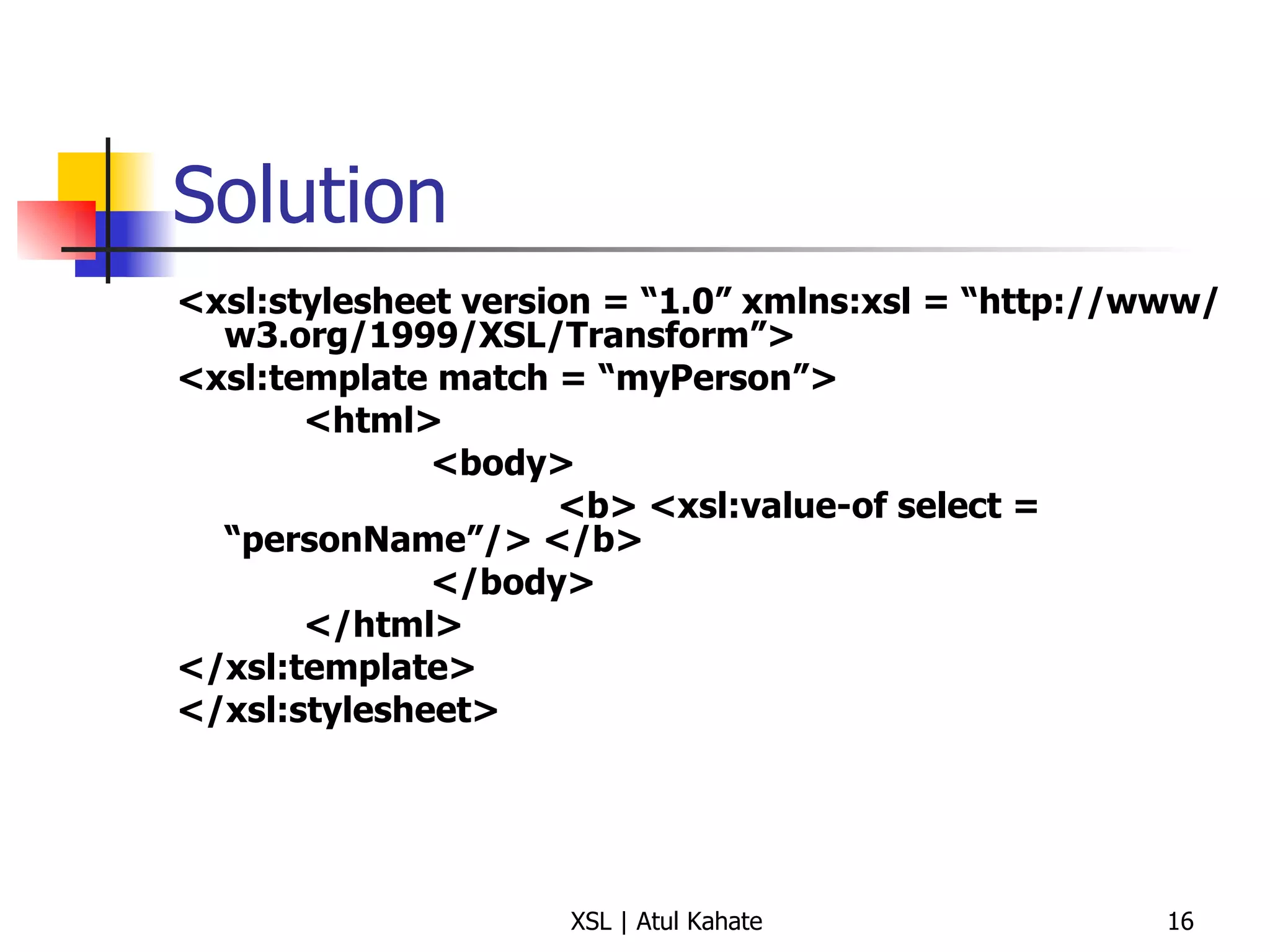
Solution <xsl:stylesheet version = “1.0” xmlns:xsl = “http://www/w3.org/1999/XSL/Transform”> <xsl:template match = “myPerson”> <html> <body> <b> <xsl:value-of select = “personName”/> </b> </body> </html> </xsl:template> </xsl:stylesheet>
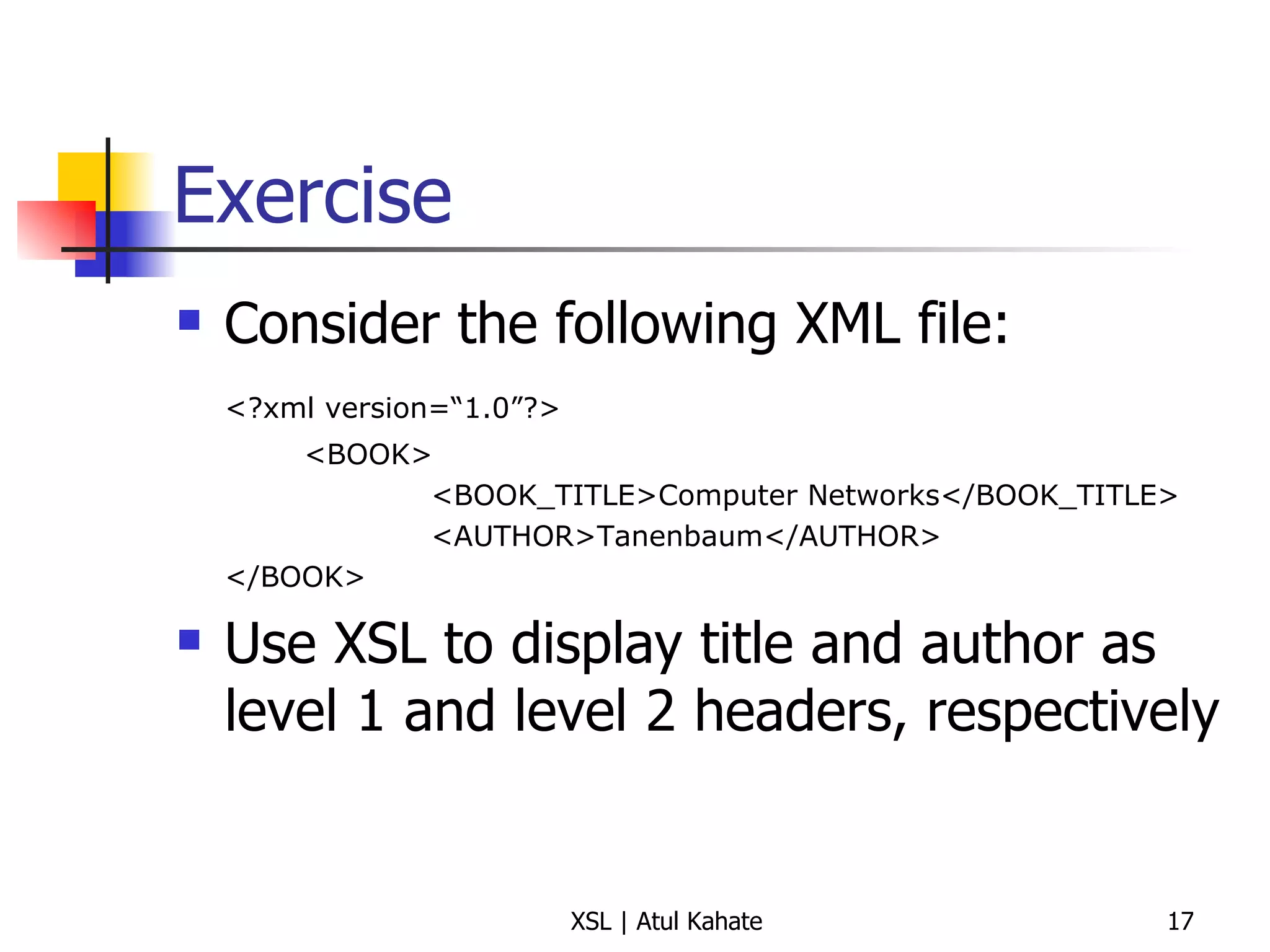
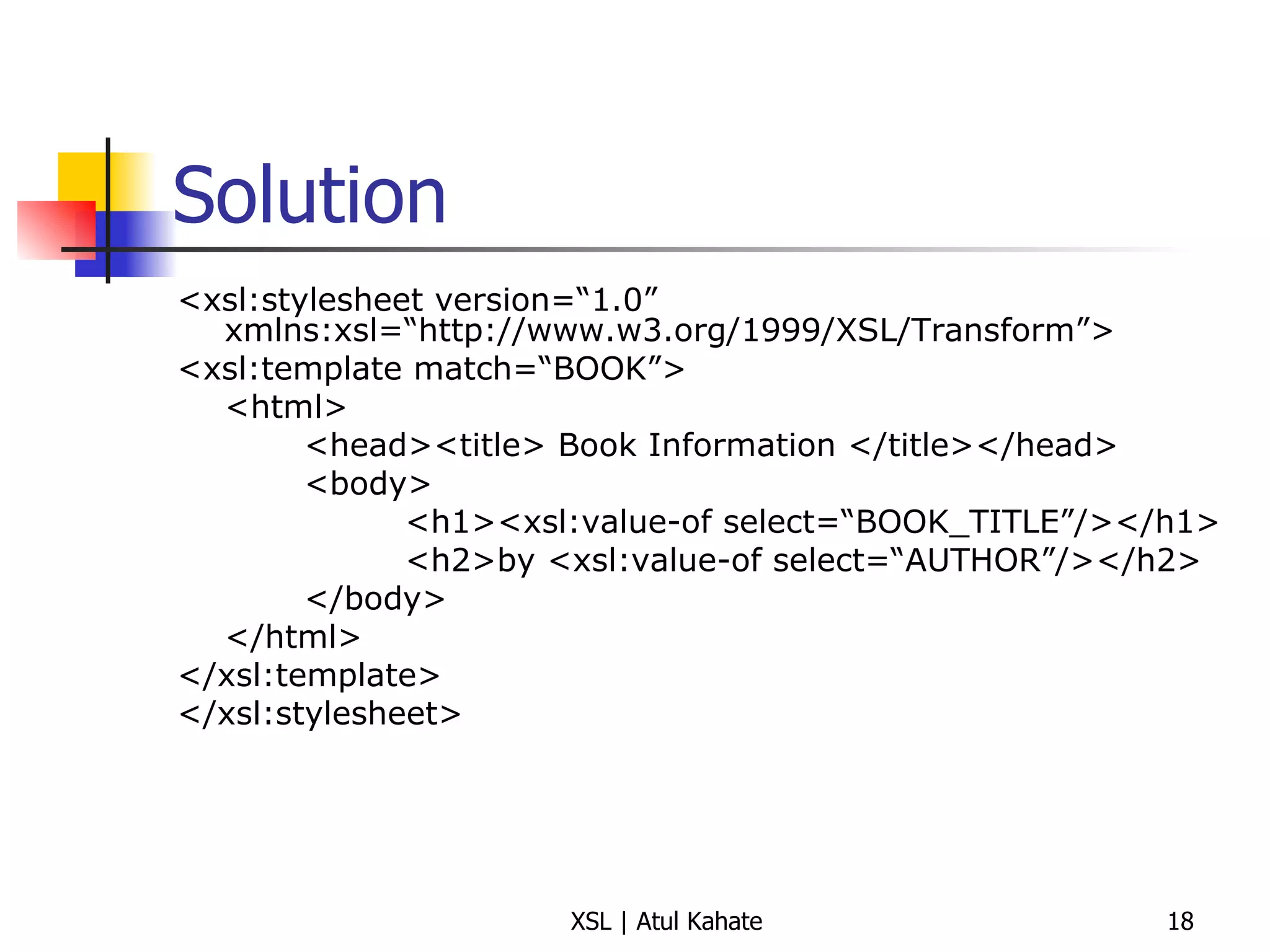
Exercise Consider the following XML file: <?xml version=“1.0”?> <BOOK> <BOOK_TITLE>Computer Networks</BOOK_TITLE> <AUTHOR>Tanenbaum</AUTHOR> </BOOK> Use XSL to display title and author as level 1 and level 2 headers, respectively
Solution <xsl:stylesheet version=“1.0” xmlns:xsl=“http://www.w3.org/1999/XSL/Transform”> <xsl:template match=“BOOK”> <html> <head><title> Book Information </title></head> <body>   <h1><xsl:value-of select=“BOOK_TITLE”/></h1>   <h2>by <xsl:value-of select=“AUTHOR”/></h2> </body> </html> </xsl:template> </xsl:stylesheet>
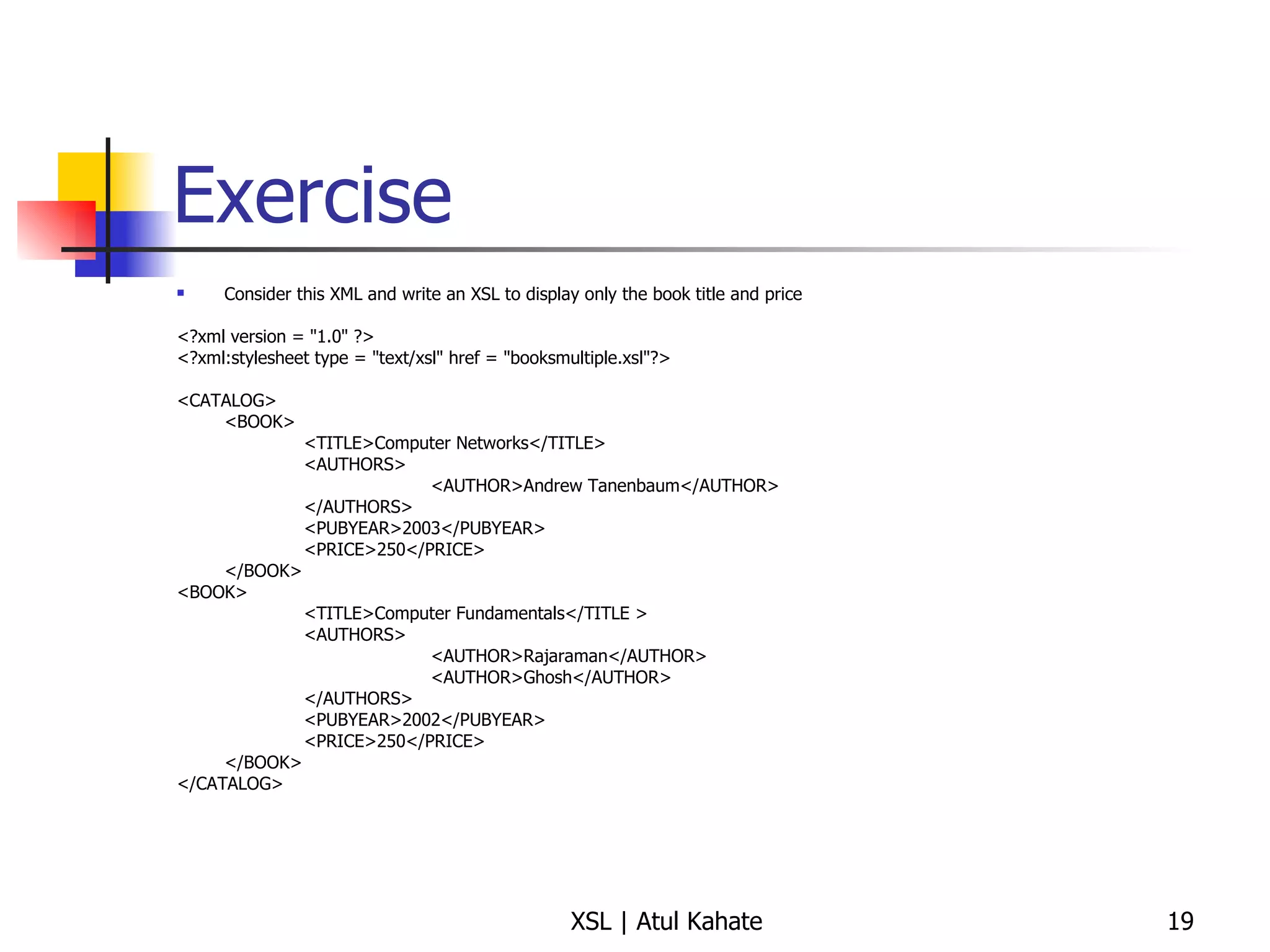
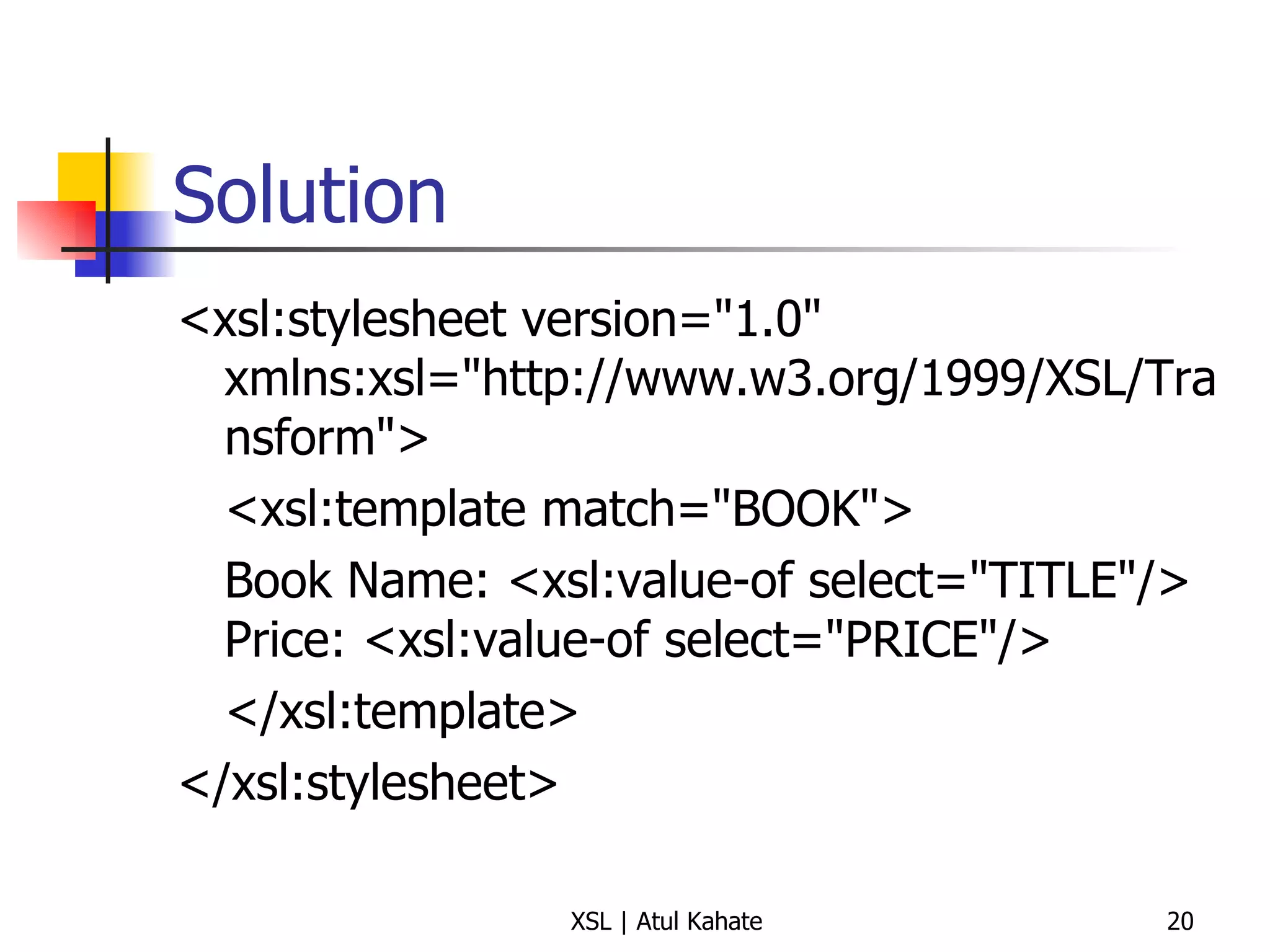
Exercise Consider this XML and write an XSL to display only the book title and price <?xml version = &quot;1.0&quot; ?> <?xml:stylesheet type = &quot;text/xsl&quot; href = &quot;booksmultiple.xsl&quot;?> <CATALOG> <BOOK> <TITLE>Computer Networks</TITLE> <AUTHORS> <AUTHOR>Andrew Tanenbaum</AUTHOR> </AUTHORS> <PUBYEAR>2003</PUBYEAR> <PRICE>250</PRICE> </BOOK> <BOOK> <TITLE>Computer Fundamentals</TITLE > <AUTHORS> <AUTHOR>Rajaraman</AUTHOR> <AUTHOR>Ghosh</AUTHOR> </AUTHORS> <PUBYEAR>2002</PUBYEAR> <PRICE>250</PRICE> </BOOK> </CATALOG>
Solution <xsl:stylesheet version=&quot;1.0&quot; xmlns:xsl=&quot;http://www.w3.org/1999/XSL/Transform&quot;> <xsl:template match=&quot;BOOK&quot;> Book Name: <xsl:value-of select=&quot;TITLE&quot;/> Price: <xsl:value-of select=&quot;PRICE&quot;/> </xsl:template> </xsl:stylesheet>
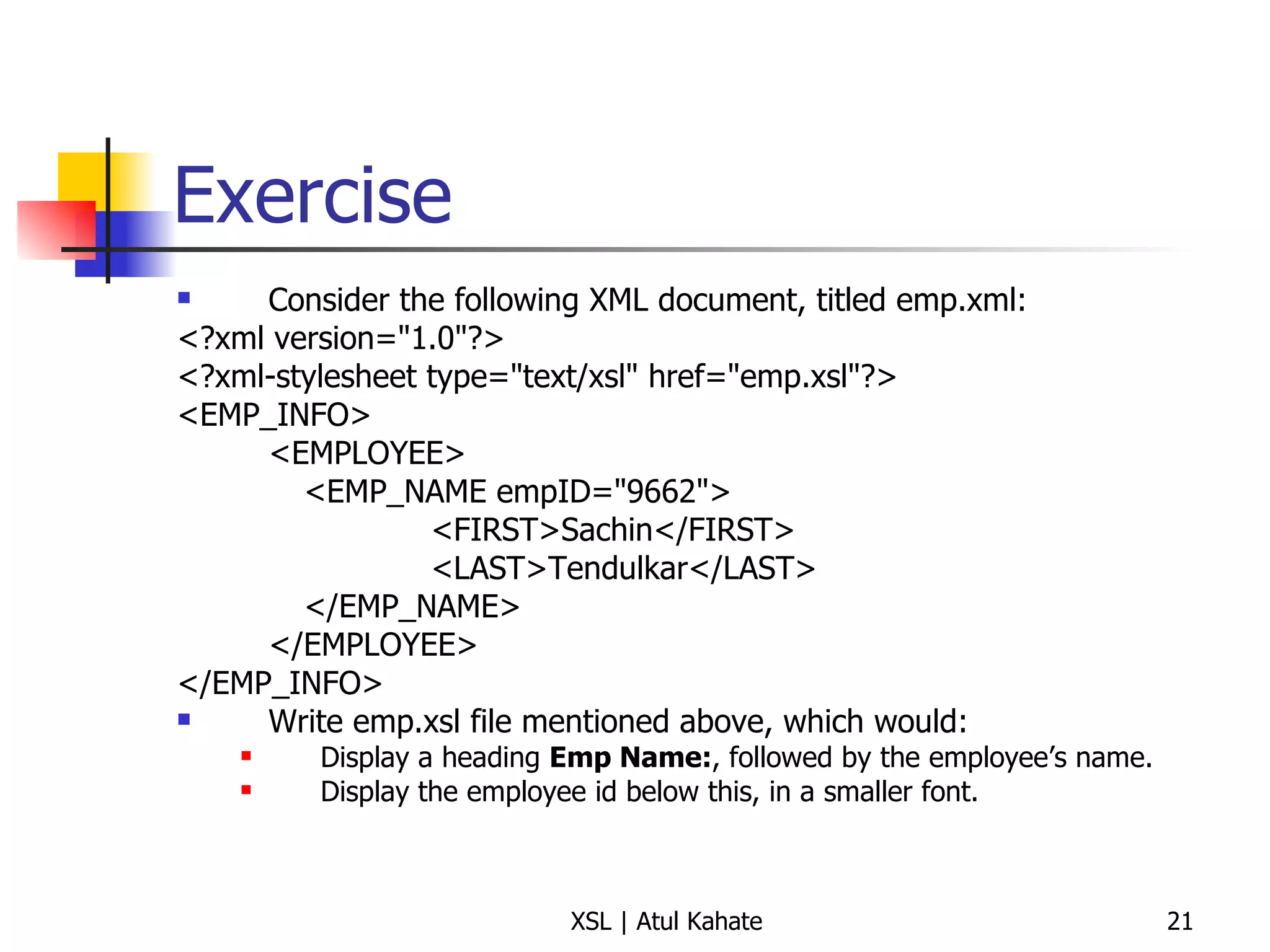
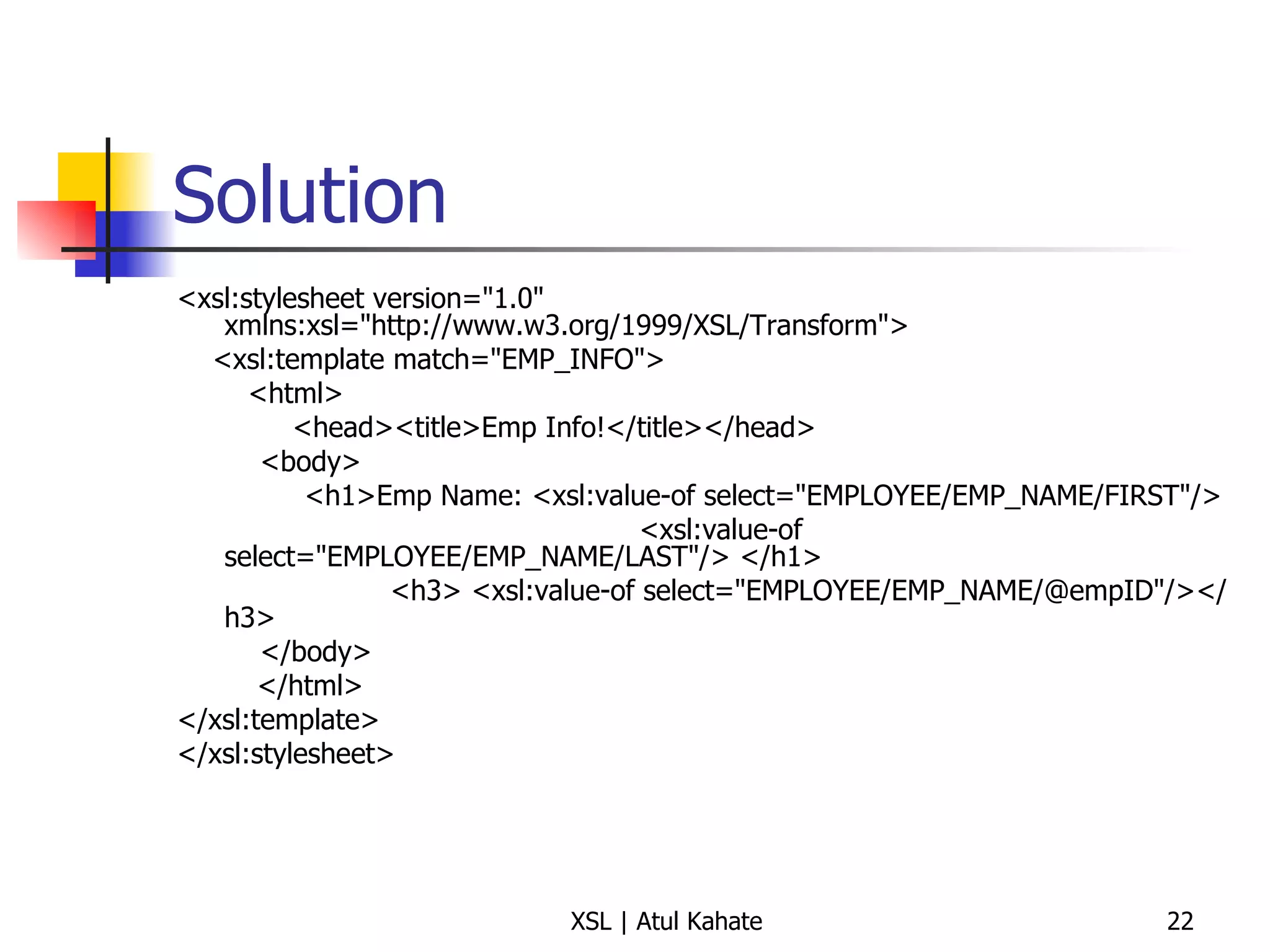
Exercise Consider the following XML document, titled emp.xml: <?xml version=&quot;1.0&quot;?> <?xml-stylesheet type=&quot;text/xsl&quot; href=&quot;emp.xsl&quot;?> <EMP_INFO> <EMPLOYEE> <EMP_NAME empID=&quot;9662&quot;> <FIRST>Sachin</FIRST> <LAST>Tendulkar</LAST> </EMP_NAME> </EMPLOYEE> </EMP_INFO> Write emp.xsl file mentioned above, which would:  Display a heading  Emp Name: , followed by the employee’s name. Display the employee id below this, in a smaller font.
Solution <xsl:stylesheet version=&quot;1.0&quot; xmlns:xsl=&quot;http://www.w3.org/1999/XSL/Transform&quot;> <xsl:template match=&quot;EMP_INFO&quot;> <html> <head><title>Emp Info!</title></head>   <body>   <h1>Emp Name: <xsl:value-of select=&quot;EMPLOYEE/EMP_NAME/FIRST&quot;/>  <xsl:value-of select=&quot;EMPLOYEE/EMP_NAME/LAST&quot;/> </h1> <h3> <xsl:value-of select=&quot;EMPLOYEE/EMP_NAME/@empID&quot;/></h3>    </body> </html> </xsl:template> </xsl:stylesheet>
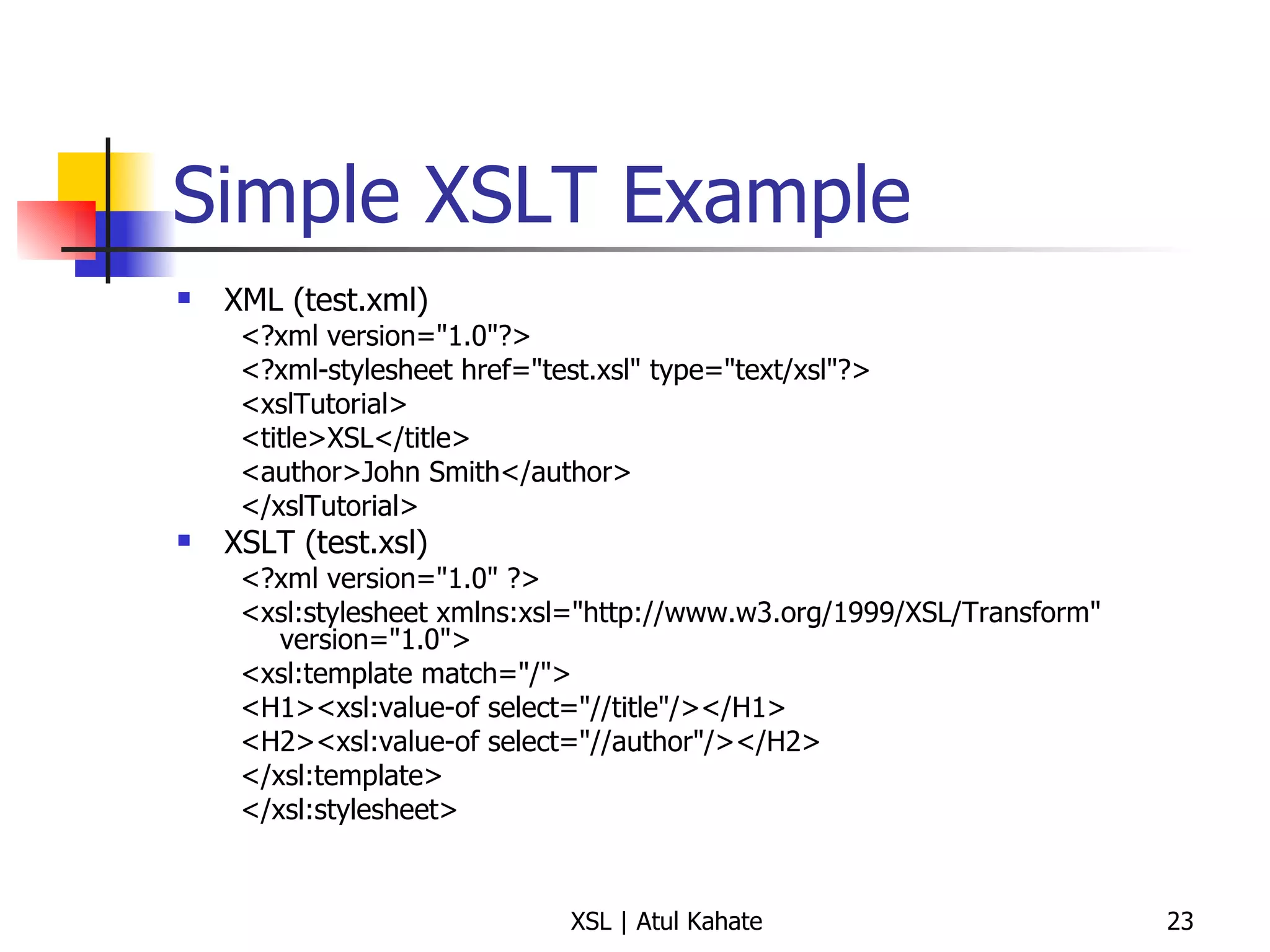
Simple XSLT Example XML (test.xml) <?xml version=&quot;1.0&quot;?> <?xml-stylesheet href=&quot;test.xsl&quot; type=&quot;text/xsl&quot;?> <xslTutorial>  <title>XSL</title>  <author>John Smith</author>  </xslTutorial>  XSLT (test.xsl) <?xml version=&quot;1.0&quot; ?> <xsl:stylesheet xmlns:xsl=&quot;http://www.w3.org/1999/XSL/Transform&quot; version=&quot;1.0&quot;> <xsl:template match=&quot;/&quot;>  <H1><xsl:value-of select=&quot;//title&quot;/></H1>  <H2><xsl:value-of select=&quot;//author&quot;/></H2>  </xsl:template>  </xsl:stylesheet>
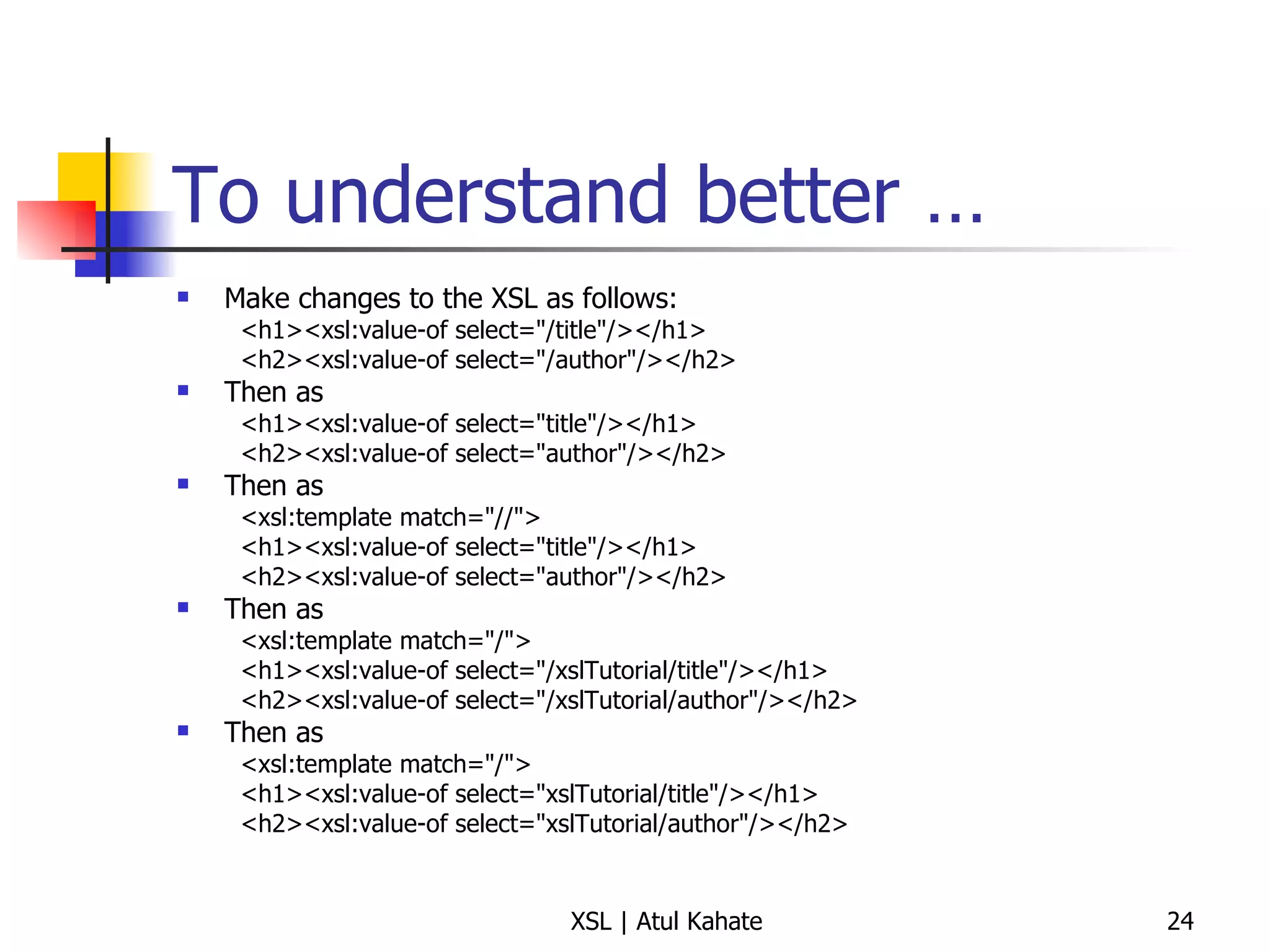
To understand better … Make changes to the XSL as follows: <h1><xsl:value-of select=&quot;/title&quot;/></h1>  <h2><xsl:value-of select=&quot;/author&quot;/></h2>  Then as <h1><xsl:value-of select=&quot;title&quot;/></h1>  <h2><xsl:value-of select=&quot;author&quot;/></h2>  Then as <xsl:template match=&quot;//&quot;>  <h1><xsl:value-of select=&quot;title&quot;/></h1>  <h2><xsl:value-of select=&quot;author&quot;/></h2>  Then as <xsl:template match=&quot;/&quot;>  <h1><xsl:value-of select=&quot;/xslTutorial/title&quot;/></h1>  <h2><xsl:value-of select=&quot;/xslTutorial/author&quot;/></h2>  Then as <xsl:template match=&quot;/&quot;>  <h1><xsl:value-of select=&quot;xslTutorial/title&quot;/></h1>  <h2><xsl:value-of select=&quot;xslTutorial/author&quot;/></h2>
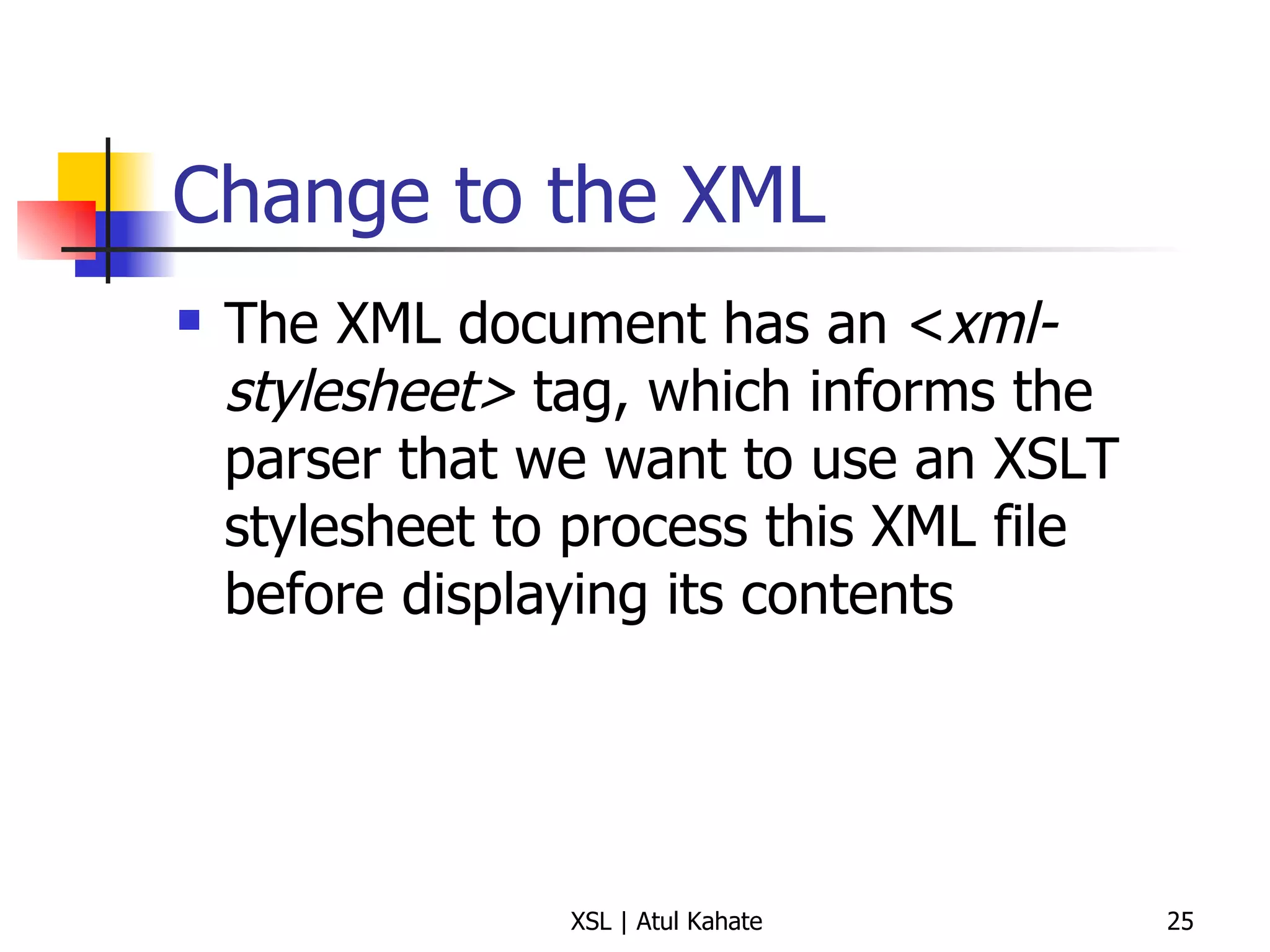
Change to the XML The XML document has an < xml-stylesheet>  tag, which informs the parser that we want to use an XSLT stylesheet to process this XML file before displaying its contents
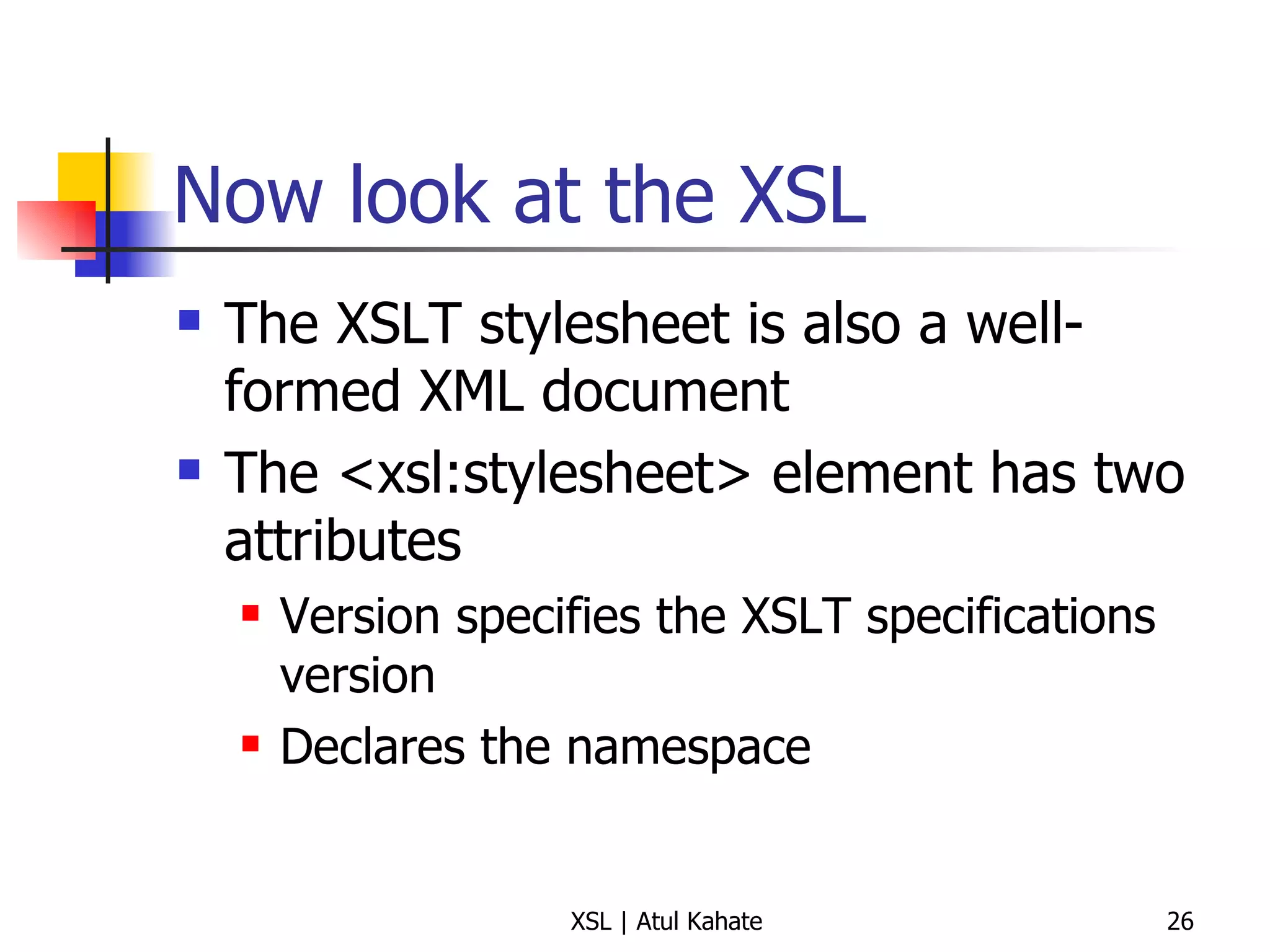
Now look at the XSL The XSLT stylesheet is also a well-formed XML document The <xsl:stylesheet> element has two attributes Version specifies the XSLT specifications version Declares the namespace
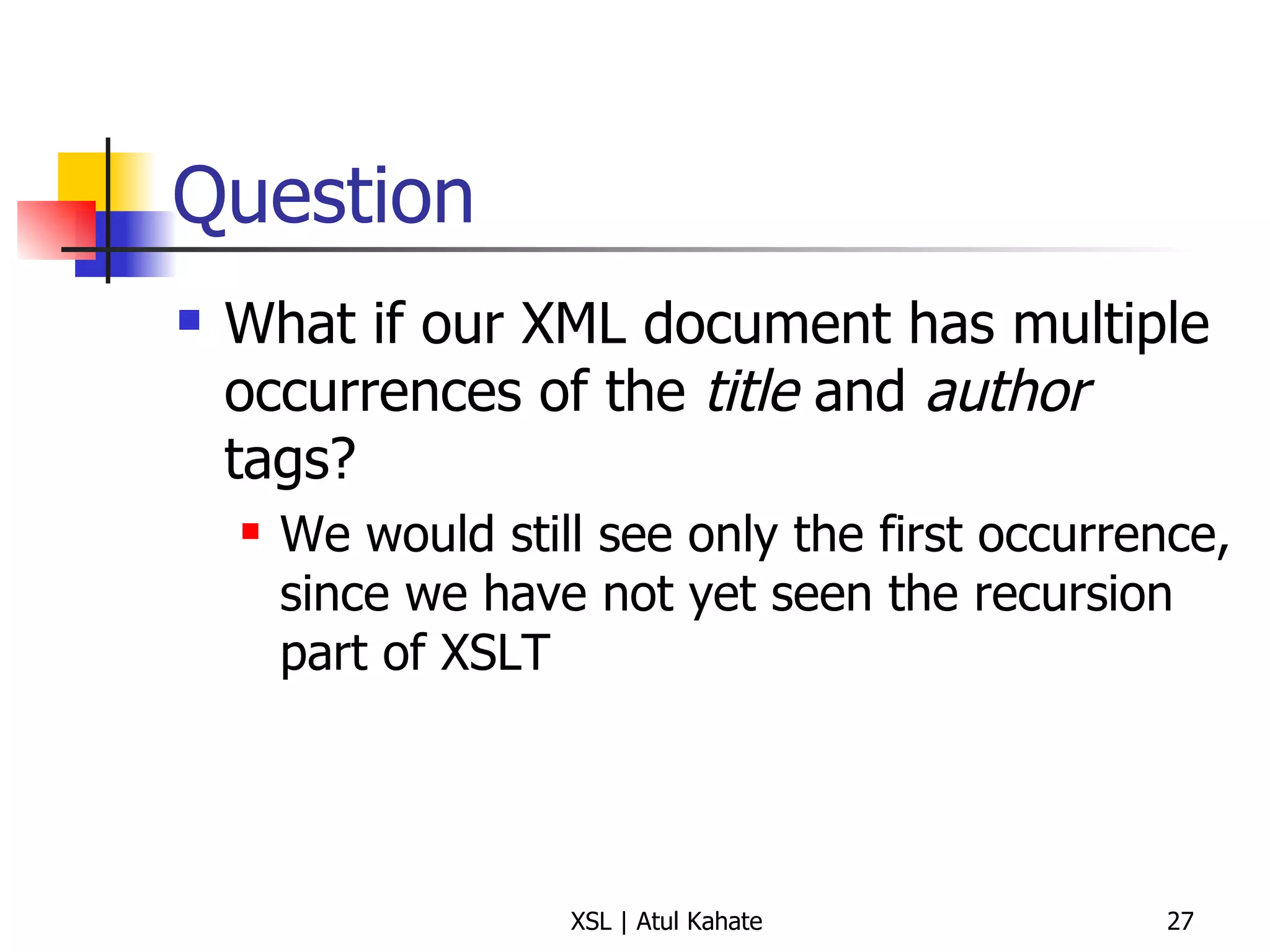
Question What if our XML document has multiple occurrences of the  title  and  author  tags? We would still see only the first occurrence, since we have not yet seen the recursion part of XSLT
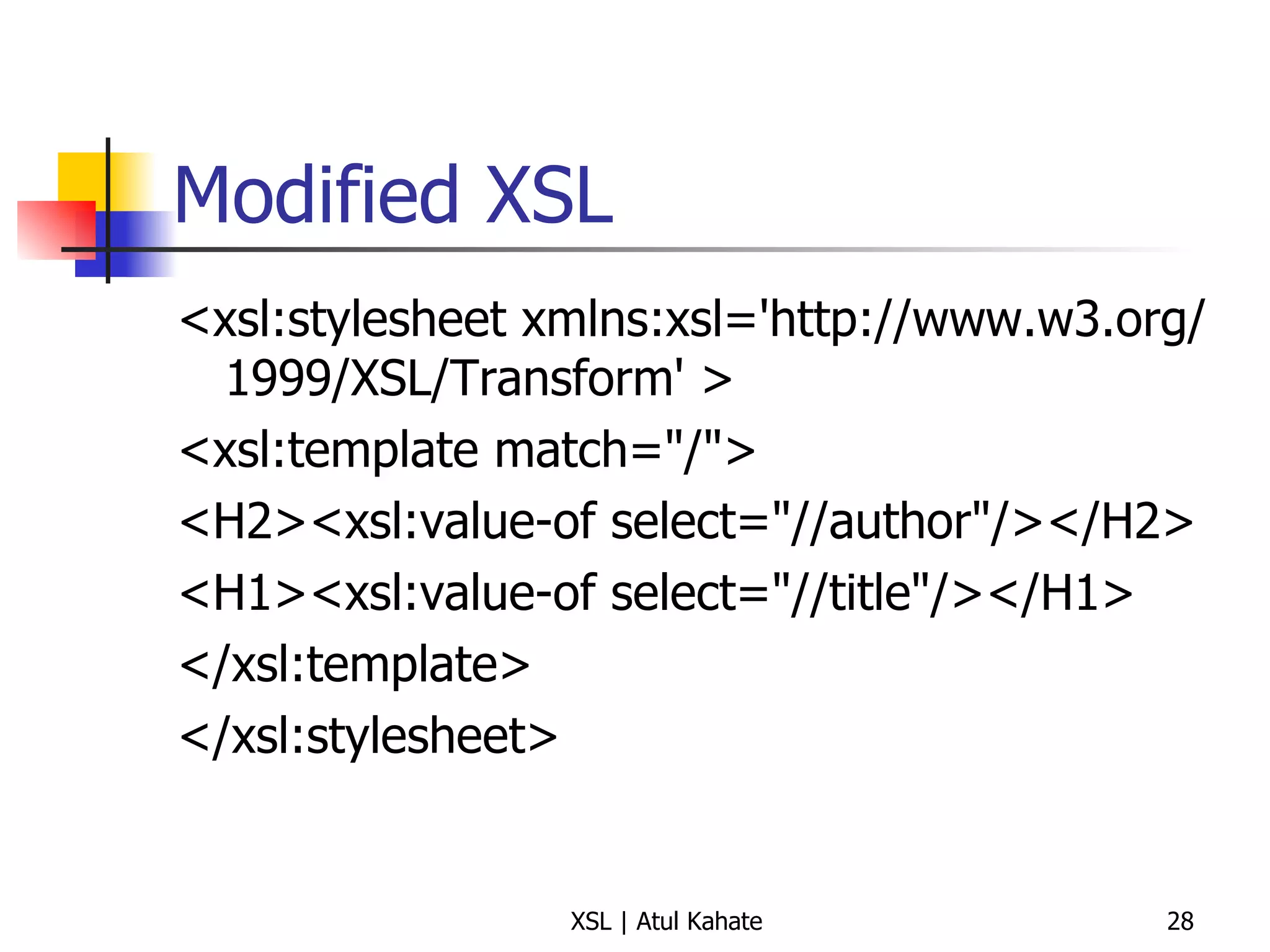
Modified XSL <xsl:stylesheet xmlns:xsl='http://www.w3.org/1999/XSL/Transform' >  <xsl:template match=&quot;/&quot;>  <H2><xsl:value-of select=&quot;//author&quot;/></H2>  <H1><xsl:value-of select=&quot;//title&quot;/></H1>  </xsl:template>  </xsl:stylesheet>
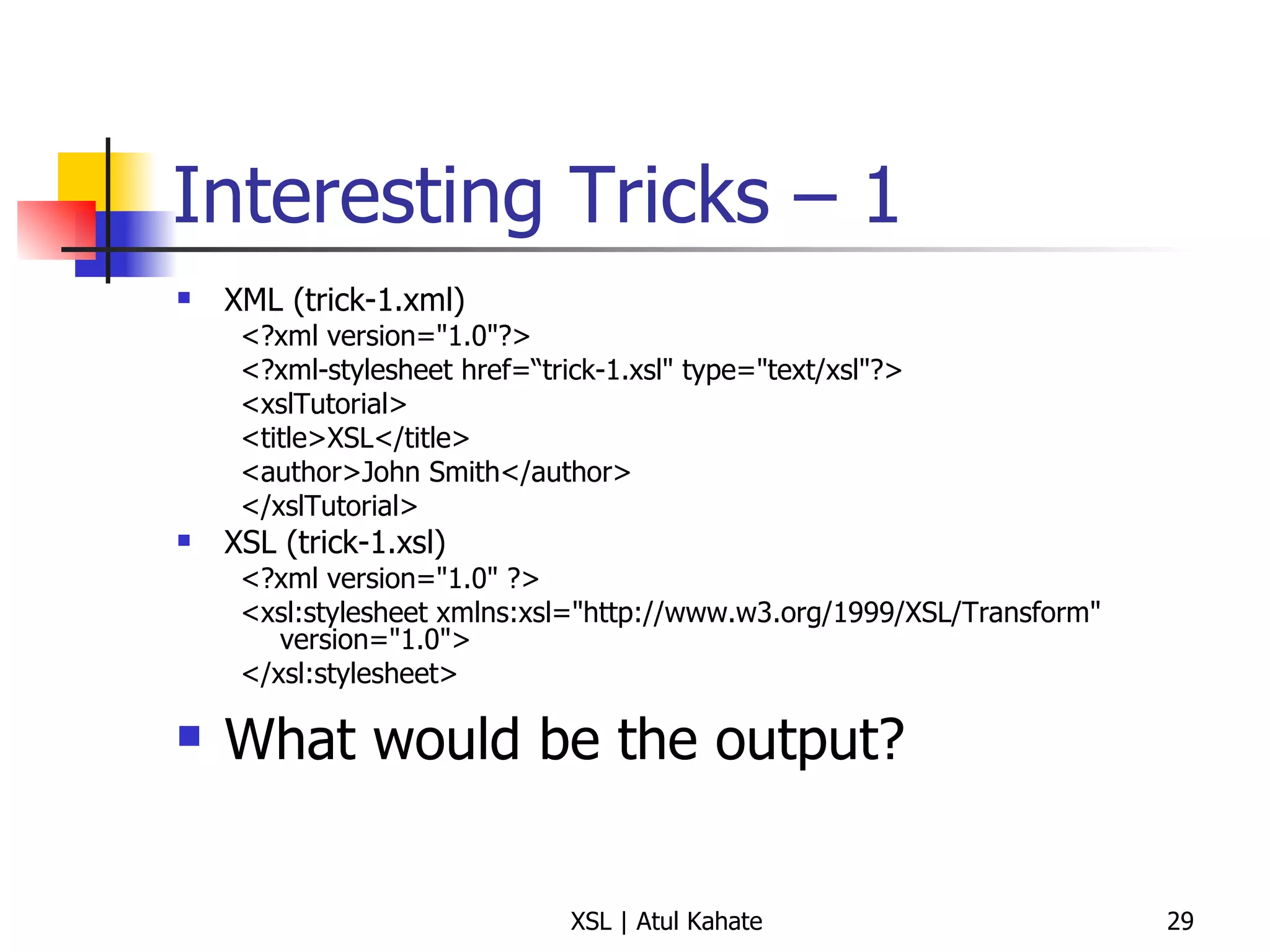
Interesting Tricks – 1 XML (trick-1.xml) <?xml version=&quot;1.0&quot;?> <?xml-stylesheet href=“trick-1.xsl&quot; type=&quot;text/xsl&quot;?> <xslTutorial>  <title>XSL</title>  <author>John Smith</author>  </xslTutorial>  XSL (trick-1.xsl) <?xml version=&quot;1.0&quot; ?> <xsl:stylesheet xmlns:xsl=&quot;http://www.w3.org/1999/XSL/Transform&quot; version=&quot;1.0&quot;> </xsl:stylesheet>  What would be the output?
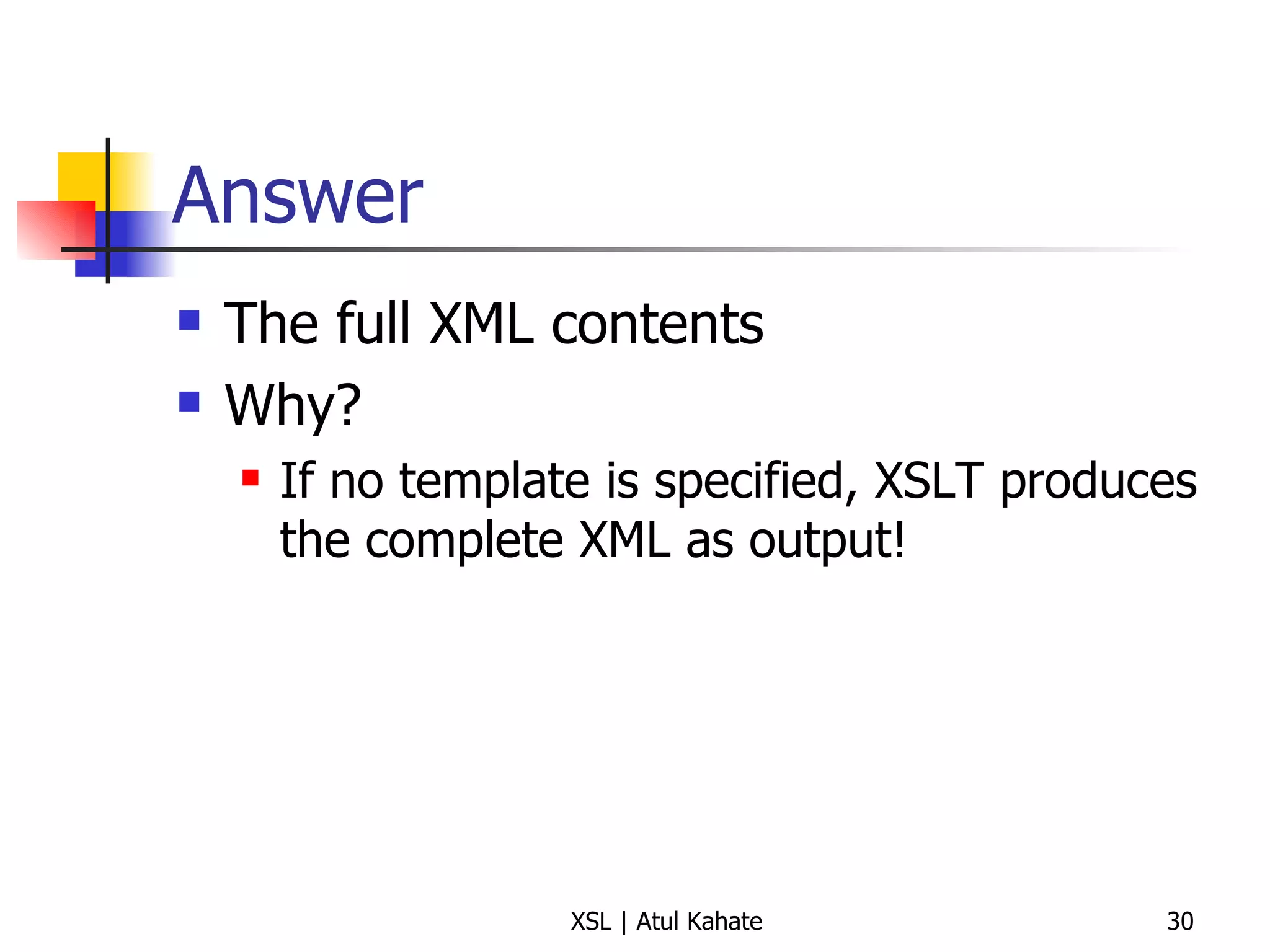
Answer The full XML contents Why? If no template is specified, XSLT produces the complete XML as output!
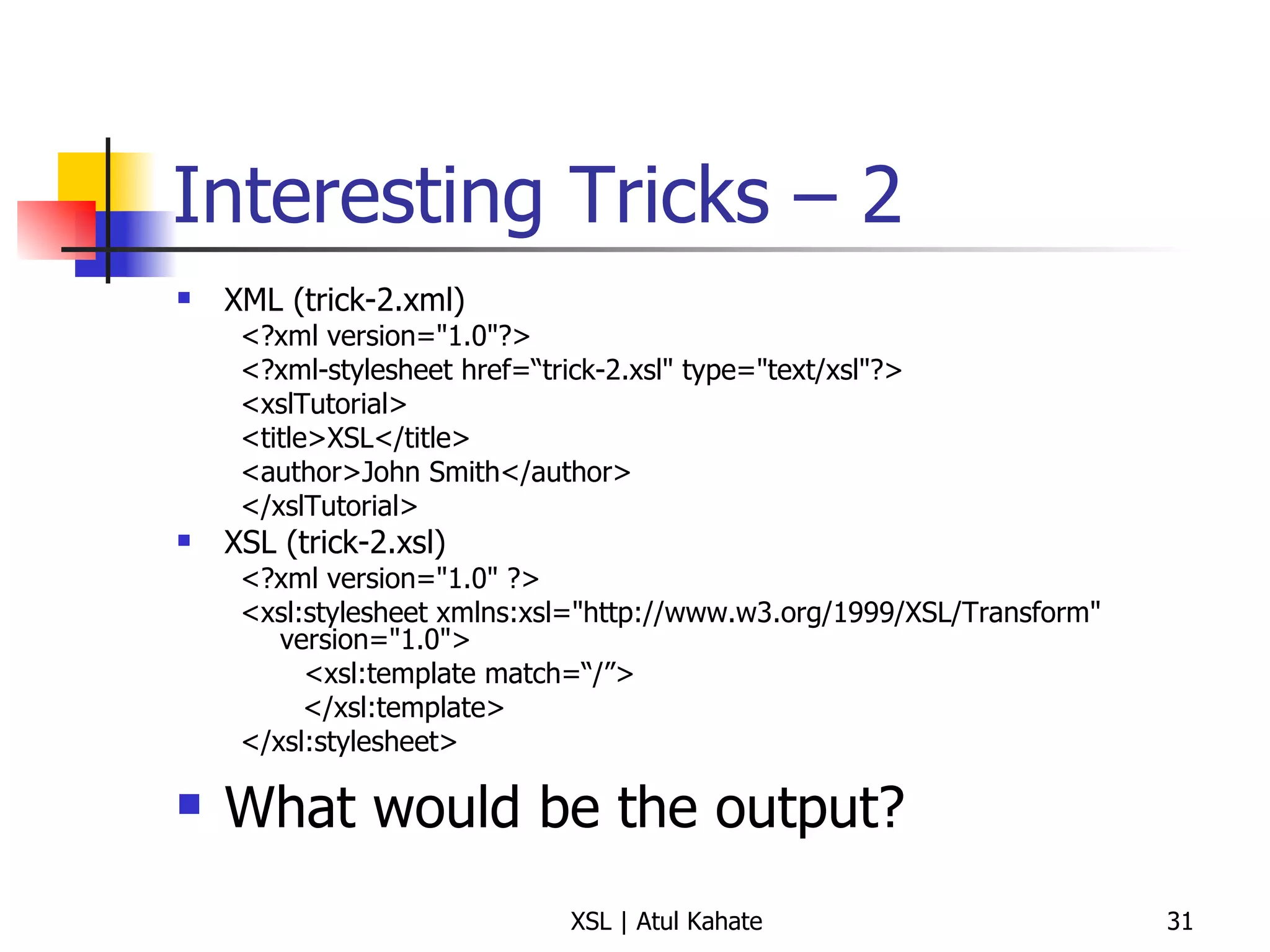
Interesting Tricks – 2 XML (trick-2.xml) <?xml version=&quot;1.0&quot;?> <?xml-stylesheet href=“trick-2.xsl&quot; type=&quot;text/xsl&quot;?> <xslTutorial>  <title>XSL</title>  <author>John Smith</author>  </xslTutorial>  XSL (trick-2.xsl) <?xml version=&quot;1.0&quot; ?> <xsl:stylesheet xmlns:xsl=&quot;http://www.w3.org/1999/XSL/Transform&quot; version=&quot;1.0&quot;> <xsl:template match=“/”> </xsl:template> </xsl:stylesheet>  What would be the output?
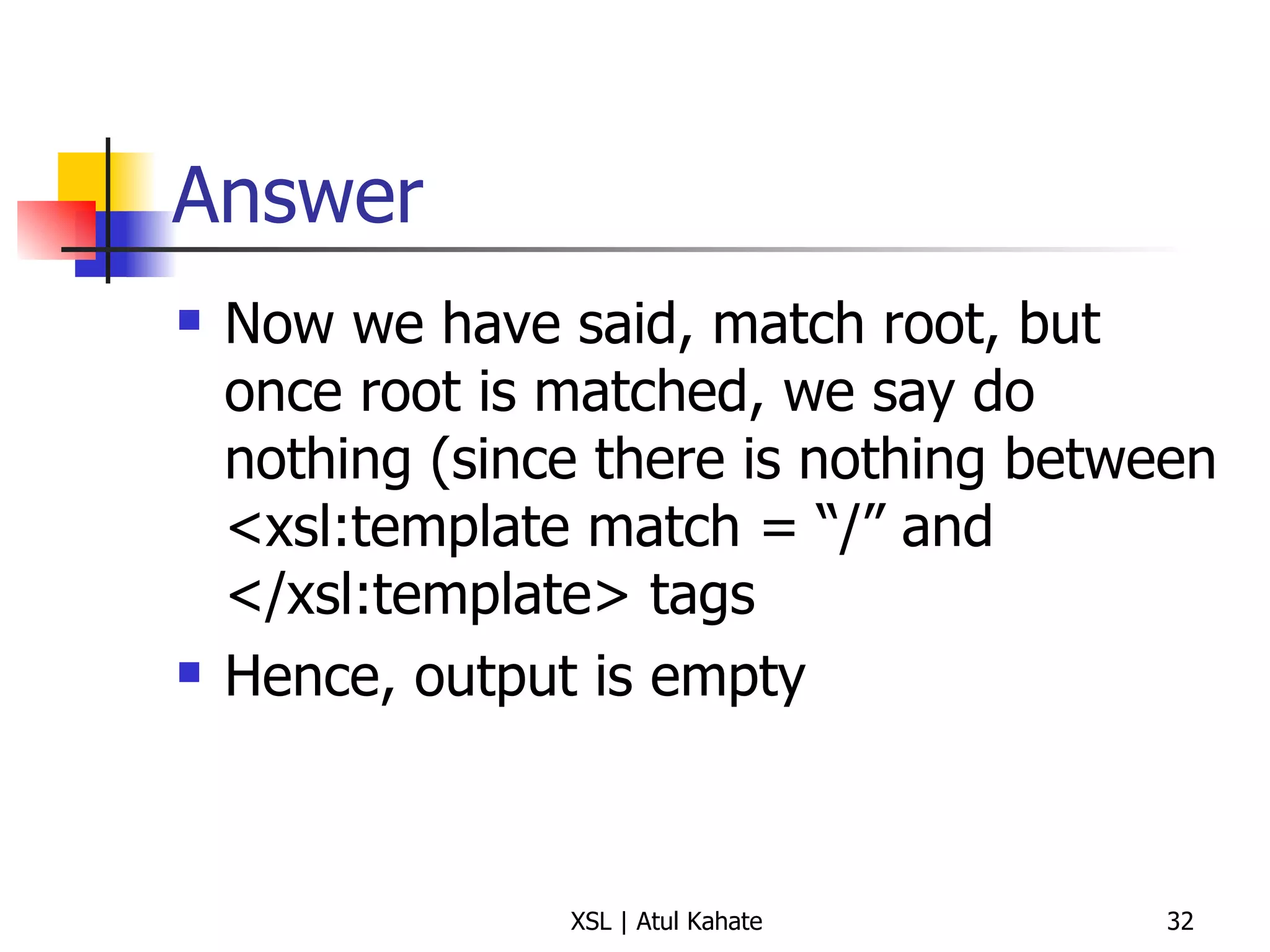
Answer Now we have said, match root, but once root is matched, we say do nothing (since there is nothing between <xsl:template match = “/” and </xsl:template> tags Hence, output is empty
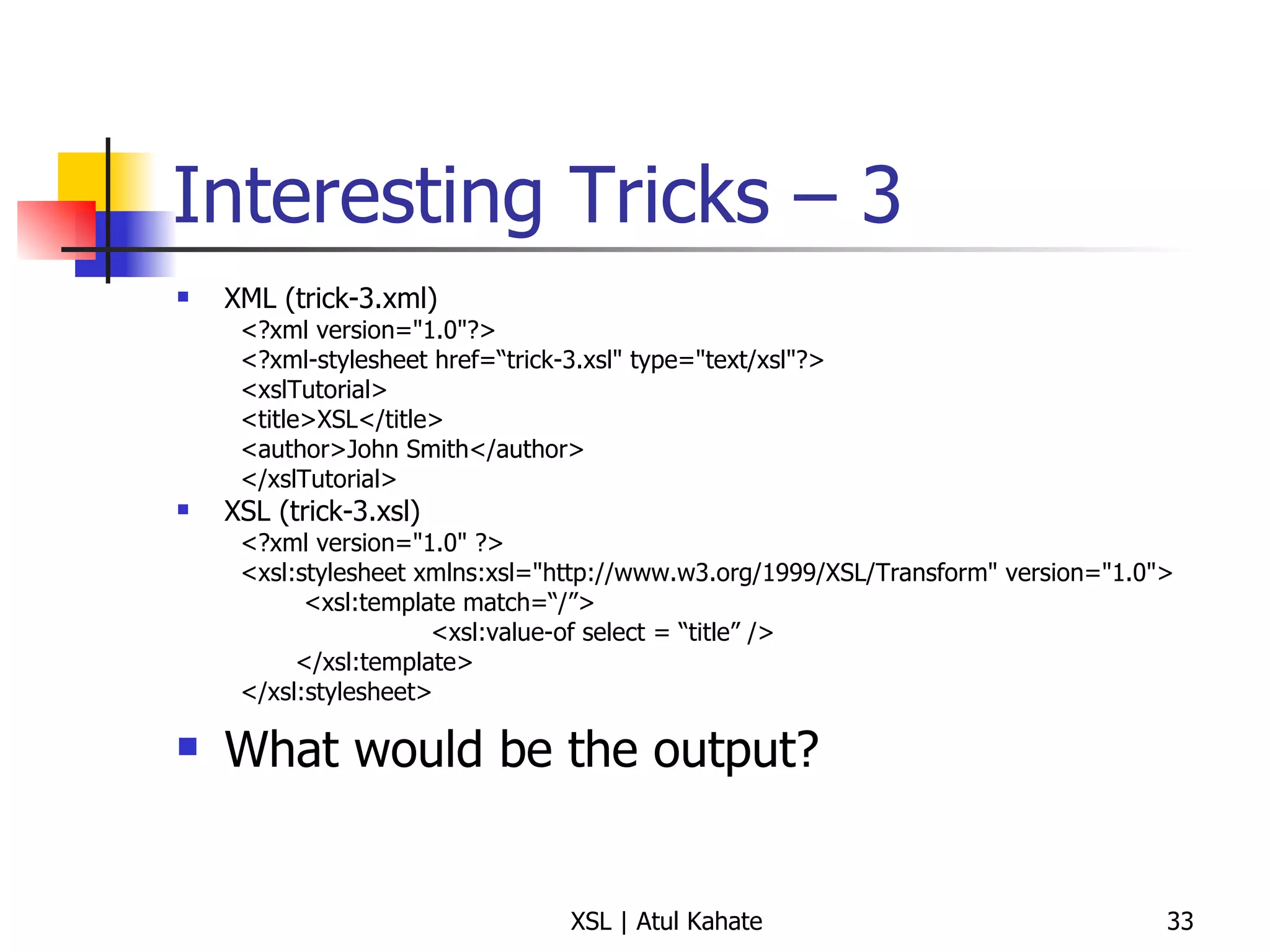
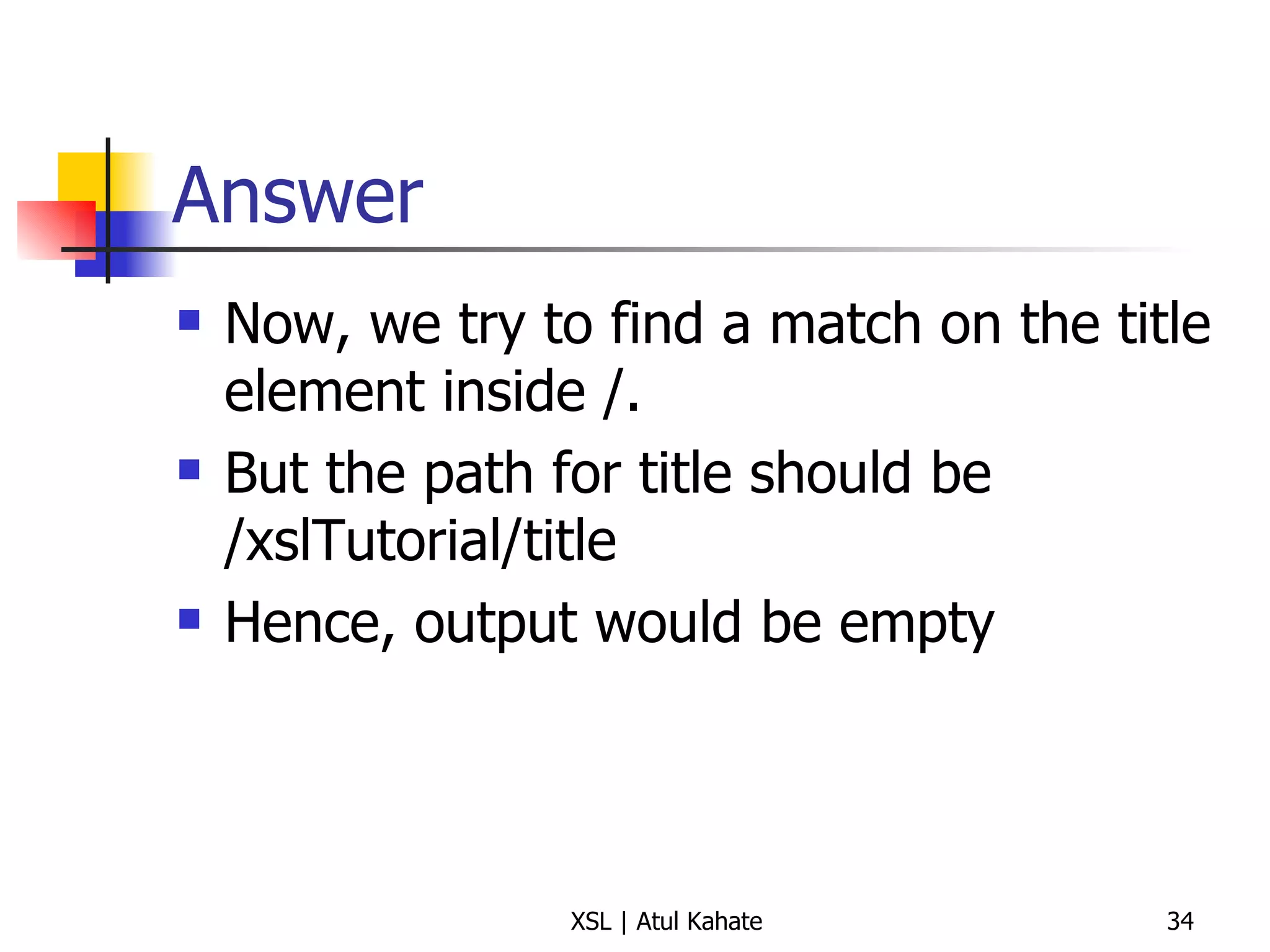
Interesting Tricks – 3 XML (trick-3.xml) <?xml version=&quot;1.0&quot;?> <?xml-stylesheet href=“trick-3.xsl&quot; type=&quot;text/xsl&quot;?> <xslTutorial>  <title>XSL</title>  <author>John Smith</author>  </xslTutorial>  XSL (trick-3.xsl) <?xml version=&quot;1.0&quot; ?> <xsl:stylesheet xmlns:xsl=&quot;http://www.w3.org/1999/XSL/Transform&quot; version=&quot;1.0&quot;> <xsl:template match=“/”> <xsl:value-of select = “title” /> </xsl:template> </xsl:stylesheet>  What would be the output?
Answer Now, we try to find a match on the title element inside /. But the path for title should be /xslTutorial/title Hence, output would be empty
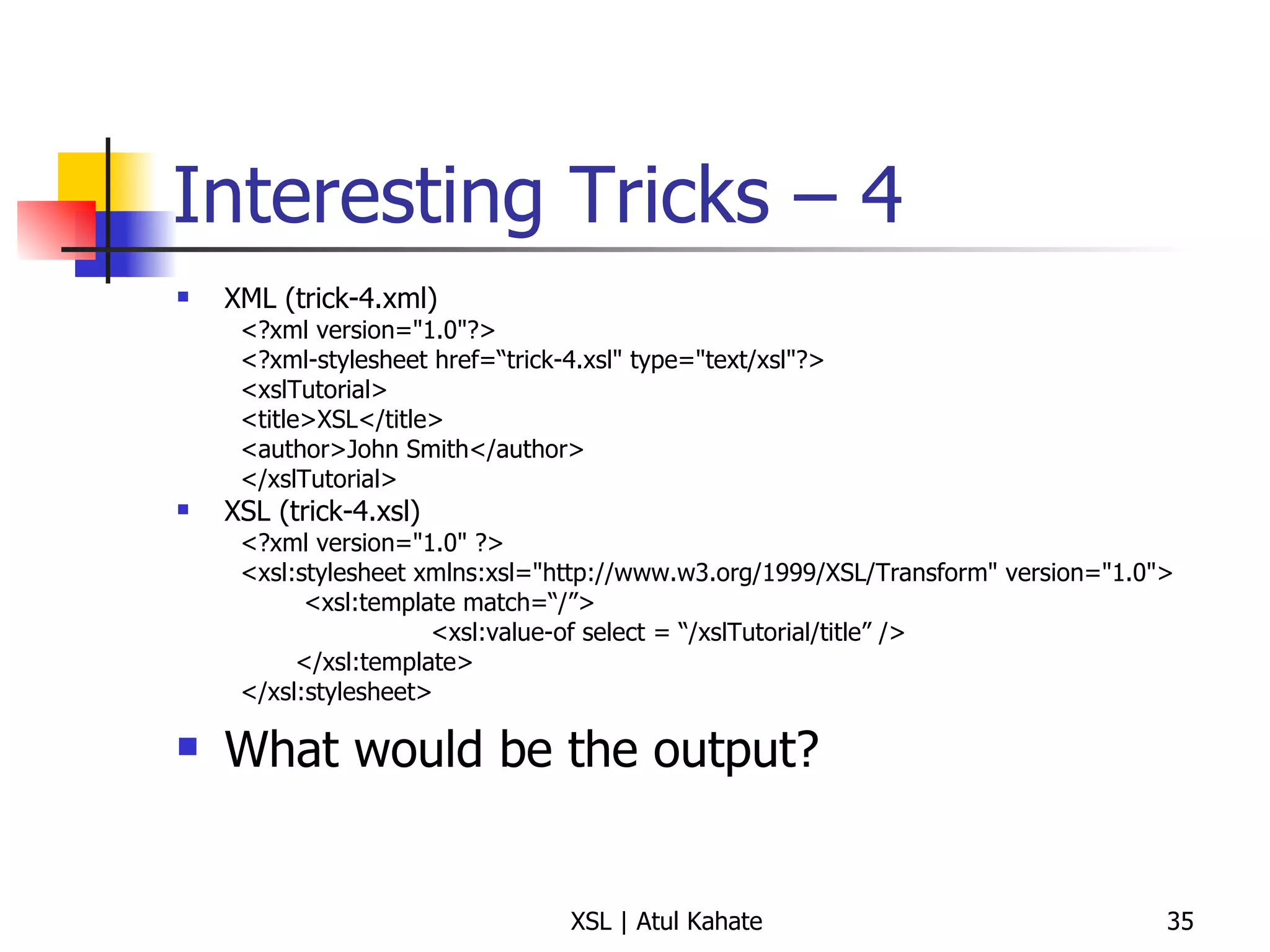
Interesting Tricks – 4 XML (trick-4.xml) <?xml version=&quot;1.0&quot;?> <?xml-stylesheet href=“trick-4.xsl&quot; type=&quot;text/xsl&quot;?> <xslTutorial>  <title>XSL</title>  <author>John Smith</author>  </xslTutorial>  XSL (trick-4.xsl) <?xml version=&quot;1.0&quot; ?> <xsl:stylesheet xmlns:xsl=&quot;http://www.w3.org/1999/XSL/Transform&quot; version=&quot;1.0&quot;> <xsl:template match=“/”> <xsl:value-of select = “/xslTutorial/title” /> </xsl:template> </xsl:stylesheet>  What would be the output?
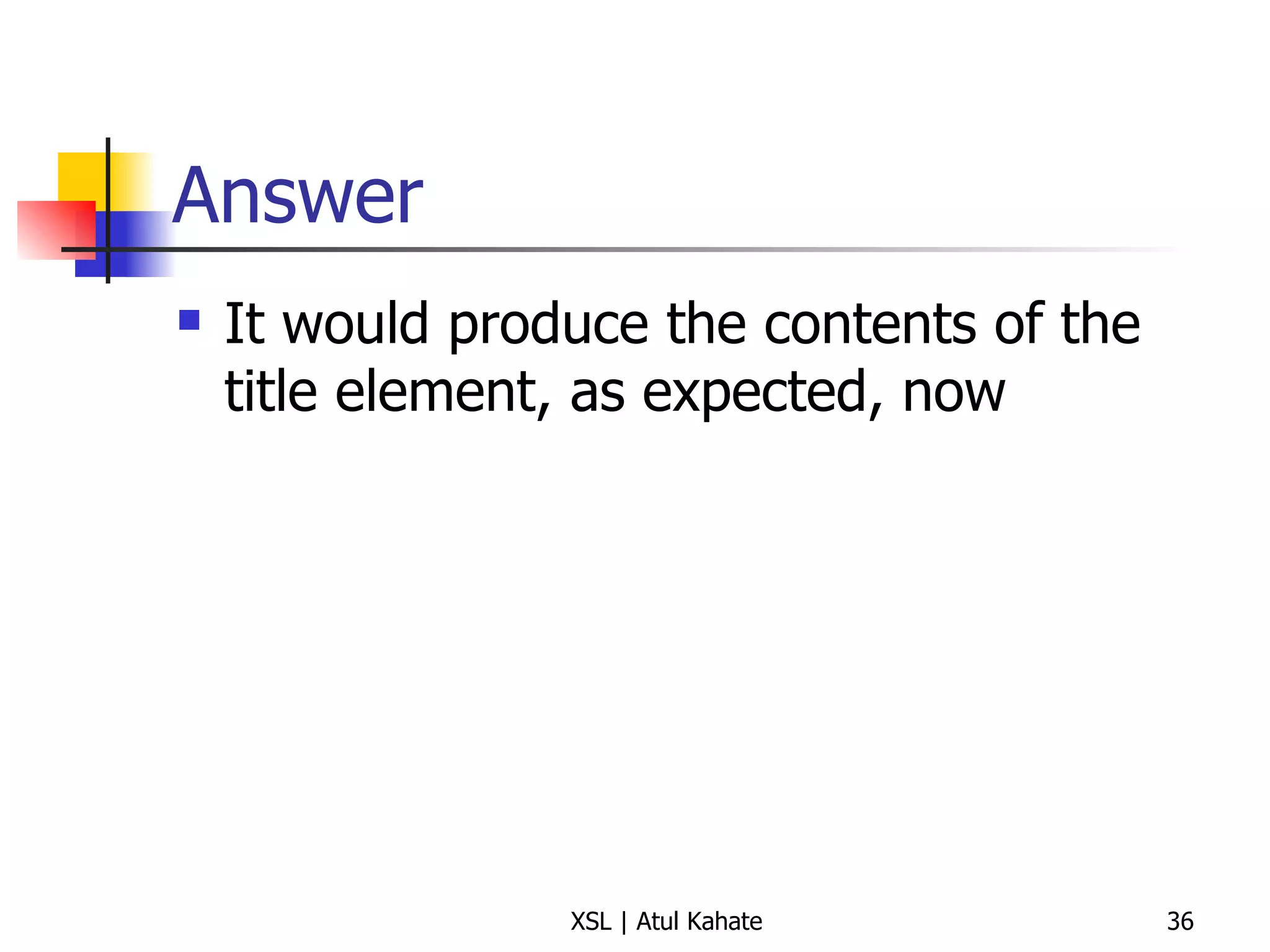
Answer It would produce the contents of the title element, as expected, now
Template Basics
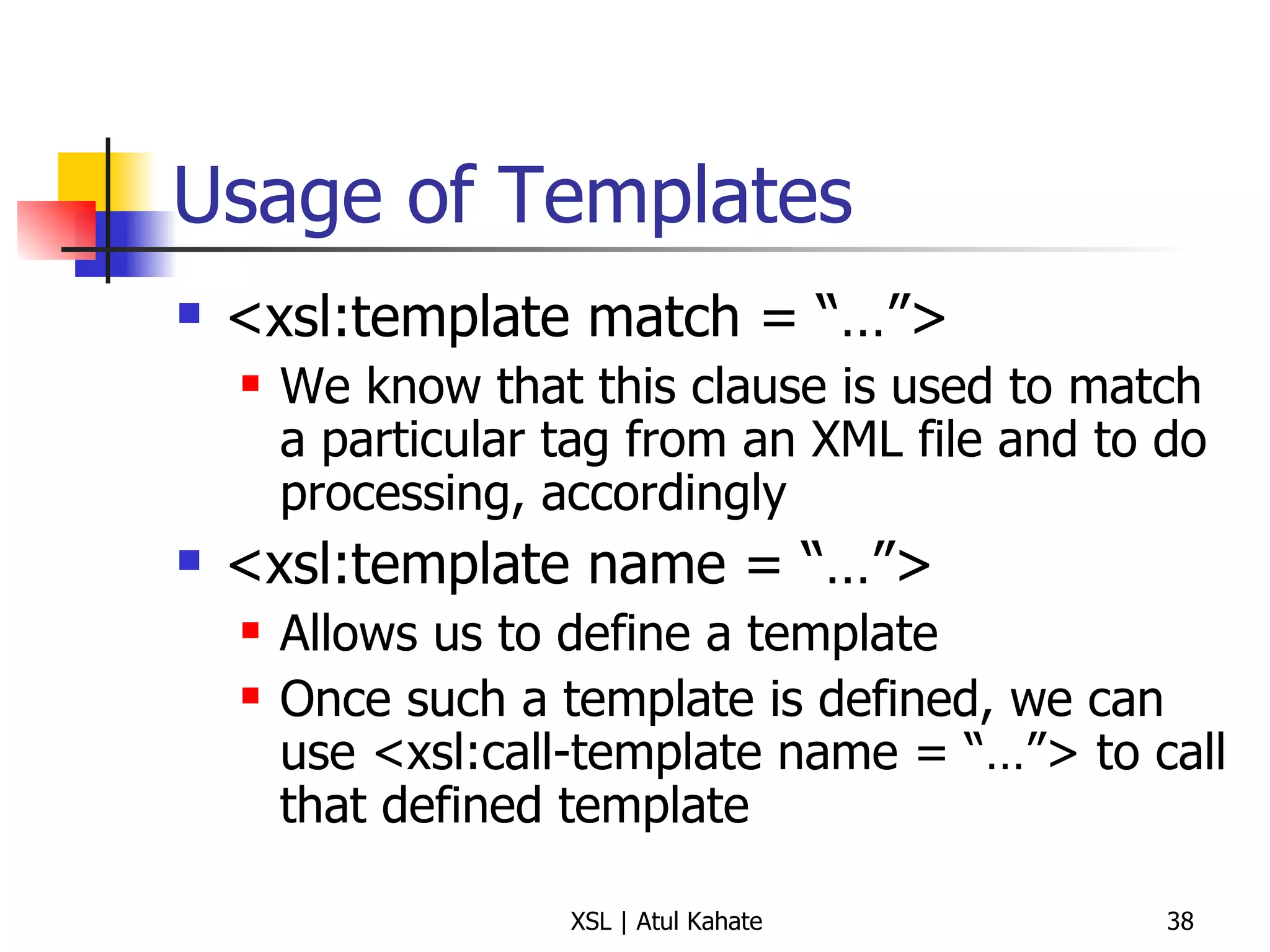
Usage of Templates <xsl:template match = “…”> We know that this clause is used to match a particular tag from an XML file and to do processing, accordingly <xsl:template name = “…”> Allows us to define a template Once such a template is defined, we can use <xsl:call-template name = “…”> to call that defined template
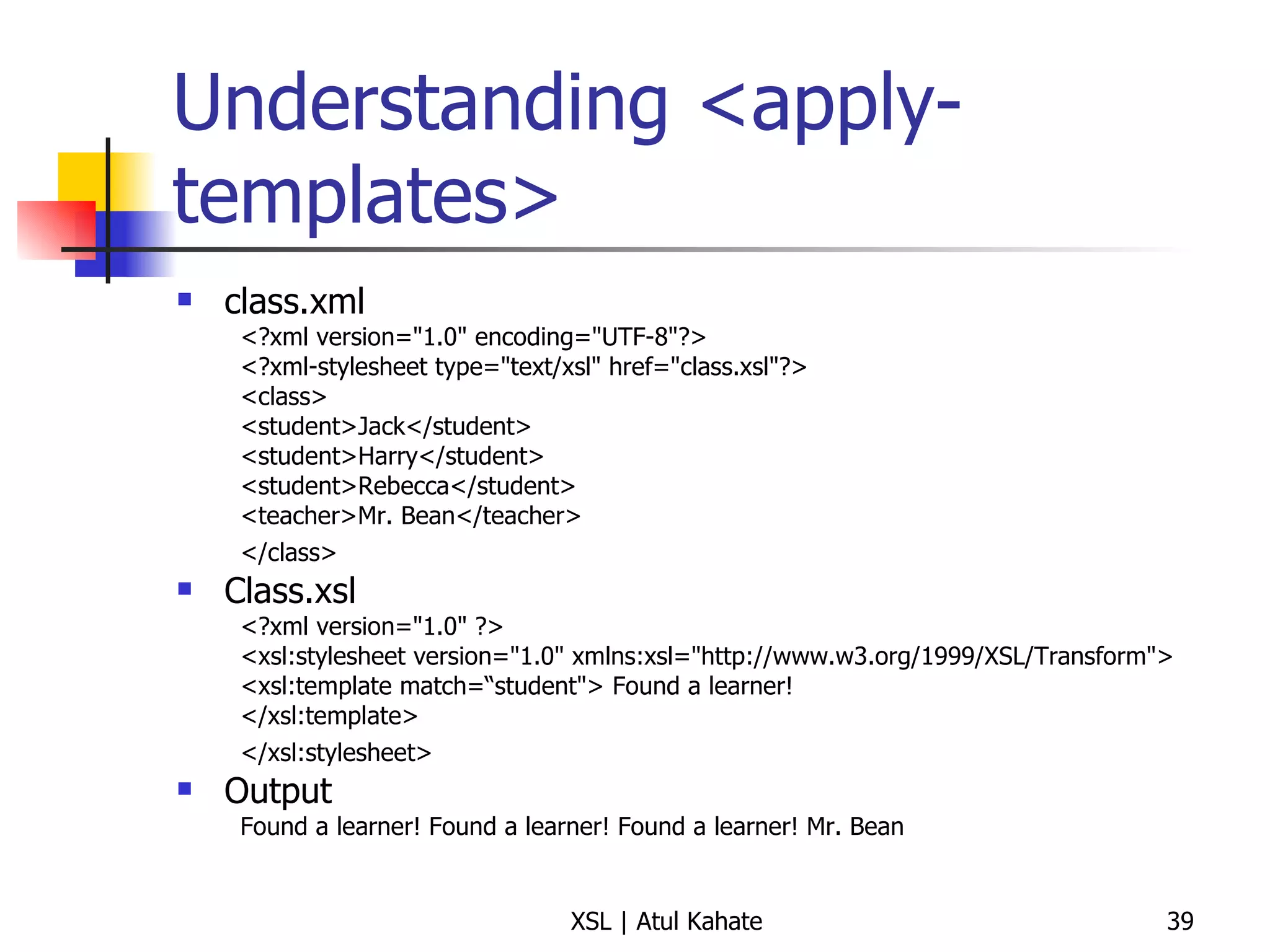
Understanding <apply-templates> class.xml <?xml version=&quot;1.0&quot; encoding=&quot;UTF-8&quot;?>  <?xml-stylesheet type=&quot;text/xsl&quot; href=&quot;class.xsl&quot;?>  <class>  <student>Jack</student>  <student>Harry</student>  <student>Rebecca</student>  <teacher>Mr. Bean</teacher>  </class>   Class.xsl <?xml version=&quot;1.0&quot; ?>  <xsl:stylesheet version=&quot;1.0&quot; xmlns:xsl=&quot;http://www.w3.org/1999/XSL/Transform&quot;>  <xsl:template match=“student&quot;> Found a learner!  </xsl:template>  </xsl:stylesheet>   Output Found a learner! Found a learner! Found a learner! Mr. Bean
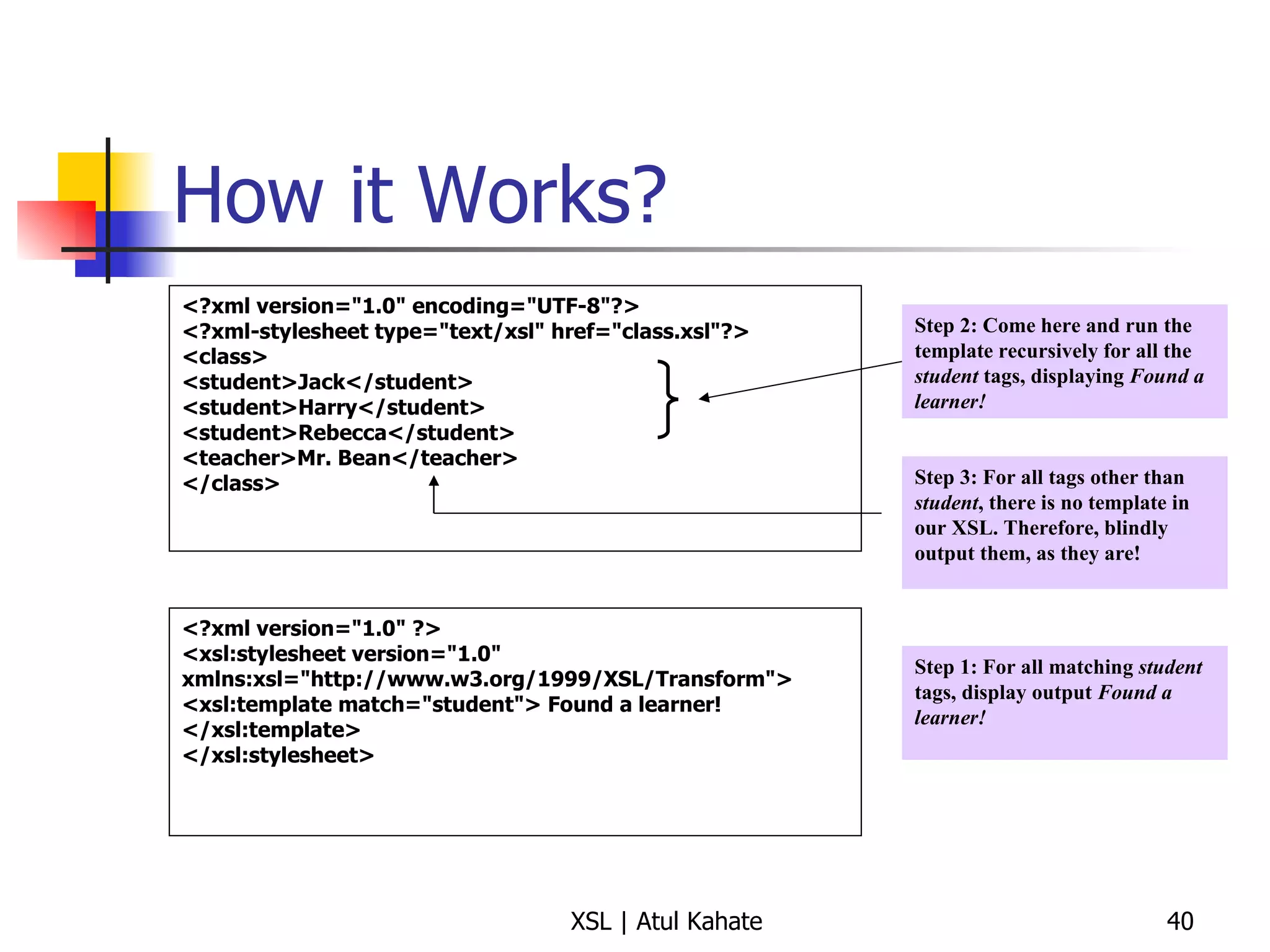
How it Works? <?xml version=&quot;1.0&quot; encoding=&quot;UTF-8&quot;?>  <?xml-stylesheet type=&quot;text/xsl&quot; href=&quot;class.xsl&quot;?>  <class>  <student>Jack</student>  <student>Harry</student>  <student>Rebecca</student>  <teacher>Mr. Bean</teacher>  </class>  <?xml version=&quot;1.0&quot; ?>  <xsl:stylesheet version=&quot;1.0&quot; xmlns:xsl=&quot;http://www.w3.org/1999/XSL/Transform&quot;>  <xsl:template match=&quot;student&quot;> Found a learner!  </xsl:template>  </xsl:stylesheet> Step 1: For all matching  student  tags, display output  Found a learner! Step 2: Come here and run the template recursively for all the  student  tags, displaying  Found a learner! Step 3: For all tags other than  student , there is no template in our XSL. Therefore, blindly output them, as they are!
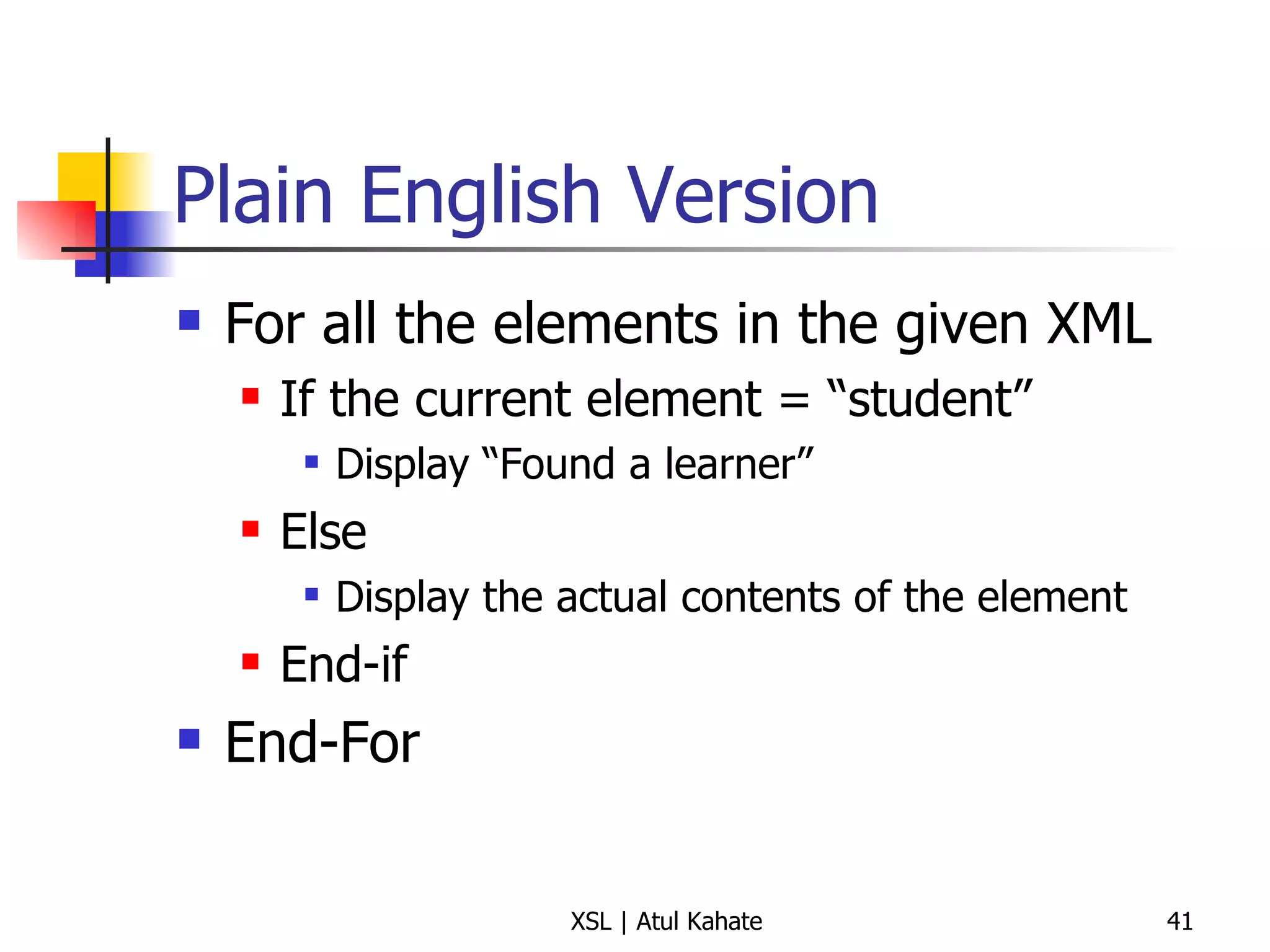
Plain English Version For all the elements in the given XML If the current element = “student” Display “Found a learner” Else Display the actual contents of the element End-if End-For
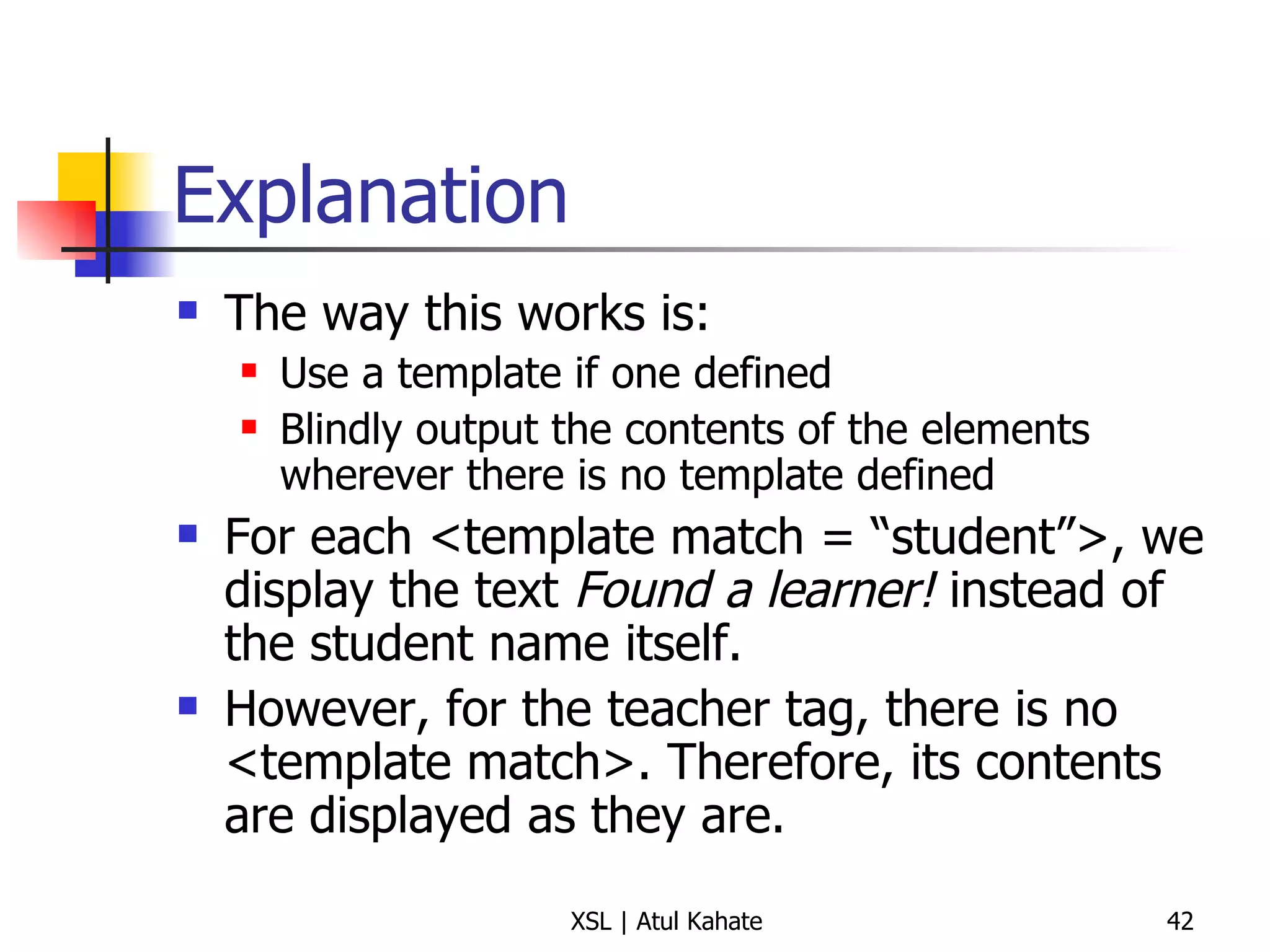
Explanation The way this works is: Use a template if one defined Blindly output the contents of the elements wherever there is no template defined For each <template match = “student”>, we display the text  Found a learner!  instead of the student name itself. However, for the teacher tag, there is no <template match>. Therefore, its contents are displayed as they are.
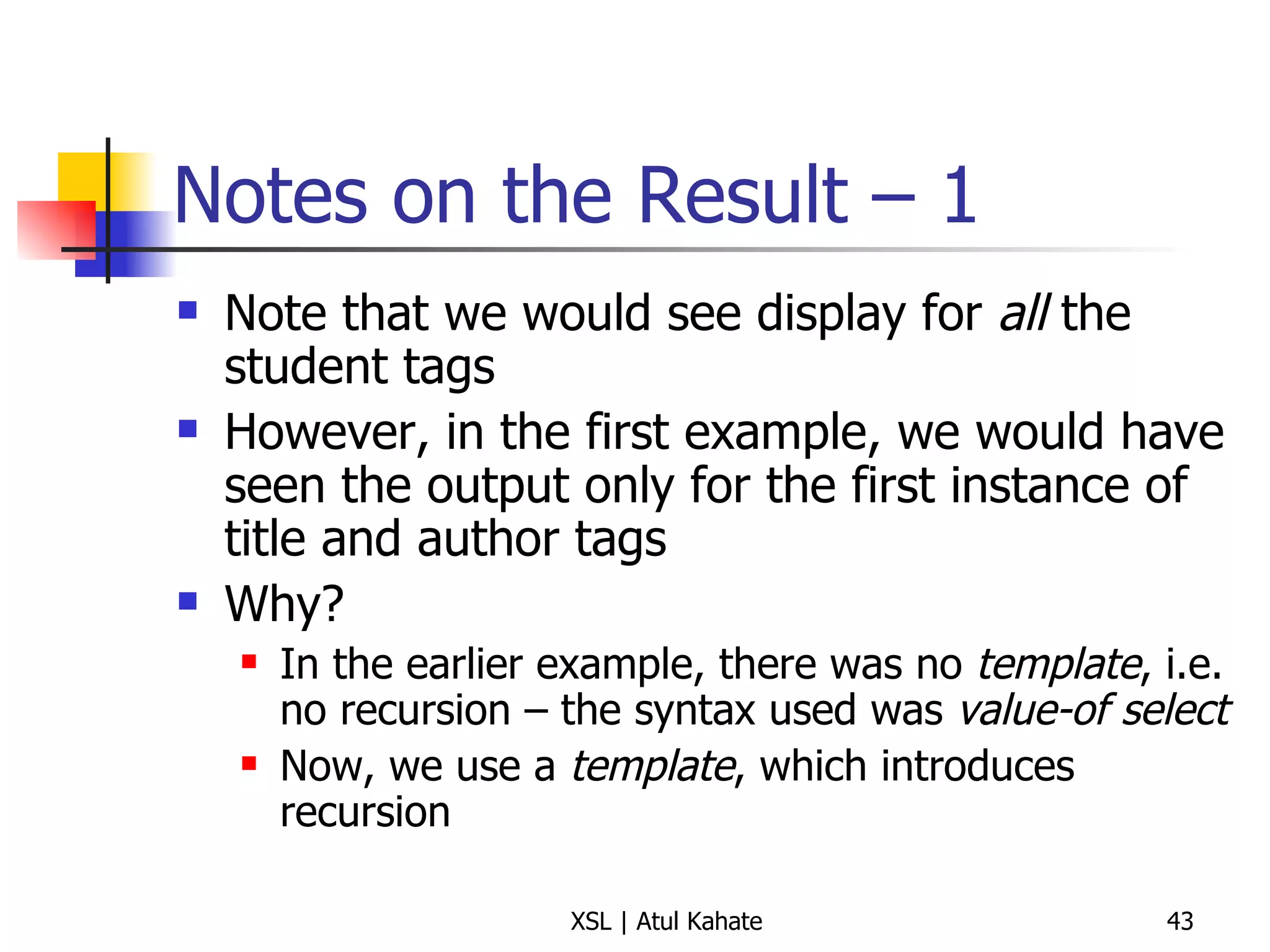
Notes on the Result – 1 Note that we would see display for  all  the student tags However, in the first example, we would have seen the output only for the first instance of title and author tags Why? In the earlier example, there was no  template , i.e. no recursion – the syntax used was  value-of select Now, we use a  template , which introduces recursion
Notes on the Result – 2 This style of coding is ambiguous! It can lead to completely unexpected results Let us modify our XML and XSL now
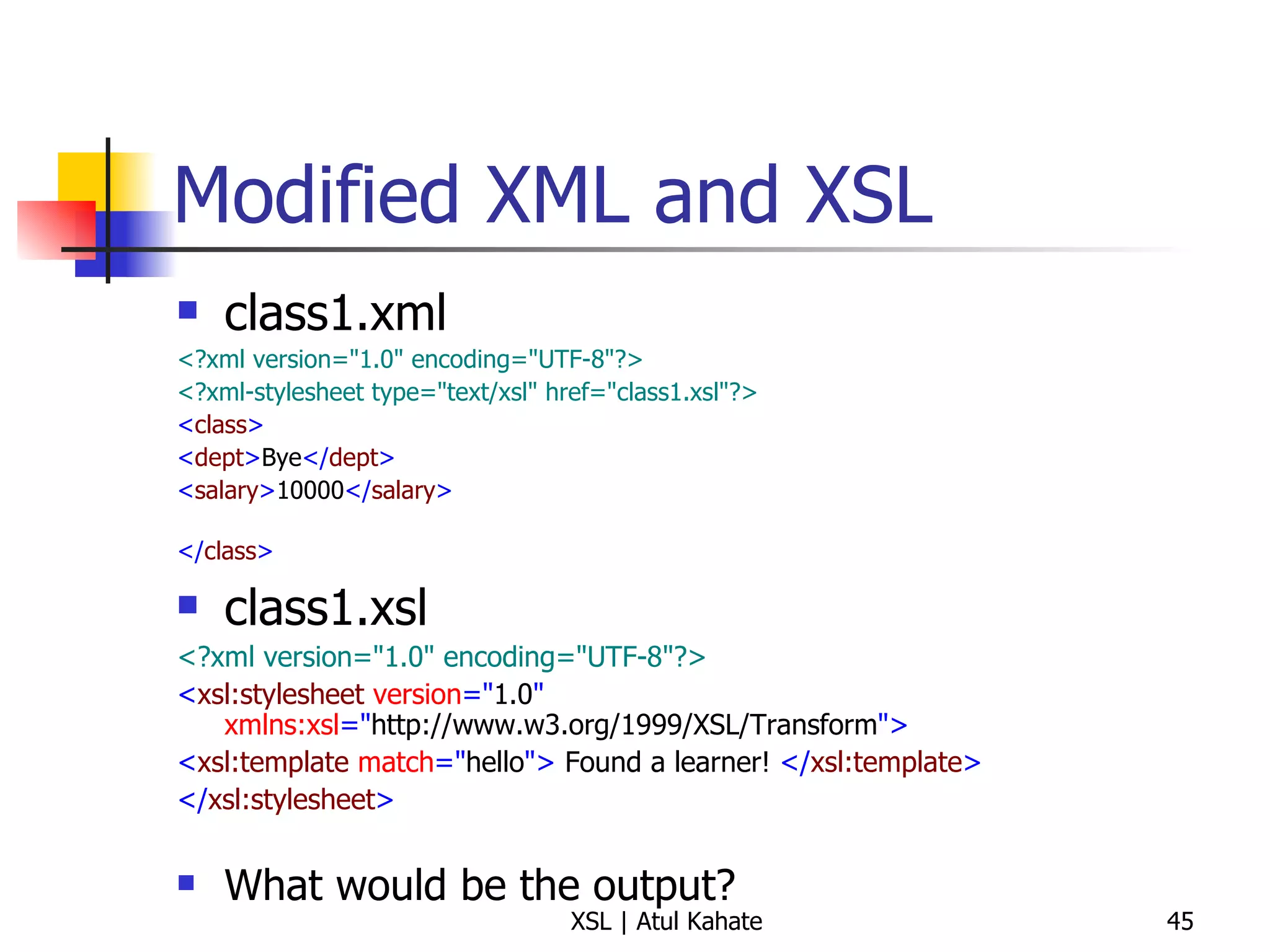
Modified XML and XSL class1.xml <?xml version=&quot;1.0&quot; encoding=&quot;UTF-8&quot;?>   <?xml-stylesheet type=&quot;text/xsl&quot; href=&quot;class1.xsl&quot;?>   < class >   < dept > Bye </ dept > < salary > 10000 </ salary > </ class >   class1.xsl <?xml version=&quot;1.0&quot; encoding=&quot;UTF-8&quot;?> < xsl:stylesheet  version =&quot; 1.0 &quot;  xmlns:xsl =&quot; http://www.w3.org/1999/XSL/Transform &quot;> < xsl:template  match =&quot; hello &quot;>  Found a learner!  </ xsl:template > </ xsl:stylesheet > What would be the output?
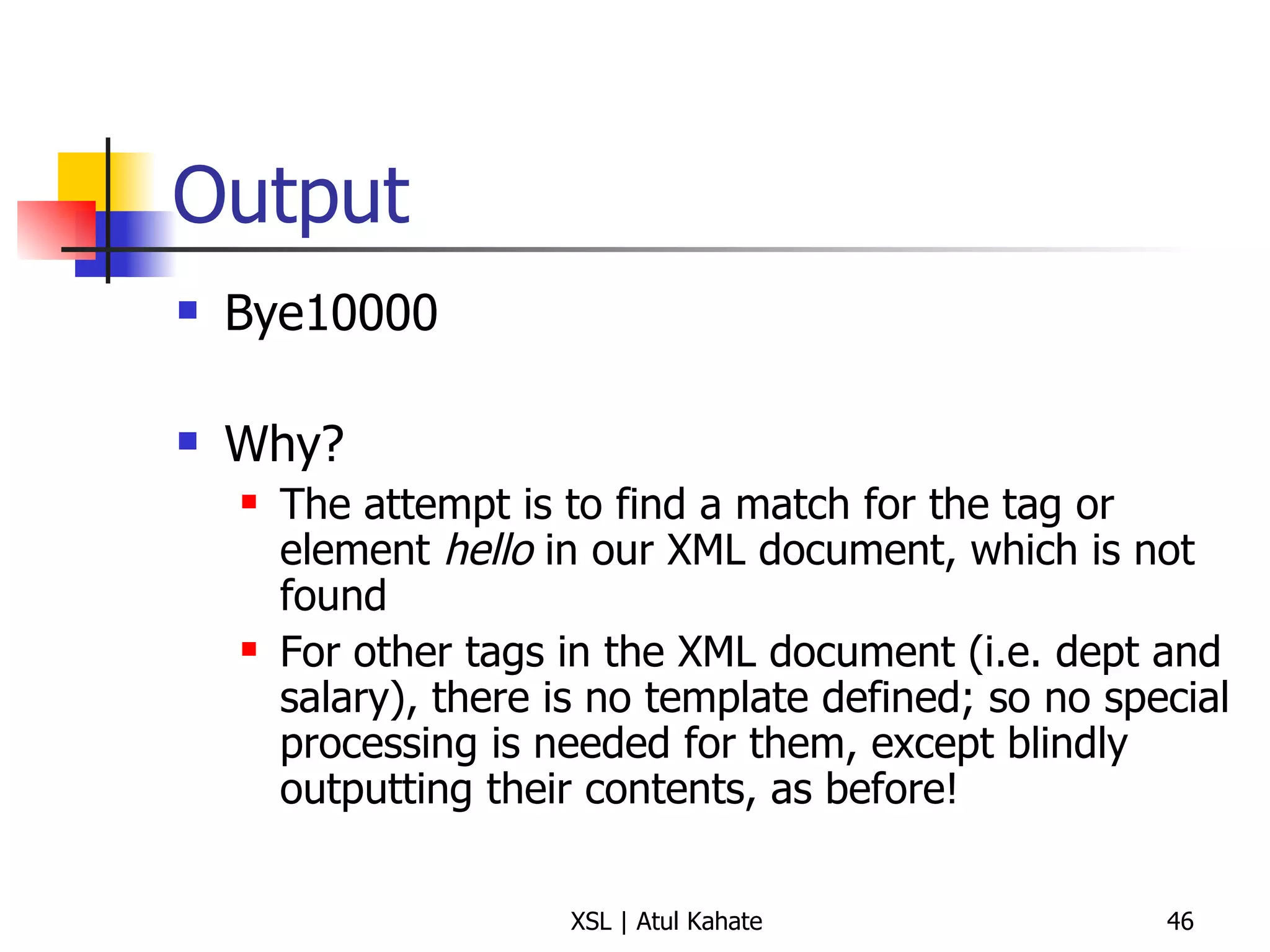
Output Bye10000 Why? The attempt is to find a match for the tag or element  hello  in our XML document, which is not found For other tags in the XML document (i.e. dept and salary), there is no template defined; so no special processing is needed for them, except blindly outputting their contents, as before!
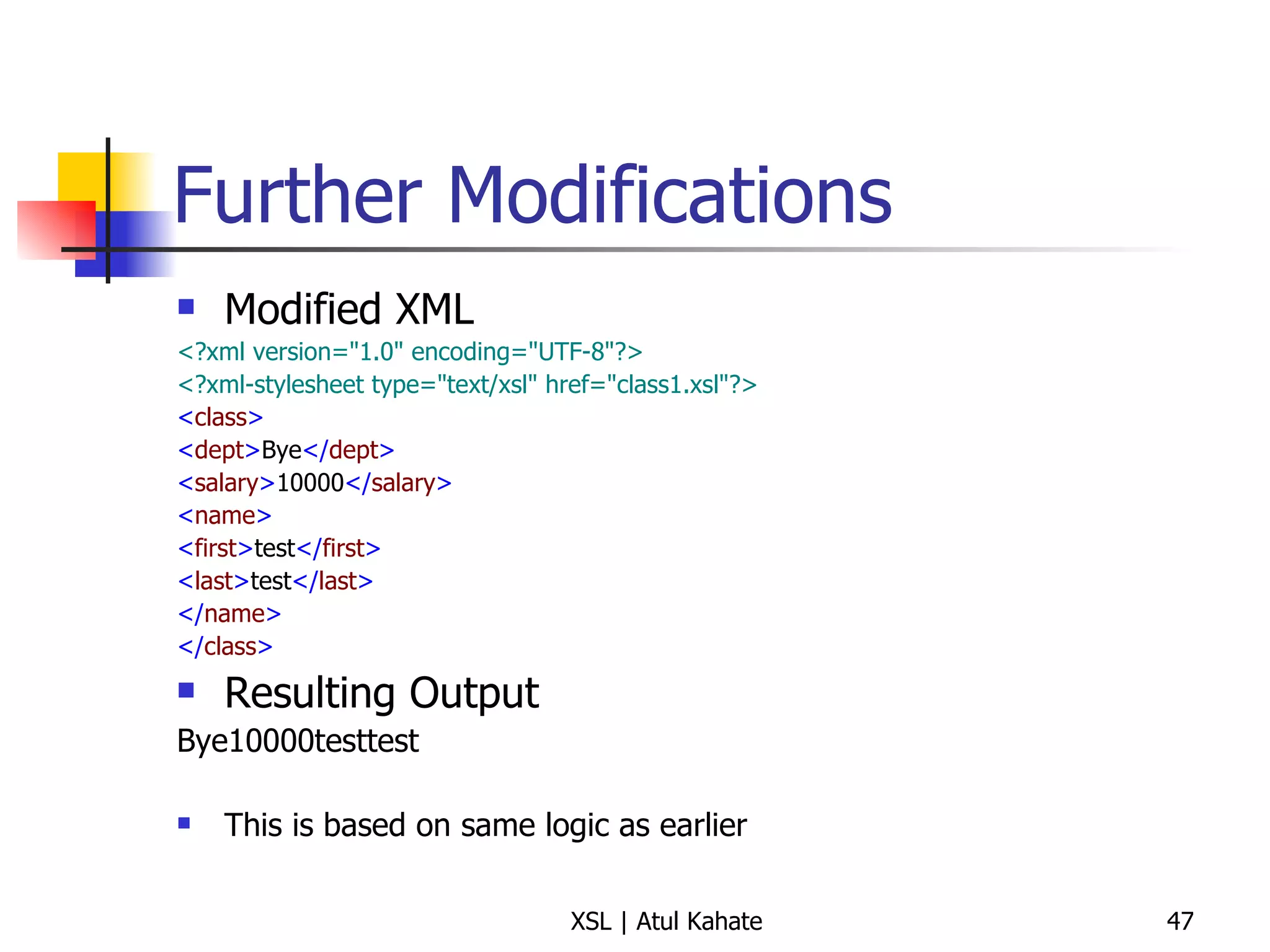
Further Modifications Modified XML <?xml version=&quot;1.0&quot; encoding=&quot;UTF-8&quot;?>   <?xml-stylesheet type=&quot;text/xsl&quot; href=&quot;class1.xsl&quot;?>   < class >   < dept > Bye </ dept > < salary > 10000 </ salary > < name > < first > test </ first > < last > test </ last > </ name > </ class > Resulting Output Bye10000testtest This is based on same logic as earlier
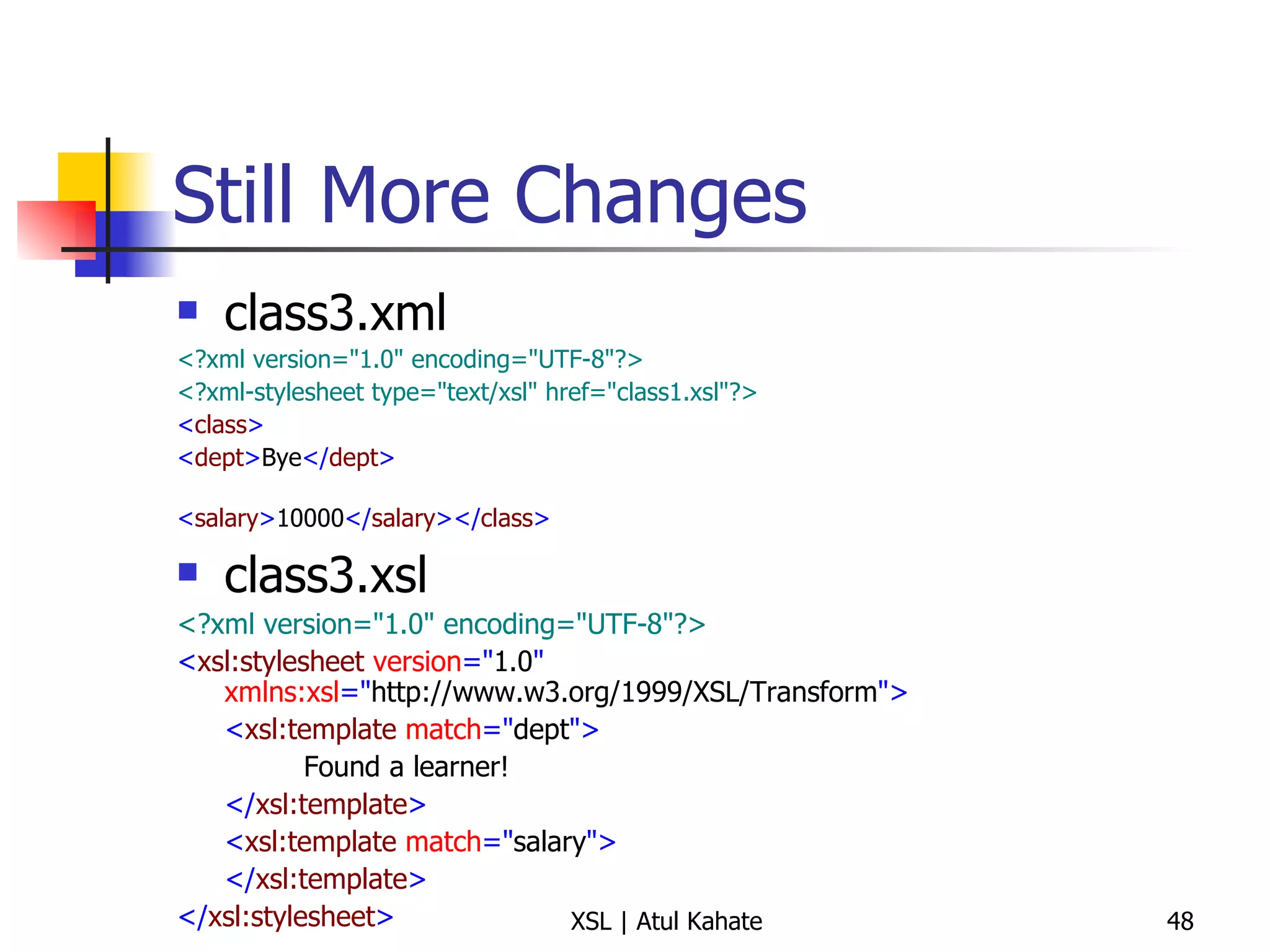
Still More Changes class3.xml <?xml version=&quot;1.0&quot; encoding=&quot;UTF-8&quot;?>   <?xml-stylesheet type=&quot;text/xsl&quot; href=&quot;class1.xsl&quot;?>   < class >   < dept > Bye </ dept > < salary > 10000 </ salary ></ class >   class3.xsl <?xml version=&quot;1.0&quot; encoding=&quot;UTF-8&quot;?> < xsl:stylesheet  version =&quot; 1.0 &quot;  xmlns:xsl =&quot; http://www.w3.org/1999/XSL/Transform &quot;> < xsl:template  match =&quot; dept &quot;> Found a learner! </ xsl:template > < xsl:template  match =&quot; salary &quot;> </ xsl:template > </ xsl:stylesheet >
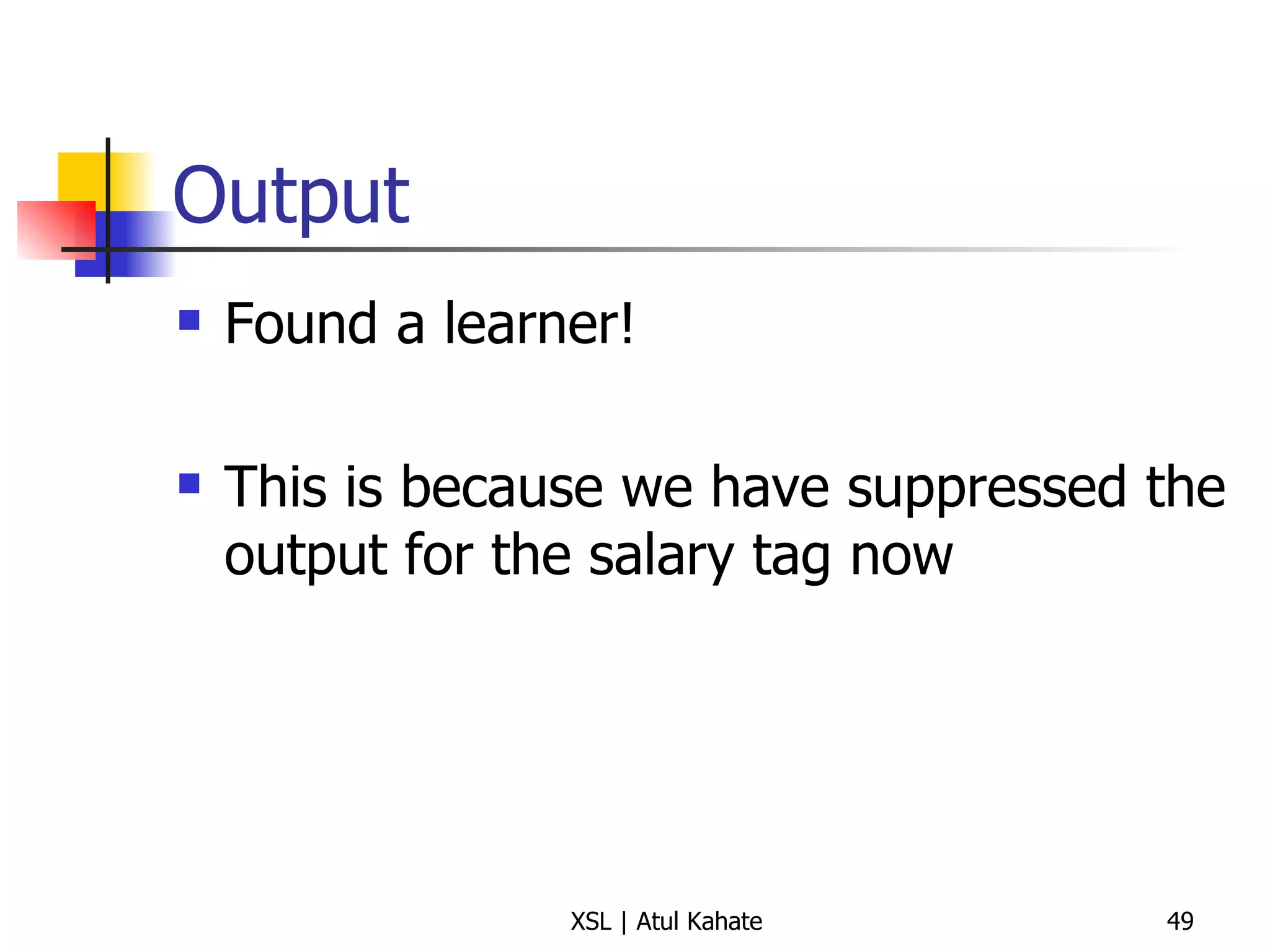
Output Found a learner!  This is because we have suppressed the output for the salary tag now
Introducing apply-templates
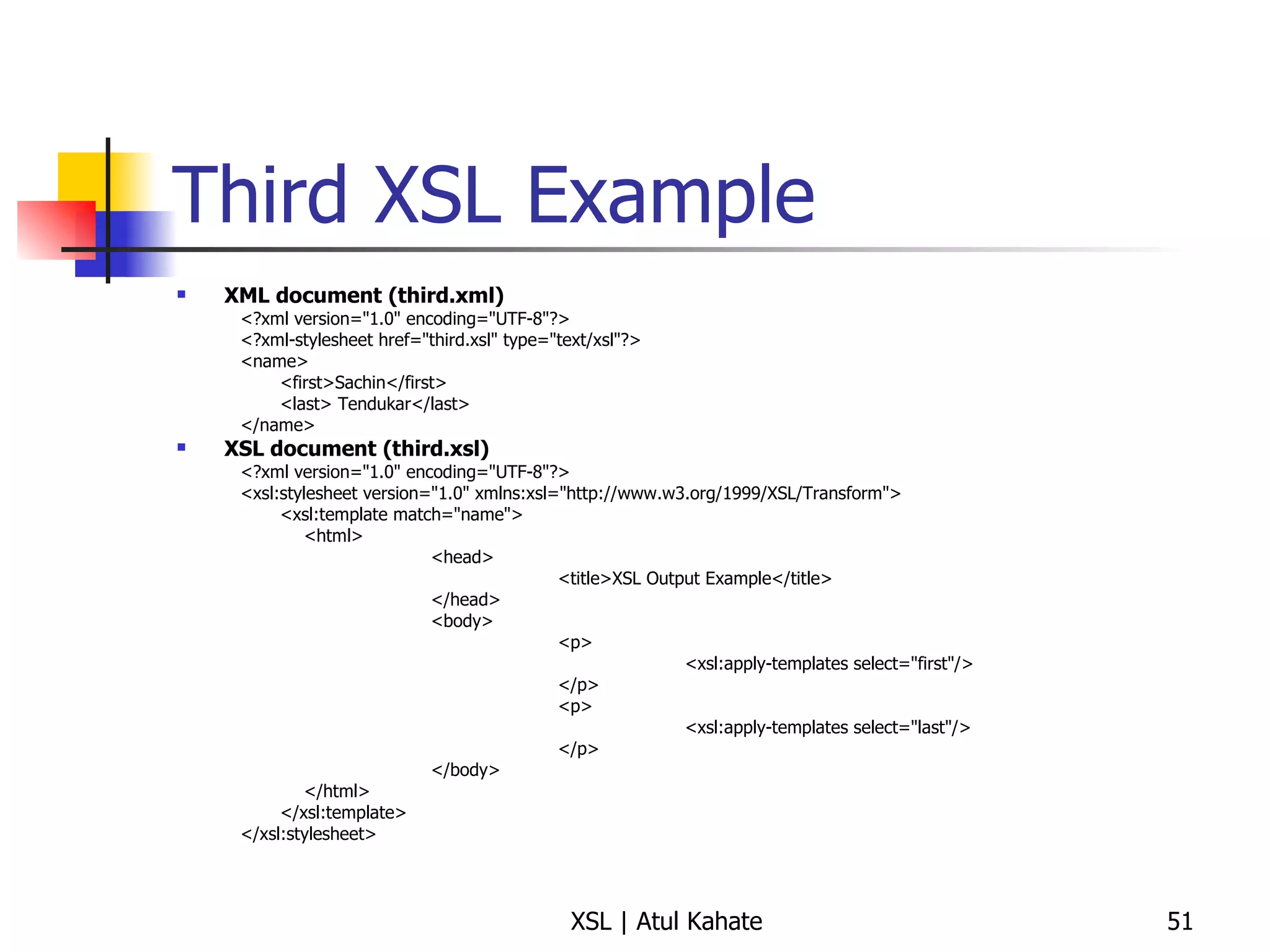
Third XSL Example XML document (third.xml) <?xml version=&quot;1.0&quot; encoding=&quot;UTF-8&quot;?> <?xml-stylesheet href=&quot;third.xsl&quot; type=&quot;text/xsl&quot;?> <name> <first>Sachin</first> <last> Tendukar</last> </name> XSL document (third.xsl) <?xml version=&quot;1.0&quot; encoding=&quot;UTF-8&quot;?> <xsl:stylesheet version=&quot;1.0&quot; xmlns:xsl=&quot;http://www.w3.org/1999/XSL/Transform&quot;> <xsl:template match=&quot;name&quot;> <html> <head> <title>XSL Output Example</title> </head> <body> <p> <xsl:apply-templates select=&quot;first&quot;/> </p> <p> <xsl:apply-templates select=&quot;last&quot;/> </p> </body> </html> </xsl:template> </xsl:stylesheet>
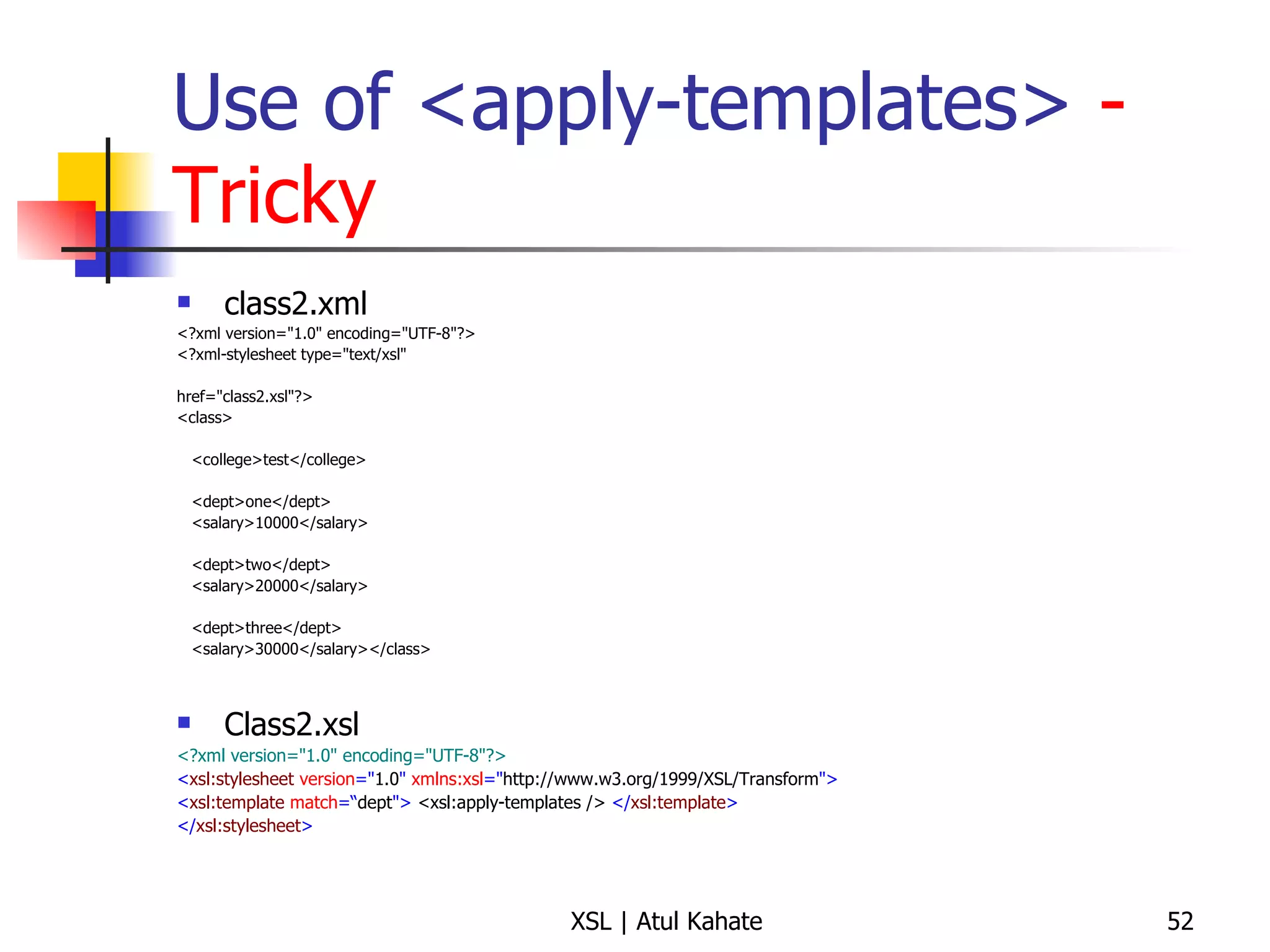
Use of <apply-templates>  - Tricky class2.xml <?xml version=&quot;1.0&quot; encoding=&quot;UTF-8&quot;?> <?xml-stylesheet type=&quot;text/xsl&quot;  href=&quot;class2.xsl&quot;?>  <class>  <college>test</college> <dept>one</dept> <salary>10000</salary> <dept>two</dept> <salary>20000</salary> <dept>three</dept> <salary>30000</salary></class>  Class2.xsl <?xml version=&quot;1.0&quot; encoding=&quot;UTF-8&quot;?> < xsl:stylesheet  version =&quot; 1.0 &quot;  xmlns:xsl =&quot; http://www.w3.org/1999/XSL/Transform &quot;> < xsl:template  match =“ dept &quot;>   <xsl:apply-templates />   </ xsl:template > </ xsl:stylesheet >
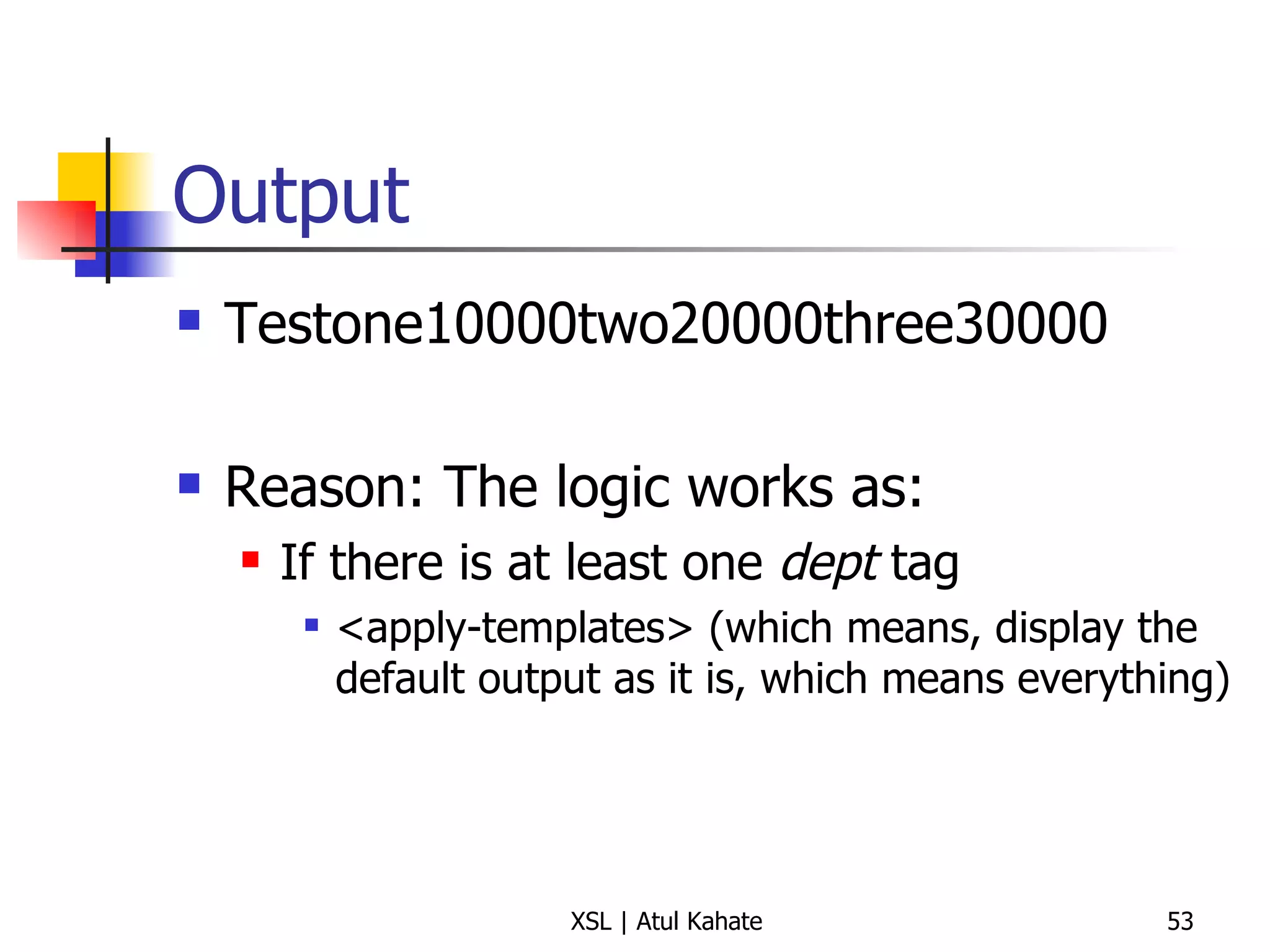
Output Testone10000two20000three30000 Reason: The logic works as: If there is at least one  dept  tag <apply-templates> (which means, display the default output as it is, which means everything)
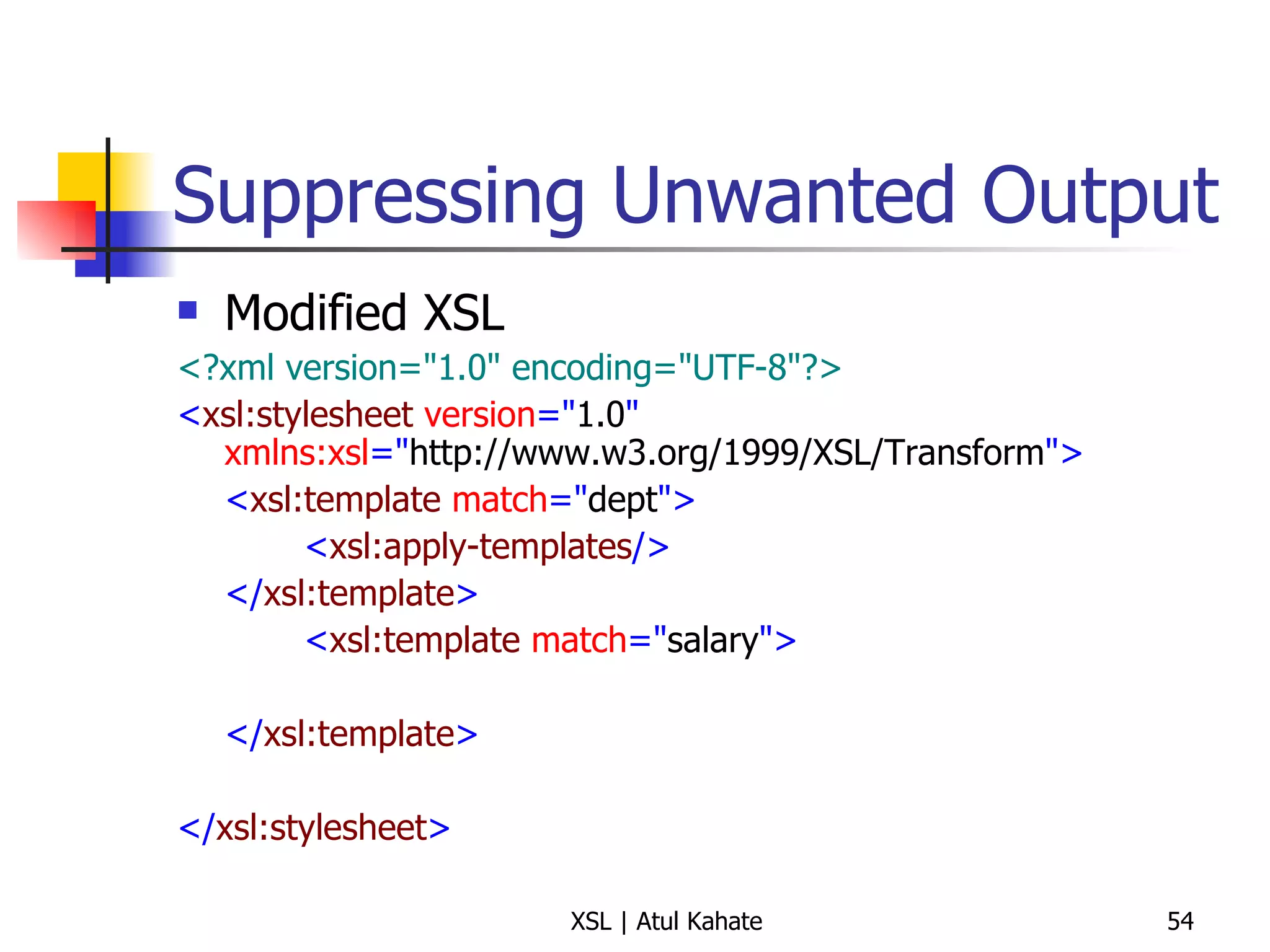
Suppressing Unwanted Output Modified XSL <?xml version=&quot;1.0&quot; encoding=&quot;UTF-8&quot;?> < xsl:stylesheet  version =&quot; 1.0 &quot;  xmlns:xsl =&quot; http://www.w3.org/1999/XSL/Transform &quot;> < xsl:template  match =&quot; dept &quot;> < xsl:apply-templates /> </ xsl:template > < xsl:template  match =&quot; salary &quot;> </ xsl:template > </ xsl:stylesheet >
Controlling the Output the Way We Want (Earlier student example)
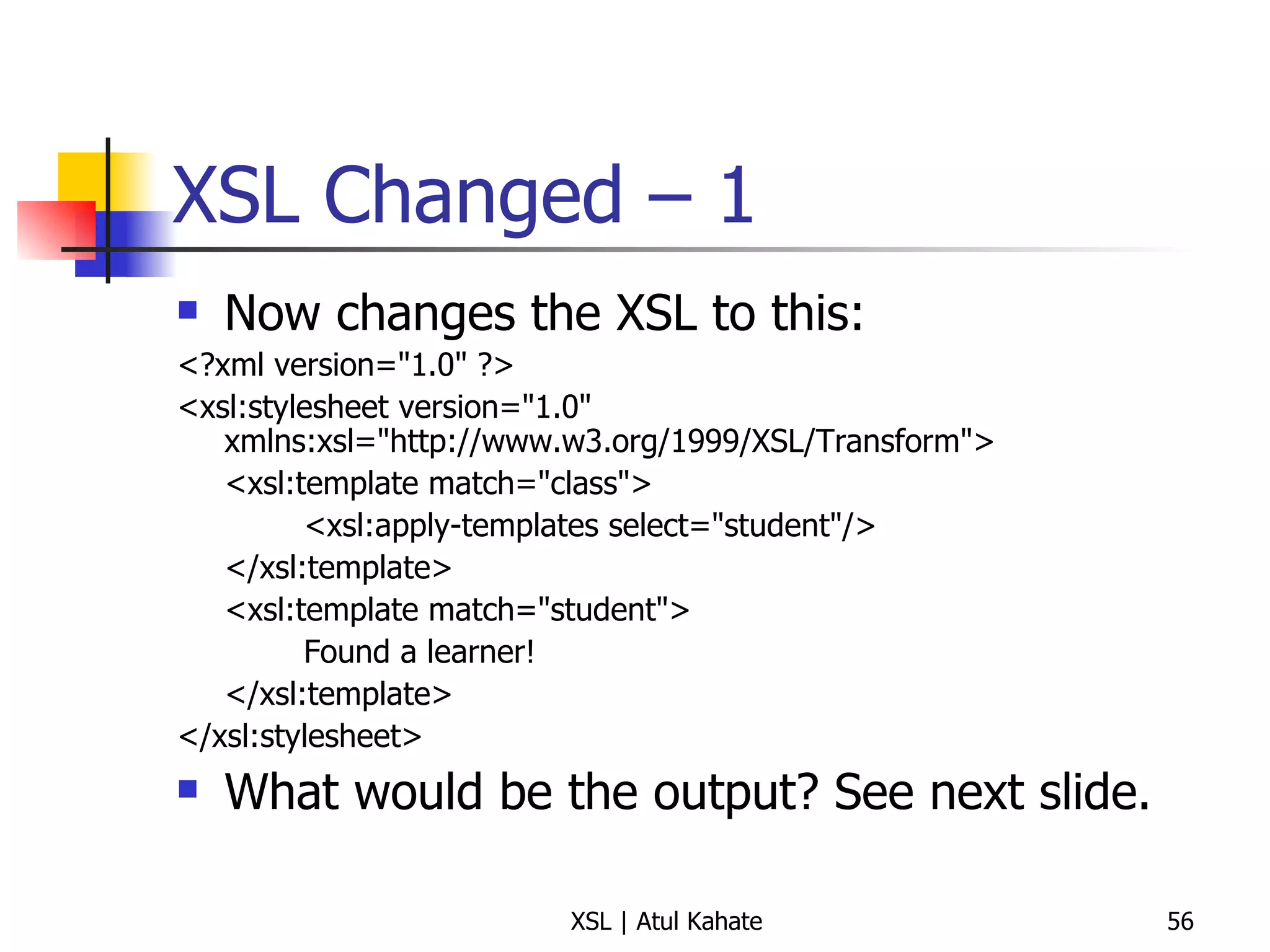
XSL Changed – 1 Now changes the XSL to this: <?xml version=&quot;1.0&quot; ?>  <xsl:stylesheet version=&quot;1.0&quot; xmlns:xsl=&quot;http://www.w3.org/1999/XSL/Transform&quot;> <xsl:template match=&quot;class&quot;>  <xsl:apply-templates select=&quot;student&quot;/>  </xsl:template>  <xsl:template match=&quot;student&quot;>  Found a learner!  </xsl:template>  </xsl:stylesheet>  What would be the output? See next slide.
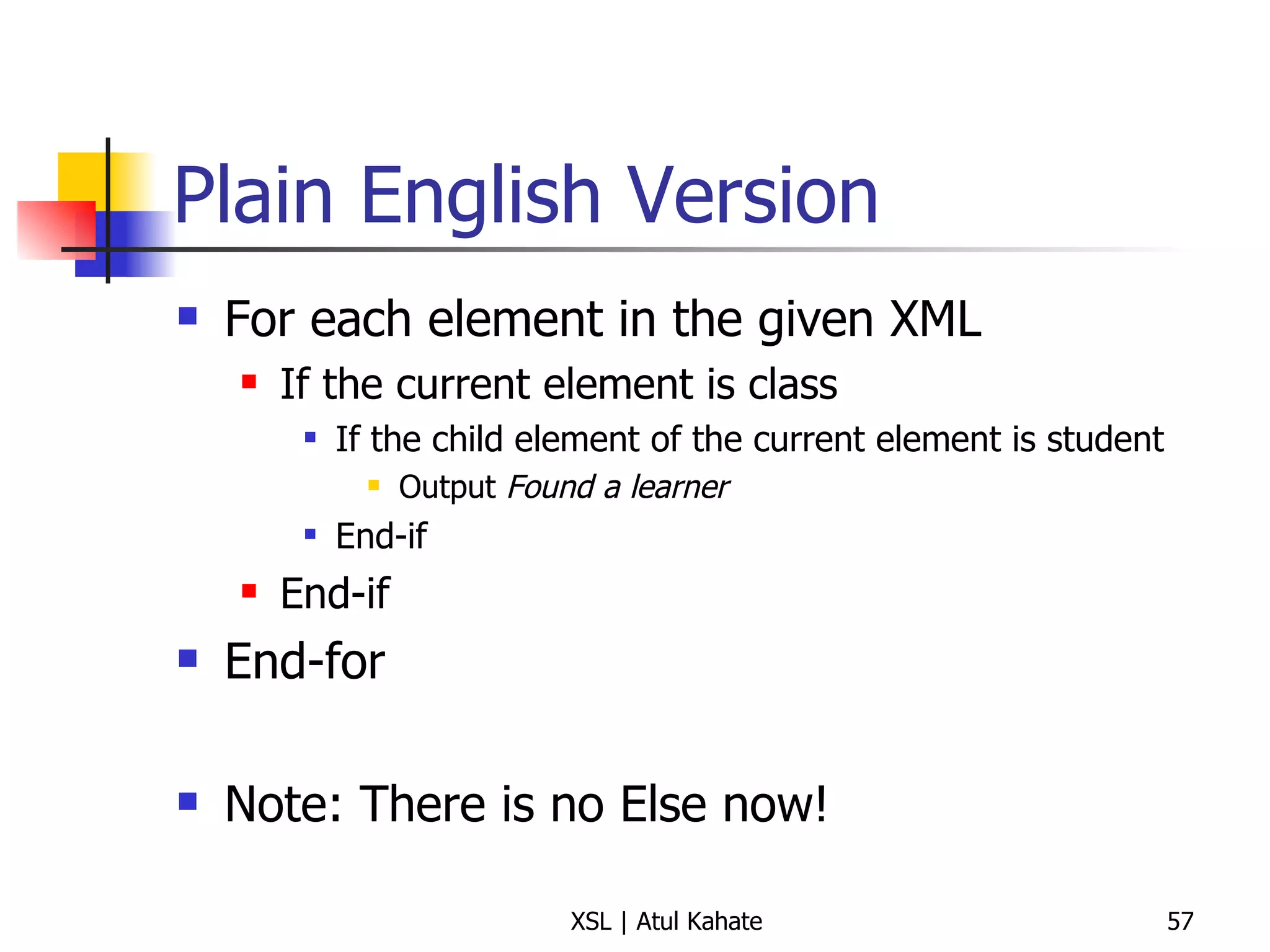
Plain English Version For each element in the given XML If the current element is class If the child element of the current element is student Output  Found a learner End-if End-if End-for Note: There is no Else now!
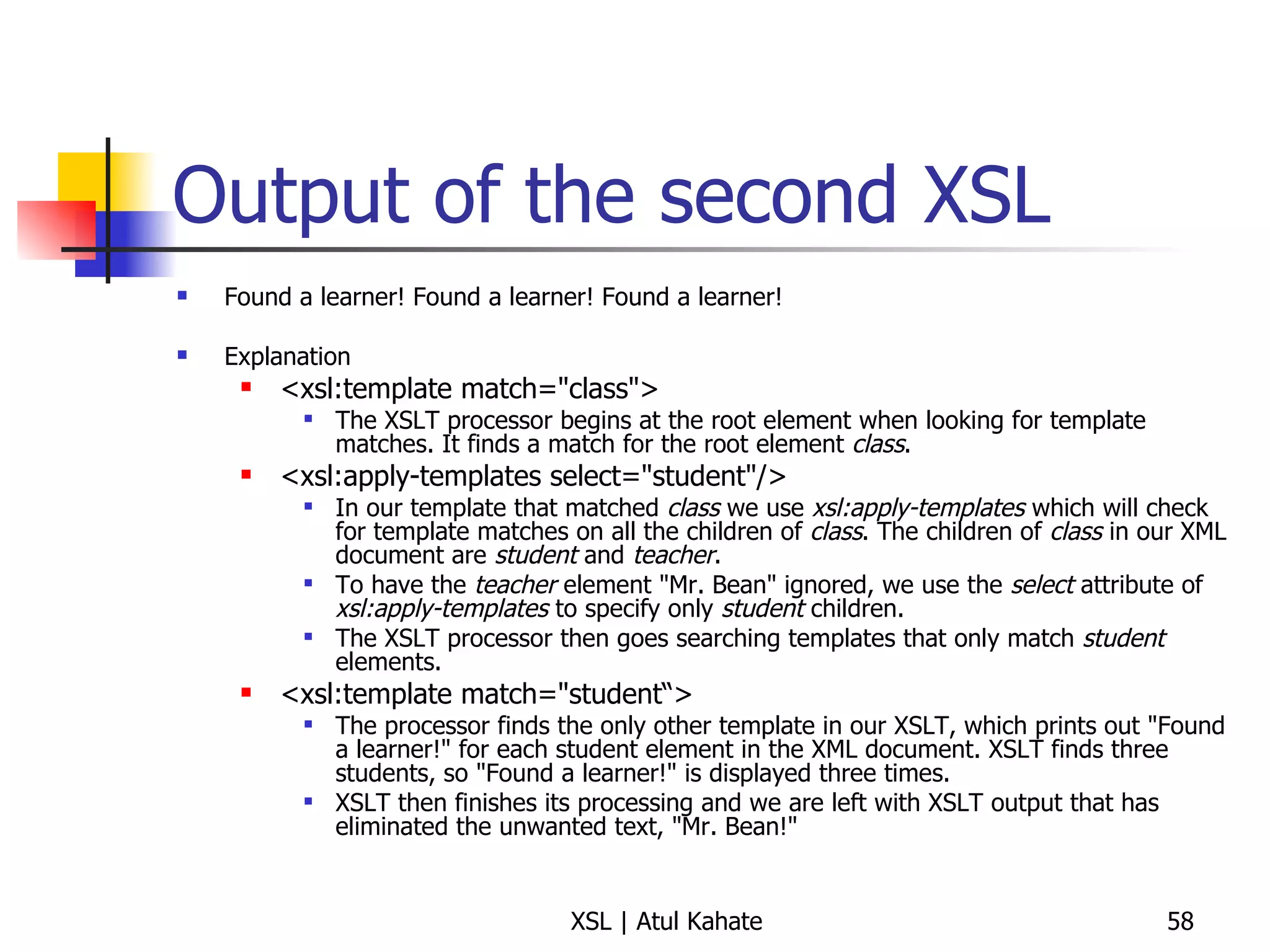
Output of the second XSL Found a learner! Found a learner! Found a learner! Explanation <xsl:template match=&quot;class&quot;>  The XSLT processor begins at the root element when looking for template matches. It finds a match for the root element  class . <xsl:apply-templates select=&quot;student&quot;/> In our template that matched  class  we use  xsl:apply-templates  which will check for template matches on all the children of  class . The children of  class  in our XML document are  student  and  teacher . To have the  teacher  element &quot;Mr. Bean&quot; ignored, we use the  select  attribute of  xsl:apply-templates  to specify only  student  children. The XSLT processor then goes searching templates that only match  student  elements. <xsl:template match=&quot;student“> The processor finds the only other template in our XSLT, which prints out &quot;Found a learner!&quot; for each student element in the XML document. XSLT finds three students, so &quot;Found a learner!&quot; is displayed three times. XSLT then finishes its processing and we are left with XSLT output that has eliminated the unwanted text, &quot;Mr. Bean!&quot;
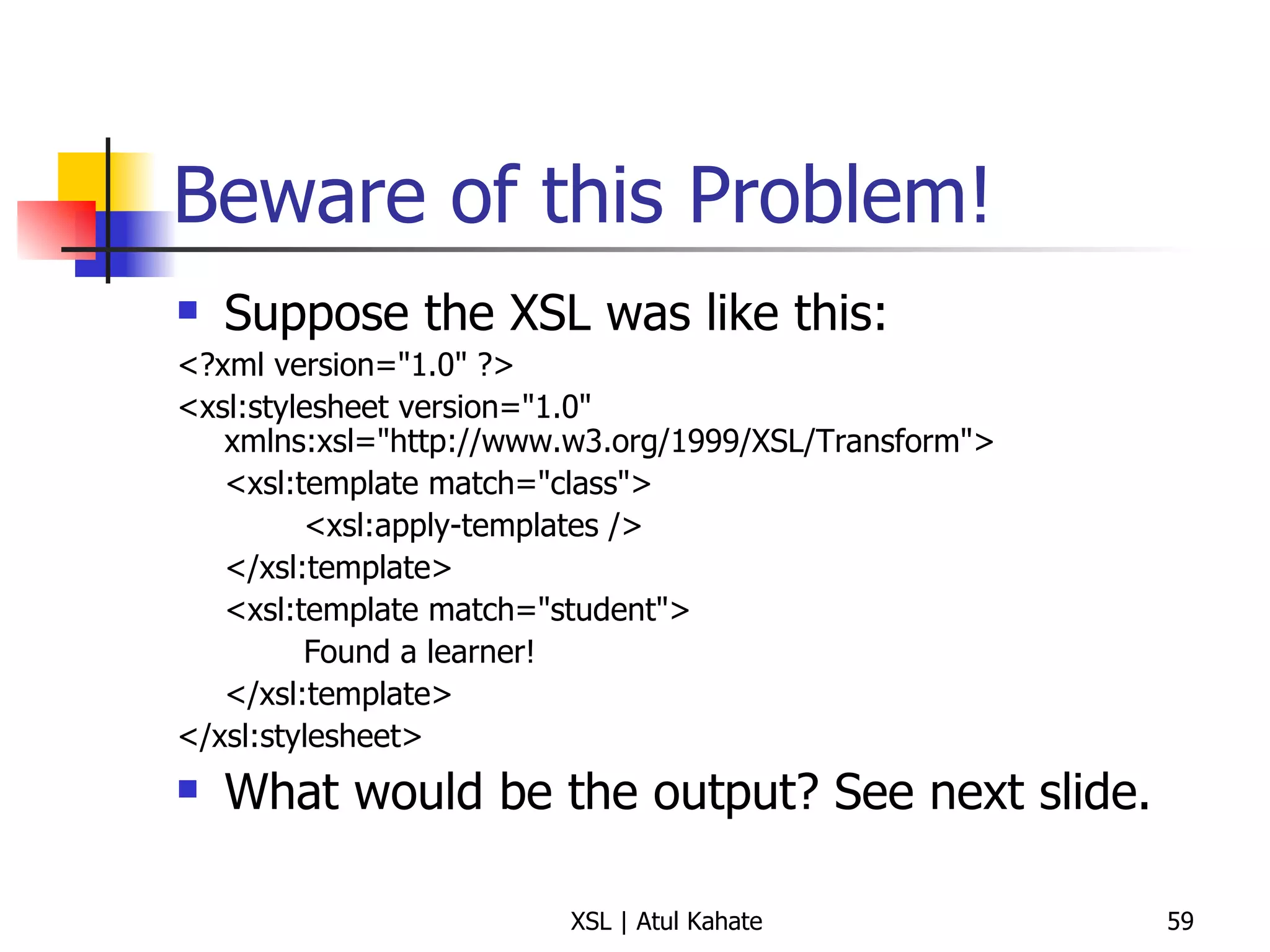
Beware of this Problem! Suppose the XSL was like this: <?xml version=&quot;1.0&quot; ?>  <xsl:stylesheet version=&quot;1.0&quot; xmlns:xsl=&quot;http://www.w3.org/1999/XSL/Transform&quot;> <xsl:template match=&quot;class&quot;>  <xsl:apply-templates />  </xsl:template>  <xsl:template match=&quot;student&quot;>  Found a learner!  </xsl:template>  </xsl:stylesheet>  What would be the output? See next slide.
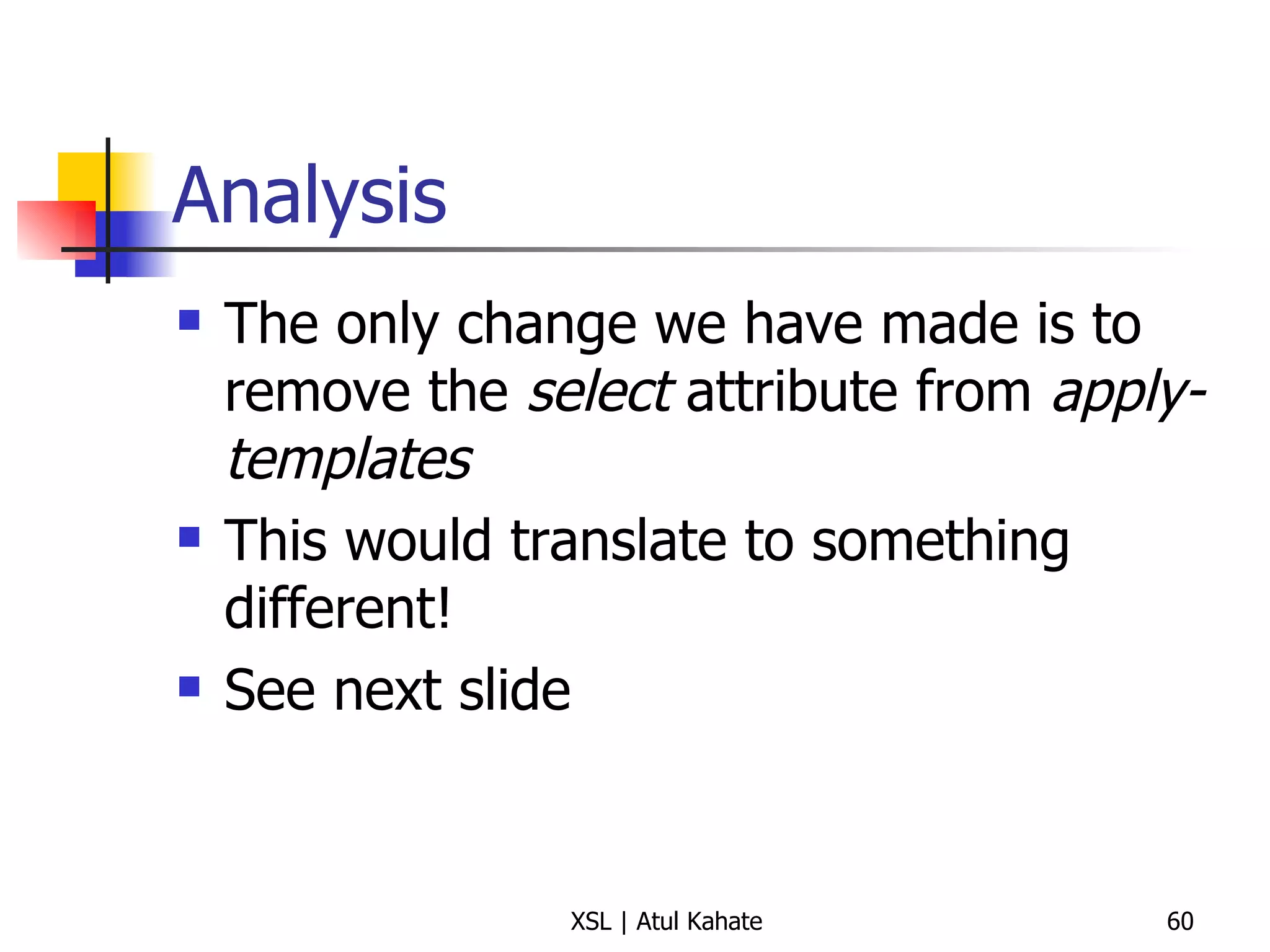
Analysis The only change we have made is to remove the  select  attribute from  apply-templates This would translate to something different! See next slide
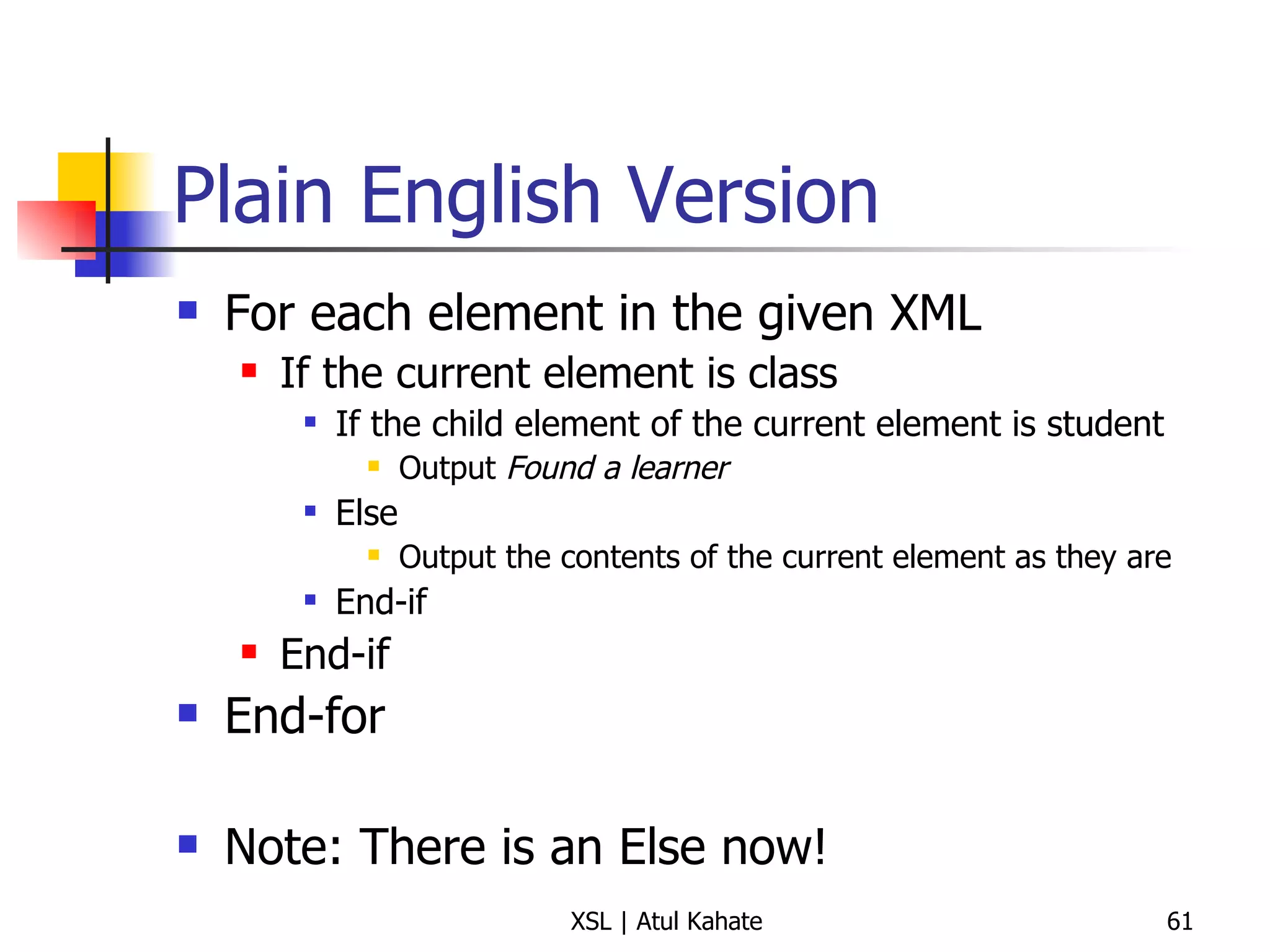
Plain English Version For each element in the given XML If the current element is class If the child element of the current element is student Output  Found a learner Else Output the contents of the current element as they are End-if End-if End-for Note: There is an Else now!
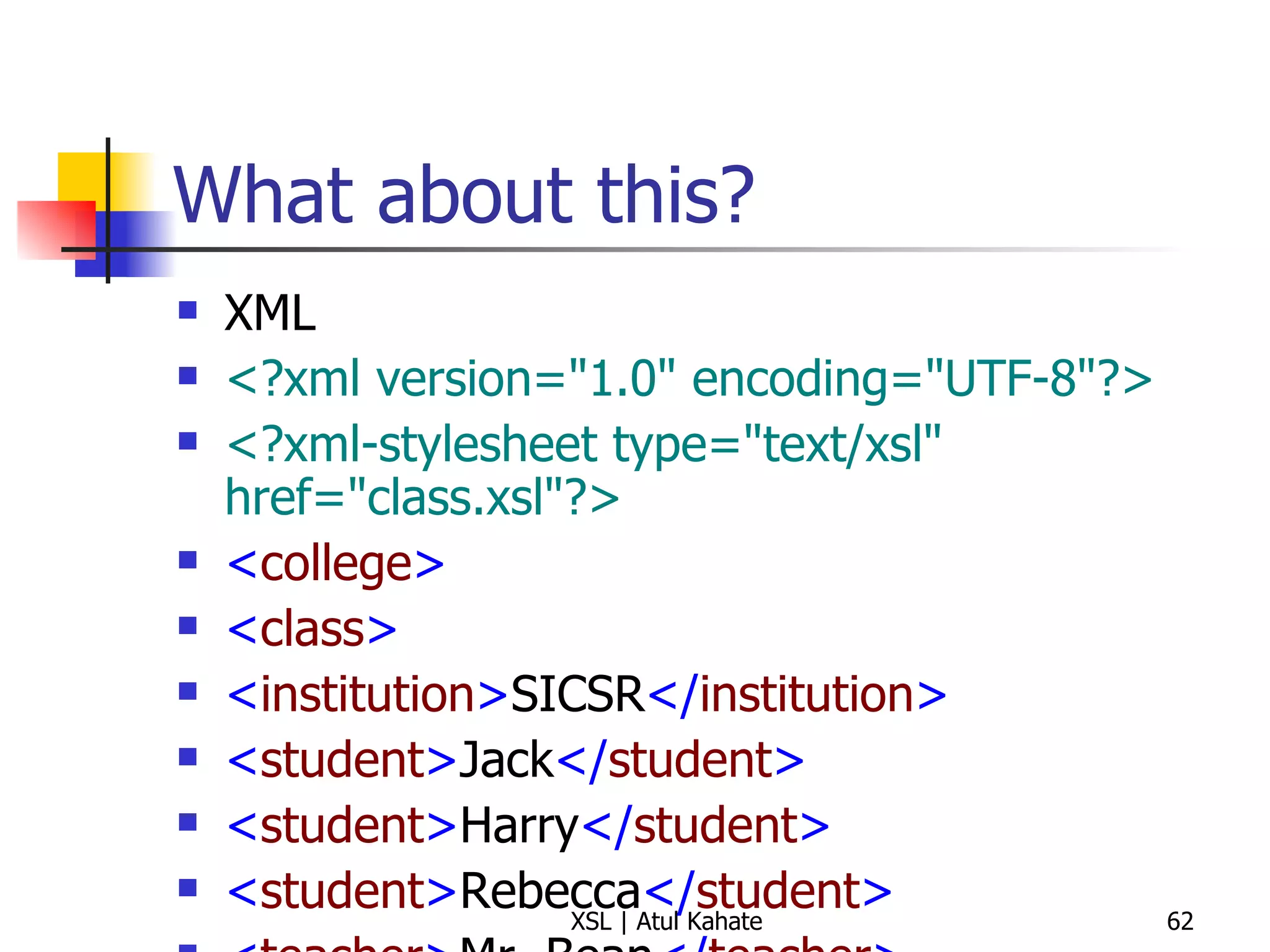
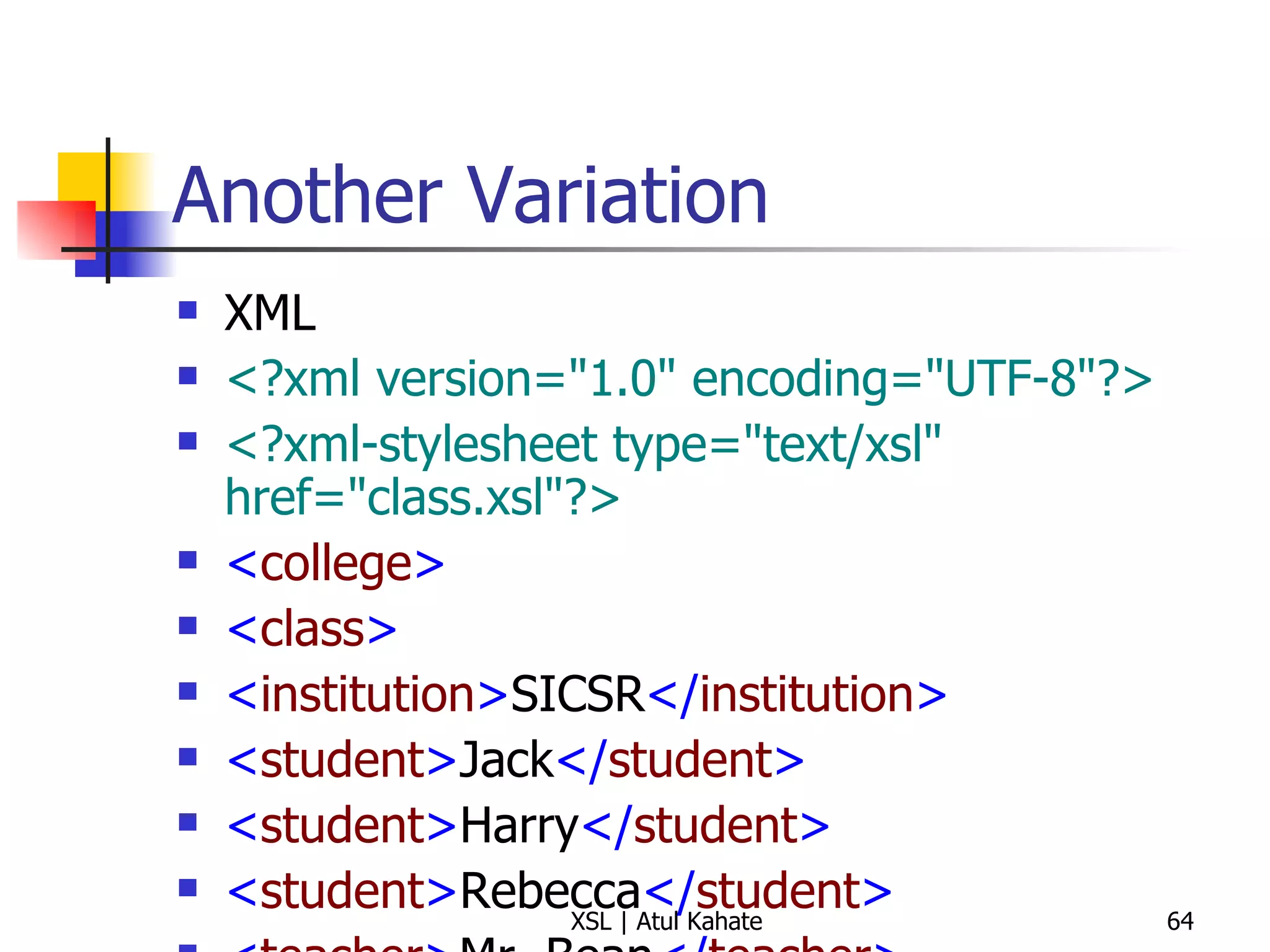
What about this? XML <?xml version=&quot;1.0&quot; encoding=&quot;UTF-8&quot;?>   <?xml-stylesheet type=&quot;text/xsl&quot; href=&quot;class.xsl&quot;?>   < college > < class >   < institution > SICSR </ institution > < student > Jack </ student >   < student > Harry </ student >   < student > Rebecca </ student >   < teacher > Mr. Bean </ teacher >   </ class >   </ college > XSL <?xml version=&quot;1.0&quot; ?>   < xsl:stylesheet  version =&quot; 1.0 &quot;  xmlns:xsl =&quot; http://www.w3.org/1999/XSL/Transform &quot;>   < xsl:template  match =&quot; class &quot;>   < xsl:apply-templates />   </ xsl:template >   < xsl:template  match =&quot; student &quot;>   Found a learner!  </ xsl:template >   </ xsl:stylesheet >
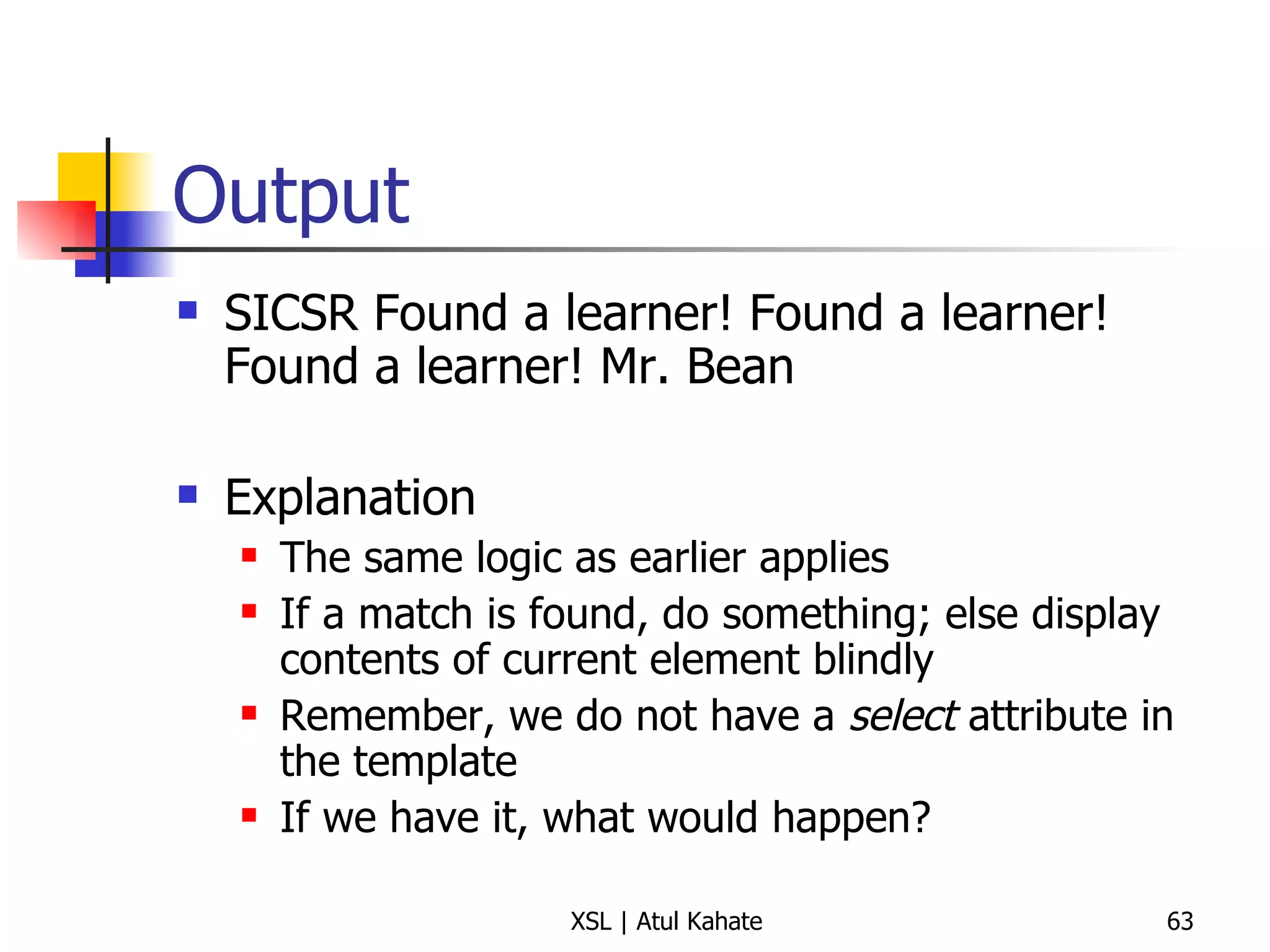
Output SICSR Found a learner! Found a learner! Found a learner! Mr. Bean Explanation The same logic as earlier applies If a match is found, do something; else display contents of current element blindly Remember, we do not have a  select  attribute in the template If we have it, what would happen?
Another Variation XML <?xml version=&quot;1.0&quot; encoding=&quot;UTF-8&quot;?>   <?xml-stylesheet type=&quot;text/xsl&quot; href=&quot;class.xsl&quot;?>   < college > < class >   < institution > SICSR </ institution > < student > Jack </ student >   < student > Harry </ student >   < student > Rebecca </ student >   < teacher > Mr. Bean </ teacher >   </ class >   </ college > XSL <?xml version=&quot;1.0&quot; ?>   < xsl:stylesheet  version =&quot; 1.0 &quot;  xmlns:xsl =&quot; http://www.w3.org/1999/XSL/Transform &quot;>   < xsl:template  match =&quot; class &quot;>   < xsl:apply-templates  select =&quot; student &quot;/>   </ xsl:template >   < xsl:template  match =&quot; student &quot;>   Found a learner!  </ xsl:template >   </ xsl:stylesheet >   Output Found a learner! Found a learner! Found a learner!
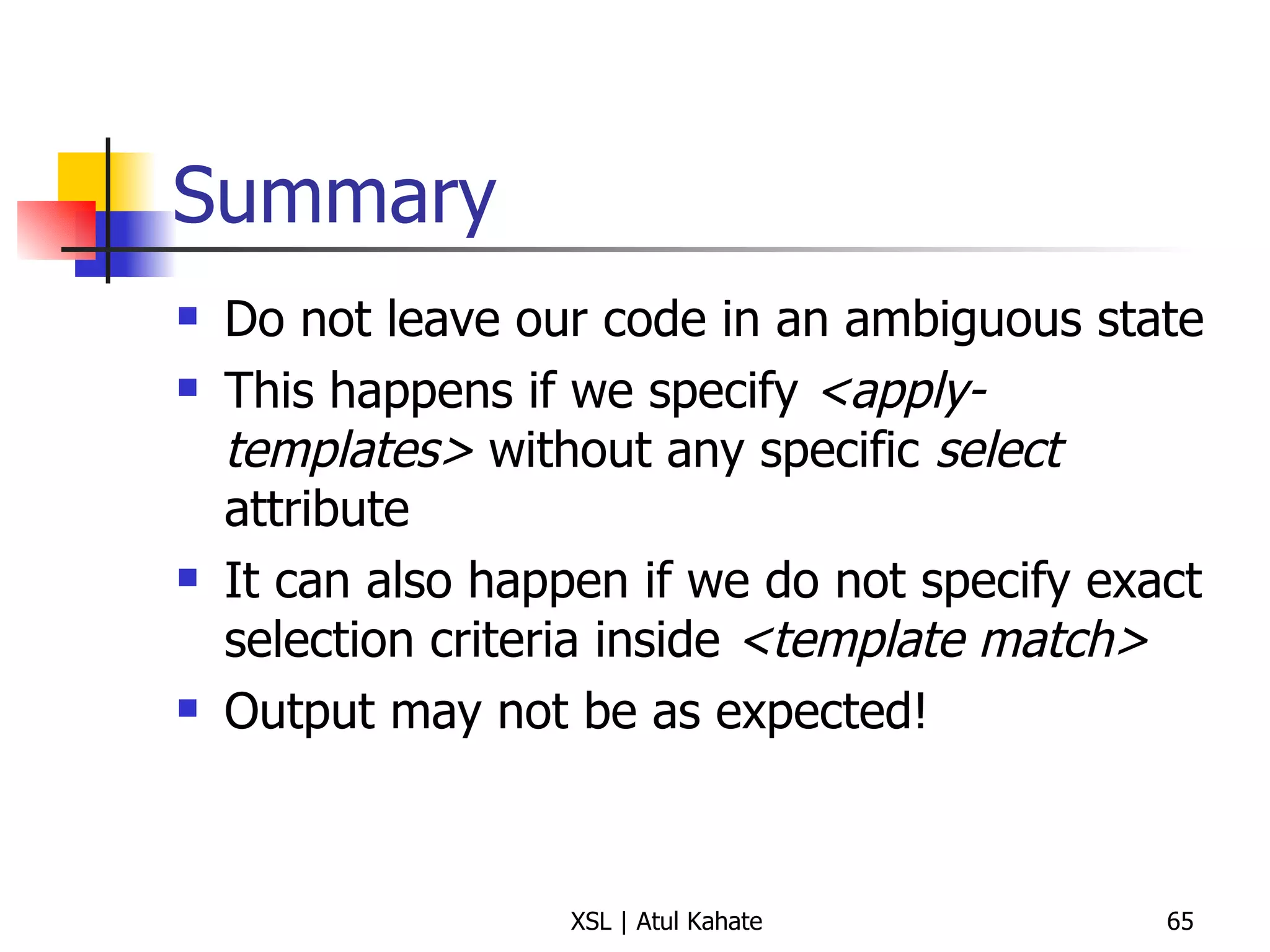
Summary Do not leave our code in an ambiguous state This happens if we specify  <apply-templates>  without any specific  select  attribute It can also happen if we do not specify exact selection criteria inside  <template match> Output may not be as expected!
Using Parameters in Templates
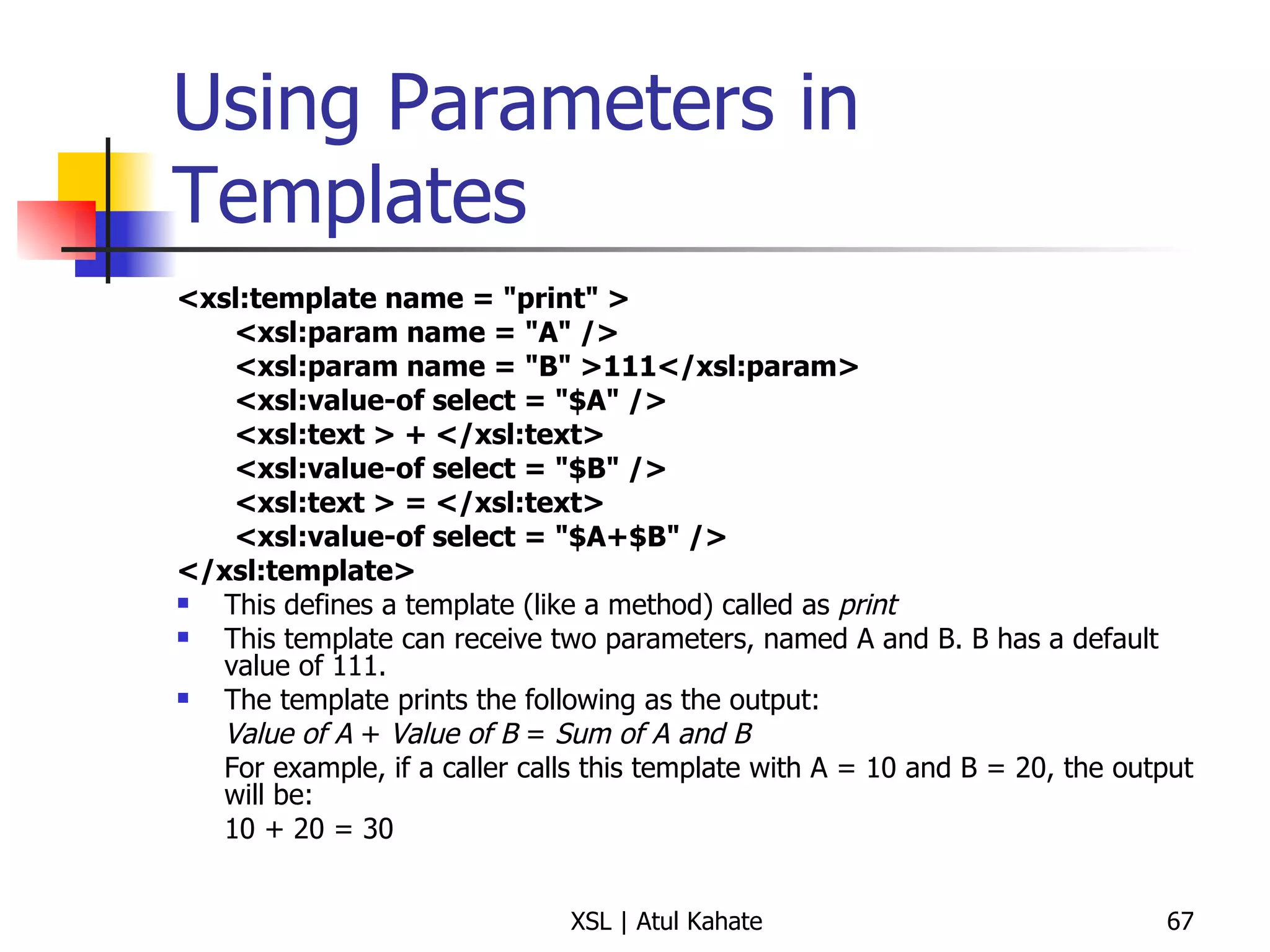
Using Parameters in Templates <xsl:template name = &quot;print&quot; >  <xsl:param name = &quot;A&quot; />  <xsl:param name = &quot;B&quot; >111</xsl:param>  <xsl:value-of select = &quot;$A&quot; />  <xsl:text > + </xsl:text>  <xsl:value-of select = &quot;$B&quot; />  <xsl:text > = </xsl:text>  <xsl:value-of select = &quot;$A+$B&quot; />  </xsl:template> This defines a template (like a method) called as  print This template can receive two parameters, named A and B. B has a default value of 111. The template prints the following as the output: Value of A  +  Value of B  =  Sum of A and B For example, if a caller calls this template with A = 10 and B = 20, the output will be: 10 + 20 = 30
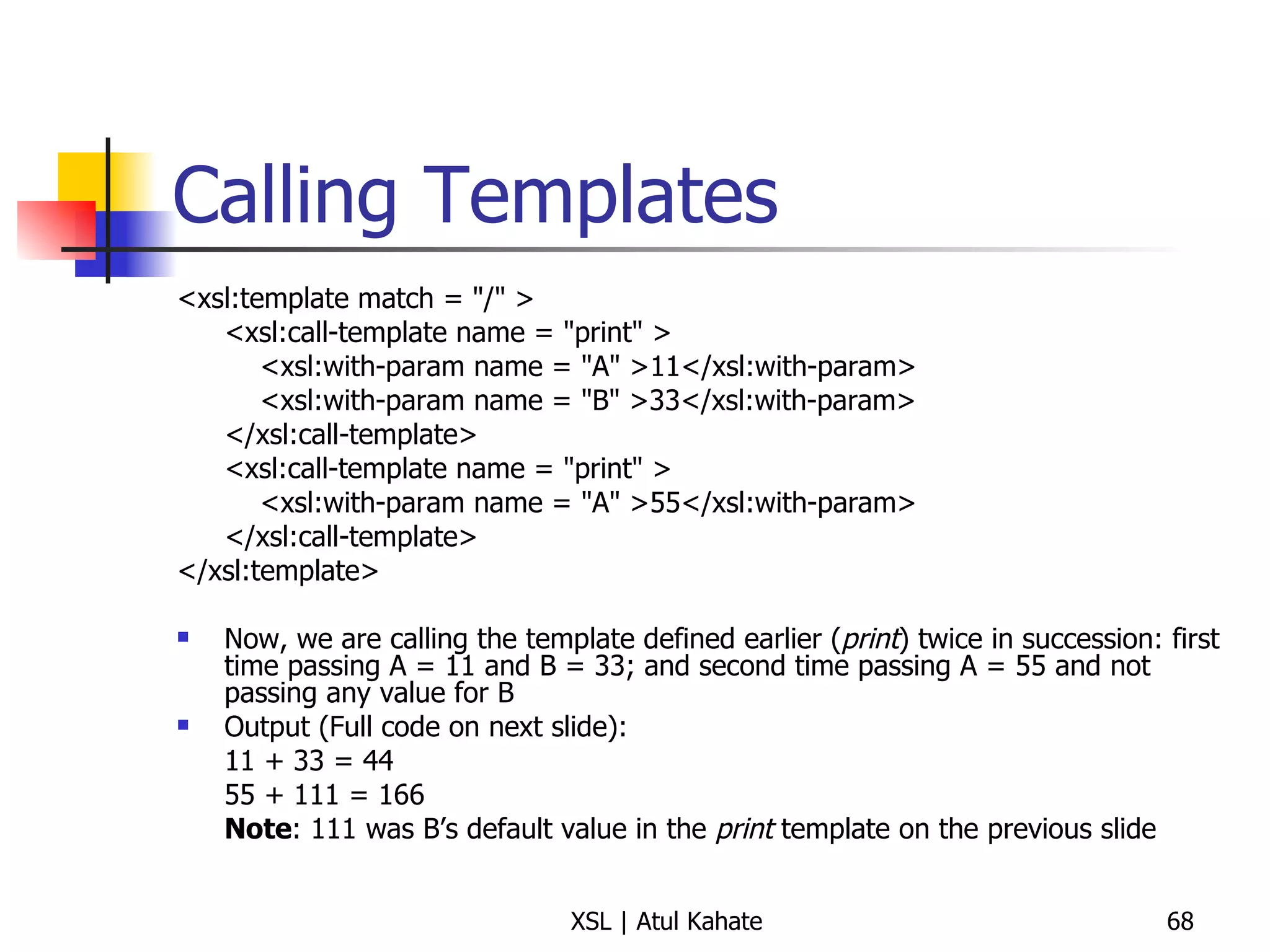
Calling Templates <xsl:template match = &quot;/&quot; >  <xsl:call-template name = &quot;print&quot; >    <xsl:with-param name = &quot;A&quot; >11</xsl:with-param>    <xsl:with-param name = &quot;B&quot; >33</xsl:with-param>  </xsl:call-template>  <xsl:call-template name = &quot;print&quot; >    <xsl:with-param name = &quot;A&quot; >55</xsl:with-param>  </xsl:call-template>  </xsl:template>  Now, we are calling the template defined earlier ( print ) twice in succession: first time passing A = 11 and B = 33; and second time passing A = 55 and not passing any value for B Output (Full code on next slide):  11 + 33 = 44 55 + 111 = 166 Note : 111 was B’s default value in the  print  template on the previous slide
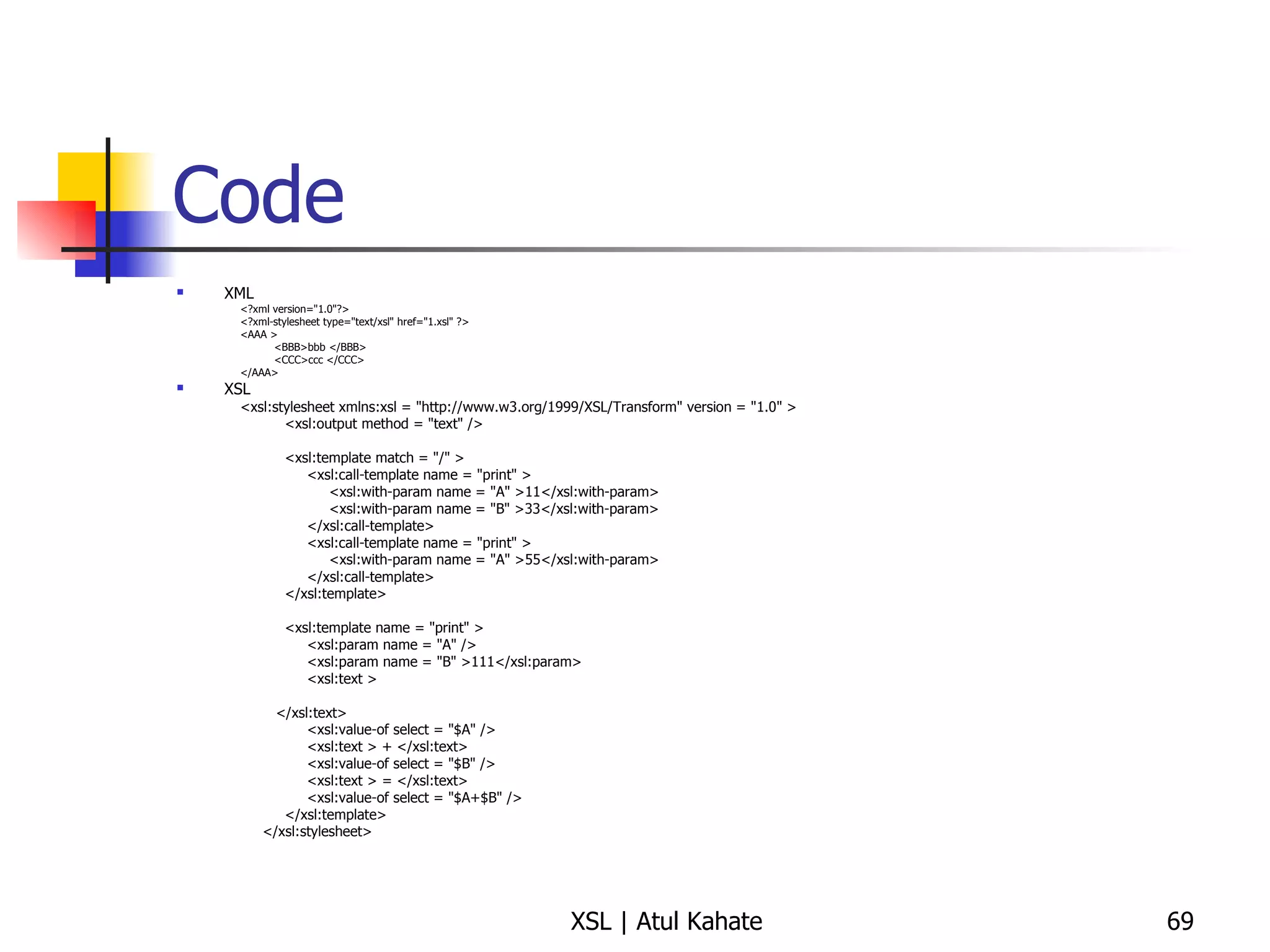
Code XML <?xml version=&quot;1.0&quot;?> <?xml-stylesheet type=&quot;text/xsl&quot; href=&quot;1.xsl&quot; ?> <AAA >  <BBB>bbb </BBB>  <CCC>ccc </CCC>  </AAA> XSL <xsl:stylesheet xmlns:xsl = &quot;http://www.w3.org/1999/XSL/Transform&quot; version = &quot;1.0&quot; >  <xsl:output method = &quot;text&quot; />  <xsl:template match = &quot;/&quot; >  <xsl:call-template name = &quot;print&quot; >  <xsl:with-param name = &quot;A&quot; >11</xsl:with-param>  <xsl:with-param name = &quot;B&quot; >33</xsl:with-param>  </xsl:call-template>  <xsl:call-template name = &quot;print&quot; >  <xsl:with-param name = &quot;A&quot; >55</xsl:with-param>  </xsl:call-template>  </xsl:template>  <xsl:template name = &quot;print&quot; >  <xsl:param name = &quot;A&quot; />  <xsl:param name = &quot;B&quot; >111</xsl:param>  <xsl:text > </xsl:text>  <xsl:value-of select = &quot;$A&quot; />  <xsl:text > + </xsl:text>  <xsl:value-of select = &quot;$B&quot; />  <xsl:text > = </xsl:text>  <xsl:value-of select = &quot;$A+$B&quot; />  </xsl:template>  </xsl:stylesheet>
Attributes
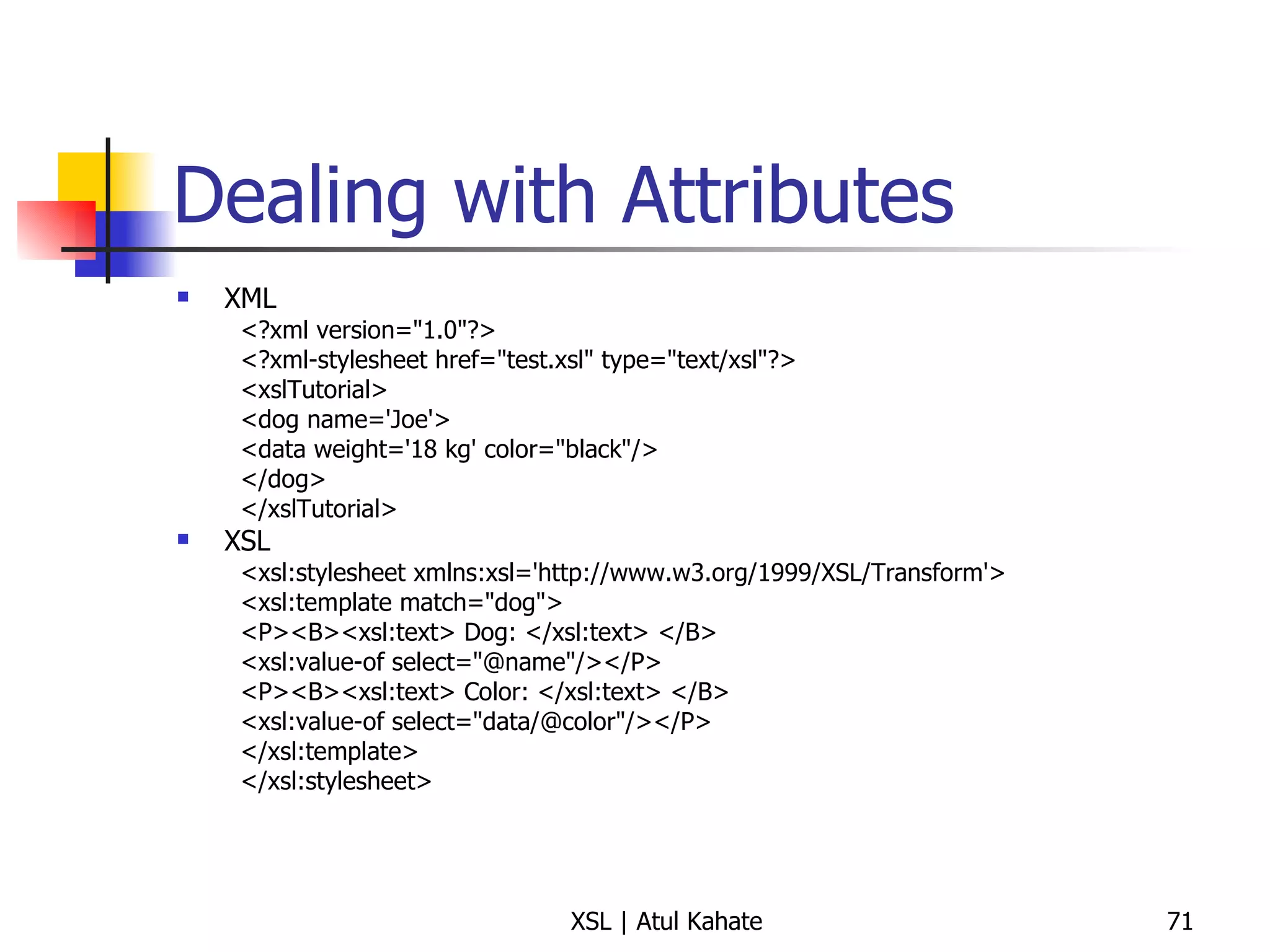
Dealing with Attributes XML <?xml version=&quot;1.0&quot;?> <?xml-stylesheet href=&quot;test.xsl&quot; type=&quot;text/xsl&quot;?> <xslTutorial>  <dog name='Joe'>  <data weight='18 kg' color=&quot;black&quot;/>  </dog>  </xslTutorial>  XSL <xsl:stylesheet xmlns:xsl='http://www.w3.org/1999/XSL/Transform'>  <xsl:template match=&quot;dog&quot;>  <P><B><xsl:text> Dog: </xsl:text> </B>  <xsl:value-of select=&quot;@name&quot;/></P>  <P><B><xsl:text> Color: </xsl:text> </B>  <xsl:value-of select=&quot;data/@color&quot;/></P>  </xsl:template>  </xsl:stylesheet>
Another Example XML <?xml version=&quot;1.0&quot;?> <?xml-stylesheet href=&quot;products.xsl&quot; type=&quot;text/xsl&quot;?> <card type=&quot;simple&quot;> <name>John Doe</name> <title>CEO, Widget Inc.</title> <email>john.doe@widget.com</email> <phone>(202) 456-1414</phone> </card> XSL <xsl:stylesheet xmlns:xsl=&quot;http://www.w3.org/1999/XSL/Transform&quot; version=&quot;1.0&quot; xmlns=&quot;http://www.w3.org/1999/xhtml&quot;> <xsl:template match=&quot;card[@type='simple']&quot;> <html xmlns=&quot;http://www.w3.org/1999/xhtml&quot;> <title>business card</title><body> <xsl:apply-templates select=&quot;name&quot;/> <xsl:apply-templates select=&quot;title&quot;/> <xsl:apply-templates select=&quot;email&quot;/> <xsl:apply-templates select=&quot;phone&quot;/> </body></html> </xsl:template> <xsl:template match=&quot;card/name&quot;> <h1><xsl:value-of select=&quot;text()&quot;/></h1> </xsl:template> <xsl:template match=&quot;email&quot;> <p>email: <a href=&quot;mailto:{text()}&quot;><tt> <xsl:value-of select=&quot;text()&quot;/> </tt></a></p> </xsl:template>  </xsl:stylesheet>
A Detailed Example
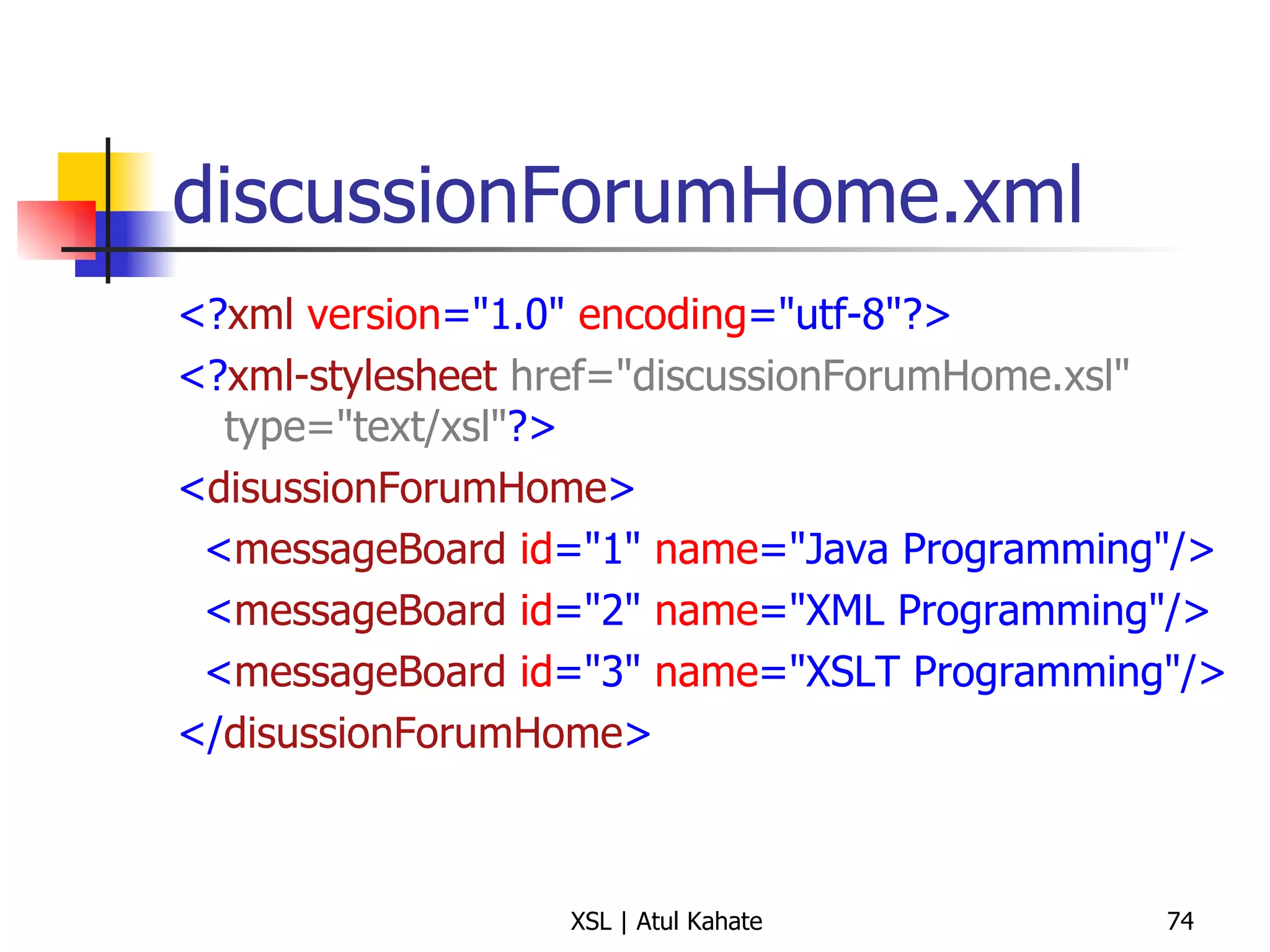
discussionForumHome.xml <? xml   version =&quot;1.0&quot;  encoding =&quot;utf-8&quot;?> <? xml-stylesheet   href=&quot;discussionForumHome.xsl&quot; type=&quot;text/xsl&quot; ?> < disussionForumHome > < messageBoard   id =&quot;1&quot;  name =&quot;Java Programming&quot;/> < messageBoard   id =&quot;2&quot;  name =&quot;XML Programming&quot;/> < messageBoard   id =&quot;3&quot;  name =&quot;XSLT Programming&quot;/> </ disussionForumHome >
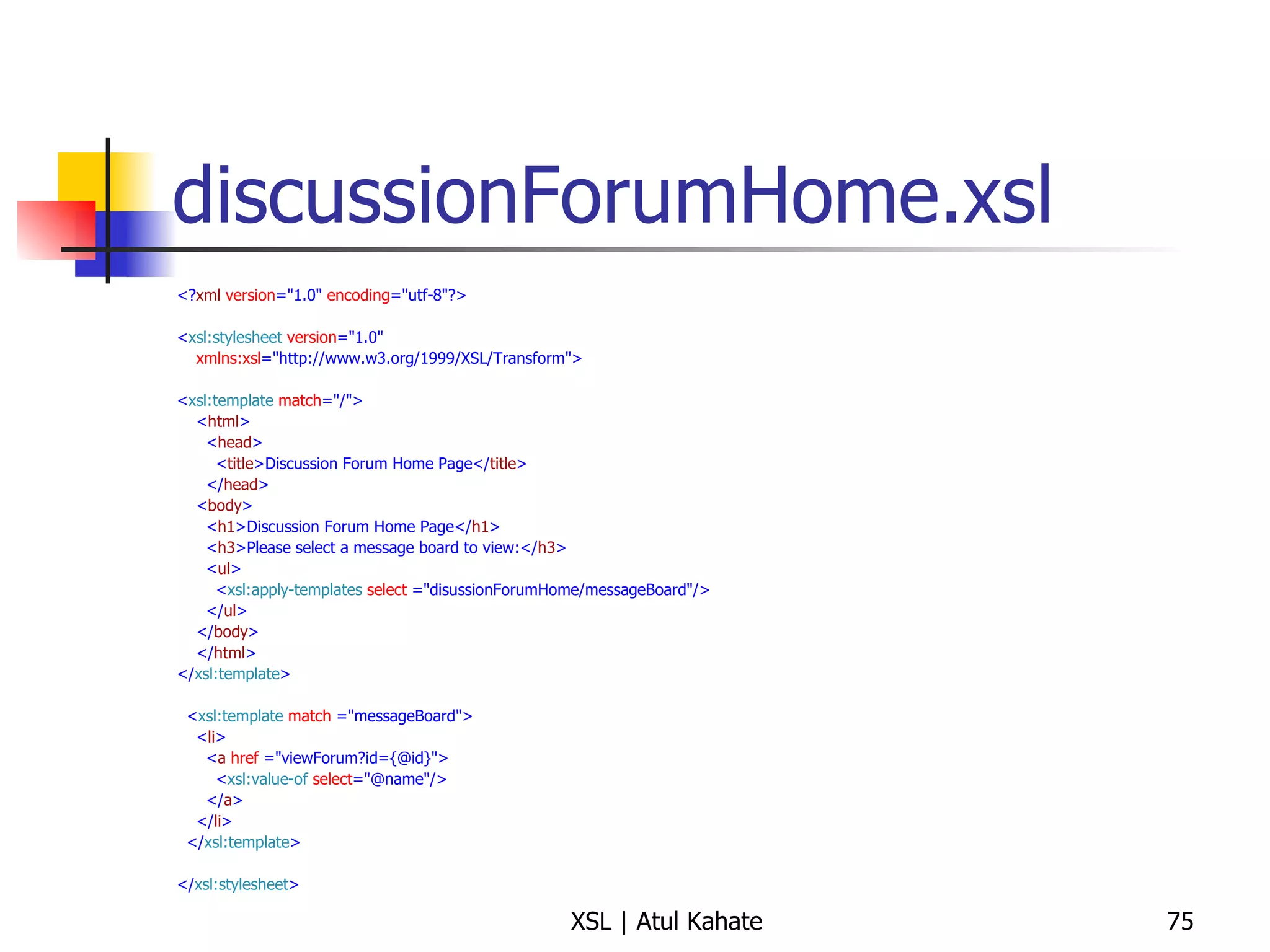
discussionForumHome.xsl <? xml   version =&quot;1.0&quot;  encoding =&quot;utf-8&quot;?> < xsl:stylesheet   version =&quot;1.0&quot; xmlns:xsl =&quot;http://www.w3.org/1999/XSL/Transform&quot;> < xsl:template   match =&quot;/&quot;> < html > < head > < title >Discussion Forum Home Page</ title > </ head > < body > < h1 >Discussion Forum Home Page</ h1 > < h3 >Please select a message board to view:</ h3 > < ul > < xsl:apply-templates   select  =&quot;disussionForumHome/messageBoard&quot;/> </ ul > </ body > </ html > </ xsl:template > < xsl:template   match  =&quot;messageBoard&quot;> < li > < a   href  =&quot;viewForum?id={@id}&quot;> < xsl:value-of   select =&quot;@name&quot;/> </ a > </ li > </ xsl:template > </ xsl:stylesheet >
<xsl:template match = “/”> Read this as: Start processing the XML document at the root of the document / indicates root There are some details underneath, as explained next
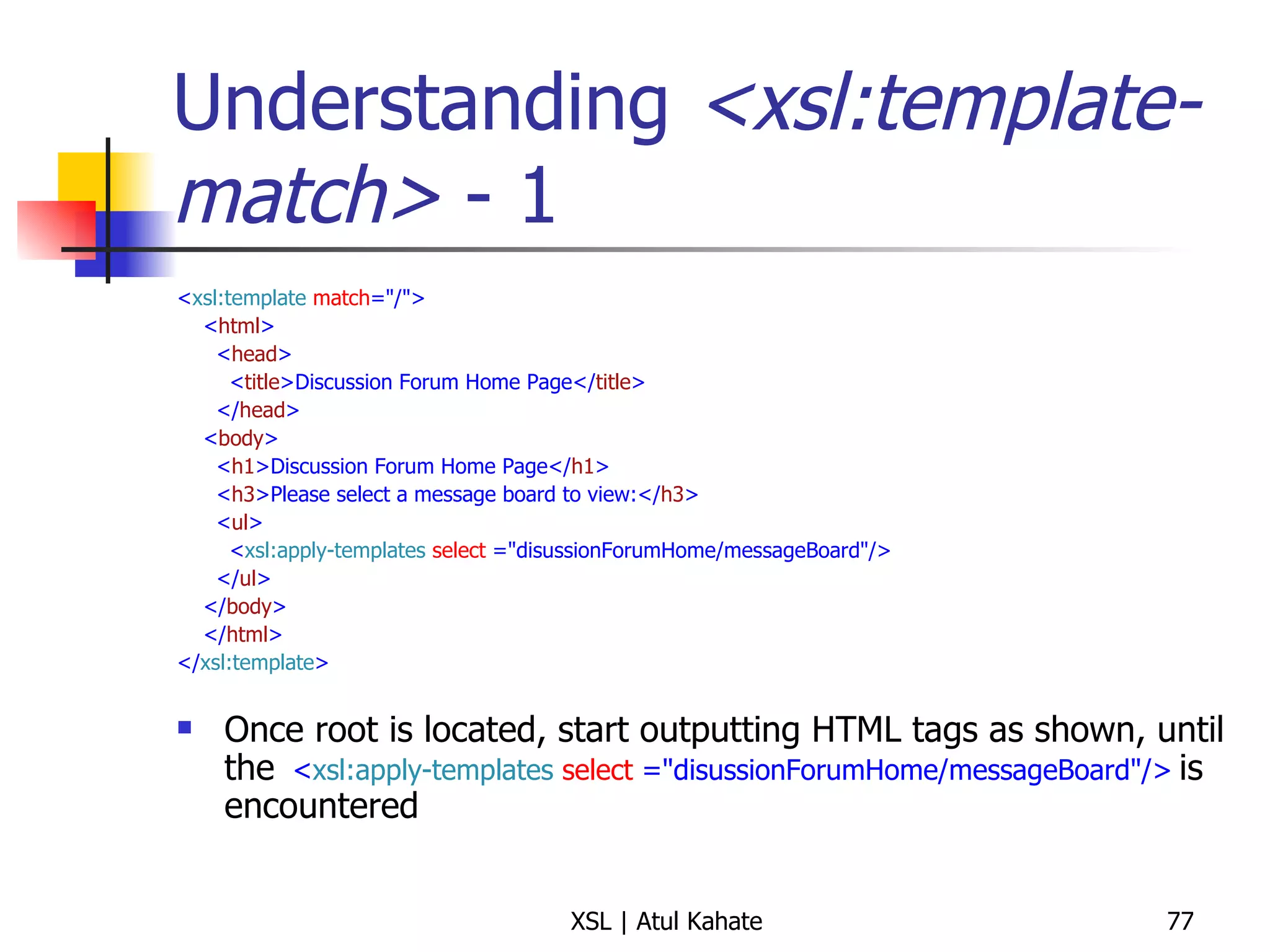
Understanding  <xsl:template-match>  - 1 < xsl:template   match =&quot;/&quot;> < html > < head > < title >Discussion Forum Home Page</ title > </ head > < body > < h1 >Discussion Forum Home Page</ h1 > < h3 >Please select a message board to view:</ h3 > < ul > < xsl:apply-templates   select  =&quot;disussionForumHome/messageBoard&quot;/> </ ul > </ body > </ html > </ xsl:template > Once root is located, start outputting HTML tags as shown, until the  < xsl:apply-templates   select  =&quot;disussionForumHome/messageBoard&quot;/>   is encountered
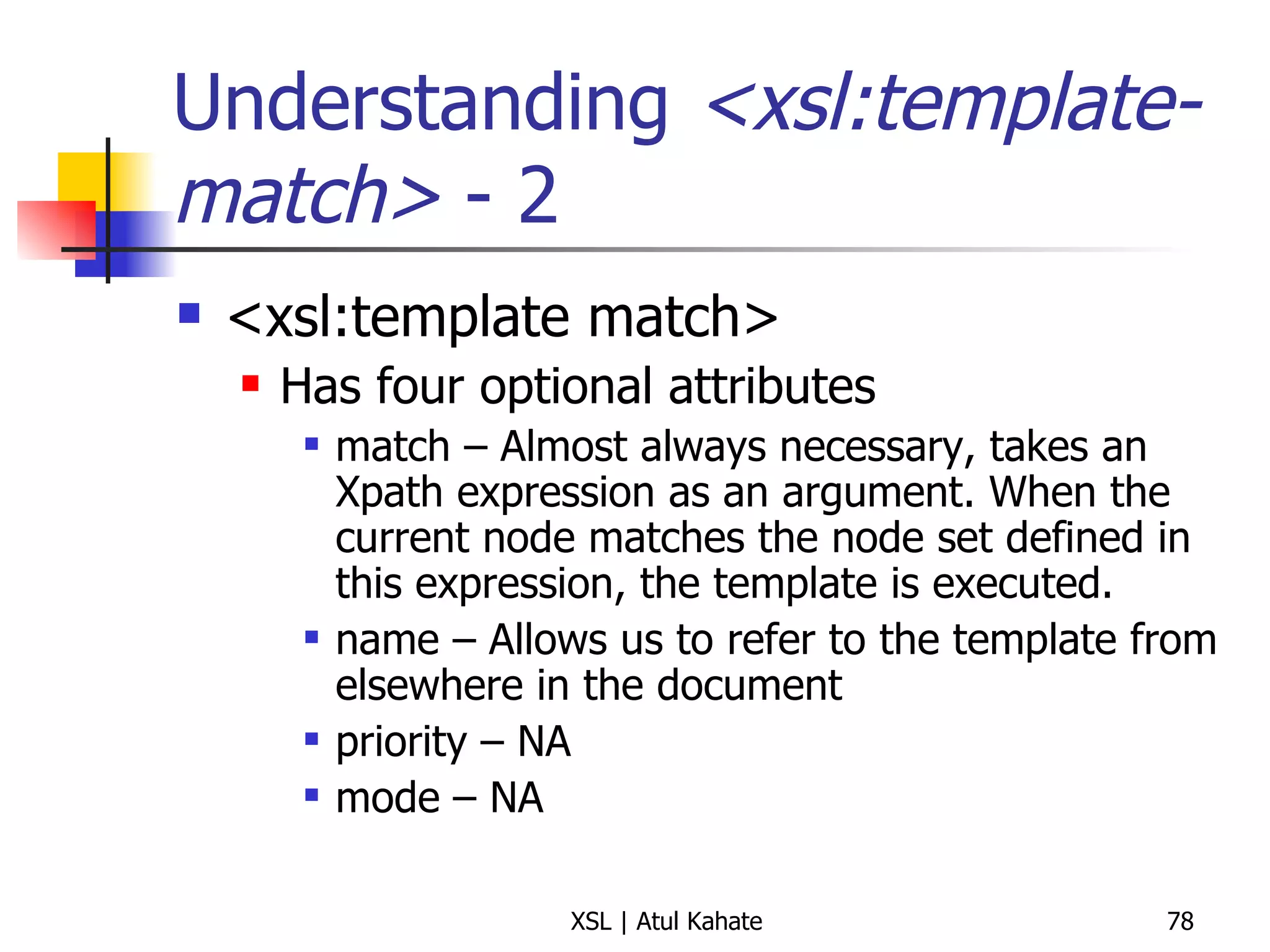
Understanding  <xsl:template-match>  - 2 <xsl:template match> Has four optional attributes match – Almost always necessary, takes an Xpath expression as an argument. When the current node matches the node set defined in this expression, the template is executed. name – Allows us to refer to the template from elsewhere in the document priority – NA mode – NA
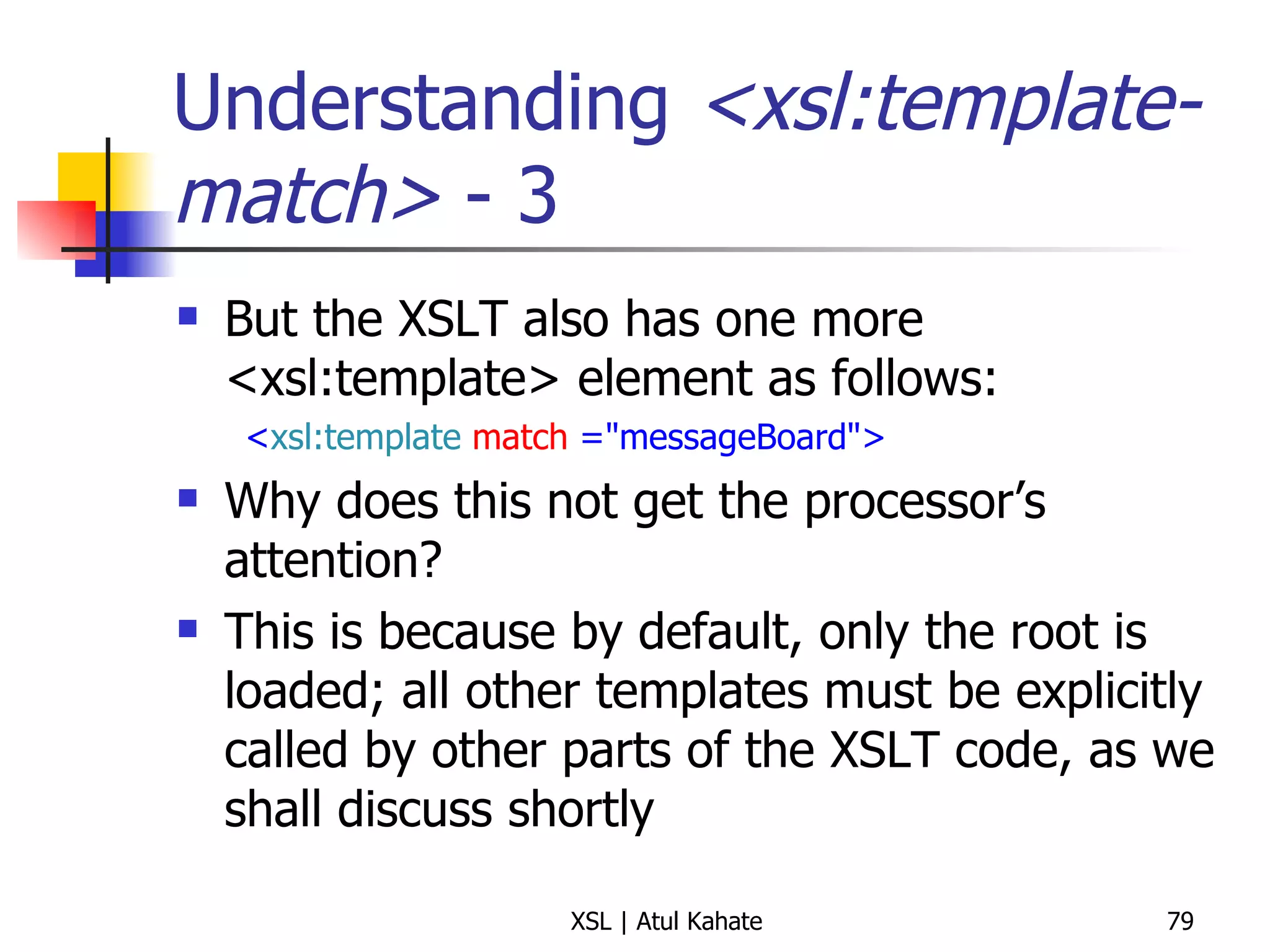
Understanding  <xsl:template-match>  - 3 But the XSLT also has one more <xsl:template> element as follows: < xsl:template   match  =&quot;messageBoard&quot;> Why does this not get the processor’s attention? This is because by default, only the root is loaded; all other templates must be explicitly called by other parts of the XSLT code, as we shall discuss shortly
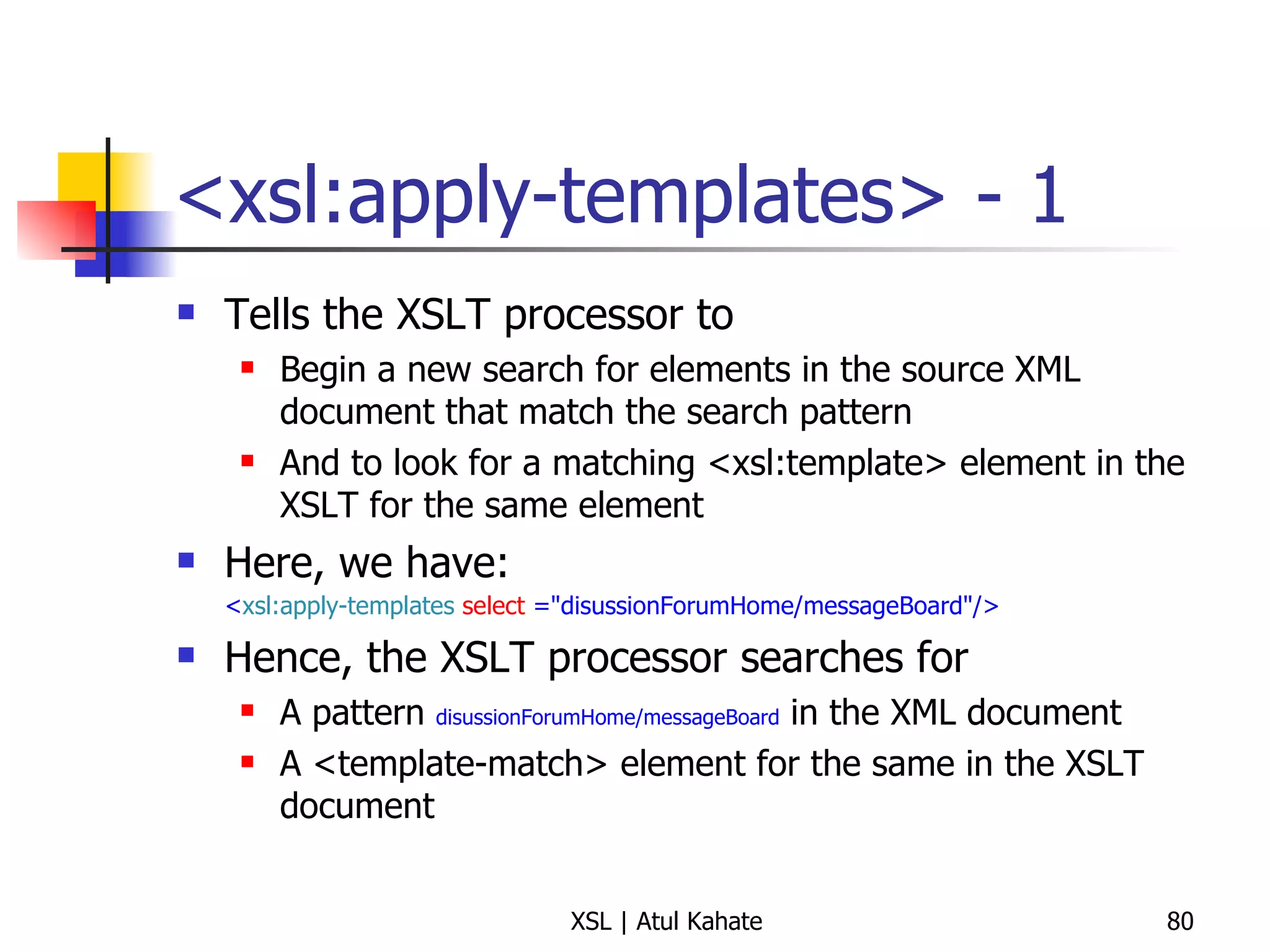
<xsl:apply-templates> - 1 Tells the XSLT processor to  Begin a new search for elements in the source XML document that match the search pattern And to look for a matching <xsl:template> element in the XSLT for the same element Here, we have:  < xsl:apply-templates   select  =&quot;disussionForumHome/messageBoard&quot;/>   Hence, the XSLT processor searches for  A pattern  disussionForumHome/messageBoard  in the XML document A <template-match> element for the same in the XSLT document
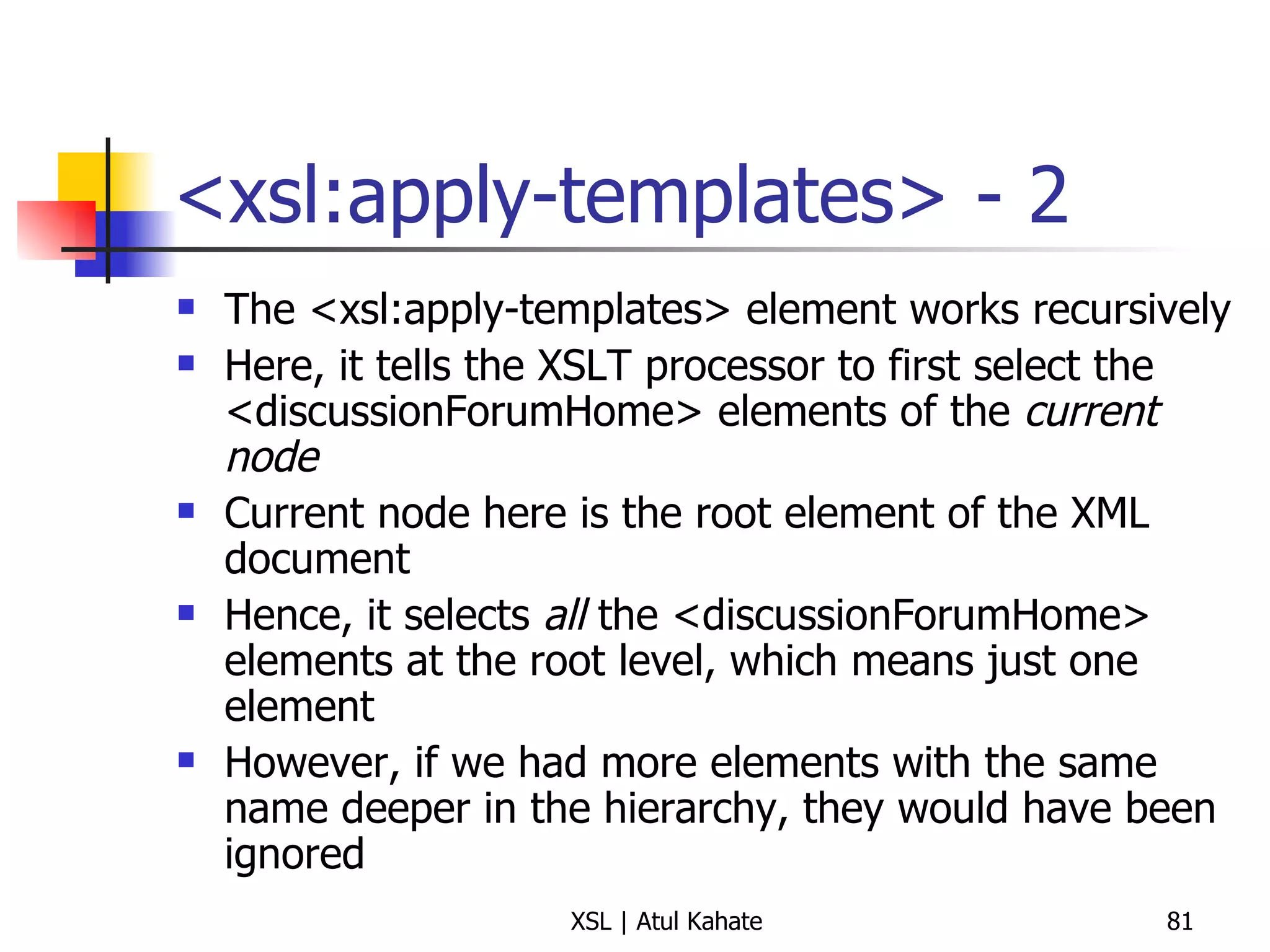
<xsl:apply-templates> - 2 The <xsl:apply-templates> element works recursively Here, it tells the XSLT processor to first select the <discussionForumHome> elements of the  current node Current node here is the root element of the XML document Hence, it selects  all  the <discussionForumHome> elements at the root level, which means just one element However, if we had more elements with the same name deeper in the hierarchy, they would have been ignored
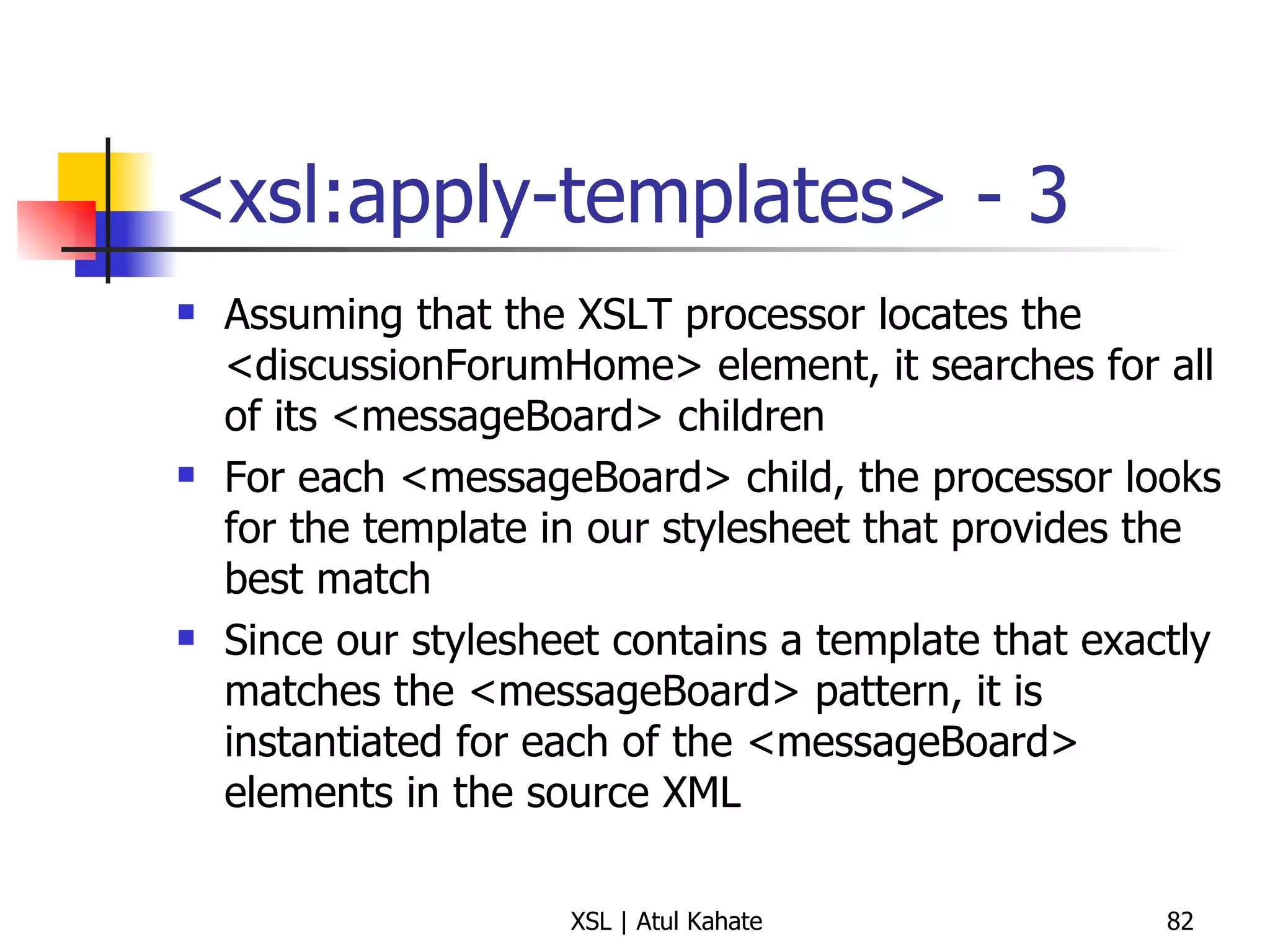
<xsl:apply-templates> - 3 Assuming that the XSLT processor locates the <discussionForumHome> element, it searches for all of its <messageBoard> children For each <messageBoard> child, the processor looks for the template in our stylesheet that provides the best match Since our stylesheet contains a template that exactly matches the <messageBoard> pattern, it is instantiated for each of the <messageBoard> elements in the source XML
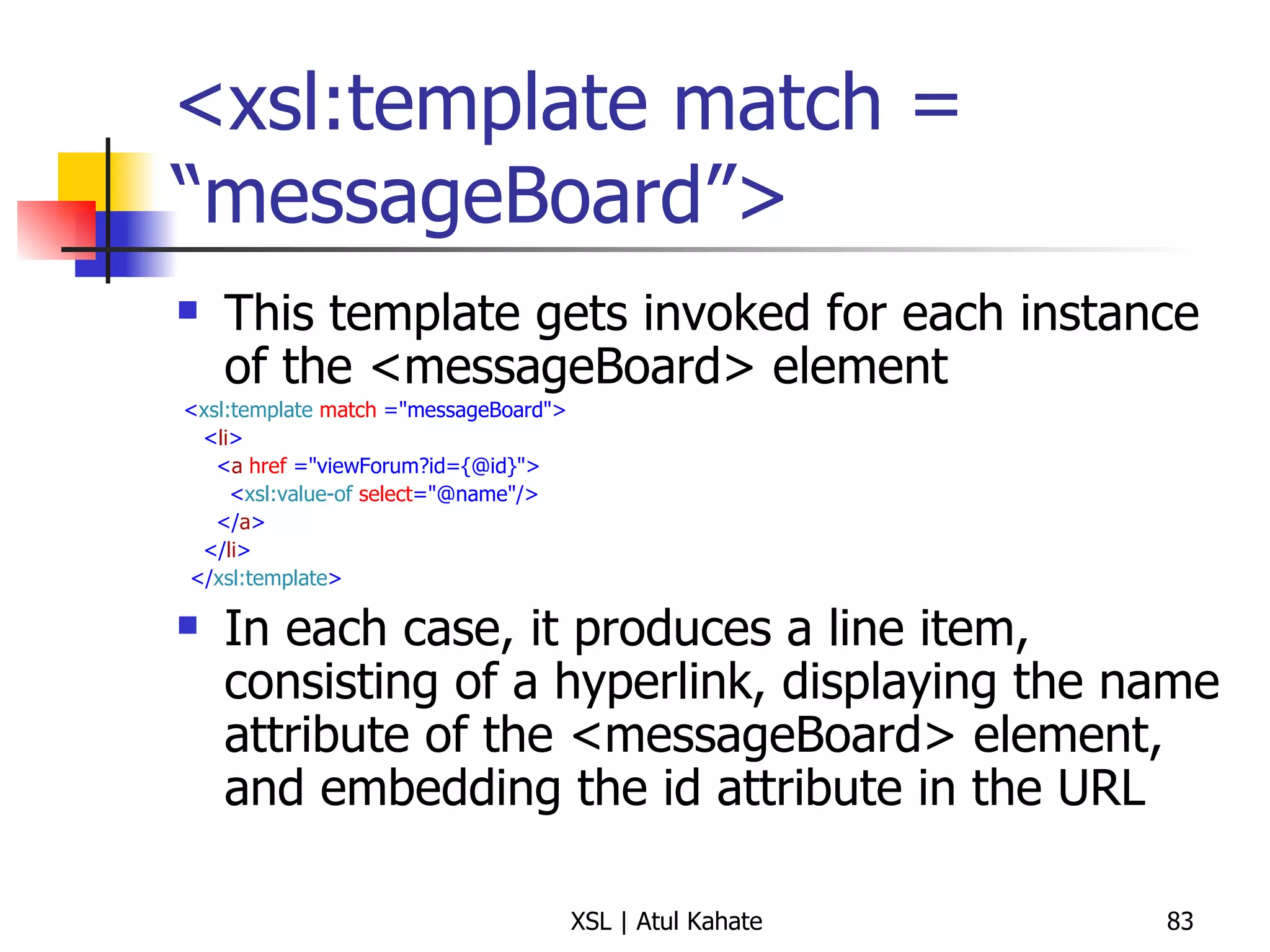
<xsl:template match = “messageBoard”> This template gets invoked for each instance of the <messageBoard> element < xsl:template   match  =&quot;messageBoard&quot;> < li > < a   href  =&quot;viewForum?id={@id}&quot;> < xsl:value-of   select =&quot;@name&quot;/> </ a > </ li > </ xsl:template > In each case, it produces a line item, consisting of a hyperlink, displaying the name attribute of the <messageBoard> element, and embedding the id attribute in the URL
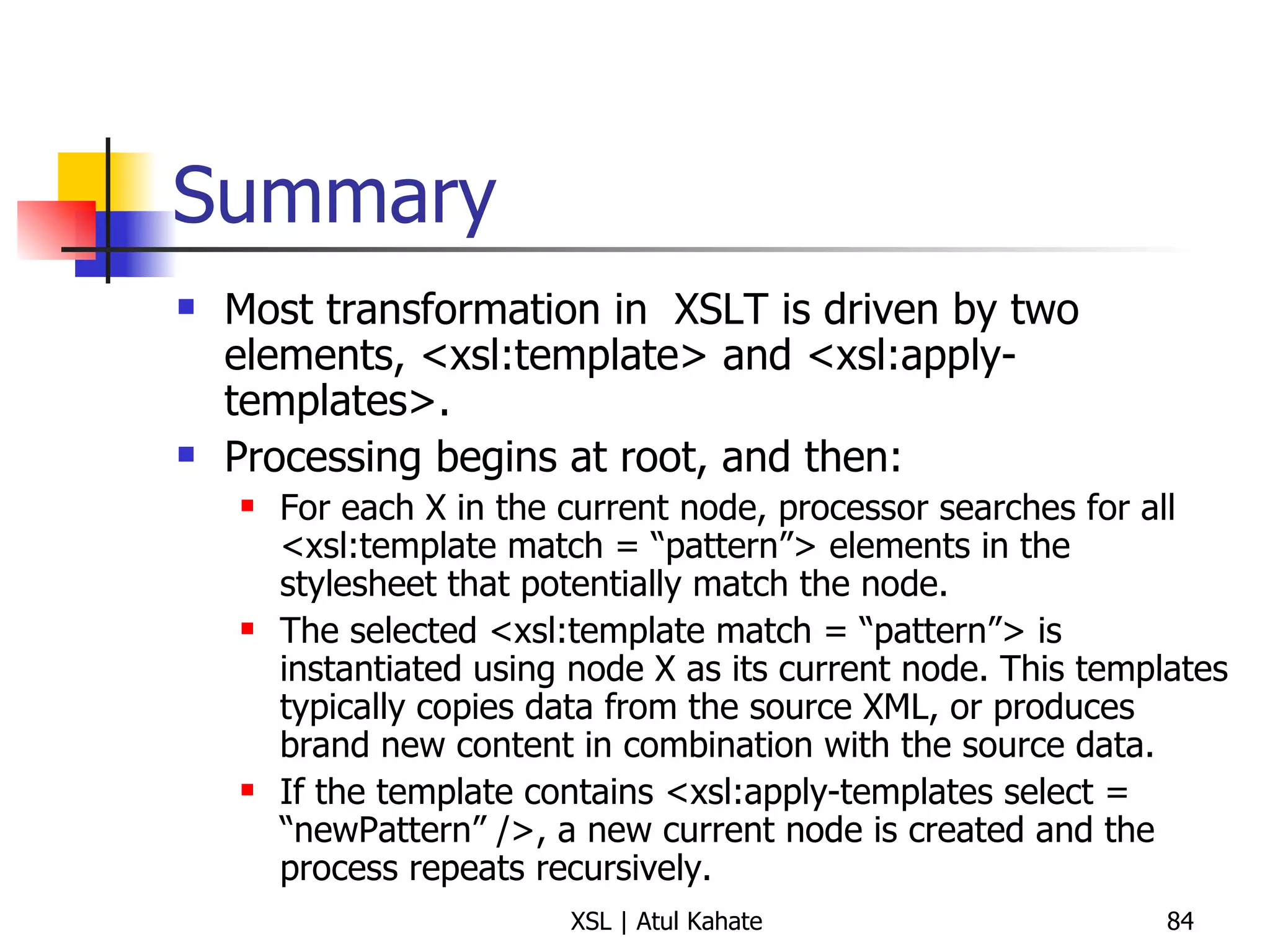
Summary Most transformation in  XSLT is driven by two elements, <xsl:template> and <xsl:apply-templates>. Processing begins at root, and then: For each X in the current node, processor searches for all <xsl:template match = “pattern”> elements in the stylesheet that potentially match the node. The selected <xsl:template match = “pattern”> is instantiated using node X as its current node. This templates typically copies data from the source XML, or produces brand new content in combination with the source data. If the template contains <xsl:apply-templates select = “newPattern” />, a new current node is created and the process repeats recursively.
Comparing <xsl:template> to <xsl:apply-template> Think about the former as similar to a Java method definition, and the later as invoking that method
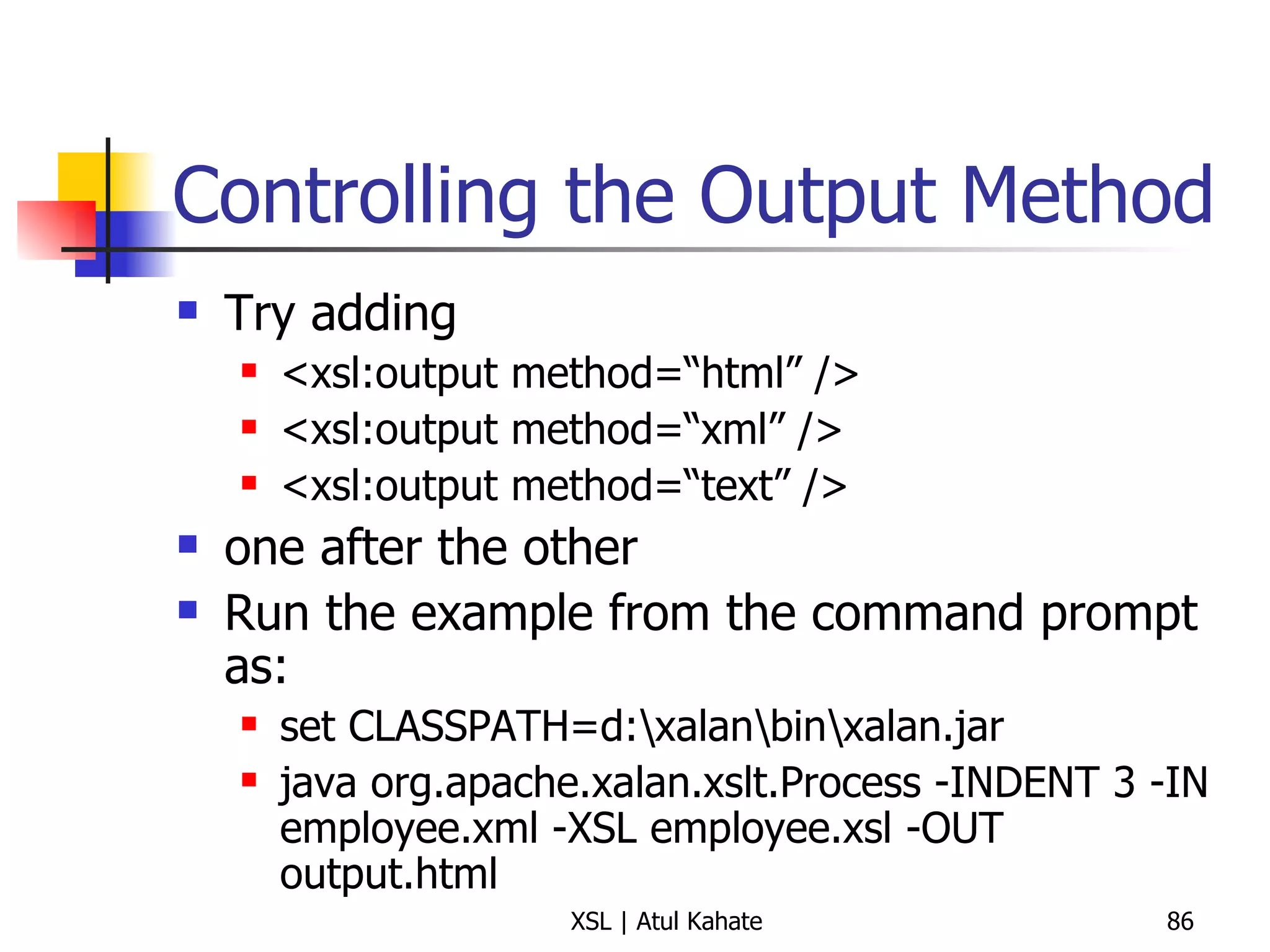
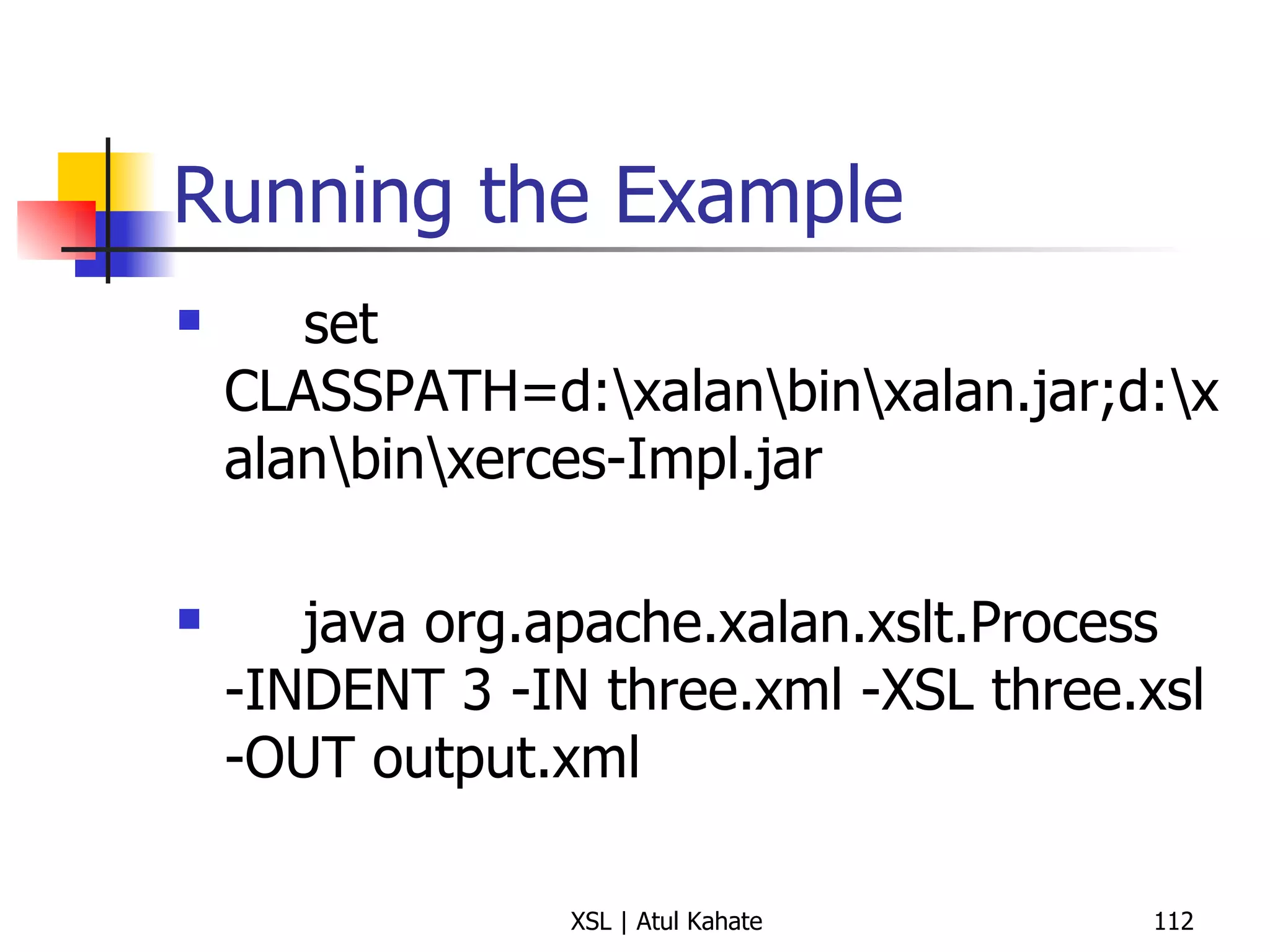
Controlling the Output Method Try adding  <xsl:output method=“html” /> <xsl:output method=“xml” /> <xsl:output method=“text” /> one after the other Run the example from the command prompt as: set CLASSPATH=d:\xalan\bin\xalan.jar java org.apache.xalan.xslt.Process -INDENT 3 -IN employee.xml -XSL employee.xsl -OUT output.html
Quick Recap
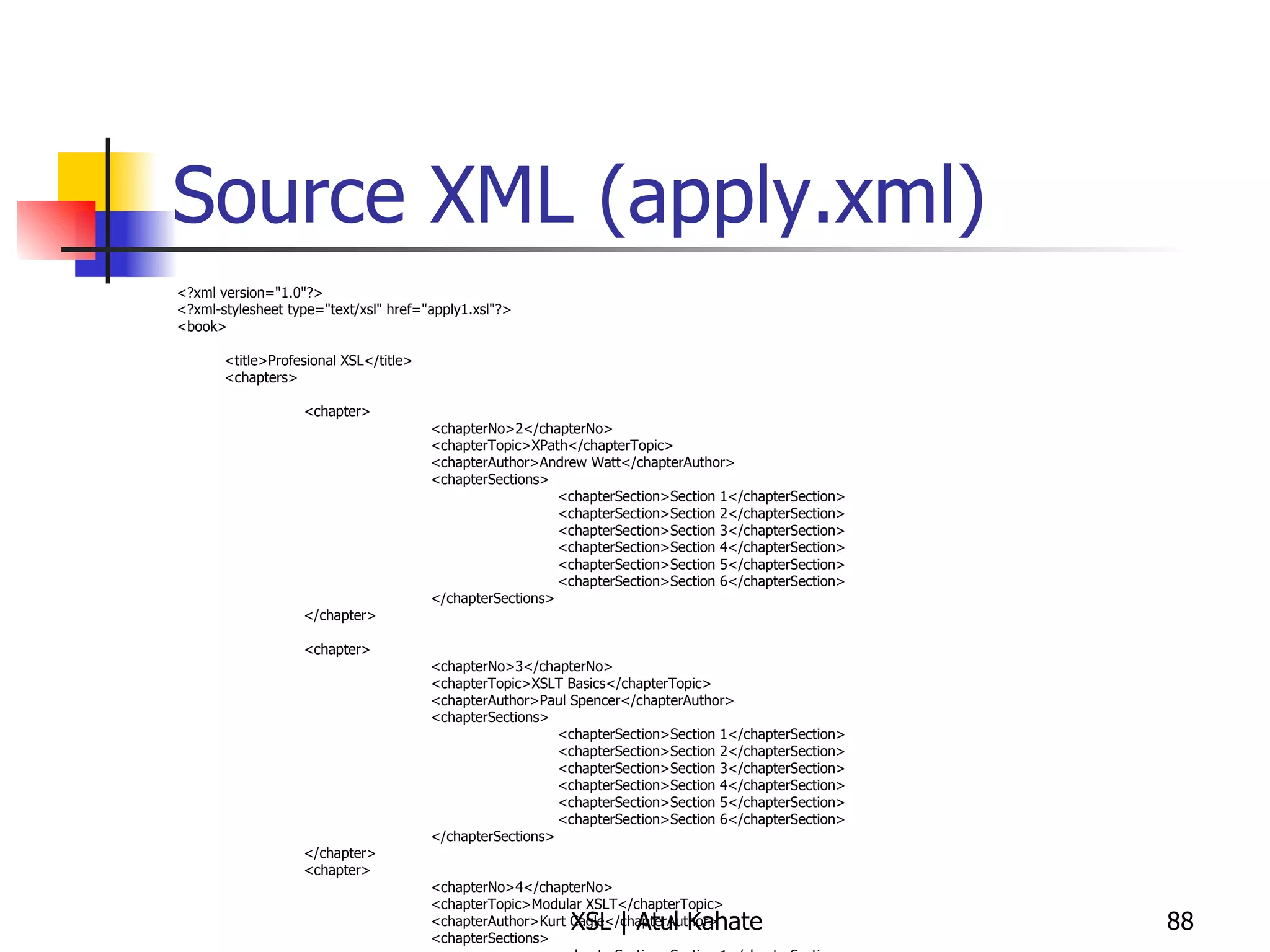
Source XML (apply.xml) <?xml version=&quot;1.0&quot;?> <?xml-stylesheet type=&quot;text/xsl&quot; href=&quot;apply1.xsl&quot;?> <book> <title>Profesional XSL</title> <chapters> <chapter> <chapterNo>2</chapterNo> <chapterTopic>XPath</chapterTopic> <chapterAuthor>Andrew Watt</chapterAuthor> <chapterSections> <chapterSection>Section 1</chapterSection> <chapterSection>Section 2</chapterSection> <chapterSection>Section 3</chapterSection> <chapterSection>Section 4</chapterSection> <chapterSection>Section 5</chapterSection> <chapterSection>Section 6</chapterSection> </chapterSections> </chapter> <chapter> <chapterNo>3</chapterNo> <chapterTopic>XSLT Basics</chapterTopic> <chapterAuthor>Paul Spencer</chapterAuthor> <chapterSections> <chapterSection>Section 1</chapterSection> <chapterSection>Section 2</chapterSection> <chapterSection>Section 3</chapterSection> <chapterSection>Section 4</chapterSection> <chapterSection>Section 5</chapterSection> <chapterSection>Section 6</chapterSection> </chapterSections> </chapter> <chapter> <chapterNo>4</chapterNo> <chapterTopic>Modular XSLT</chapterTopic> <chapterAuthor>Kurt Cagle</chapterAuthor> <chapterSections> <chapterSection>Section 1</chapterSection> <chapterSection>Section 2</chapterSection> <chapterSection>Section 3</chapterSection> <chapterSection>Section 4</chapterSection> <chapterSection>Section 5</chapterSection> <chapterSection>Section 6</chapterSection> </chapterSections> </chapter> </chapters> </book>
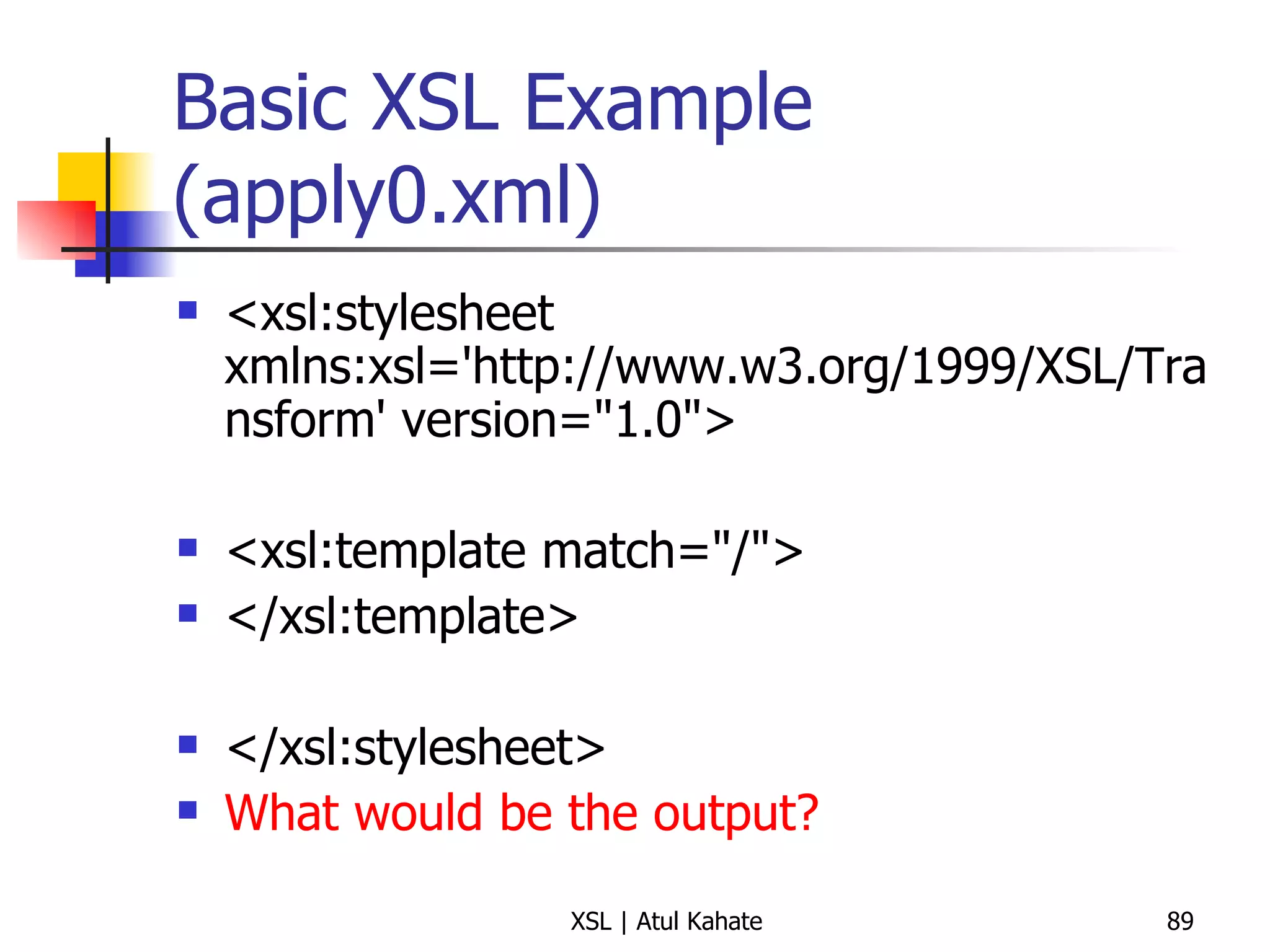
Basic XSL Example (apply0.xml) <xsl:stylesheet xmlns:xsl='http://www.w3.org/1999/XSL/Transform' version=&quot;1.0&quot;>  <xsl:template match=&quot;/&quot;>  </xsl:template>  </xsl:stylesheet> What would be the output?
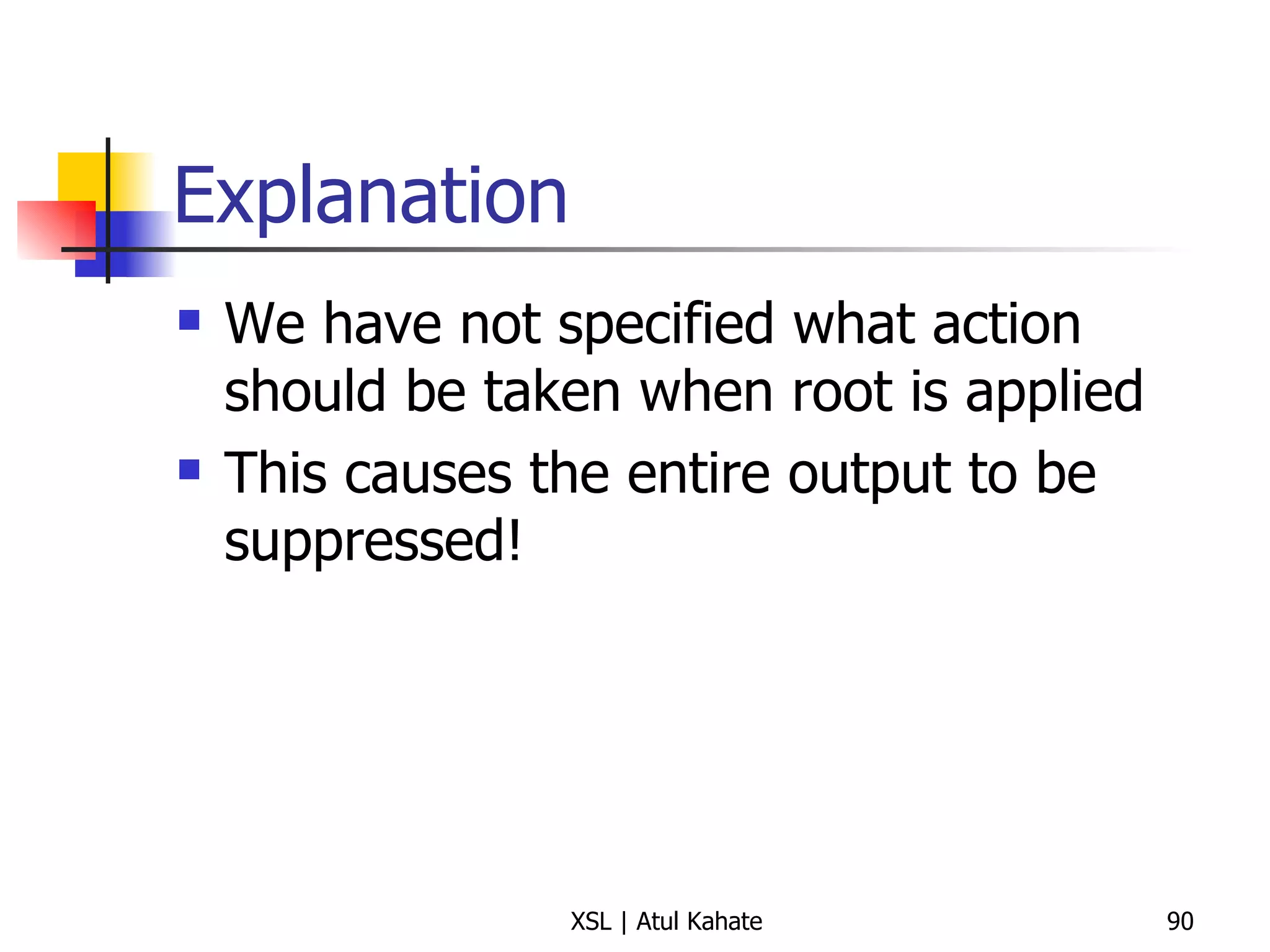
Explanation We have not specified what action should be taken when root is applied This causes the entire output to be suppressed!
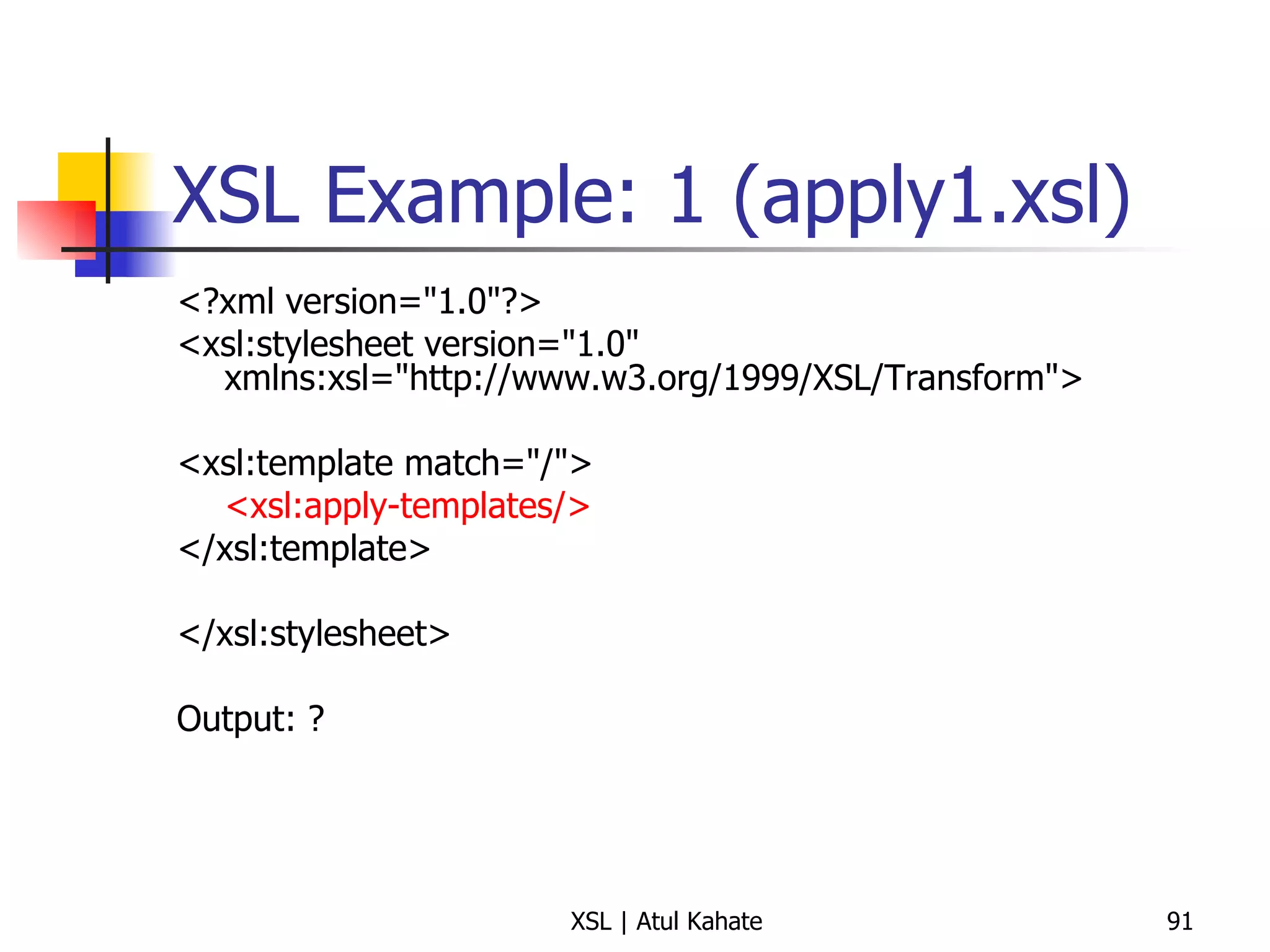
XSL Example: 1 (apply1.xsl) <?xml version=&quot;1.0&quot;?> <xsl:stylesheet version=&quot;1.0&quot; xmlns:xsl=&quot;http://www.w3.org/1999/XSL/Transform&quot;> <xsl:template match=&quot;/&quot;> <xsl:apply-templates/> </xsl:template> </xsl:stylesheet> Output: ?
Explanation Now there is an <apply-templates> inside the <template match> This causes the default <apply-templates> to be applied, i.e. without any particular  select  inside <apply-templates> In other words, <apply-templates> gets executed for all elements inside the root
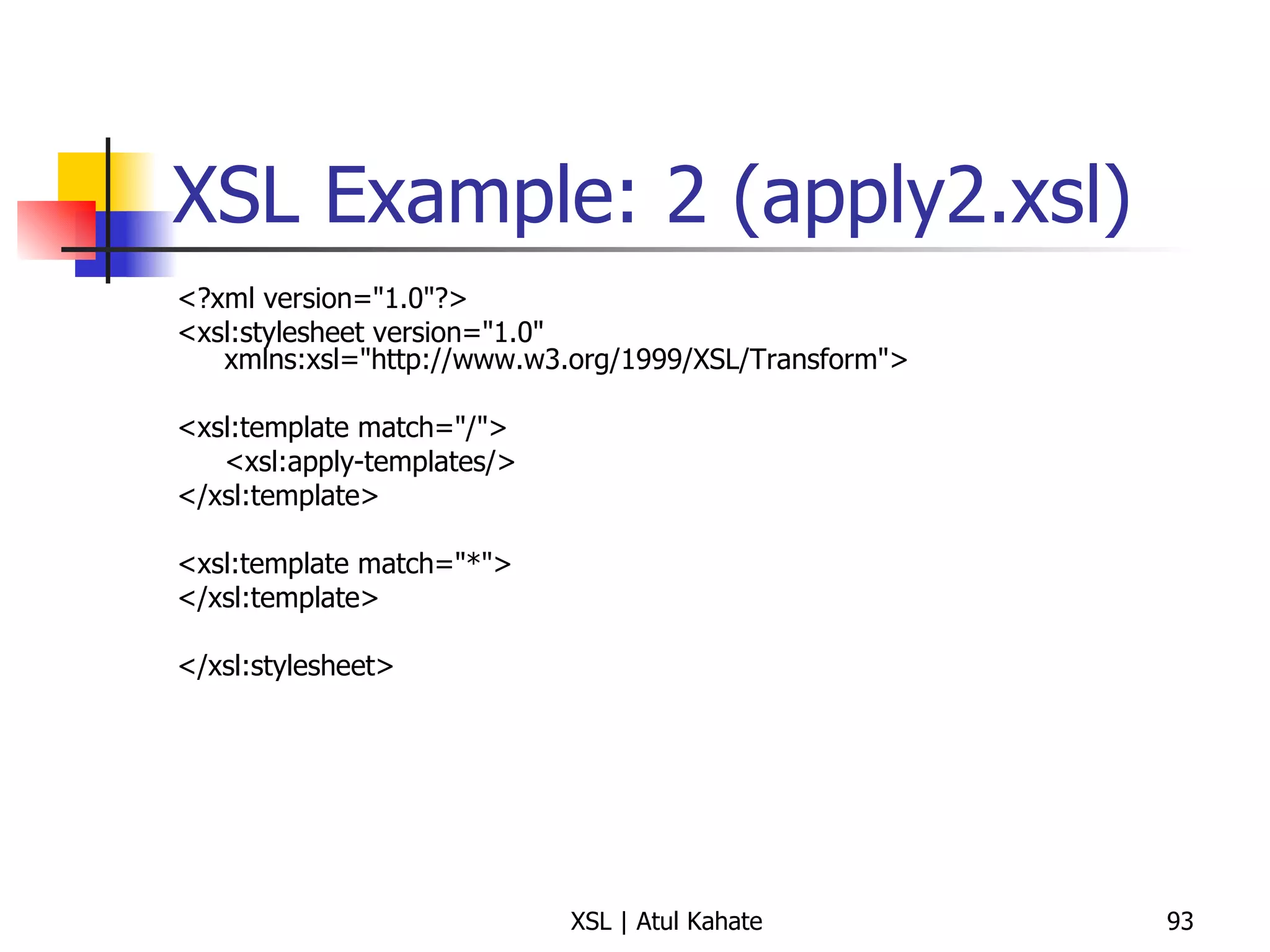
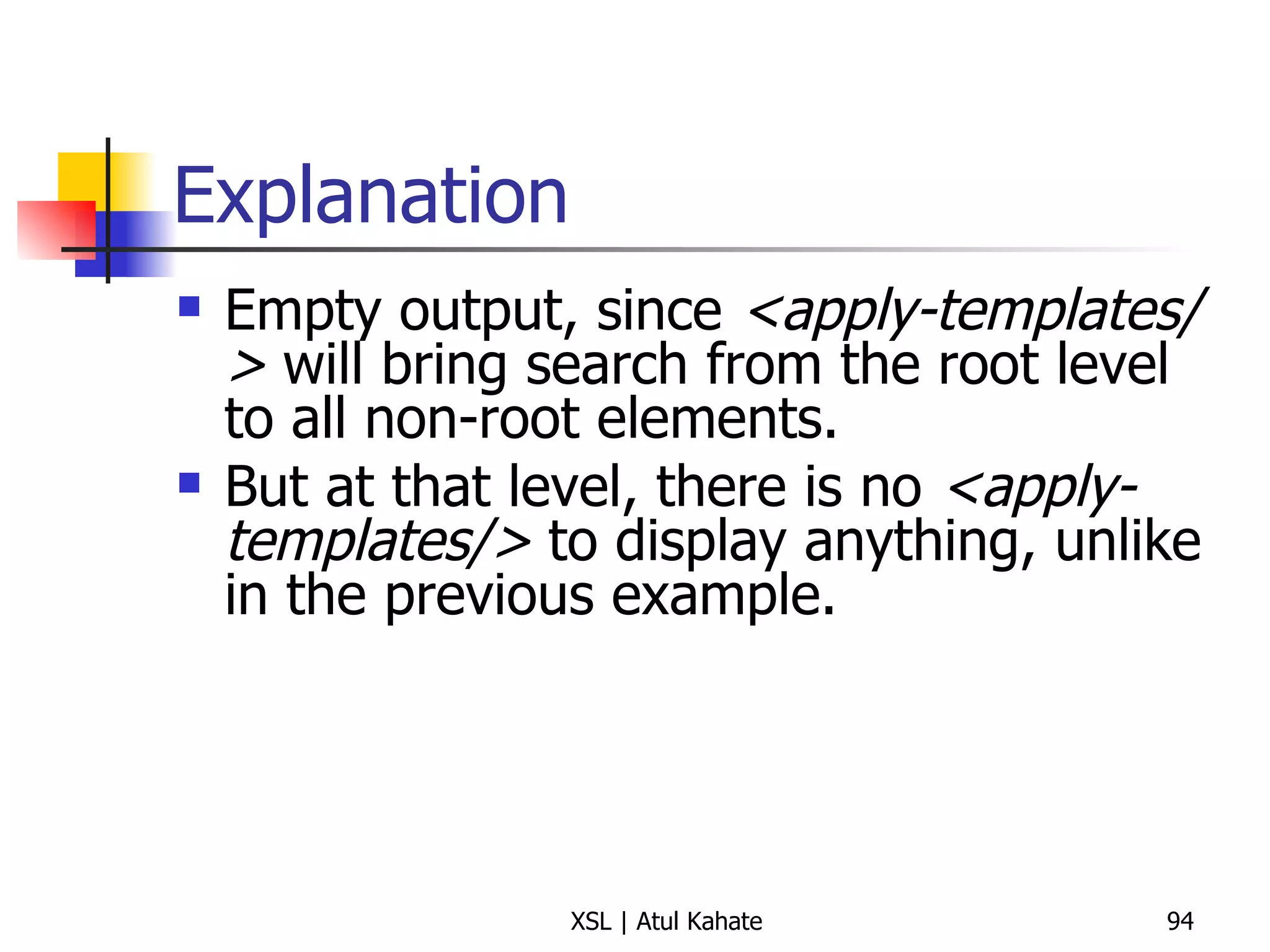
XSL Example: 2 (apply2.xsl) <?xml version=&quot;1.0&quot;?> <xsl:stylesheet version=&quot;1.0&quot; xmlns:xsl=&quot;http://www.w3.org/1999/XSL/Transform&quot;> <xsl:template match=&quot;/&quot;> <xsl:apply-templates/> </xsl:template> <xsl:template match=&quot;*&quot;> </xsl:template> </xsl:stylesheet>
Explanation Empty output, since  <apply-templates/>  will bring search from the root level to all non-root elements.  But at that level, there is no  <apply-templates/>  to display anything, unlike in the previous example.
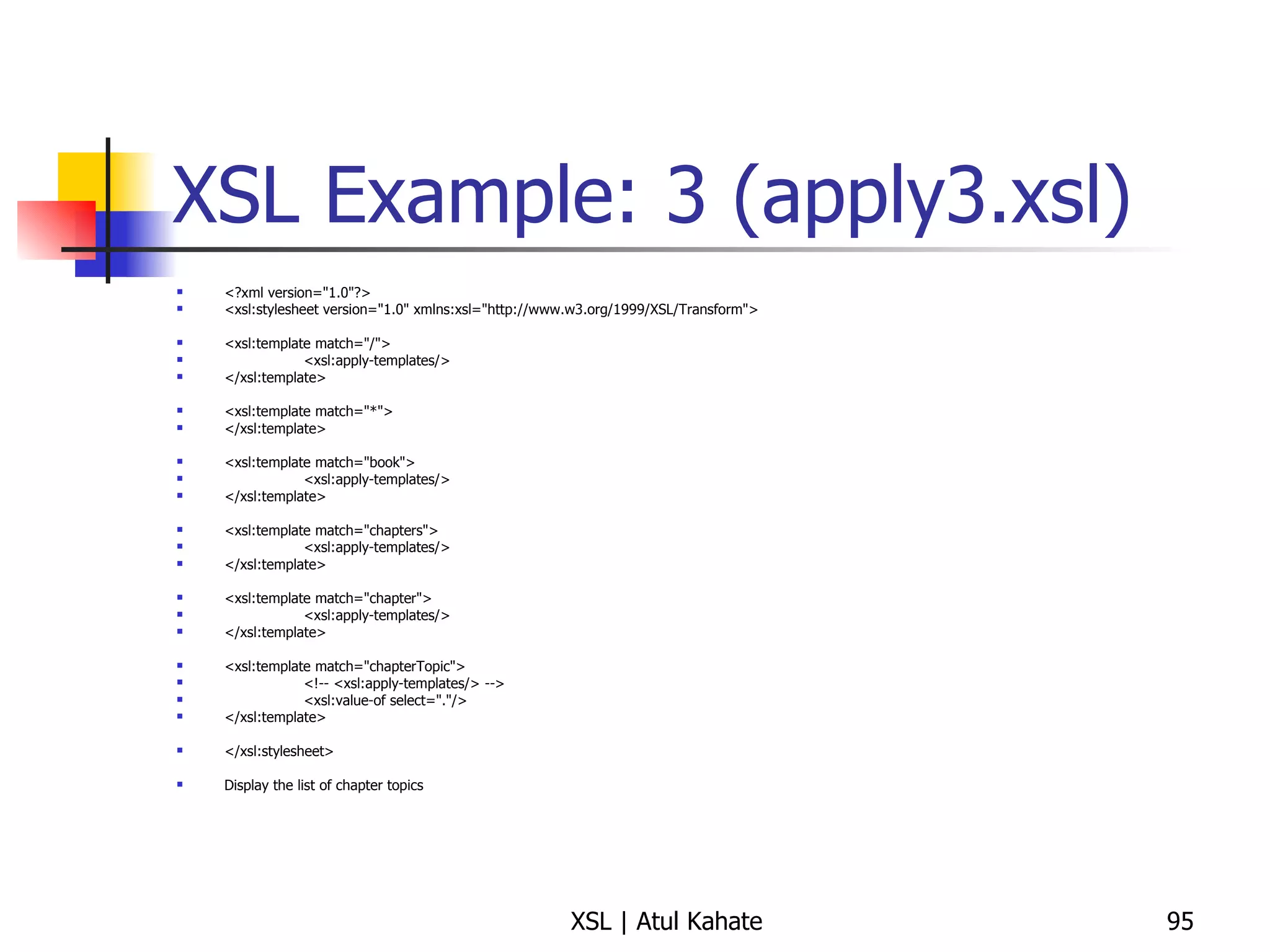
XSL Example: 3 (apply3.xsl) <?xml version=&quot;1.0&quot;?> <xsl:stylesheet version=&quot;1.0&quot; xmlns:xsl=&quot;http://www.w3.org/1999/XSL/Transform&quot;> <xsl:template match=&quot;/&quot;> <xsl:apply-templates/> </xsl:template> <xsl:template match=&quot;*&quot;> </xsl:template> <xsl:template match=&quot;book&quot;> <xsl:apply-templates/> </xsl:template> <xsl:template match=&quot;chapters&quot;> <xsl:apply-templates/> </xsl:template> <xsl:template match=&quot;chapter&quot;> <xsl:apply-templates/> </xsl:template> <xsl:template match=&quot;chapterTopic&quot;> <!-- <xsl:apply-templates/> --> <xsl:value-of select=&quot;.&quot;/> </xsl:template> </xsl:stylesheet> Display the list of chapter topics
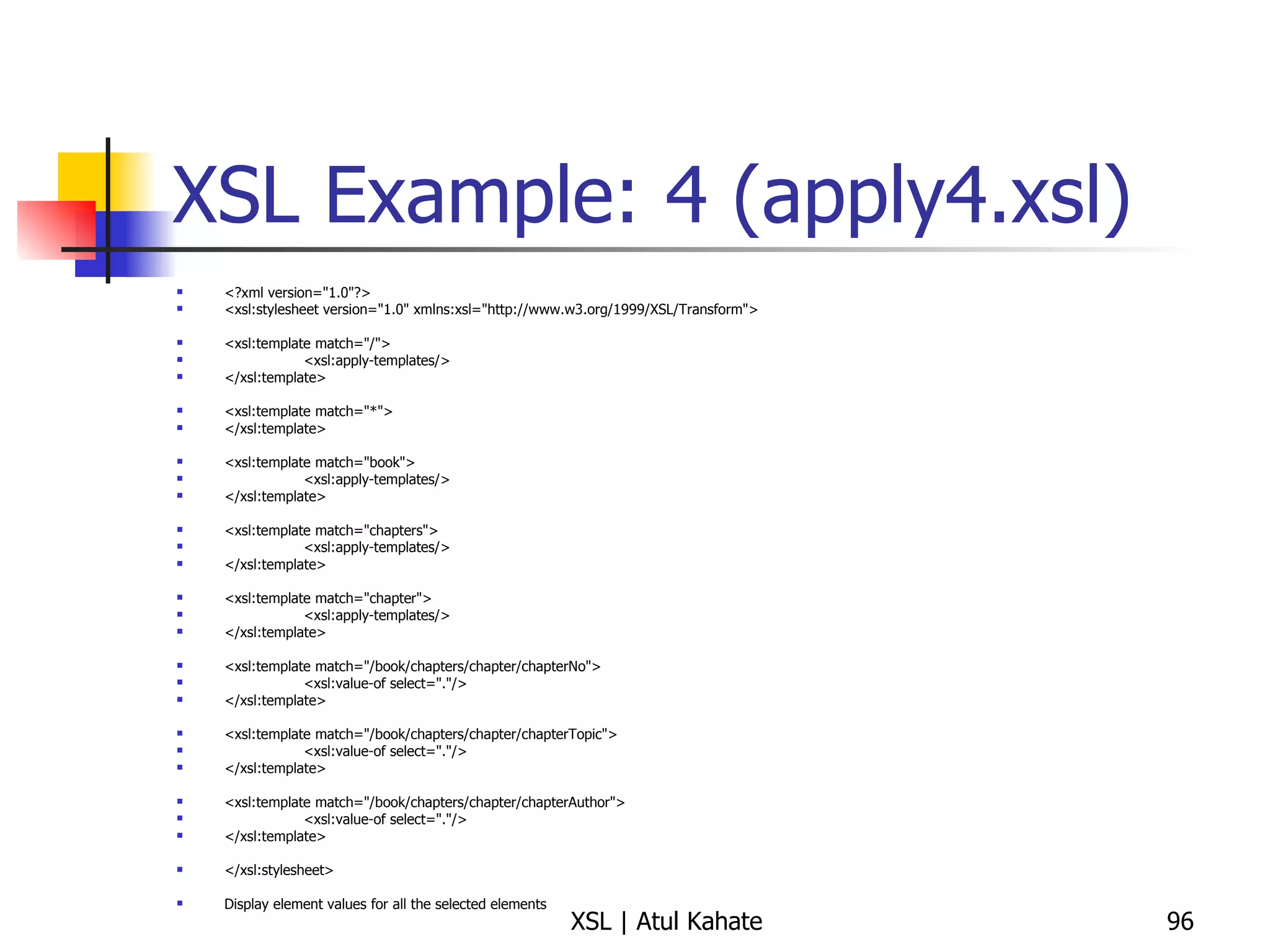
XSL Example: 4 (apply4.xsl) <?xml version=&quot;1.0&quot;?> <xsl:stylesheet version=&quot;1.0&quot; xmlns:xsl=&quot;http://www.w3.org/1999/XSL/Transform&quot;> <xsl:template match=&quot;/&quot;> <xsl:apply-templates/> </xsl:template> <xsl:template match=&quot;*&quot;> </xsl:template> <xsl:template match=&quot;book&quot;> <xsl:apply-templates/> </xsl:template> <xsl:template match=&quot;chapters&quot;> <xsl:apply-templates/> </xsl:template> <xsl:template match=&quot;chapter&quot;> <xsl:apply-templates/> </xsl:template> <xsl:template match=&quot;/book/chapters/chapter/chapterNo&quot;> <xsl:value-of select=&quot;.&quot;/> </xsl:template> <xsl:template match=&quot;/book/chapters/chapter/chapterTopic&quot;> <xsl:value-of select=&quot;.&quot;/> </xsl:template> <xsl:template match=&quot;/book/chapters/chapter/chapterAuthor&quot;> <xsl:value-of select=&quot;.&quot;/> </xsl:template> </xsl:stylesheet> Display element values for all the selected elements
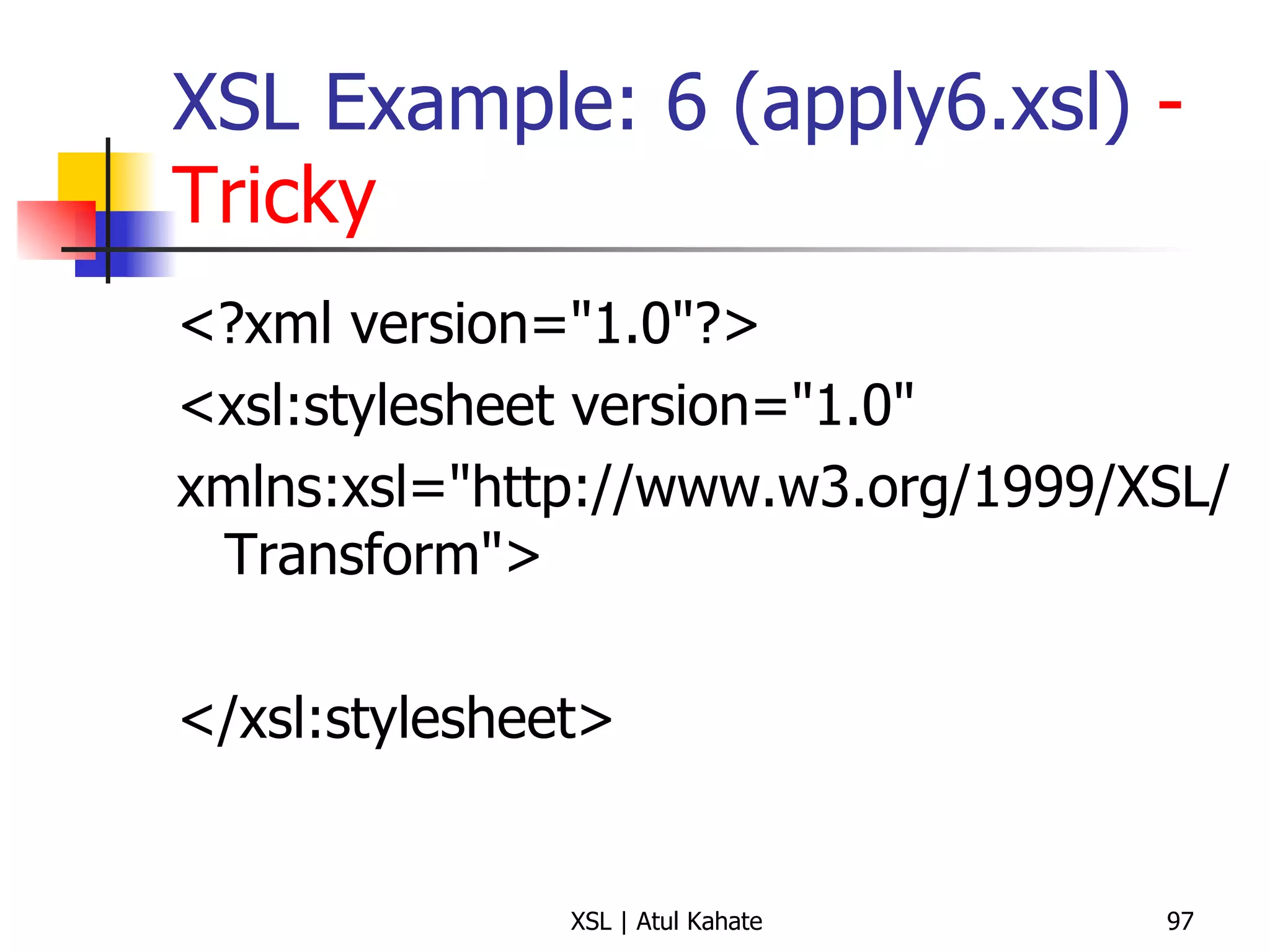
XSL Example: 6 (apply6.xsl)  - Tricky <?xml version=&quot;1.0&quot;?> <xsl:stylesheet version=&quot;1.0&quot;  xmlns:xsl=&quot;http://www.w3.org/1999/XSL/Transform&quot;> </xsl:stylesheet>
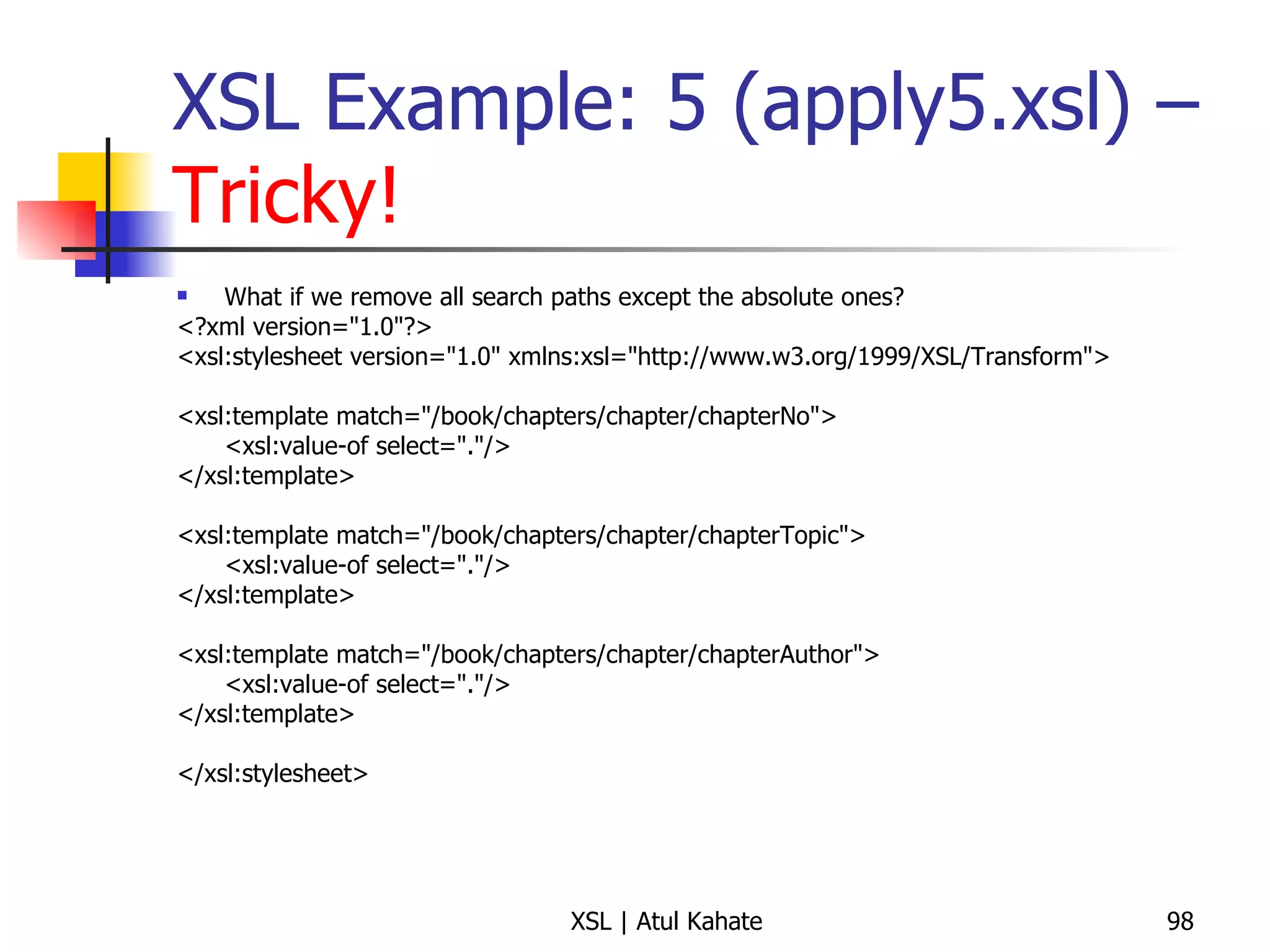
XSL Example: 5 (apply5.xsl) –  Tricky! What if we remove all search paths except the absolute ones? <?xml version=&quot;1.0&quot;?> <xsl:stylesheet version=&quot;1.0&quot; xmlns:xsl=&quot;http://www.w3.org/1999/XSL/Transform&quot;> <xsl:template match=&quot;/book/chapters/chapter/chapterNo&quot;> <xsl:value-of select=&quot;.&quot;/> </xsl:template> <xsl:template match=&quot;/book/chapters/chapter/chapterTopic&quot;> <xsl:value-of select=&quot;.&quot;/> </xsl:template> <xsl:template match=&quot;/book/chapters/chapter/chapterAuthor&quot;> <xsl:value-of select=&quot;.&quot;/> </xsl:template> </xsl:stylesheet>
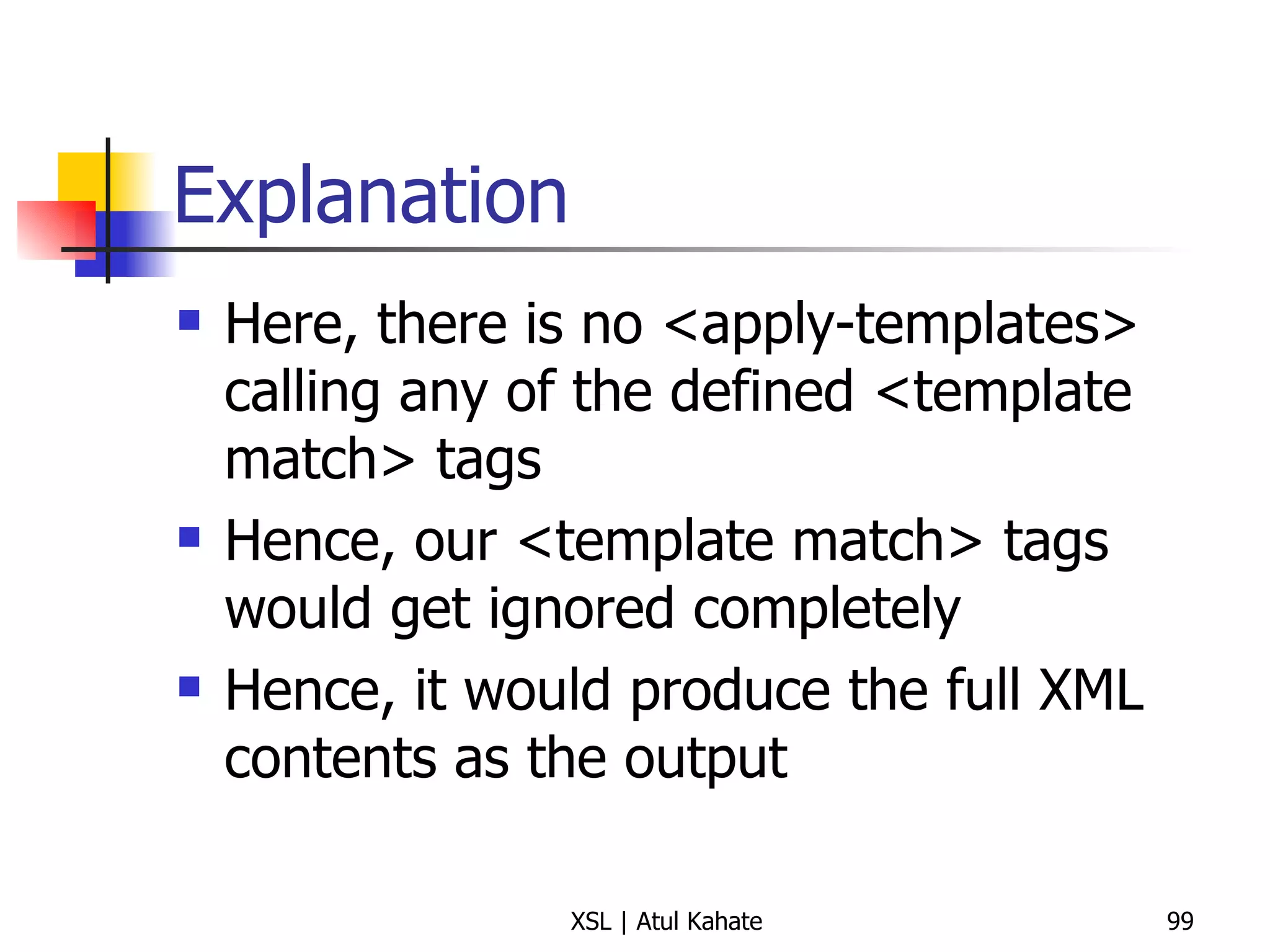
Explanation Here, there is no <apply-templates> calling any of the defined <template match> tags Hence, our <template match> tags would get ignored completely Hence, it would produce the full XML contents as the output
Using the Mode Attribute
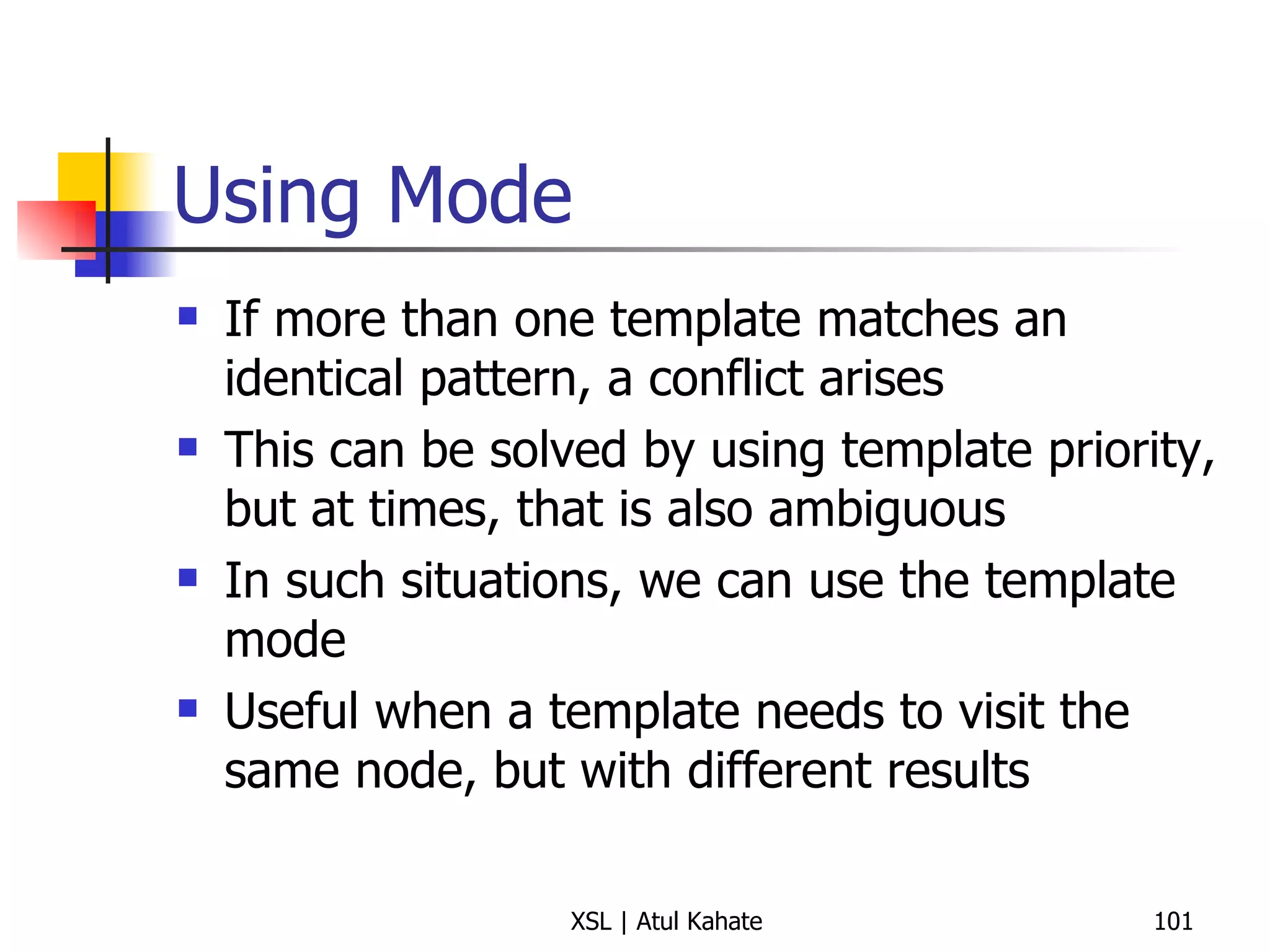
Using Mode If more than one template matches an identical pattern, a conflict arises This can be solved by using template priority, but at times, that is also ambiguous In such situations, we can use the template mode Useful when a template needs to visit the same node, but with different results
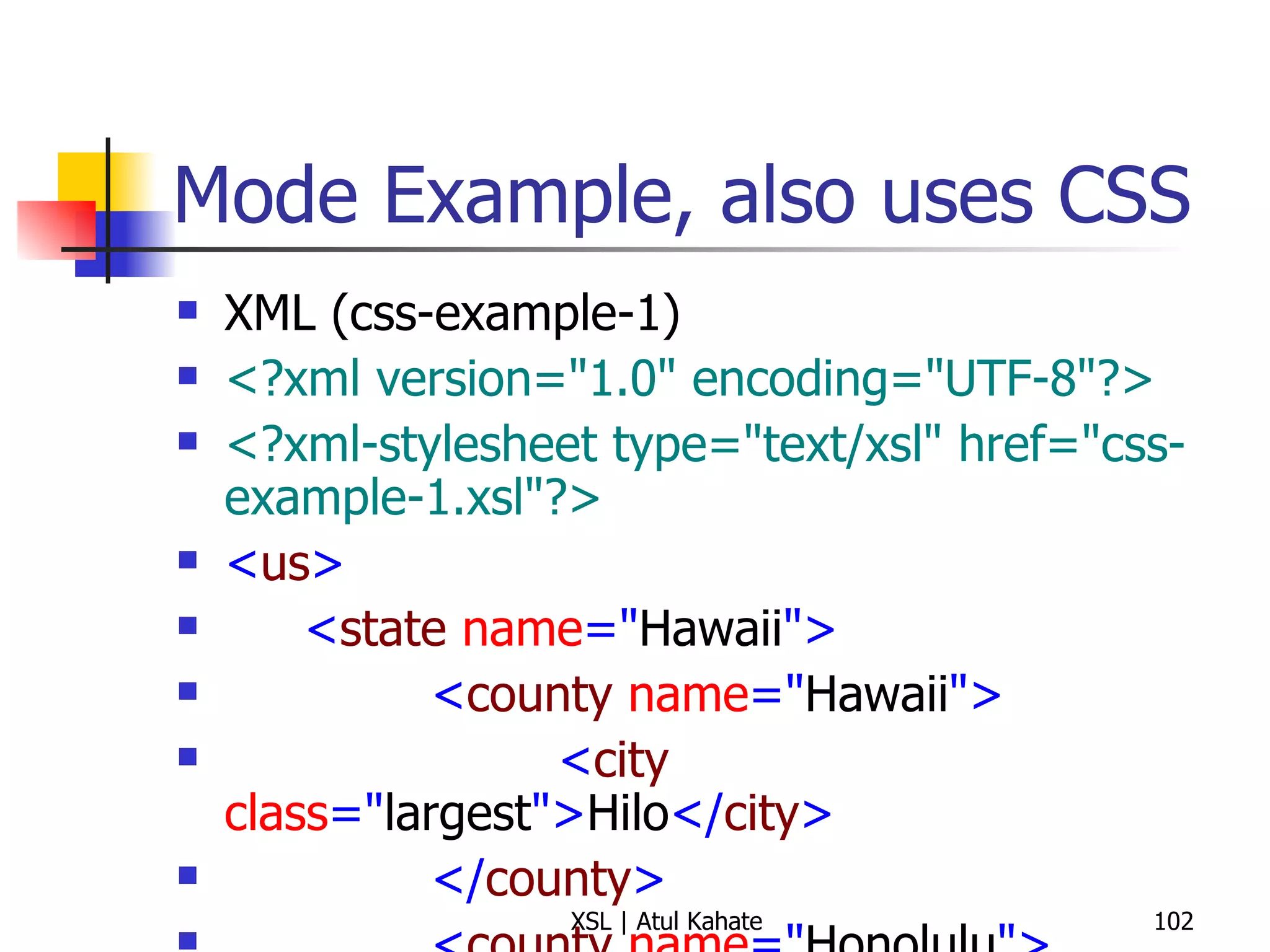
Mode Example, also uses CSS XML (css-example-1) <?xml version=&quot;1.0&quot; encoding=&quot;UTF-8&quot;?> <?xml-stylesheet type=&quot;text/xsl&quot; href=&quot;css-example-1.xsl&quot;?> < us > < state  name =&quot; Hawaii &quot;> < county  name =&quot; Hawaii &quot;> < city  class =&quot; largest &quot;> Hilo </ city > </ county > < county  name =&quot; Honolulu &quot;> < city  class =&quot; largest &quot;> Honolulu </ city > </ county > < county  name =&quot; Kauai &quot;> < city  class =&quot; largest &quot;> Kapaa </ city > </ county > < county  name =&quot; Maui &quot;> < city  class =&quot; largest &quot;> Kahului </ city > </ county > </ state > </ us > XSL <?xml version=&quot;1.0&quot; encoding=&quot;UTF-8&quot;?> < xsl:stylesheet  version =&quot; 1.0 &quot;  xmlns:xsl =&quot; http://www.w3.org/1999/XSL/Transform &quot;> < xsl:output  method =&quot; html &quot;/> < xsl:template  match =&quot; us/state &quot;> < html > < head > < title > State:  < xsl:value-of  select =&quot; @name &quot;/> </ title > < style  type =&quot; text/css &quot;> h1, h2 {font-family: sans-serif, color: blue} ul {font-size: 16pt} </ style > </ head > < body > < h1 >  State:  < xsl:value-of  select =&quot; @name &quot;/> </ h1 > < h2 > All Countries </ h2 > < ul > < xsl:apply-templates  select =&quot; county &quot;  mode =&quot; county &quot;/> </ ul > < h2 > Largest Cities (by County) </ h2 > < ul > < xsl:apply-templates  select =&quot; county &quot;  mode =&quot; city &quot;/> </ ul > </ body > </ html > </ xsl:template > < xsl:template  match =&quot; county &quot;  mode =&quot; county &quot;> < li > < xsl:value-of  select =&quot; @name &quot;/> </ li > </ xsl:template > < xsl:template  match =&quot; county &quot;  mode =&quot; city &quot;> < li > < xsl:value-of  select =&quot; city &quot;/>  ( < xsl:value-of  select =&quot; @name &quot;/> ) </ li > </ xsl:template > </ xsl:stylesheet >
Creating New Elements and Attributes
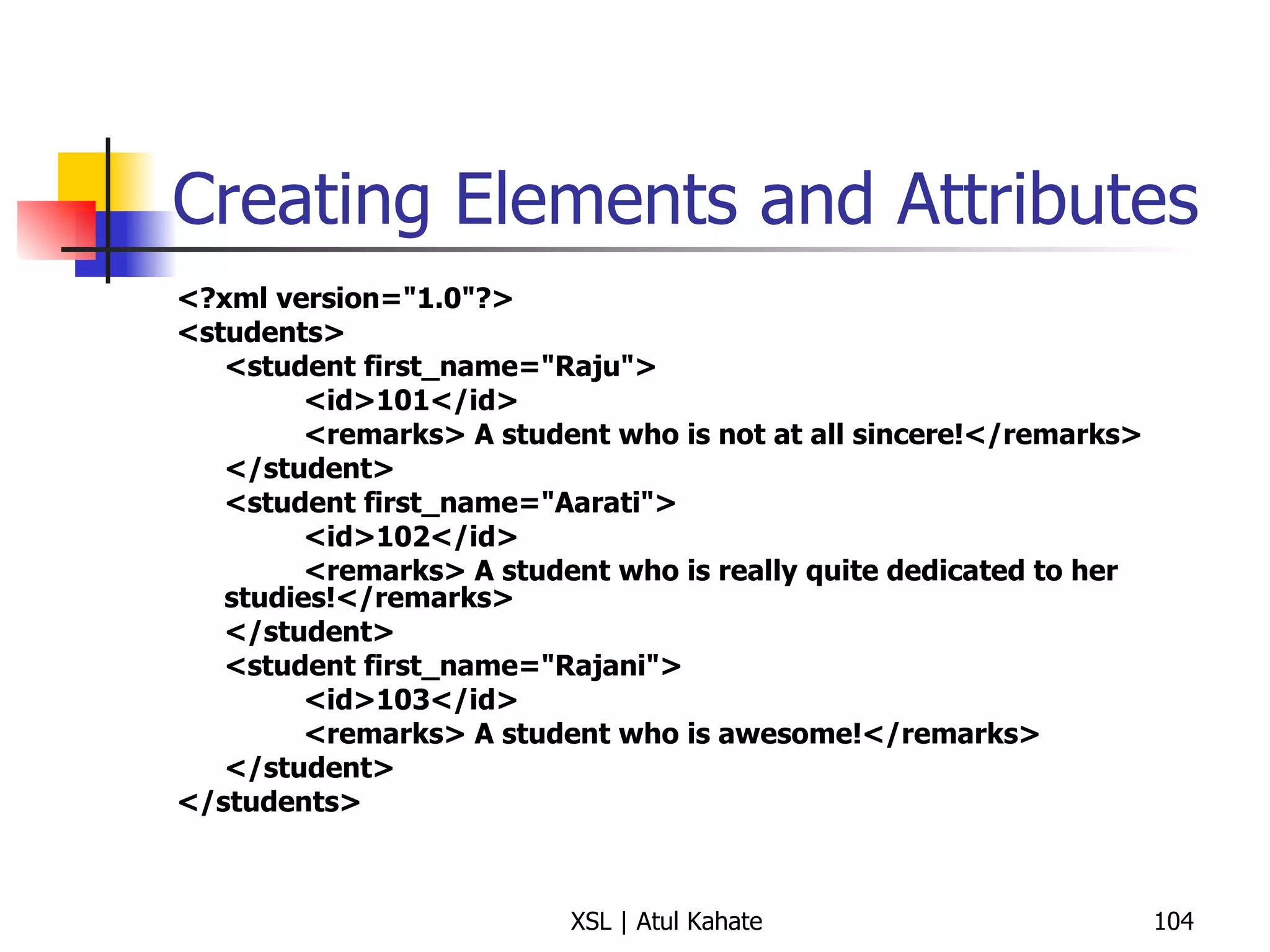
Creating Elements and Attributes <?xml version=&quot;1.0&quot;?> <students> <student first_name=&quot;Raju&quot;> <id>101</id> <remarks> A student who is not at all sincere!</remarks> </student> <student first_name=&quot;Aarati&quot;> <id>102</id> <remarks> A student who is really quite dedicated to her studies!</remarks> </student> <student first_name=&quot;Rajani&quot;> <id>103</id> <remarks> A student who is awesome!</remarks> </student> </students>
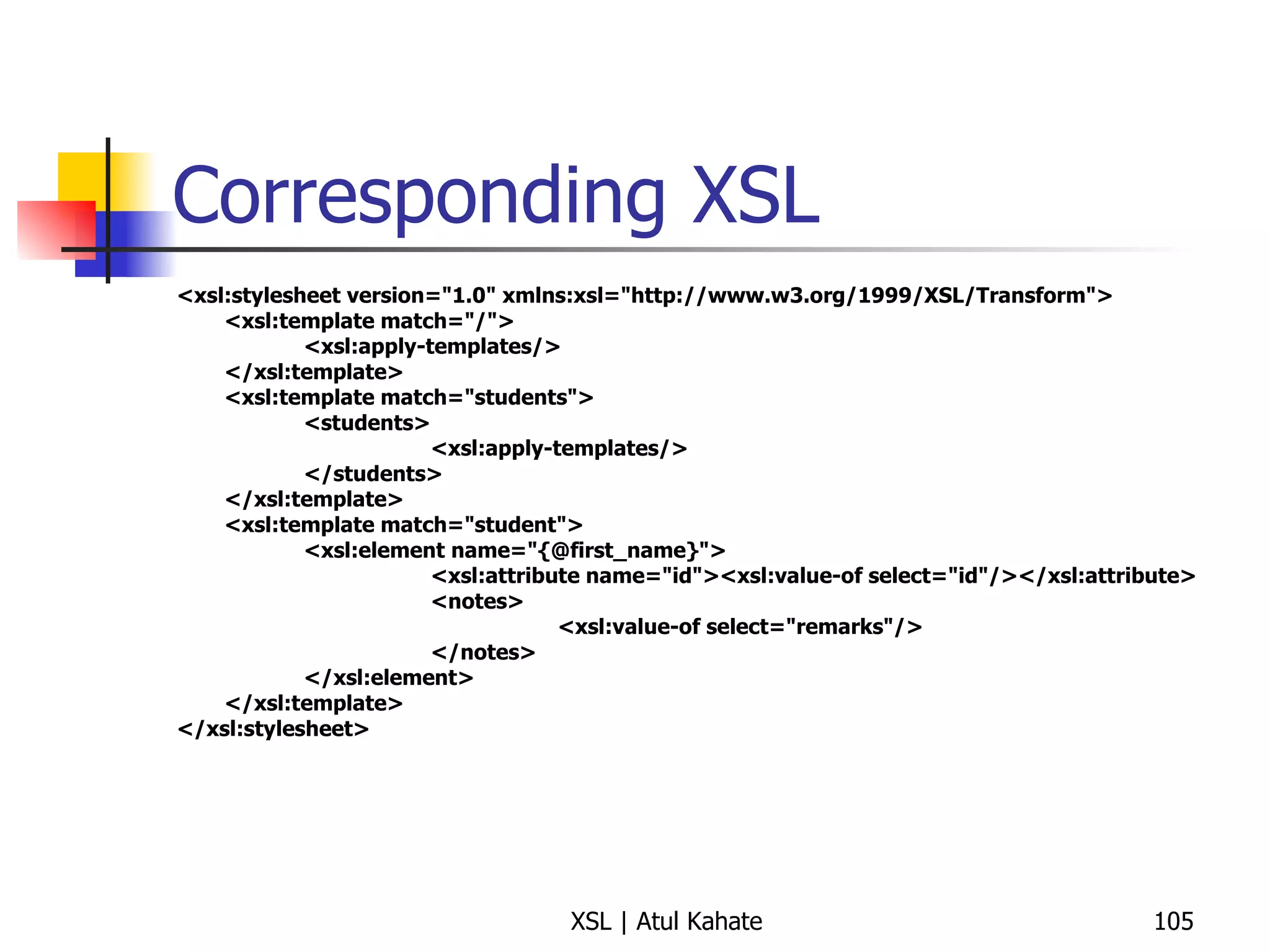
Corresponding XSL <xsl:stylesheet version=&quot;1.0&quot; xmlns:xsl=&quot;http://www.w3.org/1999/XSL/Transform&quot;> <xsl:template match=&quot;/&quot;> <xsl:apply-templates/> </xsl:template> <xsl:template match=&quot;students&quot;> <students> <xsl:apply-templates/> </students> </xsl:template> <xsl:template match=&quot;student&quot;> <xsl:element name=&quot;{@first_name}&quot;> <xsl:attribute name=&quot;id&quot;><xsl:value-of select=&quot;id&quot;/></xsl:attribute> <notes> <xsl:value-of select=&quot;remarks&quot;/> </notes> </xsl:element> </xsl:template> </xsl:stylesheet>
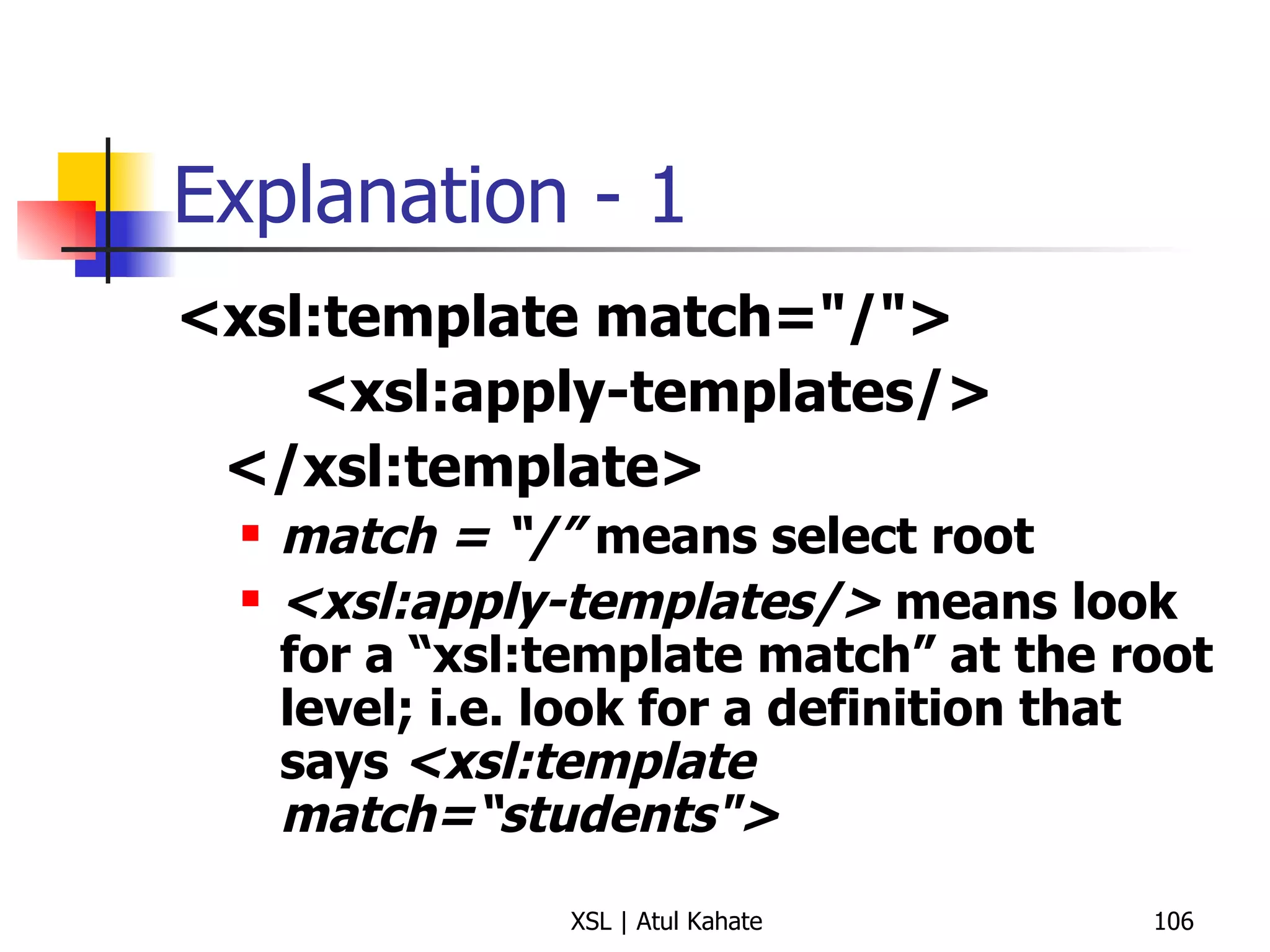
Explanation - 1 <xsl:template match=&quot;/&quot;> <xsl:apply-templates/> </xsl:template> match = “/”  means select root <xsl:apply-templates/>  means look for a “xsl:template match” at the root level; i.e. look for a definition that says  <xsl:template match=“students&quot;>
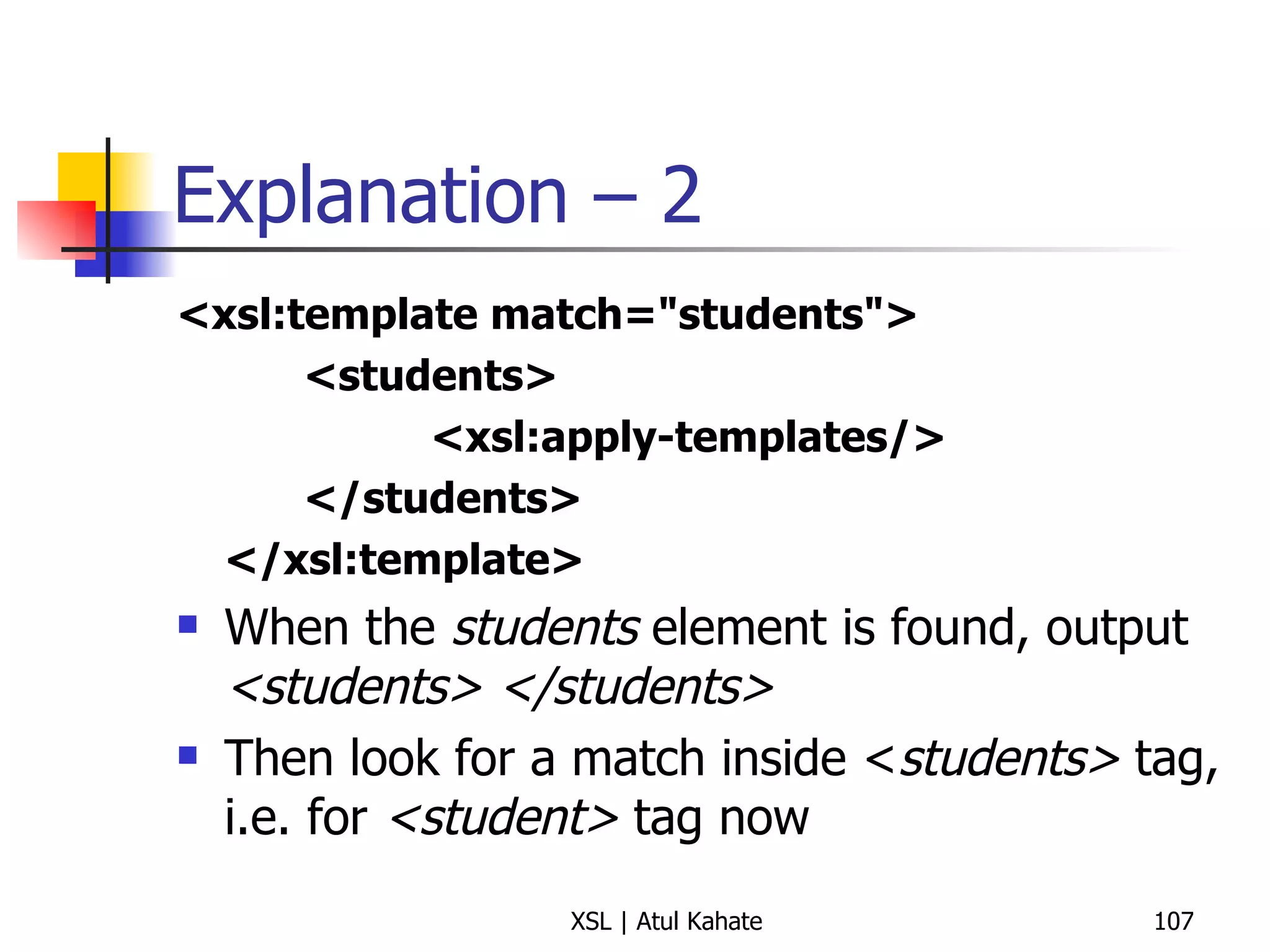
Explanation – 2 <xsl:template match=&quot;students&quot;> <students> <xsl:apply-templates/> </students> </xsl:template> When the  students  element is found, output  <students> </students> Then look for a match inside < students>  tag, i.e. for  <student>  tag now
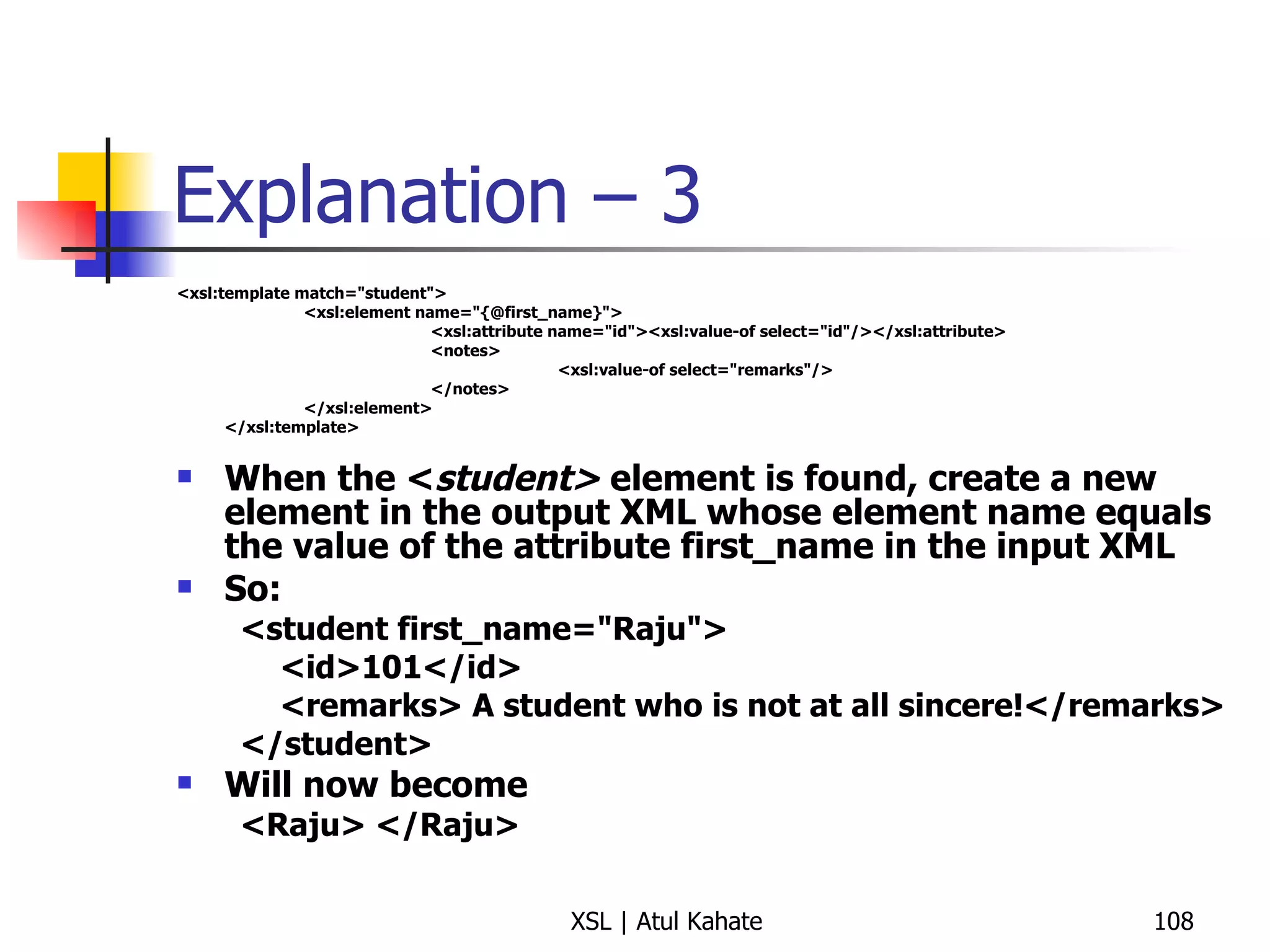
Explanation – 3 <xsl:template match=&quot;student&quot;> <xsl:element name=&quot;{@first_name}&quot;> <xsl:attribute name=&quot;id&quot;><xsl:value-of select=&quot;id&quot;/></xsl:attribute> <notes> <xsl:value-of select=&quot;remarks&quot;/> </notes> </xsl:element> </xsl:template> When the < student>  element is found, create a new element in the output XML whose element name equals the value of the attribute first_name in the input XML So: <student first_name=&quot;Raju&quot;> <id>101</id> <remarks> A student who is not at all sincere!</remarks> </student> Will now become <Raju> </Raju>
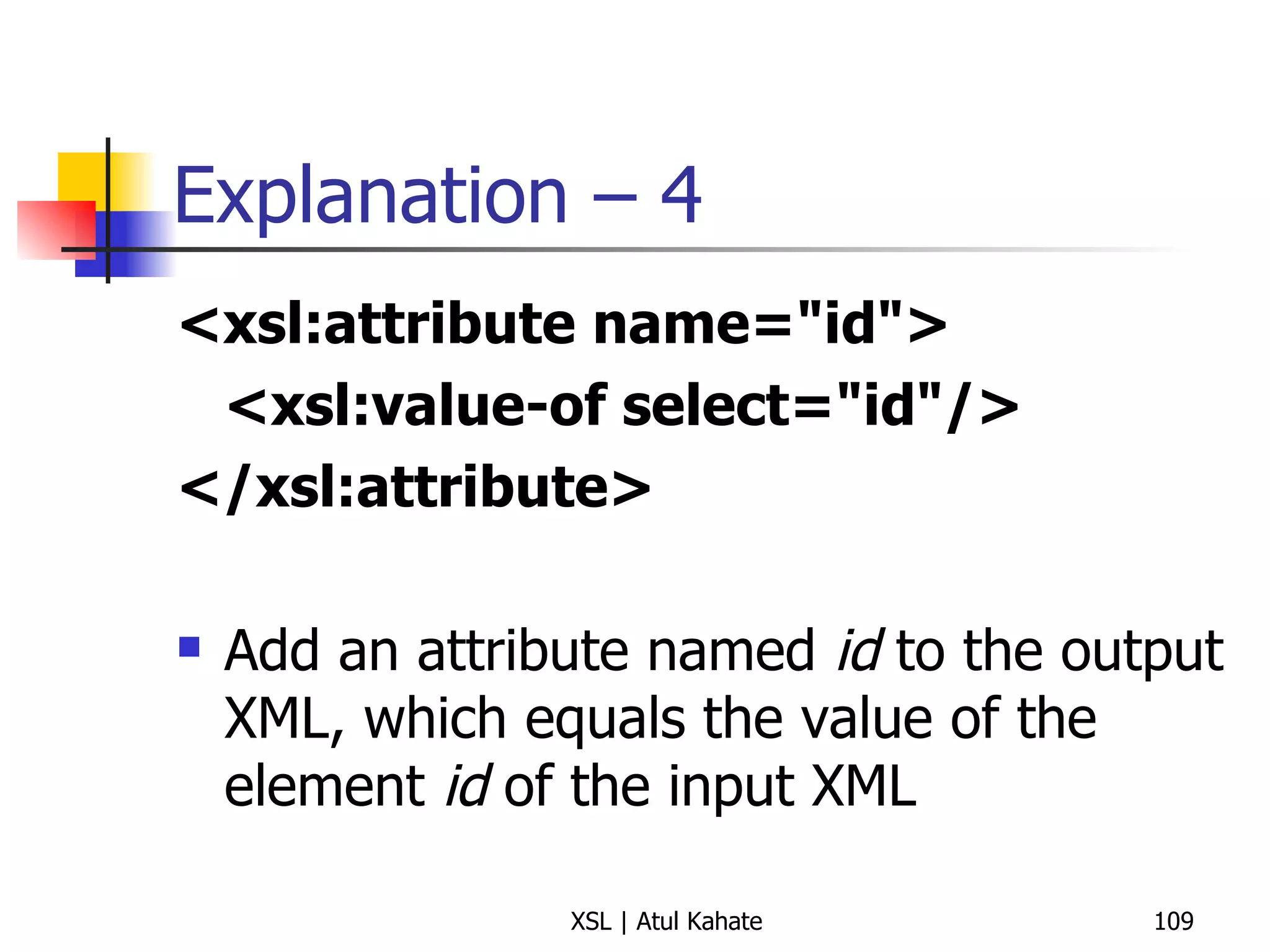
Explanation – 4 <xsl:attribute name=&quot;id&quot;> <xsl:value-of select=&quot;id&quot;/> </xsl:attribute>   Add an attribute named  id  to the output XML, which equals the value of the element  id  of the input XML
Explanation – 5 <notes> <xsl:value-of select=&quot;remarks&quot;/> </notes> Add a new element called as  notes  to the output XML, which should contain the value of the  remarks  element of the input XML
Explanation – 6 Input XML <student first_name=&quot;Raju&quot;> <id>101</id> <remarks> A student who is not at all sincere!</remarks> </student> Output XML <Raju id = “101”> <comments> A student who is not at all sincere!</comments> </Raju>
Running the Example set CLASSPATH=d:\xalan\bin\xalan.jar;d:\xalan\bin\xerces-Impl.jar java org.apache.xalan.xslt.Process -INDENT 3 -IN three.xml -XSL three.xsl -OUT output.xml
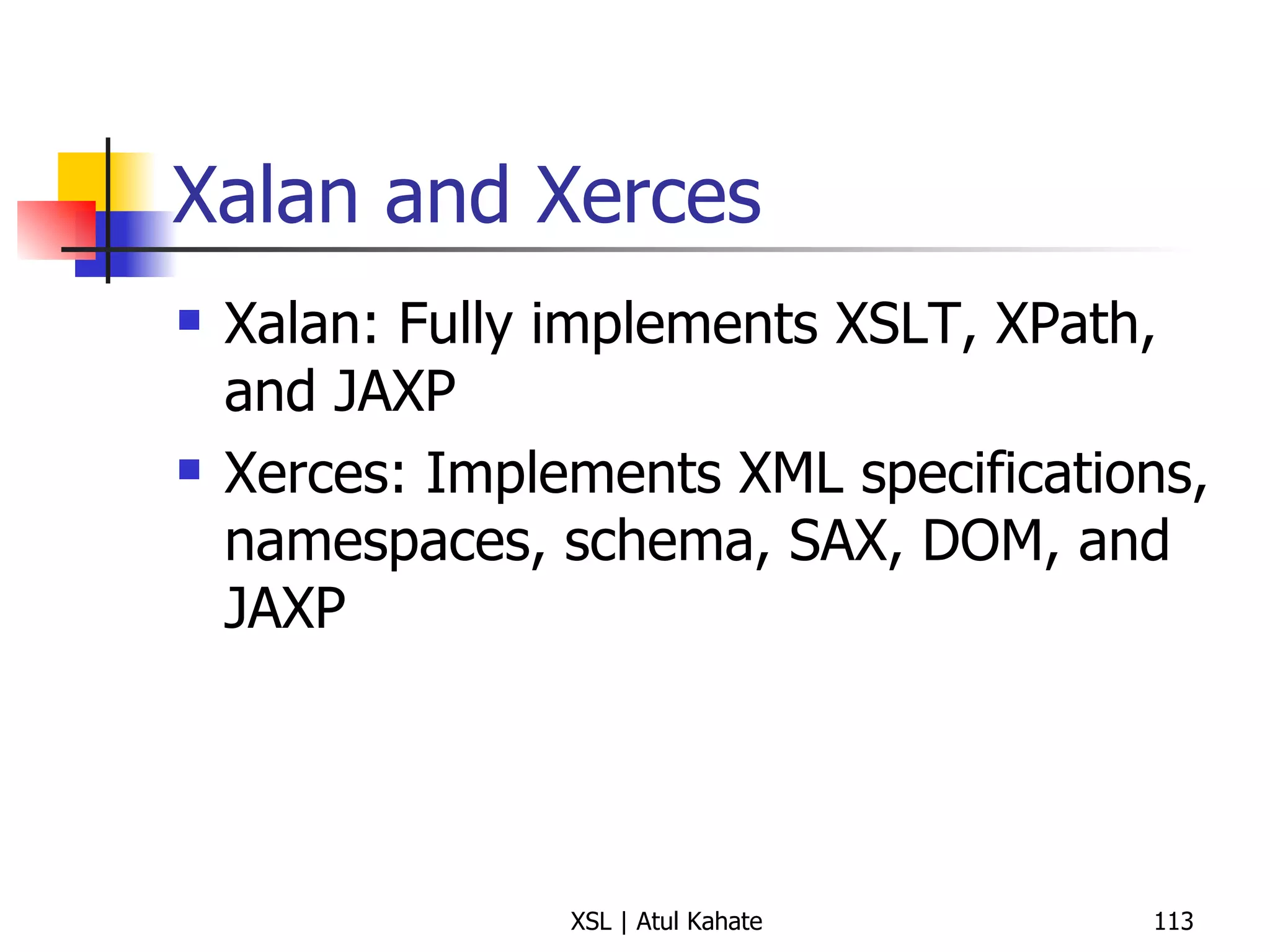
Xalan and Xerces Xalan: Fully implements XSLT, XPath, and JAXP Xerces: Implements XML specifications, namespaces, schema, SAX, DOM, and JAXP
Looping using for-each
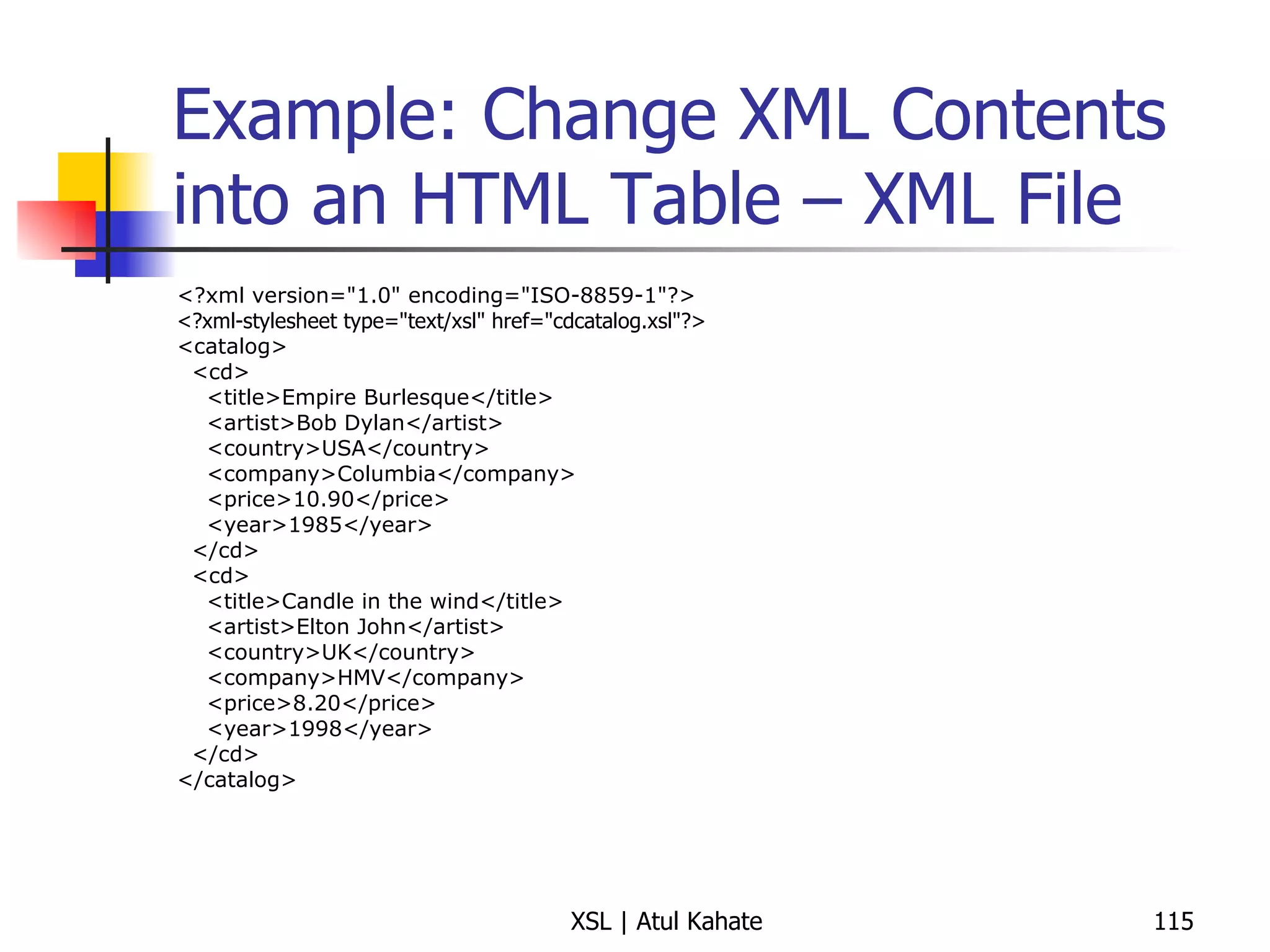
Example: Change XML Contents into an HTML Table – XML File <?xml version=&quot;1.0&quot; encoding=&quot;ISO-8859-1&quot;?> <?xml-stylesheet type=&quot;text/xsl&quot; href=&quot;cdcatalog.xsl&quot;?>  <catalog> <cd> <title>Empire Burlesque</title> <artist>Bob Dylan</artist> <country>USA</country> <company>Columbia</company> <price>10.90</price> <year>1985</year> </cd> <cd> <title>Candle in the wind</title> <artist>Elton John</artist> <country>UK</country> <company>HMV</company> <price>8.20</price> <year>1998</year> </cd> </catalog>
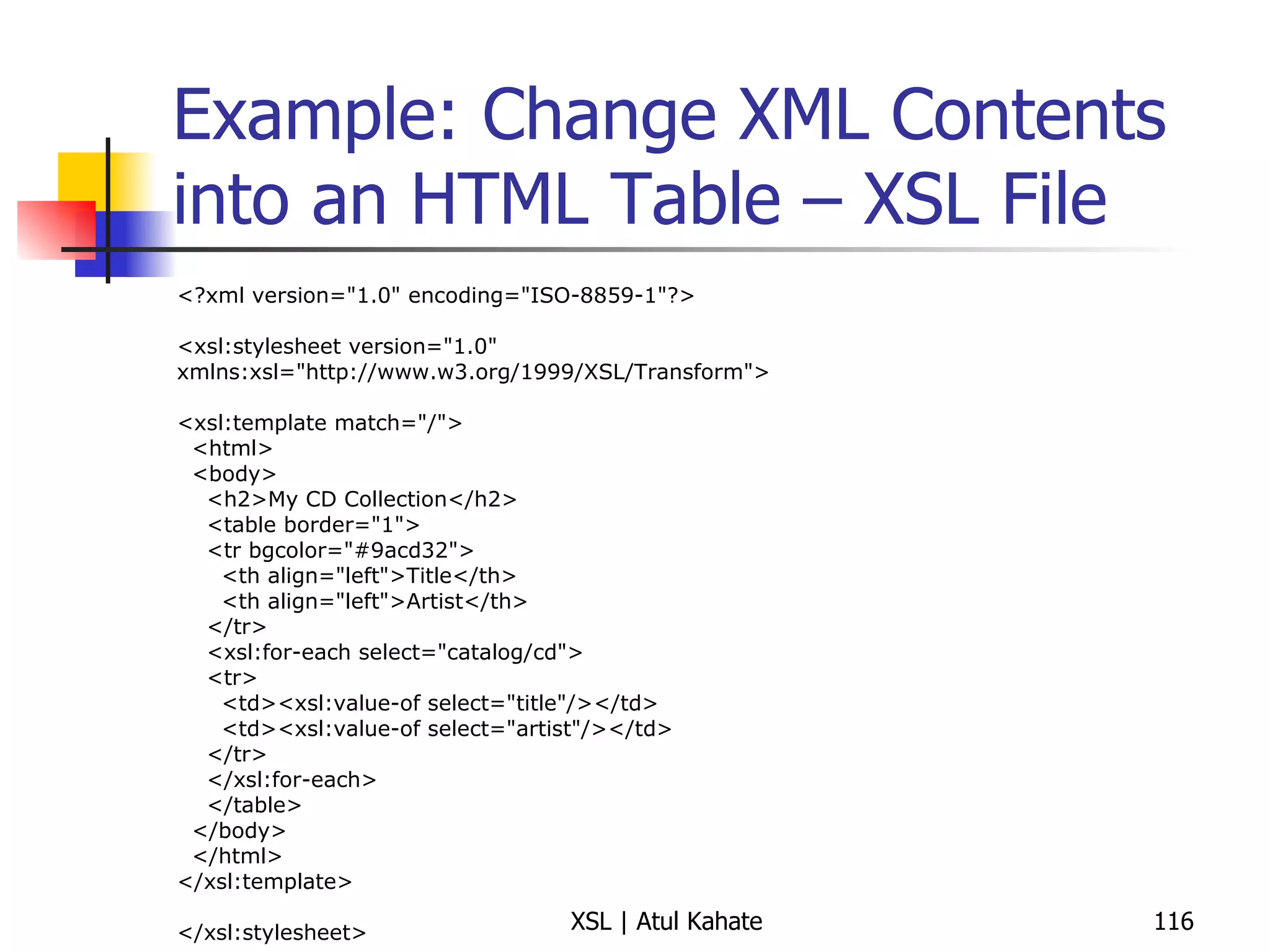
Example: Change XML Contents into an HTML Table – XSL File <?xml version=&quot;1.0&quot; encoding=&quot;ISO-8859-1&quot;?> <xsl:stylesheet version=&quot;1.0&quot; xmlns:xsl=&quot;http://www.w3.org/1999/XSL/Transform&quot;> <xsl:template match=&quot;/&quot;> <html> <body> <h2>My CD Collection</h2> <table border=&quot;1&quot;> <tr bgcolor=&quot;#9acd32&quot;> <th align=&quot;left&quot;>Title</th> <th align=&quot;left&quot;>Artist</th> </tr> <xsl:for-each select=&quot;catalog/cd&quot;> <tr> <td><xsl:value-of select=&quot;title&quot;/></td> <td><xsl:value-of select=&quot;artist&quot;/></td> </tr> </xsl:for-each> </table> </body> </html> </xsl:template> </xsl:stylesheet>
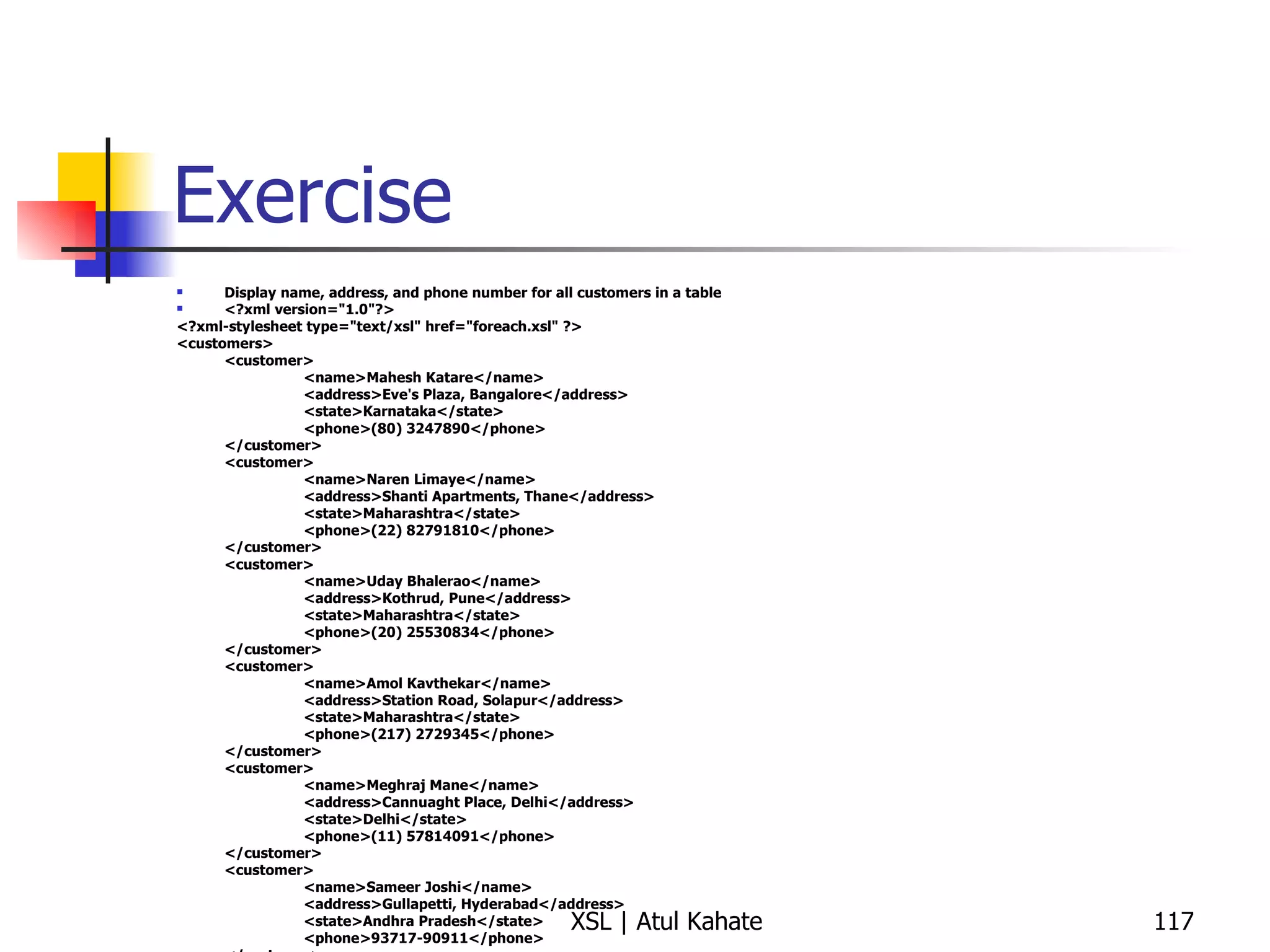
Exercise Display name, address, and phone number for all customers in a table <?xml version=&quot;1.0&quot;?> <?xml-stylesheet type=&quot;text/xsl&quot; href=&quot;foreach.xsl&quot; ?> <customers> <customer> <name>Mahesh Katare</name> <address>Eve's Plaza, Bangalore</address> <state>Karnataka</state> <phone>(80) 3247890</phone> </customer> <customer> <name>Naren Limaye</name> <address>Shanti Apartments, Thane</address> <state>Maharashtra</state> <phone>(22) 82791810</phone> </customer> <customer> <name>Uday Bhalerao</name> <address>Kothrud, Pune</address> <state>Maharashtra</state> <phone>(20) 25530834</phone> </customer> <customer> <name>Amol Kavthekar</name> <address>Station Road, Solapur</address> <state>Maharashtra</state> <phone>(217) 2729345</phone> </customer> <customer> <name>Meghraj Mane</name> <address>Cannuaght Place, Delhi</address> <state>Delhi</state> <phone>(11) 57814091</phone> </customer> <customer> <name>Sameer Joshi</name> <address>Gullapetti, Hyderabad</address> <state>Andhra Pradesh</state> <phone>93717-90911</phone> </customer> </customers>
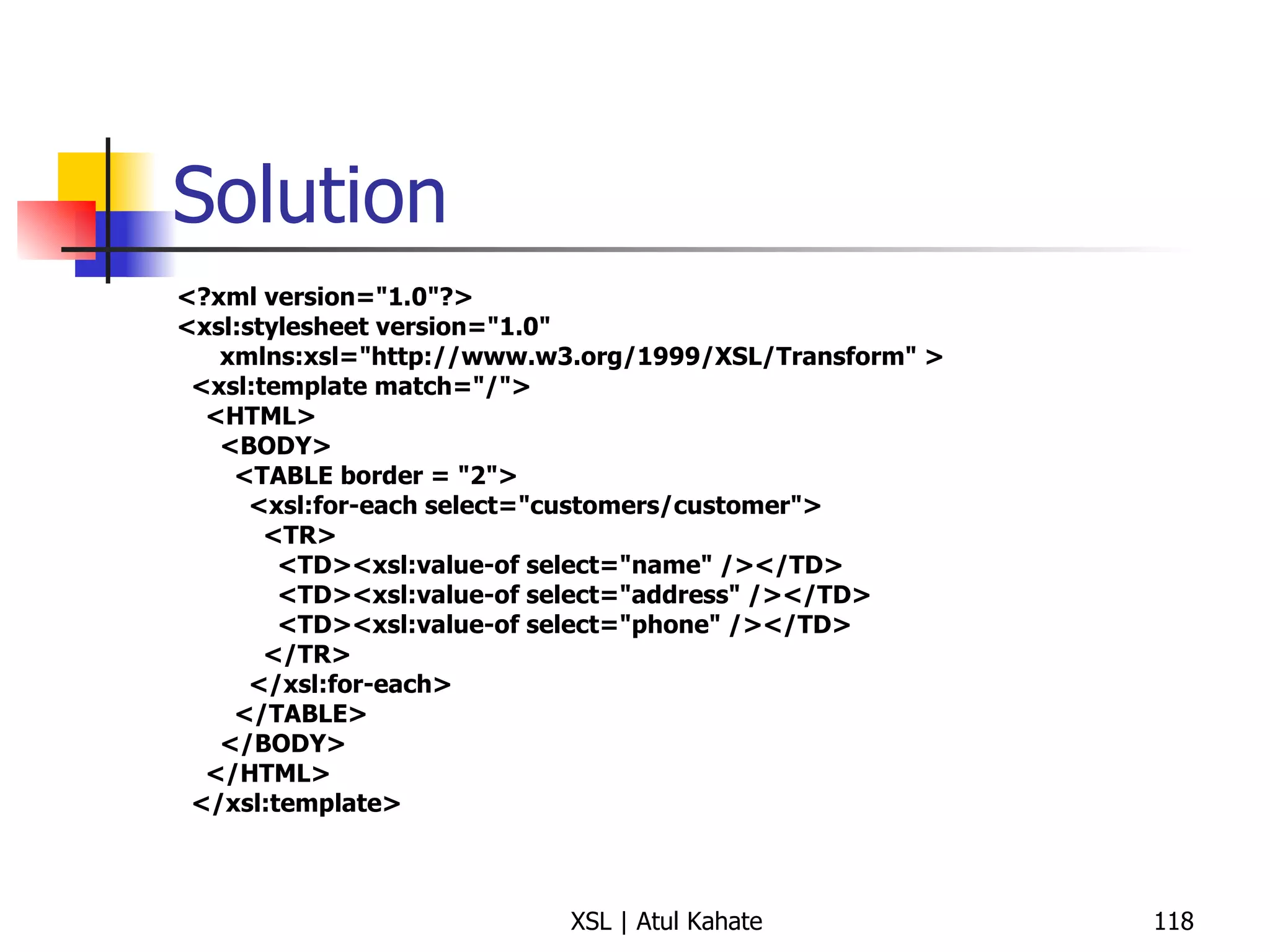
Solution <?xml version=&quot;1.0&quot;?> <xsl:stylesheet version=&quot;1.0&quot; xmlns:xsl=&quot;http://www.w3.org/1999/XSL/Transform&quot; > <xsl:template match=&quot;/&quot;> <HTML> <BODY> <TABLE border = &quot;2&quot;> <xsl:for-each select=&quot;customers/customer&quot;> <TR> <TD><xsl:value-of select=&quot;name&quot; /></TD> <TD><xsl:value-of select=&quot;address&quot; /></TD> <TD><xsl:value-of select=&quot;phone&quot; /></TD> </TR> </xsl:for-each> </TABLE> </BODY> </HTML> </xsl:template>
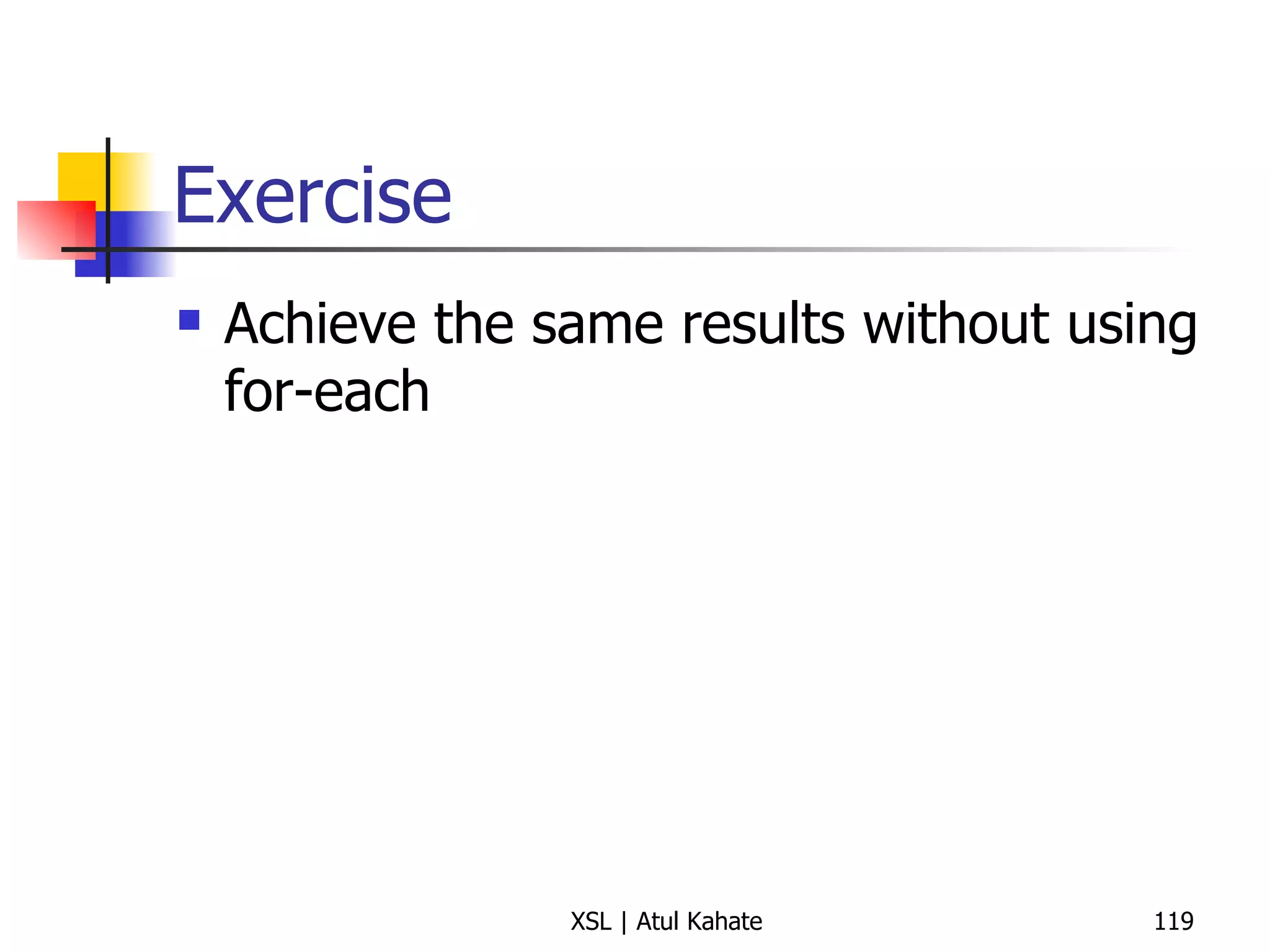
Exercise Achieve the same results without using for-each
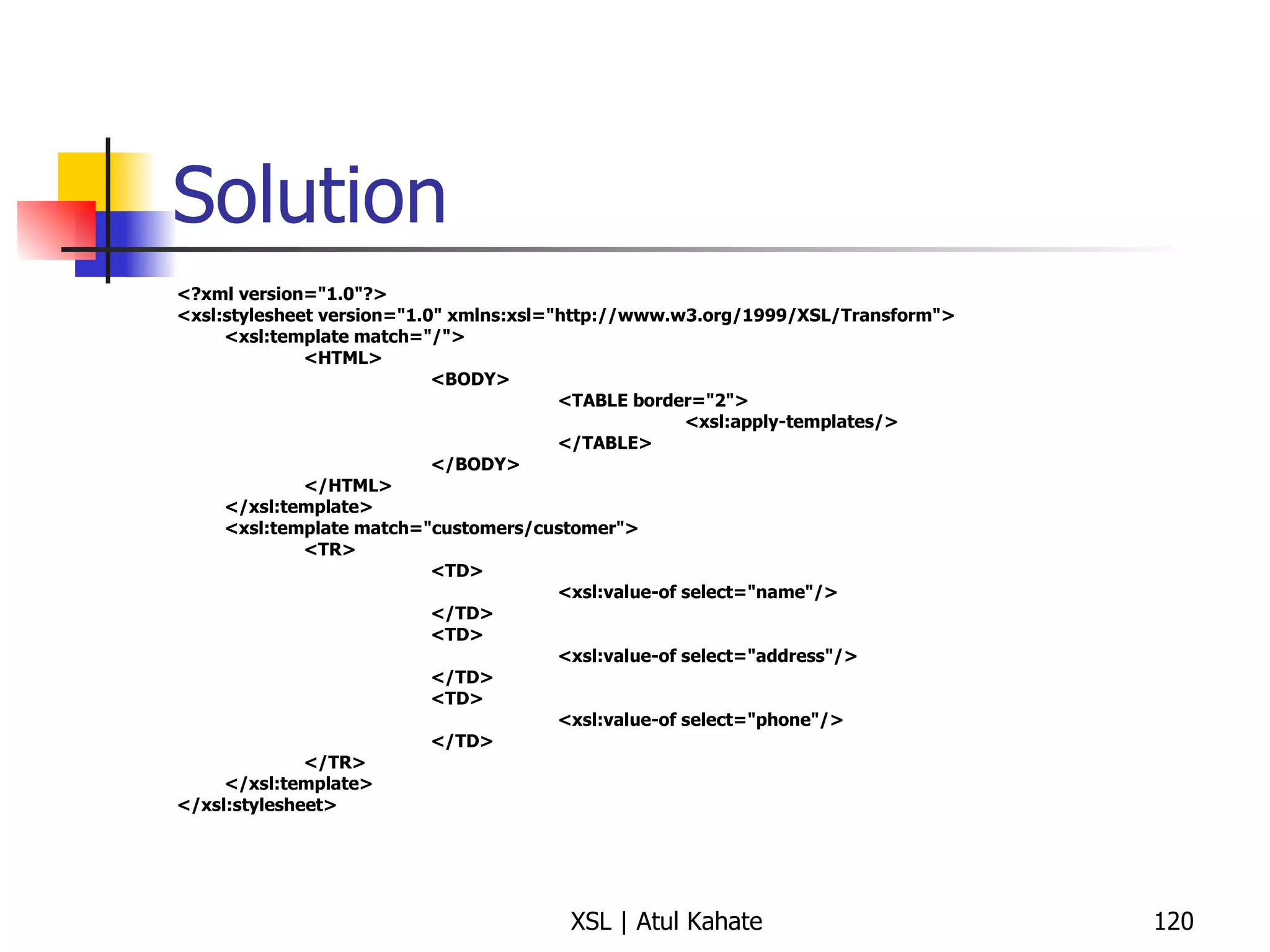
Solution <?xml version=&quot;1.0&quot;?> <xsl:stylesheet version=&quot;1.0&quot; xmlns:xsl=&quot;http://www.w3.org/1999/XSL/Transform&quot;> <xsl:template match=&quot;/&quot;> <HTML> <BODY> <TABLE border=&quot;2&quot;> <xsl:apply-templates/> </TABLE> </BODY> </HTML> </xsl:template> <xsl:template match=&quot;customers/customer&quot;> <TR> <TD> <xsl:value-of select=&quot;name&quot;/> </TD> <TD> <xsl:value-of select=&quot;address&quot;/> </TD> <TD> <xsl:value-of select=&quot;phone&quot;/> </TD> </TR> </xsl:template> </xsl:stylesheet>
Another for-each Example
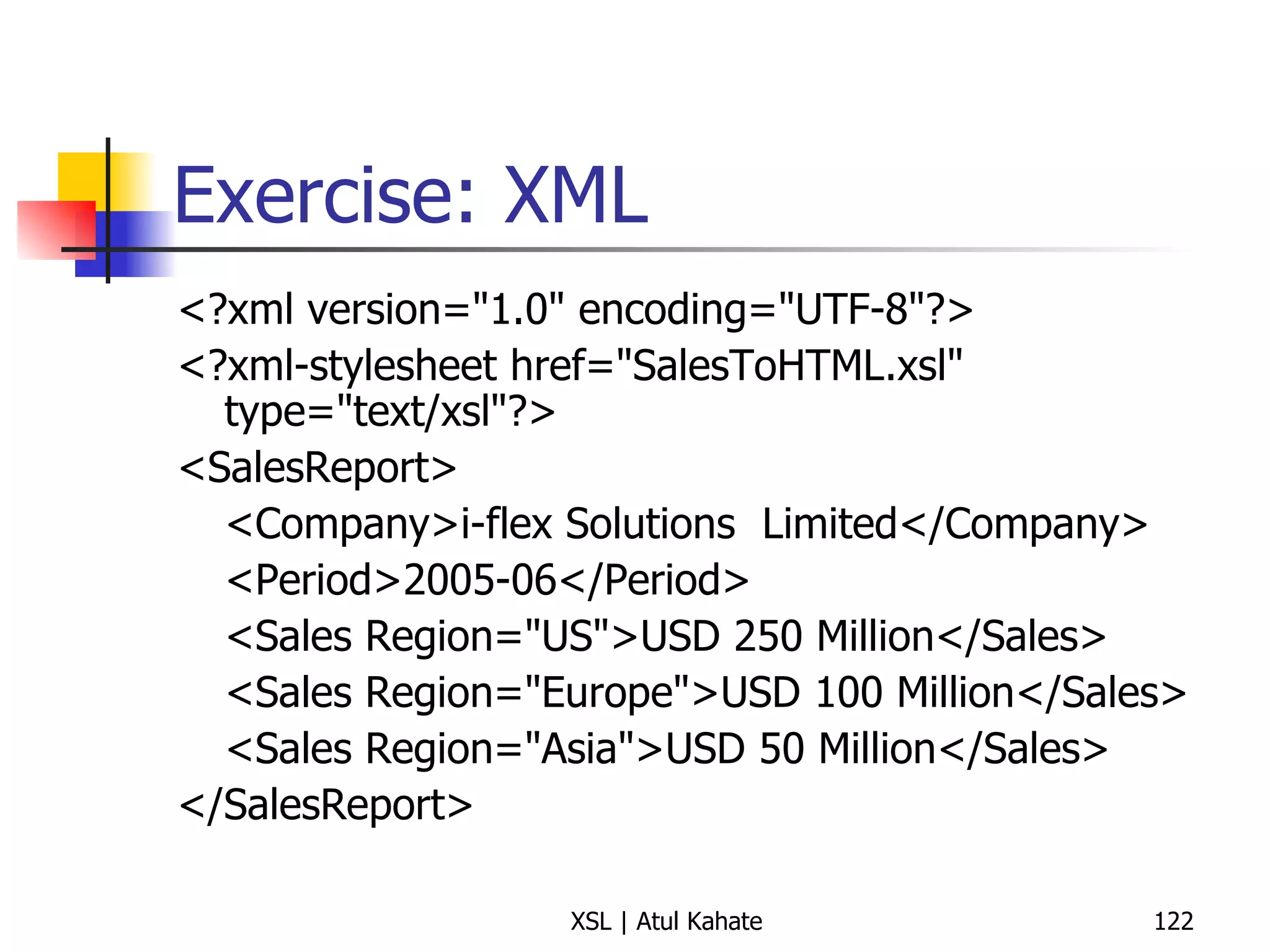
Exercise: XML <?xml version=&quot;1.0&quot; encoding=&quot;UTF-8&quot;?> <?xml-stylesheet href=&quot;SalesToHTML.xsl&quot; type=&quot;text/xsl&quot;?> <SalesReport> <Company>i-flex Solutions  Limited</Company> <Period>2005-06</Period> <Sales Region=&quot;US&quot;>USD 250 Million</Sales> <Sales Region=&quot;Europe&quot;>USD 100 Million</Sales> <Sales Region=&quot;Asia&quot;>USD 50 Million</Sales> </SalesReport>
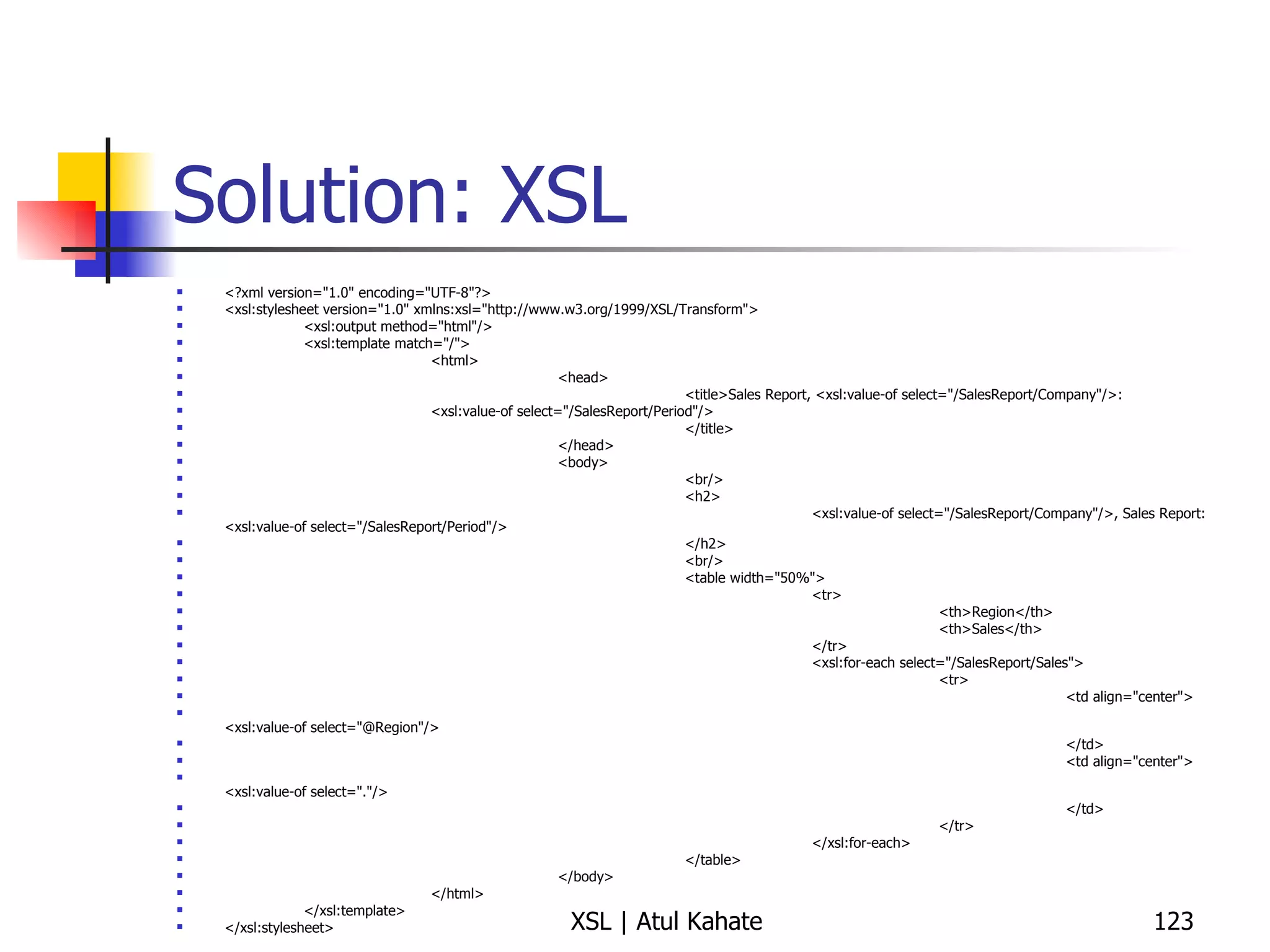
Solution: XSL <?xml version=&quot;1.0&quot; encoding=&quot;UTF-8&quot;?> <xsl:stylesheet version=&quot;1.0&quot; xmlns:xsl=&quot;http://www.w3.org/1999/XSL/Transform&quot;> <xsl:output method=&quot;html&quot;/> <xsl:template match=&quot;/&quot;> <html> <head> <title>Sales Report, <xsl:value-of select=&quot;/SalesReport/Company&quot;/>: <xsl:value-of select=&quot;/SalesReport/Period&quot;/> </title> </head> <body> <br/> <h2> <xsl:value-of select=&quot;/SalesReport/Company&quot;/>, Sales Report: <xsl:value-of select=&quot;/SalesReport/Period&quot;/> </h2> <br/> <table width=&quot;50%&quot;> <tr> <th>Region</th> <th>Sales</th> </tr> <xsl:for-each select=&quot;/SalesReport/Sales&quot;> <tr> <td align=&quot;center&quot;> <xsl:value-of select=&quot;@Region&quot;/> </td> <td align=&quot;center&quot;> <xsl:value-of select=&quot;.&quot;/> </td> </tr> </xsl:for-each> </table> </body> </html> </xsl:template> </xsl:stylesheet>
Sorting Data
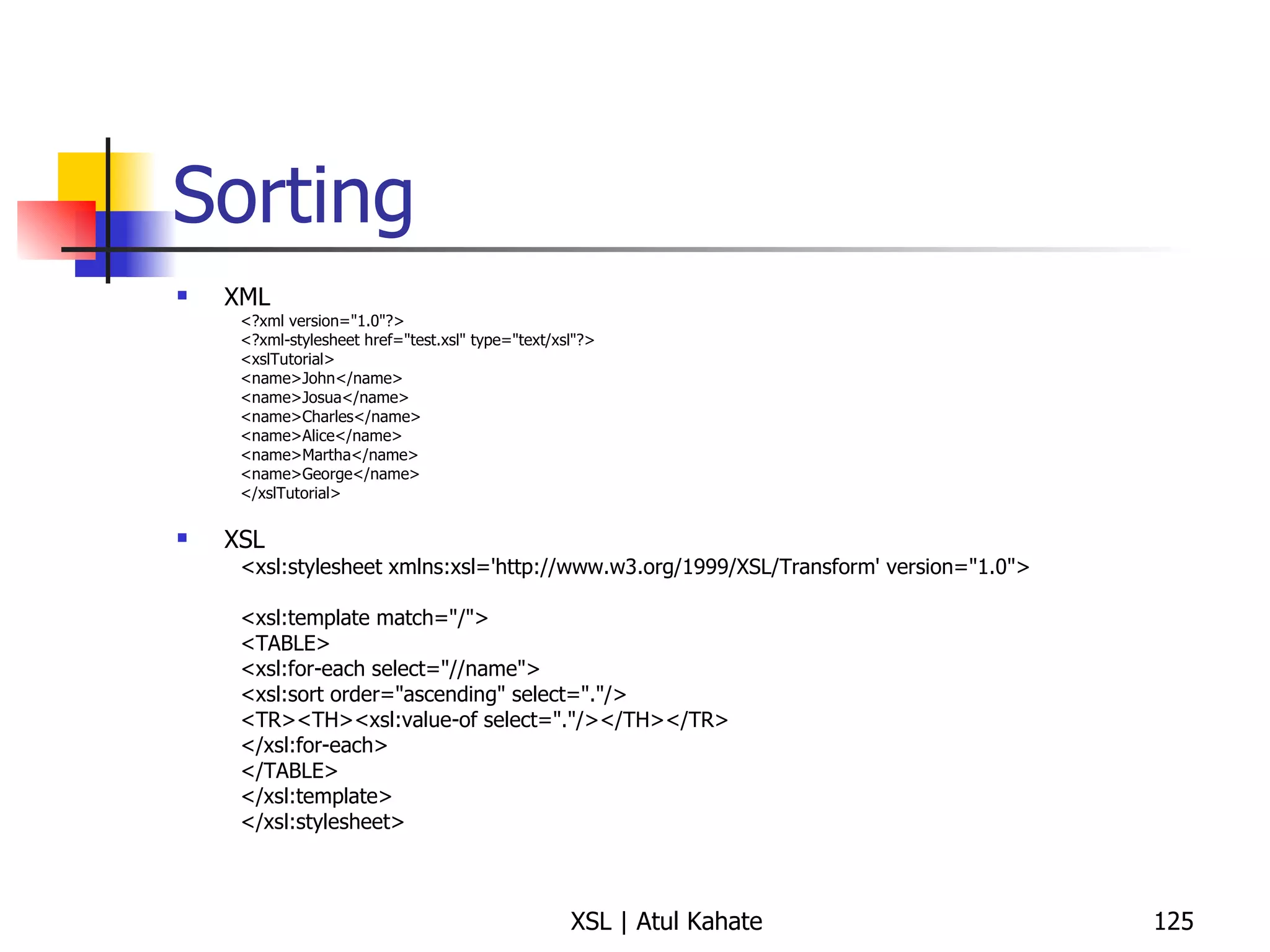
Sorting XML <?xml version=&quot;1.0&quot;?> <?xml-stylesheet href=&quot;test.xsl&quot; type=&quot;text/xsl&quot;?> <xslTutorial>  <name>John</name>  <name>Josua</name>  <name>Charles</name>  <name>Alice</name>  <name>Martha</name>  <name>George</name>  </xslTutorial>  XSL <xsl:stylesheet xmlns:xsl='http://www.w3.org/1999/XSL/Transform' version=&quot;1.0&quot;>  <xsl:template match=&quot;/&quot;>  <TABLE>  <xsl:for-each select=&quot;//name&quot;>  <xsl:sort order=&quot;ascending&quot; select=&quot;.&quot;/>  <TR><TH><xsl:value-of select=&quot;.&quot;/></TH></TR>  </xsl:for-each>  </TABLE>  </xsl:template>  </xsl:stylesheet>
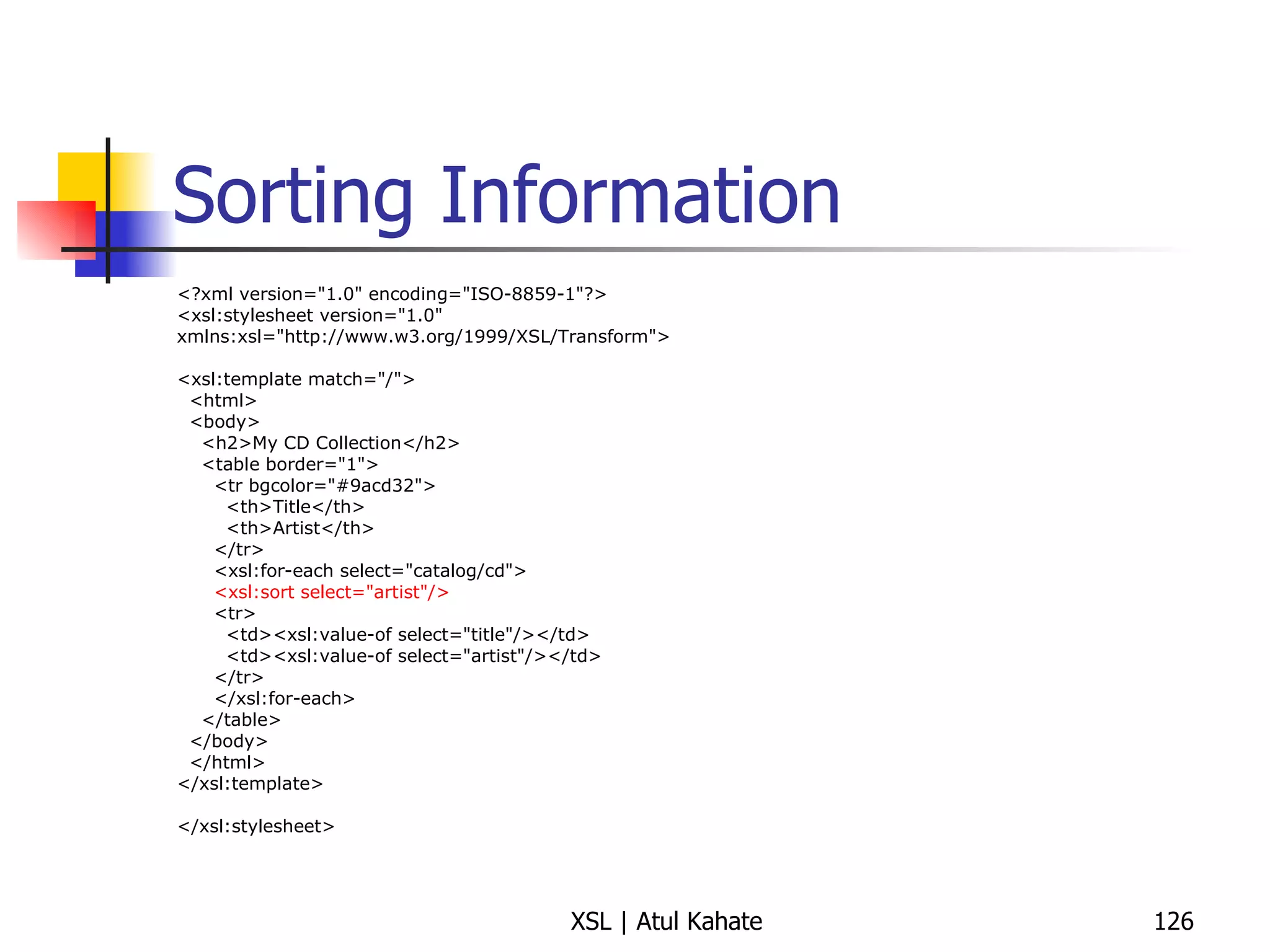
Sorting Information <?xml version=&quot;1.0&quot; encoding=&quot;ISO-8859-1&quot;?> <xsl:stylesheet version=&quot;1.0&quot; xmlns:xsl=&quot;http://www.w3.org/1999/XSL/Transform&quot;> <xsl:template match=&quot;/&quot;> <html> <body> <h2>My CD Collection</h2> <table border=&quot;1&quot;> <tr bgcolor=&quot;#9acd32&quot;> <th>Title</th> <th>Artist</th> </tr> <xsl:for-each select=&quot;catalog/cd&quot;> <xsl:sort select=&quot;artist&quot;/> <tr> <td><xsl:value-of select=&quot;title&quot;/></td> <td><xsl:value-of select=&quot;artist&quot;/></td> </tr> </xsl:for-each> </table> </body> </html> </xsl:template> </xsl:stylesheet>
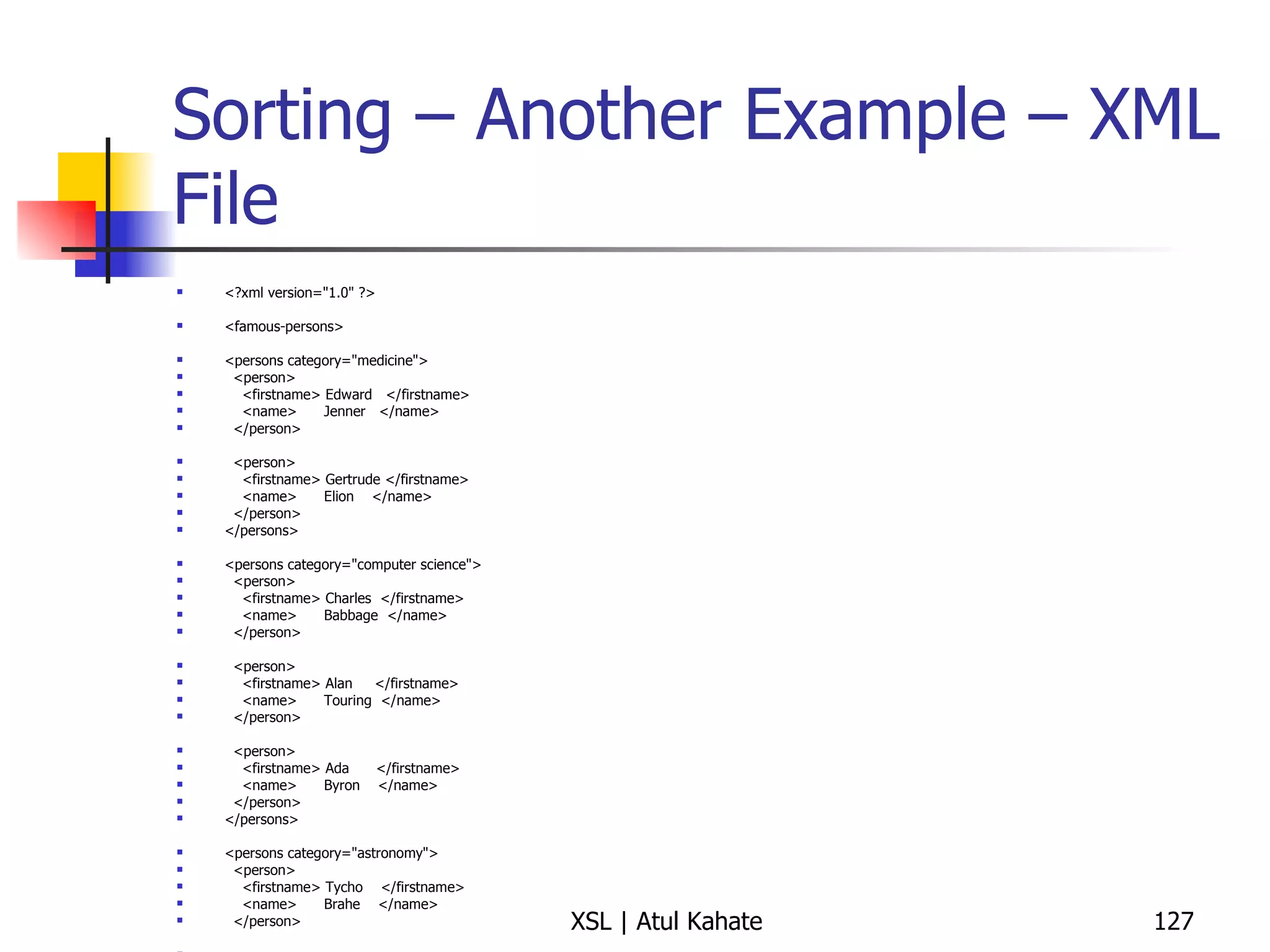
Sorting – Another Example – XML File <?xml version=&quot;1.0&quot; ?> <famous-persons> <persons category=&quot;medicine&quot;> <person> <firstname> Edward  </firstname> <name>  Jenner  </name> </person> <person> <firstname> Gertrude </firstname> <name>  Elion  </name> </person> </persons> <persons category=&quot;computer science&quot;> <person> <firstname> Charles  </firstname> <name>  Babbage  </name> </person> <person> <firstname> Alan  </firstname> <name>  Touring  </name> </person> <person> <firstname> Ada  </firstname> <name>  Byron  </name> </person> </persons> <persons category=&quot;astronomy&quot;> <person> <firstname> Tycho  </firstname> <name>  Brahe  </name> </person> <person> <firstname> Johannes </firstname> <name>  Kepler  </name> </person> <person> <firstname> Galileo  </firstname> <name>  Galilei  </name> </person> </persons> </famous-persons>
Sorting – Another Example – XSLT Write an XSLT for sorting data appropriately
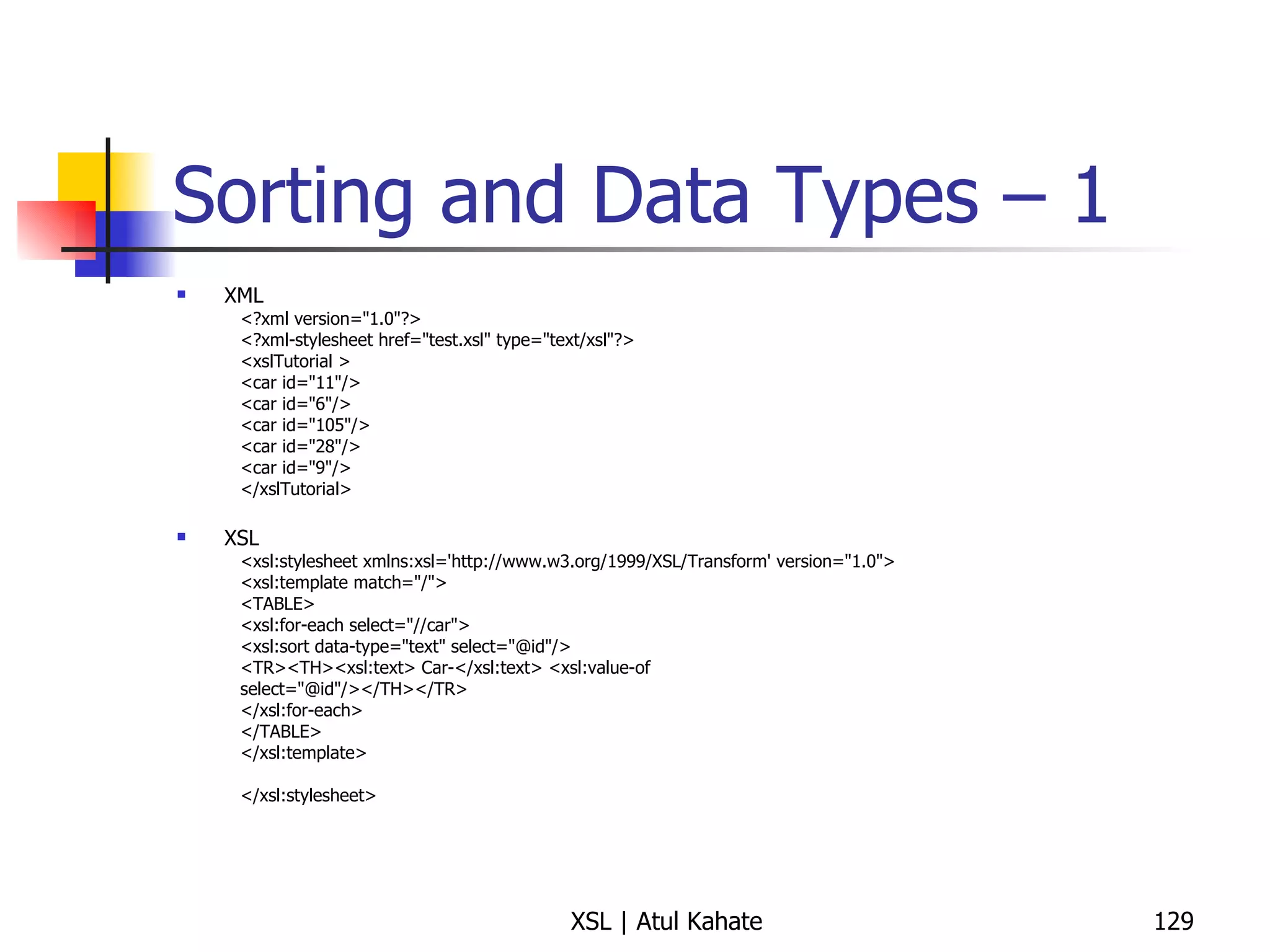
Sorting and Data Types – 1 XML <?xml version=&quot;1.0&quot;?> <?xml-stylesheet href=&quot;test.xsl&quot; type=&quot;text/xsl&quot;?> <xslTutorial >  <car id=&quot;11&quot;/>  <car id=&quot;6&quot;/>  <car id=&quot;105&quot;/>  <car id=&quot;28&quot;/>  <car id=&quot;9&quot;/>  </xslTutorial>  XSL <xsl:stylesheet xmlns:xsl='http://www.w3.org/1999/XSL/Transform' version=&quot;1.0&quot;>  <xsl:template match=&quot;/&quot;>  <TABLE>  <xsl:for-each select=&quot;//car&quot;>  <xsl:sort data-type=&quot;text&quot; select=&quot;@id&quot;/>  <TR><TH><xsl:text> Car-</xsl:text> <xsl:value-of  select=&quot;@id&quot;/></TH></TR>  </xsl:for-each>  </TABLE>  </xsl:template>  </xsl:stylesheet>
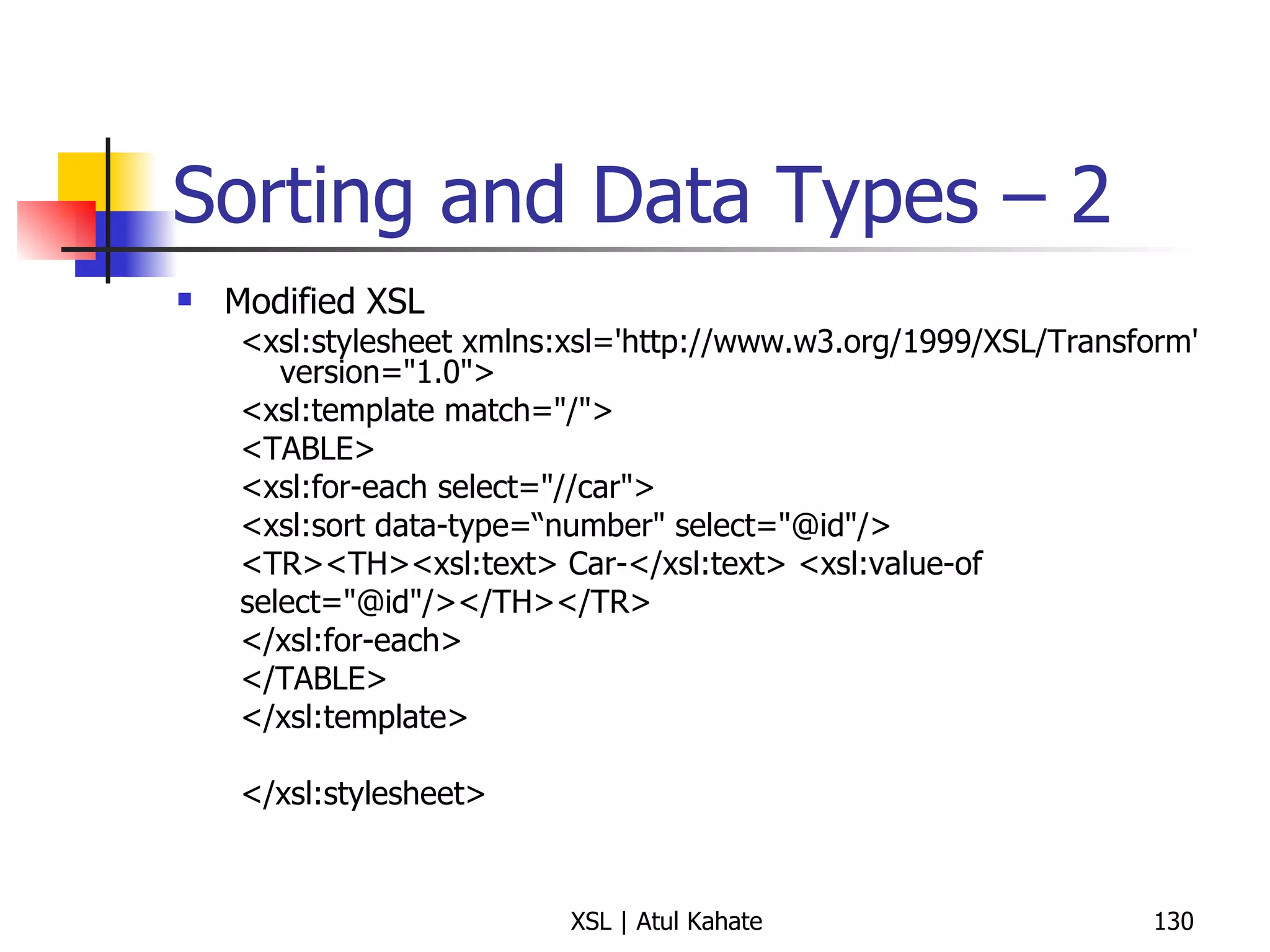
Sorting and Data Types – 2 Modified XSL <xsl:stylesheet xmlns:xsl='http://www.w3.org/1999/XSL/Transform' version=&quot;1.0&quot;>  <xsl:template match=&quot;/&quot;>  <TABLE>  <xsl:for-each select=&quot;//car&quot;>  <xsl:sort data-type=“number&quot; select=&quot;@id&quot;/>  <TR><TH><xsl:text> Car-</xsl:text> <xsl:value-of  select=&quot;@id&quot;/></TH></TR>  </xsl:for-each>  </TABLE>  </xsl:template>  </xsl:stylesheet>
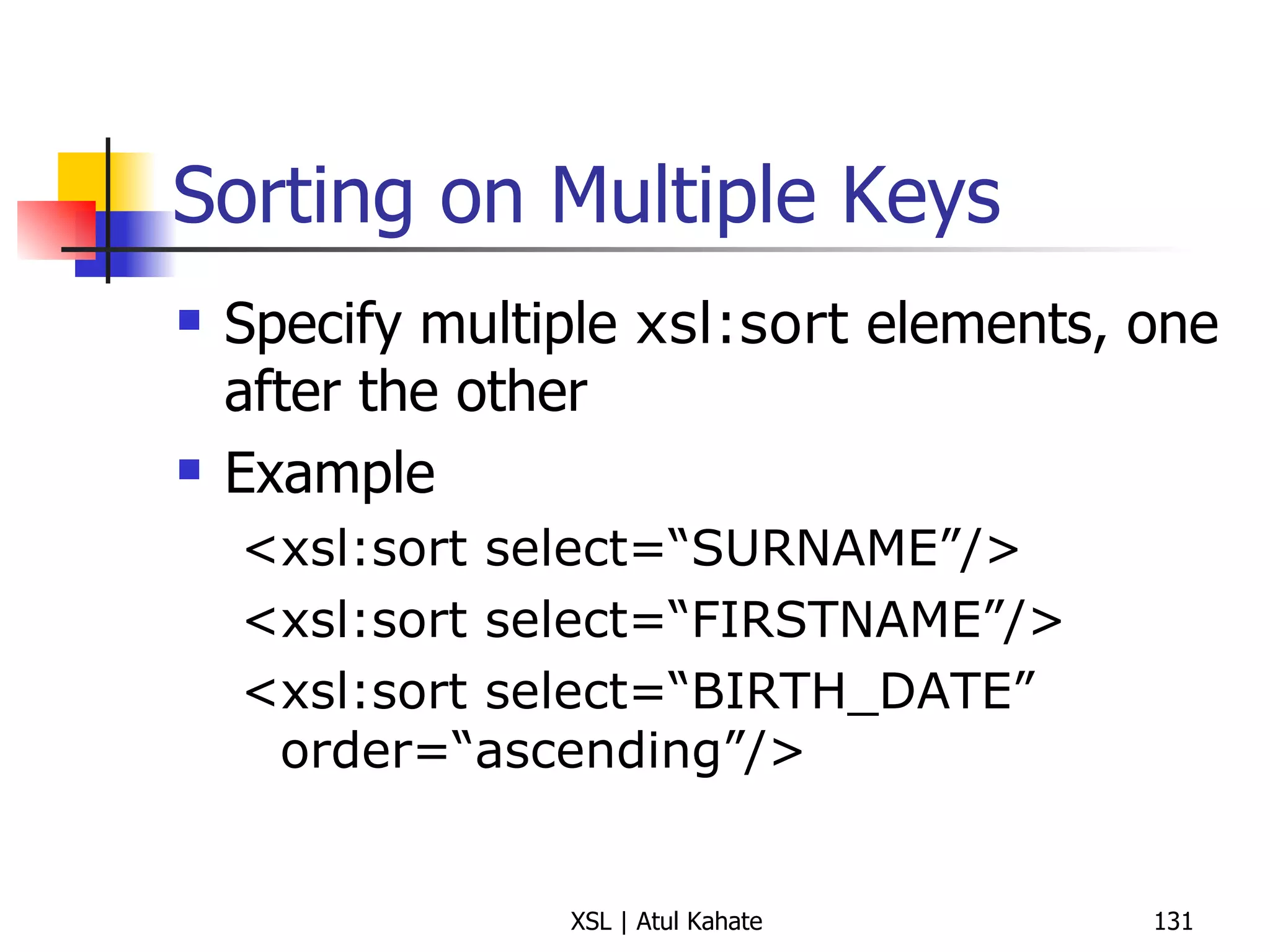
Sorting on Multiple Keys Specify multiple  xsl:sort  elements, one after the other Example <xsl:sort select=“SURNAME”/> <xsl:sort select=“FIRSTNAME”/> <xsl:sort select=“BIRTH_DATE” order=“ascending”/>
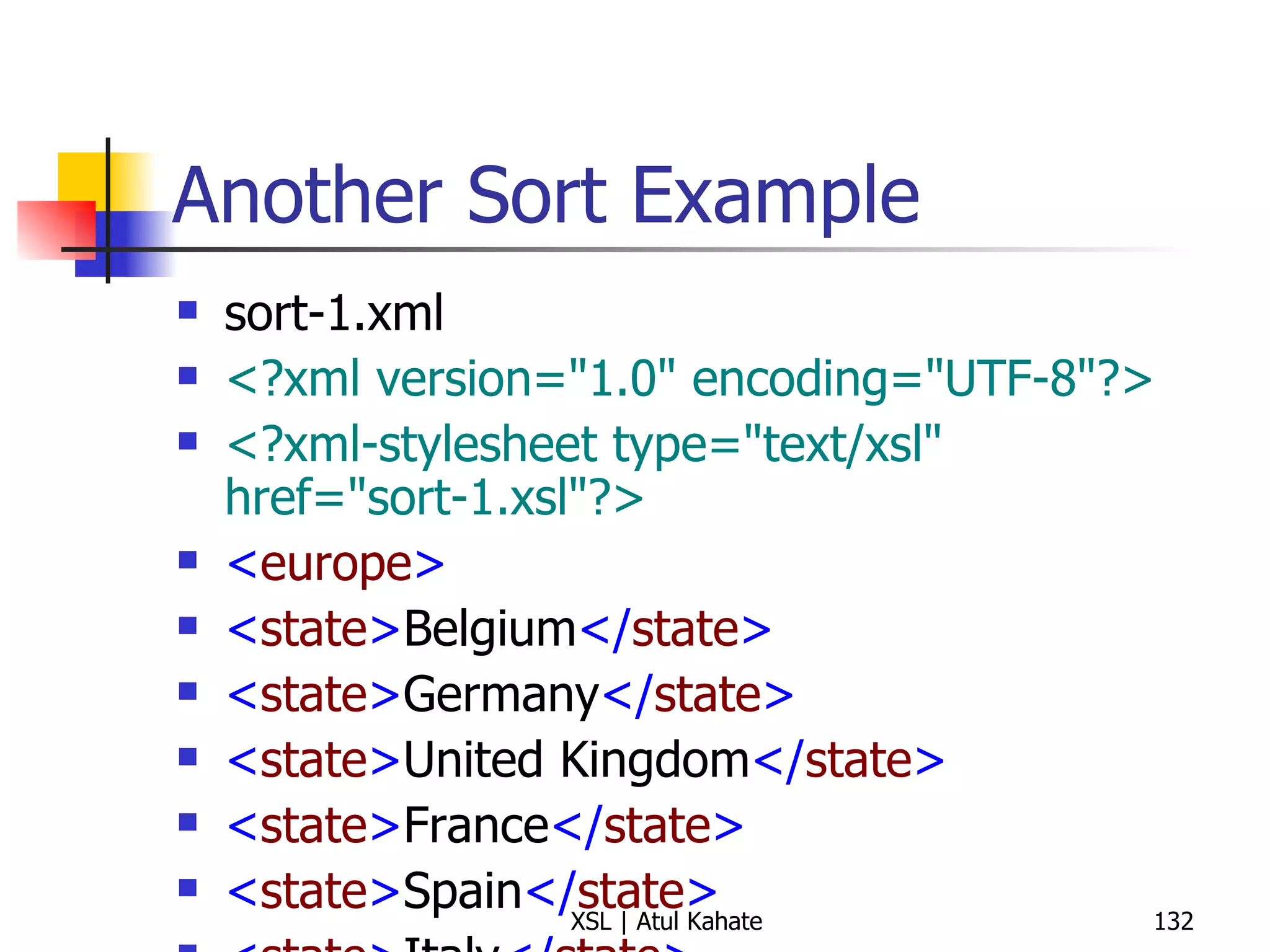
Another Sort Example sort-1.xml <?xml version=&quot;1.0&quot; encoding=&quot;UTF-8&quot;?> <?xml-stylesheet type=&quot;text/xsl&quot; href=&quot;sort-1.xsl&quot;?>   < europe > < state > Belgium </ state > < state > Germany </ state > < state > United Kingdom </ state > < state > France </ state > < state > Spain </ state > < state > Italy </ state > < state > Turkey </ state > < state > Sweden </ state > < state > Ireland </ state > < state > Greece </ state > < state > Malta </ state > < state > Vatican City </ state > < state > Portugal </ state > </ europe > sort-1.xsl <?xml version=&quot;1.0&quot; encoding=&quot;UTF-8&quot;?> < xsl:stylesheet  version =&quot; 1.0 &quot;  xmlns:xsl =&quot; http://www.w3.org/1999/XSL/Transform &quot;> < xsl:template  match =&quot; europe &quot;> < xsl:text > Alphabetical List of European States </ xsl:text > < xsl:text > &#10;Total Number of States:  </ xsl:text > < xsl:value-of  select =&quot; count(state) &quot;/> < xsl:text > &#10;&#10; </ xsl:text > < xsl:apply-templates  select =&quot; state &quot;> < xsl:sort /> </ xsl:apply-templates > </ xsl:template > < xsl:template  match =&quot; state &quot;> < xsl:text >  -  </ xsl:text > < xsl:apply-templates /> < xsl:text > &#10; </ xsl:text > </ xsl:template > </ xsl:stylesheet >
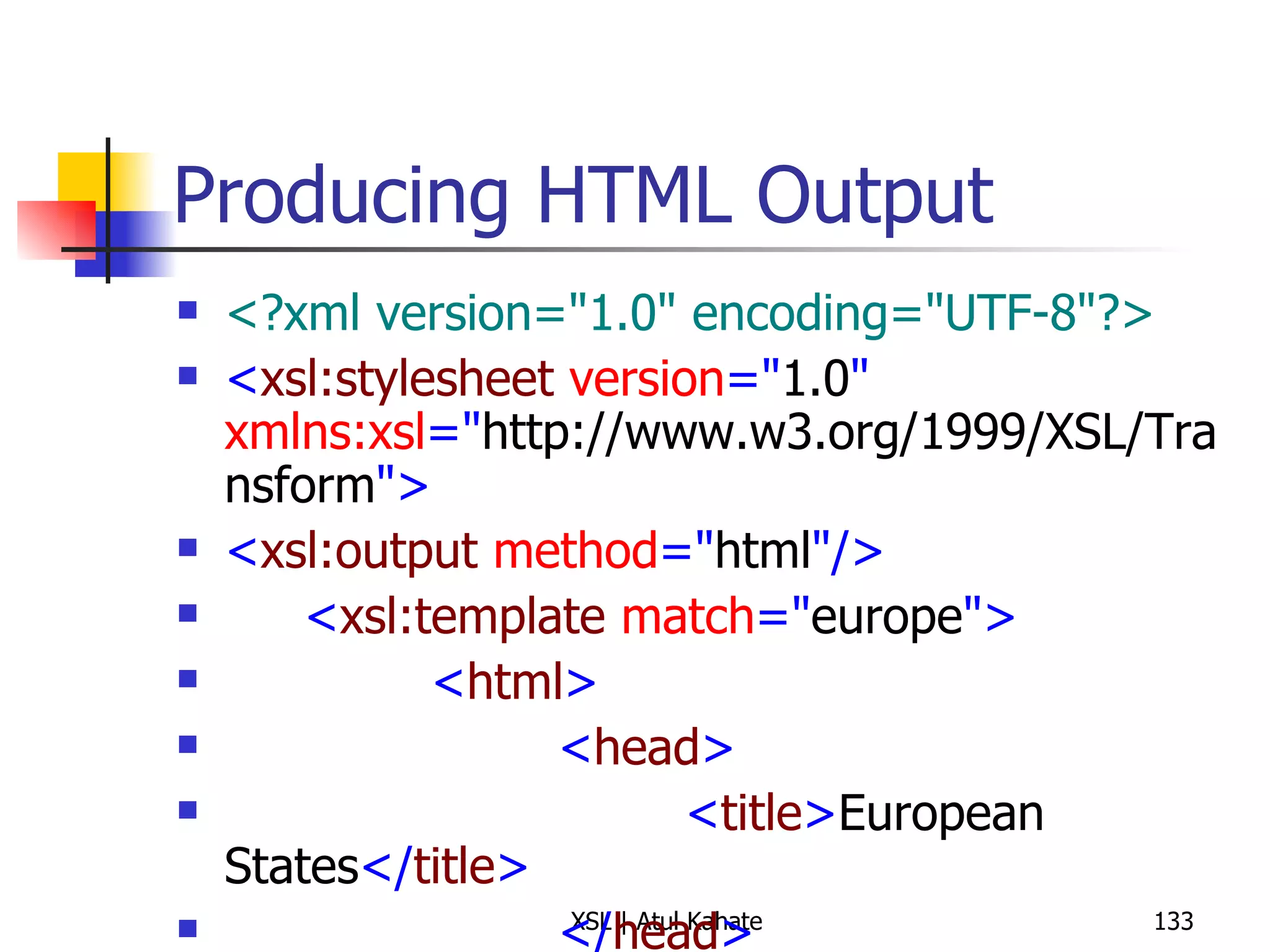
Producing HTML Output <?xml version=&quot;1.0&quot; encoding=&quot;UTF-8&quot;?> < xsl:stylesheet  version =&quot; 1.0 &quot;  xmlns:xsl =&quot; http://www.w3.org/1999/XSL/Transform &quot;> < xsl:output  method =&quot; html &quot;/> < xsl:template  match =&quot; europe &quot;> < html > < head > < title > European States </ title > </ head > < style  type =&quot; text/css &quot;> body {font-family: sans-serif} </ style > < body > < h3 > Alphabetical List of European States </ h3 > < p > < b > Total Number of States: </ b > < xsl:value-of  select =&quot; count(state) &quot;/> </ p > < ul > < xsl:apply-templates  select =&quot; state &quot;> < xsl:sort /> </ xsl:apply-templates > </ ul > </ body > </ html > </ xsl:template > < xsl:template  match =&quot; state &quot;> < li > < xsl:apply-templates /> </ li > </ xsl:template > </ xsl:stylesheet >
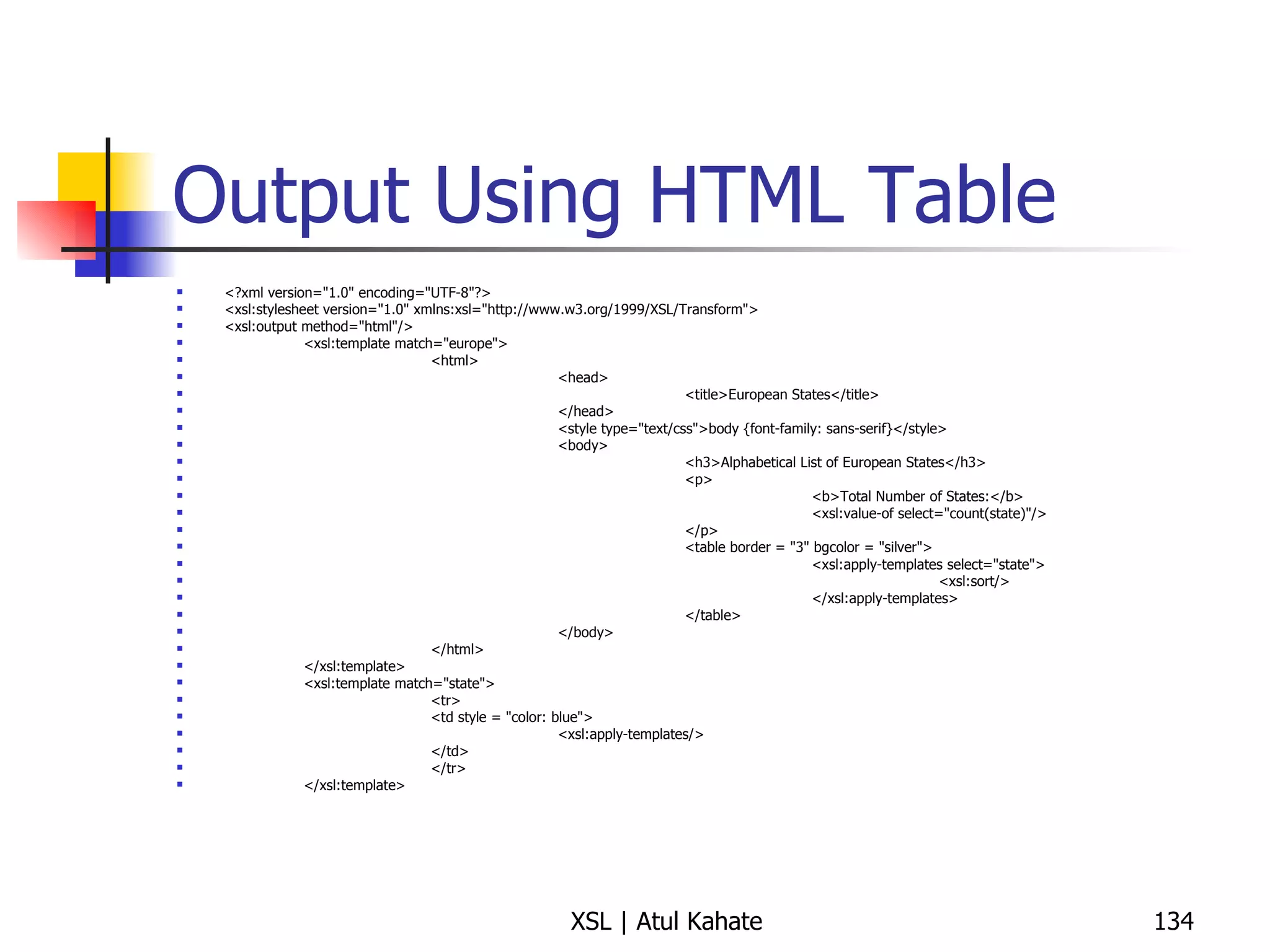
Output Using HTML Table <?xml version=&quot;1.0&quot; encoding=&quot;UTF-8&quot;?> <xsl:stylesheet version=&quot;1.0&quot; xmlns:xsl=&quot;http://www.w3.org/1999/XSL/Transform&quot;> <xsl:output method=&quot;html&quot;/> <xsl:template match=&quot;europe&quot;> <html> <head> <title>European States</title> </head> <style type=&quot;text/css&quot;>body {font-family: sans-serif}</style> <body> <h3>Alphabetical List of European States</h3> <p> <b>Total Number of States:</b> <xsl:value-of select=&quot;count(state)&quot;/> </p> <table border = &quot;3&quot; bgcolor = &quot;silver&quot;> <xsl:apply-templates select=&quot;state&quot;> <xsl:sort/> </xsl:apply-templates> </table> </body> </html> </xsl:template> <xsl:template match=&quot;state&quot;> <tr> <td style = &quot;color: blue&quot;> <xsl:apply-templates/> </td> </tr> </xsl:template>
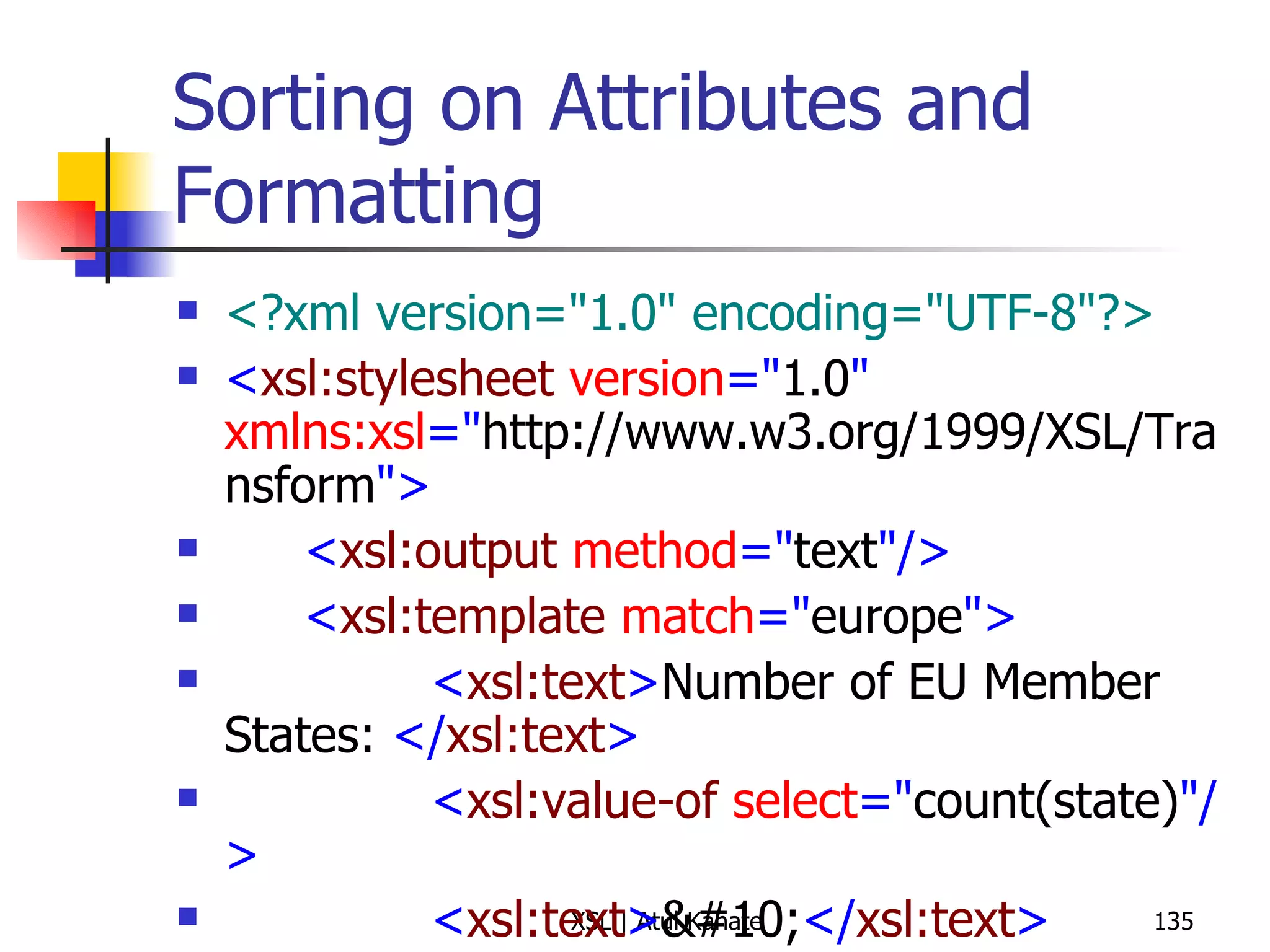
Sorting on Attributes and Formatting <?xml version=&quot;1.0&quot; encoding=&quot;UTF-8&quot;?> < xsl:stylesheet  version =&quot; 1.0 &quot;  xmlns:xsl =&quot; http://www.w3.org/1999/XSL/Transform &quot;> < xsl:output  method =&quot; text &quot;/> < xsl:template  match =&quot; europe &quot;> < xsl:text > Number of EU Member States:  </ xsl:text > < xsl:value-of  select =&quot; count(state) &quot;/> < xsl:text > &#10; </ xsl:text > < xsl:apply-templates  select =&quot; state/@joined &quot;> < xsl:sort  data-type =&quot; number &quot;/> </ xsl:apply-templates > < xsl:text > &#10; </ xsl:text > </ xsl:template > < xsl:template  match =&quot; state/@joined &quot;> < xsl:text >  -  </ xsl:text > < xsl:apply-templates  select =&quot; .. &quot;/> < xsl:text >  ( </ xsl:text > < xsl:value-of  select =&quot; . &quot;/> < xsl:text > )&#10; </ xsl:text > </ xsl:template > </ xsl:stylesheet >
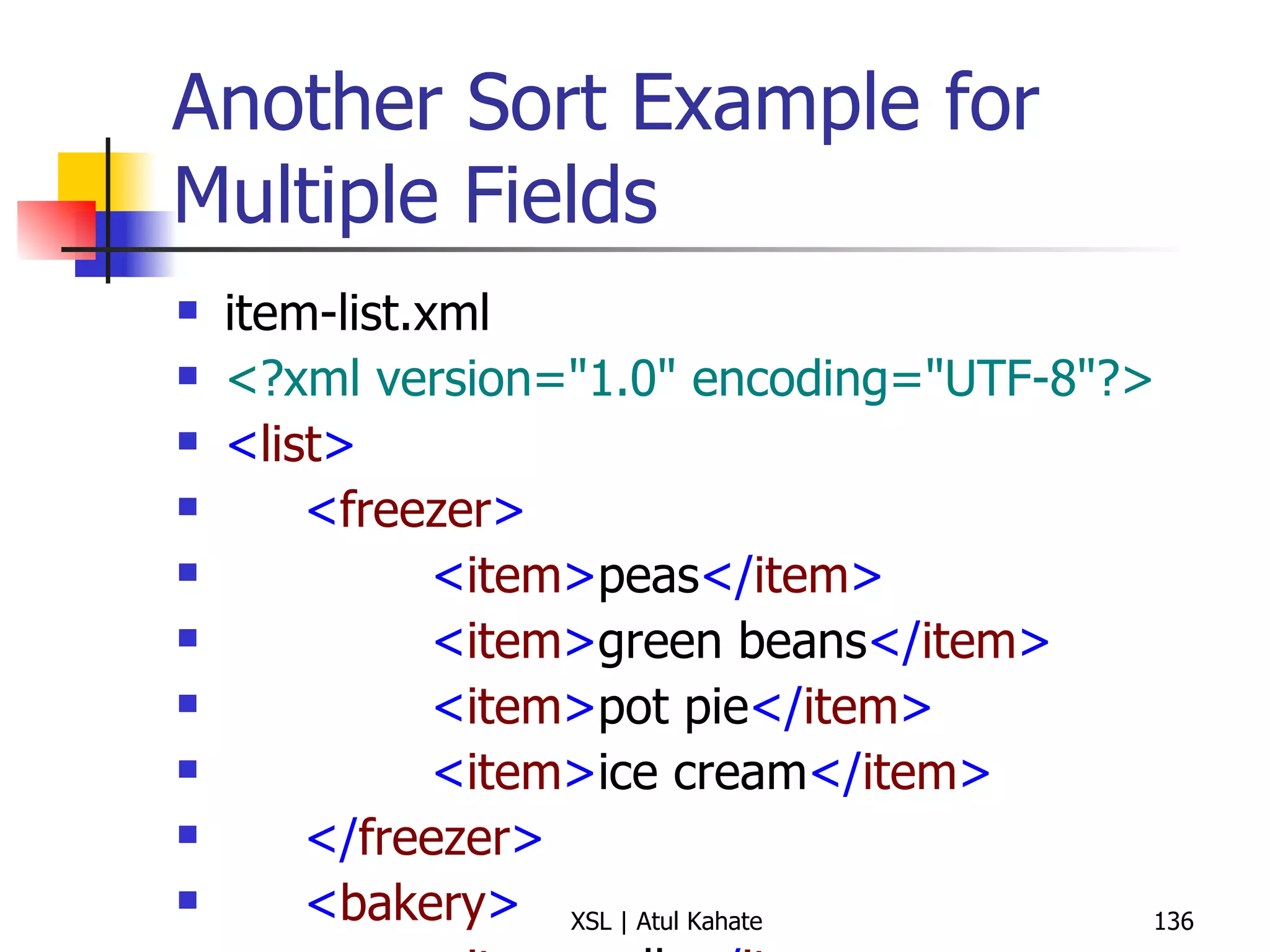
Another Sort Example for Multiple Fields item-list.xml <?xml version=&quot;1.0&quot; encoding=&quot;UTF-8&quot;?> < list > < freezer > < item > peas </ item > < item > green beans </ item > < item > pot pie </ item > < item > ice cream </ item > </ freezer > < bakery > < item > rolls </ item > < item > jelly doughnuts </ item > < item > bread </ item > </ bakery > < produce > < item > tomato </ item > < item > apple </ item > < item > potato </ item > </ produce > </ list > item-list.xsl <?xml version=&quot;1.0&quot; encoding=&quot;UTF-8&quot;?> < xsl:stylesheet  version =&quot; 1.0 &quot;  xmlns:xsl =&quot; http://www.w3.org/1999/XSL/Transform &quot;> < xsl:output  method =&quot; text &quot;  version =&quot; 1.0 &quot;  encoding =&quot; UTF-8 &quot;  indent =&quot; yes &quot;/> < xsl:template  match =&quot; list &quot;> < xsl:apply-templates  select =&quot; * &quot;> < xsl:sort  select =&quot; name() &quot;/> </ xsl:apply-templates > </ xsl:template > < xsl:template  match =&quot; * &quot;> < xsl:text > Section:  </ xsl:text > < xsl:value-of  select =&quot; name() &quot;/> < xsl:text > &#10; </ xsl:text > < xsl:apply-templates  select =&quot; item &quot;> < xsl:sort /> </ xsl:apply-templates > </ xsl:template > < xsl:template  match =&quot; item &quot;> < xsl:text >  *  </ xsl:text > < xsl:apply-templates /> < xsl:text > &#10; </ xsl:text > </ xsl:template > </ xsl:stylesheet >
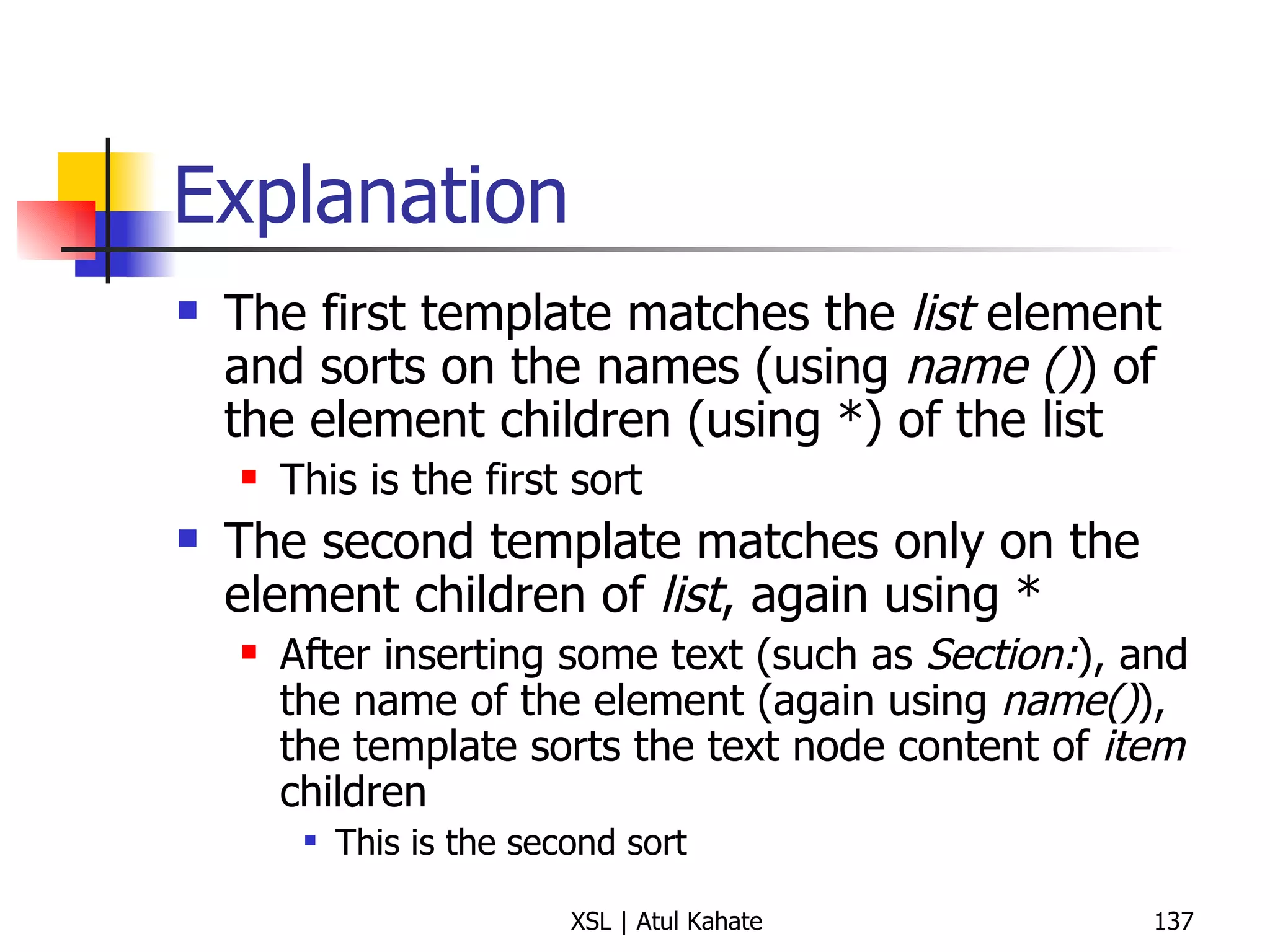
Explanation The first template matches the  list  element and sorts on the names (using  name () ) of the element children (using *) of the list This is the first sort The second template matches only on the element children of  list , again using * After inserting some text (such as  Section: ), and the name of the element (again using  name() ), the template sorts the text node content of  item  children This is the second sort
Conditional Processing
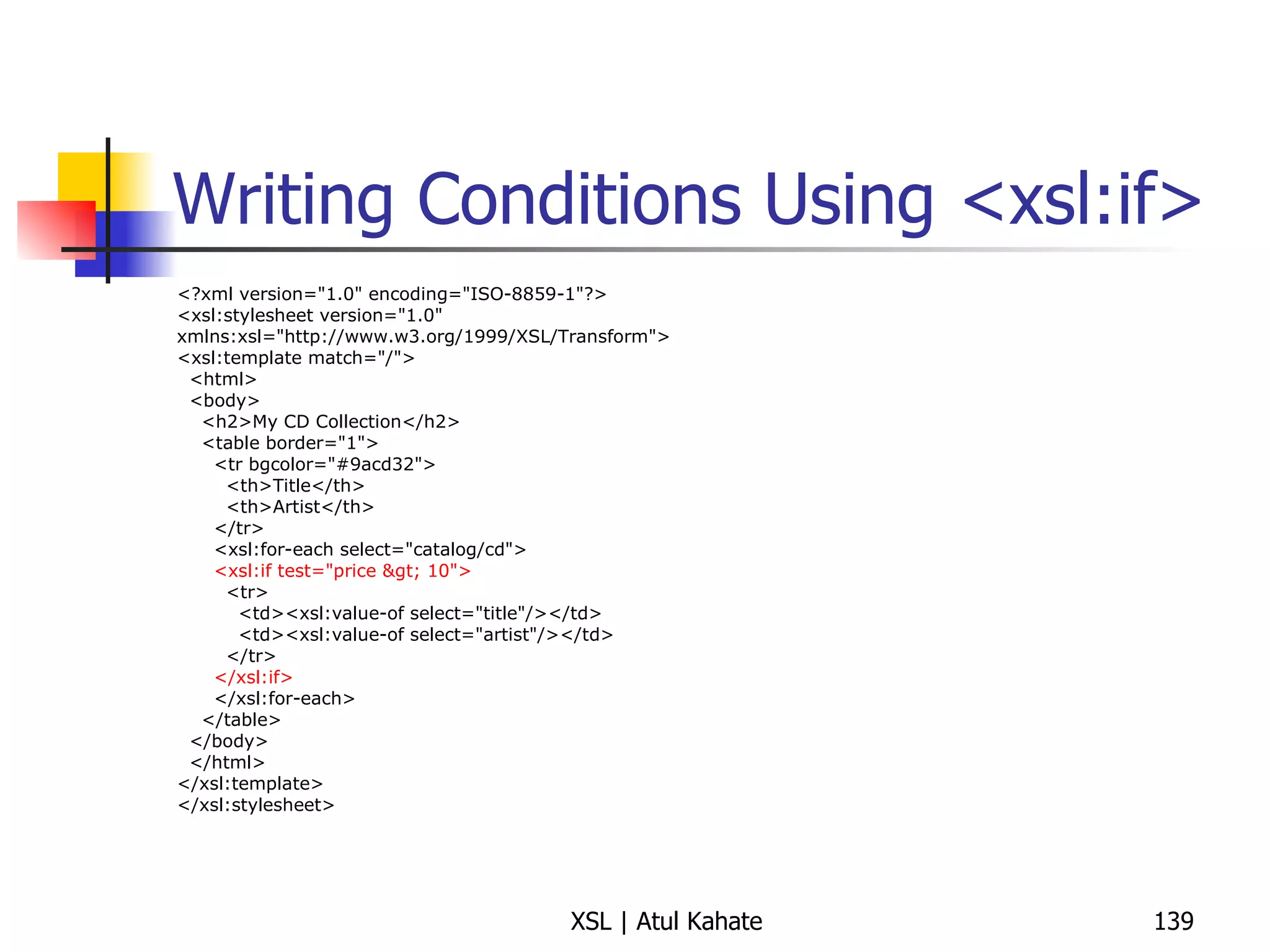
Writing Conditions Using <xsl:if> <?xml version=&quot;1.0&quot; encoding=&quot;ISO-8859-1&quot;?> <xsl:stylesheet version=&quot;1.0&quot; xmlns:xsl=&quot;http://www.w3.org/1999/XSL/Transform&quot;> <xsl:template match=&quot;/&quot;> <html> <body> <h2>My CD Collection</h2> <table border=&quot;1&quot;> <tr bgcolor=&quot;#9acd32&quot;> <th>Title</th> <th>Artist</th> </tr> <xsl:for-each select=&quot;catalog/cd&quot;> <xsl:if test=&quot;price &gt; 10&quot;> <tr> <td><xsl:value-of select=&quot;title&quot;/></td> <td><xsl:value-of select=&quot;artist&quot;/></td> </tr> </xsl:if> </xsl:for-each> </table> </body> </html> </xsl:template> </xsl:stylesheet>
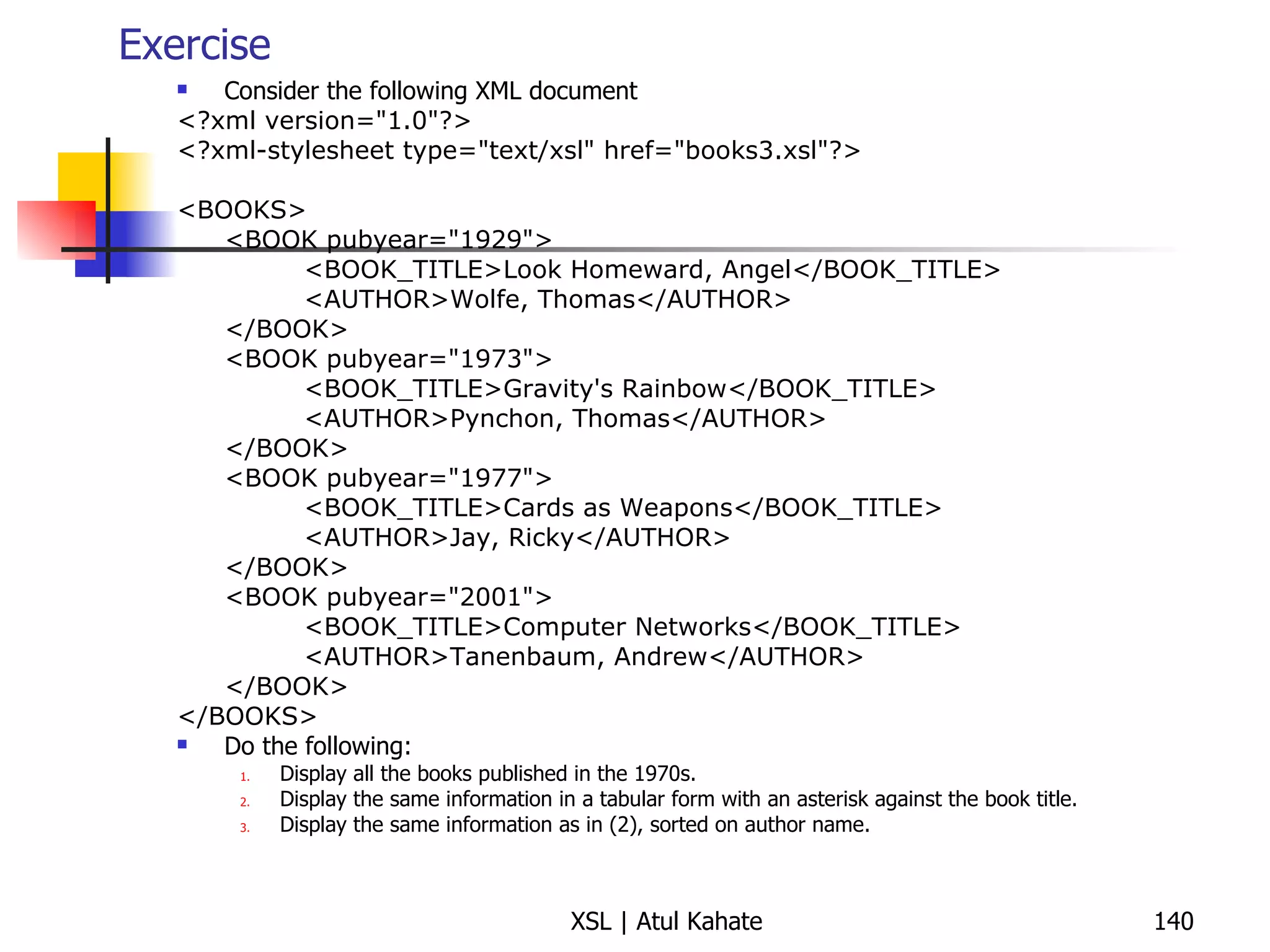
Exercise Consider the following XML document <?xml version=&quot;1.0&quot;?> <?xml-stylesheet type=&quot;text/xsl&quot; href=&quot;books3.xsl&quot;?> <BOOKS> <BOOK pubyear=&quot;1929&quot;> <BOOK_TITLE>Look Homeward, Angel</BOOK_TITLE> <AUTHOR>Wolfe, Thomas</AUTHOR> </BOOK> <BOOK pubyear=&quot;1973&quot;> <BOOK_TITLE>Gravity's Rainbow</BOOK_TITLE> <AUTHOR>Pynchon, Thomas</AUTHOR> </BOOK> <BOOK pubyear=&quot;1977&quot;> <BOOK_TITLE>Cards as Weapons</BOOK_TITLE> <AUTHOR>Jay, Ricky</AUTHOR> </BOOK> <BOOK pubyear=&quot;2001&quot;> <BOOK_TITLE>Computer Networks</BOOK_TITLE> <AUTHOR>Tanenbaum, Andrew</AUTHOR> </BOOK> </BOOKS> Do the following: Display all the books published in the 1970s. Display the same information in a tabular form with an asterisk against the book title. Display the same information as in (2), sorted on author name.
Solution Refer to books.xml, books.xsl, books2.xsl, books3.xsl
Books.xsl <xsl:stylesheet version=&quot;1.0&quot; xmlns:xsl=&quot;http://www.w3.org/1999/XSL/Transform&quot;> <xsl:template match=&quot;BOOKS&quot;> <xsl:copy> <xsl:apply-templates/> </xsl:copy> </xsl:template> <xsl:template match=&quot;BOOK[starts-with(@pubyear, '197')]&quot;> <xsl:copy-of select=&quot;.&quot;/> </xsl:template> </xsl:stylesheet>
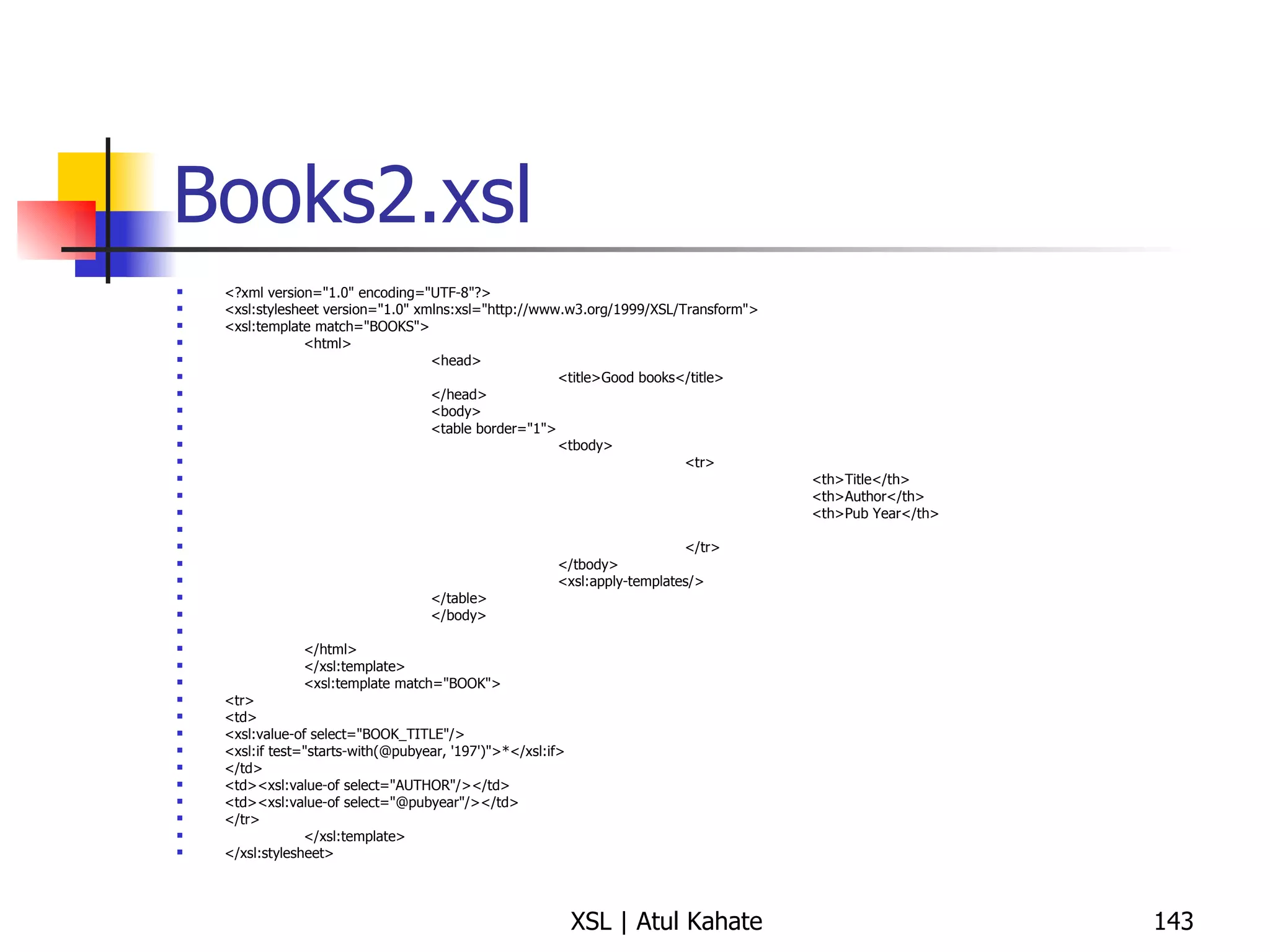
Books2.xsl <?xml version=&quot;1.0&quot; encoding=&quot;UTF-8&quot;?> <xsl:stylesheet version=&quot;1.0&quot; xmlns:xsl=&quot;http://www.w3.org/1999/XSL/Transform&quot;> <xsl:template match=&quot;BOOKS&quot;> <html> <head> <title>Good books</title> </head> <body> <table border=&quot;1&quot;> <tbody> <tr> <th>Title</th> <th>Author</th> <th>Pub Year</th> </tr> </tbody> <xsl:apply-templates/> </table> </body> </html> </xsl:template> <xsl:template match=&quot;BOOK&quot;> <tr> <td> <xsl:value-of select=&quot;BOOK_TITLE&quot;/> <xsl:if test=&quot;starts-with(@pubyear, '197')&quot;>*</xsl:if> </td> <td><xsl:value-of select=&quot;AUTHOR&quot;/></td> <td><xsl:value-of select=&quot;@pubyear&quot;/></td> </tr> </xsl:template> </xsl:stylesheet>
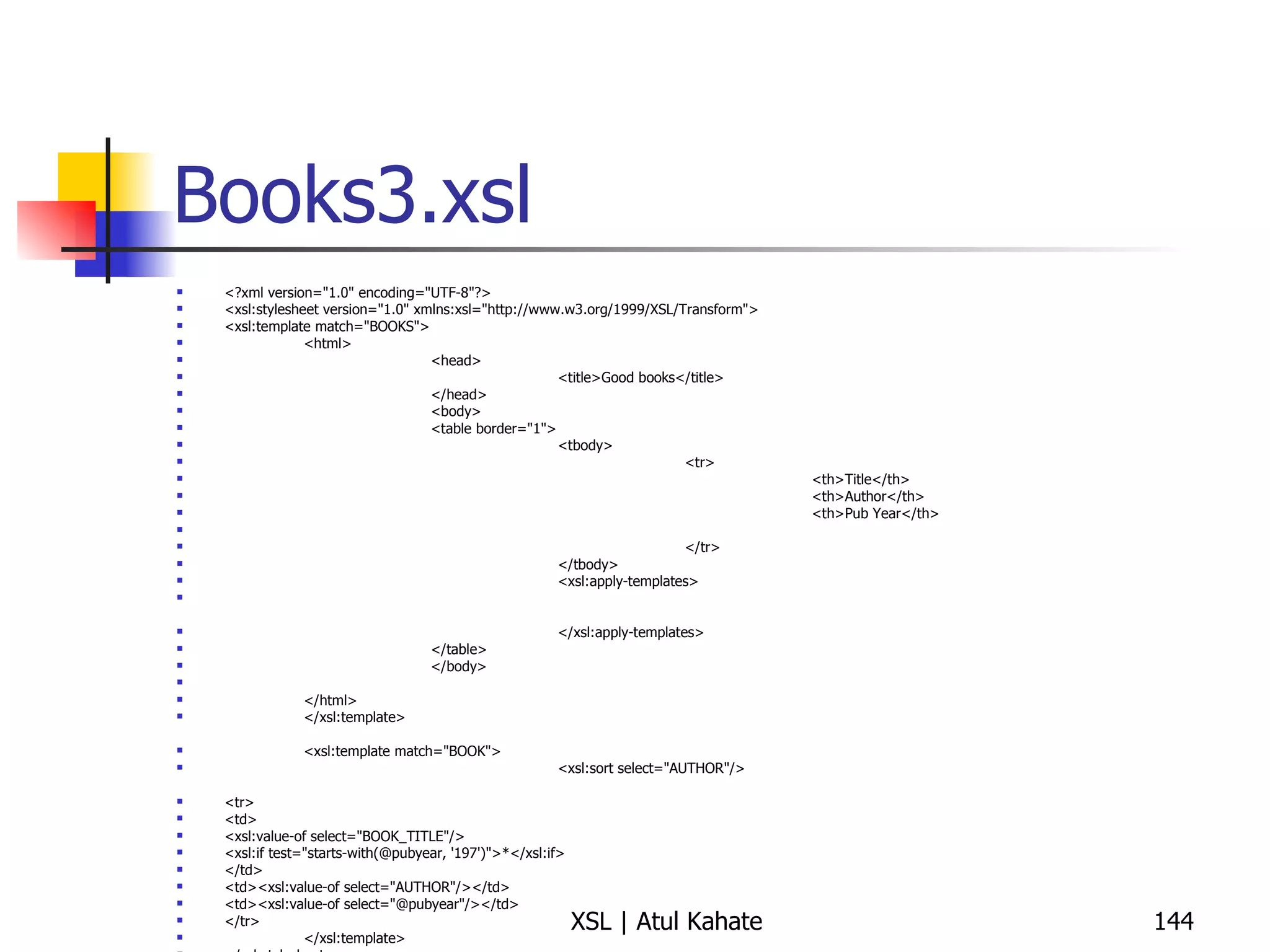
Books3.xsl <?xml version=&quot;1.0&quot; encoding=&quot;UTF-8&quot;?> <xsl:stylesheet version=&quot;1.0&quot; xmlns:xsl=&quot;http://www.w3.org/1999/XSL/Transform&quot;> <xsl:template match=&quot;BOOKS&quot;> <html> <head> <title>Good books</title> </head> <body> <table border=&quot;1&quot;> <tbody> <tr> <th>Title</th> <th>Author</th> <th>Pub Year</th> </tr> </tbody> <xsl:apply-templates> </xsl:apply-templates> </table> </body> </html> </xsl:template> <xsl:template match=&quot;BOOK&quot;> <xsl:sort select=&quot;AUTHOR&quot;/> <tr> <td> <xsl:value-of select=&quot;BOOK_TITLE&quot;/> <xsl:if test=&quot;starts-with(@pubyear, '197')&quot;>*</xsl:if> </td> <td><xsl:value-of select=&quot;AUTHOR&quot;/></td> <td><xsl:value-of select=&quot;@pubyear&quot;/></td> </tr> </xsl:template> </xsl:stylesheet>
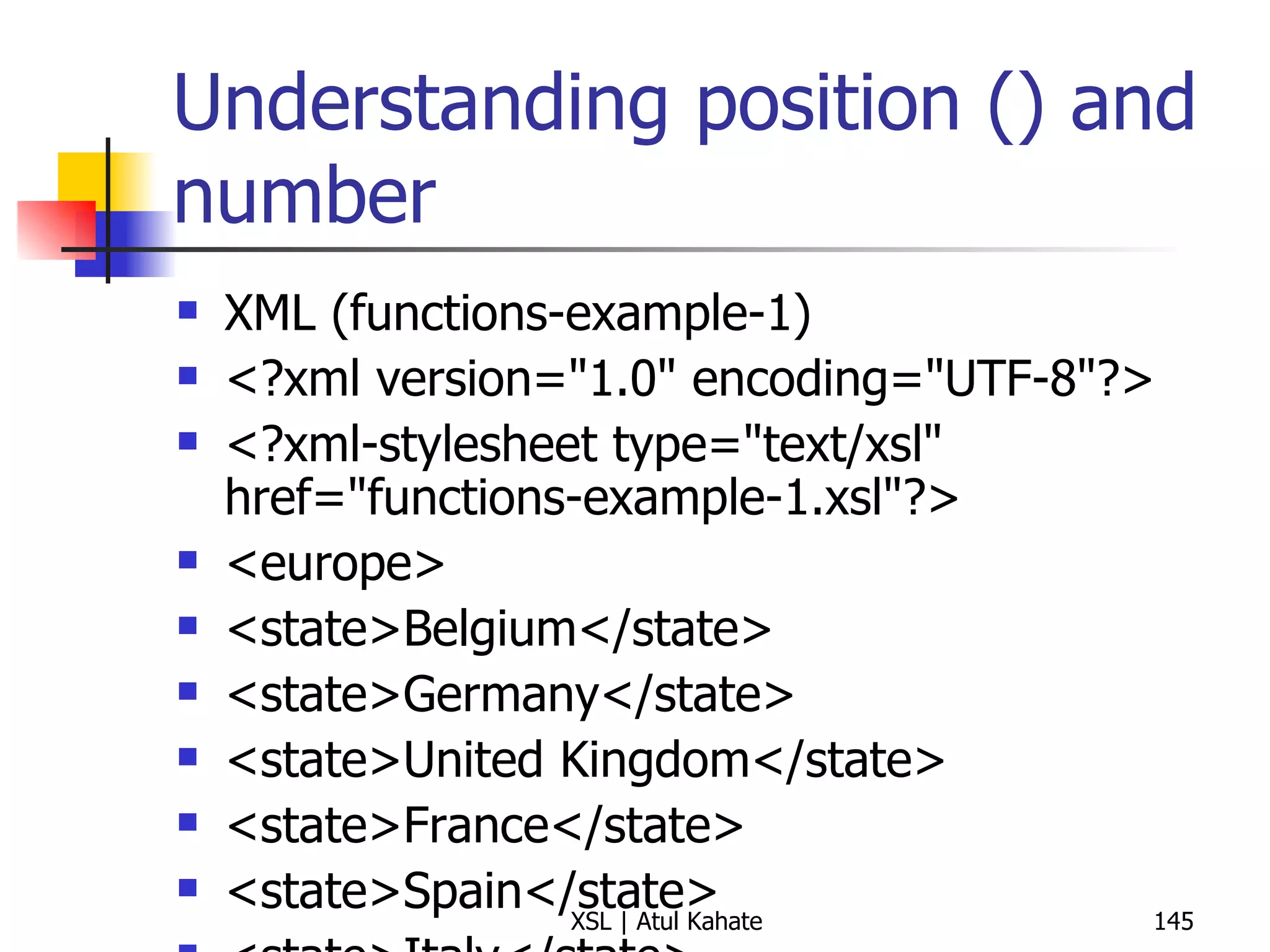
Understanding position () and number XML (functions-example-1) <?xml version=&quot;1.0&quot; encoding=&quot;UTF-8&quot;?> <?xml-stylesheet type=&quot;text/xsl&quot; href=&quot;functions-example-1.xsl&quot;?>  <europe> <state>Belgium</state> <state>Germany</state> <state>United Kingdom</state> <state>France</state> <state>Spain</state> <state>Italy</state> <state>Turkey</state> <state>Sweden</state> <state>Ireland</state> <state>Greece</state> <state>Malta</state> <state>Vatican City</state> <state>Portugal</state> </europe> XSL <?xml version=&quot;1.0&quot; encoding=&quot;UTF-8&quot;?> < xsl:stylesheet  version =&quot; 1.0 &quot;  xmlns:xsl =&quot; http://www.w3.org/1999/XSL/Transform &quot;> < xsl:output  method =&quot; html &quot;  version =&quot; 1.0 &quot;  encoding =&quot; UTF-8 &quot;  indent =&quot; yes &quot;/> < xsl:template  match =&quot; / &quot;> < table  border =&quot; 2 &quot;> < tbody > < tr > < th > Title </ th > < th > Position </ th > < th > Number </ th > </ tr > < xsl:apply-templates  select =&quot; europe/state &quot;/> </ tbody > </ table > </ xsl:template > < xsl:template  match =&quot; europe/state &quot;> < tr > < td > < xsl:value-of  select =&quot; . &quot;/> </ td > < td  align =&quot; center &quot;> < xsl:value-of  select =&quot; position() &quot;/> </ td > < td  align =&quot; center &quot;> < xsl:number /> </ td > </ tr > </ xsl:template > </ xsl:stylesheet >
Writing Conditions
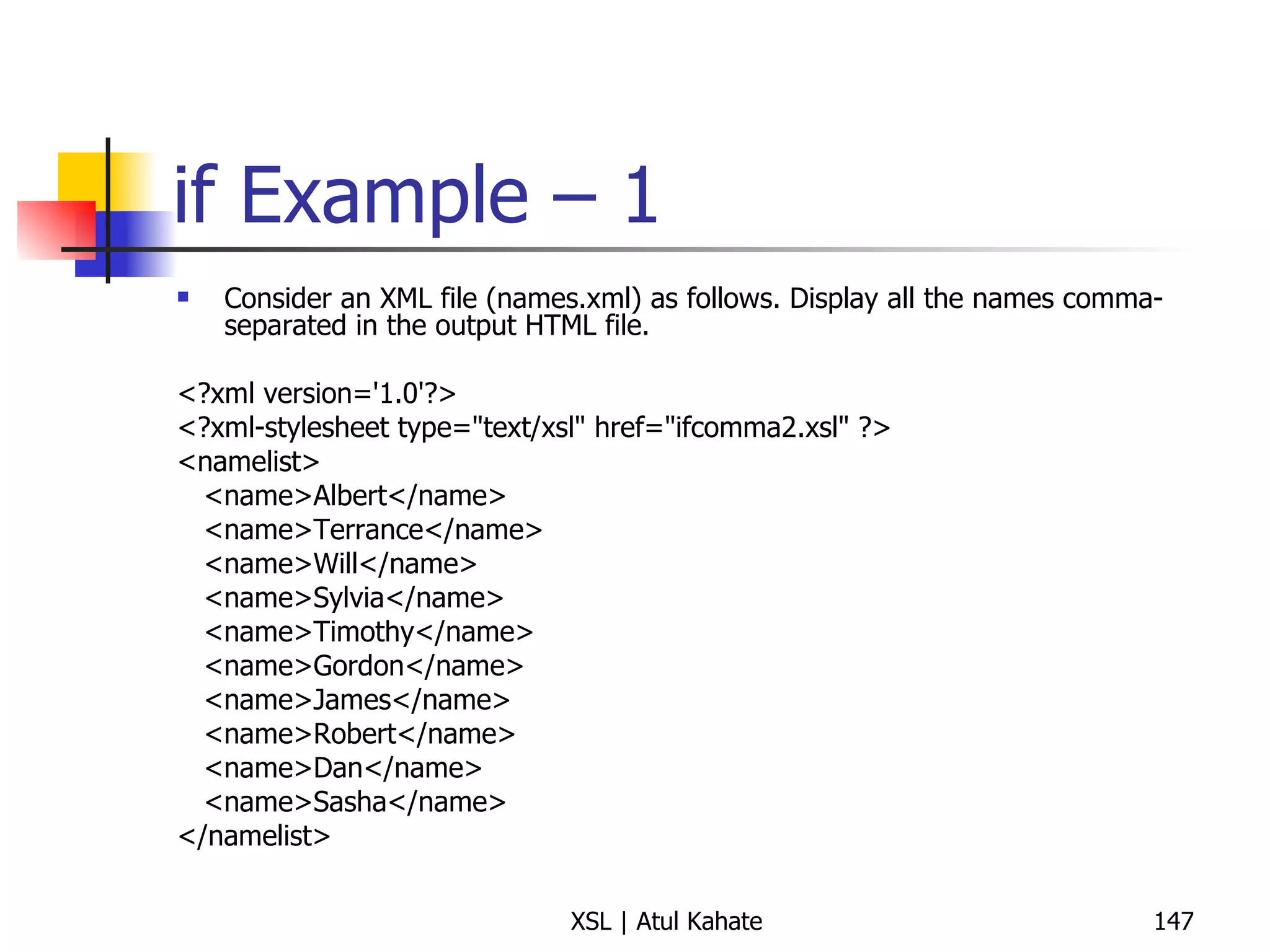
if Example – 1 Consider an XML file (names.xml) as follows. Display all the names comma-separated in the output HTML file. <?xml version='1.0'?> <?xml-stylesheet type=&quot;text/xsl&quot; href=&quot;ifcomma2.xsl&quot; ?> <namelist> <name>Albert</name> <name>Terrance</name> <name>Will</name> <name>Sylvia</name> <name>Timothy</name> <name>Gordon</name> <name>James</name> <name>Robert</name> <name>Dan</name> <name>Sasha</name> </namelist>
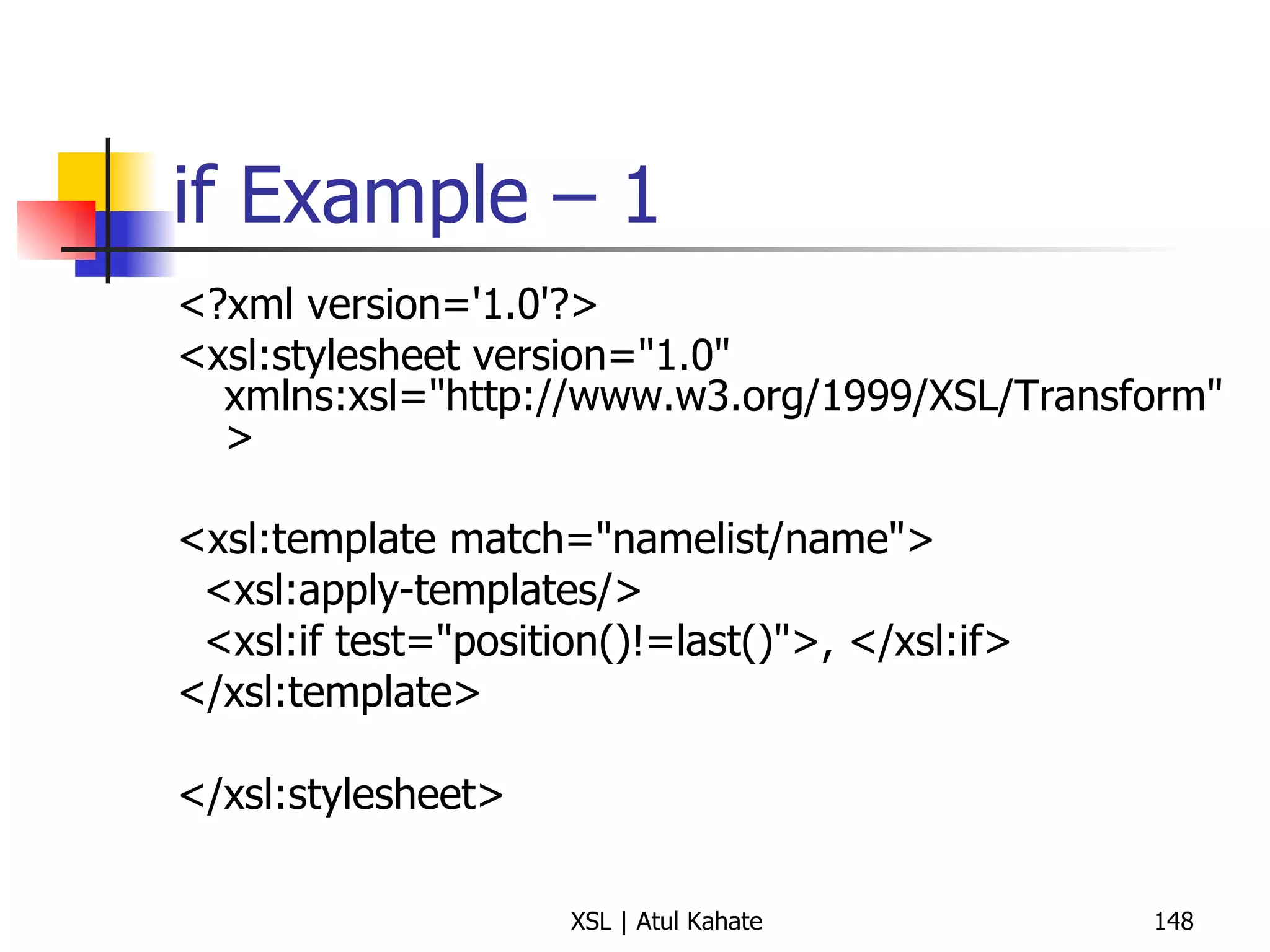
if Example – 1 <?xml version='1.0'?> <xsl:stylesheet version=&quot;1.0&quot;  xmlns:xsl=&quot;http://www.w3.org/1999/XSL/Transform&quot; > <xsl:template match=&quot;namelist/name&quot;> <xsl:apply-templates/> <xsl:if test=&quot;position()!=last()&quot;>, </xsl:if> </xsl:template> </xsl:stylesheet>
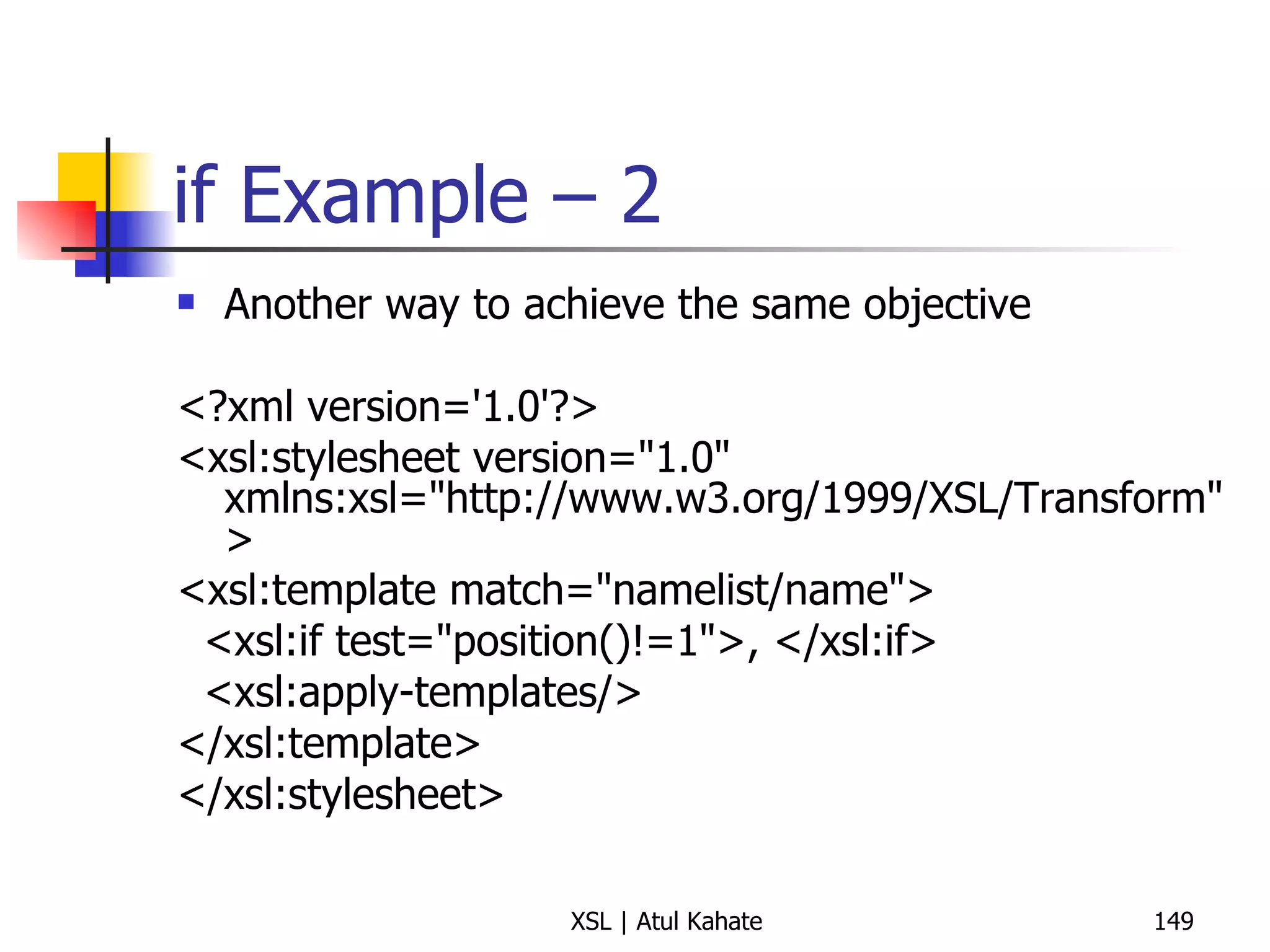
if Example – 2 Another way to achieve the same objective <?xml version='1.0'?> <xsl:stylesheet version=&quot;1.0&quot; xmlns:xsl=&quot;http://www.w3.org/1999/XSL/Transform&quot; > <xsl:template match=&quot;namelist/name&quot;> <xsl:if test=&quot;position()!=1&quot;>, </xsl:if> <xsl:apply-templates/> </xsl:template> </xsl:stylesheet>
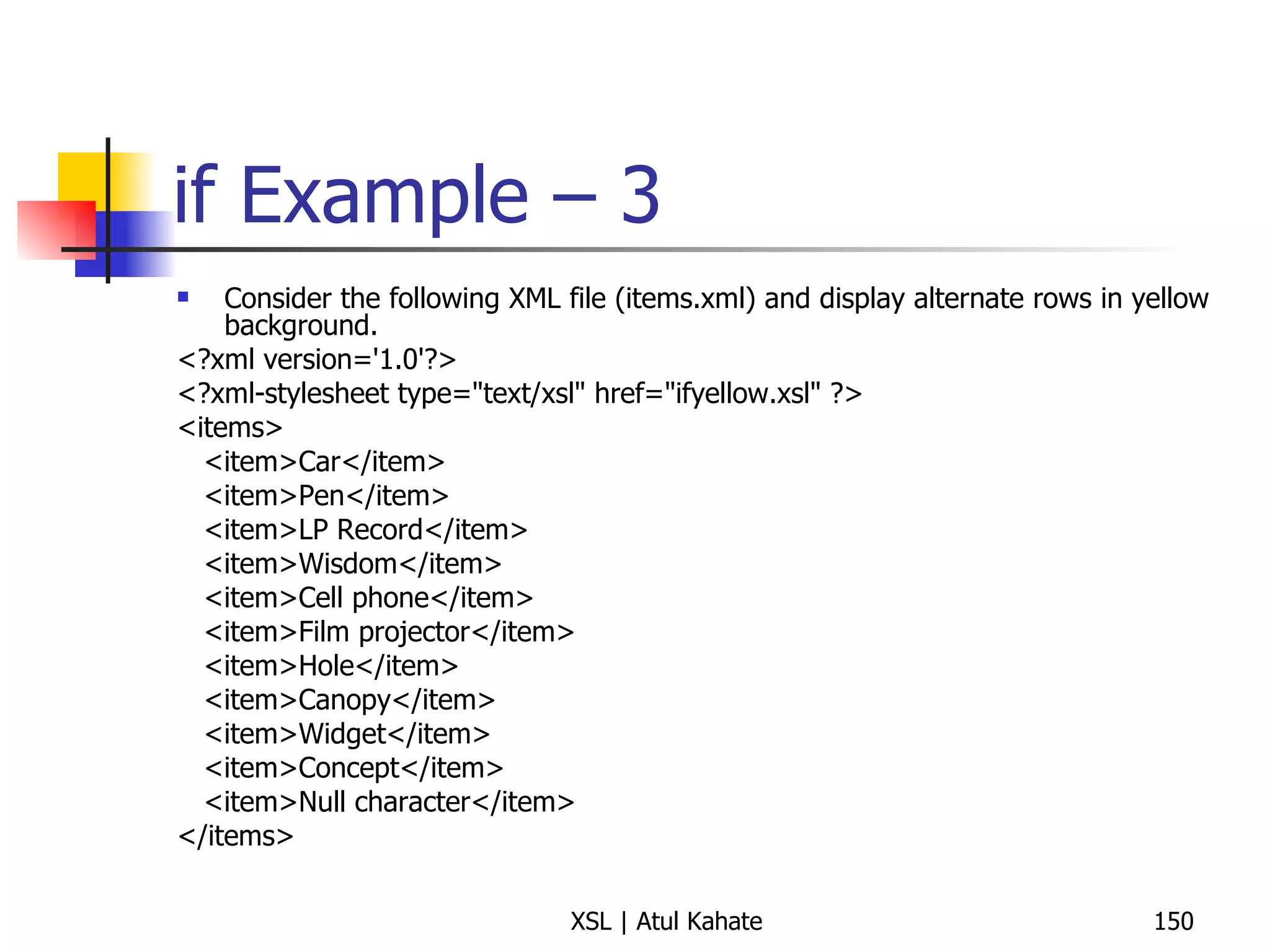
if Example – 3 Consider the following XML file (items.xml) and display alternate rows in yellow background. <?xml version='1.0'?> <?xml-stylesheet type=&quot;text/xsl&quot; href=&quot;ifyellow.xsl&quot; ?> <items> <item>Car</item> <item>Pen</item> <item>LP Record</item> <item>Wisdom</item> <item>Cell phone</item> <item>Film projector</item> <item>Hole</item> <item>Canopy</item> <item>Widget</item> <item>Concept</item> <item>Null character</item> </items>
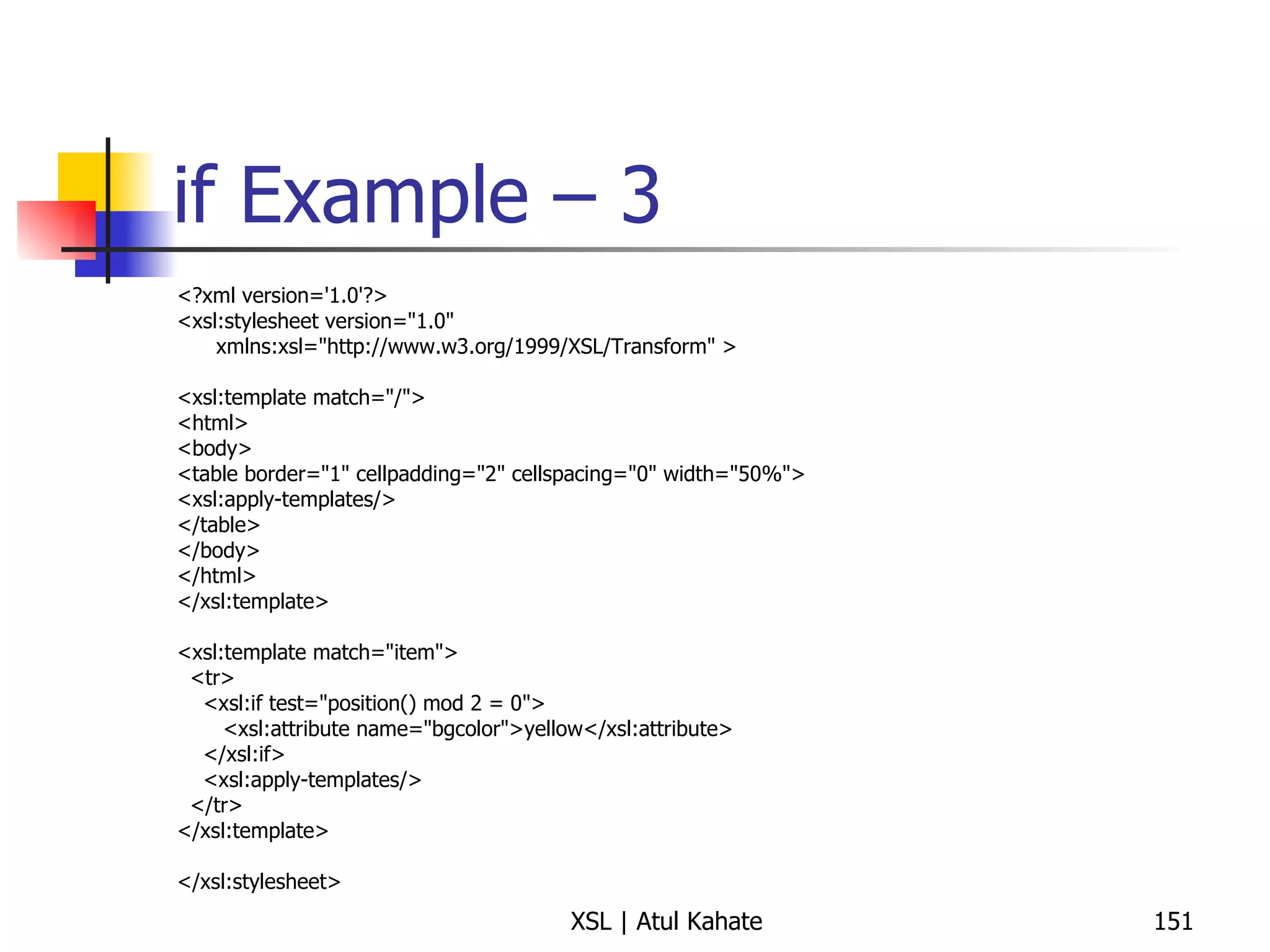
if Example – 3 <?xml version='1.0'?> <xsl:stylesheet version=&quot;1.0&quot; xmlns:xsl=&quot;http://www.w3.org/1999/XSL/Transform&quot; > <xsl:template match=&quot;/&quot;> <html> <body> <table border=&quot;1&quot; cellpadding=&quot;2&quot; cellspacing=&quot;0&quot; width=&quot;50%&quot;> <xsl:apply-templates/> </table> </body> </html> </xsl:template> <xsl:template match=&quot;item&quot;> <tr> <xsl:if test=&quot;position() mod 2 = 0&quot;> <xsl:attribute name=&quot;bgcolor&quot;>yellow</xsl:attribute> </xsl:if> <xsl:apply-templates/> </tr> </xsl:template> </xsl:stylesheet>
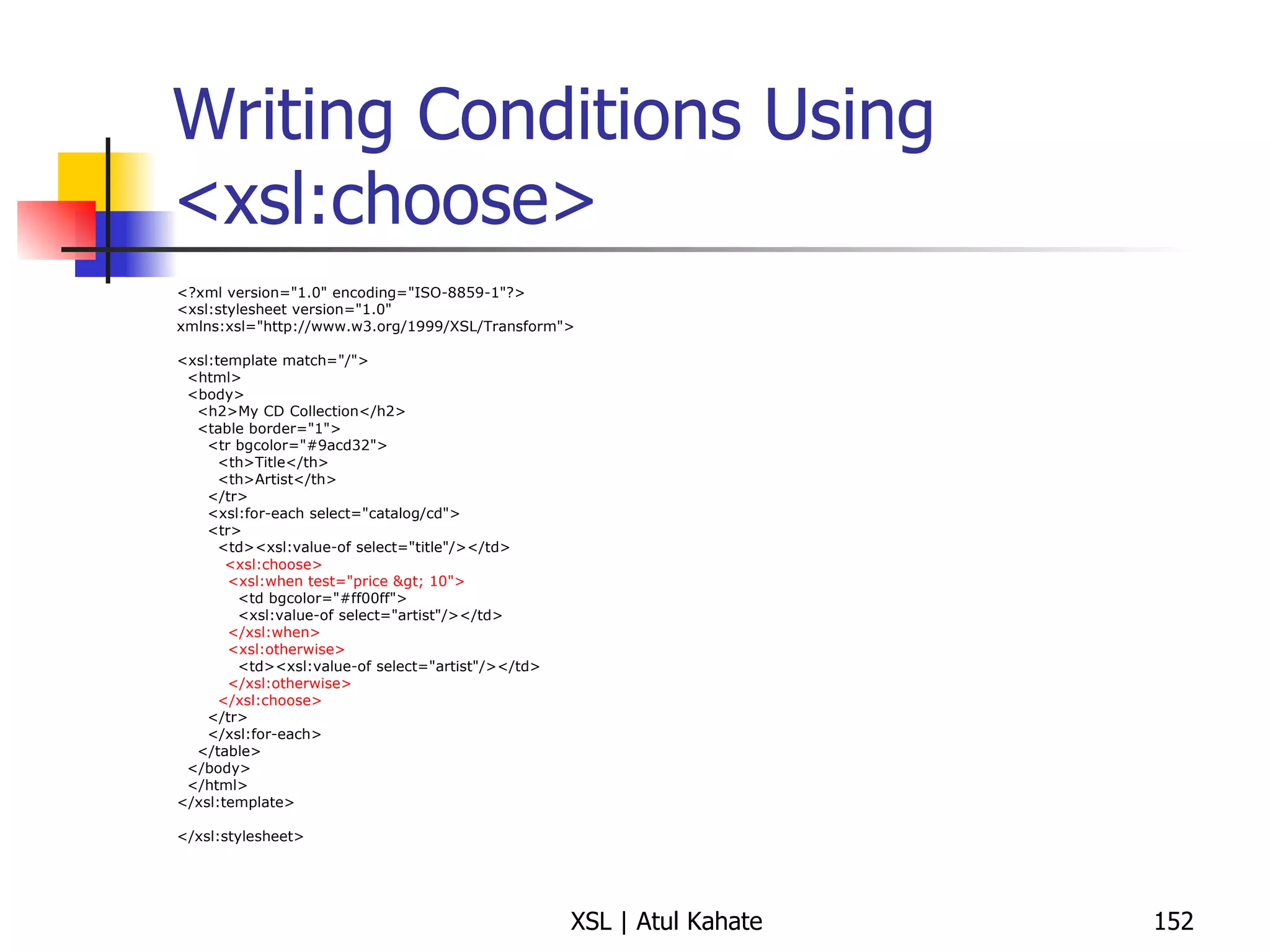
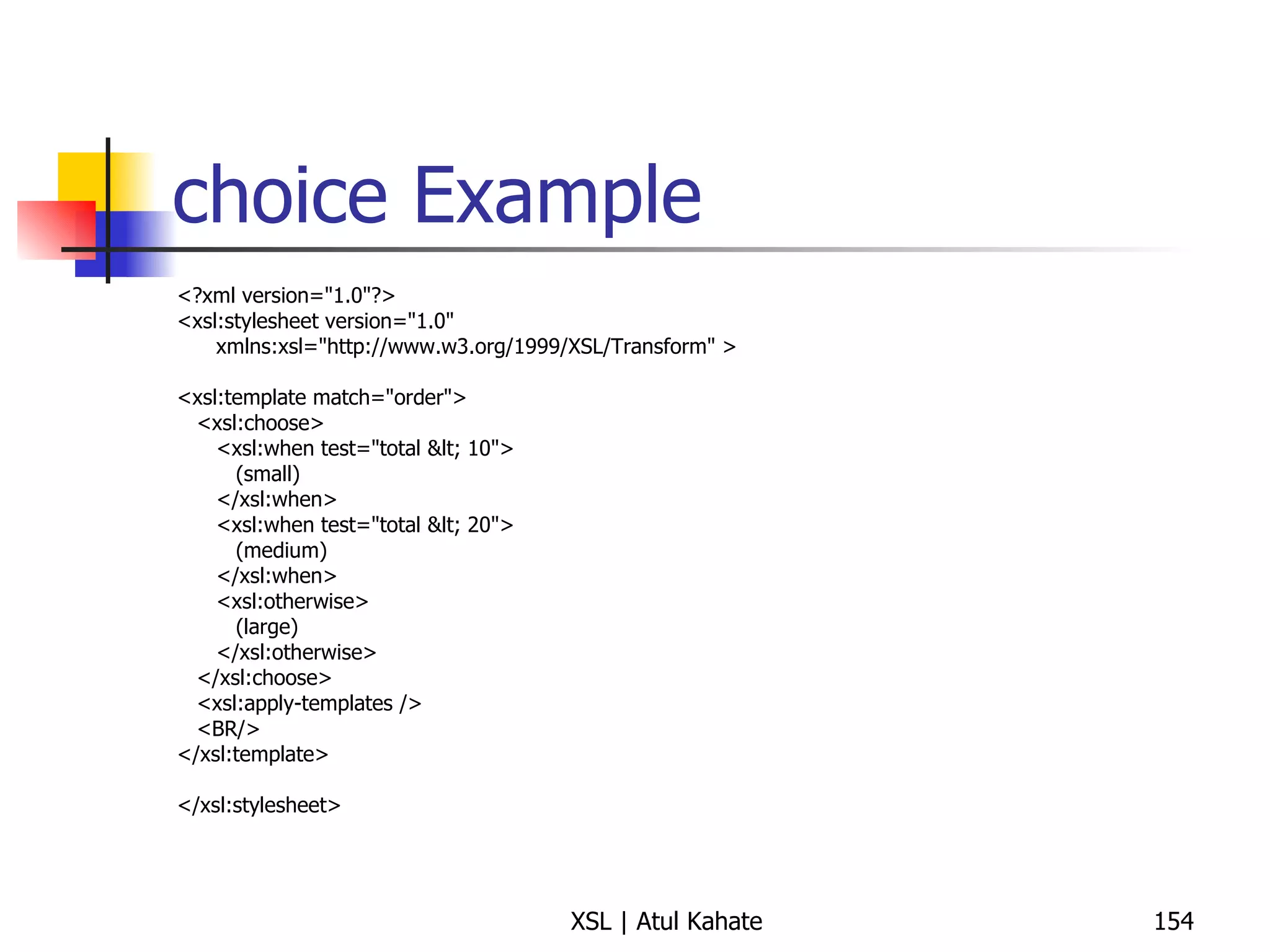
Writing Conditions Using <xsl:choose> <?xml version=&quot;1.0&quot; encoding=&quot;ISO-8859-1&quot;?> <xsl:stylesheet version=&quot;1.0&quot; xmlns:xsl=&quot;http://www.w3.org/1999/XSL/Transform&quot;> <xsl:template match=&quot;/&quot;> <html> <body> <h2>My CD Collection</h2> <table border=&quot;1&quot;> <tr bgcolor=&quot;#9acd32&quot;> <th>Title</th> <th>Artist</th> </tr> <xsl:for-each select=&quot;catalog/cd&quot;> <tr> <td><xsl:value-of select=&quot;title&quot;/></td> <xsl:choose> <xsl:when test=&quot;price &gt; 10&quot;> <td bgcolor=&quot;#ff00ff&quot;> <xsl:value-of select=&quot;artist&quot;/></td> </xsl:when> <xsl:otherwise> <td><xsl:value-of select=&quot;artist&quot;/></td> </xsl:otherwise> </xsl:choose> </tr> </xsl:for-each> </table> </body> </html> </xsl:template> </xsl:stylesheet>
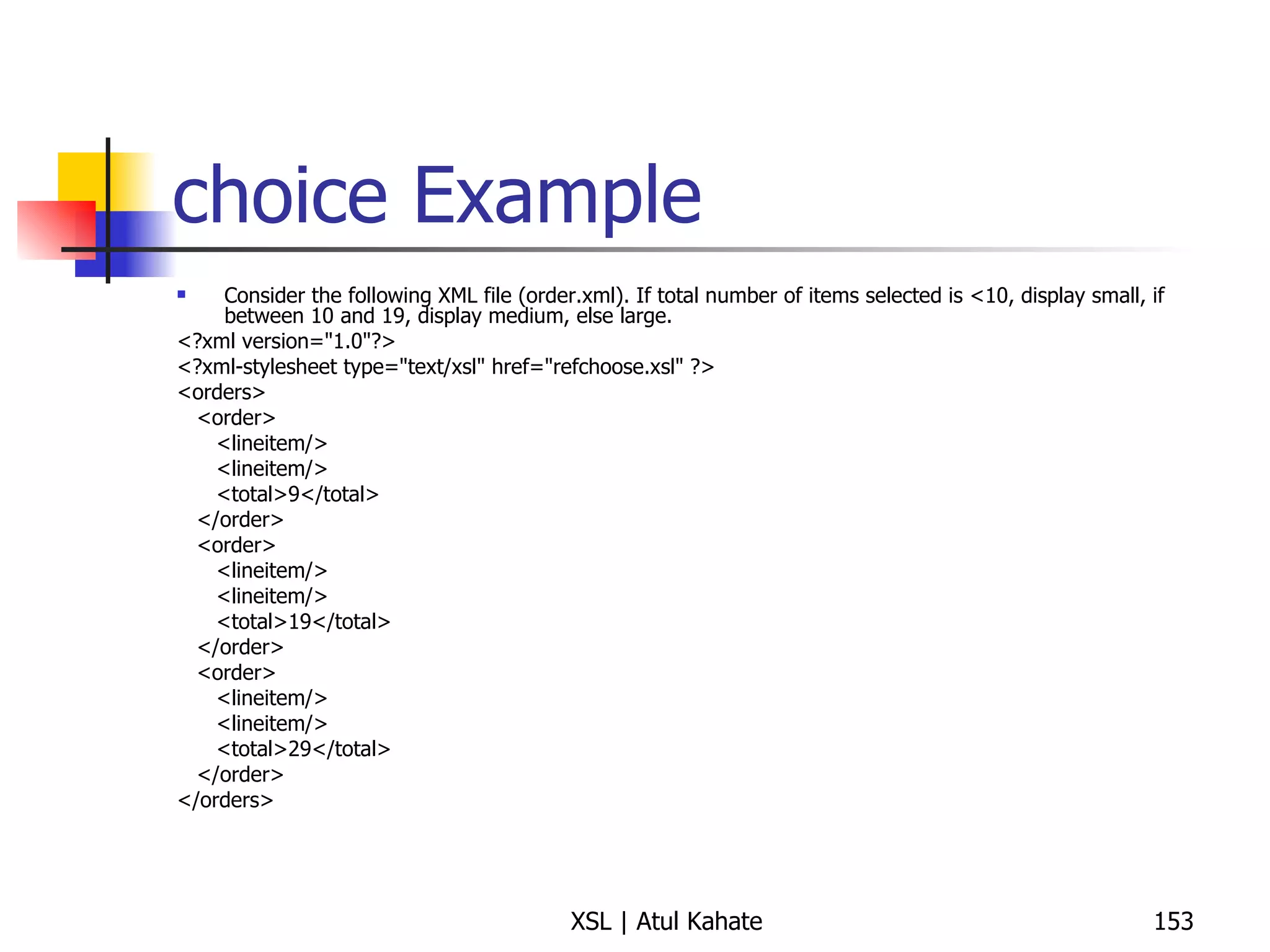
choice Example Consider the following XML file (order.xml). If total number of items selected is <10, display small, if between 10 and 19, display medium, else large. <?xml version=&quot;1.0&quot;?> <?xml-stylesheet type=&quot;text/xsl&quot; href=&quot;refchoose.xsl&quot; ?> <orders> <order> <lineitem/> <lineitem/> <total>9</total> </order> <order> <lineitem/> <lineitem/> <total>19</total> </order> <order> <lineitem/> <lineitem/> <total>29</total> </order> </orders>
choice Example <?xml version=&quot;1.0&quot;?> <xsl:stylesheet version=&quot;1.0&quot; xmlns:xsl=&quot;http://www.w3.org/1999/XSL/Transform&quot; > <xsl:template match=&quot;order&quot;> <xsl:choose> <xsl:when test=&quot;total &lt; 10&quot;> (small) </xsl:when> <xsl:when test=&quot;total &lt; 20&quot;> (medium) </xsl:when> <xsl:otherwise> (large) </xsl:otherwise> </xsl:choose> <xsl:apply-templates /> <BR/> </xsl:template> </xsl:stylesheet>
Using Variables
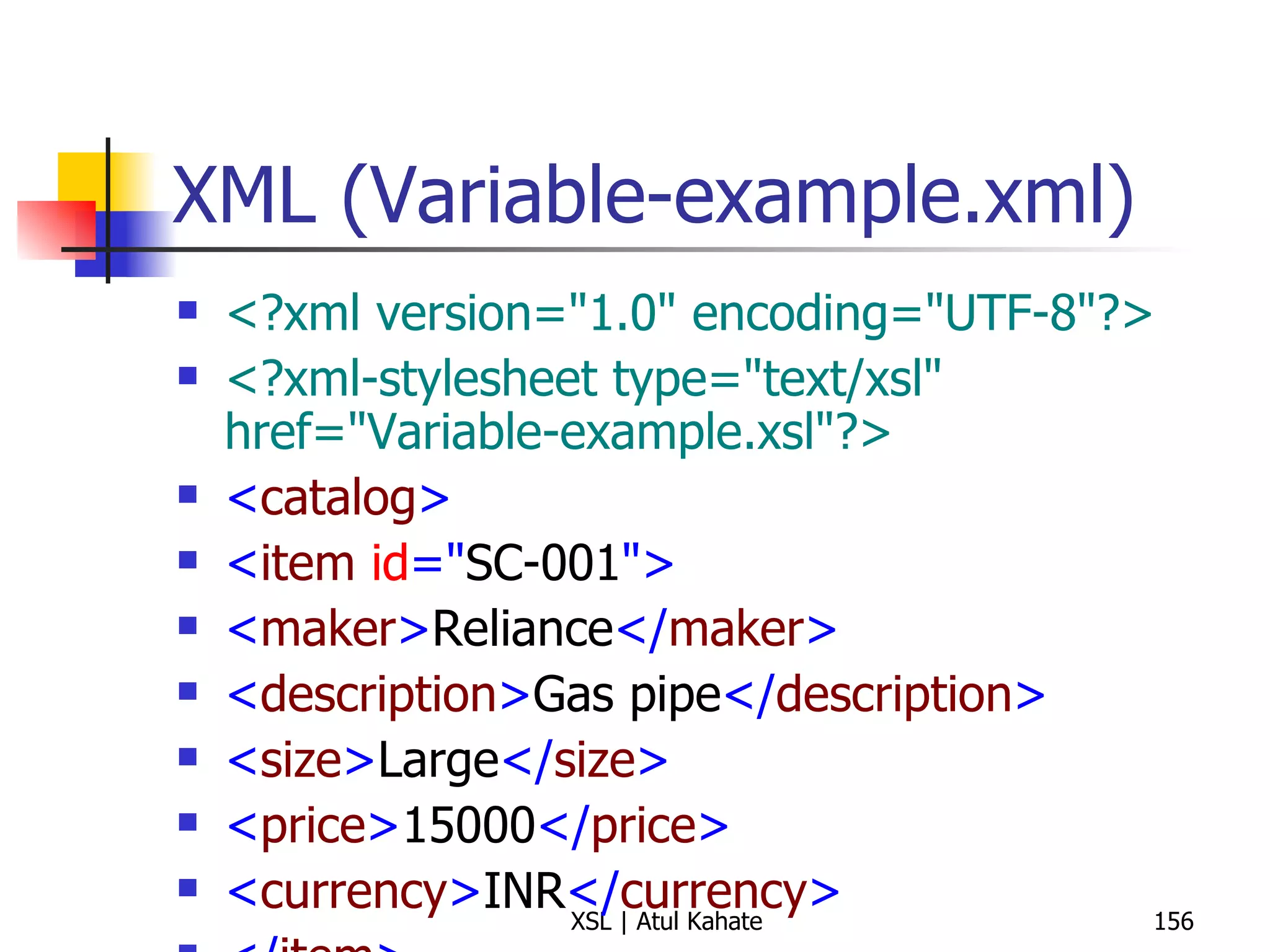
XML (Variable-example.xml) <?xml version=&quot;1.0&quot; encoding=&quot;UTF-8&quot;?> <?xml-stylesheet type=&quot;text/xsl&quot; href=&quot;Variable-example.xsl&quot;?>   < catalog > < item  id =&quot; SC-001 &quot;> < maker > Reliance </ maker > < description > Gas pipe </ description > < size > Large </ size > < price > 15000 </ price > < currency > INR </ currency > </ item > </ catalog >
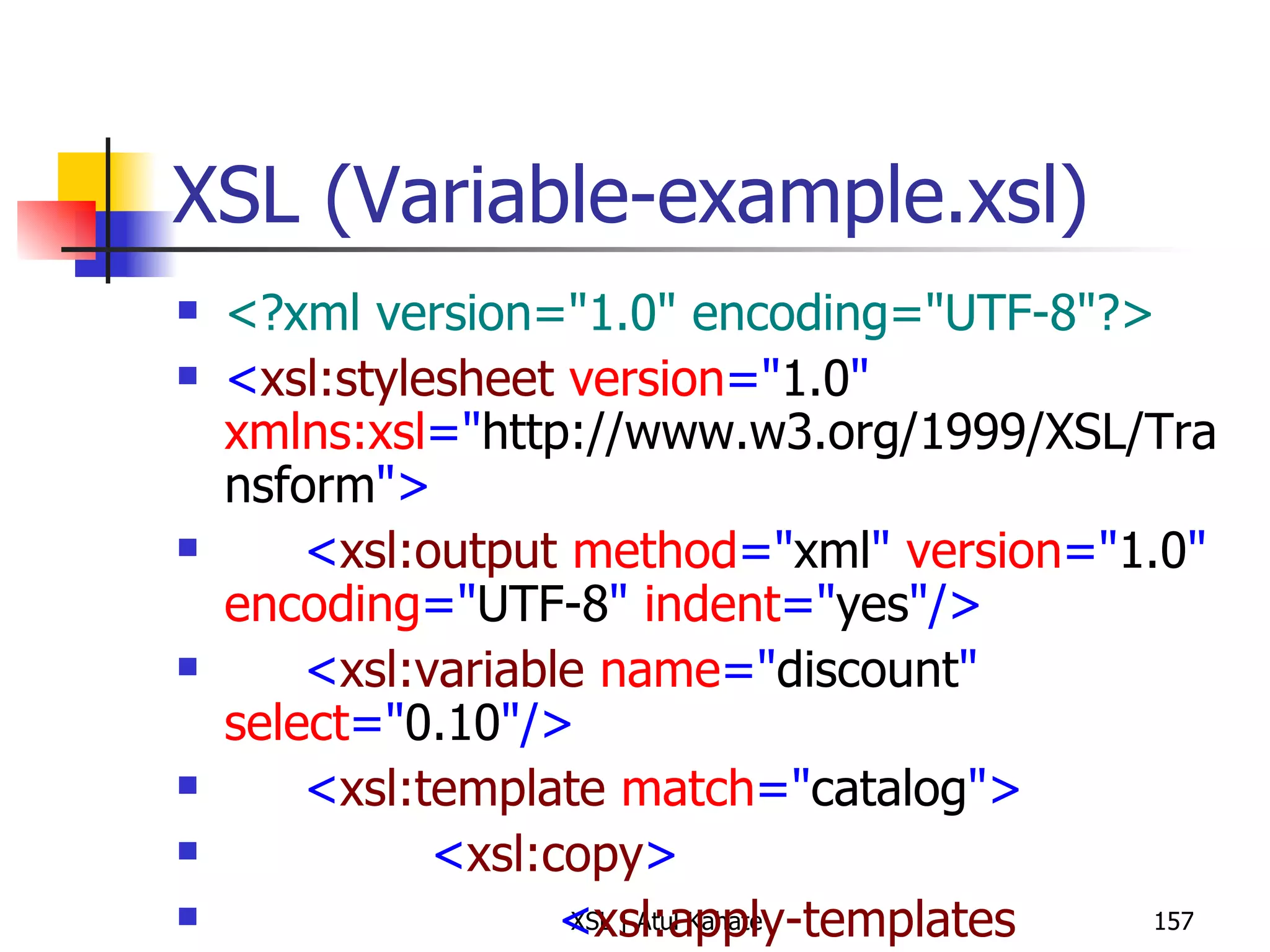
XSL (Variable-example.xsl) <?xml version=&quot;1.0&quot; encoding=&quot;UTF-8&quot;?> < xsl:stylesheet  version =&quot; 1.0 &quot;  xmlns:xsl =&quot; http://www.w3.org/1999/XSL/Transform &quot;> < xsl:output  method =&quot; xml &quot;  version =&quot; 1.0 &quot;  encoding =&quot; UTF-8 &quot;  indent =&quot; yes &quot;/> < xsl:variable  name =&quot; discount &quot;  select =&quot; 0.10 &quot;/> < xsl:template  match =&quot; catalog &quot;> < xsl:copy > < xsl:apply-templates  select =&quot; item &quot;/> </ xsl:copy > </ xsl:template > < xsl:template  match =&quot; item &quot;> < xsl:copy > < xsl:attribute  name =&quot; id &quot;>< xsl:value-of  select =&quot; @id &quot;/></ xsl:attribute > < xsl:copy-of  select =&quot; maker | description | size | price &quot;/> < discount > < xsl:value-of  select =&quot; $discount &quot;/> </ discount > < discountPrice > < xsl:value-of  select =&quot; price - (price * $discount) &quot;/> </ discountPrice > < xsl:copy-of  select =&quot; currency &quot;/> </ xsl:copy > </ xsl:template > </ xsl:stylesheet >
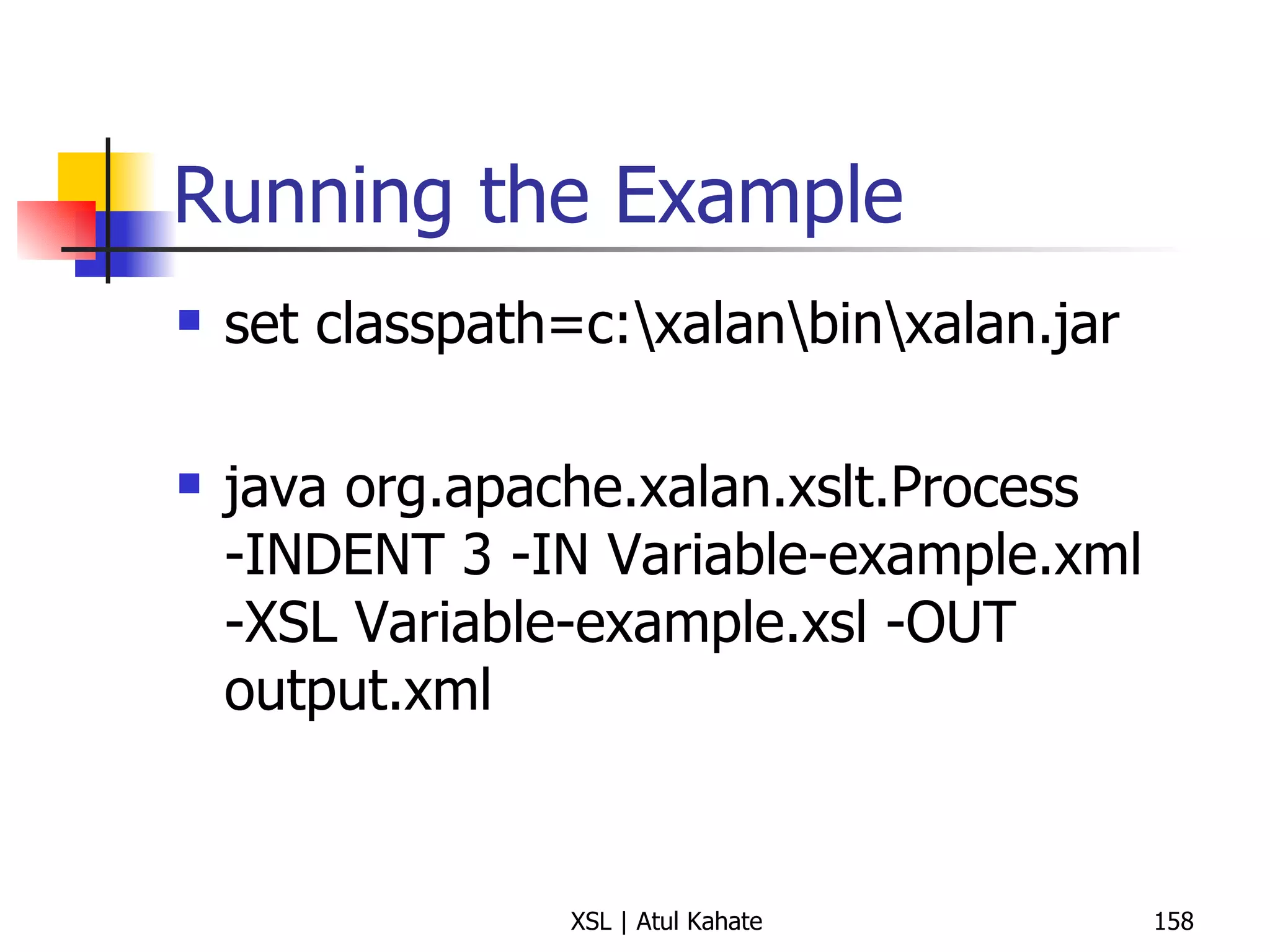
Running the Example set classpath=c:\xalan\bin\xalan.jar java org.apache.xalan.xslt.Process -INDENT 3 -IN Variable-example.xml -XSL Variable-example.xsl -OUT output.xml
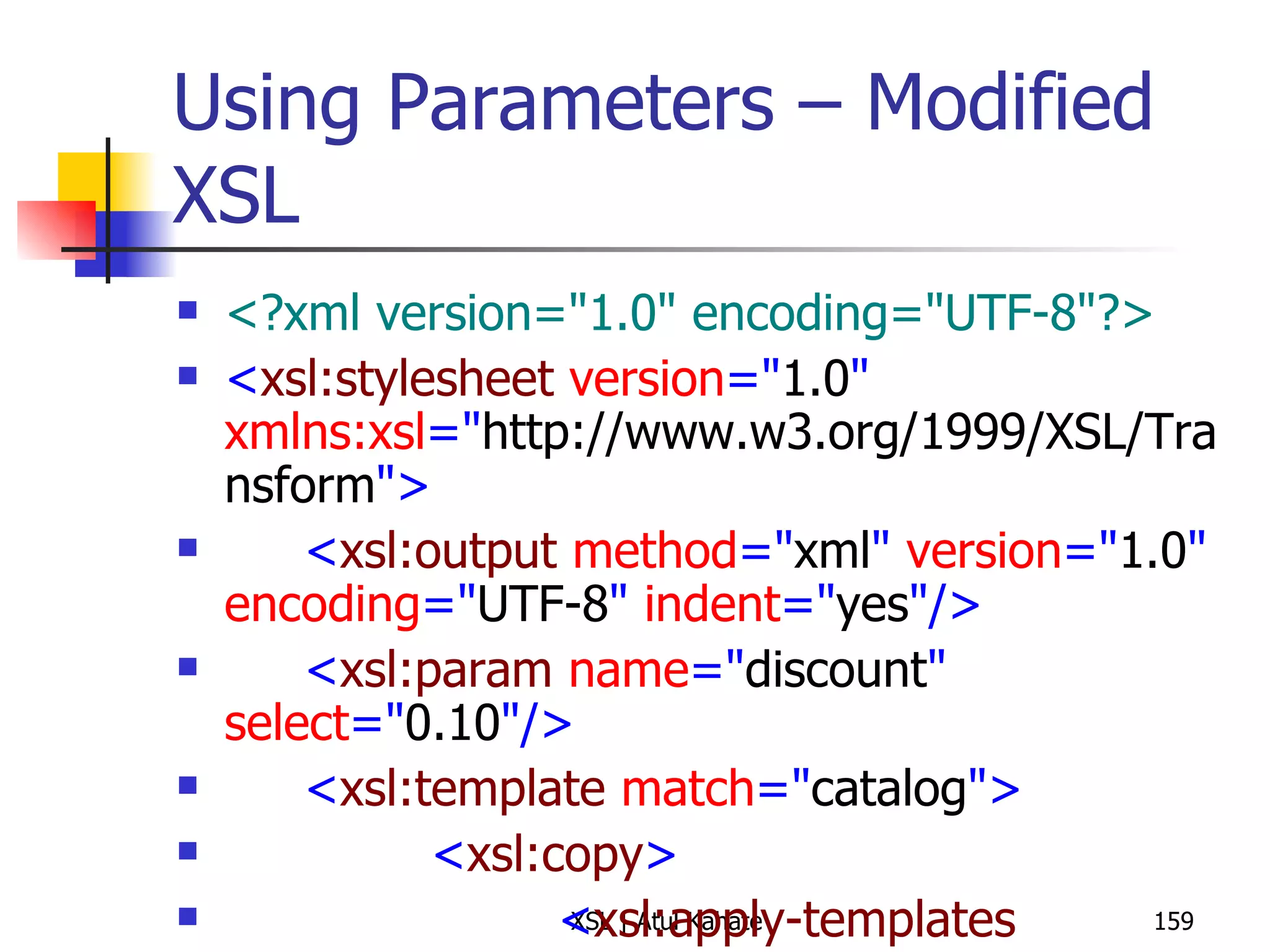
Using Parameters – Modified XSL <?xml version=&quot;1.0&quot; encoding=&quot;UTF-8&quot;?> < xsl:stylesheet  version =&quot; 1.0 &quot;  xmlns:xsl =&quot; http://www.w3.org/1999/XSL/Transform &quot;> < xsl:output  method =&quot; xml &quot;  version =&quot; 1.0 &quot;  encoding =&quot; UTF-8 &quot;  indent =&quot; yes &quot;/> < xsl:param  name =&quot; discount &quot;  select =&quot; 0.10 &quot;/> < xsl:template  match =&quot; catalog &quot;> < xsl:copy > < xsl:apply-templates  select =&quot; item &quot;/> </ xsl:copy > </ xsl:template > < xsl:template  match =&quot; item &quot;> < xsl:copy > < xsl:attribute  name =&quot; id &quot;>< xsl:value-of  select =&quot; @id &quot;/></ xsl:attribute > < xsl:copy-of  select =&quot; maker | description | size | price &quot;/> < discount > < xsl:value-of  select =&quot; $discount &quot;/> </ discount > < discountPrice > < xsl:value-of  select =&quot; price - (price * $discount) &quot;/> </ discountPrice > < xsl:copy-of  select =&quot; currency &quot;/> </ xsl:copy > </ xsl:template > </ xsl:stylesheet >
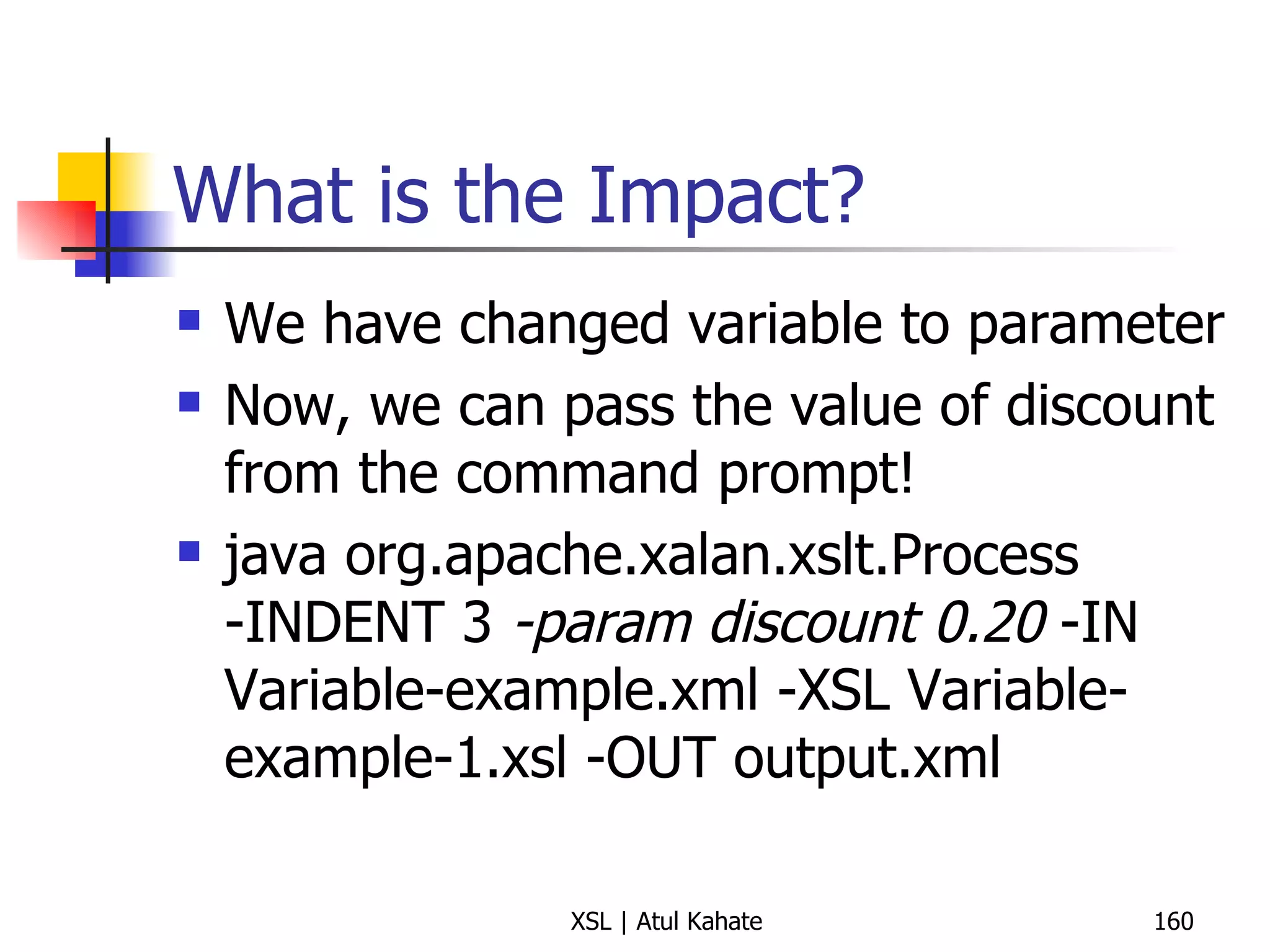
What is the Impact? We have changed variable to parameter Now, we can pass the value of discount from the command prompt! java org.apache.xalan.xslt.Process -INDENT 3  -param discount  0 .20   -IN Variable-example.xml -XSL Variable-example-1.xsl -OUT output.xml
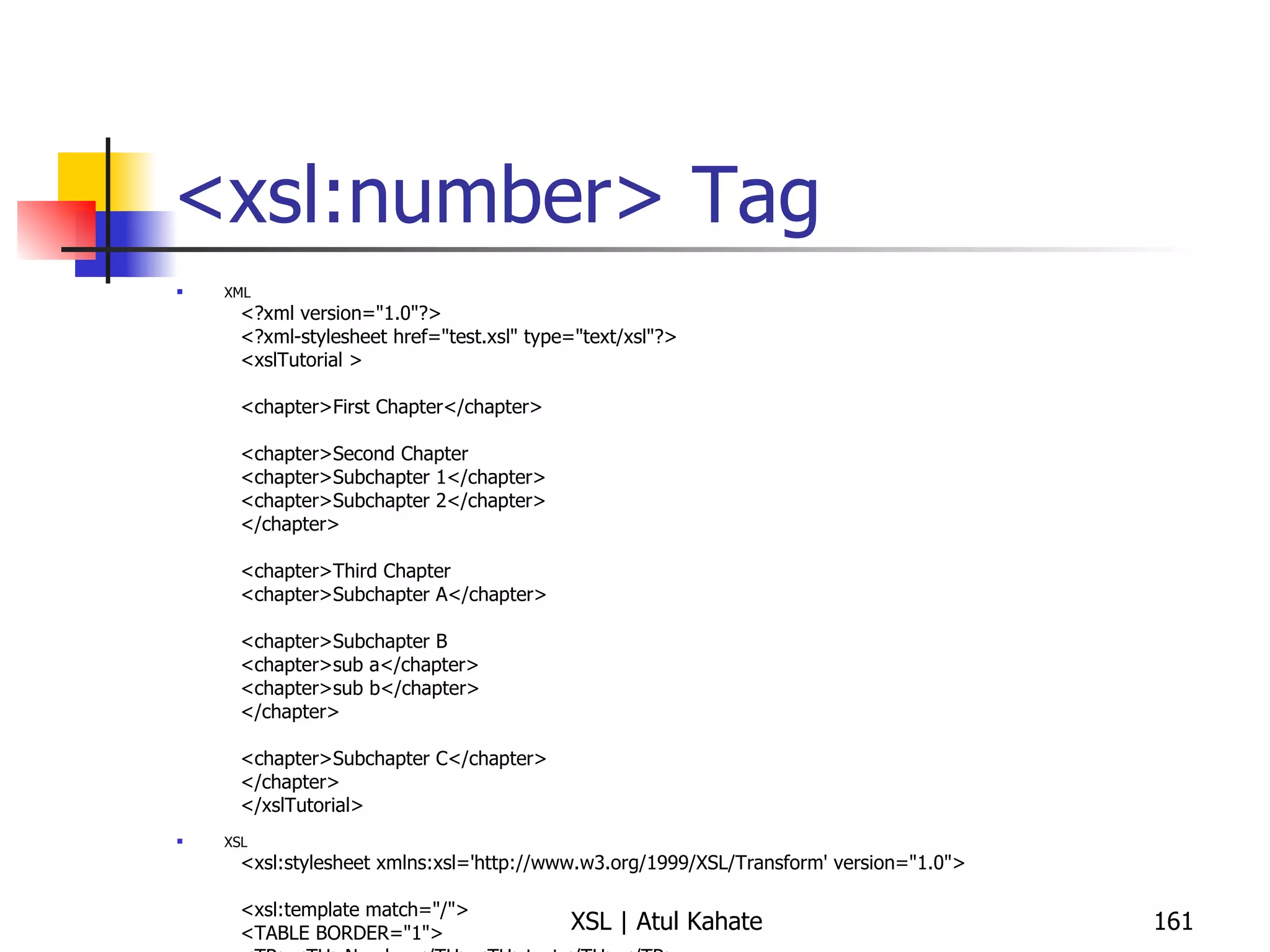
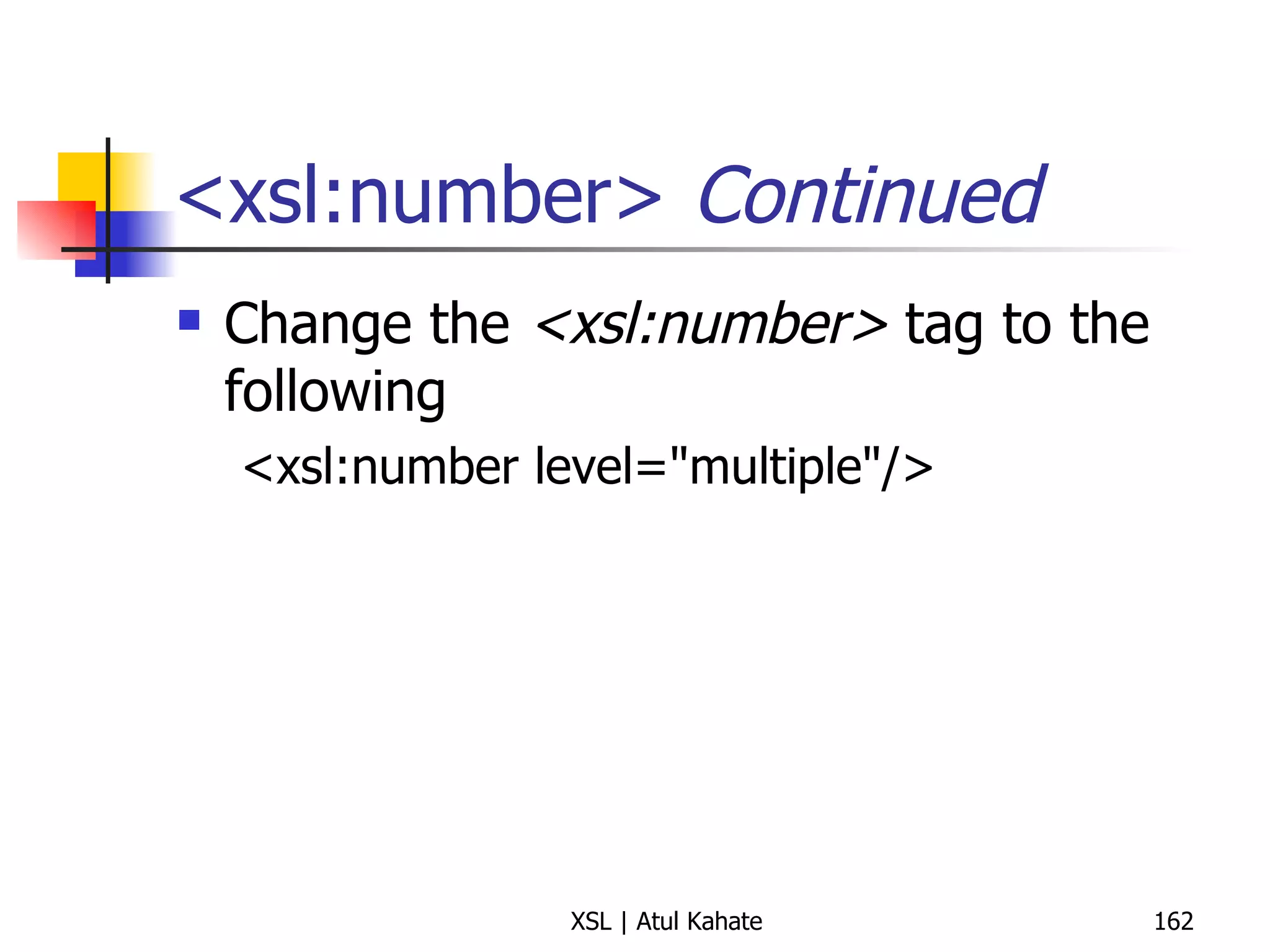
<xsl:number> Tag XML <?xml version=&quot;1.0&quot;?> <?xml-stylesheet href=&quot;test.xsl&quot; type=&quot;text/xsl&quot;?> <xslTutorial >  <chapter>First Chapter</chapter>  <chapter>Second Chapter  <chapter>Subchapter 1</chapter>  <chapter>Subchapter 2</chapter>  </chapter>  <chapter>Third Chapter  <chapter>Subchapter A</chapter>  <chapter>Subchapter B  <chapter>sub a</chapter>  <chapter>sub b</chapter>  </chapter>  <chapter>Subchapter C</chapter>  </chapter>  </xslTutorial>  XSL <xsl:stylesheet xmlns:xsl='http://www.w3.org/1999/XSL/Transform' version=&quot;1.0&quot;>  <xsl:template match=&quot;/&quot;>  <TABLE BORDER=&quot;1&quot;>  <TR><TH>Number</TH><TH>text</TH></TR>  <xsl:for-each select=&quot;//chapter&quot;>  <TR><TD>  <xsl:number/>  </TD><TD>  <xsl:value-of select=&quot;./text()&quot;/>  </TD></TR>  </xsl:for-each>  </TABLE>  </xsl:template>  </xsl:stylesheet>
<xsl:number>  Continued Change the  <xsl:number>  tag to the following <xsl:number level=&quot;multiple&quot;/>
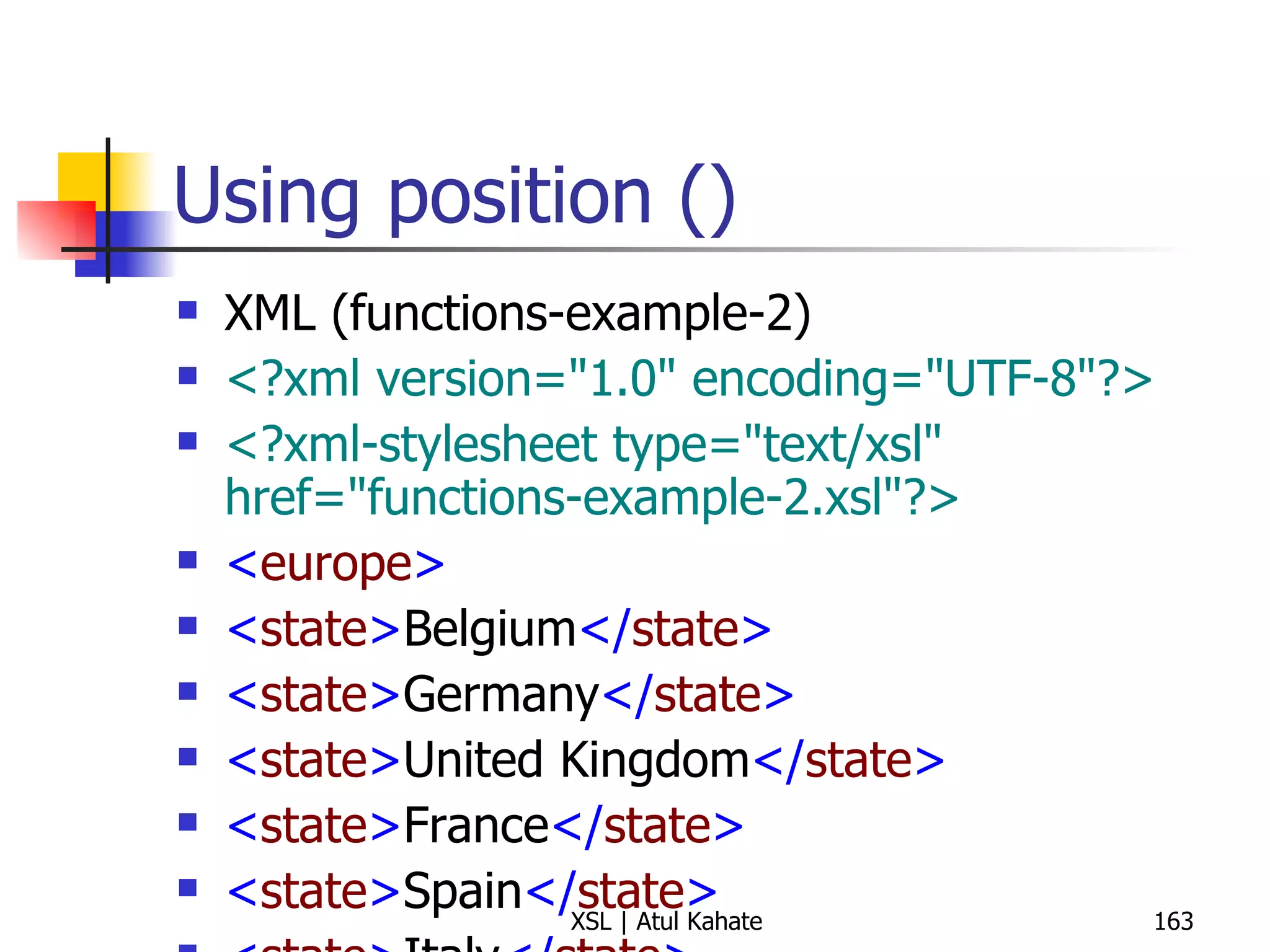
Using position () XML (functions-example-2) <?xml version=&quot;1.0&quot; encoding=&quot;UTF-8&quot;?> <?xml-stylesheet type=&quot;text/xsl&quot; href=&quot;functions-example-2.xsl&quot;?>   < europe > < state > Belgium </ state > < state > Germany </ state > < state > United Kingdom </ state > < state > France </ state > < state > Spain </ state > < state > Italy </ state > < state > Turkey </ state > < state > Sweden </ state > < state > Ireland </ state > < state > Greece </ state > < state > Malta </ state > < state > Vatican City </ state > < state > Portugal </ state > </ europe > XSL <?xml version=&quot;1.0&quot; encoding=&quot;UTF-8&quot;?> < xsl:stylesheet  version =&quot; 1.0 &quot;  xmlns:xsl =&quot; http://www.w3.org/1999/XSL/Transform &quot;> < xsl:output  method =&quot; text &quot;  indent =&quot; yes &quot;/> < xsl:template  match =&quot; europe &quot;> < xsl:apply-templates  select =&quot; state &quot;/> </ xsl:template > < xsl:template  match =&quot; europe/state &quot;> < xsl:value-of  select =&quot; position() &quot;/> < xsl:text > .  </ xsl:text > < xsl:value-of  select =&quot; . &quot;/> < xsl:text > &#10; </ xsl:text > </ xsl:template > </ xsl:stylesheet >
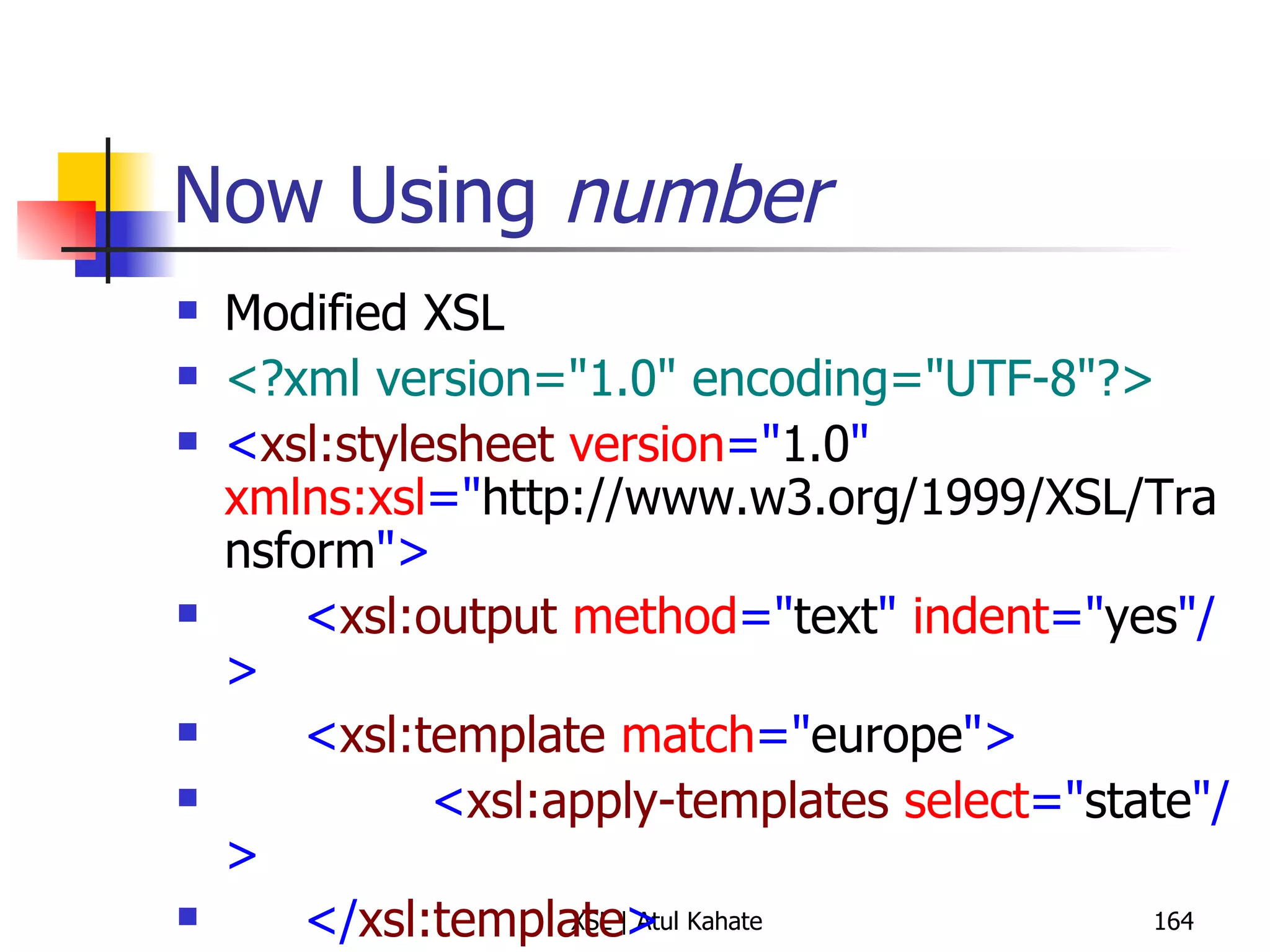
Now Using  number Modified XSL <?xml version=&quot;1.0&quot; encoding=&quot;UTF-8&quot;?> < xsl:stylesheet  version =&quot; 1.0 &quot;  xmlns:xsl =&quot; http://www.w3.org/1999/XSL/Transform &quot;> < xsl:output  method =&quot; text &quot;  indent =&quot; yes &quot;/> < xsl:template  match =&quot; europe &quot;> < xsl:apply-templates  select =&quot; state &quot;/> </ xsl:template > < xsl:template  match =&quot; europe/state &quot;> < xsl:number  format =&quot; 1 &quot;/> < xsl:text > .  </ xsl:text > < xsl:value-of  select =&quot; . &quot;/> < xsl:text > &#10; </ xsl:text > </ xsl:template > </ xsl:stylesheet >
Using XSL and CSS Together
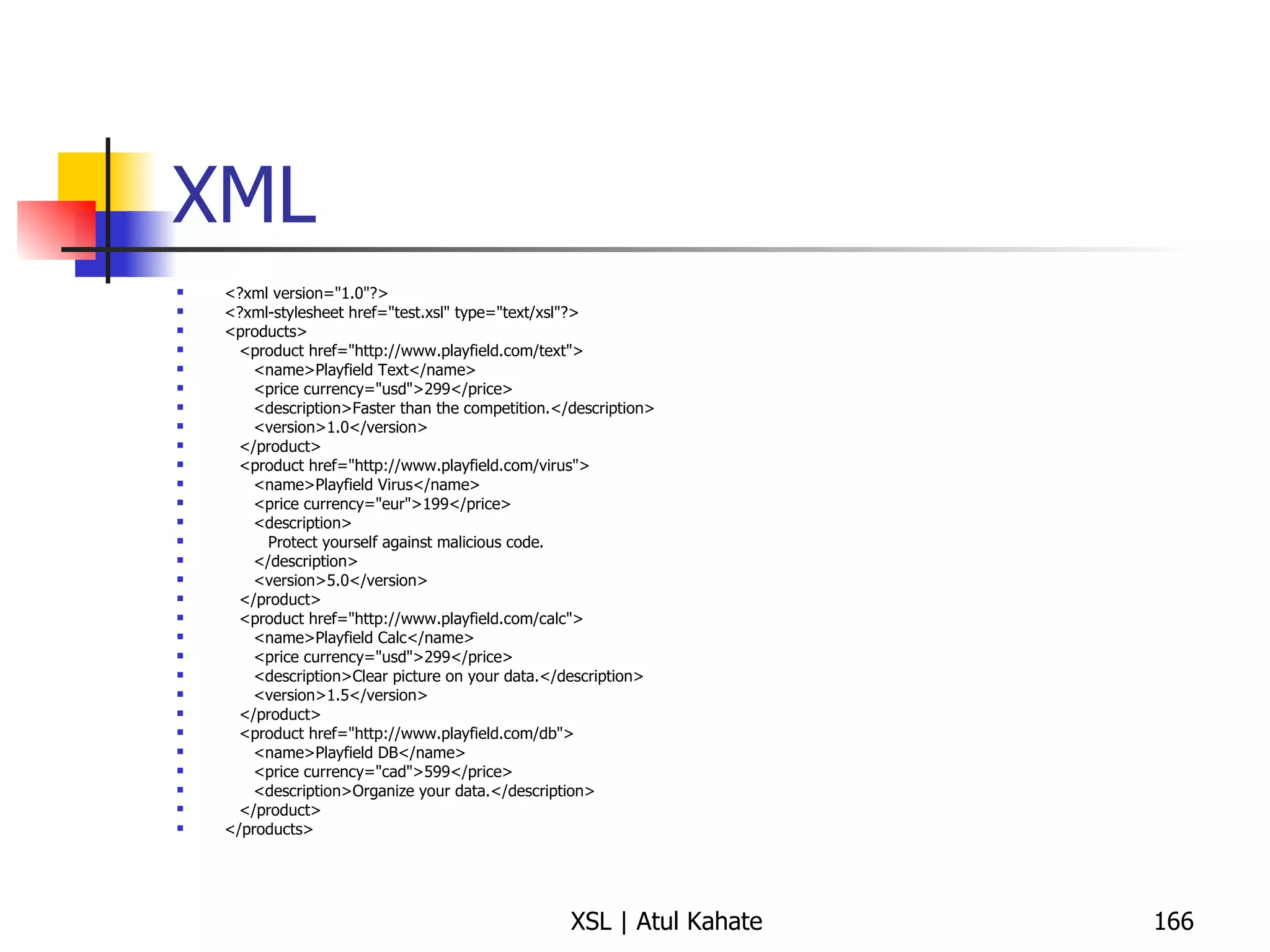
XML <?xml version=&quot;1.0&quot;?> <?xml-stylesheet href=&quot;test.xsl&quot; type=&quot;text/xsl&quot;?> <products> <product href=&quot;http://www.playfield.com/text&quot;> <name>Playfield Text</name> <price currency=&quot;usd&quot;>299</price> <description>Faster than the competition.</description> <version>1.0</version> </product> <product href=&quot;http://www.playfield.com/virus&quot;> <name>Playfield Virus</name> <price currency=&quot;eur&quot;>199</price> <description> Protect yourself against malicious code. </description> <version>5.0</version> </product> <product href=&quot;http://www.playfield.com/calc&quot;> <name>Playfield Calc</name> <price currency=&quot;usd&quot;>299</price> <description>Clear picture on your data.</description> <version>1.5</version> </product> <product href=&quot;http://www.playfield.com/db&quot;> <name>Playfield DB</name> <price currency=&quot;cad&quot;>599</price> <description>Organize your data.</description> </product> </products>
XSL <?xml version=&quot;1.0&quot;?> <xsl:stylesheet version=&quot;1.0&quot; xmlns:xsl=&quot;http://www.w3.org/1999/XSL/Transform&quot;> <xsl:output method=&quot;html&quot; indent=&quot;no&quot;/> <xsl:template match=&quot;/products&quot;> <html> <head> <title>Cascading Style Sheet</title> <link rel=&quot;stylesheet&quot; type=&quot;text/css&quot; href=&quot;table.css&quot;  title=&quot;Style&quot;/> </head> <body> <table> <tr class=&quot;header&quot;> <td>Name</td> <td>Price</td> <td>Description</td> </tr> <xsl:apply-templates/> </table> </body> </html> </xsl:template> <xsl:template match=&quot;product[position() mod 2 = 1]&quot;> <tr class=&quot;odd&quot;> <td><xsl:value-of select=&quot;name&quot;/></td> <td><xsl:value-of select=&quot;price&quot;/></td> <td><xsl:value-of select=&quot;description&quot;/></td> </tr> </xsl:template> <xsl:template match=&quot;product&quot;> <tr class=&quot;even&quot;> <td><xsl:value-of select=&quot;name&quot;/></td> <td><xsl:value-of select=&quot;price&quot;/></td> <td><xsl:value-of select=&quot;description&quot;/></td> </tr> </xsl:template> </xsl:stylesheet>
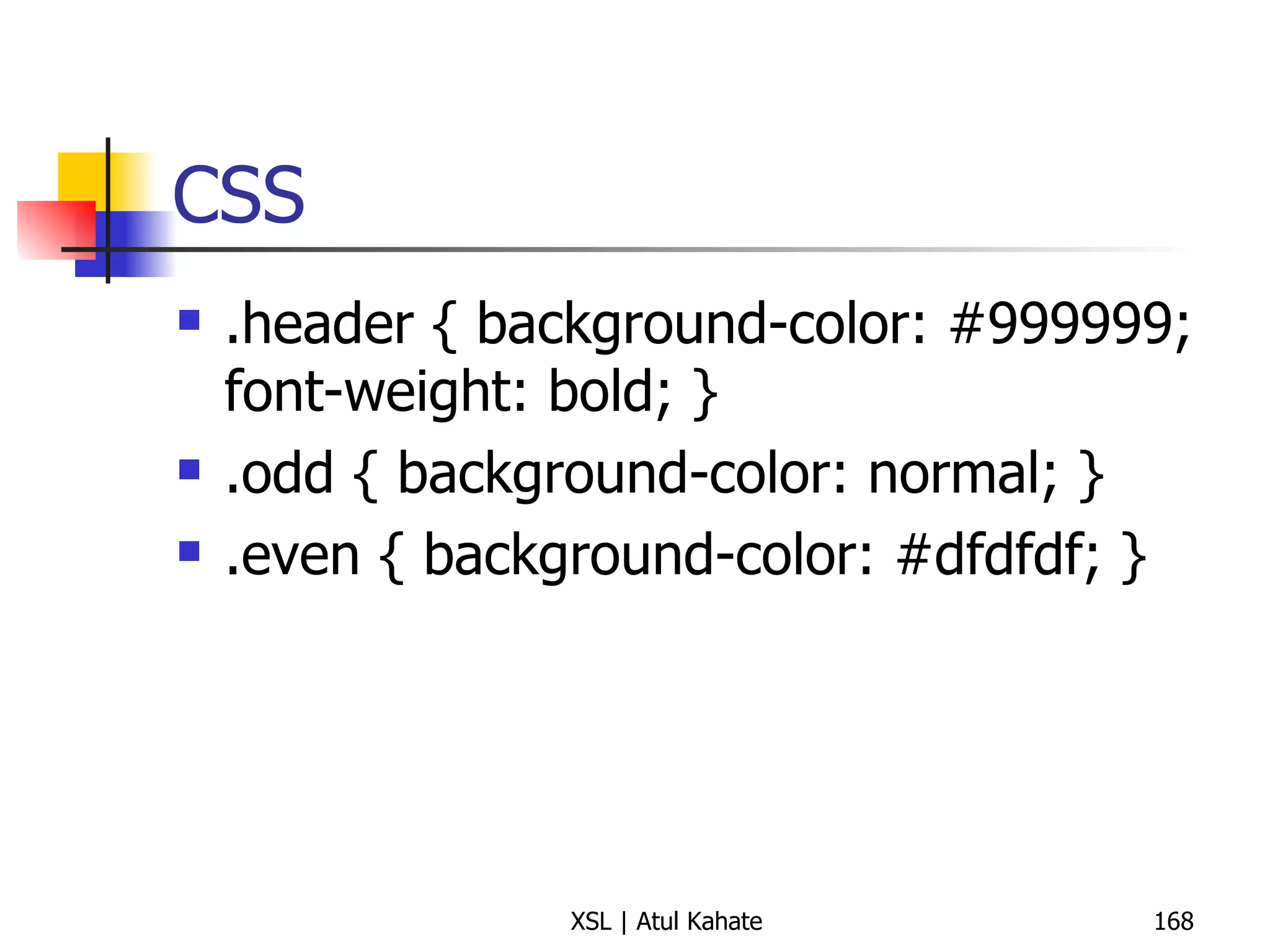
CSS .header { background-color: #999999; font-weight: bold; } .odd { background-color: normal; } .even { background-color: #dfdfdf; }
Processing Multiple XML Files Using a Single XSL
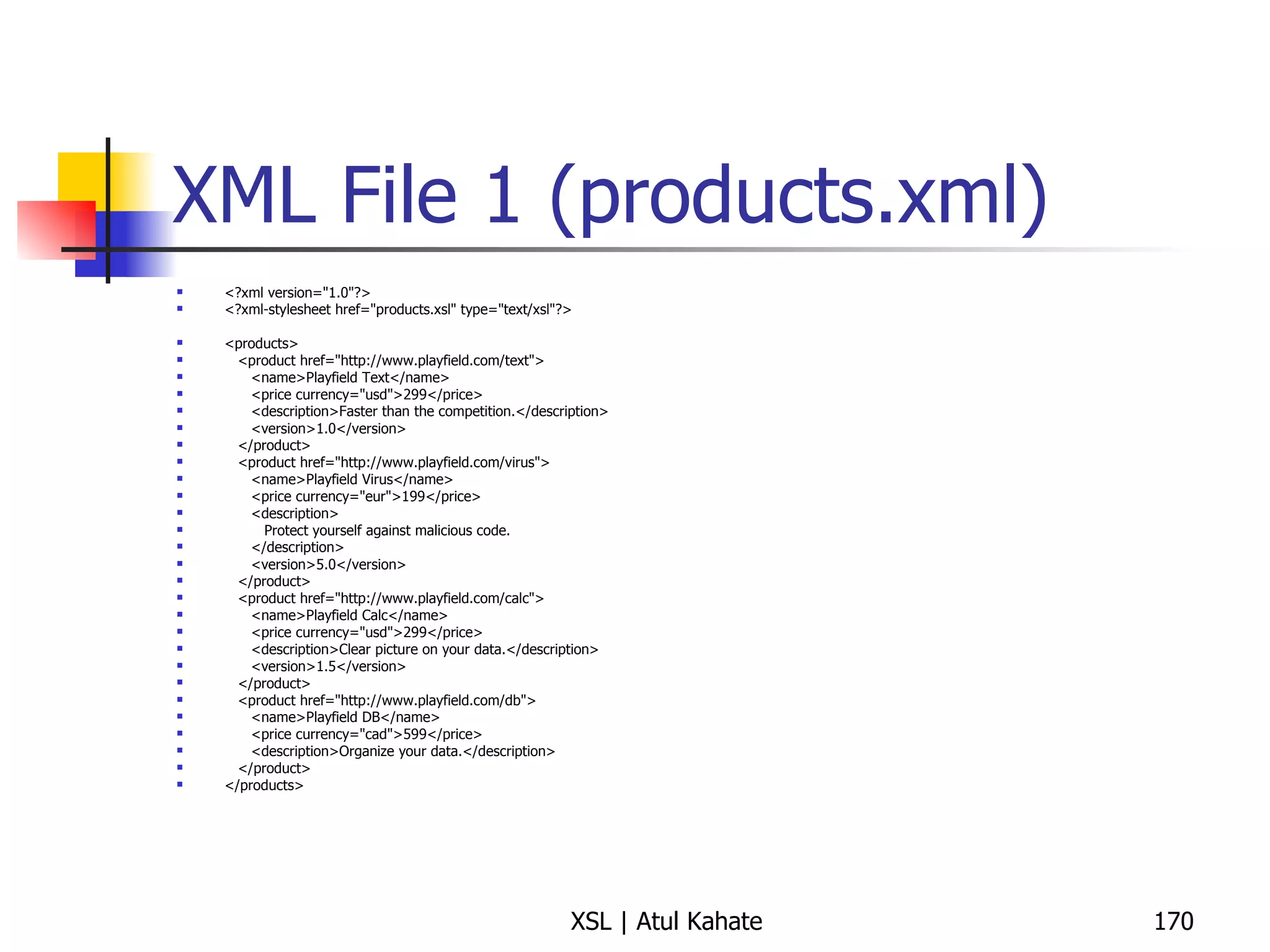
XML File 1 (products.xml) <?xml version=&quot;1.0&quot;?> <?xml-stylesheet href=&quot;products.xsl&quot; type=&quot;text/xsl&quot;?> <products> <product href=&quot;http://www.playfield.com/text&quot;> <name>Playfield Text</name> <price currency=&quot;usd&quot;>299</price> <description>Faster than the competition.</description> <version>1.0</version> </product> <product href=&quot;http://www.playfield.com/virus&quot;> <name>Playfield Virus</name> <price currency=&quot;eur&quot;>199</price> <description> Protect yourself against malicious code. </description> <version>5.0</version> </product> <product href=&quot;http://www.playfield.com/calc&quot;> <name>Playfield Calc</name> <price currency=&quot;usd&quot;>299</price> <description>Clear picture on your data.</description> <version>1.5</version> </product> <product href=&quot;http://www.playfield.com/db&quot;> <name>Playfield DB</name> <price currency=&quot;cad&quot;>599</price> <description>Organize your data.</description> </product> </products>
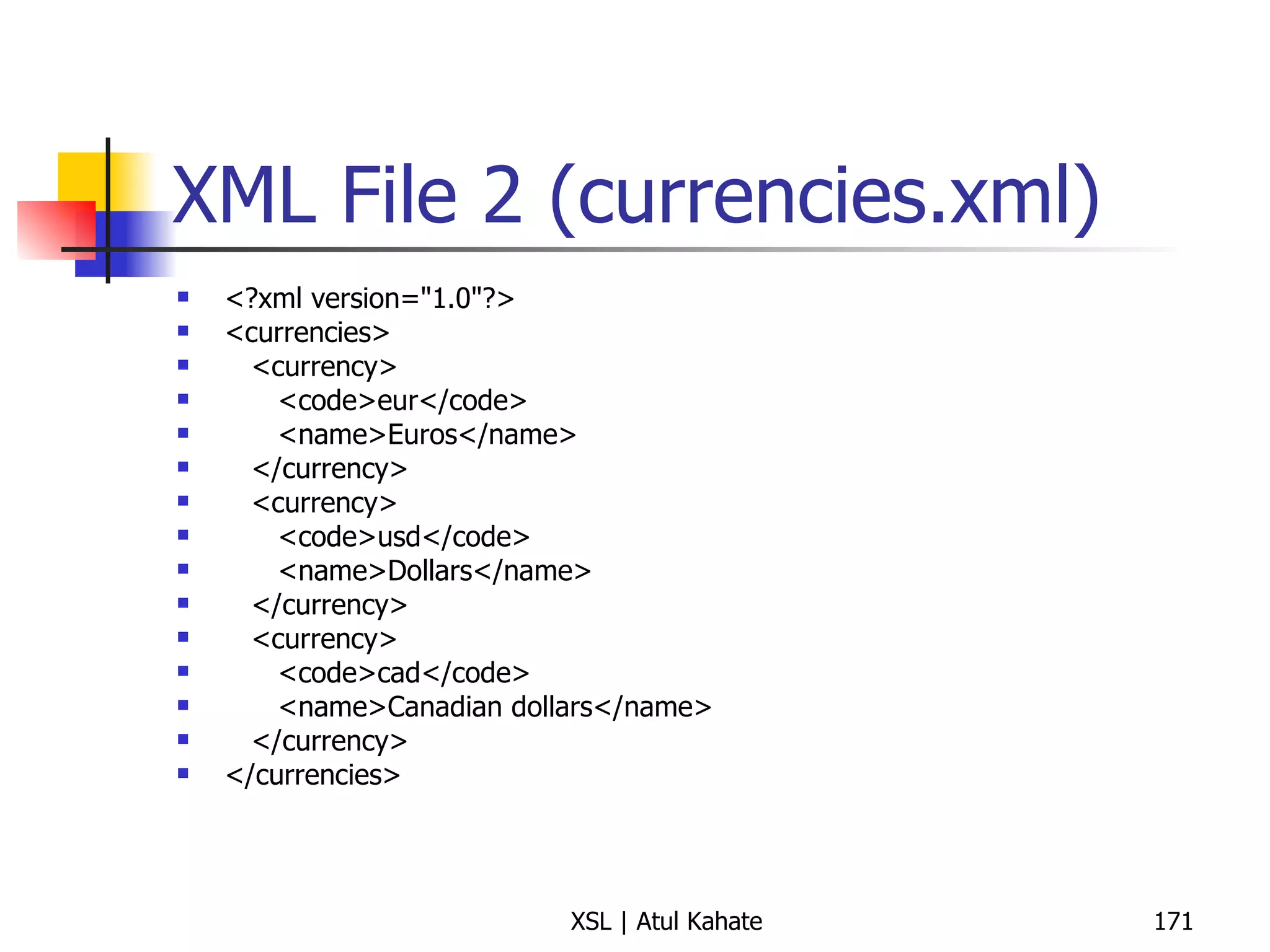
XML File 2 (currencies.xml) <?xml version=&quot;1.0&quot;?> <currencies> <currency> <code>eur</code> <name>Euros</name> </currency> <currency> <code>usd</code> <name>Dollars</name> </currency> <currency> <code>cad</code> <name>Canadian dollars</name> </currency> </currencies>
XSL File <?xml version=&quot;1.0&quot;?> <xsl:stylesheet version=&quot;1.0&quot; xmlns:xsl=&quot;http://www.w3.org/1999/XSL/Transform&quot;> <xsl:output method=&quot;html&quot; indent=&quot;no&quot;/> <xsl:variable name=&quot;currencies&quot; select=&quot;document('currencies.xml')/currencies&quot;/> <xsl:template match=&quot;/&quot;> <html> <head><title>Multiple documents</title></head> <body> <table> <tr bgcolor=&quot;#999999&quot;> <td>Name</td> <td>Price</td> <td>Description</td> <td>Version</td> </tr> <xsl:apply-templates/> </table> </body> </html> </xsl:template> <xsl:template match=&quot;product&quot;> <xsl:variable name=&quot;currency&quot; select=&quot;price/@currency&quot;/> <tr> <td><xsl:value-of select=&quot;name&quot;/></td> <td> <xsl:value-of select=&quot;price&quot;/> <xsl:text> </xsl:text> <xsl:value-of select=&quot;$currencies/currency[code=$currency]/name&quot;/> </td> <td><xsl:value-of select=&quot;description&quot;/></td> <td><xsl:value-of select=&quot;version&quot;/></td> </tr> </xsl:template> </xsl:stylesheet>
Using XSLT and JavaScript Together (on products.xml)
products.xsl modified <?xml version=&quot;1.0&quot;?> <xsl:stylesheet xmlns:xsl=&quot;http://www.w3.org/1999/XSL/Transform&quot; version=&quot;1.0&quot;> <xsl:output method=&quot;html&quot; indent=&quot;no&quot;/> <xsl:template match=&quot;/&quot;> <html> <head> <title>JavaScript</title> <script language=&quot;JavaScript&quot;><xsl:comment> // creates and initializes an array of product descriptions var urls = new Array() <xsl:for-each select=&quot;products/product&quot;> urls[<xsl:value-of select=&quot;position()&quot;/>] =  &quot;<xsl:value-of select=&quot;@href&quot;/>&quot; </xsl:for-each> // user function function doSelect(i) { open(urls[i]) } // </xsl:comment></script> </head> <body> <ul> <xsl:for-each select=&quot;products/product&quot;> <li><a href=&quot;javascript:doSelect({position()})&quot;> <xsl:value-of select=&quot;name&quot;/> </a></li> </xsl:for-each> </ul> </body> </html> </xsl:template> </xsl:stylesheet>
Exercise: Case Study
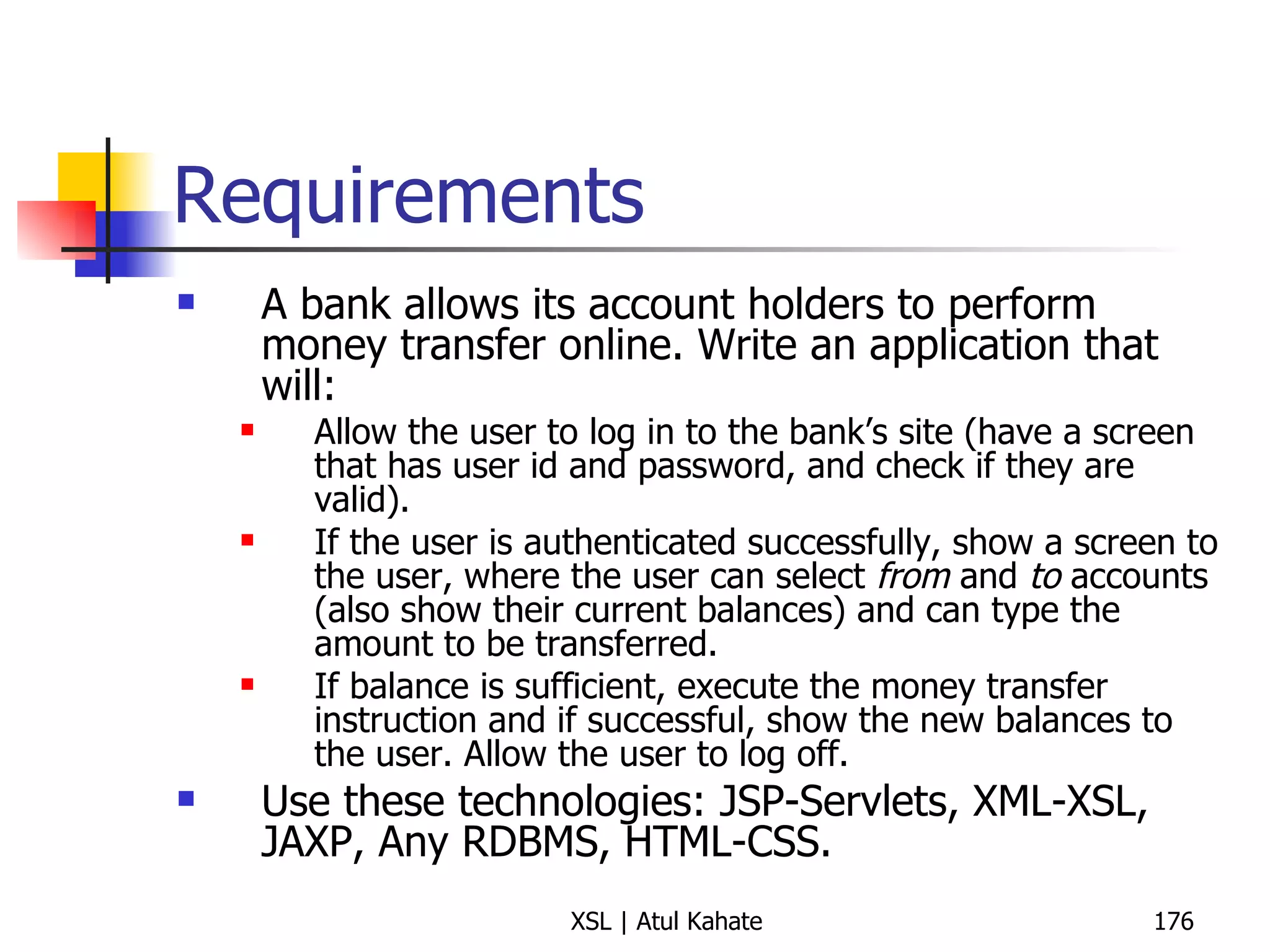
Requirements A bank allows its account holders to perform money transfer online. Write an application that will: Allow the user to log in to the bank’s site (have a screen that has user id and password, and check if they are valid). If the user is authenticated successfully, show a screen to the user, where the user can select  from  and  to  accounts (also show their current balances) and can type the amount to be transferred. If balance is sufficient, execute the money transfer instruction and if successful, show the new balances to the user. Allow the user to log off. Use these technologies: JSP-Servlets, XML-XSL, JAXP, Any RDBMS, HTML-CSS.
Thank you! Any Questions?

4 xslt

  • 1.
    Extensible Stylesheet Language(XSL) Atul Kahate [email_address]
  • 2.
  • 3.
    XSL (XML StylesheetLanguage) Two parts XSLT (XSL Transformation) XSL-FO (XSL Formatting Objects) XSLFO is similar to CSS, quite complex We will discuss XSLT in detail, XSL-FO in brief
  • 4.
    XPath Allows searchingand navigation of XML documents Can specify which parts of an XML document we want to transform Used heavily in XSLT for searching of information
  • 5.
    XSLT Usage StylingAdd elements specific to viewing (e.g. logo) Create new content from existing one (e.g. TOC) Present information with the right level of details (e.g. overview for managers, details for staff) Transform XML documents into HTML
  • 6.
    XSLT Stylesheets AnXSLT stylesheet consists of a series of templates , together with instructions based on XPath Tell an XSLT processor how to match the template against the nodes in an XML input document For each template, the processor reads the input document for all matching patterns and produces an output document See next slide
  • 7.
    XSLT Processing ConceptInput XML document XSLT Processor Output XML document XSLT Template XSLT Stylesheet
  • 8.
  • 9.
    XSLT Example –1 Consider the following XML document <?xml version=&quot;1.0&quot;?> <?xml-stylesheet type=&quot;text/xsl&quot; href=&quot;pune.xsl&quot;?> <content> <about> PUNE </about> <city> <line1> Pune is a lovely city </line1> <line2> The education facilities are as best as you can get </line2> <line3> And the weather is great, too. </line3> </city> </content>
  • 10.
    XSLT Example –2 Here is the corresponding XSLT document <xsl:stylesheet version=&quot;1.0&quot; xmlns:xsl=&quot;http://www.w3.org/1999/XSL/Transform&quot;> <xsl:template match=&quot;content&quot;> <html> <head><title>Welcome to Pune!</title></head> <body> <h1><xsl:value-of select=&quot;about&quot;/></h1> <h2><xsl:value-of select=&quot;city/line1&quot;/></h2> <h3><xsl:value-of select=&quot;city/line2&quot;/></h3> <h4><xsl:value-of select=&quot;city/line3&quot;/></h4> </body> </html> </xsl:template> </xsl:stylesheet>
  • 11.
    Be Careful! Whenwe say <xsl:template-match>, we not only attempt to locate the specified element/position, but actually move the XSLT cursor there Example <xslt:template-match = “content”> Takes cursor to the content element in XML Hence, later when we say <xsl:value-of select=&quot;about&quot;/>, XSLT completes the Xpath as /content/about OR Hence, later when we say <xsl:value-of select=“city/line1&quot;/>, XSLT completes the Xpath as /content/city/line1
  • 12.
    Now try these<xsl:template match=&quot;/&quot;> and remaining things unchanged Now the path for searching is /about, /city/line1, etc; which is incorrect <xsl:template match=&quot;/content&quot;> and remaining things unchanged <xsl:template match=&quot;/content&quot;>, <h1><xsl:value-of select=&quot;/about&quot;/></h1> and remaining things unchanged <xsl:template match=&quot;/city&quot;> and remaining things unchanged
  • 13.
    First XSL Example:Hello World! XML Document (HelloWorld.xml) <?xml version=&quot;1.0&quot; encoding=&quot;UTF-8&quot;?> <?xml-stylesheet href=&quot;HelloWorld.xsl&quot; type=&quot;text/xsl&quot;?> <msg>Hello World! </msg> XSL Document (HelloWorld.xsl) <?xml version=&quot;1.0&quot; encoding=&quot;UTF-8&quot;?> <xsl:stylesheet version=&quot;1.0&quot; xmlns:xsl=&quot;http://www.w3.org/1999/XSL/Transform&quot;> <xsl:output method=&quot;text&quot;/> <xsl:template match=&quot;msg&quot;>Found it!</xsl:template> </xsl:stylesheet>
  • 14.
    Second XSL exampleXML Document (second.xml) <?xml version=&quot;1.0&quot; encoding=&quot;UTF-8&quot;?> <?xml-stylesheet href=&quot;second.xsl&quot; type=&quot;text/xsl&quot;?> <message>We can easily output XML using XSLT! </message> XSL Document (second.xsl) <?xml version=&quot;1.0&quot; encoding=&quot;UTF-8&quot;?> <xsl:stylesheet version=&quot;1.0&quot; xmlns:xsl=&quot;http://www.w3.org/1999/XSL/Transform&quot;> <xsl:output method=&quot;text&quot;/> <xsl:template match=&quot;/&quot;>Message in XML document is: <xsl:apply-templates/>!</xsl:template> </xsl:stylesheet>
  • 15.
    Exercise Write anXSLT document for the following XML document to display it as HTML <?xml version = “1.0” ?> <?xml:stylesheet type = “text/xsl” href = “one.xsl”?> <myPerson> <personName>Sachin Tendulkar</personName> </myPerson>
  • 16.
    Solution <xsl:stylesheet version= “1.0” xmlns:xsl = “http://www/w3.org/1999/XSL/Transform”> <xsl:template match = “myPerson”> <html> <body> <b> <xsl:value-of select = “personName”/> </b> </body> </html> </xsl:template> </xsl:stylesheet>
  • 17.
    Exercise Consider thefollowing XML file: <?xml version=“1.0”?> <BOOK> <BOOK_TITLE>Computer Networks</BOOK_TITLE> <AUTHOR>Tanenbaum</AUTHOR> </BOOK> Use XSL to display title and author as level 1 and level 2 headers, respectively
  • 18.
    Solution <xsl:stylesheet version=“1.0”xmlns:xsl=“http://www.w3.org/1999/XSL/Transform”> <xsl:template match=“BOOK”> <html> <head><title> Book Information </title></head> <body> <h1><xsl:value-of select=“BOOK_TITLE”/></h1> <h2>by <xsl:value-of select=“AUTHOR”/></h2> </body> </html> </xsl:template> </xsl:stylesheet>
  • 19.
    Exercise Consider thisXML and write an XSL to display only the book title and price <?xml version = &quot;1.0&quot; ?> <?xml:stylesheet type = &quot;text/xsl&quot; href = &quot;booksmultiple.xsl&quot;?> <CATALOG> <BOOK> <TITLE>Computer Networks</TITLE> <AUTHORS> <AUTHOR>Andrew Tanenbaum</AUTHOR> </AUTHORS> <PUBYEAR>2003</PUBYEAR> <PRICE>250</PRICE> </BOOK> <BOOK> <TITLE>Computer Fundamentals</TITLE > <AUTHORS> <AUTHOR>Rajaraman</AUTHOR> <AUTHOR>Ghosh</AUTHOR> </AUTHORS> <PUBYEAR>2002</PUBYEAR> <PRICE>250</PRICE> </BOOK> </CATALOG>
  • 20.
    Solution <xsl:stylesheet version=&quot;1.0&quot;xmlns:xsl=&quot;http://www.w3.org/1999/XSL/Transform&quot;> <xsl:template match=&quot;BOOK&quot;> Book Name: <xsl:value-of select=&quot;TITLE&quot;/> Price: <xsl:value-of select=&quot;PRICE&quot;/> </xsl:template> </xsl:stylesheet>
  • 21.
    Exercise Consider thefollowing XML document, titled emp.xml: <?xml version=&quot;1.0&quot;?> <?xml-stylesheet type=&quot;text/xsl&quot; href=&quot;emp.xsl&quot;?> <EMP_INFO> <EMPLOYEE> <EMP_NAME empID=&quot;9662&quot;> <FIRST>Sachin</FIRST> <LAST>Tendulkar</LAST> </EMP_NAME> </EMPLOYEE> </EMP_INFO> Write emp.xsl file mentioned above, which would: Display a heading Emp Name: , followed by the employee’s name. Display the employee id below this, in a smaller font.
  • 22.
    Solution <xsl:stylesheet version=&quot;1.0&quot;xmlns:xsl=&quot;http://www.w3.org/1999/XSL/Transform&quot;> <xsl:template match=&quot;EMP_INFO&quot;> <html> <head><title>Emp Info!</title></head> <body> <h1>Emp Name: <xsl:value-of select=&quot;EMPLOYEE/EMP_NAME/FIRST&quot;/> <xsl:value-of select=&quot;EMPLOYEE/EMP_NAME/LAST&quot;/> </h1> <h3> <xsl:value-of select=&quot;EMPLOYEE/EMP_NAME/@empID&quot;/></h3> </body> </html> </xsl:template> </xsl:stylesheet>
  • 23.
    Simple XSLT ExampleXML (test.xml) <?xml version=&quot;1.0&quot;?> <?xml-stylesheet href=&quot;test.xsl&quot; type=&quot;text/xsl&quot;?> <xslTutorial> <title>XSL</title> <author>John Smith</author> </xslTutorial> XSLT (test.xsl) <?xml version=&quot;1.0&quot; ?> <xsl:stylesheet xmlns:xsl=&quot;http://www.w3.org/1999/XSL/Transform&quot; version=&quot;1.0&quot;> <xsl:template match=&quot;/&quot;> <H1><xsl:value-of select=&quot;//title&quot;/></H1> <H2><xsl:value-of select=&quot;//author&quot;/></H2> </xsl:template> </xsl:stylesheet>
  • 24.
    To understand better… Make changes to the XSL as follows: <h1><xsl:value-of select=&quot;/title&quot;/></h1> <h2><xsl:value-of select=&quot;/author&quot;/></h2> Then as <h1><xsl:value-of select=&quot;title&quot;/></h1> <h2><xsl:value-of select=&quot;author&quot;/></h2> Then as <xsl:template match=&quot;//&quot;> <h1><xsl:value-of select=&quot;title&quot;/></h1> <h2><xsl:value-of select=&quot;author&quot;/></h2> Then as <xsl:template match=&quot;/&quot;> <h1><xsl:value-of select=&quot;/xslTutorial/title&quot;/></h1> <h2><xsl:value-of select=&quot;/xslTutorial/author&quot;/></h2> Then as <xsl:template match=&quot;/&quot;> <h1><xsl:value-of select=&quot;xslTutorial/title&quot;/></h1> <h2><xsl:value-of select=&quot;xslTutorial/author&quot;/></h2>
  • 25.
    Change to theXML The XML document has an < xml-stylesheet> tag, which informs the parser that we want to use an XSLT stylesheet to process this XML file before displaying its contents
  • 26.
    Now look atthe XSL The XSLT stylesheet is also a well-formed XML document The <xsl:stylesheet> element has two attributes Version specifies the XSLT specifications version Declares the namespace
  • 27.
    Question What ifour XML document has multiple occurrences of the title and author tags? We would still see only the first occurrence, since we have not yet seen the recursion part of XSLT
  • 28.
    Modified XSL <xsl:stylesheetxmlns:xsl='http://www.w3.org/1999/XSL/Transform' > <xsl:template match=&quot;/&quot;> <H2><xsl:value-of select=&quot;//author&quot;/></H2> <H1><xsl:value-of select=&quot;//title&quot;/></H1> </xsl:template> </xsl:stylesheet>
  • 29.
    Interesting Tricks –1 XML (trick-1.xml) <?xml version=&quot;1.0&quot;?> <?xml-stylesheet href=“trick-1.xsl&quot; type=&quot;text/xsl&quot;?> <xslTutorial> <title>XSL</title> <author>John Smith</author> </xslTutorial> XSL (trick-1.xsl) <?xml version=&quot;1.0&quot; ?> <xsl:stylesheet xmlns:xsl=&quot;http://www.w3.org/1999/XSL/Transform&quot; version=&quot;1.0&quot;> </xsl:stylesheet> What would be the output?
  • 30.
    Answer The fullXML contents Why? If no template is specified, XSLT produces the complete XML as output!
  • 31.
    Interesting Tricks –2 XML (trick-2.xml) <?xml version=&quot;1.0&quot;?> <?xml-stylesheet href=“trick-2.xsl&quot; type=&quot;text/xsl&quot;?> <xslTutorial> <title>XSL</title> <author>John Smith</author> </xslTutorial> XSL (trick-2.xsl) <?xml version=&quot;1.0&quot; ?> <xsl:stylesheet xmlns:xsl=&quot;http://www.w3.org/1999/XSL/Transform&quot; version=&quot;1.0&quot;> <xsl:template match=“/”> </xsl:template> </xsl:stylesheet> What would be the output?
  • 32.
    Answer Now wehave said, match root, but once root is matched, we say do nothing (since there is nothing between <xsl:template match = “/” and </xsl:template> tags Hence, output is empty
  • 33.
    Interesting Tricks –3 XML (trick-3.xml) <?xml version=&quot;1.0&quot;?> <?xml-stylesheet href=“trick-3.xsl&quot; type=&quot;text/xsl&quot;?> <xslTutorial> <title>XSL</title> <author>John Smith</author> </xslTutorial> XSL (trick-3.xsl) <?xml version=&quot;1.0&quot; ?> <xsl:stylesheet xmlns:xsl=&quot;http://www.w3.org/1999/XSL/Transform&quot; version=&quot;1.0&quot;> <xsl:template match=“/”> <xsl:value-of select = “title” /> </xsl:template> </xsl:stylesheet> What would be the output?
  • 34.
    Answer Now, wetry to find a match on the title element inside /. But the path for title should be /xslTutorial/title Hence, output would be empty
  • 35.
    Interesting Tricks –4 XML (trick-4.xml) <?xml version=&quot;1.0&quot;?> <?xml-stylesheet href=“trick-4.xsl&quot; type=&quot;text/xsl&quot;?> <xslTutorial> <title>XSL</title> <author>John Smith</author> </xslTutorial> XSL (trick-4.xsl) <?xml version=&quot;1.0&quot; ?> <xsl:stylesheet xmlns:xsl=&quot;http://www.w3.org/1999/XSL/Transform&quot; version=&quot;1.0&quot;> <xsl:template match=“/”> <xsl:value-of select = “/xslTutorial/title” /> </xsl:template> </xsl:stylesheet> What would be the output?
  • 36.
    Answer It wouldproduce the contents of the title element, as expected, now
  • 37.
  • 38.
    Usage of Templates<xsl:template match = “…”> We know that this clause is used to match a particular tag from an XML file and to do processing, accordingly <xsl:template name = “…”> Allows us to define a template Once such a template is defined, we can use <xsl:call-template name = “…”> to call that defined template
  • 39.
    Understanding <apply-templates> class.xml<?xml version=&quot;1.0&quot; encoding=&quot;UTF-8&quot;?> <?xml-stylesheet type=&quot;text/xsl&quot; href=&quot;class.xsl&quot;?> <class> <student>Jack</student> <student>Harry</student> <student>Rebecca</student> <teacher>Mr. Bean</teacher> </class> Class.xsl <?xml version=&quot;1.0&quot; ?> <xsl:stylesheet version=&quot;1.0&quot; xmlns:xsl=&quot;http://www.w3.org/1999/XSL/Transform&quot;> <xsl:template match=“student&quot;> Found a learner! </xsl:template> </xsl:stylesheet> Output Found a learner! Found a learner! Found a learner! Mr. Bean
  • 40.
    How it Works?<?xml version=&quot;1.0&quot; encoding=&quot;UTF-8&quot;?> <?xml-stylesheet type=&quot;text/xsl&quot; href=&quot;class.xsl&quot;?> <class> <student>Jack</student> <student>Harry</student> <student>Rebecca</student> <teacher>Mr. Bean</teacher> </class> <?xml version=&quot;1.0&quot; ?> <xsl:stylesheet version=&quot;1.0&quot; xmlns:xsl=&quot;http://www.w3.org/1999/XSL/Transform&quot;> <xsl:template match=&quot;student&quot;> Found a learner! </xsl:template> </xsl:stylesheet> Step 1: For all matching student tags, display output Found a learner! Step 2: Come here and run the template recursively for all the student tags, displaying Found a learner! Step 3: For all tags other than student , there is no template in our XSL. Therefore, blindly output them, as they are!
  • 41.
    Plain English VersionFor all the elements in the given XML If the current element = “student” Display “Found a learner” Else Display the actual contents of the element End-if End-For
  • 42.
    Explanation The waythis works is: Use a template if one defined Blindly output the contents of the elements wherever there is no template defined For each <template match = “student”>, we display the text Found a learner! instead of the student name itself. However, for the teacher tag, there is no <template match>. Therefore, its contents are displayed as they are.
  • 43.
    Notes on theResult – 1 Note that we would see display for all the student tags However, in the first example, we would have seen the output only for the first instance of title and author tags Why? In the earlier example, there was no template , i.e. no recursion – the syntax used was value-of select Now, we use a template , which introduces recursion
  • 44.
    Notes on theResult – 2 This style of coding is ambiguous! It can lead to completely unexpected results Let us modify our XML and XSL now
  • 45.
    Modified XML andXSL class1.xml <?xml version=&quot;1.0&quot; encoding=&quot;UTF-8&quot;?> <?xml-stylesheet type=&quot;text/xsl&quot; href=&quot;class1.xsl&quot;?> < class > < dept > Bye </ dept > < salary > 10000 </ salary > </ class > class1.xsl <?xml version=&quot;1.0&quot; encoding=&quot;UTF-8&quot;?> < xsl:stylesheet version =&quot; 1.0 &quot; xmlns:xsl =&quot; http://www.w3.org/1999/XSL/Transform &quot;> < xsl:template match =&quot; hello &quot;> Found a learner! </ xsl:template > </ xsl:stylesheet > What would be the output?
  • 46.
    Output Bye10000 Why?The attempt is to find a match for the tag or element hello in our XML document, which is not found For other tags in the XML document (i.e. dept and salary), there is no template defined; so no special processing is needed for them, except blindly outputting their contents, as before!
  • 47.
    Further Modifications ModifiedXML <?xml version=&quot;1.0&quot; encoding=&quot;UTF-8&quot;?> <?xml-stylesheet type=&quot;text/xsl&quot; href=&quot;class1.xsl&quot;?> < class > < dept > Bye </ dept > < salary > 10000 </ salary > < name > < first > test </ first > < last > test </ last > </ name > </ class > Resulting Output Bye10000testtest This is based on same logic as earlier
  • 48.
    Still More Changesclass3.xml <?xml version=&quot;1.0&quot; encoding=&quot;UTF-8&quot;?> <?xml-stylesheet type=&quot;text/xsl&quot; href=&quot;class1.xsl&quot;?> < class > < dept > Bye </ dept > < salary > 10000 </ salary ></ class > class3.xsl <?xml version=&quot;1.0&quot; encoding=&quot;UTF-8&quot;?> < xsl:stylesheet version =&quot; 1.0 &quot; xmlns:xsl =&quot; http://www.w3.org/1999/XSL/Transform &quot;> < xsl:template match =&quot; dept &quot;> Found a learner! </ xsl:template > < xsl:template match =&quot; salary &quot;> </ xsl:template > </ xsl:stylesheet >
  • 49.
    Output Found alearner! This is because we have suppressed the output for the salary tag now
  • 50.
  • 51.
    Third XSL ExampleXML document (third.xml) <?xml version=&quot;1.0&quot; encoding=&quot;UTF-8&quot;?> <?xml-stylesheet href=&quot;third.xsl&quot; type=&quot;text/xsl&quot;?> <name> <first>Sachin</first> <last> Tendukar</last> </name> XSL document (third.xsl) <?xml version=&quot;1.0&quot; encoding=&quot;UTF-8&quot;?> <xsl:stylesheet version=&quot;1.0&quot; xmlns:xsl=&quot;http://www.w3.org/1999/XSL/Transform&quot;> <xsl:template match=&quot;name&quot;> <html> <head> <title>XSL Output Example</title> </head> <body> <p> <xsl:apply-templates select=&quot;first&quot;/> </p> <p> <xsl:apply-templates select=&quot;last&quot;/> </p> </body> </html> </xsl:template> </xsl:stylesheet>
  • 52.
    Use of <apply-templates> - Tricky class2.xml <?xml version=&quot;1.0&quot; encoding=&quot;UTF-8&quot;?> <?xml-stylesheet type=&quot;text/xsl&quot; href=&quot;class2.xsl&quot;?> <class> <college>test</college> <dept>one</dept> <salary>10000</salary> <dept>two</dept> <salary>20000</salary> <dept>three</dept> <salary>30000</salary></class> Class2.xsl <?xml version=&quot;1.0&quot; encoding=&quot;UTF-8&quot;?> < xsl:stylesheet version =&quot; 1.0 &quot; xmlns:xsl =&quot; http://www.w3.org/1999/XSL/Transform &quot;> < xsl:template match =“ dept &quot;> <xsl:apply-templates /> </ xsl:template > </ xsl:stylesheet >
  • 53.
    Output Testone10000two20000three30000 Reason:The logic works as: If there is at least one dept tag <apply-templates> (which means, display the default output as it is, which means everything)
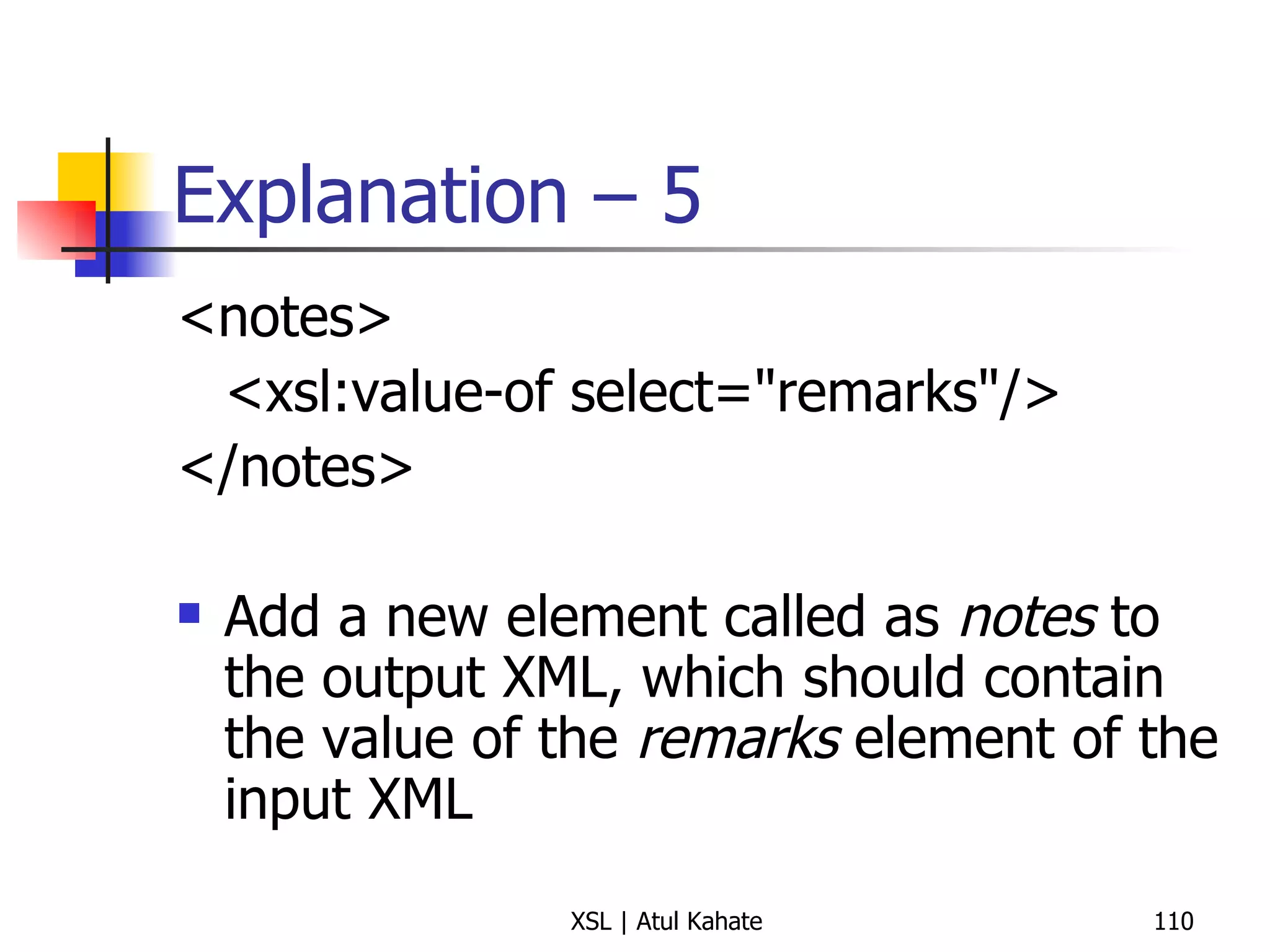
  • 54.
    Suppressing Unwanted OutputModified XSL <?xml version=&quot;1.0&quot; encoding=&quot;UTF-8&quot;?> < xsl:stylesheet version =&quot; 1.0 &quot; xmlns:xsl =&quot; http://www.w3.org/1999/XSL/Transform &quot;> < xsl:template match =&quot; dept &quot;> < xsl:apply-templates /> </ xsl:template > < xsl:template match =&quot; salary &quot;> </ xsl:template > </ xsl:stylesheet >
  • 55.
    Controlling the Outputthe Way We Want (Earlier student example)
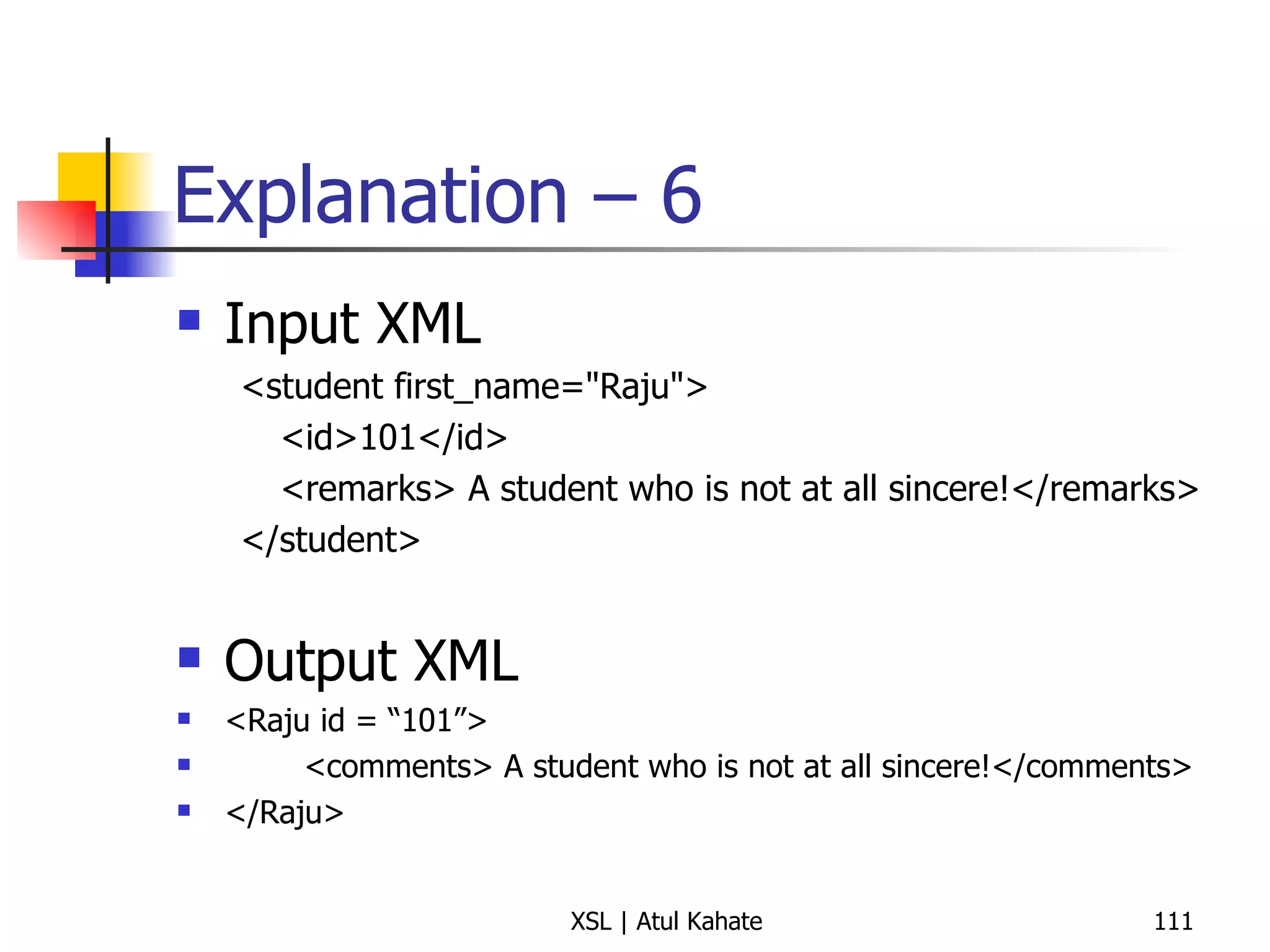
  • 56.
    XSL Changed –1 Now changes the XSL to this: <?xml version=&quot;1.0&quot; ?> <xsl:stylesheet version=&quot;1.0&quot; xmlns:xsl=&quot;http://www.w3.org/1999/XSL/Transform&quot;> <xsl:template match=&quot;class&quot;> <xsl:apply-templates select=&quot;student&quot;/> </xsl:template> <xsl:template match=&quot;student&quot;> Found a learner! </xsl:template> </xsl:stylesheet> What would be the output? See next slide.
  • 57.
    Plain English VersionFor each element in the given XML If the current element is class If the child element of the current element is student Output Found a learner End-if End-if End-for Note: There is no Else now!
  • 58.
    Output of thesecond XSL Found a learner! Found a learner! Found a learner! Explanation <xsl:template match=&quot;class&quot;> The XSLT processor begins at the root element when looking for template matches. It finds a match for the root element class . <xsl:apply-templates select=&quot;student&quot;/> In our template that matched class we use xsl:apply-templates which will check for template matches on all the children of class . The children of class in our XML document are student and teacher . To have the teacher element &quot;Mr. Bean&quot; ignored, we use the select attribute of xsl:apply-templates to specify only student children. The XSLT processor then goes searching templates that only match student elements. <xsl:template match=&quot;student“> The processor finds the only other template in our XSLT, which prints out &quot;Found a learner!&quot; for each student element in the XML document. XSLT finds three students, so &quot;Found a learner!&quot; is displayed three times. XSLT then finishes its processing and we are left with XSLT output that has eliminated the unwanted text, &quot;Mr. Bean!&quot;
  • 59.
    Beware of thisProblem! Suppose the XSL was like this: <?xml version=&quot;1.0&quot; ?> <xsl:stylesheet version=&quot;1.0&quot; xmlns:xsl=&quot;http://www.w3.org/1999/XSL/Transform&quot;> <xsl:template match=&quot;class&quot;> <xsl:apply-templates /> </xsl:template> <xsl:template match=&quot;student&quot;> Found a learner! </xsl:template> </xsl:stylesheet> What would be the output? See next slide.
  • 60.
    Analysis The onlychange we have made is to remove the select attribute from apply-templates This would translate to something different! See next slide
  • 61.
    Plain English VersionFor each element in the given XML If the current element is class If the child element of the current element is student Output Found a learner Else Output the contents of the current element as they are End-if End-if End-for Note: There is an Else now!
  • 62.
    What about this?XML <?xml version=&quot;1.0&quot; encoding=&quot;UTF-8&quot;?> <?xml-stylesheet type=&quot;text/xsl&quot; href=&quot;class.xsl&quot;?> < college > < class > < institution > SICSR </ institution > < student > Jack </ student > < student > Harry </ student > < student > Rebecca </ student > < teacher > Mr. Bean </ teacher > </ class > </ college > XSL <?xml version=&quot;1.0&quot; ?> < xsl:stylesheet version =&quot; 1.0 &quot; xmlns:xsl =&quot; http://www.w3.org/1999/XSL/Transform &quot;> < xsl:template match =&quot; class &quot;> < xsl:apply-templates /> </ xsl:template > < xsl:template match =&quot; student &quot;> Found a learner! </ xsl:template > </ xsl:stylesheet >
  • 63.
    Output SICSR Founda learner! Found a learner! Found a learner! Mr. Bean Explanation The same logic as earlier applies If a match is found, do something; else display contents of current element blindly Remember, we do not have a select attribute in the template If we have it, what would happen?
  • 64.
    Another Variation XML<?xml version=&quot;1.0&quot; encoding=&quot;UTF-8&quot;?> <?xml-stylesheet type=&quot;text/xsl&quot; href=&quot;class.xsl&quot;?> < college > < class > < institution > SICSR </ institution > < student > Jack </ student > < student > Harry </ student > < student > Rebecca </ student > < teacher > Mr. Bean </ teacher > </ class > </ college > XSL <?xml version=&quot;1.0&quot; ?> < xsl:stylesheet version =&quot; 1.0 &quot; xmlns:xsl =&quot; http://www.w3.org/1999/XSL/Transform &quot;> < xsl:template match =&quot; class &quot;> < xsl:apply-templates select =&quot; student &quot;/> </ xsl:template > < xsl:template match =&quot; student &quot;> Found a learner! </ xsl:template > </ xsl:stylesheet > Output Found a learner! Found a learner! Found a learner!
  • 65.
    Summary Do notleave our code in an ambiguous state This happens if we specify <apply-templates> without any specific select attribute It can also happen if we do not specify exact selection criteria inside <template match> Output may not be as expected!
  • 66.
  • 67.
    Using Parameters inTemplates <xsl:template name = &quot;print&quot; > <xsl:param name = &quot;A&quot; /> <xsl:param name = &quot;B&quot; >111</xsl:param> <xsl:value-of select = &quot;$A&quot; /> <xsl:text > + </xsl:text> <xsl:value-of select = &quot;$B&quot; /> <xsl:text > = </xsl:text> <xsl:value-of select = &quot;$A+$B&quot; /> </xsl:template> This defines a template (like a method) called as print This template can receive two parameters, named A and B. B has a default value of 111. The template prints the following as the output: Value of A + Value of B = Sum of A and B For example, if a caller calls this template with A = 10 and B = 20, the output will be: 10 + 20 = 30
  • 68.
    Calling Templates <xsl:templatematch = &quot;/&quot; > <xsl:call-template name = &quot;print&quot; > <xsl:with-param name = &quot;A&quot; >11</xsl:with-param> <xsl:with-param name = &quot;B&quot; >33</xsl:with-param> </xsl:call-template> <xsl:call-template name = &quot;print&quot; > <xsl:with-param name = &quot;A&quot; >55</xsl:with-param> </xsl:call-template> </xsl:template> Now, we are calling the template defined earlier ( print ) twice in succession: first time passing A = 11 and B = 33; and second time passing A = 55 and not passing any value for B Output (Full code on next slide): 11 + 33 = 44 55 + 111 = 166 Note : 111 was B’s default value in the print template on the previous slide
  • 69.
    Code XML <?xmlversion=&quot;1.0&quot;?> <?xml-stylesheet type=&quot;text/xsl&quot; href=&quot;1.xsl&quot; ?> <AAA > <BBB>bbb </BBB> <CCC>ccc </CCC> </AAA> XSL <xsl:stylesheet xmlns:xsl = &quot;http://www.w3.org/1999/XSL/Transform&quot; version = &quot;1.0&quot; > <xsl:output method = &quot;text&quot; /> <xsl:template match = &quot;/&quot; > <xsl:call-template name = &quot;print&quot; > <xsl:with-param name = &quot;A&quot; >11</xsl:with-param> <xsl:with-param name = &quot;B&quot; >33</xsl:with-param> </xsl:call-template> <xsl:call-template name = &quot;print&quot; > <xsl:with-param name = &quot;A&quot; >55</xsl:with-param> </xsl:call-template> </xsl:template> <xsl:template name = &quot;print&quot; > <xsl:param name = &quot;A&quot; /> <xsl:param name = &quot;B&quot; >111</xsl:param> <xsl:text > </xsl:text> <xsl:value-of select = &quot;$A&quot; /> <xsl:text > + </xsl:text> <xsl:value-of select = &quot;$B&quot; /> <xsl:text > = </xsl:text> <xsl:value-of select = &quot;$A+$B&quot; /> </xsl:template> </xsl:stylesheet>
  • 70.
  • 71.
    Dealing with AttributesXML <?xml version=&quot;1.0&quot;?> <?xml-stylesheet href=&quot;test.xsl&quot; type=&quot;text/xsl&quot;?> <xslTutorial> <dog name='Joe'> <data weight='18 kg' color=&quot;black&quot;/> </dog> </xslTutorial> XSL <xsl:stylesheet xmlns:xsl='http://www.w3.org/1999/XSL/Transform'> <xsl:template match=&quot;dog&quot;> <P><B><xsl:text> Dog: </xsl:text> </B> <xsl:value-of select=&quot;@name&quot;/></P> <P><B><xsl:text> Color: </xsl:text> </B> <xsl:value-of select=&quot;data/@color&quot;/></P> </xsl:template> </xsl:stylesheet>
  • 72.
    Another Example XML<?xml version=&quot;1.0&quot;?> <?xml-stylesheet href=&quot;products.xsl&quot; type=&quot;text/xsl&quot;?> <card type=&quot;simple&quot;> <name>John Doe</name> <title>CEO, Widget Inc.</title> <email>john.doe@widget.com</email> <phone>(202) 456-1414</phone> </card> XSL <xsl:stylesheet xmlns:xsl=&quot;http://www.w3.org/1999/XSL/Transform&quot; version=&quot;1.0&quot; xmlns=&quot;http://www.w3.org/1999/xhtml&quot;> <xsl:template match=&quot;card[@type='simple']&quot;> <html xmlns=&quot;http://www.w3.org/1999/xhtml&quot;> <title>business card</title><body> <xsl:apply-templates select=&quot;name&quot;/> <xsl:apply-templates select=&quot;title&quot;/> <xsl:apply-templates select=&quot;email&quot;/> <xsl:apply-templates select=&quot;phone&quot;/> </body></html> </xsl:template> <xsl:template match=&quot;card/name&quot;> <h1><xsl:value-of select=&quot;text()&quot;/></h1> </xsl:template> <xsl:template match=&quot;email&quot;> <p>email: <a href=&quot;mailto:{text()}&quot;><tt> <xsl:value-of select=&quot;text()&quot;/> </tt></a></p> </xsl:template> </xsl:stylesheet>
  • 73.
  • 74.
    discussionForumHome.xml <? xml version =&quot;1.0&quot; encoding =&quot;utf-8&quot;?> <? xml-stylesheet href=&quot;discussionForumHome.xsl&quot; type=&quot;text/xsl&quot; ?> < disussionForumHome > < messageBoard id =&quot;1&quot; name =&quot;Java Programming&quot;/> < messageBoard id =&quot;2&quot; name =&quot;XML Programming&quot;/> < messageBoard id =&quot;3&quot; name =&quot;XSLT Programming&quot;/> </ disussionForumHome >
  • 75.
    discussionForumHome.xsl <? xml version =&quot;1.0&quot; encoding =&quot;utf-8&quot;?> < xsl:stylesheet version =&quot;1.0&quot; xmlns:xsl =&quot;http://www.w3.org/1999/XSL/Transform&quot;> < xsl:template match =&quot;/&quot;> < html > < head > < title >Discussion Forum Home Page</ title > </ head > < body > < h1 >Discussion Forum Home Page</ h1 > < h3 >Please select a message board to view:</ h3 > < ul > < xsl:apply-templates select =&quot;disussionForumHome/messageBoard&quot;/> </ ul > </ body > </ html > </ xsl:template > < xsl:template match =&quot;messageBoard&quot;> < li > < a href =&quot;viewForum?id={@id}&quot;> < xsl:value-of select =&quot;@name&quot;/> </ a > </ li > </ xsl:template > </ xsl:stylesheet >
  • 76.
    <xsl:template match =“/”> Read this as: Start processing the XML document at the root of the document / indicates root There are some details underneath, as explained next
  • 77.
    Understanding <xsl:template-match> - 1 < xsl:template match =&quot;/&quot;> < html > < head > < title >Discussion Forum Home Page</ title > </ head > < body > < h1 >Discussion Forum Home Page</ h1 > < h3 >Please select a message board to view:</ h3 > < ul > < xsl:apply-templates select =&quot;disussionForumHome/messageBoard&quot;/> </ ul > </ body > </ html > </ xsl:template > Once root is located, start outputting HTML tags as shown, until the < xsl:apply-templates select =&quot;disussionForumHome/messageBoard&quot;/> is encountered
  • 78.
    Understanding <xsl:template-match> - 2 <xsl:template match> Has four optional attributes match – Almost always necessary, takes an Xpath expression as an argument. When the current node matches the node set defined in this expression, the template is executed. name – Allows us to refer to the template from elsewhere in the document priority – NA mode – NA
  • 79.
    Understanding <xsl:template-match> - 3 But the XSLT also has one more <xsl:template> element as follows: < xsl:template match =&quot;messageBoard&quot;> Why does this not get the processor’s attention? This is because by default, only the root is loaded; all other templates must be explicitly called by other parts of the XSLT code, as we shall discuss shortly
  • 80.
    <xsl:apply-templates> - 1Tells the XSLT processor to Begin a new search for elements in the source XML document that match the search pattern And to look for a matching <xsl:template> element in the XSLT for the same element Here, we have: < xsl:apply-templates select =&quot;disussionForumHome/messageBoard&quot;/> Hence, the XSLT processor searches for A pattern disussionForumHome/messageBoard in the XML document A <template-match> element for the same in the XSLT document
  • 81.
    <xsl:apply-templates> - 2The <xsl:apply-templates> element works recursively Here, it tells the XSLT processor to first select the <discussionForumHome> elements of the current node Current node here is the root element of the XML document Hence, it selects all the <discussionForumHome> elements at the root level, which means just one element However, if we had more elements with the same name deeper in the hierarchy, they would have been ignored
  • 82.
    <xsl:apply-templates> - 3Assuming that the XSLT processor locates the <discussionForumHome> element, it searches for all of its <messageBoard> children For each <messageBoard> child, the processor looks for the template in our stylesheet that provides the best match Since our stylesheet contains a template that exactly matches the <messageBoard> pattern, it is instantiated for each of the <messageBoard> elements in the source XML
  • 83.
    <xsl:template match =“messageBoard”> This template gets invoked for each instance of the <messageBoard> element < xsl:template match =&quot;messageBoard&quot;> < li > < a href =&quot;viewForum?id={@id}&quot;> < xsl:value-of select =&quot;@name&quot;/> </ a > </ li > </ xsl:template > In each case, it produces a line item, consisting of a hyperlink, displaying the name attribute of the <messageBoard> element, and embedding the id attribute in the URL
  • 84.
    Summary Most transformationin XSLT is driven by two elements, <xsl:template> and <xsl:apply-templates>. Processing begins at root, and then: For each X in the current node, processor searches for all <xsl:template match = “pattern”> elements in the stylesheet that potentially match the node. The selected <xsl:template match = “pattern”> is instantiated using node X as its current node. This templates typically copies data from the source XML, or produces brand new content in combination with the source data. If the template contains <xsl:apply-templates select = “newPattern” />, a new current node is created and the process repeats recursively.
  • 85.
    Comparing <xsl:template> to<xsl:apply-template> Think about the former as similar to a Java method definition, and the later as invoking that method
  • 86.
    Controlling the OutputMethod Try adding <xsl:output method=“html” /> <xsl:output method=“xml” /> <xsl:output method=“text” /> one after the other Run the example from the command prompt as: set CLASSPATH=d:\xalan\bin\xalan.jar java org.apache.xalan.xslt.Process -INDENT 3 -IN employee.xml -XSL employee.xsl -OUT output.html
  • 87.
  • 88.
    Source XML (apply.xml)<?xml version=&quot;1.0&quot;?> <?xml-stylesheet type=&quot;text/xsl&quot; href=&quot;apply1.xsl&quot;?> <book> <title>Profesional XSL</title> <chapters> <chapter> <chapterNo>2</chapterNo> <chapterTopic>XPath</chapterTopic> <chapterAuthor>Andrew Watt</chapterAuthor> <chapterSections> <chapterSection>Section 1</chapterSection> <chapterSection>Section 2</chapterSection> <chapterSection>Section 3</chapterSection> <chapterSection>Section 4</chapterSection> <chapterSection>Section 5</chapterSection> <chapterSection>Section 6</chapterSection> </chapterSections> </chapter> <chapter> <chapterNo>3</chapterNo> <chapterTopic>XSLT Basics</chapterTopic> <chapterAuthor>Paul Spencer</chapterAuthor> <chapterSections> <chapterSection>Section 1</chapterSection> <chapterSection>Section 2</chapterSection> <chapterSection>Section 3</chapterSection> <chapterSection>Section 4</chapterSection> <chapterSection>Section 5</chapterSection> <chapterSection>Section 6</chapterSection> </chapterSections> </chapter> <chapter> <chapterNo>4</chapterNo> <chapterTopic>Modular XSLT</chapterTopic> <chapterAuthor>Kurt Cagle</chapterAuthor> <chapterSections> <chapterSection>Section 1</chapterSection> <chapterSection>Section 2</chapterSection> <chapterSection>Section 3</chapterSection> <chapterSection>Section 4</chapterSection> <chapterSection>Section 5</chapterSection> <chapterSection>Section 6</chapterSection> </chapterSections> </chapter> </chapters> </book>
  • 89.
    Basic XSL Example(apply0.xml) <xsl:stylesheet xmlns:xsl='http://www.w3.org/1999/XSL/Transform' version=&quot;1.0&quot;> <xsl:template match=&quot;/&quot;> </xsl:template> </xsl:stylesheet> What would be the output?
  • 90.
    Explanation We havenot specified what action should be taken when root is applied This causes the entire output to be suppressed!
  • 91.
    XSL Example: 1(apply1.xsl) <?xml version=&quot;1.0&quot;?> <xsl:stylesheet version=&quot;1.0&quot; xmlns:xsl=&quot;http://www.w3.org/1999/XSL/Transform&quot;> <xsl:template match=&quot;/&quot;> <xsl:apply-templates/> </xsl:template> </xsl:stylesheet> Output: ?
  • 92.
    Explanation Now thereis an <apply-templates> inside the <template match> This causes the default <apply-templates> to be applied, i.e. without any particular select inside <apply-templates> In other words, <apply-templates> gets executed for all elements inside the root
  • 93.
    XSL Example: 2(apply2.xsl) <?xml version=&quot;1.0&quot;?> <xsl:stylesheet version=&quot;1.0&quot; xmlns:xsl=&quot;http://www.w3.org/1999/XSL/Transform&quot;> <xsl:template match=&quot;/&quot;> <xsl:apply-templates/> </xsl:template> <xsl:template match=&quot;*&quot;> </xsl:template> </xsl:stylesheet>
  • 94.
    Explanation Empty output,since <apply-templates/> will bring search from the root level to all non-root elements. But at that level, there is no <apply-templates/> to display anything, unlike in the previous example.
  • 95.
    XSL Example: 3(apply3.xsl) <?xml version=&quot;1.0&quot;?> <xsl:stylesheet version=&quot;1.0&quot; xmlns:xsl=&quot;http://www.w3.org/1999/XSL/Transform&quot;> <xsl:template match=&quot;/&quot;> <xsl:apply-templates/> </xsl:template> <xsl:template match=&quot;*&quot;> </xsl:template> <xsl:template match=&quot;book&quot;> <xsl:apply-templates/> </xsl:template> <xsl:template match=&quot;chapters&quot;> <xsl:apply-templates/> </xsl:template> <xsl:template match=&quot;chapter&quot;> <xsl:apply-templates/> </xsl:template> <xsl:template match=&quot;chapterTopic&quot;> <!-- <xsl:apply-templates/> --> <xsl:value-of select=&quot;.&quot;/> </xsl:template> </xsl:stylesheet> Display the list of chapter topics
  • 96.
    XSL Example: 4(apply4.xsl) <?xml version=&quot;1.0&quot;?> <xsl:stylesheet version=&quot;1.0&quot; xmlns:xsl=&quot;http://www.w3.org/1999/XSL/Transform&quot;> <xsl:template match=&quot;/&quot;> <xsl:apply-templates/> </xsl:template> <xsl:template match=&quot;*&quot;> </xsl:template> <xsl:template match=&quot;book&quot;> <xsl:apply-templates/> </xsl:template> <xsl:template match=&quot;chapters&quot;> <xsl:apply-templates/> </xsl:template> <xsl:template match=&quot;chapter&quot;> <xsl:apply-templates/> </xsl:template> <xsl:template match=&quot;/book/chapters/chapter/chapterNo&quot;> <xsl:value-of select=&quot;.&quot;/> </xsl:template> <xsl:template match=&quot;/book/chapters/chapter/chapterTopic&quot;> <xsl:value-of select=&quot;.&quot;/> </xsl:template> <xsl:template match=&quot;/book/chapters/chapter/chapterAuthor&quot;> <xsl:value-of select=&quot;.&quot;/> </xsl:template> </xsl:stylesheet> Display element values for all the selected elements
  • 97.
    XSL Example: 6(apply6.xsl) - Tricky <?xml version=&quot;1.0&quot;?> <xsl:stylesheet version=&quot;1.0&quot; xmlns:xsl=&quot;http://www.w3.org/1999/XSL/Transform&quot;> </xsl:stylesheet>
  • 98.
    XSL Example: 5(apply5.xsl) – Tricky! What if we remove all search paths except the absolute ones? <?xml version=&quot;1.0&quot;?> <xsl:stylesheet version=&quot;1.0&quot; xmlns:xsl=&quot;http://www.w3.org/1999/XSL/Transform&quot;> <xsl:template match=&quot;/book/chapters/chapter/chapterNo&quot;> <xsl:value-of select=&quot;.&quot;/> </xsl:template> <xsl:template match=&quot;/book/chapters/chapter/chapterTopic&quot;> <xsl:value-of select=&quot;.&quot;/> </xsl:template> <xsl:template match=&quot;/book/chapters/chapter/chapterAuthor&quot;> <xsl:value-of select=&quot;.&quot;/> </xsl:template> </xsl:stylesheet>
  • 99.
    Explanation Here, thereis no <apply-templates> calling any of the defined <template match> tags Hence, our <template match> tags would get ignored completely Hence, it would produce the full XML contents as the output
  • 100.
    Using the ModeAttribute
  • 101.
    Using Mode Ifmore than one template matches an identical pattern, a conflict arises This can be solved by using template priority, but at times, that is also ambiguous In such situations, we can use the template mode Useful when a template needs to visit the same node, but with different results
  • 102.
    Mode Example, alsouses CSS XML (css-example-1) <?xml version=&quot;1.0&quot; encoding=&quot;UTF-8&quot;?> <?xml-stylesheet type=&quot;text/xsl&quot; href=&quot;css-example-1.xsl&quot;?> < us > < state name =&quot; Hawaii &quot;> < county name =&quot; Hawaii &quot;> < city class =&quot; largest &quot;> Hilo </ city > </ county > < county name =&quot; Honolulu &quot;> < city class =&quot; largest &quot;> Honolulu </ city > </ county > < county name =&quot; Kauai &quot;> < city class =&quot; largest &quot;> Kapaa </ city > </ county > < county name =&quot; Maui &quot;> < city class =&quot; largest &quot;> Kahului </ city > </ county > </ state > </ us > XSL <?xml version=&quot;1.0&quot; encoding=&quot;UTF-8&quot;?> < xsl:stylesheet version =&quot; 1.0 &quot; xmlns:xsl =&quot; http://www.w3.org/1999/XSL/Transform &quot;> < xsl:output method =&quot; html &quot;/> < xsl:template match =&quot; us/state &quot;> < html > < head > < title > State: < xsl:value-of select =&quot; @name &quot;/> </ title > < style type =&quot; text/css &quot;> h1, h2 {font-family: sans-serif, color: blue} ul {font-size: 16pt} </ style > </ head > < body > < h1 > State: < xsl:value-of select =&quot; @name &quot;/> </ h1 > < h2 > All Countries </ h2 > < ul > < xsl:apply-templates select =&quot; county &quot; mode =&quot; county &quot;/> </ ul > < h2 > Largest Cities (by County) </ h2 > < ul > < xsl:apply-templates select =&quot; county &quot; mode =&quot; city &quot;/> </ ul > </ body > </ html > </ xsl:template > < xsl:template match =&quot; county &quot; mode =&quot; county &quot;> < li > < xsl:value-of select =&quot; @name &quot;/> </ li > </ xsl:template > < xsl:template match =&quot; county &quot; mode =&quot; city &quot;> < li > < xsl:value-of select =&quot; city &quot;/> ( < xsl:value-of select =&quot; @name &quot;/> ) </ li > </ xsl:template > </ xsl:stylesheet >
  • 103.
    Creating New Elementsand Attributes
  • 104.
    Creating Elements andAttributes <?xml version=&quot;1.0&quot;?> <students> <student first_name=&quot;Raju&quot;> <id>101</id> <remarks> A student who is not at all sincere!</remarks> </student> <student first_name=&quot;Aarati&quot;> <id>102</id> <remarks> A student who is really quite dedicated to her studies!</remarks> </student> <student first_name=&quot;Rajani&quot;> <id>103</id> <remarks> A student who is awesome!</remarks> </student> </students>
  • 105.
    Corresponding XSL <xsl:stylesheetversion=&quot;1.0&quot; xmlns:xsl=&quot;http://www.w3.org/1999/XSL/Transform&quot;> <xsl:template match=&quot;/&quot;> <xsl:apply-templates/> </xsl:template> <xsl:template match=&quot;students&quot;> <students> <xsl:apply-templates/> </students> </xsl:template> <xsl:template match=&quot;student&quot;> <xsl:element name=&quot;{@first_name}&quot;> <xsl:attribute name=&quot;id&quot;><xsl:value-of select=&quot;id&quot;/></xsl:attribute> <notes> <xsl:value-of select=&quot;remarks&quot;/> </notes> </xsl:element> </xsl:template> </xsl:stylesheet>
  • 106.
    Explanation - 1<xsl:template match=&quot;/&quot;> <xsl:apply-templates/> </xsl:template> match = “/” means select root <xsl:apply-templates/> means look for a “xsl:template match” at the root level; i.e. look for a definition that says <xsl:template match=“students&quot;>
  • 107.
    Explanation – 2<xsl:template match=&quot;students&quot;> <students> <xsl:apply-templates/> </students> </xsl:template> When the students element is found, output <students> </students> Then look for a match inside < students> tag, i.e. for <student> tag now
  • 108.
    Explanation – 3<xsl:template match=&quot;student&quot;> <xsl:element name=&quot;{@first_name}&quot;> <xsl:attribute name=&quot;id&quot;><xsl:value-of select=&quot;id&quot;/></xsl:attribute> <notes> <xsl:value-of select=&quot;remarks&quot;/> </notes> </xsl:element> </xsl:template> When the < student> element is found, create a new element in the output XML whose element name equals the value of the attribute first_name in the input XML So: <student first_name=&quot;Raju&quot;> <id>101</id> <remarks> A student who is not at all sincere!</remarks> </student> Will now become <Raju> </Raju>
  • 109.
    Explanation – 4<xsl:attribute name=&quot;id&quot;> <xsl:value-of select=&quot;id&quot;/> </xsl:attribute> Add an attribute named id to the output XML, which equals the value of the element id of the input XML
  • 110.
    Explanation – 5<notes> <xsl:value-of select=&quot;remarks&quot;/> </notes> Add a new element called as notes to the output XML, which should contain the value of the remarks element of the input XML
  • 111.
    Explanation – 6Input XML <student first_name=&quot;Raju&quot;> <id>101</id> <remarks> A student who is not at all sincere!</remarks> </student> Output XML <Raju id = “101”> <comments> A student who is not at all sincere!</comments> </Raju>
  • 112.
    Running the Exampleset CLASSPATH=d:\xalan\bin\xalan.jar;d:\xalan\bin\xerces-Impl.jar java org.apache.xalan.xslt.Process -INDENT 3 -IN three.xml -XSL three.xsl -OUT output.xml
  • 113.
    Xalan and XercesXalan: Fully implements XSLT, XPath, and JAXP Xerces: Implements XML specifications, namespaces, schema, SAX, DOM, and JAXP
  • 114.
  • 115.
    Example: Change XMLContents into an HTML Table – XML File <?xml version=&quot;1.0&quot; encoding=&quot;ISO-8859-1&quot;?> <?xml-stylesheet type=&quot;text/xsl&quot; href=&quot;cdcatalog.xsl&quot;?> <catalog> <cd> <title>Empire Burlesque</title> <artist>Bob Dylan</artist> <country>USA</country> <company>Columbia</company> <price>10.90</price> <year>1985</year> </cd> <cd> <title>Candle in the wind</title> <artist>Elton John</artist> <country>UK</country> <company>HMV</company> <price>8.20</price> <year>1998</year> </cd> </catalog>
  • 116.
    Example: Change XMLContents into an HTML Table – XSL File <?xml version=&quot;1.0&quot; encoding=&quot;ISO-8859-1&quot;?> <xsl:stylesheet version=&quot;1.0&quot; xmlns:xsl=&quot;http://www.w3.org/1999/XSL/Transform&quot;> <xsl:template match=&quot;/&quot;> <html> <body> <h2>My CD Collection</h2> <table border=&quot;1&quot;> <tr bgcolor=&quot;#9acd32&quot;> <th align=&quot;left&quot;>Title</th> <th align=&quot;left&quot;>Artist</th> </tr> <xsl:for-each select=&quot;catalog/cd&quot;> <tr> <td><xsl:value-of select=&quot;title&quot;/></td> <td><xsl:value-of select=&quot;artist&quot;/></td> </tr> </xsl:for-each> </table> </body> </html> </xsl:template> </xsl:stylesheet>
  • 117.
    Exercise Display name,address, and phone number for all customers in a table <?xml version=&quot;1.0&quot;?> <?xml-stylesheet type=&quot;text/xsl&quot; href=&quot;foreach.xsl&quot; ?> <customers> <customer> <name>Mahesh Katare</name> <address>Eve's Plaza, Bangalore</address> <state>Karnataka</state> <phone>(80) 3247890</phone> </customer> <customer> <name>Naren Limaye</name> <address>Shanti Apartments, Thane</address> <state>Maharashtra</state> <phone>(22) 82791810</phone> </customer> <customer> <name>Uday Bhalerao</name> <address>Kothrud, Pune</address> <state>Maharashtra</state> <phone>(20) 25530834</phone> </customer> <customer> <name>Amol Kavthekar</name> <address>Station Road, Solapur</address> <state>Maharashtra</state> <phone>(217) 2729345</phone> </customer> <customer> <name>Meghraj Mane</name> <address>Cannuaght Place, Delhi</address> <state>Delhi</state> <phone>(11) 57814091</phone> </customer> <customer> <name>Sameer Joshi</name> <address>Gullapetti, Hyderabad</address> <state>Andhra Pradesh</state> <phone>93717-90911</phone> </customer> </customers>
  • 118.
    Solution <?xml version=&quot;1.0&quot;?><xsl:stylesheet version=&quot;1.0&quot; xmlns:xsl=&quot;http://www.w3.org/1999/XSL/Transform&quot; > <xsl:template match=&quot;/&quot;> <HTML> <BODY> <TABLE border = &quot;2&quot;> <xsl:for-each select=&quot;customers/customer&quot;> <TR> <TD><xsl:value-of select=&quot;name&quot; /></TD> <TD><xsl:value-of select=&quot;address&quot; /></TD> <TD><xsl:value-of select=&quot;phone&quot; /></TD> </TR> </xsl:for-each> </TABLE> </BODY> </HTML> </xsl:template>
  • 119.
    Exercise Achieve thesame results without using for-each
  • 120.
    Solution <?xml version=&quot;1.0&quot;?><xsl:stylesheet version=&quot;1.0&quot; xmlns:xsl=&quot;http://www.w3.org/1999/XSL/Transform&quot;> <xsl:template match=&quot;/&quot;> <HTML> <BODY> <TABLE border=&quot;2&quot;> <xsl:apply-templates/> </TABLE> </BODY> </HTML> </xsl:template> <xsl:template match=&quot;customers/customer&quot;> <TR> <TD> <xsl:value-of select=&quot;name&quot;/> </TD> <TD> <xsl:value-of select=&quot;address&quot;/> </TD> <TD> <xsl:value-of select=&quot;phone&quot;/> </TD> </TR> </xsl:template> </xsl:stylesheet>
  • 121.
  • 122.
    Exercise: XML <?xmlversion=&quot;1.0&quot; encoding=&quot;UTF-8&quot;?> <?xml-stylesheet href=&quot;SalesToHTML.xsl&quot; type=&quot;text/xsl&quot;?> <SalesReport> <Company>i-flex Solutions Limited</Company> <Period>2005-06</Period> <Sales Region=&quot;US&quot;>USD 250 Million</Sales> <Sales Region=&quot;Europe&quot;>USD 100 Million</Sales> <Sales Region=&quot;Asia&quot;>USD 50 Million</Sales> </SalesReport>
  • 123.
    Solution: XSL <?xmlversion=&quot;1.0&quot; encoding=&quot;UTF-8&quot;?> <xsl:stylesheet version=&quot;1.0&quot; xmlns:xsl=&quot;http://www.w3.org/1999/XSL/Transform&quot;> <xsl:output method=&quot;html&quot;/> <xsl:template match=&quot;/&quot;> <html> <head> <title>Sales Report, <xsl:value-of select=&quot;/SalesReport/Company&quot;/>: <xsl:value-of select=&quot;/SalesReport/Period&quot;/> </title> </head> <body> <br/> <h2> <xsl:value-of select=&quot;/SalesReport/Company&quot;/>, Sales Report: <xsl:value-of select=&quot;/SalesReport/Period&quot;/> </h2> <br/> <table width=&quot;50%&quot;> <tr> <th>Region</th> <th>Sales</th> </tr> <xsl:for-each select=&quot;/SalesReport/Sales&quot;> <tr> <td align=&quot;center&quot;> <xsl:value-of select=&quot;@Region&quot;/> </td> <td align=&quot;center&quot;> <xsl:value-of select=&quot;.&quot;/> </td> </tr> </xsl:for-each> </table> </body> </html> </xsl:template> </xsl:stylesheet>
  • 124.
  • 125.
    Sorting XML <?xmlversion=&quot;1.0&quot;?> <?xml-stylesheet href=&quot;test.xsl&quot; type=&quot;text/xsl&quot;?> <xslTutorial> <name>John</name> <name>Josua</name> <name>Charles</name> <name>Alice</name> <name>Martha</name> <name>George</name> </xslTutorial> XSL <xsl:stylesheet xmlns:xsl='http://www.w3.org/1999/XSL/Transform' version=&quot;1.0&quot;> <xsl:template match=&quot;/&quot;> <TABLE> <xsl:for-each select=&quot;//name&quot;> <xsl:sort order=&quot;ascending&quot; select=&quot;.&quot;/> <TR><TH><xsl:value-of select=&quot;.&quot;/></TH></TR> </xsl:for-each> </TABLE> </xsl:template> </xsl:stylesheet>
  • 126.
    Sorting Information <?xmlversion=&quot;1.0&quot; encoding=&quot;ISO-8859-1&quot;?> <xsl:stylesheet version=&quot;1.0&quot; xmlns:xsl=&quot;http://www.w3.org/1999/XSL/Transform&quot;> <xsl:template match=&quot;/&quot;> <html> <body> <h2>My CD Collection</h2> <table border=&quot;1&quot;> <tr bgcolor=&quot;#9acd32&quot;> <th>Title</th> <th>Artist</th> </tr> <xsl:for-each select=&quot;catalog/cd&quot;> <xsl:sort select=&quot;artist&quot;/> <tr> <td><xsl:value-of select=&quot;title&quot;/></td> <td><xsl:value-of select=&quot;artist&quot;/></td> </tr> </xsl:for-each> </table> </body> </html> </xsl:template> </xsl:stylesheet>
  • 127.
    Sorting – AnotherExample – XML File <?xml version=&quot;1.0&quot; ?> <famous-persons> <persons category=&quot;medicine&quot;> <person> <firstname> Edward </firstname> <name> Jenner </name> </person> <person> <firstname> Gertrude </firstname> <name> Elion </name> </person> </persons> <persons category=&quot;computer science&quot;> <person> <firstname> Charles </firstname> <name> Babbage </name> </person> <person> <firstname> Alan </firstname> <name> Touring </name> </person> <person> <firstname> Ada </firstname> <name> Byron </name> </person> </persons> <persons category=&quot;astronomy&quot;> <person> <firstname> Tycho </firstname> <name> Brahe </name> </person> <person> <firstname> Johannes </firstname> <name> Kepler </name> </person> <person> <firstname> Galileo </firstname> <name> Galilei </name> </person> </persons> </famous-persons>
  • 128.
    Sorting – AnotherExample – XSLT Write an XSLT for sorting data appropriately
  • 129.
    Sorting and DataTypes – 1 XML <?xml version=&quot;1.0&quot;?> <?xml-stylesheet href=&quot;test.xsl&quot; type=&quot;text/xsl&quot;?> <xslTutorial > <car id=&quot;11&quot;/> <car id=&quot;6&quot;/> <car id=&quot;105&quot;/> <car id=&quot;28&quot;/> <car id=&quot;9&quot;/> </xslTutorial> XSL <xsl:stylesheet xmlns:xsl='http://www.w3.org/1999/XSL/Transform' version=&quot;1.0&quot;> <xsl:template match=&quot;/&quot;> <TABLE> <xsl:for-each select=&quot;//car&quot;> <xsl:sort data-type=&quot;text&quot; select=&quot;@id&quot;/> <TR><TH><xsl:text> Car-</xsl:text> <xsl:value-of select=&quot;@id&quot;/></TH></TR> </xsl:for-each> </TABLE> </xsl:template> </xsl:stylesheet>
  • 130.
    Sorting and DataTypes – 2 Modified XSL <xsl:stylesheet xmlns:xsl='http://www.w3.org/1999/XSL/Transform' version=&quot;1.0&quot;> <xsl:template match=&quot;/&quot;> <TABLE> <xsl:for-each select=&quot;//car&quot;> <xsl:sort data-type=“number&quot; select=&quot;@id&quot;/> <TR><TH><xsl:text> Car-</xsl:text> <xsl:value-of select=&quot;@id&quot;/></TH></TR> </xsl:for-each> </TABLE> </xsl:template> </xsl:stylesheet>
  • 131.
    Sorting on MultipleKeys Specify multiple xsl:sort elements, one after the other Example <xsl:sort select=“SURNAME”/> <xsl:sort select=“FIRSTNAME”/> <xsl:sort select=“BIRTH_DATE” order=“ascending”/>
  • 132.
    Another Sort Examplesort-1.xml <?xml version=&quot;1.0&quot; encoding=&quot;UTF-8&quot;?> <?xml-stylesheet type=&quot;text/xsl&quot; href=&quot;sort-1.xsl&quot;?> < europe > < state > Belgium </ state > < state > Germany </ state > < state > United Kingdom </ state > < state > France </ state > < state > Spain </ state > < state > Italy </ state > < state > Turkey </ state > < state > Sweden </ state > < state > Ireland </ state > < state > Greece </ state > < state > Malta </ state > < state > Vatican City </ state > < state > Portugal </ state > </ europe > sort-1.xsl <?xml version=&quot;1.0&quot; encoding=&quot;UTF-8&quot;?> < xsl:stylesheet version =&quot; 1.0 &quot; xmlns:xsl =&quot; http://www.w3.org/1999/XSL/Transform &quot;> < xsl:template match =&quot; europe &quot;> < xsl:text > Alphabetical List of European States </ xsl:text > < xsl:text > &#10;Total Number of States: </ xsl:text > < xsl:value-of select =&quot; count(state) &quot;/> < xsl:text > &#10;&#10; </ xsl:text > < xsl:apply-templates select =&quot; state &quot;> < xsl:sort /> </ xsl:apply-templates > </ xsl:template > < xsl:template match =&quot; state &quot;> < xsl:text > - </ xsl:text > < xsl:apply-templates /> < xsl:text > &#10; </ xsl:text > </ xsl:template > </ xsl:stylesheet >
  • 133.
    Producing HTML Output<?xml version=&quot;1.0&quot; encoding=&quot;UTF-8&quot;?> < xsl:stylesheet version =&quot; 1.0 &quot; xmlns:xsl =&quot; http://www.w3.org/1999/XSL/Transform &quot;> < xsl:output method =&quot; html &quot;/> < xsl:template match =&quot; europe &quot;> < html > < head > < title > European States </ title > </ head > < style type =&quot; text/css &quot;> body {font-family: sans-serif} </ style > < body > < h3 > Alphabetical List of European States </ h3 > < p > < b > Total Number of States: </ b > < xsl:value-of select =&quot; count(state) &quot;/> </ p > < ul > < xsl:apply-templates select =&quot; state &quot;> < xsl:sort /> </ xsl:apply-templates > </ ul > </ body > </ html > </ xsl:template > < xsl:template match =&quot; state &quot;> < li > < xsl:apply-templates /> </ li > </ xsl:template > </ xsl:stylesheet >
  • 134.
    Output Using HTMLTable <?xml version=&quot;1.0&quot; encoding=&quot;UTF-8&quot;?> <xsl:stylesheet version=&quot;1.0&quot; xmlns:xsl=&quot;http://www.w3.org/1999/XSL/Transform&quot;> <xsl:output method=&quot;html&quot;/> <xsl:template match=&quot;europe&quot;> <html> <head> <title>European States</title> </head> <style type=&quot;text/css&quot;>body {font-family: sans-serif}</style> <body> <h3>Alphabetical List of European States</h3> <p> <b>Total Number of States:</b> <xsl:value-of select=&quot;count(state)&quot;/> </p> <table border = &quot;3&quot; bgcolor = &quot;silver&quot;> <xsl:apply-templates select=&quot;state&quot;> <xsl:sort/> </xsl:apply-templates> </table> </body> </html> </xsl:template> <xsl:template match=&quot;state&quot;> <tr> <td style = &quot;color: blue&quot;> <xsl:apply-templates/> </td> </tr> </xsl:template>
  • 135.
    Sorting on Attributesand Formatting <?xml version=&quot;1.0&quot; encoding=&quot;UTF-8&quot;?> < xsl:stylesheet version =&quot; 1.0 &quot; xmlns:xsl =&quot; http://www.w3.org/1999/XSL/Transform &quot;> < xsl:output method =&quot; text &quot;/> < xsl:template match =&quot; europe &quot;> < xsl:text > Number of EU Member States: </ xsl:text > < xsl:value-of select =&quot; count(state) &quot;/> < xsl:text > &#10; </ xsl:text > < xsl:apply-templates select =&quot; state/@joined &quot;> < xsl:sort data-type =&quot; number &quot;/> </ xsl:apply-templates > < xsl:text > &#10; </ xsl:text > </ xsl:template > < xsl:template match =&quot; state/@joined &quot;> < xsl:text > - </ xsl:text > < xsl:apply-templates select =&quot; .. &quot;/> < xsl:text > ( </ xsl:text > < xsl:value-of select =&quot; . &quot;/> < xsl:text > )&#10; </ xsl:text > </ xsl:template > </ xsl:stylesheet >
  • 136.
    Another Sort Examplefor Multiple Fields item-list.xml <?xml version=&quot;1.0&quot; encoding=&quot;UTF-8&quot;?> < list > < freezer > < item > peas </ item > < item > green beans </ item > < item > pot pie </ item > < item > ice cream </ item > </ freezer > < bakery > < item > rolls </ item > < item > jelly doughnuts </ item > < item > bread </ item > </ bakery > < produce > < item > tomato </ item > < item > apple </ item > < item > potato </ item > </ produce > </ list > item-list.xsl <?xml version=&quot;1.0&quot; encoding=&quot;UTF-8&quot;?> < xsl:stylesheet version =&quot; 1.0 &quot; xmlns:xsl =&quot; http://www.w3.org/1999/XSL/Transform &quot;> < xsl:output method =&quot; text &quot; version =&quot; 1.0 &quot; encoding =&quot; UTF-8 &quot; indent =&quot; yes &quot;/> < xsl:template match =&quot; list &quot;> < xsl:apply-templates select =&quot; * &quot;> < xsl:sort select =&quot; name() &quot;/> </ xsl:apply-templates > </ xsl:template > < xsl:template match =&quot; * &quot;> < xsl:text > Section: </ xsl:text > < xsl:value-of select =&quot; name() &quot;/> < xsl:text > &#10; </ xsl:text > < xsl:apply-templates select =&quot; item &quot;> < xsl:sort /> </ xsl:apply-templates > </ xsl:template > < xsl:template match =&quot; item &quot;> < xsl:text > * </ xsl:text > < xsl:apply-templates /> < xsl:text > &#10; </ xsl:text > </ xsl:template > </ xsl:stylesheet >
  • 137.
    Explanation The firsttemplate matches the list element and sorts on the names (using name () ) of the element children (using *) of the list This is the first sort The second template matches only on the element children of list , again using * After inserting some text (such as Section: ), and the name of the element (again using name() ), the template sorts the text node content of item children This is the second sort
  • 138.
  • 139.
    Writing Conditions Using<xsl:if> <?xml version=&quot;1.0&quot; encoding=&quot;ISO-8859-1&quot;?> <xsl:stylesheet version=&quot;1.0&quot; xmlns:xsl=&quot;http://www.w3.org/1999/XSL/Transform&quot;> <xsl:template match=&quot;/&quot;> <html> <body> <h2>My CD Collection</h2> <table border=&quot;1&quot;> <tr bgcolor=&quot;#9acd32&quot;> <th>Title</th> <th>Artist</th> </tr> <xsl:for-each select=&quot;catalog/cd&quot;> <xsl:if test=&quot;price &gt; 10&quot;> <tr> <td><xsl:value-of select=&quot;title&quot;/></td> <td><xsl:value-of select=&quot;artist&quot;/></td> </tr> </xsl:if> </xsl:for-each> </table> </body> </html> </xsl:template> </xsl:stylesheet>
  • 140.
    Exercise Consider thefollowing XML document <?xml version=&quot;1.0&quot;?> <?xml-stylesheet type=&quot;text/xsl&quot; href=&quot;books3.xsl&quot;?> <BOOKS> <BOOK pubyear=&quot;1929&quot;> <BOOK_TITLE>Look Homeward, Angel</BOOK_TITLE> <AUTHOR>Wolfe, Thomas</AUTHOR> </BOOK> <BOOK pubyear=&quot;1973&quot;> <BOOK_TITLE>Gravity's Rainbow</BOOK_TITLE> <AUTHOR>Pynchon, Thomas</AUTHOR> </BOOK> <BOOK pubyear=&quot;1977&quot;> <BOOK_TITLE>Cards as Weapons</BOOK_TITLE> <AUTHOR>Jay, Ricky</AUTHOR> </BOOK> <BOOK pubyear=&quot;2001&quot;> <BOOK_TITLE>Computer Networks</BOOK_TITLE> <AUTHOR>Tanenbaum, Andrew</AUTHOR> </BOOK> </BOOKS> Do the following: Display all the books published in the 1970s. Display the same information in a tabular form with an asterisk against the book title. Display the same information as in (2), sorted on author name.
  • 141.
    Solution Refer tobooks.xml, books.xsl, books2.xsl, books3.xsl
  • 142.
    Books.xsl <xsl:stylesheet version=&quot;1.0&quot;xmlns:xsl=&quot;http://www.w3.org/1999/XSL/Transform&quot;> <xsl:template match=&quot;BOOKS&quot;> <xsl:copy> <xsl:apply-templates/> </xsl:copy> </xsl:template> <xsl:template match=&quot;BOOK[starts-with(@pubyear, '197')]&quot;> <xsl:copy-of select=&quot;.&quot;/> </xsl:template> </xsl:stylesheet>
  • 143.
    Books2.xsl <?xml version=&quot;1.0&quot;encoding=&quot;UTF-8&quot;?> <xsl:stylesheet version=&quot;1.0&quot; xmlns:xsl=&quot;http://www.w3.org/1999/XSL/Transform&quot;> <xsl:template match=&quot;BOOKS&quot;> <html> <head> <title>Good books</title> </head> <body> <table border=&quot;1&quot;> <tbody> <tr> <th>Title</th> <th>Author</th> <th>Pub Year</th> </tr> </tbody> <xsl:apply-templates/> </table> </body> </html> </xsl:template> <xsl:template match=&quot;BOOK&quot;> <tr> <td> <xsl:value-of select=&quot;BOOK_TITLE&quot;/> <xsl:if test=&quot;starts-with(@pubyear, '197')&quot;>*</xsl:if> </td> <td><xsl:value-of select=&quot;AUTHOR&quot;/></td> <td><xsl:value-of select=&quot;@pubyear&quot;/></td> </tr> </xsl:template> </xsl:stylesheet>
  • 144.
    Books3.xsl <?xml version=&quot;1.0&quot;encoding=&quot;UTF-8&quot;?> <xsl:stylesheet version=&quot;1.0&quot; xmlns:xsl=&quot;http://www.w3.org/1999/XSL/Transform&quot;> <xsl:template match=&quot;BOOKS&quot;> <html> <head> <title>Good books</title> </head> <body> <table border=&quot;1&quot;> <tbody> <tr> <th>Title</th> <th>Author</th> <th>Pub Year</th> </tr> </tbody> <xsl:apply-templates> </xsl:apply-templates> </table> </body> </html> </xsl:template> <xsl:template match=&quot;BOOK&quot;> <xsl:sort select=&quot;AUTHOR&quot;/> <tr> <td> <xsl:value-of select=&quot;BOOK_TITLE&quot;/> <xsl:if test=&quot;starts-with(@pubyear, '197')&quot;>*</xsl:if> </td> <td><xsl:value-of select=&quot;AUTHOR&quot;/></td> <td><xsl:value-of select=&quot;@pubyear&quot;/></td> </tr> </xsl:template> </xsl:stylesheet>
  • 145.
    Understanding position ()and number XML (functions-example-1) <?xml version=&quot;1.0&quot; encoding=&quot;UTF-8&quot;?> <?xml-stylesheet type=&quot;text/xsl&quot; href=&quot;functions-example-1.xsl&quot;?> <europe> <state>Belgium</state> <state>Germany</state> <state>United Kingdom</state> <state>France</state> <state>Spain</state> <state>Italy</state> <state>Turkey</state> <state>Sweden</state> <state>Ireland</state> <state>Greece</state> <state>Malta</state> <state>Vatican City</state> <state>Portugal</state> </europe> XSL <?xml version=&quot;1.0&quot; encoding=&quot;UTF-8&quot;?> < xsl:stylesheet version =&quot; 1.0 &quot; xmlns:xsl =&quot; http://www.w3.org/1999/XSL/Transform &quot;> < xsl:output method =&quot; html &quot; version =&quot; 1.0 &quot; encoding =&quot; UTF-8 &quot; indent =&quot; yes &quot;/> < xsl:template match =&quot; / &quot;> < table border =&quot; 2 &quot;> < tbody > < tr > < th > Title </ th > < th > Position </ th > < th > Number </ th > </ tr > < xsl:apply-templates select =&quot; europe/state &quot;/> </ tbody > </ table > </ xsl:template > < xsl:template match =&quot; europe/state &quot;> < tr > < td > < xsl:value-of select =&quot; . &quot;/> </ td > < td align =&quot; center &quot;> < xsl:value-of select =&quot; position() &quot;/> </ td > < td align =&quot; center &quot;> < xsl:number /> </ td > </ tr > </ xsl:template > </ xsl:stylesheet >
  • 146.
  • 147.
    if Example –1 Consider an XML file (names.xml) as follows. Display all the names comma-separated in the output HTML file. <?xml version='1.0'?> <?xml-stylesheet type=&quot;text/xsl&quot; href=&quot;ifcomma2.xsl&quot; ?> <namelist> <name>Albert</name> <name>Terrance</name> <name>Will</name> <name>Sylvia</name> <name>Timothy</name> <name>Gordon</name> <name>James</name> <name>Robert</name> <name>Dan</name> <name>Sasha</name> </namelist>
  • 148.
    if Example –1 <?xml version='1.0'?> <xsl:stylesheet version=&quot;1.0&quot; xmlns:xsl=&quot;http://www.w3.org/1999/XSL/Transform&quot; > <xsl:template match=&quot;namelist/name&quot;> <xsl:apply-templates/> <xsl:if test=&quot;position()!=last()&quot;>, </xsl:if> </xsl:template> </xsl:stylesheet>
  • 149.
    if Example –2 Another way to achieve the same objective <?xml version='1.0'?> <xsl:stylesheet version=&quot;1.0&quot; xmlns:xsl=&quot;http://www.w3.org/1999/XSL/Transform&quot; > <xsl:template match=&quot;namelist/name&quot;> <xsl:if test=&quot;position()!=1&quot;>, </xsl:if> <xsl:apply-templates/> </xsl:template> </xsl:stylesheet>
  • 150.
    if Example –3 Consider the following XML file (items.xml) and display alternate rows in yellow background. <?xml version='1.0'?> <?xml-stylesheet type=&quot;text/xsl&quot; href=&quot;ifyellow.xsl&quot; ?> <items> <item>Car</item> <item>Pen</item> <item>LP Record</item> <item>Wisdom</item> <item>Cell phone</item> <item>Film projector</item> <item>Hole</item> <item>Canopy</item> <item>Widget</item> <item>Concept</item> <item>Null character</item> </items>
  • 151.
    if Example –3 <?xml version='1.0'?> <xsl:stylesheet version=&quot;1.0&quot; xmlns:xsl=&quot;http://www.w3.org/1999/XSL/Transform&quot; > <xsl:template match=&quot;/&quot;> <html> <body> <table border=&quot;1&quot; cellpadding=&quot;2&quot; cellspacing=&quot;0&quot; width=&quot;50%&quot;> <xsl:apply-templates/> </table> </body> </html> </xsl:template> <xsl:template match=&quot;item&quot;> <tr> <xsl:if test=&quot;position() mod 2 = 0&quot;> <xsl:attribute name=&quot;bgcolor&quot;>yellow</xsl:attribute> </xsl:if> <xsl:apply-templates/> </tr> </xsl:template> </xsl:stylesheet>
  • 152.
    Writing Conditions Using<xsl:choose> <?xml version=&quot;1.0&quot; encoding=&quot;ISO-8859-1&quot;?> <xsl:stylesheet version=&quot;1.0&quot; xmlns:xsl=&quot;http://www.w3.org/1999/XSL/Transform&quot;> <xsl:template match=&quot;/&quot;> <html> <body> <h2>My CD Collection</h2> <table border=&quot;1&quot;> <tr bgcolor=&quot;#9acd32&quot;> <th>Title</th> <th>Artist</th> </tr> <xsl:for-each select=&quot;catalog/cd&quot;> <tr> <td><xsl:value-of select=&quot;title&quot;/></td> <xsl:choose> <xsl:when test=&quot;price &gt; 10&quot;> <td bgcolor=&quot;#ff00ff&quot;> <xsl:value-of select=&quot;artist&quot;/></td> </xsl:when> <xsl:otherwise> <td><xsl:value-of select=&quot;artist&quot;/></td> </xsl:otherwise> </xsl:choose> </tr> </xsl:for-each> </table> </body> </html> </xsl:template> </xsl:stylesheet>
  • 153.
    choice Example Considerthe following XML file (order.xml). If total number of items selected is <10, display small, if between 10 and 19, display medium, else large. <?xml version=&quot;1.0&quot;?> <?xml-stylesheet type=&quot;text/xsl&quot; href=&quot;refchoose.xsl&quot; ?> <orders> <order> <lineitem/> <lineitem/> <total>9</total> </order> <order> <lineitem/> <lineitem/> <total>19</total> </order> <order> <lineitem/> <lineitem/> <total>29</total> </order> </orders>
  • 154.
    choice Example <?xmlversion=&quot;1.0&quot;?> <xsl:stylesheet version=&quot;1.0&quot; xmlns:xsl=&quot;http://www.w3.org/1999/XSL/Transform&quot; > <xsl:template match=&quot;order&quot;> <xsl:choose> <xsl:when test=&quot;total &lt; 10&quot;> (small) </xsl:when> <xsl:when test=&quot;total &lt; 20&quot;> (medium) </xsl:when> <xsl:otherwise> (large) </xsl:otherwise> </xsl:choose> <xsl:apply-templates /> <BR/> </xsl:template> </xsl:stylesheet>
  • 155.
  • 156.
    XML (Variable-example.xml) <?xmlversion=&quot;1.0&quot; encoding=&quot;UTF-8&quot;?> <?xml-stylesheet type=&quot;text/xsl&quot; href=&quot;Variable-example.xsl&quot;?> < catalog > < item id =&quot; SC-001 &quot;> < maker > Reliance </ maker > < description > Gas pipe </ description > < size > Large </ size > < price > 15000 </ price > < currency > INR </ currency > </ item > </ catalog >
  • 157.
    XSL (Variable-example.xsl) <?xmlversion=&quot;1.0&quot; encoding=&quot;UTF-8&quot;?> < xsl:stylesheet version =&quot; 1.0 &quot; xmlns:xsl =&quot; http://www.w3.org/1999/XSL/Transform &quot;> < xsl:output method =&quot; xml &quot; version =&quot; 1.0 &quot; encoding =&quot; UTF-8 &quot; indent =&quot; yes &quot;/> < xsl:variable name =&quot; discount &quot; select =&quot; 0.10 &quot;/> < xsl:template match =&quot; catalog &quot;> < xsl:copy > < xsl:apply-templates select =&quot; item &quot;/> </ xsl:copy > </ xsl:template > < xsl:template match =&quot; item &quot;> < xsl:copy > < xsl:attribute name =&quot; id &quot;>< xsl:value-of select =&quot; @id &quot;/></ xsl:attribute > < xsl:copy-of select =&quot; maker | description | size | price &quot;/> < discount > < xsl:value-of select =&quot; $discount &quot;/> </ discount > < discountPrice > < xsl:value-of select =&quot; price - (price * $discount) &quot;/> </ discountPrice > < xsl:copy-of select =&quot; currency &quot;/> </ xsl:copy > </ xsl:template > </ xsl:stylesheet >
  • 158.
    Running the Exampleset classpath=c:\xalan\bin\xalan.jar java org.apache.xalan.xslt.Process -INDENT 3 -IN Variable-example.xml -XSL Variable-example.xsl -OUT output.xml
  • 159.
    Using Parameters –Modified XSL <?xml version=&quot;1.0&quot; encoding=&quot;UTF-8&quot;?> < xsl:stylesheet version =&quot; 1.0 &quot; xmlns:xsl =&quot; http://www.w3.org/1999/XSL/Transform &quot;> < xsl:output method =&quot; xml &quot; version =&quot; 1.0 &quot; encoding =&quot; UTF-8 &quot; indent =&quot; yes &quot;/> < xsl:param name =&quot; discount &quot; select =&quot; 0.10 &quot;/> < xsl:template match =&quot; catalog &quot;> < xsl:copy > < xsl:apply-templates select =&quot; item &quot;/> </ xsl:copy > </ xsl:template > < xsl:template match =&quot; item &quot;> < xsl:copy > < xsl:attribute name =&quot; id &quot;>< xsl:value-of select =&quot; @id &quot;/></ xsl:attribute > < xsl:copy-of select =&quot; maker | description | size | price &quot;/> < discount > < xsl:value-of select =&quot; $discount &quot;/> </ discount > < discountPrice > < xsl:value-of select =&quot; price - (price * $discount) &quot;/> </ discountPrice > < xsl:copy-of select =&quot; currency &quot;/> </ xsl:copy > </ xsl:template > </ xsl:stylesheet >
  • 160.
    What is theImpact? We have changed variable to parameter Now, we can pass the value of discount from the command prompt! java org.apache.xalan.xslt.Process -INDENT 3 -param discount 0 .20 -IN Variable-example.xml -XSL Variable-example-1.xsl -OUT output.xml
  • 161.
    <xsl:number> Tag XML<?xml version=&quot;1.0&quot;?> <?xml-stylesheet href=&quot;test.xsl&quot; type=&quot;text/xsl&quot;?> <xslTutorial > <chapter>First Chapter</chapter> <chapter>Second Chapter <chapter>Subchapter 1</chapter> <chapter>Subchapter 2</chapter> </chapter> <chapter>Third Chapter <chapter>Subchapter A</chapter> <chapter>Subchapter B <chapter>sub a</chapter> <chapter>sub b</chapter> </chapter> <chapter>Subchapter C</chapter> </chapter> </xslTutorial> XSL <xsl:stylesheet xmlns:xsl='http://www.w3.org/1999/XSL/Transform' version=&quot;1.0&quot;> <xsl:template match=&quot;/&quot;> <TABLE BORDER=&quot;1&quot;> <TR><TH>Number</TH><TH>text</TH></TR> <xsl:for-each select=&quot;//chapter&quot;> <TR><TD> <xsl:number/> </TD><TD> <xsl:value-of select=&quot;./text()&quot;/> </TD></TR> </xsl:for-each> </TABLE> </xsl:template> </xsl:stylesheet>
  • 162.
    <xsl:number> ContinuedChange the <xsl:number> tag to the following <xsl:number level=&quot;multiple&quot;/>
  • 163.
    Using position ()XML (functions-example-2) <?xml version=&quot;1.0&quot; encoding=&quot;UTF-8&quot;?> <?xml-stylesheet type=&quot;text/xsl&quot; href=&quot;functions-example-2.xsl&quot;?> < europe > < state > Belgium </ state > < state > Germany </ state > < state > United Kingdom </ state > < state > France </ state > < state > Spain </ state > < state > Italy </ state > < state > Turkey </ state > < state > Sweden </ state > < state > Ireland </ state > < state > Greece </ state > < state > Malta </ state > < state > Vatican City </ state > < state > Portugal </ state > </ europe > XSL <?xml version=&quot;1.0&quot; encoding=&quot;UTF-8&quot;?> < xsl:stylesheet version =&quot; 1.0 &quot; xmlns:xsl =&quot; http://www.w3.org/1999/XSL/Transform &quot;> < xsl:output method =&quot; text &quot; indent =&quot; yes &quot;/> < xsl:template match =&quot; europe &quot;> < xsl:apply-templates select =&quot; state &quot;/> </ xsl:template > < xsl:template match =&quot; europe/state &quot;> < xsl:value-of select =&quot; position() &quot;/> < xsl:text > . </ xsl:text > < xsl:value-of select =&quot; . &quot;/> < xsl:text > &#10; </ xsl:text > </ xsl:template > </ xsl:stylesheet >
  • 164.
    Now Using number Modified XSL <?xml version=&quot;1.0&quot; encoding=&quot;UTF-8&quot;?> < xsl:stylesheet version =&quot; 1.0 &quot; xmlns:xsl =&quot; http://www.w3.org/1999/XSL/Transform &quot;> < xsl:output method =&quot; text &quot; indent =&quot; yes &quot;/> < xsl:template match =&quot; europe &quot;> < xsl:apply-templates select =&quot; state &quot;/> </ xsl:template > < xsl:template match =&quot; europe/state &quot;> < xsl:number format =&quot; 1 &quot;/> < xsl:text > . </ xsl:text > < xsl:value-of select =&quot; . &quot;/> < xsl:text > &#10; </ xsl:text > </ xsl:template > </ xsl:stylesheet >
  • 165.
    Using XSL andCSS Together
  • 166.
    XML <?xml version=&quot;1.0&quot;?><?xml-stylesheet href=&quot;test.xsl&quot; type=&quot;text/xsl&quot;?> <products> <product href=&quot;http://www.playfield.com/text&quot;> <name>Playfield Text</name> <price currency=&quot;usd&quot;>299</price> <description>Faster than the competition.</description> <version>1.0</version> </product> <product href=&quot;http://www.playfield.com/virus&quot;> <name>Playfield Virus</name> <price currency=&quot;eur&quot;>199</price> <description> Protect yourself against malicious code. </description> <version>5.0</version> </product> <product href=&quot;http://www.playfield.com/calc&quot;> <name>Playfield Calc</name> <price currency=&quot;usd&quot;>299</price> <description>Clear picture on your data.</description> <version>1.5</version> </product> <product href=&quot;http://www.playfield.com/db&quot;> <name>Playfield DB</name> <price currency=&quot;cad&quot;>599</price> <description>Organize your data.</description> </product> </products>
  • 167.
    XSL <?xml version=&quot;1.0&quot;?><xsl:stylesheet version=&quot;1.0&quot; xmlns:xsl=&quot;http://www.w3.org/1999/XSL/Transform&quot;> <xsl:output method=&quot;html&quot; indent=&quot;no&quot;/> <xsl:template match=&quot;/products&quot;> <html> <head> <title>Cascading Style Sheet</title> <link rel=&quot;stylesheet&quot; type=&quot;text/css&quot; href=&quot;table.css&quot; title=&quot;Style&quot;/> </head> <body> <table> <tr class=&quot;header&quot;> <td>Name</td> <td>Price</td> <td>Description</td> </tr> <xsl:apply-templates/> </table> </body> </html> </xsl:template> <xsl:template match=&quot;product[position() mod 2 = 1]&quot;> <tr class=&quot;odd&quot;> <td><xsl:value-of select=&quot;name&quot;/></td> <td><xsl:value-of select=&quot;price&quot;/></td> <td><xsl:value-of select=&quot;description&quot;/></td> </tr> </xsl:template> <xsl:template match=&quot;product&quot;> <tr class=&quot;even&quot;> <td><xsl:value-of select=&quot;name&quot;/></td> <td><xsl:value-of select=&quot;price&quot;/></td> <td><xsl:value-of select=&quot;description&quot;/></td> </tr> </xsl:template> </xsl:stylesheet>
  • 168.
    CSS .header {background-color: #999999; font-weight: bold; } .odd { background-color: normal; } .even { background-color: #dfdfdf; }
  • 169.
    Processing Multiple XMLFiles Using a Single XSL
  • 170.
    XML File 1(products.xml) <?xml version=&quot;1.0&quot;?> <?xml-stylesheet href=&quot;products.xsl&quot; type=&quot;text/xsl&quot;?> <products> <product href=&quot;http://www.playfield.com/text&quot;> <name>Playfield Text</name> <price currency=&quot;usd&quot;>299</price> <description>Faster than the competition.</description> <version>1.0</version> </product> <product href=&quot;http://www.playfield.com/virus&quot;> <name>Playfield Virus</name> <price currency=&quot;eur&quot;>199</price> <description> Protect yourself against malicious code. </description> <version>5.0</version> </product> <product href=&quot;http://www.playfield.com/calc&quot;> <name>Playfield Calc</name> <price currency=&quot;usd&quot;>299</price> <description>Clear picture on your data.</description> <version>1.5</version> </product> <product href=&quot;http://www.playfield.com/db&quot;> <name>Playfield DB</name> <price currency=&quot;cad&quot;>599</price> <description>Organize your data.</description> </product> </products>
  • 171.
    XML File 2(currencies.xml) <?xml version=&quot;1.0&quot;?> <currencies> <currency> <code>eur</code> <name>Euros</name> </currency> <currency> <code>usd</code> <name>Dollars</name> </currency> <currency> <code>cad</code> <name>Canadian dollars</name> </currency> </currencies>
  • 172.
    XSL File <?xmlversion=&quot;1.0&quot;?> <xsl:stylesheet version=&quot;1.0&quot; xmlns:xsl=&quot;http://www.w3.org/1999/XSL/Transform&quot;> <xsl:output method=&quot;html&quot; indent=&quot;no&quot;/> <xsl:variable name=&quot;currencies&quot; select=&quot;document('currencies.xml')/currencies&quot;/> <xsl:template match=&quot;/&quot;> <html> <head><title>Multiple documents</title></head> <body> <table> <tr bgcolor=&quot;#999999&quot;> <td>Name</td> <td>Price</td> <td>Description</td> <td>Version</td> </tr> <xsl:apply-templates/> </table> </body> </html> </xsl:template> <xsl:template match=&quot;product&quot;> <xsl:variable name=&quot;currency&quot; select=&quot;price/@currency&quot;/> <tr> <td><xsl:value-of select=&quot;name&quot;/></td> <td> <xsl:value-of select=&quot;price&quot;/> <xsl:text> </xsl:text> <xsl:value-of select=&quot;$currencies/currency[code=$currency]/name&quot;/> </td> <td><xsl:value-of select=&quot;description&quot;/></td> <td><xsl:value-of select=&quot;version&quot;/></td> </tr> </xsl:template> </xsl:stylesheet>
  • 173.
    Using XSLT andJavaScript Together (on products.xml)
  • 174.
    products.xsl modified <?xmlversion=&quot;1.0&quot;?> <xsl:stylesheet xmlns:xsl=&quot;http://www.w3.org/1999/XSL/Transform&quot; version=&quot;1.0&quot;> <xsl:output method=&quot;html&quot; indent=&quot;no&quot;/> <xsl:template match=&quot;/&quot;> <html> <head> <title>JavaScript</title> <script language=&quot;JavaScript&quot;><xsl:comment> // creates and initializes an array of product descriptions var urls = new Array() <xsl:for-each select=&quot;products/product&quot;> urls[<xsl:value-of select=&quot;position()&quot;/>] = &quot;<xsl:value-of select=&quot;@href&quot;/>&quot; </xsl:for-each> // user function function doSelect(i) { open(urls[i]) } // </xsl:comment></script> </head> <body> <ul> <xsl:for-each select=&quot;products/product&quot;> <li><a href=&quot;javascript:doSelect({position()})&quot;> <xsl:value-of select=&quot;name&quot;/> </a></li> </xsl:for-each> </ul> </body> </html> </xsl:template> </xsl:stylesheet>
  • 175.
  • 176.
    Requirements A bankallows its account holders to perform money transfer online. Write an application that will: Allow the user to log in to the bank’s site (have a screen that has user id and password, and check if they are valid). If the user is authenticated successfully, show a screen to the user, where the user can select from and to accounts (also show their current balances) and can type the amount to be transferred. If balance is sufficient, execute the money transfer instruction and if successful, show the new balances to the user. Allow the user to log off. Use these technologies: JSP-Servlets, XML-XSL, JAXP, Any RDBMS, HTML-CSS.
  • 177.
    Thank you! AnyQuestions?