All About Me First Name Last name 2009- 2010
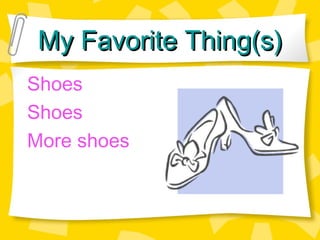
My Favorite Thing(s) Shoes Shoes More shoes
First of all there is one thing you should know. Am I a boy? Or am I a girl? Well I will tell you. I am a girl
My Best Friend A (boy or girl) My best friend’s name is Beth Here’s how to spell it backwards! hteb
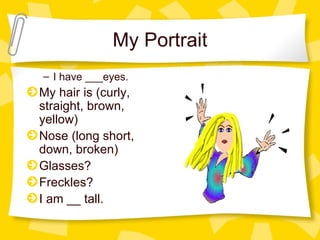
My Portrait I have ___eyes. My hair is (curly, straight, brown, yellow) Nose (long short, down, broken) Glasses? Freckles? I am __ tall.
My Birthday is Month, day For a present, this is what I want most…
Lakeview Elementary School I (ride the bus, my bike, walk, car) My Favorite teacher’s name is:  I like (subject) best I like (subject) worst
My Favorite Pet or Animal is: Animal I have one or I wish I had one!
My Favorite Color is
My Favorite Sport is I am (very, or sort of, or not)  good
When I Grow Up, I Want to BE  A
Well That’s MY Story About ME! I finished writing it Month Day, 2010 The End!

3rd Presentation

  • 1.
    All About MeFirst Name Last name 2009- 2010
  • 2.
    My Favorite Thing(s)Shoes Shoes More shoes
  • 3.
    First of allthere is one thing you should know. Am I a boy? Or am I a girl? Well I will tell you. I am a girl
  • 4.
    My Best FriendA (boy or girl) My best friend’s name is Beth Here’s how to spell it backwards! hteb
  • 5.
    My Portrait Ihave ___eyes. My hair is (curly, straight, brown, yellow) Nose (long short, down, broken) Glasses? Freckles? I am __ tall.
  • 6.
    My Birthday isMonth, day For a present, this is what I want most…
  • 7.
    Lakeview Elementary SchoolI (ride the bus, my bike, walk, car) My Favorite teacher’s name is: I like (subject) best I like (subject) worst
  • 8.
    My Favorite Petor Animal is: Animal I have one or I wish I had one!
  • 9.
  • 10.
    My Favorite Sportis I am (very, or sort of, or not) good
  • 11.
    When I GrowUp, I Want to BE A
  • 12.
    Well That’s MYStory About ME! I finished writing it Month Day, 2010 The End!

Editor's Notes

  • #3 Layout Text and clip art
  • #4 Lay out needs to be text and clip art. Add a clip art from Microsoft Clip art on your computer or the internet.
  • #5 1. Layout : “Text and picture. 2. Download your BFF picture from the internet. Firefox 3 rd grade, click on your class name and find your picture. Upload picture to your desktop Open iphoto Drag and drop picture into iphoto Change red eye, and or crop your photo (choose edit or double click on picture) when your done click on “organize” or “done” Drag and drop picture from your desktop to your flash drive Go to Power point, click on icon to add your picture Remember where you put the picture (on your flash drive) so you can find it to insert into slide.
  • #6 We did this during class already but if you need to change your picture here are the directions to export it in a jpg. Kid pix sign in with your name file Open Me.kpx File “export” name it me.jpg Click on your flash drive to choose it (be careful not to eject your flash drive) Click “save” On Power point, click on add picture Find your flash drive to insert me.jpg Fill in the blanks and choose words within the parenthesis.
  • #7 Add microsoft clip art
  • #12 Add microsoft clip art