Chapter 7
Dynamic Host Configuration
Protocol (DHCP)
A Network & System
Administration Perspective
1
Introduction
• DHCP is s a network service that enables host
computers to be automatically assigned settings
from a server.
 Computers configured to be DHCP clients have no
control over the settings they receive from the DHCP
server.
 The configuration is transparent to the computer's user.
• The most common settings provided by a DHCP
server to DHCP clients include:
 IP address and Subnet Mask
 IP address of the default-gateway to use
 IP addresses of the DNS servers to use
CS Dept @AmboU 2
Network and System Administration
Introduction…
• However, a DHCP server can also supply
configuration properties such as:
 Host Name: Eg. www, mail, …
 Domain Name: Eg. ambou.edu.et, aau.edu.et
 Time Server: ntp
 Print Server
• Advantages of using DHCP includes:
 Changes to the network need only be changed at the
DHCP server.
 It is also easier to integrate new computers into the
network.
 Conflicts in IP address allocation are also reduced.
CS Dept @AmboU 3
Network and System Administration
How DHCP works?
• Manual allocation (MAC address)
 Using DHCP to identify the unique hardware address of each
network card connected to the network.
 Continually supplying a constant configuration each time the
DHCP client makes a request to the DHCP server using that
network device.
 This ensures that a particular address is assigned
automatically to that network card, based on it's MAC
address.
• Dynamic allocation (address pool)
 The DHCP server will assign an IP address from a pool of
addresses (sometimes also called a range or scope) for a
period of time or lease.
 This way, the clients will be receiving their configuration
properties dynamically and on a "first come, first served“ basis
CS Dept @AmboU 4
Network and System Administration
How DHCP works….
 When a DHCP client is no longer on the network for a
specified period, the configuration is expired and
released back to the address pool for use by other DHCP
Clients.
• Automatic allocation
 The DHCP automatically assigns an IP address
permanently to a device, selecting it from a pool of
available addresses.
 DHCP is used to assign a temporary address to a client,
but a DHCP server can allow an infinite lease time.
CS Dept @AmboU Network and System Administration 5
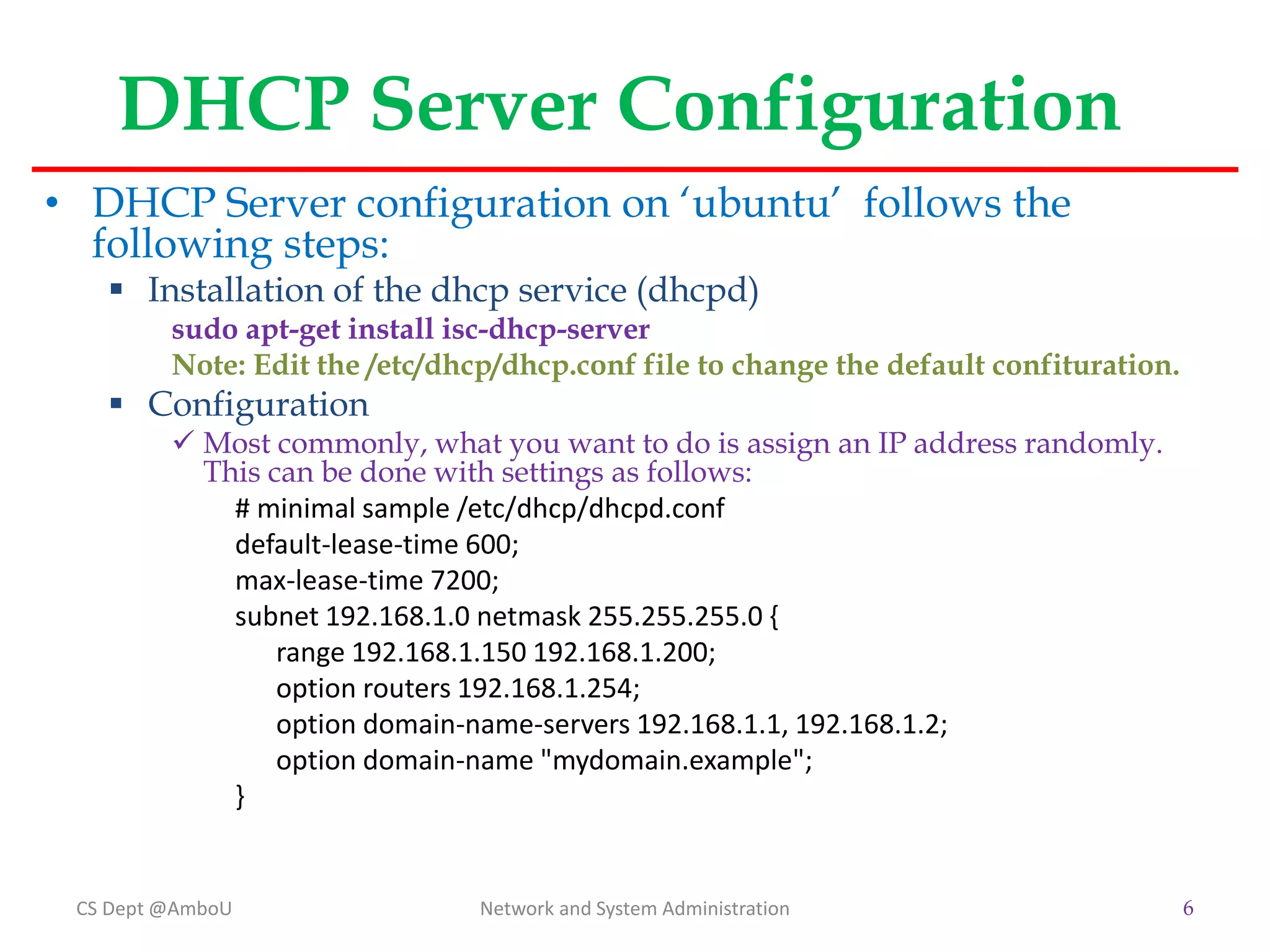
DHCP Server Configuration
• DHCP Server configuration on ‘ubuntu’ follows the
following steps:
 Installation of the dhcp service (dhcpd)
sudo apt-get install isc-dhcp-server
Note: Edit the /etc/dhcp/dhcp.conf file to change the default confituration.
 Configuration
 Most commonly, what you want to do is assign an IP address randomly.
This can be done with settings as follows:
# minimal sample /etc/dhcp/dhcpd.conf
default-lease-time 600;
max-lease-time 7200;
subnet 192.168.1.0 netmask 255.255.255.0 {
range 192.168.1.150 192.168.1.200;
option routers 192.168.1.254;
option domain-name-servers 192.168.1.1, 192.168.1.2;
option domain-name "mydomain.example";
}
CS Dept @AmboU Network and System Administration 6
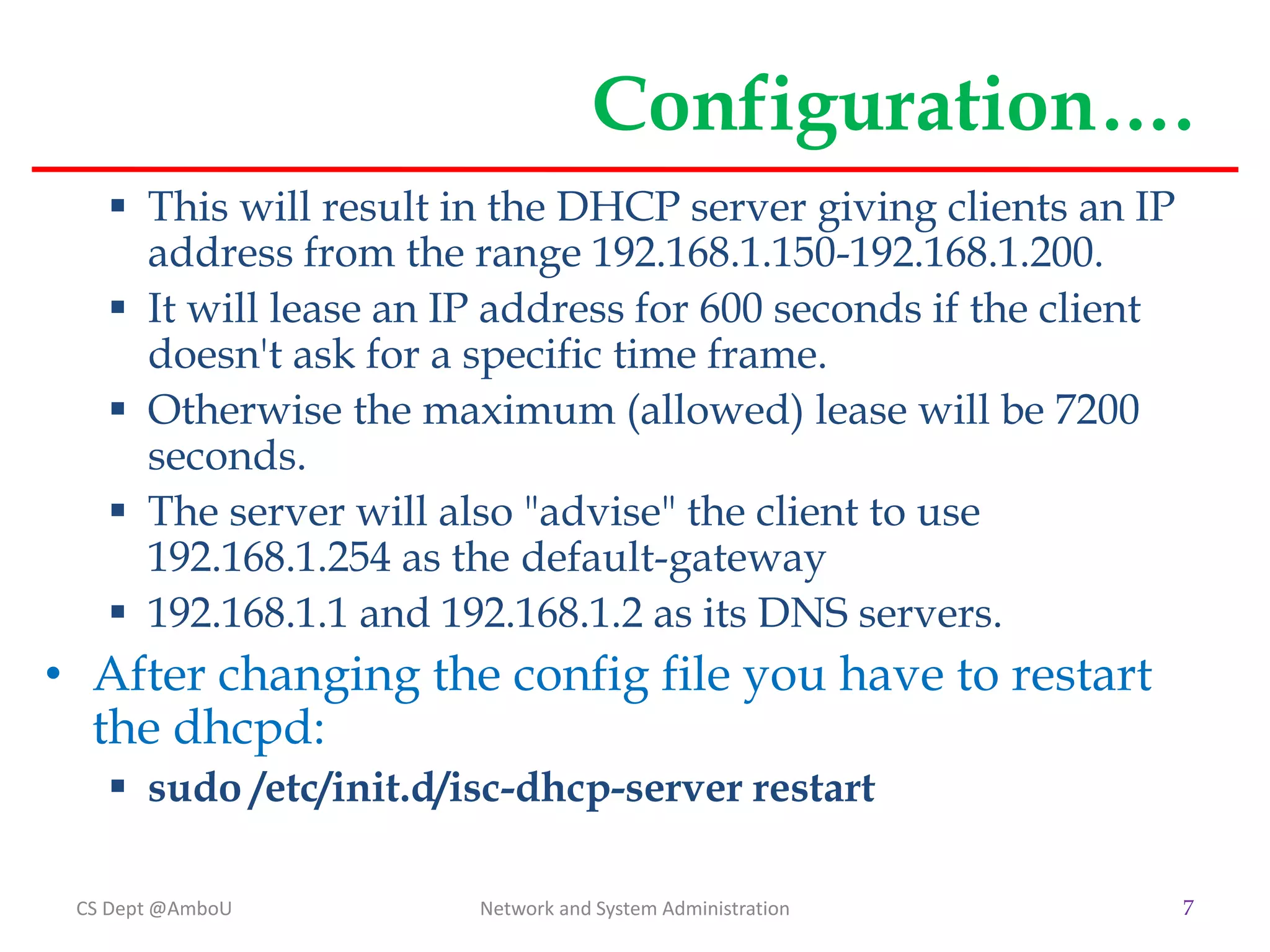
Configuration….
 This will result in the DHCP server giving clients an IP
address from the range 192.168.1.150-192.168.1.200.
 It will lease an IP address for 600 seconds if the client
doesn't ask for a specific time frame.
 Otherwise the maximum (allowed) lease will be 7200
seconds.
 The server will also "advise" the client to use
192.168.1.254 as the default-gateway
 192.168.1.1 and 192.168.1.2 as its DNS servers.
• After changing the config file you have to restart
the dhcpd:
 sudo /etc/init.d/isc-dhcp-server restart
CS Dept @AmboU Network and System Administration 7
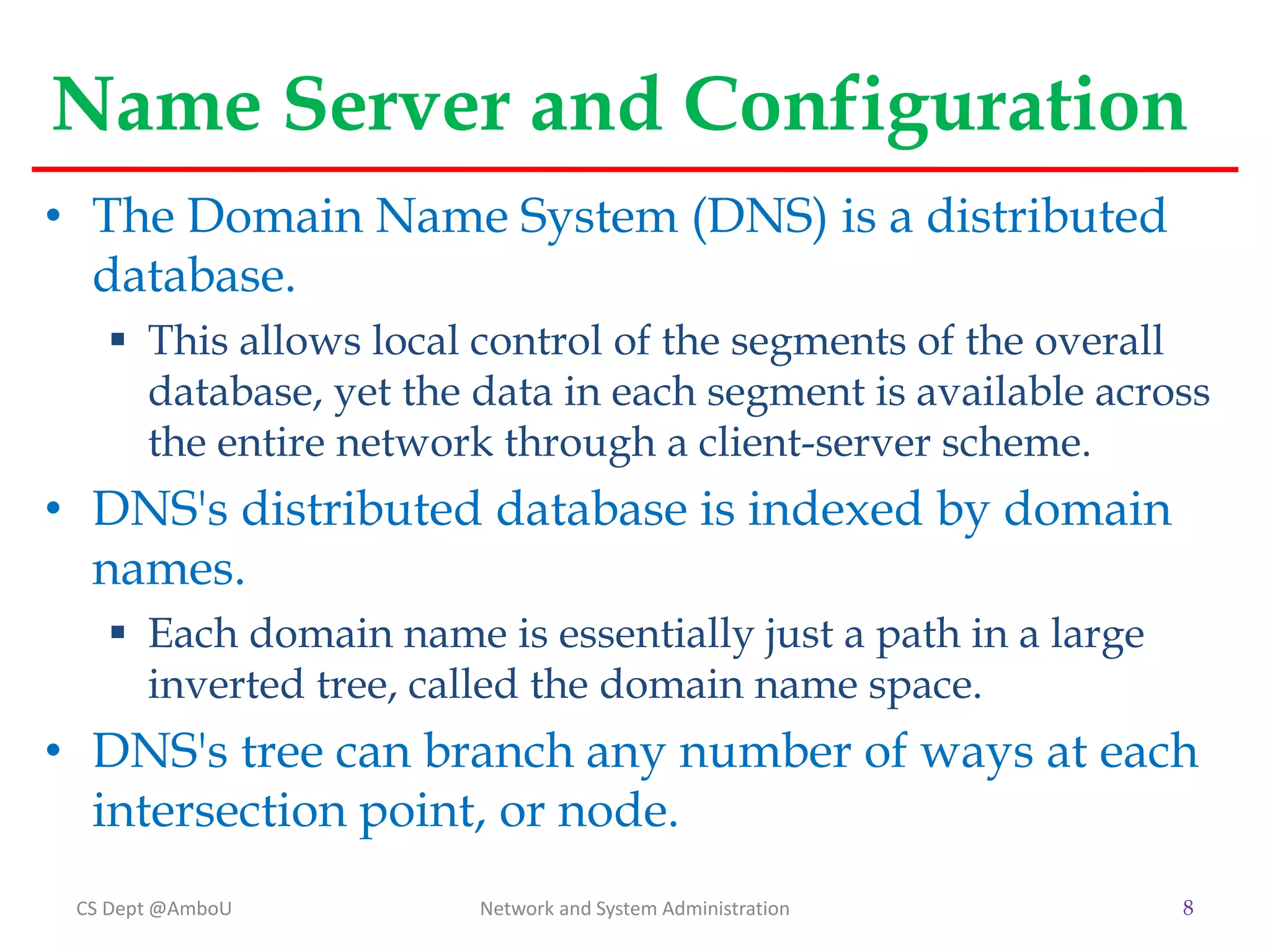
Name Server and Configuration
• The Domain Name System (DNS) is a distributed
database.
 This allows local control of the segments of the overall
database, yet the data in each segment is available across
the entire network through a client-server scheme.
• DNS's distributed database is indexed by domain
names.
 Each domain name is essentially just a path in a large
inverted tree, called the domain name space.
• DNS's tree can branch any number of ways at each
intersection point, or node.
CS Dept @AmboU Network and System Administration 8
Name Server …
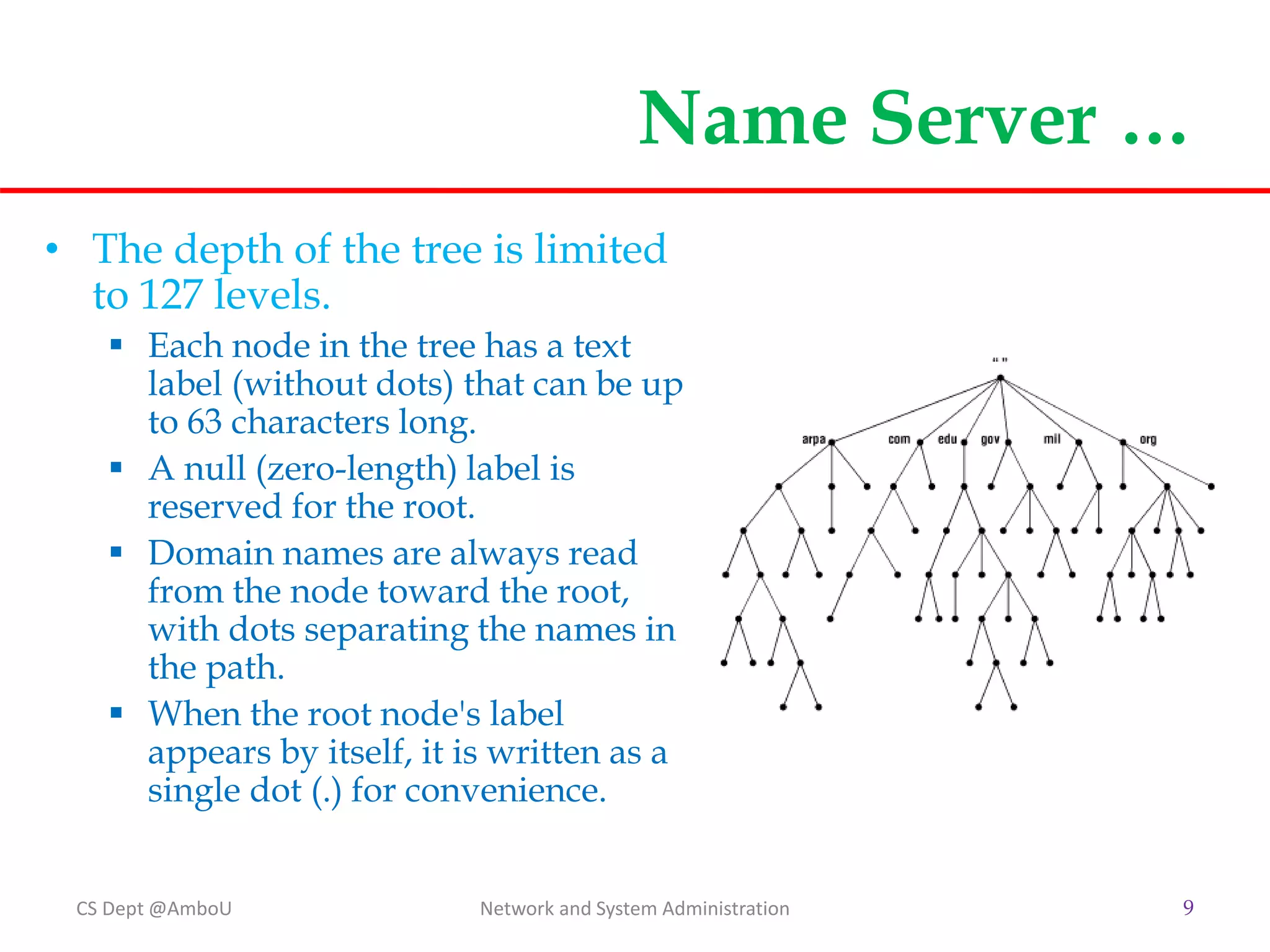
• The depth of the tree is limited
to 127 levels.
 Each node in the tree has a text
label (without dots) that can be up
to 63 characters long.
 A null (zero-length) label is
reserved for the root.
 Domain names are always read
from the node toward the root,
with dots separating the names in
the path.
 When the root node's label
appears by itself, it is written as a
single dot (.) for convenience.
CS Dept @AmboU Network and System Administration 9
Name Server …
CS Dept @AmboU Network and System Administration 10
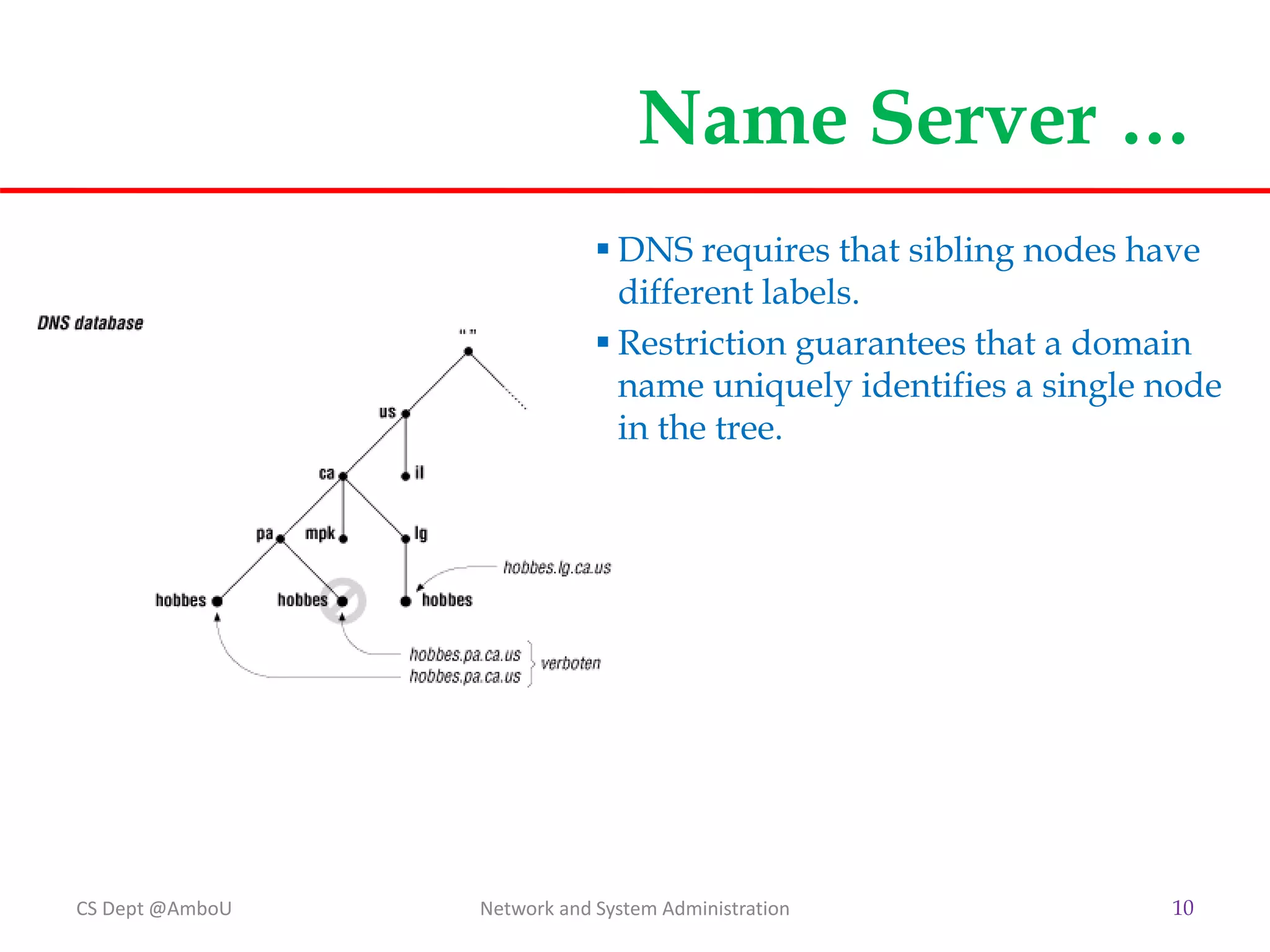
 DNS requires that sibling nodes have
different labels.
 Restriction guarantees that a domain
name uniquely identifies a single node
in the tree.
Name Server…
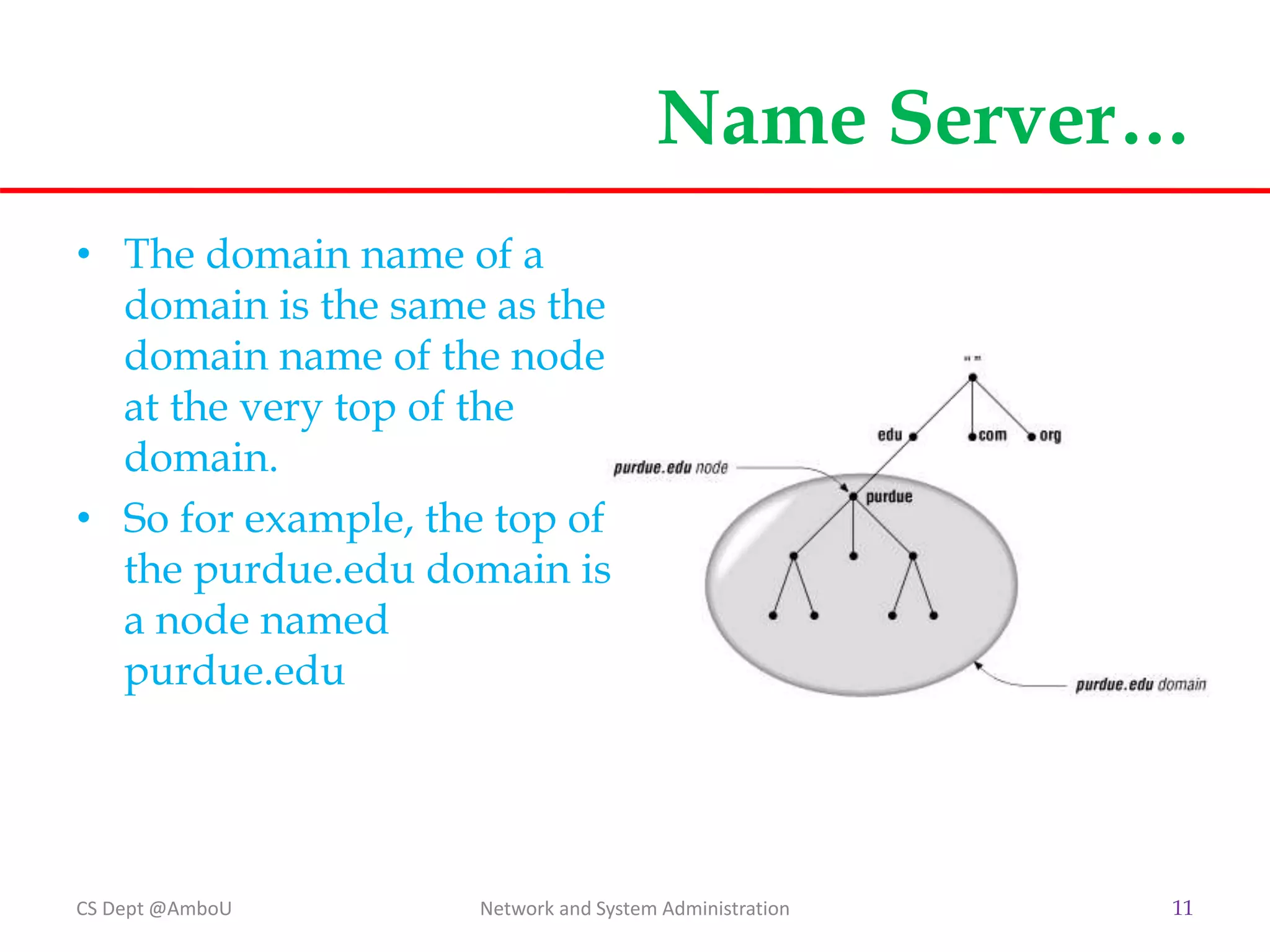
• The domain name of a
domain is the same as the
domain name of the node
at the very top of the
domain.
• So for example, the top of
the purdue.edu domain is
a node named
purdue.edu
CS Dept @AmboU Network and System Administration 11
Name Server…
CS Dept @AmboU Network and System Administration 12
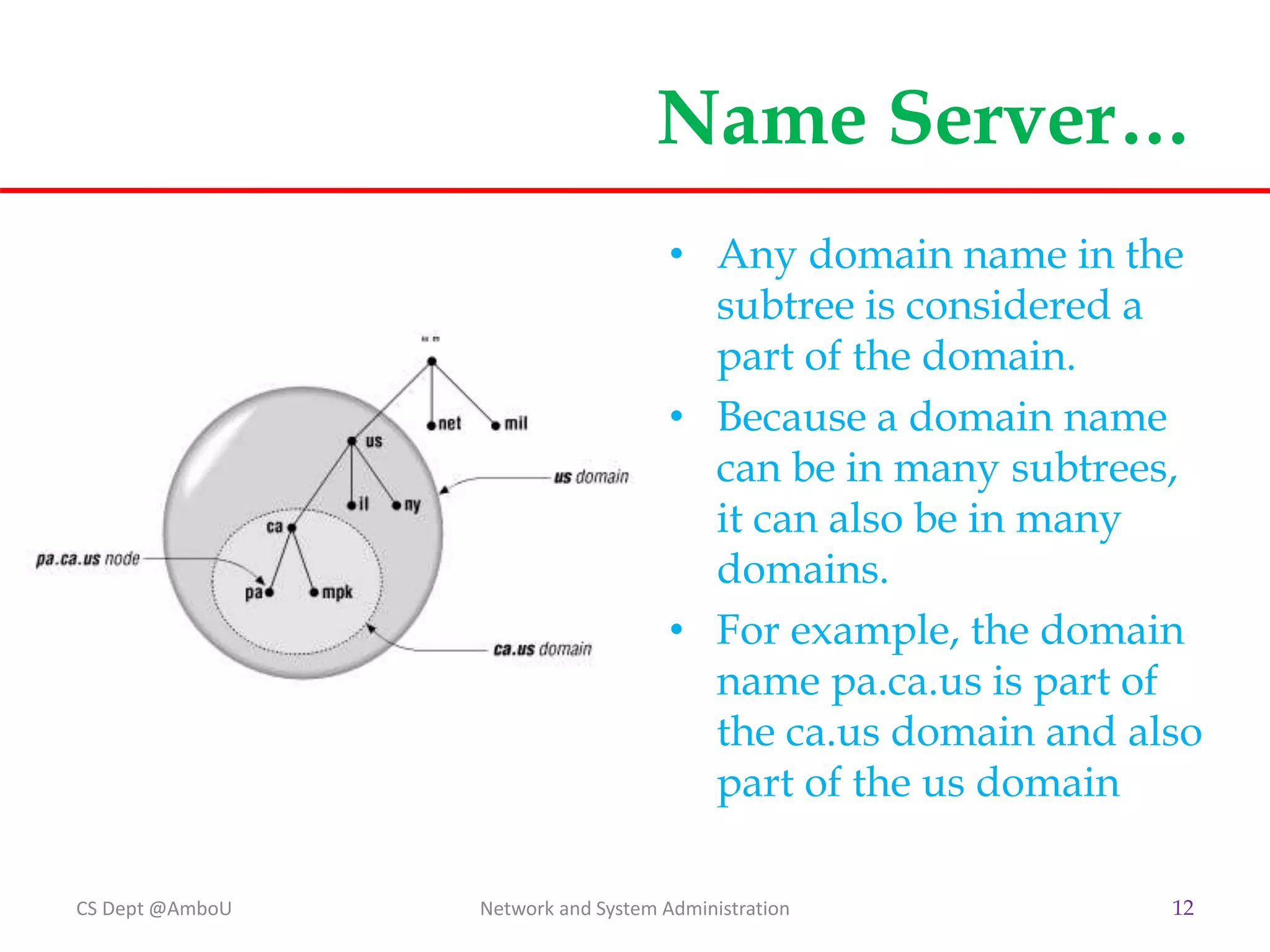
• Any domain name in the
subtree is considered a
part of the domain.
• Because a domain name
can be in many subtrees,
it can also be in many
domains.
• For example, the domain
name pa.ca.us is part of
the ca.us domain and also
part of the us domain
Internet Domain Name Space
• The original top-level domains divided the Internet domain name space
organizationally into seven domains:
 com
 Commercial organizations, such as Hewlett-Packard (hp.com), Sun Microsystems (sun.com),
and IBM (ibm.com).
 edu
 Educational organizations, such as Ambo University (ambou.edu) and Purdue University
(purdue.edu).
 gov
 Government organizations, such as INSA (insa.gov) and the Ministry of Foreign Affairs
(mfa.gov).
 mil
 Military organizations, such as the U.S. Army (army.mil ) and Navy (navy.mil ).
 net
 Organizations providing network infrastructure, such as EthioTelecom (ethiotelecom.net)
and UUNET (uu.net).
 org
 Formerly, noncommercial organizations, such as the Electronic Frontier Foundation (eff.org ).
Like net, however, restrictions on org were removed in 1996.
 int
 International organizations, such as NATO (nato.int).
CS Dept @AmboU Network and System Administration 13
Delegation
• Decentralize administration in DNS is achieved
through delegation.
 An organization administering a domain can divide it
into subdomains.
 Each of those subdomains can be delegated to other
organizations.
 An organization becomes responsible for maintaining all
the data in that subdomain.
 It can freely change the data, and even divide up its
subdomain into more subdomains and delegate those.
CS Dept @AmboU Network and System Administration 14
Delegation…
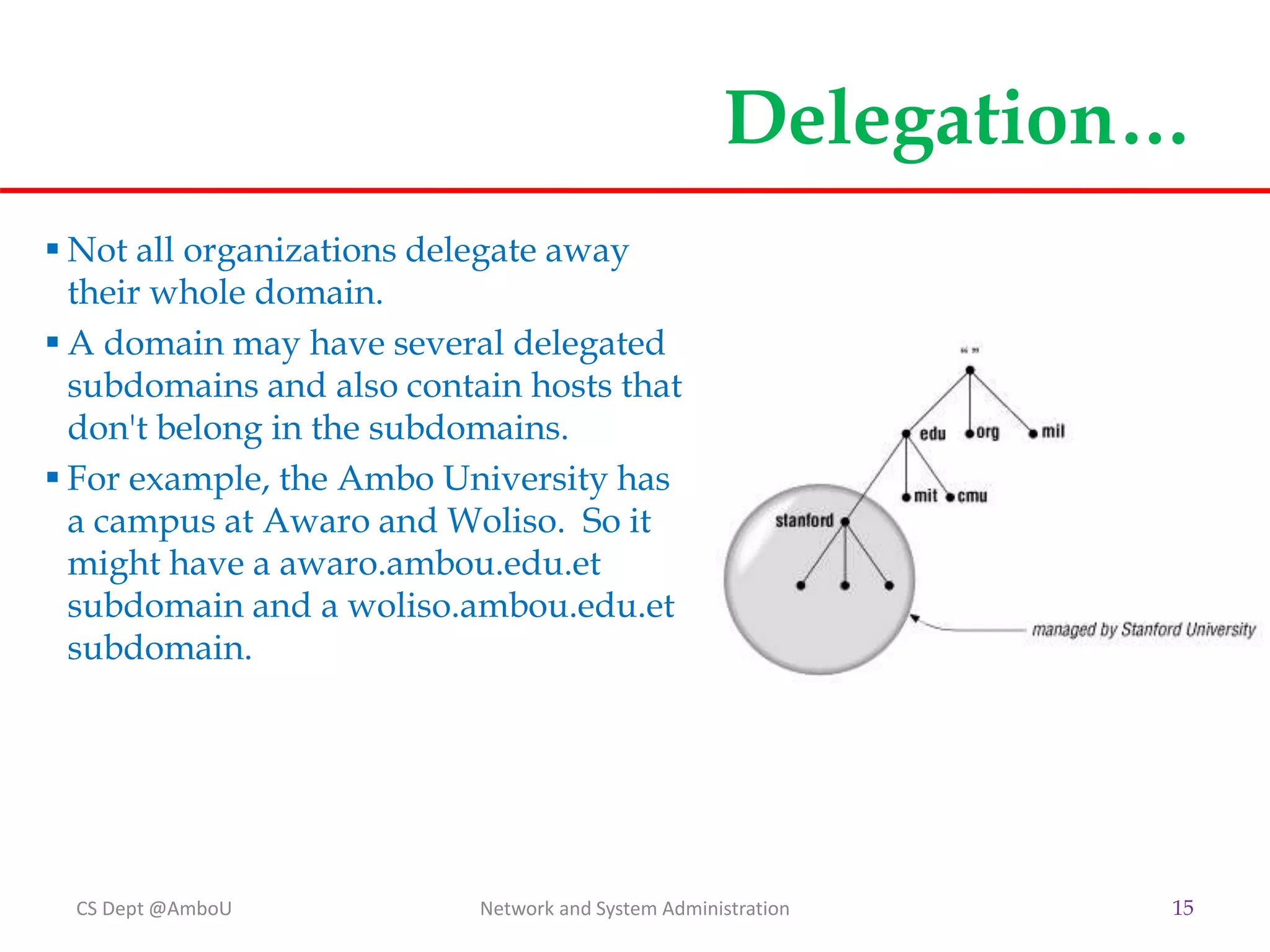
 Not all organizations delegate away
their whole domain.
 A domain may have several delegated
subdomains and also contain hosts that
don't belong in the subdomains.
 For example, the Ambo University has
a campus at Awaro and Woliso. So it
might have a awaro.ambou.edu.et
subdomain and a woliso.ambou.edu.et
subdomain.
CS Dept @AmboU Network and System Administration 15
Name Servers and Zones
• The programs that store information about the
domain name space are called name servers.
• Name servers generally have complete information
about some part of the domain name space (a
zone), which they load from a file or from another
name server.
 The other name server is called Forwarder.
• The name server is then said to have authority for
that zone. Name servers can be authoritative for
multiple zones, too.
CS Dept @AmboU Network and System Administration 16
Zones…
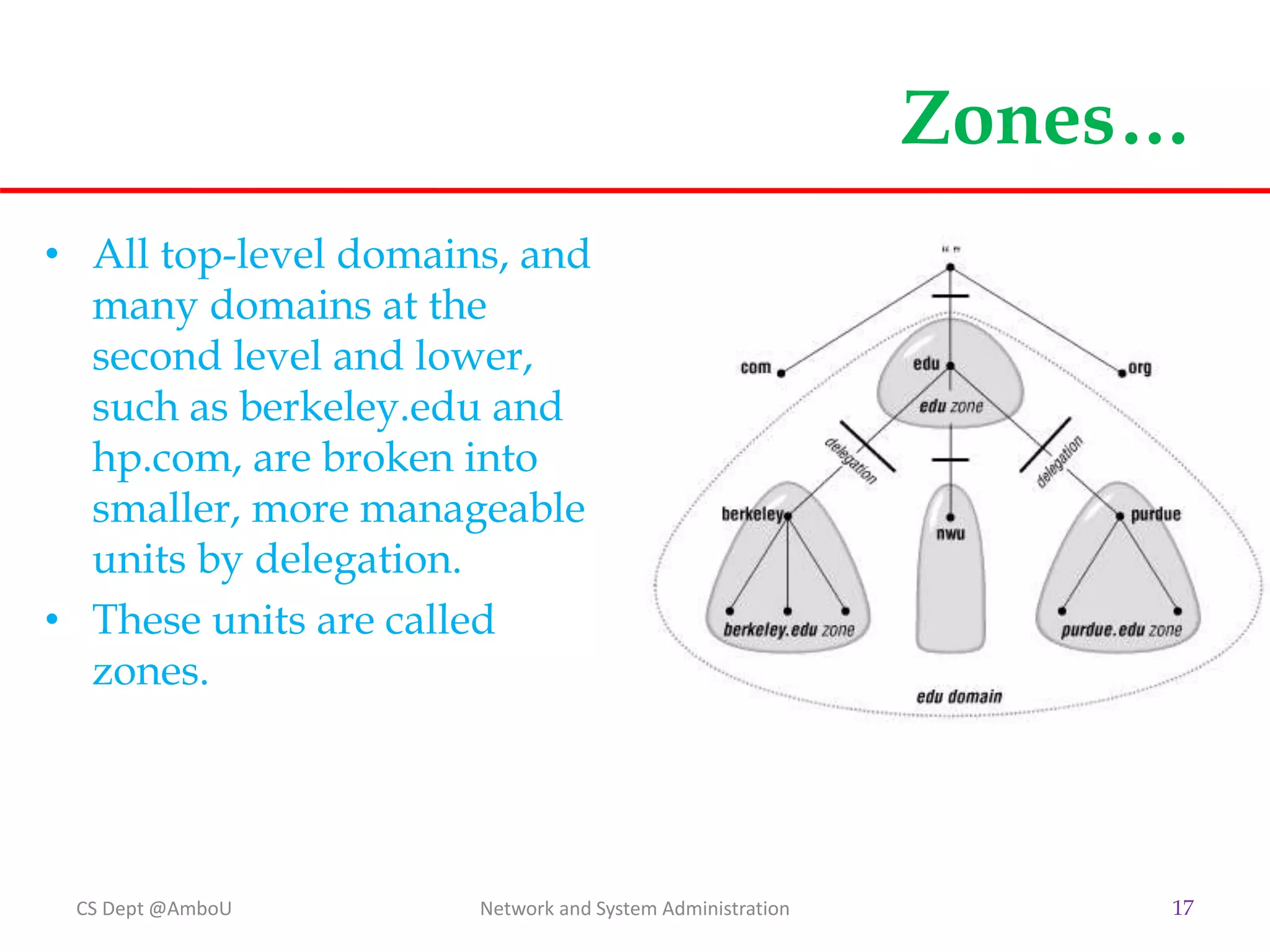
• All top-level domains, and
many domains at the
second level and lower,
such as berkeley.edu and
hp.com, are broken into
smaller, more manageable
units by delegation.
• These units are called
zones.
CS Dept @AmboU Network and System Administration 17
Zone Data Files
• Most entries in zone data files are called DNS
resource records.
• DNS lookups are case-insensitive, so you can enter
names in your zone data files in uppercase,
lowercase, or mixed case.
 Commonly all lowercase is used.
CS Dept @AmboU Network and System Administration 18
Types of DNS Resource Records
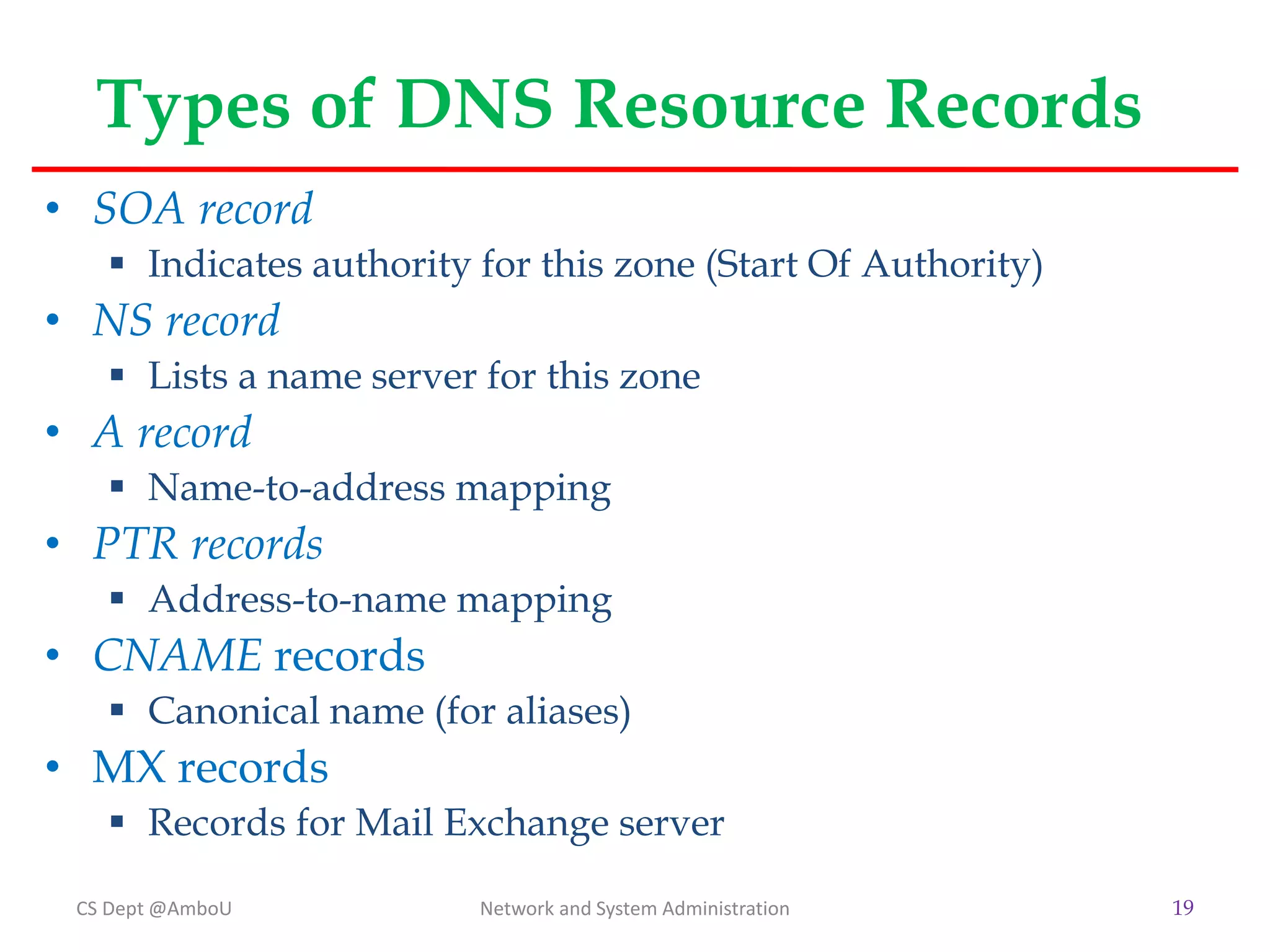
• SOA record
 Indicates authority for this zone (Start Of Authority)
• NS record
 Lists a name server for this zone
• A record
 Name-to-address mapping
• PTR records
 Address-to-name mapping
• CNAME records
 Canonical name (for aliases)
• MX records
 Records for Mail Exchange server
CS Dept @AmboU Network and System Administration 19
Example
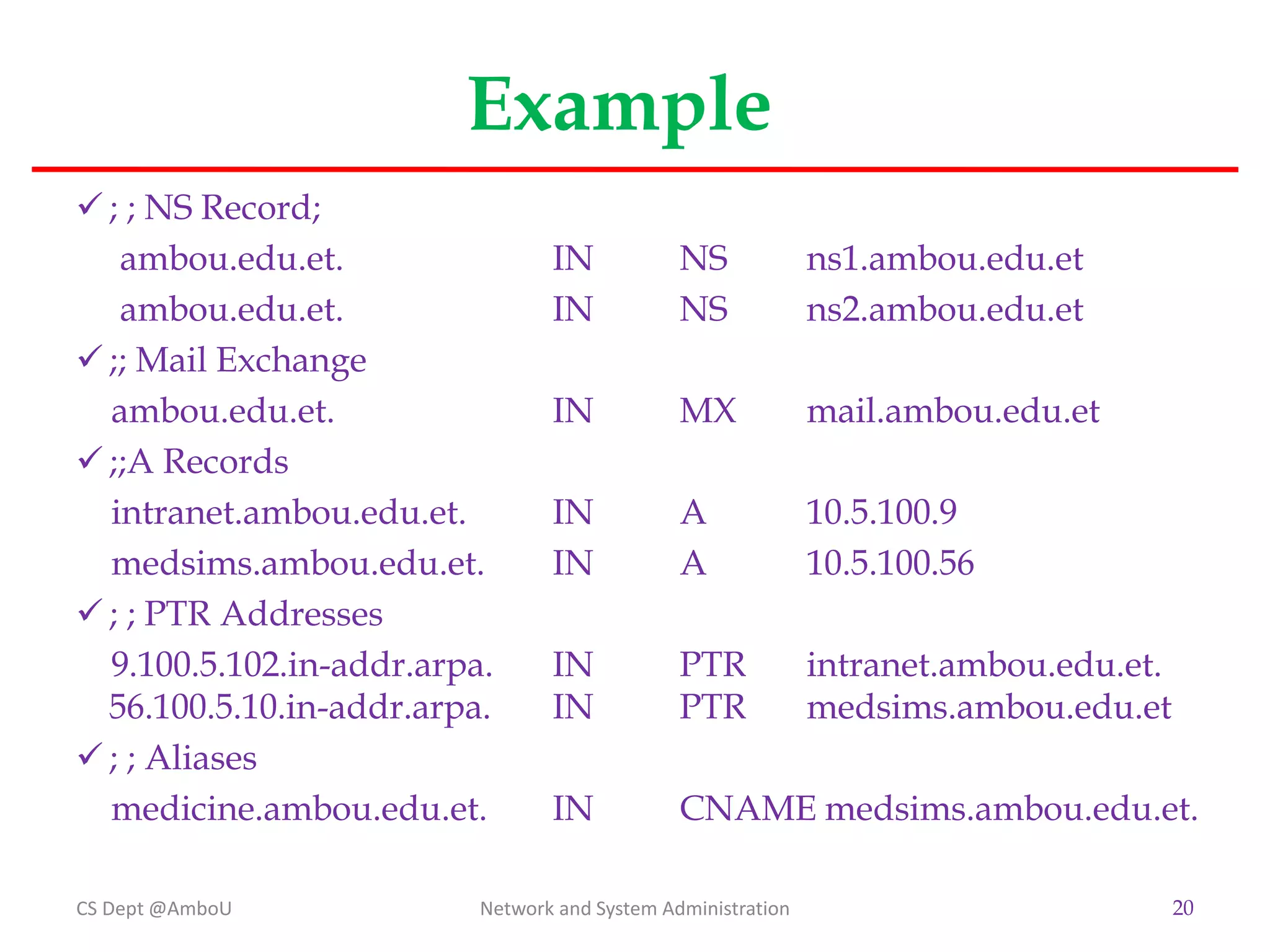
 ; ; NS Record;
ambou.edu.et. IN NS ns1.ambou.edu.et
ambou.edu.et. IN NS ns2.ambou.edu.et
 ;; Mail Exchange
ambou.edu.et. IN MX mail.ambou.edu.et
 ;;A Records
intranet.ambou.edu.et. IN A 10.5.100.9
medsims.ambou.edu.et. IN A 10.5.100.56
 ; ; PTR Addresses
9.100.5.102.in-addr.arpa. IN PTR intranet.ambou.edu.et.
56.100.5.10.in-addr.arpa. IN PTR medsims.ambou.edu.et
 ; ; Aliases
medicine.ambou.edu.et. IN CNAME medsims.ambou.edu.et.
CS Dept @AmboU Network and System Administration 20
Resolver
• Resolvers are the clients that access name servers.
Programs running on a host that need information
from the domain name space use the resolver.
• The resolver handles the following tasks:
 Querying a name server
 Interpreting responses (which may be resource records
or an error)
 Returning the information to the programs that
requested it
CS Dept @AmboU Network and System Administration 21
Name Space Resolution
• Name servers are adept at retrieving data from the
domain name space.
• They have to be, given the limited intelligence of
most resolvers.
• Not only can they give you data from zones for
which they're authoritative, they can also search
through the domain name space to find data for
which they're not authoritative.
• This process is called name resolution or simply
resolution.
CS Dept @AmboU Network and System Administration 22
Resolution…
• Because the namespace is structured as an inverted
tree, a name server needs only one piece of
information to find its way to any point in the tree:
 The domain names and addresses of the root name
servers
 A name server can issue a query to a root name server for
any domain name in the domain name space, and the
root name server starts the name server on its way.
CS Dept @AmboU Network and System Administration 23
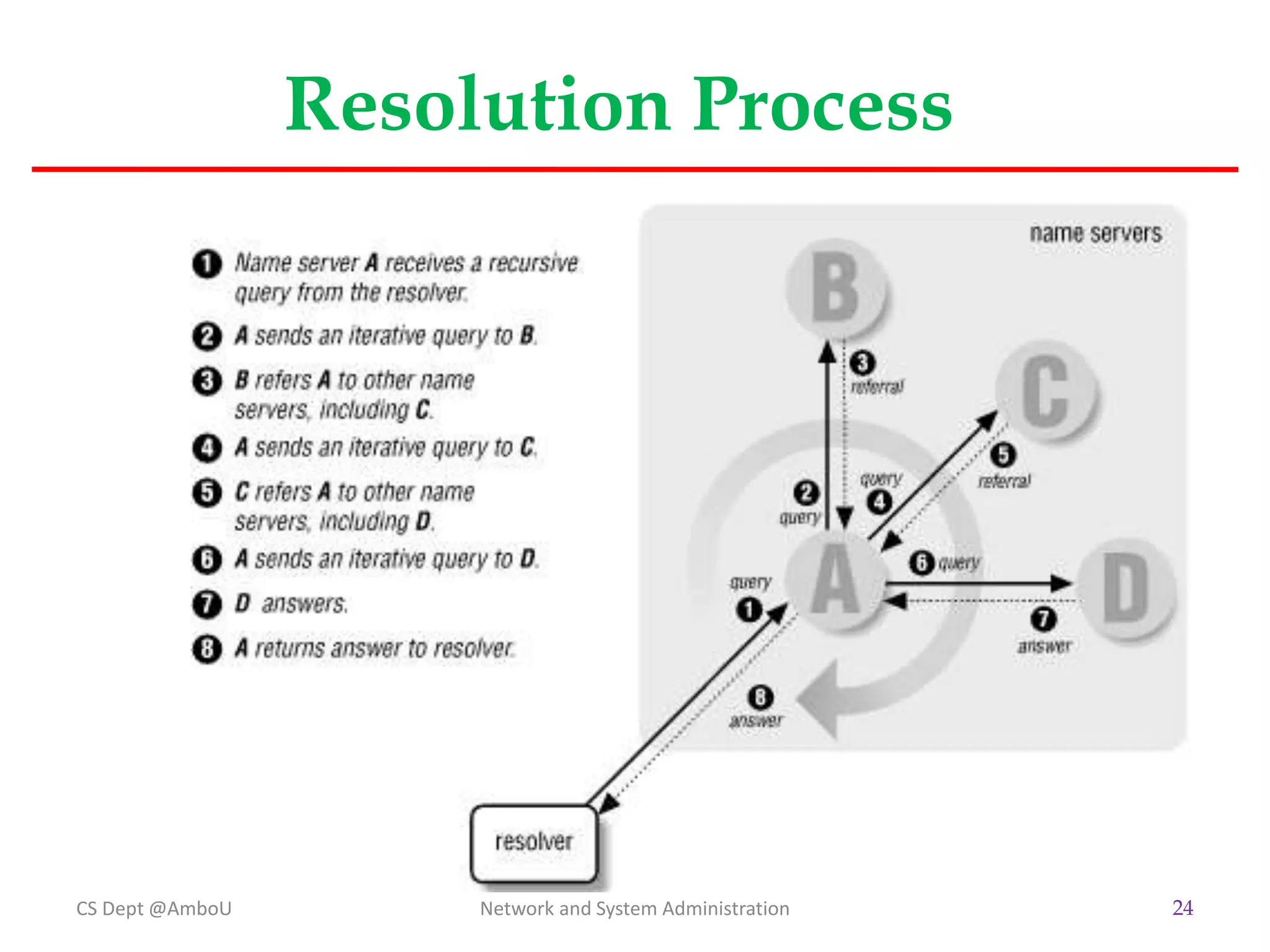
Resolution Process
CS Dept @AmboU Network and System Administration 24
Adding More Name Servers
• Primary and Slave Name Servers
 In large networks it is a good idea to define name servers
and give them authority.
Primary Name Server is Authoritative
Secondary Name Server is active when Primary NS fails
• Caching Only Name Servers
 The name implies that the only function this server
performs is looking up data and caching it.
 They are not authoritative for any zones (except
0.0.127.in-addr.arpa).
CS Dept @AmboU Network and System Administration 25
BIND
• BIND (Berkeley Internet Name Domain) is the
default name server for Linux OS.
• Installation and Configuration:
 Update your server and Install BIND on it. Execute the
following commands one by one.
$sudo apt-get update
$sudo apt-get install bind9 bind9utils bind9-doc
 Before proceeding you can optionally set bind9 to IPv4
mode.
$sudo nano /etc/default/bind9
 Add "-4" to the OPTIONS variable. Then save and exit. It
should look like the following:
OPTIONS="-4 -u bind"
CS Dept @AmboU Network and System Administration 26
CS Dept @AmboU Network and System Administration 27
The End

3_CHAP~2.PPT

  • 1.
    Chapter 7 Dynamic HostConfiguration Protocol (DHCP) A Network & System Administration Perspective 1
  • 2.
    Introduction • DHCP iss a network service that enables host computers to be automatically assigned settings from a server.  Computers configured to be DHCP clients have no control over the settings they receive from the DHCP server.  The configuration is transparent to the computer's user. • The most common settings provided by a DHCP server to DHCP clients include:  IP address and Subnet Mask  IP address of the default-gateway to use  IP addresses of the DNS servers to use CS Dept @AmboU 2 Network and System Administration
  • 3.
    Introduction… • However, aDHCP server can also supply configuration properties such as:  Host Name: Eg. www, mail, …  Domain Name: Eg. ambou.edu.et, aau.edu.et  Time Server: ntp  Print Server • Advantages of using DHCP includes:  Changes to the network need only be changed at the DHCP server.  It is also easier to integrate new computers into the network.  Conflicts in IP address allocation are also reduced. CS Dept @AmboU 3 Network and System Administration
  • 4.
    How DHCP works? •Manual allocation (MAC address)  Using DHCP to identify the unique hardware address of each network card connected to the network.  Continually supplying a constant configuration each time the DHCP client makes a request to the DHCP server using that network device.  This ensures that a particular address is assigned automatically to that network card, based on it's MAC address. • Dynamic allocation (address pool)  The DHCP server will assign an IP address from a pool of addresses (sometimes also called a range or scope) for a period of time or lease.  This way, the clients will be receiving their configuration properties dynamically and on a "first come, first served“ basis CS Dept @AmboU 4 Network and System Administration
  • 5.
    How DHCP works…. When a DHCP client is no longer on the network for a specified period, the configuration is expired and released back to the address pool for use by other DHCP Clients. • Automatic allocation  The DHCP automatically assigns an IP address permanently to a device, selecting it from a pool of available addresses.  DHCP is used to assign a temporary address to a client, but a DHCP server can allow an infinite lease time. CS Dept @AmboU Network and System Administration 5
  • 6.
    DHCP Server Configuration •DHCP Server configuration on ‘ubuntu’ follows the following steps:  Installation of the dhcp service (dhcpd) sudo apt-get install isc-dhcp-server Note: Edit the /etc/dhcp/dhcp.conf file to change the default confituration.  Configuration  Most commonly, what you want to do is assign an IP address randomly. This can be done with settings as follows: # minimal sample /etc/dhcp/dhcpd.conf default-lease-time 600; max-lease-time 7200; subnet 192.168.1.0 netmask 255.255.255.0 { range 192.168.1.150 192.168.1.200; option routers 192.168.1.254; option domain-name-servers 192.168.1.1, 192.168.1.2; option domain-name "mydomain.example"; } CS Dept @AmboU Network and System Administration 6
  • 7.
    Configuration….  This willresult in the DHCP server giving clients an IP address from the range 192.168.1.150-192.168.1.200.  It will lease an IP address for 600 seconds if the client doesn't ask for a specific time frame.  Otherwise the maximum (allowed) lease will be 7200 seconds.  The server will also "advise" the client to use 192.168.1.254 as the default-gateway  192.168.1.1 and 192.168.1.2 as its DNS servers. • After changing the config file you have to restart the dhcpd:  sudo /etc/init.d/isc-dhcp-server restart CS Dept @AmboU Network and System Administration 7
  • 8.
    Name Server andConfiguration • The Domain Name System (DNS) is a distributed database.  This allows local control of the segments of the overall database, yet the data in each segment is available across the entire network through a client-server scheme. • DNS's distributed database is indexed by domain names.  Each domain name is essentially just a path in a large inverted tree, called the domain name space. • DNS's tree can branch any number of ways at each intersection point, or node. CS Dept @AmboU Network and System Administration 8
  • 9.
    Name Server … •The depth of the tree is limited to 127 levels.  Each node in the tree has a text label (without dots) that can be up to 63 characters long.  A null (zero-length) label is reserved for the root.  Domain names are always read from the node toward the root, with dots separating the names in the path.  When the root node's label appears by itself, it is written as a single dot (.) for convenience. CS Dept @AmboU Network and System Administration 9
  • 10.
    Name Server … CSDept @AmboU Network and System Administration 10  DNS requires that sibling nodes have different labels.  Restriction guarantees that a domain name uniquely identifies a single node in the tree.
  • 11.
    Name Server… • Thedomain name of a domain is the same as the domain name of the node at the very top of the domain. • So for example, the top of the purdue.edu domain is a node named purdue.edu CS Dept @AmboU Network and System Administration 11
  • 12.
    Name Server… CS Dept@AmboU Network and System Administration 12 • Any domain name in the subtree is considered a part of the domain. • Because a domain name can be in many subtrees, it can also be in many domains. • For example, the domain name pa.ca.us is part of the ca.us domain and also part of the us domain
  • 13.
    Internet Domain NameSpace • The original top-level domains divided the Internet domain name space organizationally into seven domains:  com  Commercial organizations, such as Hewlett-Packard (hp.com), Sun Microsystems (sun.com), and IBM (ibm.com).  edu  Educational organizations, such as Ambo University (ambou.edu) and Purdue University (purdue.edu).  gov  Government organizations, such as INSA (insa.gov) and the Ministry of Foreign Affairs (mfa.gov).  mil  Military organizations, such as the U.S. Army (army.mil ) and Navy (navy.mil ).  net  Organizations providing network infrastructure, such as EthioTelecom (ethiotelecom.net) and UUNET (uu.net).  org  Formerly, noncommercial organizations, such as the Electronic Frontier Foundation (eff.org ). Like net, however, restrictions on org were removed in 1996.  int  International organizations, such as NATO (nato.int). CS Dept @AmboU Network and System Administration 13
  • 14.
    Delegation • Decentralize administrationin DNS is achieved through delegation.  An organization administering a domain can divide it into subdomains.  Each of those subdomains can be delegated to other organizations.  An organization becomes responsible for maintaining all the data in that subdomain.  It can freely change the data, and even divide up its subdomain into more subdomains and delegate those. CS Dept @AmboU Network and System Administration 14
  • 15.
    Delegation…  Not allorganizations delegate away their whole domain.  A domain may have several delegated subdomains and also contain hosts that don't belong in the subdomains.  For example, the Ambo University has a campus at Awaro and Woliso. So it might have a awaro.ambou.edu.et subdomain and a woliso.ambou.edu.et subdomain. CS Dept @AmboU Network and System Administration 15
  • 16.
    Name Servers andZones • The programs that store information about the domain name space are called name servers. • Name servers generally have complete information about some part of the domain name space (a zone), which they load from a file or from another name server.  The other name server is called Forwarder. • The name server is then said to have authority for that zone. Name servers can be authoritative for multiple zones, too. CS Dept @AmboU Network and System Administration 16
  • 17.
    Zones… • All top-leveldomains, and many domains at the second level and lower, such as berkeley.edu and hp.com, are broken into smaller, more manageable units by delegation. • These units are called zones. CS Dept @AmboU Network and System Administration 17
  • 18.
    Zone Data Files •Most entries in zone data files are called DNS resource records. • DNS lookups are case-insensitive, so you can enter names in your zone data files in uppercase, lowercase, or mixed case.  Commonly all lowercase is used. CS Dept @AmboU Network and System Administration 18
  • 19.
    Types of DNSResource Records • SOA record  Indicates authority for this zone (Start Of Authority) • NS record  Lists a name server for this zone • A record  Name-to-address mapping • PTR records  Address-to-name mapping • CNAME records  Canonical name (for aliases) • MX records  Records for Mail Exchange server CS Dept @AmboU Network and System Administration 19
  • 20.
    Example  ; ;NS Record; ambou.edu.et. IN NS ns1.ambou.edu.et ambou.edu.et. IN NS ns2.ambou.edu.et  ;; Mail Exchange ambou.edu.et. IN MX mail.ambou.edu.et  ;;A Records intranet.ambou.edu.et. IN A 10.5.100.9 medsims.ambou.edu.et. IN A 10.5.100.56  ; ; PTR Addresses 9.100.5.102.in-addr.arpa. IN PTR intranet.ambou.edu.et. 56.100.5.10.in-addr.arpa. IN PTR medsims.ambou.edu.et  ; ; Aliases medicine.ambou.edu.et. IN CNAME medsims.ambou.edu.et. CS Dept @AmboU Network and System Administration 20
  • 21.
    Resolver • Resolvers arethe clients that access name servers. Programs running on a host that need information from the domain name space use the resolver. • The resolver handles the following tasks:  Querying a name server  Interpreting responses (which may be resource records or an error)  Returning the information to the programs that requested it CS Dept @AmboU Network and System Administration 21
  • 22.
    Name Space Resolution •Name servers are adept at retrieving data from the domain name space. • They have to be, given the limited intelligence of most resolvers. • Not only can they give you data from zones for which they're authoritative, they can also search through the domain name space to find data for which they're not authoritative. • This process is called name resolution or simply resolution. CS Dept @AmboU Network and System Administration 22
  • 23.
    Resolution… • Because thenamespace is structured as an inverted tree, a name server needs only one piece of information to find its way to any point in the tree:  The domain names and addresses of the root name servers  A name server can issue a query to a root name server for any domain name in the domain name space, and the root name server starts the name server on its way. CS Dept @AmboU Network and System Administration 23
  • 24.
    Resolution Process CS Dept@AmboU Network and System Administration 24
  • 25.
    Adding More NameServers • Primary and Slave Name Servers  In large networks it is a good idea to define name servers and give them authority. Primary Name Server is Authoritative Secondary Name Server is active when Primary NS fails • Caching Only Name Servers  The name implies that the only function this server performs is looking up data and caching it.  They are not authoritative for any zones (except 0.0.127.in-addr.arpa). CS Dept @AmboU Network and System Administration 25
  • 26.
    BIND • BIND (BerkeleyInternet Name Domain) is the default name server for Linux OS. • Installation and Configuration:  Update your server and Install BIND on it. Execute the following commands one by one. $sudo apt-get update $sudo apt-get install bind9 bind9utils bind9-doc  Before proceeding you can optionally set bind9 to IPv4 mode. $sudo nano /etc/default/bind9  Add "-4" to the OPTIONS variable. Then save and exit. It should look like the following: OPTIONS="-4 -u bind" CS Dept @AmboU Network and System Administration 26
  • 27.
    CS Dept @AmboUNetwork and System Administration 27 The End