3. Sql Services 概览
3. Sql Services 概览
3. Sql Services 概览
3. Sql Services 概览
3. Sql Services 概览
3. Sql Services 概览
3. Sql Services 概览
3. Sql Services 概览
3. Sql Services 概览
3. Sql Services 概览
3. Sql Services 概览
3. Sql Services 概览
3. Sql Services 概览
3. Sql Services 概览
3. Sql Services 概览
3. Sql Services 概览
3. Sql Services 概览
3. Sql Services 概览
3. Sql Services 概览
3. Sql Services 概览
3. Sql Services 概览
3. Sql Services 概览
3. Sql Services 概览
3. Sql Services 概览
3. Sql Services 概览
3. Sql Services 概览
3. Sql Services 概览
3. Sql Services 概览
3. Sql Services 概览
3. Sql Services 概览
3. Sql Services 概览

Editor's Notes

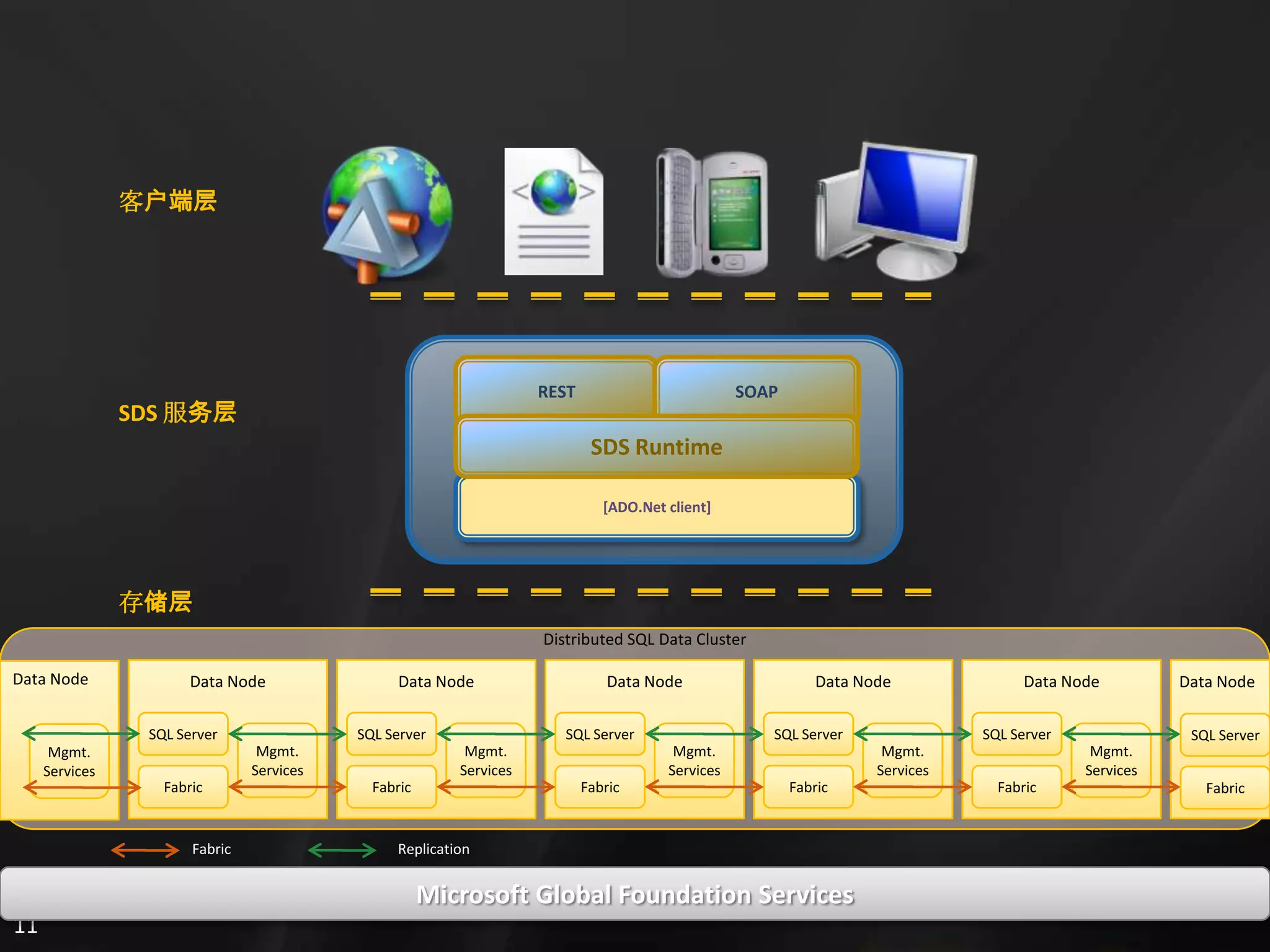
  • #4 Note, we run on top of GFS, which has the capabilities to run some of the world’s largest datacenters. Our backed consists of SQL Server nodes, tied together by a distributed fabric. You can think of each node as a commodity level machine running a special version of SQL Server. This means there is compute, hard discs, and RAM. Logically, each node today is a machine, but that might not be the case going in the future.The fabric communicates between nodes to not only replicate data, but also detect the health of a given node and spin up new nodes or transfer responsibilities between node. While you won’t have to deal with this directly, it is a core feature of this platform that enables us to have the kind of reliability necessary to run with very high availability. On each node, we also run a mgmt service that allows us to bootstrap the box and install bits amongst other things. Since our backend is designed to be run in lights-out facilities on many commodity level pieces of hardware, this allows us to keep our costs down while still maintaining a high level of availability, reliability, and scalability.
  • #5 The step-by-step demo script for this demo is included in the Azure Services Training Kit. DEMO SCRIPT: <SPECIFY THE NAME OF THE DEMO SCRIPT FILE>
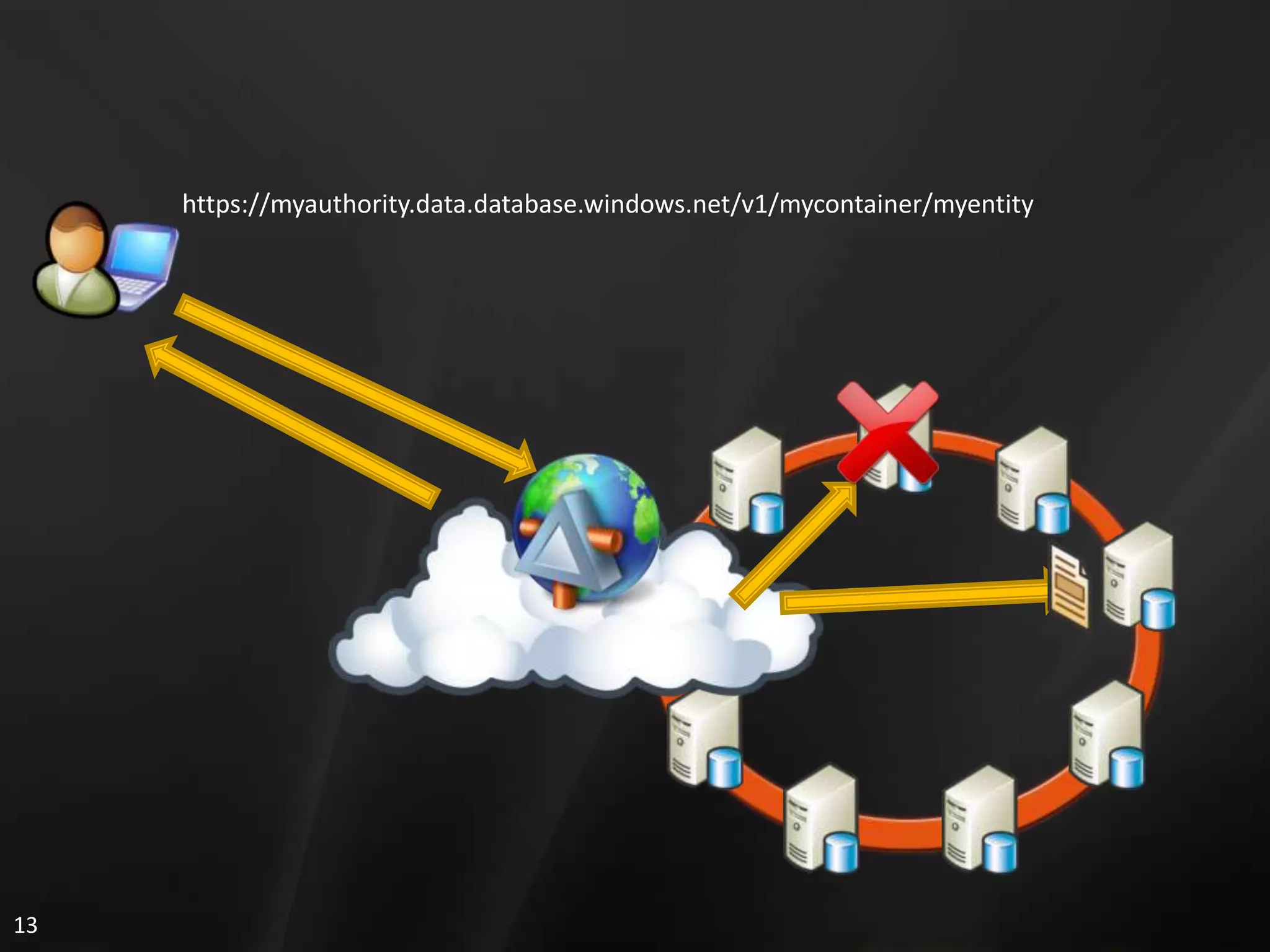
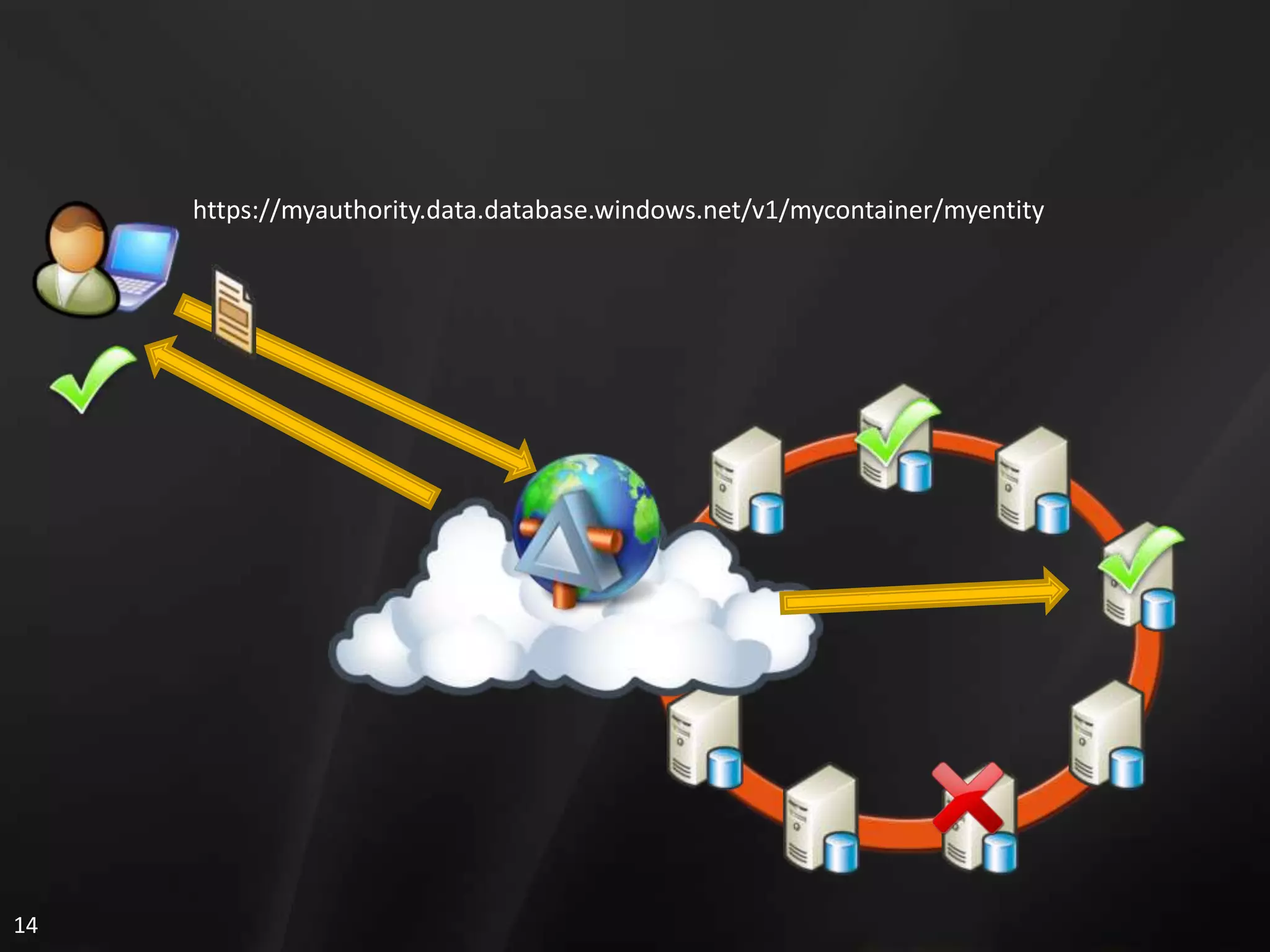
  • #6 (build)Today, when a user wants to access their data, they use a unique URL that identifies the resource. In this case, a GET request has been issued for this particular entity. The first thing that happens is that the URI is resolved to the particular service and datacenter where it resides. When other datacenters come online, this can be in different geographic locations.(build) The service itself fronts the distributed SQL nodes as shown here. When the user’s request comes in, the service determines which set of nodes holds the data for the given user. This is done with a local, cached partition map at the service layer.(build) The service directs the user to the ‘primary’ partition for their data in this case. However, it may be the case that something bad has happened to that node. (build) When nodes die, the fabric kicks in and elects a new ‘primary’ partition. The partition map is updated at the service and the request is routed to the new node. (build) From the user’s perspective all they see is the data going back and are blissfully unaware that something bad might have happened.
  • #7 Writing to SQL Data Services is somewhat similar to the read scenario with some additional steps. (Build) Again, like before we resolve the endpoint reference to the service and geography. (build) The data to be updated or inserted is sent to the service which holds the partition map that locates the user’s primary partition in the distributed backend.(build) The data is sent to the primary partition and immediate replicated to N number of peer nodes. (build) Each one of the nodes reports back if the write was successful. Using a what is called a quorum, the write will succeed if the quorum passes. Here in this slide, two out of three pass, so the quorum is said to be met and the write is successful. (build) Once all this happens, the user is sent a success message. Since we guarantee consistency, we wait for all this to occur before sending any reply back to the client. If the quorum were to fail for some reason, the user would get an error and we would not persist the write.
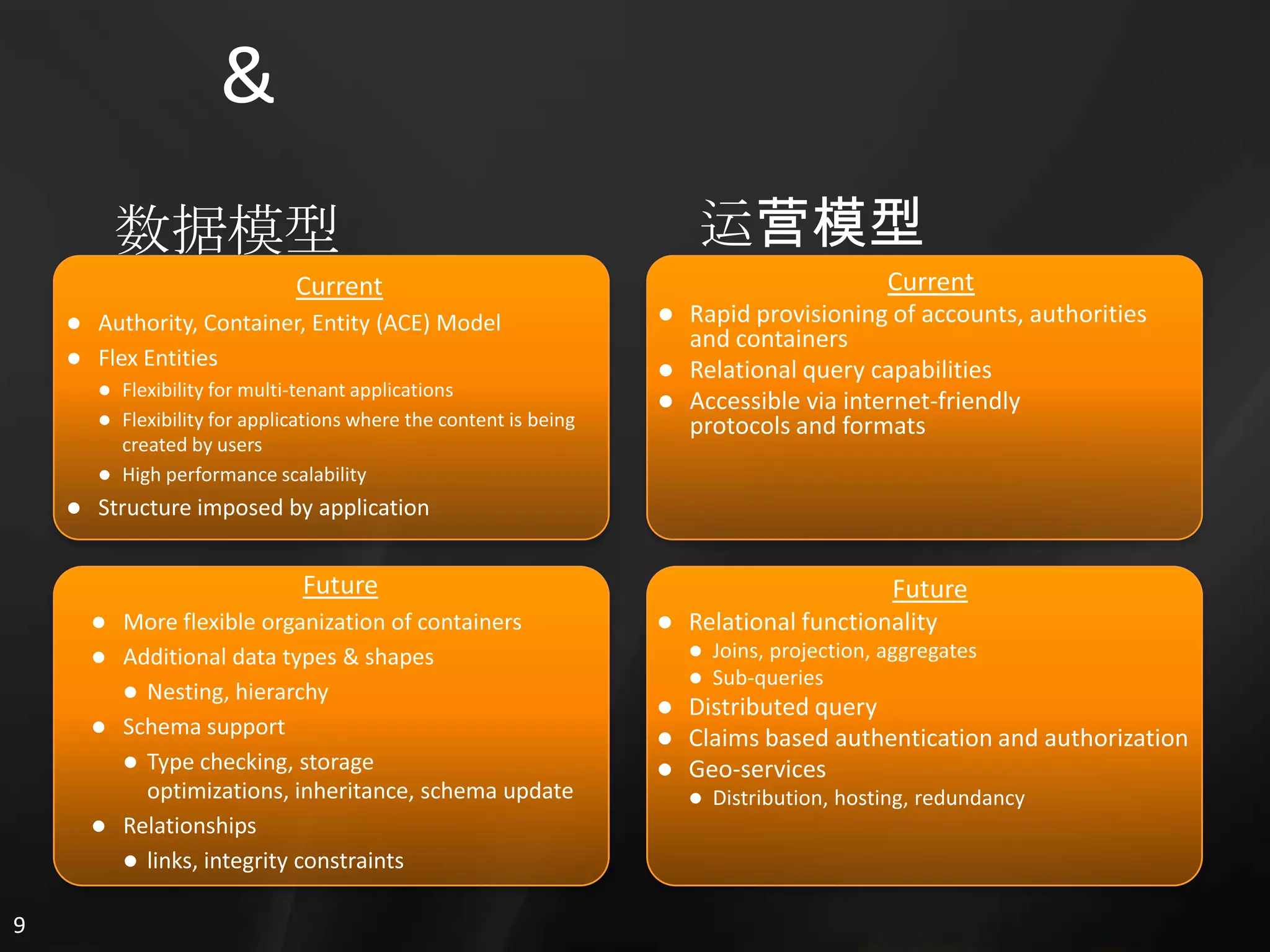
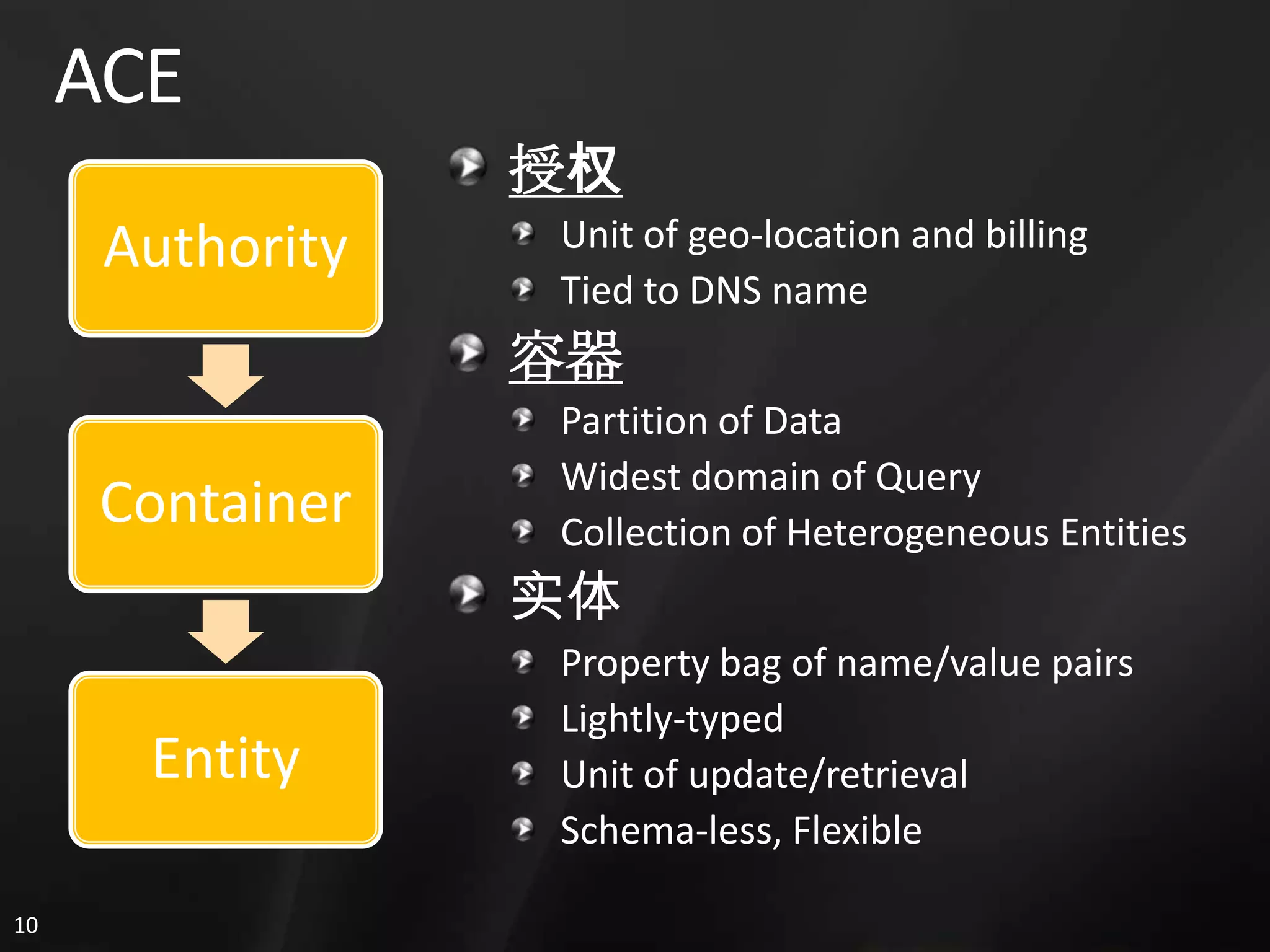
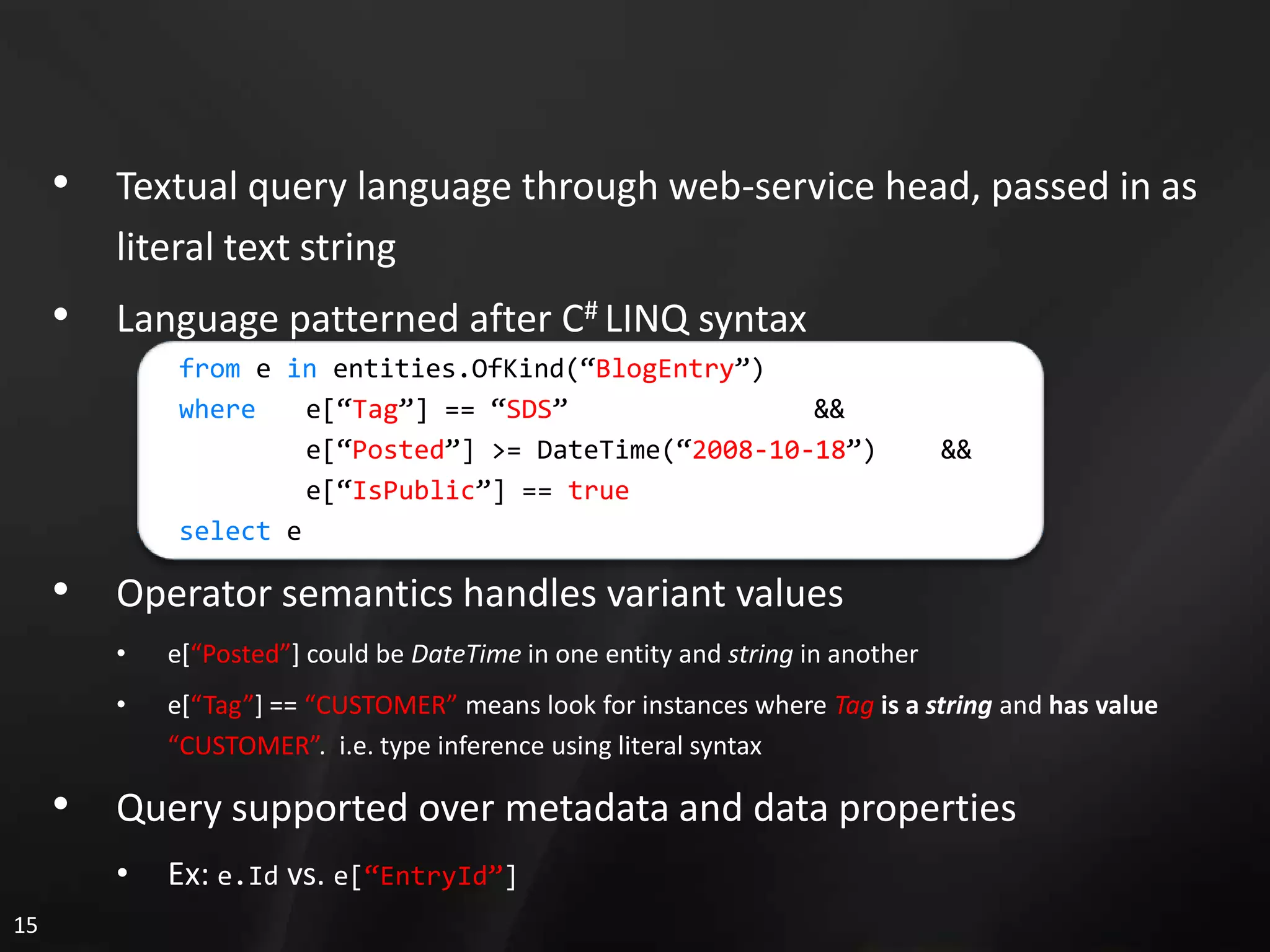
  • #8 The query model is fairly simple today. We have started with a very basic query language modeled after the C# LINQ syntax. It currently supports simple predicates of the entity property, comparison, constant kind. Since we use flexible data in the ACE model, notice how the query language use a weakly typed syntax to address the possible attributes. Since we do expose a few metadata attributes and those are known at runtime, we can use a strongly typed syntax and dot notation to address those (Id, Kind, Version). Notice that the semantics used in the query determine how the service treats the data. So, we qualify things like DateTime with keywords so the system knows how we ant those interpreted for query and comparison operations. The same is true for things like boolean values where “true” and true mean two different things.As we expose more relational features, additional operations and syntax will be introduced to use those features.
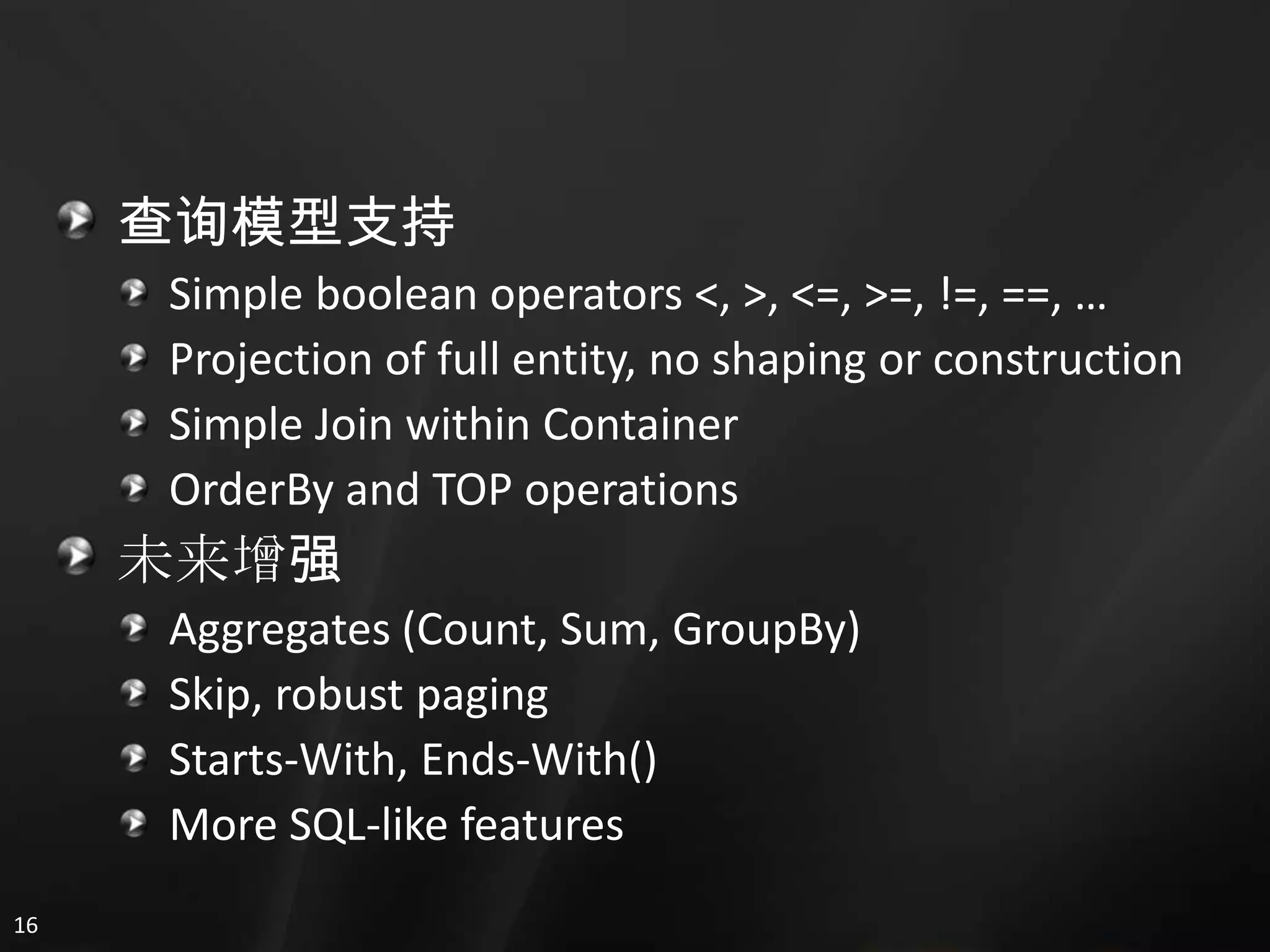
  • #9 Today, we support simple predicates. We also support a JOIN operation within a container as well as the TOP and OrderBy operations. Projection of the full entity is required today.We anticipate adding many more relational features like aggregates, subqueries, key relationships, schema and constraints in the future as well.
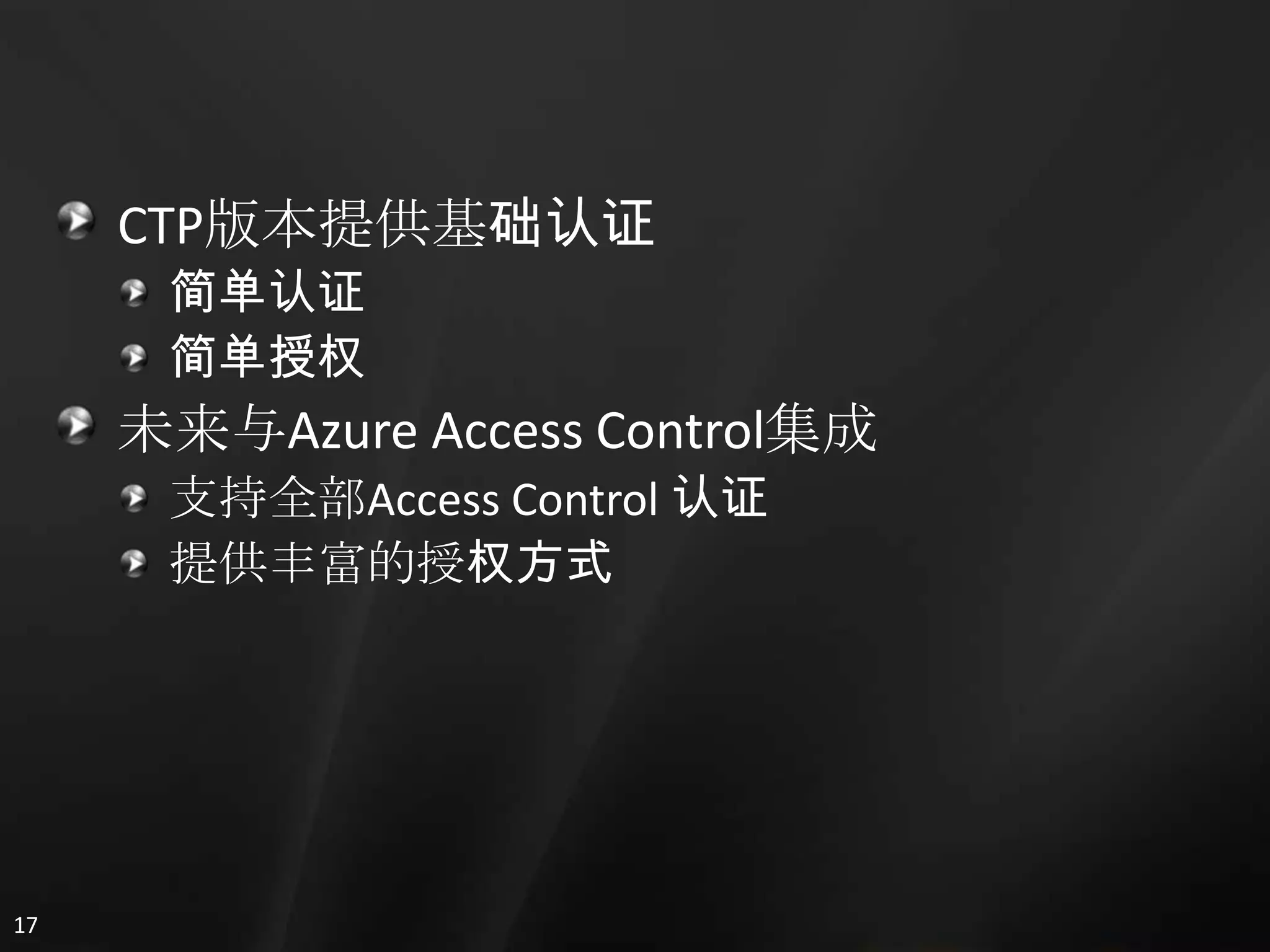
  • #10 We support two methods of authentication today in the CTP. We support the basic authentication you find in browsers today, where credentials are secured over the SSL channel but otherwise in sent in more or less cleartext.Additionally, over the SOAP head, we support authentication through the access control service, which provides us the same factors that access control supports: username/pwd, X509, Cardspace, etc.Going forward, we are working to make securing and authorizing access to your data easier and more granular using the Access Control service.
  • #11 The step-by-step demo script for this demo is included in the Azure Services Training Kit. DEMO SCRIPT: <SPECIFY THE NAME OF THE DEMO SCRIPT FILE>
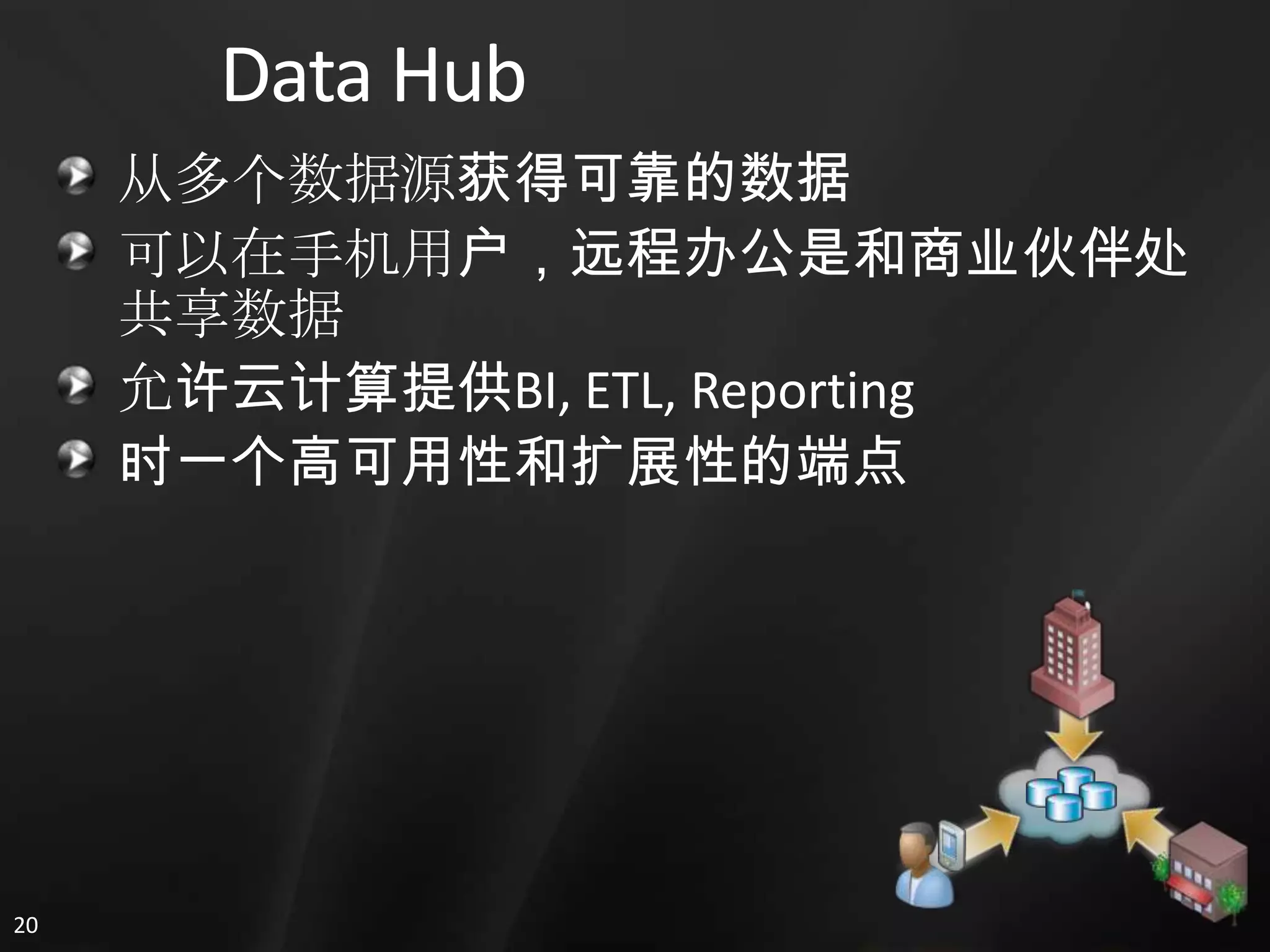
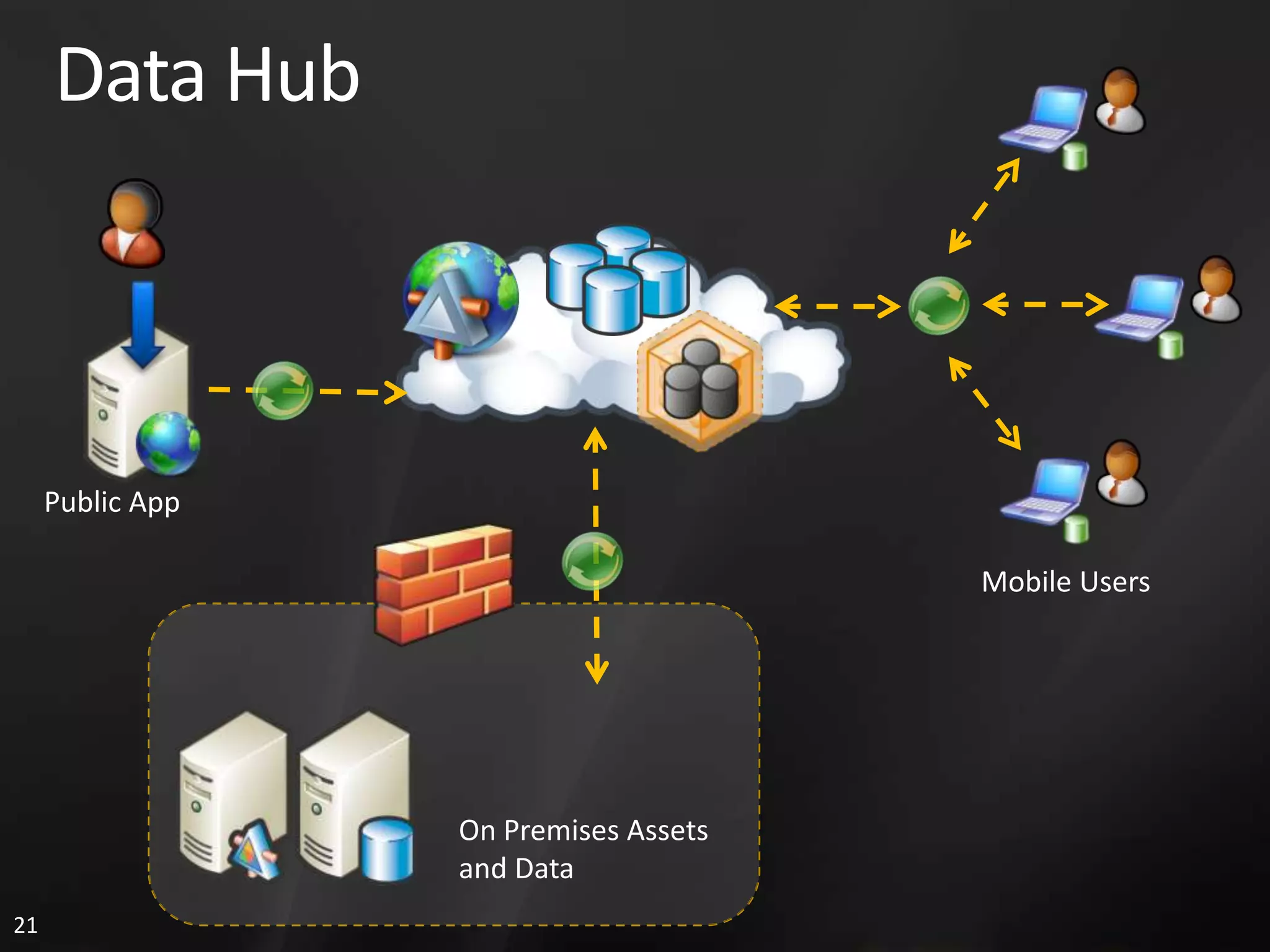
  • #14 One of the key scenarios we see enabled by the cloud is the idea of the data hub. A vast repository of data that can shared between users: between partners, customers, and applications in a variety of form factors and platforms.Not only does moving data to the cloud facilitate sharing of data securely, but it also allows for easy aggregation and a focal point for BI operations.
  • #15 Today, when you want to bring new applications into your existing infrastructure, you can face a few problems. Namely, you spend a lot of time worrying about integration and worrying about new capacity planning.(build) One of the great benefits of the data hub scenario is that we are saying you can keep your on-premises, legacy systems, behind the firewall and working as they do today. (build) We simply introduce the scalable cloud that your new public applications (hosted in Windows Azure perhaps) use to store data. We can synchronize from the application (build) back to your on-premises data (build), just what you need. The on-premises applications can continue their bread & butter operations that you don’t want to put in the cloud without introducing any new capacity requirements on your existing investments.Additionally, (build) when you introduce the architecture it also allows you to take your application out to many users in the mobile workforce that can sync and work offline. (Build) Finally, we are investing in the same BI capabilities you see today in SQL Server to run in the cloud, so this vast repository of data can be mined and reported upon.
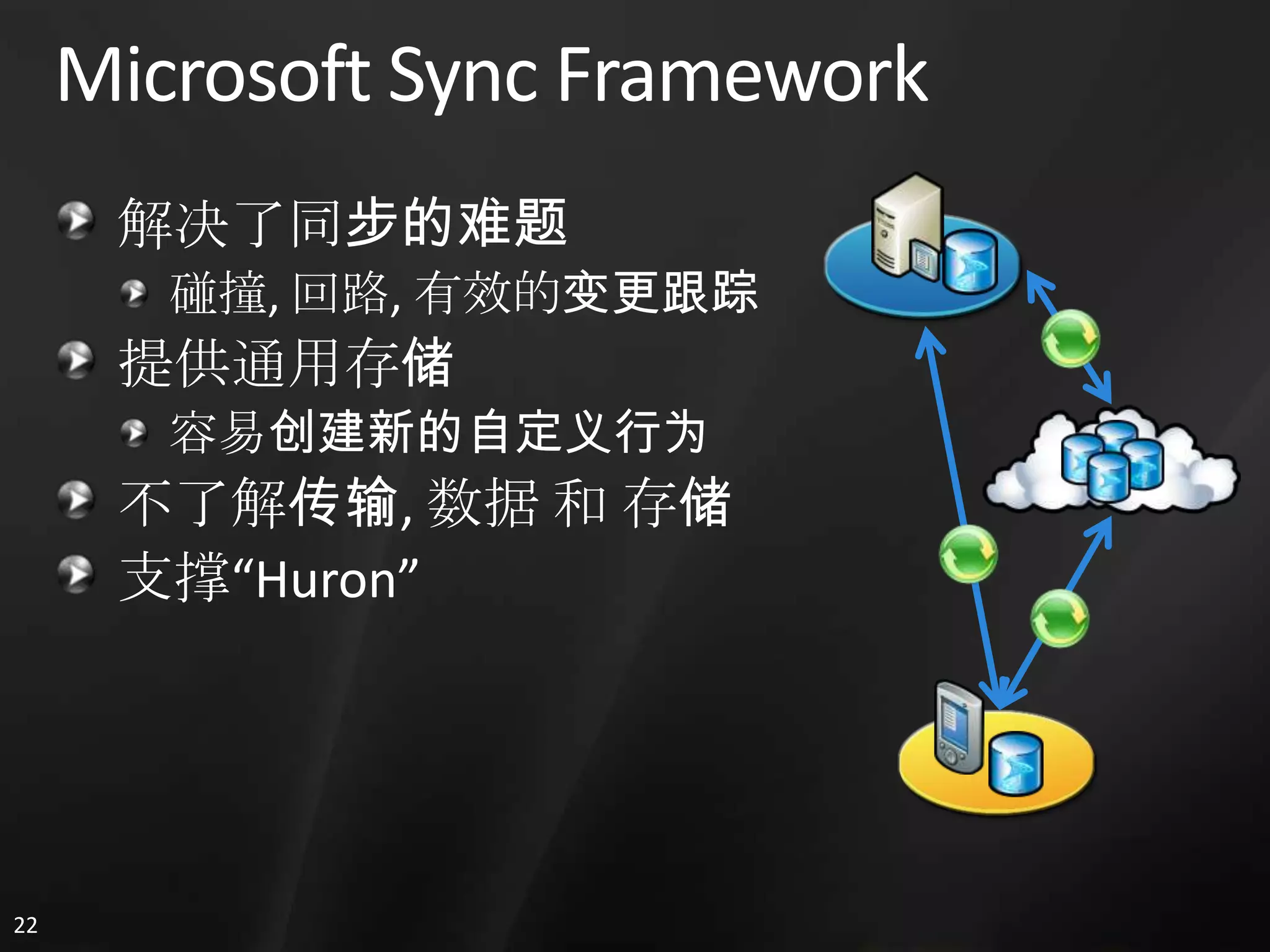
  • #16 It is hard to talk about the data hub scenario without mentioning what the key enabler is for this. The Data Sync capability comes from the Microsoft Sync Framework. This framework solves the really hard problems in sync today. It gives us control to implement as much or as little control over the sync process as we want. We can implement very sophisticated conflict resolution, or just take a simple tact (last one wins).We have providers for the most common stores, but it is actually very simple to build your own provider for any data source you own. Since the MSF is transport, data, and store agnostic, there really is no limitation to what you can sync (Exchange, databases, filesystems, contacts, calendars, you name it).This technology is actually what underpins a project we call “Huron” (next slide).
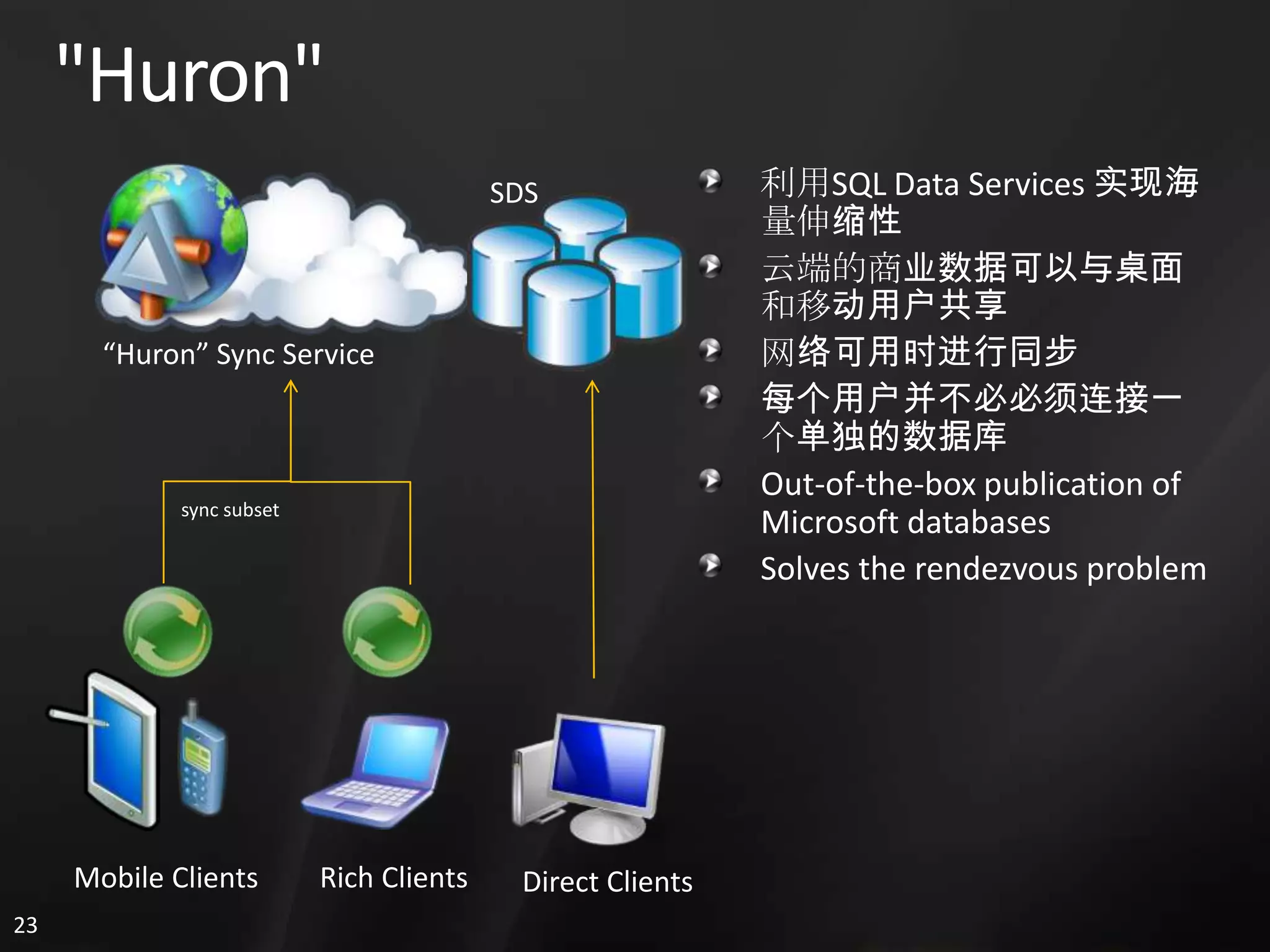
  • #17 Huron is a synchronization service that lives in the cloud. Using SDS, we can publish our data to the cloud where the sync service facilitates syncing and tracking our data across devices and form factors. The cloud holds the full copy of the data while devices can sync and change portions of it (if they choose).If we look at this today, this allows us to take an Access database, publish it to the cloud where thousands of other users can subscribe to it. Each user can make their changes locally, which in turns syncs back to the cloud where all users are updated. Effectively, we can scale out our database well beyond what something like Access could do on its own. To be clear, not every even has to use Access. We can subscribe to this data from SQL Compact, or even directly from the cloud itself. Any change we make directly or through SQL Compact would be reflected by the service in all the subscribed clients.
  • #18 The step-by-step demo script for this demo is included in the Azure Services Training Kit. DEMO SCRIPT: <SPECIFY THE NAME OF THE DEMO SCRIPT FILE>
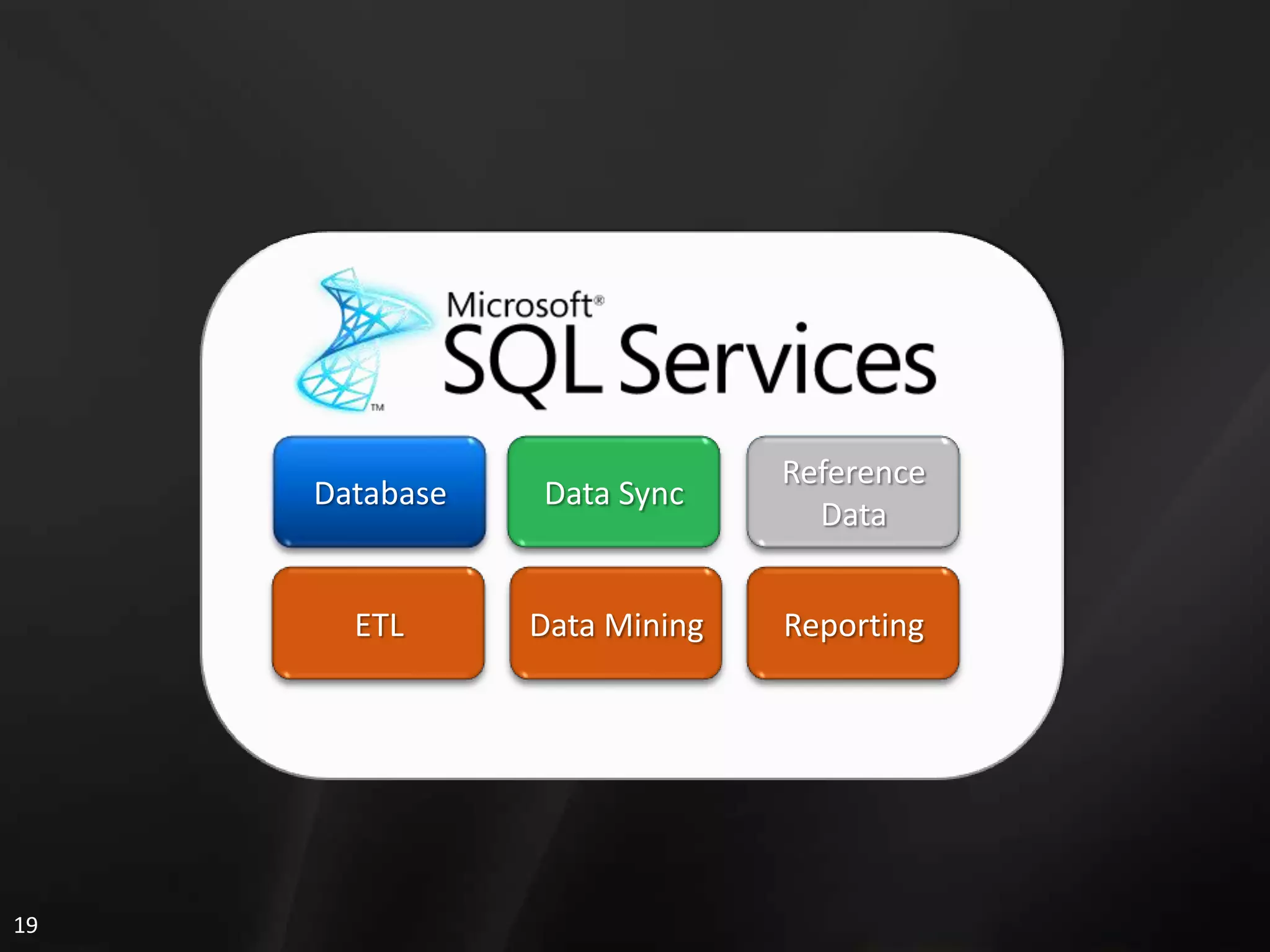
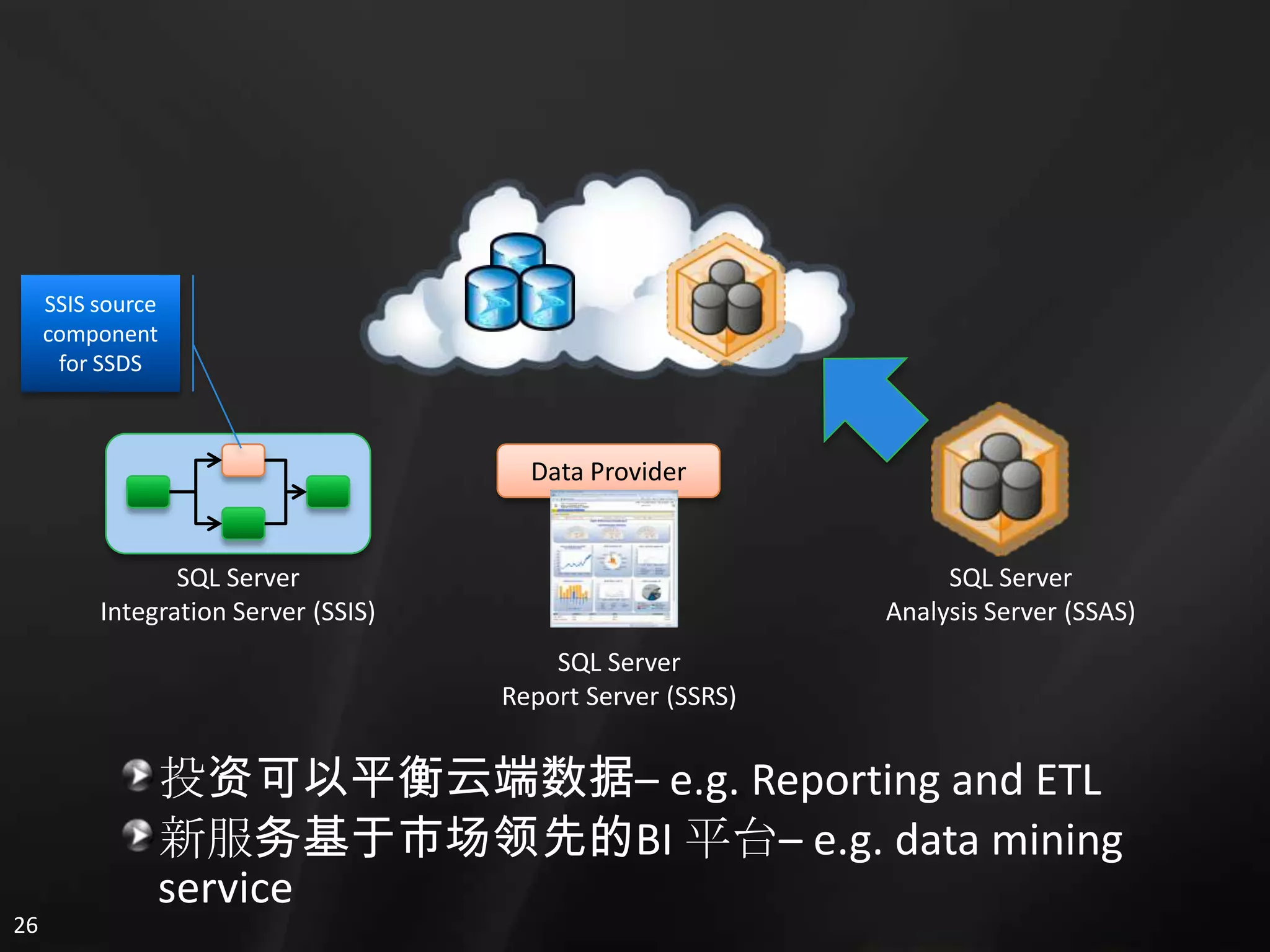
  • #20 Available today in incubation form at http://sqlserviceslabs.net we have a number of tools available for BI. We have an experimental provider for SSIS to perform ETL. We have a data provider that allows us to write reports that integrate both local and cloud data into the report. Additionally, we have SSAS tools that run both on premises as well as the cloud. We are investing effort in the tools to make sure that anything you have learned or invested in for on-premises SQL also has an analog in the cloud services world. We will try to keep the same toolsets and same patterns where possible.
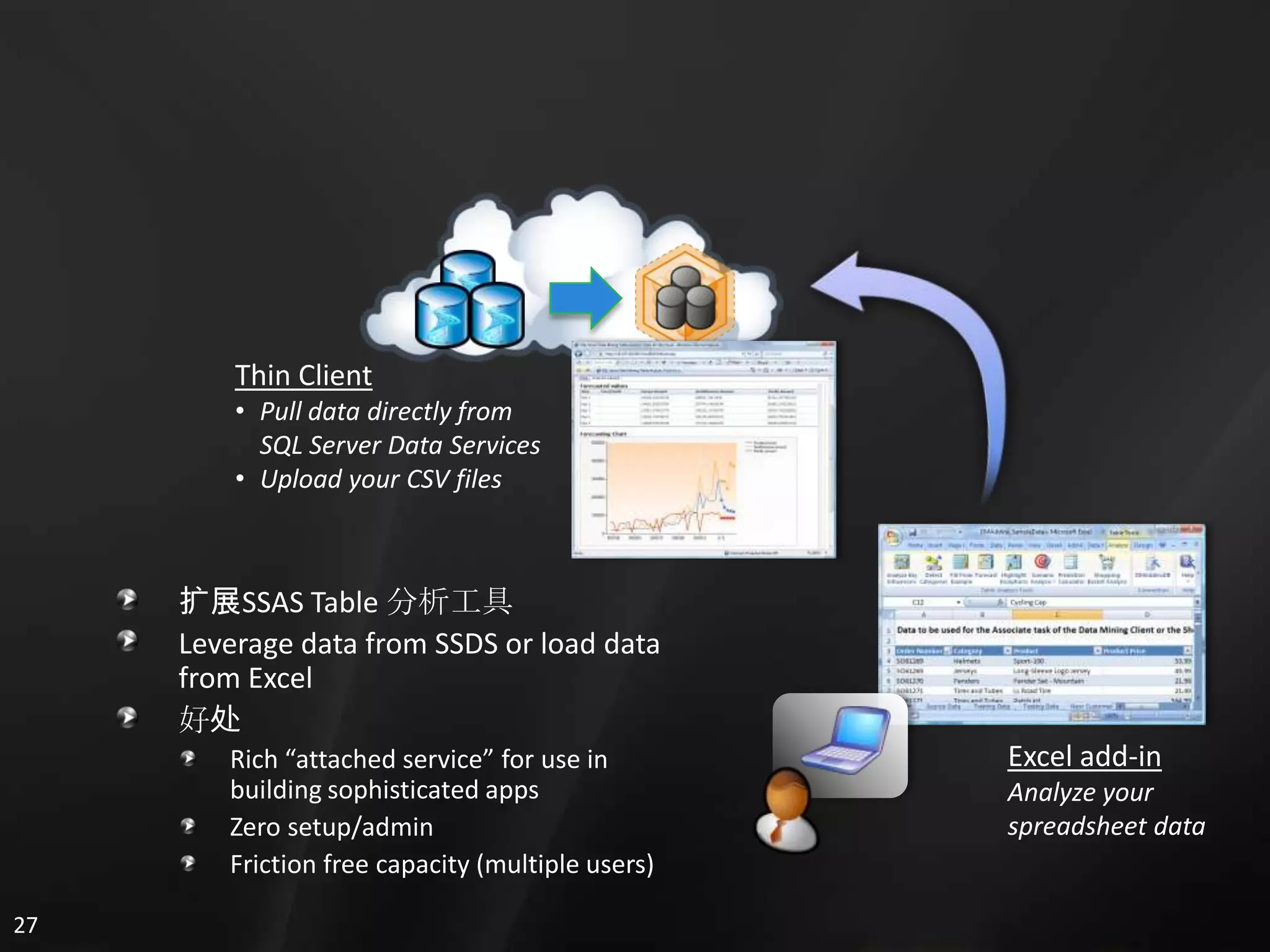
  • #21 We have an early project today that shows some of the capabilities of our SSAS tools. We can take any data from SQL Data Services, or you can upload CSV files from Excel. Our tool will give you things like KPI and calculations – similar to what you see today in SSAS. You can imagine that as the capacity of your cloud data grows, so will the need to be able to report and crunch that data without downloading terabytes worth down locally. As such, we are keenly aware of the need to continue to invest in this space and make this as simple as possible: both to admin as well as to run for your users.
  • #22 The step-by-step demo script for this demo is included in the Azure Services Training Kit. DEMO SCRIPT: <SPECIFY THE NAME OF THE DEMO SCRIPT FILE>
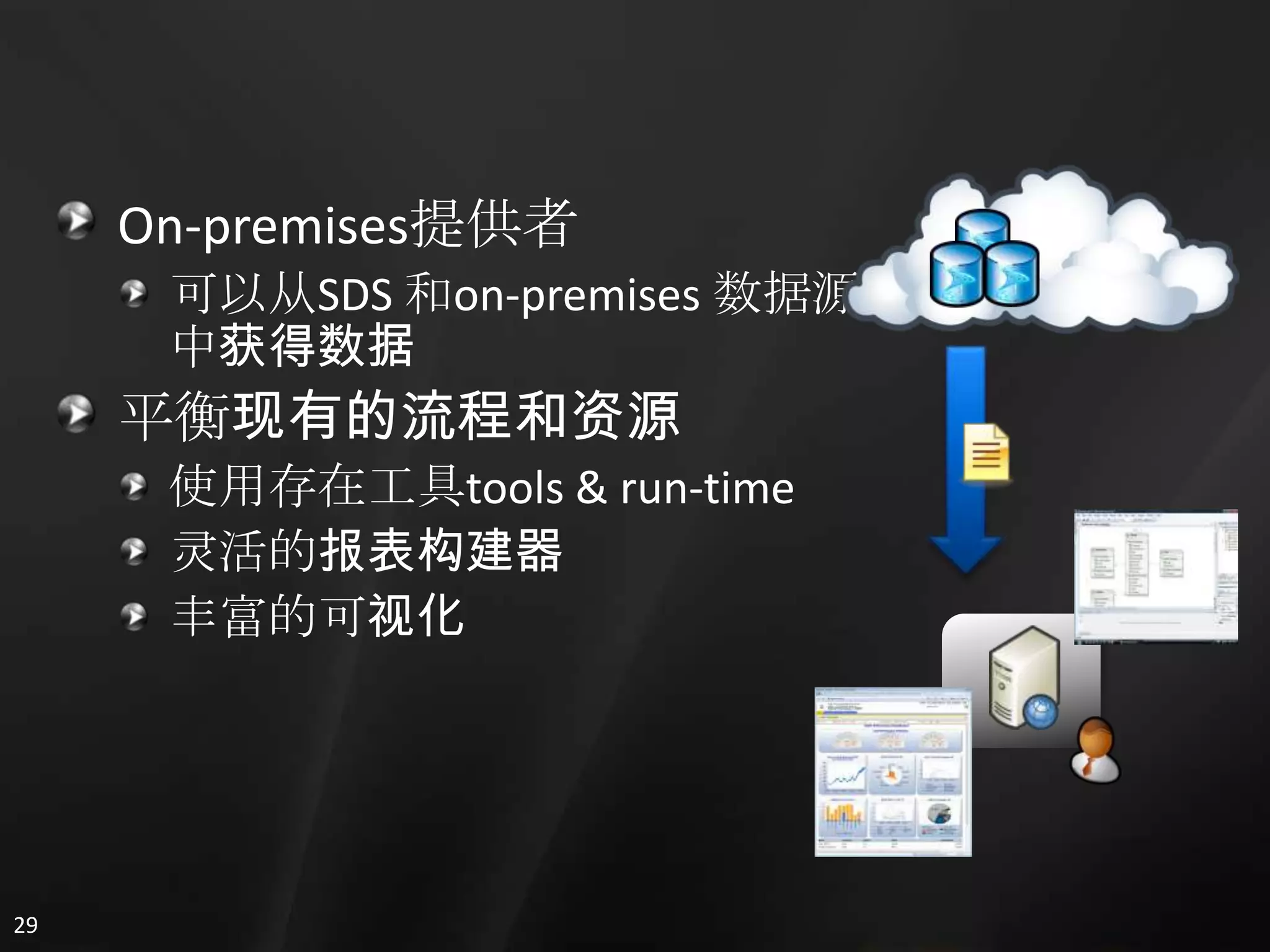
  • #23 Finally, we have reporting capabilities today that run on-premises but can pull from both local as well as SDS data. We make this seamless to the user, so existing toolsets are used to provide the rich reporting and visualizations that you have come to expect from on-premises only solutions.
  • #25 The step-by-step demo script for this demo is included in the Azure Services Training Kit. DEMO SCRIPT: <SPECIFY THE NAME OF THE DEMO SCRIPT FILE>
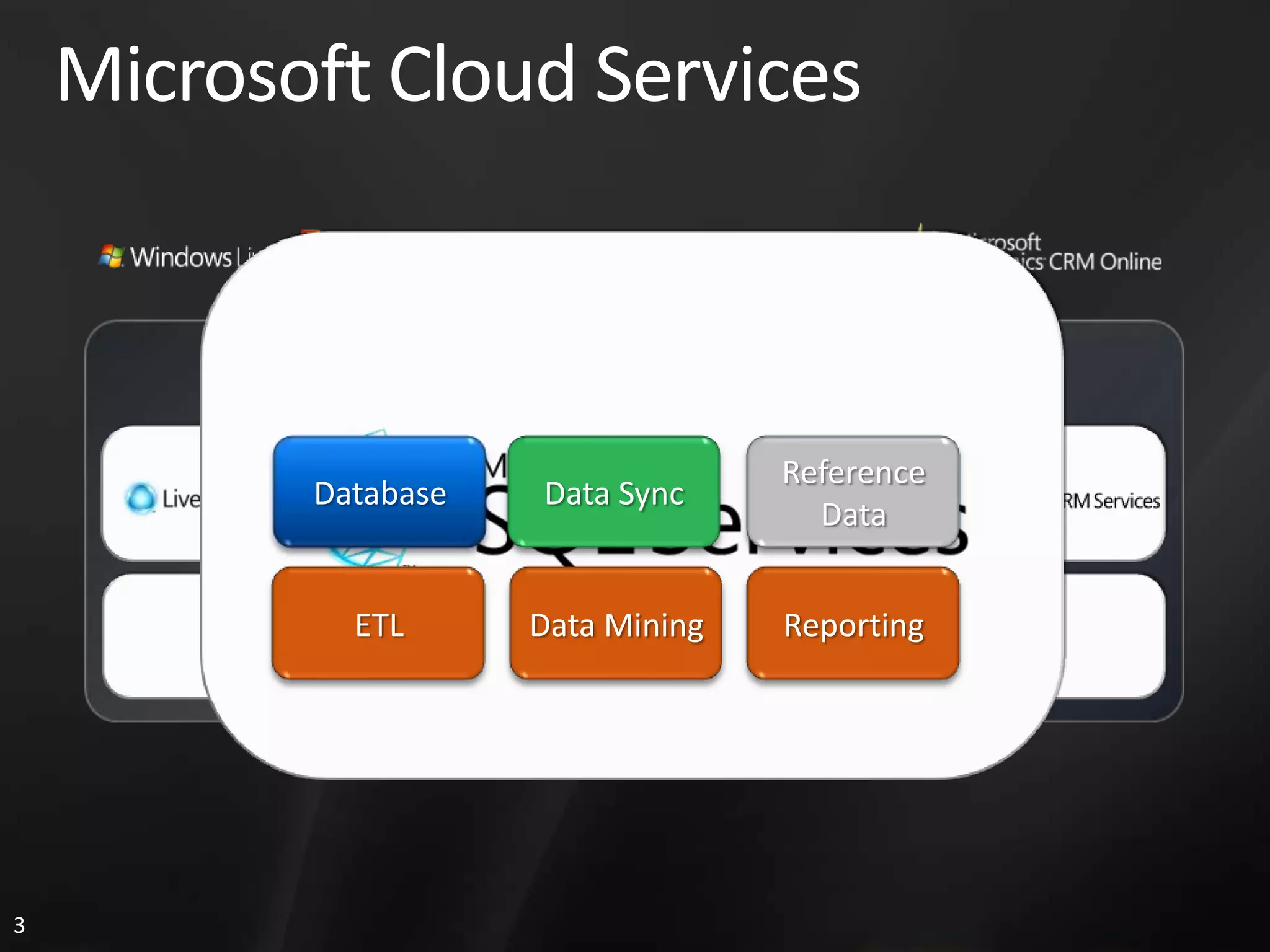
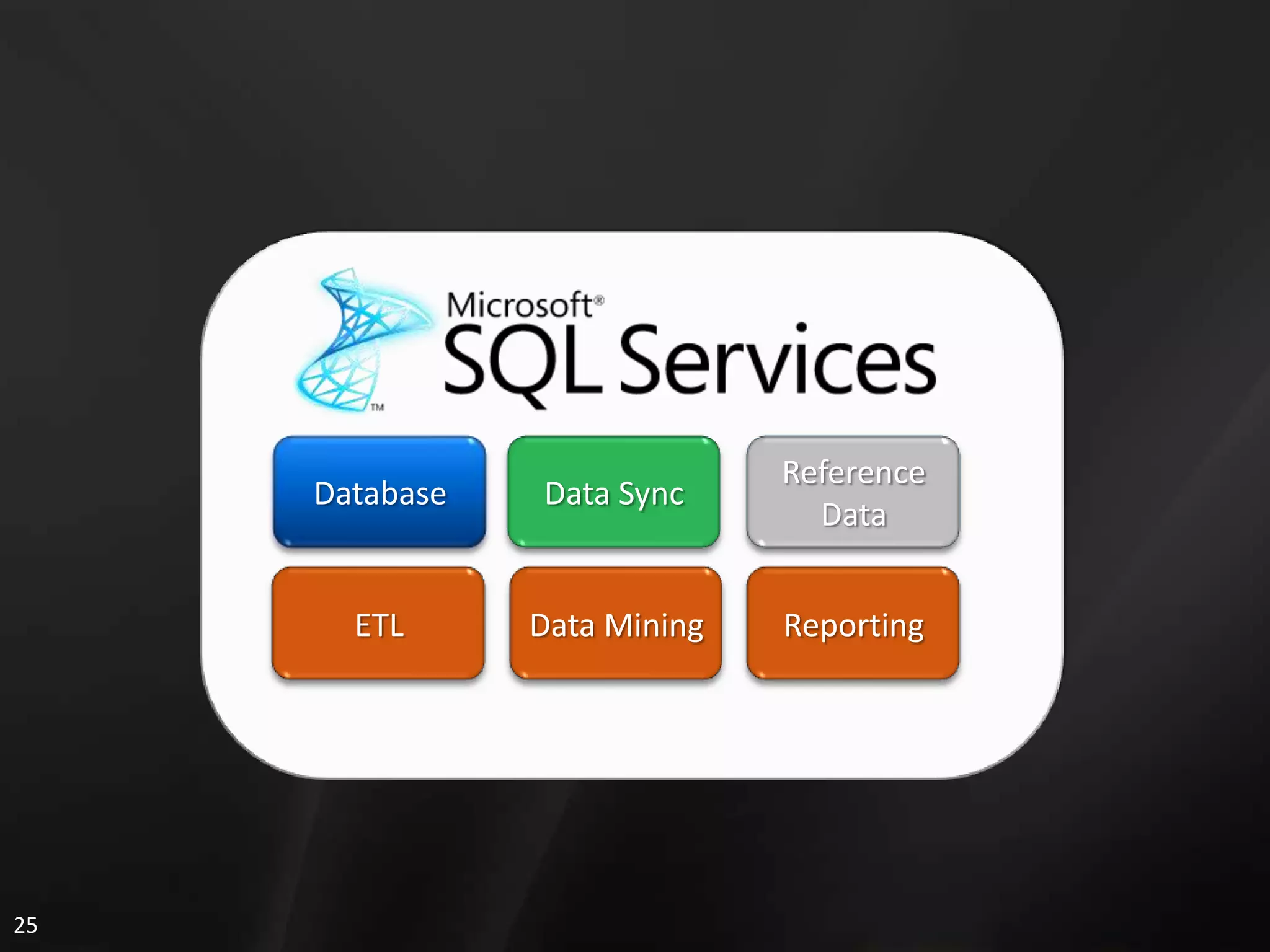
  • #26 SQL Services is a comprehensive set of data services: database, sync, and business intelligence. We see SDS as part of the evolution of the data platform as we extend from the smallest devices to now out in the cloud. We are working to ensure that your investments in data in both the cloud and on-premises work together as seamlessly as possible through things like the sync framework. Additionally, we are working to bring features you have come to expect from on-premises SQL Server to be available in the cloud, along with rich reporting and BI capabilities.
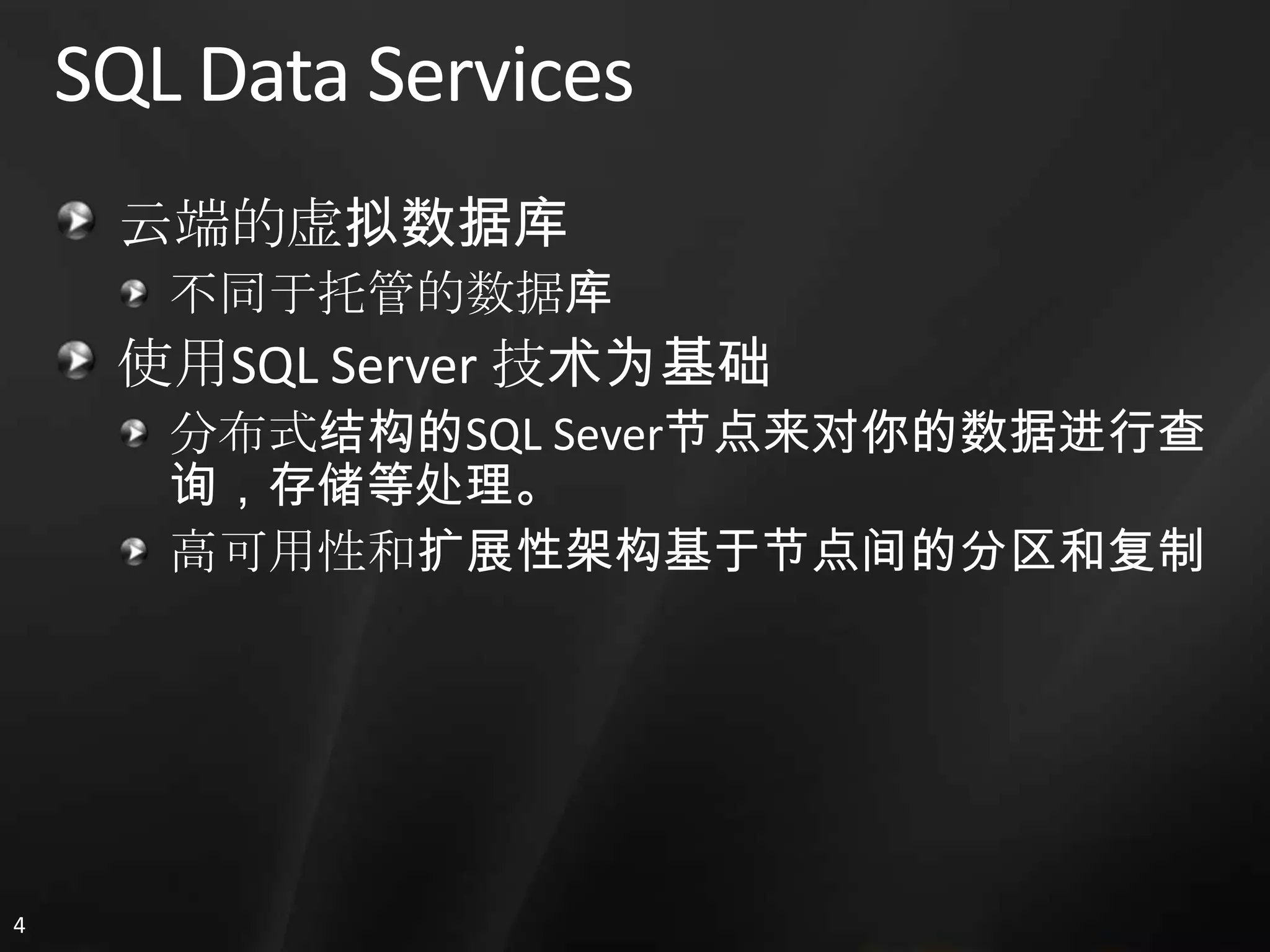
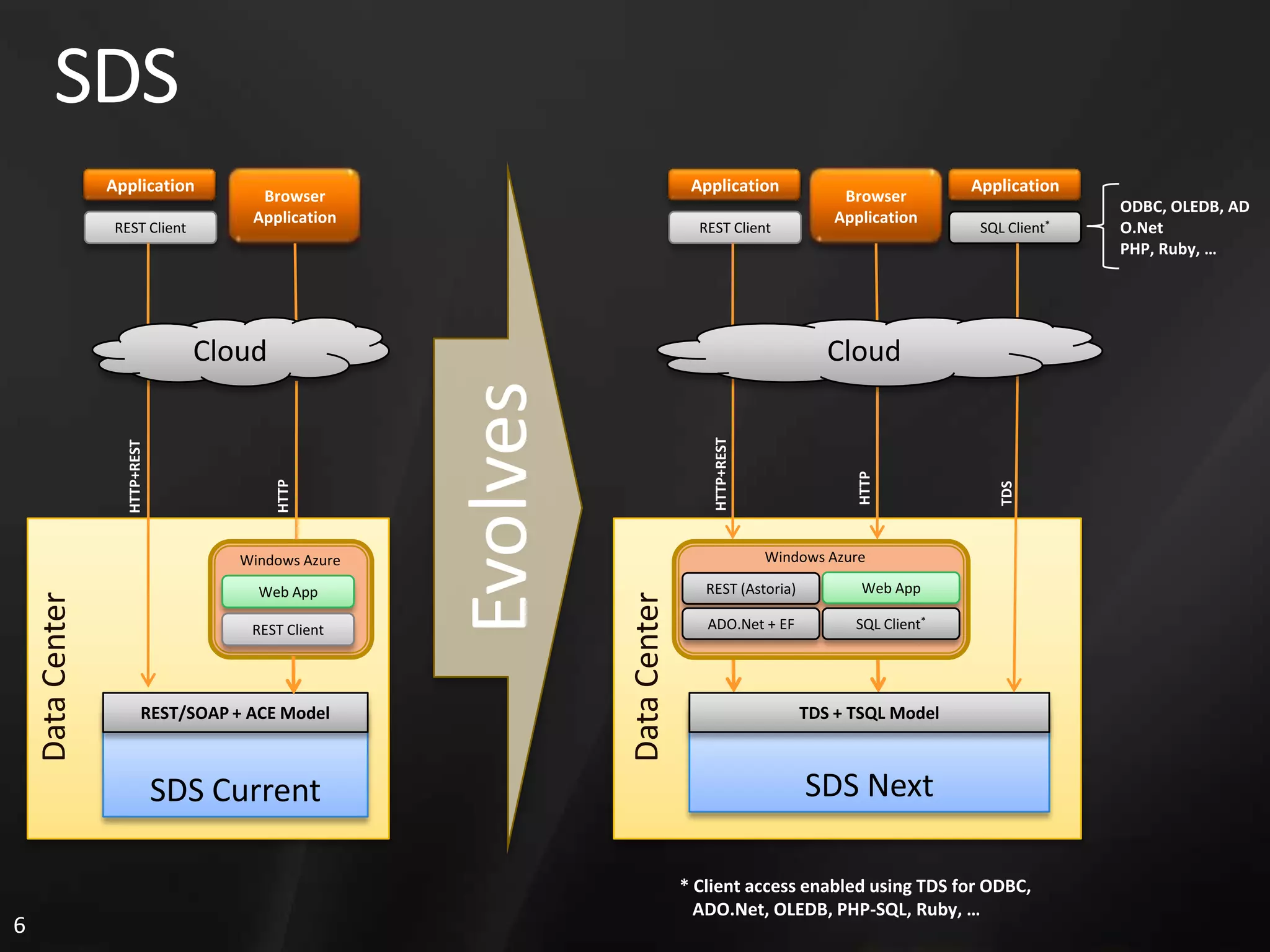
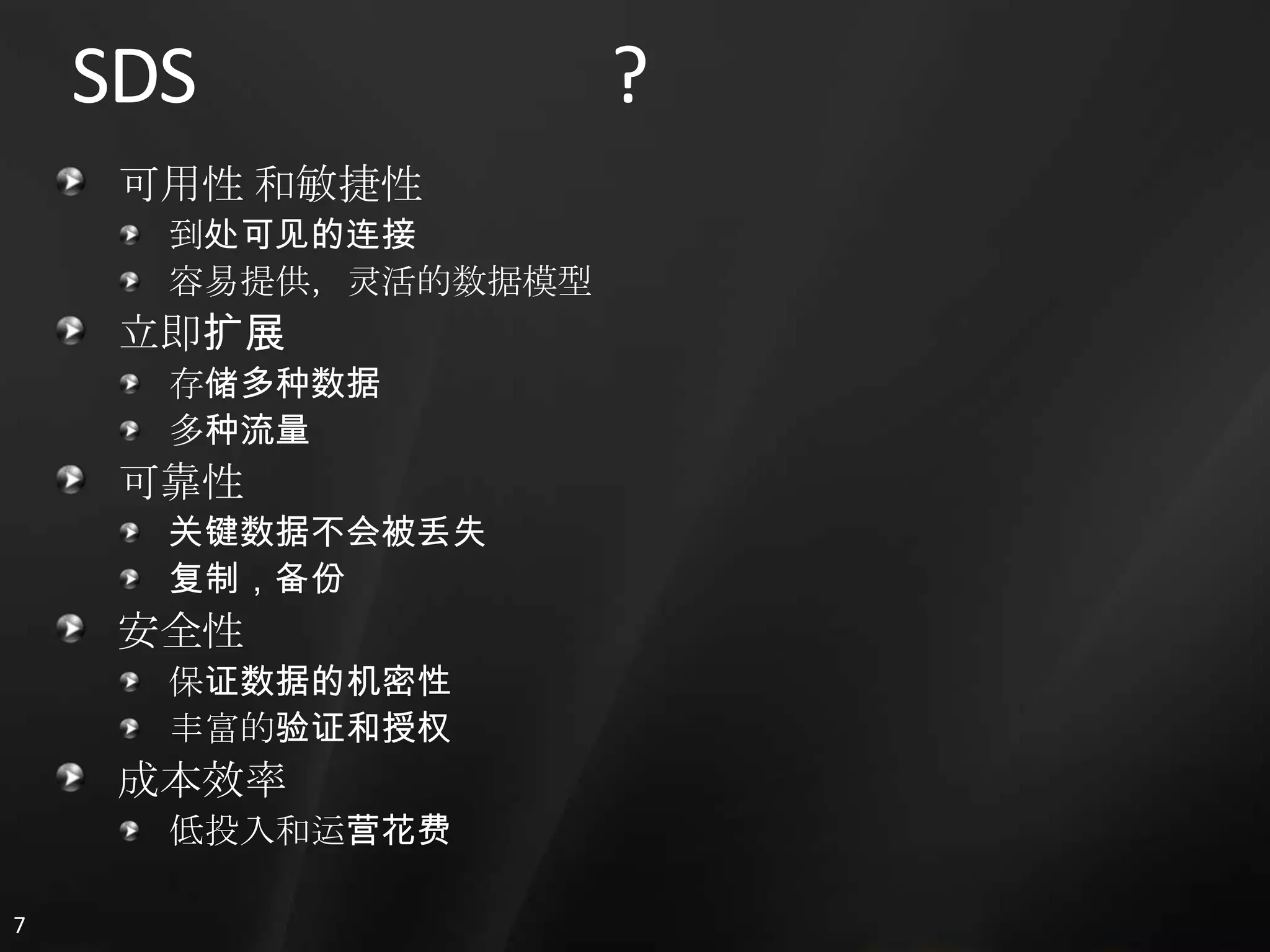
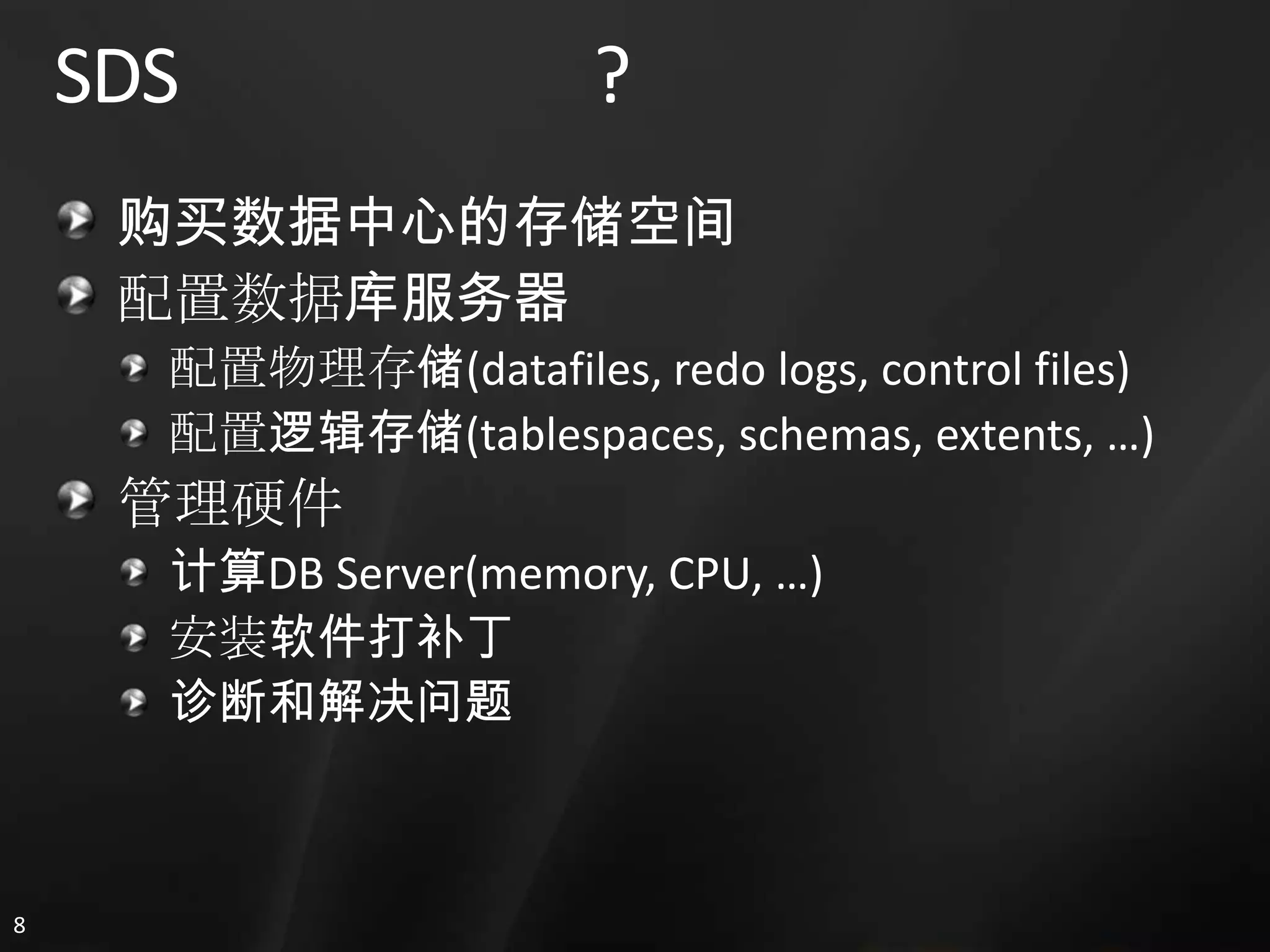
  • #30 Key understanding the difference between hosted and virtualized databases. While you can host your own, you lose a lot of value. SDS is a virtualized database service and as such removes a lot of friction and barriers to getting started and managing it.SQL Server is the enabling technology and will be exposed more and more as the service progresses.
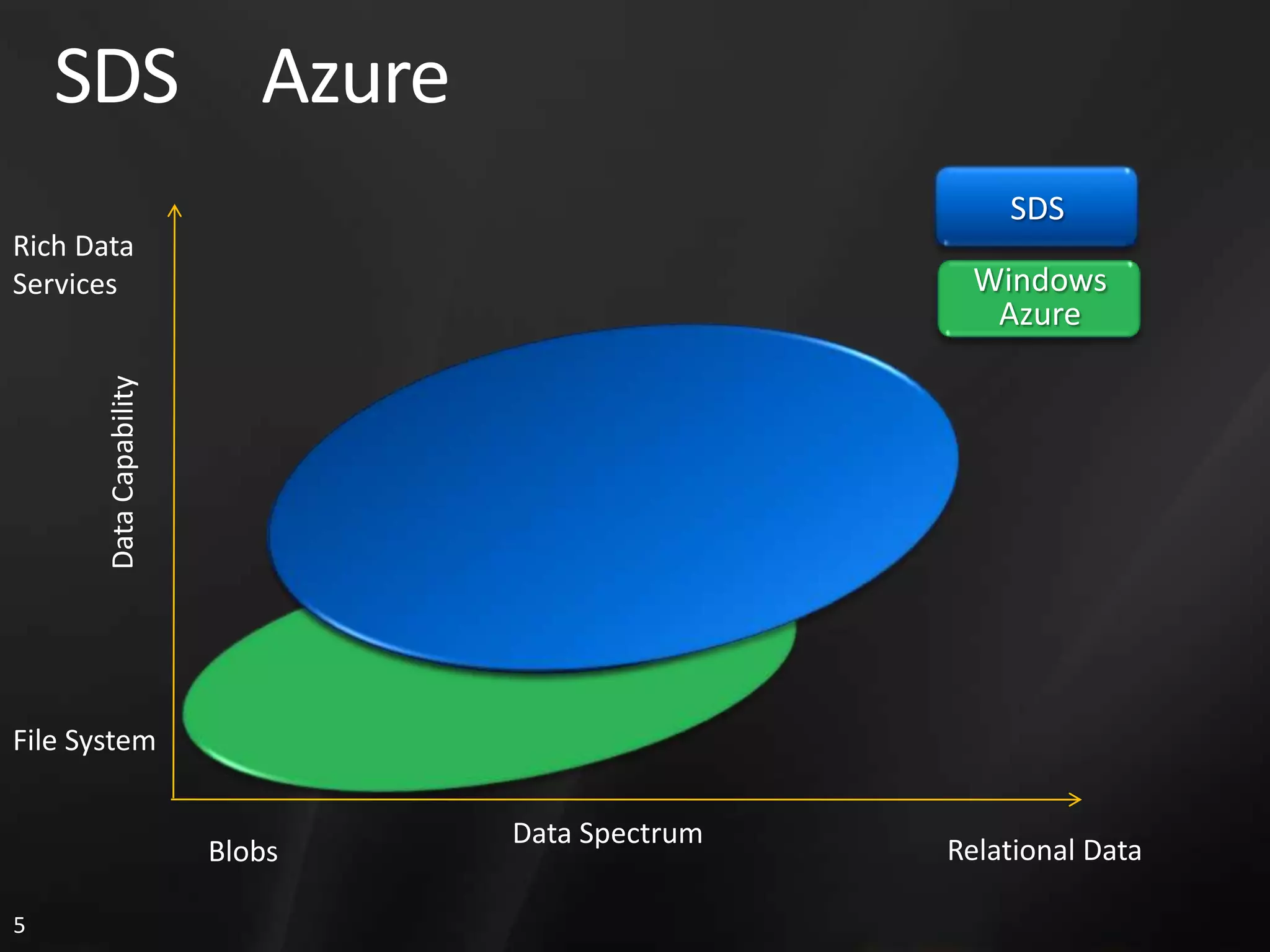
  • #31 Blob:binary large object, also known as a blob, is a collection of binary data stored as a single entity in a database management system. Blobs are typically images, audio or other multimedia objects, though sometimes binary executable code is stored as a blob. Database support for blobs is not universal.If we look at the spectrum of the types of data that applications deal with, we have everything from simple blobs (files) all the way to highly structured relational data. We also have a spectrum of functionality, ranging from a simple file system (create, read, update, delete), all the way to rich data services and capabilities like joins, aggregates, BI.There are some overlaps today in the Windows Azure storage and SDS services. However, in time there will be a clear delineation between the relational features of SDS and the data and capabilities in Windows Azure.