Course 2956B:  Core Foundations of Microsoft ®  .NET 2.0 Development
Introduction Name Company affiliation Title/function Job responsibility Programming   experience Microsoft Visual Studio   experience Your expectations for the course
Course Materials Student workbook Student Materials CD Course evaluation
Microsoft Learning Product Types Course Traditional classroom presentation that combines lecture with guided activities to prepare you for a job or using a new Microsoft technology Lecture Activity iWorker Course Scenario-based courseware line to compete in the desktop applications market; s upports on-the-job performance improvement with business and productivity solutions Lecture Activity Workshop Experienced with the technology? Learn a skill or function through instructor-facilitated activities and self-directed study Lecture Activity
Microsoft Learning Product Types ( continued ) Clinic What you need to know when using a Microsoft product or feature to solve a business problem Lecture Demo Hands-On Lab A hands-on  first look at features of the latest Microsoft technologies to become familiar with the product  Lecture Prescriptive Activity First-Look Clinic Early content;  convey knowledge-based (not skills-based) information to high-level Business Decision Makers Lecture Demo
Microsoft Learning http://www.microsoft.com/learning/ Course 2957: Advanced Foundations of Microsoft® .NET 2.0 Development  Course 2956: Core Foundations of Microsoft® .NET 2.0 Development
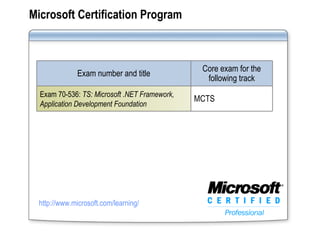
Microsoft Certification Program http://www.microsoft.com/learning/ Exam number and title Core exam for the following track Exam 70-536:  TS: Microsoft .NET Framework, Application Development Foundation MCTS
Facilities Class hours Building hours Parking Restrooms Meals Phones Messages Smoking Recycling
About This Course Description Course Objectives Audience
Prerequisites Understand the .NET 2.0 Framework, the common language runtime, and the common type system Have experience creating applications by using Visual Basic or Visual C# Understand basic language syntax for decision structures, loop structures, and variables Understand and use classes, objects, methods, properties, and functions Use type conversions and text conversions Create and use solutions and projects by using Visual Studio 2005 Use the Visual Studio 2005 object browser and the Visual Studio help system
Course Outline Module 1: Developing Applications by Using Types and Standard Contracts  Module 2:  Managing Common Data by Using Collections  Module 3: Deploying and Configuring Assemblies  Module 4: Monitoring and Debugging Applications Module 5: Reading and Writing Files  Module 6: Serializing Data
Virtual Machine Environment Virtual machine Used as the: 2956B-LON-DEV- XX (where  XX  is the module number) Development machine
Demonstration: Using Microsoft Virtual Server Virtual machines can communicate with each other and with the host, but not with other computers outside the virtual environment In this demonstration, you will learn how to: Manage virtual machines using the Virtual Server Administration Website Connect to virtual machines using the Virtual Machine Remote Control Client Shut down virtual machines

2956 b 00

  • 1.
    Course 2956B: Core Foundations of Microsoft ® .NET 2.0 Development
  • 2.
    Introduction Name Companyaffiliation Title/function Job responsibility Programming experience Microsoft Visual Studio experience Your expectations for the course
  • 3.
    Course Materials Studentworkbook Student Materials CD Course evaluation
  • 4.
    Microsoft Learning ProductTypes Course Traditional classroom presentation that combines lecture with guided activities to prepare you for a job or using a new Microsoft technology Lecture Activity iWorker Course Scenario-based courseware line to compete in the desktop applications market; s upports on-the-job performance improvement with business and productivity solutions Lecture Activity Workshop Experienced with the technology? Learn a skill or function through instructor-facilitated activities and self-directed study Lecture Activity
  • 5.
    Microsoft Learning ProductTypes ( continued ) Clinic What you need to know when using a Microsoft product or feature to solve a business problem Lecture Demo Hands-On Lab A hands-on first look at features of the latest Microsoft technologies to become familiar with the product Lecture Prescriptive Activity First-Look Clinic Early content; convey knowledge-based (not skills-based) information to high-level Business Decision Makers Lecture Demo
  • 6.
    Microsoft Learning http://www.microsoft.com/learning/Course 2957: Advanced Foundations of Microsoft® .NET 2.0 Development Course 2956: Core Foundations of Microsoft® .NET 2.0 Development
  • 7.
    Microsoft Certification Programhttp://www.microsoft.com/learning/ Exam number and title Core exam for the following track Exam 70-536: TS: Microsoft .NET Framework, Application Development Foundation MCTS
  • 8.
    Facilities Class hoursBuilding hours Parking Restrooms Meals Phones Messages Smoking Recycling
  • 9.
    About This CourseDescription Course Objectives Audience
  • 10.
    Prerequisites Understand the.NET 2.0 Framework, the common language runtime, and the common type system Have experience creating applications by using Visual Basic or Visual C# Understand basic language syntax for decision structures, loop structures, and variables Understand and use classes, objects, methods, properties, and functions Use type conversions and text conversions Create and use solutions and projects by using Visual Studio 2005 Use the Visual Studio 2005 object browser and the Visual Studio help system
  • 11.
    Course Outline Module1: Developing Applications by Using Types and Standard Contracts Module 2: Managing Common Data by Using Collections Module 3: Deploying and Configuring Assemblies Module 4: Monitoring and Debugging Applications Module 5: Reading and Writing Files Module 6: Serializing Data
  • 12.
    Virtual Machine EnvironmentVirtual machine Used as the: 2956B-LON-DEV- XX (where XX is the module number) Development machine
  • 13.
    Demonstration: Using MicrosoftVirtual Server Virtual machines can communicate with each other and with the host, but not with other computers outside the virtual environment In this demonstration, you will learn how to: Manage virtual machines using the Virtual Server Administration Website Connect to virtual machines using the Virtual Machine Remote Control Client Shut down virtual machines