Getting Organized: 
Managing your research 
Scholars’ Commons Workshop Series - September 26, 2014 
Juliet L. Hardesty 
Metadata Analyst 
Indiana University Libraries 
jlhardes@iu.edu @jlhardes
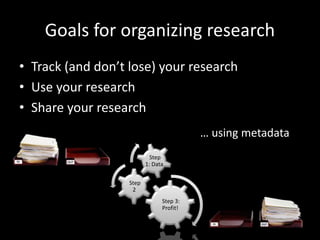
Goals for organizing research 
• Track (and don’t lose) your research 
• Use your research 
• Share your research 
Step 3: 
Profit! 
Step 
2 
Step 
1: Data 
… using metadata
What is this… metadata? 
• Describes, categorizes, organizes 
• Example 
• Store, preserve, migrate 
• Find, identify, and access later 
– (sometimes much much later after it’s mixed in 
with all sorts of other stuff that may or may not be 
related)
Field data 
• spreadsheets, proprietary software 
flickr
icanhascheezburger 
Interviews 
• sound recordings, transcriptions, 
screen capture
Citations 
• articles, books, web sites, digital collections, presentations 
flickr flickr flickr flickr
Finding things later 
• Based on feature 
– File format 
– Date 
– File name 
– Directory 
structure 
flickr
• Based on activity 
–Writing a paper 
–Conducting an experiment 
–Analyzing a data set 
–Creating a presentation 
–Preparing a lesson/course 
• No correct answer when it’s personal 
flickr
Device Determinism 
• Mobile device(s) > Main device 
• Use apps available on all of your devices 
– Evernote 
– Zotero 
– Google Drive 
– Box
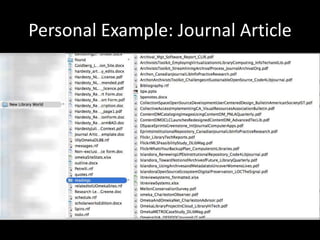
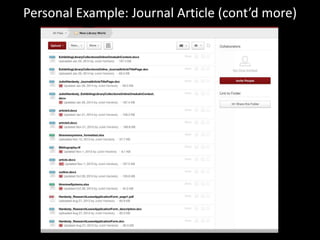
Personal Example: Journal Article
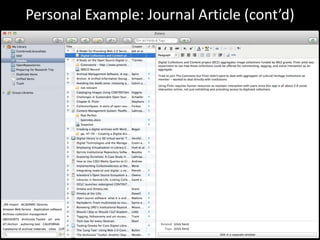
Personal Example: Journal Article (cont’d)
Personal Example: Journal Article (cont’d more)
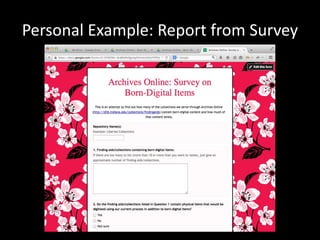
Personal Example: Report from Survey
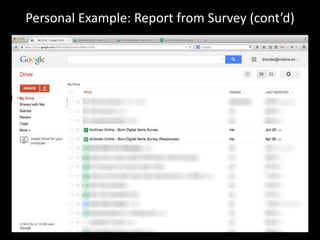
Personal Example: Report from Survey (cont’d)
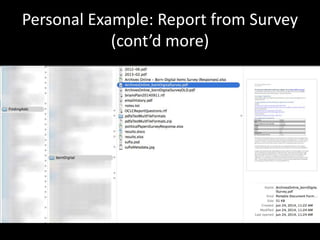
Personal Example: Report from Survey 
(cont’d more)
Back it up! 
flickr 
• Box@IU 
• Other options
Tools (and people) exist to help 
• Evernote – note-taking in the cloud 
• Zotero – citation management 
• Bamboo Dirt – more digital research tool options 
than you will ever need 
• Top 10 tech tips for IU students - UITS 
• What is Metadata? – metadata@iu.edu 
• IU Libraries Scholars’ Commons Reference Desk 
• Me! 
– Tuesdays, 10am-noon, Scholars’ Commons 157L
flickr 
Questions? 
Comments! 
• Julie Hardesty 
• jlhardes@iu.edu 
• @jlhardes 
• Metadata Consulting 
– Fall 2014 
– 10am-noon, Tuesdays 
– Scholars’ Commons 157L 
• metadata@iu.edu

Getting Organized: Managing your research

  • 1.
    Getting Organized: Managingyour research Scholars’ Commons Workshop Series - September 26, 2014 Juliet L. Hardesty Metadata Analyst Indiana University Libraries jlhardes@iu.edu @jlhardes
  • 2.
    Goals for organizingresearch • Track (and don’t lose) your research • Use your research • Share your research Step 3: Profit! Step 2 Step 1: Data … using metadata
  • 3.
    What is this…metadata? • Describes, categorizes, organizes • Example • Store, preserve, migrate • Find, identify, and access later – (sometimes much much later after it’s mixed in with all sorts of other stuff that may or may not be related)
  • 4.
    Field data •spreadsheets, proprietary software flickr
  • 5.
    icanhascheezburger Interviews •sound recordings, transcriptions, screen capture
  • 6.
    Citations • articles,books, web sites, digital collections, presentations flickr flickr flickr flickr
  • 7.
    Finding things later • Based on feature – File format – Date – File name – Directory structure flickr
  • 8.
    • Based onactivity –Writing a paper –Conducting an experiment –Analyzing a data set –Creating a presentation –Preparing a lesson/course • No correct answer when it’s personal flickr
  • 9.
    Device Determinism •Mobile device(s) > Main device • Use apps available on all of your devices – Evernote – Zotero – Google Drive – Box
  • 10.
  • 11.
    Personal Example: JournalArticle (cont’d)
  • 12.
    Personal Example: JournalArticle (cont’d more)
  • 13.
  • 14.
    Personal Example: Reportfrom Survey (cont’d)
  • 15.
    Personal Example: Reportfrom Survey (cont’d more)
  • 16.
    Back it up! flickr • Box@IU • Other options
  • 17.
    Tools (and people)exist to help • Evernote – note-taking in the cloud • Zotero – citation management • Bamboo Dirt – more digital research tool options than you will ever need • Top 10 tech tips for IU students - UITS • What is Metadata? – metadata@iu.edu • IU Libraries Scholars’ Commons Reference Desk • Me! – Tuesdays, 10am-noon, Scholars’ Commons 157L
  • 18.
    flickr Questions? Comments! • Julie Hardesty • jlhardes@iu.edu • @jlhardes • Metadata Consulting – Fall 2014 – 10am-noon, Tuesdays – Scholars’ Commons 157L • metadata@iu.edu

Editor's Notes

  • #17 How does Box compare to other enterprise and commercial storage solutions? - https://kb.iu.edu/d/bbrs
  • #18 Top 10 tech tips - https://kb.iu.edu/d/bdod What is Metadata? - https://kb.iu.edu/d/aopm