Introduction to Python
Genome 559: Introduction to Statistical
and Computational Genomics
Prof. William Stafford Noble
Why Python?
• Python is
– easy to learn,
– relatively fast,
– object-oriented,
– strongly typed,
– widely used, and
– portable.
• C is much faster but
much harder to use.
• Java is about as fast
and slightly harder to
use.
• Perl is slower, is as
easy to use, but is not
strongly typed.
Getting started on the Mac
• Start a terminal session.
• Type “python”
• This should start the Python interpreter
> python
Python 2.4.2 (#2, Apr 10 2006, 16:28:28)
[GCC 3.2.3 20030502 (Red Hat Linux 3.2.3-53)] on linux2
Type "help", "copyright", "credits" or "license" for more information.
>>> print “hello, world!”
hello, world!
The interpreter
• Try printing various things
– Leave off the quotation marks.
– Print numbers, letters and combinations.
– Print two things, with a comma between.
– Enter a mathematical formula.
– Leave off the word “print”.
• The interpreter allows you to try things out
interactively and quickly.
• Use the interpreter to test syntax, or to try
commands that you’re not sure will work when
you run your program.
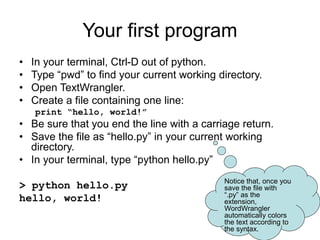
Your first program
• In your terminal, Ctrl-D out of python.
• Type “pwd” to find your current working directory.
• Open TextWrangler.
• Create a file containing one line:
print “hello, world!”
• Be sure that you end the line with a carriage return.
• Save the file as “hello.py” in your current working
directory.
• In your terminal, type “python hello.py”
> python hello.py
hello, world!
Notice that, once you
save the file with
“.py” as the
extension,
WordWrangler
automatically colors
the text according to
the syntax.
Objects and types
• We use the term object to refer to any entity in a python program.
• Every object has an associated type, which determines the properties of the
object.
• Python defines six types of built-in objects:
Number 10
String “hello”
List [1, 17, 44]
Tuple (4, 5)
Dictionary {‘food’ : ‘something you eat’,
‘lobster’ : ‘an edible, undersea arthropod’}
Files
• Each type of object has its own properties, which we will learn about in the
next several weeks.
• It is also possible to define your own types, comprised of combinations of
the six base types.
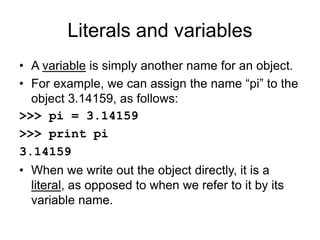
Literals and variables
• A variable is simply another name for an object.
• For example, we can assign the name “pi” to the
object 3.14159, as follows:
>>> pi = 3.14159
>>> print pi
3.14159
• When we write out the object directly, it is a
literal, as opposed to when we refer to it by its
variable name.
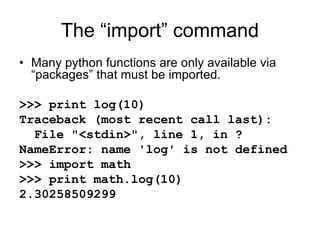
The “import” command
• Many python functions are only available via
“packages” that must be imported.
>>> print log(10)
Traceback (most recent call last):
File "<stdin>", line 1, in ?
NameError: name 'log' is not defined
>>> import math
>>> print math.log(10)
2.30258509299
The command line
• To get information into a program, we will typically use
the command line.
• The command line is the text you enter after the word
“python” when you run a program.
import sys
print "hello, world!"
print sys.argv[0]
print sys.argv[1]
• The zeroth argument is the name of the program file.
• Arguments larger than zero are subsequent elements of
the command line.
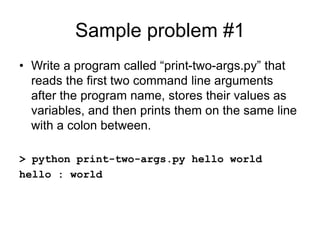
Sample problem #1
• Write a program called “print-two-args.py” that
reads the first two command line arguments
after the program name, stores their values as
variables, and then prints them on the same line
with a colon between.
> python print-two-args.py hello world
hello : world
Solution #1
import sys
arg1 = sys.argv[1]
arg2 = sys.argv[2]
print arg1, ":", arg2
Sample problem #2
• Write a program called “add-two-args.py” that
reads the first two command line arguments
after the program name, stores their values as
variables, and then prints their sum.
• Hint: To read an argument as a number, use the
syntax “arg1 = float(sys.argv[1])”
> python add-two-args.py 1 2
3.0
Solution #2
import sys
arg1 = float(sys.argv[1])
arg2 = float(sys.argv[2])
print arg1 + arg2
Reading
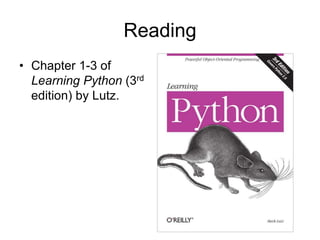
• Chapter 1-3 of
Learning Python (3rd
edition) by Lutz.

1B-Introduction_to_python.ppt

  • 1.
    Introduction to Python Genome559: Introduction to Statistical and Computational Genomics Prof. William Stafford Noble
  • 2.
    Why Python? • Pythonis – easy to learn, – relatively fast, – object-oriented, – strongly typed, – widely used, and – portable. • C is much faster but much harder to use. • Java is about as fast and slightly harder to use. • Perl is slower, is as easy to use, but is not strongly typed.
  • 3.
    Getting started onthe Mac • Start a terminal session. • Type “python” • This should start the Python interpreter > python Python 2.4.2 (#2, Apr 10 2006, 16:28:28) [GCC 3.2.3 20030502 (Red Hat Linux 3.2.3-53)] on linux2 Type "help", "copyright", "credits" or "license" for more information. >>> print “hello, world!” hello, world!
  • 4.
    The interpreter • Tryprinting various things – Leave off the quotation marks. – Print numbers, letters and combinations. – Print two things, with a comma between. – Enter a mathematical formula. – Leave off the word “print”. • The interpreter allows you to try things out interactively and quickly. • Use the interpreter to test syntax, or to try commands that you’re not sure will work when you run your program.
  • 5.
    Your first program •In your terminal, Ctrl-D out of python. • Type “pwd” to find your current working directory. • Open TextWrangler. • Create a file containing one line: print “hello, world!” • Be sure that you end the line with a carriage return. • Save the file as “hello.py” in your current working directory. • In your terminal, type “python hello.py” > python hello.py hello, world! Notice that, once you save the file with “.py” as the extension, WordWrangler automatically colors the text according to the syntax.
  • 6.
    Objects and types •We use the term object to refer to any entity in a python program. • Every object has an associated type, which determines the properties of the object. • Python defines six types of built-in objects: Number 10 String “hello” List [1, 17, 44] Tuple (4, 5) Dictionary {‘food’ : ‘something you eat’, ‘lobster’ : ‘an edible, undersea arthropod’} Files • Each type of object has its own properties, which we will learn about in the next several weeks. • It is also possible to define your own types, comprised of combinations of the six base types.
  • 7.
    Literals and variables •A variable is simply another name for an object. • For example, we can assign the name “pi” to the object 3.14159, as follows: >>> pi = 3.14159 >>> print pi 3.14159 • When we write out the object directly, it is a literal, as opposed to when we refer to it by its variable name.
  • 8.
    The “import” command •Many python functions are only available via “packages” that must be imported. >>> print log(10) Traceback (most recent call last): File "<stdin>", line 1, in ? NameError: name 'log' is not defined >>> import math >>> print math.log(10) 2.30258509299
  • 9.
    The command line •To get information into a program, we will typically use the command line. • The command line is the text you enter after the word “python” when you run a program. import sys print "hello, world!" print sys.argv[0] print sys.argv[1] • The zeroth argument is the name of the program file. • Arguments larger than zero are subsequent elements of the command line.
  • 10.
    Sample problem #1 •Write a program called “print-two-args.py” that reads the first two command line arguments after the program name, stores their values as variables, and then prints them on the same line with a colon between. > python print-two-args.py hello world hello : world
  • 11.
    Solution #1 import sys arg1= sys.argv[1] arg2 = sys.argv[2] print arg1, ":", arg2
  • 12.
    Sample problem #2 •Write a program called “add-two-args.py” that reads the first two command line arguments after the program name, stores their values as variables, and then prints their sum. • Hint: To read an argument as a number, use the syntax “arg1 = float(sys.argv[1])” > python add-two-args.py 1 2 3.0
  • 13.
    Solution #2 import sys arg1= float(sys.argv[1]) arg2 = float(sys.argv[2]) print arg1 + arg2
  • 14.
    Reading • Chapter 1-3of Learning Python (3rd edition) by Lutz.