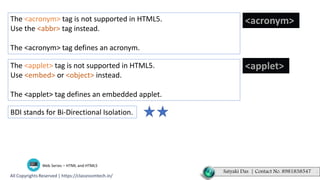
The <acronym> tag is not supported in HTML5.
Use the <abbr> tag instead.
The <acronym> tag defines an acronym.
<acronym>
The <applet> tag is not supported in HTML5.
Use <embed> or <object> instead.
The <applet> tag defines an embedded applet.
<applet>
BDI stands for Bi-Directional Isolation.
Satyaki Das | Contact No. 8981838547 .
<!DOCTYPE html>
<html>
<body>
<p>
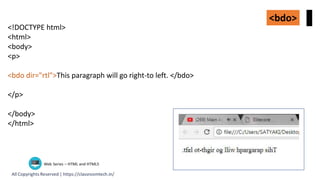
<bdo dir="rtl">This paragraph will go right-to left. </bdo>
</p>
</body>
</html>
<bdo>
<!DOCTYPE html>
<html>
<body>
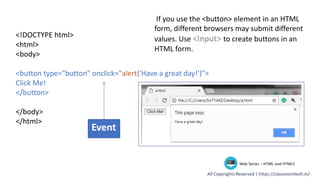
<button type="button" onclick="alert('Have a great day!')">
Click Me!
</button>
</body>
</html>
Event
If you use the <button> element in an HTML
form, different browsers may submit different
values. Use <input> to create buttons in an
HTML form.

12 acronym applet_bdo

  • 2.
    The <acronym> tagis not supported in HTML5. Use the <abbr> tag instead. The <acronym> tag defines an acronym. <acronym> The <applet> tag is not supported in HTML5. Use <embed> or <object> instead. The <applet> tag defines an embedded applet. <applet> BDI stands for Bi-Directional Isolation. Satyaki Das | Contact No. 8981838547 .
  • 3.
    <!DOCTYPE html> <html> <body> <p> <bdo dir="rtl">Thisparagraph will go right-to left. </bdo> </p> </body> </html> <bdo>
  • 4.
    <!DOCTYPE html> <html> <body> <button type="button"onclick="alert('Have a great day!')"> Click Me! </button> </body> </html> Event If you use the <button> element in an HTML form, different browsers may submit different values. Use <input> to create buttons in an HTML form.