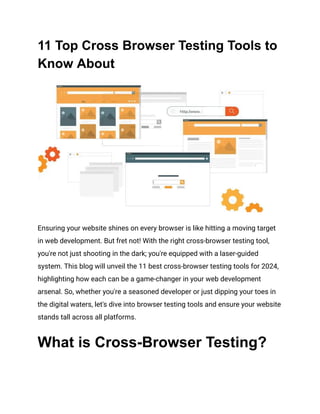
11 Top Cross Browser Testing Tools to
Know About
Ensuring your website shines on every browser is like hitting a moving target
in web development. But fret not! With the right cross-browser testing tool,
you're not just shooting in the dark; you're equipped with a laser-guided
system. This blog will unveil the 11 best cross-browser testing tools for 2024,
highlighting how each can be a game-changer in your web development
arsenal. So, whether you're a seasoned developer or just dipping your toes in
the digital waters, let's dive into browser testing tools and ensure your website
stands tall across all platforms.
What is Cross-Browser Testing?
Cross-browser testing is the practice of reviewing and verifying the
functionality and appearance of a website across multiple web browsers to
ensure consistent user experiences. It's not just about ensuring your website
"works" on Chrome, Firefox, or Safari; it's about delivering a seamless and
optimized user experience, regardless of the user's browser choice.
Benefits of Cross-Browser Testing
Enhanced User Experience
Every user deserves a flawless experience, regardless of the browser they use.
Cross-browser testing ensures that your website functions well, whether
someone is on an old version of Internet Explorer or the latest Chrome. This
meticulous attention to detail fosters a positive user experience, enhancing
satisfaction and engagement.
Broader Reach
The internet is vast and your website is reaching out to countless users. By
making your site compatible with various browsers, you're extending your
reach, embracing a wider audience. This inclusivity can translate into higher
traffic, increased conversions, and a broader user base.
Early Bug Detection
Bugs are like uninvited guests at a party—they can ruin everyone's experience.
Cross-browser testing acts as a vigilant bouncer, identifying and rectifying
these bugs before they affect your users. Catching issues early in the
development process saves time and resources and prevents potential
damage to your website's reputation.
Improved SEO
Search engines provide users with top results, and websites that offer a great
user experience rank higher. By ensuring your site functions well across all
browsers, you're ticking a crucial box in the SEO checklist, potentially boosting
your site's visibility and attracting more organic traffic.
Professionalism and Brand Image
A website is often the first point of contact between your brand and potential
customers. A glitchy or inaccessible site on certain browsers can tarnish your
brand's image. Cross-browser testing helps maintain a professional, polished
online presence, reinforcing trust and credibility with your audience.
Cost Efficiency
Investing in cross-browser testing might seem like an added expense, but it's
far more cost-effective in the long run. Addressing compatibility issues
post-launch can be costly, not just in terms of fixing the issues but also in
terms of lost revenue and damaged reputation. Proactive testing mitigates
these risks, ensuring a smoother, more cost-effective operation.
Competitive Edge
In a digital landscape where user patience is thin, and options are plentiful,
delivering a seamless experience can set you apart. Cross-browser testing
ensures your website stands out by functioning flawlessly across all
platforms, giving you a competitive edge in user satisfaction and retention.
Best Cross-Browser Testing Tools
1. Selenium
Selenium stands as the towering figure in the realm of cross-browser testing
tools. It's a suite that includes Selenium WebDriver for creating browser-based
regression automation suites and tests and Selenium Grid for distributing
scripts across multiple environments. Selenium's flexibility in writing tests in
various programming languages and compatibility with various browsers and
operating systems make it a favorite among developers and testers.
Key Features:
● It supports multiple languages, including Java, Python, and C#.
● Offers Selenium Grid to enable parallel testing.
● Integrates easily with other frameworks for a robust testing
environment.
2. WebDriverIO
WebDriverIO is a popular choice for developers entrenched in the JavaScript
ecosystem. This testing framework is built on Node.js and provides an easy
syntax for writing tests, making it accessible for all developers. Its real-time
execution feedback and support for modern web and mobile applications
underscore its versatility.
Key Features:
● Seamless integration with cloud based testing services.
● Offers synchronous and asynchronous testing.
● Extensive community plugins and services for enhanced functionality.
3. Karma
Karma is designed with AngularJS developers in mind, providing a productive
testing environment that works well within Angular's ecosystem. It allows you
to execute tests in browsers, offering a real-world perspective on how your
code behaves. Karma's focus on efficiency and developer experience makes it
a solid choice for web application testing.
Key Features:
● Executes tests in real browsers.
● Integrates with popular continuous integration tools.
● Supports testing on mobile devices and tablets.
4. Protractor
Protractor is tailored for Angular and AngularJS applications, providing a
powerful framework for end-to-end testing. It interacts with your app as a user
would, clicking on elements and filling out forms, making it an invaluable tool
for developers looking to ensure their applications function correctly from the
user's perspective.
Key Features:
● Built-in support for Angular-specific locator strategies.
● Integrates with Jasmine, Mocha, and other testing frameworks.
● Offers the ability to run tests on multiple browsers simultaneously.
5. Nightwatch.js
Nightwatch.js offers a clean and straightforward way to write end-to-end tests
in Node.js. Its easy-to-understand syntax and built-in test runner make it a
favorite for developers who want to set up and execute their UI tests quickly.
Nightwatch's focus on simplicity without sacrificing power makes it an
excellent tool for web developers of all skill levels.
Key Features:
● Easy to set up and configure.
● Supports page object pattern for test automation.
● Built-in command-line test runner.
6. Cypress
Cypress is a modern testing framework built for the web. It's known for its
straightforward setup and real-time feedback, making testing more enjoyable
for developers. Unlike many other testing frameworks, Cypress runs in the
same run-loop as your application, providing more consistent and reliable
results.
Key Features:
● Real-time test execution with automatic waiting, eliminating the need
for manual waits or sleep.
● Full access to every DOM element, making debugging easier.
● Rich APIs for interacting with elements, creating custom commands,
and handling assertions.
7. TestCafe
TestCafe provides a fresh perspective on browser testing by eliminating the
need for WebDrivers. This tool is straightforward to install and use, making it
an excellent choice for teams looking to streamline their testing process. Its
approach to running tests directly in the browser ensures high ease and
efficiency.
Key Features:
● No need for external plugins or tools; TestCafe uses Node.js to run
tests.
● Concurrent testing capabilities allow you to run tests simultaneously
on multiple browsers and machines.
● Built-in waiting mechanism automatically waits for elements to
appear before executing tests.
8. CasperJS
CasperJS is a scripting & testing utility built on top of PhantomJS, the
scriptable headless browser. It allows developers to create navigational
scenarios and automate web application testing efficiently. While it's
particularly suited for navigation and user interaction scenarios, its
capabilities extend to a broad range of testing needs.
Key Features:
● Provides high-level functions to interact with web page elements.
● Includes utilities for testing, including assertions and testing suites.
● Capable of capturing screenshots, which is helpful for visual testing
and debugging.
9. PhantomJS
PhantomJS, often paired with CasperJS, is a headless browser ideal for
automated testing. It's particularly useful for continuous integration systems
and situations where you don't need a graphical UI. Developers leverage
PhantomJS for its fast and efficient web page handling and testing
capabilities.
Key Features:
● Executes JavaScript without the need for a browser.
● It can simulate user actions like clicking and typing.
● Supports various web standards, including CSS selector, DOM
handling, JSON, Canvas, and SVG.
10. SlimerJS
SlimerJS is akin to PhantomJS but renders using Gecko, the same engine that
powers Firefox. This tool is excellent for developers looking to test their
applications in an environment similar to Firefox. It provides scriptable
browsing, allowing developers to automate tasks and tests in a browser-like
environment.
Key Features:
● Executes scripts in a browser-like environment with access to web
standards.
● Useful for testing web applications in a context similar to Firefox.
● It can capture web pages as rendered by the Gecko engine, which is
useful for visual testing.
11. Puppeteer
Puppeteer stands out for its high-level API over the Chrome DevTools
Protocol, allowing deep interaction with Chrome or Chromium. It's a powerful
tool for developers focused on automated testing, web scraping, or browser
automation. Puppeteer's direct control over the browser provides a detailed
and nuanced approach to testing.
Key Features:
● It offers rich features for interacting with and controlling a web
browser.
● Supports many actions, including navigation, form submission, and
screenshot capture.
● It provides a high-level abstraction over the Chrome DevTools
Protocol, making it accessible and powerful.
HeadSpin: A Comprehensive
Cross-Browser Testing Tool
HeadSpin stands out in the crowded field of cross-browser testing tools for its
innovative approach and comprehensive features. It's not just a tool; it's a
platform that provides developers and QA teams with a deep insight into their
web applications' performance across various browsers and devices. Here's
why HeadSpin could be your go-to choice for cross-browser testing in 2024:
● Real-World Testing Scenarios: HeadSpin allows you to test your
applications in real-world conditions across different browsers,
devices, and networks without simulators or emulators. This ensures
that your findings are as accurate and actionable as possible.
● Global Device Cloud: With access to a global device cloud, HeadSpin
provides the opportunity to test on various devices and browsers
from various locations worldwide, ensuring your application is ready
for a global audience.
● Performance Insights: Beyond just identifying bugs, HeadSpin offers
detailed performance insights. This means you can not only find
issues but also understand their impact on user experience and
performance, enabling you to prioritize fixes based on real user
impact.
● Automated and Manual Testing: HeadSpin supports both automated
and manual testing, providing flexibility based on your team's needs
and the specific testing scenario. This dual capability ensures
thorough testing coverage.
Final Thoughts
Ensuring browser compatibility is not just about ticking off a checklist but
embracing a broader vision of user inclusivity and experience. The right
cross-browser testing tool simplifies your workflow and elevates your
website's quality, ensuring it resonates with every user on every browser.
Article resource:
This article was originally published on:
https://www.headspin.io/blog/best-cross-browser-testing-tools

11 Top Cross Browser Testing Tools to Know About.pdf

  • 1.
    11 Top CrossBrowser Testing Tools to Know About Ensuring your website shines on every browser is like hitting a moving target in web development. But fret not! With the right cross-browser testing tool, you're not just shooting in the dark; you're equipped with a laser-guided system. This blog will unveil the 11 best cross-browser testing tools for 2024, highlighting how each can be a game-changer in your web development arsenal. So, whether you're a seasoned developer or just dipping your toes in the digital waters, let's dive into browser testing tools and ensure your website stands tall across all platforms. What is Cross-Browser Testing?
  • 2.
    Cross-browser testing isthe practice of reviewing and verifying the functionality and appearance of a website across multiple web browsers to ensure consistent user experiences. It's not just about ensuring your website "works" on Chrome, Firefox, or Safari; it's about delivering a seamless and optimized user experience, regardless of the user's browser choice. Benefits of Cross-Browser Testing Enhanced User Experience Every user deserves a flawless experience, regardless of the browser they use. Cross-browser testing ensures that your website functions well, whether someone is on an old version of Internet Explorer or the latest Chrome. This meticulous attention to detail fosters a positive user experience, enhancing satisfaction and engagement. Broader Reach The internet is vast and your website is reaching out to countless users. By making your site compatible with various browsers, you're extending your reach, embracing a wider audience. This inclusivity can translate into higher traffic, increased conversions, and a broader user base. Early Bug Detection Bugs are like uninvited guests at a party—they can ruin everyone's experience. Cross-browser testing acts as a vigilant bouncer, identifying and rectifying these bugs before they affect your users. Catching issues early in the
  • 3.
    development process savestime and resources and prevents potential damage to your website's reputation. Improved SEO Search engines provide users with top results, and websites that offer a great user experience rank higher. By ensuring your site functions well across all browsers, you're ticking a crucial box in the SEO checklist, potentially boosting your site's visibility and attracting more organic traffic. Professionalism and Brand Image A website is often the first point of contact between your brand and potential customers. A glitchy or inaccessible site on certain browsers can tarnish your brand's image. Cross-browser testing helps maintain a professional, polished online presence, reinforcing trust and credibility with your audience. Cost Efficiency Investing in cross-browser testing might seem like an added expense, but it's far more cost-effective in the long run. Addressing compatibility issues post-launch can be costly, not just in terms of fixing the issues but also in terms of lost revenue and damaged reputation. Proactive testing mitigates these risks, ensuring a smoother, more cost-effective operation. Competitive Edge In a digital landscape where user patience is thin, and options are plentiful, delivering a seamless experience can set you apart. Cross-browser testing
  • 4.
    ensures your websitestands out by functioning flawlessly across all platforms, giving you a competitive edge in user satisfaction and retention. Best Cross-Browser Testing Tools 1. Selenium Selenium stands as the towering figure in the realm of cross-browser testing tools. It's a suite that includes Selenium WebDriver for creating browser-based regression automation suites and tests and Selenium Grid for distributing scripts across multiple environments. Selenium's flexibility in writing tests in various programming languages and compatibility with various browsers and operating systems make it a favorite among developers and testers. Key Features: ● It supports multiple languages, including Java, Python, and C#. ● Offers Selenium Grid to enable parallel testing. ● Integrates easily with other frameworks for a robust testing environment. 2. WebDriverIO WebDriverIO is a popular choice for developers entrenched in the JavaScript ecosystem. This testing framework is built on Node.js and provides an easy syntax for writing tests, making it accessible for all developers. Its real-time execution feedback and support for modern web and mobile applications underscore its versatility.
  • 5.
    Key Features: ● Seamlessintegration with cloud based testing services. ● Offers synchronous and asynchronous testing. ● Extensive community plugins and services for enhanced functionality. 3. Karma Karma is designed with AngularJS developers in mind, providing a productive testing environment that works well within Angular's ecosystem. It allows you to execute tests in browsers, offering a real-world perspective on how your code behaves. Karma's focus on efficiency and developer experience makes it a solid choice for web application testing. Key Features: ● Executes tests in real browsers. ● Integrates with popular continuous integration tools. ● Supports testing on mobile devices and tablets. 4. Protractor Protractor is tailored for Angular and AngularJS applications, providing a powerful framework for end-to-end testing. It interacts with your app as a user would, clicking on elements and filling out forms, making it an invaluable tool for developers looking to ensure their applications function correctly from the user's perspective. Key Features:
  • 6.
    ● Built-in supportfor Angular-specific locator strategies. ● Integrates with Jasmine, Mocha, and other testing frameworks. ● Offers the ability to run tests on multiple browsers simultaneously. 5. Nightwatch.js Nightwatch.js offers a clean and straightforward way to write end-to-end tests in Node.js. Its easy-to-understand syntax and built-in test runner make it a favorite for developers who want to set up and execute their UI tests quickly. Nightwatch's focus on simplicity without sacrificing power makes it an excellent tool for web developers of all skill levels. Key Features: ● Easy to set up and configure. ● Supports page object pattern for test automation. ● Built-in command-line test runner. 6. Cypress Cypress is a modern testing framework built for the web. It's known for its straightforward setup and real-time feedback, making testing more enjoyable for developers. Unlike many other testing frameworks, Cypress runs in the same run-loop as your application, providing more consistent and reliable results. Key Features:
  • 7.
    ● Real-time testexecution with automatic waiting, eliminating the need for manual waits or sleep. ● Full access to every DOM element, making debugging easier. ● Rich APIs for interacting with elements, creating custom commands, and handling assertions. 7. TestCafe TestCafe provides a fresh perspective on browser testing by eliminating the need for WebDrivers. This tool is straightforward to install and use, making it an excellent choice for teams looking to streamline their testing process. Its approach to running tests directly in the browser ensures high ease and efficiency. Key Features: ● No need for external plugins or tools; TestCafe uses Node.js to run tests. ● Concurrent testing capabilities allow you to run tests simultaneously on multiple browsers and machines. ● Built-in waiting mechanism automatically waits for elements to appear before executing tests. 8. CasperJS CasperJS is a scripting & testing utility built on top of PhantomJS, the scriptable headless browser. It allows developers to create navigational scenarios and automate web application testing efficiently. While it's
  • 8.
    particularly suited fornavigation and user interaction scenarios, its capabilities extend to a broad range of testing needs. Key Features: ● Provides high-level functions to interact with web page elements. ● Includes utilities for testing, including assertions and testing suites. ● Capable of capturing screenshots, which is helpful for visual testing and debugging. 9. PhantomJS PhantomJS, often paired with CasperJS, is a headless browser ideal for automated testing. It's particularly useful for continuous integration systems and situations where you don't need a graphical UI. Developers leverage PhantomJS for its fast and efficient web page handling and testing capabilities. Key Features: ● Executes JavaScript without the need for a browser. ● It can simulate user actions like clicking and typing. ● Supports various web standards, including CSS selector, DOM handling, JSON, Canvas, and SVG. 10. SlimerJS SlimerJS is akin to PhantomJS but renders using Gecko, the same engine that powers Firefox. This tool is excellent for developers looking to test their
  • 9.
    applications in anenvironment similar to Firefox. It provides scriptable browsing, allowing developers to automate tasks and tests in a browser-like environment. Key Features: ● Executes scripts in a browser-like environment with access to web standards. ● Useful for testing web applications in a context similar to Firefox. ● It can capture web pages as rendered by the Gecko engine, which is useful for visual testing. 11. Puppeteer Puppeteer stands out for its high-level API over the Chrome DevTools Protocol, allowing deep interaction with Chrome or Chromium. It's a powerful tool for developers focused on automated testing, web scraping, or browser automation. Puppeteer's direct control over the browser provides a detailed and nuanced approach to testing. Key Features: ● It offers rich features for interacting with and controlling a web browser. ● Supports many actions, including navigation, form submission, and screenshot capture. ● It provides a high-level abstraction over the Chrome DevTools Protocol, making it accessible and powerful.
  • 10.
    HeadSpin: A Comprehensive Cross-BrowserTesting Tool HeadSpin stands out in the crowded field of cross-browser testing tools for its innovative approach and comprehensive features. It's not just a tool; it's a platform that provides developers and QA teams with a deep insight into their web applications' performance across various browsers and devices. Here's why HeadSpin could be your go-to choice for cross-browser testing in 2024: ● Real-World Testing Scenarios: HeadSpin allows you to test your applications in real-world conditions across different browsers, devices, and networks without simulators or emulators. This ensures that your findings are as accurate and actionable as possible. ● Global Device Cloud: With access to a global device cloud, HeadSpin provides the opportunity to test on various devices and browsers from various locations worldwide, ensuring your application is ready for a global audience. ● Performance Insights: Beyond just identifying bugs, HeadSpin offers detailed performance insights. This means you can not only find issues but also understand their impact on user experience and performance, enabling you to prioritize fixes based on real user impact. ● Automated and Manual Testing: HeadSpin supports both automated and manual testing, providing flexibility based on your team's needs and the specific testing scenario. This dual capability ensures thorough testing coverage.
  • 11.
    Final Thoughts Ensuring browsercompatibility is not just about ticking off a checklist but embracing a broader vision of user inclusivity and experience. The right cross-browser testing tool simplifies your workflow and elevates your website's quality, ensuring it resonates with every user on every browser. Article resource: This article was originally published on: https://www.headspin.io/blog/best-cross-browser-testing-tools