1-2
Objectives
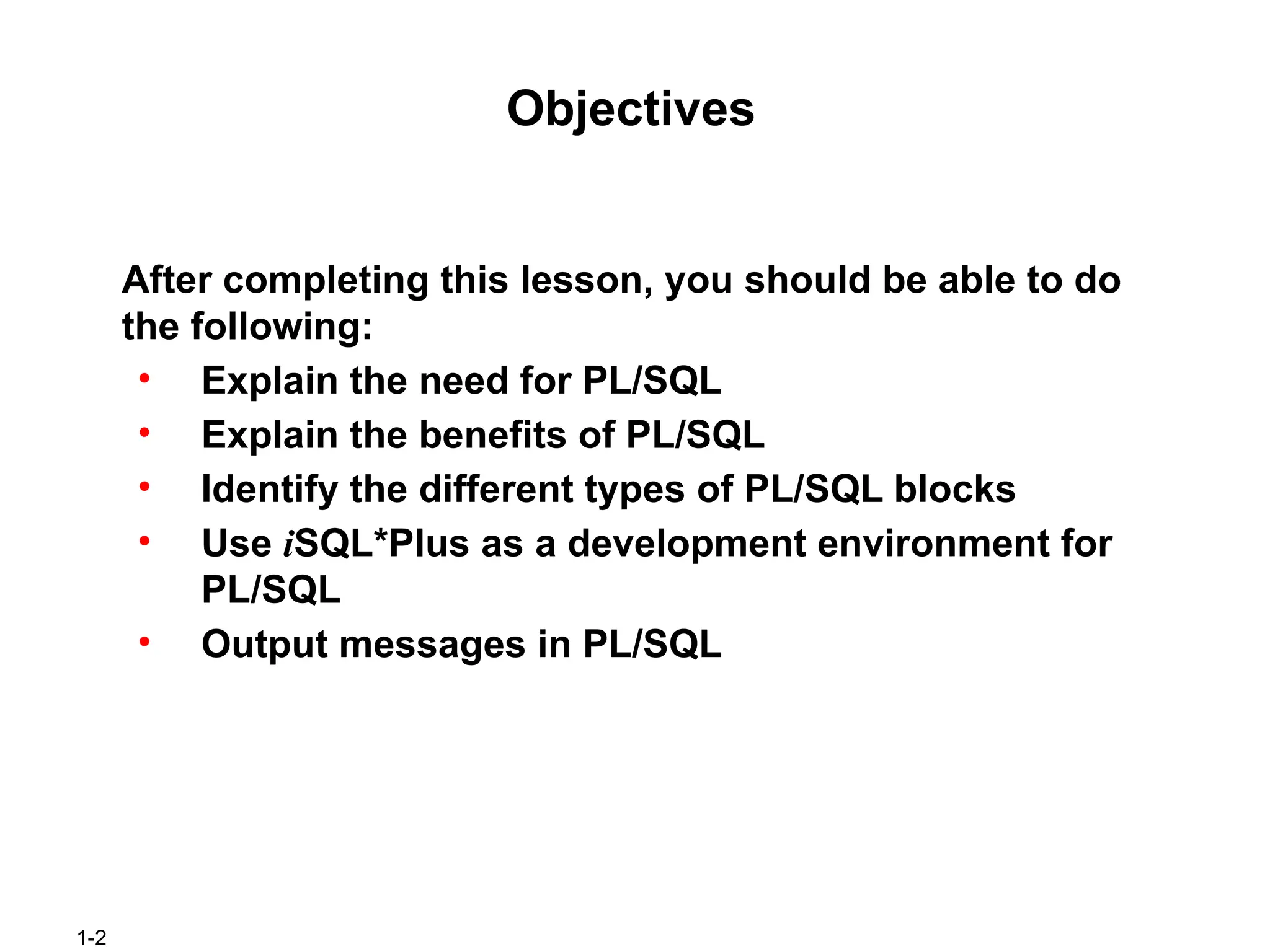
After completing thislesson, you should be able to do
the following:
• Explain the need for PL/SQL
• Explain the benefits of PL/SQL
• Identify the different types of PL/SQL blocks
• Use iSQL*Plus as a development environment for
PL/SQL
• Output messages in PL/SQL
3.
1-3
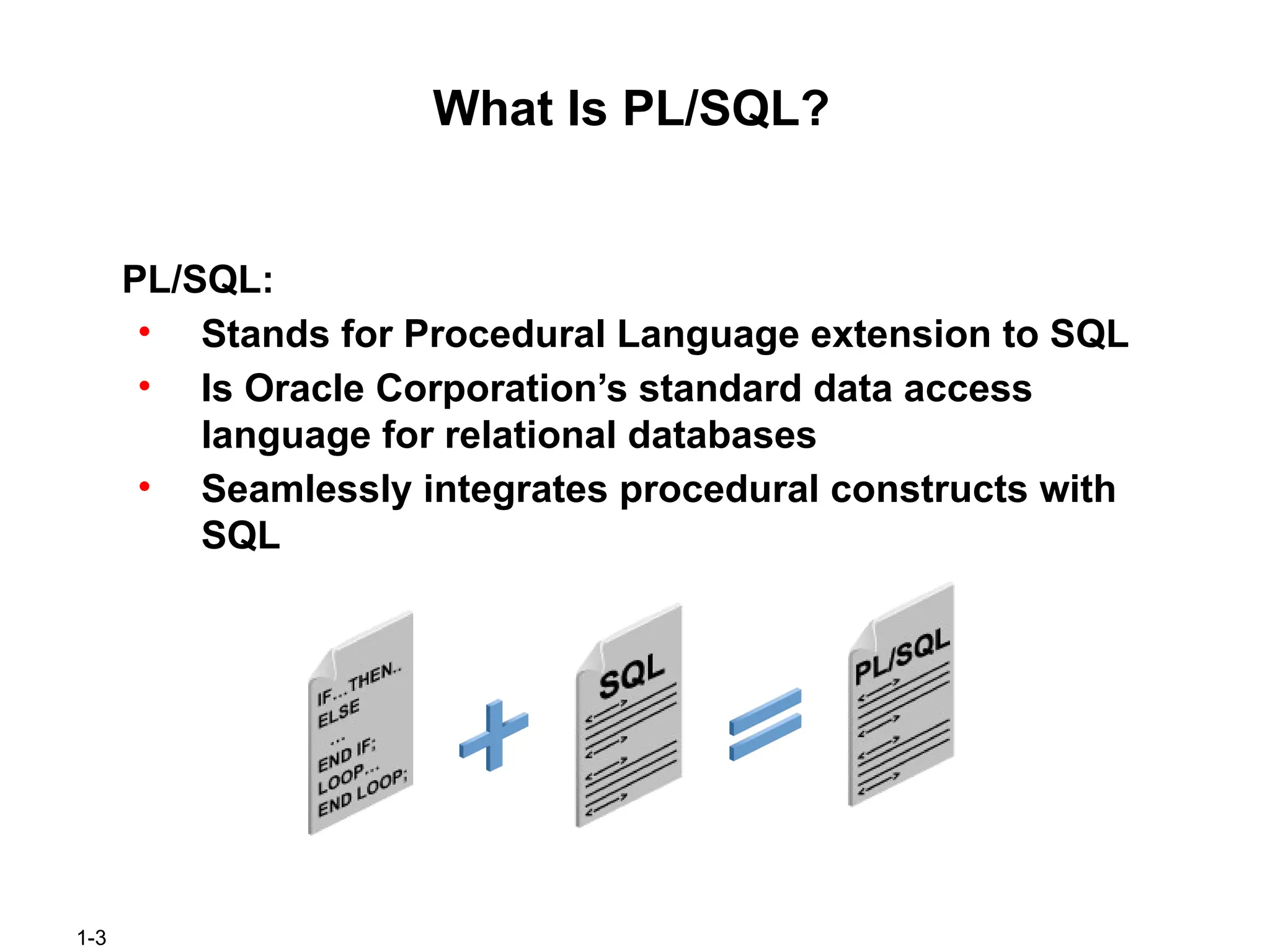
What Is PL/SQL?
PL/SQL:
•Stands for Procedural Language extension to SQL
• Is Oracle Corporation’s standard data access
language for relational databases
• Seamlessly integrates procedural constructs with
SQL
4.
1-4
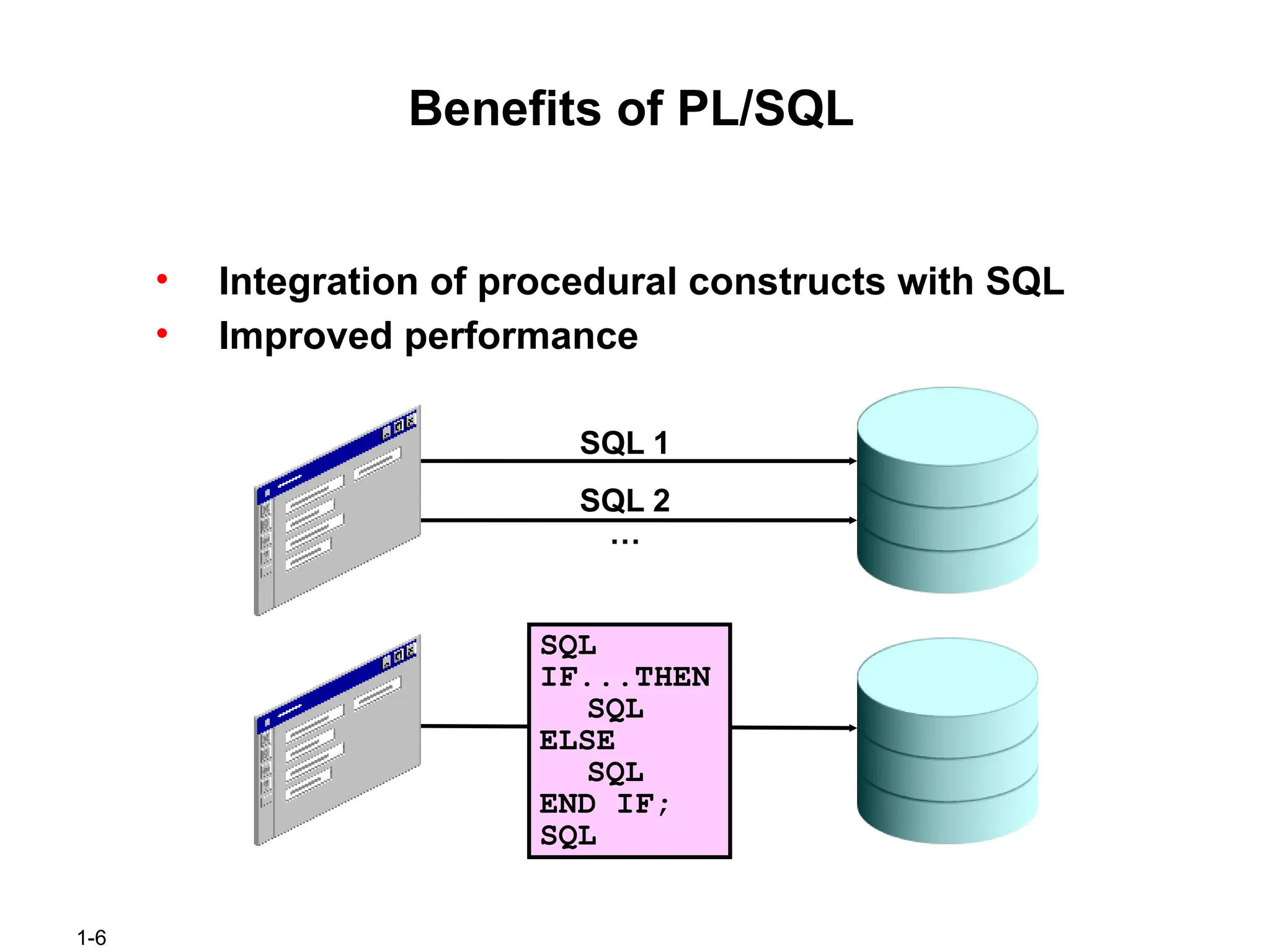
About PL/SQL
PL/SQL:
• Providesa block structure for executable units of
code. Maintenance of code is made easier with
such a well-defined structure.
• Provides procedural constructs such as:
– Variables, constants, and types
– Control structures such as conditional statements
and loops
– Reusable program units that are written once and
executed many times
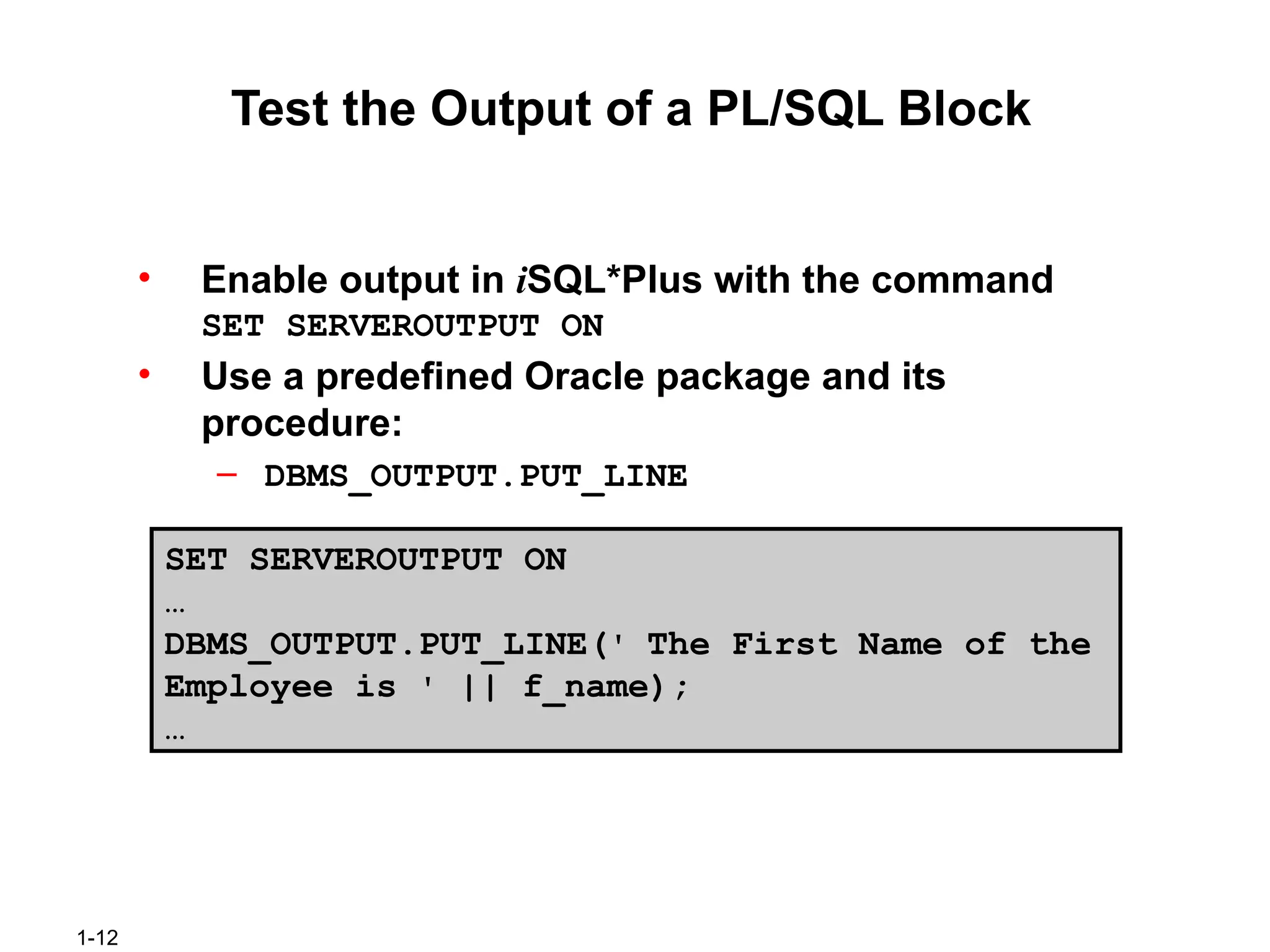
1-12
Test the Outputof a PL/SQL Block
• Enable output in iSQL*Plus with the command
SET SERVEROUTPUT ON
• Use a predefined Oracle package and its
procedure:
– DBMS_OUTPUT.PUT_LINE
SET SERVEROUTPUT ON
…
DBMS_OUTPUT.PUT_LINE(' The First Name of the
Employee is ' || f_name);
…
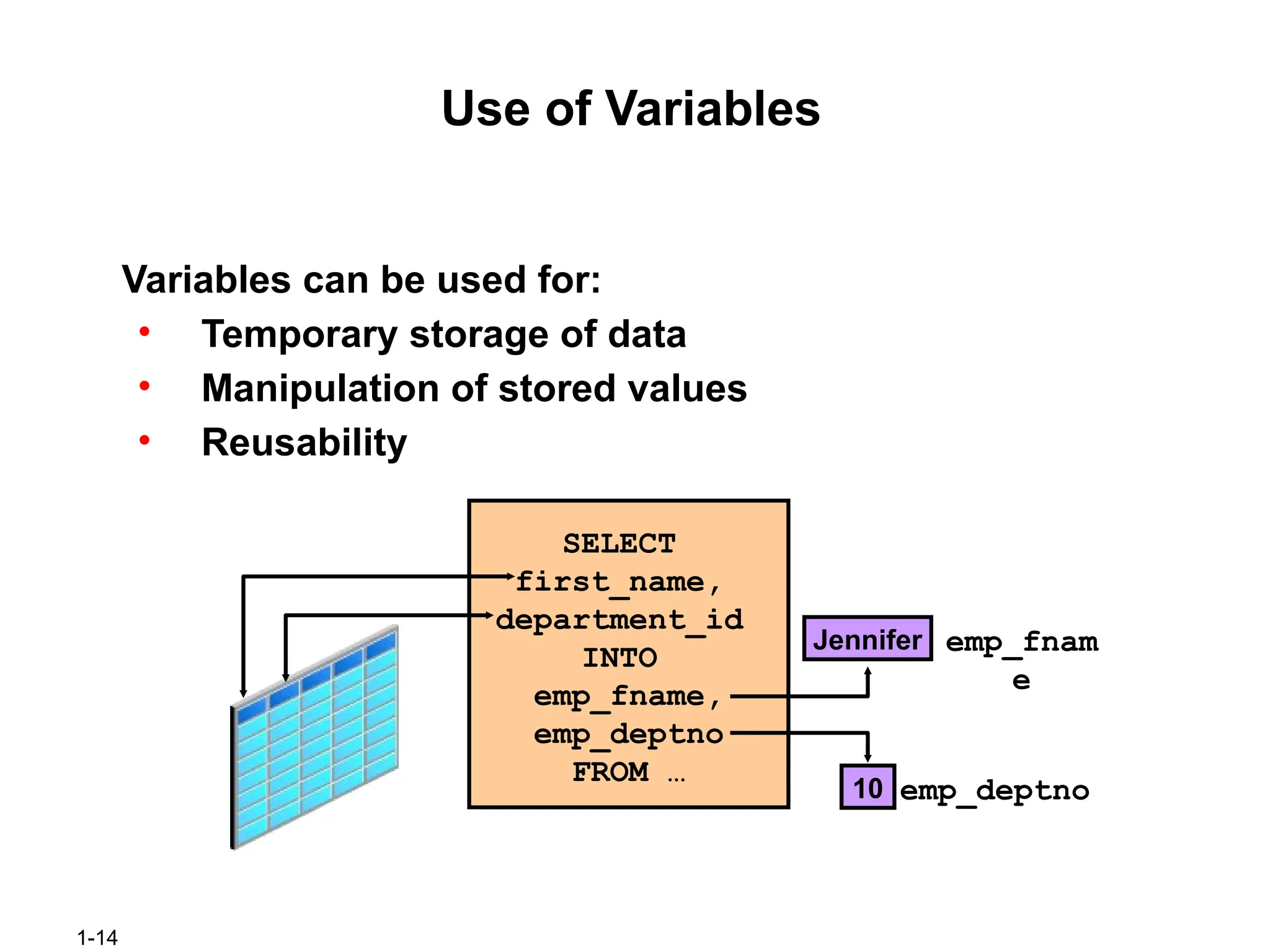
1-14
Use of Variables
Variablescan be used for:
• Temporary storage of data
• Manipulation of stored values
• Reusability
SELECT
first_name,
department_id
INTO
emp_fname,
emp_deptno
FROM …
emp_fnam
e
emp_deptno
Jennifer
10
15.
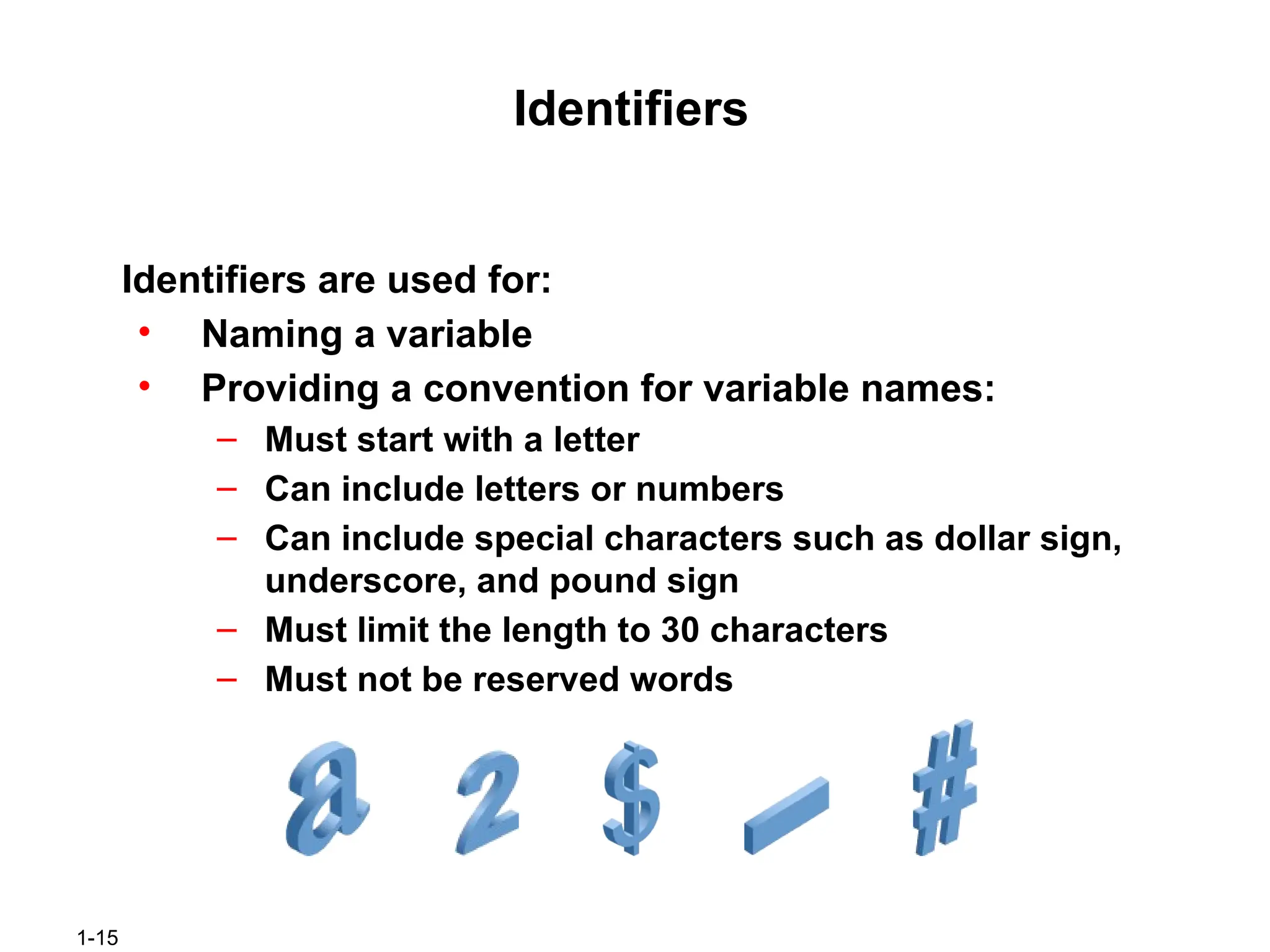
1-15
Identifiers
Identifiers are usedfor:
• Naming a variable
• Providing a convention for variable names:
– Must start with a letter
– Can include letters or numbers
– Can include special characters such as dollar sign,
underscore, and pound sign
– Must limit the length to 30 characters
– Must not be reserved words
16.
1-16
Handling Variables inPL/SQL
Variables are:
• Declared and initialized in the declarative section
• Used and assigned new values in the executable
section
• Passed as parameters to PL/SQL subprograms
• Used to hold the output of a PL/SQL subprogram
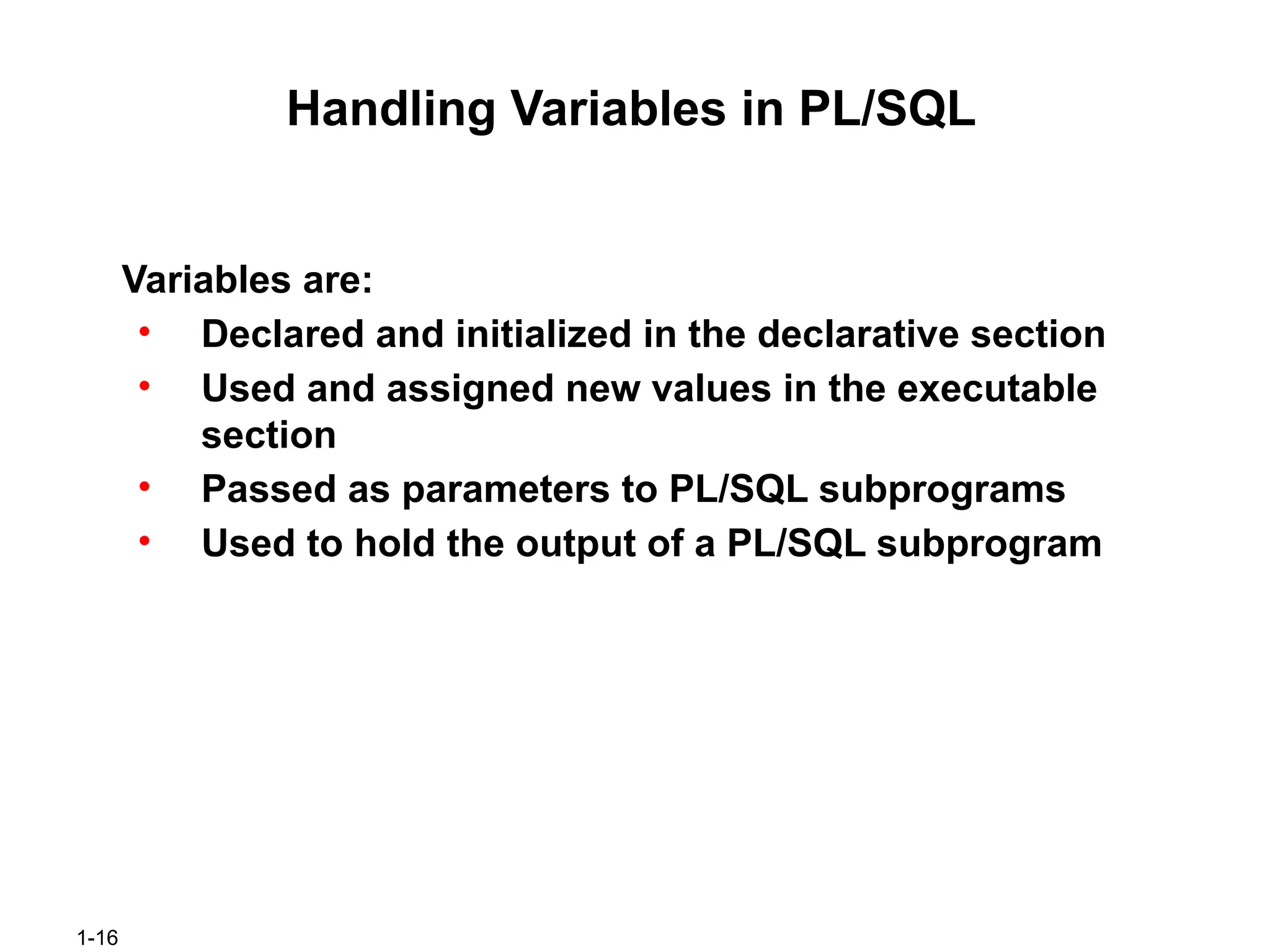
1-18
Declaring and InitializingPL/SQL Variables
SET SERVEROUTPUT ON
DECLARE
Myname VARCHAR2(20);
BEGIN
DBMS_OUTPUT.PUT_LINE('My name is: '||
Myname);
Myname := 'John';
DBMS_OUTPUT.PUT_LINE('My name is: '||
Myname);
END;
/
SET SERVEROUTPUT ON
DECLARE
Myname VARCHAR2(20):= 'John';
BEGIN
Myname := 'Steven';
DBMS_OUTPUT.PUT_LINE('My name is: '||
Myname);
END;
/
1
2
19.
1-19
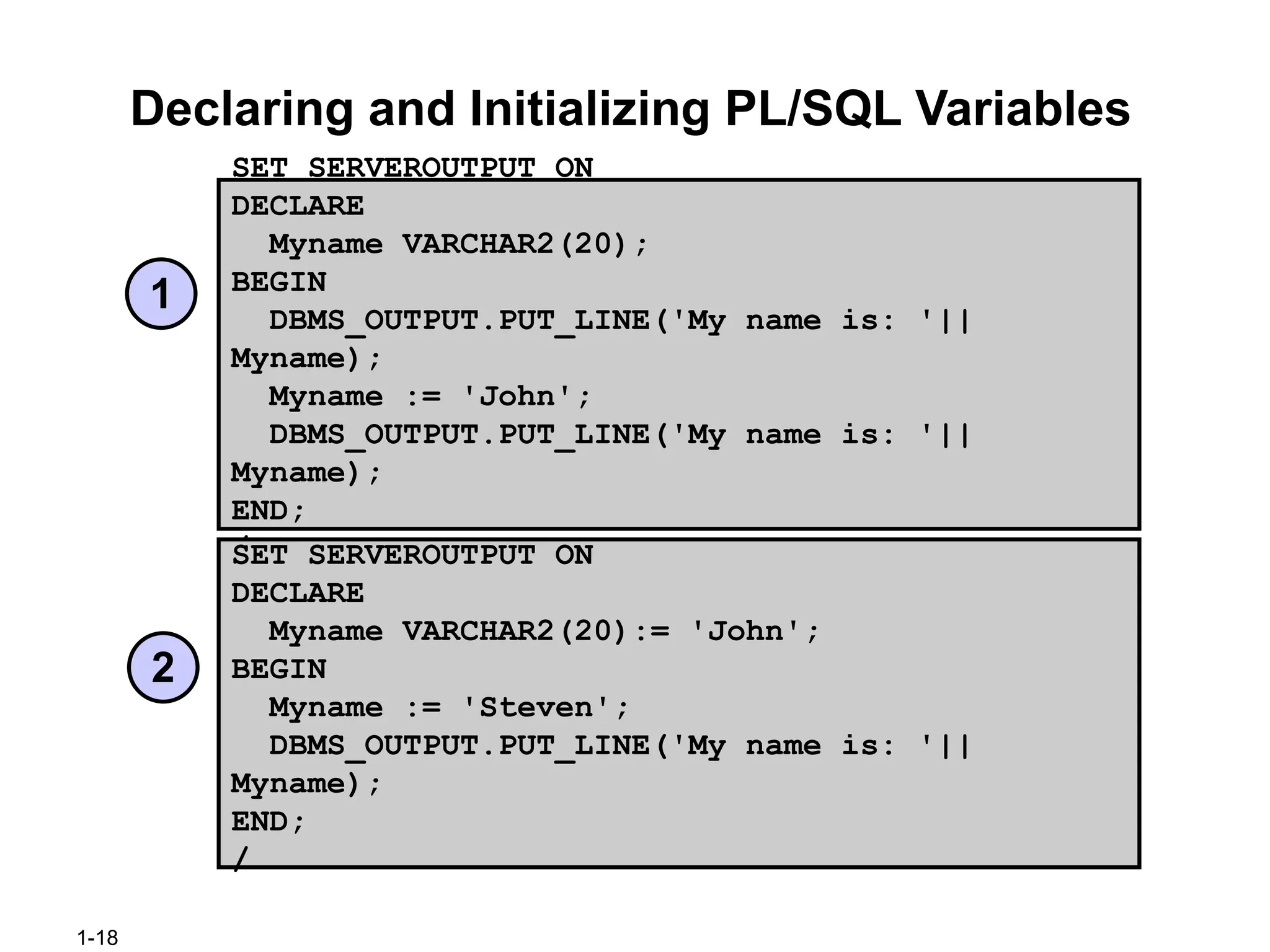
Delimiters in StringLiterals
SET SERVEROUTPUT ON
DECLARE
event VARCHAR2(15);
BEGIN
event := q'!Father's day!';
DBMS_OUTPUT.PUT_LINE('3rd Sunday in June
is :
'||event);
event := q'[Mother's day]';
DBMS_OUTPUT.PUT_LINE('2nd Sunday in May is :
'||event);
END;
/
1-21
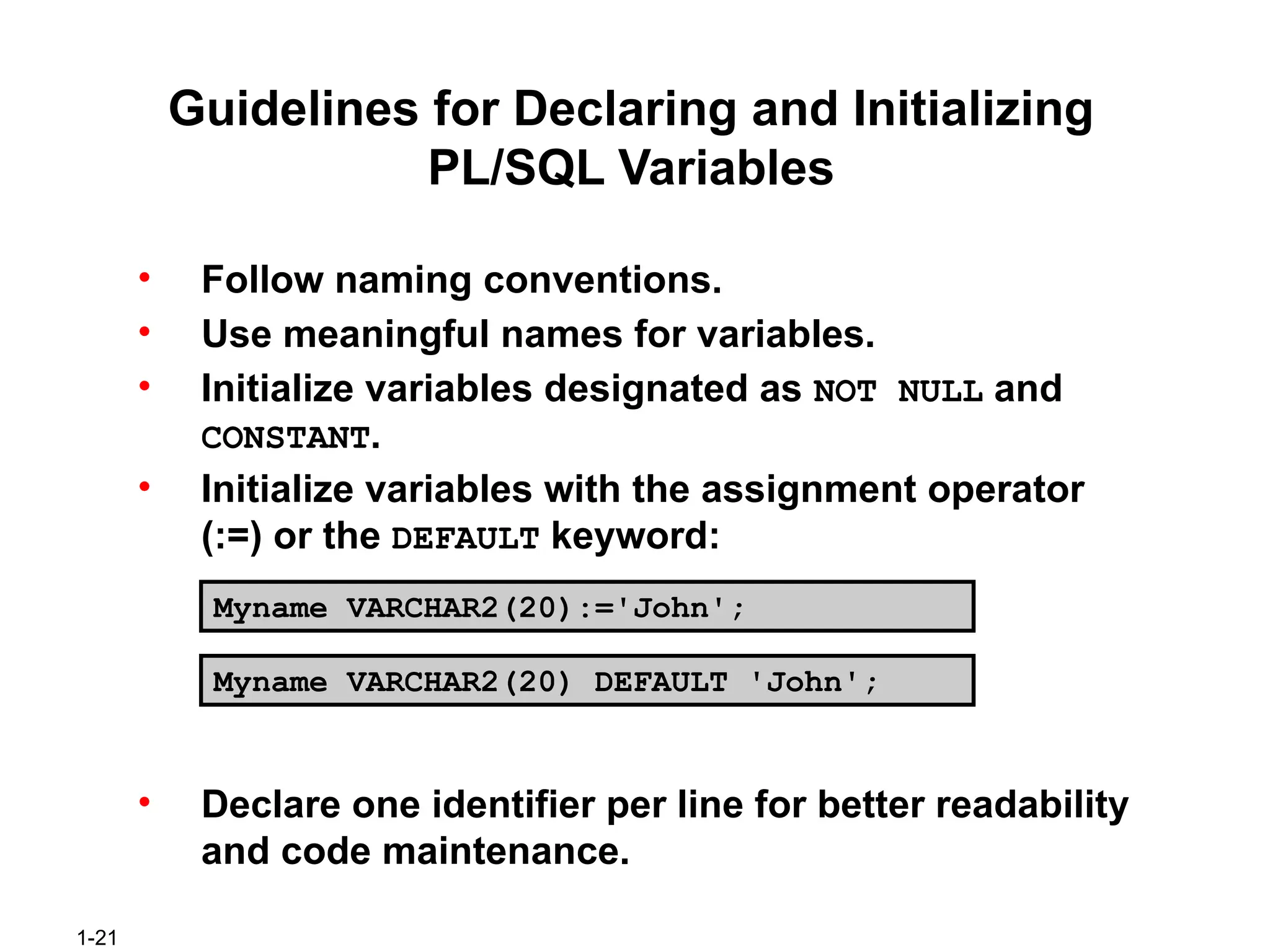
Guidelines for Declaringand Initializing
PL/SQL Variables
• Follow naming conventions.
• Use meaningful names for variables.
• Initialize variables designated as NOT NULL and
CONSTANT.
• Initialize variables with the assignment operator
(:=) or the DEFAULT keyword:
• Declare one identifier per line for better readability
and code maintenance.
Myname VARCHAR2(20):='John';
Myname VARCHAR2(20) DEFAULT 'John';
22.
1-22
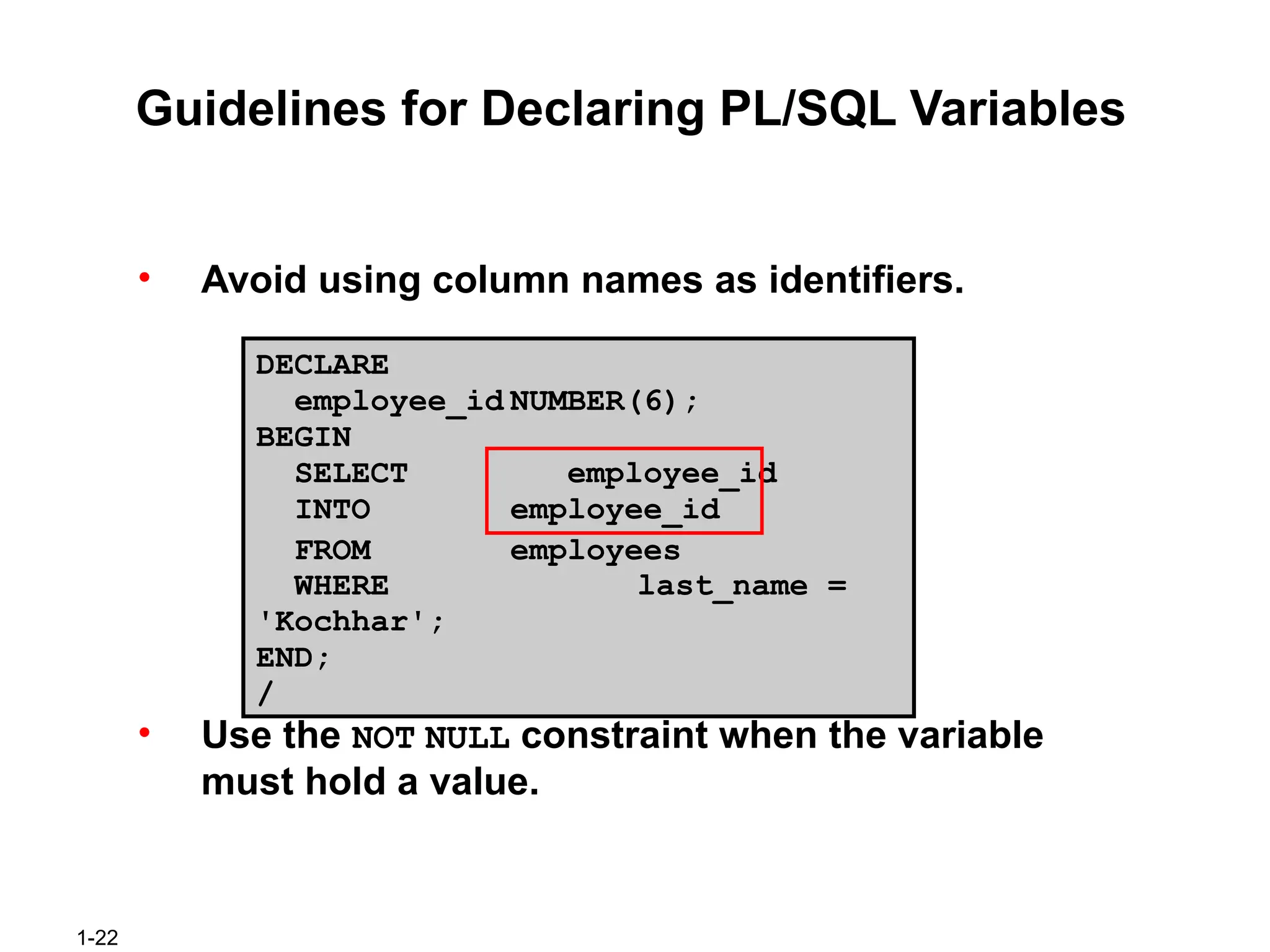
Guidelines for DeclaringPL/SQL Variables
• Avoid using column names as identifiers.
DECLARE
employee_id NUMBER(6);
BEGIN
SELECT employee_id
INTO employee_id
FROM employees
WHERE last_name =
'Kochhar';
END;
/
• Use the NOT NULL constraint when the variable
must hold a value.
1-24
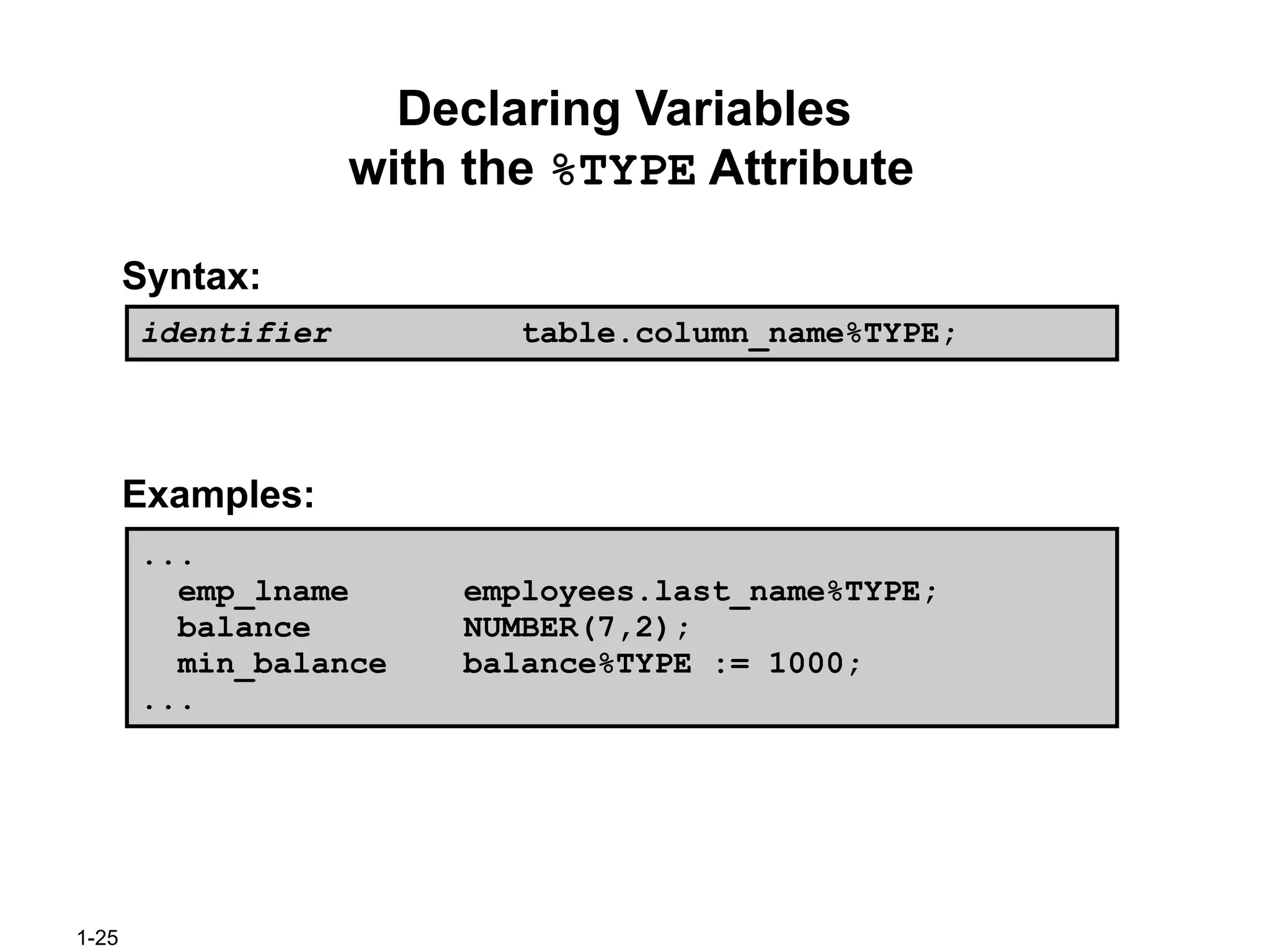
The %TYPE Attribute
The%TYPE attribute
• Is used to declare a variable according to:
– A database column definition
– Another declared variable
• Is prefixed with:
– The database table and column
– The name of the declared variable
1-26
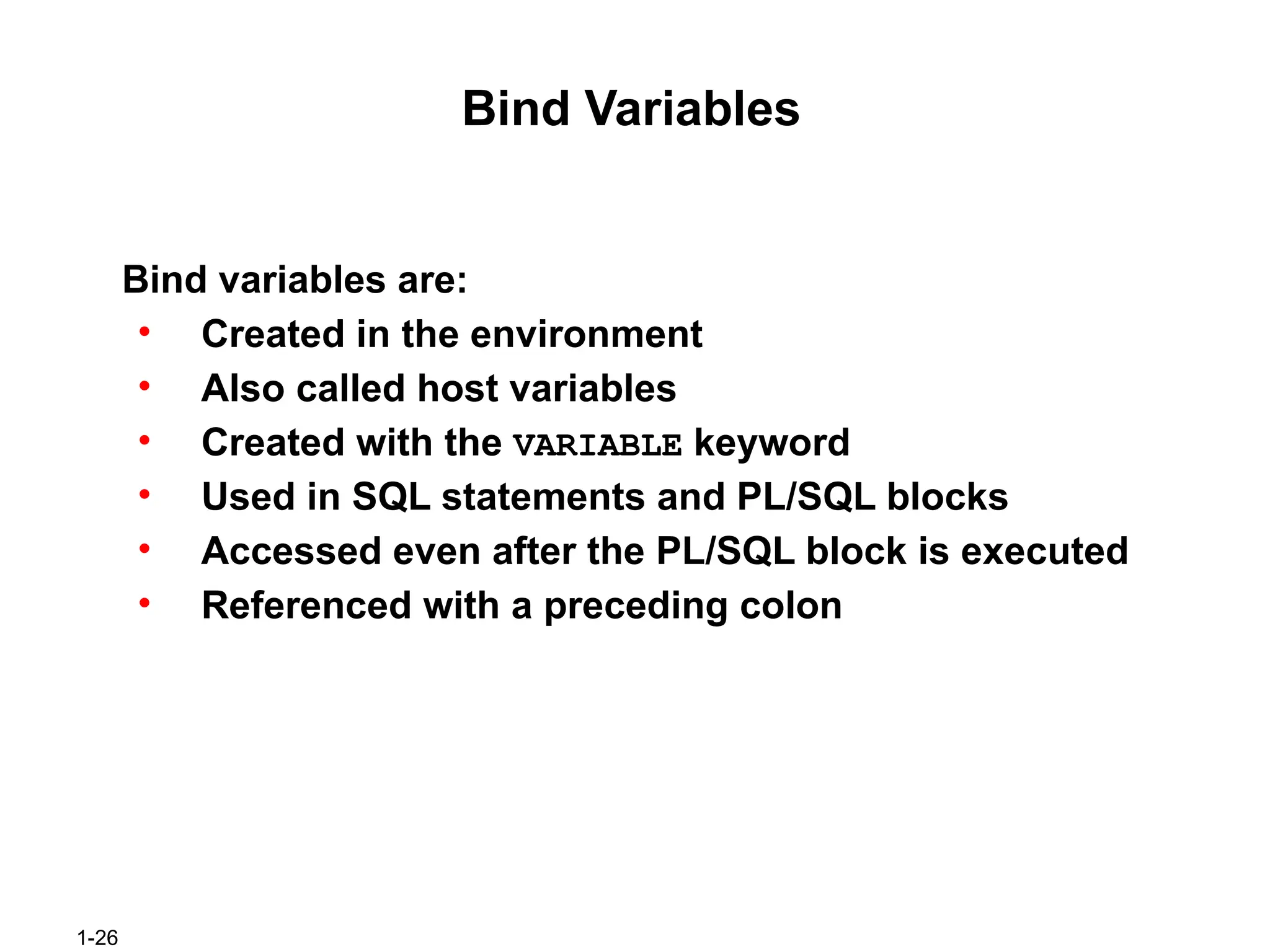
Bind Variables
Bind variablesare:
• Created in the environment
• Also called host variables
• Created with the VARIABLE keyword
• Used in SQL statements and PL/SQL blocks
• Accessed even after the PL/SQL block is executed
• Referenced with a preceding colon
27.
1-27
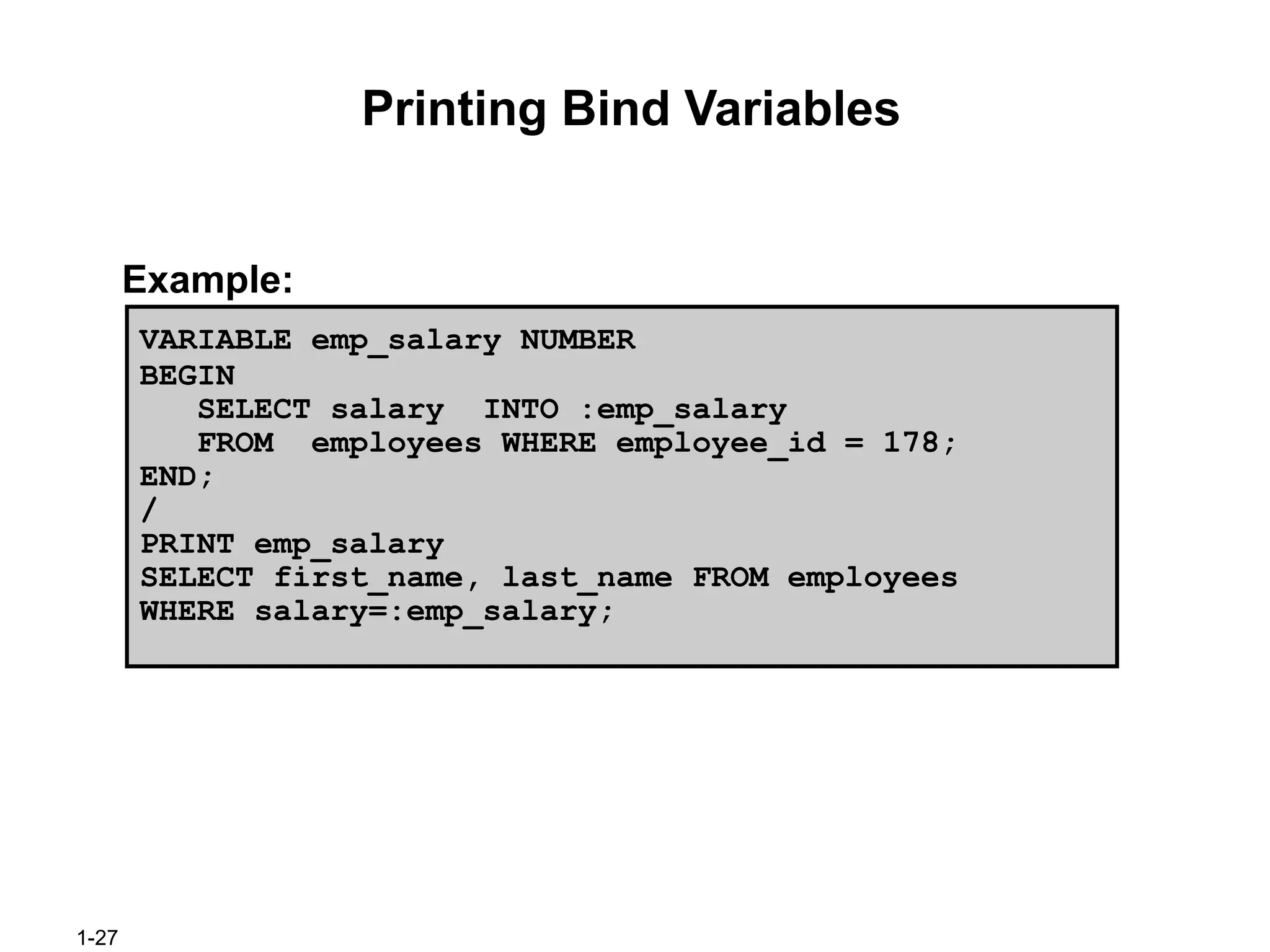
Printing Bind Variables
Example:
VARIABLEemp_salary NUMBER
BEGIN
SELECT salary INTO :emp_salary
FROM employees WHERE employee_id = 178;
END;
/
PRINT emp_salary
SELECT first_name, last_name FROM employees
WHERE salary=:emp_salary;
1-29
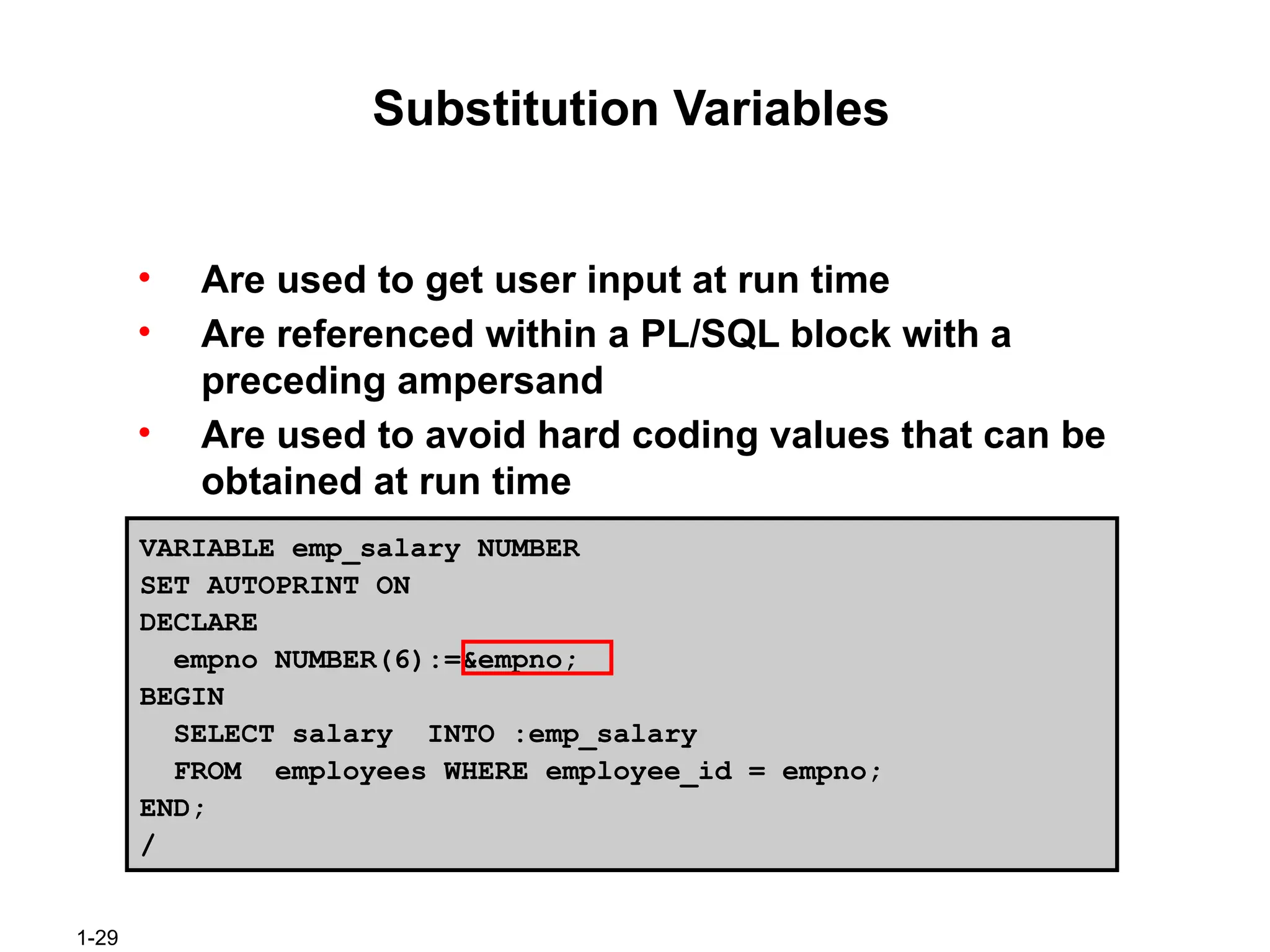
Substitution Variables
• Areused to get user input at run time
• Are referenced within a PL/SQL block with a
preceding ampersand
• Are used to avoid hard coding values that can be
obtained at run time
VARIABLE emp_salary NUMBER
SET AUTOPRINT ON
DECLARE
empno NUMBER(6):=&empno;
BEGIN
SELECT salary INTO :emp_salary
FROM employees WHERE employee_id = empno;
END;
/
#2 Lesson Aim
This lesson introduces PL/SQL and PL/SQL programming constructs. You learn about the benefits of PL/SQL. You also learn to use iSQL*Plus as development environment for PL/SQL.
#3 What Is PL/SQL?
Structured Query Language (SQL) is the primary language used to access and modify data in a relational databases. There are a few SQL commands, which you can easily learn and use efficiently. Consider an example:
SELECT first_name, department_id, salary FROM employees;
The SQL statement shown above is simple and straightforward. However, if you want to alter any data that is retrieved in a conditional manner, you come across the limitations of SQL.
Consider a slightly modified problem statement:
For every employee retrieved, check the department_id and the salary. Depending on the department’s performance and also the employees salary, you may want to provide varying bonuses to the employees.
Looking at the problem, you know that you have to execute the above SQL statement, collect the data, and apply logic to the data. One way of dealing with it is to write SQL statements for each department and giving bonuses to the employees in that department. Remember that you also have to check the salary component before deciding the bonus amount. This makes it a little complicated. You now feel that it would be much easier if you had conditional statements. PL/SQL is designed to meet such requirements. It provides a programming extension to already existing SQL.
#4 About PL/SQL
PL/SQL defines a block structure for writing code. Maintaining and debugging the code is made easier with such a structure. One can easily understand the flow and execution of the program unit.
PL/SQL offers modern software engineering features such as data encapsulation, exception handling, information hiding, object orientation, and brings state-of-the-art programming to the Oracle server and toolset. PL/SQL provides all the procedural constructs that are available in any third generation language (3GL).
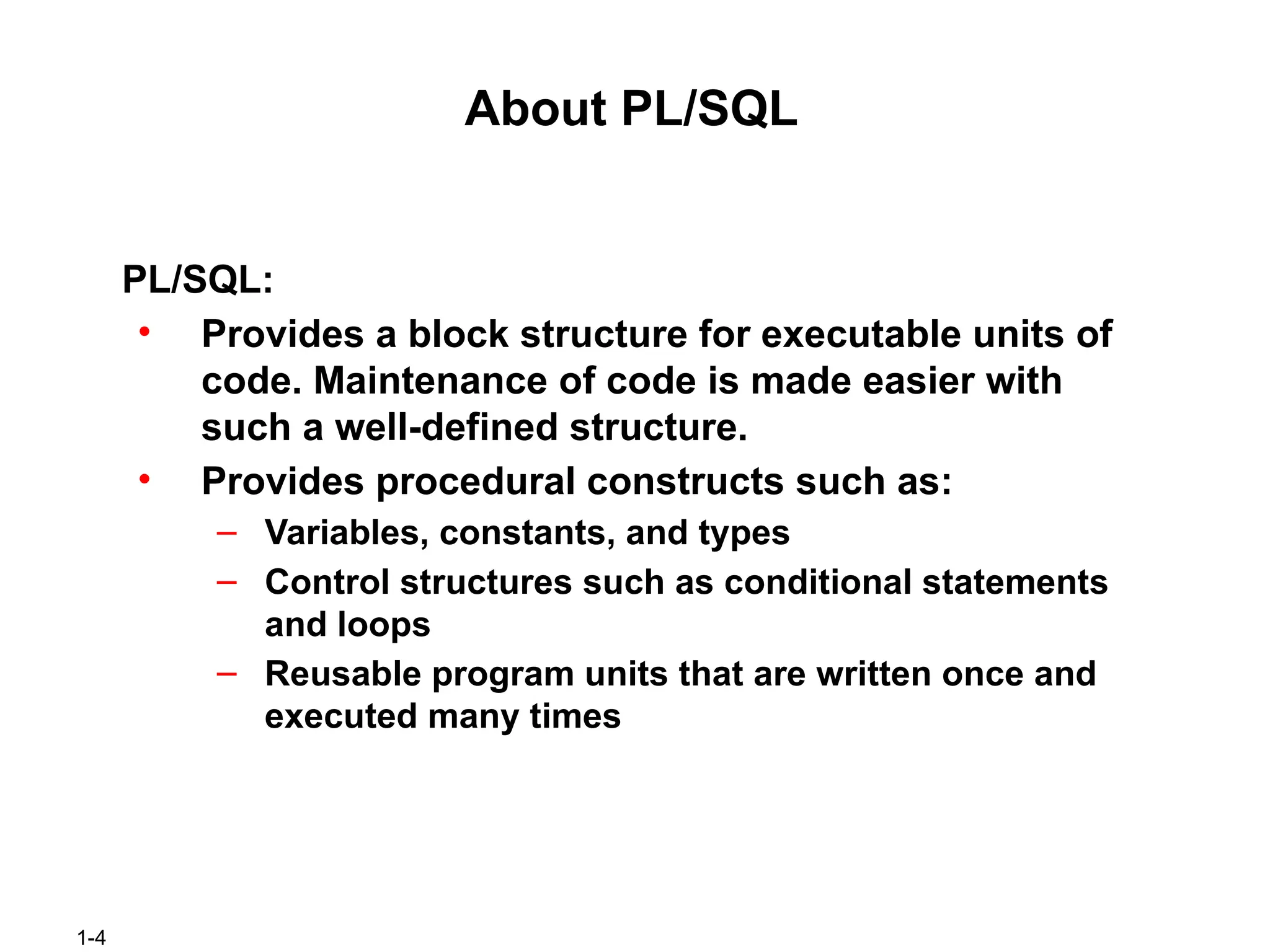
#5 PL/SQL Environment
The slide shows the PL/SQL execution environment in the Oracle database server. A PL/SQL block contains procedural statements and SQL statements. When you submit the PL/SQL block to the server, the PL/SQL engine first parses the block. The PL/SQL engine identifies the procedural statements and SQL statements. It passes the procedural statements to the procedural statement executor and passes the SQL statements to the SQL statement executor individually.
The diagram in the slide shows the PL/SQL engine within the database server. Oracle’s Application Development Tools can also contain a PL/SQL engine. The tool passes the blocks to its local PL/SQL engine. Therefore, all procedural statements are executed locally and only the SQL statements are executed in the database. The engine used depends on where the PL/SQL block is being invoked from.
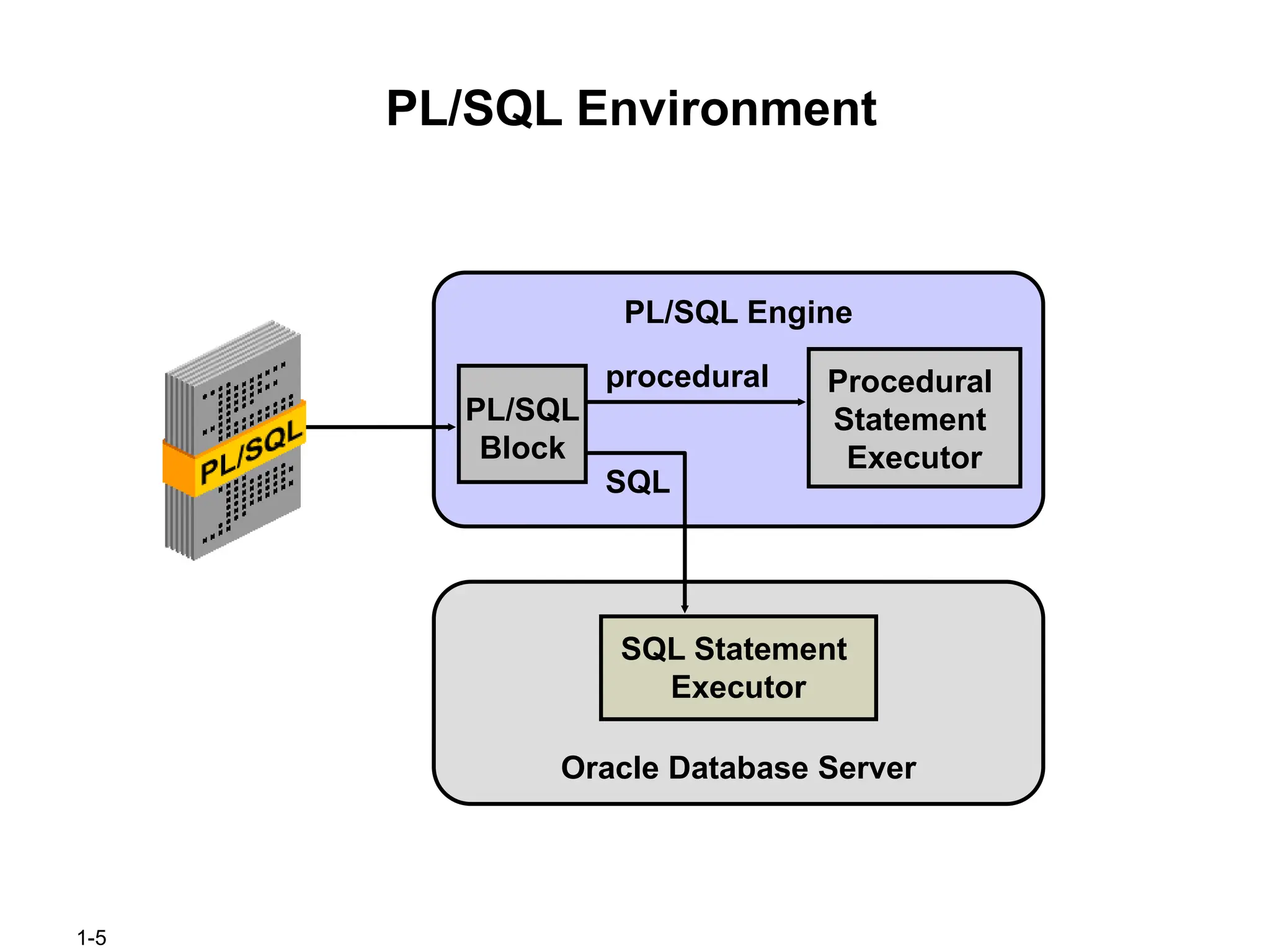
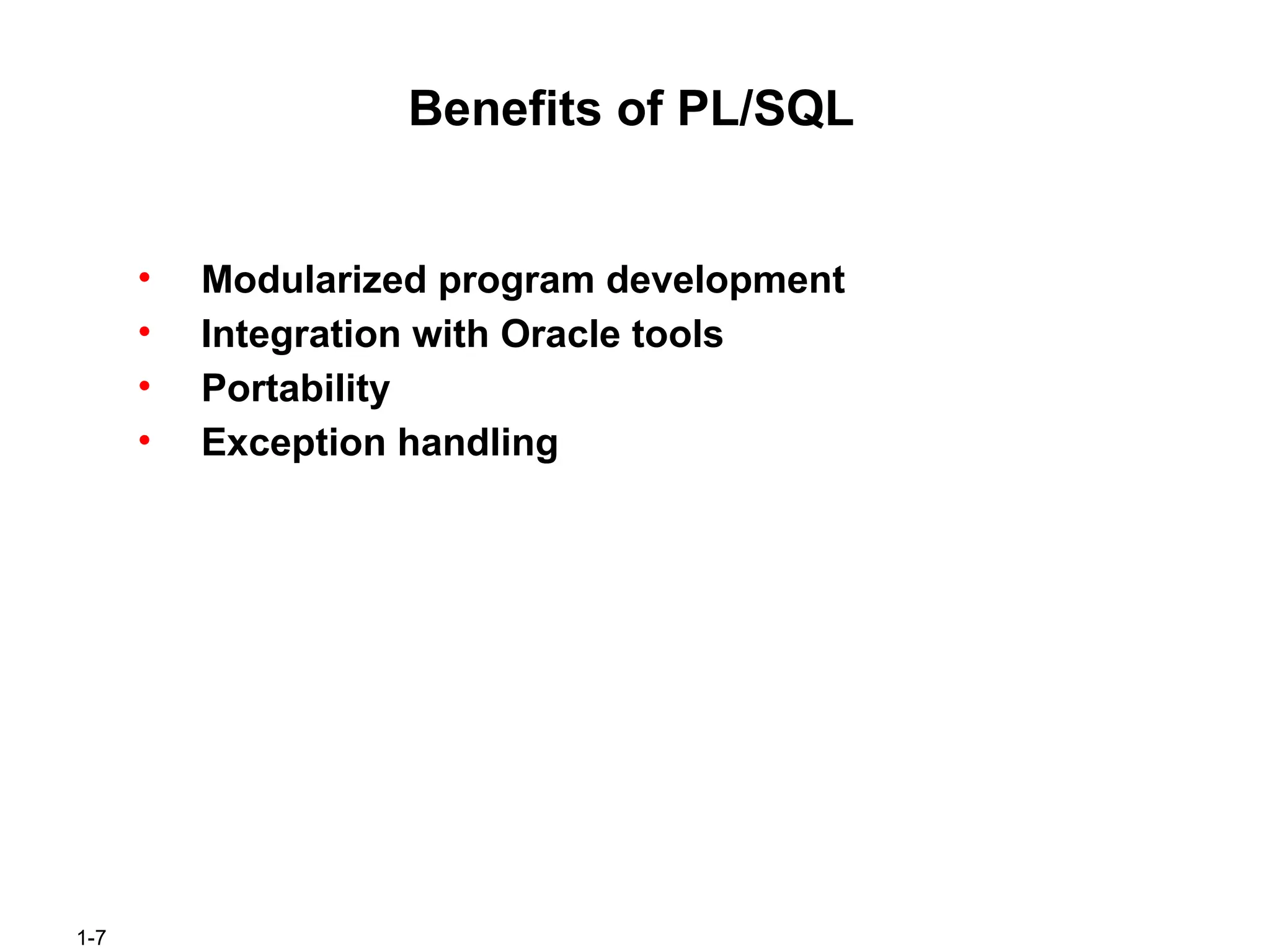
#6 Benefits of PL/SQL
Integration of procedural constructs with SQL: The first and foremost advantage of PL/SQL is the integration of procedural constructs with SQL. SQL is a nonprocedural language. When you issue a SQL command, your command tells the database server what to do. However, you cannot specify how to do it. PL/SQL integrates control statements and conditional statements with SQL. This gives you a better control of your SQL statements and their execution. You have already seen an example earlier in this lesson, that shows the need for such an integration.
Improved performance: Without PL/SQL you would not be able to logically combine SQL statements as one unit. If you have designed an application containing forms, you may have many different forms with fields in each form. When a form submits the data, you may have to execute a number of SQL statements. SQL statements are sent to the database one at a time. This results in many network trips and one call to the database for each SQL statement. This increases the network traffic and reduces performance especially in a client/server model.
With PL/SQL you can combine all these SQL statements into a single program unit. The application can send the entire block to the database instead of sending the SQL statements one at a time. This significantly reduces the number of database calls. As the slide illustrates, if the application is SQL intensive, you can use PL/SQL blocks to group SQL statements before sending them to the Oracle database server for execution.
#7 Benefits of PL/SQL (continued)
Modularized program development: A basic unit in a PL/SQL program is a block. All PL/SQL programs contain blocks. These blocks can be in a sequence or they can be nested in other blocks. Modularized program development has the following advantages:
You can group logically related statements within blocks.
You can nest blocks inside larger blocks to build powerful programs.
You can break your application into smaller modules. If you are designing a complex application, PL/SQL allows you to break down the application into smaller, manageable, and logically related modules.
You can easily maintain and debug the code.
Integration with tools: The PL/SQL engine is integrated in Oracle tools such as Oracle Forms, Oracle Reports, and so on. When you use these tools, the locally available PL/SQL engine processes the procedural statements and only the SQL statements are passed to the database.
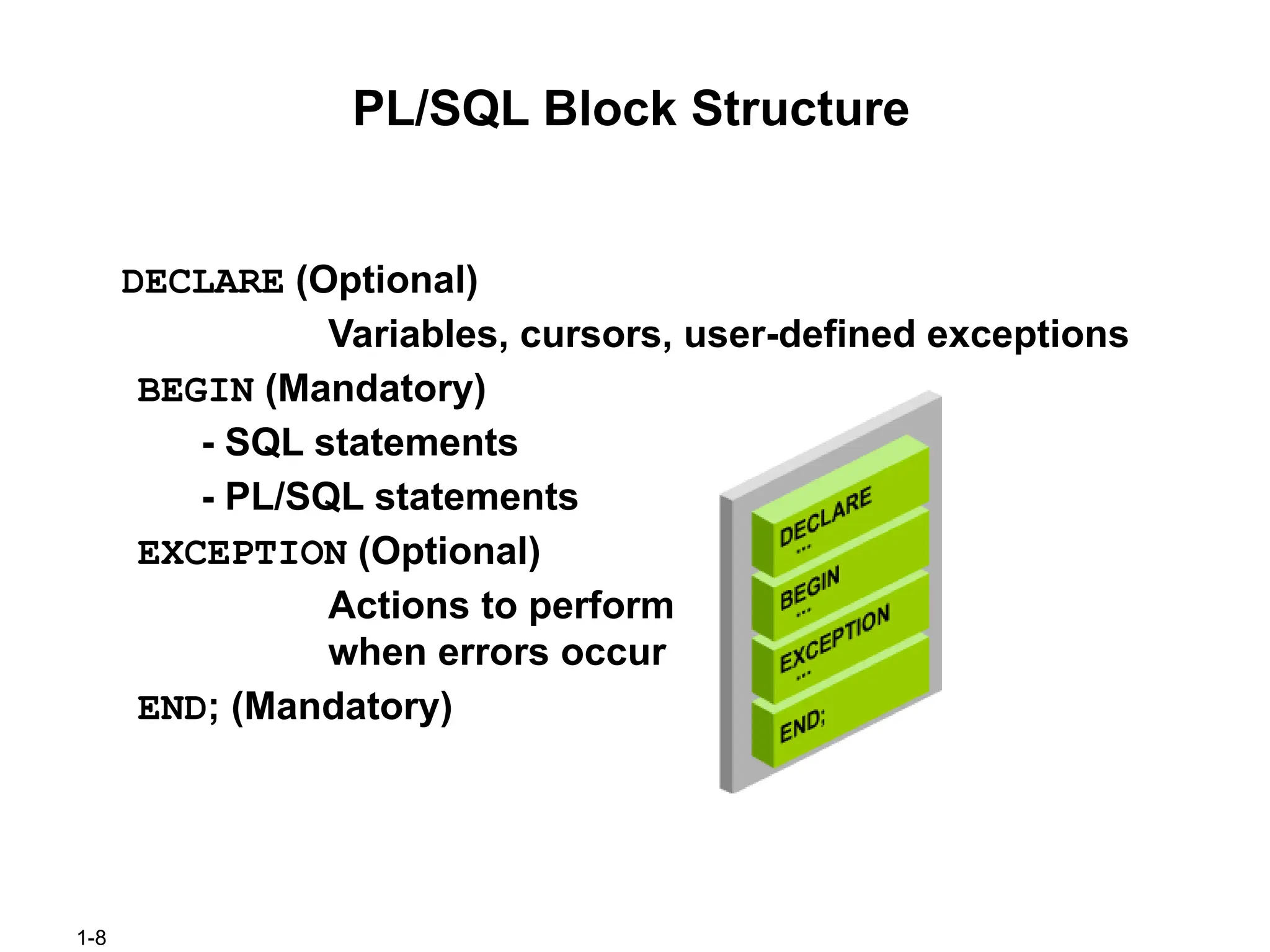
#8 PL/SQL Block Structure
The slide shows a basic PL/SQL block. A PL/SQL block consists of three sections:
Declarative (optional): The declarative section begins with the keyword DECLARE and ends when your executable section starts.
Executable (required): The executable section begins with the keyword BEGIN and ends with END. Observe that END is terminated with a semicolon. The executable section of a PL/SQL block can in turn include any number of PL/SQL blocks.
Exception handling (optional): The exception section is nested within the executable section. This section begins with the keyword EXCEPTION.
In a PL/SQL block, the keywords DECLARE, BEGIN, and EXCEPTION are not terminated by a semicolon. However, the keyword END, all SQL statements, and PL/SQL statements must be terminated with a semicolon.
#9 Block Types
A PL/SQL program comprises one or more blocks. These blocks can be entirely separate or nested within another. There are three types of blocks that make up a PL/SQL program. They are:
Anonymous blocks
Procedures
Functions
Anonymous blocks: Anonymous blocks are unnamed blocks. They are declared inline at the point in an application where they are to be executed and are compiled each time the application is executed. These blocks are not stored in the database. They are passed to the PL/SQL engine for execution at run time. Triggers in Oracle Developer components consist of such blocks. These anonymous blocks get executed at run time because they are inline. If you want to execute the same block again, you have to rewrite the block. You will not be able to invoke or call the block that you wrote earlier because blocks are anonymous and do not exist after they are executed.
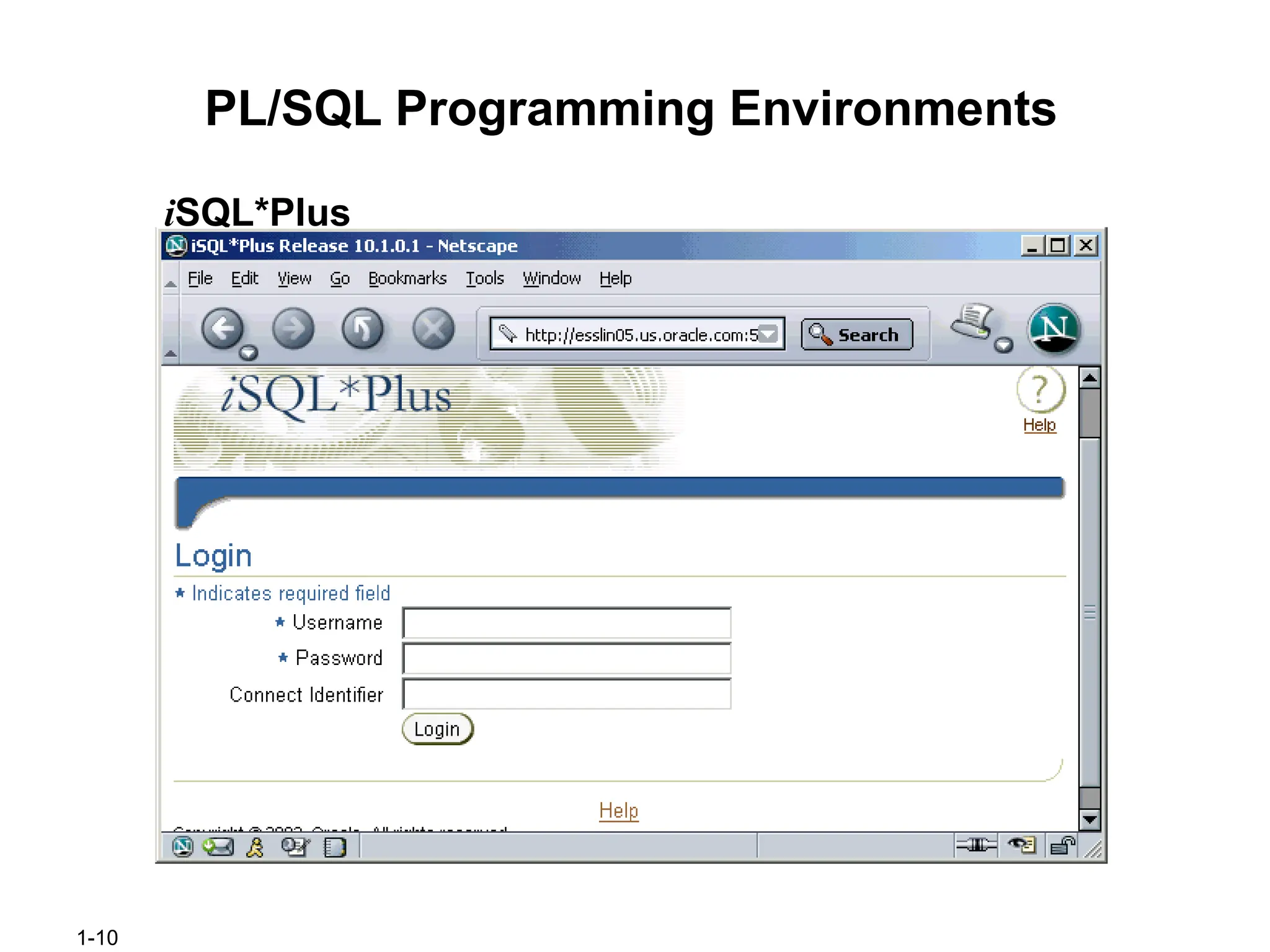
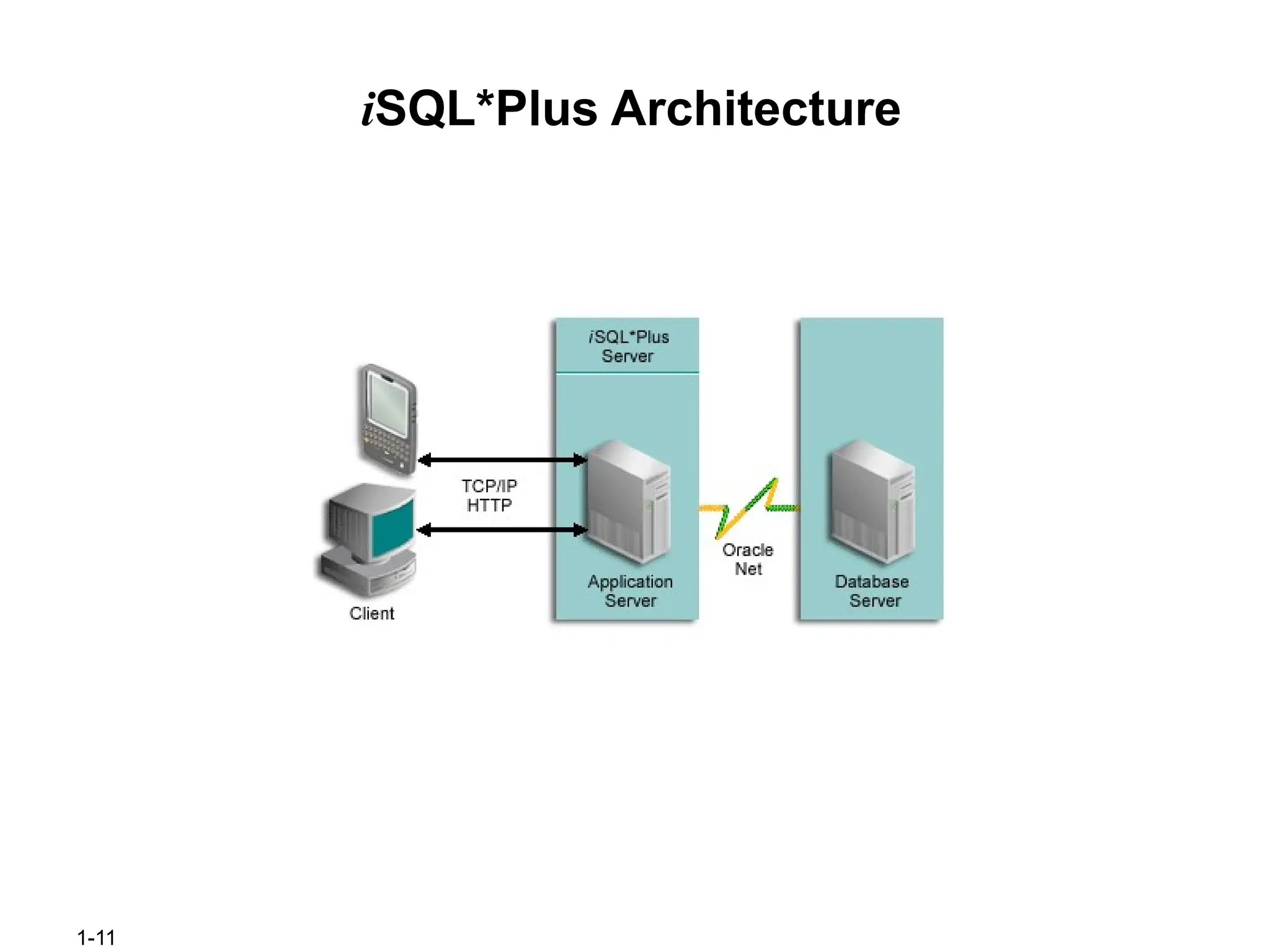
#10 PL/SQL Programming Environments (continued)
iSQL*Plus: iSQL*Plus is a browser-based interface to SQL*Plus. You can connect to the local database or remote database by using the iSQL*Plus. It allows you to perform all the operations that you can perform with the command-line version of SQL*Plus.
#12 Test the Output of a PL/SQL Block
In the example shown in the previous slide, we have stored a value in the variable f_name. However, we have not printed the value. You will now learn how to print the value.
PL/SQL does not have input or output functionality built in it. Therefore, we use predefined Oracle packages for input and output. To generate output, you have to:
Enable output in iSQL*Plus by using the SET SERVEROUTPUT ON command. SET SERVEROUTPUT ON is a SQL*Plus command that is also supported by iSQL*Plus.
Use the procedure PUT_LINE of the package DBMS_OUTPUT to display the output. Pass the value that has to be printed as argument to this procedure as shown in the slide. The procedure will then output the arguments.
#14 Use of Variables
With PL/SQL you can declare variables and then use them in SQL and procedural statements.
Why Use Variables?
Variables are mainly used for storage of data and manipulation of stored values. Consider the SQL statement shown in the slide. The statement is retrieving the first_name and department_id from the table. If you have to manipulate the first_name or the department_id, then you have to store the retrieved value. Variables are used to temporarily store the value. You can use the value stored in these variables for processing/manipulating the data. Therefore, the variables are used for storing and manipulating data. Variables can store any PL/SQL object such as variables, types, cursors, and subprograms.
Reusability is another advantage of declaring variables. After they are declared, variables can be used repeatedly in an application by referring to them in the statements.
#15 Identifiers
Identifiers are mainly used to make a convention for naming variables. The rules for naming a variable are listed in the slide.
What Is the Difference Between a Variable and an Identifier?
Identifiers are names of variables. Variables are storage locations of data. Data is stored in memory. Variables point to this memory location from where data can be read and modified. Identifiers are used to name any PL/SQL object such as variables, types, cursors, and subprograms. Variables are used to store any PL/SQL object such as variables, types, cursors, and subprograms.
#16 Handling Variables in PL/SQL
Declared and Initialized in the Declaration Section
You can declare variables in the declarative part of any PL/SQL block, subprogram, or package. Declarations allocate storage space for a value, specify its data type, and name the storage location so that you can reference it. Declarations can also assign an initial value and impose the NOT NULL constraint on the variable. Forward references are not allowed. You must declare a variable before referencing it in other statements, including other declarative statements.
Used and Assigned New Values in the Executable Section
In the executable section, the existing value of the variable can be replaced with the new value.
Passed as Parameters to PL/SQL Subprograms
Subprograms can take parameters. You can pass variables as parameters to subprograms.
Used to Hold the Output of a PL/SQL Subprogram
You have learned that procedures and functions are the same except that the functions must return a value. Variables can be used to hold the value that is returned by a function.
#17 Declaring and Initializing PL/SQL Variables
You must declare all PL/SQL identifiers in the declaration section before referencing them in the PL/SQL block. You have the option to assign an initial value to a variable as shown in the slide. You do not need to assign a value to a variable in order to declare it. If you refer to other variables in a declaration, you must be sure to declare them separately in a previous statement.
In the syntax:
identifier Is the name of the variable
CONSTANT Constrains the variable so that its value cannot change; constants must be initialized.
data type Is a scalar, composite, reference, or LOB data type. (This course covers only scalar, composite, and LOB data types.)
NOT NULL Constrains the variable so that it must contain a value. (NOT NULL variables must be initialized.)
expr Is any PL/SQL expression that can be a literal expression, another variable, or an expression involving operators and functions.
Note: In addition to variables, you can also declare cursors and exceptions in the declarative section. You will learn how to declare cursors and exceptions later in the course.
#18 Declaring and Initializing PL/SQL Variables (continued)
Observe the two code blocks in the slide.
1. The variable Myname is declared in the declarative section of the block. This variable can be accessed in the executable section of the same block. A value John is assigned to the variable in the executable section. String literals must be enclosed in single quotation marks. If your string has a quotation mark as in “ Today’s Date”, then the string would be “ Today’s Date”. ‘:=‘ is the assignment operator. The procedure PUT_LINE is invoked by passing the variable Myname. The value of the variable is concatenated with the string ‘My name is: ‘. The output of this anonymous block is:
2. In this block, the variable Myname is declared and initialized in the declarative section. Myname will hold the value John after initialization. Note that this value is manipulated in the executable section of the block. The output of this anonymous block is:
#19 Delimiters in String Literals
If your string contains a single quote, then you double the quotation mark.
For example,
event VARCHAR2(15):='Father''s day';
The first quotation mark acts as the escape character. This makes your string complicated especially if you have SQL statements as strings. You can specify any character that is not present in the string as delimiter. The slide shows how to use the q' notation to specify the delimiter. The examples use ‘!’ and ‘[‘ as delimiters. Consider the following example:
event := q'!Father's day!';
You can compare this with the first example on this notes page. You start the string with q' if you want to use a delimiter. The character following the notation is the delimiter used. Enter your string after specifying the delimiter, close the delimiter, and close the notation with a single quote. The following example shows how to use ‘[‘ as delimiter.
event := q' [Mother's day]';
#20 Types of Variables
All PL/SQL variables have a data type, which specifies a storage format, constraints, and a valid range of values. PL/SQL supports five data type categories—scalar, composite, reference, large objects (LOB), and object—that you can use for declaring variables, constants, and pointers.
Scalar data types: Scalar data types hold a single value. The value depends on the data type of the variable. For example, the variable Myname in the example in the slide 7 is of type VARCHAR2. Therefore, Myname can hold a string value. PL/SQL also supports Boolean variables.
Composite data types: Composite data types contain internal elements that are either scalar or composite. Record and table are examples of composite data types.
Reference data types: Reference data types hold values, called pointers, that point to a storage location.
LOB data types: LOB data types hold values, called locators, that specify the location of large objects (such as graphic images) that are stored out of line.
Non-PL/SQL variables include host language variables declared in precompiler programs, screen fields in Forms applications, and iSQL*Plus host variables. You learn about host variables later in the lesson.
For more information about LOBs, see PL/SQL User’s Guide and Reference.
#21 Guidelines for Declaring and Initializing PL/SQL Variables
Here are some guidelines to follow while declaring PL/SQL variables:
Follow naming conventions—for example, name to represent a variable and c_name to represent a constant.
Use meaningful and appropriate names for variables. For example, consider using salary and sal_with_commission instead of salary1 and salary2.
If you use the NOT NULL constraint, you must assign a value when you are declaring the variable.
In constant declarations, the keyword CONSTANT must precede the type specifier. The following declaration names a constant of NUMBER subtype REAL and assigns the value of 50000 to the constant. A constant must be initialized in its declaration; otherwise, you get a compilation error. After initializing a constant, you cannot change its value.
sal CONSTANT REAL := 50000.00;
#22 Guidelines for Declaring PL/SQL Variables
Initialize the variable to an expression with the assignment operator (:=) or with the DEFAULT reserved word. If you do not assign an initial value, the new variable contains NULL by default until you assign a value. To assign or reassign a value to a variable, you write a PL/SQL assignment statement. It is a good programming practice to initialize all variables.
Two objects can have the same name, provided they are defined in different blocks. Where they coexist, you can qualify them with labels and use them.
Avoid using column names as identifiers. If PL/SQL variables occur in SQL statements and have the same name as a column, the Oracle server assumes that it is the column that is being referenced. Although the example code in the slide works, code that is written using the same name for a database table and variable name is not easy to read or maintain.
Impose the NOT NULL constraint when the variable must contain a value. You cannot
assign nulls to a variable defined as NOT NULL. The NOT NULL constraint must be
followed by an initialization clause.
pincode NUMBER(15) NOT NULL := 'Oxford';
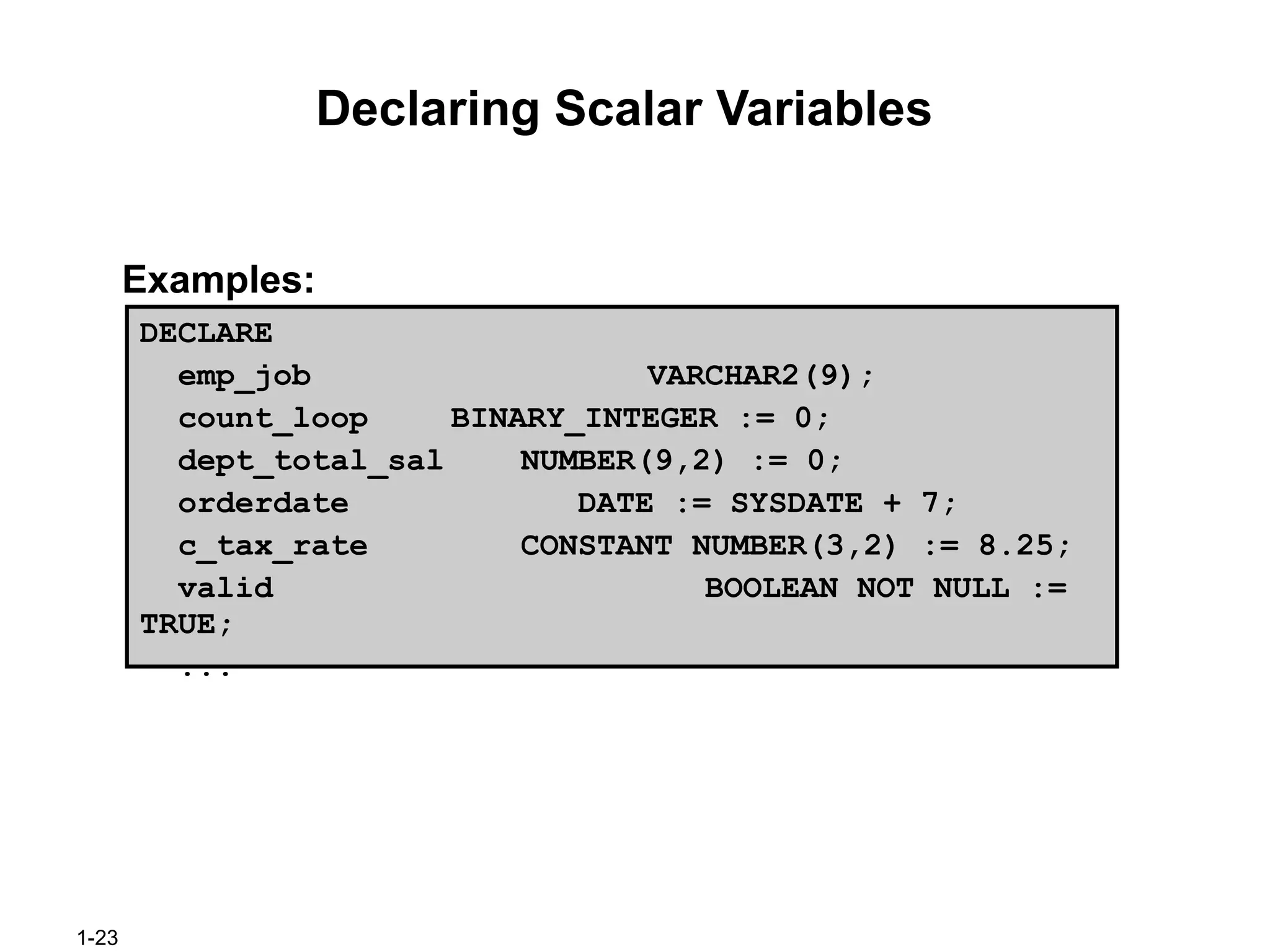
#23 Declaring Scalar Variables
The examples of variable declaration shown in the slide are defined as follows:
emp_job: Variable to store an employee job title
count_loop: Variable to count the iterations of a loop and initialized to 0
dept_total_sal: Variable to accumulate the total salary for a department and initialized to 0
orderdate: Variable to store the ship date of an order and initialize to one week from today
c_tax_rate: A constant variable for the tax rate, which never changes throughout the PL/SQL block and is set to 8.25
valid: Flag to indicate whether a piece of data is valid or invalid and initialized to TRUE
#24 The %TYPE Attribute
Generally PL/SQL variables are declared to hold and manipulate data stored in a database. When you declare PL/SQL variables to hold column values, you must ensure that the variable is of the correct data type and precision. If it is not, a PL/SQL error will occur during execution. If you have to design large subprograms, then this can be time-consuming
and error-prone.
Rather than hard coding the data type and precision of a variable, you can use the %TYPE
attribute to declare a variable according to another previously declared variable or database
column. The %TYPE attribute is most often used when the value stored in the variable will be derived from a table in the database. When you use the %TYPE attribute to declare a variable, you should prefix it with the database table and column name. If you refer to a previously declared variable, prefix the variable name to the attribute.
#25 Declaring Variables with the %TYPE Attribute
Declare variables to store the last name of an employee. The variable emp_lname is defined to be of the same data type as the last_name column in the employees table. The %TYPE attribute provides the data type of a database column.
Declare variables to store the balance of a bank account, as well as the minimum balance, which is 1000. The variable min_balance is defined to be of the same data type as the variable balance. The %TYPE attribute provides the data type of a variable.
A NOT NULL database column constraint does not apply to variables that are declared using %TYPE. Therefore, if you declare a variable using the %TYPE attribute that uses a database column defined as NOT NULL, you can assign the NULL value to the variable.
#26 Bind Variables
Bind variables are variables that you create in a host environment. They are also called host variables.
Why Do You Need Bind Variables?
Bind variables are created in the environment and not in the declarative section of a PL/SQL block. Variables declared in a PL/SQL block are available only when you execute the block. After the block is executed, the memory used by the variable is freed. However, bind variables are accessible even after the block is executed. Therefore, when created, bind variables can be used and manipulated by multiple subprograms. They can be used in SQL statements and PL/SQL blocks just like any other variable. These variables can be passed as run-time values into or out of PL/SQL subprograms.
How to Create Bind Variables?
To create a bind variable in iSQL*Plus or in SQL*Plus, use the command VARIABLE. For example, you declare a variable of type NUMBER and VARCHAR2 as follows:
VARIABLE return_code NUMBER
VARIABLE return_msg VARCHAR2(30)
Both SQL*Plus and iSQL*Plus can reference the bind variable, and iSQL*Plus can display its value through the SQL*Plus PRINT command.
#27 Printing Bind Variables
In iSQL*Plus you can display the value of the bind variable using the PRINT command.
When you execute the PL/SQL block shown in the slide, you get the following output when the PRINT command executes.
emp_salary is a bind variable. You can now use this variable in any SQL statement or PL/SQL program. Note the SQL statement that uses the bind variable. The output of the SQL statement is:
Note: You can use PRINT command without any variable to display all bind variables.
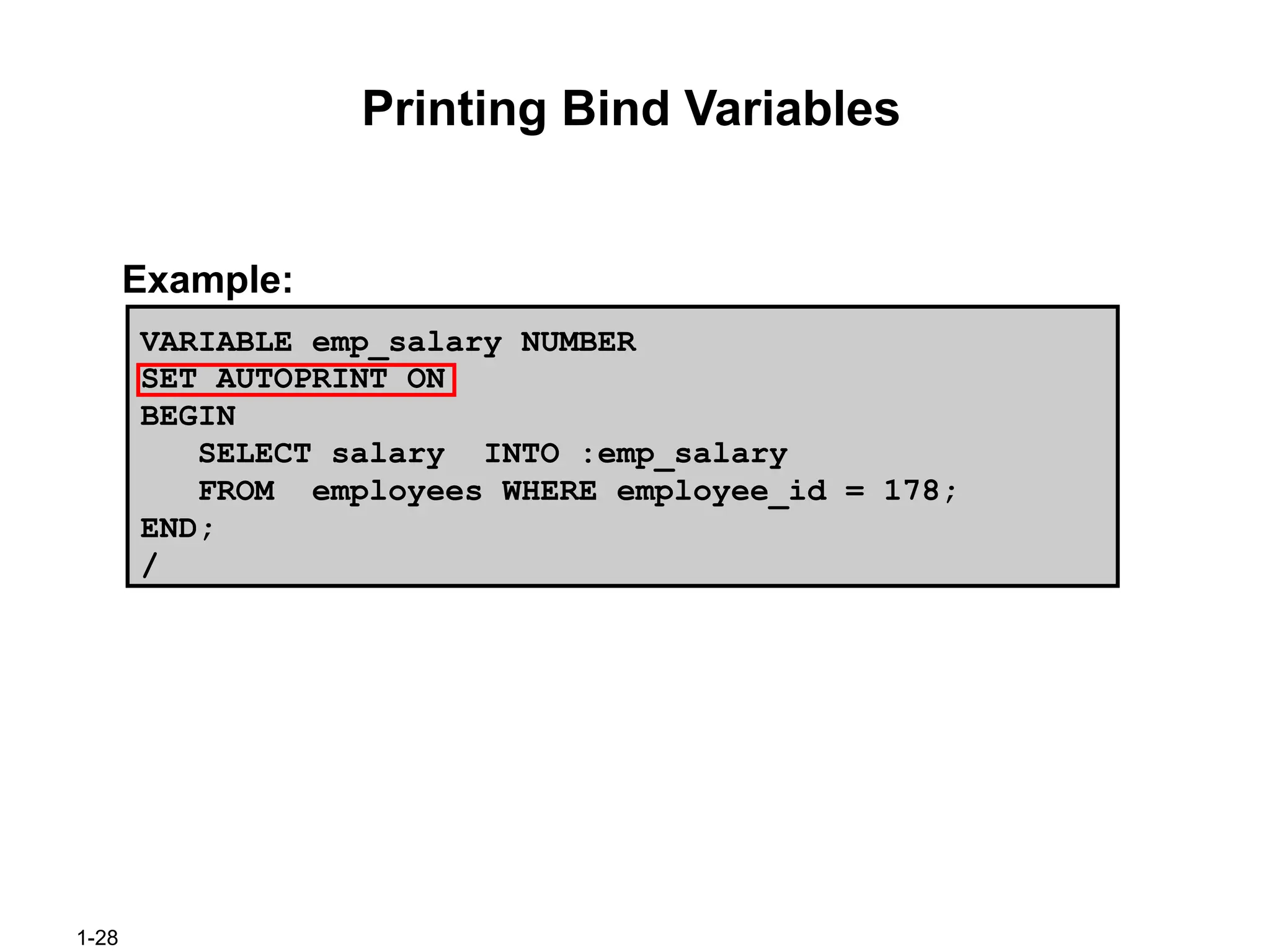
#28 Printing Bind Variables (continued)
Use the command SET AUTOPRINT ON to automatically display the bind variables used in a successful PL/SQL block.
#29 Substitution Variables
In the iSQL*Plus environment, iSQL*Plus substitution variables can be used to pass run-time values into a PL/SQL block. You can reference substitution variables in SQL statements and within a PL/SQL block with a preceding ampersand. The text values are substituted into the PL/SQL block before the PL/SQL block is executed. Therefore, you cannot substitute different values for the substitution variables by using a loop. Even if you include the variable in a loop, you are prompted only once to enter the value. Only one value will replace the substitution variable.
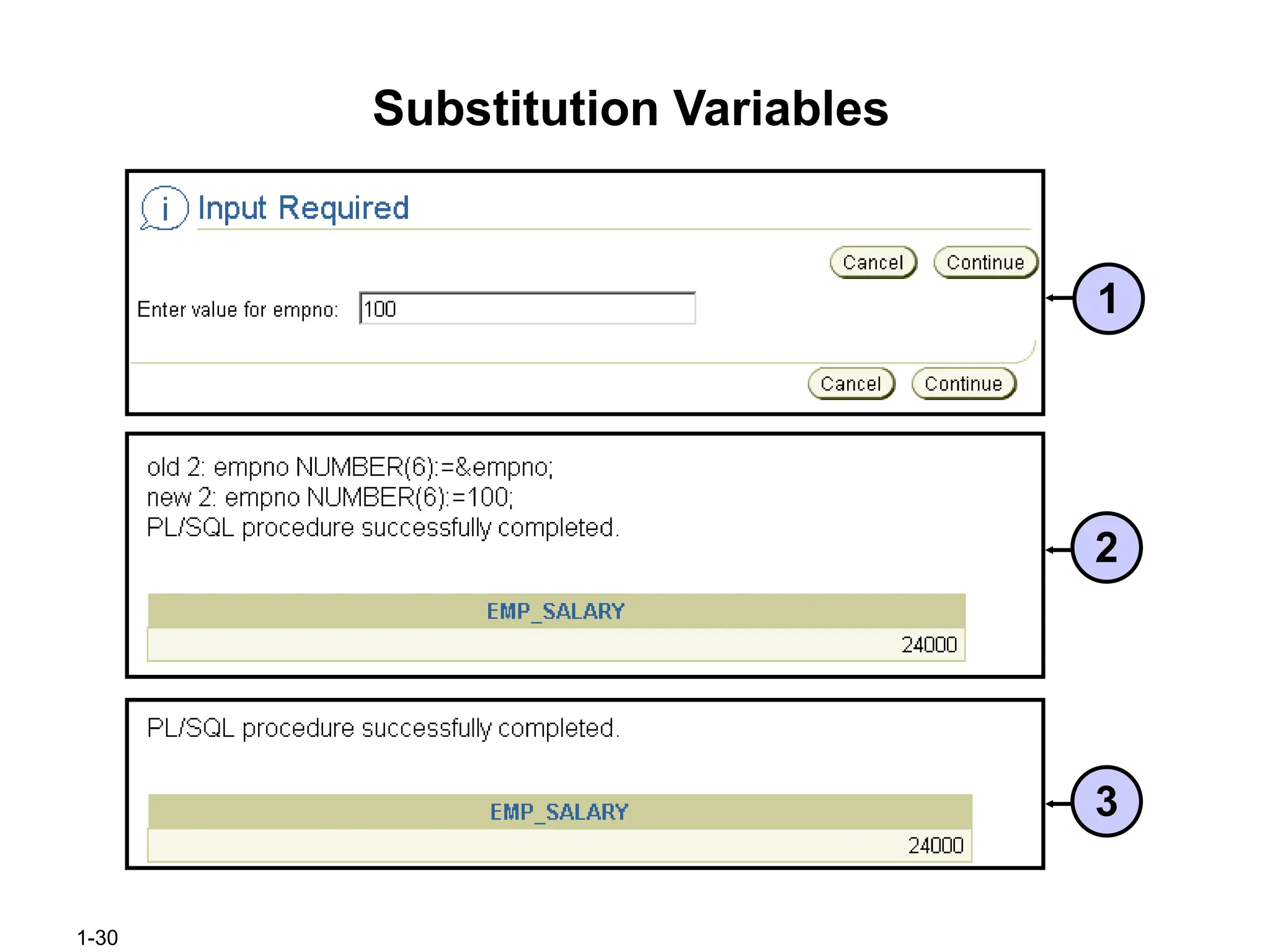
When you execute the above block, iSQL*Plus prompts you to enter a value for empno, which is the substitution variable.
#30 Substitution Variables (continued)
1. When you execute the block on the previous slide, iSQL*Plus prompts you to enter a value for empno, which is the substitution variable. By default the prompt message is “Enter value for <substitution variable>.” Enter a value as shown in the slide and click the Continue button.
2. You see the output shown in the slide. Note that iSQL*Plus prints both the old value and the new value for the substitution variable. You can set this off using the SET VERIFY OFF command.
3. The output after using SET VERIFY OFF command.
![1-9
Block Types
Anonymous
Procedure Function
[DECLARE]
BEGIN
--statements
[EXCEPTION]
END;
PROCEDURE name
IS
BEGIN
--statements
[EXCEPTION]
END;
FUNCTION name
RETURN datatype
IS
BEGIN
--statements
RETURN value;
[EXCEPTION]
END;](https://image.slidesharecdn.com/1-introductiontoplsqlt-251124153841-7874faa3/75/1-Introduction-to-PLSQL-computer-science-T-SUAD-pptx-9-2048.jpg)
![1-17
Declaring and Initializing PL/SQL Variables
Syntax:
Examples:
identifier [CONSTANT] datatype [NOT NULL]
[:= | DEFAULT expr];
DECLARE
emp_hiredate DATE;
emp_deptno NUMBER(2) NOT NULL := 10;
location VARCHAR2(13) := 'Atlanta';
c_comm CONSTANT
NUMBER := 1400;](https://image.slidesharecdn.com/1-introductiontoplsqlt-251124153841-7874faa3/75/1-Introduction-to-PLSQL-computer-science-T-SUAD-pptx-17-2048.jpg)
![1-19
Delimiters in String Literals
SET SERVEROUTPUT ON
DECLARE
event VARCHAR2(15);
BEGIN
event := q'!Father's day!';
DBMS_OUTPUT.PUT_LINE('3rd Sunday in June
is :
'||event);
event := q'[Mother's day]';
DBMS_OUTPUT.PUT_LINE('2nd Sunday in May is :
'||event);
END;
/](https://image.slidesharecdn.com/1-introductiontoplsqlt-251124153841-7874faa3/75/1-Introduction-to-PLSQL-computer-science-T-SUAD-pptx-19-2048.jpg)