Basic information about
  Eclipse and Java!
       COM S 207
          Simanta Mitra, Ph.D.
    Department of Computer Science
         Iowa state University


                                     1
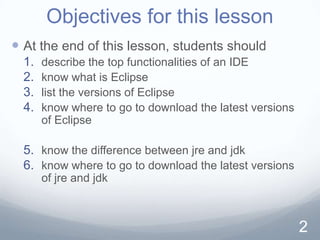
Objectives for this lesson
 At the end of this lesson, students should
  1.   describe the top functionalities of an IDE
  2.   know what is Eclipse
  3.   list the versions of Eclipse
  4.   know where to go to download the latest versions
       of Eclipse

  5. know the difference between jre and jdk
  6. know where to go to download the latest versions
       of jre and jdk


                                                          2
Lets first learn a bit about
           Eclipse


                               3
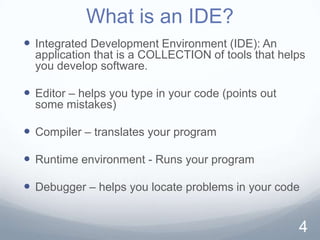
What is an IDE?
 Integrated Development Environment (IDE): An
  application that is a COLLECTION of tools that helps
  you develop software.

 Editor – helps you type in your code (points out
  some mistakes)

 Compiler – translates your program

 Runtime environment - Runs your program

 Debugger – helps you locate problems in your code


                                                     4
What is Eclipse?
 Eclipse is an IDE! It is widely used to develop Java
  programs.


 Eclipse was originally developed by IBM. Now, it is
  an open source project.


 There are several other IDEs. For example,
  Netscape and BlueJ.


                                                     5
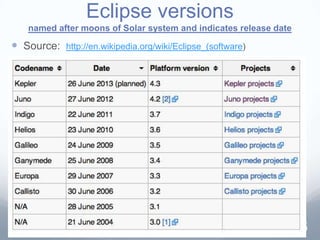
Eclipse versions
   named after moons of Solar system and indicates release date

 Source:   http://en.wikipedia.org/wiki/Eclipse_(software)


                                                                  6
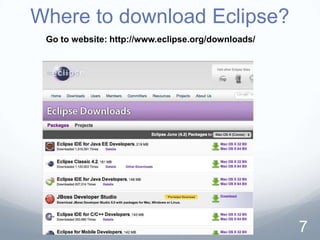
Where to download Eclipse?
 Go to website: http://www.eclipse.org/downloads/


                                                    7
Now, lets learn a bit about Java


                               8
What is JRE? JDK?
 The JRE (Java Runtime Environment) is what
 you need
  to execute compiled java classes.
  It consists of the "java" executable and java libraries.


 The JDK (Java Development Kit) contains
  it contains all of the JRE
  plus some extra tools/utilities like
    the java compiler
    java debugger


                                                         9
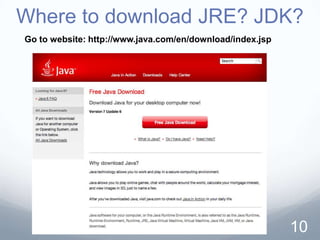
Where to download JRE? JDK?
Go to website: http://www.java.com/en/download/index.jsp


                                                           10
THE END


          11

1 about eclipse

  • 1.
    Basic information about Eclipse and Java! COM S 207 Simanta Mitra, Ph.D. Department of Computer Science Iowa state University 1
  • 2.
    Objectives for thislesson  At the end of this lesson, students should 1. describe the top functionalities of an IDE 2. know what is Eclipse 3. list the versions of Eclipse 4. know where to go to download the latest versions of Eclipse 5. know the difference between jre and jdk 6. know where to go to download the latest versions of jre and jdk 2
  • 3.
    Lets first learna bit about Eclipse 3
  • 4.
    What is anIDE?  Integrated Development Environment (IDE): An application that is a COLLECTION of tools that helps you develop software.  Editor – helps you type in your code (points out some mistakes)  Compiler – translates your program  Runtime environment - Runs your program  Debugger – helps you locate problems in your code 4
  • 5.
    What is Eclipse? Eclipse is an IDE! It is widely used to develop Java programs.  Eclipse was originally developed by IBM. Now, it is an open source project.  There are several other IDEs. For example, Netscape and BlueJ. 5
  • 6.
    Eclipse versions named after moons of Solar system and indicates release date  Source: http://en.wikipedia.org/wiki/Eclipse_(software) 6
  • 7.
    Where to downloadEclipse? Go to website: http://www.eclipse.org/downloads/ 7
  • 8.
    Now, lets learna bit about Java 8
  • 9.
    What is JRE?JDK?  The JRE (Java Runtime Environment) is what you need  to execute compiled java classes.  It consists of the "java" executable and java libraries.  The JDK (Java Development Kit) contains  it contains all of the JRE  plus some extra tools/utilities like  the java compiler  java debugger 9
  • 10.
    Where to downloadJRE? JDK? Go to website: http://www.java.com/en/download/index.jsp 10
  • 11.