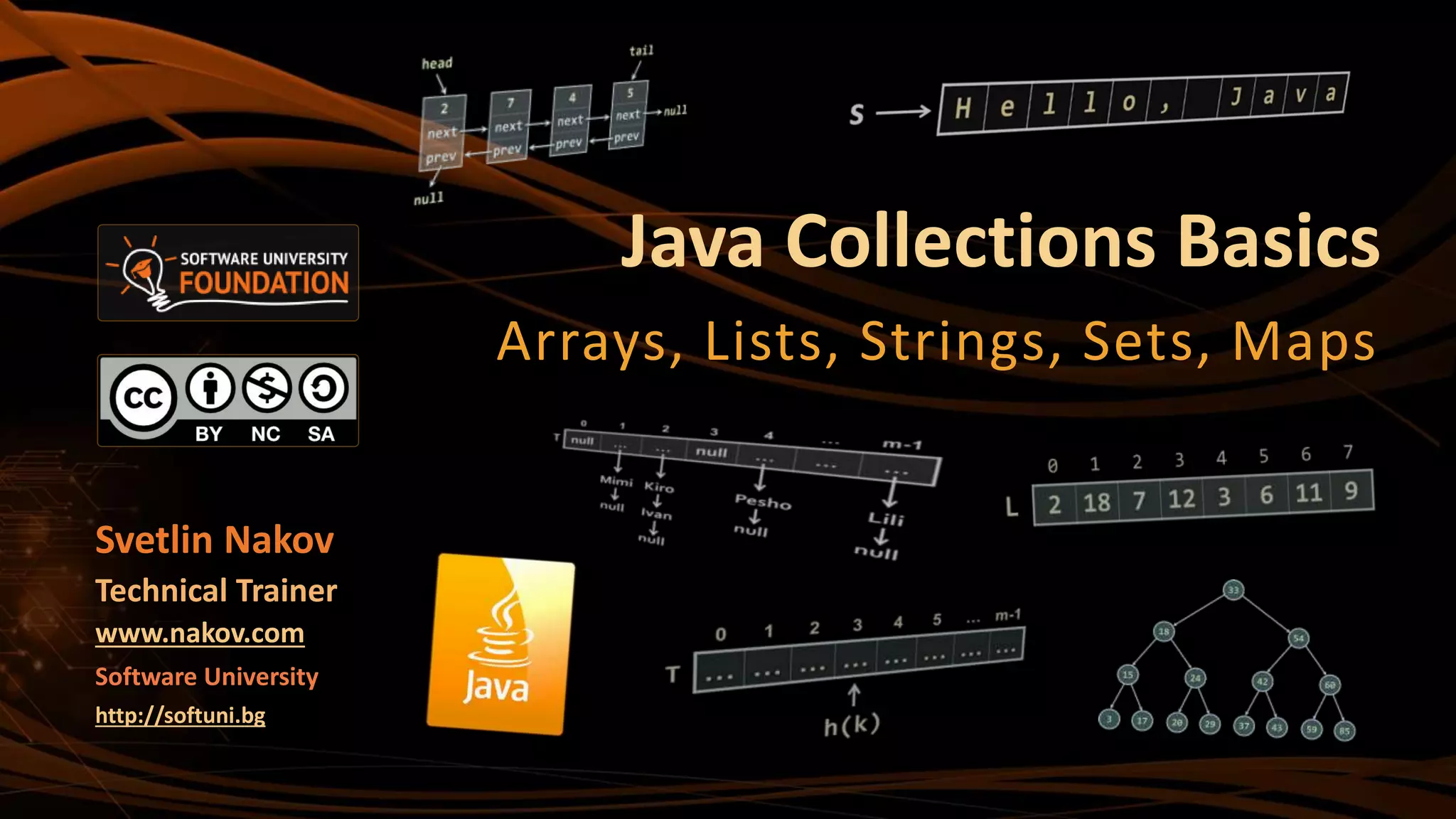
Java Collections Basics
Arrays, Lists, Strings, Sets, Maps
Svetlin Nakov
Technical Trainer
www.nakov.com
Software University
http://softuni.bg
2
1. Arrays
ď‚§ int[], String[], etc.
2. Lists
ď‚§ ArrayList<E>
3. Strings
ď‚§ String str = "Hello";
4. Sets
ď‚§ HashSet<E>, TreeSet<E>
5. Maps
ď‚§ HashMap<K, V>, TreeMap<K, V>
Table of Contents
3
ď‚§ The "Java Basics" course is NOT for absolute beginners
ď‚§ Take the "C# Basics" course at SoftUni first:
https://softuni.bg/courses/csharp-basics
ď‚§ The course is for beginners, but with previous coding skills
ď‚§ Requirements
 Coding skills – entry level
 Computer English – entry level
ď‚§ Logical thinking
Warning: Not for Absolute Beginners
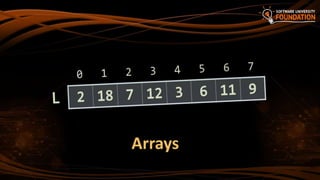
Arrays
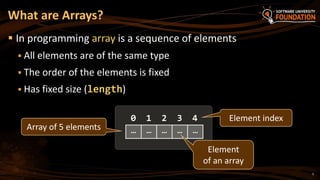
What are Arrays?
ď‚§ In programming array is a sequence of elements
ď‚§ All elements are of the same type
ď‚§ The order of the elements is fixed
ď‚§ Has fixed size (length)
5
0 1 2 3 4
Array of 5 elements
Element index
… … … … …
Element
of an array
6
ď‚§ Allocating an array of 10 integers:
ď‚§ Assigning values to the array elements:
ď‚§ Accessing array elements by index:
Working with Arrays in Java
int[] numbers = new int[10];
for (int i=0; i<numbers.length; i++)
numbers[i] = i+1;
numbers[3] = 20;
numbers[5] = numbers[2] + numbers[7];
7
ď‚§ You may define an array of any type, e.g. String:
Arrays of Strings
String[] names = { "Peter", "Maria", "Katya", "Todor" };
for (int i = 0; i<names.length; i++) {
System.out.printf("names[%d] = %sn", i, names[i]);
}
for (String name : names) {
System.out.println(name);
}
names[4] = "Nakov"; // ArrayIndexOutOfBoundsException
names.length = 5; // array.length is read-only field
8
Read, Sort and Print Array of n Strings
Scanner scanner = new Scanner(System.in);
int n = scanner.nextInt();
scanner.nextLine();
String[] lines = new String[n];
for (int i = 0; i < n; i++) {
lines[i] = scanner.nextLine();
}
Arrays.sort(lines);
for (int i = 0; i < lines.length; i++) {
System.out.println(lines[i]);
}
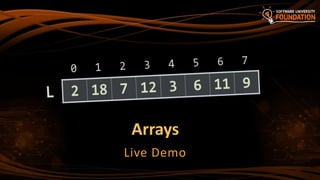
Arrays
Live Demo
Lists
Using ArrayList<E>
11
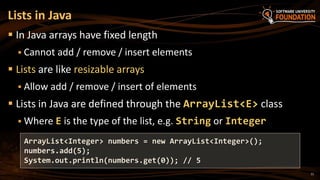
ď‚§ In Java arrays have fixed length
ď‚§ Cannot add / remove / insert elements
ď‚§ Lists are like resizable arrays
ď‚§ Allow add / remove / insert of elements
ď‚§ Lists in Java are defined through the ArrayList<E> class
ď‚§ Where E is the type of the list, e.g. String or Integer
Lists in Java
ArrayList<Integer> numbers = new ArrayList<Integer>();
numbers.add(5);
System.out.println(numbers.get(0)); // 5
12
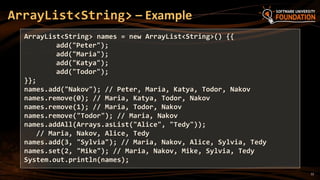
ArrayList<String> – Example
ArrayList<String> names = new ArrayList<String>() {{
add("Peter");
add("Maria");
add("Katya");
add("Todor");
}};
names.add("Nakov"); // Peter, Maria, Katya, Todor, Nakov
names.remove(0); // Maria, Katya, Todor, Nakov
names.remove(1); // Maria, Todor, Nakov
names.remove("Todor"); // Maria, Nakov
names.addAll(Arrays.asList("Alice", "Tedy"));
// Maria, Nakov, Alice, Tedy
names.add(3, "Sylvia"); // Maria, Nakov, Alice, Sylvia, Tedy
names.set(2, "Mike"); // Maria, Nakov, Mike, Sylvia, Tedy
System.out.println(names);
13
ArrayList<Integer> – Example
// This will not compile!
ArrayList<int> intArr = new ArrayList<int>();
ArrayList<Integer> nums = new ArrayList<>(
Arrays.asList(5, -3, 10, 25));
nums.add(55); // 5, -3, 10, 25, 55
System.out.println(nums.get(0)); // 5
System.out.println(nums); // [5, -3, 10, 25, 55]
nums.remove(2); // 5, -3, 25, 55
nums.set(0, 101); // 101, -3, 25, 55
System.out.println(nums); // [101, -3, 25, 55]
ArrayList<E>
Live Demo
Strings
Basic String Operations
What Is String?
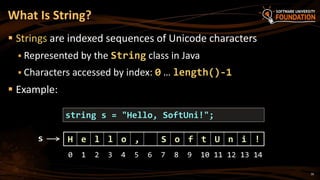
ď‚§ Strings are indexed sequences of Unicode characters
ď‚§ Represented by the String class in Java
 Characters accessed by index: 0 … length()-1
ď‚§ Example:
string s = "Hello, SoftUni!";
H e l l o , S o f t U n i !s
16
0 1 2 3 4 5 6 7 8 9 10 11 12 13 14
17
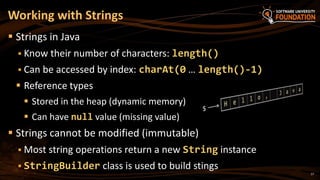
ď‚§ Strings in Java
ď‚§ Know their number of characters: length()
 Can be accessed by index: charAt(0 … length()-1)
ď‚§ Reference types
ď‚§ Stored in the heap (dynamic memory)
ď‚§ Can have null value (missing value)
ď‚§ Strings cannot be modified (immutable)
ď‚§ Most string operations return a new String instance
ď‚§ StringBuilder class is used to build stings
Working with Strings
18
Strings – Examples
String str = "SoftUni";
System.out.println(str);
for (int i = 0; i < str.length(); i++) {
System.out.printf("str[%d] = %sn", i, str.charAt(i));
}
System.out.println(str.indexOf("Uni")); // 4
System.out.println(str.indexOf("uni")); // -1 (not found)
System.out.println(str.substring(4, 7)); // Uni
System.out.println(str.replace("Soft", "Hard")); // HardUni
System.out.println(str.toLowerCase()); // softuni
System.out.println(str.toUpperCase()); // SOFTUNI
19
Strings – Examples (2)
String firstName = "Steve";
String lastName = "Jobs";
int age = 56;
System.out.println(firstName + " " + lastName +
" (age: " + age + ")"); // Steve Jobs (age: 56)
String allLangs = "C#, Java; HTML, CSS; PHP, SQL";
String[] langs = allLangs.split("[, ;]+");
for (String lang : langs) {
System.out.println(lang);
}
System.out.println("Langs = " + String.join(", ", langs));
System.out.println(" nn Software University ".trim());
20
ď‚§ The == operator does not work correctly for strings!
ď‚§ Use String.equals(String) and String.compareTo(String)
Comparing Strings in Java
String[] words = "yes yes".split(" ");
System.out.println("words[0] = " + words[0]); // yes
System.out.println("words[1] = " + words[0]); // yes
System.out.println(words[0] == words[1]); // false
System.out.println(words[0].equals(words[1])); // true
System.out.println("Alice".compareTo("Mike")); // < 0
System.out.println("Alice".compareTo("Alice")); // == 0
System.out.println("Mike".compareTo("Alice")); // > 0
21
ď‚§ Regular expressions match text by pattern, e.g.
ď‚§ [0-9]+ matches a non-empty sequence of digits
ď‚§ [a-zA-Z]* matches a sequence of letters (including empty)
ď‚§ [A-Z][a-z]+ [A-Z][a-z]+ matches a name (first name +
space + last name)
ď‚§ s+ matches any whitespace; S+ matches non-whitespace
ď‚§ d+ matches digits; D+ matches non-digits
ď‚§ w+ matches letters (Unicode); W+ matches non-letters
ď‚§ +d{1,3}([ -]*[0-9]+)+ matches international phone
Regular Expressions
22
Validation by Regular Expression – Example
import java.util.regex.*;
…
String regex = "+d{1,3}([ -]*[0-9]+)+";
System.out.println("+359 2 981-981".matches(regex)); // true
System.out.println("invalid number".matches(regex)); // false
System.out.println("+359 123-".matches(regex)); // false
System.out.println("+359 (2) 981 981".matches(regex)); // false
System.out.println("+44 280 11 11".matches(regex)); // true
System.out.println("++44 280 11 11".matches(regex)); // false
System.out.println("(+49) 325 908 44".matches(regex)); // false
System.out.println("+49 325 908-40-40".matches(regex)); // true
23
Find Matches by Pattern – Example
import java.util.regex.*;
…
String text =
"Hello, my number in Sofia is +359 894 11 22 33, " +
"but in Munich my number is +49 89 975-99222.";
Pattern phonePattern = Pattern.compile(
"+d{1,3}([ -]*([0-9]+))+");
Matcher matcher = phonePattern.matcher(text);
while (matcher.find()) {
System.out.println(matcher.group());
}
// +359 894 11 22 33
// +49 89 975-99222
Strings
Live Demos
Sets
HashSet<E> and TreeSet<E>
26
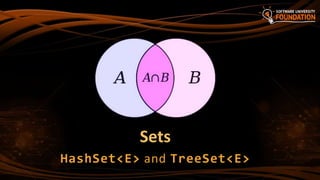
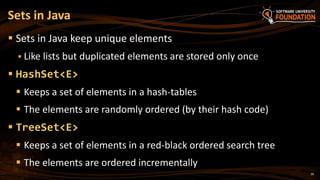
ď‚§ Sets in Java keep unique elements
ď‚§ Like lists but duplicated elements are stored only once
ď‚§ HashSet<E>
ď‚§ Keeps a set of elements in a hash-tables
ď‚§ The elements are randomly ordered (by their hash code)
ď‚§ TreeSet<E>
ď‚§ Keeps a set of elements in a red-black ordered search tree
ď‚§ The elements are ordered incrementally
Sets in Java
27
HashSet<E> and TreeSet<E> – Examples
Set<String> set = new TreeSet<String>();
set.add("Pesho");
set.add("Tosho");
set.add("Pesho");
set.add("Gosho");
set.add("Maria");
set.add("Alice");
set.remove("Pesho");
System.out.println(set); // [Alice, Gosho, Maria, Tosho]
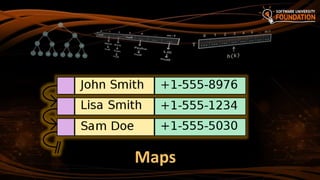
Maps
29
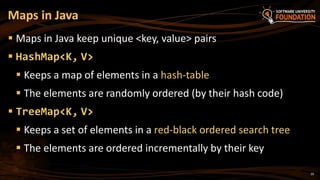
ď‚§ Maps in Java keep unique <key, value> pairs
ď‚§ HashMap<K, V>
ď‚§ Keeps a map of elements in a hash-table
ď‚§ The elements are randomly ordered (by their hash code)
ď‚§ TreeMap<K, V>
ď‚§ Keeps a set of elements in a red-black ordered search tree
ď‚§ The elements are ordered incrementally by their key
Maps in Java
30
ď‚§ Counting words occurrences in a list:
HashMap<K, V> – Examples
String[] words = { "yes", "hi", "hello", "hi", "welcome",
"yes", "yes", "welcome", "hi", "yes", "hello", "yes" };
Map<String, Integer> wordsCount = new HashMap<String, Integer>();
for (String word : words) {
Integer count = wordsCount.get(word);
if (count == null) {
count = 0;
}
wordsCount.put(word, count+1);
}
System.out.println(wordsCount); // {hi=3, yes=5, hello=2, welcome=2}
31
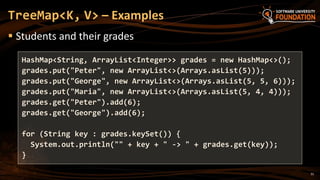
ď‚§ Students and their grades
TreeMap<K, V> – Examples
HashMap<String, ArrayList<Integer>> grades = new HashMap<>();
grades.put("Peter", new ArrayList<>(Arrays.asList(5)));
grades.put("George", new ArrayList<>(Arrays.asList(5, 5, 6)));
grades.put("Maria", new ArrayList<>(Arrays.asList(5, 4, 4)));
grades.get("Peter").add(6);
grades.get("George").add(6);
for (String key : grades.keySet()) {
System.out.println("" + key + " -> " + grades.get(key));
}
32
ď‚§Arrays, Strings and Collections:
1. Arrays: int[], String[], etc.
2. Strings: String str = "Hello";
3. Lists: ArrayList<E>
4. Sets: HashSet<E>, TreeSet<E>
5. Maps: HashMap<K, V>, TreeMap<K, V>
Summary
?
https://softuni.bg/courses/java-basics/
Java Collections Basics
34
ď‚§ This course (slides, examples, demos, videos, homework, etc.)
is licensed under the "Creative Commons Attribution-
NonCommercial-ShareAlike 4.0 International" license
ď‚§ Attribution: this work may contain portions from
ď‚§ "Fundamentals of Computer Programming with Java" book by Svetlin Nakov & Co. under CC-BY-SA license
ď‚§ "C# Basics" course by Software University under CC-BY-NC-SA license
License
Free Trainings @ Software University
 Software University Foundation – softuni.org
 Software University – High-Quality Education,
Profession and Job for Software Developers
ď‚§ softuni.bg
ď‚§ Software University @ Facebook
ď‚§ facebook.com/SoftwareUniversity
ď‚§ Software University @ YouTube
ď‚§ youtube.com/SoftwareUniversity
 Software University Forums – forum.softuni.bg

07. Java Array, Set and Maps

  • 1.
    Java Collections Basics Arrays,Lists, Strings, Sets, Maps Svetlin Nakov Technical Trainer www.nakov.com Software University http://softuni.bg
  • 2.
    2 1. Arrays ď‚§ int[],String[], etc. 2. Lists ď‚§ ArrayList<E> 3. Strings ď‚§ String str = "Hello"; 4. Sets ď‚§ HashSet<E>, TreeSet<E> 5. Maps ď‚§ HashMap<K, V>, TreeMap<K, V> Table of Contents
  • 3.
    3  The "JavaBasics" course is NOT for absolute beginners  Take the "C# Basics" course at SoftUni first: https://softuni.bg/courses/csharp-basics  The course is for beginners, but with previous coding skills  Requirements  Coding skills – entry level  Computer English – entry level  Logical thinking Warning: Not for Absolute Beginners
  • 4.
  • 5.
    What are Arrays? In programming array is a sequence of elements  All elements are of the same type  The order of the elements is fixed  Has fixed size (length) 5 0 1 2 3 4 Array of 5 elements Element index … … … … … Element of an array
  • 6.
    6 ď‚§ Allocating anarray of 10 integers: ď‚§ Assigning values to the array elements: ď‚§ Accessing array elements by index: Working with Arrays in Java int[] numbers = new int[10]; for (int i=0; i<numbers.length; i++) numbers[i] = i+1; numbers[3] = 20; numbers[5] = numbers[2] + numbers[7];
  • 7.
    7 ď‚§ You maydefine an array of any type, e.g. String: Arrays of Strings String[] names = { "Peter", "Maria", "Katya", "Todor" }; for (int i = 0; i<names.length; i++) { System.out.printf("names[%d] = %sn", i, names[i]); } for (String name : names) { System.out.println(name); } names[4] = "Nakov"; // ArrayIndexOutOfBoundsException names.length = 5; // array.length is read-only field
  • 8.
    8 Read, Sort andPrint Array of n Strings Scanner scanner = new Scanner(System.in); int n = scanner.nextInt(); scanner.nextLine(); String[] lines = new String[n]; for (int i = 0; i < n; i++) { lines[i] = scanner.nextLine(); } Arrays.sort(lines); for (int i = 0; i < lines.length; i++) { System.out.println(lines[i]); }
  • 9.
  • 10.
  • 11.
    11 ď‚§ In Javaarrays have fixed length ď‚§ Cannot add / remove / insert elements ď‚§ Lists are like resizable arrays ď‚§ Allow add / remove / insert of elements ď‚§ Lists in Java are defined through the ArrayList<E> class ď‚§ Where E is the type of the list, e.g. String or Integer Lists in Java ArrayList<Integer> numbers = new ArrayList<Integer>(); numbers.add(5); System.out.println(numbers.get(0)); // 5
  • 12.
    12 ArrayList<String> – Example ArrayList<String>names = new ArrayList<String>() {{ add("Peter"); add("Maria"); add("Katya"); add("Todor"); }}; names.add("Nakov"); // Peter, Maria, Katya, Todor, Nakov names.remove(0); // Maria, Katya, Todor, Nakov names.remove(1); // Maria, Todor, Nakov names.remove("Todor"); // Maria, Nakov names.addAll(Arrays.asList("Alice", "Tedy")); // Maria, Nakov, Alice, Tedy names.add(3, "Sylvia"); // Maria, Nakov, Alice, Sylvia, Tedy names.set(2, "Mike"); // Maria, Nakov, Mike, Sylvia, Tedy System.out.println(names);
  • 13.
    13 ArrayList<Integer> – Example //This will not compile! ArrayList<int> intArr = new ArrayList<int>(); ArrayList<Integer> nums = new ArrayList<>( Arrays.asList(5, -3, 10, 25)); nums.add(55); // 5, -3, 10, 25, 55 System.out.println(nums.get(0)); // 5 System.out.println(nums); // [5, -3, 10, 25, 55] nums.remove(2); // 5, -3, 25, 55 nums.set(0, 101); // 101, -3, 25, 55 System.out.println(nums); // [101, -3, 25, 55]
  • 14.
  • 15.
  • 16.
    What Is String? Strings are indexed sequences of Unicode characters  Represented by the String class in Java  Characters accessed by index: 0 … length()-1  Example: string s = "Hello, SoftUni!"; H e l l o , S o f t U n i !s 16 0 1 2 3 4 5 6 7 8 9 10 11 12 13 14
  • 17.
    17  Strings inJava  Know their number of characters: length()  Can be accessed by index: charAt(0 … length()-1)  Reference types  Stored in the heap (dynamic memory)  Can have null value (missing value)  Strings cannot be modified (immutable)  Most string operations return a new String instance  StringBuilder class is used to build stings Working with Strings
  • 18.
    18 Strings – Examples Stringstr = "SoftUni"; System.out.println(str); for (int i = 0; i < str.length(); i++) { System.out.printf("str[%d] = %sn", i, str.charAt(i)); } System.out.println(str.indexOf("Uni")); // 4 System.out.println(str.indexOf("uni")); // -1 (not found) System.out.println(str.substring(4, 7)); // Uni System.out.println(str.replace("Soft", "Hard")); // HardUni System.out.println(str.toLowerCase()); // softuni System.out.println(str.toUpperCase()); // SOFTUNI
  • 19.
    19 Strings – Examples(2) String firstName = "Steve"; String lastName = "Jobs"; int age = 56; System.out.println(firstName + " " + lastName + " (age: " + age + ")"); // Steve Jobs (age: 56) String allLangs = "C#, Java; HTML, CSS; PHP, SQL"; String[] langs = allLangs.split("[, ;]+"); for (String lang : langs) { System.out.println(lang); } System.out.println("Langs = " + String.join(", ", langs)); System.out.println(" nn Software University ".trim());
  • 20.
    20 ď‚§ The ==operator does not work correctly for strings! ď‚§ Use String.equals(String) and String.compareTo(String) Comparing Strings in Java String[] words = "yes yes".split(" "); System.out.println("words[0] = " + words[0]); // yes System.out.println("words[1] = " + words[0]); // yes System.out.println(words[0] == words[1]); // false System.out.println(words[0].equals(words[1])); // true System.out.println("Alice".compareTo("Mike")); // < 0 System.out.println("Alice".compareTo("Alice")); // == 0 System.out.println("Mike".compareTo("Alice")); // > 0
  • 21.
    21 ď‚§ Regular expressionsmatch text by pattern, e.g. ď‚§ [0-9]+ matches a non-empty sequence of digits ď‚§ [a-zA-Z]* matches a sequence of letters (including empty) ď‚§ [A-Z][a-z]+ [A-Z][a-z]+ matches a name (first name + space + last name) ď‚§ s+ matches any whitespace; S+ matches non-whitespace ď‚§ d+ matches digits; D+ matches non-digits ď‚§ w+ matches letters (Unicode); W+ matches non-letters ď‚§ +d{1,3}([ -]*[0-9]+)+ matches international phone Regular Expressions
  • 22.
    22 Validation by RegularExpression – Example import java.util.regex.*; … String regex = "+d{1,3}([ -]*[0-9]+)+"; System.out.println("+359 2 981-981".matches(regex)); // true System.out.println("invalid number".matches(regex)); // false System.out.println("+359 123-".matches(regex)); // false System.out.println("+359 (2) 981 981".matches(regex)); // false System.out.println("+44 280 11 11".matches(regex)); // true System.out.println("++44 280 11 11".matches(regex)); // false System.out.println("(+49) 325 908 44".matches(regex)); // false System.out.println("+49 325 908-40-40".matches(regex)); // true
  • 23.
    23 Find Matches byPattern – Example import java.util.regex.*; … String text = "Hello, my number in Sofia is +359 894 11 22 33, " + "but in Munich my number is +49 89 975-99222."; Pattern phonePattern = Pattern.compile( "+d{1,3}([ -]*([0-9]+))+"); Matcher matcher = phonePattern.matcher(text); while (matcher.find()) { System.out.println(matcher.group()); } // +359 894 11 22 33 // +49 89 975-99222
  • 24.
  • 25.
  • 26.
    26 ď‚§ Sets inJava keep unique elements ď‚§ Like lists but duplicated elements are stored only once ď‚§ HashSet<E> ď‚§ Keeps a set of elements in a hash-tables ď‚§ The elements are randomly ordered (by their hash code) ď‚§ TreeSet<E> ď‚§ Keeps a set of elements in a red-black ordered search tree ď‚§ The elements are ordered incrementally Sets in Java
  • 27.
    27 HashSet<E> and TreeSet<E>– Examples Set<String> set = new TreeSet<String>(); set.add("Pesho"); set.add("Tosho"); set.add("Pesho"); set.add("Gosho"); set.add("Maria"); set.add("Alice"); set.remove("Pesho"); System.out.println(set); // [Alice, Gosho, Maria, Tosho]
  • 28.
  • 29.
    29 ď‚§ Maps inJava keep unique <key, value> pairs ď‚§ HashMap<K, V> ď‚§ Keeps a map of elements in a hash-table ď‚§ The elements are randomly ordered (by their hash code) ď‚§ TreeMap<K, V> ď‚§ Keeps a set of elements in a red-black ordered search tree ď‚§ The elements are ordered incrementally by their key Maps in Java
  • 30.
    30  Counting wordsoccurrences in a list: HashMap<K, V> – Examples String[] words = { "yes", "hi", "hello", "hi", "welcome", "yes", "yes", "welcome", "hi", "yes", "hello", "yes" }; Map<String, Integer> wordsCount = new HashMap<String, Integer>(); for (String word : words) { Integer count = wordsCount.get(word); if (count == null) { count = 0; } wordsCount.put(word, count+1); } System.out.println(wordsCount); // {hi=3, yes=5, hello=2, welcome=2}
  • 31.
    31  Students andtheir grades TreeMap<K, V> – Examples HashMap<String, ArrayList<Integer>> grades = new HashMap<>(); grades.put("Peter", new ArrayList<>(Arrays.asList(5))); grades.put("George", new ArrayList<>(Arrays.asList(5, 5, 6))); grades.put("Maria", new ArrayList<>(Arrays.asList(5, 4, 4))); grades.get("Peter").add(6); grades.get("George").add(6); for (String key : grades.keySet()) { System.out.println("" + key + " -> " + grades.get(key)); }
  • 32.
    32 ď‚§Arrays, Strings andCollections: 1. Arrays: int[], String[], etc. 2. Strings: String str = "Hello"; 3. Lists: ArrayList<E> 4. Sets: HashSet<E>, TreeSet<E> 5. Maps: HashMap<K, V>, TreeMap<K, V> Summary
  • 33.
  • 34.
    34 ď‚§ This course(slides, examples, demos, videos, homework, etc.) is licensed under the "Creative Commons Attribution- NonCommercial-ShareAlike 4.0 International" license ď‚§ Attribution: this work may contain portions from ď‚§ "Fundamentals of Computer Programming with Java" book by Svetlin Nakov & Co. under CC-BY-SA license ď‚§ "C# Basics" course by Software University under CC-BY-NC-SA license License
  • 35.
    Free Trainings @Software University  Software University Foundation – softuni.org  Software University – High-Quality Education, Profession and Job for Software Developers  softuni.bg  Software University @ Facebook  facebook.com/SoftwareUniversity  Software University @ YouTube  youtube.com/SoftwareUniversity  Software University Forums – forum.softuni.bg