PYTHON FUNDAMENTALS
VINOD KUMAR VERMA, PGT(CS), KV OEF KANPUR
& SACHIN BHARDWAJ, PGT(CS), KV NO.1 TEZPUR
for more updates visit: www.python4csip.com
Python Character Set
VINOD KUMAR VERMA, PGT(CS), KV OEF KANPUR &
SACHIN BHARDWAJ, PGT(CS), KV NO.1 TEZPUR
Is a set of valid characters that python can recognize. A
character represent letters, digits or any symbol. Python
support UNICODE encoding standard. Following are the
Python character set
 Letters : A-Z, a-z
 Digits : 0-9
 Special symbols :space +-*/()~`!@#$%^ & [{
]};:‟”,<.>/?
 White spaces : Blank space, Enter, Tab
 Other character : python can process all ASCII and
UNICODE as a part of data or literal
for more updates visit: www.python4csip.com
TOKENS
VINOD KUMAR VERMA, PGT(CS), KV OEF KANPUR &
SACHIN BHARDWAJ, PGT(CS), KV NO.1 TEZPUR
In a passage of text, individual words and punctuation
marks are called tokens or lexical units or lexical
elements. The smallest individual unit in a program is
known as Tokens. Python has following tokens:
 Keywords
 Identifiers(Name)
 Literals
 Operators
 Punctuators
for more updates visit: www.python4csip.com
KEYWORDS
VINOD KUMAR VERMA, PGT(CS), KV OEF KANPUR &
SACHIN BHARDWAJ, PGT(CS), KV NO.1 TEZPUR
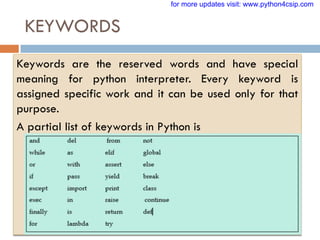
Keywords are the reserved words and have special
meaning for python interpreter. Every keyword is
assigned specific work and it can be used only for that
purpose.
A partial list of keywords in Python is
for more updates visit: www.python4csip.com
IDENTIFIERS
VINOD KUMAR VERMA, PGT(CS), KV OEF KANPUR &
SACHIN BHARDWAJ, PGT(CS), KV NO.1 TEZPUR
Are the names given to different parts of program like variables,
objects, classes, functions etc.
Identifier forming rules of Python are :
 Is an arbitrarily long sequence of letters and digits
 The first character must be letter or underscore
 Upper and lower case are different
 The digits 0-9 are allowed except for first character
 It must not be a keyword
 No special characters are allowed other than underscore is allowed.
 Space not allowed
for more updates visit: www.python4csip.com
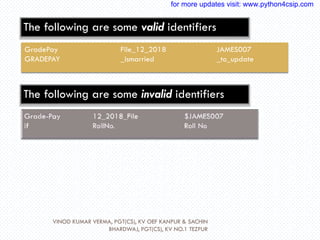
GradePay File_12_2018 JAMES007
GRADEPAY _ismarried _to_update
The following are some valid identifiers
The following are some invalid identifiers
VINOD KUMAR VERMA, PGT(CS), KV OEF KANPUR & SACHIN
BHARDWAJ, PGT(CS), KV NO.1 TEZPUR
for more updates visit: www.python4csip.com
Literals / Values
VINOD KUMAR VERMA, PGT(CS), KV OEF KANPUR &
SACHIN BHARDWAJ, PGT(CS), KV NO.1 TEZPUR
 Literals are data items that have a fixed value.
Python supports several kinds of literals:
 String Literal
 Numeric Literals
 Boolean Literals
 Special Literals – None
 Literal Collections
for more updates visit: www.python4csip.com
String Literals
VINOD KUMAR VERMA, PGT(CS), KV OEF KANPUR &
SACHIN BHARDWAJ, PGT(CS), KV NO.1 TEZPUR
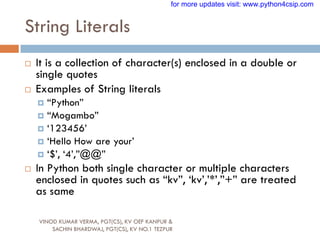
 It is a collection of character(s) enclosed in a double or
single quotes
 Examples of String literals
 “Python”
 “Mogambo”
 „123456‟
 „Hello How are your‟
 „$‟, „4‟,”@@”
 In Python both single character or multiple characters
enclosed in quotes such as “kv”, „kv‟,‟*‟,”+” are treated
as same
for more updates visit: www.python4csip.com
Non-Graphic (Escape) characters
VINOD KUMAR VERMA, PGT(CS), KV OEF KANPUR &
SACHIN BHARDWAJ, PGT(CS), KV NO.1 TEZPUR
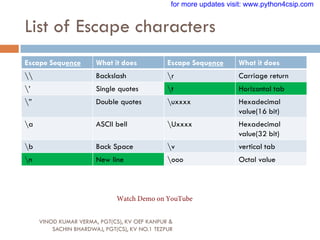
 They are the special characters which cannot be
type directly from keyboard like backspace, tabs,
enter etc. When the characters are typed they
perform some action. These are represented by
escape characters. Escape characters are always
begins from backslash() character.
for more updates visit: www.python4csip.com
List of Escape characters
VINOD KUMAR VERMA, PGT(CS), KV OEF KANPUR &
SACHIN BHARDWAJ, PGT(CS), KV NO.1 TEZPUR
Escape Sequence What it does Escape Sequence What it does
 Backslash r Carriage return
‟ Single quotes t Horizontal tab
” Double quotes uxxxx Hexadecimal
value(16 bit)
a ASCII bell Uxxxx Hexadecimal
value(32 bit)
b Back Space v vertical tab
n New line ooo Octal value
for more updates visit: www.python4csip.com
Watch Demo on YouTube
String type in Python
VINOD KUMAR VERMA, PGT(CS), KV OEF KANPUR &
SACHIN BHARDWAJ, PGT(CS), KV NO.1 TEZPUR
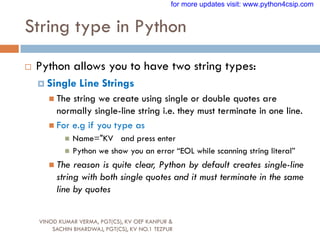
 Python allows you to have two string types:
 Single Line Strings
 The string we create using single or double quotes are
normally single-line string i.e. they must terminate in one line.
 For e.g if you type as
 Name="KV and press enter
 Python we show you an error “EOL while scanning string literal”
 The reason is quite clear, Python by default creates single-line
string with both single quotes and it must terminate in the same
line by quotes
for more updates visit: www.python4csip.com
String type in Python
VINOD KUMAR VERMA, PGT(CS), KV OEF KANPUR &
SACHIN BHARDWAJ, PGT(CS), KV NO.1 TEZPUR
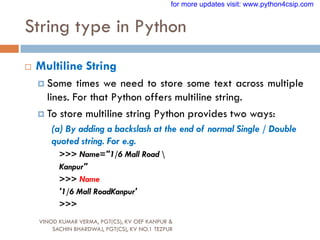
 Multiline String
 Some times we need to store some text across multiple
lines. For that Python offers multiline string.
 To store multiline string Python provides two ways:
(a) By adding a backslash at the end of normal Single / Double
quoted string. For e.g.
>>> Name="1/6 Mall Road 
Kanpur"
>>> Name
'1/6 Mall RoadKanpur'
>>>
for more updates visit: www.python4csip.com
String type in Python
VINOD KUMAR VERMA, PGT(CS), KV OEF KANPUR &
SACHIN BHARDWAJ, PGT(CS), KV NO.1 TEZPUR
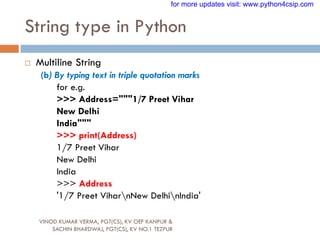
 Multiline String
(b) By typing text in triple quotation marks
for e.g.
>>> Address="""1/7 Preet Vihar
New Delhi
India"""
>>> print(Address)
1/7 Preet Vihar
New Delhi
India
>>> Address
'1/7 Preet ViharnNew DelhinIndia'
for more updates visit: www.python4csip.com
Size of String
VINOD KUMAR VERMA, PGT(CS), KV OEF KANPUR &
SACHIN BHARDWAJ, PGT(CS), KV NO.1 TEZPUR
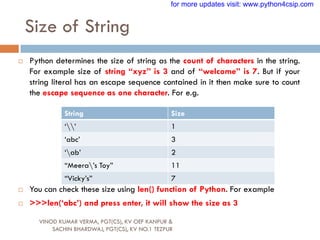
 Python determines the size of string as the count of characters in the string.
For example size of string “xyz” is 3 and of “welcome” is 7. But if your
string literal has an escape sequence contained in it then make sure to count
the escape sequence as one character. For e.g.
 You can check these size using len() function of Python. For example
 >>>len(„abc‟) and press enter, it will show the size as 3
String Size
„‟ 1
„abc‟ 3
„ab‟ 2
“Meera‟s Toy” 11
“Vicky‟s” 7
for more updates visit: www.python4csip.com
Size of String
VINOD KUMAR VERMA, PGT(CS), KV OEF KANPUR &
SACHIN BHARDWAJ, PGT(CS), KV NO.1 TEZPUR
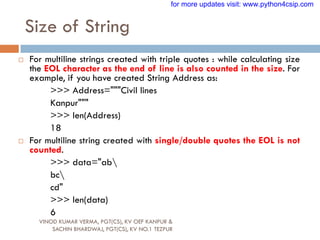
 For multiline strings created with triple quotes : while calculating size
the EOL character as the end of line is also counted in the size. For
example, if you have created String Address as:
>>> Address="""Civil lines
Kanpur"""
>>> len(Address)
18
 For multiline string created with single/double quotes the EOL is not
counted.
>>> data="ab
bc
cd"
>>> len(data)
6
for more updates visit: www.python4csip.com
Numeric Literals
VINOD KUMAR VERMA, PGT(CS), KV OEF KANPUR &
SACHIN BHARDWAJ, PGT(CS), KV NO.1 TEZPUR
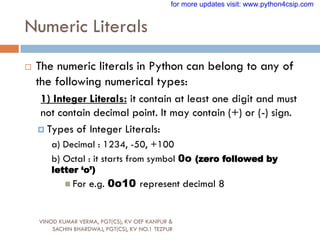
 The numeric literals in Python can belong to any of
the following numerical types:
1) Integer Literals: it contain at least one digit and must
not contain decimal point. It may contain (+) or (-) sign.
 Types of Integer Literals:
a) Decimal : 1234, -50, +100
b) Octal : it starts from symbol 0o (zero followed by
letter ‘o’)
 For e.g. 0o10 represent decimal 8
for more updates visit: www.python4csip.com
Numeric Literals
VINOD KUMAR VERMA, PGT(CS), KV OEF KANPUR &
SACHIN BHARDWAJ, PGT(CS), KV NO.1 TEZPUR
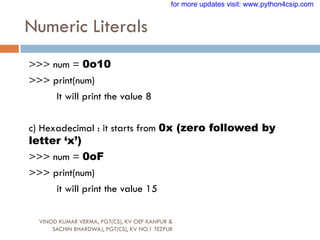
>>> num = 0o10
>>> print(num)
It will print the value 8
c) Hexadecimal : it starts from 0x (zero followed by
letter ‘x’)
>>> num = 0oF
>>> print(num)
it will print the value 15
for more updates visit: www.python4csip.com
Numeric Literals
VINOD KUMAR VERMA, PGT(CS), KV OEF KANPUR &
SACHIN BHARDWAJ, PGT(CS), KV NO.1 TEZPUR
 2) Floating point Literals: also known as real
literals. Real literals are numbers having fractional
parts. It is represented in two forms Fractional Form
or Exponent Form
 Fractional Form: it is signed or unsigned with decimal point
 For e.g. 12.0, -15.86, 0.5, 10. (will represent 10.0)
 Exponent Part: it consists of two parts “Mantissa” and
“Exponent”.
 For e.g. 10.5 can be represented as 0.105 x 102 = 0.105E02 where
0.105 is mantissa and 02 (after letter E) is exponent
for more updates visit: www.python4csip.com
Points to remember
VINOD KUMAR VERMA, PGT(CS), KV OEF KANPUR &
SACHIN BHARDWAJ, PGT(CS), KV NO.1 TEZPUR
 Numeric values with commas are not considered int or float value, rather Python
treats them as tuple. Tuple in a python is a collection of values or sequence of values.
(will be discussed later on)
 You can check the type of literal using type() function. For e.g.
>>> a=100
>>> type(a)
<class 'int'>
>>> b=10.5
>>> type(b)
<class 'float'>
>>> name="hello“
>>> type(name)
<class 'str'>
>>> a=100,50,600
>>> type(a)
<class 'tuple'>
for more updates visit: www.python4csip.com
Boolean Literals
VINOD KUMAR VERMA, PGT(CS), KV OEF KANPUR &
SACHIN BHARDWAJ, PGT(CS), KV NO.1 TEZPUR
A Boolean literals in Python is used to represent one of the two
Boolean values i.e. True or False
These are the only two values supported for Boolean Literals
For e.g.
>>> isMarried=True
>>> type(isMarried)
<class 'bool'>
for more updates visit: www.python4csip.com
Special Literals None
VINOD KUMAR VERMA, PGT(CS), KV OEF KANPUR &
SACHIN BHARDWAJ, PGT(CS), KV NO.1 TEZPUR
Python has one special literal, which is None. It indicate absence
of value. In other languages it is knows as NULL. It is also used
to indicate the end of lists in Python.
>>> salary=None
>>> type(salary)
<class 'NoneType'>
for more updates visit: www.python4csip.com
Complex Numbers
VINOD KUMAR VERMA, PGT(CS), KV OEF KANPUR &
SACHIN BHARDWAJ, PGT(CS), KV NO.1 TEZPUR
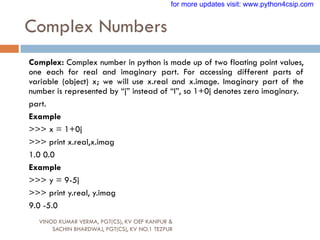
Complex: Complex number in python is made up of two floating point values,
one each for real and imaginary part. For accessing different parts of
variable (object) x; we will use x.real and x.image. Imaginary part of the
number is represented by “j” instead of “I”, so 1+0j denotes zero imaginary.
part.
Example
>>> x = 1+0j
>>> print x.real,x.imag
1.0 0.0
Example
>>> y = 9-5j
>>> print y.real, y.imag
9.0 -5.0
for more updates visit: www.python4csip.com
Conversion from one type to another
VINOD KUMAR VERMA, PGT(CS), KV OEF KANPUR &
SACHIN BHARDWAJ, PGT(CS), KV NO.1 TEZPUR
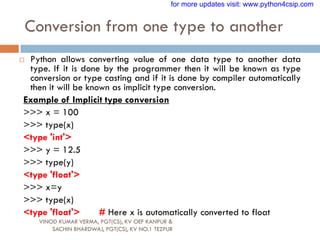
 Python allows converting value of one data type to another data
type. If it is done by the programmer then it will be known as type
conversion or type casting and if it is done by compiler automatically
then it will be known as implicit type conversion.
Example of Implicit type conversion
>>> x = 100
>>> type(x)
<type 'int'>
>>> y = 12.5
>>> type(y)
<type 'float'>
>>> x=y
>>> type(x)
<type 'float'> # Here x is automatically converted to float
for more updates visit: www.python4csip.com
Conversion from one type to another
VINOD KUMAR VERMA, PGT(CS), KV OEF KANPUR &
SACHIN BHARDWAJ, PGT(CS), KV NO.1 TEZPUR
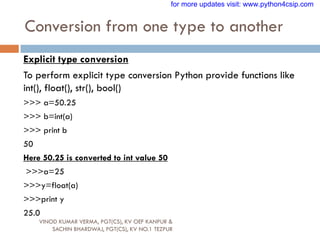
Explicit type conversion
To perform explicit type conversion Python provide functions like
int(), float(), str(), bool()
>>> a=50.25
>>> b=int(a)
>>> print b
50
Here 50.25 is converted to int value 50
>>>a=25
>>>y=float(a)
>>>print y
25.0
for more updates visit: www.python4csip.com
Simple Input and Output
VINOD KUMAR VERMA, PGT(CS), KV OEF KANPUR &
SACHIN BHARDWAJ, PGT(CS), KV NO.1 TEZPUR
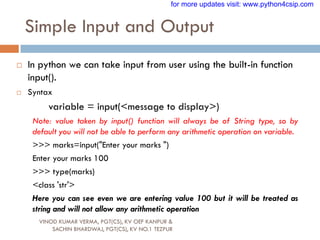
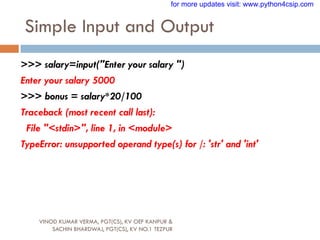
 In python we can take input from user using the built-in function
input().
 Syntax
variable = input(<message to display>)
Note: value taken by input() function will always be of String type, so by
default you will not be able to perform any arithmetic operation on variable.
>>> marks=input("Enter your marks ")
Enter your marks 100
>>> type(marks)
<class 'str'>
Here you can see even we are entering value 100 but it will be treated as
string and will not allow any arithmetic operation
for more updates visit: www.python4csip.com
Simple Input and Output
VINOD KUMAR VERMA, PGT(CS), KV OEF KANPUR &
SACHIN BHARDWAJ, PGT(CS), KV NO.1 TEZPUR
>>> salary=input("Enter your salary ")
Enter your salary 5000
>>> bonus = salary*20/100
Traceback (most recent call last):
File "<stdin>", line 1, in <module>
TypeError: unsupported operand type(s) for /: 'str' and 'int'
for more updates visit: www.python4csip.com
Reading / Input of Numbers
VINOD KUMAR VERMA, PGT(CS), KV OEF KANPUR &
SACHIN BHARDWAJ, PGT(CS), KV NO.1 TEZPUR
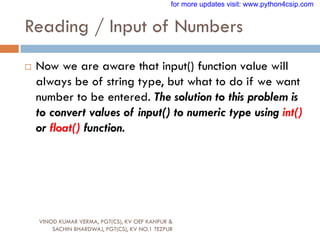
 Now we are aware that input() function value will
always be of string type, but what to do if we want
number to be entered. The solution to this problem is
to convert values of input() to numeric type using int()
or float() function.
for more updates visit: www.python4csip.com
Possible chances of error while taking
input as numbers
VINOD KUMAR VERMA, PGT(CS), KV OEF KANPUR &
SACHIN BHARDWAJ, PGT(CS), KV NO.1 TEZPUR
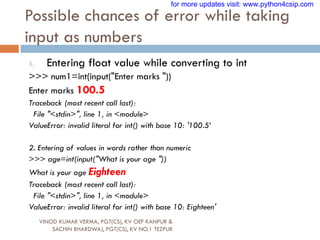
1. Entering float value while converting to int
>>> num1=int(input("Enter marks "))
Enter marks 100.5
Traceback (most recent call last):
File "<stdin>", line 1, in <module>
ValueError: invalid literal for int() with base 10: '100.5‘
2. Entering of values in words rather than numeric
>>> age=int(input("What is your age "))
What is your age Eighteen
Traceback (most recent call last):
File "<stdin>", line 1, in <module>
ValueError: invalid literal for int() with base 10: Eighteen'
for more updates visit: www.python4csip.com
Possible chances of error while taking
input as numbers
VINOD KUMAR VERMA, PGT(CS), KV OEF KANPUR &
SACHIN BHARDWAJ, PGT(CS), KV NO.1 TEZPUR
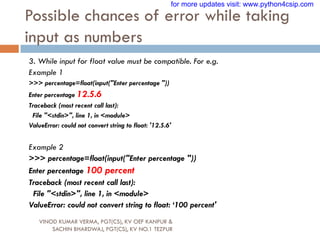
3. While input for float value must be compatible. For e.g.
Example 1
>>> percentage=float(input("Enter percentage "))
Enter percentage 12.5.6
Traceback (most recent call last):
File "<stdin>", line 1, in <module>
ValueError: could not convert string to float: '12.5.6'
Example 2
>>> percentage=float(input("Enter percentage "))
Enter percentage 100 percent
Traceback (most recent call last):
File "<stdin>", line 1, in <module>
ValueError: could not convert string to float: „100 percent'
for more updates visit: www.python4csip.com
Program 1
VINOD KUMAR VERMA, PGT(CS), KV OEF KANPUR &
SACHIN BHARDWAJ, PGT(CS), KV NO.1 TEZPUR
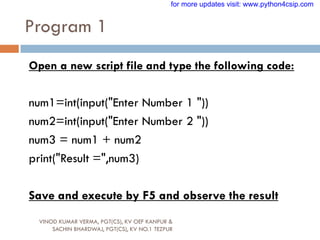
Open a new script file and type the following code:
num1=int(input("Enter Number 1 "))
num2=int(input("Enter Number 2 "))
num3 = num1 + num2
print("Result =",num3)
Save and execute by F5 and observe the result
for more updates visit: www.python4csip.com
Let us write few programs
VINOD KUMAR VERMA, PGT(CS), KV OEF KANPUR &
SACHIN BHARDWAJ, PGT(CS), KV NO.1 TEZPUR
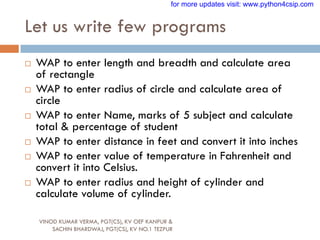
 WAP to enter length and breadth and calculate area
of rectangle
 WAP to enter radius of circle and calculate area of
circle
 WAP to enter Name, marks of 5 subject and calculate
total & percentage of student
 WAP to enter distance in feet and convert it into inches
 WAP to enter value of temperature in Fahrenheit and
convert it into Celsius.
 WAP to enter radius and height of cylinder and
calculate volume of cylinder.
for more updates visit: www.python4csip.com
Operators
VINOD KUMAR VERMA, PGT(CS), KV OEF KANPUR &
SACHIN BHARDWAJ, PGT(CS), KV NO.1 TEZPUR
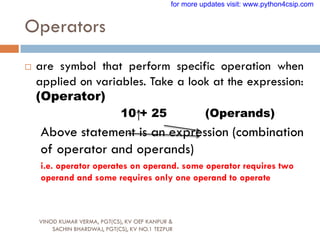
 are symbol that perform specific operation when
applied on variables. Take a look at the expression:
(Operator)
10 + 25 (Operands)
Above statement is an expression (combination
of operator and operands)
i.e. operator operates on operand. some operator requires two
operand and some requires only one operand to operate
for more updates visit: www.python4csip.com
Types of Operators
VINOD KUMAR VERMA, PGT(CS), KV OEF KANPUR &
SACHIN BHARDWAJ, PGT(CS), KV NO.1 TEZPUR
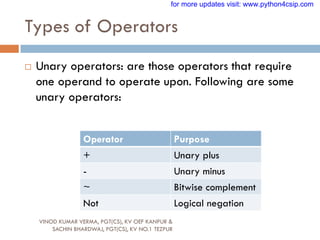
 Unary operators: are those operators that require
one operand to operate upon. Following are some
unary operators:
Operator Purpose
+ Unary plus
- Unary minus
~ Bitwise complement
Not Logical negation
for more updates visit: www.python4csip.com
Types of Operators
VINOD KUMAR VERMA, PGT(CS), KV OEF KANPUR &
SACHIN BHARDWAJ, PGT(CS), KV NO.1 TEZPUR
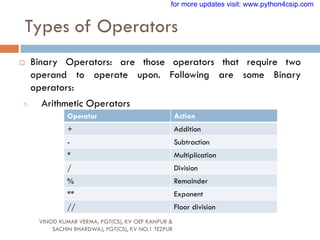
 Binary Operators: are those operators that require two
operand to operate upon. Following are some Binary
operators:
1. Arithmetic Operators
Operator Action
+ Addition
- Subtraction
* Multiplication
/ Division
% Remainder
** Exponent
// Floor division
for more updates visit: www.python4csip.com
Example
VINOD KUMAR VERMA, PGT(CS), KV OEF KANPUR &
SACHIN BHARDWAJ, PGT(CS), KV NO.1 TEZPUR
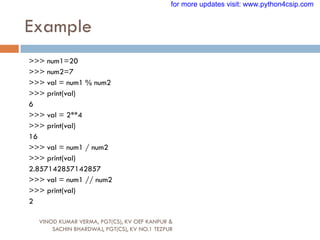
>>> num1=20
>>> num2=7
>>> val = num1 % num2
>>> print(val)
6
>>> val = 2**4
>>> print(val)
16
>>> val = num1 / num2
>>> print(val)
2.857142857142857
>>> val = num1 // num2
>>> print(val)
2
for more updates visit: www.python4csip.com
Bitwise operator
VINOD KUMAR VERMA, PGT(CS), KV OEF KANPUR &
SACHIN BHARDWAJ, PGT(CS), KV NO.1 TEZPUR
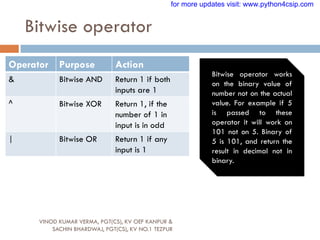
Operator Purpose Action
& Bitwise AND Return 1 if both
inputs are 1
^ Bitwise XOR Return 1, if the
number of 1 in
input is in odd
| Bitwise OR Return 1 if any
input is 1
Bitwise operator works
on the binary value of
number not on the actual
value. For example if 5
is passed to these
operator it will work on
101 not on 5. Binary of
5 is 101, and return the
result in decimal not in
binary.
for more updates visit: www.python4csip.com
Example
VINOD KUMAR VERMA, PGT(CS), KV OEF KANPUR &
SACHIN BHARDWAJ, PGT(CS), KV NO.1 TEZPUR
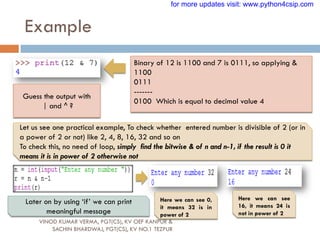
Binary of 12 is 1100 and 7 is 0111, so applying &
1100
0111
-------
0100 Which is equal to decimal value 4
Guess the output with
| and ^ ?
Let us see one practical example, To check whether entered number is divisible of 2 (or in
a power of 2 or not) like 2, 4, 8, 16, 32 and so on
To check this, no need of loop, simply find the bitwise & of n and n-1, if the result is 0 it
means it is in power of 2 otherwise not
Here we can see 0,
it means 32 is in
power of 2
Here we can see
16, it means 24 is
not in power of 2
Later on by using „if‟ we can print
meaningful message
for more updates visit: www.python4csip.com
Identity Operators
VINOD KUMAR VERMA, PGT(CS), KV OEF KANPUR &
SACHIN BHARDWAJ, PGT(CS), KV NO.1 TEZPUR
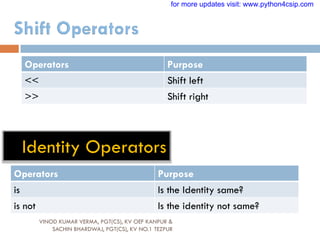
Operators Purpose
<< Shift left
>> Shift right
Operators Purpose
is Is the Identity same?
is not Is the identity not same?
for more updates visit: www.python4csip.com
Relational Operators
VINOD KUMAR VERMA, PGT(CS), KV OEF KANPUR &
SACHIN BHARDWAJ, PGT(CS), KV NO.1 TEZPUR
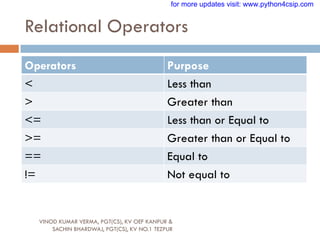
Operators Purpose
< Less than
> Greater than
<= Less than or Equal to
>= Greater than or Equal to
== Equal to
!= Not equal to
for more updates visit: www.python4csip.com
Logical Operators
VINOD KUMAR VERMA, PGT(CS), KV OEF KANPUR &
SACHIN BHARDWAJ, PGT(CS), KV NO.1 TEZPUR
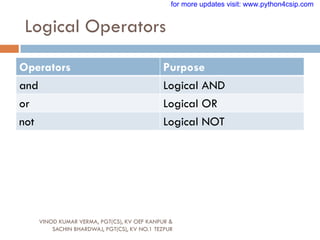
Operators Purpose
and Logical AND
or Logical OR
not Logical NOT
for more updates visit: www.python4csip.com
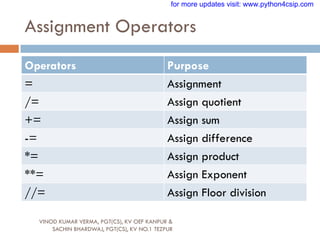
Assignment Operators
VINOD KUMAR VERMA, PGT(CS), KV OEF KANPUR &
SACHIN BHARDWAJ, PGT(CS), KV NO.1 TEZPUR
Operators Purpose
= Assignment
/= Assign quotient
+= Assign sum
-= Assign difference
*= Assign product
**= Assign Exponent
//= Assign Floor division
for more updates visit: www.python4csip.com
Membership Operators
VINOD KUMAR VERMA, PGT(CS), KV OEF KANPUR &
SACHIN BHARDWAJ, PGT(CS), KV NO.1 TEZPUR
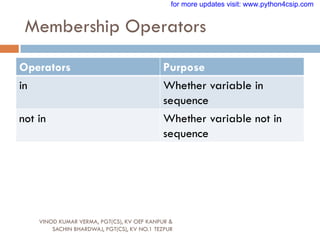
Operators Purpose
in Whether variable in
sequence
not in Whether variable not in
sequence
for more updates visit: www.python4csip.com
Punctuators
VINOD KUMAR VERMA, PGT(CS), KV OEF KANPUR &
SACHIN BHARDWAJ, PGT(CS), KV NO.1 TEZPUR
 Punctuators are symbols that are used in programming
languages to organize sentence structure, and indicate
the rhythm and emphasis of expressions, statements,
and program structure.
 Common punctuators are: „ “ # $ @ []{}=:;(),.
for more updates visit: www.python4csip.com
Barebones of Python Program
VINOD KUMAR VERMA, PGT(CS), KV OEF KANPUR &
SACHIN BHARDWAJ, PGT(CS), KV NO.1 TEZPUR
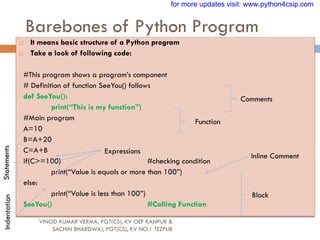
 It means basic structure of a Python program
 Take a look of following code:
#This program shows a program‟s component
# Definition of function SeeYou() follows
def SeeYou():
print(“This is my function”)
#Main program
A=10
B=A+20
C=A+B
if(C>=100) #checking condition
print(“Value is equals or more than 100”)
else:
print(“Value is less than 100”)
SeeYou() #Calling Function
Comments
Function
Statements
Expressions
Inline Comment
Block
Indentation for more updates visit: www.python4csip.com
Expression
VINOD KUMAR VERMA, PGT(CS), KV OEF KANPUR &
SACHIN BHARDWAJ, PGT(CS), KV NO.1 TEZPUR
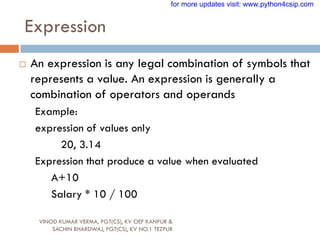
 An expression is any legal combination of symbols that
represents a value. An expression is generally a
combination of operators and operands
Example:
expression of values only
20, 3.14
Expression that produce a value when evaluated
A+10
Salary * 10 / 100
for more updates visit: www.python4csip.com
Statement
VINOD KUMAR VERMA, PGT(CS), KV OEF KANPUR &
SACHIN BHARDWAJ, PGT(CS), KV NO.1 TEZPUR
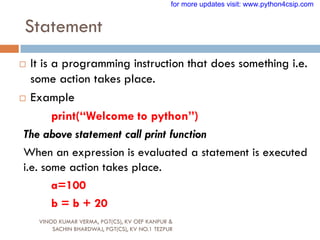
 It is a programming instruction that does something i.e.
some action takes place.
 Example
print(“Welcome to python”)
The above statement call print function
When an expression is evaluated a statement is executed
i.e. some action takes place.
a=100
b = b + 20
for more updates visit: www.python4csip.com
Comments
VINOD KUMAR VERMA, PGT(CS), KV OEF KANPUR &
SACHIN BHARDWAJ, PGT(CS), KV NO.1 TEZPUR
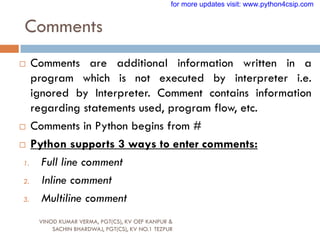
 Comments are additional information written in a
program which is not executed by interpreter i.e.
ignored by Interpreter. Comment contains information
regarding statements used, program flow, etc.
 Comments in Python begins from #
 Python supports 3 ways to enter comments:
1. Full line comment
2. Inline comment
3. Multiline comment
for more updates visit: www.python4csip.com
Comments
VINOD KUMAR VERMA, PGT(CS), KV OEF KANPUR &
SACHIN BHARDWAJ, PGT(CS), KV NO.1 TEZPUR
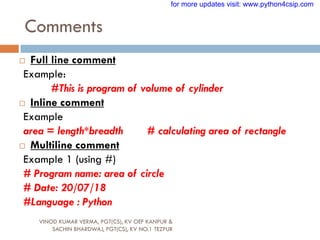
 Full line comment
Example:
#This is program of volume of cylinder
 Inline comment
Example
area = length*breadth # calculating area of rectangle
 Multiline comment
Example 1 (using #)
# Program name: area of circle
# Date: 20/07/18
#Language : Python
for more updates visit: www.python4csip.com
Comments
VINOD KUMAR VERMA, PGT(CS), KV OEF KANPUR &
SACHIN BHARDWAJ, PGT(CS), KV NO.1 TEZPUR
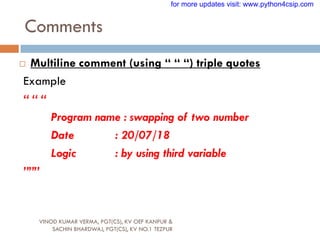
 Multiline comment (using “ “ “) triple quotes
Example
“ “ “
Program name : swapping of two number
Date : 20/07/18
Logic : by using third variable
”””
for more updates visit: www.python4csip.com
Functions
VINOD KUMAR VERMA, PGT(CS), KV OEF KANPUR &
SACHIN BHARDWAJ, PGT(CS), KV NO.1 TEZPUR
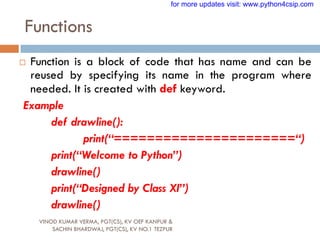
 Function is a block of code that has name and can be
reused by specifying its name in the program where
needed. It is created with def keyword.
Example
def drawline():
print(“======================“)
print(“Welcome to Python”)
drawline()
print(“Designed by Class XI”)
drawline()
for more updates visit: www.python4csip.com
Block and Indentation
VINOD KUMAR VERMA, PGT(CS), KV OEF KANPUR &
SACHIN BHARDWAJ, PGT(CS), KV NO.1 TEZPUR
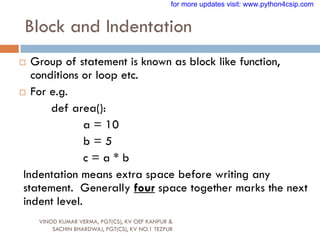
 Group of statement is known as block like function,
conditions or loop etc.
 For e.g.
def area():
a = 10
b = 5
c = a * b
Indentation means extra space before writing any
statement. Generally four space together marks the next
indent level.
for more updates visit: www.python4csip.com
Variables
VINOD KUMAR VERMA, PGT(CS), KV OEF KANPUR &
SACHIN BHARDWAJ, PGT(CS), KV NO.1 TEZPUR
 Variables are named temporary location used to store
values which can be further used in calculations, printing
result etc. Every variable must have its own Identity, type
and value. Variable in python is created by simply
assigning value of desired type to them.
 For e.g
 Num = 100
 Name=“James”
for more updates visit: www.python4csip.com
Variables
VINOD KUMAR VERMA, PGT(CS), KV OEF KANPUR &
SACHIN BHARDWAJ, PGT(CS), KV NO.1 TEZPUR
 Note: Python variables are not storage containers like other
programming language. Let us analyze by example.
 In C++, if we declare a variable radius:
radius = 100
[suppose memory address is 41260]
Now we again assign new value to radius
radius = 500
Now the memory address will be still same only value
will change
for more updates visit: www.python4csip.com
Variables
VINOD KUMAR VERMA, PGT(CS), KV OEF KANPUR &
SACHIN BHARDWAJ, PGT(CS), KV NO.1 TEZPUR
 Now let us take example of Python:
radius = 100 [memory address 3568]
radius = 700 [memory address 8546]
Now you can see that In python, each time you assign new
value to variable it will not use the same memory address
and new memory will be assigned to variable. In python the
location they refer to changes every time their value
change.(This rule is not for all types of variables)
for more updates visit: www.python4csip.com
Lvalues and Rvalues
VINOD KUMAR VERMA, PGT(CS), KV OEF KANPUR &
SACHIN BHARDWAJ, PGT(CS), KV NO.1 TEZPUR
 Lvalue : expression that comes on the Left hand Side of
Assignment.
 Rvalue : expression that comes on the Right hand Side of
Assignment
Lvalue refers to object to which you can assign value. It refers to
memory location. It can appear LHS or RHS of assignment
Rvalue refers to the value we assign to any variable. It can
appear on RHS of assignment
for more updates visit: www.python4csip.com
Lvalues and Rvalues
VINOD KUMAR VERMA, PGT(CS), KV OEF KANPUR &
SACHIN BHARDWAJ, PGT(CS), KV NO.1 TEZPUR
For example (valid use of Lvalue and Rvalue)
x = 100
y = 200
Invalid use of Lvalue and Rvalue
100 = x
200 = y
a+b = c
Note: values cannot comes to the left of assignment. LHS must be a
memory location
for more updates visit: www.python4csip.com
Multiple Assignments
VINOD KUMAR VERMA, PGT(CS), KV OEF KANPUR &
SACHIN BHARDWAJ, PGT(CS), KV NO.1 TEZPUR
 Python is very versatile with assignments. Let‟s see in how different ways
we can use assignment in Python:
1. Assigning same value to multiple variable
a = b = c = 50
2. Assigning multiple values to multiple variable
a,b,c = 11,22,33
Note: While assigning values through multiple assignment, remember that
Python first evaluates the RHS and then assigns them to LHS
Examples:
for more updates visit: www.python4csip.com
Multiple Assignments
VINOD KUMAR VERMA, PGT(CS), KV OEF KANPUR &
SACHIN BHARDWAJ, PGT(CS), KV NO.1 TEZPUR
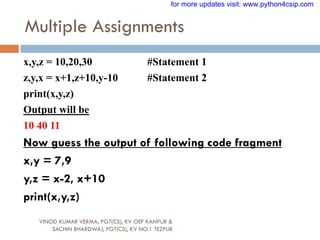
x,y,z = 10,20,30 #Statement 1
z,y,x = x+1,z+10,y-10 #Statement 2
print(x,y,z)
Output will be
10 40 11
Now guess the output of following code fragment
x,y = 7,9
y,z = x-2, x+10
print(x,y,z)
for more updates visit: www.python4csip.com
Multiple Assignments
VINOD KUMAR VERMA, PGT(CS), KV OEF KANPUR &
SACHIN BHARDWAJ, PGT(CS), KV NO.1 TEZPUR
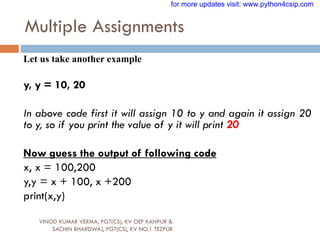
Let us take another example
y, y = 10, 20
In above code first it will assign 10 to y and again it assign 20
to y, so if you print the value of y it will print 20
Now guess the output of following code
x, x = 100,200
y,y = x + 100, x +200
print(x,y)
for more updates visit: www.python4csip.com
Variable definition
VINOD KUMAR VERMA, PGT(CS), KV OEF KANPUR &
SACHIN BHARDWAJ, PGT(CS), KV NO.1 TEZPUR
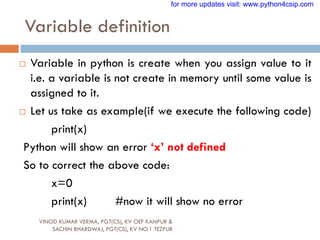
 Variable in python is create when you assign value to it
i.e. a variable is not create in memory until some value is
assigned to it.
 Let us take as example(if we execute the following code)
print(x)
Python will show an error „x‟ not defined
So to correct the above code:
x=0
print(x) #now it will show no error
for more updates visit: www.python4csip.com
Dynamic Typing
VINOD KUMAR VERMA, PGT(CS), KV OEF KANPUR &
SACHIN BHARDWAJ, PGT(CS), KV NO.1 TEZPUR
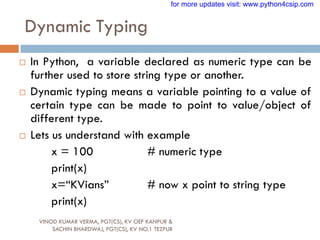
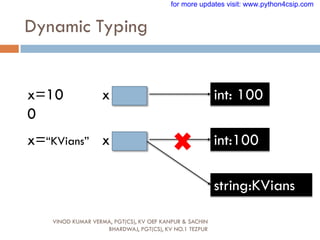
 In Python, a variable declared as numeric type can be
further used to store string type or another.
 Dynamic typing means a variable pointing to a value of
certain type can be made to point to value/object of
different type.
 Lets us understand with example
x = 100 # numeric type
print(x)
x=“KVians” # now x point to string type
print(x)
for more updates visit: www.python4csip.com
Dynamic Typing
VINOD KUMAR VERMA, PGT(CS), KV OEF KANPUR & SACHIN
BHARDWAJ, PGT(CS), KV NO.1 TEZPUR
x=10
0
x int: 100
x=“KVians” x int:100
string:KVians
for more updates visit: www.python4csip.com
Caution with Dynamic Typing
VINOD KUMAR VERMA, PGT(CS), KV OEF KANPUR &
SACHIN BHARDWAJ, PGT(CS), KV NO.1 TEZPUR
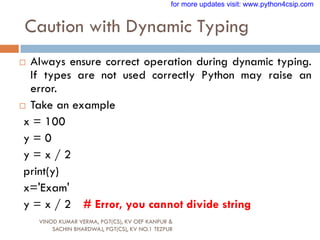
 Always ensure correct operation during dynamic typing.
If types are not used correctly Python may raise an
error.
 Take an example
x = 100
y = 0
y = x / 2
print(y)
x='Exam'
y = x / 2 # Error, you cannot divide string
for more updates visit: www.python4csip.com
Determining type of variable
VINOD KUMAR VERMA, PGT(CS), KV OEF KANPUR &
SACHIN BHARDWAJ, PGT(CS), KV NO.1 TEZPUR
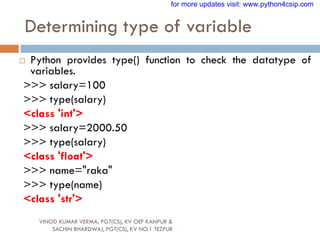
 Python provides type() function to check the datatype of
variables.
>>> salary=100
>>> type(salary)
<class 'int'>
>>> salary=2000.50
>>> type(salary)
<class 'float'>
>>> name="raka"
>>> type(name)
<class 'str'>
for more updates visit: www.python4csip.com
Output through print()
VINOD KUMAR VERMA, PGT(CS), KV OEF KANPUR &
SACHIN BHARDWAJ, PGT(CS), KV NO.1 TEZPUR
 Python allows to display output using print().
 Syntax:
print(message_to_print[,sep=“string”,end=“string”])
Example 1
print(“Welcome”)
Example 2
Age=20
print(“Your age is “, Age)
for more updates visit: www.python4csip.com
Output through print()
VINOD KUMAR VERMA, PGT(CS), KV OEF KANPUR &
SACHIN BHARDWAJ, PGT(CS), KV NO.1 TEZPUR
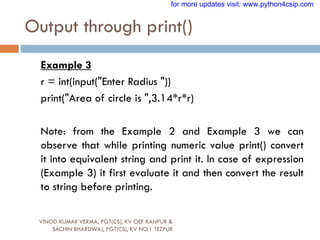
Example 3
r = int(input("Enter Radius "))
print("Area of circle is ",3.14*r*r)
Note: from the Example 2 and Example 3 we can
observe that while printing numeric value print() convert
it into equivalent string and print it. In case of expression
(Example 3) it first evaluate it and then convert the result
to string before printing.
for more updates visit: www.python4csip.com
Output through print()
VINOD KUMAR VERMA, PGT(CS), KV OEF KANPUR &
SACHIN BHARDWAJ, PGT(CS), KV NO.1 TEZPUR
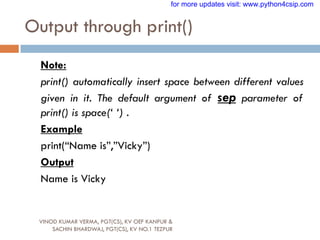
Note:
print() automatically insert space between different values
given in it. The default argument of sep parameter of
print() is space(‘ ‘) .
Example
print(“Name is”,”Vicky”)
Output
Name is Vicky
for more updates visit: www.python4csip.com
Output through print()
VINOD KUMAR VERMA, PGT(CS), KV OEF KANPUR &
SACHIN BHARDWAJ, PGT(CS), KV NO.1 TEZPUR
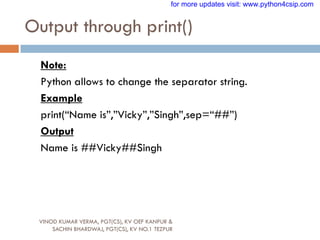
Note:
Python allows to change the separator string.
Example
print(“Name is”,”Vicky”,”Singh”,sep=“##”)
Output
Name is ##Vicky##Singh
for more updates visit: www.python4csip.com
Output through print()
VINOD KUMAR VERMA, PGT(CS), KV OEF KANPUR &
SACHIN BHARDWAJ, PGT(CS), KV NO.1 TEZPUR
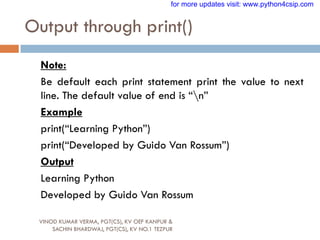
Note:
Be default each print statement print the value to next
line. The default value of end is “n”
Example
print(“Learning Python”)
print(“Developed by Guido Van Rossum”)
Output
Learning Python
Developed by Guido Van Rossum
for more updates visit: www.python4csip.com
Output through print()
VINOD KUMAR VERMA, PGT(CS), KV OEF KANPUR &
SACHIN BHARDWAJ, PGT(CS), KV NO.1 TEZPUR
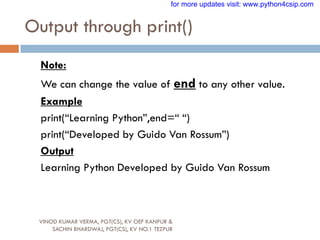
Note:
We can change the value of end to any other value.
Example
print(“Learning Python”,end=“ “)
print(“Developed by Guido Van Rossum”)
Output
Learning Python Developed by Guido Van Rossum
for more updates visit: www.python4csip.com
Output through print()
VINOD KUMAR VERMA, PGT(CS), KV OEF KANPUR &
SACHIN BHARDWAJ, PGT(CS), KV NO.1 TEZPUR
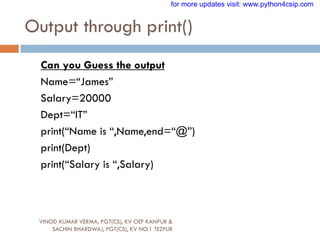
Can you Guess the output
Name=“James”
Salary=20000
Dept=“IT”
print(“Name is “,Name,end=“@”)
print(Dept)
print(“Salary is “,Salary)
for more updates visit: www.python4csip.com
Just a minute…
VINOD KUMAR VERMA, PGT(CS), KV OEF KANPUR &
SACHIN BHARDWAJ, PGT(CS), KV NO.1 TEZPUR
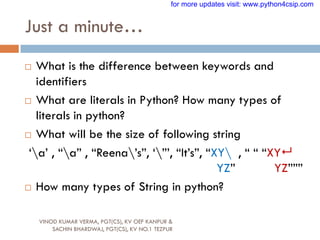
 What is the difference between keywords and
identifiers
 What are literals in Python? How many types of
literals in python?
 What will be the size of following string
„a‟ , “a” , “Reena‟s”, „”‟, “It‟s”, “XY , “ “ “XY
YZ” YZ”””
 How many types of String in python?
for more updates visit: www.python4csip.com
Just a minute…
VINOD KUMAR VERMA, PGT(CS), KV OEF KANPUR &
SACHIN BHARDWAJ, PGT(CS), KV NO.1 TEZPUR
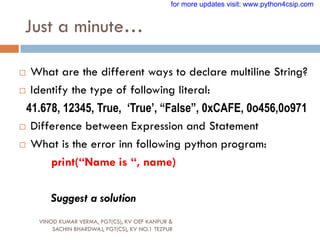
 What are the different ways to declare multiline String?
 Identify the type of following literal:
41.678, 12345, True, „True‟, “False”, 0xCAFE, 0o456,0o971
 Difference between Expression and Statement
 What is the error inn following python program:
print(“Name is “, name)
Suggest a solution
for more updates visit: www.python4csip.com
Just a minute…
VINOD KUMAR VERMA, PGT(CS), KV OEF KANPUR &
SACHIN BHARDWAJ, PGT(CS), KV NO.1 TEZPUR
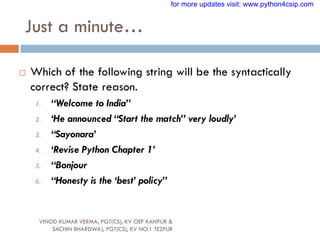
 Which of the following string will be the syntactically
correct? State reason.
1. “Welcome to India”
2. „He announced “Start the match” very loudly‟
3. “Sayonara‟
4. „Revise Python Chapter 1‟
5. “Bonjour
6. “Honesty is the „best‟ policy”
for more updates visit: www.python4csip.com
Just a minute…
VINOD KUMAR VERMA, PGT(CS), KV OEF KANPUR &
SACHIN BHARDWAJ, PGT(CS), KV NO.1 TEZPUR
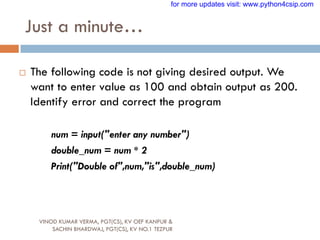
 The following code is not giving desired output. We
want to enter value as 100 and obtain output as 200.
Identify error and correct the program
num = input("enter any number")
double_num = num * 2
Print("Double of",num,"is",double_num)
for more updates visit: www.python4csip.com
Just a minute…
VINOD KUMAR VERMA, PGT(CS), KV OEF KANPUR &
SACHIN BHARDWAJ, PGT(CS), KV NO.1 TEZPUR
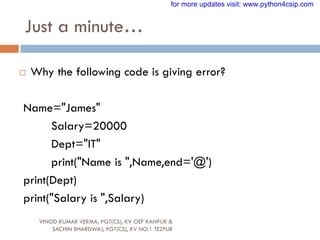
 Why the following code is giving error?
Name="James"
Salary=20000
Dept="IT"
print("Name is ",Name,end='@')
print(Dept)
print("Salary is ",Salary)
for more updates visit: www.python4csip.com
Just a minute…
VINOD KUMAR VERMA, PGT(CS), KV OEF KANPUR &
SACHIN BHARDWAJ, PGT(CS), KV NO.1 TEZPUR
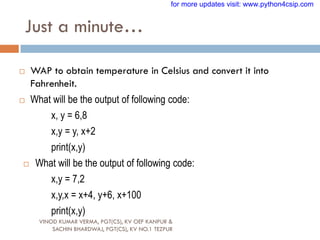
 WAP to obtain temperature in Celsius and convert it into
Fahrenheit. F = 9*C/5 + 32
 What will be the output of following code:
x, y = 6,8
x,y = y, x+2
print(x,y)
 What will be the output of following code:
x,y = 7,2
x,y,x = x+4, y+6, x+100
print(x,y)
for more updates visit: www.python4csip.com

008 FEATURES OF PYTHON.pdf

  • 1.
    PYTHON FUNDAMENTALS VINOD KUMARVERMA, PGT(CS), KV OEF KANPUR & SACHIN BHARDWAJ, PGT(CS), KV NO.1 TEZPUR for more updates visit: www.python4csip.com
  • 2.
    Python Character Set VINODKUMAR VERMA, PGT(CS), KV OEF KANPUR & SACHIN BHARDWAJ, PGT(CS), KV NO.1 TEZPUR Is a set of valid characters that python can recognize. A character represent letters, digits or any symbol. Python support UNICODE encoding standard. Following are the Python character set  Letters : A-Z, a-z  Digits : 0-9  Special symbols :space +-*/()~`!@#$%^ & [{ ]};:‟”,<.>/?  White spaces : Blank space, Enter, Tab  Other character : python can process all ASCII and UNICODE as a part of data or literal for more updates visit: www.python4csip.com
  • 3.
    TOKENS VINOD KUMAR VERMA,PGT(CS), KV OEF KANPUR & SACHIN BHARDWAJ, PGT(CS), KV NO.1 TEZPUR In a passage of text, individual words and punctuation marks are called tokens or lexical units or lexical elements. The smallest individual unit in a program is known as Tokens. Python has following tokens:  Keywords  Identifiers(Name)  Literals  Operators  Punctuators for more updates visit: www.python4csip.com
  • 4.
    KEYWORDS VINOD KUMAR VERMA,PGT(CS), KV OEF KANPUR & SACHIN BHARDWAJ, PGT(CS), KV NO.1 TEZPUR Keywords are the reserved words and have special meaning for python interpreter. Every keyword is assigned specific work and it can be used only for that purpose. A partial list of keywords in Python is for more updates visit: www.python4csip.com
  • 5.
    IDENTIFIERS VINOD KUMAR VERMA,PGT(CS), KV OEF KANPUR & SACHIN BHARDWAJ, PGT(CS), KV NO.1 TEZPUR Are the names given to different parts of program like variables, objects, classes, functions etc. Identifier forming rules of Python are :  Is an arbitrarily long sequence of letters and digits  The first character must be letter or underscore  Upper and lower case are different  The digits 0-9 are allowed except for first character  It must not be a keyword  No special characters are allowed other than underscore is allowed.  Space not allowed for more updates visit: www.python4csip.com
  • 6.
    GradePay File_12_2018 JAMES007 GRADEPAY_ismarried _to_update The following are some valid identifiers The following are some invalid identifiers VINOD KUMAR VERMA, PGT(CS), KV OEF KANPUR & SACHIN BHARDWAJ, PGT(CS), KV NO.1 TEZPUR for more updates visit: www.python4csip.com
  • 7.
    Literals / Values VINODKUMAR VERMA, PGT(CS), KV OEF KANPUR & SACHIN BHARDWAJ, PGT(CS), KV NO.1 TEZPUR  Literals are data items that have a fixed value. Python supports several kinds of literals:  String Literal  Numeric Literals  Boolean Literals  Special Literals – None  Literal Collections for more updates visit: www.python4csip.com
  • 8.
    String Literals VINOD KUMARVERMA, PGT(CS), KV OEF KANPUR & SACHIN BHARDWAJ, PGT(CS), KV NO.1 TEZPUR  It is a collection of character(s) enclosed in a double or single quotes  Examples of String literals  “Python”  “Mogambo”  „123456‟  „Hello How are your‟  „$‟, „4‟,”@@”  In Python both single character or multiple characters enclosed in quotes such as “kv”, „kv‟,‟*‟,”+” are treated as same for more updates visit: www.python4csip.com
  • 9.
    Non-Graphic (Escape) characters VINODKUMAR VERMA, PGT(CS), KV OEF KANPUR & SACHIN BHARDWAJ, PGT(CS), KV NO.1 TEZPUR  They are the special characters which cannot be type directly from keyboard like backspace, tabs, enter etc. When the characters are typed they perform some action. These are represented by escape characters. Escape characters are always begins from backslash() character. for more updates visit: www.python4csip.com
  • 10.
    List of Escapecharacters VINOD KUMAR VERMA, PGT(CS), KV OEF KANPUR & SACHIN BHARDWAJ, PGT(CS), KV NO.1 TEZPUR Escape Sequence What it does Escape Sequence What it does Backslash r Carriage return ‟ Single quotes t Horizontal tab ” Double quotes uxxxx Hexadecimal value(16 bit) a ASCII bell Uxxxx Hexadecimal value(32 bit) b Back Space v vertical tab n New line ooo Octal value for more updates visit: www.python4csip.com Watch Demo on YouTube
  • 11.
    String type inPython VINOD KUMAR VERMA, PGT(CS), KV OEF KANPUR & SACHIN BHARDWAJ, PGT(CS), KV NO.1 TEZPUR  Python allows you to have two string types:  Single Line Strings  The string we create using single or double quotes are normally single-line string i.e. they must terminate in one line.  For e.g if you type as  Name="KV and press enter  Python we show you an error “EOL while scanning string literal”  The reason is quite clear, Python by default creates single-line string with both single quotes and it must terminate in the same line by quotes for more updates visit: www.python4csip.com
  • 12.
    String type inPython VINOD KUMAR VERMA, PGT(CS), KV OEF KANPUR & SACHIN BHARDWAJ, PGT(CS), KV NO.1 TEZPUR  Multiline String  Some times we need to store some text across multiple lines. For that Python offers multiline string.  To store multiline string Python provides two ways: (a) By adding a backslash at the end of normal Single / Double quoted string. For e.g. >>> Name="1/6 Mall Road Kanpur" >>> Name '1/6 Mall RoadKanpur' >>> for more updates visit: www.python4csip.com
  • 13.
    String type inPython VINOD KUMAR VERMA, PGT(CS), KV OEF KANPUR & SACHIN BHARDWAJ, PGT(CS), KV NO.1 TEZPUR  Multiline String (b) By typing text in triple quotation marks for e.g. >>> Address="""1/7 Preet Vihar New Delhi India""" >>> print(Address) 1/7 Preet Vihar New Delhi India >>> Address '1/7 Preet ViharnNew DelhinIndia' for more updates visit: www.python4csip.com
  • 14.
    Size of String VINODKUMAR VERMA, PGT(CS), KV OEF KANPUR & SACHIN BHARDWAJ, PGT(CS), KV NO.1 TEZPUR  Python determines the size of string as the count of characters in the string. For example size of string “xyz” is 3 and of “welcome” is 7. But if your string literal has an escape sequence contained in it then make sure to count the escape sequence as one character. For e.g.  You can check these size using len() function of Python. For example  >>>len(„abc‟) and press enter, it will show the size as 3 String Size „‟ 1 „abc‟ 3 „ab‟ 2 “Meera‟s Toy” 11 “Vicky‟s” 7 for more updates visit: www.python4csip.com
  • 15.
    Size of String VINODKUMAR VERMA, PGT(CS), KV OEF KANPUR & SACHIN BHARDWAJ, PGT(CS), KV NO.1 TEZPUR  For multiline strings created with triple quotes : while calculating size the EOL character as the end of line is also counted in the size. For example, if you have created String Address as: >>> Address="""Civil lines Kanpur""" >>> len(Address) 18  For multiline string created with single/double quotes the EOL is not counted. >>> data="ab bc cd" >>> len(data) 6 for more updates visit: www.python4csip.com
  • 16.
    Numeric Literals VINOD KUMARVERMA, PGT(CS), KV OEF KANPUR & SACHIN BHARDWAJ, PGT(CS), KV NO.1 TEZPUR  The numeric literals in Python can belong to any of the following numerical types: 1) Integer Literals: it contain at least one digit and must not contain decimal point. It may contain (+) or (-) sign.  Types of Integer Literals: a) Decimal : 1234, -50, +100 b) Octal : it starts from symbol 0o (zero followed by letter ‘o’)  For e.g. 0o10 represent decimal 8 for more updates visit: www.python4csip.com
  • 17.
    Numeric Literals VINOD KUMARVERMA, PGT(CS), KV OEF KANPUR & SACHIN BHARDWAJ, PGT(CS), KV NO.1 TEZPUR >>> num = 0o10 >>> print(num) It will print the value 8 c) Hexadecimal : it starts from 0x (zero followed by letter ‘x’) >>> num = 0oF >>> print(num) it will print the value 15 for more updates visit: www.python4csip.com
  • 18.
    Numeric Literals VINOD KUMARVERMA, PGT(CS), KV OEF KANPUR & SACHIN BHARDWAJ, PGT(CS), KV NO.1 TEZPUR  2) Floating point Literals: also known as real literals. Real literals are numbers having fractional parts. It is represented in two forms Fractional Form or Exponent Form  Fractional Form: it is signed or unsigned with decimal point  For e.g. 12.0, -15.86, 0.5, 10. (will represent 10.0)  Exponent Part: it consists of two parts “Mantissa” and “Exponent”.  For e.g. 10.5 can be represented as 0.105 x 102 = 0.105E02 where 0.105 is mantissa and 02 (after letter E) is exponent for more updates visit: www.python4csip.com
  • 19.
    Points to remember VINODKUMAR VERMA, PGT(CS), KV OEF KANPUR & SACHIN BHARDWAJ, PGT(CS), KV NO.1 TEZPUR  Numeric values with commas are not considered int or float value, rather Python treats them as tuple. Tuple in a python is a collection of values or sequence of values. (will be discussed later on)  You can check the type of literal using type() function. For e.g. >>> a=100 >>> type(a) <class 'int'> >>> b=10.5 >>> type(b) <class 'float'> >>> name="hello“ >>> type(name) <class 'str'> >>> a=100,50,600 >>> type(a) <class 'tuple'> for more updates visit: www.python4csip.com
  • 20.
    Boolean Literals VINOD KUMARVERMA, PGT(CS), KV OEF KANPUR & SACHIN BHARDWAJ, PGT(CS), KV NO.1 TEZPUR A Boolean literals in Python is used to represent one of the two Boolean values i.e. True or False These are the only two values supported for Boolean Literals For e.g. >>> isMarried=True >>> type(isMarried) <class 'bool'> for more updates visit: www.python4csip.com
  • 21.
    Special Literals None VINODKUMAR VERMA, PGT(CS), KV OEF KANPUR & SACHIN BHARDWAJ, PGT(CS), KV NO.1 TEZPUR Python has one special literal, which is None. It indicate absence of value. In other languages it is knows as NULL. It is also used to indicate the end of lists in Python. >>> salary=None >>> type(salary) <class 'NoneType'> for more updates visit: www.python4csip.com
  • 22.
    Complex Numbers VINOD KUMARVERMA, PGT(CS), KV OEF KANPUR & SACHIN BHARDWAJ, PGT(CS), KV NO.1 TEZPUR Complex: Complex number in python is made up of two floating point values, one each for real and imaginary part. For accessing different parts of variable (object) x; we will use x.real and x.image. Imaginary part of the number is represented by “j” instead of “I”, so 1+0j denotes zero imaginary. part. Example >>> x = 1+0j >>> print x.real,x.imag 1.0 0.0 Example >>> y = 9-5j >>> print y.real, y.imag 9.0 -5.0 for more updates visit: www.python4csip.com
  • 23.
    Conversion from onetype to another VINOD KUMAR VERMA, PGT(CS), KV OEF KANPUR & SACHIN BHARDWAJ, PGT(CS), KV NO.1 TEZPUR  Python allows converting value of one data type to another data type. If it is done by the programmer then it will be known as type conversion or type casting and if it is done by compiler automatically then it will be known as implicit type conversion. Example of Implicit type conversion >>> x = 100 >>> type(x) <type 'int'> >>> y = 12.5 >>> type(y) <type 'float'> >>> x=y >>> type(x) <type 'float'> # Here x is automatically converted to float for more updates visit: www.python4csip.com
  • 24.
    Conversion from onetype to another VINOD KUMAR VERMA, PGT(CS), KV OEF KANPUR & SACHIN BHARDWAJ, PGT(CS), KV NO.1 TEZPUR Explicit type conversion To perform explicit type conversion Python provide functions like int(), float(), str(), bool() >>> a=50.25 >>> b=int(a) >>> print b 50 Here 50.25 is converted to int value 50 >>>a=25 >>>y=float(a) >>>print y 25.0 for more updates visit: www.python4csip.com
  • 25.
    Simple Input andOutput VINOD KUMAR VERMA, PGT(CS), KV OEF KANPUR & SACHIN BHARDWAJ, PGT(CS), KV NO.1 TEZPUR  In python we can take input from user using the built-in function input().  Syntax variable = input(<message to display>) Note: value taken by input() function will always be of String type, so by default you will not be able to perform any arithmetic operation on variable. >>> marks=input("Enter your marks ") Enter your marks 100 >>> type(marks) <class 'str'> Here you can see even we are entering value 100 but it will be treated as string and will not allow any arithmetic operation for more updates visit: www.python4csip.com
  • 26.
    Simple Input andOutput VINOD KUMAR VERMA, PGT(CS), KV OEF KANPUR & SACHIN BHARDWAJ, PGT(CS), KV NO.1 TEZPUR >>> salary=input("Enter your salary ") Enter your salary 5000 >>> bonus = salary*20/100 Traceback (most recent call last): File "<stdin>", line 1, in <module> TypeError: unsupported operand type(s) for /: 'str' and 'int' for more updates visit: www.python4csip.com
  • 27.
    Reading / Inputof Numbers VINOD KUMAR VERMA, PGT(CS), KV OEF KANPUR & SACHIN BHARDWAJ, PGT(CS), KV NO.1 TEZPUR  Now we are aware that input() function value will always be of string type, but what to do if we want number to be entered. The solution to this problem is to convert values of input() to numeric type using int() or float() function. for more updates visit: www.python4csip.com
  • 28.
    Possible chances oferror while taking input as numbers VINOD KUMAR VERMA, PGT(CS), KV OEF KANPUR & SACHIN BHARDWAJ, PGT(CS), KV NO.1 TEZPUR 1. Entering float value while converting to int >>> num1=int(input("Enter marks ")) Enter marks 100.5 Traceback (most recent call last): File "<stdin>", line 1, in <module> ValueError: invalid literal for int() with base 10: '100.5‘ 2. Entering of values in words rather than numeric >>> age=int(input("What is your age ")) What is your age Eighteen Traceback (most recent call last): File "<stdin>", line 1, in <module> ValueError: invalid literal for int() with base 10: Eighteen' for more updates visit: www.python4csip.com
  • 29.
    Possible chances oferror while taking input as numbers VINOD KUMAR VERMA, PGT(CS), KV OEF KANPUR & SACHIN BHARDWAJ, PGT(CS), KV NO.1 TEZPUR 3. While input for float value must be compatible. For e.g. Example 1 >>> percentage=float(input("Enter percentage ")) Enter percentage 12.5.6 Traceback (most recent call last): File "<stdin>", line 1, in <module> ValueError: could not convert string to float: '12.5.6' Example 2 >>> percentage=float(input("Enter percentage ")) Enter percentage 100 percent Traceback (most recent call last): File "<stdin>", line 1, in <module> ValueError: could not convert string to float: „100 percent' for more updates visit: www.python4csip.com
  • 30.
    Program 1 VINOD KUMARVERMA, PGT(CS), KV OEF KANPUR & SACHIN BHARDWAJ, PGT(CS), KV NO.1 TEZPUR Open a new script file and type the following code: num1=int(input("Enter Number 1 ")) num2=int(input("Enter Number 2 ")) num3 = num1 + num2 print("Result =",num3) Save and execute by F5 and observe the result for more updates visit: www.python4csip.com
  • 31.
    Let us writefew programs VINOD KUMAR VERMA, PGT(CS), KV OEF KANPUR & SACHIN BHARDWAJ, PGT(CS), KV NO.1 TEZPUR  WAP to enter length and breadth and calculate area of rectangle  WAP to enter radius of circle and calculate area of circle  WAP to enter Name, marks of 5 subject and calculate total & percentage of student  WAP to enter distance in feet and convert it into inches  WAP to enter value of temperature in Fahrenheit and convert it into Celsius.  WAP to enter radius and height of cylinder and calculate volume of cylinder. for more updates visit: www.python4csip.com
  • 32.
    Operators VINOD KUMAR VERMA,PGT(CS), KV OEF KANPUR & SACHIN BHARDWAJ, PGT(CS), KV NO.1 TEZPUR  are symbol that perform specific operation when applied on variables. Take a look at the expression: (Operator) 10 + 25 (Operands) Above statement is an expression (combination of operator and operands) i.e. operator operates on operand. some operator requires two operand and some requires only one operand to operate for more updates visit: www.python4csip.com
  • 33.
    Types of Operators VINODKUMAR VERMA, PGT(CS), KV OEF KANPUR & SACHIN BHARDWAJ, PGT(CS), KV NO.1 TEZPUR  Unary operators: are those operators that require one operand to operate upon. Following are some unary operators: Operator Purpose + Unary plus - Unary minus ~ Bitwise complement Not Logical negation for more updates visit: www.python4csip.com
  • 34.
    Types of Operators VINODKUMAR VERMA, PGT(CS), KV OEF KANPUR & SACHIN BHARDWAJ, PGT(CS), KV NO.1 TEZPUR  Binary Operators: are those operators that require two operand to operate upon. Following are some Binary operators: 1. Arithmetic Operators Operator Action + Addition - Subtraction * Multiplication / Division % Remainder ** Exponent // Floor division for more updates visit: www.python4csip.com
  • 35.
    Example VINOD KUMAR VERMA,PGT(CS), KV OEF KANPUR & SACHIN BHARDWAJ, PGT(CS), KV NO.1 TEZPUR >>> num1=20 >>> num2=7 >>> val = num1 % num2 >>> print(val) 6 >>> val = 2**4 >>> print(val) 16 >>> val = num1 / num2 >>> print(val) 2.857142857142857 >>> val = num1 // num2 >>> print(val) 2 for more updates visit: www.python4csip.com
  • 36.
    Bitwise operator VINOD KUMARVERMA, PGT(CS), KV OEF KANPUR & SACHIN BHARDWAJ, PGT(CS), KV NO.1 TEZPUR Operator Purpose Action & Bitwise AND Return 1 if both inputs are 1 ^ Bitwise XOR Return 1, if the number of 1 in input is in odd | Bitwise OR Return 1 if any input is 1 Bitwise operator works on the binary value of number not on the actual value. For example if 5 is passed to these operator it will work on 101 not on 5. Binary of 5 is 101, and return the result in decimal not in binary. for more updates visit: www.python4csip.com
  • 37.
    Example VINOD KUMAR VERMA,PGT(CS), KV OEF KANPUR & SACHIN BHARDWAJ, PGT(CS), KV NO.1 TEZPUR Binary of 12 is 1100 and 7 is 0111, so applying & 1100 0111 ------- 0100 Which is equal to decimal value 4 Guess the output with | and ^ ? Let us see one practical example, To check whether entered number is divisible of 2 (or in a power of 2 or not) like 2, 4, 8, 16, 32 and so on To check this, no need of loop, simply find the bitwise & of n and n-1, if the result is 0 it means it is in power of 2 otherwise not Here we can see 0, it means 32 is in power of 2 Here we can see 16, it means 24 is not in power of 2 Later on by using „if‟ we can print meaningful message for more updates visit: www.python4csip.com
  • 38.
    Identity Operators VINOD KUMARVERMA, PGT(CS), KV OEF KANPUR & SACHIN BHARDWAJ, PGT(CS), KV NO.1 TEZPUR Operators Purpose << Shift left >> Shift right Operators Purpose is Is the Identity same? is not Is the identity not same? for more updates visit: www.python4csip.com
  • 39.
    Relational Operators VINOD KUMARVERMA, PGT(CS), KV OEF KANPUR & SACHIN BHARDWAJ, PGT(CS), KV NO.1 TEZPUR Operators Purpose < Less than > Greater than <= Less than or Equal to >= Greater than or Equal to == Equal to != Not equal to for more updates visit: www.python4csip.com
  • 40.
    Logical Operators VINOD KUMARVERMA, PGT(CS), KV OEF KANPUR & SACHIN BHARDWAJ, PGT(CS), KV NO.1 TEZPUR Operators Purpose and Logical AND or Logical OR not Logical NOT for more updates visit: www.python4csip.com
  • 41.
    Assignment Operators VINOD KUMARVERMA, PGT(CS), KV OEF KANPUR & SACHIN BHARDWAJ, PGT(CS), KV NO.1 TEZPUR Operators Purpose = Assignment /= Assign quotient += Assign sum -= Assign difference *= Assign product **= Assign Exponent //= Assign Floor division for more updates visit: www.python4csip.com
  • 42.
    Membership Operators VINOD KUMARVERMA, PGT(CS), KV OEF KANPUR & SACHIN BHARDWAJ, PGT(CS), KV NO.1 TEZPUR Operators Purpose in Whether variable in sequence not in Whether variable not in sequence for more updates visit: www.python4csip.com
  • 43.
    Punctuators VINOD KUMAR VERMA,PGT(CS), KV OEF KANPUR & SACHIN BHARDWAJ, PGT(CS), KV NO.1 TEZPUR  Punctuators are symbols that are used in programming languages to organize sentence structure, and indicate the rhythm and emphasis of expressions, statements, and program structure.  Common punctuators are: „ “ # $ @ []{}=:;(),. for more updates visit: www.python4csip.com
  • 44.
    Barebones of PythonProgram VINOD KUMAR VERMA, PGT(CS), KV OEF KANPUR & SACHIN BHARDWAJ, PGT(CS), KV NO.1 TEZPUR  It means basic structure of a Python program  Take a look of following code: #This program shows a program‟s component # Definition of function SeeYou() follows def SeeYou(): print(“This is my function”) #Main program A=10 B=A+20 C=A+B if(C>=100) #checking condition print(“Value is equals or more than 100”) else: print(“Value is less than 100”) SeeYou() #Calling Function Comments Function Statements Expressions Inline Comment Block Indentation for more updates visit: www.python4csip.com
  • 45.
    Expression VINOD KUMAR VERMA,PGT(CS), KV OEF KANPUR & SACHIN BHARDWAJ, PGT(CS), KV NO.1 TEZPUR  An expression is any legal combination of symbols that represents a value. An expression is generally a combination of operators and operands Example: expression of values only 20, 3.14 Expression that produce a value when evaluated A+10 Salary * 10 / 100 for more updates visit: www.python4csip.com
  • 46.
    Statement VINOD KUMAR VERMA,PGT(CS), KV OEF KANPUR & SACHIN BHARDWAJ, PGT(CS), KV NO.1 TEZPUR  It is a programming instruction that does something i.e. some action takes place.  Example print(“Welcome to python”) The above statement call print function When an expression is evaluated a statement is executed i.e. some action takes place. a=100 b = b + 20 for more updates visit: www.python4csip.com
  • 47.
    Comments VINOD KUMAR VERMA,PGT(CS), KV OEF KANPUR & SACHIN BHARDWAJ, PGT(CS), KV NO.1 TEZPUR  Comments are additional information written in a program which is not executed by interpreter i.e. ignored by Interpreter. Comment contains information regarding statements used, program flow, etc.  Comments in Python begins from #  Python supports 3 ways to enter comments: 1. Full line comment 2. Inline comment 3. Multiline comment for more updates visit: www.python4csip.com
  • 48.
    Comments VINOD KUMAR VERMA,PGT(CS), KV OEF KANPUR & SACHIN BHARDWAJ, PGT(CS), KV NO.1 TEZPUR  Full line comment Example: #This is program of volume of cylinder  Inline comment Example area = length*breadth # calculating area of rectangle  Multiline comment Example 1 (using #) # Program name: area of circle # Date: 20/07/18 #Language : Python for more updates visit: www.python4csip.com
  • 49.
    Comments VINOD KUMAR VERMA,PGT(CS), KV OEF KANPUR & SACHIN BHARDWAJ, PGT(CS), KV NO.1 TEZPUR  Multiline comment (using “ “ “) triple quotes Example “ “ “ Program name : swapping of two number Date : 20/07/18 Logic : by using third variable ””” for more updates visit: www.python4csip.com
  • 50.
    Functions VINOD KUMAR VERMA,PGT(CS), KV OEF KANPUR & SACHIN BHARDWAJ, PGT(CS), KV NO.1 TEZPUR  Function is a block of code that has name and can be reused by specifying its name in the program where needed. It is created with def keyword. Example def drawline(): print(“======================“) print(“Welcome to Python”) drawline() print(“Designed by Class XI”) drawline() for more updates visit: www.python4csip.com
  • 51.
    Block and Indentation VINODKUMAR VERMA, PGT(CS), KV OEF KANPUR & SACHIN BHARDWAJ, PGT(CS), KV NO.1 TEZPUR  Group of statement is known as block like function, conditions or loop etc.  For e.g. def area(): a = 10 b = 5 c = a * b Indentation means extra space before writing any statement. Generally four space together marks the next indent level. for more updates visit: www.python4csip.com
  • 52.
    Variables VINOD KUMAR VERMA,PGT(CS), KV OEF KANPUR & SACHIN BHARDWAJ, PGT(CS), KV NO.1 TEZPUR  Variables are named temporary location used to store values which can be further used in calculations, printing result etc. Every variable must have its own Identity, type and value. Variable in python is created by simply assigning value of desired type to them.  For e.g  Num = 100  Name=“James” for more updates visit: www.python4csip.com
  • 53.
    Variables VINOD KUMAR VERMA,PGT(CS), KV OEF KANPUR & SACHIN BHARDWAJ, PGT(CS), KV NO.1 TEZPUR  Note: Python variables are not storage containers like other programming language. Let us analyze by example.  In C++, if we declare a variable radius: radius = 100 [suppose memory address is 41260] Now we again assign new value to radius radius = 500 Now the memory address will be still same only value will change for more updates visit: www.python4csip.com
  • 54.
    Variables VINOD KUMAR VERMA,PGT(CS), KV OEF KANPUR & SACHIN BHARDWAJ, PGT(CS), KV NO.1 TEZPUR  Now let us take example of Python: radius = 100 [memory address 3568] radius = 700 [memory address 8546] Now you can see that In python, each time you assign new value to variable it will not use the same memory address and new memory will be assigned to variable. In python the location they refer to changes every time their value change.(This rule is not for all types of variables) for more updates visit: www.python4csip.com
  • 55.
    Lvalues and Rvalues VINODKUMAR VERMA, PGT(CS), KV OEF KANPUR & SACHIN BHARDWAJ, PGT(CS), KV NO.1 TEZPUR  Lvalue : expression that comes on the Left hand Side of Assignment.  Rvalue : expression that comes on the Right hand Side of Assignment Lvalue refers to object to which you can assign value. It refers to memory location. It can appear LHS or RHS of assignment Rvalue refers to the value we assign to any variable. It can appear on RHS of assignment for more updates visit: www.python4csip.com
  • 56.
    Lvalues and Rvalues VINODKUMAR VERMA, PGT(CS), KV OEF KANPUR & SACHIN BHARDWAJ, PGT(CS), KV NO.1 TEZPUR For example (valid use of Lvalue and Rvalue) x = 100 y = 200 Invalid use of Lvalue and Rvalue 100 = x 200 = y a+b = c Note: values cannot comes to the left of assignment. LHS must be a memory location for more updates visit: www.python4csip.com
  • 57.
    Multiple Assignments VINOD KUMARVERMA, PGT(CS), KV OEF KANPUR & SACHIN BHARDWAJ, PGT(CS), KV NO.1 TEZPUR  Python is very versatile with assignments. Let‟s see in how different ways we can use assignment in Python: 1. Assigning same value to multiple variable a = b = c = 50 2. Assigning multiple values to multiple variable a,b,c = 11,22,33 Note: While assigning values through multiple assignment, remember that Python first evaluates the RHS and then assigns them to LHS Examples: for more updates visit: www.python4csip.com
  • 58.
    Multiple Assignments VINOD KUMARVERMA, PGT(CS), KV OEF KANPUR & SACHIN BHARDWAJ, PGT(CS), KV NO.1 TEZPUR x,y,z = 10,20,30 #Statement 1 z,y,x = x+1,z+10,y-10 #Statement 2 print(x,y,z) Output will be 10 40 11 Now guess the output of following code fragment x,y = 7,9 y,z = x-2, x+10 print(x,y,z) for more updates visit: www.python4csip.com
  • 59.
    Multiple Assignments VINOD KUMARVERMA, PGT(CS), KV OEF KANPUR & SACHIN BHARDWAJ, PGT(CS), KV NO.1 TEZPUR Let us take another example y, y = 10, 20 In above code first it will assign 10 to y and again it assign 20 to y, so if you print the value of y it will print 20 Now guess the output of following code x, x = 100,200 y,y = x + 100, x +200 print(x,y) for more updates visit: www.python4csip.com
  • 60.
    Variable definition VINOD KUMARVERMA, PGT(CS), KV OEF KANPUR & SACHIN BHARDWAJ, PGT(CS), KV NO.1 TEZPUR  Variable in python is create when you assign value to it i.e. a variable is not create in memory until some value is assigned to it.  Let us take as example(if we execute the following code) print(x) Python will show an error „x‟ not defined So to correct the above code: x=0 print(x) #now it will show no error for more updates visit: www.python4csip.com
  • 61.
    Dynamic Typing VINOD KUMARVERMA, PGT(CS), KV OEF KANPUR & SACHIN BHARDWAJ, PGT(CS), KV NO.1 TEZPUR  In Python, a variable declared as numeric type can be further used to store string type or another.  Dynamic typing means a variable pointing to a value of certain type can be made to point to value/object of different type.  Lets us understand with example x = 100 # numeric type print(x) x=“KVians” # now x point to string type print(x) for more updates visit: www.python4csip.com
  • 62.
    Dynamic Typing VINOD KUMARVERMA, PGT(CS), KV OEF KANPUR & SACHIN BHARDWAJ, PGT(CS), KV NO.1 TEZPUR x=10 0 x int: 100 x=“KVians” x int:100 string:KVians for more updates visit: www.python4csip.com
  • 63.
    Caution with DynamicTyping VINOD KUMAR VERMA, PGT(CS), KV OEF KANPUR & SACHIN BHARDWAJ, PGT(CS), KV NO.1 TEZPUR  Always ensure correct operation during dynamic typing. If types are not used correctly Python may raise an error.  Take an example x = 100 y = 0 y = x / 2 print(y) x='Exam' y = x / 2 # Error, you cannot divide string for more updates visit: www.python4csip.com
  • 64.
    Determining type ofvariable VINOD KUMAR VERMA, PGT(CS), KV OEF KANPUR & SACHIN BHARDWAJ, PGT(CS), KV NO.1 TEZPUR  Python provides type() function to check the datatype of variables. >>> salary=100 >>> type(salary) <class 'int'> >>> salary=2000.50 >>> type(salary) <class 'float'> >>> name="raka" >>> type(name) <class 'str'> for more updates visit: www.python4csip.com
  • 65.
    Output through print() VINODKUMAR VERMA, PGT(CS), KV OEF KANPUR & SACHIN BHARDWAJ, PGT(CS), KV NO.1 TEZPUR  Python allows to display output using print().  Syntax: print(message_to_print[,sep=“string”,end=“string”]) Example 1 print(“Welcome”) Example 2 Age=20 print(“Your age is “, Age) for more updates visit: www.python4csip.com
  • 66.
    Output through print() VINODKUMAR VERMA, PGT(CS), KV OEF KANPUR & SACHIN BHARDWAJ, PGT(CS), KV NO.1 TEZPUR Example 3 r = int(input("Enter Radius ")) print("Area of circle is ",3.14*r*r) Note: from the Example 2 and Example 3 we can observe that while printing numeric value print() convert it into equivalent string and print it. In case of expression (Example 3) it first evaluate it and then convert the result to string before printing. for more updates visit: www.python4csip.com
  • 67.
    Output through print() VINODKUMAR VERMA, PGT(CS), KV OEF KANPUR & SACHIN BHARDWAJ, PGT(CS), KV NO.1 TEZPUR Note: print() automatically insert space between different values given in it. The default argument of sep parameter of print() is space(‘ ‘) . Example print(“Name is”,”Vicky”) Output Name is Vicky for more updates visit: www.python4csip.com
  • 68.
    Output through print() VINODKUMAR VERMA, PGT(CS), KV OEF KANPUR & SACHIN BHARDWAJ, PGT(CS), KV NO.1 TEZPUR Note: Python allows to change the separator string. Example print(“Name is”,”Vicky”,”Singh”,sep=“##”) Output Name is ##Vicky##Singh for more updates visit: www.python4csip.com
  • 69.
    Output through print() VINODKUMAR VERMA, PGT(CS), KV OEF KANPUR & SACHIN BHARDWAJ, PGT(CS), KV NO.1 TEZPUR Note: Be default each print statement print the value to next line. The default value of end is “n” Example print(“Learning Python”) print(“Developed by Guido Van Rossum”) Output Learning Python Developed by Guido Van Rossum for more updates visit: www.python4csip.com
  • 70.
    Output through print() VINODKUMAR VERMA, PGT(CS), KV OEF KANPUR & SACHIN BHARDWAJ, PGT(CS), KV NO.1 TEZPUR Note: We can change the value of end to any other value. Example print(“Learning Python”,end=“ “) print(“Developed by Guido Van Rossum”) Output Learning Python Developed by Guido Van Rossum for more updates visit: www.python4csip.com
  • 71.
    Output through print() VINODKUMAR VERMA, PGT(CS), KV OEF KANPUR & SACHIN BHARDWAJ, PGT(CS), KV NO.1 TEZPUR Can you Guess the output Name=“James” Salary=20000 Dept=“IT” print(“Name is “,Name,end=“@”) print(Dept) print(“Salary is “,Salary) for more updates visit: www.python4csip.com
  • 72.
    Just a minute… VINODKUMAR VERMA, PGT(CS), KV OEF KANPUR & SACHIN BHARDWAJ, PGT(CS), KV NO.1 TEZPUR  What is the difference between keywords and identifiers  What are literals in Python? How many types of literals in python?  What will be the size of following string „a‟ , “a” , “Reena‟s”, „”‟, “It‟s”, “XY , “ “ “XY YZ” YZ”””  How many types of String in python? for more updates visit: www.python4csip.com
  • 73.
    Just a minute… VINODKUMAR VERMA, PGT(CS), KV OEF KANPUR & SACHIN BHARDWAJ, PGT(CS), KV NO.1 TEZPUR  What are the different ways to declare multiline String?  Identify the type of following literal: 41.678, 12345, True, „True‟, “False”, 0xCAFE, 0o456,0o971  Difference between Expression and Statement  What is the error inn following python program: print(“Name is “, name) Suggest a solution for more updates visit: www.python4csip.com
  • 74.
    Just a minute… VINODKUMAR VERMA, PGT(CS), KV OEF KANPUR & SACHIN BHARDWAJ, PGT(CS), KV NO.1 TEZPUR  Which of the following string will be the syntactically correct? State reason. 1. “Welcome to India” 2. „He announced “Start the match” very loudly‟ 3. “Sayonara‟ 4. „Revise Python Chapter 1‟ 5. “Bonjour 6. “Honesty is the „best‟ policy” for more updates visit: www.python4csip.com
  • 75.
    Just a minute… VINODKUMAR VERMA, PGT(CS), KV OEF KANPUR & SACHIN BHARDWAJ, PGT(CS), KV NO.1 TEZPUR  The following code is not giving desired output. We want to enter value as 100 and obtain output as 200. Identify error and correct the program num = input("enter any number") double_num = num * 2 Print("Double of",num,"is",double_num) for more updates visit: www.python4csip.com
  • 76.
    Just a minute… VINODKUMAR VERMA, PGT(CS), KV OEF KANPUR & SACHIN BHARDWAJ, PGT(CS), KV NO.1 TEZPUR  Why the following code is giving error? Name="James" Salary=20000 Dept="IT" print("Name is ",Name,end='@') print(Dept) print("Salary is ",Salary) for more updates visit: www.python4csip.com
  • 77.
    Just a minute… VINODKUMAR VERMA, PGT(CS), KV OEF KANPUR & SACHIN BHARDWAJ, PGT(CS), KV NO.1 TEZPUR  WAP to obtain temperature in Celsius and convert it into Fahrenheit. F = 9*C/5 + 32  What will be the output of following code: x, y = 6,8 x,y = y, x+2 print(x,y)  What will be the output of following code: x,y = 7,2 x,y,x = x+4, y+6, x+100 print(x,y) for more updates visit: www.python4csip.com