eDiscovery in
SharePoint 2013
Prajeesh Prathap, Technical Architect
www.prowareness.com
eDiscovery

 Process of identifying and delivering electronic
information that is relevant to legal matters such as
litigation, audits and investigations
 Requires searching for documents, websites, and
email messages and collecting and acting on
content that meets the criteria for a legal case.
 eDiscovery Center

What’s new
in 2013?

 SharePoint In-Place Hold
 Exchange In-Place Hold
 Query-based Preservation
 eDiscovery API
Managing an
eDiscovery
Case

 Collaboration site that you can use to organize
information related to the eDiscovery request
 Users can search for content, apply a hold to
content, export content, and view the status of
holds and exports that are associated with the case
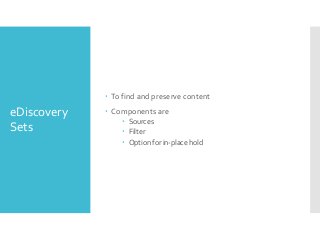
 To find and preserve content

eDiscovery
Sets

 Components are
 Sources
 Filter
 Option for in-place hold
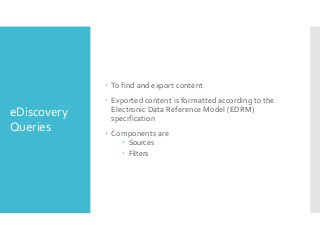
 To find and export content

eDiscovery
Queries

 Exported content is formatted according to the
Electronic Data Reference Model (EDRM)
specification
 Components are
 Sources
 Filters
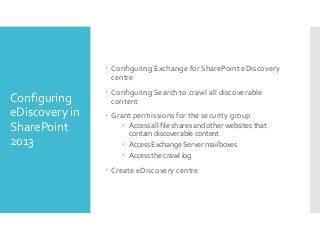
 Configuring Exchange for SharePoint eDiscovery
centre

Configuring
eDiscovery in
SharePoint
2013

 Configuring Search to crawl all discoverable
content
 Grant permissions for the security group
 Access all file shares and other websites that
contain discoverable content
 Access Exchange Server mailboxes
 Access the crawl log

 Create eDiscovery centre
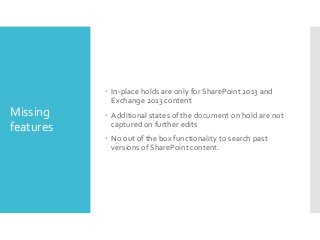
 In-place holds are only for SharePoint 2013 and
Exchange 2013 content

Missing
features

 Additional states of the document on hold are not
captured on further edits

 No out of the box functionality to search past
versions of SharePoint content.
http://sharepointhowtos.blogspot.in/
http://blogsprajeesh.blogspot.in/

Thank you

https://twitter.com/prajeeshprathap
www.scrum.nl

www.prowareness.com

E discovery in sharepoint 2013

  • 1.
    eDiscovery in SharePoint 2013 PrajeeshPrathap, Technical Architect www.prowareness.com
  • 2.
    eDiscovery  Process ofidentifying and delivering electronic information that is relevant to legal matters such as litigation, audits and investigations  Requires searching for documents, websites, and email messages and collecting and acting on content that meets the criteria for a legal case.
  • 3.
     eDiscovery Center What’snew in 2013?  SharePoint In-Place Hold  Exchange In-Place Hold  Query-based Preservation  eDiscovery API
  • 4.
    Managing an eDiscovery Case  Collaborationsite that you can use to organize information related to the eDiscovery request  Users can search for content, apply a hold to content, export content, and view the status of holds and exports that are associated with the case
  • 5.
     To findand preserve content eDiscovery Sets  Components are  Sources  Filter  Option for in-place hold
  • 6.
     To findand export content eDiscovery Queries  Exported content is formatted according to the Electronic Data Reference Model (EDRM) specification  Components are  Sources  Filters
  • 7.
     Configuring Exchangefor SharePoint eDiscovery centre Configuring eDiscovery in SharePoint 2013  Configuring Search to crawl all discoverable content  Grant permissions for the security group  Access all file shares and other websites that contain discoverable content  Access Exchange Server mailboxes  Access the crawl log  Create eDiscovery centre
  • 8.
     In-place holdsare only for SharePoint 2013 and Exchange 2013 content Missing features  Additional states of the document on hold are not captured on further edits  No out of the box functionality to search past versions of SharePoint content.
  • 9.