Smart Client Apply – Windows Mobile Application

      Smart Client Apply application is responsible for instant update to Admin of Unisys
      web portal. When any visitor of Unisys is interested in purchasing Insurance/Mutual
      fund/other service from Unisys, respective visitor have to apply from Unisys Smart
      Apply form when visitors are submitting their interest respective query update are
      visible to Admin owner. Smart Client Apply runs on Windows mobile 5.0, Window
      Mobile 6.0 devices which give updates to Unisys admin.


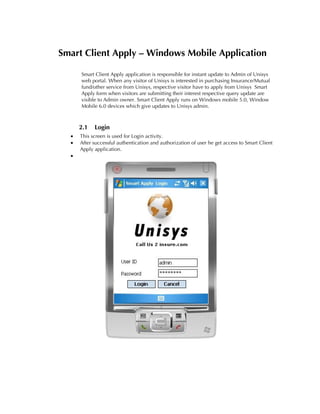
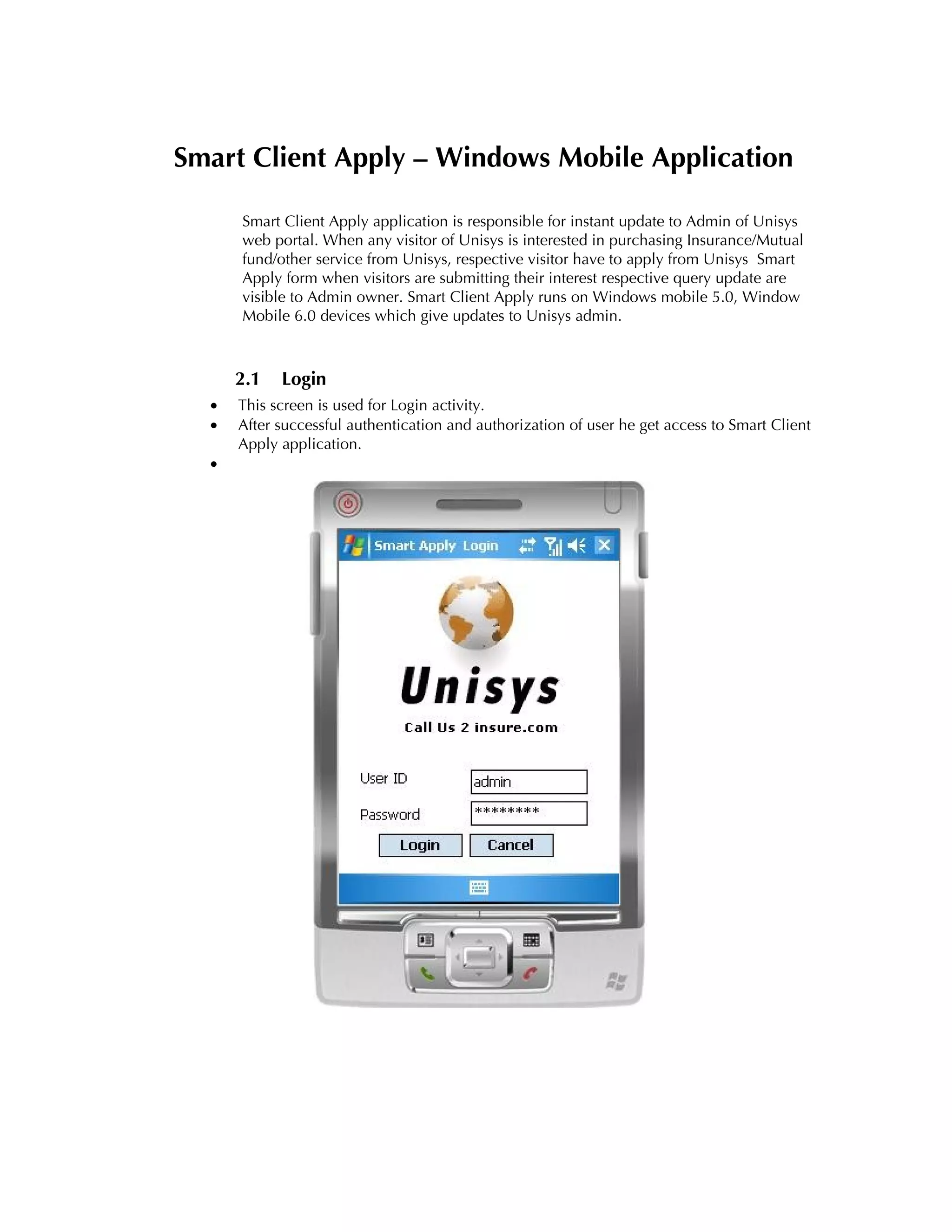
      2.1   Login
  •   This screen is used for Login activity.
  •   After successful authentication and authorization of user he get access to Smart Client
      Apply application.
  •
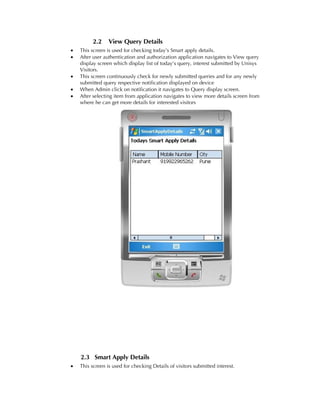
2.2     View Query Details
•   This screen is used for checking today’s Smart apply details.
•   After user authentication and authorization application navigates to View query
    display screen which display list of today’s query, interest submitted by Unisys
    Visitors.
•   This screen continuously check for newly submitted queries and for any newly
    submitted query respective notification displayed on device
•   When Admin click on notification it navigates to Query display screen.
•   After selecting item from application navigates to view more details screen from
    where he can get more details for interested visitors


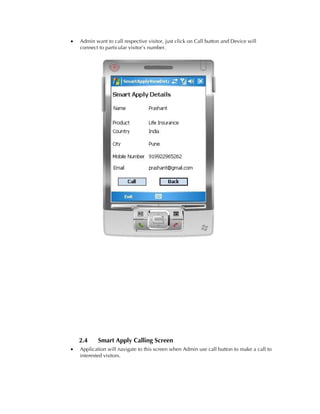
    2.3 Smart Apply Details
•   This screen is used for checking Details of visitors submitted interest.
•   Admin want to call respective visitor, just click on Call button and Device will
    connect to particular visitor’s number.


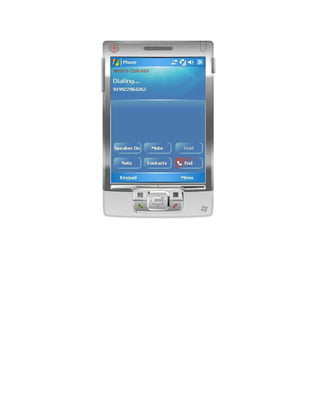
    2.4     Smart Apply Calling Screen
•   Application will navigate to this screen when Admin use call button to make a call to
    interested visitors.
Mobile Solutions - Smart Client

Mobile Solutions - Smart Client

  • 1.
    Smart Client Apply– Windows Mobile Application Smart Client Apply application is responsible for instant update to Admin of Unisys web portal. When any visitor of Unisys is interested in purchasing Insurance/Mutual fund/other service from Unisys, respective visitor have to apply from Unisys Smart Apply form when visitors are submitting their interest respective query update are visible to Admin owner. Smart Client Apply runs on Windows mobile 5.0, Window Mobile 6.0 devices which give updates to Unisys admin. 2.1 Login • This screen is used for Login activity. • After successful authentication and authorization of user he get access to Smart Client Apply application. •
  • 2.
    2.2 View Query Details • This screen is used for checking today’s Smart apply details. • After user authentication and authorization application navigates to View query display screen which display list of today’s query, interest submitted by Unisys Visitors. • This screen continuously check for newly submitted queries and for any newly submitted query respective notification displayed on device • When Admin click on notification it navigates to Query display screen. • After selecting item from application navigates to view more details screen from where he can get more details for interested visitors 2.3 Smart Apply Details • This screen is used for checking Details of visitors submitted interest.
  • 3.
    Admin want to call respective visitor, just click on Call button and Device will connect to particular visitor’s number. 2.4 Smart Apply Calling Screen • Application will navigate to this screen when Admin use call button to make a call to interested visitors.