



Mezzanine簡介
@Taichung.py meetup
Max Lai
2016/6/11
講者介紹
• Max Lai
• Taichung.py 共同發起人
• Agile.Taichung 共同發起人
• 專長是電腦視覺, 敏捷開發
• 喜歡用 python 實作一些自己side project
大綱
• Mezzanine簡介
• 快速Mezzanine 網站架設
• 內容架構及管理
• 客製化內容頁面
• 如何佈署到 pythonanywhere PaaS平台
What is CMS
• Content Management System
• PHP:
• Wordpress
• Drupal
• Joomla
• Python
• Mezzanine
• DjangoCMS
• Wagtail
• AN OPEN SOURCE CONTENT
MANAGEMENT PLATFORM BUILT
USING THE DJANGO FRAMEWORK
• BSD Licensed. It can be freely used,
modified, and redistributed commercially.
MEZZANINE
Mezzanine簡介
Mezzanine簡介
• Mezzanine is a powerful, consistent, and flexible content
management platform.
• Built using the Django framework,
• Mezzanine provides a simple yet highly extensible architecture
that encourages diving in and hacking on the code.
• Mezzanine is BSD licensed and supported by a diverse and
active community.
• In some ways, Mezzanine resembles tools such as Wordpress,
providing an intuitive interface for managing pages, blog posts,
form data, store products, and other types of content.
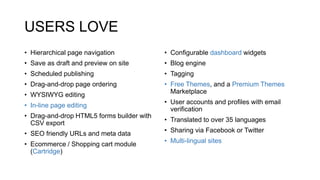
USERS LOVE
• Hierarchical page navigation
• Save as draft and preview on site
• Scheduled publishing
• Drag-and-drop page ordering
• WYSIWYG editing
• In-line page editing
• Drag-and-drop HTML5 forms builder with
CSV export
• SEO friendly URLs and meta data
• Ecommerce / Shopping cart module
(Cartridge)
• Configurable dashboard widgets
• Blog engine
• Tagging
• Free Themes, and a Premium Themes
Marketplace
• User accounts and profiles with email
verification
• Translated to over 35 languages
• Sharing via Facebook or Twitter
• Multi-lingual sites
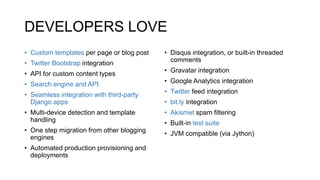
DEVELOPERS LOVE
• Custom templates per page or blog post
• Twitter Bootstrap integration
• API for custom content types
• Search engine and API
• Seamless integration with third-party
Django apps
• Multi-device detection and template
handling
• One step migration from other blogging
engines
• Automated production provisioning and
deployments
• Disqus integration, or built-in threaded
comments
• Gravatar integration
• Google Analytics integration
• Twitter feed integration
• bit.ly integration
• Akismet spam filtering
• Built-in test suite
• JVM compatible (via Jython)
Extra Batteries Included
• Ecommerce: catridge.jupo.org
• Forum: drum.jupo.org
• Themes: mezzathe.me
• ~70 Packages:
https://www.djangopackages.com/grids/g/mezzanine/
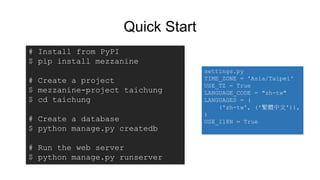
Quick Start
# Install from PyPI
$ pip install mezzanine
# Create a project
$ mezzanine-project taichung
$ cd taichung
# Create a database
$ python manage.py createdb
# Run the web server
$ python manage.py runserver
settings.py
TIME_ZONE = 'Asia/Taipei'
USE_TZ = True
LANGUAGE_CODE = "zh-tw"
LANGUAGES = (
('zh-tw', ('繁體中文')),
)
USE_I18N = True
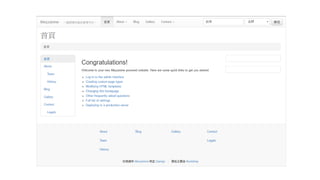
Live demo
• 一般用戶
• 內容管理者
• content creator user guide
• http://www.solutionm.co.nz/static/media/uploads/Mezzanine%20CMS%
20Guide.pdf
“Mantra for working with
Mezzanine:
Mezzanine is Just Django”
Ken Bolton, long-time Mezzanine contributor.
第一個 App
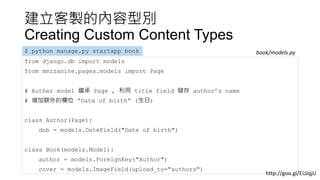
建立客製的內容型別
Creating Custom Content Types
from django.db import models
from mezzanine.pages.models import Page
# Auther model 繼承 Page , 利用 title field 儲存 author’s name
# 增加額外的欄位 “Date of birth” (生日)
class Author(Page):
dob = models.DateField("Date of birth")
class Book(models.Model):
author = models.ForeignKey("Author")
cover = models.ImageField(upload_to="authors")
$ python manage.py startapp book book/models.py
http://goo.gl/EUJqjU
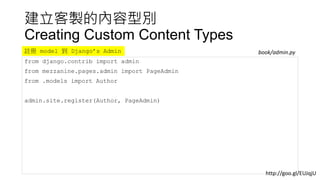
建立客製的內容型別
Creating Custom Content Types
from django.contrib import admin
from mezzanine.pages.admin import PageAdmin
from .models import Author
admin.site.register(Author, PageAdmin)
book/admin.py註冊 model 到 Django’s Admin
http://goo.gl/EUJqjU
建立客製的內容型別
Creating Custom Content Types
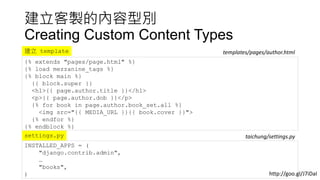
{% extends "pages/page.html" %}
{% load mezzanine_tags %}
{% block main %}
{{ block.super }}
<h1>{{ page.author.title }}</h1>
<p>{{ page.author.dob }}</p>
{% for book in page.author.book_set.all %}
<img src="{{ MEDIA_URL }}{{ book.cover }}">
{% endfor %}
{% endblock %}
templates/pages/author.html建立 template
INSTALLED_APPS = (
"django.contrib.admin",
…
"books",
)
settings.py taichung/settings.py
http://goo.gl/J7iDaI
第二個 App
建立客製的內容型別
Creating Custom Content Types
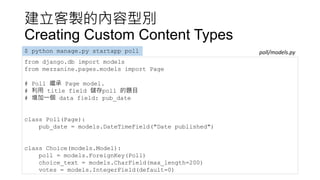
from django.db import models
from mezzanine.pages.models import Page
# Poll 繼承 Page model.
# 利用 title field 儲存poll 的題目
# 增加一個 data field: pub_date
class Poll(Page):
pub_date = models.DateTimeField("Date published")
class Choice(models.Model):
poll = models.ForeignKey(Poll)
choice_text = models.CharField(max_length=200)
votes = models.IntegerField(default=0)
$ python manage.py startapp poll poll/models.py
建立客製的內容型別
Creating Custom Content Types
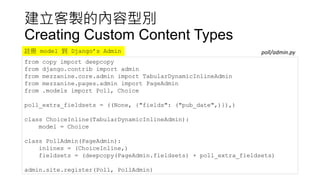
from copy import deepcopy
from django.contrib import admin
from mezzanine.core.admin import TabularDynamicInlineAdmin
from mezzanine.pages.admin import PageAdmin
from .models import Poll, Choice
poll_extra_fieldsets = ((None, {"fields": ("pub_date",)}),)
class ChoiceInline(TabularDynamicInlineAdmin):
model = Choice
class PollAdmin(PageAdmin):
inlines = (ChoiceInline,)
fieldsets = (deepcopy(PageAdmin.fieldsets) + poll_extra_fieldsets)
admin.site.register(Poll, PollAdmin)
poll/admin.py註冊 model 到 Django’s Admin
建立客製的內容型別
Creating Custom Content Types
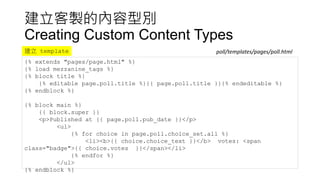
{% extends "pages/page.html" %}
{% load mezzanine_tags %}
{% block title %}
{% editable page.poll.title %}{{ page.poll.title }}{% endeditable %}
{% endblock %}
{% block main %}
{{ block.super }}
<p>Published at {{ page.poll.pub_date }}</p>
<ul>
{% for choice in page.poll.choice_set.all %}
<li><b>{{ choice.choice_text }}</b> votes: <span
class="badge">{{ choice.votes }}</span></li>
{% endfor %}
</ul>
{% endblock %}
poll/templates/pages/poll.html建立 template
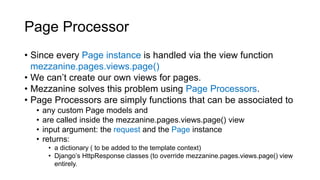
Page Processor
• Since every Page instance is handled via the view function
mezzanine.pages.views.page()
• We can’t create our own views for pages.
• Mezzanine solves this problem using Page Processors.
• Page Processors are simply functions that can be associated to
• any custom Page models and
• are called inside the mezzanine.pages.views.page() view
• input argument: the request and the Page instance
• returns:
• a dictionary ( to be added to the template context)
• Django’s HttpResponse classes (to override mezzanine.pages.views.page() view
entirely.
建立客製的內容型別
Page Processor
from django.shortcuts import get_object_or_404
from mezzanine.pages.page_processors import processor_for
from .models import Poll, Choice
@processor_for(Poll)
def poll_form(request, page):
if request.method == "POST":
p = get_object_or_404(Poll, pk=page.poll.id)
try:
selected_choice = p.choice_set.get(pk=request.POST['choice'])
except (KeyError, Choice.DoesNotExist):
return {'error_message': "You didn't select a choice."}
else:
selected_choice.votes += 1
selected_choice.save()
return {'success_message': "Thank you for your vote."}
polls/page_processors.py建立 poll
建立客製的內容型別
Page Processor
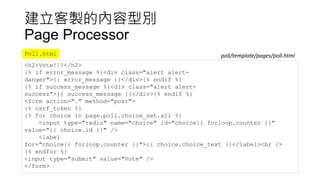
<h2>Vote!!!</h2>
{% if error_message %}<div class="alert alert-
danger">{{ error_message }}</div>{% endif %}
{% if success_message %}<div class="alert alert-
success">{{ success_message }}</div>{% endif %}
<form action="." method="post">
{% csrf_token %}
{% for choice in page.poll.choice_set.all %}
<input type="radio" name="choice" id="choice{{ forloop.counter }}"
value="{{ choice.id }}" />
<label
for="choice{{ forloop.counter }}">{{ choice.choice_text }}</label><br />
{% endfor %}
<input type="submit" value="Vote" />
</form>
Poll.html poll/template/pages/poll.html
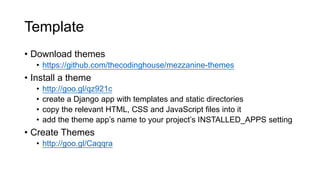
Template
• Download themes
• https://github.com/thecodinghouse/mezzanine-themes
• Install a theme
• http://goo.gl/qz921c
• create a Django app with templates and static directories
• copy the relevant HTML, CSS and JavaScript files into it
• add the theme app’s name to your project’s INSTALLED_APPS setting
• Create Themes
• http://goo.gl/Caqqra
PythonAnywhere
• How to get your code in and out of PythonAnywhere
• https://help.pythonanywhere.com/pages/FTP/
• How to use Mezzanine on PythonAnywhere
• https://goo.gl/56Kakv
• Git push deployments on PythonAnywhere
• https://blog.pythonanywhere.com/87/
More information?
• Documentation
• http://mezzanine.jupo.org/
• Stephen McDonald’s PyCon APAC keynote http://goo.gl/fpqrD3
• Source Code
• https://github.com/stephenmcd/mezzanine
• Mailing list
• https://groups.google.com/forum/#!forum/mezzanine-users
• 本次 demo 範例檔
• https://drive.google.com/open?id=0BxXb4EAVtZX-
S2NqVmFVbG5rTGs

Mezzanine簡介 (at) Taichung.py

  • 1.
  • 2.
    講者介紹 • Max Lai •Taichung.py 共同發起人 • Agile.Taichung 共同發起人 • 專長是電腦視覺, 敏捷開發 • 喜歡用 python 實作一些自己side project
  • 3.
    大綱 • Mezzanine簡介 • 快速Mezzanine網站架設 • 內容架構及管理 • 客製化內容頁面 • 如何佈署到 pythonanywhere PaaS平台
  • 4.
    What is CMS •Content Management System • PHP: • Wordpress • Drupal • Joomla • Python • Mezzanine • DjangoCMS • Wagtail
  • 5.
    • AN OPENSOURCE CONTENT MANAGEMENT PLATFORM BUILT USING THE DJANGO FRAMEWORK • BSD Licensed. It can be freely used, modified, and redistributed commercially. MEZZANINE Mezzanine簡介
  • 6.
    Mezzanine簡介 • Mezzanine isa powerful, consistent, and flexible content management platform. • Built using the Django framework, • Mezzanine provides a simple yet highly extensible architecture that encourages diving in and hacking on the code. • Mezzanine is BSD licensed and supported by a diverse and active community. • In some ways, Mezzanine resembles tools such as Wordpress, providing an intuitive interface for managing pages, blog posts, form data, store products, and other types of content.
  • 7.
    USERS LOVE • Hierarchicalpage navigation • Save as draft and preview on site • Scheduled publishing • Drag-and-drop page ordering • WYSIWYG editing • In-line page editing • Drag-and-drop HTML5 forms builder with CSV export • SEO friendly URLs and meta data • Ecommerce / Shopping cart module (Cartridge) • Configurable dashboard widgets • Blog engine • Tagging • Free Themes, and a Premium Themes Marketplace • User accounts and profiles with email verification • Translated to over 35 languages • Sharing via Facebook or Twitter • Multi-lingual sites
  • 8.
    DEVELOPERS LOVE • Customtemplates per page or blog post • Twitter Bootstrap integration • API for custom content types • Search engine and API • Seamless integration with third-party Django apps • Multi-device detection and template handling • One step migration from other blogging engines • Automated production provisioning and deployments • Disqus integration, or built-in threaded comments • Gravatar integration • Google Analytics integration • Twitter feed integration • bit.ly integration • Akismet spam filtering • Built-in test suite • JVM compatible (via Jython)
  • 9.
    Extra Batteries Included •Ecommerce: catridge.jupo.org • Forum: drum.jupo.org • Themes: mezzathe.me • ~70 Packages: https://www.djangopackages.com/grids/g/mezzanine/
  • 10.
    Quick Start # Installfrom PyPI $ pip install mezzanine # Create a project $ mezzanine-project taichung $ cd taichung # Create a database $ python manage.py createdb # Run the web server $ python manage.py runserver settings.py TIME_ZONE = 'Asia/Taipei' USE_TZ = True LANGUAGE_CODE = "zh-tw" LANGUAGES = ( ('zh-tw', ('繁體中文')), ) USE_I18N = True
  • 12.
    Live demo • 一般用戶 •內容管理者 • content creator user guide • http://www.solutionm.co.nz/static/media/uploads/Mezzanine%20CMS% 20Guide.pdf
  • 13.
    “Mantra for workingwith Mezzanine: Mezzanine is Just Django” Ken Bolton, long-time Mezzanine contributor.
  • 14.
  • 15.
    建立客製的內容型別 Creating Custom ContentTypes from django.db import models from mezzanine.pages.models import Page # Auther model 繼承 Page , 利用 title field 儲存 author’s name # 增加額外的欄位 “Date of birth” (生日) class Author(Page): dob = models.DateField("Date of birth") class Book(models.Model): author = models.ForeignKey("Author") cover = models.ImageField(upload_to="authors") $ python manage.py startapp book book/models.py http://goo.gl/EUJqjU
  • 16.
    建立客製的內容型別 Creating Custom ContentTypes from django.contrib import admin from mezzanine.pages.admin import PageAdmin from .models import Author admin.site.register(Author, PageAdmin) book/admin.py註冊 model 到 Django’s Admin http://goo.gl/EUJqjU
  • 17.
    建立客製的內容型別 Creating Custom ContentTypes {% extends "pages/page.html" %} {% load mezzanine_tags %} {% block main %} {{ block.super }} <h1>{{ page.author.title }}</h1> <p>{{ page.author.dob }}</p> {% for book in page.author.book_set.all %} <img src="{{ MEDIA_URL }}{{ book.cover }}"> {% endfor %} {% endblock %} templates/pages/author.html建立 template INSTALLED_APPS = ( "django.contrib.admin", … "books", ) settings.py taichung/settings.py http://goo.gl/J7iDaI
  • 18.
  • 19.
    建立客製的內容型別 Creating Custom ContentTypes from django.db import models from mezzanine.pages.models import Page # Poll 繼承 Page model. # 利用 title field 儲存poll 的題目 # 增加一個 data field: pub_date class Poll(Page): pub_date = models.DateTimeField("Date published") class Choice(models.Model): poll = models.ForeignKey(Poll) choice_text = models.CharField(max_length=200) votes = models.IntegerField(default=0) $ python manage.py startapp poll poll/models.py
  • 20.
    建立客製的內容型別 Creating Custom ContentTypes from copy import deepcopy from django.contrib import admin from mezzanine.core.admin import TabularDynamicInlineAdmin from mezzanine.pages.admin import PageAdmin from .models import Poll, Choice poll_extra_fieldsets = ((None, {"fields": ("pub_date",)}),) class ChoiceInline(TabularDynamicInlineAdmin): model = Choice class PollAdmin(PageAdmin): inlines = (ChoiceInline,) fieldsets = (deepcopy(PageAdmin.fieldsets) + poll_extra_fieldsets) admin.site.register(Poll, PollAdmin) poll/admin.py註冊 model 到 Django’s Admin
  • 21.
    建立客製的內容型別 Creating Custom ContentTypes {% extends "pages/page.html" %} {% load mezzanine_tags %} {% block title %} {% editable page.poll.title %}{{ page.poll.title }}{% endeditable %} {% endblock %} {% block main %} {{ block.super }} <p>Published at {{ page.poll.pub_date }}</p> <ul> {% for choice in page.poll.choice_set.all %} <li><b>{{ choice.choice_text }}</b> votes: <span class="badge">{{ choice.votes }}</span></li> {% endfor %} </ul> {% endblock %} poll/templates/pages/poll.html建立 template
  • 22.
    Page Processor • Sinceevery Page instance is handled via the view function mezzanine.pages.views.page() • We can’t create our own views for pages. • Mezzanine solves this problem using Page Processors. • Page Processors are simply functions that can be associated to • any custom Page models and • are called inside the mezzanine.pages.views.page() view • input argument: the request and the Page instance • returns: • a dictionary ( to be added to the template context) • Django’s HttpResponse classes (to override mezzanine.pages.views.page() view entirely.
  • 23.
    建立客製的內容型別 Page Processor from django.shortcutsimport get_object_or_404 from mezzanine.pages.page_processors import processor_for from .models import Poll, Choice @processor_for(Poll) def poll_form(request, page): if request.method == "POST": p = get_object_or_404(Poll, pk=page.poll.id) try: selected_choice = p.choice_set.get(pk=request.POST['choice']) except (KeyError, Choice.DoesNotExist): return {'error_message': "You didn't select a choice."} else: selected_choice.votes += 1 selected_choice.save() return {'success_message': "Thank you for your vote."} polls/page_processors.py建立 poll
  • 24.
    建立客製的內容型別 Page Processor <h2>Vote!!!</h2> {% iferror_message %}<div class="alert alert- danger">{{ error_message }}</div>{% endif %} {% if success_message %}<div class="alert alert- success">{{ success_message }}</div>{% endif %} <form action="." method="post"> {% csrf_token %} {% for choice in page.poll.choice_set.all %} <input type="radio" name="choice" id="choice{{ forloop.counter }}" value="{{ choice.id }}" /> <label for="choice{{ forloop.counter }}">{{ choice.choice_text }}</label><br /> {% endfor %} <input type="submit" value="Vote" /> </form> Poll.html poll/template/pages/poll.html
  • 25.
    Template • Download themes •https://github.com/thecodinghouse/mezzanine-themes • Install a theme • http://goo.gl/qz921c • create a Django app with templates and static directories • copy the relevant HTML, CSS and JavaScript files into it • add the theme app’s name to your project’s INSTALLED_APPS setting • Create Themes • http://goo.gl/Caqqra
  • 26.
    PythonAnywhere • How toget your code in and out of PythonAnywhere • https://help.pythonanywhere.com/pages/FTP/ • How to use Mezzanine on PythonAnywhere • https://goo.gl/56Kakv • Git push deployments on PythonAnywhere • https://blog.pythonanywhere.com/87/
  • 27.
    More information? • Documentation •http://mezzanine.jupo.org/ • Stephen McDonald’s PyCon APAC keynote http://goo.gl/fpqrD3 • Source Code • https://github.com/stephenmcd/mezzanine • Mailing list • https://groups.google.com/forum/#!forum/mezzanine-users • 本次 demo 範例檔 • https://drive.google.com/open?id=0BxXb4EAVtZX- S2NqVmFVbG5rTGs