Being productive with
JHipster
Julien Dubois & Deepu K Sasidharan
1
Who we are
● Julien Dubois
○ JHipster creator & lead developer
○ Chief Innovation Officer at Ippon Technologies
● Deepu K Sasidharan
○ JHipster co-lead
○ Product developer at XebiaLabs
2
React to the talk!
● Mention @java_hipster
● We’ll do our best to answer you during the talk!
3J
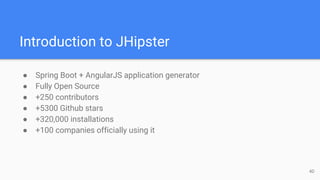
Introduction to JHipster
● Spring Boot + AngularJS application generator
● Fully Open Source
● +250 contributors
● +5300 Github stars
● +320,000 installations
● +100 companies officially using it
4D
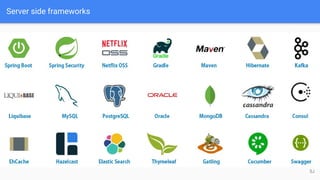
Server side frameworks
5J
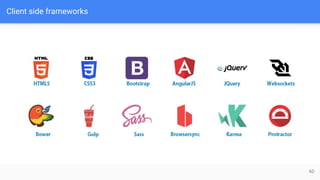
Client side frameworks
6D
Section I Installation & Application
Generation
7
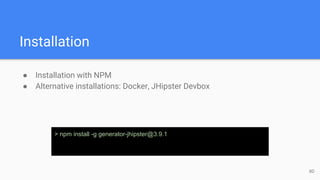
Installation
● Installation with NPM
● Alternative installations: Docker, JHipster Devbox
> npm install -g generator-jhipster@3.9.1
8D
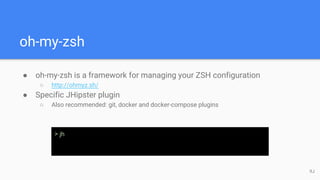
oh-my-zsh
● oh-my-zsh is a framework for managing your ZSH configuration
○ http://ohmyz.sh/
● Specific JHipster plugin
○ Also recommended: git, docker and docker-compose plugins
> jh
9J
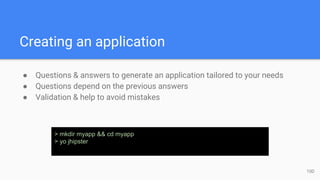
Creating an application
● Questions & answers to generate an application tailored to your needs
● Questions depend on the previous answers
● Validation & help to avoid mistakes
> mkdir myapp && cd myapp
> yo jhipster
10D
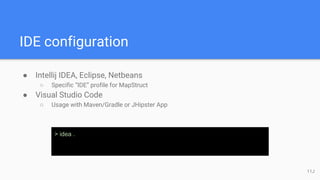
IDE configuration
● Intellij IDEA, Eclipse, Netbeans
○ Specific “IDE” profile for MapStruct
● Visual Studio Code
○ Usage with Maven/Gradle or JHipster App
> idea .
11J
What has been generated?
● Spring Boot application
● AngularJS application
● Liquibase changelog files
● Configuration files
12D
The generated screens: security
● Several generated screens
○ Login, logout, forgot password…
○ Account management
○ User management
● Useful for most applications
○ Pages must be tuned depending on business needs
○ User roles will be added/extended
● Provide also good examples of working screens
○ Forms, directives, validation...
13J
The generated screens: administration
● Administration screens
○ Monitoring
○ Health
○ Spring Boot configuration
○ Spring Security audits
○ Log management
● Very useful in production
● Will probably be a separate module in JHipster 4
14D
Maven / Gradle usage
● Maven/Gradle wrappers
● Available goals: clean, compile, run, test...
● Specific profiles: “dev” and “prod”
> ./mvnw clean test
15J
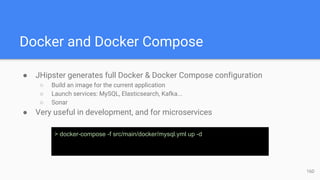
Docker and Docker Compose
● JHipster generates full Docker & Docker Compose configuration
○ Build an image for the current application
○ Launch services: MySQL, Elasticsearch, Kafka...
○ Sonar
● Very useful in development, and for microservices
> docker-compose -f src/main/docker/mysql.yml up -d
16D
SQL Database support
● Can use different development & production databases
● H2 disk-based and in-memory
● Supported databases: MySQL, MariaDB, PostgreSQL, Oracle
● Spring Data JPA
● HikariCP
17J
Liquibase
● Liquibase manages database updates
○ Using changelogs
● Great for working in team
○ After a “git pull”, your database is always up-to-date!
● Tables, relationships, data are all created by JHipster at generation time,
and applied when the application starts
18D
Hibernate 2nd level cache
● 3 options
○ No cache
○ Ehcache
■ Default for monoliths
■ Upgrade soon to Ehcache 3
○ Hazelcast
■ Default for microservices, with a specific configuration for clustering
● Automatically monitored
○ Production defaults are low, should be tuned depending on your business/hardware
19D
MongoDB
● Alternative to SQL databases
● Faster startup, works great for cloud applications
● Spring Data MongoDB
● Changelogs are managed by Mongobee
20J
Cassandra
● Another alternative to SQL databases
● Custom implementation using the DataStax Java Driver
● Custom changelog implementation
● Spring Boot Cassandra support comes from JHipster!
21J
Elasticsearch
● Optional add-on to the other options
○ Very popular
● Use Spring Data Elasticsearch
● Add server-side and client-side code for searching entities
● Uses by default an embedded server in development, we recommend the
Docker image for faster turnaround
22D
Kafka
● Optional add-on
○ For handling very large amount of events
○ Some people use it to handle load and failover with microservices
● Use Spring Cloud Stream
● Simple integration for the moment
23J
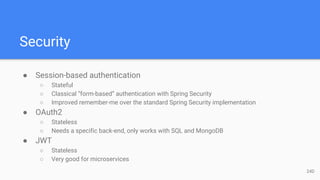
Security
● Session-based authentication
○ Stateful
○ Classical “form-based” authentication with Spring Security
○ Improved remember-me over the standard Spring Security implementation
● OAuth2
○ Stateless
○ Needs a specific back-end, only works with SQL and MongoDB
● JWT
○ Stateless
○ Very good for microservices
24D
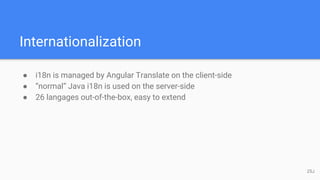
Internationalization
● i18n is managed by Angular Translate on the client-side
● “normal” Java i18n is used on the server-side
● 26 langages out-of-the-box, easy to extend
25J
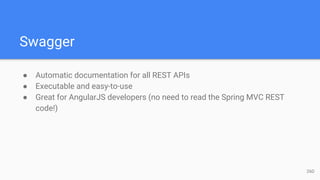
Swagger
● Automatic documentation for all REST APIs
● Executable and easy-to-use
● Great for AngularJS developers (no need to read the Spring MVC REST
code!)
26D
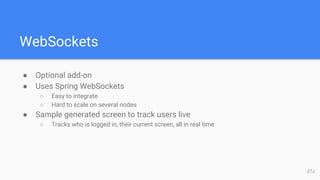
WebSockets
● Optional add-on
● Uses Spring WebSockets
○ Easy to integrate
○ Hard to scale on several nodes
● Sample generated screen to track users live
○ Tracks who is logged in, their current screen, all in real time
27J
Creating an entity
● The entity sub-generator is our more complete and more popular
sub-generator
● Creates an entity, with full CRUD support
○ Liquibase changelog
○ Spring Data JPA repository
○ Spring MVC REST endpoint
○ AngularJS router/controller/service/view
○ i18n
○ Tests
● Tip: use Git to save your work before/after running a sub-generator!
28D
Creating fields
● Fields are created one after the other
● Lots of types are available
○ Types depend on the underlying database (SQL/MongoDB/Cassandra)
● Validation is available
○ AngularJS validation on the client side
○ Bean validation used by Spring MVC REST and Hibernate
○ Database constraints
29J
Managing relationships
● Relationships only work for SQL databases
● All JPA relationship types are supported
○ one-to-one, many-to-one, one-to-many, many-to-many
● Unidirectional and bidirectional relationships
● Multiple relationships on the same 2 entities
30D
The “User” entity
● Specific entity, generated with the core application
○ Used by Spring Security
○ Can be extended
● Supports many-to-one, many-to-many (non owner side) and one-to-one
(non owner side) relationships
● Tip: some people do a one-to-one relationship to a specific “CustomUser”
entity, which they modify/extend (modifying the User entity can cause
issues when upgrading the application)
31J
Using DTOs
● DTOs = Data Transfer Objects
● Very useful in business applications, where basic CRUD entities are not
enough
○ Add business logic
○ Separate the view layer from the persistence layer
○ Helps with lazy-loading
● Uses MapStruct to generate the mapping
○ Java annotation processor
32D
Using a service layer
● Very useful in business applications, where basic CRUD entities are not
enough
○ Like DTOs
○ Usually both options are selected at the same time, but it depends on what you want to do
● Service beans are Spring beans: security, transactions, monitoring are
available
● Option to use just an implementation, or an interface + an implementation
33J
Pagination options
● 3 pagination options are available:
○ Simple pager
○ Pagination links
○ Infinite scroll
● Depends on your business needs and database capabilities (Cassandra
can’t do pagination links)
● Very useful if you have data (all situations except reference tables)
○ Common pitfall is to do Gatling tests on non-paginated entities
34D
Re-generating an entity
● The entity sub-generator can re-generate an existing entity
○ Just call it again with the entity name
○ Fields and relationships can be removed/added
● Tip: advanced users modify directly the .jhipster/*.json files
○ Internal JHipster configuration files
○ In fact just the answers serialized in JSON - easy to understand and modify if needed
35J
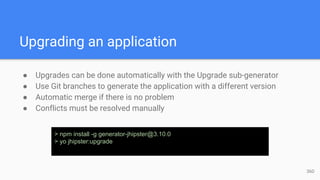
Upgrading an application
● Upgrades can be done automatically with the Upgrade sub-generator
● Use Git branches to generate the application with a different version
● Automatic merge if there is no problem
● Conflicts must be resolved manually
> npm install -g generator-jhipster@3.10.0
> yo jhipster:upgrade
36D
Section II Working with the Generated
Application
37
Setting up a good development environment
● “Developer Experience” is very important for JHipster
○ Lots of effort to make your development environment great
● Hot reload should work everywhere
● IDEs should work automatically
● Docker Compose for all 3rd-party tools, so they are easy to manage
38J
Spring Boot devtools
● Automatically reloads the application when a compilation occurs
○ The application classloader gets refreshed
○ The JVM and third-party libraries are not refreshed
● Hot reload is very quick: 2 to 4 seconds depending on your setup
● Liquibase being managed by JHipster, the database schema is also
automatically updated
● Tip: configure your IDE to do automatic compilation, and everything is
updated automatically!
39D
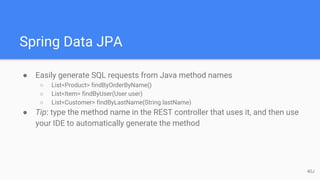
Spring Data JPA
● Easily generate SQL requests from Java method names
○ List<Product> findByOrderByName()
○ List<Item> findByUser(User user)
○ List<Customer> findByLastName(String lastName)
● Tip: type the method name in the REST controller that uses it, and then use
your IDE to automatically generate the method
40J
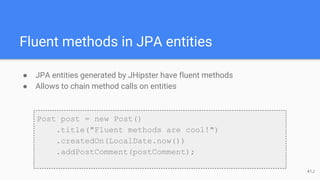
Fluent methods in JPA entities
● JPA entities generated by JHipster have fluent methods
● Allows to chain method calls on entities
Post post = new Post()
.title("Fluent methods are cool!")
.createdOn(LocalDate.now())
.addPostComment(postComment);
41J
Liquibase
● Changelogs are generated by JHipster, and can also be hand-coded
● Another solution is to use the Maven “liquibase:diff” goal
○ Modify the JPA code
○ Compile the application
○ Run “./mvnw liquibase:diff”
○ This will generate a changelog to update your database schema
○ Add the resulting changelog to the master changelog
● Changelogs are applied at application start-up (also works with Spring
Boot hot reload)
42D
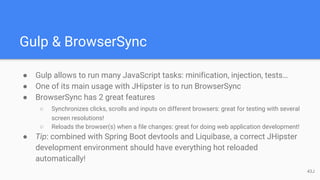
Gulp & BrowserSync
● Gulp allows to run many JavaScript tasks: minification, injection, tests…
● One of its main usage with JHipster is to run BrowserSync
● BrowserSync has 2 great features
○ Synchronizes clicks, scrolls and inputs on different browsers: great for testing with several
screen resolutions!
○ Reloads the browser(s) when a file changes: great for doing web application development!
● Tip: combined with Spring Boot devtools and Liquibase, a correct JHipster
development environment should have everything hot reloaded
automatically!
43J
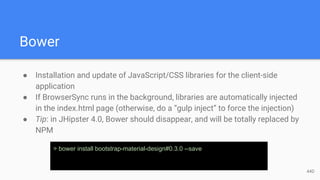
Bower
● Installation and update of JavaScript/CSS libraries for the client-side
application
● If BrowserSync runs in the background, libraries are automatically injected
in the index.html page (otherwise, do a “gulp inject” to force the injection)
● Tip: in JHipster 4.0, Bower should disappear, and will be totally replaced by
NPM
> bower install bootstrap-material-design#0.3.0 --save
44D
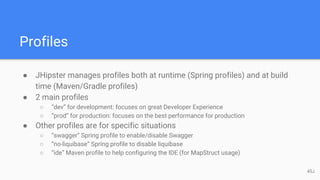
Profiles
● JHipster manages profiles both at runtime (Spring profiles) and at build
time (Maven/Gradle profiles)
● 2 main profiles
○ “dev” for development: focuses on great Developer Experience
○ “prod” for production: focuses on the best performance for production
● Other profiles are for specific situations
○ “swagger” Spring profile to enable/disable Swagger
○ “no-liquibase” Spring profile to disable liquibase
○ “ide” Maven profile to help configuring the IDE (for MapStruct usage)
45J
Working with AngularJS
● JHipster follows the John Papa style guide
○ Official guide, endorsed by the AngularJS team
○ Lots of rules and best practices, clearly explained
○ Gives a migration path to AngularJS 2
● JHipster uses a few third-party libraries
○ UI Router for routing
○ Twitter Bootstrap
○ Datepicker, infinite scrolling
● All other libraries are supposed to be installed easily through Bower
46D
A word on Angular 2
● Angular 2 support is coming soon in JHipster!
○ Work is 90% ready on the main generator
○ The entity sub-generator is not migrated yet
○ We will have a new option to generate either an AngularJS 1 or an Angular 2 project
○ Both options will live next to each other
○ Focus will shift to Angular 2 as more projects adopt it, and as it becomes more stable
● This will be the main focus of JHipster 4.0
47D
Customizing Bootstrap
● JHipster uses the “standard” Twitter Bootstrap classes
● They can be overridden as usual
○ Update the main.css file if using CSS
○ Update the main.scss if using Sass
● It’s also easy to install a specific theme (often automatic just using Bower)
● Bootstrap 4 support is coming in JHipster 4.0
48J
Section III Testing the Generated Application
49
Spring integration tests
● JHipster provides JUnit and Spring integration test support
○ Integration tests are fast as the Spring context and the database are re-used over each
test
○ Mockito is used to mock dependencies
○ @WithMockUser from Spring Security is great
○ Yes, using field injection with Spring is annoying for tests!
● The entity sub-generator generates specific tests for each CRUD operation
50J
Karma.js
● Unit tests are generated for the main application and for the entities
○ Uses mock to simulate the back-end
51D
Gatling
● Available as an option
● Generate load testing simulations for CRUD entities
○ Uses the 4 CRUD methods
○ Must be tuned depending on your real business needs
○ Generates a great dashboard
○ Don’t forget to use pagination!
● Gatling tests can be run directly from Maven
● Simulations are developed with a Scala DSL
○ Not very complex to use
○ Scala compilation is slow at startup!
52J
Cucumber
● Available as an option
● Behavior-driven tests becoming more and more popular
● Simple integration at the moment
○ Might not evolve as we can’t generate business code
53D
Protractor
● Great way to do integration testing with AngularJS
○ End-to-end test of the application
○ Needs a fully working back-end server
○ Uses by default a Firefox browser, which often leads to issues
54J
Code quality with Sonar
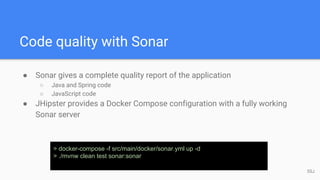
● Sonar gives a complete quality report of the application
○ Java and Spring code
○ JavaScript code
● JHipster provides a Docker Compose configuration with a fully working
Sonar server
> docker-compose -f src/main/docker/sonar.yml up -d
> ./mvnw clean test sonar:sonar
55J
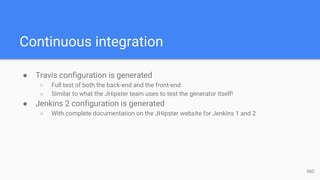
Continuous integration
● Travis configuration is generated
○ Full test of both the back-end and the front-end
○ Similar to what the JHipster team uses to test the generator itself!
● Jenkins 2 configuration is generated
○ With complete documentation on the JHipster website for Jenkins 1 and 2
56D
Section IV Going to Production
57
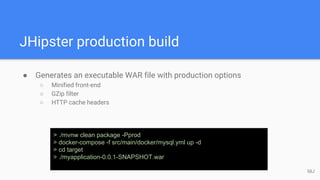
JHipster production build
● Generates an executable WAR file with production options
○ Minified front-end
○ GZip filter
○ HTTP cache headers
> ./mvnw clean package -Pprod
> docker-compose -f src/main/docker/mysql.yml up -d
> cd target
> ./myapplication-0.0.1-SNAPSHOT.war
58J
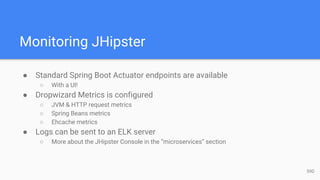
Monitoring JHipster
● Standard Spring Boot Actuator endpoints are available
○ With a UI!
● Dropwizard Metrics is configured
○ JVM & HTTP request metrics
○ Spring Beans metrics
○ Ehcache metrics
● Logs can be sent to an ELK server
○ More about the JHipster Console in the “microservices” section
59D
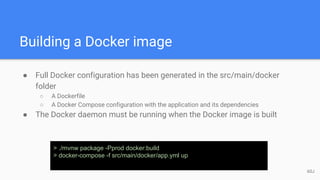
Building a Docker image
● Full Docker configuration has been generated in the src/main/docker
folder
○ A Dockerfile
○ A Docker Compose configuration with the application and its dependencies
● The Docker daemon must be running when the Docker image is built
> ./mvnw package -Pprod docker:build
> docker-compose -f src/main/docker/app.yml up
60J
The Docker Compose sub-generator
● Works for both monoliths and microservices
● Allows for more complex setups than the default Docker Compose file
○ Adding monitoring with the JHipster Console
○ Mostly useful for microservices
61J
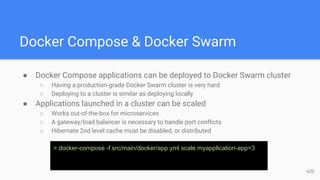
Docker Compose & Docker Swarm
● Docker Compose applications can be deployed to Docker Swarm cluster
○ Having a production-grade Docker Swarm cluster is very hard
○ Deploying to a cluster is similar as deploying locally
● Applications launched in a cluster can be scaled
○ Works out-of-the-box for microservices
○ A gateway/load balancer is necessary to handle port conflicts
○ Hibernate 2nd level cache must be disabled, or distributed
> docker-compose -f src/main/docker/app.yml scale myapplication-app=3
62D
Deploying on Kubernetes
● Kubernetes sub-generator is in BETA
○ Developed by Ray Tsang (@saturnism) from Google
○ Similar to the Docker Swarm sub-generator
> yo jhipster:kubernetes
63J
Deploying to Cloud Foundry
● Specific sub-generator to deploy to Cloud Foundry
● Uses the “cf” command-line to deploy the application, bind a database
service, etc.
○ Can only support services available on your Cloud Foundry marketplace
> yo jhipster:cloudfoundry
64D
Deploying to Heroku
● Specific sub-generator to deploy to Heroku
○ Developed by Joe Kutner from Heroku
● Uses the “heroku” command-line to deploy the application, bind a database
service, etc.
> yo jhipster:heroku
65J
Other deployment platforms
● AWS
● BoxFuse
● Application servers
● Executable WAR
66D
Section V Tooling & sub-projects
67
JDL
● JHipster Domain Language
● Makes generating complex entity models easily
● Supports all entity sub-generator features
○ Field types
○ Validation
○ Relationships
○ DTOs
○ Service
○ Enumerations
○ ...
68J
JDL Studio
● Open Source Web application
○ Available at http://jhipster.github.io/jdl-studio/
● Auto-completion and validation
● Sublime Text keymap
● Graphical view
● Share as URL
● Import/export models
69D
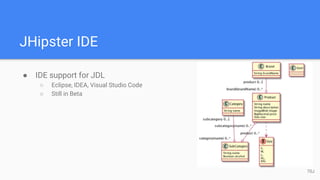
JHipster IDE
● IDE support for JDL
○ Eclipse, IDEA, Visual Studio Code
○ Still in Beta
70J
Modules
● JHipster modules gives all the power of JHipster sub-generator to
everyone
○ Modules are independent from JHipster
○ Modules are Yeoman generators, using the JHipster public API
○ Release when you want, use the license you want…
● If you want your module to be public, you can publish it on the JHipster
marketplace
○ Available at https://jhipster.github.io/modules/marketplace/
○ 24 modules available today
○ Free for everyone, as always with JHipster!
71D
Section VI Microservices
72
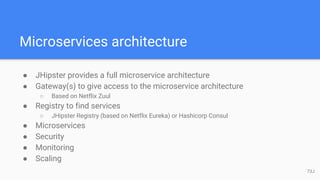
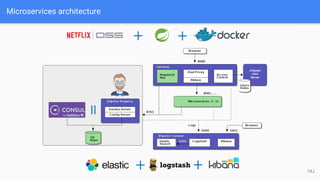
Microservices architecture
● JHipster provides a full microservice architecture
● Gateway(s) to give access to the microservice architecture
○ Based on Netflix Zuul
● Registry to find services
○ JHipster Registry (based on Netflix Eureka) or Hashicorp Consul
● Microservices
● Security
● Monitoring
● Scaling
73J
Microservices architecture
74J
Gateway(s)
● Gateways are normal JHipster applications
○ Full JHipster capabilities
● Provide access to the microservices
○ Using Netflix Zuul for routing, load balancing, failover
○ Provide security using JWT or OAuth2
○ Provide quality of service using a custom Zuul filter + Cassandra
○ Provide full Swagger documentation for both the gateway and the microservices
● Tip: you can have several gateways, specialized on your business needs
75D
Microservices
● Microservices are normal JHipster applications, without the AngularJS
front-end
● All database combinations, Elasticsearch and other options are available
● The JDL Studio can also be used to generate the CRUD entities
● Main limit is that Websockets are not available
○ Will change with Zuul 2
76J
JHipster Registry
● JHipster Registry is an Open Source application developed specifically for
the JHipster microservices architecture
○ Uses Netflix Eureka for service registration/discovery
○ Uses Spring Cloud Config to push Spring Boot configuration to microservices
■ Very useful for pushing secrets (like database passwords)
■ Can re-configure microservices
■ Configurations can be stored in Git, allowing to version/tag them easily
○ Has an easy-to-use Web interface (built with JHipster!)
○ Is available pre-built as a Docker image on the Docker Hub
77D
HashiCorp Consul
● Alternative to the JHipster Registry
○ Focus on consistency (while Eureka focuses on availability)
● More efficient than Eureka on many points
○ Faster service registration/un-registration
○ Smaller footprint
○ DNS server included
○ UI included
● But the JHipster Registry is more stable, is easier to extend (it’s a JHipster
application) and has better Spring Cloud Config support
78J
JHipster Console
● Monitoring application built with ELK (Elasticsearch Logstash Kibana)
● Optimized for JHipster
○ Receives directly events from JHipster over a socket, with the correct format
○ Has pre-configured dashboards for JHipster
● Can be automatically set up with the Docker Compose sub-generator
● Available pre-built as a Docker image on the Docker Hub
79D
Customizing Netflix Zuul
● Gateways use Netflix Zuul to provide routing, load balancing and failover
● Netflix Zuul can be customized using filters
○ JHipster provides pre-built filters, for example for quality of service
● New filters can be added depending on your business needs
80J
Generating entities with microservices
● Entities can be generated for microservices, like any JHipster application
○ Only the back-end code is generated (no AngularJS client code is generated)
○ All usual options are available
○ The JDL Studio can be used as usual
● For Gateway(s), entities can also be generated from microservices
○ The front-end is generated on the gateway, and connect through Netflix Zuul to the
microservice back-end
○ Front-end applications can gather entities from several microservices, as well as from
entities from the gateway itself
81D
Hazelcast distributed cache for
microservices
● Hazelcast is the default Hibernate 2nd level cache for entities generated
on microservices
● JHipster generates specific configuration, using the JHipster Registry, so
that different instances of the same microservice join each other in the
same distributed cache
● Distributed cache with Hazelcast will work automatically with Docker
Swarm, when a microservice is scaled
> docker-compose scale mymicroservice-app=3
82J
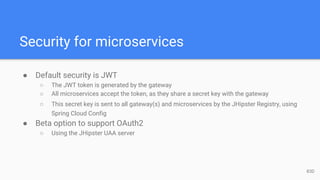
Security for microservices
● Default security is JWT
○ The JWT token is generated by the gateway
○ All microservices accept the token, as they share a secret key with the gateway
○ This secret key is sent to all gateway(s) and microservices by the JHipster Registry, using
Spring Cloud Config
● Beta option to support OAuth2
○ Using the JHipster UAA server
83D
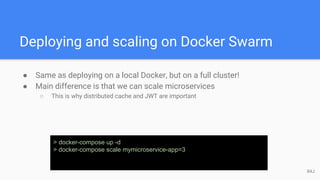
Deploying and scaling on Docker Swarm
● Same as deploying on a local Docker, but on a full cluster!
● Main difference is that we can scale microservices
○ This is why distributed cache and JWT are important
> docker-compose up -d
> docker-compose scale mymicroservice-app=3
84J
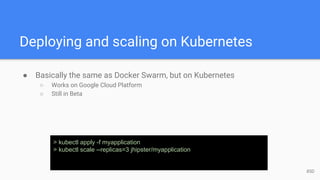
Deploying and scaling on Kubernetes
● Basically the same as Docker Swarm, but on Kubernetes
○ Works on Google Cloud Platform
○ Still in Beta
> kubectl apply -f myapplication
> kubectl scale --replicas=3 jhipster/myapplication
85D
Section VII Getting help
86
Community help
● #1 rule: everything is public
● Questions are on StackOverflow with the “jhipster” tag
● Bugs & feature requests are on our GitHub issue tracker
● Please follow our contributing guidelines if you want help!
87J
Questions?
Answers!
88

Devoxx : being productive with JHipster

  • 1.
    Being productive with JHipster JulienDubois & Deepu K Sasidharan 1
  • 2.
    Who we are ●Julien Dubois ○ JHipster creator & lead developer ○ Chief Innovation Officer at Ippon Technologies ● Deepu K Sasidharan ○ JHipster co-lead ○ Product developer at XebiaLabs 2
  • 3.
    React to thetalk! ● Mention @java_hipster ● We’ll do our best to answer you during the talk! 3J
  • 4.
    Introduction to JHipster ●Spring Boot + AngularJS application generator ● Fully Open Source ● +250 contributors ● +5300 Github stars ● +320,000 installations ● +100 companies officially using it 4D
  • 5.
  • 6.
  • 7.
    Section I Installation& Application Generation 7
  • 8.
    Installation ● Installation withNPM ● Alternative installations: Docker, JHipster Devbox > npm install -g generator-jhipster@3.9.1 8D
  • 9.
    oh-my-zsh ● oh-my-zsh isa framework for managing your ZSH configuration ○ http://ohmyz.sh/ ● Specific JHipster plugin ○ Also recommended: git, docker and docker-compose plugins > jh 9J
  • 10.
    Creating an application ●Questions & answers to generate an application tailored to your needs ● Questions depend on the previous answers ● Validation & help to avoid mistakes > mkdir myapp && cd myapp > yo jhipster 10D
  • 11.
    IDE configuration ● IntellijIDEA, Eclipse, Netbeans ○ Specific “IDE” profile for MapStruct ● Visual Studio Code ○ Usage with Maven/Gradle or JHipster App > idea . 11J
  • 12.
    What has beengenerated? ● Spring Boot application ● AngularJS application ● Liquibase changelog files ● Configuration files 12D
  • 13.
    The generated screens:security ● Several generated screens ○ Login, logout, forgot password… ○ Account management ○ User management ● Useful for most applications ○ Pages must be tuned depending on business needs ○ User roles will be added/extended ● Provide also good examples of working screens ○ Forms, directives, validation... 13J
  • 14.
    The generated screens:administration ● Administration screens ○ Monitoring ○ Health ○ Spring Boot configuration ○ Spring Security audits ○ Log management ● Very useful in production ● Will probably be a separate module in JHipster 4 14D
  • 15.
    Maven / Gradleusage ● Maven/Gradle wrappers ● Available goals: clean, compile, run, test... ● Specific profiles: “dev” and “prod” > ./mvnw clean test 15J
  • 16.
    Docker and DockerCompose ● JHipster generates full Docker & Docker Compose configuration ○ Build an image for the current application ○ Launch services: MySQL, Elasticsearch, Kafka... ○ Sonar ● Very useful in development, and for microservices > docker-compose -f src/main/docker/mysql.yml up -d 16D
  • 17.
    SQL Database support ●Can use different development & production databases ● H2 disk-based and in-memory ● Supported databases: MySQL, MariaDB, PostgreSQL, Oracle ● Spring Data JPA ● HikariCP 17J
  • 18.
    Liquibase ● Liquibase managesdatabase updates ○ Using changelogs ● Great for working in team ○ After a “git pull”, your database is always up-to-date! ● Tables, relationships, data are all created by JHipster at generation time, and applied when the application starts 18D
  • 19.
    Hibernate 2nd levelcache ● 3 options ○ No cache ○ Ehcache ■ Default for monoliths ■ Upgrade soon to Ehcache 3 ○ Hazelcast ■ Default for microservices, with a specific configuration for clustering ● Automatically monitored ○ Production defaults are low, should be tuned depending on your business/hardware 19D
  • 20.
    MongoDB ● Alternative toSQL databases ● Faster startup, works great for cloud applications ● Spring Data MongoDB ● Changelogs are managed by Mongobee 20J
  • 21.
    Cassandra ● Another alternativeto SQL databases ● Custom implementation using the DataStax Java Driver ● Custom changelog implementation ● Spring Boot Cassandra support comes from JHipster! 21J
  • 22.
    Elasticsearch ● Optional add-onto the other options ○ Very popular ● Use Spring Data Elasticsearch ● Add server-side and client-side code for searching entities ● Uses by default an embedded server in development, we recommend the Docker image for faster turnaround 22D
  • 23.
    Kafka ● Optional add-on ○For handling very large amount of events ○ Some people use it to handle load and failover with microservices ● Use Spring Cloud Stream ● Simple integration for the moment 23J
  • 24.
    Security ● Session-based authentication ○Stateful ○ Classical “form-based” authentication with Spring Security ○ Improved remember-me over the standard Spring Security implementation ● OAuth2 ○ Stateless ○ Needs a specific back-end, only works with SQL and MongoDB ● JWT ○ Stateless ○ Very good for microservices 24D
  • 25.
    Internationalization ● i18n ismanaged by Angular Translate on the client-side ● “normal” Java i18n is used on the server-side ● 26 langages out-of-the-box, easy to extend 25J
  • 26.
    Swagger ● Automatic documentationfor all REST APIs ● Executable and easy-to-use ● Great for AngularJS developers (no need to read the Spring MVC REST code!) 26D
  • 27.
    WebSockets ● Optional add-on ●Uses Spring WebSockets ○ Easy to integrate ○ Hard to scale on several nodes ● Sample generated screen to track users live ○ Tracks who is logged in, their current screen, all in real time 27J
  • 28.
    Creating an entity ●The entity sub-generator is our more complete and more popular sub-generator ● Creates an entity, with full CRUD support ○ Liquibase changelog ○ Spring Data JPA repository ○ Spring MVC REST endpoint ○ AngularJS router/controller/service/view ○ i18n ○ Tests ● Tip: use Git to save your work before/after running a sub-generator! 28D
  • 29.
    Creating fields ● Fieldsare created one after the other ● Lots of types are available ○ Types depend on the underlying database (SQL/MongoDB/Cassandra) ● Validation is available ○ AngularJS validation on the client side ○ Bean validation used by Spring MVC REST and Hibernate ○ Database constraints 29J
  • 30.
    Managing relationships ● Relationshipsonly work for SQL databases ● All JPA relationship types are supported ○ one-to-one, many-to-one, one-to-many, many-to-many ● Unidirectional and bidirectional relationships ● Multiple relationships on the same 2 entities 30D
  • 31.
    The “User” entity ●Specific entity, generated with the core application ○ Used by Spring Security ○ Can be extended ● Supports many-to-one, many-to-many (non owner side) and one-to-one (non owner side) relationships ● Tip: some people do a one-to-one relationship to a specific “CustomUser” entity, which they modify/extend (modifying the User entity can cause issues when upgrading the application) 31J
  • 32.
    Using DTOs ● DTOs= Data Transfer Objects ● Very useful in business applications, where basic CRUD entities are not enough ○ Add business logic ○ Separate the view layer from the persistence layer ○ Helps with lazy-loading ● Uses MapStruct to generate the mapping ○ Java annotation processor 32D
  • 33.
    Using a servicelayer ● Very useful in business applications, where basic CRUD entities are not enough ○ Like DTOs ○ Usually both options are selected at the same time, but it depends on what you want to do ● Service beans are Spring beans: security, transactions, monitoring are available ● Option to use just an implementation, or an interface + an implementation 33J
  • 34.
    Pagination options ● 3pagination options are available: ○ Simple pager ○ Pagination links ○ Infinite scroll ● Depends on your business needs and database capabilities (Cassandra can’t do pagination links) ● Very useful if you have data (all situations except reference tables) ○ Common pitfall is to do Gatling tests on non-paginated entities 34D
  • 35.
    Re-generating an entity ●The entity sub-generator can re-generate an existing entity ○ Just call it again with the entity name ○ Fields and relationships can be removed/added ● Tip: advanced users modify directly the .jhipster/*.json files ○ Internal JHipster configuration files ○ In fact just the answers serialized in JSON - easy to understand and modify if needed 35J
  • 36.
    Upgrading an application ●Upgrades can be done automatically with the Upgrade sub-generator ● Use Git branches to generate the application with a different version ● Automatic merge if there is no problem ● Conflicts must be resolved manually > npm install -g generator-jhipster@3.10.0 > yo jhipster:upgrade 36D
  • 37.
    Section II Workingwith the Generated Application 37
  • 38.
    Setting up agood development environment ● “Developer Experience” is very important for JHipster ○ Lots of effort to make your development environment great ● Hot reload should work everywhere ● IDEs should work automatically ● Docker Compose for all 3rd-party tools, so they are easy to manage 38J
  • 39.
    Spring Boot devtools ●Automatically reloads the application when a compilation occurs ○ The application classloader gets refreshed ○ The JVM and third-party libraries are not refreshed ● Hot reload is very quick: 2 to 4 seconds depending on your setup ● Liquibase being managed by JHipster, the database schema is also automatically updated ● Tip: configure your IDE to do automatic compilation, and everything is updated automatically! 39D
  • 40.
    Spring Data JPA ●Easily generate SQL requests from Java method names ○ List<Product> findByOrderByName() ○ List<Item> findByUser(User user) ○ List<Customer> findByLastName(String lastName) ● Tip: type the method name in the REST controller that uses it, and then use your IDE to automatically generate the method 40J
  • 41.
    Fluent methods inJPA entities ● JPA entities generated by JHipster have fluent methods ● Allows to chain method calls on entities Post post = new Post() .title("Fluent methods are cool!") .createdOn(LocalDate.now()) .addPostComment(postComment); 41J
  • 42.
    Liquibase ● Changelogs aregenerated by JHipster, and can also be hand-coded ● Another solution is to use the Maven “liquibase:diff” goal ○ Modify the JPA code ○ Compile the application ○ Run “./mvnw liquibase:diff” ○ This will generate a changelog to update your database schema ○ Add the resulting changelog to the master changelog ● Changelogs are applied at application start-up (also works with Spring Boot hot reload) 42D
  • 43.
    Gulp & BrowserSync ●Gulp allows to run many JavaScript tasks: minification, injection, tests… ● One of its main usage with JHipster is to run BrowserSync ● BrowserSync has 2 great features ○ Synchronizes clicks, scrolls and inputs on different browsers: great for testing with several screen resolutions! ○ Reloads the browser(s) when a file changes: great for doing web application development! ● Tip: combined with Spring Boot devtools and Liquibase, a correct JHipster development environment should have everything hot reloaded automatically! 43J
  • 44.
    Bower ● Installation andupdate of JavaScript/CSS libraries for the client-side application ● If BrowserSync runs in the background, libraries are automatically injected in the index.html page (otherwise, do a “gulp inject” to force the injection) ● Tip: in JHipster 4.0, Bower should disappear, and will be totally replaced by NPM > bower install bootstrap-material-design#0.3.0 --save 44D
  • 45.
    Profiles ● JHipster managesprofiles both at runtime (Spring profiles) and at build time (Maven/Gradle profiles) ● 2 main profiles ○ “dev” for development: focuses on great Developer Experience ○ “prod” for production: focuses on the best performance for production ● Other profiles are for specific situations ○ “swagger” Spring profile to enable/disable Swagger ○ “no-liquibase” Spring profile to disable liquibase ○ “ide” Maven profile to help configuring the IDE (for MapStruct usage) 45J
  • 46.
    Working with AngularJS ●JHipster follows the John Papa style guide ○ Official guide, endorsed by the AngularJS team ○ Lots of rules and best practices, clearly explained ○ Gives a migration path to AngularJS 2 ● JHipster uses a few third-party libraries ○ UI Router for routing ○ Twitter Bootstrap ○ Datepicker, infinite scrolling ● All other libraries are supposed to be installed easily through Bower 46D
  • 47.
    A word onAngular 2 ● Angular 2 support is coming soon in JHipster! ○ Work is 90% ready on the main generator ○ The entity sub-generator is not migrated yet ○ We will have a new option to generate either an AngularJS 1 or an Angular 2 project ○ Both options will live next to each other ○ Focus will shift to Angular 2 as more projects adopt it, and as it becomes more stable ● This will be the main focus of JHipster 4.0 47D
  • 48.
    Customizing Bootstrap ● JHipsteruses the “standard” Twitter Bootstrap classes ● They can be overridden as usual ○ Update the main.css file if using CSS ○ Update the main.scss if using Sass ● It’s also easy to install a specific theme (often automatic just using Bower) ● Bootstrap 4 support is coming in JHipster 4.0 48J
  • 49.
    Section III Testingthe Generated Application 49
  • 50.
    Spring integration tests ●JHipster provides JUnit and Spring integration test support ○ Integration tests are fast as the Spring context and the database are re-used over each test ○ Mockito is used to mock dependencies ○ @WithMockUser from Spring Security is great ○ Yes, using field injection with Spring is annoying for tests! ● The entity sub-generator generates specific tests for each CRUD operation 50J
  • 51.
    Karma.js ● Unit testsare generated for the main application and for the entities ○ Uses mock to simulate the back-end 51D
  • 52.
    Gatling ● Available asan option ● Generate load testing simulations for CRUD entities ○ Uses the 4 CRUD methods ○ Must be tuned depending on your real business needs ○ Generates a great dashboard ○ Don’t forget to use pagination! ● Gatling tests can be run directly from Maven ● Simulations are developed with a Scala DSL ○ Not very complex to use ○ Scala compilation is slow at startup! 52J
  • 53.
    Cucumber ● Available asan option ● Behavior-driven tests becoming more and more popular ● Simple integration at the moment ○ Might not evolve as we can’t generate business code 53D
  • 54.
    Protractor ● Great wayto do integration testing with AngularJS ○ End-to-end test of the application ○ Needs a fully working back-end server ○ Uses by default a Firefox browser, which often leads to issues 54J
  • 55.
    Code quality withSonar ● Sonar gives a complete quality report of the application ○ Java and Spring code ○ JavaScript code ● JHipster provides a Docker Compose configuration with a fully working Sonar server > docker-compose -f src/main/docker/sonar.yml up -d > ./mvnw clean test sonar:sonar 55J
  • 56.
    Continuous integration ● Travisconfiguration is generated ○ Full test of both the back-end and the front-end ○ Similar to what the JHipster team uses to test the generator itself! ● Jenkins 2 configuration is generated ○ With complete documentation on the JHipster website for Jenkins 1 and 2 56D
  • 57.
    Section IV Goingto Production 57
  • 58.
    JHipster production build ●Generates an executable WAR file with production options ○ Minified front-end ○ GZip filter ○ HTTP cache headers > ./mvnw clean package -Pprod > docker-compose -f src/main/docker/mysql.yml up -d > cd target > ./myapplication-0.0.1-SNAPSHOT.war 58J
  • 59.
    Monitoring JHipster ● StandardSpring Boot Actuator endpoints are available ○ With a UI! ● Dropwizard Metrics is configured ○ JVM & HTTP request metrics ○ Spring Beans metrics ○ Ehcache metrics ● Logs can be sent to an ELK server ○ More about the JHipster Console in the “microservices” section 59D
  • 60.
    Building a Dockerimage ● Full Docker configuration has been generated in the src/main/docker folder ○ A Dockerfile ○ A Docker Compose configuration with the application and its dependencies ● The Docker daemon must be running when the Docker image is built > ./mvnw package -Pprod docker:build > docker-compose -f src/main/docker/app.yml up 60J
  • 61.
    The Docker Composesub-generator ● Works for both monoliths and microservices ● Allows for more complex setups than the default Docker Compose file ○ Adding monitoring with the JHipster Console ○ Mostly useful for microservices 61J
  • 62.
    Docker Compose &Docker Swarm ● Docker Compose applications can be deployed to Docker Swarm cluster ○ Having a production-grade Docker Swarm cluster is very hard ○ Deploying to a cluster is similar as deploying locally ● Applications launched in a cluster can be scaled ○ Works out-of-the-box for microservices ○ A gateway/load balancer is necessary to handle port conflicts ○ Hibernate 2nd level cache must be disabled, or distributed > docker-compose -f src/main/docker/app.yml scale myapplication-app=3 62D
  • 63.
    Deploying on Kubernetes ●Kubernetes sub-generator is in BETA ○ Developed by Ray Tsang (@saturnism) from Google ○ Similar to the Docker Swarm sub-generator > yo jhipster:kubernetes 63J
  • 64.
    Deploying to CloudFoundry ● Specific sub-generator to deploy to Cloud Foundry ● Uses the “cf” command-line to deploy the application, bind a database service, etc. ○ Can only support services available on your Cloud Foundry marketplace > yo jhipster:cloudfoundry 64D
  • 65.
    Deploying to Heroku ●Specific sub-generator to deploy to Heroku ○ Developed by Joe Kutner from Heroku ● Uses the “heroku” command-line to deploy the application, bind a database service, etc. > yo jhipster:heroku 65J
  • 66.
    Other deployment platforms ●AWS ● BoxFuse ● Application servers ● Executable WAR 66D
  • 67.
    Section V Tooling& sub-projects 67
  • 68.
    JDL ● JHipster DomainLanguage ● Makes generating complex entity models easily ● Supports all entity sub-generator features ○ Field types ○ Validation ○ Relationships ○ DTOs ○ Service ○ Enumerations ○ ... 68J
  • 69.
    JDL Studio ● OpenSource Web application ○ Available at http://jhipster.github.io/jdl-studio/ ● Auto-completion and validation ● Sublime Text keymap ● Graphical view ● Share as URL ● Import/export models 69D
  • 70.
    JHipster IDE ● IDEsupport for JDL ○ Eclipse, IDEA, Visual Studio Code ○ Still in Beta 70J
  • 71.
    Modules ● JHipster modulesgives all the power of JHipster sub-generator to everyone ○ Modules are independent from JHipster ○ Modules are Yeoman generators, using the JHipster public API ○ Release when you want, use the license you want… ● If you want your module to be public, you can publish it on the JHipster marketplace ○ Available at https://jhipster.github.io/modules/marketplace/ ○ 24 modules available today ○ Free for everyone, as always with JHipster! 71D
  • 72.
  • 73.
    Microservices architecture ● JHipsterprovides a full microservice architecture ● Gateway(s) to give access to the microservice architecture ○ Based on Netflix Zuul ● Registry to find services ○ JHipster Registry (based on Netflix Eureka) or Hashicorp Consul ● Microservices ● Security ● Monitoring ● Scaling 73J
  • 74.
  • 75.
    Gateway(s) ● Gateways arenormal JHipster applications ○ Full JHipster capabilities ● Provide access to the microservices ○ Using Netflix Zuul for routing, load balancing, failover ○ Provide security using JWT or OAuth2 ○ Provide quality of service using a custom Zuul filter + Cassandra ○ Provide full Swagger documentation for both the gateway and the microservices ● Tip: you can have several gateways, specialized on your business needs 75D
  • 76.
    Microservices ● Microservices arenormal JHipster applications, without the AngularJS front-end ● All database combinations, Elasticsearch and other options are available ● The JDL Studio can also be used to generate the CRUD entities ● Main limit is that Websockets are not available ○ Will change with Zuul 2 76J
  • 77.
    JHipster Registry ● JHipsterRegistry is an Open Source application developed specifically for the JHipster microservices architecture ○ Uses Netflix Eureka for service registration/discovery ○ Uses Spring Cloud Config to push Spring Boot configuration to microservices ■ Very useful for pushing secrets (like database passwords) ■ Can re-configure microservices ■ Configurations can be stored in Git, allowing to version/tag them easily ○ Has an easy-to-use Web interface (built with JHipster!) ○ Is available pre-built as a Docker image on the Docker Hub 77D
  • 78.
    HashiCorp Consul ● Alternativeto the JHipster Registry ○ Focus on consistency (while Eureka focuses on availability) ● More efficient than Eureka on many points ○ Faster service registration/un-registration ○ Smaller footprint ○ DNS server included ○ UI included ● But the JHipster Registry is more stable, is easier to extend (it’s a JHipster application) and has better Spring Cloud Config support 78J
  • 79.
    JHipster Console ● Monitoringapplication built with ELK (Elasticsearch Logstash Kibana) ● Optimized for JHipster ○ Receives directly events from JHipster over a socket, with the correct format ○ Has pre-configured dashboards for JHipster ● Can be automatically set up with the Docker Compose sub-generator ● Available pre-built as a Docker image on the Docker Hub 79D
  • 80.
    Customizing Netflix Zuul ●Gateways use Netflix Zuul to provide routing, load balancing and failover ● Netflix Zuul can be customized using filters ○ JHipster provides pre-built filters, for example for quality of service ● New filters can be added depending on your business needs 80J
  • 81.
    Generating entities withmicroservices ● Entities can be generated for microservices, like any JHipster application ○ Only the back-end code is generated (no AngularJS client code is generated) ○ All usual options are available ○ The JDL Studio can be used as usual ● For Gateway(s), entities can also be generated from microservices ○ The front-end is generated on the gateway, and connect through Netflix Zuul to the microservice back-end ○ Front-end applications can gather entities from several microservices, as well as from entities from the gateway itself 81D
  • 82.
    Hazelcast distributed cachefor microservices ● Hazelcast is the default Hibernate 2nd level cache for entities generated on microservices ● JHipster generates specific configuration, using the JHipster Registry, so that different instances of the same microservice join each other in the same distributed cache ● Distributed cache with Hazelcast will work automatically with Docker Swarm, when a microservice is scaled > docker-compose scale mymicroservice-app=3 82J
  • 83.
    Security for microservices ●Default security is JWT ○ The JWT token is generated by the gateway ○ All microservices accept the token, as they share a secret key with the gateway ○ This secret key is sent to all gateway(s) and microservices by the JHipster Registry, using Spring Cloud Config ● Beta option to support OAuth2 ○ Using the JHipster UAA server 83D
  • 84.
    Deploying and scalingon Docker Swarm ● Same as deploying on a local Docker, but on a full cluster! ● Main difference is that we can scale microservices ○ This is why distributed cache and JWT are important > docker-compose up -d > docker-compose scale mymicroservice-app=3 84J
  • 85.
    Deploying and scalingon Kubernetes ● Basically the same as Docker Swarm, but on Kubernetes ○ Works on Google Cloud Platform ○ Still in Beta > kubectl apply -f myapplication > kubectl scale --replicas=3 jhipster/myapplication 85D
  • 86.
  • 87.
    Community help ● #1rule: everything is public ● Questions are on StackOverflow with the “jhipster” tag ● Bugs & feature requests are on our GitHub issue tracker ● Please follow our contributing guidelines if you want help! 87J
  • 88.