© BBC 2006, 13/6/06 Accessibility Workshop FAQ Masterclasses Jonathan Hassell BBC jam Accessibility Editor
What ’ s in the FAQ? alternative versions tabbing & switches keyboard shortcuts drag & drop => click & stick designing for text resizing screenreader vs SpeakText choice auditory feedback, soundtracks, earcons audio description captioning support for cognitively impaired learners © BBC 2006, 13/6/06
That accessibility map… Many proposals now have a general statement for how accessibility is handled by that company We would like to see you going beyond that to including: High level - how the subject can be made accessible via the resource How the exact approach/gameplay styles in the proposal are going to be made accessible © BBC 2006, 13/6/06
How to handle tabbing & switches Who this is for... Motor-impaired children Blind children You ’ ll hear more in the SLD Field Studies presentation about switch setups For now, think of a tab + enter (2 switch) system Two major different interaction types in your production: Navigation (simple, structured/hierachical, intelligent) Gameplay © BBC 2006, 13/6/06
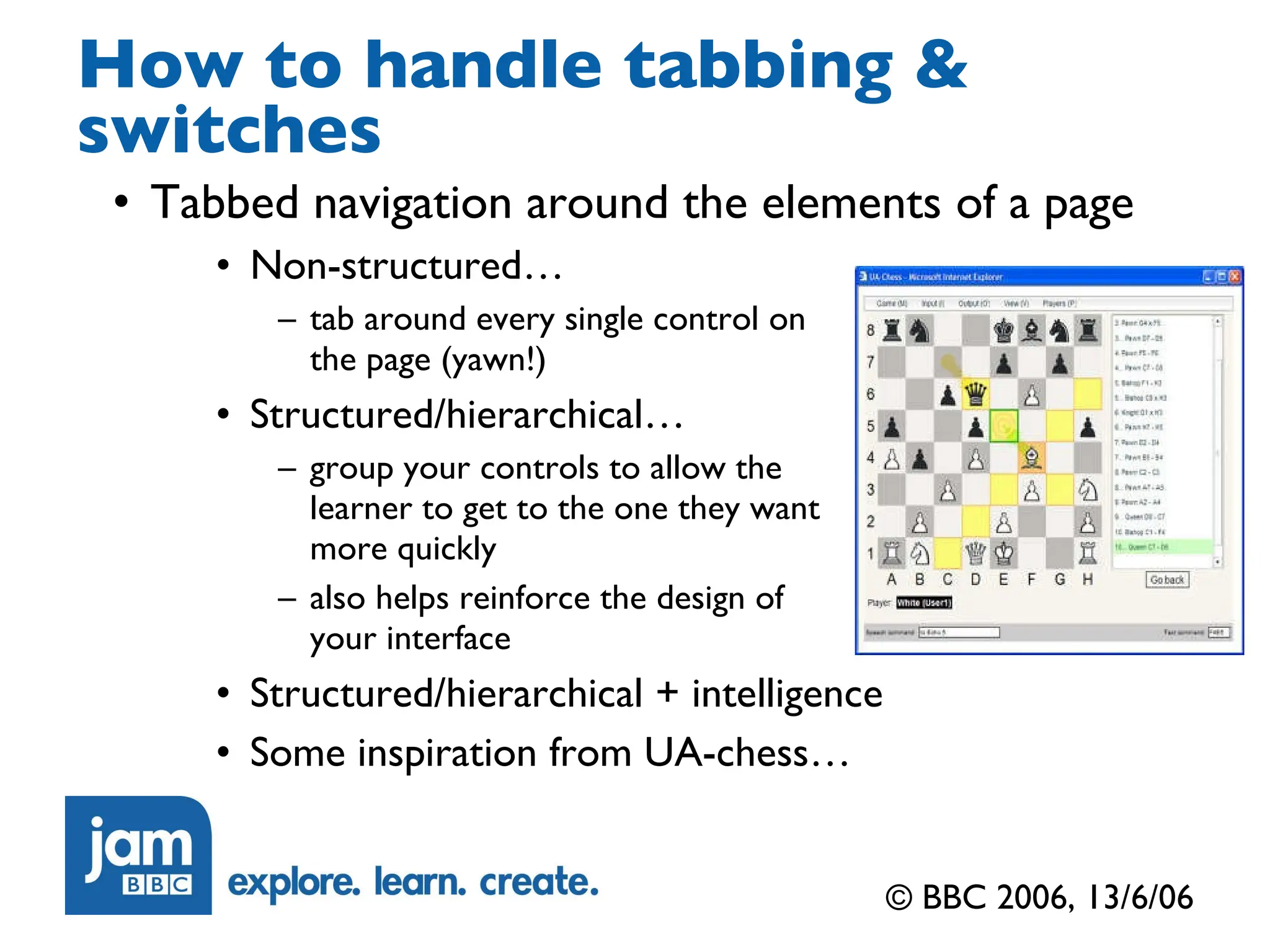
How to handle tabbing & switches Tabbed navigation around the elements of a page Non-structured… tab around every single control on the page (yawn!) Structured/hierarchical… group your controls to allow the learner to get to the one they want more quickly also helps reinforce the design of  your interface Structured/hierarchical + intelligence Some inspiration from UA-chess… © BBC 2006, 13/6/06
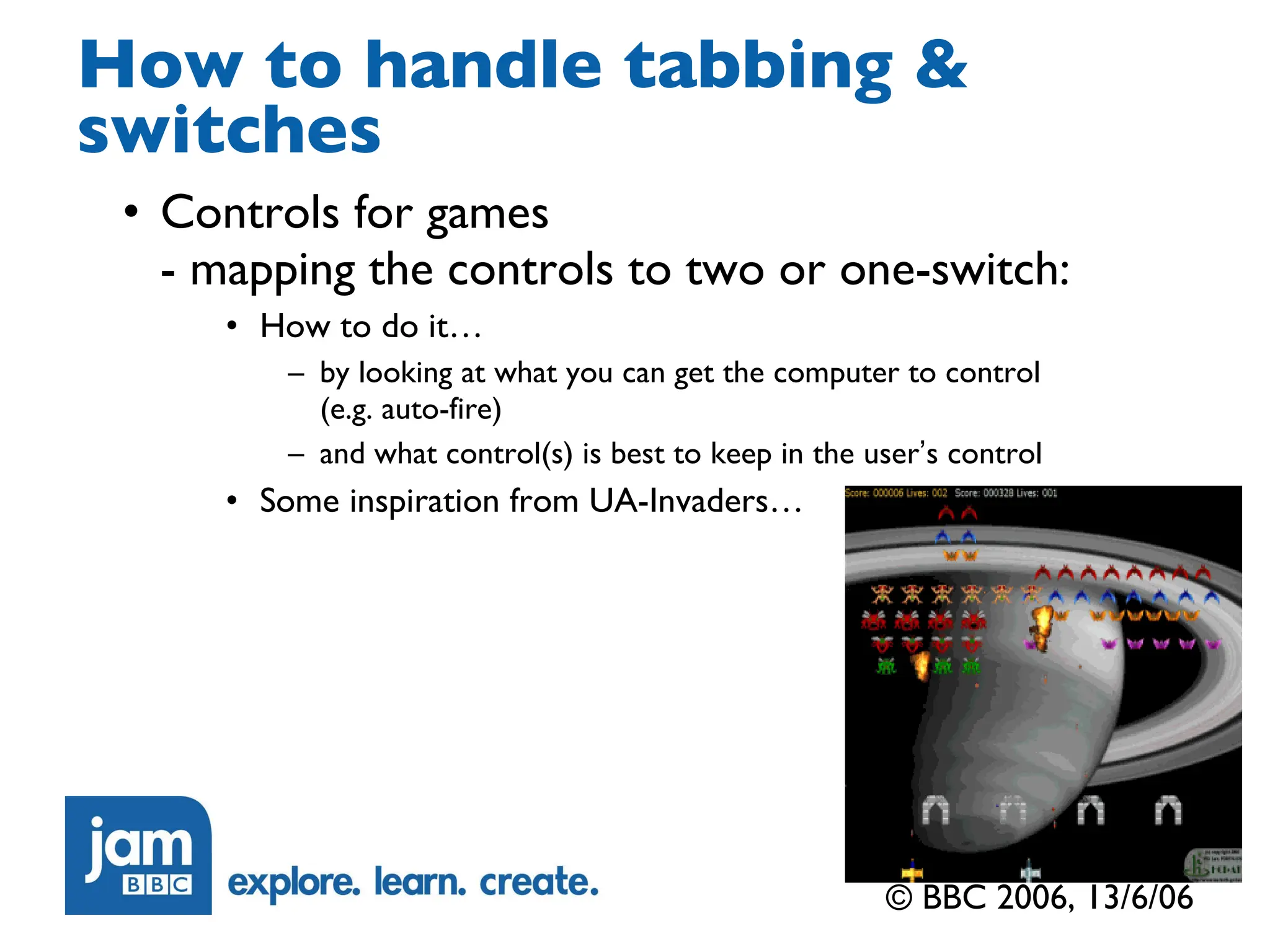
How to handle tabbing & switches Controls for games  - mapping the controls to two or one-switch: How to do it… by looking at what you can get the computer to control  (e.g. auto-fire)  and what control(s) is best to keep in the user ’ s control Some inspiration from UA-Invaders… © BBC 2006, 13/6/06
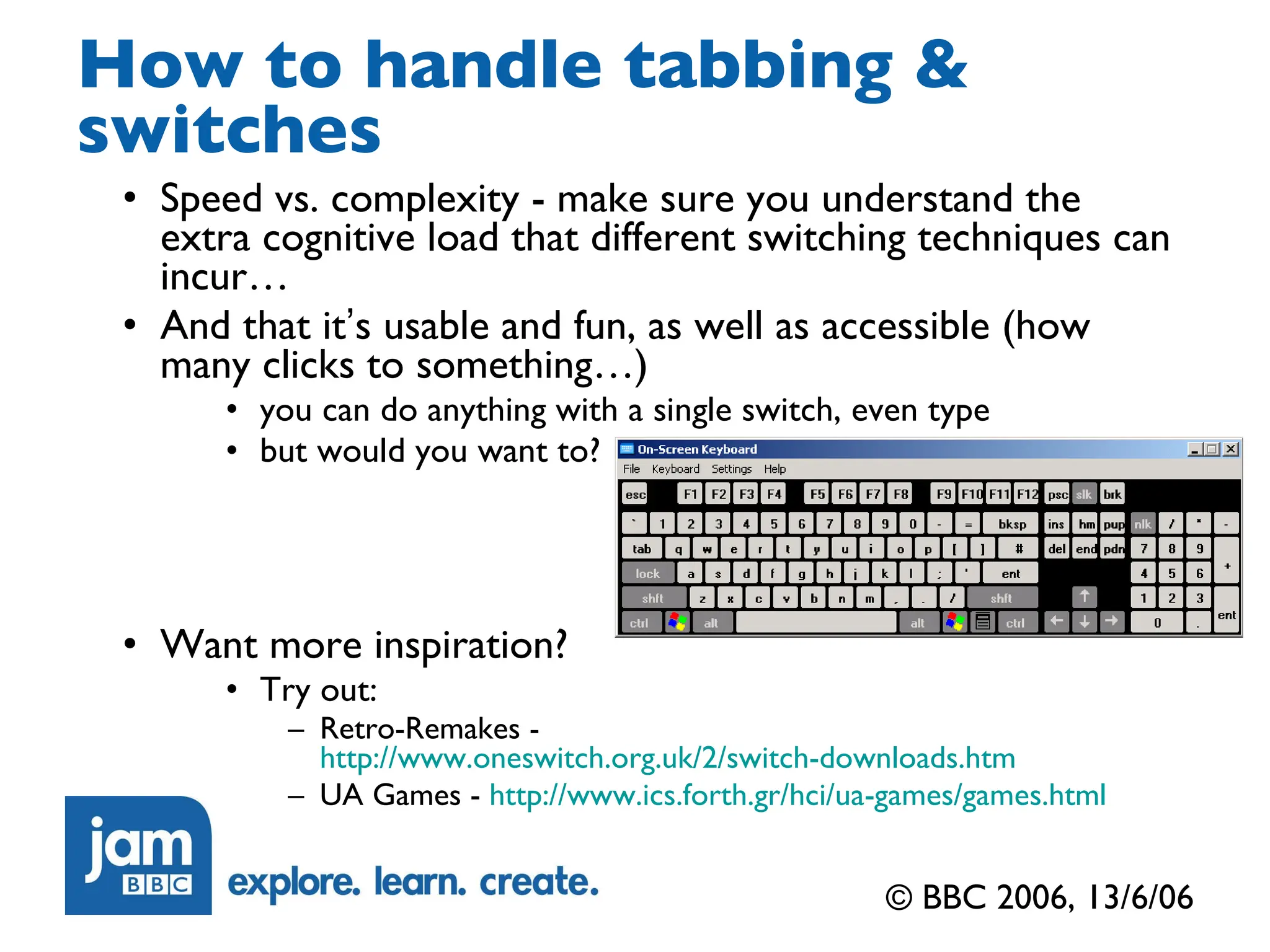
How to handle tabbing & switches Speed vs. complexity - make sure you understand the extra cognitive load that different switching techniques can incur… And that it ’ s usable and fun, as well as accessible (how many clicks to something…) you can do anything with a single switch, even type but would you want to? Want more inspiration? Try out: Retro-Remakes -  http://www.oneswitch.org.uk/2/switch-downloads.htm UA Games -  http://www.ics.forth.gr/hci/ua-games/games.html © BBC 2006, 13/6/06
Keyboard shortcuts Are just a way of jumping to one of the controls on the screen, or another screen without having to tab there… Useful for blind children, and any others who will bother to learn their assignments We are suggesting that you stick to: primary: just numeric keys secondary: alt+numeric keys (like HTML access keys) © BBC 2006, 13/6/06
How to do sounds for blind children Check the age – screenreader or not… Is the child likely to have, and be able to use, a screenreader? If screenreader, contact us It ’ s not as easy as Macromedia would have you believe Especially as they are anticipating use of Flash for website-navigation, not games… Focus issues are the hardest… © BBC 2006, 13/6/06
How to do sounds for blind children If not screenreader, how to use SpeakText well All about building up a mental model of how to use the resource in the learner ’ s mind (what it ’ s about, rather than what the screen looks like…) You need to be very conscious of which of your visuals carry important learning information and which are purely there to look good An example: in a German resource set in a supermarket, the background graphic of the supermarket isn ’ t just filler, it gives off many clues for how Germany is different from England So provde some equivalent cues on the soundtrack to allow blind children to pick up these cultural differences aurally… How to check – close your eyes, can you use it? © BBC 2006, 13/6/06
How to do sounds for blind children If not screenreader, how to use SpeakText well For simple navigation “ Where am I? ”  Screen-Intro speaktext “ What can I do? ”  Options (button/control) speaktext “ What did I just do? ”  Audio feedback For video “ I can ’ t hear anything, has it stopped? ”  audio description Contact Sue… For gameplay Pre the game:  “ What can I do? ”  – let me know the controls “ what ’ s going on? (continuously) ”  – welcome to soundscapes… “ what did I just do? (continuously) ”  – link back with the soundscapes © BBC 2006, 13/6/06
How to do sounds for blind children Soundscape demo For inspiration (and your ears only)… © BBC 2006, 13/6/06
Reinforcing designing for screen magnifier users… Think of things this way… You can only see a quarter of the screen at a time, and can scroll to the rest So what you need to do… Try and localise information to the area of the screen it relates to (cf. Meelyo) Make sure that anything which happens away from the learner ’ s gaze, under computer control, draws attention to itself audibly as well as visibly (e.g. mobile phone comms device ringing…) © BBC 2006, 13/6/06
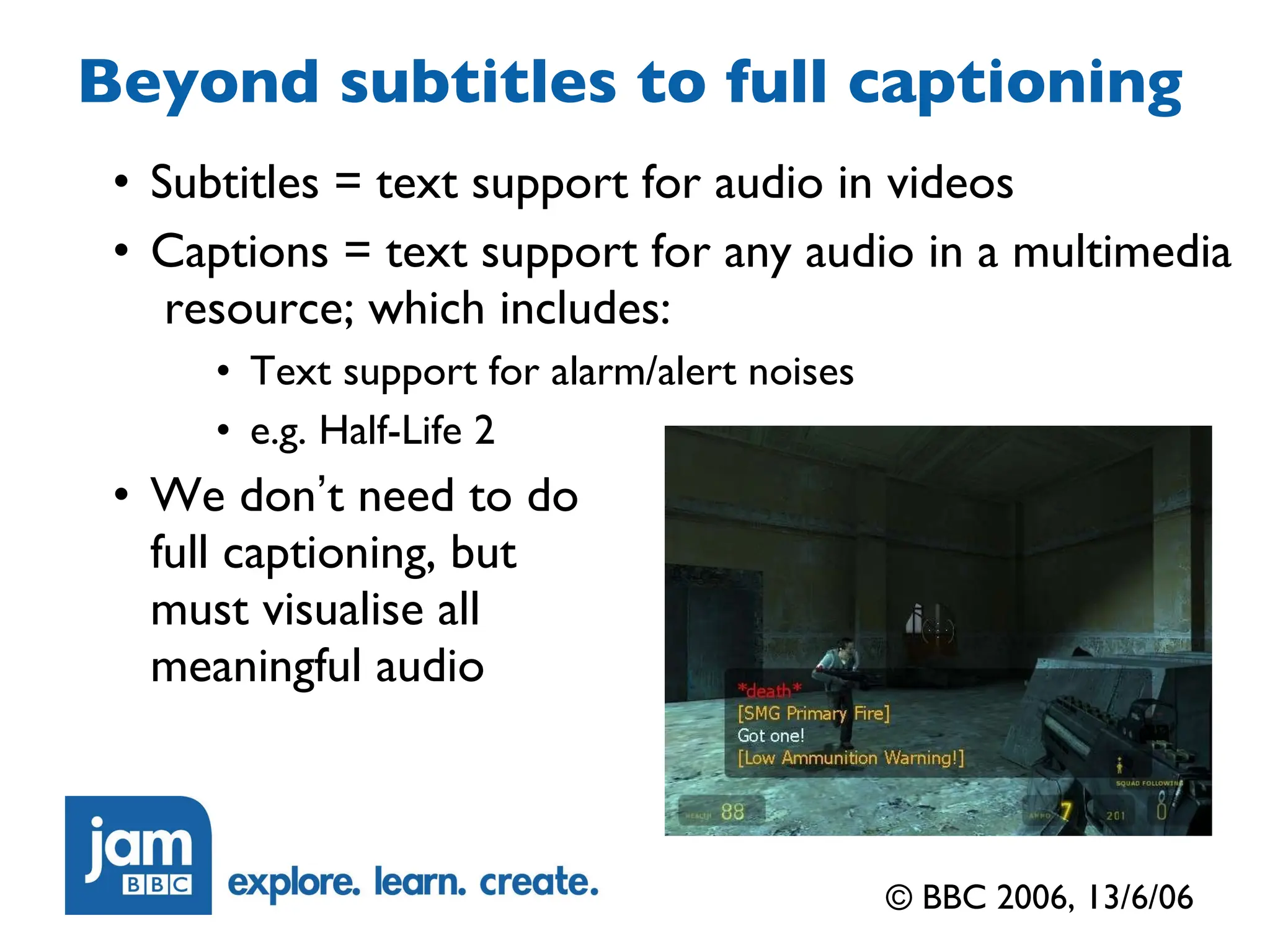
Beyond subtitles to full captioning Subtitles = text support for audio in videos Captions = text support for any audio in a multimedia  resource; which includes: Text support for alarm/alert noises e.g. Half-Life 2 We don ’ t need to do full captioning, but must visualise all meaningful audio © BBC 2006, 13/6/06
e: jonathan@hassellinclusion.com t: @jonhassell w: www.hassellinclusion.com Contact me

2006: eLearning Multimedia Accessibility FAQ Masterclass

  • 1.
    © BBC 2006,13/6/06 Accessibility Workshop FAQ Masterclasses Jonathan Hassell BBC jam Accessibility Editor
  • 2.
    What ’ sin the FAQ? alternative versions tabbing & switches keyboard shortcuts drag & drop => click & stick designing for text resizing screenreader vs SpeakText choice auditory feedback, soundtracks, earcons audio description captioning support for cognitively impaired learners © BBC 2006, 13/6/06
  • 3.
    That accessibility map…Many proposals now have a general statement for how accessibility is handled by that company We would like to see you going beyond that to including: High level - how the subject can be made accessible via the resource How the exact approach/gameplay styles in the proposal are going to be made accessible © BBC 2006, 13/6/06
  • 4.
    How to handletabbing & switches Who this is for... Motor-impaired children Blind children You ’ ll hear more in the SLD Field Studies presentation about switch setups For now, think of a tab + enter (2 switch) system Two major different interaction types in your production: Navigation (simple, structured/hierachical, intelligent) Gameplay © BBC 2006, 13/6/06
  • 5.
    How to handletabbing & switches Tabbed navigation around the elements of a page Non-structured… tab around every single control on the page (yawn!) Structured/hierarchical… group your controls to allow the learner to get to the one they want more quickly also helps reinforce the design of your interface Structured/hierarchical + intelligence Some inspiration from UA-chess… © BBC 2006, 13/6/06
  • 6.
    How to handletabbing & switches Controls for games - mapping the controls to two or one-switch: How to do it… by looking at what you can get the computer to control (e.g. auto-fire) and what control(s) is best to keep in the user ’ s control Some inspiration from UA-Invaders… © BBC 2006, 13/6/06
  • 7.
    How to handletabbing & switches Speed vs. complexity - make sure you understand the extra cognitive load that different switching techniques can incur… And that it ’ s usable and fun, as well as accessible (how many clicks to something…) you can do anything with a single switch, even type but would you want to? Want more inspiration? Try out: Retro-Remakes - http://www.oneswitch.org.uk/2/switch-downloads.htm UA Games - http://www.ics.forth.gr/hci/ua-games/games.html © BBC 2006, 13/6/06
  • 8.
    Keyboard shortcuts Arejust a way of jumping to one of the controls on the screen, or another screen without having to tab there… Useful for blind children, and any others who will bother to learn their assignments We are suggesting that you stick to: primary: just numeric keys secondary: alt+numeric keys (like HTML access keys) © BBC 2006, 13/6/06
  • 9.
    How to dosounds for blind children Check the age – screenreader or not… Is the child likely to have, and be able to use, a screenreader? If screenreader, contact us It ’ s not as easy as Macromedia would have you believe Especially as they are anticipating use of Flash for website-navigation, not games… Focus issues are the hardest… © BBC 2006, 13/6/06
  • 10.
    How to dosounds for blind children If not screenreader, how to use SpeakText well All about building up a mental model of how to use the resource in the learner ’ s mind (what it ’ s about, rather than what the screen looks like…) You need to be very conscious of which of your visuals carry important learning information and which are purely there to look good An example: in a German resource set in a supermarket, the background graphic of the supermarket isn ’ t just filler, it gives off many clues for how Germany is different from England So provde some equivalent cues on the soundtrack to allow blind children to pick up these cultural differences aurally… How to check – close your eyes, can you use it? © BBC 2006, 13/6/06
  • 11.
    How to dosounds for blind children If not screenreader, how to use SpeakText well For simple navigation “ Where am I? ” Screen-Intro speaktext “ What can I do? ” Options (button/control) speaktext “ What did I just do? ” Audio feedback For video “ I can ’ t hear anything, has it stopped? ” audio description Contact Sue… For gameplay Pre the game: “ What can I do? ” – let me know the controls “ what ’ s going on? (continuously) ” – welcome to soundscapes… “ what did I just do? (continuously) ” – link back with the soundscapes © BBC 2006, 13/6/06
  • 12.
    How to dosounds for blind children Soundscape demo For inspiration (and your ears only)… © BBC 2006, 13/6/06
  • 13.
    Reinforcing designing forscreen magnifier users… Think of things this way… You can only see a quarter of the screen at a time, and can scroll to the rest So what you need to do… Try and localise information to the area of the screen it relates to (cf. Meelyo) Make sure that anything which happens away from the learner ’ s gaze, under computer control, draws attention to itself audibly as well as visibly (e.g. mobile phone comms device ringing…) © BBC 2006, 13/6/06
  • 14.
    Beyond subtitles tofull captioning Subtitles = text support for audio in videos Captions = text support for any audio in a multimedia resource; which includes: Text support for alarm/alert noises e.g. Half-Life 2 We don ’ t need to do full captioning, but must visualise all meaningful audio © BBC 2006, 13/6/06
  • 15.
    e: jonathan@hassellinclusion.com t:@jonhassell w: www.hassellinclusion.com Contact me

Editor's Notes

  • #3 The FAQ will also evolve over time… But, as you can see, it already has guidance on a large number of topics. Today, I ’ll present the key ones – the ones that I’m always being asked about by production teams…
  • #4 The guidelines will cover the three fundamental stages of planning the accessibility of a commission Firstly, mapping out how you plan to support each group Secondly, working out how you will implement that intended support Lastly, testing how well you have done, by testing with real learners The important thing is to understand that… “ Content is accessible if user-testing has proved it is accessible… to the audiences for which it was designed to be accessible” These guidelines will evolve over time, as our experience grows.
  • #5 The guidelines will cover the three fundamental stages of planning the accessibility of a commission Firstly, mapping out how you plan to support each group Secondly, working out how you will implement that intended support Lastly, testing how well you have done, by testing with real learners The important thing is to understand that… “ Content is accessible if user-testing has proved it is accessible… to the audiences for which it was designed to be accessible” These guidelines will evolve over time, as our experience grows.
  • #6 The guidelines will cover the three fundamental stages of planning the accessibility of a commission Firstly, mapping out how you plan to support each group Secondly, working out how you will implement that intended support Lastly, testing how well you have done, by testing with real learners The important thing is to understand that… “ Content is accessible if user-testing has proved it is accessible… to the audiences for which it was designed to be accessible” These guidelines will evolve over time, as our experience grows.
  • #8 Demo of the Windows on-screen keyboard…
  • #10 So, why are the needs of these children so important to the digital curriculum? Well, it ’s part of the public service role of the BBC for a start. We have a long history in catering for the needs of the whole of the audience for our services. There are also important educational and legal reasons. Inclusion is an idea which is well established in our schools, and backed up by the Special Educational Needs and Disability Bill of 2001. But finding materials which are able to be used by disabled and fully able children together can prove challenging. Also, as the digital curriculum materials are delivered via the Internet, the Disability Discrimination Act also applies, requiring us to take reasonable measures to make our materials accessible, even though they are not conventional websites. So we have two aims for our accessibility programme: to be as accessible as reasonably possible across all dc materials to produce unique, innovative and groundbreaking materials for specific commissions for SEN groups
  • #11 So, why are the needs of these children so important to the digital curriculum? Well, it ’s part of the public service role of the BBC for a start. We have a long history in catering for the needs of the whole of the audience for our services. There are also important educational and legal reasons. Inclusion is an idea which is well established in our schools, and backed up by the Special Educational Needs and Disability Bill of 2001. But finding materials which are able to be used by disabled and fully able children together can prove challenging. Also, as the digital curriculum materials are delivered via the Internet, the Disability Discrimination Act also applies, requiring us to take reasonable measures to make our materials accessible, even though they are not conventional websites. So we have two aims for our accessibility programme: to be as accessible as reasonably possible across all dc materials to produce unique, innovative and groundbreaking materials for specific commissions for SEN groups
  • #12 So, why are the needs of these children so important to the digital curriculum? Well, it ’s part of the public service role of the BBC for a start. We have a long history in catering for the needs of the whole of the audience for our services. There are also important educational and legal reasons. Inclusion is an idea which is well established in our schools, and backed up by the Special Educational Needs and Disability Bill of 2001. But finding materials which are able to be used by disabled and fully able children together can prove challenging. Also, as the digital curriculum materials are delivered via the Internet, the Disability Discrimination Act also applies, requiring us to take reasonable measures to make our materials accessible, even though they are not conventional websites. So we have two aims for our accessibility programme: to be as accessible as reasonably possible across all dc materials to produce unique, innovative and groundbreaking materials for specific commissions for SEN groups
  • #13 So, why are the needs of these children so important to the digital curriculum? Well, it ’s part of the public service role of the BBC for a start. We have a long history in catering for the needs of the whole of the audience for our services. There are also important educational and legal reasons. Inclusion is an idea which is well established in our schools, and backed up by the Special Educational Needs and Disability Bill of 2001. But finding materials which are able to be used by disabled and fully able children together can prove challenging. Also, as the digital curriculum materials are delivered via the Internet, the Disability Discrimination Act also applies, requiring us to take reasonable measures to make our materials accessible, even though they are not conventional websites. So we have two aims for our accessibility programme: to be as accessible as reasonably possible across all dc materials to produce unique, innovative and groundbreaking materials for specific commissions for SEN groups
  • #14 So, why are the needs of these children so important to the digital curriculum? Well, it ’s part of the public service role of the BBC for a start. We have a long history in catering for the needs of the whole of the audience for our services. There are also important educational and legal reasons. Inclusion is an idea which is well established in our schools, and backed up by the Special Educational Needs and Disability Bill of 2001. But finding materials which are able to be used by disabled and fully able children together can prove challenging. Also, as the digital curriculum materials are delivered via the Internet, the Disability Discrimination Act also applies, requiring us to take reasonable measures to make our materials accessible, even though they are not conventional websites. So we have two aims for our accessibility programme: to be as accessible as reasonably possible across all dc materials to produce unique, innovative and groundbreaking materials for specific commissions for SEN groups
  • #15 So, why are the needs of these children so important to the digital curriculum? Well, it ’s part of the public service role of the BBC for a start. We have a long history in catering for the needs of the whole of the audience for our services. There are also important educational and legal reasons. Inclusion is an idea which is well established in our schools, and backed up by the Special Educational Needs and Disability Bill of 2001. But finding materials which are able to be used by disabled and fully able children together can prove challenging. Also, as the digital curriculum materials are delivered via the Internet, the Disability Discrimination Act also applies, requiring us to take reasonable measures to make our materials accessible, even though they are not conventional websites. So we have two aims for our accessibility programme: to be as accessible as reasonably possible across all dc materials to produce unique, innovative and groundbreaking materials for specific commissions for SEN groups