Find Parts
By Model Search
In Intelli Catalog
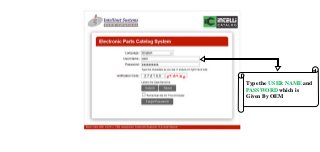
Type the USER NAME and
PASSWORD which is
Given By OEM
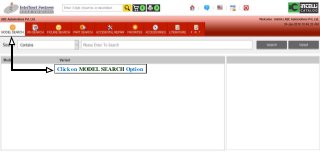
Click on MODEL SEARCH Option
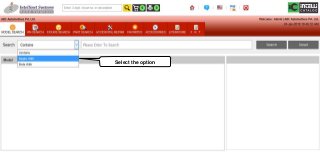
Select the option
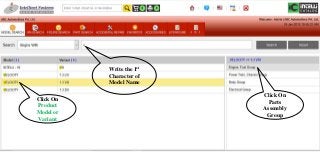
Click On
Product
Model or
Variant
Click On
Parts
Assembly
Group
Write the 1st
Character of
Model Name
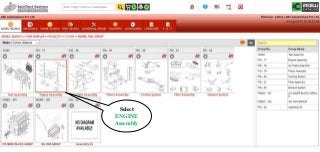
Select
ENGINE
Assembly
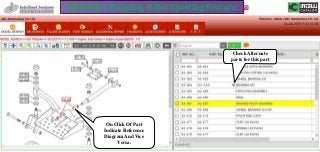
Dynamics Mapping & Hot Spotting Feature
On Click Of Part
Indicate Reference
Diagram And Vice
Versa.
Check Alternate
parts for this part
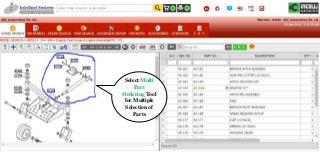
Select Multi
Part
Ordering Tool
for Multiple
Selection of
Parts
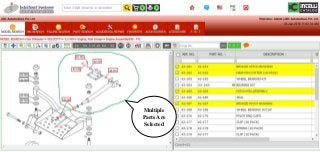
Multiple
Parts Are
Selected
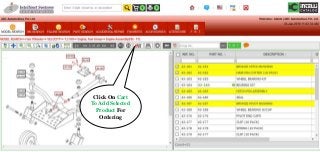
Click On Cart
To Add Selected
Product For
Ordering
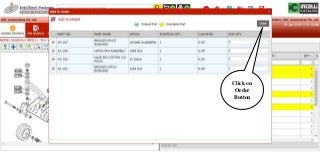
Click on
Order
Button
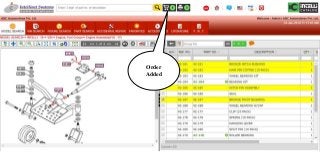
Order
Added
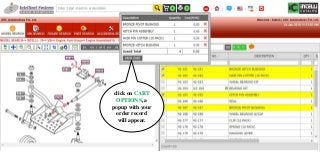
click on CART
OPTIONS, a
popup with your
order record
will appear.
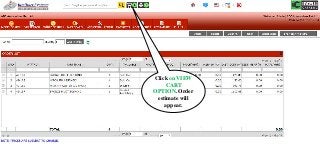
Click on VIEW
CART
OPTION. Order
estimate will
appear.
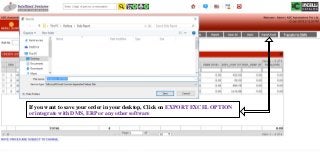
If you want to save your order in your desktop, Click on EXPORT EXCEL OPTION
or integrate with DMS, ERP or any other software
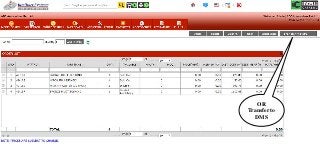
OR
Transfer to
DMS
THANKS
FOR
WATCHING
For More Visit us @ www.intellinetsystem.com
www.facebook.com/IntellinetSystemsPvtLtd/
www.twitter.com/IntelliParts
www.linkedin.com/company/13430713/
https://plus.google.com/+IntellinetSystemsPvtLtd
info@intellinetSystem.com
Youtube.com/user/intellinetSystem
0124-4015601 / 02 / 03
Unit No. 202 & 203, II Floor, JMD Megapolis,
Sohna Rd, Sector 48, Gurugram, Haryana
122018

Find Parts By Model Search In Intelli Catalog - Electronic Parts Catalog Software