Best Practices for a Successful
Enterprise Report Management
System Migration
Michelle Christensen, VP, CMOD Practice
Richard Raab, Director, Migration Services
Ken Foster, Director, ERM Services
Louise Hawley, CMOD Practice Lead
January 28, 2015
2© 2014 enChoice, Inc. | enchoice.com
Agenda
• Introduction:
Michelle Christensen
• Ensuring a Successful ERM Migration Approach & Methodology:
Richard Raab
• ERM Migration Best Practices & enChoice Experiences:
Ken Foster
• Developing an Effective Business Case:
Richard Raab
• IBM Content Manager OnDemand Demonstration:
Louise Hawley
• Q&A
3© 2014 enChoice, Inc. | enchoice.com
Introduction
Michelle Christensen
4© 2014 enChoice, Inc. | enchoice.com
enChoice: Leading Provider of End-to-End ECM
Software and Services
• Founded in 1993 – 20+ years of success
• First, largest, top-rated IBM Software
ValueNet Support Provider for FileNet;
Datacap; Content Manager OnDemand (CMOD)
• 400+ global customers
• Selected/certified by IBM to provide CMOD education
• 200+ IBM technical and sales certifications
• Certified records manager on staff
• Unique ECM software for improving time-to-solution,
the user experience and backup and recovery
service levels (KwikWork and CYA SmartRecovery)
5© 2014 enChoice, Inc. | enchoice.com
enChoice CMOD Practice
Implementation and consulting services
• Also for ECM System Monitor, ICN, CMOD Full Text Search, CMOD Enhanced Retention
Management, Datawatch RMS, Crawford Riptide and Transforms
• CMOD upgrades
Migration services
• From/to CMOD, ASG/Mobius, BMC, CA, RMS, COOL, FN Report Manager, Report2000
Remote systems administration
• Standard (insurance policy) or extended (we become your CMOD administrator)
CMOD in the cloud
• PaaS/IaaS leveraging AWS or Softlayer
Other key skills
• Print specialists including AFP, Xerox, Ricoh InfoPrint
• Phone support
• Strategic planning and use case definitions
• Assistance with IBM licensing and renewals
6© 2014 enChoice, Inc. | enchoice.com
CMOD Education: Latest & Greatest Materials
Instructor-led online classroom
• February 9, 2015
• April 27, 2015
• Five day class and lab focused on CMOD MP
Self-paced online class
• Enrollment opens February 24, 2015; watch for announcement
• Enroll at www.enchoice.com/Services/IBMCMOD/Training
Onsite: Tailored or custom classes
• Two to five days with presentations and hands-on labs
7© 2014 enChoice, Inc. | enchoice.com
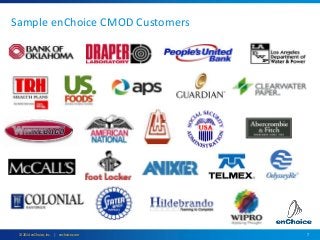
Sample enChoice CMOD Customers
8© 2014 enChoice, Inc. | enchoice.com
Ensuring a Successful ERM Migration
Approach & Methodology
Richard Raab
9© 2014 enChoice, Inc. | enchoice.com
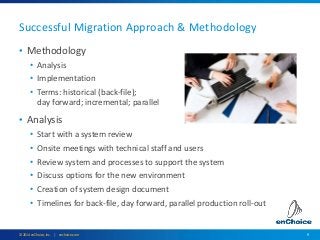
• Methodology
• Analysis
• Implementation
• Terms: historical (back-file);
day forward; incremental; parallel
• Analysis
• Start with a system review
• Onsite meetings with technical staff and users
• Review system and processes to support the system
• Discuss options for the new environment
• Creation of system design document
• Timelines for back-file, day forward, parallel production roll-out
Successful Migration Approach & Methodology
10© 2014 enChoice, Inc. | enchoice.com
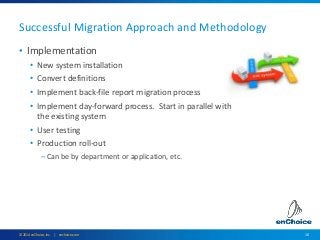
• Implementation
• New system installation
• Convert definitions
• Implement back-file report migration process
• Implement day-forward process. Start in parallel with
the existing system
• User testing
• Production roll-out
– Can be by department or application, etc.
Successful Migration Approach and Methodology
11© 2014 enChoice, Inc. | enchoice.com
Successful Migration Approach and Methodology
• Clean up the existing system
• Don’t force old functions into the new system
• Starting day forward loads early in project reduces
back-file effort
• Determine volumes and REALISTIC timeline
• Usually can’t convert 10 years of data in a few months
• Understand the complexity of this type of project
• Understand each document type and how it is used
• Plan, plan, plan, plan
12© 2014 enChoice, Inc. | enchoice.com
ERM Migration Best Practices & enChoice
Experiences
Ken Foster
13© 2014 enChoice, Inc. | enchoice.com
ERM Migration Best Practices
• Know your data
• Data types, indexing, retentions, etc.
• Clean up current environment
• Eliminate reports not needed (reduces extraction time)
• Remove old recipients, report definitions, etc.
• Leverage new features and functions
• Starting day forward reduces extraction time/effort
14© 2014 enChoice, Inc. | enchoice.com
Migration Best Practices & enChoice Experiences
• Start early, project will take longer than expected
• Even if just contemplating changing ERM system, start extraction
• The old system took years to fully implement
• This is not just replacing one system with another
• Understand and accept time to extract old archives
• 4 hrs/day X 6 days/wk X 52 weeks/yr X 10 yrs / 24 hrs in day =
520 days
• Data center resource restrictions (conversion effect on production)
• Speed/resources to retrieve old data (tapes, HSM, DASD)
• Initially creating a copy of every page of every archive
15© 2014 enChoice, Inc. | enchoice.com
Migration Best Practices and enChoice Experiences
• Understand current indexing and what will be required in
new system
• Same report might have had different indexing over time
• Understand user requirements (good and bad)
• What document attributes do we need to change (retention, etc.)
• Audit – how do we ensure every archive was converted?
16© 2014 enChoice, Inc. | enchoice.com
enChoice ERM “START NOW℠” Program
• Starting early is so important, we created a new offering
• Services offering that starts migration right away
• Start with extraction process, no need to wait
– Independent of ingestion
• Not many extraction options (TXT, PDF, JPG, TIF, AFP)
• Can start before new vendor/platform is chosen
• Can have 90% archives ready for ingestion when new system is installed
• Much lower entry cost - avoid sticker shock
• Easy to plan, size and scope (10-20 hrs/wk for 1-3 yrs)
17© 2014 enChoice, Inc. | enchoice.com
• Prevents being “held hostage” by current vendor at
license renewal
• Spreads conversion cost over longer period of time
• Typically costs less to convert if start earlier
• Much less impact on production environment
• Enables better planning time for implementation of
new system
enChoice ERM “START NOW℠” Program
18© 2014 enChoice, Inc. | enchoice.com
ERM Best Practices Summary
• Start now!
• Can start extraction with little up front effort
• Enables better implementation and planning; lowers cost
• New system does not have to look like old one
• Conversion is a great opportunity to “fix” mistakes
• Leverage new features and functions
• Does not need to mirror old system
• Plan
• Better it is, the less issues that will slip through
• Look at applications and have user involvement
• Avoid same mistakes
19© 2014 enChoice, Inc. | enchoice.com
Developing an Effective Business Case
Richard Raab
20© 2014 enChoice, Inc. | enchoice.com
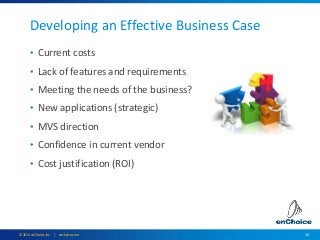
Developing an Effective Business Case
• Current costs
• Lack of features and requirements
• Meeting the needs of the business?
• New applications (strategic)
• MVS direction
• Confidence in current vendor
• Cost justification (ROI)
21© 2014 enChoice, Inc. | enchoice.com
IBM Content Manager OnDemand
Demonstration
Louise Hawley
22© 2014 enChoice, Inc. | enchoice.com
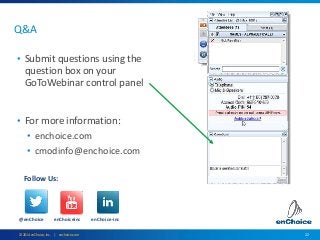
Q&A
• Submit questions using the
question box on your
GoToWebinar control panel
• For more information:
• enchoice.com
• cmodinfo@enchoice.com
@enChoice enChoiceinc enChoice-inc
Follow Us:

Best Practices for a Successful ERM System Migration

  • 1.
    Best Practices fora Successful Enterprise Report Management System Migration Michelle Christensen, VP, CMOD Practice Richard Raab, Director, Migration Services Ken Foster, Director, ERM Services Louise Hawley, CMOD Practice Lead January 28, 2015
  • 2.
    2© 2014 enChoice,Inc. | enchoice.com Agenda • Introduction: Michelle Christensen • Ensuring a Successful ERM Migration Approach & Methodology: Richard Raab • ERM Migration Best Practices & enChoice Experiences: Ken Foster • Developing an Effective Business Case: Richard Raab • IBM Content Manager OnDemand Demonstration: Louise Hawley • Q&A
  • 3.
    3© 2014 enChoice,Inc. | enchoice.com Introduction Michelle Christensen
  • 4.
    4© 2014 enChoice,Inc. | enchoice.com enChoice: Leading Provider of End-to-End ECM Software and Services • Founded in 1993 – 20+ years of success • First, largest, top-rated IBM Software ValueNet Support Provider for FileNet; Datacap; Content Manager OnDemand (CMOD) • 400+ global customers • Selected/certified by IBM to provide CMOD education • 200+ IBM technical and sales certifications • Certified records manager on staff • Unique ECM software for improving time-to-solution, the user experience and backup and recovery service levels (KwikWork and CYA SmartRecovery)
  • 5.
    5© 2014 enChoice,Inc. | enchoice.com enChoice CMOD Practice Implementation and consulting services • Also for ECM System Monitor, ICN, CMOD Full Text Search, CMOD Enhanced Retention Management, Datawatch RMS, Crawford Riptide and Transforms • CMOD upgrades Migration services • From/to CMOD, ASG/Mobius, BMC, CA, RMS, COOL, FN Report Manager, Report2000 Remote systems administration • Standard (insurance policy) or extended (we become your CMOD administrator) CMOD in the cloud • PaaS/IaaS leveraging AWS or Softlayer Other key skills • Print specialists including AFP, Xerox, Ricoh InfoPrint • Phone support • Strategic planning and use case definitions • Assistance with IBM licensing and renewals
  • 6.
    6© 2014 enChoice,Inc. | enchoice.com CMOD Education: Latest & Greatest Materials Instructor-led online classroom • February 9, 2015 • April 27, 2015 • Five day class and lab focused on CMOD MP Self-paced online class • Enrollment opens February 24, 2015; watch for announcement • Enroll at www.enchoice.com/Services/IBMCMOD/Training Onsite: Tailored or custom classes • Two to five days with presentations and hands-on labs
  • 7.
    7© 2014 enChoice,Inc. | enchoice.com Sample enChoice CMOD Customers
  • 8.
    8© 2014 enChoice,Inc. | enchoice.com Ensuring a Successful ERM Migration Approach & Methodology Richard Raab
  • 9.
    9© 2014 enChoice,Inc. | enchoice.com • Methodology • Analysis • Implementation • Terms: historical (back-file); day forward; incremental; parallel • Analysis • Start with a system review • Onsite meetings with technical staff and users • Review system and processes to support the system • Discuss options for the new environment • Creation of system design document • Timelines for back-file, day forward, parallel production roll-out Successful Migration Approach & Methodology
  • 10.
    10© 2014 enChoice,Inc. | enchoice.com • Implementation • New system installation • Convert definitions • Implement back-file report migration process • Implement day-forward process. Start in parallel with the existing system • User testing • Production roll-out – Can be by department or application, etc. Successful Migration Approach and Methodology
  • 11.
    11© 2014 enChoice,Inc. | enchoice.com Successful Migration Approach and Methodology • Clean up the existing system • Don’t force old functions into the new system • Starting day forward loads early in project reduces back-file effort • Determine volumes and REALISTIC timeline • Usually can’t convert 10 years of data in a few months • Understand the complexity of this type of project • Understand each document type and how it is used • Plan, plan, plan, plan
  • 12.
    12© 2014 enChoice,Inc. | enchoice.com ERM Migration Best Practices & enChoice Experiences Ken Foster
  • 13.
    13© 2014 enChoice,Inc. | enchoice.com ERM Migration Best Practices • Know your data • Data types, indexing, retentions, etc. • Clean up current environment • Eliminate reports not needed (reduces extraction time) • Remove old recipients, report definitions, etc. • Leverage new features and functions • Starting day forward reduces extraction time/effort
  • 14.
    14© 2014 enChoice,Inc. | enchoice.com Migration Best Practices & enChoice Experiences • Start early, project will take longer than expected • Even if just contemplating changing ERM system, start extraction • The old system took years to fully implement • This is not just replacing one system with another • Understand and accept time to extract old archives • 4 hrs/day X 6 days/wk X 52 weeks/yr X 10 yrs / 24 hrs in day = 520 days • Data center resource restrictions (conversion effect on production) • Speed/resources to retrieve old data (tapes, HSM, DASD) • Initially creating a copy of every page of every archive
  • 15.
    15© 2014 enChoice,Inc. | enchoice.com Migration Best Practices and enChoice Experiences • Understand current indexing and what will be required in new system • Same report might have had different indexing over time • Understand user requirements (good and bad) • What document attributes do we need to change (retention, etc.) • Audit – how do we ensure every archive was converted?
  • 16.
    16© 2014 enChoice,Inc. | enchoice.com enChoice ERM “START NOW℠” Program • Starting early is so important, we created a new offering • Services offering that starts migration right away • Start with extraction process, no need to wait – Independent of ingestion • Not many extraction options (TXT, PDF, JPG, TIF, AFP) • Can start before new vendor/platform is chosen • Can have 90% archives ready for ingestion when new system is installed • Much lower entry cost - avoid sticker shock • Easy to plan, size and scope (10-20 hrs/wk for 1-3 yrs)
  • 17.
    17© 2014 enChoice,Inc. | enchoice.com • Prevents being “held hostage” by current vendor at license renewal • Spreads conversion cost over longer period of time • Typically costs less to convert if start earlier • Much less impact on production environment • Enables better planning time for implementation of new system enChoice ERM “START NOW℠” Program
  • 18.
    18© 2014 enChoice,Inc. | enchoice.com ERM Best Practices Summary • Start now! • Can start extraction with little up front effort • Enables better implementation and planning; lowers cost • New system does not have to look like old one • Conversion is a great opportunity to “fix” mistakes • Leverage new features and functions • Does not need to mirror old system • Plan • Better it is, the less issues that will slip through • Look at applications and have user involvement • Avoid same mistakes
  • 19.
    19© 2014 enChoice,Inc. | enchoice.com Developing an Effective Business Case Richard Raab
  • 20.
    20© 2014 enChoice,Inc. | enchoice.com Developing an Effective Business Case • Current costs • Lack of features and requirements • Meeting the needs of the business? • New applications (strategic) • MVS direction • Confidence in current vendor • Cost justification (ROI)
  • 21.
    21© 2014 enChoice,Inc. | enchoice.com IBM Content Manager OnDemand Demonstration Louise Hawley
  • 22.
    22© 2014 enChoice,Inc. | enchoice.com Q&A • Submit questions using the question box on your GoToWebinar control panel • For more information: • enchoice.com • cmodinfo@enchoice.com @enChoice enChoiceinc enChoice-inc Follow Us:

Editor's Notes

  • #5 Local presence ARMA Board Member Usernet Board Member