




DevUp 2018
@EdCharbeneau #Blazor
Ed Charbeneau
Developer Advocate for Progress<Telerik>
Author<T>
Podcast => “Eat Sleep Code”
Twitter.Where(user == @EdCharbeneau)
Hello Blazor
What if…
@EdCharbeneau #Blazor
Client-side Web
Was C#?
@EdCharbeneau #Blazor
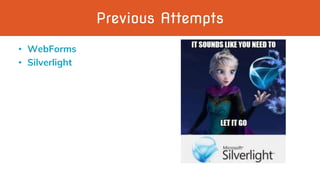
Previous Attempts
• WebForms
• Silverlight
C#/Razor + HTML
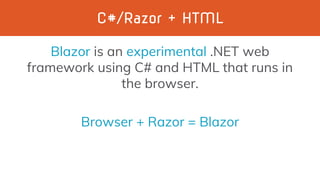
Blazor is an experimental .NET web
framework using C# and HTML that runs in
the browser.
Browser + Razor = Blazor
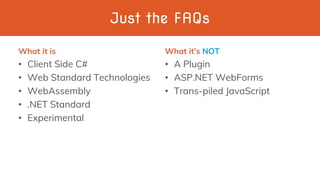
Just the FAQs
What it is
• Client Side C#
• Web Standard Technologies
• WebAssembly
• .NET Standard
• Experimental
What it’s NOT
• A Plugin
• ASP.NET WebForms
• Trans-piled JavaScript
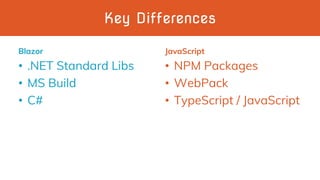
Key Differences
Blazor
• .NET Standard Libs
• MS Build
• C#
JavaScript
• NPM Packages
• WebPack
• TypeScript / JavaScript
@EdCharbeneau #WASM
WebAssembly (wasm)
WebAssembly is a web standard that defines
an assembly-like format for executable code
in Web pages.
It’s what makes Blazor possible.
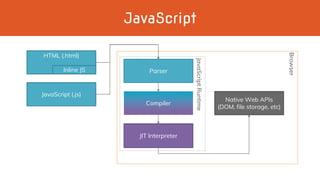
JavaScript
JavaScript (.js)
Parser
Compiler
JIT Interpreter
Native Web APIs
(DOM, file storage, etc)
HTML (.html)
Inline JS
JavaScriptRuntime
Browser
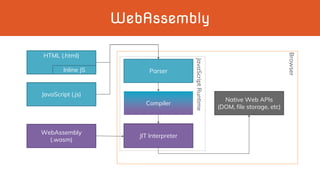
WebAssembly
JavaScript (.js)
Parser
Compiler
JIT Interpreter
Native Web APIs
(DOM, file storage, etc)
HTML (.html)
Inline JS
JavaScriptRuntime
Browser
WebAssembly
(.wasm)
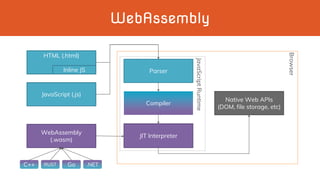
WebAssembly
JavaScript (.js)
Parser
Compiler
JIT Interpreter
Native Web APIs
(DOM, file storage, etc)
HTML (.html)
Inline JS
JavaScriptRuntime
Browser
WebAssembly
(.wasm)
C++ RUST Go .NET
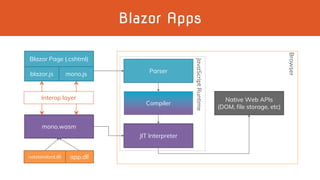
Blazor Apps
Parser
Compiler
JIT Interpreter
Native Web APIs
(DOM, file storage, etc)
JavaScriptRuntime
Browser
blazor.js
mono.wasm
Blazor Page (.cshtml)
mono.js
netstandard.dll app.dll
Interop layer
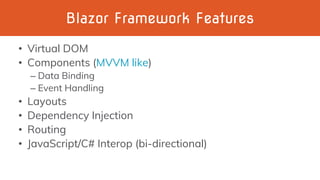
Blazor Framework Features
• Virtual DOM
• Components (MVVM like)
– Data Binding
– Event Handling
• Layouts
• Dependency Injection
• Routing
• JavaScript/C# Interop (bi-directional)
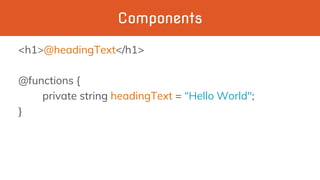
Components
<h1>@headingText</h1>
@functions {
private string headingText = “Hello World";
}
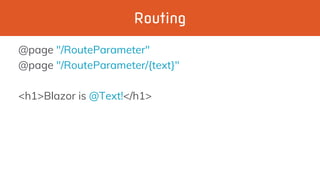
Routing
@page "/RouteParameter"
@page "/RouteParameter/{text}"
<h1>Blazor is @Text!</h1>
Dependency Injection
@inject HttpClient Http
@functions {
WeatherForecast[] forecasts;
protected override async Task OnInitAsync()
{
forecasts = await Http.GetJsonAsync<WeatherForecast[]>(uri);
}
}
@EdCharbeneau #Blazor
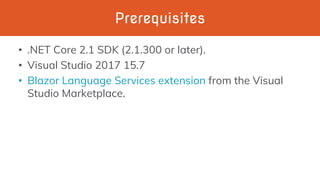
Prerequisites
• .NET Core 2.1 SDK (2.1.300 or later).
• Visual Studio 2017 15.7
• Blazor Language Services extension from the Visual
Studio Marketplace.
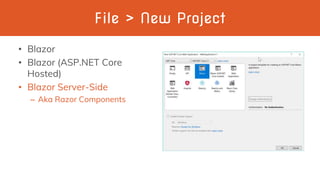
File > New Project
• Blazor
• Blazor (ASP.NET Core
Hosted)
• Blazor Server-Side
– Aka Razor Components
Demo Time
@EdCharbeneau #Blazor
Blazor Client-Side vs Server-Side
Blazor Razor Components
Shipping in ASP.NET
Core 3.0
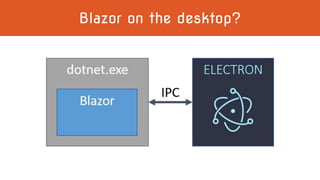
Blazor on the desktop?
Ed Charbeneau
Twitch.tv/EdCharbeneau
Resources
• Links
– Blogs.Telerik.com
– EdCharbeneau.com
– Twitch.tv/EdCharbeneau
– Blazor.net
• Twitter
– @EdCharbeneau
Ed Charbeneau
Developer Advocate for Progress<Telerik>
Author<T>
Podcast => “Eat Sleep Code”
Twitter.Where(user == @EdCharbeneau)

Blazor

Editor's Notes

  • #5 Subject to change, break, and be cancelled
  • #9 WebForms tried to be stateful web Silverlight didn’t conform to web standards
  • #13 Even if your not a .NET Developer, this is exciting
  • #15 Parser creates a syntax tree Syntax tree compiles to byte code Bytecode is executed by the interpreter at runtime
  • #16 Unlike TypeScript, WebAssembly code is actually compiled byte code
  • #17 This allows us to build JavaScript byte code with other languages Inversion of control
  • #18 Blazor is a UI framework It relies on the Mono WebAssembly Runtime Our apps are not compiled directly to WebAssembly Blazor.js and Mono.js marshal calls between JavaScript and C#
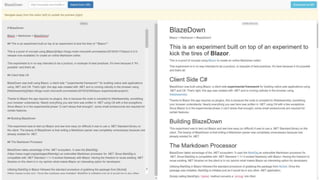
  • #26 Components - Data Binding - Code Behind - Http External Components BlazeDown