









We want a
corporate
Umbraco
Marketing
platform
Who ?
Jan.Vanuytrecht@E2Partners.be
@vanuyja
Bart.tenVelde@E2Partners.be
@b_tenvelde
2
Context
Belgium Branch 18 Online Products Numerous campaigns
20,000 WebPages Different Designs
Stakeholders Team
3
6 # Umbraco Versions
Goals
Long term Upgradable Minimal friction
Flexible Layout Latest Umbraco Uniform Design
Faster Go-to-Market Content EditorThink big, Act small
4
Minimal friction
Minimize IT interference Add sites fast Content editor in control
5
Content Editor
Flexible layout
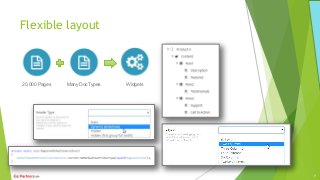
20,000 Pages WidgetsMany DocTypes
7
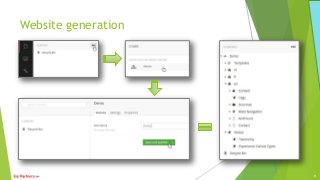
Website generation
8
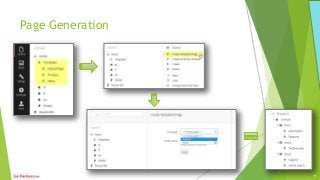
Page Generation
9
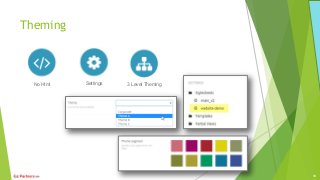
Theming
No Html Settings 3 Level Theming
10
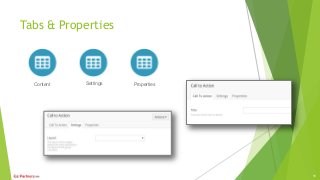
Tabs & Properties
Content Settings Properties
11
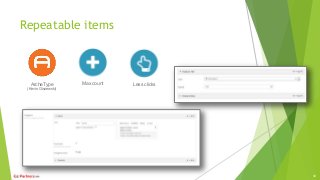
Repeatable items
ArcheType
(Kevin Giszewski)
Max count Less clicks
12
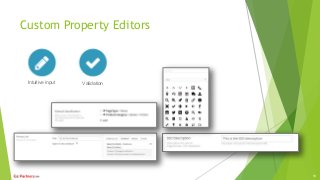
Custom Property Editors
Intuitive input Validation
13
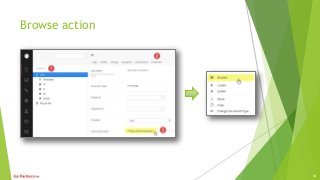
Browse action
14
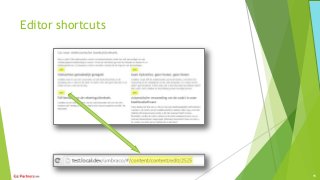
Editor shortcuts
15
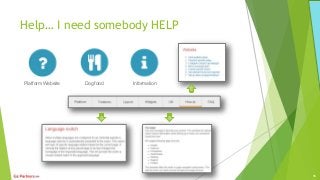
Help… I need somebody HELP
Platform Website Dog food Information
16
Help… I need somebody HELP
17
(Development) Setup
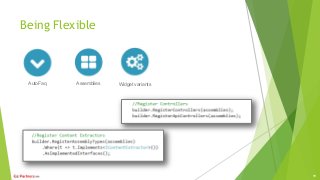
Being Flexible
AutoFaq Assemblies Widget variants
19
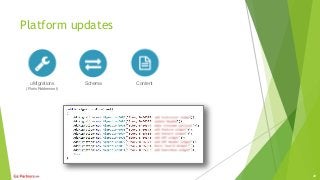
Platform updates
uMigrations
(Floris Robbemont)
Schema Content
20
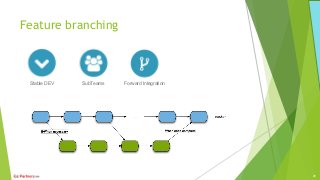
Feature branching
Stable DEV SubTeams Forward Integration
21
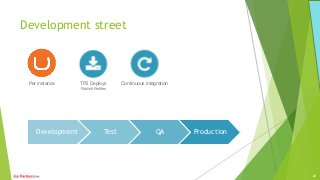
Development street
Development Test QA Production
Per instance TFS Deploys
Publish Profiles
Continuous integration
22
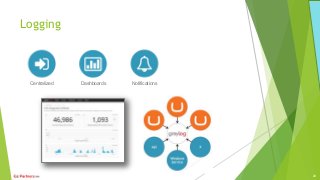
Logging
Centralized Dashboards Notifications
23
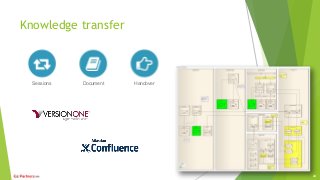
Knowledge transfer
Sessions Document Handover
24
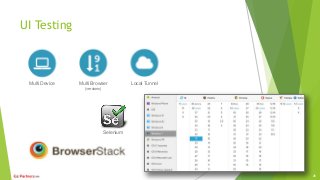
UI Testing
Multi Device Multi Browser
(versions)
Local Tunnel
Selenium
25
Integrations
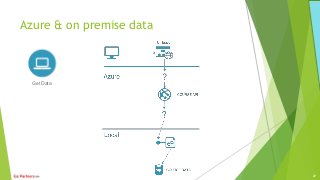
Azure & on premise data
Get Data
27
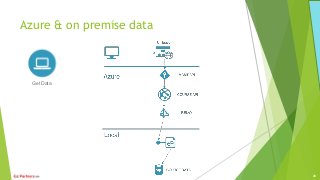
Azure & on premise data
Get Data
28
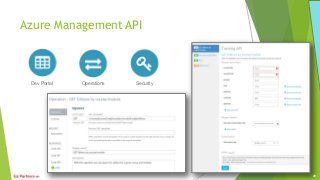
Azure Management API
Dev Portal Operations Security
29
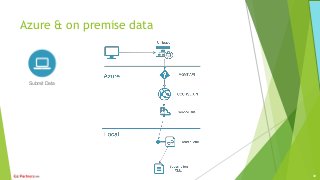
Azure & on premise data
Submit Data
30
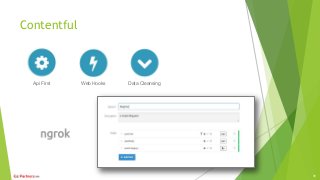
Contentful
Api First Web Hooks Data Cleansing
31
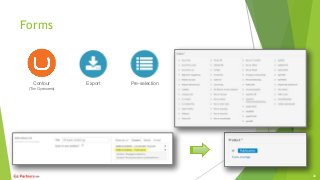
Forms
Contour
(Tim Gyessens)
Export Pre-selection
32
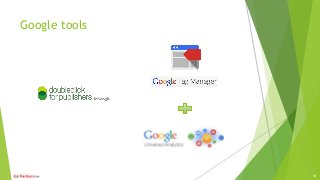
Google tools
33
Umbraco extensions
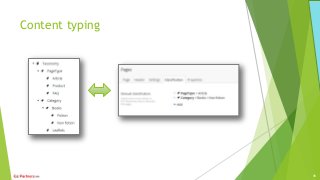
Content typing
35
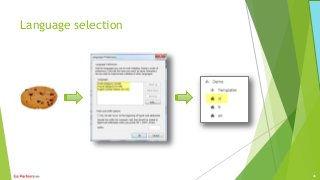
Language selection
36
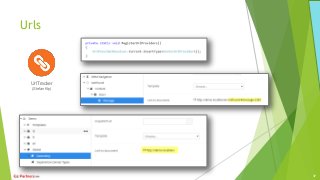
Urls
UrlTracker
(Stefan Kip)
37
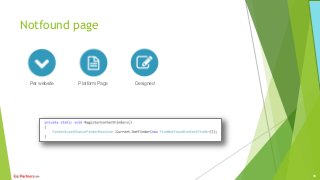
Notfound page
Per website Platform Page Designed
38
Search
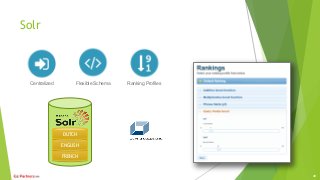
Solr
FRENCH
ENGLISH
DUTCH
Centralized Flexible Schema Ranking Profiles
40
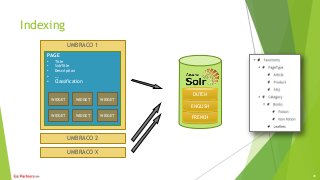
Indexing
UMBRACO 1
PAGE
• Title
• SubTitle
• Description
• …
• Classification
UMBRACO X
UMBRACO 2
WIDGET WIDGET WIDGET
FRENCH
ENGLISH
DUTCH
41
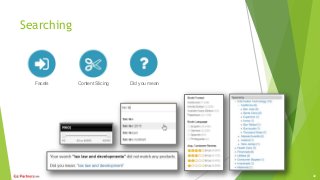
Searching
Facets Content Slicing Did you mean
42
Future
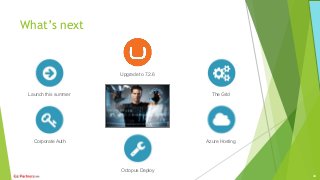
What’s next
Launch this summer
Upgrade to 7.2.6
The Grid
Corporate Auth
Octopus Deploy
Azure Hosting
44
Q&A
 Slideshare available soon, link on
Bart.tenVelde@E2Partners.be
@b_tenvelde
Jan.Vanuytrecht@E2Partners.be
@vanuyja
45

We want a corporate Umbraco platforms! ERRR... Sure!

Editor's Notes

  • #2 This presentation gives a helicopter overview on our project implementing a corporate Umbraco marketing platform. We believe the strongest part of Umbraco is that it’s an empty box that can be filled in many ways. Here is our box filling story…
  • #3 2
  • #4 3
  • #5 We aimed for a long term development project, creating a platform that is easy upgradable and has minimal friction creating new websites. The role of the Content Editor was key for us, as she/he would be the main user of the Umbraco back office.
  • #6 With minimal friction we mean that our goal is to have the Content Editor create and configure websites with the least possible IT interference.
  • #7 Since Content editors are key for us it was important that we discovered how they use the back office and listen to their bottlenecks.
  • #8 Our potential was around 20.000 pages spread over 40 websites. We didn’t want a enormous variety of document types that was complex to maintain. We needed a flexible page structure and layout. So we created only one page and allowed the Content Editor to add (semantic) widgets to it in a grid layout setup. Since we have no document type to give context about the content of the page (being news detail, product information, blog post) we introduced classification of the pages using a taxonomy.
  • #9 One way of helping our Content Editor is automating the creation of websites using the back office. When a website node is created the underlying node structure is created automatically, tri-lingual. It’s like a starter kit for creating websites.
  • #10 After a website is created, we introduced the same automation process for pages. Each website can have a custom set of generation templates. When creating a new page the Content Editor can choose out of the available templates within this website. This will create the underlying layout and widget nodes automatically.
  • #11 We decided to have a strict separation between the content and the html. This will make design upgrades very easy while offering the Content Editor a way to focus on content. Our Content Editors are no webmasters so they have no in-depth knowledge of html. Forcing them to edit html would break the responsive design very fast. Instead we provided several setting allowing them to configure how that page would be rendered and what the design theme of choice is, being compliant with the corporate branding guidelines.
  • #12 Consistency is an important item during our implementation. Offering the Content Editors a very consistent back office structure ensures familiarity. For every widget type we used a content tab and a settings tab and made sure the (optional) description for every property is provided.
  • #13 One package we used for repeatable content inserts is ArcheType. This editor gives a nice in-page overview of several items ultimately allowing faster input using less clicks.
  • #14 Using Umbraco 7+ allows for easy back office extensibility using angular. We created several custom property editors that each provides a way for intuitive input, examples Classification picker, showing the full path to the parent node Link creator Extended con set Char limitation with counter
  • #15 Since Umbraco is so extensible it’s easy to create custom menu items. This way we allows the Content Editors to right click and choose ‘browse’ instead of open the node, navigate to the properties tab and click on the link in the bottom of the page.
  • #16 On the other side, while browsing the website Content Editors can easily enable edit buttons on top of every row and widget by adding a query string. Each of these buttons will open the related node in the back office. This way the Content Editor does not have to search for the right node in the big content tree structure, saving a lot of navigation
  • #17 As a main platform information portal we set up an internal website, made by out own platform. This websites serves as the main information source offering a changelog, how-to articles, UX guidelines and so on. Since this website is using the dev branch code we can also live preview the new features.
  • #18 We made the platform information website available via the default Umbraco help menu.
  • #19 For the development setup we choose for an MVC approach using route hijacking, the Umbraco way of creating custom MVCcontrollers.
  • #20 We aimed for a flexible setup where we can install a platform website and extend it with additional features if needed.
  • #21 Having a long term project required us to invest in a controlled update path. For this scenario we used the uMigrations package to keep track of the different upgrades and initiate the missing ones. We have updates in place for schema (data types, content types,…) and content (move, split, combine,…).
  • #22 For bigger features we tend to create sub teams working on a feature branch. Smaller features will end up in a shelve set, waiting for a code review before the are committed into the dev branch.
  • #23 We have set up a development street for every Umbraco instance in the production environment. Each deploy is automated using TFS build using publish profiles, initiated only when the unit tests are successful.
  • #24 Having numerous Umbraco instances, windows services, Azure services in place error logging can be tedious when all of them are stored in different locations. We used GrayLog as a centralized logging store. Within GrayLog we configured a dashboard per Umbraco instance including all the related services.
  • #25 It’s very important not to have any bottleneck in our development team. While each person has a different interest, we try to share our knowledge via technical sessions. We use VersionOne for our backlog management in combination of Confluence for technical documentation.
  • #26 Creating a responsive website that must support a variety of browsers and versions it’s a challenge for our testers. We introduced automated UI tests using a combination of Selenium and BrowserStack. The Selenium tests will mimic the visitor actions while BrowserStack provides virtual machines that will perform them. The have virtual machines for almost all operating system & browser combinations. An added bonus is the BrowserStack also offers an easy to setup tunnel so internal websites can still be tested.
  • #27 Since about 50% of our development time is spent on integrations it’s worth spending a topic on it.
  • #28 Our first integration was with an on premise data source where we had two challenges. One was the inbound connection to the data source and a second was a controlled way of making our API accessible. The goal was to create an API that potentially could be made open to select partners.
  • #29 For the API accessibility we used the Azure Management service which allowed us to control the access using subscriptions while offering a bunch of other interesting features as throttling, caching,… The connection between the API and the on premise data source was taken care of with the Azure Servicebus Relay service. Through this service both the API and an on premise service make an outbound connection, no need to configure inbound firewall ports.
  • #30 The Azure API Management service offers a developer portal that hosts the API documentation and testing. Since this service is used as a proxy the contract can be re-structured using the operations configuration. The security is handled using subscriptions.
  • #31 On the other side when on our Umbraco website a form is submitted we use the Azure Message Queue for a guaranteed delivery.
  • #32 Another integration was with an on premise data source that ad low data quality. We needed data cleaning as well as made tis data available through an API. For this scenario we set up a sync between our data source and Contentful including transformation to get clean data. On Contentful side we then created a webhook that would send all updates directly to our Umbraco website. For local testing during development we used ngrok to setup a tunnel so our dev machine was temporarily available for the inbound webhook notification.
  • #33 We use Contour for all our forms since this puts the Content Editor in control. We extended the default field types with some custom ones e.g. url referrer retrieval. We also made downloads of a form easily available through a specific url per form. Finally we implemented our contextual pre-selection feature. This means that a form can use a pre-vale source for a checkbox list in combination with a link creator that allows Content Editors to create a link to a form with a specific value that will be pre-selected. This allows one form to be re-used multiple times, e.g. one product form + each product page has a link with that product as contextual pre-selection.
  • #34 Google tag manager is used for injecting several items, a default one is Google Analytics. Another example is a temporarily heat map tracking. We also used Google DoubleClick for our banner management that enabled us for a corporate configuration over all the websites.
  • #36 Since we don’t use multiple document type to define our pages we had to type our content in another way. We introduced a taxonomy per website, allowing a multilevel definition of all the concepts they have. Every page can then be linked to one or more items in this taxonomy that defines the type of content that is on this page. Later on we are able to use the taxonomy to create facets on the search page.
  • #37 Since we have multilingual websites the detection of the visitors language is important. Of course we store the last language selection in a cookie and if this is not available we try to match the browser languages to our website languages. If even now no match is found we redirect to the first homepage. A Content Editor can re-order the homepages to define the most important language per website.
  • #38 We use child nodes for storing our content and Umbraco out of the box creates a url per node. When browsing to this url we would get an error since a single widget cannot be rendered on its own, it needs a surrounding page. We implemented a custom UrlProvider that will re-write all url’s so that page content inherits the parent page’s url with a unique widget reference as anchor. This works in the front as well as in the back office, allowing the Content Editor to safely browse any node in the content tree. Another bonus is that we can have deep page links, since browsers will automatically scroll so the anchor position is visible.
  • #39 During our website generation we include a not-found page for every language. This is a normal page, found by convention, that can we provided with widget content. This allows the Content Editor to provide help to the visitor in a designed manner.
  • #40 Website visitors are being spoiled by the big search websites as Google or Bing. They expect a very simple interface that will give good search results by only inputting some fuzzy search terms.
  • #41 For our platform search we relied on Solr. Our client already has in-house expertise in this search engine and that was a real benefit. For the Umbraco-Solr integration we used the product from Alpha Solutions and they proved to have a great support service. We wanted a centralized index so we could organize a search on the corporate website including all marketing websites later on. Minimal friction is also key within search and using Solr we had a flexible schema that would not need extra configuration when e.g. a new taxonomy items is used. Solr also offers faceted search out of the box.
  • #42 We wanted to have very detailed control how the content is indexed and implemented custom hooks into the Alpha Solution product so we can optimize our search. For instance every widget can optionally have its own content extractor.
  • #43 The final result is an advanced search using facets, autocomplete suggestions and a ‘did you mean’ feature. The Content Editor can configure the content slicing through the back office (e.g. using the taxonomy to only show product pages).
  • #45 So, what’s next? After the initial launch during this summer we of course will upgrade Umbraco to version 7.3 that will allow us to integrate easily with the corporate authentication. We’re also investigating a migration path to The Grid for a more flexible layout structure. On the deployment side we will invest for further automation using Octopus deployment. Exciting times ahead of us… !