www.contcentric.com
<1> Call: India +91 992 514 4200, USA +1 (732) 927-5544; Email: sales@contcentric.com
OCR IN ALFRESCO DOCUMENT MANAGEMENT SYSTEM
Alfresco is a leading platform for Enterprise Content Management. 1300+ enterprises
across the sectors leverage its platform to cater to different use cases.
A Clumsy Case of Physical or Scanned Documents:
A very familiar, common but important use of Alfresco services is managing the scanned
documents. The scanned documents arrive at the enterprise document portfolio via two
major routes.
1] Documents from external stake holders:
Vendors, customers, agencies or partners tend to send the documents in physical or a
scanned state. There is no control over the document generation as that is in the complete
purview of the sender. The enterprises have to accept the same. There are limited chances
that enterprises can motivate and enable them to send in the native file types like doc,
excel or pdf. Some of these documents are quotations, purchase orders, invoices, circulars
etc.
2] Internal Record in the Physical State:
Since last few years, the enterprises and government agencies have started digitization
drive. They get all their old physical records scanned and stored in their Alfresco Document
Management System. Since the volumes are huge, it is difficult to store them quickly using
www.contcentric.com
<2> Call: India +91 992 514 4200, USA +1 (732) 927-5544; Email: sales@contcentric.com
proper content models and meta data every time. Also, the file and folder name references
are not enough to retrieve a document based on some information which is stored in the
scanned document.
OCR, the Saviour!
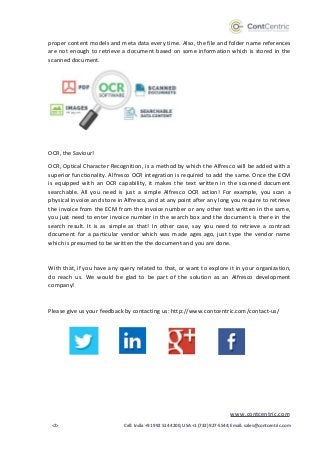
OCR, Optical Character Recognition, is a method by which the Alfresco will be added with a
superior functionality. Alfresco OCR integration is required to add the same. Once the ECM
is equipped with an OCR capability, it makes the text written in the scanned document
searchable. All you need is just a simple Alfresco OCR action! For example, you scan a
physical invoice and store in Alfresco, and at any point after any long you require to retrieve
the invoice from the ECM from the invoice number or any other text written in the same,
you just need to enter invoice number in the search box and the document is there in the
search result. It is as simple as that! In other case, say you need to retrieve a contract
document for a particular vendor which was made ages ago, just type the vendor name
which is presumed to be written the the document and you are done.
With that, if you have any query related to that, or want to explore it in your organization,
do reach us. We would be glad to be part of the solution as an Alfresco development
company!
Please give us your feedback by contacting us: http://www.contcentric.com/contact-us/

OCR in Alfresco Document Management System

  • 1.
    www.contcentric.com <1> Call: India+91 992 514 4200, USA +1 (732) 927-5544; Email: sales@contcentric.com OCR IN ALFRESCO DOCUMENT MANAGEMENT SYSTEM Alfresco is a leading platform for Enterprise Content Management. 1300+ enterprises across the sectors leverage its platform to cater to different use cases. A Clumsy Case of Physical or Scanned Documents: A very familiar, common but important use of Alfresco services is managing the scanned documents. The scanned documents arrive at the enterprise document portfolio via two major routes. 1] Documents from external stake holders: Vendors, customers, agencies or partners tend to send the documents in physical or a scanned state. There is no control over the document generation as that is in the complete purview of the sender. The enterprises have to accept the same. There are limited chances that enterprises can motivate and enable them to send in the native file types like doc, excel or pdf. Some of these documents are quotations, purchase orders, invoices, circulars etc. 2] Internal Record in the Physical State: Since last few years, the enterprises and government agencies have started digitization drive. They get all their old physical records scanned and stored in their Alfresco Document Management System. Since the volumes are huge, it is difficult to store them quickly using
  • 2.
    www.contcentric.com <2> Call: India+91 992 514 4200, USA +1 (732) 927-5544; Email: sales@contcentric.com proper content models and meta data every time. Also, the file and folder name references are not enough to retrieve a document based on some information which is stored in the scanned document. OCR, the Saviour! OCR, Optical Character Recognition, is a method by which the Alfresco will be added with a superior functionality. Alfresco OCR integration is required to add the same. Once the ECM is equipped with an OCR capability, it makes the text written in the scanned document searchable. All you need is just a simple Alfresco OCR action! For example, you scan a physical invoice and store in Alfresco, and at any point after any long you require to retrieve the invoice from the ECM from the invoice number or any other text written in the same, you just need to enter invoice number in the search box and the document is there in the search result. It is as simple as that! In other case, say you need to retrieve a contract document for a particular vendor which was made ages ago, just type the vendor name which is presumed to be written the the document and you are done. With that, if you have any query related to that, or want to explore it in your organization, do reach us. We would be glad to be part of the solution as an Alfresco development company! Please give us your feedback by contacting us: http://www.contcentric.com/contact-us/