Effective steps to manage
large size PST file
Index
Overview of PST file
File size of PST file
Issues with PST file
Tips to manage PST file
Methods for splitting PST File
Limitations of using free utility
Advantages of using PST File Splitter Tool
Overview of PST file
Outlook Data File
Personal Storage Table
Save with .pst extension
Follow B-tree structure
Responsible for storing our mailbox information
File size of PST file
File Size in Outlook 2002: 2 GB
File Size in Outlook 2003 & 2007: 20 GB
File Size in Outlook 2010 & 2013: 50 GB
Issues with large size PST file
 Large file size leads to data loss
 Slow down the speed of Outlook
 Interruption in sending/receiving emails
 Large size PST file increases chances of corruption
 Causes unknown error messages
 Corruption in file header
Tips to manage PST file
Remove old contacts
Keep size of PST file small by splitting them in to
small size PST files
Delete unwanted emails from your inbox
Archive old Outlook data as separate PST files
Compact the PST files
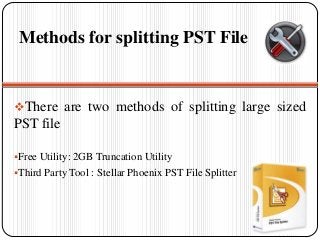
Methods for splitting PST File
There are two methods of splitting large sized
PST file
Free Utility: 2GB Truncation Utility
Third Party Tool : Stellar Phoenix PST File Splitter
Limitations of using free utility
Chances of data loss.
Needs 2GB space free on system hard drive
Messages can be missing from the recovered file
Truncate only limited data from file
Advantages of using PST File Splitter
Tool
Let user split PST file by: Size, Date, Folders & Emails.
Let user split single & multiple PST files.
Let user restore original formatting of messages in RTF & HTML
format.
Let user save & view log report during PST file splitting operation.
Let user save PST file on desired location.
Let user update automatically with “Live update” option in software.
Wide compatibility with: windows 8, 7 , vista, XP, NT4(SP6).
Support Outlook version: 2002, 2003, 2007 & 2010.
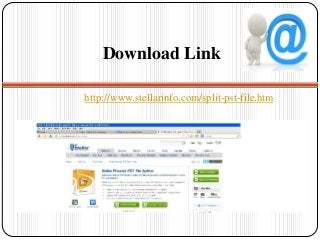
Download Link
http://www.stellarinfo.com/split-pst-file.htm
By:
Aida jolly

Pst file splitter

  • 1.
    Effective steps tomanage large size PST file
  • 2.
    Index Overview of PSTfile File size of PST file Issues with PST file Tips to manage PST file Methods for splitting PST File Limitations of using free utility Advantages of using PST File Splitter Tool
  • 3.
    Overview of PSTfile Outlook Data File Personal Storage Table Save with .pst extension Follow B-tree structure Responsible for storing our mailbox information
  • 4.
    File size ofPST file File Size in Outlook 2002: 2 GB File Size in Outlook 2003 & 2007: 20 GB File Size in Outlook 2010 & 2013: 50 GB
  • 5.
    Issues with largesize PST file  Large file size leads to data loss  Slow down the speed of Outlook  Interruption in sending/receiving emails  Large size PST file increases chances of corruption  Causes unknown error messages  Corruption in file header
  • 6.
    Tips to managePST file Remove old contacts Keep size of PST file small by splitting them in to small size PST files Delete unwanted emails from your inbox Archive old Outlook data as separate PST files Compact the PST files
  • 7.
    Methods for splittingPST File There are two methods of splitting large sized PST file Free Utility: 2GB Truncation Utility Third Party Tool : Stellar Phoenix PST File Splitter
  • 8.
    Limitations of usingfree utility Chances of data loss. Needs 2GB space free on system hard drive Messages can be missing from the recovered file Truncate only limited data from file
  • 9.
    Advantages of usingPST File Splitter Tool Let user split PST file by: Size, Date, Folders & Emails. Let user split single & multiple PST files. Let user restore original formatting of messages in RTF & HTML format. Let user save & view log report during PST file splitting operation. Let user save PST file on desired location. Let user update automatically with “Live update” option in software. Wide compatibility with: windows 8, 7 , vista, XP, NT4(SP6). Support Outlook version: 2002, 2003, 2007 & 2010.
  • 10.
  • 11.