Pau Garcia Quiles
Product Owner &Technical Project Manager
SUSE Manager
pau.garcia@suse.com
Uyuni
The solution to manage your Linux infrastructure
About me
Pau Garcia Quiles
Product Owner & Technical Project Manager
SUSE Manager
Former Debian Developer
Former KDE developer
Former... more things
FreeNode: pagarcia / pgquiles
Gitter: pagarcia
E-mail: pau.garcia@suse.com
2
What?
 Systems management solution
 Deploy and manage all kind of workloads from a single place
 Automate audit and reporting capabilities
 Hardware and software inventories
 Configuration management: automatically maintain standard
configurations
 Virtualization
3
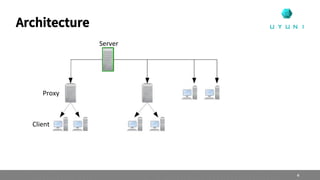
Architecture
Proxy
Server
Client
4
Origins: Spacewalk
 Free & Open Source Systems Management
 Around since 2008
 Base for Red Hat Satellite 5 and SUSE Manager <= 3.2
 Maintenance mode:
 No modern configuration management
 No clear plans for the future EOL: May 2020 (next month!)
5
“Salar de Uyuni” is the world's largest salt flat*
Uyuni
/uju:ni/
* https://en.wikipedia.org/wiki/Salar_de_Uyuni
Image: https://www.flickr.com/photos/madeleine_h/9468953452/
Attribution-ShareAlike 2.0 Generic (CC BY-SA 2.0)
Uyuni: fork of Spacewalk
 Simple installation
 Two stacks: traditional client (“spacewalk”) and Salt
 New development goes into Salt clients (“minions”)
 Traditional stack lets you continue using your Spacewalk/Satellite stack and knowledge in Uyuni. No need to convert to Salt.
 Containers/Kubernetes integration
 Scalability
 Usability
 React Web UI
 Python 3 and JDK11 codebase
7
 System deployment
 Patch management
 Service Pack migration
 Configuration management
 Bare-metal provisioning
 Schedule action chains to be performed on systems
 Compliance management: OpenSCAP and CVE Audit! Get alerts and fix in 1-click!
 API
Features
8
 Transparent integration with Salt
 Manage on-prem, cloud, hybrid cloud or multi-cloud systems
 Content Lifecycle Management: define stages (DEV, TEST, PRO) for your software channels

and apply filters to add/remove contents and create new channels
 Recurring actions
 Build OS and container images
 Compliance: CVE audit, SCAP, subscription matching
 Virtualization management
 Monitoring (Prometheus & Grafana stack), including federation
 Formulas with Forms: create YAML automation templates, no programming skills required!
Cool features!
9
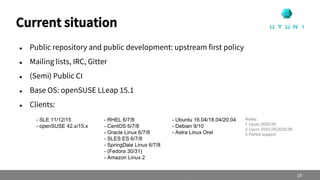
 Public repository and public development: upstream first policy
 Mailing lists, IRC, Gitter
 (Semi) Public CI
 Base OS: openSUSE LLeap 15.1
 Clients:
Current situation
10
- SLE 11/12/15
- openSUSE 42.x/15.x
- RHEL 6/7/8
- CentOS 6/7/8
- Oracle Linux 6/7/8
- SLES ES 6/7/8
- SpringDale Linux 6/7/8
- (Fedora 30/31)
- Amazon Linux 2
- Ubuntu 16.04/18.04/20.04
- Debian 9/10
- Astra Linux Orel
Notes:
1 Uyuni 2020.05
2 Uyuni 2020.05/2020.06
3 Partial support
Releases
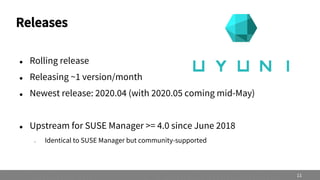
 Rolling release
 Releasing ~1 version/month
 Newest release: 2020.04 (with 2020.05 coming mid-May)
 Upstream for SUSE Manager >= 4.0 since June 2018
– Identical to SUSE Manager but community-supported
11
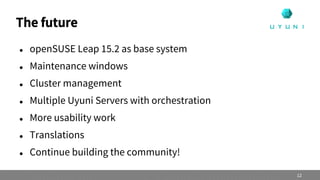
 openSUSE Leap 15.2 as base system
 Maintenance windows
 Cluster management
 Multiple Uyuni Servers with orchestration
 More usability work
 Translations
 Continue building the community!
The future
12
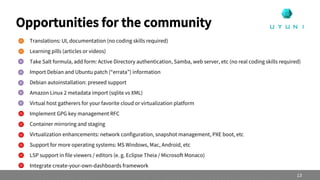
 Translations: UI, documentation (no coding skills required)
 Learning pills (articles or videos)
 Take Salt formula, add form: Active Directory authentication, Samba, web server, etc (no real coding skills required)
 Import Debian and Ubuntu patch (“errata”) information
 Debian autoinstallation: preseed support
 Amazon Linux 2 metadata import (sqlite vs XML)
 Virtual host gatherers for your favorite cloud or virtualization platform
 Implement GPG key management RFC
 Container mirroring and staging
 Virtualization enhancements: network configuration, snapshot management, PXE boot, etc
 Support for more operating systems: MS Windows, Mac, Android, etc
 LSP support in file viewers / editors (e. g. Eclipse Theia / Microsoft Monaco)
 Integrate create-your-own-dashboards framework
Opportunities for the community
13
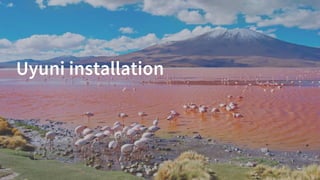
Uyuni installation
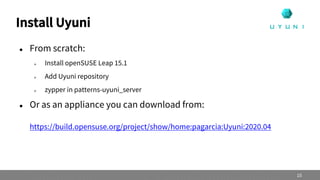
Install Uyuni
 From scratch:
 Install openSUSE Leap 15.1
 Add Uyuni repository
 zypper in patterns-uyuni_server
 Or as an appliance you can download from:
https://build.opensuse.org/project/show/home:pagarcia:Uyuni:2020.04
15
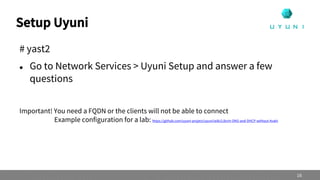
Setup Uyuni
# yast2
 Go to Network Services > Uyuni Setup and answer a few
questions
Important! You need a FQDN or the clients will not be able to connect
Example configuration for a lab: https://github.com/uyuni-project/uyuni/wiki/Libvirt-DNS-and-DHCP-without-Avahi
16
openSUSE Leap with Uyuni
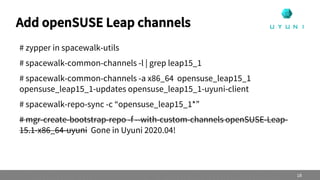
Add openSUSE Leap channels
# zypper in spacewalk-utils
# spacewalk-common-channels -l | grep leap15_1
# spacewalk-common-channels -a x86_64 opensuse_leap15_1
opensuse_leap15_1-updates opensuse_leap15_1-uyuni-client
# spacewalk-repo-sync -c “opensuse_leap15_1*”
# mgr-create-bootstrap-repo -f --with-custom-channels openSUSE-Leap-
15.1-x86_64-uyuni Gone in Uyuni 2020.04!
18
Onboard openSUSE clients
 Create activation key
 Register clients using one of three methods:
— Web UI (easiest)
— Bootstrap script (massive onboarding, customization during
onboarding)
— Manually (install Salt minion, accept key in Server)
19
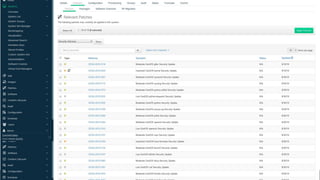
Patches
 The openSUSE Leap Updates repository includes patch
information
 Uyuni will use it for Patches and Audit
20
openSUSE Leap supported features
 Check the docs for the full list of supported features:
https://www.uyuni-project.org/uyuni-docs/uyuni/client-
configuration/supported-features-sles.html
 If in doubt, ask on the lists, IRC or Gitter!
21
Learn more
 SUSE has published for free the videos of the official traning course “SUSE Manager 4.x Deployment and
Initial Configuration”
 Available for free for a limited time (COVID-19) in the “SUSE Technical Product Training” YouTube channel
 Installation, configuration, channels, activation keys, content lifecycle management, etc
 Use spacewalk-common-channels instead of SCC subscription to add products
 https://www.youtube.com/watch?v=3TZEYMc4HKE&list=PLAsCOnIVwM3E_ygYzx7E-gYu_hlut2xBB
22
CentOS with Uyuni
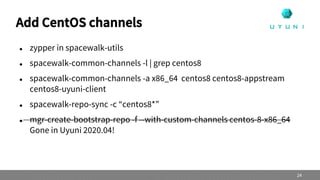
Add CentOS channels
 zypper in spacewalk-utils
 spacewalk-common-channels -l | grep centos8
 spacewalk-common-channels -a x86_64 centos8 centos8-appstream
centos8-uyuni-client
 spacewalk-repo-sync -c “centos8*”
 mgr-create-bootstrap-repo -f --with-custom-channels centos-8-x86_64
Gone in Uyuni 2020.04!
24
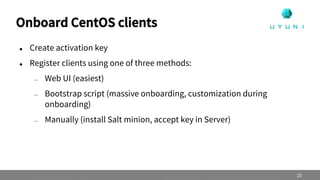
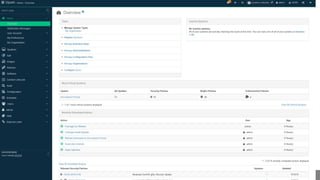
Onboard CentOS clients
 Create activation key
 Register clients using one of three methods:
— Web UI (easiest)
— Bootstrap script (massive onboarding, customization during
onboarding)
— Manually (install Salt minion, accept key in Server)
25
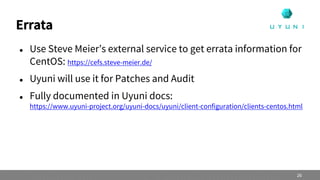
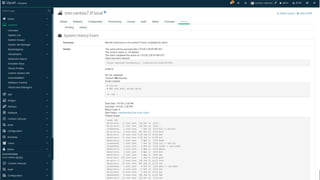
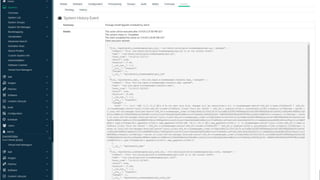
Errata
 Use Steve Meier’s external service to get errata information for
CentOS: https://cefs.steve-meier.de/
 Uyuni will use it for Patches and Audit
 Fully documented in Uyuni docs:
https://www.uyuni-project.org/uyuni-docs/uyuni/client-configuration/clients-centos.html
26
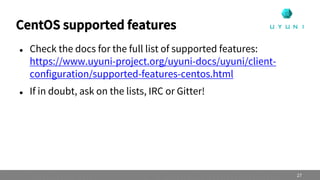
CentOS supported features
 Check the docs for the full list of supported features:
https://www.uyuni-project.org/uyuni-docs/uyuni/client-
configuration/supported-features-centos.html
 If in doubt, ask on the lists, IRC or Gitter!
27
Q&A
A&Q
 CentOS 8 support
 Yes! Managing appstreams in the UI, Content Lifecycle Management,
flattening modular repositories, etc available since Uyuni 2020.03
 Visually picking the appstream in the UI available in 2020.05
34
A&Q
 Is Uyuni available for CentOS?
 No but we will accept it if the community contributes it
 Unofficial packages available in OBS for Fedora
35
A&Q
 Can Uyuni manage Microsoft Windows?
 Not yet
 My pet project
 Contact me if you want to help, it’s not that difficult
36
Join Us at uyuni-project.org
/uyuni-project
/uyuni-project
/UyuniProject
License
This slide deck is licensed under the Creative Commons Attribution-ShareAlike 4.0 International license.
It can be shared and adapted for any purpose (even commercially) as long as Attribution is given and any
derivative work is distributed under the same license.
Details can be found at https://creativecommons.org/licenses/by-sa/4.0/
General Disclaimer
This document is not to be construed as a promise by any participating organisation to develop, deliver, or
market a product. It is not a commitment to deliver any material, code, or functionality, and should not be
relied upon in making purchasing decisions. openSUSE makes no representations or warranties with respect
to the contents of this document, and specifically disclaims any express or implied warranties of
merchantability or fitness for any particular purpose. The development, release, and timing of features or
functionality described for openSUSE products remains at the sole discretion of openSUSE. Further,
openSUSE reserves the right to revise this document and to make changes to its content, at any time,
without obligation to notify any person or entity of such revisions or changes. All openSUSE marks
referenced in this presentation are trademarks or registered trademarks of SUSE LLC, in the United States
and other countries. All third-party trademarks are the property of their respective owners.
Credits
Template & Design
Pau Garcia Quiles
pau.garcia@suse.com
Inspiration
openSUSE Design Team
http://opensuse.github.io/branding-
guidelines/

Uyuni, the solution to manage your IT infrastructure

  • 1.
    Pau Garcia Quiles ProductOwner &Technical Project Manager SUSE Manager pau.garcia@suse.com Uyuni The solution to manage your Linux infrastructure
  • 2.
    About me Pau GarciaQuiles Product Owner & Technical Project Manager SUSE Manager Former Debian Developer Former KDE developer Former... more things FreeNode: pagarcia / pgquiles Gitter: pagarcia E-mail: pau.garcia@suse.com 2
  • 3.
    What?  Systems managementsolution  Deploy and manage all kind of workloads from a single place  Automate audit and reporting capabilities  Hardware and software inventories  Configuration management: automatically maintain standard configurations  Virtualization 3
  • 4.
  • 5.
    Origins: Spacewalk  Free& Open Source Systems Management  Around since 2008  Base for Red Hat Satellite 5 and SUSE Manager <= 3.2  Maintenance mode:  No modern configuration management  No clear plans for the future EOL: May 2020 (next month!) 5
  • 6.
    “Salar de Uyuni”is the world's largest salt flat* Uyuni /uju:ni/ * https://en.wikipedia.org/wiki/Salar_de_Uyuni Image: https://www.flickr.com/photos/madeleine_h/9468953452/ Attribution-ShareAlike 2.0 Generic (CC BY-SA 2.0)
  • 7.
    Uyuni: fork ofSpacewalk  Simple installation  Two stacks: traditional client (“spacewalk”) and Salt  New development goes into Salt clients (“minions”)  Traditional stack lets you continue using your Spacewalk/Satellite stack and knowledge in Uyuni. No need to convert to Salt.  Containers/Kubernetes integration  Scalability  Usability  React Web UI  Python 3 and JDK11 codebase 7
  • 8.
     System deployment Patch management  Service Pack migration  Configuration management  Bare-metal provisioning  Schedule action chains to be performed on systems  Compliance management: OpenSCAP and CVE Audit! Get alerts and fix in 1-click!  API Features 8
  • 9.
     Transparent integrationwith Salt  Manage on-prem, cloud, hybrid cloud or multi-cloud systems  Content Lifecycle Management: define stages (DEV, TEST, PRO) for your software channels and apply filters to add/remove contents and create new channels  Recurring actions  Build OS and container images  Compliance: CVE audit, SCAP, subscription matching  Virtualization management  Monitoring (Prometheus & Grafana stack), including federation  Formulas with Forms: create YAML automation templates, no programming skills required! Cool features! 9
  • 10.
     Public repositoryand public development: upstream first policy  Mailing lists, IRC, Gitter  (Semi) Public CI  Base OS: openSUSE LLeap 15.1  Clients: Current situation 10 - SLE 11/12/15 - openSUSE 42.x/15.x - RHEL 6/7/8 - CentOS 6/7/8 - Oracle Linux 6/7/8 - SLES ES 6/7/8 - SpringDale Linux 6/7/8 - (Fedora 30/31) - Amazon Linux 2 - Ubuntu 16.04/18.04/20.04 - Debian 9/10 - Astra Linux Orel Notes: 1 Uyuni 2020.05 2 Uyuni 2020.05/2020.06 3 Partial support
  • 11.
    Releases  Rolling release Releasing ~1 version/month  Newest release: 2020.04 (with 2020.05 coming mid-May)  Upstream for SUSE Manager >= 4.0 since June 2018 – Identical to SUSE Manager but community-supported 11
  • 12.
     openSUSE Leap15.2 as base system  Maintenance windows  Cluster management  Multiple Uyuni Servers with orchestration  More usability work  Translations  Continue building the community! The future 12
  • 13.
     Translations: UI,documentation (no coding skills required)  Learning pills (articles or videos)  Take Salt formula, add form: Active Directory authentication, Samba, web server, etc (no real coding skills required)  Import Debian and Ubuntu patch (“errata”) information  Debian autoinstallation: preseed support  Amazon Linux 2 metadata import (sqlite vs XML)  Virtual host gatherers for your favorite cloud or virtualization platform  Implement GPG key management RFC  Container mirroring and staging  Virtualization enhancements: network configuration, snapshot management, PXE boot, etc  Support for more operating systems: MS Windows, Mac, Android, etc  LSP support in file viewers / editors (e. g. Eclipse Theia / Microsoft Monaco)  Integrate create-your-own-dashboards framework Opportunities for the community 13
  • 14.
  • 15.
    Install Uyuni  Fromscratch:  Install openSUSE Leap 15.1  Add Uyuni repository  zypper in patterns-uyuni_server  Or as an appliance you can download from: https://build.opensuse.org/project/show/home:pagarcia:Uyuni:2020.04 15
  • 16.
    Setup Uyuni # yast2 Go to Network Services > Uyuni Setup and answer a few questions Important! You need a FQDN or the clients will not be able to connect Example configuration for a lab: https://github.com/uyuni-project/uyuni/wiki/Libvirt-DNS-and-DHCP-without-Avahi 16
  • 17.
  • 18.
    Add openSUSE Leapchannels # zypper in spacewalk-utils # spacewalk-common-channels -l | grep leap15_1 # spacewalk-common-channels -a x86_64 opensuse_leap15_1 opensuse_leap15_1-updates opensuse_leap15_1-uyuni-client # spacewalk-repo-sync -c “opensuse_leap15_1*” # mgr-create-bootstrap-repo -f --with-custom-channels openSUSE-Leap- 15.1-x86_64-uyuni Gone in Uyuni 2020.04! 18
  • 19.
    Onboard openSUSE clients Create activation key  Register clients using one of three methods: — Web UI (easiest) — Bootstrap script (massive onboarding, customization during onboarding) — Manually (install Salt minion, accept key in Server) 19
  • 20.
    Patches  The openSUSELeap Updates repository includes patch information  Uyuni will use it for Patches and Audit 20
  • 21.
    openSUSE Leap supportedfeatures  Check the docs for the full list of supported features: https://www.uyuni-project.org/uyuni-docs/uyuni/client- configuration/supported-features-sles.html  If in doubt, ask on the lists, IRC or Gitter! 21
  • 22.
    Learn more  SUSEhas published for free the videos of the official traning course “SUSE Manager 4.x Deployment and Initial Configuration”  Available for free for a limited time (COVID-19) in the “SUSE Technical Product Training” YouTube channel  Installation, configuration, channels, activation keys, content lifecycle management, etc  Use spacewalk-common-channels instead of SCC subscription to add products  https://www.youtube.com/watch?v=3TZEYMc4HKE&list=PLAsCOnIVwM3E_ygYzx7E-gYu_hlut2xBB 22
  • 23.
  • 24.
    Add CentOS channels zypper in spacewalk-utils  spacewalk-common-channels -l | grep centos8  spacewalk-common-channels -a x86_64 centos8 centos8-appstream centos8-uyuni-client  spacewalk-repo-sync -c “centos8*”  mgr-create-bootstrap-repo -f --with-custom-channels centos-8-x86_64 Gone in Uyuni 2020.04! 24
  • 25.
    Onboard CentOS clients Create activation key  Register clients using one of three methods: — Web UI (easiest) — Bootstrap script (massive onboarding, customization during onboarding) — Manually (install Salt minion, accept key in Server) 25
  • 26.
    Errata  Use SteveMeier’s external service to get errata information for CentOS: https://cefs.steve-meier.de/  Uyuni will use it for Patches and Audit  Fully documented in Uyuni docs: https://www.uyuni-project.org/uyuni-docs/uyuni/client-configuration/clients-centos.html 26
  • 27.
    CentOS supported features Check the docs for the full list of supported features: https://www.uyuni-project.org/uyuni-docs/uyuni/client- configuration/supported-features-centos.html  If in doubt, ask on the lists, IRC or Gitter! 27
  • 33.
  • 34.
    A&Q  CentOS 8support  Yes! Managing appstreams in the UI, Content Lifecycle Management, flattening modular repositories, etc available since Uyuni 2020.03  Visually picking the appstream in the UI available in 2020.05 34
  • 35.
    A&Q  Is Uyuniavailable for CentOS?  No but we will accept it if the community contributes it  Unofficial packages available in OBS for Fedora 35
  • 36.
    A&Q  Can Uyunimanage Microsoft Windows?  Not yet  My pet project  Contact me if you want to help, it’s not that difficult 36
  • 37.
    Join Us atuyuni-project.org /uyuni-project /uyuni-project /UyuniProject
  • 38.
    License This slide deckis licensed under the Creative Commons Attribution-ShareAlike 4.0 International license. It can be shared and adapted for any purpose (even commercially) as long as Attribution is given and any derivative work is distributed under the same license. Details can be found at https://creativecommons.org/licenses/by-sa/4.0/ General Disclaimer This document is not to be construed as a promise by any participating organisation to develop, deliver, or market a product. It is not a commitment to deliver any material, code, or functionality, and should not be relied upon in making purchasing decisions. openSUSE makes no representations or warranties with respect to the contents of this document, and specifically disclaims any express or implied warranties of merchantability or fitness for any particular purpose. The development, release, and timing of features or functionality described for openSUSE products remains at the sole discretion of openSUSE. Further, openSUSE reserves the right to revise this document and to make changes to its content, at any time, without obligation to notify any person or entity of such revisions or changes. All openSUSE marks referenced in this presentation are trademarks or registered trademarks of SUSE LLC, in the United States and other countries. All third-party trademarks are the property of their respective owners. Credits Template & Design Pau Garcia Quiles pau.garcia@suse.com Inspiration openSUSE Design Team http://opensuse.github.io/branding- guidelines/