12WAYS
TO SPEED UP
YOUR
MOBILE SITE
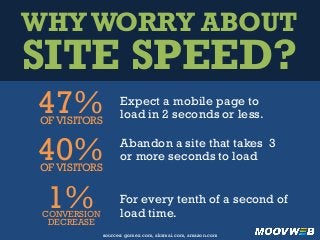
WHY WORRY ABOUT
SITE SPEED?
Expect a mobile page to
load in 2 seconds or less.47%OF VISITORS
Abandon a site that takes 3
or more seconds to load
For every tenth of a second of
load time.
40%OF VISITORS
1%CONVERSION
DECREASE
sources: gomez.com, akamai.com, amazon.com
1 AVOID LARGE
FRAMEWORKS
Frameworks and
libraries can be
needlessly large.
Pare them down to
the functionality
your site uses.
2 USE CSS FOR
BUTTONS
Using images for
buttons creates an
unnecessary
download. Instead
use CSS to create
page elements like
buttons.
3 COMPILE &
MINIFY
Compile multiple
scripts that will be
used together to
avoid separate
downloads. Minify
them to save
processing time.
4 USE A
GLOBAL CDN
With datacenters all
over the globe,
content delivery
networks can use
the shortest and
fastest route to
deliver your page.
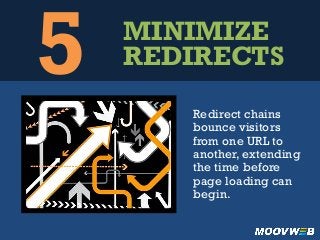
5 MINIMIZE
REDIRECTS
Redirect chains
bounce visitors
from one URL to
another, extending
the time before
page loading can
begin.
6 CUT DOWN
REQUESTS
Each and every
script or image
requires requesting
the item from the
server.The latency
– or the time it takes
the server to
respond – adds up
on request heavy
pages.
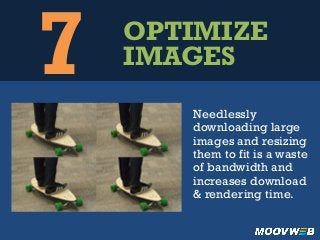
7 OPTIMIZE
IMAGES
Needlessly
downloading large
images and resizing
them to fit is a waste
of bandwidth and
increases download
& rendering time.
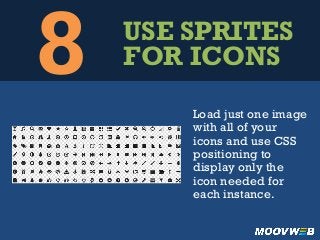
8 USE SPRITES
FOR ICONS
Load just one image
with all of your
icons and use CSS
positioning to
display only the
icon needed for
each instance.
9 DON’T BLOCK
RENDERING
Faster rendering pages
appear to load quicker.
Put off loading external
JavaScript files until after
the page has rendered.
10DON’T HIDE
Hidden elements
are needless
bandwidth. If an
element isn’t going
to show up, why
even download it?
{display:	
  none;}	
  
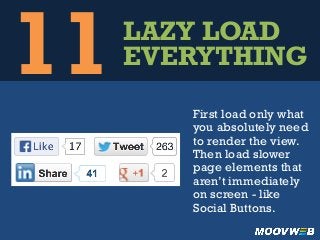
11LAZY LOAD
EVERYTHING
First load only what
you absolutely need
to render the view.
Then load slower
page elements that
aren’t immediately
on screen - like
Social Buttons.
12CACHE &
REUSE
Logos and icons
often appear
multiple times over
a visit. Caching
them prevents the
visitor from having
to re-download.
TO SPEED UP
MOBILE SITE
12
WAYS
YOUR
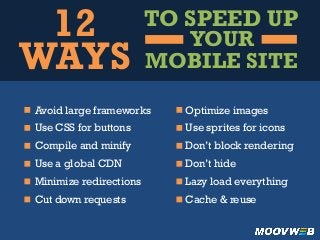
Avoid large frameworks
Use CSS for buttons
Compile and minify
Use a global CDN
Minimize redirections
Cut down requests
Optimize images
Use sprites for icons
Don’t block rendering
Don’t hide
Lazy load everything
Cache & reuse

12 Ways to Speed Up Your Mobile Site

  • 1.
  • 2.
    WHY WORRY ABOUT SITESPEED? Expect a mobile page to load in 2 seconds or less.47%OF VISITORS Abandon a site that takes 3 or more seconds to load For every tenth of a second of load time. 40%OF VISITORS 1%CONVERSION DECREASE sources: gomez.com, akamai.com, amazon.com
  • 3.
    1 AVOID LARGE FRAMEWORKS Frameworksand libraries can be needlessly large. Pare them down to the functionality your site uses.
  • 4.
    2 USE CSSFOR BUTTONS Using images for buttons creates an unnecessary download. Instead use CSS to create page elements like buttons.
  • 5.
    3 COMPILE & MINIFY Compilemultiple scripts that will be used together to avoid separate downloads. Minify them to save processing time.
  • 6.
    4 USE A GLOBALCDN With datacenters all over the globe, content delivery networks can use the shortest and fastest route to deliver your page.
  • 7.
    5 MINIMIZE REDIRECTS Redirect chains bouncevisitors from one URL to another, extending the time before page loading can begin.
  • 8.
    6 CUT DOWN REQUESTS Eachand every script or image requires requesting the item from the server.The latency – or the time it takes the server to respond – adds up on request heavy pages.
  • 9.
    7 OPTIMIZE IMAGES Needlessly downloading large imagesand resizing them to fit is a waste of bandwidth and increases download & rendering time.
  • 10.
    8 USE SPRITES FORICONS Load just one image with all of your icons and use CSS positioning to display only the icon needed for each instance.
  • 11.
    9 DON’T BLOCK RENDERING Fasterrendering pages appear to load quicker. Put off loading external JavaScript files until after the page has rendered.
  • 12.
    10DON’T HIDE Hidden elements areneedless bandwidth. If an element isn’t going to show up, why even download it? {display:  none;}  
  • 13.
    11LAZY LOAD EVERYTHING First loadonly what you absolutely need to render the view. Then load slower page elements that aren’t immediately on screen - like Social Buttons.
  • 14.
    12CACHE & REUSE Logos andicons often appear multiple times over a visit. Caching them prevents the visitor from having to re-download.
  • 15.
    TO SPEED UP MOBILESITE 12 WAYS YOUR Avoid large frameworks Use CSS for buttons Compile and minify Use a global CDN Minimize redirections Cut down requests Optimize images Use sprites for icons Don’t block rendering Don’t hide Lazy load everything Cache & reuse