Hooks
An Introduction to WordPress Development
5 Aug 2019
Edmund Chan
edmund@nerb.com.sg //
https://github.com/edmundcwm
Developer
Hooks
• What is a Hook?
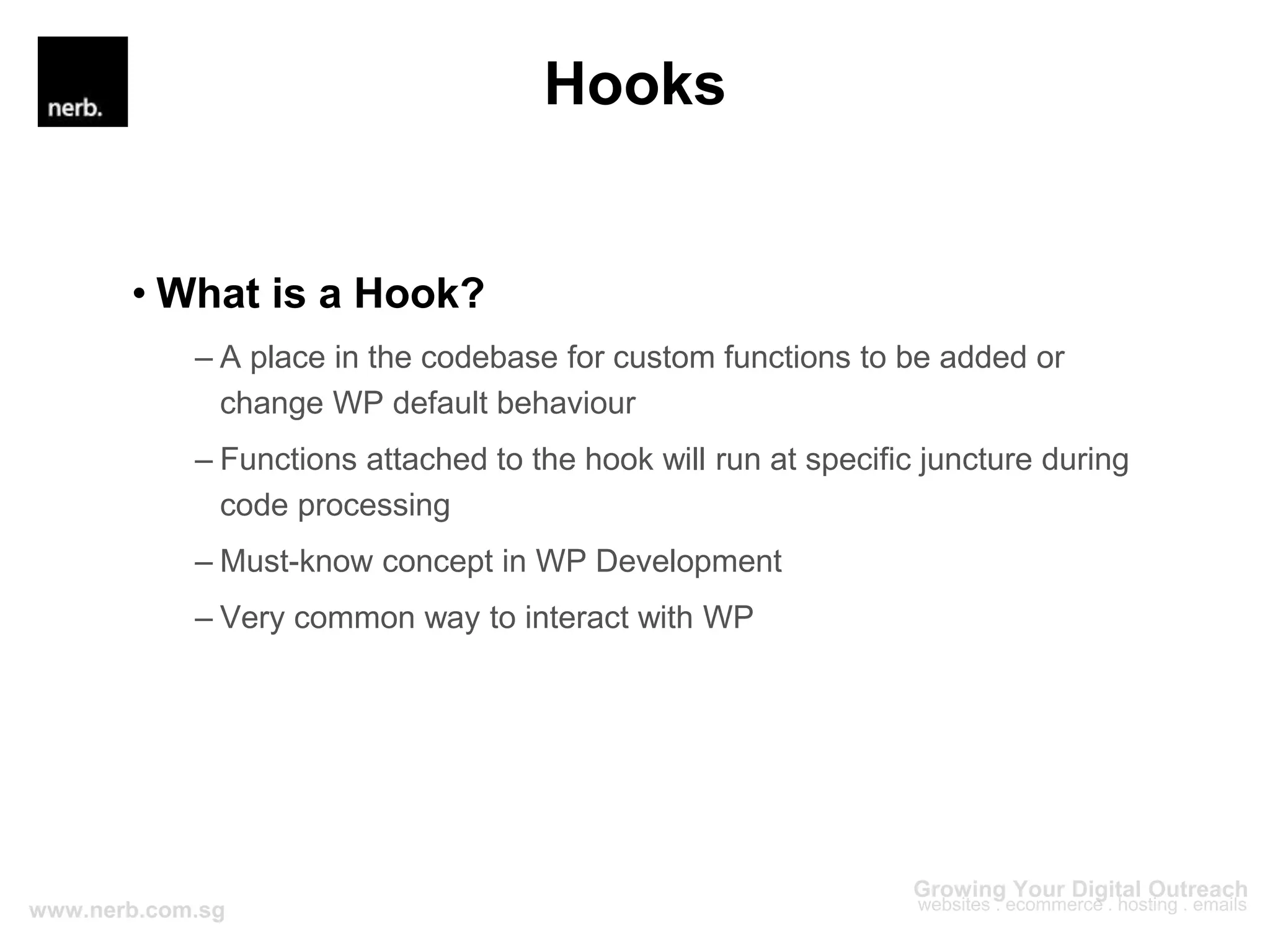
– A place in the codebase for custom functions to be added or
change WP default behaviour
– Functions attached to the hook will run at specific juncture during
code processing
– Must-know concept in WP Development
– Very common way to interact with WP
Hooks
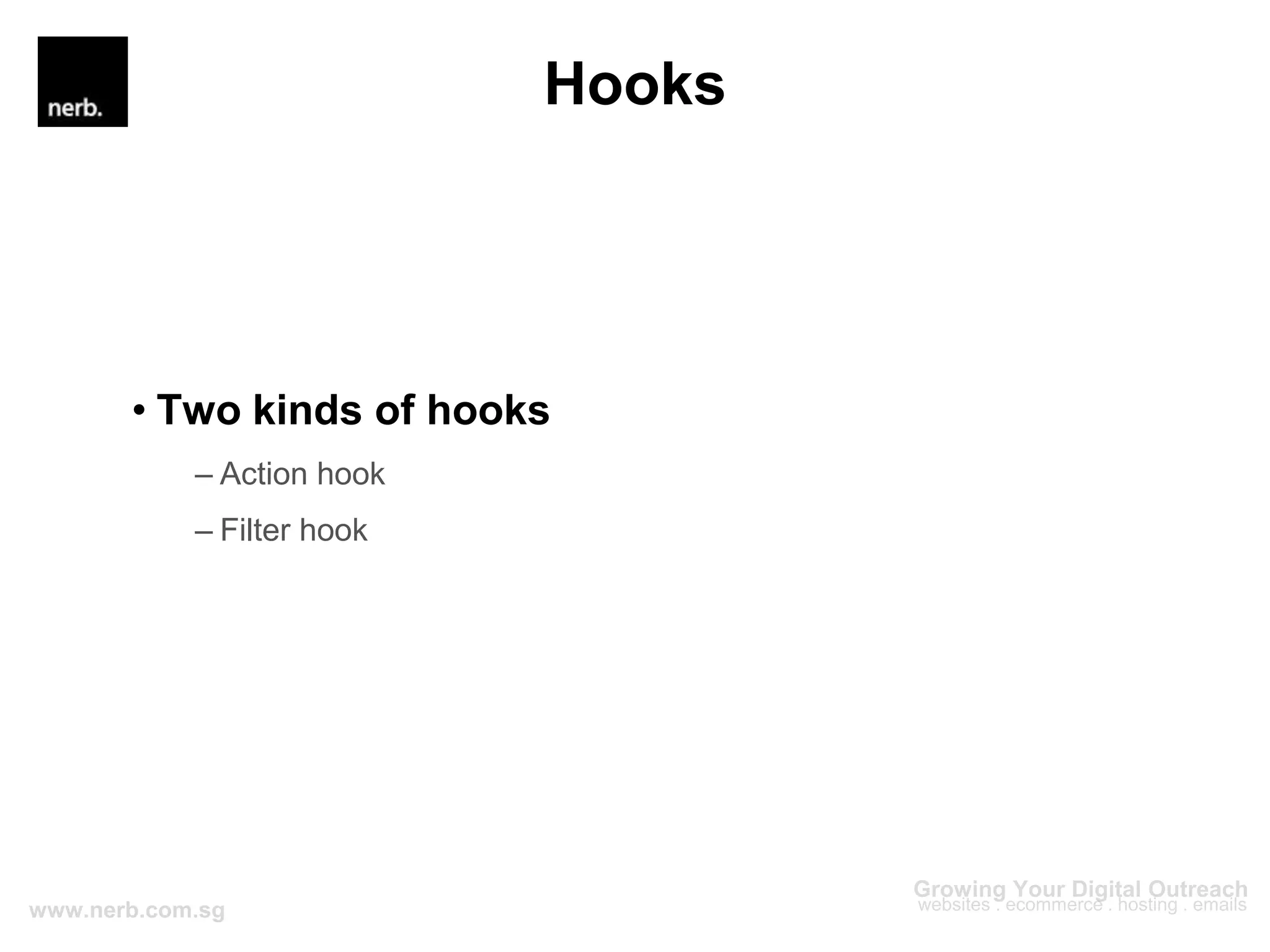
• Two kinds of hooks
– Action hook
– Filter hook
Hooks
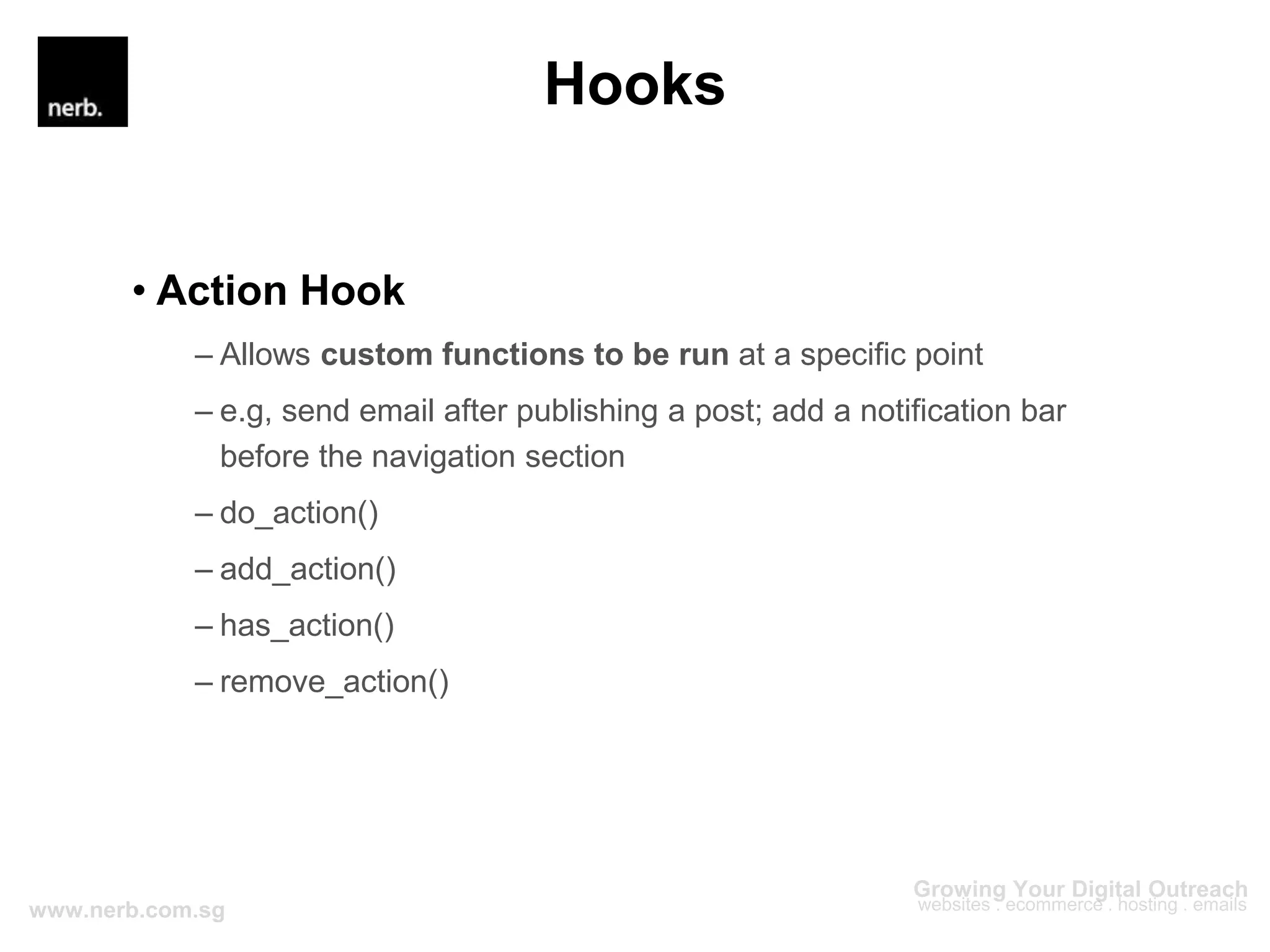
• Action Hook
– Allows custom functions to be run at a specific point
– e.g, send email after publishing a post; add a notification bar
before the navigation section
– do_action()
– add_action()
– has_action()
– remove_action()
Hooks
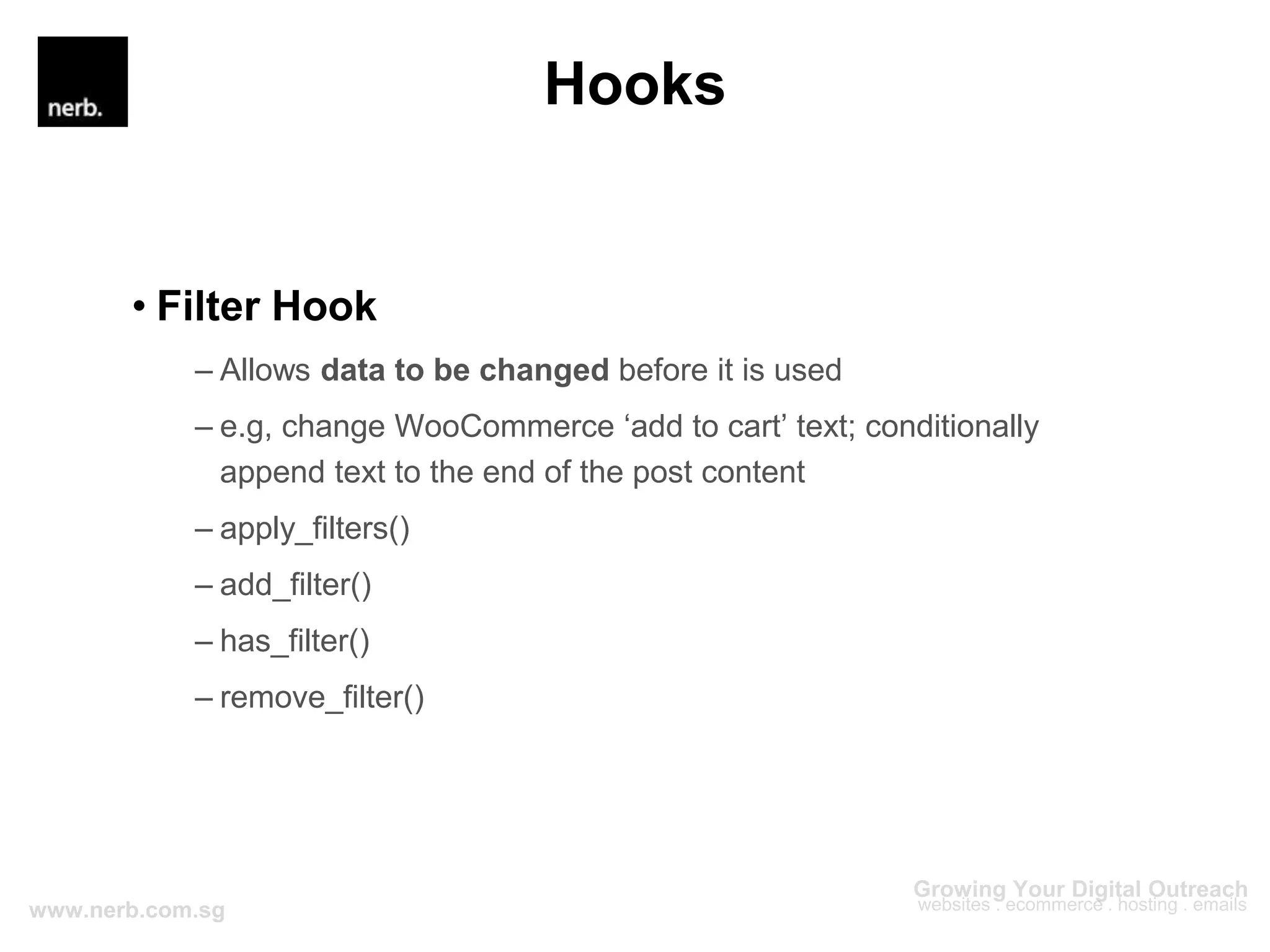
• Filter Hook
– Allows data to be changed before it is used
– e.g, change WooCommerce ‘add to cart’ text; conditionally
append text to the end of the post content
– apply_filters()
– add_filter()
– has_filter()
– remove_filter()
Hooks
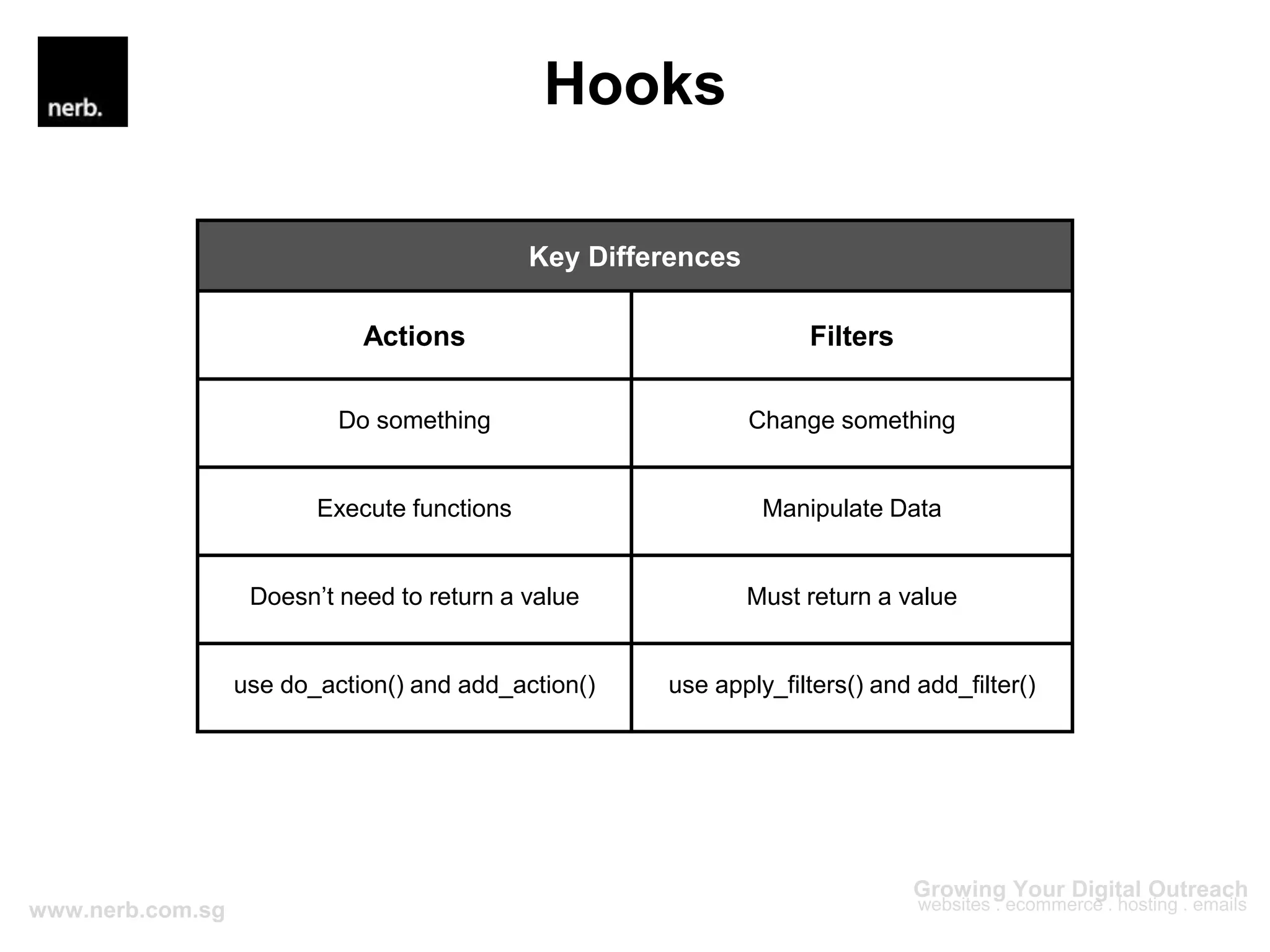
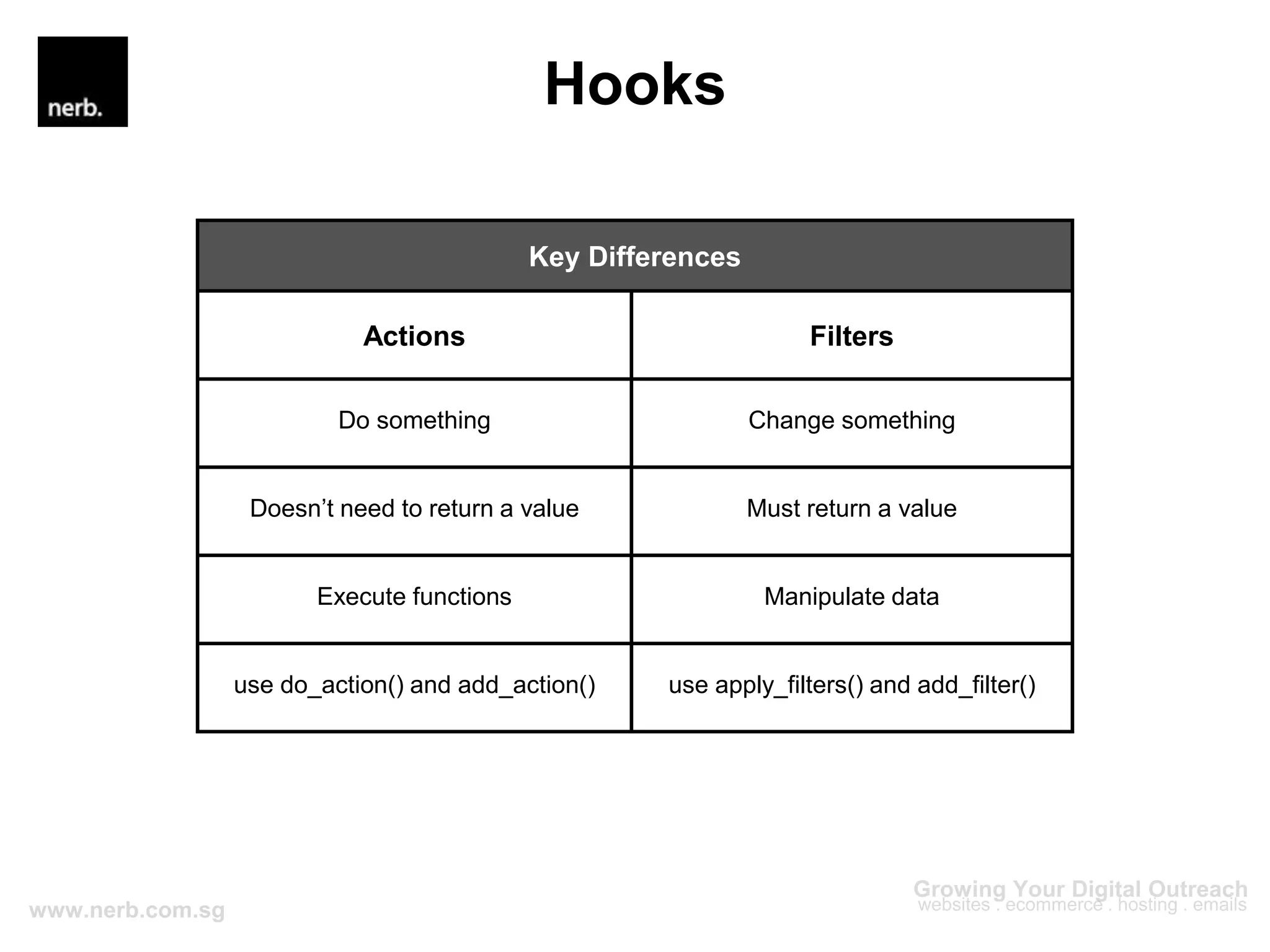
Key Differences
Actions Filters
Do something Change something
Execute functions Manipulate Data
Doesn’t need to return a value Must return a value
use do_action() and add_action() use apply_filters() and add_filter()
Hooks
Hooks
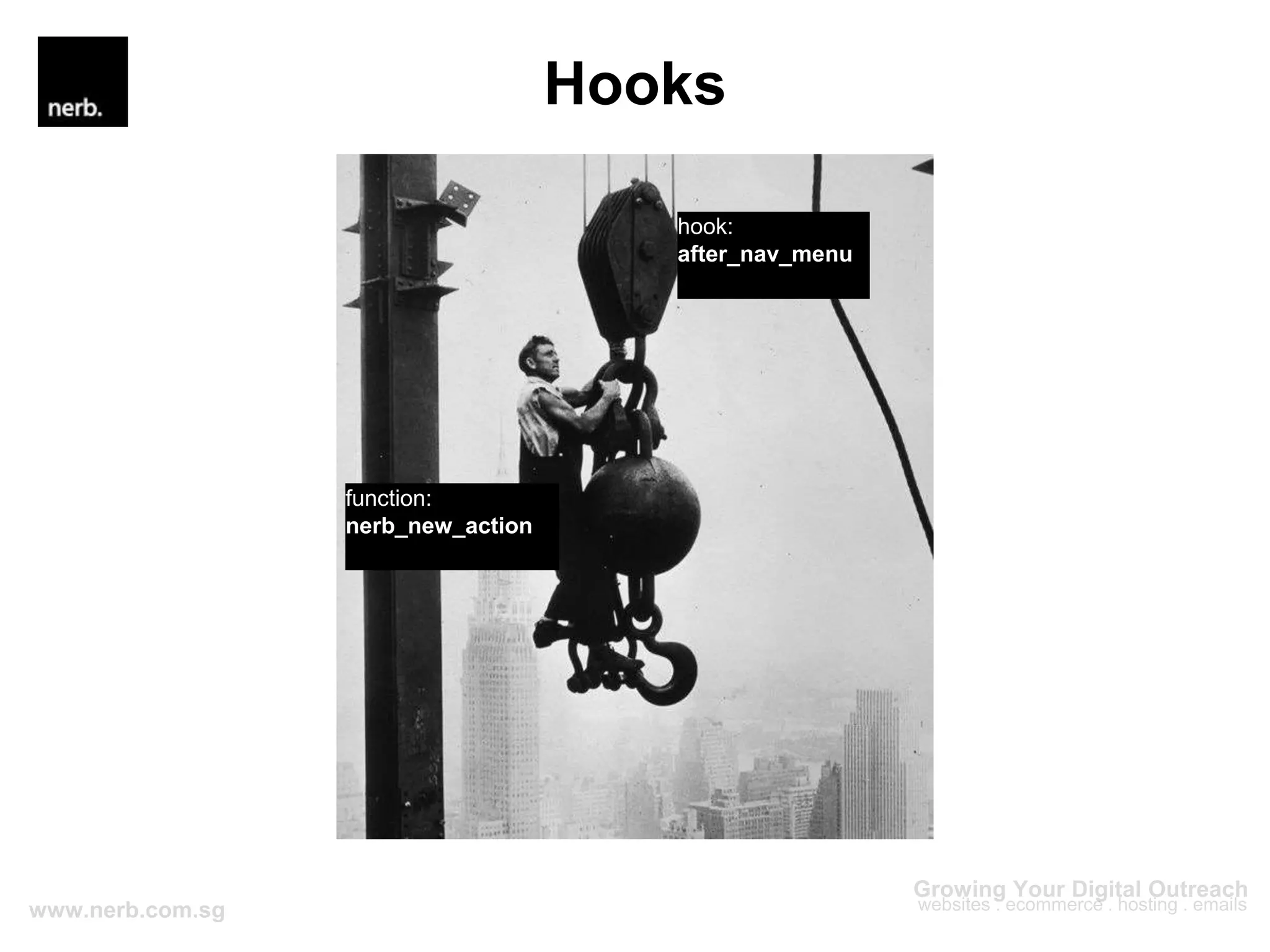
hook:
after_nav_menu
function:
nerb_new_action
Hooks
Hooks
• Why hooks?
– Recommended way to customize and extend WordPress
– Easier to debug
– Reduce reliability of external plugins
– Better understanding of how things work
– Allow for reusable custom functions
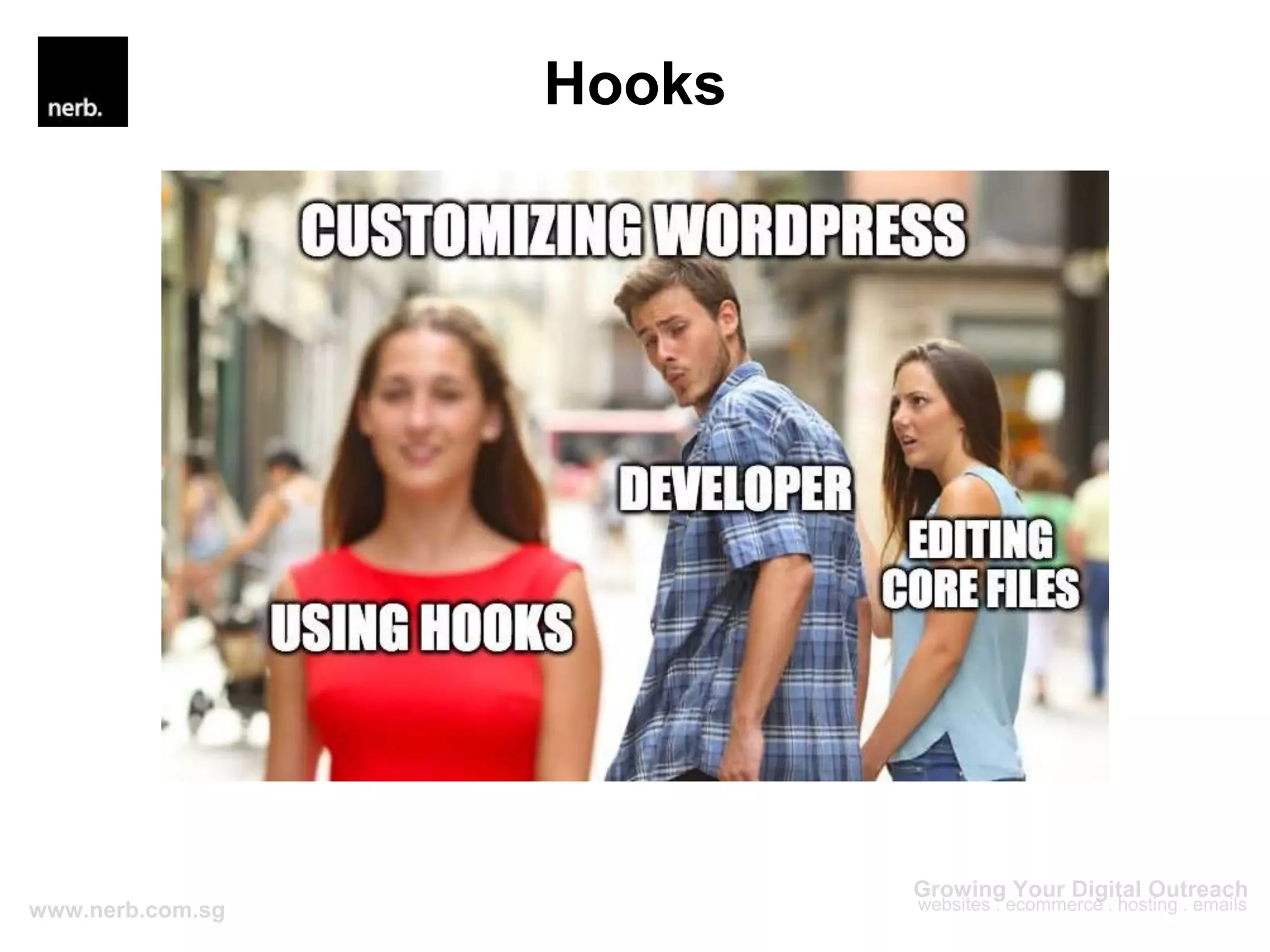
– Not mess with Core files
Hooks
Hooks
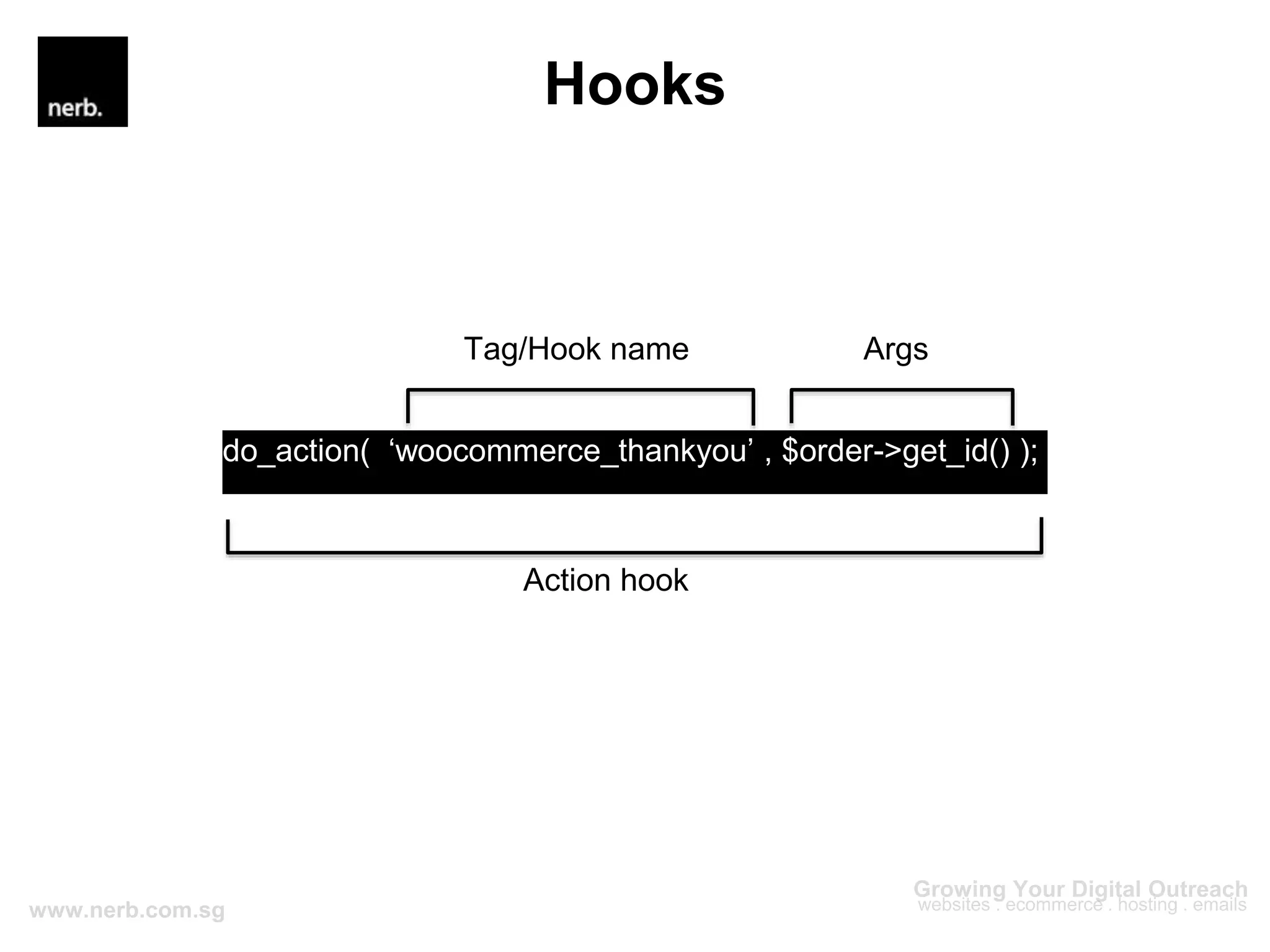
do_action( ‘woocommerce_thankyou’ , $order->get_id() );
Action hook
Tag/Hook name Args
Hooks
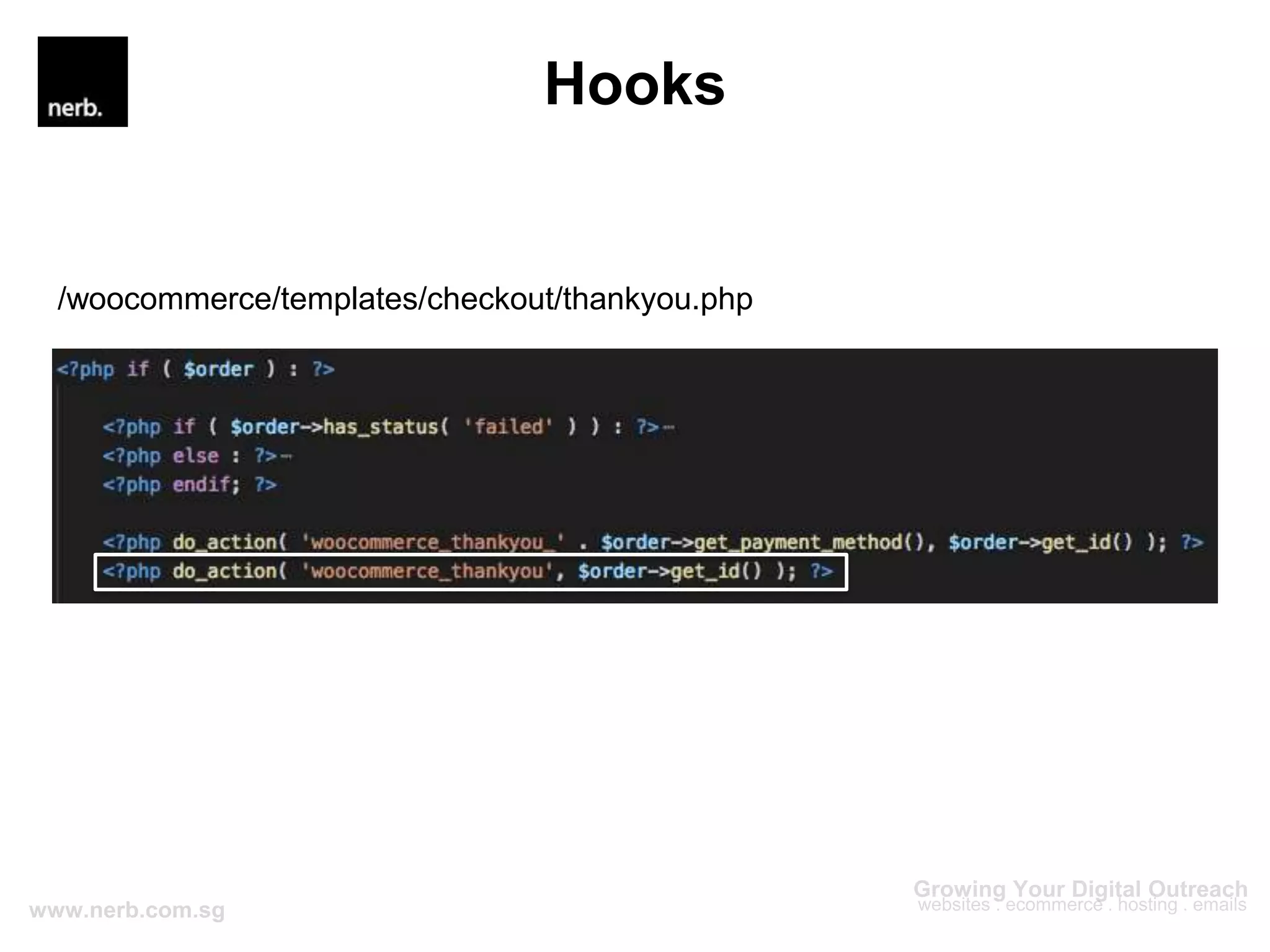
/woocommerce/templates/checkout/thankyou.php
Hooks
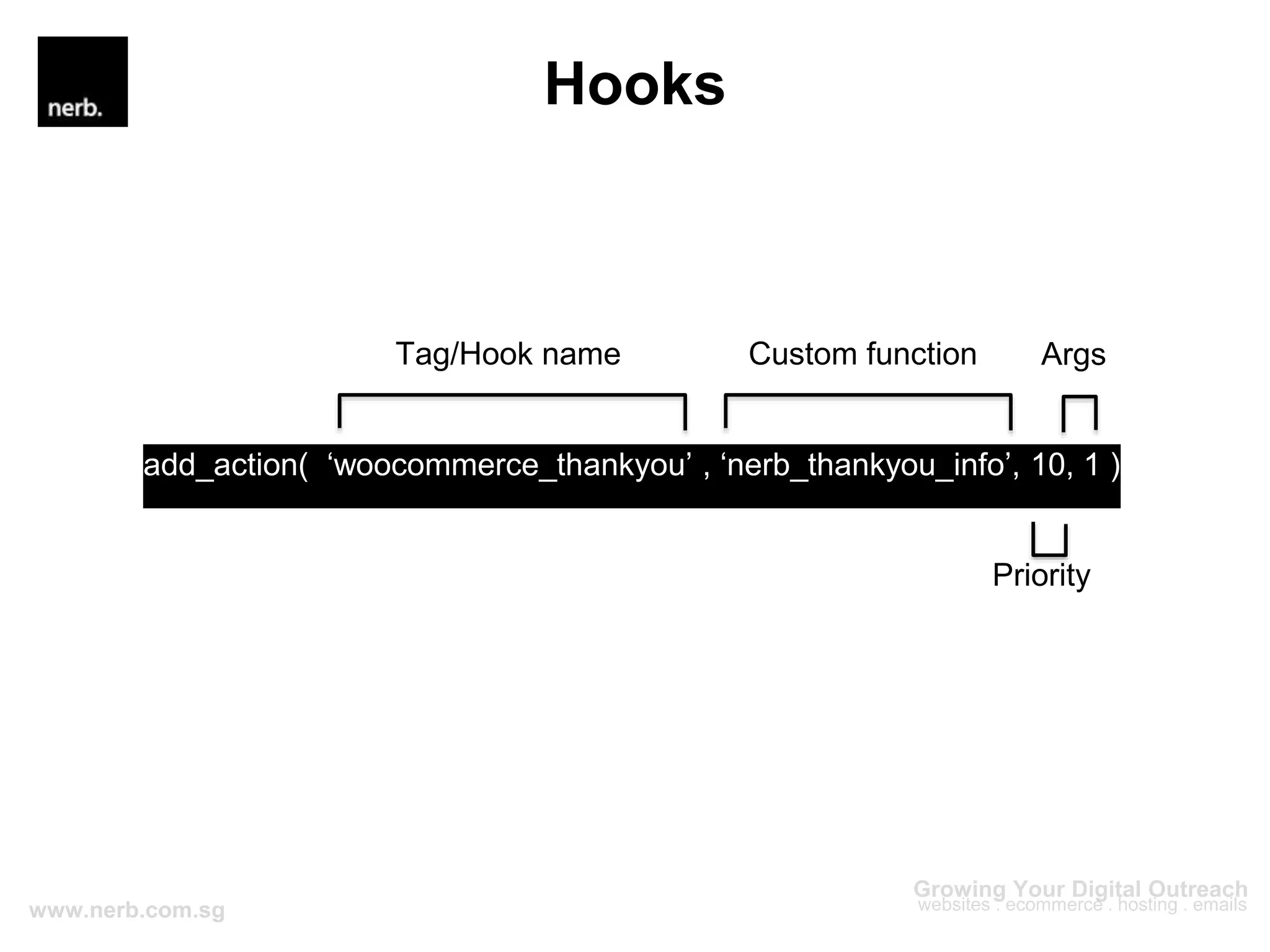
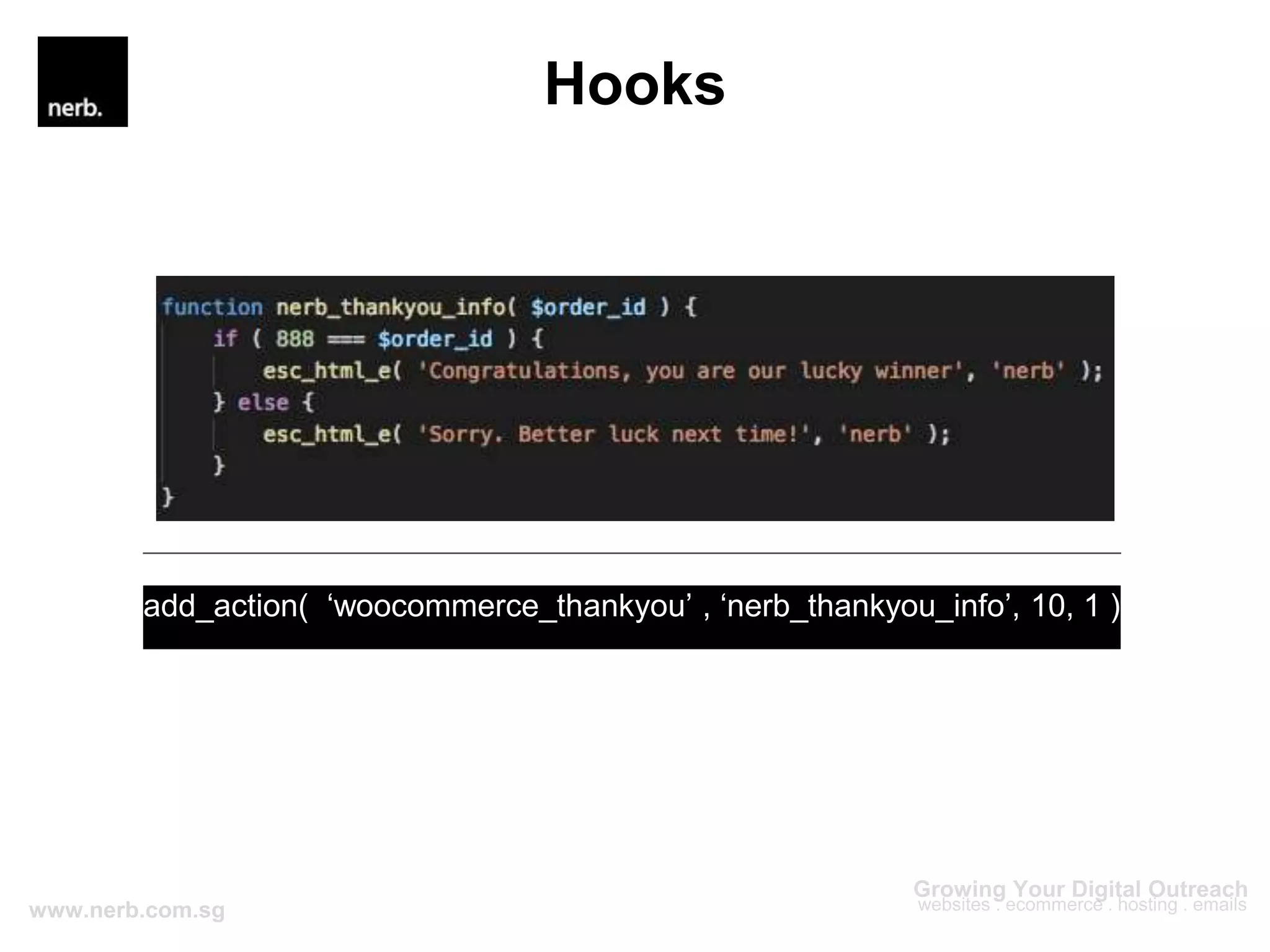
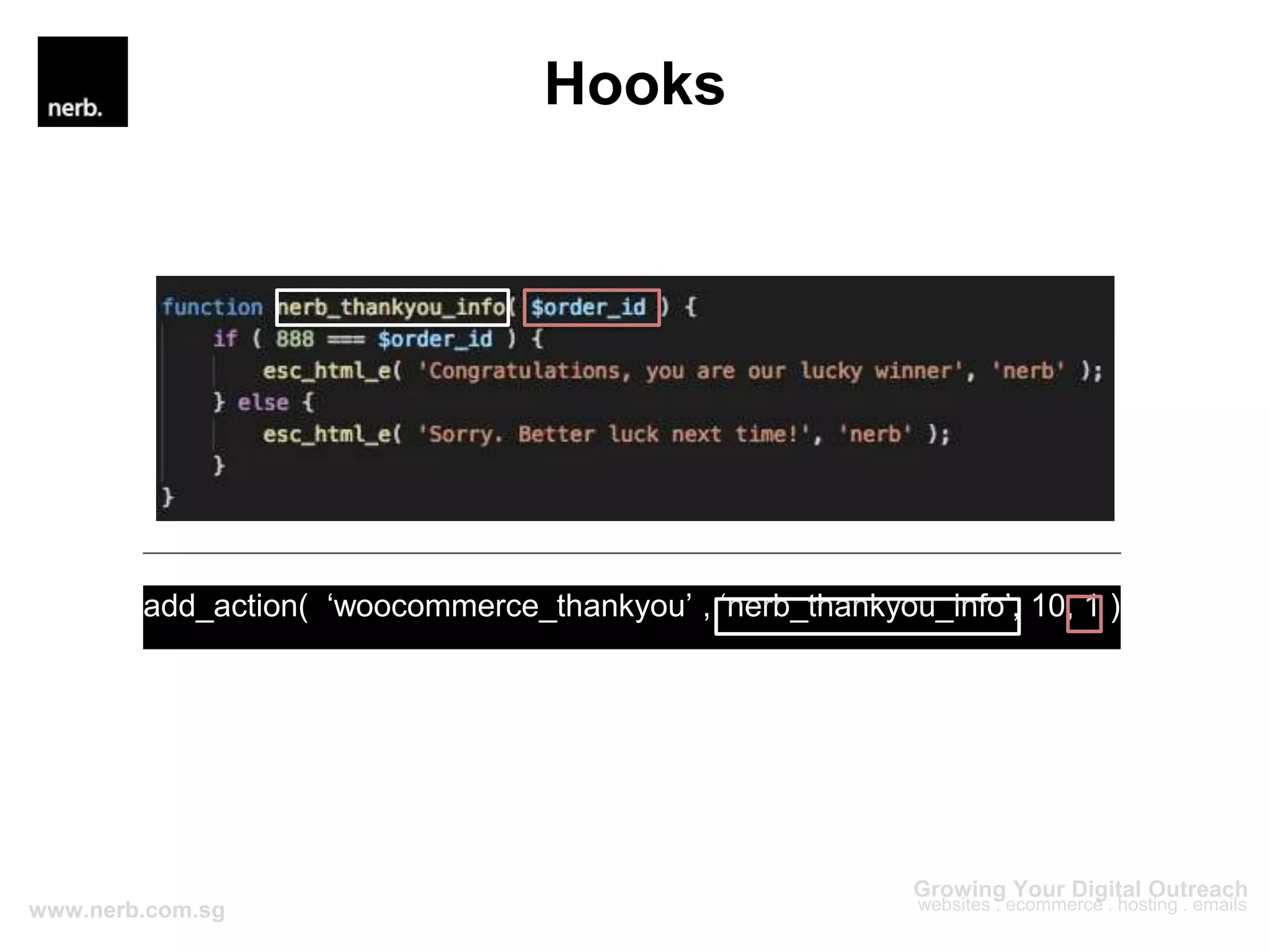
add_action( ‘woocommerce_thankyou’ , ‘nerb_thankyou_info’, 10, 1 );
Priority
Tag/Hook name Custom function Args
Hooks
add_action( ‘woocommerce_thankyou’ , ‘nerb_thankyou_info’, 10, 1 );
Hooks
add_action( ‘woocommerce_thankyou’ , ‘nerb_thankyou_info’, 10, 1 );
Hooks
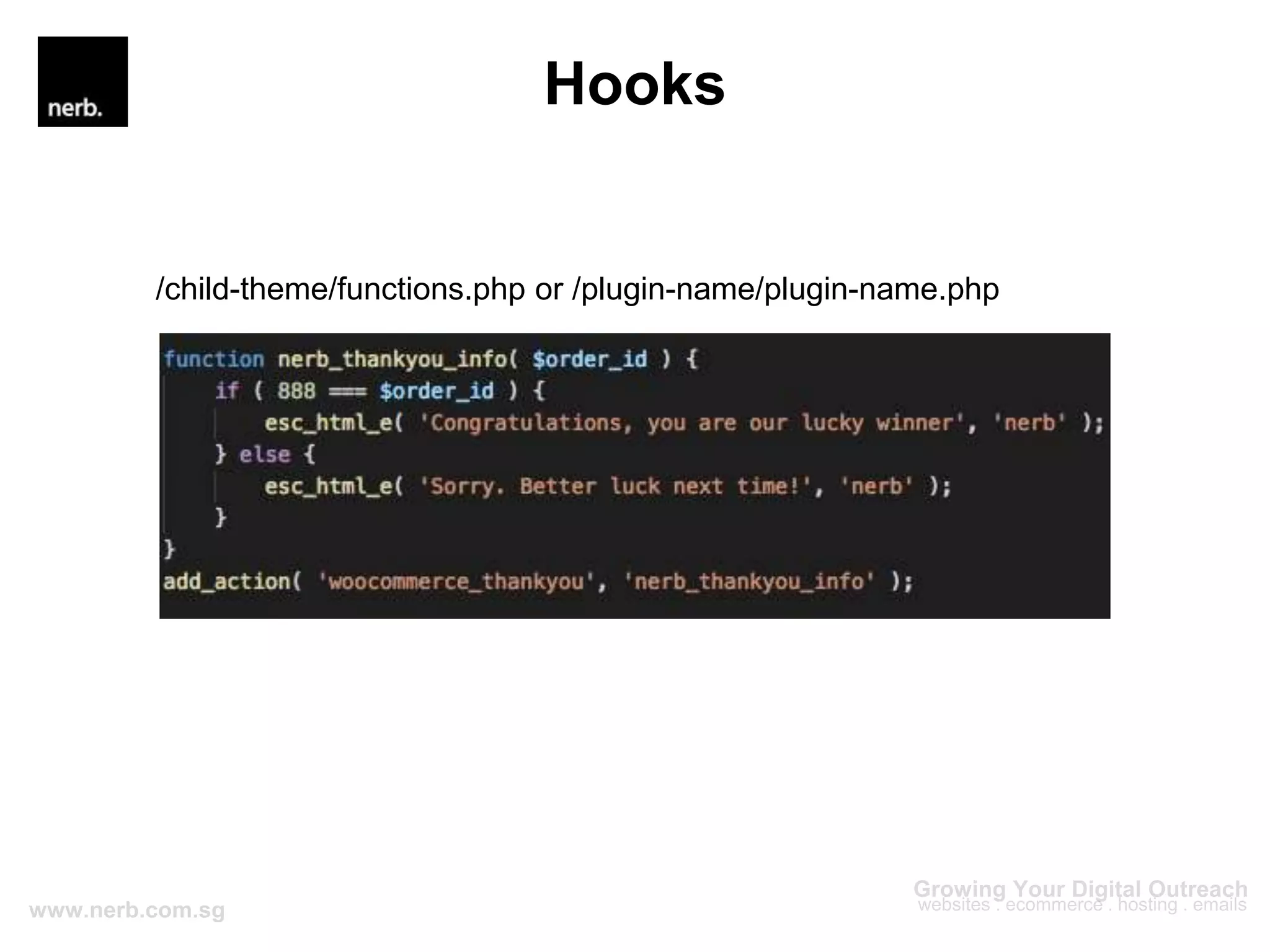
/child-theme/functions.php or /plugin-name/plugin-name.php
Hooks
Hooks
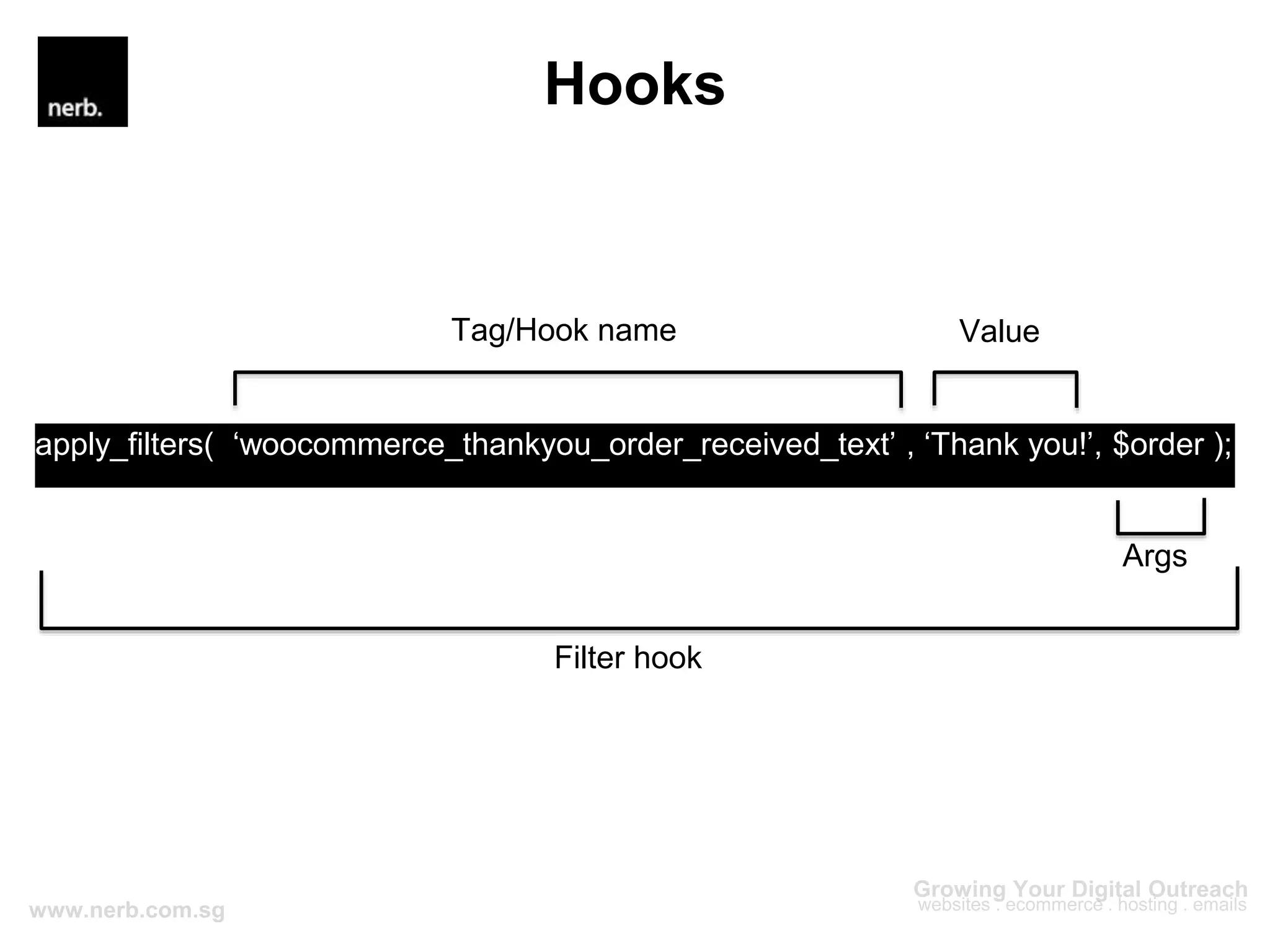
apply_filters( ‘woocommerce_thankyou_order_received_text’ , ‘Thank you!’, $order );
Filter hook
Tag/Hook name Value
Args
Hooks
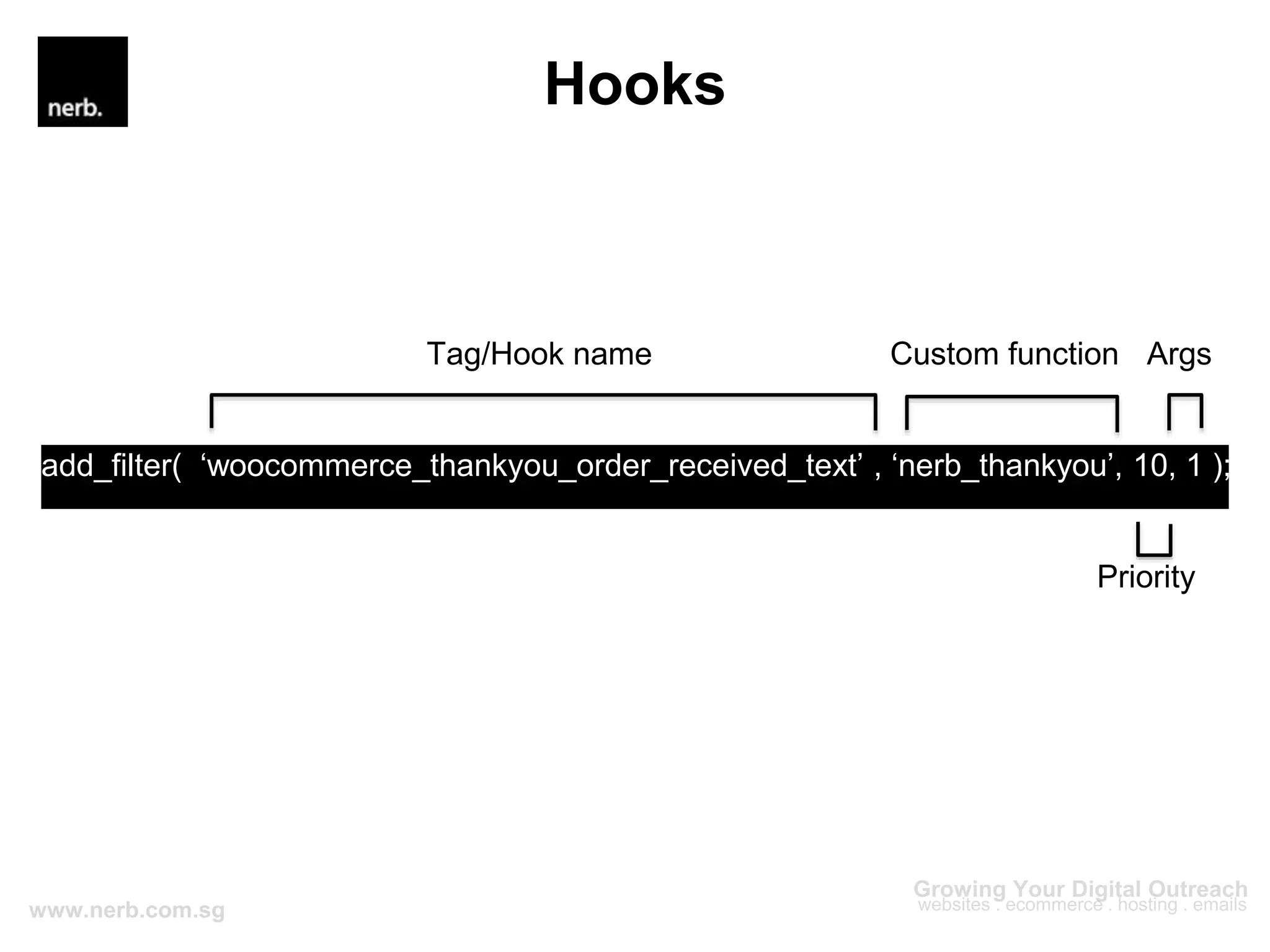
add_filter( ‘woocommerce_thankyou_order_received_text’ , ‘nerb_thankyou’, 10, 1 );
Priority
Tag/Hook name Custom function Args
Hooks
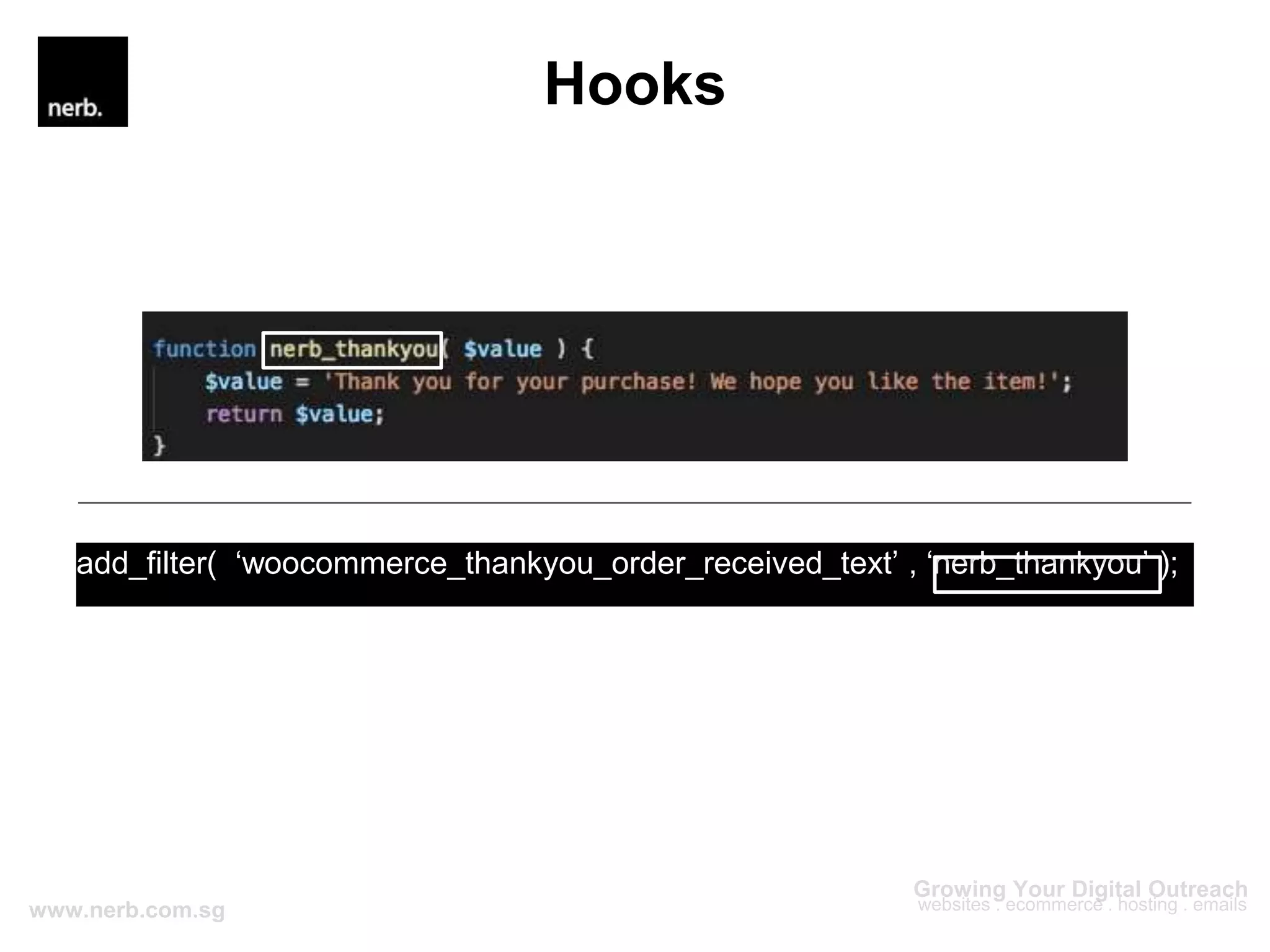
add_filter( ‘woocommerce_thankyou_order_received_text’ , ‘nerb_thankyou’ );
Hooks
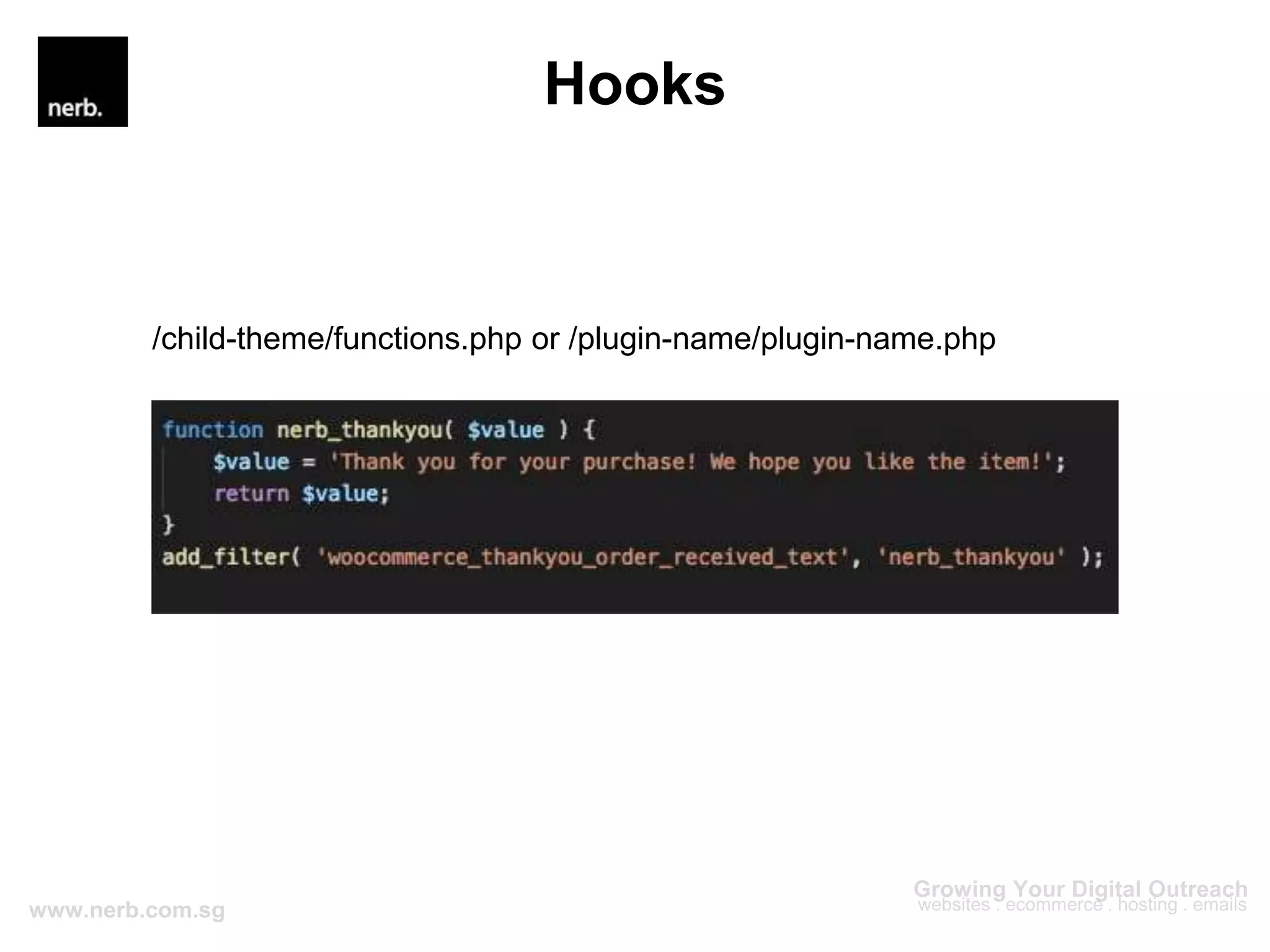
/child-theme/functions.php or /plugin-name/plugin-name.php
Hooks
Hooks
Key Differences
Actions Filters
Do something Change something
Doesn’t need to return a value Must return a value
Execute functions Manipulate data
use do_action() and add_action() use apply_filters() and add_filter()
Hooks
Edmund Chan
edmund@nerb.com.sg //
https://github.com/edmundcwm
Developer

Introduction to WordPress Development - Hooks

Editor's Notes

  • #5 One of the most important concepts to understand when starting out as a WP Developer because it’s one of the most common ways to customise and extend WP, especially when you are working with theme or plugin development. You do not want to modify Core WP, themes or plugins files directly. It allows developers to add their own functions at specific juncture during code processing.
  • #7 When an action hook runs, all functions connected to it will be executed as well. For e.g., there is an action hook in WP codebase that is placed after the publishing of a post. With that, we can create our own functions and attached it to that hook so that we can perform actions after a post is published
  • #8 When using the filter hook, you are given access to the original data. So after you are done with the modifications, you have to return the data back or there will be an error. Depending on user roles, we could use a filter and conditionally append text to the end of the blog post content. For example, for non-logged in users, we can at the ‘sign up or login’ text and for logged-in users, we can show the ‘logout’ text.
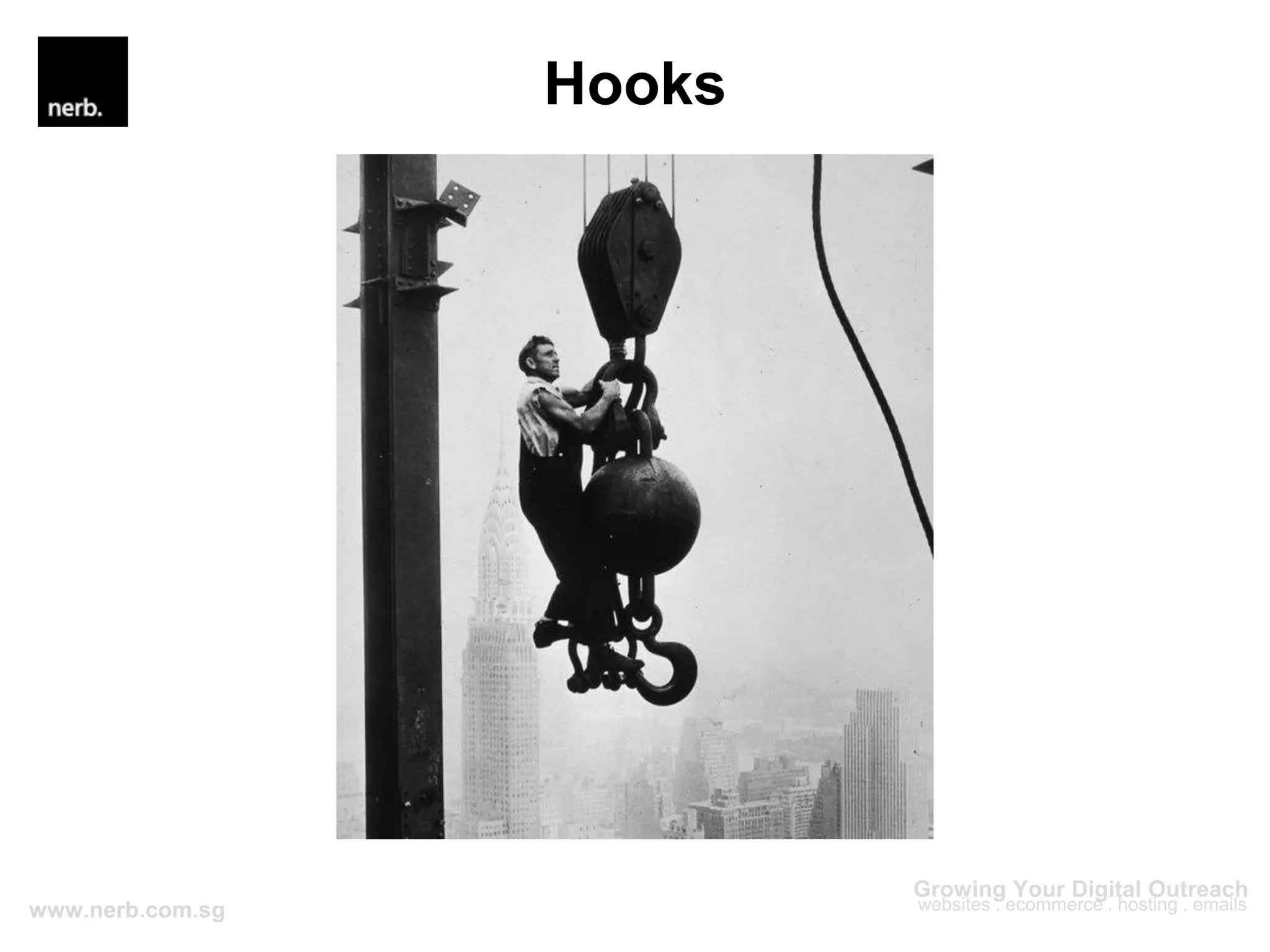
  • #10 Imagine WordPress as a large factory that produces web pages. Not all the work is being done inside the factory; they hire contractors from outside for certain tasks. But these contractors do not have a permanent place in the factory and they are stuck outside until WordPress, the factory, invites them in. And this factory uses giant hooks to ferry contractors in (show pic). Now, this factory has two types of hooks - action and filter.
  • #11 Each hook is labeled with a name that corresponds to a specific process. So maybe during the building of the ‘navigation’ section of the site, WordPress sends out one hook called “after_nav_menu” right before the process completes and invites these contractors to come in and perform whatever they want. So if a contractor wants to be part of the process, he can ride that hook and get transported to the proper part of the factory/site. Two types of hooks - actions and filters The action hooks bring contractors to a specific part of the factory and they can do whatever they want after that. They don’t have to report to anyone. But for contractors riding the filter hooks, they will be part of the factory full-time workers’ process. They’re given some information to handle and after modifications, have to return it back to the full-time worker. For e.g., if you are given a title of a post, you have to return it back after your modifications or the whole process will break. In WP terms, all these external contractors are your custom functions from either plugins or inside your theme’s functions.php file. They rely on hooks to work.
  • #13 Other methods to customise WP include using overriding templates in your child theme but using hooks should be the first method to look into. Every hook is in-charge of a specific process. For e.g., if your post title or content is not displaying correctly, then there is probably a filter used to manipulate that data. Or if there is some weird image appearing after the footer, then an action hook is probably used to insert it there. So with that understanding, u will know where to start and what to look out for when debugging How many of you, when looking to make some changes to your site, the first thing you think of, or ask in a Facebook group is the question “is there a plugin that does this…?”. And then you will receive responses like, “… yes there is this premium WooCommerce add-on plugin that contains a suite of options for you to edit”. But maybe you are only looking to change the text of a button or add some shipping details below your product description? These can easily be achieved by using hooks and a few lines of code. So as developers, I think it’s a good habit to start asking “is there a hook for this…” instead of “is there a plugin…”. Which brings me to my next point. When figuring out how certain hooks work, you are bound to look up the documentations or even the source code. And by doing so, you will develop a strong understanding of how that part of the program works, why is the hook placed there, how is it being used by other functions. All these are valuable knowledge and will help you a lot when u are developing your own plugins or themes. When using hooks, u are likely going to put your custom functions inside a plugin or in your child theme’s functions.php. Either way, u will be able to easily use that plugin or code snippet in other sites. For e.g., I created a plugin that allows me to replace the WP logo in the wp-admin login screen. So all I need to do is to upload that plugin to all our projects and change the logo accordingly. All changes will be upgrade proof because u are not changing core files
  • #15 Most important part of the action hook is the tag/hook name. This is the name that your custom functions will get attached to (remember the analogy?) Some hooks provide arguments that you can use in your custom functions. It’s optional to use them in your custom functions so it depends on what u are trying to achieve
  • #16 What this code does is it checks if the order is successful. If it is, the order details table will be generated in the thank you page. If the order fails, then it will just show some error message. After this conditional check, it creates two hooks. Since the hooks are placed after the conditional statement, your custom function will be run below the error message or the order details table, depending on the status of the order. With this, if client wants u to add some additional information in this page, u will know which hook to use.
  • #17 To use the hook, we will utilise the add_action() function to attach our custom function to the hook. The first parameter is the tag name; it must correspond to the name of the hook you want to hook into second parameter is the name of your custom function third parameter is the priority. If multiple custom functions are attached to the same hook, the function with the lowest priority will be run first. So if i want to attach an image above the custom thank you message, i will use the same code, with a different function name and give it a priority lower than 10. Default value is 10 The last parameter is the number of arguments we want to use in our custom function. If the hook provides two arguments, and we want to use both, then we will set this number to 2. The default value is 1 So essentially what this code does is tell WP to attach our custom function named ‘nerb_thankyou_info’ to the ‘woocommerce_thankyou’ hook, give it a priority of 10 and utilise one argument that the woocommerce_thankyou hook provides.
  • #19 This is how our custom function will look like. What this does is it checks if the order id is 888, if it is it will display the congrats message. If not, it will display the better luck next time message
  • #20 The final snippet will look like this. and it can be placed either in your child-theme’s functions.php or u can make it into a plugin Since the default value for the $priority param is 10 and the $args is 1, we can leave them out in the add_action() if we are planning to change the priority and include more than 1 argument. So the add_action() function will only contain the name of the hook and the name of our custom function
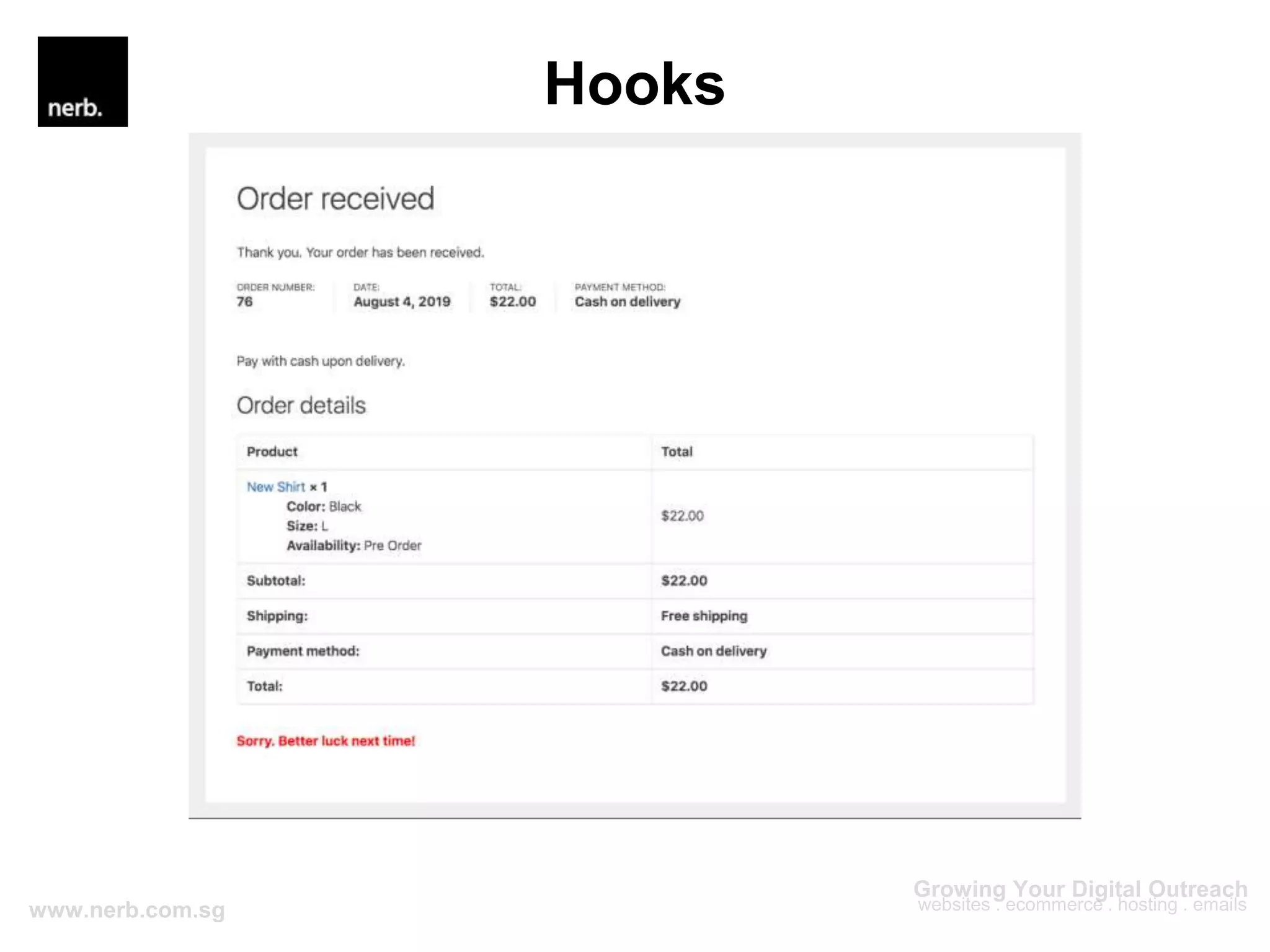
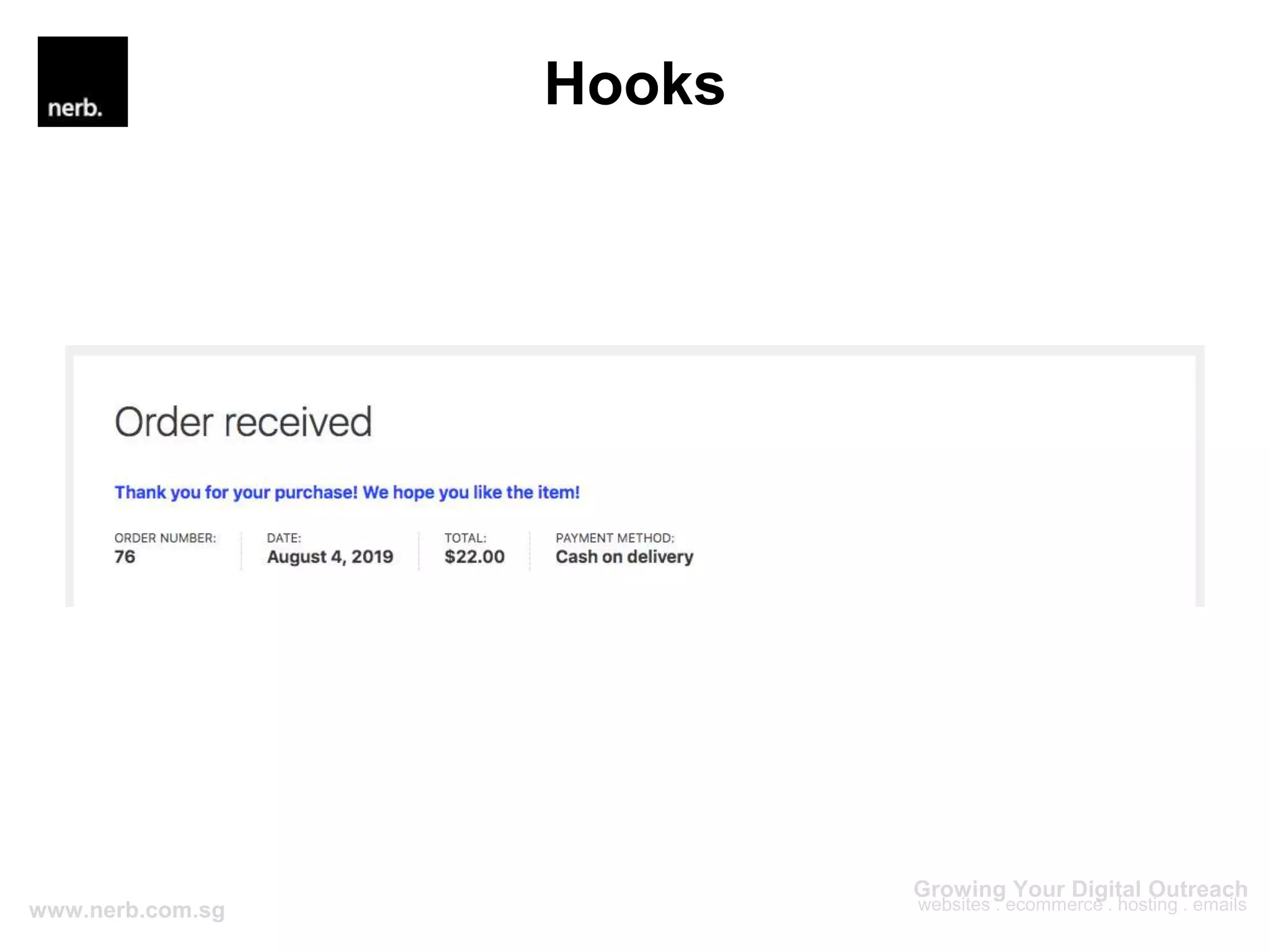
  • #21 And this is how it will look like in the thank you page. Since the order number is not 888, the ‘better luck next time’ message is being displayed
  • #22 Most important part of the action hook is the tag/hook name. This is the name that your custom functions will get attached to (remember the analogy?) Like the action hook, the first parameter is the tag/hook name The ‘value’ is the data that the filter hook allows us to change So what this filter hook does is allow us to change the ‘Thank you’ message that appears in thank you page when the order is successfully made
  • #23 To use the filter, we will utilise the add_filter() function to attach our custom function to the hook. The first parameter is the tag name; it must correspond to the name of the hook you want to hook into second parameter is the name of your custom function third parameter is the priority. If multiple custom functions are attached to the same hook, the function with the lowest priority will be run first. So if i want to attach an image above the custom thank you message, i will use the same code, with a different function name and give it a priority lower than 10. Default value is 10 The last parameter is the number of arguments we want to use in our custom function. If the hook provides two arguments, and we want to use both, then we will set this number to 2. The default value is 1 So essentially what this code does is tell WP to attach our custom function named ‘nerb_thankyou’ to the ‘woocommerce_thankyou_order_received_text’ filter hook, give it a priority of 10 and utilise one argument that the woocommerce_thankyou hook provides.
  • #24 This is how our custom function will look like.
  • #25 Take note of the return statement. When using a filter, it is a must to return a value regardless whether it is modified or not.
  • #27 When using the filter hook, you are given access to the original data. So after you are done with the modifications, you have to return the data back or there will be an error. Depending on user roles, we could use a filter and conditionally append text to the end of the blog post content. For example, for non-logged in users, we can at the ‘sign up or login’ text and for logged-in users, we can show the ‘logout’ text.