David Arcos - @DZPMSecurity for Data Scientists – #PyDataBCN
Security for Data Scientists
PyDataBCN 2017: Closing Act
David Arcos
CTO at
Abstract
Handling confidential data
attracts unwanted attention
from hostile attackers :(
We’ll see threats, attacks,
defenses & tools
Data Security
"Data security means protecting data
from destructive forces and from the
unwanted actions of unauthorized users"
Common myths
●
“I have nothing of value. I don’t mind”
●
“No one cares, I’m not a target”
●
“Nobody would go through the effort of hacking
me”
●
“If my computer was compromised, I’d know”
●
“I have nothing to hide...”
Why should you care about security?
● You have access to huge amounts of data
● Malicious individuals interested in
personal/private/confidential info
● That info gives access to bank accounts,
personal contacts, health conditions...
● Very automated attacks, targeted, high chance
of success
Threats: Authentication
●
Attacker will try to guess your weak password
●
You need to secure your strong password
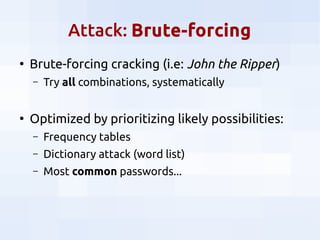
Attack: Brute-forcing
●
Brute-forcing cracking (i.e: John the Ripper)
– Try all combinations, systematically
●
Optimized by prioritizing likely possibilities:
– Frequency tables
– Dictionary attack (word list)
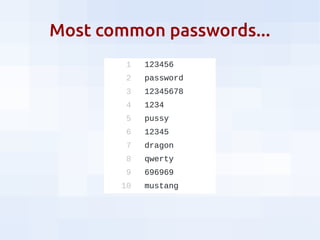
– Most common passwords...
Most common passwords...
Attack: previous data breaches
●
Websites are breached all the time
●
Those credentials are sold in the black market
●
Attacker steps:
– Get/buy credentials
– Try same credentials in other sites
Attack: previous data breaches
●
Websites are breached all the time
●
Those credentials are sold in the black market
●
Attacker steps:
– Get/buy credentials
– Try same credentials in other sites
– Surprise!
●
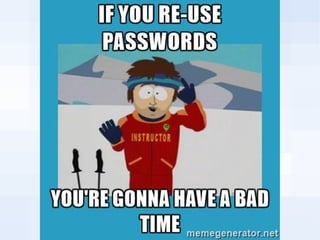
Most users re-use passwords :(
●
(And most websites have bullshit security)
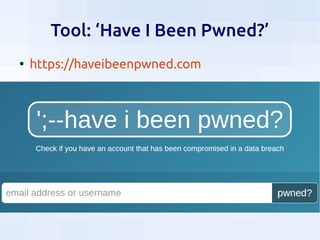
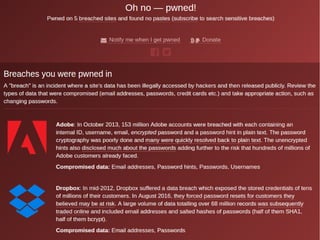
Tool: ‘Have I Been Pwned?’
●
https://haveibeenpwned.com
Rules for strong passwords
●
Use long, complex, random, unique
passwords
– Use letters, numbers, symbols
●
Size does matter
– High entropy: no patterns
●
Patterns will be guessed
– A new password for each service
●
A compromised service should not compromise all
your services
Defense: Use a Password Manager
●
To generate new strong passwords
– It’s like using pwgen
●
To store your passwords
– All your passwords are different
– Will be encrypted
●
To share passwords with your team
●
I recommend KeePass
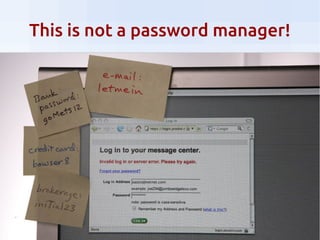
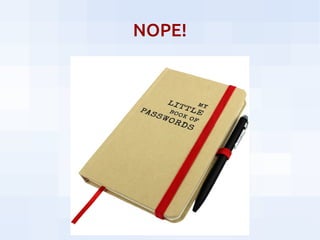
This is not a password manager!
NOPE!
Threat: Phishing
Attacker disguises as a trustworthy entity,
to obtain your sensitive information
by tricking you
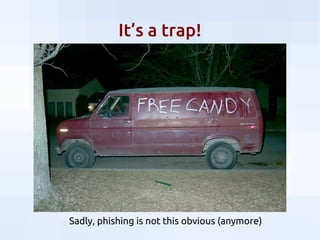
It’s a trap!
Sadly, phishing is not this obvious (anymore)
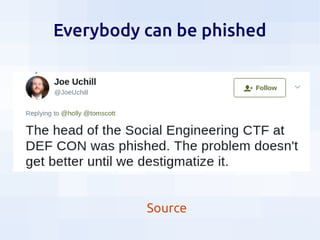
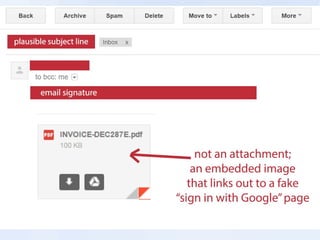
Everybody can be phished
Source
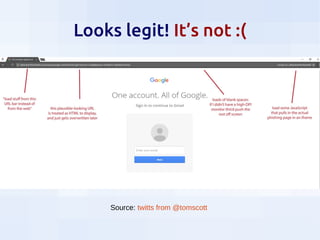
Looks legit! It’s not :(
Source: twitts from @tomscott
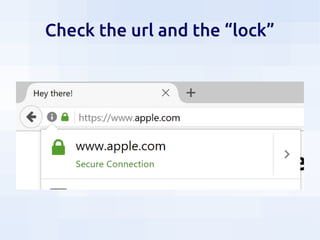
Check the url and the “lock”
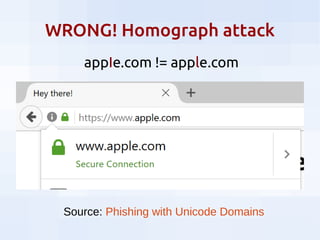
WRONG! Homograph attack
Source: Phishing with Unicode Domains
аррӏе.com != apple.com
Attack: Spear-phishing
●
Targeted attack
●
Attackers gather personal information about
their target
●
Very successful
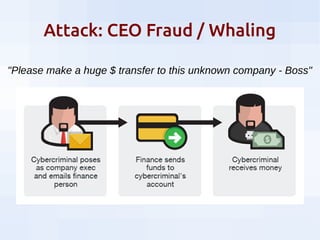
Attack: CEO Fraud / Whaling
"Please make a huge $ transfer to this unknown company - Boss"
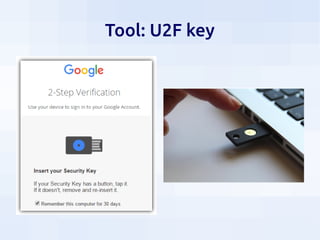
Defense: Two-Factor Auth (2FA)
●
Something you know + something you have
– SMS (but it’s complicated… avoid if possible)
– TOPT app: Google Authenticator, Authy…
– TOPT hardware: FIDO token, Yubikey
●
Check support for major sites:
– https://twofactorauth.org
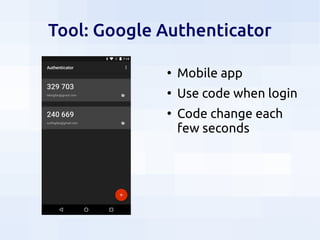
Tool: Google Authenticator
●
Mobile app
●
Use code when login
●
Code change each
few seconds
Tool: U2F key
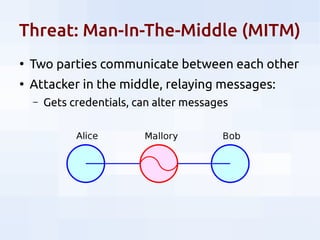
Threat: Man-In-The-Middle (MITM)
●
Two parties communicate between each other
●
Attacker in the middle, relaying messages:
– Gets credentials, can alter messages
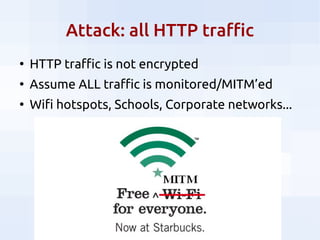
Attack: all HTTP traffic
●
HTTP traffic is not encrypted
●
Assume ALL traffic is monitored/MITM’ed
●
Wifi hotspots, Schools, Corporate networks...
ENCRYPT ALL THE THINGS!
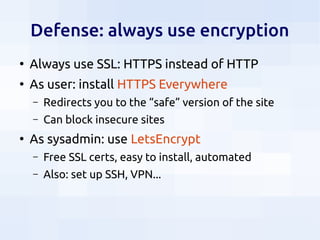
Defense: always use encryption
●
Always use SSL: HTTPS instead of HTTP
●
As user: install HTTPS Everywhere
– Redirects you to the “safe” version of the site
– Can block insecure sites
●
As sysadmin: use LetsEncrypt
– Free SSL certs, easy to install, automated
– Also: set up SSH, VPN...
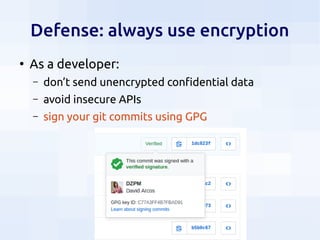
Defense: always use encryption
●
As a developer:
– don’t send unencrypted confidential data
– avoid insecure APIs
– sign your git commits using GPG
Threat: internet tracking
●
Most websites do internet tracking:
– To record your actions, profile you
– To serve (customized ) ads
– To send you malware (read: virus, spyware)
●
Attackers can target victims and send payloads
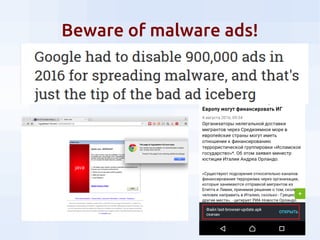
Beware of malware ads!
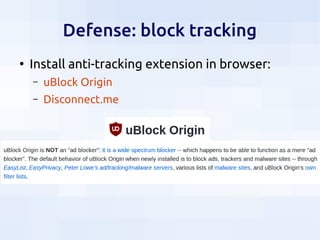
Defense: block tracking
●
Install anti-tracking extension in browser:
– uBlock Origin
– Disconnect.me
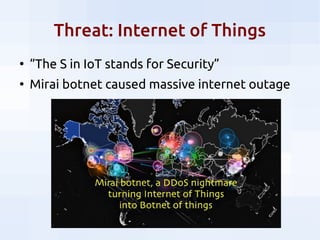
Threat: Internet of Things
●
“The S in IoT stands for Security”
●
Mirai botnet caused massive internet outage
Threats: physical security
●
Protect yourself against nearby attackers
– Use security locks against thiefs
– Be aware of over-the-shoulder eavesdroppers
– Be aware of your webcam
●
“Evil Maid” attack:
– When you leave your laptop in your hotel room...
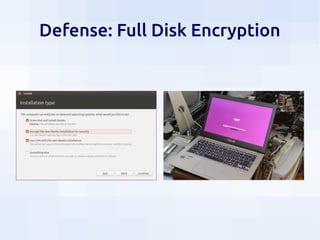
Defense: Full Disk Encryption
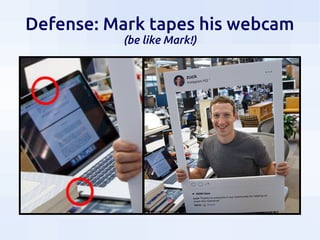
Defense: Mark tapes his webcam
(be like Mark!)
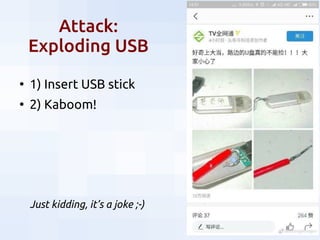
Attack:
Exploding USB
●
1) Insert USB stick
●
2) Kaboom!
Just kidding, it’s a joke ;-)
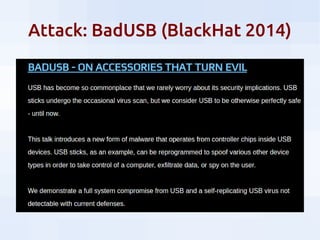
Attack: BadUSB (BlackHat 2014)
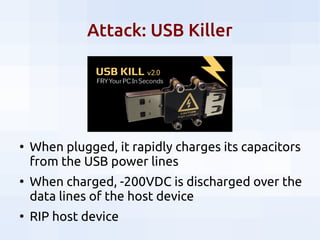
Attack: USB Killer
●
When plugged, it rapidly charges its capacitors
from the USB power lines
●
When charged, -200VDC is discharged over the
data lines of the host device
●
RIP host device
Defense: avoid unknown USBs
:(
Physical access to HW = Game over
More resources
●
Courses:
– Surveillance Self-Defense, from the EFF
– CS 88S: Safety in the Cloud, from the UCLA
●
People to follow:
– Bruce Schneier
– Bryan Krebs
– Troy Hunt
David Arcos - @DZPMSecurity for Data Scientists – #PyDataBCN
Thanks for attending!

Security for Data Scientists

  • 1.
    David Arcos -@DZPMSecurity for Data Scientists – #PyDataBCN Security for Data Scientists PyDataBCN 2017: Closing Act David Arcos CTO at
  • 2.
    Abstract Handling confidential data attractsunwanted attention from hostile attackers :( We’ll see threats, attacks, defenses & tools
  • 3.
    Data Security "Data securitymeans protecting data from destructive forces and from the unwanted actions of unauthorized users"
  • 4.
    Common myths ● “I havenothing of value. I don’t mind” ● “No one cares, I’m not a target” ● “Nobody would go through the effort of hacking me” ● “If my computer was compromised, I’d know” ● “I have nothing to hide...”
  • 6.
    Why should youcare about security? ● You have access to huge amounts of data ● Malicious individuals interested in personal/private/confidential info ● That info gives access to bank accounts, personal contacts, health conditions... ● Very automated attacks, targeted, high chance of success
  • 7.
    Threats: Authentication ● Attacker willtry to guess your weak password ● You need to secure your strong password
  • 8.
    Attack: Brute-forcing ● Brute-forcing cracking(i.e: John the Ripper) – Try all combinations, systematically ● Optimized by prioritizing likely possibilities: – Frequency tables – Dictionary attack (word list) – Most common passwords...
  • 9.
  • 10.
    Attack: previous databreaches ● Websites are breached all the time ● Those credentials are sold in the black market ● Attacker steps: – Get/buy credentials – Try same credentials in other sites
  • 11.
    Attack: previous databreaches ● Websites are breached all the time ● Those credentials are sold in the black market ● Attacker steps: – Get/buy credentials – Try same credentials in other sites – Surprise! ● Most users re-use passwords :( ● (And most websites have bullshit security)
  • 13.
    Tool: ‘Have IBeen Pwned?’ ● https://haveibeenpwned.com
  • 15.
    Rules for strongpasswords ● Use long, complex, random, unique passwords – Use letters, numbers, symbols ● Size does matter – High entropy: no patterns ● Patterns will be guessed – A new password for each service ● A compromised service should not compromise all your services
  • 16.
    Defense: Use aPassword Manager ● To generate new strong passwords – It’s like using pwgen ● To store your passwords – All your passwords are different – Will be encrypted ● To share passwords with your team ● I recommend KeePass
  • 17.
    This is nota password manager!
  • 18.
  • 19.
    Threat: Phishing Attacker disguisesas a trustworthy entity, to obtain your sensitive information by tricking you
  • 20.
    It’s a trap! Sadly,phishing is not this obvious (anymore)
  • 21.
    Everybody can bephished Source
  • 23.
    Looks legit! It’snot :( Source: twitts from @tomscott
  • 24.
    Check the urland the “lock”
  • 25.
    WRONG! Homograph attack Source:Phishing with Unicode Domains аррӏе.com != apple.com
  • 26.
    Attack: Spear-phishing ● Targeted attack ● Attackersgather personal information about their target ● Very successful
  • 27.
    Attack: CEO Fraud/ Whaling "Please make a huge $ transfer to this unknown company - Boss"
  • 28.
    Defense: Two-Factor Auth(2FA) ● Something you know + something you have – SMS (but it’s complicated… avoid if possible) – TOPT app: Google Authenticator, Authy… – TOPT hardware: FIDO token, Yubikey ● Check support for major sites: – https://twofactorauth.org
  • 29.
    Tool: Google Authenticator ● Mobileapp ● Use code when login ● Code change each few seconds
  • 30.
  • 31.
    Threat: Man-In-The-Middle (MITM) ● Twoparties communicate between each other ● Attacker in the middle, relaying messages: – Gets credentials, can alter messages
  • 32.
    Attack: all HTTPtraffic ● HTTP traffic is not encrypted ● Assume ALL traffic is monitored/MITM’ed ● Wifi hotspots, Schools, Corporate networks...
  • 33.
  • 34.
    Defense: always useencryption ● Always use SSL: HTTPS instead of HTTP ● As user: install HTTPS Everywhere – Redirects you to the “safe” version of the site – Can block insecure sites ● As sysadmin: use LetsEncrypt – Free SSL certs, easy to install, automated – Also: set up SSH, VPN...
  • 35.
    Defense: always useencryption ● As a developer: – don’t send unencrypted confidential data – avoid insecure APIs – sign your git commits using GPG
  • 36.
    Threat: internet tracking ● Mostwebsites do internet tracking: – To record your actions, profile you – To serve (customized ) ads – To send you malware (read: virus, spyware) ● Attackers can target victims and send payloads
  • 37.
  • 38.
    Defense: block tracking ● Installanti-tracking extension in browser: – uBlock Origin – Disconnect.me
  • 39.
    Threat: Internet ofThings ● “The S in IoT stands for Security” ● Mirai botnet caused massive internet outage
  • 40.
    Threats: physical security ● Protectyourself against nearby attackers – Use security locks against thiefs – Be aware of over-the-shoulder eavesdroppers – Be aware of your webcam ● “Evil Maid” attack: – When you leave your laptop in your hotel room...
  • 41.
  • 42.
    Defense: Mark tapeshis webcam (be like Mark!)
  • 43.
    Attack: Exploding USB ● 1) InsertUSB stick ● 2) Kaboom! Just kidding, it’s a joke ;-)
  • 44.
  • 45.
    Attack: USB Killer ● Whenplugged, it rapidly charges its capacitors from the USB power lines ● When charged, -200VDC is discharged over the data lines of the host device ● RIP host device
  • 46.
  • 47.
    Physical access toHW = Game over
  • 48.
    More resources ● Courses: – SurveillanceSelf-Defense, from the EFF – CS 88S: Safety in the Cloud, from the UCLA ● People to follow: – Bruce Schneier – Bryan Krebs – Troy Hunt
  • 49.
    David Arcos -@DZPMSecurity for Data Scientists – #PyDataBCN Thanks for attending!