What Is PersonalCloud Storage?
• An Internet-based service that stores files for you, and allows you to
manage them
• An Internet-based offsite-backup service for individuals as well as small-
and medium-sized businesses (SMBs)
• Software that allows you to access storage on your home network
through the Internet
• A tool that allows you to share files with others, and allows you to
collaborate without the overhead of a Sharepoint or similar enterprise
service
• A tool that allows you to share files between your computer, your phone,
your tablet, and other Internet-connected devices
3.
Why Personal CloudStorage?
• Sometimes you need to get to a document when you’re away from home
• Ease of collaboration with a remote partner
• File sharing with greater ease than FTP and more security than a basic
(http) Web directory
• Offsite file backup against possible hard drive (or home backup) failure
(some services)
• File security for sensitive data (may require business-level service)
4.
Features of PersonalCloud Storage
• Persistent access to files
• Backup tool
• Offsite backup solution
• File restoration and data recovery (depending on storage solution, often for
an additional fee)
• Collaboration tool
• Variable access levels (read, read/write, read/write/add/delete) depending on
solution
• File synchronization (this can be a good thing or a bad thing)
The specific set of features and services will vary from provider to provider, and
sometimes from payment level to payment level
5.
Limitations of PersonalCloud Storage
• You pay for what you get
• Free versions offer limited storage space and features
• Your files are only as secure as the service and the methods you use to
access it
(This may a good reason not to use your Web storage space for file-sharing)
• Data recovery/ file restoration is usually an add-on feature which must be
subscribed to before you need it
• Free and add-on features (backup, file synchronization, etc) vary from
service to service
6.
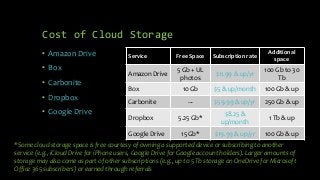
*Some cloud storagespace is free courtesy of owning a supported device or subscribing to another
service (e.g., iCloud Drive for iPhone users, Google Drive for Google account holders). Larger amounts of
storage may also come as part of other subscriptions (e.g., up to 5 Tb storage on OneDrive for Microsoft
Office 365 subscribers) or earned through referrals
Cost of Cloud Storage
• Amazon Drive
• Box
• Carbonite
• Dropbox
• Google Drive
Service Free Space Subscription rate
Additional
space
Amazon Drive
5 Gb + UL
photos
$11.99 & up/yr
100 Gb to 30
Tb
Box 10 Gb $5 & up/month 100 Gb & up
Carbonite --- $59.99 & up/yr 250 Gb & up
Dropbox 5.25 Gb*
$8.25 &
up/month
1 Tb & up
Google Drive 15 Gb* $19.99 & up/yr 100 Gb & up
7.
Cost of CloudStorage (II)
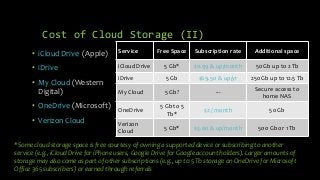
• iCloud Drive (Apple)
• iDrive
• My Cloud (Western
Digital)
• OneDrive (Microsoft)
• Verizon Cloud
Service Free Space Subscription rate Additional space
iCloud Drive 5 Gb* $0.99 & up/month 50 Gb up to 2 Tb
iDrive 5 Gb $69.50 & up/yr 250 Gb up to 12.5 Tb
My Cloud 5 Gb? ---
Secure access to
home NAS
OneDrive
5 Gb to 5
Tb*
$2 / month 50 Gb
Verizon
Cloud
5 Gb* $5.00 & up/month 500 Gb or 1 Tb
*Some cloud storage space is free courtesy of owning a supported device or subscribing to another
service (e.g., iCloud Drive for iPhone users, Google Drive for Google account holders). Larger amounts of
storage may also come as part of other subscriptions (e.g., up to 5 Tb storage on OneDrive for Microsoft
Office 365 subscribers) or earned through referrals
8.
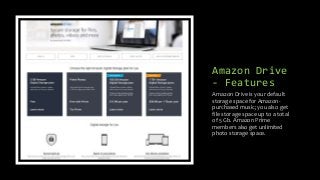
Amazon Drive
- Features
AmazonDrive is your default
storage space for Amazon-
purchased music; you also get
file storage space up to a total
of 5 Gb. Amazon Prime
members also get unlimited
photo storage space.
9.
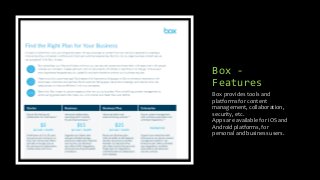
Box -
Features
Box providestools and
platforms for content
management, collaboration,
security, etc.
Apps are available for iOS and
Android platforms, for
personal and business users.
Dropbox -
Features
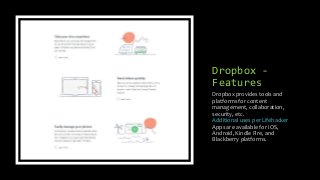
Dropbox providestools and
platforms for content
management, collaboration,
security, etc.
Additional uses per Lifehacker
Apps are available for iOS,
Android, Kindle Fire, and
Blackberry platforms.
12.
Google Drive
- Features
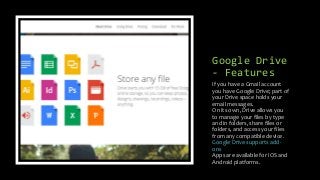
Ifyou have a Gmail account
you have Google Drive; part of
your Drive space holds your
email messages.
On its own, Drive allows you
to manage your files by type
and in folders, share files or
folders, and access your files
from any compatible device.
Google Drive supports add-
ons
Apps are available for iOS and
Android platforms.
13.
iCloud Drive
- Features
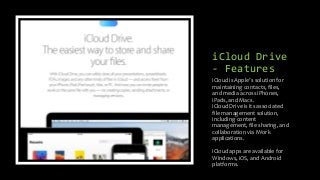
iCloudis Apple’s solution for
maintaining contacts, files,
and media across iPhones,
iPads, and Macs.
iCloud Drive is its associated
file management solution,
including content
management, file sharing, and
collaboration via iWork
applications.
iCloud apps are available for
Windows, iOS, and Android
platforms.
14.
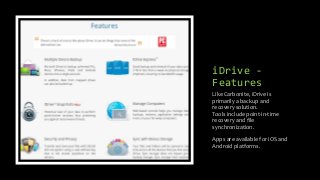
iDrive -
Features
Like Carbonite,iDrive is
primarily a backup and
recovery solution.
Tools include point-in-time
recovery and file
synchronization.
Apps are available for iOS and
Android platforms.
15.
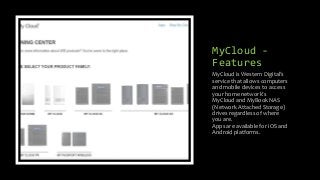
MyCloud -
Features
MyCloud isWestern Digital’s
service that allows computers
and mobile devices to access
your home network’s
MyCloud and MyBook NAS
(Network Attached Storage)
drives regardless of where
you are.
Apps are available for iOS and
Android platforms.
16.
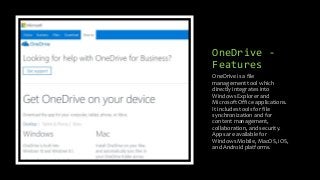
OneDrive -
Features
OneDrive isa file
management tool which
directly integrates into
Windows Explorer and
Microsoft Office applications.
It includes tools for file
synchronization and for
content management,
collaboration, and security.
Apps are available for
Windows Mobile, MacOS, iOS,
and Android platforms.
17.
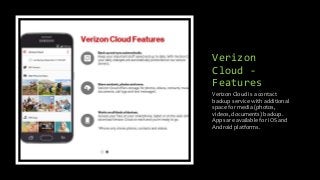
Verizon
Cloud -
Features
Verizon Cloudis a contact
backup service with additional
space for media (photos,
videos, documents) backup.
Apps are available for iOS and
Android platforms.
18.
Cloud Drive
File
Managers
• Appsthat allow you to access all (or most) of your cloud
storage from a single location
• Most support the major players (Google, Box, DropBox,
OneDrive, iCloud Drive); some support Asia-based
providers as well
• Find these utilities by searching for “cloud manager” on
your device’s authorized store
• Note that some of these apps have not been updated in
years; others will not work under current security settings;
still others only work if you’ve paid (or are paying) the
developer
Examples:
• Wi-Fi HD (iOS)
• iTransfer Pro (iOS)
• File Brick (Windows desktop)
• Unclouded (Android)
Because many of our apps and
devices default to different
Cloud Storage options, it can
be helpful to manage them all
in a single view.
19.
How I use
Personal
CloudStorage
Dropbox
• Used in the past to share NYC Marathon and Tour de Cure
photos
Google
• Photo sync with my phone
• Storage area for historical ACGNJ documents (link shared
with Board of Directors)
• Default download for Gmail attachments, some items
signed into with Google ID
• Easiest place for me to share media with Frank
One Drive
• My main OTG file access for things I’m working on (usable
on phone, iPad, Android tablet, Windows tablet)
• Parking area for images used in PowerPoint presentations
Personal Web Space
• Used to hold files for the presentations listed on my ACGNJ
and TCF pages
• Since I’m running out of space, I’ve begun posting
presentations to LinkedIn’s SlideShare service
20.
Online
Comparisons
• iDrive betterthan Carbonite?
https://www.idrive.com/carbonite
• CNET: OneDrive, Dropbox, Google Drive: Which Cloud
Storage Service is Right For You?
• The Guardian: What can I do when my 25GB of OneDrive
cloud storage is cut to 5GB? Discusses both the cost of
storage and issues moving files from one cloud to another
• 1 more Tech Blog: Top 10 Best Free Cloud Storage Services
includes some lesser-known providers. The post is old:
some providers have closed (or started charging); others
are insecure. Check the comments before signing up for
anything.
• Lifehacker: File Syncing Showdown: Google Drive vs.
Dropbox vs. OneDrive
• Alphr: The Best Cloud Storage Service of 2017
Some well-known technology
sites compare two or more of
these solutions
21.
Links to
Cloud
Storage
Services
• AmazonDrive:
https://www.amazon.com/b/?_encoding=UTF8&node=155
47130011&ref_=cd_lg_sn_in
• Box: https://www.box.com/ (Features from menu on main
page, business plan comparison page)
• Box Developer Site: https://developer.box.com/
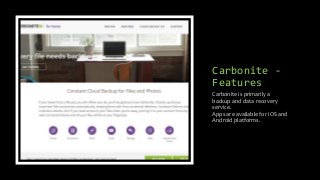
• Carbonite: https://www.carbonite.com/ (Backup and data
recovery only)
• DropBox: https://www.dropbox.com
• Google Drive: https://drive.google.com
• iCloud Drive: https://www.apple.com/icloud/icloud-drive/
• iDrive: https://www.idrive.com
• Verizon Cloud:
https://www.verizonwireless.com/solutions-and-
services/verizon-cloud/
22.
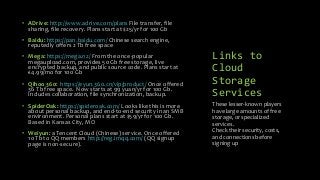
Links to
Cloud
Storage
Services
• ADrive:http://www.adrive.com/plans File transfer, file
sharing, file recovery. Plans start at $25/yr for 100 Gb
• Baidu: https://pan.baidu.com/ Chinese search engine,
reputedly offers 2 Tb free space
• Mega: https://mega.nz/ From the once-popular
megaupload.com, provides 50 Gb free storage, live
encrypted backup, and public source code. Plans start at
€4.99/mo for 100 Gb
• Qihoo 360: https://eyun.360.cn/vip/product/ Once offered
36 Tb free space. Now starts at 99 yuan/yr for 100 Gb.
Includes collaboration, file synchronization, backup.
• SpiderOak: https://spideroak.com/ Looks like this is more
about personal backup, and end-to-end security in an SMB
environment. Personal plans start at $59/yr for 100 Gb.
Based in Kansas City, MO
• Weiyun: a Tencent Cloud (Chinese) service. Once offered
10 Tb to QQ members http://reg.imqq.com/ (QQ signup
page is non-secure).
These lesser-known players
have large amounts of free
storage, or specialized
services.
Check their security, costs,
and connections before
signing up